# Webhooks
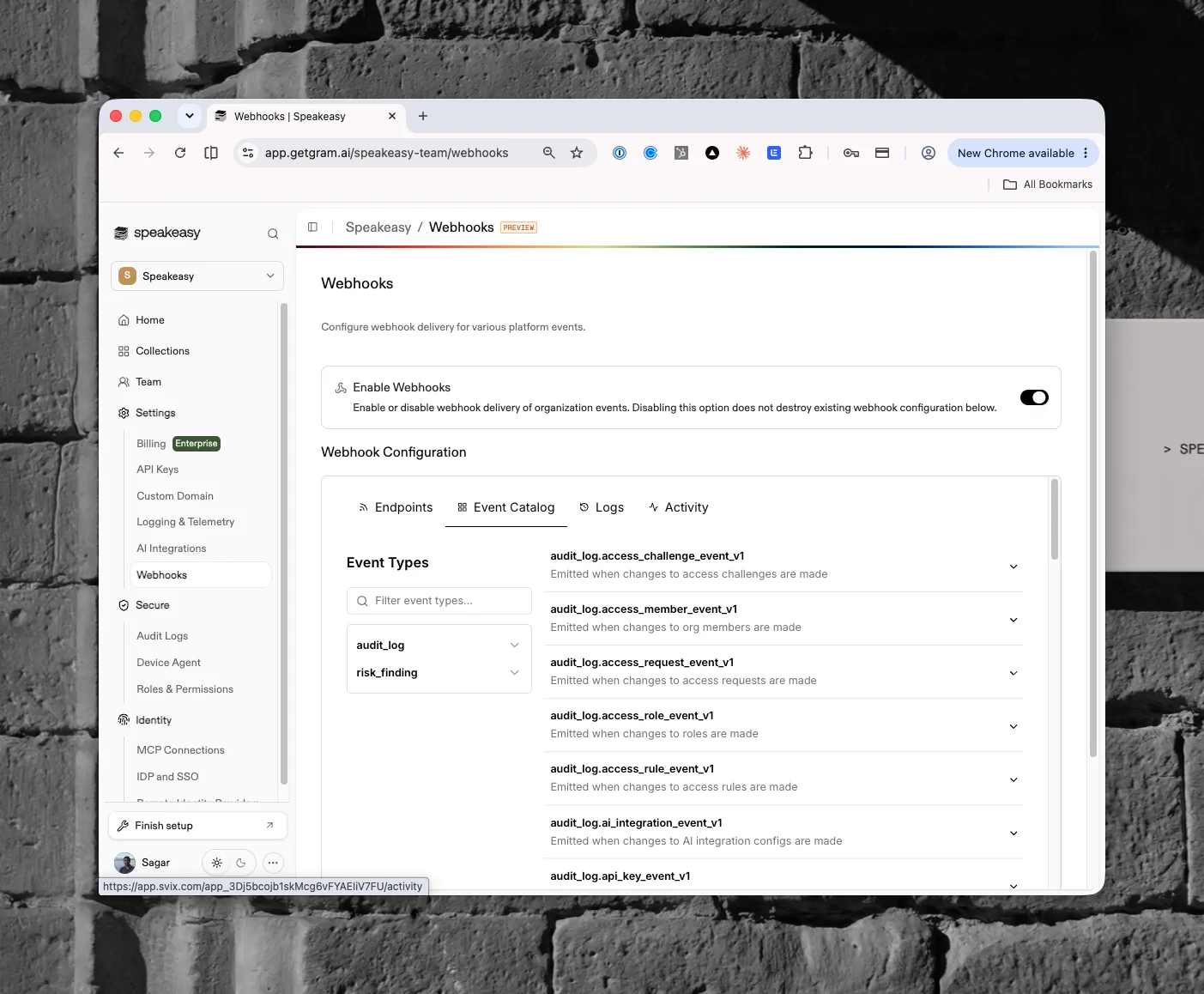
The **Webhooks** page configures webhook delivery for platform events. Open it from **Organization settings > Settings > Webhooks** in the dashboard.
This feature is in preview. Organizations without webhooks enabled see a "Webhooks are currently in preview" state with a **Talk to our team** button to request access.
## Access requirements
Viewing the page requires the `org:read` scope, which both the Admin and Member default roles include. Toggling webhook delivery requires the `org:admin` scope, held only by the [Admin role](/docs/ai-control-plane/org-admin/roles-and-permissions) by default.
## Enabling delivery
The page shows a **Webhooks** heading with the description "Configure webhook delivery for various platform events". An **Enable Webhooks** toggle turns delivery on or off. Disabling the toggle stops delivery without destroying existing configuration, so re-enabling it restores the previous setup.
## Webhook configuration
Once the organization completes onboarding, a **Webhook Configuration** section appears with four tabs:
- **Endpoints** — the destinations that receive events and their subscriptions
- **Event Catalog** — every event type available to subscribe to, filterable by name
- **Logs** — delivery history
- **Activity** — recent webhook activity
## Event catalog
Events group into two families. The `audit_log` events emit when organization resources change, one versioned type per resource: members, roles, access rules, access requests, access challenges, API keys, AI integration configs, and more (for example, `audit_log.access_member_event_v1` emits when changes to org members are made). The `risk_finding` events emit for policy findings raised by [risk policies](/docs/ai-control-plane/secure/risk-policies). Each entry in the catalog expands to show its payload details.