# API compliance: Practical approaches for modern development teams
Source: https://speakeasy.com/api-design/api-compliance
import { Callout } from "@/mdx/components";
There's nothing quite like hitting your stride with a large API project. Your rate limiting, authentication, and state management have been debated, designed, built, and tested to perfection. It's time to start building new features for your growing user base. Bliss.
But right as you're ready to ship, your in-house counsel emerges from a Patagonia vest catalog asking for "just a short review". A "quick coffee" is about to turn into the longest month of your life. At best, you're looking at weeks of meetings and documentation. At worst, your next eight sprints will be spent refactoring for compliance.
It doesn't have to be this way. By integrating compliance requirements into your development process from the start, you can avoid these last-minute fire drills. This guide explores practical, industry-tested approaches to API compliance that are actually used in the real world.
Let's start with what each role player wants and think about how we can find common ground:
- **Developers** need clear, implementable specifications that don't sacrifice velocity.
- **Legal teams** require documented controls and evidence for audits and reporting.
- **Auditors** expect verifiable compliance and a clear audit trail.
## Why is compliance so important?
Compliance allows you to avoid paying hefty fines and losing customer trust.
Take, for example, [the €290,000,000 GDPR fine Uber had to pay in July 2024](https://web.archive.org/web/20250712030312/https://www.edpb.europa.eu/news/news/2024/dutch-sa-imposes-fine-290-million-euro-uber-because-transfers-drivers-data-us_en) for improperly transferring European drivers' personal data to servers in the United States. Uber's API and data infrastructure failed to implement adequate safeguards when transmitting sensitive information, including location data, payment details, identification documents, and in some cases, even criminal and medical records.
This serves as a costly reminder that privacy compliance needs to be designed into APIs from the start, particularly for international data transfers. The cost of retrofitting compliance can far exceed the cost of building it in from the start.
## Common compliance frameworks
In an ideal world, we'd have a single, universally accepted compliance framework. In reality, we have a slew of industry-specific standards and regulations. Here's a comparison of key requirements across major frameworks:
| Framework | Access Control | Audit Logging | Data Minimization | Encryption | Breach Notification |
|-----------|----------------|---------------|-------------------|------------|---------------------|
| SOC 2 | ✓ | ✓ | – | ✓ | ✓ |
| GDPR | ✓ | ✓ | ✓ | ✓ | ✓ |
| PCI DSS | ✓ | ✓ | – | ✓ | ✓ |
| HIPAA | ✓ | ✓ | ✓ | ✓ | ✓ |
| CCPA | ✓ | ✓ | ✓ | – | ✓ |
Let's explore each framework's specific requirements.
### SOC 2: System and Organization Controls
The SOC 2 is the de facto standard for SaaS companies, especially those selling to enterprises. It's less about specific technical requirements and more about proving you have the proper controls in place.
For APIs, this typically means:
- Access control and authentication
- Audit logs of all data access attempts and changes
- Monitoring and alerting systems
- Documented change management
### GDPR: General Data Protection Regulation
If you handle data from EU residents (notice we didn't say EU citizens), the GDPR applies to you. It's a comprehensive piece of legislation that gives individuals strong rights over their personal data.
Your API needs to support:
- Data exports in machine-readable formats
- Complete data deletion ("right to be forgotten")
- Explicit consent tracking
- Data minimization (only collect what you need)
### PCI DSS: Payment Card Industry Data Security Standard
If your API handles credit card data, you need to comply with the PCI DSS. Unlike the SOC 2 and the GDPR, it has very specific technical requirements about how you handle, store, and transmit payment data.
The PCI DSS is more prescriptive but focuses on storage and transmission:
- Never store sensitive data (such as CVVs, PINs, or magnetic stripes).
- Encrypt transmissions of cardholder data.
- Restrict access by IP and authentication.
- Log all access attempts and changes.
### HIPAA: Health Insurance Portability and Accountability Act
The HIPAA governs the handling of protected health information (PHI) in the United States. Its Security Rule has specific requirements for API implementations:
- Strong access controls with role-based authorization
- End-to-end encryption for all PHI transmission
- Detailed audit trails of all PHI access and modifications
- Automatic session termination after a period of inactivity
- Business Associate Agreements (BAAs) for API integrations
- Secure API key management and rotation
### CCPA/CPRA: California Consumer Privacy Act/California Privacy Rights Act
California's privacy laws give consumers significant rights over their personal information and impose strict requirements on APIs handling Californian residents' data, including:
- The right to know what personal information is collected and shared
- The right to delete personal information
- The right to opt out of data sharing and selling
- Data portability requirements
- Specific consent requirements for minors
- The requirement to honor Global Privacy Control (GPC) signals
## High-impact areas for compliance
By focusing on high-impact areas, like data encryption, access control, audit logging, and data minimization, you can build a solid foundation for compliance.
### Data encryption
Ensure that all sensitive data is encrypted at rest and in transit. Use industry-standard encryption algorithms and key management practices.
### Access control
Zero trust principles should guide your access control strategy. Implement role-based access control (RBAC) and least privilege access to limit exposure.
### Audit logging
Log all access attempts, changes, and deletions of sensitive data. Ensure logs are tamper-proof and stored securely.
### Data minimization
Only collect data that is necessary for your service to function. Regularly review data storage and retention policies.
## Common security risks in API development
A large part of compliance is about avoiding common security issues. Resources such as the [OWASP API Security Top 10](https://owasp.org/API-Security/editions/2023/en/0x11-t10/) provide a good starting point for understanding potential threats. Here are some common security risks to watch out for:
### Broken object level authorization
This occurs when APIs don't properly verify that the requesting user has permission to access or modify a specific resource. For example, without adequate verification, a user might be able to access another user's data by manipulating an ID in the request URL.
Prevent this by implementing proper access controls and authorization checks at the object level, such as verifying that the requesting user has the necessary permissions to access the requested resource.
Row-level security can be implemented in the database or at the application level, depending on the use case.
### Broken authentication
Authentication mechanisms that are implemented incorrectly may allow attackers to impersonate users or bypass authentication entirely.
Prevention strategies:
- Use standard authentication frameworks rather than custom implementations.
- Implement proper token validation, revocation, and expiration.
- Enforce strong password policies and multi-factor authentication.
### Broken object property level authorization
Further vulnerabilities (formerly known as the "Excessive Data Exposure" and "Mass Assignment" security vulnerabilities) occur when APIs expose sensitive properties or allow properties that should be restricted to be updated.
Prevention strategies:
- Restrict responses by using explicit schemas to control what APIs return.
- Restrict inputs by allowlisting certain properties for updates.
### Unrestricted resource consumption
APIs that don't properly limit resource usage may allow attackers to launch denial-of-service attacks or cause excessive operational costs.
Prevention strategies:
- Implement rate limiting and quotas.
- Set maximum sizes for payloads, pagination limits, etc.
- Monitor and set alerts for unusual usage patterns.
### Broken function level authorization
This occurs when APIs don't properly restrict access to certain functionality based on user roles or permissions.
Prevent broken function level authorization by implementing RBAC and ensuring each API endpoint checks the users' permissions before executing requested actions.
### Unrestricted access to sensitive business flows
APIs that offer unrestricted access allow for the automated abuse of business functionalities, such as ticket scalping, mass account creation, or content scraping.
Prevention strategies:
- Implement CAPTCHA or anti-automation for sensitive flows.
- Apply business-specific rate limits.
- Monitor unusual patterns of behavior.
### Server-side request forgery
Vulnerabilities may allow attackers to make an API server send requests to unintended destinations, potentially accessing internal services.
Prevention strategies:
- Validate and sanitize all input.
- Use allowlists for external service calls.
- Implement network-level protections, like firewalls.
### Security misconfiguration
Insecure default configurations, incomplete setups, and exposed cloud storage all put your API at risk.
Prevention strategies:
- Remove debug endpoints in production.
- Keep dependencies up to date.
- Use secure defaults for all configurations.
### Improper inventory management
This occurs due to poor visibility into which APIs are deployed, including outdated, unpatched, or undocumented endpoints.
A good service catalog can help you keep track of all your APIs, including their purpose, owner, and compliance status. [Kong's Service Catalog](https://docs.konghq.com/konnect/service-catalog/) is a good example of a tool that can help you manage your API inventory.
### Unsafe consumption of APIs
This vulnerability occurs when your API consumes and processes data from third-party APIs without proper validation.
Prevention strategies:
- Validate all data from third-party APIs.
- Implement timeouts and circuit breakers.
- Apply the same security controls to third-party data as user input.
## Practical approaches to API compliance
Let's explore proven, real-world methods that organizations are successfully implementing today to address compliance requirements in their API development.
### Using a modern API gateway
Modern API gateways like Kong, Apigee, and AWS API Gateway provide built-in compliance tools. By centralizing compliance controls in the gateway, you can enforce policies consistently across all APIs and reduce the burden on individual services.
This also simplifies audit preparations by providing a single point of control.
The key features of modern API gateways include:
- **Request/response transformation**: Remove sensitive data before it leaves your network.
- **Rate limiting**: Prevent abuse and protect against DDoS attacks.
- **IP restriction**: Whitelist trusted IP ranges.
- **Key authentication**: Secure your APIs with API keys.
- **ACLs**: Control access based on user roles.
- **Logging**: Centralize access logs for auditing.
```yaml
# Example Kong plugin configuration for PCI DSS compliance
plugins:
- name: request-transformer
config:
remove:
headers: ["authorization"]
- name: response-transformer
config:
remove:
json: ["$.card.number", "$.card.cvv"]
- name: rate-limiting
config:
second: 5
minute: 60
- name: ip-restriction
config:
whitelist: ["192.168.1.1/24", "10.0.0.1/16"]
- name: key-auth
config:
key_names: ["api-key"]
- name: acl
config:
whitelist: ["admin", "payment-service"]
- name: log
config:
service_token: "log-token"
log_level: "info"
```
This approach provides:
- Centralized policy management
- Consistent enforcement across services
- Automated testing of policies
- Clear audit trails
### Policy as code
Policy-as-code tools like Open Policy Agent (OPA) allow you to define compliance policies as code that can be versioned, tested, and automated.
The policies are written in a declarative language called Rego, which is designed to remove ambiguity and make policies machine-readable. By removing policy enforcement from the application code, you can ensure that compliance requirements are consistently enforced across all services and updated independently of the application code.
```rego
# Example OPA policy for GDPR compliance
package gdpr
# Rule to check if a request requires explicit consent
requires_consent {
input.resource.type == "user_data"
data.sensitive_fields[_] == input.action.field
not input.subject.has_consent
}
# Rule to enforce data deletion (right to be forgotten)
allow_deletion {
input.action.type == "delete"
input.resource.owner == input.subject.id
}
# Rule to check if data minimization principles are followed
violates_data_minimization {
input.action.type == "collect"
not data.required_fields[input.action.field]
}
```
This approach provides:
- Centralized policy management
- Consistent enforcement across services
- Automated testing of policies
- Clear audit trails
### Compliance-focused API testing
Automated testing designed for compliance can catch issues early.
```javascript
// Example Jest test for HIPAA compliance
describe('HIPAA Compliance Tests', () => {
test('PHI is encrypted in transit', async () => {
const response = await fetch('https://api.example.com/patient/123', {
headers: { 'Authorization': 'Bearer test_token' }
});
// Check that the connection used TLS 1.2 or higher
expect(response.connection.protocol).toMatch(/TLSv1\.[23]/);
});
test('Access logs are created for PHI access', async () => {
await fetch('https://api.example.com/patient/123', {
headers: { 'Authorization': 'Bearer test_token' }
});
// Check that access was logged
const logs = await getAccessLogs();
expect(logs).toContainEqual(expect.objectContaining({
resource: '/patient/123',
action: 'read',
timestamp: expect.any(String),
actor: expect.any(String)
}));
});
test('Session expires after inactivity', async () => {
// Get token
const token = await getAuthToken();
// Wait for token to expire
await new Promise(resolve => setTimeout(resolve, 15 * 60 * 1000));
// Try to use token after timeout
const response = await fetch('https://api.example.com/patient/123', {
headers: { 'Authorization': `Bearer ${token}` }
});
expect(response.status).toBe(401);
});
});
```
Add tests to your CI/CD pipelines to prevent non-compliant code from reaching production, and to catch issues early in the development process.
### Data catalogs and classification
Modern data governance platforms like [Collibra](https://www.collibra.com/), [Alation](https://www.alation.com/), and [Atlan](https://atlan.com/) help track data lineage and enforce classification policies.
Data lineage is the process of tracking data from its origin to its destination. It helps organizations understand how data moves through their systems and ensures compliance with data handling policies.
Data catalogs are particularly useful in the modern AI-driven world, where data is often shared across multiple services and systems. By classifying data based on sensitivity and compliance requirements, you can ensure that only authorized services have access to sensitive data.
Aimed at data stewards and compliance officers, these platforms provide:
- Automated data discovery
- Data classification and tagging
- Data lineage tracking
- Compliance reporting
### Compliance scanning in CI/CD
Tools like [Snyk](https://snyk.io/), [Checkmarx](https://checkmarx.com/), and [SonarQube](https://www.sonarsource.com/products/sonarqube/) can be configured to scan for compliance issues during the build process:
```yaml
# Example GitLab CI configuration
stages:
- test
- compliance
- deploy
compliance_scan:
stage: compliance
script:
- checkmarx-scan --preset "PCI-DSS" --source "${CI_PROJECT_DIR}"
- owasp-dependency-check --project "API" --scan "${CI_PROJECT_DIR}"
- sonar-scanner -Dsonar.projectKey="${CI_PROJECT_NAME}" -Dsonar.qualitygate.wait=true
only:
- main
- staging
```
This ensures that compliance issues are caught before code reaches production, significantly reducing remediation costs.
## Implementation strategies
A successful compliance strategy requires a combination of technical controls, developer education, and continuous monitoring. You can use the following practical steps to get started.
### Starting with a compliance matrix
Begin by mapping your compliance requirements to specific technical controls, like in the example table below.
| Requirement | Technical Control | Implementation | Verification Method |
|--------------|--------------------------------|----------------------------------------|------------------------|
| PCI DSS 4.1 | TLS 1.2+ for all transmissions | API Gateway HTTPS enforcement | Automated TLS scanning |
| GDPR Art. 17 | Right to erasure API | `/users/{id}` DELETE endpoint | Integration tests |
| SOC 2 CC7.2 | Comprehensive audit logging | Centralized logging with ElasticSearch | Log completeness tests |
### Practicing continuous compliance
Rather than treating compliance as a point-in-time auditing activity, integrate it into your development process as follows:
1. **Design phase**: Include compliance requirements in acceptance criteria.
2. **Development**: Use prebuilt compliant patterns from internal libraries.
3. **Testing**: Run automated compliance tests and functional tests.
4. **Deployment**: Use infrastructure as code with compliance guardrails.
5. **Monitoring**: Set up alerts for compliance anomalies.
### Investing in developer education
Create clear guidelines and training for developers:
- Maintain an internal knowledge base of compliance requirements.
- Develop design patterns and code examples for common compliance scenarios.
- Run regular workshops on regulatory changes and updates.
- Create developer-friendly checklists for different compliance frameworks.
## Overcoming common challenges
Expect pushback from developers and legal teams. Use lists like the one below to prepare for the common objections you may encounter and plan how you will address them.
### "Legal requirements are too vague for technical implementation"
**Solution**: Create a cross-functional team of legal and technical experts to translate requirements into specific technical controls. Document these translations in a shared repository.
### "Compliance slows down development"
**Solution**: Build a library of pre-approved, compliant components that developers can reuse. Integrate compliance testing into your CI/CD pipeline to catch issues early.
### "We can't keep up with changing regulations"
**Solution**: Subscribe to regulatory update services and join industry groups. Implement a regular review cycle for compliance requirements and allocate time for updates in each sprint.
## Who's responsible?
By clearly defining roles and responsibilities, you can ensure that compliance is everyone's job, not just the legal team's:
### Developer responsibilities
The development team's responsibilities include:
- Implementing technical controls correctly
- Writing tests that verify compliance requirements
- Reporting potential compliance issues
- Understanding the "why" behind requirements
### Legal team responsibilities
The legal team is responsible for:
- Translating regulations into clear requirements
- Providing guidance on edge cases
- Keeping up to date with regulatory changes
- Preparing for audits and documentation
### DevSecOps team responsibilities
The responsibilities of the development, security, and operations team include:
- Building compliance tooling and automation
- Monitoring for compliance drift
- Creating reusable compliant patterns
- Training developers on compliance requirements
## Resources and further reading
Here are some resources to help you discover more about API compliance:
### Official documentation
- [The NIST Cybersecurity Framework](https://www.nist.gov/cyberframework)
- [The official text of the GDPR](https://gdpr-info.eu/)
- [The PCI DSS implementation guidelines](https://www.pcisecuritystandards.org/)
### Tools
- The [Kong API Gateway](https://konghq.com/), which you can use for centralized API governance.
- The [Open Policy Agent](https://www.openpolicyagent.org/), which you can use for policy as code.
- The [HashiCorp Sentinel](https://www.hashicorp.com/sentinel), which you can use for infrastructure policy enforcement.
### Guides and best practices
- [The OWASP API Security Top 10](https://owasp.org/API-Security/editions/2023/en/0x11-t10/)
- [The Google Cloud Well-Architecture Framework's guidelines for meeting compliance and privacy needs](https://cloud.google.com/architecture/framework/security/meet-regulatory-compliance-and-privacy-needs)
- [The Security Pillar of the AWS Well-Architected Framework](https://docs.aws.amazon.com/wellarchitected/latest/security-pillar/welcome.html)
By adopting these practical approaches to API compliance, you can satisfy legal requirements without sacrificing development velocity. The key is to integrate compliance into your everyday workflows rather than treating it as a separate after-the-fact activity. This not only reduces your risks and costs but builds trust with your customers and partners.
Remember: The most effective compliance strategy is one that works with your development process, not against it.
# Caching API Responses
Source: https://speakeasy.com/api-design/caching
import { Callout } from "@/mdx/components";
API caching can save servers some serious work, cut down on costs, and even help reduce the carbon impact of an API. However, it is often considered an optimization rather than what it truly is: an integral part of API design.
A fundamental part of REST is APIs declaring the "cacheability" of resources. When working with HTTP there are many amazing caching options available through HTTP Caching; a series of standards that power how the entire internet functions. This can be used to design more useful APIs, as well as being faster, cheaper, and more sustainable.
## What is HTTP caching?
HTTP caching tells API clients (like browsers, mobile apps, or other backend systems) if they need to ask for the same data over and over again, or if they can use data they already have. This is done with HTTP headers on responses that tell the client how long they can "hold onto" that response, or how to check if it's still valid.
This works very differently from server-side caching tools like Redis or Memcached, which cache data on the server.
HTTP caching happens on client-side or on intermediary proxies like Content Delivery Networks (CDNs), acting as a proxy between the client and the server and storing responses for reuse whenever possible.
Think of server-side caching as a way to skip application work like database calls or outgoing HTTP requests, by fetching precomputed results from Redis or Memcached. HTTP caching reduces traffic and computational load further, by reducing the number of requests that even reach the server, and by reducing the number of responses that need to be generated.
## How does it work?
HTTP caching is driven by cache headers. In its most simple form, when an API sends a response, it includes instructions that tell the client and other network components like CDNs if they are allowed to cache the response, and if so for how long.
The guide on [API responses](/api-design/responses) briefly introduced the `Cache-Control` header:
```http
HTTP/2 200 OK
Content-Type: application/json
Cache-Control: public, max-age=18000
{
"message": "I am cached for five minutes!"
}
```
Here the server is telling the client (and any cache proxies) that they can cache this response for 5 minutes, and they can share it with other clients too. This means that a client can use this data for up to 5 minutes without checking back with the server, and when that time has expired it will make a new request.
Fetching data, processing it, and sending it back to the client takes time and resources. Even when all of those processes are as optimized as possible, if the data hasn't changed, why bother repeating these requests? Instead of wasting resources answering the same requests over and over again, the server could be processing more useful requests, saving energy, and save money by scaling down unnecessary server capacity.
### Cache-Control
Defined in [RFC 9111: HTTP Caching](https://www.rfc-editor.org/rfc/rfc9111), this header sets out the rules. It tells clients what to do with the response:
- `Cache-Control: max-age=3600` — The client can use this data for up to an hour (3600 seconds) without checking with the server.
- `Cache-Control: no-cache` — The client must check with the server before using the cached copy.
- `Cache-Control: public` or `private` — Defines whether just the client or everyone (like proxies) can cache it.
These directives can be combined in various combinations for more control, with handy advanced options like `s-maxage` for setting how long data should live on shared caches like CDNs.
Some simple APIs will only use `Cache-Control` to manage caching, but there's another powerful tool in the cache toolbox: `ETag`.
### ETag
ETags (short for "Entity Tags") are like a fingerprint for a particular version or instance of a resource. When the resource changes, the ETag will change. No two versions of a resource should have the same ETag, and the ETag is unique to the URL of the resource.
When a server sends a response, it can include an ETag header to identify that version of the resource:
```http
HTTP/2 200 OK
Content-Type: application/json
ETag: "abc123"
{
"message": "Hello, world!"
}
```
Then when a request is reattempted for whatever reason, the client sends a request with the ETag in the `If-None-Match` header. Doing this basically says "Only download the response if the ETag is different to this".
```http
GET /api/resource HTTP/2
If-None-Match: "abc123"
```
- If the server responds with `304 Not Modified`, it tells the client, "That response is still good. Nothing has changed since then, so no need to download it again."
- If the data has changed, the server returns the new data with a new ETag.
This is especially helpful for large responses that don't change often, especially when combined with `Cache-Control`. Sending `Cache-Control` and `ETag` lets the client confidently reuse the data for a while without even needing to send a HTTP request to the server, then after that time it can switch to doing a check for changes instead of downloading the whole response again.
All of this is done without the client needing to know anything about the data, or how it's stored, or how it's generated. The server will handle it all, and the client will just keep requesting the data, allowing the cache-aware HTTP client to do the heavy lifting.
## Using Cache-Control and ETags in code
Let's add these headers to a basic Express.js API to see how it might look on the server-side.
```js
const express = require("express");
const app = express();
app.get("/api/resource", (req, res) => {
const data = { message: "Hello, world!" }; // Simulated data
const eTag = `"${Buffer.from(JSON.stringify(data)).toString("base64")}"`;
if (req.headers["if-none-match"] === eTag) {
// Client has the latest version
res.status(304).end();
} else {
// Serve the resource with cache headers
res.set({
"Cache-Control": "max-age=3600", // Cache for 1 hour
ETag: eTag,
});
res.json(data);
}
});
app.listen(3000, () => console.log("API running on http://localhost:3000"));
```
The ETag is generated by hashing the data, then the server checks if the client has the latest version. If it does, it sends a `304 Not Modified` response, otherwise it sends the data with the `ETag` and `Cache-Control` headers.
In a real codebase, would be doing something like fetching from a datasource, or computing something that takes a while, so waiting for all of that to happen just to make an ETag is not ideal. Yes, it avoids turning that data in JSON and sending it over the wire, but if the API is going to ignore it and send an `304 Not Modified` header with no response, the data was loaded and hashed for no reason.
Instead, an ETag can be made from metadata, like the last updated timestamp of a database record.
```js
const crypto = require('crypto');
function sha1(data) {
const crypto.createHash('sha1').update(data).digest('hex');
}
const trip = Trips.get(1234);
const eTag = `"${sha1(trip.updated_at)}"`;
```
This example creates a SHA1 hash of the updated time, which will automatically change each time the record is updated. No need to specify the name of the Trip resource, or even mention the trip ID, because an ETag is unique to the URL and that is already a unique identifier.
When working with resources that have their own concept of versioning, why not use that version number as an ETag instead of creating one from something else.
```js
const trip = Trips.get(1234);
const eTag = `"${trip.version}"`;
```
```http
HTTP/2 200 OK
Content-Type: application/json
ETag: "v45.129"
```
Regardless, ETags are brilliant and easy to reconcile. If clients don't use them, it doesn't have any effect, but if they do use a HTTP client with [cache middleware](https://apisyouwonthate.com/blog/http-client-response-caching/) enabled then both the client and the server can save a lot of time and resources.
## Public, private, and shared caches
Using `Cache-Control` headers its possible to specify whether the response can be cached by everyone, just the client, or just shared caches. This is important for security and privacy reasons, as well as cache efficiency.
- `public` — The response can be cached by everyone, including CDNs.
- `private` — The response can only be cached by the client.
- `no-store` — The response can't be cached at all.
When a response contains an `Authorization` header, it's automatically marked
as `private` to prevent sensitive data from being cached by shared caches.
This is another reason to use standard auth headers instead of using custom
headers like `X-API-Key`.
## Which resources should be cached?
Some people think none of the data in their API data is cacheable because "things might change." It's rare that all data is so prone to change that HTTP caching cannot help. All data is inherently out of date before the server has even finished sending it, but the question is how out of date is acceptable?
For example, a user profile is not likely to change particularly often, and how up to date does it really need to be? Just because one user changes their biography once in a year doesn't mean that all user profiles need to be fetched fresh on every single request. It could be cached for several hours, or even every day.
When talking about more real-time systems, one common example is a stock trading platform. In reality, most trading platforms publish a new public price every 15 minutes. A request to `/quotes/ICLN` might return a header like `Cache-Control: max-age=900`, indicating the data is valid for 900 seconds. Even when clients are "polling" every 30 seconds, the network cache will still be able to serve the response for 15 minutes, and the server will only need to respond to 1 in 30 requests.
Some resources might genuinely change every second, and depending on the traffic patterns network caching could still be helpful. If 1,000 users are accessing it simultaneously then network caching will help significantly reduce the load. Instead of responding to 1,000 individual requests per second, the system can reuse a single response per second. This would be a 99.9% reduction in server load, and a 99.9% reduction in bandwidth usage.
A safe default for most data is to apply some level of `max-age` caching (such as 5 minutes, an hour, a day, or a week, before it needs to be refreshed) paired with an ETag to check for fresh data past that time if the response is large or slow to generate. The introduction of ETags to an API can increase confidence in using longer cache expiry times.
## Designing cacheable resources
All new APIs should be designed with cachability in mind, which means thinking about how to structure resources to make them more cacheable. The changes needed to make an API more cacheable are often the same changes that make an API more efficient and easier to work with.
### Resource composition
One of the largest problems API designers face is how to sensibly group data into resources. There's a temptation to make fewer resources so that there are fewer endpoints, with less to document. However, this means larger resources, which become incredibly inefficient to work with (especially when some of the data is more prone to change than the rest).
```http
GET /invoices/645E79D9E14
```
```json
{
"id": "645E79D9E14",
"invoiceNumber": "INV-2024-001",
"customer": "Acme Corporation",
"amountDue": 500.0,
"amountPaid": 250.0,
"dateDue": "2024-08-15",
"dateIssued": "2024-08-01",
"datePaid": "2024-08-10",
"items": [
{
"description": "Consulting Services",
"quantity": 10,
"unitPrice": 50.0,
"total": 500.0
}
],
"customer": {
"name": "Acme Corporation",
"address": "123 Main St",
"city": "Springfield",
"state": "IL",
"zip": "62701",
"email": "acme@example.org",
"phone": "555-123-4567"
},
"payments": [
{
"date": "2024-08-10",
"amount": 250.0,
"method": "Credit Card",
"reference": "CC-1234"
}
]
}
```
This is a very common pattern, but it's not very cacheable. If the invoice is updated, the whole invoice is updated, and the whole invoice needs to be refreshed. If the customer is updated, the whole invoice is updated, and the whole invoice needs to be refreshed. If the payments are updated, the whole invoice is updated, and the whole invoice needs to be refreshed.
We can increase the cachability of most of this information by breaking it down into smaller resources:
```http
GET /invoices/645E79D9E14
```
```json
{
"id": "645E79D9E14",
"invoiceNumber": "INV-2024-001",
"customer": "Acme Corporation",
"amountDue": 500.0,
"dateDue": "2024-08-15",
"dateIssued": "2024-08-01",
"items": [
{
"description": "Consulting Services",
"quantity": 10,
"unitPrice": 50.0,
"total": 500.0
}
],
"links": {
"self": "/invoices/645E79D9E14",
"customer": "/customers/acme-corporation",
"payments": "/invoices/645E79D9E14/payments"
}
}
```
Instead of mixing in payment information with the invoice, this example moves the fields related to payment into the payments sub-collection. This is not only makes the invoice infinitely more cacheable, but it also makes space for features that are often used in an invoice system like payment attempts (track failed payments) or partial payments. All of that can be done in the Payments sub-collection, and each of those collections can be cached separately.
The customer data is also moved out of the invoice resource, because the `/customers/acme-corporation` resource already exists and reusing it avoids code duplication and maintenance burden. Considering the user flow of the application, the resource is likely already in the browser/client cache, which reduces load times for the invoice.
This API structure works regardless of what the data structure looks like. Perhaps all of the payment data are in an `invoices` SQL table, but still have `/invoices` and `/invoices/{id}/payments` endpoints. Over time as common extra functionality like partial payments is requested, these endpoints can remain the same, but the underlying database structure can be migrated to move payment-specific fields over to a `payments` database table.
Many would argue this is a better separation of concerns, it's easier to control permissions for who is allowed to see invoices and/or payments, and the API has drastically improved cachability by splitting out frequently changing information from rarely changing information.
### Avoid mixing public and private data
Breaking things down into smaller, more manageable resources can separate frequently changing information from more stable data, but there are other design issues that can effect cachability: mixing public and private data.
Take the example of a train travel booking API. There could be a Booking resource, specific to a single user with private data nobody else should see.
```http
GET /bookings/1234
```
```json
{
"id": 1234,
"departure": "2025-08-15T08:00:00",
"arrival": "2025-08-15T12:00:00",
"provider": "ACME Express",
"seat": "A12"
}
```
In order for a user to pick their seat on the train, there could be a sub-resource for seating:
```http
GET /bookings/:my_booking_ref/seating
```
```json
{
"my_seat": "A12",
"available_seats": [
"A1", "A2", "A3", "A4", "A5", "A6", ...
]
}
```
Creating the seating sub-resource like this will make a unique seating chart for every single user, because "all the seats" and "this users seat" have been mixed together. These responses could still be cached, but it would have to be a `private` cache because the generic information has been "tainted" with data unique to each user. 10,000 users would have 10,000 cache entries, and the chance/impact of them being reused would be rather small, so there isn't much benefit to filling the entire cache with all this.
Consider breaking this down into two resources:
- `GET /bookings/:my_booking_ref` - See booking details, including current seat.
- `GET /trips/:trip_id/seats` - List seat availability on the train.
- `PUT /bookings/:my_booking_ref` - Update booking (eg to reserve a seat).
By moving the seat information to the booking resource, the seating availability becomes generic. With nothing personalized about it at all, the resource can be cached for everyone who is trying to book a seat on this train.
There is no downside to caching this data, because it is the same for everyone. Even if it changes, it's easy to grab the latest data from the server and suggest the user select another seat if it's no longer available. This allows the seat availability to be cached for a long time, and only worry about refreshing the plan if the `PUT` request fails because a seat is no longer available.
## Content Delivery Networks (CDNs)
HTTP caching works well when clients use it, and many do automatically, like web browsers or systems with caching middleware. But it becomes even more powerful when combined with tools like [Fastly](https://www.fastly.com/) or [Varnish](https://www.varnish-software.com/products/varnish-cache/).
These tools sit between the server and the client, acting like intelligent gatekeepers:


Client-caching like this is certainly useful, but the real power of caching comes when API web traffic is routed through a caching proxy. Using hosted solutions like Fastly or AWS CloudFront, this could be a case of changing DNS settings. For self-hosted options like Varnish, instead of pointing DNS settings to a hosted solution somebody will need to spin up a server to act as the cache proxy.
Many API gateway tools like Tyk and Zuplo have caching built in, so this functionality may already be available in the ecosystem and just need enabling.
## Save emissions (and money) with HTTP caching
The Internet (and its infrastructure) is responsible for [4% of global CO2 emissions](https://www.bbc.com/future/article/20200305-why-your-internet-habits-are-not-as-clean-as-you-think), and with [83% of web traffic coming from APIs](https://www.akamai.com/newsroom/press-release/state-of-the-internet-security-retail-attacks-and-api-traffic), it becomes critical to consider the carbon impact of new APIs.
Each unnecessary API request costs server resources, bandwidth, and energy. That energy comes with a carbon footprint, whether it's from a data center powered by renewable energy or not.
## Summary
By reducing redundant requests, HTTP caching can:
- Cut down on server load (lowering hosting costs).
- Reduce network traffic (lowering bandwidth fees).
- Minimize energy consumption (a win for the environment).
Imagine millions of users no longer making unnecessary requests for unchanged data. Designing APIs to be cache-friendly from the start not only benefits the environment but also leads to faster, more efficient, and user-friendly APIs. It's a win-win: better performance for users, lower operational costs for providers, and a positive impact on the planet.
Next time a new API is being designed, ask the question: How much of this data do I really need to serve fresh each time, and how much of this can be cached with a combination of `Cache-Control` and `ETag` headers?
## Further Reading
- [MDN: HTTP Caching](https://developer.mozilla.org/en-US/docs/Web/HTTP/Caching)
- [ETags: What are they and how to use them?](https://www.fastly.com/blog/etags-what-they-are-and-how-to-use-them)
- [What is Cache Control?](https://www.fastly.com/blog/cache-control-wild)
# Enforcing API consistency with a large team
Source: https://speakeasy.com/api-design/consistency
import { Callout } from "@/mdx/components";
In large organizations where multiple teams contribute to an API ecosystem,
maintaining consistency can be a challenge. Without some sort of defined
strategy, APIs may diverge in their style, error handling, naming conventions,
security practices, or even call the same thing different names.
All of this causes confusion for users of the API, and this confusion costs time
and money as support staff need to answer questions, profitable integrations are
delayed, or breakages occur due to inconsistent behavior.
To ensure uniformity, organizations need a combination of structured guidelines,
automated enforcement, centralized API gateways, and thorough review processes.
## Define an API style guide
Ask 100 developers how to do something and you'll get 101 answers on the best way
to do it, and this can become a real headache when building APIs.
Instead of picking unique approaches to everything, and API style guide can be
written as a foundation for standardization, ensuring that all teams follow a
common approach when designing and building APIs.
A good guide should clearly define naming conventions for endpoints, query
parameters, and request/response properties, and require establish standards for
structured things like [pagination](/api-design/pagination), [error
handling](/api-design/errors), [collections](/api-design/collections), and
[HTTP status codes](/api-design/status-codes).
Authentication and security guidelines must be outlined, covering mechanisms
like OAuth, API keys, and rate limiting, all of which should work the same
across APIs wherever possible to allow code reuse and reduce the cognitive load.
Additionally, the guide should include a versioning strategy to manage changes
effectively and set documentation standards for OpenAPI descriptions to ensure
completeness and clarity.
These style guides are living documents that should be updated regularly to
reflect changes in best practices and organizational requirements, and can be
published internally or publicly to help other organizations who might like your
style. Lots of companies have done this, including
[Google](https://cloud.google.com/apis/design), and many more which can be found
[here](https://apistylebook.com/design/guidelines/).
## Automated style guides
Writing all these decisions down is a good start, but it's not enough. Humans
make mistakes, misread things, and misremember things. As guides evolve and new
advice is added, people are unlikely to come back and read the guide again and
might not spot the new advice.
API linting tools exist to help, with two popular tools being Spectral, vacuum,
and the Speakeasy CLI. This will not only validate OpenAPI
documents to make sure they're syntactically correct, but can also be programmed to
enforce the advice set out in the style guide.
This means that teams who have built an API can check it's ok before deploying
it to production, and teams who are following the API design-first workflow can
get real-time feedback on the API as it is still being defined, further saving
time and money from being wasted coding something problematic.
Spectral, vacuum and Speakeasy all automate a big chunk of the API style guide, making
API design reviews considerably easier, letting the review focus on more complex
issues like "is this the right way to solve the problem?" rather than "is this
the right way to capitalize a property?".
Having all APIs following the same automated style guide, all integrated into
OpenAPI editors, code editors, and run again in CI/CD pipelines, teams can
be certain that APIs are going to be consistent, and only get better over time.
See what linting rules you can create using Speakeasy CLI's lint command.
## Leveraging API gateways for centralized functionality
One way to remove discrepancies between APIs is to not have multiple APIs doing
the same thing in the first place.
API gateways like [Kong](https://konghq.com/), [Tyk](https://tyk.io/), [Express
Gateway](https://www.express-gateway.io/), and [AWS API
Gateway](https://aws.amazon.com/api-gateway/) play a crucial role in
standardizing authentication and authorization policies, rate-limiting, traffic
filtering, and network caching.
Leaving these features to be implemented in multiple APIs can be tricky even
when installing the same libraries. For example, while OAuth 2 is a standard and
should be implemented the same way regardless of the software, two different
APIs might be using two different versions of the Ruby on Rails OAuth 2 server
Doorkeeper, and one might have fixed a bug that the other hasn't. Those two will
vary again from another implementation written in another framework or another
language.
They also help maintain uniform logging and monitoring practices by centralizing
API usage tracking and performance metrics. Additionally, gateways can
facilitate request and response transformations, ensuring backward compatibility
without requiring changes across multiple services. This is a helpful way to
remove inconsistencies from APIs which are already in production without
complicating the codebase.
## API design reviews
The API Design Review is a core component of a broader API governance program,
where stakeholders evaluate proposed API changes to ensure they align with the
organization's architecture and ecosystem. This process typically involves a
diverse group, including API designers, developers, technical writers, system
architects, and governance teams, all working together to maintain consistency
and quality across the API ecosystem
Just like code reviews are now common on pull requests, design reviews allow API
designers and developers to submit OpenAPI-based proposals for review either
before any code is written, or at the same time as code is written.
A dedicated review committee, including API architects and experienced
developers, should evaluate proposals based on adherence to guidelines and best
practices.
The automated checks can be run with linting on these pull requests before
manual reviews to catch common issues efficiently, then design review meetings
provide a platform to further discuss key API decisions, trade-offs, and
potential improvements. This catches all the things a linter cannot, like "is
this the right name for this concept" or "this was just added to another API,
can we reuse that?"
## Summary
Achieving consistency across an API ecosystem in a large organization requires a
combination of well-documented style guides, automated enforcement through
linting, centralized functionality via API gateways, and a structured API design
review process.
Implementing all or some of these approaches should ensure that APIs remain
scalable, maintainable, and high quality, providing a surprise-free experience for
API consumers and hopefully making life easier for API producers as well.
# API developer experience: polishing the API's public interface
Source: https://speakeasy.com/api-design/developer-experience
Developer experience is a buzz word and so it's prone to hyperbole. It's not the end all be all that some people on social make it out to be. Nor is it irrelevant like some detractors claim. It is one of many important aspects of building an API (or any developer product).
It's the final coat of polish that makes the product easily usable by the developer community. Done well, it can be the difference between winning and losing an RFP, between a successful and unsuccessful PLG motion.
For an understanding of the impact great developer experience can have, let's take a look at Stripe, the canonical example company that wrote the playbook.
## What Stripe got right: A case study in API excellence
[Stripe's](https://stripe.com/) API sets the gold standard for developer experience because it makes life easy for developers at every touchpoint. In 2011, Stripe was the first to offer an API-first approach to payments, and its evident in the number of startups that have popped up aiming to be the "Stripe for X".
Let's take a look at what Stripe does right.
### SDK libraries
No one wants to manually write API requests from scratch. Providing well-maintained SDKs in popular programming languages like Python, JavaScript, and Go can save developers countless hours of having to write boilerplate code for the API.
Because SDKs are written in the language that's targeted, they can be more idiomatic when it comes to type safety. An SDK also makes it easier to predict how an API will respond to a request since the response object is typed.
Stripe offers well-maintained SDKs for major programming languages and frameworks, making it easy to integrate payments without having to reinvent the wheel.
For example, here's how to create a payment intent using Stripe's Python SDK compared to making a raw API request:
### Sandbox environments for testing
Experimenting is the easiest way to understand a tool. With sandboxes, developers can test their integrations without worrying about rate limits, API call costs, or breaking anything.
Stripe makes it effortless by providing [sandbox environments](https://docs.stripe.com/sandboxes) that mirror production. This allows teams to simulate real-world scenarios without touching real money.
### Offer developer-first documentation
Stripe nailed documentation by making it more than just a reference guide. Their documentation isn't just a manual — it's an experience.
With clear, concise explanations, real-world examples, and interactive API explorers, developers can go from zero to functional in minutes. The Stripe docs offer code snippets in multiple languages, ensuring that whether using Python, Node.js, or Ruby, having a starting point. To complete the loop, the code snippets reference the Stripe SDKs for the different languages.
For example, need to process a payment? Stripe provides a simple copy-paste code snippet that works right out of the box:
```python
import stripe
stripe.api_key = "sk_test_4eC39HqLyjWDarjtT1zdp7dc"
charge = stripe.Charge.create(
amount=2000,
currency="usd",
source="tok_visa",
description="Charge for test@example.com"
)
```
## How to make an API like Stripe
Here are some strategies to ensure an API is not just functional but feels intuitive, reduces friction, and empowers developers to achieve their goals quickly and effectively.
### Understand the users' needs
Different APIs serve different user bases. For instance, a payments API like Stripe caters to a different audience compared to Spotify's API for music data. An enterprise team integrating a merchant payments API will have different needs than a solo developer building a music app with a single pricing tier.
Understanding the audience is the first step to creating an API that meets their needs - and keeping it stable for them over time. Enterprise teams need long-term consistency with clear versioning, while solo developers need flexibility without unexpected breaking changes.
### Make onboarding and authentication frictionless
The difference between a good and bad API often comes down to onboarding. Just ask [@levelsio](https://x.com/levelsio/status/1853774638473437451), who compared xAI and Google Gemini's APIs:
While xAI needed only an API key, Google Gemini required multiple sign-ups, portal logins, and complex installation steps. For enterprise teams, inconsistent authentication across endpoints or juggling multiple keys can be equally frustrating.
The solution? Provide simple API key authentication where possible:
```python
# Simple API key authentication
import requests
headers = {"Authorization": "Bearer YOUR_API_KEY"}
response = requests.get("https://api.example.com/data", headers=headers)
print(response.json())
```
### Provide tooling that fits developers' workflows
A great API should integrate seamlessly into developers' existing workflows and tools. Start with a virtual testing environment where developers can experiment safely without affecting production data. Including a **Run in Postman** button lets developers instantly import the API collection and start testing with minimal setup. Well-maintained SDKs that are regularly updated based on developer feedback complete the toolkit.
Add type safety features that enterprise teams need - strongly typed responses and request validation help prevent runtime errors and make integration more reliable.
By offering these tools and maintaining them diligently, meeting developers where they are, reducing set-up friction, and allowing them to integrate into the API into their existing workflows effortlessly.
### Make the API self-service
Developers don't want to jump through hoops to get started. The entire process from onboarding to key generation and integration should be self-service. Clear, public documentation and interactive playgrounds help developers explore the API without needing support.
The key to a smooth self-service experience is continuous improvement. Update the documentation based on developer feedback, add examples for common use cases as they are discovered, and keep changelog entries clear and accessible. When breaking changes are unavoidable, provide comprehensive migration guides that walk developers through the transition.
Enterprise teams especially benefit from comprehensive guides that help them navigate compliance requirements and security implementations.
### Keep the API stable and reliable
**Stability is the foundation of trust between API providers and consumers.** If the API is constantly changing, developers will lose confidence in the platform since they can't rely on it to work consistently. Preserve backward compatibility whenever possible, and when breaking changes are needed, provide clear migration paths. Quick bug fixes show developers their time is valued and improves trust in the platform.
**Reliability means different things to different users.** Enterprise teams need clear rate limits, consistent error messages, and long deprecation notices. Solo developers need quick bug fixes and responsive support. Document the rate limits clearly and provide status pages that show real-time API health.
**Version the API thoughtfully.** When breaking changes are unavoidable, maintain support for older versions during a reasonable transition period. Stay connected to the developer community through support channels, documentation surveys, and forums — their feedback is the roadmap to improvement.
Think of the dashboard as more than just a control panel, it's a trust-building platform that gives developers confidence in the API's reliability and shows commitment to their success.
### Above all: Choose boring technology (it works)
The foundation of great developer experience is a well-designed, intuitive API. No amount of documentation or tooling can compensate for an overcomplicated API design.
REST is _almost_ always the right choice for an API. While alternatives like [GraphQL](https://graphql.org/) offer powerful features, they also introduce complexity that most applications don't need. Unless there are specific use-cases that demand more flexibility, stick with REST - it's well-understood, widely supported, and gets the job done.
Remember, most people don't need the engineering patterns used by tech giants. Start simple, and only add complexity when real usage demands it. The goal is to make life easier for developers, not to just to have fun playing around with the latest architectural patterns.
However, sometimes, breaking conventions can dramatically improve developer experience. Discord's Rich Presence API is a great example:
Instead of REST, they use RPC for real-time updates about user activity:
```python
# using https://github.com/Senophyx/Discord-RPC
import discordrpc
rpc = discordrpc.RPC(app_id=)
rpc.set_activity(
state="`Coding`",
details="Building a new API",
)
rpc.run()
```
This deviation from REST makes sense because it solves a specific problem - real-time status updates - in a way that's both powerful and easy to implement. The key is that Discord broke convention to improve developer experience, not just to be different.
Let's say an indie developer is building a game and wants to show the player's current status in Discord. In this case, using RPC makes more sense than REST because it's real-time and doesn't require polling. If Discord had stuck with REST, developers would have had to poll the API every few seconds to get the same functionality, which would be inefficient and annoying.
The lesson? Keep it simple by default, but don't be afraid to break conventions when it genuinely makes life easier for developers.
## Final thoughts
Building an API that developers love isn't about following every trend or implementing complex architectures. It's about understanding the users, making practical design decisions, and providing useful tools to help them build.
By following these principles, an API will be something that developers actually want to use, leading to faster adoption and fewer support headaches.
### Further reading
To learn more about API design, [check out our guide to API design best practices](/post/api-design).
# How to document your API
Source: https://speakeasy.com/api-design/documentation
Developers are the principal adopters of API products. By writing developer-friendly documentation, you can retain users, attract investment, and stand out from your competitors.
In this guide, we break down how to document an API effectively, covering documentation structure, ongoing maintenance, user experience, internal documentation, platform choice, and more.
## Structuring your API documentation
Good API documentation is intuitive to navigate, as it follows a familiar format.
Most API documentation includes the following essential sections:
* **Getting started:** An overview of the API and a simple first request.
* **Setup and authentication:** An explanation of how users can authenticate and configure access to the API.
* **API reference:** A detailed description of the API endpoints, request parameters, and responses.
### Getting started
The **Getting started** page summarizes the purpose of the API and directs the developer to important sections. It should be short and to the point. The goal is to help users make their first successful request as quickly as possible by providing the following:
* A short introduction explaining what the API does.
* A description of the environment or a brief example of an authentication and request.
* Links to the setup section, the reference section, and any other important resources.
The Paddle API [Overview](https://developer.paddle.com/api-reference/overview) page for the Paddle API demonstrates this structure. It begins with an introduction.

Then, there is a short description of the [base URLs](https://developer.paddle.com/api-reference/overview#base-url) for the sandbox and live environments.

Finally, the page provides [links to key resources](https://developer.paddle.com/api-reference/overview#explore-entities), such as API references, SDKs, and authentication guides.

### Authentication
Authentication is a critical part of any API, and developers require a clear explanation of how they can authenticate their requests. Whether your API uses API keys, OAuth, or another method, this section should describe the following:
* How users can obtain API credentials (for example, by completing a sign-up process and generating API keys.
* How to use authentication tokens (such as in a header or query parameter).
* Security considerations (including refresh strategies, token storage and expiration information, and whether a token can be used publicly).
For example, view the [OpenAI Authentication page](https://platform.openai.com/docs/api-reference/authentication), which demonstrates these requirements by explaining where to create API keys, what their scopes are, how not to expose them, and where to include them in a request.

### API reference
Your API reference forms the core of your documentation. It is typically generated from an OpenAPI specification (more on this later). This section should be structured for quick lookup and clearly provide the following details for all endpoints:
* The method and URL (for example, `GET /orders`).
* The parameters (such as `path`, `query`, `body`, and `headers`).
* An example request (with real values, not placeholders).
* An example response (including both a success and a failure case).
* Error codes (with explanations).
The documentation for the Stripe endpoint used to [Create an event destination](https://docs.stripe.com/api/v2/core/event_destinations/create) is a great example of an API reference. It clearly demonstrates the parameters of the request and provides an example request and response.

### Additional sections
The **Getting started**, **Authentication**, and **API references** sections form the integral parts of your API documentation. Whether you include other sections is up to you. However, if you want your documentation to stand out, we recommend you add the following pages:
* **Usage limits:** Explain rate limits, pagination constraints, and whether certain requests support idempotency.
* **Versioning:** Outline how you handle versioning. This may not seem important at launch, but when a major update occurs, a clear versioning strategy becomes essential.
* **Table of contents:** Include a clear table of contents and strong cross-references between related documents (linking, for example, an "Order creation" guide to the relevant API reference). This helps developers quickly find what they need and improves the SEO and overall usability of your documentation.
When it comes to documentation, too much text overwhelms developers, but too little text leaves them confused. You can use the following guidelines to balance conciseness with clarity:
* For straightforward concepts, like authentication, your explanations should not exceed three paragraphs.
* For more complex topics, like security challenges, rather focus on providing a clear outline and sufficient descriptions and demonstrations to ensure users' full understanding without unnecessary verbosity.
## Versioning your API
Once your API is live, your documentation must evolve alongside it. Without a proper maintenance and versioning strategy, developers will struggle to keep up with changes, resulting in unnecessary frustration.
### Automate maintenance where possible
If your API documentation integrates with OpenAPI, you can partially automate maintenance. A well-documented API schema (such as a thorough OpenAPI document) allows you to configure automatic updates triggered by changes to your code. However, while these updates ensure your API reference pages remain accurate, they do not apply to the rest of your documentation. If you're using a hybrid approach that includes guides and explanations, you'll still need to update other sections manually when your workflows or concepts change.
### Version your documentation
APIs evolve, and so should your documentation. It's essential to **indicate precisely which API version** your documentation describes. As long as users rely on older versions of your API, your **previous documentation should remain accessible**.
There are two common strategies for hosting multiple API documentation versions:
* **Subdomains:** You can host legacy versions on subdomains like `docs.v1.project.io`, while keeping latest version documentation at `docs.project.io`.
* **Query parameters:** Alternatively, you can use a query parameter approach, such as `docs.project.io?version=v1`.
Both methods allow users to access previous versions while ensuring the default view displays your latest documentation.
For example, Stripe uses query parameters to display a different version of the documentation after you select the API reference.

### Maintain documentation stability with CI/CD and linting
When using an automated or hybrid approach to documentation, integrated linting and CI/CD checks allow you to ensure none of your documentation breaks during production. To prevent developer frustration due to malformed Swagger files or broken links, you should always:
* Use linting tools to validate API documents.
* Set up CI/CD pipelines to test documentation builds before pushing changes live.
* Verify hyperlinks and cross-references to prevent broken documentation links.
For example, you can run the Speakeasy [linting command](/docs/prep-openapi/linting) to detect OpenAPI document formatting errors and warnings before generating your SDKs.
### Keep a public changelog
Developers use changelogs to track API updates, deprecated fields, and breaking changes. Publishing a record of your API changes prevents users from unknowingly using outdated features and missing new improvements.
Your changelog should:
* List every significant API update accompanied by its date.
* Clearly mark deprecated fields and provide alternatives.
* Separate breaking changes from non-breaking changes.
We recommend using the [Keep a Changelog](https://keepachangelog.com/en/1.1.0/) format, which offers a well-structured and consistent approach to publicly recording your updates.
### Mark deprecated elements clearly
Inadequately documenting your deprecated fields endpoints and fields creates confusion and frustration for developers. In your API reference, you should mark deprecated elements with a `Deprecated` or `Legacy` tag and provide a short explanation of the change:
* Indicate when you will remove the endpoint or field, giving developers time to transition.
* Suggest alternatives to the deprecated functionality.
* Use visual cues like strikethroughs, warning icons, or color changes to highlight deprecated elements.
You can take inspiration from the [Stripe API documentation](https://docs.stripe.com/api/sources).

Using OpenAPI Specification 3.0, you can add the `deprecated` annotation to [endpoints](https://swagger.io/docs/specification/v3_0/paths-and-operations/#deprecated-operations) and [parameters](https://swagger.io/docs/specification/v3_0/describing-parameters/?sbsearch=Deprecated#deprecated-parameters). However, only OpenAPI Specification 3.1.x supports the `deprecated` annotation of schemas.
* If you deprecate an endpoint, mark the entire endpoint as deprecated by adding `deprecated: true` under the operation:
```yaml
paths:
/v1/orders:
get:
summary: Get all orders
deprecated: true
description: This endpoint is deprecated. Use `/v2/orders` instead.
responses:
"200":
description: Successful response
```
* If you deprecate a query parameter but the endpoint is still valid, mark the parameter as follows:
```yaml
paths:
/v1/orders:
get:
summary: Get all orders
parameters:
- name: status
in: query
description: Filter orders by status. This parameter is deprecated. Use state instead.
deprecated: true
schema:
type: string
responses:
"200":
description: Successful response
```
* If you deprecate a schema field, first ensure you are using a 3.1.x version of the OpenAPI Specification, then mark the specific field inside the request or response body as deprecated:
```yaml
components:
schemas:
Order:
type: object
properties:
id:
type: string
legacyField:
type: string
deprecated: true
description: This field is deprecated and will be removed in future versions.
```
Notice how each example includes a description that informs the reader of the removal date or version and, when applicable, specifies the replacement field or endpoint to facilitate a smooth transition.
## Best practices for user and developer experience
There is a difference between well-structured API documentation and great API documentation. Use the following recommendations to create a seamless, intuitive experience that makes developers want to integrate and recommend your API.
### Focus on quality
A clean OpenAPI document leads to better autogenerated docs, higher quality SDKs, and a specification that is more useful to the developers who rely on it for their own tools and integrations. If you use Speakeasy for SDK generation, a well-structured OpenAPI document ensures clean, idiomatic SDK code samples that reduce friction.
You can improve your OpenAPI document using the Speakeasy [OpenAPI guide](/openapi), which covers everything from introductory concepts to the best practices for writing OpenAPI components.
### Include a dark mode option
Dark mode is a must-have for the accessibility of modern documentation. Many developers prefer it for readability, especially when working for long hours. Most documentation tools, including Docusaurus, ReadMe, and Mintlify, support dark mode by default, so enabling it should be a standard practice rather than an afterthought.
### Support copy-paste code snippets
Developers should be able to copy API request examples with one click. Including a copy-to-clipboard button in all code blocks prevents manual errors and accelerates integration. Most documentation platforms, such as ReadMe, Mintlify, and Docusaurus, support copy-paste snippets natively, so be sure to add this feature if you create a custom documentation site.
### Use SDK code samples instead of raw HTTP requests
Autogenerated API documentation often relies on `cURL`, `fetch`, or `requests` examples of API calls, but developers **prefer SDKs** that abstract API calls into **clean, idiomatic functions**. SDK-based examples reduce the code developers need to write, allowing users to integrate APIs more quickly. When an SDK includes a copy-paste button, using the API becomes even faster.
[Speakeasy](/docs/sdk-docs/edit-readme) automatically generates SDKs and SDK documentation from OpenAPI files, including SDK-based snippets of sample code that enhance the documentation. We offer integrations with [Scalar](/docs/sdk-docs/integrations/scalar), [ReadMe](/docs/sdk-docs/integrations/readme), and [Mintlify](/docs/sdk-docs/integrations/mintlify), reducing the effort required for documenting your SDKs.
### Offer multi-language code examples
Not all developers use the same programming language. If your API supports multiple SDKs, we recommend you provide examples in Python, JavaScript, Go, Java, and other languages.
For example, Stripe and Twilio enhance user and developer experience by allowing users to switch between languages in the documentation.

### Add a search feature
Developers rely on the search function to navigate documentation efficiently. If your platform doesn't have a built-in search feature, consider adding one of the following.
* [Algolia](https://www.algolia.com/) is a market leader known for the speed and accuracy of its searches. It is free for open-source projects, but getting approval for free access can take time.
* [Typesense](https://typesense.org/) is a self-hosted, open-source alternative to Algolia with great performance. It requires more setup and has a steeper learning curve but offers users full control over the search functionality.
### Implement detailed error messages
Error messages should do more than state an issue - they should help developers resolve the problem by offering explanations and solutions.
The Stripe [Error codes](https://docs.stripe.com/error-codes) page provides examples of detailed error messages that:
* Describe why the error occurred.
* Indicate what caused the error.
* Provide clear steps to resolving the error (when possible).

### Integrate a testing client
You can improve the developer experience of your documentation by integrating seamless API testing and authentication. We recommend that you:
* **Enable shared authentication between your API dashboard and documentation:** This removes the need for developers to copy API keys manually, improves tracking across environments, and streamlines testing. While shared authentication requires additional development effort, the reduced friction makes it a valuable improvement.
* **Allow API requests to be executed directly from the documentation:** Tools like Swagger UI provide basic request execution, while Scalar offers a more refined and configurable experience.
* **Add an API playground for developers to experiment with live requests:** This makes it easier for developers to test different endpoints without additional setup and creates a more interactive and engaging documentation experience.
## Documenting internal APIs
While much of this guide focuses on public-facing API documentation, internal APIs have their own documentation needs and considerations. Internal documentation doesn't need the same level of polish as public-facing docs, but it still needs to be clear and useful for your team.
### Simpler requirements for internal documentation
Internal API documentation can be more streamlined than public-facing docs for several reasons:
* Your audience already understands your company's domain language and technical context
* You can make assumptions about your users' technical knowledge level
* There's less need for extensive marketing content or competitive positioning
For many teams, using something as simple as the raw protocol definition may be sufficient. Common approaches include:
* **Protocol Buffers (protobuf)** for gRPC services
* **OpenAPI documents** for REST APIs
* **GraphQL schemas** for GraphQL APIs
However, these raw specifications aren't always the most ergonomic for developers to use. They provide complete technical details but lack the narrative and context that make documentation user-friendly.
### Enhancing internal documentation
Even for internal APIs, adding a layer of polish can significantly improve developer productivity and reduce onboarding time. Consider implementing:
* **A lightweight documentation portal** using tools like Scalar, which can add a clean UI on top of your OpenAPI documents without requiring significant effort
* **Context and explanations** around endpoints, explaining the business purpose rather than just the technical details
* **Usage examples** that demonstrate common integration patterns specific to your internal systems
* **Authentication workflow guides** tailored to your company's identity management system
### Internal documentation best practices
When documenting internal APIs, prioritize:
* **Keeping documentation close to code** to make updates easier and more consistent
* **Documenting "why" not just "how"** to help developers understand the business context
* **Including team contact information** so developers know who to ask for help
* **Maintaining a changelog** specific to internal consumers
* **Simplifying authentication examples** using internal tokens or service account patterns
* **Setting up a documentation CI/CD pipeline** to ensure docs stay in sync with code
### Tooling for internal documentation
For internal APIs, lightweight tools are often preferable:
* **Scalar** provides a clean, modern interface for OpenAPI documents without requiring extensive setup
* **Swagger** is probably the documentation tool most users are familiar with. It's a bit daedm but it's functional.
* **Redocly** can be self-hosted for teams that need to keep documentation behind a firewall
* **GitHub/GitLab Pages** with a simple static site generator can work well for teams with CI/CD pipelines
Even for internal APIs, investing in good documentation pays dividends in developer productivity, reduced onboarding time, and fewer integration errors.
## Choosing your API documentation tools
Selecting the right platform for creating, hosting, and maintaining your API documentation directly impacts developer experience, SEO, and scalability. The table below compares the leading documentation tools based on their strengths, standout features, and pricing.
| Tool | Standout Feature | Best For | Strengths | Limitations | Starting Price |
|------|------------------|----------|-----------|-------------|----------------|
| [**Scalar**](https://scalar.com) | Interactive API client (downloadable as standalone app) | Developer-focused teams | Clean interface, framework integrations, great value | Limited MDX support, basic CI/CD | $12/user/month (Free for public APIs) |
| **Mintlify** | Extensive theming & customization | Brand-conscious companies | Beautiful UI, MDX support, AI-ready documentation | Less robust API validation, higher price point | $150/month |
| **Bump** | Performance with large APIs | Enterprise teams with complex APIs | Handles massive specs, excellent versioning, fast load times | Less polished UI, steeper pricing | $265/month |
| **ReadMe** | Web-based visual editing | Non-technical teams | User-friendly for marketers and product managers, familiar interface | Limited automation, manual updates required | $99/month |
| **Redocly** | Ecosystem integration | Teams using common frameworks | Built-in support in many frameworks, robust Git workflow | Dated UI, requires more customization effort | $10/user/month |
### Documentation approaches
When selecting a platform, consider which approach fits your needs:
1. **Automated documentation:** Generate references directly from OpenAPI specs with minimal effort.
2. **Manual documentation:** Create narrative-driven docs with custom explanations and examples.
3. **Hybrid approach:** Combine automated references with handcrafted guides for the best developer experience.
Your choice should align with your API's complexity, team composition, and available resources. Smaller APIs with technical users might do well with simple automated documentation, while customer-facing APIs benefit from more comprehensive solutions with robust customization options.
## Final thoughts
Ultimately, the success of your API documentation comes down to the quality of your content and hosting. Everything else we cover in this guide serves as a boost to make your documentation stand out.
Our core recommendations are straightforward:
* **For an API with five or fewer endpoints:** Automate your reference documentation with Swagger or Scalar UI and include a basic introduction page and an authentication section.
* **For a large or growing API:** Adopt a hybrid approach using both Docusaurus and Swagger to increase your control over the documentation while keeping it manageable, or if you can afford the additional cost, use a managed solution that offers more features, like ReadMe, Bump.sh, or Mintlify.
* **For internal APIs:** Use lightweight solutions like Scalar that provide just enough polish on top of protocol definitions without requiring significant investment.
Start simple, scale smartly, and always prioritize clarity over complexity.
# Returning informative API Errors
Source: https://speakeasy.com/api-design/errors
import { Callout } from "@/mdx/components";
When building an API it's natural to put most of the focus into building a
beautiful "happy path" where nothing goes wrong. Developers often don't like to
consider the failure cases, because of course everything is going to work out
just fine, so errors are often not designed with the same care as the rest of
the API.
Errors in an API are not just an edge-case, they are a crucial part of the
functionality, and should be treated like a core feature to be proudly shared
and documented with users. Failing clearly and concisely is arguably more
important than any other aspect of API design.
Errors should:
- Be as detailed as possible.
- Provide context as to exactly what went wrong, and why.
- Help humans find out more information about the problem.
- Help computers decide what to do next.
- Be consistent across the API.
## HTTP Status Codes
The journey to great errors starts with [status
codes](/api-design/status-codes). Status code conventions exist to specify what
category of error has occurred, and they are a great way to help developers
make decisions automatically based on the status code, like automatically
refreshing access tokens on a `403`, or retrying the request on a `500`.
Learn more about [HTTP Status Codes](/api-design/status-codes), and how to use
them effectively.
## Application Errors
HTTP status codes only set the scene for the category of issue that has
occurred. An error like `400 Bad Request` is generally used as a vague catch-all
error that covers a whole range of potential issues.
More information will be required to help developers understand what went wrong,
and how to fix it, without having to dig through logs or contact the support
team.
Error details are useful for:
1. humans - so that the developer building the integration can understand the issue.
2. software - so that client applications can automatically handle more situations correctly.
Imagine building a carpooling app, where the user plans a trip between two
locations. What happens if the user inputs coordinates that which are not
possible to drive between, say England and Iceland? Below is a series of
responses from the API with increasing precision:
```http
HTTP/1.1 400 Bad Request
```
A not very helpful error response, the user will have no idea what they did
incorrectly.
```http
HTTP/1.1 400 Bad Request
"error": {
"message": "Trip is not possible, please check start/stop coordinates and try again."
}
```
This message could be passed back to the user which will allow them to figure
out how to address the issue, but it would be very difficult for an application
to programmatically determine what issue occurred and how to respond.
```http
HTTP/1.1 400 Bad Request
"error": {
"code": "trip_not_possible",
"message": "Trip is not possible, please check start/stop coordinates and try again."
}
```
Now this includes data that can help our users know what's going on, as well as
an error code which let's them handle the error programmatically if they would
like to.
So, we should always include both API error messages, as well as API error
codes. Let's take a closer look at the best practices for each of these.
## API error messages
API error messages should be clear, concise, and actionable. They should provide
enough information for the developer to understand what went wrong, and how to
fix it.
Here are a few best practices for API error messages:
- **Be Specific**: The error message should clearly explain what went wrong.
- **Be Human-Readable**: The error message should be easy to understand.
- **Be Actionable**: The error message should provide guidance on how to fix the issue.
- **Be Consistent**: Error messages should follow a consistent format across the API.
## API error codes
The use of an error code is well established in the API ecosystem. However,
unlike status codes, error codes are specific to an API or organization. That
said, there are conventions to follow to give error codes a predictable
format.

Stripe's error codes have a nice easy to understand structure. Each error has a
code which is a string, and a message which is a string, and that string is
documented online so it can be understood, or reported to support.
```http
HTTP/1.1 400 Bad Request
{
"error": {
"code": "trip_too_short",
"message": "This trip does not meet the minimum threshold for a carpool or 2 kilometers (1.24 miles)."
}
}
```
This makes it easy for developers to react programatically to the error too:
```typescript
if (error.code === 'trip_too_short')
```
## Complete Error Objects
Include a `code` and a `message` puts an error message off to a great start, but
there's more to be done to turn errors into a handy feature instead of just a
red flag.
Here's the full list of what an API error should include:
- **Status Code**: Indicating the general category of the error (4xx for client errors, 5xx for server errors).
- **Short Summary**: A brief, human-readable summary of the issue (e.g., "Cannot checkout with an empty shopping cart").
- **Detailed Message**: A more detailed description that offers additional context (e.g., "An attempt was made to check out but there is nothing in the cart").
- **Application-Specific Error Code**: A unique code that helps developers programmatically handle the error (e.g., `cart-empty`, `ERRCARTEMPTY`).
- **Links to Documentation**: Providing a URL where users or developers can find more information or troubleshooting steps.
Some folks will build their own custom format for this, but let's leave that to
the professionals and use existing standards: [RFC 9457 - Problem Details for
HTTP APIs](https://www.rfc-editor.org/rfc/rfc9457.html). This is being used by
more and more API teams.
```json
{
"type": "https://signatureapi.com/docs/v1/errors/invalid-api-key",
"title": "Invalid API Key",
"status": 401,
"detail": "Please provide a valid API key in the X-Api-Key header."
}
```
This example of an error from the [Signature
API](https://signatureapi.com/docs/errors) includes a `type`, which is basically
the same as an error code, but instead of an arbitrary string like
`invalid-api-key` the standard suggests a URI which is unique to the API (or
ecosystem): `https://signatureapi.com/docs/v1/errors/invalid-api-key`. This does
not have to resolve to anything (doesn't need to go anywhere if someone loads it
up) but it _can_, and that covers the "link to documentation" requirement too.

Why have both a `title` and problem `detail`? This allows the error to be used in
a web interface, where certain errors are caught and handled internally, but
other errors are passed on to the user to help errors be considered as
functionality instead of just "Something went wrong, erm, maybe try again or
phone us". This can reduce incoming support requests, and allow applications to
evolve better when handling unknown problems before the interface can be
updated.
Here's a more complete usage including some optional bits of the standard and
some extensions.
```json
HTTP/1.1 403 Forbidden
Content-Type: application/problem+json
{
"type": "https://example.com/probs/out-of-credit",
"title": "Not enough credit.",
"detail": "The current balance is 30, but that costs 50.",
"instance": "/account/12345/msgs/abc",
"balance": 30,
"accounts": ["/account/12345", "/account/67890"]
}
```
This example shows the same `type`, `title`, and `detail`, but has extra bits.
As per [RFC 9457](https://www.rfc-editor.org/rfc/rfc9457.html), the
`title` (such as `"Not enough credit."`) should be the same for all problems with the same `type`
(`"https://example.com/probs/out-of-credit"` in this example),
while the `detail` can include information that is specific to the
current problem occurrence. In this case, the `detail` shows the
the attempted debit amount `50` that exceeds the current balance `30`.
The `instance` field allows the server to point to a specific resource (or endpoint)
which the error is relating to. Again URI could resolve (it's a relative path to
the API), or it could just be something that does not necessarily exist on the
API but makes sense to the API, allowing clients/users to report a specific instance
of a problem with more information that "it didn't work...?".
The `balance` and `account` fields are not described by the specification, they
are "extensions", which can be extra data which helps the client application
report the problem back to the user. This is extra helpful if they would rather
use the variables to produce their own error messages instead of directly
inserting the strings from `title` and `details`, opening up more options for
customization and internationalization.
## Best Practices
Handling errors in API design is about more than just choosing the right HTTP
status code. It's about providing clear, actionable information that both
developers, applications, and end-users of those applications can understand and
act upon.
Here are a few more things to think about when designing errors.
### 200 OK and Error Code
HTTP 4XX or 5XX codes alert the client, monitoring systems, caching systems, and
all sorts of other network components that something bad happened.
**The folks over at CommitStrip.com know what's up.**

Returning an HTTP status code of 200 with an error code confuses every single
developer and every single HTTP standards-based tool that may ever come into
contact with this API. now or in the future.
Some folks want to consider HTTP as a "dumb pipe" that purely exists to move data up and
down, and part of that thinking suggests that so long as the HTTP API was able to respond then thats a 200 OK.
This is fundamentally problematic, but the biggest issue is that it delegates
all of the work of detecting success or failure to the client code. Caching tools will cache the error. Monitoring tools
will not know there was a problem. Everything will look absolutely fine despite mystery weirdness happening throughout the system. Don't do this!
### Single or Multiple Errors?
Should an API return a single error for a response, or multiple errors?
Some folks want to return multiple errors, because the idea of having to fix one
thing, send a request, fail again, fix another thing, maybe fail again, etc.
seems like a tedious process.
This usually comes down to a definition of what an error is. Absolutely, it
would be super annoying for a client to get one response with an error saying
"that email value has an invalid format" and then when they resubmit they get another
error with "the name value has unsupported characters". Both those validation
messages could have been sent at once, but an API doesn't need multiple errors
to do that.
The error there is that "the resource is invalid", and that can be a single
error. The validation messages are just extra information added to that single
error.
```json
{
"type": "https://example.com/probs/invalid-payload",
"title": "The payload is invalid",
"details": "The payload has one or more validation errors, please fix them and try again.",
"validation": [
{
"message": "Email address is not properly formatted",
"field": "email"
},
{
"message": "Name contains unsupported characters",
"field": "name"
}
]
}
```
This method is preferred because it's impossible to preempt things that might go
wrong in a part of the code which has not had a chance to execute yet. For
instance, that email address might be valid, but the email server is down, or
the name might be valid, but the database is down, or the email address is
already registered, all of which are different types of error with different
status codes, messages, and links to documentation to help solve each of them
where possible.
### Custom or standard error formats
When it comes to standards for error formats, there are two main contenders:
#### RFC 9457 - Problem Details for HTTP APIs
The latest and greatest standard for HTTP error messages. There only reason not
to use this standard is not knowing about it. It is technically new, released in
2023, but is replacing the RFC 7807 from 2016 which is pretty much the same
thing.
It has a lot of good ideas, and it's being adopted by more and more
tooling, either through web application frameworks directly, or as "middlewares"
or other extensions.
This helps avoid reinventing the wheel, and it's strongly recommended to use it
if possible.
#### JSON:API Errors
[JSON:API](https://jsonapi.org/) is not so much a standard, but a popular
specification used throughout the late 2010s. It focuses on providing a common
response format for resources, collections, and relationships, but it also has a
decent [error format](https://jsonapi.org/format/#errors) which a lot of people
like to replicate even if they're not using the entire specification.
#### Pick One
There has been a long-standing stalemate scenario where people do not implement
standard formats until they see buy-in from a majority of the API community, or
wait for a large company to champion it, but seeing as everyone is waiting for
everyone else to go first nobody does anything. The end result of this is
everyone rolling their own solutions, making a standard less popular, and the
vicious cycle continues.
Many large companies are able to ignore these standards because they can create
their own effective internal standards, and have enough people around with
enough experience to avoid a lot of the common problems around.
Smaller teams that are not in this privileged position can benefit from
deferring to standards written by people who have more context on the task at
hand. Companies the size of Facebook can roll their own error format and brute
force their decisions into everyone's lives with no pushback, but everyone on
smaller teams should stick to using simple standards like RFC 9457 to keep
tooling interoperable and avoid reinventing the wheel.
### Retry-After
API designers want their API to be as usable as possible, so whenever it makes
sense, let consumers know when and if they should come back and try again., and if so, when. The
`Retry-After` header is a great way to do this.
```http
HTTP/1.1 429 Too Many Requests
Retry-After: 120
```
This tells the client to wait two minutes before trying again. This can be a
timestamp, or a number of seconds, and it can be a good way to avoid a client
bombarding the API with requests when it's already struggling.
Learn more about [Retry-After on MDN](https://developer.mozilla.org/en-US/docs/Web/HTTP/Headers/Retry-After).
Help API consumers out by
enabling retry logic in Speakeasy SDKs.
# A practical guide to exposing your API publicly
Source: https://speakeasy.com/api-design/expose-api-publicly
Exposing an API seems straightforward: Configure endpoints, add logging, and ensure your server handles traffic. In reality, the process is far more complex.
Consider a SaaS API for payment processing. You could expose it and consider it done, but have you provided SDKs to help developers integrate it with their merchant platforms? Is your documentation clear on how to handle failed payments and retries? Have you planned for scalability during peak shopping periods? What developer support channels are available to troubleshoot payment issues? Are you compliant with industry regulations?
There's no one-size-fits-all approach to exposing your API publicly as many of the decisions you make will be influenced by who your users are and which industry your API serves. The OpenWeatherMap API, for example, prioritizes open access while the Stripe API is gated with access controls.
This guide outlines the core principles to consider before exposing your API publicly and provides a checklist to ensure your SDK is secure, scalable, and developer-friendly. We'll cover the essentials, like logging, scalability, monitoring, and SDKs, as well as the less-glamorous details that can make or break your API's success, like legal and compliance requirements and developer support.
## Exposing your API publicly: A checklist
Here are the things you want to make sure you've taken care of before exposing your API publicly:
- What is the URL structure of your API?
- Is your API documented?
- Have you provided SDKs for your API?
- How will you maintain and scale your API?
- Have you planned deployment strategies?
- Do you have a versioning strategy in place?
- Do you have an API gateway in place?
- How will you monitor and improve your API's performance?
- Does your API have the necessary observability in place?
- How do you plan to communicate with and support your users?
- Have you complied with all legal and regulatory requirements?
- Do you have clear terms of service and acceptable use policies defined?
- Does your API comply with data protection and privacy laws?
## Dedicated subdomain vs path-based APIs: Which is best for your API?
The URL structure of your API affects its long-term scalability, security, and maintainability. Because this choice impacts deployment, security, and future growth, it's best to decide on a URL structure early in the development process.
A dedicated subdomain (like, `api.example.com`) allows for a cleaner separation between your API and the frontend and makes it easy to configure independent caching, security policies, and DNS parameters.
While a path-based URL structure (like, `example.com/api`) is simpler to deploy alongside your frontend, this approach requires more configuration and maintenance. Unless you're specifically trying to avoid CORS headaches or keep security and deployment straightforward, using a dedicated subdomain is the better choice.
## Document your API
OpenAPI tools like Swagger and Redocly make API documentation easy to generate, but great documentation goes beyond automation. Companies like [Stripe](https://docs.stripe.com/api) set the standard with clear, developer-friendly API documentation - a factor that contributes to Stripe's success as a leading payment API.
You don't need to have Stripe-level API documentation from day one, though. Start with clear, well-structured docs and improve over time. Here are our tips for valuable documentation:
- **Use a good documentation standard:** OpenAPI is a common standard that helps structure your documentation with clear endpoint URLs, detailed schemas, and descriptive explanations to support developers integrating your API. Tools like FastAPI can further enhance your documentation by automatically generating interactive [Swagger UI or Redoc](https://fastapi.tiangolo.com/features/#automatic-docs) pages from your OpenAPI document.
- **Make your API docs testable:** Allowing your developers to test some requests directly from the documentation saves them time. With Swagger UI, users can test a request with the **Try it out** button, like in this [Swagger Petstore API demo for the user login endpoint](https://petstore.swagger.io/#/user/loginUser).

- **Describe schemas clearly:** Document property types well and provide examples of requests and responses, especially for complex endpoints.
- **Provide sample apps or boilerplate code:** Help developers understand your API with real-world examples and provide working code they can copy or modify for easier integration.
## Provide SDKs for your API
Software development kits (SDKs) enhance developer experience by simplifying API integration and abstracting raw HTTP requests across multiple programming languages. SDKs let developers focus on building their applications instead of dealing with API complexities.
Two key aspects to focus on when building an SDK are:
- **Language support:** Identify your target audience's most popular languages and prioritize SDKs for them. The most common languages to offer SDKs for are Python, JavaScript, and PHP.
- **Documentation:** Include detailed guides and examples in your SDKs to help developers understand how to use them effectively. Once your API is public, optimize developer experience by identifying frequently used or complex endpoints and providing detailed SDK guides for them.
Design your SDKs with easy updates and maintenance in mind. Minor updates and patches refine your API over time and your SDKs should be updated to reflect this and ensure compatibility with the latest programming language versions. Consider using [Semantic Versioning](https://semver.org/) for major, minor, or patch changes and keep a public, up-to-date `CHANGELOG.md` document. Open source your SDKs to allow for contributions from the developer community.
## Make your API maintainable and scalable
For long-term success, your API must remain reliable and efficient as usage grows. It should maintain good response times under peak loads, allow for updates with zero downtime, and evolve without disrupting your users.
Load testing simulates real-world traffic patterns to identify performance bottlenecks and ensure your API is scalable.
> Short fact: The [Shopify team begins testing APIs many months before Black Friday](https://shopify.engineering/scale-performance-testing#) to ensure the platform is ready to handle over 2 billion database queries and 20 million webhooks per minute at peak traffic. Shopify's latest Black Friday report is available on its [interactive microsite](https://bfcm.shopify.com/).
Key elements of successful load testing include:
- **Selecting the right testing tools:** Open-source load-testing tool [JMeter](https://jmeter.apache.org/) supports a range of protocols, while [Locust](https://locust.io/) allows you to create custom load tests with complex user journeys and API interactions. If you already use an observability or monitoring tool, check whether it includes load-testing capabilities or offers recommendations. For example, if you're using Grafana, [k6](https://k6.io/) is easy to integrate.
- **Planning a testing strategy:** Design test scenarios that simulate extreme conditions, such as a Black Friday peak when the system may need to handle billions of API requests in a single day.
- **Collecting key metrics:** Monitoring response time, error rates, and resource usage helps identify system weaknesses and optimize performance.
## Plan deployment strategies
Deploying API updates requires meticulous planning. Downtime during updates frustrates users, erodes trust, and damages your reputation. The right deployment strategy enables smooth transitions while maintaining availability. Some common deployment strategies to consider are:
- **Blue-green deployment:** Maintain at least two environments, one live and one for staging. Deploy updates to staging, test thoroughly, and then switch traffic to the updated environment. Offering a sandbox environment can further help users test changes before they go live.
- **Rolling updates:** Gradually replace old instances with new ones to reduce the impact of potential issues.
- **Canary releases:** Deploy the updates to a small subset of users first, then monitor performance and usage before a full rollout.
Regardless of the deployment strategy you opt for, be sure to communicate upcoming API changes to your users in advance and schedule maintenance for low-traffic hours.
## Implement a versioning strategy
As your API evolves, updates should not disrupt existing integrations. Implement a robust versioning strategy to maintain backward compatibility while allowing for future improvements.
The two main API versioning methods are:
- **URL-based versioning:** The API's URL includes the version number by default, for example, `/api/v1/resource`.
- **Header-based versioning:** Headers can be used to specify the API version without altering URLs, for example, `x-api-version`.
API versioning best practices to keep in mind include:
- Precisely document the changes in each version.
- Communicate deprecation timelines to help developers prepare for transitions.
- Maintain older versions for a defined period to allow users a smooth migration path.
## Use an API gateway
Managing authentication, traffic control, and security is straightforward for a small API, but as adoption grows, these concerns can become operational bottlenecks. More clients increase the load and risk of abuse, new endpoints increase the security management overhead, and additional integrations introduce complexity, latency, and greater attack surfaces.
An API gateway provides a centralized system for security, routing, and monitoring, making it essential for scaling an API. API gateways like Kong, AWS API Gateway, or Apigee enable functionality like:
- **Rate limiting and throttling:** Protecting your API from abuse and DDoS attacks.
- **Logging and monitoring:** Tracking request patterns, latency, and failures.
- **Security filtering:** Blocking malicious traffic and enforcing access policies.
[Kong](https://konghq.com/) stands out among API gateways for its performance, flexibility, and extensibility. It handles high traffic loads, works across multi-cloud environments, and offers a plugin system for custom needs - all without vendor lock-in.
## Develop a monitoring plan to optimize performance
Once your API is exposed publicly, ongoing monitoring is critical to ensure reliability, detect issues early, and optimize performance. A solid monitoring plan prevents high latency, downtime, and security breaches.
Key metrics to monitor include:
- **Uptime:** Ensure your API is operational and accessible to users.
- **Latency:** Measure response times to identify bottlenecks.
- **Error rates:** Track HTTP response codes (like 4xx and 5xx errors) to identify failing endpoints.
- **Traffic trends:** Monitor request volumes to detect anomalies like DDoS attacks or crawlers and help you prepare for scaling needs.
- **Crashes:** Find and fix API failures quickly. Set up an alert system to respond to problems quickly.
- **Token leaks:** Use uniquely prefixed API keys (for example, `ACMEAPITOK-AB12345-123123132-12313123`) to allow for automated token scanning across repositories (like [GitHub secret scanning](https://docs.github.com/en/code-security/secret-scanning/secret-scanning-partnership-program/secret-scanning-partner-program)) to detect leaks and warn users before potential abuse occurs.
To monitor these metrics effectively, you can use self-hosted or third-party solutions, depending on your setup and resources:
- **Self-hosted monitoring tools:** For full control over data, tools like [Prometheus](https://prometheus.io/) and [Grafana](https://grafana.com/) collect metrics and display them on a dashboard.
- **Managed monitoring services:** If setting up and maintaining your own monitoring system isn't feasible, tools like [Sentry](https://sentry.io/welcome/), [Datadog](https://www.datadoghq.com/), and [Bugsnag](https://www.bugsnag.com/) require little setup and offer SDKs for various languages and frameworks.
## Develop an observability plan to enable a self-healing system
Observability helps you understand not just what is broken but why and where issues occur. While monitoring detects problems like high latency on an endpoint, observability allows you to trace the root cause, such as a slow database query.
Effective observability focuses on three key data types:
- **Logs:** Like a diary for your system, logs record every event (for example, "Your user tried to access endpoint X and got an error").
- \*_Metrics:_ Numerical data points that show how your system performs over time.
- **Traces:** Step-by-step representations of the journey of a request through your system that give insight into where delays or errors occur (for example, "This API request spent 90% of its time waiting for a database response").
Observability enables self-healing systems by detecting failures in real time and triggering automated responses. For example, observability tools can identify failing services and automatically [reroute traffic](https://learn.microsoft.com/en-us/azure/architecture/patterns/circuit-breaker) to prevent cascading failures.
Tools like Datadog and [OpenTelemetry](https://opentelemetry.io/) provide observability features that help you monitor and analyze your system.
## Establish channels for communication and developer support
Clear and consistent communication is essential for API management. Developers rely on timely updates about bugs, breaking changes, and support. Poor communication can lead to frustration, reduced adoption, and churn. Keep users informed to build trust and maintain engagement.
It’s important to keep developers informed of changes to your API so they can adapt smoothly. Follow these practices so updates are communicated clearly and early:
- **Announce significant changes early** so developers have time to prepare.
- **Offer a sandbox environment** so that developers can test your API safely.
- **Keep your documentation up-to-date and build a self-help community.**
Ensure developers have reliable ways to reach you by following these steps to build strong support channels:
- **Provide multiple communication channels:** Your developers should be able to contact you via email from your website, using tools like [Chatwoot](https://www.chatwoot.com/), or by phone. Initially, some API developers prefer to use community solutions such as Slack or Discord.
- **Cultivate developer forums:** Participating in platforms like Stack Overflow or Slack helps address issues in real time and builds trust.
- **Maintain a public status page:** A real-time status page helps developers stay informed about the availability and health of your API. It should include:
- Real-time monitoring of uptime, latency, and error rates.
- Advance notification of scheduled maintenance.
- Incident reports providing timelines and resolutions.
- Historical uptime data for transparency.
If you're building a status page for your API, take inspiration from [Revolut's public system status page](https://www.revolut.com/system-status/), which helps users monitor the platform's operational status and stay informed about any disruptions or technical issues affecting services.

Alternatively, [Gatus](https://github.com/TwiN/gatus) is a free and open-source status page solution, while [Statuspage](https://www.atlassian.com/software/statuspage) and [Uptime](https://betterstack.com/uptime) from BetterStack offer free subscription tiers and require minimal setup.
## Ensure legal and regulatory compliance
Addressing legal and compliance requirements serves two primary purposes: Protecting the API provider and protecting the API users.
As the API provider, ensure you're protected by:
- Establishing clear boundaries regarding API usage and liability.
- Preventing unauthorized usage, abuse, and potential legal action.
- Ensuring eligibility for enterprise-level deals that require compliance certifications.
Protect your users by:
- Safeguarding personal and sensitive data in compliance with privacy laws.
- Being transparent about how you use and store data.
- Ensuring fair and secure API access for all users.
### Define clear terms of service and acceptable use policies
Your API's terms of service form a legally binding agreement defining how users can and cannot use your API to protect your business from misuse and legal liabilities. Terms of service should include:
- **API usage rules:** Defining rate limits, usage restrictions, and fair use policies.
- **Liability disclaimer:** Protecting you if the API fails or causes harm to a user's application.
- **Termination rights:** Outlining the conditions under which API access can be revoked due to policy violations.
- **Data handling:** Clarifying how user data is collected, processed, and stored.
While you can generate terms of service documents using tools like Termly, it's wise to have a legal expert review your document to ensure compliance with local laws.
Without solid terms of service, users can misuse your API, overload your systems, or even take legal action if the API doesn't work as expected.
### Define a compliance plan for data protection and privacy laws
If your API processes sensitive data, compliance with privacy regulations is critical. Protection laws dictating how data is collected processed and stored vary by region and industry, so thorough research is needed to ensure you're compliant.
Most data protection regulations - like [GDPR](https://gdpr.eu/what-is-gdpr/), [CCPA](https://oag.ca.gov/privacy/ccpa), and [HIPAA](https://www.hhs.gov/programs/hipaa/index.html) - focus on the same core principles: Securing and encrypting user data, informing users about how their data is collected and processed, and ensuring users' privacy rights are respected. However, compliance requirements vary depending on where your users are located:
- In the U.S:
- CCPA: Governs how businesses collect and share data on Californian residents.
- HIPAA: Applies to healthcare data, ensuring its security and confidentiality.
- In the EU:
- GDPR: Requires strict data protection, transparency, and user consent.
Key differences in these policies include how consent is obtained and region-specific compliance requirements. To remain compliant, you need to implement strong data encryption and anonymization practices, provide clear privacy policies, and obtain explicit user consent when necessary.
Compliance certifications are often required to prove your API's security and reliability if you plan to work with large businesses or regulated industries. These certifications validate your data protection practices and operational processes. Some of the most widely recognized frameworks for API security and data protection include:
- [SOC 2](https://www.imperva.com/learn/data-security/soc-2-compliance/): Confirms that your API meets security, availability, and confidentiality standards.
- [ISO 27001](https://www.iso.org/standard/27001): An international standard for managing information security.
- [PCI-DSS](https://www.pcisecuritystandards.org/): Required if your API handles payment card transactions.
- [FedRAMP](https://www.fedramp.gov/): Necessary for providing services to U.S. government agencies.
To ensure compliance, perform security assessments, collaborate with auditors, and highlight certifications in your API documentation to build trust with clients.
# File Uploads
Source: https://speakeasy.com/api-design/file-uploads
File uploads can be confusing to work with at first because it takes a bit of a
mental shift to think about.
Firstly, a file is usually not just a file, it also has metadata needs to go
with it and that can be hard to keep track of.
Secondly, it is not really a file upload, simply a resource or collection of
resources with a `Content-Type` of something other than the usual JSON or XML.
## URL design
To visualize how file uploads could be designed into an API, let's see how
images could be added for two different use-cases.
A user could have an avatar sub-resource, which might look like this:
```
/users//avatar
```
This can then be uploaded and retrieved on the same URL, making it a consistent
API experience with any other type of resource.
Multiple images could be needed for product thumbnails, and that can be a
sub-collection of the product.
```
/product//thumbnails
```
A collection of resources could be available, and a particular thumbnail could
be retrieved or deleted using regular semantics like `GET` and `DELETE` on the
particular resource URL.
```
/product//thumbnails/
```
## POST or PUT
There is no particular [HTTP method](/api-design/http-methods) specific to file
uploads, instead we use the appropriate hTTP method for the resource or
collection being worked with.
For the example of a single avatar for each user, the URL is already known, and
it does not make any difference whether this is the first avatar they have
uploaded, or they have remade the same request 10 times in a row after an
intermitted internet connection messed up the first few. This should use a
`PUT`, because that means "The end result should be this, regardless of what is
there right now."
```
PUT /users//avatar
```
When working with a collection, the URL of the resource is not known until it
has been created. For this reason a `POST` would be more appropriate.
```
POST /product//thumbnails
```
How these uploads work could vary depending on the use case, so let's look at
the most popular methods.
## Different methods of file upload
There are a few popular approaches to file uploads in APIs:
1. Uploading a file by itself, like adding an avatar for an existing user.
2. Uploading a file with metadata in the same request, like a video file with a title, description, and geodata.
3. Importing a file from a URL, like a user's avatar from Facebook.
It's not entirely unreasonable to consider an API using all of these approaches
for different use cases throughout the API depending on the specifics. Lets
learn how these things work, and talk about when to use one over the other.
### Method A: Direct file uploads
When no metadata is needed to be uploaded with a request, a direct file upload
is beautifully simple.
- Uploading a CSV of emails being imported to send a tree sponsorship email to.
- A new logo for a funding partner.
- A replacement avatar for a user profile.
In all of these situations, the file is the only thing that needs to be uploaded
and they also have a handy content type that can go right into the HTTP request
to let the API know what's coming.
```http
PUT /users/philsturgeon/image HTTP/2
Authentication: Bearer
Content-Type: image/jpeg
Content-Length: 284
```
Any file can be uploaded this way, and the API can infer the content type from
the `Content-Type` header. The API can also infer the user from the token, so
the request does not need to include any user information.
The API will then save the file, and return a response with a URL to the file
that was uploaded. This URL can be used to access the file in the future, and
can be used to link the file to the user that uploaded it.
The response here will have a simple body:
```json
{
"url": "https://cdn.example.org/users/philsturgeon.jpg",
"links": {
"self": "https://example.org/api/images/c19568b4-77b3-4442-8278-4f93c0dd078",
"user": "https://example.org/api/users/philsturgeon"
}
}
```
That `user` was inferred from the token, and the `url` is the resulting URL to
the avatar that has been uploaded. Normally this would be some sort of Content
Delivery Network (CDN) URL, but it could be a direct-to-S3 URL, or a URL to a Go
service that handles file uploads. splitting file uploads to a separate service
and hosting them elsewhere keeps the API server free to do more productive work
than reading and writing files.
### Method B: Upload from URL
Depending on how the client application works, uploading from a file might not
be the preferred approach. A common pattern is mobile clients uploading user
images directly from the photo libraries on the mobile device, and the web teams
were pulling avatars from Facebook or Twitter profiles after they have done a
"social login" flow.
This is common because its harder for the web application to access the raw
content of a file using just browser-based JavaScript. At some point a server
needs to be involved to read that, so whether they have uploaded via cloudinary
or some other upload service, the API server is going to need to take a URL and
download the file.
The same endpoint that handled the direct upload can serve this same logic, with
the `Content-Type` header changed to `application/json` and the body of the
request containing a URL to the file.
```http
PUT /users/philsturgeon/image HTTP/2
Authentication: Bearer
Content-Type: application/json
{
"url" : "https://facebook.com/images/dfidsyfsudf.png"
}
```
The API will then download the file from the URL, save it, and return a response
with a URL to the file that was uploaded. This URL can be used to access the file
in the future, and can be used to link the file to the user that uploaded it.
```json
{
"url": "https://cdn.example.org/users/philsturgeon.jpg",
"links": {
"self": "https://example.org/api/images/c19568b4-77b3-4442-8278-4f93c0dd078",
"user": "https://example.org/api/users/philsturgeon"
}
}
```
Supporting both might not be necessary, but if they are, just support both the
image types needed and the JSON alternative of that. HTTP makes that
incredibly easy to do thanks to being able to switch `Content-Type`.
### Method 3: Separate metadata resource
The above examples are great for simple file uploads, but what if there is a need to
upload metadata with the file? This is where things get a bit more complex.
One approach would be multipart forms, but they're pretty complex to work with
and not ideal for large files. If sending a massive video file, it's not ideal
to have to send the title, description, and tags in the same request as the
video file. If the video file upload fails, it would have to be re-uploaded with
the video file and all of the metadata again.
The way YouTube handles uploads via API are an interesting examples of splitting
out metadata and a video file. They use a two-step process which focuses on
metadata first, which allows for the metadata to be saved and the video can then
be retried and uploaded without losing the metadata.
The YouTube Data API (v3) approach to [Resumable
Uploads](https://developers.google.com/youtube/v3/guides/using_resumable_upload_protocol)
works like this.
First, they make a POST request to the video upload endpoint with the metadata
in the body of the request:
```http
POST /upload/youtube/v3/videos?uploadType=resumable&part=snippet,status HTTP/1.1
Host: www.googleapis.com
Authorization: Bearer
Content-Length: 278
Content-Type: application/json; charset=UTF-8
{
"snippet": {
"title": "My video title",
"description": "This is a description of my video",
"tags": ["cool", "video", "more keywords"],
"categoryId": 22
},
"status": {
"privacyStatus": "public",
"embeddable": true,
"license": "youtube"
}
}
```
The response then contains a `Location` header with a URL to the video upload
endpoint:
```http
HTTP/1.1 200 OK
Location: https://www.googleapis.com/upload/youtube/v3/videos?uploadType=resumable&upload_id=xa298sd_f&part=snippet,status,contentDetails
Content-Length: 0
```
Then to upload the video it's back to direct file uploads. The video file can be
uploaded to the URL provided in the `Location` header, with the content type set
to `video/*`:
```http
PUT https://www.googleapis.com/upload/youtube/v3/videos?uploadType=resumable&upload_id=xa298sd_f&part=snippet,status,contentDetails HTTP/1.1
Authorization: Bearer AUTH_TOKEN
Content-Length:
Content-Type: video/mp4
```
What's cool about this approach, is that URL _could_ be part of the main API,
or it _could_ be a totally different service. It could be a direct-to-S3 URL,
Cloudinary, or some other service that handles file uploads.
Larger companies will be more prone to building a service to handle such files
coming in, whilst smaller teams might want to keep things simple and let the API
do the heavy lifting. The larger the file, the more likely it will be desirable
to split that off, as having the API handle these huge files - even if the
uploads are chunked - will keep the HTTP workers busy. Maintaining those
connections might slow down a Rails-based API for a long time, for example, so
having another service would help there.
## Best practices
### Check Content-Type and Content-Length
It is worth noting that the `Content-Type` header is not always reliable, and
should not be trusted. If expecting an image, check the first few bytes of the
file to see if it is a valid image format. If expecting a CSV, check the first
few lines to see if it is a valid CSV. **Never trust input.**
The only thing worth mentioning on that request is the addition of
`Content-Length`, which is basically the size of the image being uploaded. A
quick check of `headers['Content-Length'].to_i > 3.megabytes` will let us
quickly reply saying "This image is too large", which is better than waiting
forever to say that. Sure, malicious folks could lie here, so backend code
will need to check the image size too. **Never trust input.**
Protecting against large files is important, as it can be a denial of service
attack. If users are allowed to upload files, they could upload a 10GB file and
fill up disk space. This is why it's important to check the size of the
file before writing it to disk.
To make sure it seems to be the right type, and to make sure it's not too large, read the file in chunks. This can be done with a simple `File.open` and
`File.read` in Ruby, or similar in other languages. The file is read in chunks,
and then written to a file on disk. This is a good way to handle large files, as
it's not trying to load the whole file into memory at once.
```ruby
def update
if headers['Content-Type'] != 'image/jpeg'
render json: { error: 'Invalid content type' }, status: 400
return
end
if headers['Content-Length'].to_i > 3.megabytes
render json: { error: 'File is too large' }, status: 400
return
end
file = File.open("tmp/#{SecureRandom.uuid}.jpg", 'wb') do |f|
f.write(request.body.read)
end
# Do something with the file
end
```
### Securing File Uploads
Allowing file uploads can introduce all sorts of new attack vectors, so it's worth being very careful about the whole thing.
One of the main issues with file uploads is directory traversal attacks. If users are allowed to upload files, they could upload a file with a name like `../../etc/passwd`, which could allow them to read sensitive files on the server.
Uploading from a URL could allow for [Server-Side Request Forgery (SSRF)](https://owasp.org/API-Security/editions/2023/en/0xa7-server-side-request-forgery/) attacks, where an attacker could upload a file from a URL that points to a sensitive internal resource, like an AWS metadata URL, or something like `localhost:8080` which allows them to scan for ports on the server.
The [OWASP File Upload Cheat Sheet](https://cheatsheetseries.owasp.org/cheatsheets/File_Upload_Cheat_Sheet.html) has a lot of good advice on how to secure file uploads, including:
- Limiting the types of files that can be uploaded.
- Limiting the size of files that can be uploaded.
- Storing files in a location that is not accessible via the web server.
- Renaming files to prevent directory traversal attacks.
- Checking the file type by reading the first few bytes of the file.
- Checking the file size before writing it to disk.
- Checking the file for viruses using a virus scanner.
## Summary
Think about what sort of file uploads are needed, how big the files are, where
they're going, and what sort of clients will be using the API.
The YouTube approach is a bit complex, but a combination of 1 and 2 usually take care of the
job, and help avoid complicated multipart uploads.
As always, build defensively, and never trust any user input at any point.
# Filtering Collections
Source: https://speakeasy.com/api-design/filtering-responses
When building a REST API, the ability to filter potentially large collections of
data is essential, and sorting can reduce a huge amount of work for both the
client and server.
## What is Filtering?
Filtering allows API users to request only the data they need, "filtering out"
irrelevant things on the server-side instead of making them do it themselves on
the client-side. Reducing the amount of data being returned and transferred
reduces server resources and improves performance, which reduces carbon
emissions and saves money.
## How to Filter
The most straightforward way to filter resources is by using query parameters.
These are appended to the URL to refine the results of an API request. For
example:
```bash
GET /products?category=books&price_lt=20
```
In this case, the request filters products where the `category` is "books", and
the `price` field is less than 20. The query string is easy for both the API
designer and users to understand, making it a natural choice for filtering data.
Naming conventions and deciding if or how to use operators will vary depending on
the implementation, but there are a few common practices and standards to consider.
### Simple Filtering
Starting with the most basic, filter by a single parameter using a query
parameter with a sensible name.
```bash
GET /products?category=books&status=available
```
In these examples, the query parameter `category` or `status` is used to remove
any products that don't match those exact values.
The query parameters in some APIs might be a little busy, as there could be not
just sorting and pagination, but people do things changing output structures,
selecting which properties should be returned, or all kinds of functionality
which are not filtering.
To avoid confusion, it's a good idea to use a consistent naming scheme, like
`filter_category` or better yet a "filter array", e.g.:
```bash
GET /products?filter[category]=books&filter[status]=available
```
This makes it clear that these are filtering parameters, keeping it separate from
pagination, sorting, or any response modifiers which may be present.
Sometimes, users want to combine multiple filters. This is generally done by
adding more parameters to the URL:
```bash
GET /orders?filter[status]=shipped&filter[customer_id]=123
```
Using multiple filters is always considered a logical `AND` and the filters
should be combined. Supporting a logical `OR` is trickier to represent in a
query string, but one common convention is to allow multiple values for a single
parameter with a comma-separated list:
```bash
GET /products?category=books,electronics
```
This would return products in either the "books" or "electronics" categories.
### Declaring Operators
Simple value matching is the most common form of filtering, but it might not be
enough depending on the use-cases clients expect. For example, filtering for books with a
price of `20` will ignore any books that cost `19.99`, which is probably not
very helpful.
```bash
GET /products?filter[price]=20
```
To solve this, use operators to specify the type of comparison, like
"less than", "greater than", or "not equal". These are usually implemented with
suffixes or specific words added to the parameter name. For example, `GET
/products?price_gt=50` would retrieve products where the price is greater than
50. Other common operators include:
- `_lt` for less than (e.g., `price_lt=20`)
- `_gt` for greater than (e.g., `price_gt=100`)
- `_gte` and `_lte` for greater than or equal to, and less than or equal to, respectively.
Some people are tempted to try and use operators as a prefix for the value, like
`GET /products?price=<20` but that gets fairly awkward if trying 'less than or
equal': `GET /products?price=<=20`, everything needs to be escaped, and its
impossible to read.
Sticking with the filter array approach, this can be made a little more
readable:
```bash
GET /products?filter[price][lt]=20
GET /products?filter[price][gt]=99
GET /products?filter[price][gte]=100
```
This is a little more verbose, but it's much easier to read and understand.
### Advanced Filtering
Instead of trying to invent a new approach, there are standards that can be
used to make this easier for everyone, like
[FIQL](https://datatracker.ietf.org/doc/html/draft-nottingham-atompub-fiql-00),
[RSQL](https://github.com/jirutka/rsql-parser), or
[OData](https://www.odata.org/getting-started/basic-tutorial/#queryData).
As an example, OData is a widely used standard that provides a consistent way to
query and manipulate data. It uses a specific syntax for filtering, which might
look like this:
```bash
GET /products?$filter=category eq 'books' and price lt 50
```
Here, `$filter` is the standard keyword for filtering, and `eq` is used for
equality, while `lt` means less than. You can combine multiple filters using
`and`, just like in the example above.
FIQL is a compact, text-based query language used for filtering. It uses
operators such as `==` for equality, `!=` for not equal, `<` and `>` for less
than and greater than, and `;` for AND logic. For example, a FIQL filter might
look like this:
```bash
GET /products?filter=category==books;price<20
```
This is a concise way to express complex filtering logic, making it useful for
more advanced APIs.
Another option is RSQL, which is a slightly more modern version of FIQL that is gaining popularity:
```bash
GET /products?filter=category==books,price<50
```
RSQL uses a comma to separate filters, which is a little more readable than the
semicolon and doesn't need to be URL encoded. It can make some amazing queries
like `last_name==foo*,(age=lt=55;age=gt=5)`.
Whichever of these formats is picked it will have pros and cons, but the most
important thing is to pick a standard instead of reinventing the wheel, to leverage existing libraries and tools on both the client-side and the
server-side. It's important to reuse existing tools for things like this instead
of wasting infinite time building and maintaining custom solutions
instead of solving genuine problems for users.
## What is Sorting?
What order to return resources in a collection?
- Oldest first or newest first?
- Alphabetical based on the name?
- Highest price to lowest price?
Whichever is picked at first may be a sensible default, but it's likely that users
will want to change this.
For APIs, sorting is the process of arranging resources in a specific order
based on user inputs.
## How to Sort
Sorting is usually done with a query parameter:
```bash
GET /products?sort=name
```
This sorts products by the `name` property, and by default that will be in ascending order.
Most APIs will also allow clients to specify the order, which is usually done with another query parameter:
```bash
GET /products?sort=price&order=desc
```
Here if we just had `sort=price` it would be reasonable to assume the client
wanted the cheapest results, but if we're looking for the most expensive
products, we can add `order=desc` to return the most expensive first.
This convention is very closely related to the SQL `ORDER BY` clause, which
takes a database property and an order in exactly the same way. Unlike a
database query the API does not have to allow clients to sort by every single
property, it could be restricted to a few common use-cases and make sure they are
well optimized.
## Best Practices
### Consistency and Documentation
When designing filters for the REST API, it's important to make sure they are
intuitive and consistent. Use clear, descriptive names for the parameters. For
example, `price_lt` is much easier to understand than something vague like
`lower_price`. Providing solid documentation is equally important. Developers
should be able to quickly find information on the available filters and how to
use them.
### Validation and Error Handling
Validation is also critical. If a user tries to apply a filter with invalid data
(like `price=abc`), the API should return a helpful error message rather than
just failing silently or returning incorrect results. Be sure to handle edge
cases as well, such as empty values or invalid characters in the query string.
_Learn more about [error handling in REST APIs](/api-design/errors)._
### Performance Considerations
The more that clients are allowed to customize their requests, the harder it
becomes to set up caching rules and optimize database queries that might be
produced.
Anyone using an SQL database will know that the more complex the query, the
harder it is to optimize. If clients are allowed to send in completely arbitrary
queries, it's going to be very hard to optimize the database because it won't be
clear what indexes to create. Being left retroactively optimizing for popular
usages, which might be ok for an internal API used by a limited number of
colleagues who can warn of popular usages, but is a nightmare for teams
maintaining public APIs where an API could be brought down by a single user
launching a new product.
Rate limiting can help, but it's worth questioning: what is the purpose of this
API?
Generally an API is not meant to be a database-over-HTTP, so if the API design
feels like it is starting to recreate SQL or some other query language, it might
be going down the wrong path. There are databases which can be used over HTTP
that do not require creation of a database, like FaunaDB, Firebase, or DynamoDB,
which might be a better fit.
### URL Design
Sometimes a filter could or should have been a different endpoint, a different
parameter, or a different way of structuring the data.
If the clients have asked for the ability to show off some "Hot Bargains",
instead of telling clients to pick numbers based on price with `GET
/products?price_lt=20&sort=price`, why not make it quicker and easier for
everyone by creating `GET /products/bargains`.
Cachability is improved, because you can set a 24 hour [network
cache](/api-design/caching) on that
which will be shared by all clients.
Consistency is improved, because the web and iOS versions of the same
application aren't going to pick slightly different numbers for what is
considered a bargain.
## Summary
Filtering is a powerful tool for API designers, allowing users to request only
the data they need. By using query parameters, operators, and standard query
languages, you can create a flexible and intuitive filtering system that meets
the needs of your users, without going overboard and confusing everyone or
making the API wildlife inefficient and unstable.
When in doubt, start simple, and add things later. It's always easier to add new
parameters, endpoints, and additional ways of doing things, than it is to take
them away later.
# api-design
Source: https://speakeasy.com/api-design
import { apiDesignSections } from "@/lib/data/api-design";
import { CardGrid, PageHeader } from "@/mdx/components";
import { TechCards } from "@/components/card/variants/docs/tech-cards";
import { WebGLVideo } from "@/components/webgl/components/video.lazy";
## API Design Basics
Start with these foundational concepts to build a solid API.
## Advanced Considerations
Once you've mastered the basics, these topics will help you build more sophisticated APIs.
## Productizing APIs
Turn your API into a polished product with these guides on documentation, security, and more.
# Monetizing your API: Focus on flexibility for iterative pricing
Source: https://speakeasy.com/api-design/monetization
Anyone who has ever monetized an API will tell you: It's harder than you think. Monetization is an organization-wide project that affects the bottom line unlike anything else you'll build.
This guide focuses on the early-stage technical billing decisions you can make to avoid painting yourself and your organization into a corner.
Although we'll touch on pricing models and other strategic topics, this guide is intended for product teams and engineers and focuses on the technical aspects of monetizing an API.
## Anticipate change
In the crunch-time rush to sign up your first enterprise customer, you may be tempted to assume a fixed pricing model. Building this pricing logic into your application is the critical mistake you want to avoid.
Pricing changes over time. We're not talking only about inflation or the price of eggs (although inflation plays a role); we're referring to the inevitable and often rapid changes you should expect in market conditions.
Anticipating rather than fighting these changes can bring sustained competitive advantage in the face of the wonderful surprises the market inevitably brings: Competitive pivots, rapid market entry, customer bargaining, pricing experiments, product expansion, and shifting cost structures will all demand iterative pricing changes. These principles are inspired by the five pillars of [PriceOps](https://priceops.org/) and long nights of patching home-grown billing systems.
When API functionality and monetization are tightly intertwined, even modest changes to pricing models will require code refactoring, pulling engineers away from core product development, growing organizational friction, and making expensive rewrites the norm.
## Design principles that support pricing flexibility
The engineering best practices that enable monetization flexibility revolve around decoupling, modularity, and the separation of concerns. In many ways, the following principles resemble good engineering practice in general, but we can't overstate their importance in pricing systems.
### Create a single source of truth for your immutable pricing definitions
Your pricing definitions must exist in a single, authoritative database or system. Pricing plans and their definitions must be immutable; once set, they must never change directly. Instead, new variations should emerge as new, separately versioned plans so that existing customers retain their current versions of the pricing plan until they are explicitly moved.
This principle ensures that new monetization plans or experimental tiers are added independently and safely, never affecting existing subscriptions or breaking customer configurations.
### Use modular entitlement checking that is decoupled from business logic
Entitlements (a concept that will come up often in this guide) are the permissions granted to customers according to their subscription plans. You can think of entitlements as the features a customer is allowed to use based on their chosen plan or the usage they've accrued.
You must never embed explicit plan or entitlement logic directly into your API business logic. Each request to your endpoints should merely check the customer's entitlement in a decoupled entitlement service layer or middleware component, which determines whether the customer can use a specific API feature by referencing your single source of pricing and entitlement truth. When you query customer plans dynamically, your pricing adjustments become simple changes to entitlement rules rather than risky API code changes.
### Centralize your pricing-agnostic metering and analytics
Don't embed detailed metering logic directly into your application code. Instead, generalize the usage reporting to metering systems and ensure it is pricing agnostic. This reduces the load on developers and engineers by eliminating the need for new code in future pricing experiments or approaches and by enabling the reuse of historical metering records for launching new plans.
Measure and record usage continuously, regardless of your current monetization model. If there is the slightest chance a user action can one day be monetized, its usage should be recorded.
### Create clear boundaries and responsibilities
You should have clearly defined responsibilities and boundaries for your pricing data definitions, entitlement checks, and billing mechanics, as well as for your core API functionality. Ideally, each area should be owned by different teams and services, and use clean APIs and messaging patterns to communicate across boundaries so that transformation in one area occurs independently, without cascading changes to other areas.
## Designing your technical stack for monetization
From the API service's perspective, there should be only two connections to monetization.
```mermaid
flowchart TD
client([Client])
gateway[API gateway]
auth[Auth middleware]
entitle[Entitlement middleware]
ratelimit[Rate limiting]
api[API service]
meter[Metering service]
client --> gateway
gateway --> auth
auth --> entitle
entitle -->|"Entitlement check before execution"| api
api -.->|"Metering during or after execution"| meter
gateway --> ratelimit
```
This intentionally minimal coupling creates a clean separation between your core service functionality and monetization concerns. The API service only needs to know:
1. Whether the request is allowed to proceed (entitlement check before execution)
2. What usage to report once the request completes (metering after execution)
Everything else (pricing plans, rate calculations, billing periods, invoicing, and subscription management) lives outside your core API code. This separation delivers several benefits:
First, it enables your engineering and product teams to evolve core functionality independent of monetization strategies. Your API developers can focus on building features without worrying about pricing implications, while your product and business teams can experiment with pricing models without requiring engineering resources.
Second, this separation minimizes the risk of critical errors during pricing model changes. When pricing logic is embedded throughout your codebase, seemingly innocuous changes to pricing can introduce subtle bugs that are difficult to detect until they impact customers. By isolating monetization to specific touchpoints, you contain both the risks and the testing surface area.
Third, it creates a future-proof architecture that can adapt to evolving business models. As your product matures, you might transition from simple request-based pricing to more sophisticated models like outcome-based, value-based, or tiered pricing. With proper separation, these transitions become configuration changes rather than engineering projects.
## Step-by-step implementation
There are several practical approaches to maintaining the separation between monetization and your API code. We recommend following a step-based approach, starting from your API service and working outwards, to ensure flexibility from day one.
### Step 1: Add entitlement checks as middleware
Implement entitlement checking as true middleware that runs before your API controllers. This approach works well with gateway-based architectures, like Express, Django, FastAPI, and Spring Framework, which allow you to configure middleware chains. The middleware should:
1. Extract customer identification from the authenticated request.
2. Extract the feature identifier from the request.
3. Query your entitlement service to check whether the feature is allowed.
4. Reject unauthorized requests before they reach your business logic.
Here's how this could work as a FastAPI middleware:
```python
from fastapi import FastAPI, Request
from fastapi.responses import JSONResponse
from features import map_path_to_feature_id
app = FastAPI()
@app.middleware("http")
async def check_entitlement(request: Request, call_next):
# Step 1: Extract customer identification from the authenticated request.
customer_id = request.state.user.customer_id # Assumes auth middleware sets this
# Step 2: Extract the feature identifier from the request.
feature_id = map_path_to_feature_id(request.url.path)
# Step 3: Query your entitlement service to check if the feature is allowed
entitled, message = await check_entitlement(customer_id, feature_id)
# Step 4: Reject unauthorized requests before they reach your business logic
if not entitled:
return JSONResponse(status_code=403, content={"error": message})
# Request is authorized for this feature
return await call_next(request)
```
This is overly simplified, so let's consider the strategies for handling complex entitlement checks.
The FastAPI solution above becomes slightly complicated when the entitlement service requires other attributes (or worse, **derived** attributes) of the request.
If, for example, your API has an endpoint that takes potentially large file uploads as input, you may wish to send the sizes of attached files to the entitlement service, along with the `customer_id` and `feature_id`, to test entitlement. Essentially, you would be asking something like, "Is customer 23 entitled to the upload image feature if the image is 32GB?"
If computing the required context isn't computationally expensive, you could send the length of the request body and the file sizes along with your entitlement request for each request.
For example:
```python
from fastapi import FastAPI, Request
from fastapi.responses import JSONResponse
from features import map_path_to_feature_id
@dataclass
class EntitlementContext:
file_sizes: Dict[str, int]
body_size: int
app = FastAPI()
@app.middleware("http")
async def check_entitlement(request: Request, call_next):
customer_id = request.state.user.customer_id
feature_id = map_path_to_feature_id(request.url.path)
# Calculate the context of this request
context = EntitlementContext(
file_sizes={file.filename: len(file.body) for file in request.files},
body_size=len(await request.body())
)
entitled, message = await check_entitlement(customer_id, feature_id)
if not entitled:
return JSONResponse(status_code=403, content={"error": message})
return await call_next(request)
```
Calculating these sizes can be expensive. If this is the case, you might consider a more complex solution that uses the feature mapping function to return another function that, when called, calculates the context. This function can be passed to the middleware to calculate the context only when needed.
```python
from fastapi import FastAPI, Request
from fastapi.responses import JSONResponse
from features import map_path_to_feature_id
app = FastAPI()
@app.middleware("http")
async def check_entitlement(request: Request, call_next):
customer_id = request.state.user.customer_id
# map_path_to_feature_id returns a tuple of feature_id and a function that calculates the context
feature_id, context_calculator = map_path_to_feature_id(request.url.path)
if context_calculator:
# Calculate the context of this request if needed. Push complexity to the feature mapping function.
context = context_calculator(request)
else:
context = None
entitled, message = await check_entitlement(customer_id, feature_id, context)
if not entitled:
return JSONResponse(status_code=403, content={"error": message})
return await call_next(request)
```
However simple your entitlement logic might be now, you should push any entitlement-checking complexity as far from your core business logic as possible. Don't let it creep into your controllers or service layer. You may think [YAGNI](https://en.wikipedia.org/wiki/You_aren%27t_gonna_need_it), but as your API grows, you'll definitely require this separation.
### Step 2: Set up metering as asynchronous events or logs
For usage metering, prioritize asynchronous approaches that don't block your API response flow. Emit metering events to a queue or event stream that is processed and aggregated by a separate service.
Don't use your current pricing model to determine which metrics to meter. Meter everything you can, even if you don't currently charge for it. This data will be invaluable when you experiment with new pricing models or need to understand customer behavior.
The discipline of metering does not come naturally to many developers. To avoid the temptation to meter only what you charge for, consider a simple metering library that records all request details to a central store.
We also recommend you further separate your API code from your billing system by pushing metering events to an external service.
Many billing platforms ingest metering data via APIs or event streams. Our suggestion is to push metering events to your own event stream or queue, then have a separate service consume these events and push them to your billing platform. This approach decouples your API service from the billing platform, allowing you to switch billing providers without changing your core API code.
Here's an example of how you might emit metering events to a Kafka topic:
```python
from kafka import KafkaProducer
import json
producer = KafkaProducer(bootstrap_servers='localhost:9092')
def emit_metering_event(customer_id, feature_id, usage):
event = {
"customer_id": customer_id,
"feature_id": feature_id,
"usage": usage
}
producer.send('metering-events', json.dumps(event).encode('utf-8'))
```
This code assumes you have a Kafka producer running and a topic named `metering-events`. You can then have a separate service consume these events and push them to your billing platform.
### Step 3: Centralize your pricing definitions
Pricing plans should typically live in structured databases or systems designed explicitly for fast read/write and easy evolution, like a versioned NoSQL data store, a relational PostgreSQL database, or a dedicated billing platform (such as [Chargebee](https://www.chargebee.com/recurring-billing-invoicing/metered-usage-billing/), [Stripe Billing](https://docs.stripe.com/billing/subscriptions/usage-based/pricing-models), [Metronome](https://docs.metronome.com/pricing-packaging/), or [Lago](https://www.getlago.com/solutions/use-cases/hybrid-plans)).
Defining your pricing plans in a structured format allows you to version them, experiment with new plans, and roll back changes if necessary. It also enables you to build tooling (like dashboards, reports, and customer-facing pricing pages) around your pricing plans.
How you centralize your pricing definitions depends on your specific requirements and the tools you use. If you're using a billing platform, you might define pricing plans directly in its UI. If you're managing pricing in your database, you might create a simple CRUD interface for managing pricing plans. The most basic implementation might be a YAML file that you load into memory at startup.
Whichever option you choose, ensure that your pricing definitions are **versioned** and **immutable**. Once a customer subscribes to a plan, they should remain on that plan until they explicitly change it.
If, for example, the basic plan changes from $10/month to $15/month, existing customers on the basic plan should continue to pay $10/month until your system migrates them to the new plan. This migration should be a separate process that you can roll back if necessary, not a direct change to the pricing plan.
Here's why centralized pricing definitions are important:
- **Versioning**: Versioning your pricing plans allows you to experiment with new plans without affecting existing customers. If a new plan doesn't work out, you can roll back to the previous version without impacting your customers.
- **Immutability**: Making your pricing plans immutable ensures that existing customers remain on the plan they signed up for. If you change the basic plan, existing customers should continue to pay the old price until they explicitly change plans or you migrate them to the new plan.
- **Consistency**: By centralizing your pricing definitions, you ensure that all parts of your system use the same pricing data. This consistency is crucial for accurate billing and reporting. For example, you are less likely to have discrepancies between the prices shown on your website and the prices charged to customers when your pricing is centralized.
### Step 4: Create your entitlement service
Your entitlement service should be a separate service that handles entitlement checks for your API. This service should be responsible for:
- Checking whether a customer is entitled to use a specific feature.
- Providing an API for your API service entitlement middleware to query.
- Logging entitlement checks for auditing and debugging.
- Integrating with your billing platform to fetch customer entitlements.
The entitlement service should be a simple, stateless service that queries your pricing definitions to determine whether a customer is entitled to use a specific feature. It should not contain any business logic or pricing rules. Instead, it should be a thin layer that translates customer and feature identifiers into entitlement checks.
You may be tempted to embed entitlement logic into your API service or middleware. But keeping this logic separate allows you to change billing rules, experiment with new pricing models, and integrate with different billing platforms without changing your core API code. It also makes it easier to audit and debug entitlement checks because you can log each check and its result.
Teams working on your API service can focus on building features and improving performance. Teams working on your entitlement service can focus on pricing rules, billing integrations, and entitlement checks. This separation of concerns makes it easier to scale your team and your product.
The entitlement middleware in your API service depends only on the clean, simple API provided by the entitlement service. This API should be well-documented and easy to use, allowing your API service to query entitlements with minimal overhead.
### Step 5: Integrate your entitlement service with your billing platform
If you're using a billing platform like Chargebee, Stripe Billing, Metronome, or Lago, you'll need to integrate your entitlement service with your billing platform.
Expanding on our previous stack diagram, the billing platform should form the final piece of the puzzle:
```mermaid
flowchart TD
client([Client])
gateway[API gateway]
auth[Auth middleware]
entitle[Entitlement middleware]
ratelimit[Rate limiting]
api[API service]
meter[Metering service]
entitlesvc[Entitlement service]
pricing[Pricing definitions]
billing[Billing platform]
customer[Customer catalog]
client --> gateway
gateway --> auth
auth --> entitle
entitle -->|"Entitlement check before execution"| api
api -.-> meter
entitle --> entitlesvc
entitlesvc --> billing
billing -->|"Invoicing and subscription management"| client
billing --> pricing
billing --> meter
billing --> customer
gateway --> ratelimit
subgraph monetization[Monetization layer]
entitlesvc
pricing
meter
billing
customer
end
```
## Preventing billing vendor lock-in
When integrating with a billing platform, it's essential to consider the risk of vendor lock-in. Just because a billing platform fits your needs now, doesn't mean it will in the future. You can prevent vendor lock-in by ensuring the following are not dependent on your billing platform:
- **Pricing definitions**: Keep your pricing definitions in a structured format separate from the billing platform. If possible, use the billing platform's API to sync pricing definitions, rather than defining them directly in the platform. This way, when you can switch billing platforms by syncing your pricing definitions to the new platform instead of redefining them from scratch.
- **Entitlement service**: Keep your entitlement service separate from the billing platform. The entitlement service should be responsible for checking entitlements, logging checks, and integrating with the billing platform. This separation allows you to switch billing platforms without changing your entitlement logic.
- **Metering service**: Keep your metering service separate from the billing platform. The metering service should be responsible for recording usage data, emitting metering events, and integrating with the billing platform. This separation allows you to switch billing platforms without changing your metering logic.
Building a separate customer catalog service that integrates with your billing platform can also help prevent vendor lock-in, but this step may be overkill for early-stage startups.
## Compliance considerations
As your API usage grows, you'll encounter the following billing-related compliance considerations.
### Security compliance
Billing systems often handle sensitive customer data. Make sure your billing service is PCI compliant and follows industry standards for data protection.
The Payment Card Industry Data Security Standard (PCI DSS) ensures that all companies that accept, process, store, or transmit credit card information maintain a secure environment. If your billing platform handles credit card information, it must be PCI compliant. Most are, but it's worth checking.
### Tax compliance
When your API business grows beyond a certain scale, you'll need to handle taxes for your customers in multiple jurisdictions. This is a surprisingly complex problem, as tax laws vary widely between countries, states, and even cities.
This is also an issue that creeps up on you, then suddenly reaches a tipping point. Don't ignore it until you're forced to deal with it, but more importantly, don't build this problem into any of your own systems. Use a billing platform that handles tax compliance for you.
## Tools and libraries for getting started
When implementing a flexible monetization system for your API, selecting the right tools can significantly reduce development time and complexity. Here are some tools and libraries worth considering.
### Billing platforms and subscription management
These platforms handle the complex aspects of subscription billing, invoicing, and payment processing:
- [Stripe Billing](https://stripe.com/billing): A comprehensive solution with flexible subscription models, usage-based billing, and extensive API capabilities.
- [Polar](https://polar.sh/): A developer-first billing platform that offers a flexible subscription model, usage-based billing, and extensive API capabilities.
- [Chargebee](https://www.chargebee.com/): Offers a robust subscription management platform with a focus on subscription lifecycle automation.
- [Lago](https://www.getlago.com/): An open-source alternative that provides metering, subscription management, and invoicing capabilities.
- [Metronome](https://metronome.com/): Specializes in usage-based pricing with metering and aggregation features.
- [Paddle](https://www.paddle.com/): Handles global tax compliance and payment processing with subscription management.
### Metering libraries and services
These metering tools can be used for tracking API usage:
- [Prometheus](https://prometheus.io/): An open-source monitoring and alerting toolkit that can be used for metering API usage.
- [OpenTelemetry](https://opentelemetry.io/): A set of APIs, libraries, agents, and instrumentation for collecting telemetry data from your services.
- [Segment](https://segment.com/): A customer data platform that can be used to track API usage and customer behavior.
- [CloudWatch Metrics](https://aws.amazon.com/cloudwatch/): A monitoring service for AWS resources that can be used to track API usage.
- [Azure Monitor](https://azure.microsoft.com/en-us/services/monitor/): A monitoring service for Azure resources that can be used to track API usage.
### Entitlement service implementations
These services can manage feature access and entitlements:
- [Open Policy Agent](https://www.openpolicyagent.org/): A general-purpose policy engine that can be used for entitlement checking.
- [Oso](https://www.osohq.com/): A rule-based access control engine that can be used for entitlement checking.
- [Stigg](https://stigg.io/): A billing and entitlement service that can be used to manage feature access and pricing.
- [LaunchDarkly](https://launchdarkly.com/blog/managing-entitlements-in-launchdarkly/): A feature-flag service that can be adapted for entitlement checking.
- Custom entitlement services: Building your own service gives you maximum flexibility, especially when coupled with caching layers like Redis.
API gateways can handle authentication, rate limiting, and in some cases, entitlement checking:
- [Kong](https://konghq.com/): An open-source API gateway with a plugin architecture that supports custom logic for entitlement checking.
- [Tyk](https://tyk.io/): An open-source API gateway with rate limiting, authentication, and access control features.
- [Apigee](https://cloud.google.com/apigee): A cloud-based API management platform that can be used for entitlement checking.
## Beware the all-in-one solution
Many of the tools and services listed here offer comprehensive solutions for API monetization. While using an all-in-one platform can speed up your development process, it can also lead to vendor lock-in and reduced flexibility.
This doesn't mean you should avoid these platforms entirely. Instead, use them judiciously by sticking to the monetization principles in this guide. Keep your pricing definitions, entitlement checks, and metering logic separate from the billing platform. This way, you can switch billing platforms without rewriting your core API code.
## Double-beware the in-house solution
Whatever you do, don't build your own billing system. When it comes to developing an in-house billing solution, you can expect complexity unlike anything you'll build in your core product. You may not be building a moon lander, but considering how complex billing systems are, you're definitely building a rocket.
Billing entails dealing with the intricacies of time (some months and years are shorter than others), tax, currency conversion, payment gateways, fraud detection, and compliance.
Customers expect discounts, refunds, and credits. They'll want to change plans (mid-way through a billing cycle), pause subscriptions, and cancel services.
Avoid building this yourself at all costs. Use a billing platform that can handle these complexities for you.
Off-the-shelf billing platforms are built by teams of experts who have spent years solving these problems. They may be expensive to the early-stage startup, but they're a bargain compared to the cost of building and maintaining your own billing system.
# Paginating API responses
Source: https://speakeasy.com/api-design/pagination
import { Callout } from "@/mdx/components";
Pagination is a crucial concept that needs to be understood and designed into a
REST API before its built. It is often forgotten about until it's too late and
API consumers are already integrating with the API, so it's important to get
stuck into doing things the right way early on.
## What is API Pagination?
At first it's easy to imagine that collections only have a few hundred records.
That not be too taxing for the server to fetch from the database, turn into
JSON, and send back to the client, but as soon as the collection is getting into
thousands of records things start to fall apart in wild and unexpected ways.
For example, a coworking company that expected to mostly host startups of 10-50
people, but then Facebook and Amazon rock up with ~10,000 employees each, and
every time somebody loads that data the entire API server crashes, along with
every application that uses it, and every application that uses that.
Breaking down a large dataset into smaller chunks helps to solve this, and it works much like pagination does in the browser: when searching on a functioning
search engine like Duck Duck Go or Ecosia, the results are broken down into page
1, page 2... page 34295. It doesn't just throw every single result into the
browser in the worlds longest slowest web response, forcing computer fans to
whir until they snap out as it tries to render infinite HTML to the screen.
This is pagination in action, and pagination in an API is exactly the same idea.
Much like web pages it is done with query string parameters on a GET request.
```
GET /items?page=2
```
The main difference is that the client is not seeing a list of buttons in HTML,
instead they are getting metadata or links in the JSON/XML response. How exactly
that looks depends on which pagination strategy is picked, and there are a few to
choose from with their own pros and cons.
## Choosing a Pagination Strategy
To help pick a pagination strategy, let's look at some examples and talk through
the pros and cons.
1. Page-Based Pagination
2. Offset-Based Pagination
3. Cursor-Based Pagination
### Page-Based Pagination
Page-based pagination uses `page` and `size` parameters to navigate through pages of data.
```
GET /items?page=2&size=10
```
This request fetches the second page, with each page containing 10 items maximum.
There are two main ways to show pagination data in the response.
```json
{
"data": [
...
],
"page": 2,
"size": 10,
"total_pages": 100
}
```
This is pretty common, but forces the client to know a whole lot about the
pagination implementation, which could mean some guesswork (which could be
guessed wrong), or reading a whole lot of documentation about which bit goes
where and what is multiplied by whom.
The best way to help the client is to give them links, which at first seems
confusing but it's just
[HATEOAS](https://apisyouwonthate.com/blog/rest-and-richardson-maturity-model/)
(Hypermedia As The Engine Of Application State), also known as Hypermedia
Controls.
It's a fancy way of saying "give them links for things they can do
next" and in the context of pagination that means "give them links to the next
page, the previous page, the first page, and the last page."
```json
{
"data": [
...
],
"meta": {
"page": 2,
"size": 10,
"total_pages": 100
},
"links": {
"self": "/items?page=2&size=10",
"next": "/items?page=3&size=10",
"prev": "/items?page=1&size=10",
"first": "/items?page=1&size=10",
"last": "/items?page=100&size=10"
}
}
```
Whenever there is a `next` link, an API consumer can show a `next` button, or
start loading the next page of data to allow for auto-scrolling.
If the `next` response returns data, it will give a 200 OK response and they can
show the data.
If there is no data then it will still be a 200 OK but there will be an empty
array, showing that everything was fine, but there is no data on that page right
now.
**Ease of Use**
- Pro: Simple to implement and understand.
- Pro: Easy for users to navigate through pages.
- Pro: UI can show page numbers and know exactly how many pages there are.
- Pro: Can optionally show a next/previous link to show consumers if there are more pages available.
**Performance**
- Con: Involves counting all records in the dataset which can be slow and hard to cache depending on how many variables are involved in the query.
- Con: Becomes exponentially slower with more records. Hundreds are fine. Thousands are rough. Millions are horrendous.
**Consistency**
- Con: When a consumer loads the latest 10 records, then a new record is added
to the database, then a user loads the second page, they'll see one of those
records twice. This is because there is no such concept as a "page" in the
database, just saying "grab me 10, now the next 10" does not differentiate which
records they actually were.
### Offset-Based Pagination
Offset-based pagination is a more straightforward approach. It uses `offset` and
`limit` parameters to control the number of items returned and the starting
point of the data, which avoids the concept of counting everything and dividing
by the limit, and just focuses on using offsets to grab another chunk of data.
```
GET /items?offset=10&limit=10
```
This request fetches the second page of items, assuming each page contains a
maximum of 10 items, and does not worry itself with how many pages there are.
This can help with infinite scrolls or automatically "importing" lots of data
one chunk at a time.
There are two main ways to show pagination data in the response.
```json
{
"data": [
...
],
"meta": {
"total": 1000,
"limit": 10,
"offset": 10
}
}
```
Or with hypermedia controls in the JSON:
```json
{
"data": [
...
],
"meta": {
"total": 1000,
"limit": 10,
"offset": 10
},
"links": {
"self": "/items?offset=10&limit=10",
"next": "/items?offset=20&limit=10",
"prev": "/items?offset=0&limit=10",
"first": "/items?offset=0&limit=10",
"last": "/items?offset=990&limit=10"
}
}
```
**Ease of Use**
- Pro: Simple to implement and understand.
- Pro: Easily integrates with SQL `LIMIT` and `OFFSET` clauses.
- Pro: Like page-based pagination this approach can also show next/previous buttons dynamically when it's clear there are more records available.
- Con: Does not help the UI build a list of pages if they want to show "Page 1, 2, ... 20." They can awkwardly do maths on the total / limit but it's a bit weird.
**Performance**
- Con: Can become inefficient with large datasets due to the need to scan through all previous records.
- Con: Performance degradation is significant as the offset increases.
**Consistency**
- Con: The same problems exist for offset pagination as page pagination, if
more data has been added between the first request and second being made, the same record could show up in both pages.
**See this in action**
- [YouTube Data API](https://developers.google.com/youtube/v3/guides/implementation/pagination)
- [Reddit API](https://www.reddit.com/dev/api/)
### Cursor-Based Pagination
Cursor-based pagination uses an opaque string (often a unique identifier) to
mark the starting point for the next subsection of resources in the collection.
It's often more efficient and reliable for large datasets.
```
GET /items?cursor=abc123&limit=10
```
Here, `abc123` represents the last item's unique identifier from the previous
page, this could be a UUID, but it can be more dynamic than that.
APIs like Slack will base64 encode information with a field name and a value,
even adding sorting logic, all wrapped up in an opaque string. For example,
`dXNlcjpXMDdRQ1JQQTQ=` would represent `user:W07QCRPA4`.
Obfuscating the information like this aims to stop API consumers hard-coding
values for the pagination, which allows for the API to change pagination logic
over time without breaking integrations. The consumers can simply pass the
cursor around to do the job, without worrying about what it actually involves.
It can look a bit like this:
```json
{
"data": [...],
"next_cursor": "xyz789",
"limit": 10
}
```
To save the client even having to think about cursors (or knowing the name of
the query parameters for cursor or limit), links can once again save the day:
```json
{
"data": [
...
],
"links": {
"self": "/items?cursor=abc123&limit=10",
"next": "/items?cursor=xyz789&limit=10",
"prev": "/items?cursor=prevCursor&limit=10",
"first": "/items?cursor=firstCursor&limit=10",
"last": "/items?cursor=lastCursor&limit=10"
}
}
```
**Ease of Use**
- Pro: API consumers don't have to think about anything and the API can change the cursor logic.
- Con: Slightly more complex to implement than offset-based pagination.
- Con: API does not know if there are more records available after the last one in the dataset so has to show a next/previous link which may return no data. (You can grab limit+1 number of records to see if it's there, but that's a bit of a hack which could end up being slower. Benchmarks are your friend.)
**Performance**
- Pro: Generally more efficient than offset-based pagination depending on the data source being used.
- Pro: Avoids the need to count records to perform any sort of maths which means larger data sets can be paginated without suffering exponential slowdown.
**Consistency**
- Pro: Cursor-based pagination data remains consistent in more scenarios, even if new data is added or removed, because the cursor acts as a stable merker identifying a specific record in the dataset instead of "the 10th one" which might change between requests.
**See it in action**
- [Twitter API](https://developer.twitter.com/en/docs/twitter-api)
- [Instagram Graph API](https://developers.facebook.com/docs/instagram-api/)
- [Slack API](https://slack.engineering/evolving-api-pagination-at-slack/)
### Choosing a strategy
Choosing the right pagination strategy depends on the specific use case and
dataset size.
Offset-based pagination is simple but may suffer from performance issues with
large datasets.
Cursor-based pagination offers better performance and consistency for large
datasets but come with added complexity.
Page-based pagination is user-friendly but shares similar performance concerns
with offset-based pagination.
Using links instead of putting metadata in the response allows for more
flexibility over time with little-to-no impact on clients.
## Where Should Pagination Go?
In all of these examples there's been the choice between sending some metadata
back for the client to construct their own pagination controls, or sending them
links in JSON to avoid the faff.
Using links is probably the best approach, but they don't have to go in the
JSON response. Instead use the more modern approach: [RFC 8299: Web
Linking](https://www.rfc-editor.org/rfc/rfc8288).
```http
Link: ; rel="first",
; rel="next",
; rel="last"
```
Popping them into HTTP headers seems like the cleaner choice instead of
littering responses with metadata. It's also a slight performance putting
this into headers because HTTP/2 adds [header compression via
HPAK](https://blog.cloudflare.com/hpack-the-silent-killer-feature-of-http-2/).
As this is a common standard instead of a convention, [generic HTTP clients like
Ketting](https://apisyouwonthate.com/blog/ketting-v5-hypermedia-controls/) can
pick this information up to provide a more seamless client experience.
Either way, pick the right pagination strategy for the data source, document it
well with a dedicated guide in API documentation, and make sure it scales up
with a realistic dataset instead of testing with a handful of records as assuming it scales
Adding or drastically changing pagination later could be a whole mess of
backwards compatibility breaks.
Pagination can be tricky to work with for API clients, but Speakeasy SDKs can
help out. Learn about adding pagination{" "}
to your Speakeasy SDK.
# Picking an API architecture
Source: https://speakeasy.com/api-design/picking-architectures
Planning to build an API? Choosing the right API architecture can feel like a gamble. You know that REST is reliable, GraphQL is gaining traction, gRPC is designed for high performance, WebSockets and SSE shine in real time, and SOAP... well, it's a legacy standard, but it's still out there. It's a crowded ecosystem and the stakes are high: Choosing the wrong API architecture can lead to high technical debt, slower development, scalability issues, and, even worse, failure to meet long-term business goals.
This article cuts through the noise by focusing on a few key evaluation criteria – scalability, team expertise, integration needs, and maintainability – so that you can make a choice that meets immediate requirements while future-proofing your system.
## Matching API architectures to project requirements
The starting point for choosing an API architecture isn't the tools; it's understanding your project's requirements.
You're building a system to expose and manage data, so you need to know from the outset what your users need, how your data flows, and what kind of interactions will occur.
Answering the following questions will help you define your project's requirements and use case, guiding you to the right architecture for your needs.
* Are you building a simple client-server communication system?
* Does the project require real-time updates, or can it work with periodic data retrieval?
* Is your data model simple and predictable, or does it involve complex, nested structures?
* Are you dealing with sensitive information that demands strict security measures?
* Is this a lightweight project, or are you building a large-scale, scalable system?
Now that you've considered your project's requirements, let's take a closer look at the available architecture options.
## REST: A proven architecture for client-server communication
Say you're building an e-commerce platform. The application is straightforward at the start: Users can browse products, add items to their carts, and place orders. However, as the business plans to scale rapidly, the API must efficiently handle increased traffic and streamline developer onboarding.
This is where [REST (**RE**presentational **S**tate **T**ransfer)](https://web.archive.org/web/20250908222822/http://restfulapi.net/) excels. REST uses a stateless, resource-based design, where endpoints represent entities like products or orders. Each endpoint corresponds to resources that can be manipulated using standard HTTP methods (GET, POST, PUT, and DELETE), making REST an intuitive choice for developers.
In the case of your e-commerce application, endpoints could be designed like this:
* GET `/products` to fetch a list of products.
* POST `/orders` to place a new order.
Additionally, you can add endpoints to handle user authentication with `OAuth` or `JWT`.
Beyond authentication, REST's resource-oriented design provides an intuitive and scalable foundation for extending your API. Whether you're integrating real-time analytics, enhancing inventory tracking, or enabling multi-channel third-party interactions, REST offers a modular and predictable approach that fosters interoperability and future growth.
For example, you can use the Flask framework in Python to build a RESTful API. Here is how you can define a simple endpoint to fetch a list of products:
```python filename="app.py"
from flask import Flask, jsonify, request
app = Flask(__name__)
@app.route('/products', methods=['GET'])
def get_products():
products = [
{'id': 1, 'name': 'Product 1'},
{'id': 2, 'name': 'Product 2'},
{'id': 3, 'name': 'Product 3'},
]
return jsonify(products)
if __name__ == '__main__':
app.run(debug=True)
```
The code above will expose a GET endpoint at the `/products` path, returning a `JSON` response with a list of products. This simplicity is one of REST's key strengths – developers can quickly prototype and deploy APIs with minimal setup, using familiar web technologies and tools.
Other frameworks, such as FastAPI and Django, have many tools and built-in features following REST principles that can help you implement authentication, authorization, and more.
### Scaling with REST: Better horizontally
Depending on the type of framework you are using, scaling horizontally (adding more servers) is straightforward because REST is stateless, meaning that each request from a client contains all the information necessary for the server to process it. Because the server doesn't need to retain the session state between requests, distributing requests across multiple servers is straightforward, allowing new servers to be added without affecting the existing ones. This facilitates load balancing, as REST's stateless nature allows load balancers to distribute the load evenly across multiple servers.
In the e-commerce application example, with 1,000 users accessing 500 products, the high-level view of the backend architecture would be as follows:

Here's how the backend processes requests:
- A client makes a request.
- The request first goes to the load balancer, which then distributes the request to one of the servers.
- The server receives the request and processes it.
- The server sends a response back to the client.
This architecture can be easily replicated and expanded to support large-scale operations, enabling it to handle thousands or even millions of users simultaneously – something [Instagram](https://highscalability.com/designing-instagram/) has successfully achieved.
## GraphQL: An architecture to query exactly what you need
WebSocket and SSE are great for real-time communication, but what happens if you need an API that can handle some REST-like operations while allowing you to build a real-time system without too much hassle? Let's discuss GraphQL.
Facebook launched in 2004 and quickly scaled to a multibillion-dollar company with over a billion users by 2012. During this growth, the Facebook team encountered significant challenges with their REST-based APIs. Some of the shortcomings they discovered with REST were:
- **Slow on network:** The iOS app had to make multiple API calls to fetch all the required data, causing delays.
- **Fragile integration:** Any API changes risked breaking the app, as updates weren't always reflected in the client, leading to crashes.
- **Tedious process:** Developers had to manually update client-side code and models whenever the API responses changed, making maintenance time-consuming.
To overcome the limitations of REST, the Facebook team built a new API architecture called [GraphQL](https://graphql.org/).
GraphQL is a query language for APIs that allows clients to request exactly the data they need and the server to respond with only that data. For example, let's say you are fetching data from an e-commerce API to retrieve a list of products. Here's what the request would look like in a REST API:
```http
GET /products
// response
[
{
"id": 1,
"name": "Product 1",
"price": 10.99,
"description": "This is a product description",
"createdAt": "2023-01-01T00:00:00.000Z",
"updatedAt": "2023-01-01T00:00:00.000Z"
}
]
```
In a GraphQL API, the request would look like this:
```graphql
query {
products {
id
name
price
}
}
```
And the response would look like this:
```json
{
"data": {
"products": [
{
"id": 1,
"name": "Product 1",
"price": 10.99
}
]
}
}
```
The benefits of GraphQL include:
- **Optimized network usage:** GraphQL fetches only the required data in a single request, supports real-time updates via WebSockets, and uses a single endpoint for all queries and mutations, simplifying API management.
- **Robust static typing:** Reduces runtime errors, empowers clients to control response formats, and supports gradual backward compatibility without versioning, making server-side maintenance easier.
- **Enhanced developer productivity:** GraphQL offers tools like code generators and API explorers, automatically generates up-to-date documentation, and can easily integrate with existing REST APIs or backend systems.
### Scaling with GraphQL
GraphQL is an excellent choice for scaling horizontally, as it allows you to build a single endpoint for all requests. It's also easy to migrate to a GraphQL API, as it's a query language, so you can use it with any programming language or framework. [Uber ditched its old WebSocket-based live-chat architecture for GraphQL](https://blog.bytebytego.com/p/how-uber-built-real-time-chat-to) to take advantage of this scalability and flexibility.
While WebSocket APIs are great for real-time communication, the performance cost is high at scale. As the WebSocket protocol is better suited to vertical scaling, it isn't ideal for building a region-wide API. Additionally, the Uber team had challenges with debugging, testing, and reliability in the old system, and found implementing a retry mechanism to be overly complex.
GraphQL addressed these issues and was easy to adopt, as it was already integrated into other Uber services.
Uber observed significant improvements after implementing the new architecture, including:
- Each machine supported 10,000 socket connections, with horizontal scaling enabling 20 times more events than the previous architecture.
- Existing traffic was routed through the new system with the old agent interface to test reliability, maintaining latency within defined SLAs.
- Offline agents were automatically logged out based on missed acknowledgments, resolving issues from the previous system where inactive agents increased customer wait times.
- The chat channel now handles 36% of Uber's contact volume, with plans to increase its share in the coming months.
- The contract delivery error rate dropped significantly, from 46% to 0.45%.
- The new architecture reduced complexity with fewer services and protocols, and better observability.
With GraphQL, you can design an API architecture that evolves from a simple API to a real-time API, while scaling both horizontally and vertically. However, a common complaint about GraphQL is its lack of integration with OpenAPI, which makes sense as it's a non-REST API.
## gRPC: A new standard for high-performance APIs
[gRPC (Google Remote Procedure Call)](https://grpc.io/) is a recent development in API design that promises a better API architecture by combining the scalability and simplicity of REST with the real-time capabilities of WebSockets while addressing some of the complexity and over-fetching challenges often associated with GraphQL.
In 2015, Google open-sourced gRPC, a modern, high-performance, open-source framework designed for efficient communication between microservices. While REST and GraphQL are widely used for APIs, gRPC was developed to address the limitations of traditional API architectures, especially in distributed systems and high-performance use cases.
gRPC is built on Protocol Buffers (Protobuf), a lightweight and highly efficient binary serialization format, which replaces the verbose JSON and XML payloads of REST and SOAP. It uses HTTP/2, which supports multiplexing, bidirectional streaming, and header compression.
In a REST API, retrieving a product would look like this:
```http
GET /products/1
{
"id": 1,
"name": "Product 1",
"price": 10.99,
"description": "This is a product description",
"createdAt": "2023-01-01T00:00:00.000Z",
"updatedAt": "2023-01-01T00:00:00.000Z"
}
```
In a gRPC API, the request would look like this:
```protobuf
syntax = "proto3";
service ProductService {
rpc GetProduct (ProductRequest) returns (ProductResponse);
}
message ProductRequest {
int32 id = 1;
}
message ProductResponse {
int32 id = 1;
string name = 2;
float price = 3;
string description = 4;
}
```
To fetch a product:
- The client makes a GetProduct RPC call to the server, sending a binary-encoded request.
- The server responds with the requested data in a compact binary format.
This approach ensures smaller payloads, faster communication, and lower resource usage than REST or GraphQL. So, what makes gRPC a better choice for API architectures?
- **High performance:** Protobuf serialization and HTTP/2 make gRPC highly efficient regarding network bandwidth and processing speed, especially in low-latency environments.
- **Bidirectional streaming:** Unlike REST, gRPC natively supports real-time bidirectional communication using streams, which is ideal for video calls, live dashboards, or IoT applications.
- **Strong typing:** Protobuf provides a strongly typed schema, ensuring consistency between client and server implementations.
- **Interoperability:** gRPC supports multiple programming languages, making it an excellent choice for polyglot systems.
### Scaling with gRPC
Despite being relatively new, gRPC has been widely adopted by leading tech companies like Google, Uber, and Netflix. In 2019, Uber [moved its RAMEN tool to gRPC](https://www.uber.com/en-NG/blog/ubers-next-gen-push-platform-on-grpc/), a next-generation protocol. This upgrade improved the RAMEN tool's speed and performance, delivering the following benefits:
- Instant acknowledgments that improve reliability, enable real-time RTT measurement, and help distinguish between message and network losses, with a slight increase in data transfer.
- Abstraction layers that support stream multiplexing, network prioritization, and flow control, optimizing data usage and reducing latency.
- Diverse payload serializations and robust client implementations across languages that enable easy support for various apps and devices.
## WebSockets: An architecture for real-time communication systems
REST APIs are great for applications involving CRUD operations and structured request-response interactions where there is no need for real-time updates, and they scale reasonably well. But what happens when you need to handle real-time updates?
One solution is polling, a technique that allows the client to request the server periodically to check for updates. However, even if polling does the job, it can be inefficient and lead to many unnecessary requests, especially if the server is under heavy load, and it can flood the database.
Consider a real-time, high-frequency trading application – just one example where API design must strike a balance between speed and reliability. Users of this trading application need to see price changes as soon as they occur, but they also need to be able to send buying and selling orders to the server. While REST might seem like a viable option for building this app, you would likely face the following challenges:
- Price changes can happen within milliseconds or even microseconds, with hundreds of updates taking place every second.
- Users need to send orders to the server and make decisions based on real-time price changes.
Imagine thousands of users simultaneously reading price changes and sending orders to the server. With REST, the only way to receive data is to poll the server as frequently as possible. As HTTP requests include headers, other properties, and sometimes bodies, frequent polling can overwhelm server bandwidth. Thousands of users accessing a high-demand resource at once creates bottlenecks – a problem that real-time APIs are designed to prevent.
A [WebSocket API](https://developer.mozilla.org/en-US/docs/Web/API/WebSockets_API) enables full-duplex communication, maintaining an open connection between the client and server so messages can flow in both directions instantly. Here's how WebSockets works:
- The client sends a WebSocket handshake request to the server.
- If accepted, the server upgrades the connection from HTTP to WebSocket.
- The client and server can send messages over the persistent connection.
The advantages of WebSockets include:
- Full-duplex communication, so the client and server can send messages in both directions.
- Low latency, as messages are sent over a persistent connection.
- Support for different types of messages, such as text, binary, and even JSON.
- Support for authentication and authorization so the server can control who can access the connection.
This is what a typical WebSocket architecture looks like.

WebSockets is a great choice for our high-frequency trading application. Let's see how this could be implemented in a Node.js application, using channels to allow users to send orders and receive price changes in real time.
```javascript filename="app.js"
import {WebSocketServer} from 'ws';
import Redis from 'ioredis';
const PORT = 8080;
// Redis configuration
const redisPublisher = new Redis(); // For publishing messages (e.g., orders)
const redisSubscriber = new Redis(); // For subscribing to price updates
// Create WebSocket server
const wss = new WebSocketServer({port: PORT});
console.log(`WebSocket server is running on ws://localhost:${PORT}`);
// Keep track of connected clients
const clients = new Set();
// Handle client connections
wss.on('connection', (ws) => {
console.log('New client connected');
clients.add(ws);
// Handle incoming messages from clients
ws.on('message', async (message) => {
try {
const parsedMessage = JSON.parse(message);
switch (parsedMessage.type) {
case 'PLACE_ORDER':
await handlePlaceOrder(parsedMessage.payload, ws);
break;
case 'SUBSCRIBE_PRICES':
handleSubscribePrices(ws);
break;
default:
ws.send(JSON.stringify({error: 'Unknown message type'}));
}
} catch (err) {
console.error('Error handling message:', err);
ws.send(JSON.stringify({error: 'Invalid message format or internal error'}));
}
});
// Handle client disconnections
ws.on('close', () => {
console.log('Client disconnected');
clients.delete(ws);
});
});
// Broadcast a message to all connected clients
const broadcast = (data) => {
clients.forEach((client) => {
if (client.readyState === client.OPEN) {
client.send(JSON.stringify(data));
}
});
};
// Handle "PLACE_ORDER" messages
const handlePlaceOrder = async (order, ws) => {
try {
const orderData = {...order, timestamp: new Date().toISOString()};
await redisPublisher.publish('orders', JSON.stringify(orderData)); // Publish the order to Redis
console.log('Order placed:', orderData);
// Respond to the client
ws.send(JSON.stringify({type: 'ORDER_PLACED', payload: {status: 'SUCCESS', orderId: Date.now()}}));
} catch (error) {
console.error('Error placing order:', error);
ws.send(JSON.stringify({error: 'Failed to place order'}));
}
};
// Handle "SUBSCRIBE_PRICES" messages
const handleSubscribePrices = (ws) => {
console.log('Client subscribed to price updates');
// Subscribe to the "prices" channel in Redis
redisSubscriber.subscribe('prices');
redisSubscriber.on('message', (channel, message) => {
if (channel === 'prices' && ws.readyState === ws.OPEN) {
ws.send(JSON.stringify({type: 'PRICE_UPDATE', payload: JSON.parse(message)}));
}
});
// Clean up when the client disconnects
ws.on('close', () => {
console.log('Client unsubscribed from price updates');
redisSubscriber.unsubscribe('prices');
});
};
```
The code above creates a WebSocket server that listens on port 8080. When a client connects, the server handles the incoming messages and broadcasts them to all connected clients. Redis is used here to facilitate real-time publish-subscribe messaging by distributing price updates to WebSocket clients and handling client orders for asynchronous backend processing.
### WebSocket APIs scale better vertically
WebSockets are generally better suited for vertical scaling (by increasing a server's resources) than horizontal scaling. Here's why:
- **Persistent connections:** WebSockets maintain bidirectional, long-lived connections between client and server, requiring each connection to stay open and active on the server. This makes it difficult to distribute workloads across multiple servers.
- **Stateful management:** Each WebSocket connection holds a state on the server, including user sessions and subscribed topics, which complicates horizontal scaling without a shared state.
Vertically scaling WebSocket APIs is a more suitable option, as a powerful server with sufficient CPU and memory can efficiently handle tens of thousands of WebSocket connections without inter-server communication overhead.
## Server-sent events: A unidirectional alternative to WebSockets
If you don't need users to send data to the server, you can opt to use [server-sent events (SSE)](https://developer.mozilla.org/en-US/docs/Web/API/Server-sent_events/Using_server-sent_events) instead of WebSockets. Unlike WebSockets' full-duplex communication, SSE is unidirectional, sending events only from the server to the client. This is the technology behind RAMEN (**R**ealtime **A**synchronous **ME**ssaging **N**etwork), [Uber's real-time push messaging platform](https://www.uber.com/en-NG/blog/real-time-push-platform/). Uber uses RAMEN, built on SSE, to maintain persistent connections with millions of devices and deliver prioritized, real-time updates, such as trip statuses and driver locations. This platform allows Uber to handle over 1.5 million concurrent streaming connections and push 250,000 messages per second across multiple applications.
## SOAP: A legacy standard for APIs
Some tools are so deeply ingrained in an industry that they defeat the forces of competition and time. Let's discuss SOAP.
Introduced in 1999, [SOAP (Simple Object Access Protocol)](https://www.microfocus.com/documentation/silk-performer/205/en/silkperformer-205-webhelp-en/GUID-FEFE9379-8382-48C7-984D-55D98D6BFD37.html) is one of the earliest protocols designed for web services. It established a standard for exchanging structured information in distributed systems, particularly in enterprise environments requiring robust security, transactionality, and reliability. While SOAP has mainly been replaced by REST, GraphQL, and gRPC in modern architectures, it continues to thrive in the banking, insurance, and healthcare industries.
SOAP operates over XML, making it verbose but highly structured, and it's transport-agnostic, meaning it can run over protocols like HTTP, SMTP, or message queues. This flexibility and reliability have kept SOAP relevant when strict compliance, security, and transactional integrity are critical, which is why this architecture continues to power many of the world's largest banks, insurance companies, and healthcare providers.
SOAP works by defining an envelope for a message that includes:
- A header containing metadata for processing, such as authentication or transaction management.
- A body containing the actual data payload, typically encoded in XML.
Here's an example of a SOAP request to fetch a product:
```xml
1
```
And here is the response:
```xml
1Product 110.99This is a product description
```
Although SOAP requests may seem verbose compared to REST or gRPC, the protocol compensates with its focus on reliability and security. SOAP natively supports WS-Security, which includes encryption, digital signatures, and token-based authentication. Other benefits of SOAP include:
- SOAP supports ACID transactions through [WS-AtomicTransaction](https://learn.microsoft.com/en-us/dotnet/framework/wcf/feature-details/using-ws-atomictransaction), ensuring operations like money transfers are executed reliably without partial failures.
- Unlike REST and GraphQL, which rely on HTTP, SOAP can operate over multiple transport protocols, including SMTP and JMS, enabling broader integration options.
- SOAP includes WS-ReliableMessaging, which guarantees message delivery even in unreliable networks. This is critical for scenarios like inter-bank communications or cross-border payments.
### Scaling with SOAP
Scaling SOAP-based systems presents unique challenges due to their stateful nature, verbose XML payloads, and reliance on complex features like transactional messaging and WS-Security.
Choosing SOAP with the expectation of high performance may be unrealistic. However, scaling is not necessarily about how fast a system can process but also about how solid the system can be. For example, SOAP handles long-running operations efficiently with asynchronous messaging over protocols like SMTP and XMPP, ensuring reliability and retries without overloading the system.
While REST, GraphQL, and gRPC have largely replaced SOAP, it is a legacy technology valued for its reliability, security, and interoperability. However, SOAP's performance and scalability limitations make it less suitable for modern architectures.
## Making pragmatic choices
Choosing the right API architecture for your needs doesn't have to be complicated.
REST remains the safest choice for most applications due to its simplicity, predictability, and extensive industry adoption. Scalability challenges are well-documented, with countless resources offering proven solutions. The mature REST ecosystem provides powerful tools like Swagger, OpenAPI, and Speakeasy, a tool that automatically generates SDKs from an OpenAPI specification.
If real-time interactions are a priority, WebSockets and SSE offer efficient solutions to complement REST. Other standards are valuable but often better suited to specific use cases.
To simplify the decision-making process, we've created a flowchart-style framework to help you identify the most suitable architecture based on your project's requirements. This is complemented by a decision table that maps everyday use cases to recommended architectures with concise justifications.
### Decision flowchart

### Decision table
| Scenario | Recommended architecture | Why? |
|----------------------------------------------|------------------------------|-------------------------------------------------------------------------------------------|
| Building a basic CRUD API | REST | Simple, widely supported, and intuitive for basic client-server communication. |
| Large-scale, real-time collaboration | WebSockets | Supports bidirectional, low-latency communication, ideal for applications like Slack. |
| Real-time updates, unidirectional | SSE | Lightweight and easy for server-to-client real-time updates. |
| Highly flexible data retrieval | GraphQL | Allows clients to fetch only the needed data, reducing over- and under-fetching. |
| Performance-critical microservices | gRPC | Binary serialization with Protobuf ensures low latency and high throughput. |
| Enterprise-grade financial system | SOAP | Provides transactional integrity, built-in security, and reliable messaging. |
| Multi-client application with evolving needs | GraphQL | Adaptable to various client needs without requiring API versioning. |
### How to use the framework
1. Follow the flowchart to narrow your options based on project requirements.
2. Use the decision table to confirm the best fit for your specific scenario.
By understanding the trade-offs and aligning your choice with your application's goals, you can make an informed, pragmatic decision.
# rate-limiting
Source: https://speakeasy.com/api-design/rate-limiting
Rate limiting is the art of trying to protect the API by telling "overactive" API
consumers to calm down a bit, telling clients to reduce the frequency of their
requests, or take a break entirely and come back later to avoid overwhelming the
API.
## Why bother with rate limiting
The main reason for rate limiting is to keep an API running smoothly and fairly.
If all clients could fire off requests as fast as they like, it's only a matter
of time before something breaks. A spike in traffic (whether accidental or
malicious) can overwhelm servers, leading to slowdowns, crashes, or unexpected
high infrastructure costs.
Rate limiting is also about fairness. If there are loads of users accessing an
API, it's important to make sure one consumers mistakes do not affect another. For
public APIs, it's about making sure no one user can hog all the resources. For
businesses, this could be different limits for free and various paid tiers to
make sure profit margins are maintained.
## How does API rate limiting work?
How can an API know when a client is making too many requests? That's where rate
limiting comes in. Rate limiting is a system that tracks the number of requests
made by a particular target (based on IP address, API key, user ID, or other
headers), within a defined time window.
The way this is implemented can vary, but the general process is the same:
- *Request Received* - A client makes a request to the API, asking for some data or
to perform an action.
- *Identify the client* - The system identifies the client making the request,
usually by looking at the IP address, API key, or other identifying
information.
- *Check usage history* - The system checks how many requests the client has
made in the current time window, and compares it to the limit.
- *Allow or deny the request* - If the client has made too many requests, the
system denies the request with a `429 Too Many Requests` [status
code](/api-design/status-codes). If the client is within the limit, the
request is processed as normal.
## Different rate limiting strategies
There are a few different strategies for rate limiting, each with its own
advantages and disadvantages.

- **Token bucket:** the system has a bucket of tokens, and each request consumes
a token. Tokens are added to the bucket at regular intervals, 100 tokens a
minute, or 1,000 tokens per hour. If there are no tokens left, the request is
denied. Clients are rewarded for taking time out and accrue more tokens as they
do. This can lead to a lot of sudden bursts of activity, but should generally
keep an average amount of traffic going through the system.
- **Fixed window:** the system sets a fixed limit for a specific time window. For
example, "Make 100 requests per minute." This is the most common approach, but
it can lead to very "lumpy" API traffic, where many clients are making the
maximum number of requests at the start of a minute. This means an API can be stressed at the
start of each minute and bored for the rest of it.
- **Sliding log:** instead of using the same time windows for all clients, the
system sets a maximum number of requests for any 60 second period. This avoids
the lumpy traffic concerns of many clients all maxing out at the start of the
window, then doing nothing for the rest of it, as they would all have their
own windows starting and stopping at different times depending on their usage.
- **Sliding window:** is a dynamic approach, adjusting limits based on real-time
traffic patterns to optimize system performance and ensure fair access for
all. This can be more complex to implement, but it can lead to a more
efficient use of resources and a better experience for API consumers.
## Different limit targets
There are a lot of choices to be made when it comes to rate limiting, and the
first is: who or what are we trying to limit? Here are a few common targets
for rate limiting:
- **User-specific rate limits:** Identifying a user by their API key or user ID and
setting a rate limit for that user. This is useful for ensuring that no single
user can overwhelm the API and slow it down for others.
- **Application-specific rate limits:** Identifying an application by its API
key and setting a rate limit for that application. This is useful for ensuring
that a misconfigured application cannot affect stability for other
applications.
- **Regional rate limits:** Manage traffic from different geographic regions, to
make sure an API can continue to service critical regions, whilst still
allowing other regions to access the API.
### Implementing rate limiting in HTTP
Rate limiting can be implemented at various levels, from the network layer to the
application layer. For HTTP APIs, the most common approach is to implement rate
limiting at the application layer with HTTP "middlewares" that keep track of these things,
or API gateways which handle rate limiting like Zuplo, Kong, Tyk, etc.
Wherever the rate limiting is implemented, there are a few standards that can be leveraged to
avoid reinventing the wheel.
The first is to return a HTTP error with a [status
code](/api-design/status-codes) of `429 Too Many Requests` (as defined in [RFC
6585](https://www.rfc-editor.org/rfc/rfc6585.html)). This tells the client that
they've exceeded the rate limit and should back off for a while.
```http
HTTP/2 429 Too Many Requests
```
Instead of leaving the client to guess when they should try again (likely leading to lots of poking and prodding adding more traffic to the API), the `Retry-After` header can be added to a response with a number of seconds, or a specific time and date of when the next request should be made.
```http
HTTP/2 429 Too Many Requests
Retry-After: 3600
```
Why not also add some [proper error response](/api-design/errors) to explain why
the request was rejected, for any API consumer developers not familiar with
these concepts.
```http
HTTP/2 429 Too Many Requests
Content-Type: application/json
Retry-After: 3600
{
"error": {
"message": "Rate limit exceeded",
"code": "rate_limit_exceeded",
"details": "You have exceeded the rate limit for this API. Please try again in 1 hour."
}
}
```
Doing all of this makes it clear to the client that they have entered a rate
limit, and give them the information they need to know when they can try again,
but there is more that can be done to make this more user friendly.
### Rate limit headers
Documenting the rate limit in the response headers can help API consumers to
understand what's going on. There are various conventions for headers to help
consumers understand more about what the rate limiting policy is, how much of
the limit has been used, and what is remaining.
GitHub for example uses the `X-RateLimit-Limit`, `X-RateLimit-Remaining`, and
`X-RateLimit-Reset`.
Twitter uses `X-Rate-Limit-Limit`, `X-Rate-Limit-Remaining`, and
`X-Rate-Limit-Reset`.
Similar but different, which causes all sorts of confusion. Designing an API to
be the most user friendly means relying on standards instead of conventions, so
it's worth looking at the [RateLimit header draft
RFC](https://datatracker.ietf.org/doc/draft-ietf-httpapi-ratelimit-headers/)
which outlines one new `RateLimit` header to cover all those use cases and a few more.
The following example shows a `RateLimit` header with a policy named "default",
which has another 50 requests allowed in the next 30 seconds.
```
RateLimit: "default";r=50;t=30
```
The `RateLimit` header focuses on the current state of the various quotes, but
it doesn't provide information about the policy itself. The same draft RFC also
outlines a `RateLimit-Policy` header which can be used to provide information
about how the policy works.
This example shows two policies, "default" and "daily". The "default" policy has
a quota of 100 requests and a window of 30 seconds, while the "daily" policy has
a quota of 1000 requests and a window of 86400 seconds (24 hours).
```http
RateLimit-Policy: "default";q=100;w=30,"daily";q=1000;w=86400
```
Combining these two headers can provide a lot of information to API consumers to
know what the rate limits are, how much they have used, and when they can make
more requests.
This can be a bit of work to set up, but it allows API consumers to interact
with an API more effectively, with less frustration, and keep everything running
smoothly.
### Alternatives to Rate Limiting
Some people argue that rate limiting is a blunt tool. It can be frustrating for
users who hit the limit when they're trying to get work done.
Poorly configured rate limiting can be fairly arbitrary.
Consider an API that could theoretically handle 1000 requests per second.
If there are 1000 users, each with a rate limit of 1 request per second, the API
would be maxed out.
If that same API with 1000 users and only two of them are using up the their
maximum quotas, then the API could absolutely handle the load, and the API is
sitting their underutilized sitting around waiting for potential activity which
wont come.
Not only is that a waste of server resources (hardware, electricity, CO2
emissions), but it's also frustrating for those users who are constantly being
told to calm down when they could be using the API to handle more activity;
activity which could be profitable.
One alternative approach is known as **backpressure**. This is a more dynamic
system which tells clients to ease up when the system is under strain, with a
`503 Service Unavailable` response with a `Retry-After` header. This could be
applied to the entire API, to specific users, or even specific endpoints that
are more resource intensive.
Quota-based systems are another alternative. Instead of measuring requests per
second or minute, users are assigned a monthly allowance. This works well for
subscription-based APIs, where users pay for a certain amount of access. If they
make a mistake and use up their quota too quickly, they can buy more, and other
API consumers can still access the API. This lends itself better to auto-scaling
up (and back down) based on number of active users and usage.
### Final Thoughts
Rate limiting begins as a technical safeguard for an API (which makes managing
it easier) but ensures nobody is hogging resources (which keeps users happily
using the product).
It's worth thinking about where and how to implement it, how to communicate it,
and how to make it as user-friendly as possible. It's not always simple for
junior developers to figure out how to work with rate limiting and they might
not know all the HTTP status codes and headers. The more tooling you can provide
to assist your users with responding to your rate limiting, the better.
# Sending request data
Source: https://speakeasy.com/api-design/request-body
import { CodeWithTabs } from "@/mdx/components";
Understanding how to properly structure and handle request data is crucial for building robust APIs. This guide covers best practices and common patterns for working with API request data.
## URL structure
Every API request starts with a URL that identifies the resource and any query parameters:
```http
GET /api/v1/places?lat=40.759211&lon=-73.984638 HTTP/1.1
Host: api.example.org
```
Key components:
- Resource path: Identifies what you're interacting with.
- Query parameters: Filter, sort, or modify the request.
- API version: Often included in the path.
## HTTP request bodies
Requests can also have a "request body", which is a payload of data being sent
the API for processing. It is very frowned upon to use a request body for the
HTTP method `GET`, but expected for `POST`, `PUT`, `PATCH`, and `QUERY`.
The request body can be in a variety of formats, but the most common are JSON,
XML, and form data.
```http
POST /places HTTP/1.1
Host: api.example.org
Content-Type: application/json
{
"name": "High Wood",
"lat": 50.464569783,
"lon": -4.486597585
}
```
This `POST` request to the `/places` endpoint is trying to add a new place to
the API, once again using a JSON body. The `Content-Type` header lets the server
know to expect JSON data, so it can parse the body and create a new place with
the name "High Wood" and the coordinates `50.464569783, -4.486597585`.
So far the examples of HTTP requests and responses have been using text, but in
reality they are just a series of bytes. The text is just a human-readable
representation of the bytes, and the tools that interact with the API will
convert the text to bytes before sending it, and convert the bytes back to text
when receiving it.
Most of you will interact with APIs using a programming language, and the code
to send a request will look something like this:
'application/json',
];
$payload = [
'name' => 'High Wood',
'lat' => 50.464569783,
'lon' => -4.486597585,
];
$req = $client->post('/places', [
'headers' => $headers,
'json' => $payload,
]);`,
},
{
label: "main.rb",
language: "ruby",
code: `conn = Faraday.new(
url: 'https://api.example.org',
headers: { 'Content-Type' => 'application/json' }
)
response = conn.post('/places') do |req|
req.body = {
name: 'High Wood',
lat: 50.464569783,
lon: -4.486597585,
}.to_json
end`,
}
]}
/>
HTTP tooling is essentially the same thing no matter the language. It's all
about URLs, methods, body, and headers. This makes REST API design a lot easier,
as you have a "uniform interface" to work with, whether everything is following
all these set conventions already.
Requests like `POST`, `PUT`, and `PATCH` typically include data in their body.
```http
POST /places HTTP/1.1
Host: api.example.org
Content-Type: application/json
{
"name": "High Wood",
"lat": 50.464569783,
"lon": -4.486597585
}
```
An example of a PATCH request following the [RFC 7386: JSON Merge
Patch](https://datatracker.ietf.org/doc/html/rfc7386) format, which accepts just
the fields the user wants to change:
```http
PATCH /places/123 HTTP/1.1
Host: api.example.org
Content-Type: application/merge-patch+json
{
"name": "Highwood"
}
```
This request body is yours to do with as you want. There's a lot of freedom in how you
structure your data, but there are some best practices to follow which you can
learn more about in the [API Collections & Resources](/api-design
api-collections) guide.
## Data formats
This is generally where all of the domain-specific modelling will happen for
data and workflows the API is meant to handle, but generally its not just
spitting raw data around. The understand more about structuring request bodies,
its important to understand [data formats](/api-design/data-formats).
## File uploads
Instead of sending JSON data, files can be sent in the request body.
Learn more about file uploads in the [File Uploads](/api-design/file-uploads) guide.
## Best Practices
### 1. Keep request & response data consistent
Maintain the same structure for data going in and out of your API. You want to
strive for predictability and consistency in your API design. When a user sends
a `POST` request to create a new resource, they should get back a response that
looks like the resource they just created. If a user updates a resource, the
response should return the new state of the updated resource.
```json
// POST Request
{
"name": "High Wood",
"lat": 50.464569783,
"lon": -4.486597585
}
// Response
{
"id": 123,
"name": "High Wood",
"lat": 50.464569783,
"lon": -4.486597585,
"created_at": "2024-10-24T12:00:00Z"
}
```
More on this in the [API Responses](/api-design/responses) guide.
### 2. Do not use request bodies for DELETE requests
Some API designers use a request body for a DELETE request to capture more
information about the deletion of a resource.
Doing so is recommended against in both [RFC9110: HTTP
Semantics](https://www.rfc-editor.org/rfc/rfc9110.html#name-delete) which states
the semantics are undefined, and is warned against further in the OpenAPI
specification. Some tooling will support it some wont.
```http
DELETE /drinks/1 HTTP/1.1
Host: api.example.org
Content-Type: application/json
{
"reason": "Weird combination of ingredients that proved unpopular with... everyone."
}
```
Instead it would be more appropriate to create a new resource called `POST
/drinks/1/cancellation` and essentially create a DrinkCancellation resource.
This resource can then be used to track the reason for the cancellation, and any
other information that might be useful, as well as avoiding the need for a
request body on the DELETE request.
### 3. Use the correct content type
The `Content-Type` header is used to indicate the media type of the resource
being sent in the request body. The most common content types are:
- `application/json`: JSON data
- `application/xml`: XML data
- `application/x-www-form-urlencoded`: Form data
- `multipart/form-data`: File uploads
Make sure to remind the user to set the `Content-Type` header in their request
to the correct value, and if they send the wrong thing then return a `415
Unsupported Media Type` response.
### 4. Avoid optional request bodies
When designing your API, avoid making request bodies optional. It's a little
confusing, and harder for the user to understand what they need to send, harder
to document, harder to validate, harder to generate code for, and harder to
test.
For example, if you have a `POST /loans/{id}/renewal` endpoint with an optional renewal date, instead of making the whole request body optional make it required and make the renewal date property optional.
```http
POST /loans/123/renewal HTTP/1.1
Host: api.example.org
Content-Type: application/json
{
"renewal_date": "2024-10-24"
}
```
This way, the user always knows what to expect in the request body, and you can
validate the request body more easily. If the user doesn't send a renewal date,
you can just use the current date as the default value. This is a lot easier to
understand and work with than having to check if the request body is present or
not, and then check if the renewal date is present or not.
# Designing API responses
Source: https://speakeasy.com/api-design/responses
import { Callout } from '@/mdx/components';
The API response is the most important part of the entire API.
- Did the API consumer ask a question? They need that answer.
- Did the API consumer ask to transfer £1,000,000? They need to be confident
that went well.
- Did the API consumer make a mistake? Tell them how to fix it so they can get
back to making you money.
Creating clear, consistent API responses is crucial for building usable APIs.
This guide covers essential patterns and best practices for API responses.
## Anatomy of an API Response
An API response is primarily made up of a status code, headers, and a response body,
so let's look at each of those parts in turn.
### Headers
Just like requests allow API consumers to add HTTP headers to act as metadata for the request, APIs and other network components can add headers to a response.
```http
HTTP/2 200 OK
Content-Type: application/json
Cache-Control: public, max-age=18000
RateLimit: "default";r=50;t=30
{
"title": "something"
}
```
This is a successful request, with some JSON data as highlighted by the `Content-Type` header. The API has also alerted the API consumer that this is cacheable so they don't need to ask for it again for 5 hours, and explained that the client is running a little low on their rate limiting policy with only 50 more requests allowed in the next 30 seconds.
API responses contain lots of useful metadata in the headers, but data is going to be in the response body.
### Response Body
You should strive to keep response consistent and well-structured, with minimal nesting and correct use of data types.
```json
{
"id": 123,
"name": "High Wood",
"location": {
"lat": 50.464569783,
"lon": -4.486597585
},
"created_at": "2024-10-24T12:00:00Z",
"links": {
"reviews": "/places/123/reviews"
}
}
```
It's pretty common to add an `id` of some sort, often data will have dates, and
relationships and available actions can be linked allowing API consumers to easily
find related information without going on a scavenger hunt.
### Status Codes
So far we've only looked at success, but how do we know if something
has worked or not?
You could look at the response body and try to figure it out, and for years
people were doing silly things like setting `{ "success": true/false }` in their
response body to give people a hint, but as always there's a far better way
defined in the HTTP spec which covers loads more use-cases and works out of the
box with loads of tools: HTTP Status Codes.
A status code is a number and a matching phrase, like `200 OK` and `404
Not Found`. There are countless status codes defined in the HTTP RFCs and
elsewhere, and some big companies have invented their own which became common
conventions, so there's plenty to choose from.
Arguments between developers will continue for the rest of time over the
exact appropriate status code to use in any given situation, but these are the
most important status codes to look out for in an API:
#### 2XX is all about success
Whatever the API was asked to do was successful, up to the point that the
response was sent. A `200 OK` is a generic "all good", a `201 Created` means
something was created, and a `202 Accepted` is similar but does not say anything
about the actual result, it only indicates that a request was accepted and is
being processed asynchronously. It could still go wrong, but at the time of
responding it was all looking good at least up until it was put in the queue.
The common success status codes and when to use them:
* **200** - Generic everything is OK.
* **201** - Created something OK.
* **202** - Accepted but is being processed async (for a video means.
encoding, for an image means resizing, etc.)
* **204** - No Content but still a success. Ideal for a successful `DELETE` request, for example.
Example success response
```http
HTTP/1.1 200 OK
Content-Type: application/json
{
"user": {
"id": 123,
"name": "John Doe"
}
}
```
#### 3XX is all about redirection
These are all about sending the calling application somewhere else for the
actual resource. The best known of these are the `303 See Other` and the `301
Moved Permanently`, which are used a lot on the web to redirect a browser to
another URL. Usually a redirect will be combined with a `Location` header to
point to the new location of the content.
#### 4XX is all about client errors
Indicate to your clients that they did something wrong. They might have
forgotten to send authentication details, provided invalid data, requested a
resource that no longer exists, or done something else wrong which needs fixing.
Key client error codes:
* **400** - Bad Request (should really be for invalid syntax, but some folks.
use for validation).
* **401** - Unauthorized (no current user and there should be).
* **403** - The current user is forbidden from accessing this data.
* **404** - That URL is not a valid route, or the item resource does not exist.
* **405** - Method Not Allowed (your framework will probably do this for you.)
* **406** - Not Acceptable (the client asked for a content type that the API does not support.)
* **409** - Conflict (Maybe somebody else just changed some of this data, or status cannot change from e.g: "published" to "draft").
* **410** - Gone - Data has been deleted, deactivated, suspended, etc.
* **415** - The request had a `Content-Type` which the server does not know how to handle.
* **429** - Rate Limited, which means take a breather, sleep a bit, try again.
#### 5XX is all about service errors
With these status codes, the API, or some network component like a load
balancer, web server, application server, etc. is indicating that something went
wrong on their side. For example, a database connection failed, or another
service was down. Typically, a client application can retry the request. The
server can even specify when the client should retry, using a `Retry-After` HTTP
header.
Key server error codes:
* **500** - Something unexpected happened, and it is the API's fault.
* **501** - This bit isn't finished yet, maybe it's still in beta and you don't have access.
* **502** - API is down, but it is not the API's fault.
* **503** - API is not here right now, please try again later.
As you can see, there are a whole bunch of HTTP status codes. You don't need to try and use
them all, but it is good to know what they are and what they mean so you can use
the right one for the job.
You have two choices, either read the [full list of status codes from the
IANA](https://www.iana.org/assignments/http-status-codes/http-status-codes.xhtml),
or swing by [http.cats](http://http.cat/) and see what the cats have to say
about it.
### Using Status Codes
```ts
import axios, { AxiosError } from 'axios';
async function makeHttpRequest() {
try {
const response = await axios.get('https://example.com/api/resource');
console.log('Response:', response.data);
} catch (error) {
if (! axios.isAxiosError(error)) {
console.error('An unexpected error occurred:', error);
return;
}
const axiosError = error as AxiosError;
if (axiosError.response?.status === 401) {
console.error('You need to log in to access this resource.');
} else if (axiosError.response?.status === 403) {
console.error('You are forbidden from accessing this resource.');
} else if (axiosError.response?.status === 404) {
console.error('The resource you requested does not exist.');
} else {
console.error('An error occurred:', axiosError.message);
}
}
}
makeHttpRequest();
```
Now you can warn API consumers of fairly specific problems. Doing it way is
cumbersome, but there's plenty of generic libraries with various extensions and
"middlewares" that will help auto-retry any auto-retriable responses,
automatically cache cachable responses, and so on.
Avoid confusing your API consumers by enabling retry logic in your Speakeasy SDK.
## Best Practices
### 1. Keep Status Codes Appropriate & Consistent
It's important to keep status codes consistent across your API, ideally across your entire organization.
This is not just for nice feels, it helps with code reuse, allowing consumers to
share code between endpoints, and between multiple APIs.
This means they can integrate with you quicker, and with less code, and less maintenance overhead.
### 2. Keep Request & Response Bodies Consistent
Sometimes API developers end up with divergent data models between the request
and the response, and this should be avoided whenever possible.
Whatever shape you pick for a request, you should match that shape on the response.
```json
// POST /places
{
"name": "High Wood",
"lat": 50.464569783,
"lon": -4.486597585
}
```
```json
// GET /places/123
{
"id": 123,
"name": "High Wood",
"lat": 50.464569783,
"lon": -4.486597585,
"created_at": "2024-10-24T12:00:00Z"
}
```
You can see that some differences, like `id` or `created_at` dates on the
response but not the request. That's OK, because they can be handled as
"read-only" or "write-only" fields in the API documentation and generated code,
meaning they are using the same models just ignoring a few fields depending on
the context.
The problem often comes from various clients having a word with the API
developers about "helping them out", because some library being used by the iOS
app would prefer to send coordinates as a string and they don't want to convert
them to a decimal for some reason. Then the API team wanted to have the
responses wrapped into objects to make it look tidy, but the React team said it
would be too hard to get their data manager to do that, so the request skipped
it.
```json
// POST /places
{
"name": "High Wood",
"lat": "50.464569783",
"lon": "-4.486597585"
}
```
```json
// GET /places/123
{
"id": 123,
"name": "High Wood",
"location": {
"lat": 50.464569783,
"lon": -4.486597585
},
"created_at": "2024-10-24T12:00:00Z"
}
```
Aghh!
This sort of thing causes confusion for everyone in the process, and whilst any
one change being requested might feel reasonable, when a few of them stack up
the API becomes horrible to work with.
Push back against request/response model deviations. It's not worth it.
### 3. Return detailed errors
Just returning a status code and a message is not enough, at the bare minimum
add an error message in the JSON body that adds more context.
```
HTTP/2 409 Conflict
Content-Type: application/json
{
"error": "A place with that name already exists."
}
```
This is better than nothing but not ideal. Other information needs to be added
to help with debugging, and to help the API client differentiate between errors.
There is a better way: [RFC 9457](https://tools.ietf.org/html/rfc9457) which
defines a standard way to return errors in JSON (or XML).
```http
HTTP/2 409 Conflict
Content-Type: application/problem+json
{
"type": "https://api.example.com/probs/duplicate-place",
"title": "A place with that name already exists.",
"detail": "A place with the name 'High Wood' already exists close to here, have you or somebody else already added it?",
"instance": "/places/123/errors/",
"status": 409
}
```
More on this in the [API Errors](/api-design/errors) guide.
## Best Practices
### 1. Keep Status Codes Appropriate & Consistent
It's important to keep status codes consistent across your API, ideally across your entire organization.
This is not just for nice feels, it helps with code reuse, allowing consumers to
share code between endpoints, and between multiple APIs.
This means they can integrate with you quicker, and with less code, and less maintenance overhead.
### 2. Keep Request & Response Bodies Consistent
Sometimes API developers end up with divergent data models between the request
and the response, and this should be avoided whenever possible.
Whatever shape you pick for a request, you should match that shape on the response.
```json
// POST /places
{
"name": "High Wood",
"lat": 50.464569783,
"lon": -4.486597585
}
```
```json
// GET /places/123
{
"id": 123,
"name": "High Wood",
"lat": 50.464569783,
"lon": -4.486597585,
"created_at": "2024-10-24T12:00:00Z"
}
```
You can see that some differences, like `id` or `created_at` dates on the
response but not the request. That's OK, because they can be handled as
"read-only" or "write-only" fields in the API documentation and generated code,
meaning they are using the same models just ignoring a few fields depending on
the context.
The problem often comes from various clients having a word with the API
developers about "helping them out", because some library being used by the iOS
app would prefer to send coordinates as a string and they don't want to convert
them to a decimal for some reason. Then the API team wanted to have the
responses wrapped into objects to make it look tidy, but the React team said it
would be too hard to get their data manager to do that, so the request skipped
it.
```json
// POST /places
{
"name": "High Wood",
"lat": "50.464569783",
"lon": "-4.486597585"
}
```
```json
// GET /places/123
{
"id": 123,
"name": "High Wood",
"location": {
"lat": 50.464569783,
"lon": -4.486597585
},
"created_at": "2024-10-24T12:00:00Z"
}
```
Aghh!
This sort of thing causes confusion for everyone in the process, and whilst any
one change being requested might feel reasonable, when a few of them stack up
the API becomes horrible to work with.
Push back against request/response model deviations. It's not worth it.
### 3. Return detailed errors
Just returning a status code and a message is not enough, at the bare minimum
add an error message in the JSON body that adds more context.
```
HTTP/2 409 Conflict
Content-Type: application/json
{
"error": "A place with that name already exists."
}
```
This is better than nothing but not ideal. Other information needs to be added
to help with debugging, and to help the API client differentiate between errors.
There is a better way: [RFC 9457](https://tools.ietf.org/html/rfc9457) which
defines a standard way to return errors in JSON (or XML).
```http
HTTP/2 409 Conflict
Content-Type: application/problem+json
{
"type": "https://api.example.com/probs/duplicate-place",
"title": "A place with that name already exists.",
"detail": "A place with the name 'High Wood' already exists close to here, have you or somebody else already added it?",
"instance": "/places/123/errors/",
"status": 409
}
```
More on this in the [API Errors](/api-design/errors) guide.
# Testing your API
Source: https://speakeasy.com/api-design/testing
import Image from "next/image";
We write tests to build trust. Trust that our software is reliable, safe, and extendable. When it comes to testing public APIs, robust testing gives users confidence that the API *behaves* as expected. This guide not only covers the *how* of API testing, but also how to project externally the confidence brought by testing.
## Why API testing matters
API testing involves sending requests to your API endpoints and validating the responses. It's faster and more focused than UI testing, allowing for fast feedback, better coverage of edge cases and errors, and more stable verification of the contracts between system components.
But for *public* or third-party-consumed APIs, the *why* extends further. Your tests aren't just for *you* to catch regressions. They are potentially the single most accurate, up-to-date source of truth about how your API actually behaves, especially in nuanced situations.
## The test pyramid does not apply to API testing
API testing clashes with the traditional test pyramid - you know, the one that says, "Many unit tests at the bottom, fewer integration tests in the middle, and a few end-to-end tests at the top."
This pyramid is a good model for verifying the implementation details of small units of work, but it's a terrible model for verifying an API's behavior. Unit tests, useful on the server when testing complex logic, don't tell us much about how the API behaves as a whole.
We need a new model for API tests.
## The API test ~pyramid~ trapezoid
The traditional test pyramid (many unit tests, fewer integration tests, fewest E2E tests) is okay for internal implementation details. But for verifying API *behavior* from a consumer's viewpoint, the emphasis shifts.
It's not exactly a pyramid, but you get the idea.
At the base, we have **unit tests**. These are the tests that verify the internal workings of your API. They're important for maintaining code quality and catching regressions, but they don't tell us much about how the API behaves from a consumer's perspective, so we'll limit their scope and keep them private.
In the middle, we've added **contract tests**. These tests verify that the API's contract with consumers is upheld. They're a step up from unit tests because they verify the API's behavior at its boundaries. We've covered contract testing in detail in a [previous post](https://www.speakeasy.com/post/contract-testing-with-openapi).
We'll focus on **integration tests** at the top-middle layer of the pyramid. These tests verify the API's behavior from a consumer's perspective. They're the most relevant tests for API consumers because they show exactly how the API behaves in different scenarios.
Finally, **end-to-end tests** sit at the top. These tests verify the API's behavior in a real-world scenario, often spanning multiple systems. They're useful from an API consumer's perspective, but they're also the most brittle and expensive to maintain (unless you're generating them, but we'll get to that).
Let's focus on why we're advocating for making these integration tests public as part of your SDK.
## A practical guide to API integration testing
We've established that integration tests are vital for verifying API behavior from a consumer's viewpoint - but how do you write good integration tests? Here's a practical approach:
### 1. Prerequisites
Before you start, ensure you have:
- **Access to a test environment:** Obtain access to a deployed instance of your API, ideally isolated from production (for example, staging or QA). This environment should have representative, non-production data.
- **API credentials:** Acquire valid credentials (API keys, OAuth tokens) for accessing the test environment. Use dedicated test credentials, *never* production ones.
- **A testing framework:** Choose a testing framework suitable for your language (for example, `pytest` for Python, `Jest`/`Vitest` for Node.js/TypeScript, `JUnit`/`TestNG` for Java, or `Go testing` for Go).
- **An HTTP client or SDK:** Establish the way you'll make requests. While you can use standard HTTP clients (`requests`, `axios`, `HttpClient`), **we strongly recommend using your own SDK** for these tests. This validates the SDK itself and mirrors the consumer experience.
### 2. Test structure
The Arrange-Act-Assert (AAA) pattern provides you with a clear, standardized approach to structuring your tests:
- **Arrange:** Set up all preconditions for your test. This includes initializing the SDK client, preparing request data, and potentially ensuring the target test environment is in the correct state (for example, by checking that the required resources exist or *don't* exist).
- **Act:** Execute the specific action you want to test. This is typically a single method call on your SDK that corresponds to an API operation.
- **Assert:** Verify the outcome of the action. Check the response status, headers, and body content. Assert any expected side effects if applicable.
You can also include a **Teardown** step (often via `afterEach`, `afterAll`, or fixture mechanisms in testing frameworks) to clean up any resources created during the test to ensure your tests don't interfere with one another.
Here's an example using TypeScript with Vitest, testing the Vercel SDK generated by Speakeasy. Notice how the code maps to the AAA pattern:
```typescript
import { expect, test } from "vitest";
import { Vercel } from "../index.js"; // Assuming SDK is in ../index.js
import { createTestHTTPClient } from "./testclient.js"; // Helper for test client
test("User Request Delete - Happy Path", async () => {
// --- ARRANGE ---
const testHttpClient = createTestHTTPClient("requestDelete");
const vercel = new Vercel({
serverURL: process.env["TEST_SERVER_URL"] ?? "http://localhost:18080",
httpClient: testHttpClient,
bearerToken: process.env["VERCEL_TEST_TOKEN"] ?? "",
});
const requestParams = {}; // No specific parameters needed for this call
// --- ACT ---
const result = await vercel.user.requestDelete(requestParams);
// --- ASSERT ---
expect(result).toBeDefined();
// Example: Asserting specific fields in the response.
// Again, the exact values here might be due to the testHttpClient.
// In live tests, you might check `result.id` exists and is a string,
// `result.email` matches a known test user, etc.
expect(result).toEqual({
id: "", // Placeholder suggests fixed response
email: "Lamont82@gmail.com", // Placeholder suggests fixed response
message: "Verification email sent",
});
});
```
In this example, the AAA comments make the test flow obvious to someone reading the tests.
Because the test uses the [Vercel SDK](https://www.npmjs.com/package/@vercel/sdk), the level of abstraction matches that of a developer using the SDK.
### 3. Selecting scenarios to test
When deciding which tests to write, make sure you cover happy paths and edge cases, avoiding the temptation to write tests only for the way your API was "meant to be used".
- **Happy paths:** Verify the core functionality works as expected with valid inputs, for example, by checking that it can list resources or retrieve a specific item.
```typescript
// Example: Listing deployments (happy path)
test('should list deployments for a project successfully', async () => {
// Arrange
const vercel = new Vercel(/* ... setup client ... */);
const projectId = 'prj_testProject123'; // Assume this project exists in test env
const listParams = { projectId: projectId, limit: 5 };
// Act
const result = await vercel.deployments.list(listParams);
// Assert
expect(result).toBeDefined();
expect(result.pagination).toBeDefined();
expect(result.deployments).toBeInstanceOf(Array);
// Add more specific assertions if needed, e.g., checking deployment properties
if (result.deployments.length > 0) {
expect(result.deployments[0].uid).toBeDefined();
expect(result.deployments[0].state).toBeDefined();
}
});
```
- **Error handling:** Test how the API responds to invalid scenarios. Use `try...catch` or framework-specific methods (`expect().rejects`) to verify error responses.
```typescript
// Example: Getting a non-existent project (404 Not Found)
test('should return 404 when getting a non-existent project', async () => {
// Arrange
const vercel = new Vercel(/* ... setup client ... */);
const nonExistentProjectId = 'prj_doesNotExistXYZ';
// Act & Assert
try {
await vercel.projects.get(nonExistentProjectId);
// If the above line doesn't throw, the test fails
throw new Error('API call should have failed with 404');
} catch (error) {
// Assuming the SDK throws a specific error type with status code
expect(error).toBeInstanceOf(ApiError); // Replace ApiError with actual error type
expect(error.statusCode).toBe(404);
// Optionally check error code or message from the API response body
// expect(error.body.error.code).toBe('not_found');
}
// Alternative using Vitest/Jest 'rejects' matcher:
// await expect(vercel.projects.get(nonExistentProjectId))
// .rejects.toThrow(ApiError); // Or specific error message/type
// await expect(vercel.projects.get(nonExistentProjectId))
// .rejects.toHaveProperty('statusCode', 404);
});
// Example: Missing permissions (403 Forbidden)
test('should return 403 when attempting action without permissions', async () => {
// Arrange
// Assume 'readOnlyVercelClient' is configured with a token that only has read permissions
const readOnlyVercelClient = new Vercel(/* ... setup with read-only token ... */);
const projectIdToDelete = 'prj_testProject123';
// Act & Assert
await expect(readOnlyVercelClient.projects.delete(projectIdToDelete))
.rejects.toThrow(/* Specific Error Type or Message Indicating Forbidden */);
await expect(readOnlyVercelClient.projects.delete(projectIdToDelete))
.rejects.toHaveProperty('statusCode', 403);
});
```
- **Edge cases:** Test boundary conditions like pagination limits or the handling of optional parameters.
```typescript
// Example: Testing pagination limits (listing user events)
test('should respect pagination limit parameter', async () => {
// Arrange
const vercel = new Vercel(/* ... setup client ... */);
const limit = 5; // Request a small limit
// Act
// Use the listUserEvents endpoint from the previous example
const result = await vercel.user.listUserEvents({ limit: limit });
// Assert
expect(result).toBeDefined();
expect(result.events).toBeInstanceOf(Array);
// Check if the number of returned events is less than or equal to the limit
expect(result.events.length).toBeLessThanOrEqual(limit);
expect(result.pagination).toBeDefined();
// Maybe check pagination 'next' value based on expected total results
});
test('should handle requests with only optional parameters', async () => {
// Arrange
const vercel = new Vercel(/* ... setup client ... */);
// Act: Call an endpoint with only optional query params, e.g., listing projects without filters
const result = await vercel.projects.list({}); // Pass empty object or omit params
// Assert
expect(result).toBeDefined();
expect(result.projects).toBeInstanceOf(Array);
// Assert default behavior when no filters are applied
});
```
- **Business logic:** Verify specific rules unique to your domain (this depends heavily on the API's features).
```typescript
// Example: Verifying default deployment domain structure
test('should create a deployment with the correct default domain format', async () => {
// Arrange
const vercel = new Vercel(/* ... setup client ... */);
const projectId = 'prj_testProject123';
// Simplified deployment request data
const deploymentData = { name: 'my-test-app', files: [/* ... file data ... */] };
// Act: Create a new deployment (assuming a method exists)
// Note: Real deployment creation is complex, this is illustrative
// const deployment = await vercel.deployments.create(projectId, deploymentData);
// Let's assume we list deployments instead to find the latest one
const deploymentsResult = await vercel.deployments.list({ projectId: projectId, limit: 1});
const latestDeployment = deploymentsResult.deployments[0];
// Assert: Check if the autogenerated domain follows the expected pattern
expect(latestDeployment).toBeDefined();
expect(latestDeployment.url).toBeDefined();
// Example assertion: checks if URL matches Vercel's typical preview URL pattern
expect(latestDeployment.url).toMatch(/^my-test-app-\w+\.vercel\.app$/);
// Or check against a specific alias rule if applicable
});
```
- **Authentication:** Test different auth scenarios.
```typescript
// Example: Using an invalid bearer token (401 Unauthorized)
test('should return 401 Unauthorized with invalid token', async () => {
// Arrange
const invalidToken = 'invalid-bearer-token';
const vercelInvalidAuth = new Vercel({
serverURL: process.env["TEST_SERVER_URL"] ?? "http://localhost:18080",
// httpClient: createTestHTTPClient(...), // Use real client for auth tests
bearerToken: invalidToken,
});
// Act & Assert
// Attempt any API call, e.g., getting user info
await expect(vercelInvalidAuth.user.get())
.rejects.toThrow(/* Specific Error for Unauthorized */);
await expect(vercelInvalidAuth.user.get())
.rejects.toHaveProperty('statusCode', 401);
});
// Example: Successful auth (implicitly tested in happy path tests)
test('should succeed with a valid bearer token', async () => {
// Arrange
const vercel = new Vercel(/* ... setup with VALID token ... */);
// Act
const user = await vercel.user.get();
// Assert
expect(user).toBeDefined();
expect(user.id).toBeDefined();
expect(user.email).toBeDefined(); // Assuming user object has email
});
```
### 4. Managing state and dependencies
- **Isolation:** Aim for independent tests. Avoid tests that rely on the state left by a previous test. Use `beforeEach`/`afterEach` or test fixtures to set up and tear down state.
- **Test Data:** Use dedicated test accounts and seed data. Generate unique identifiers (like UUIDs or timestamped names) within tests to prevent collisions.
- **Cleanup:** Implement cleanup logic to remove created resources. This is important for keeping the test environment clean and tests repeatable.
### 5. Running tests
- **Locally:** Run tests frequently during development against your local or a dedicated dev environment.
- **CI/CD:** Integrate tests into your CI/CD pipeline. Run them automatically on every commit or pull request against a staging environment *before* deploying to production.
By following these steps and focusing on testing through your SDK, you'll build a strong test suite that verifies your API's *actual behavior* from the perspective of your consumers. These are precisely the kinds of tests - written using the SDK - that provide immense value when shared publicly.
## Publishing Tests
When your API is a black box, every consumer pays a "reverse engineering tax" while they need to rediscover knowledge that you already have. If you have the knowledge internally, save your API consumers the trouble and share it with them.
API-first companies are already following this approach. Stripe, for example, maintains extensive test fixtures and behavioral tests as part of their SDKs. These tests serve as both verification and documentation, showing exactly how their APIs respond in various scenarios.
Here's what belongs in the public domain:
✅ **Authentication flow verification:** Tests that demonstrate how authentication works, covering token acquisition, refresh flows, and error handling.
```python filename="auth_flow_test.py"
def test_invalid_api_key_returns_401():
client = ApiClient(api_key="invalid_key")
response = client.users.list()
assert response.status_code == 401
assert response.json()["error"] == "unauthorized"
assert "invalid_api_key" in response.json()["error_code"]
```
✅ **Rate limit behavior tests:** Tests that verify how your API behaves when rate limits are approached or exceeded.
```python filename="rate_limit_test.py"
def test_rate_limit_headers_present():
response = client.resources.list()
assert "X-RateLimit-Limit" in response.headers
assert "X-RateLimit-Remaining" in response.headers
assert "X-RateLimit-Reset" in response.headers
```
✅ **Error condition handling:** Tests that demonstrate how your API responds to different error states, such as invalid inputs, missing resources, and service errors.
```python filename="error_handling_test.py"
def test_resource_not_found():
response = client.products.get(id="nonexistent")
assert response.status_code == 404
assert response.json()["error"] == "not_found"
assert response.json()["resource_type"] == "product"
```
✅ **State transition tests:** Tests that verify how resources change state between API operations.
```python filename="order_transition_test.py"
def test_order_transition_from_pending_to_processing():
# Create order
order = client.orders.create({"items": [{"product_id": "123", "quantity": 1}]})
assert order.status == "pending"
# Process payment
payment = client.payments.create({"order_id": order.id, "amount": order.total})
# Check updated order
updated_order = client.orders.get(order.id)
assert updated_order.status == "processing"
```
✅ **Complex business logic validation:** Tests that verify domain-specific rules and constraints.
```python filename="discount_test.py"
def test_discount_applied_only_to_eligible_items():
# Create cart with mixed eligible and non-eligible items
cart = client.carts.create({
"items": [
{"product_id": "eligible-123", "quantity": 2},
{"product_id": "non-eligible-456", "quantity": 1}
]
})
# Apply discount
updated_cart = client.carts.apply_discount(cart.id, {"code": "SUMMER10"})
# Verify discount only applied to eligible items
eligible_items = [i for i in updated_cart.items if i.product_id.startswith("eligible")]
non_eligible_items = [i for i in updated_cart.items if i.product_id.startswith("non-eligible")]
for item in eligible_items:
assert item.discount_applied == True
for item in non_eligible_items:
assert item.discount_applied == False
```
Here's what should remain private:
❌ **SDK implementation unit tests:** Tests that verify specific SDK implementation details or internal methods.
❌ **SDK build verification:** Tests that ensure your SDK builds correctly on different platforms or versions.
❌ **Internal platform tests:** Tests that verify behavior of internal services or dependencies.
❌ **SDK compatibility checks:** Tests that verify compatibility with different language versions or environments.
The distinction comes down to this: If the test verifies behavior that your API consumers need to understand, it should be public. If it verifies internal implementation details that could change without affecting the API's external behavior, it should remain private.
This separation creates a clean boundary between what's public and what's private:
| Public tests (ship these) | Private tests (keep these) |
|---------------------------|----------------------------|
| Verify API behavior | Verify implementation details |
| Written from consumer perspective | Written from maintainer perspective |
| Stable as long as the API is stable | May change with internal refactoring |
| Serve as executable documentation | Serve as implementation verification |
| Focus on what happens at API boundaries | Focus on internal components |
By making this distinction clear, you can confidently share the tests that provide value to your consumers while maintaining the freedom to change your implementation details privately.
### What is gained by sharing your API tests?
When you publish your API behavior tests, you transform your internal verification tools into living documentation that can never go stale. Unlike traditional documentation, tests fail loudly when they don't match reality. This creates a powerful guarantee for your users - if the tests pass, the documented behavior is accurate.
Public tests create a cycle of trust and quality:
1. **Improved API design:** When you know your tests will be public, you design more thoughtfully.
2. **Higher test quality:** Public scrutiny leads to better, higher-quality tests.
3. **Reduced support burden:** Users can answer their own questions by examining tests.
4. **Faster integration:** Developers can understand behavior more quickly and completely.
5. **Increased trust:** Transparent verification builds confidence in your API.
The very act of preparing tests for public consumption forces a level of clarity and quality that might otherwise be neglected.
## Further testing considerations
While sharing your API's behavioral tests provides tremendous value, there are several complementary testing approaches worth researching:
### Contract testing
Investigate tools like [Pact](/post/pact-vs-openapi) that formalize the provider-consumer contract. These approaches complement public tests by allowing consumers to define their expectations explicitly.
### Chaos testing
Research how companies like Netflix use [chaos engineering](https://en.wikipedia.org/wiki/Chaos_engineering) principles for API resilience. Deliberately introducing failures helps verify how your API behaves under unexpected conditions - which provides invaluable knowledge for your consumers.
### Performance test benchmarks
Consider publishing performance benchmarks alongside behavioral tests. These reveal important scaling characteristics like throughput limits and latency under various loads, which impact consumer application design.
Sharing performance tests in full may be risky due to the potential for misuse, but sharing high-level results and methodologies can still provide valuable insights.
### Security testing frameworks
Explore frameworks like [OWASP ZAP](https://www.zaproxy.org/) that can verify API security controls. While you shouldn't publish vulnerability tests, sharing your approach to security verification builds trust.
### Consumer-driven testing
Research how companies implement consumer-driven tests where API consumers contribute test cases representing their usage patterns. This collaborative approach strengthens the relationship between provider and consumer.
Consumer-driven testing overlaps with contract testing, but it emphasizes the consumer's perspective more directly.
### Snapshot testing
Look into [snapshot testing](https://vitest.dev/guide/snapshot) to detect unintended changes in API responses. These tests can serve as early warnings for breaking changes that might affect consumers.
### Testing in production
Investigate techniques like [feature flags](https://launchdarkly.com/), [canary releases](https://martinfowler.com/bliki/CanaryRelease.html), and synthetic testing that extend verification into production environments.
# Versioning and evolution
Source: https://speakeasy.com/api-design/versioning
Once an API has been designed, built, deployed, and integrated with by various consumers, changing the API can be very difficult.
The scale of difficulty depends on the type of changes:
- **Additive changes:** Adding new endpoints, adding new properties to a response, and introducing optional parameters are non-breaking changes that can typically be implemented without significant issues.
- **Breaking changes:** Removing or renaming endpoints, removing required fields, and changing response structures are considered breaking changes. These have the potential to disrupt existing client applications, resulting in errors and loss of functionality. Clients, especially paying customers, may face the expensive and time-consuming task of adapting their code to accommodate breaking changes.
For effective management of changes, developers must navigate the versioning and evolution of APIs carefully, ensuring that client integrations aren't negatively impacted. Let's explore these challenges in more detail.
## When API changes are an issue
Some APIs are built purely to service a single application. For example, an API might be the backend for a web application handled by a single full-stack developer or by a team that manages both the frontend and the API. In this case, changes wouldn't be problematic because both the frontend and backend could be updated simultaneously, ensuring that there's no risk of breaking integration.
However, in most cases APIs are consumed by multiple clients, ranging from other teams within the same organization to external customers. This introduces complexities:
- **Internal clients:** Even when the consumers are within the same organization, changes may require coordination, especially if the API is used by different teams working on separate services. The timing of updates and changes can cause delays or disruptions.
- **External clients:** If the API is being used by third-party clients, particularly paying customers, changes can become even more difficult. External clients may resist updates due to the effort and risk involved in modifying their integrations. A major change could result in lost business, dissatisfaction, or churn.
When API consumers aren't in sync with the development team, managing versioning becomes essential to ensuring smooth transitions.
## Why APIs need to change
It's unlikely that anyone has ever released software and thought, "That's perfect, no change needed."
APIs evolve over time like any other software, whether it's due to changing business requirements, feedback from users, or the need to adopt new technologies. APIs are rarely "perfect" and immutable.
Just like software, APIs require a versioning system to accommodate changes. Developers use version numbers to signify changes in the API contract, allowing consumers to choose which version of the API they wish to use. This ensures backward compatibility for existing clients while introducing improvements and fixes in newer versions.
With most software, users can have any version running, resulting in multiple versions of the software running on various users' computers at once. Common conventions, including [Semantic Versioning](https://semver.org/), use three numbers: major, minor, and patch. So, some users might be running 1.0.0 while others run 1.0.2, and eventually, some may run 2.1.3.
A breaking change might look like:
- A change to the endpoint structure
- Adding a new required field
- Removing a field from a response
- Changing the behavior of an endpoint
- Changing validation rules
- Modifying the response format (for example, implementing a standard data format like JSON:API)
If any of this is done, a new API version may be required to avoid breaking existing clients.
## Versioning an API
API versioning involves assigning a version number or identifier to the API, essentially creating multiple different APIs that are segmented in some clear way. Versioning allows consumers to specify which version of the API they wish to interact with.
There are countless ways people have tried to solve this problem over time, but there are two main approaches:
### URL versioning
One of the most common approaches, URL versioning, segments the API by including a version number in the URL. Typically, only a major version is used, as seen in this example:
```http
GET https://example.com/api/v1/users/123
```
```json
{
"id": 123,
"first_name": "Dwayne",
"last_name": "Johnson"
}
```
In this example, `v1` refers to the version of the API. This initial version preserves the way the resource was designed at first.
As the API grows, a new version is introduced to accommodate changes, separate from the first version.
```http
GET https://example.com/api/v2/users/3a717485-b81b-411c-8322-426a7a5ef5e6
```
```json
{
"id": 123,
"full_name": "Dwayne Johnson",
"preferred_name": "The Rock"
}
```
Here, the v2 endpoint introduces a few notable changes:
- The developers phased out auto-incrementing IDs, as per the [security advice](/api-design/security).
- They ditched the [fallacy of people having two names](https://www.kalzumeus.com/2010/06/17/falsehoods-programmers-believe-about-names/).
- They helped users enter a preferred name to show publicly, instead of forcing everyone to publicize their legal name.
Great, but this is a big change.
If these changes were deployed on the `/v1` version, they would have broken most clients' usage: Users would see `404` errors using their old IDs, and the field changes would cause validation failures.
As the changed API runs simultaneously under `/v2`, both versions can be used at once. This allows clients to migrate at their own pace and developers to update the API without breaking existing clients.
### Media-type versioning
Instead of embedding the version number in the URL, media-type versioning places the versioning information in the HTTP `Accept` header. This allows for more flexible management of the API contract without altering the URL structure.
```http
GET https://example.com/api/users/123
Accept: application/vnd.acme.v2+json
```
```json
{
"id": 123,
"full_name": "Dwayne Johnson",
"preferred_name": "The Rock"
}
```
In this case, the client specifies the version they want by including the `Accept` header with the version identifier (for example, `application/vnd.acme.v2+json`). The advantage is that the API URL remains clean, and the versioning is managed through the HTTP headers.
This approach is less common than URL versioning and has a few downsides. It's a bit more complex to implement, and it's not as easy for clients to see which version of the API they're using.
## API evolution as an alternative
While versioning is a popular solution to managing API changes, **API evolution** is an alternative that focuses on maintaining backward compatibility and minimizing breaking changes. Instead of introducing entirely new versions, API developers evolve the existing API to accommodate new requirements, but do so in a way that doesn't disrupt clients.
API evolution is the concept of striving to maintain the "I" in API - interface elements like the request/response body, query parameters, and general functionality - only breaking them when absolutely necessary. It's the idea that API developers bend over backwards to maintain a contract, no matter how annoying that might be. It's often more financially and logistically viable for API developers to bear this load than to dump the workload on a wide array of consumers.
### API evolution in practice
To work on a realistic example, consider this simple change:
> The property `name` exists, and needs to be split into `first_name` and `last_name` to support Stripe's name requirements.
It's a minor example, but removing `name` and requiring all consumers to change their code to use the two new fields would be a breaking change. Let's see how we can retain backward compatibility.
Most web application frameworks commonly used to build APIs have a feature like "serializers", where database models are turned into JSON objects to be returned with all sensitive fields removed and any relevant tweaks or structure added.
The database might have changed to using `first_name` and `last_name`, but the API does not need to remove the `name` property. Instead, `name` can be replaced with a "dynamic property" that joins the first and last names together and is then returned in the JSON.
```ruby
class UserSerializer
include FastJsonapi::ObjectSerializer
attributes :name, :first_name, :last_name
"#{object.first_name} #{object.last_name}"
end
end
```
```http
GET https://api.example.com/users/123
```
```json
{
"id": 123,
"name": "Dwayne Johnson",
"first_name": "Dwayne",
"last_name": "Johnson"
}
```
When a `POST` or `PATCH` is sent to the API, the API doesn't need to think about a version number to notice whether `name` has been sent. If `name` was sent, it can split the property, and if `first_name` and `last_name` were sent, it can handle the properties as expected.
```ruby
class User < ApplicationRecord
def name=(name)
self.first_name, self.last_name = name.split(' ', 2)
end
end
```
A lot of changes can be handled by introducing new properties and supporting old properties indefinitely, but at a certain point, maintaining becomes cumbersome enough to require a bigger change.
When an endpoint is starting to feel clunky and overloaded or fundamental relationships change, developers can avoid an API rewrite by evolving the API with new resources, collections, and relationships.
### Changing the domain model
Let's consider the case of [Protect Earth](https://www.protect.earth/), a reforestation and rewilding charity with a Tree Tracker API that was in need of some fundamental changes. It used to focus on tracking the trees that were planted by recording a photo, coordinates, and other metadata to allow for sponsoring and funding tree planting.
The API originally had a `/trees` resource as well as an `/orders` resource that had a `plantedTrees` property. However, the charity expanded beyond planting trees to sowing wildflower meadows, rewetting peat bogs, and clearing invasive species. Instead of adding `/peat` and `/meadows` resources, the API became more generic with a `/units` collection.
Removing `/trees` or `plantedTrees` would break customers and stem the flow of funding.
API evolution focuses on adding new functionality without breaking existing clients, so instead of removing the `/trees` endpoint, the API now supports both `/units` and `/trees`, with the `/trees` resource simply filtering the `/units` based on the `type` field:
```http
GET https://api.protect.earth/trees
```
```json
{
"id": 123,
"species": "Oak",
"location": {
"latitude": 42.0399,
"longitude": -71.0589
}
}
```
```http
GET https://api.protect.earth/units
```
```json
{
"id": 123,
"type": "tree",
"species": "Oak",
"location": {
"latitude": 42.0399,
"longitude": -71.0589
}
}
```
This change allows existing developers to continue using the `/trees` endpoint while new developers can use the `/units` endpoint. The API evolves to support new functionality without breaking existing clients.
What about the `/orders` that contain `plantedTrees`? Removing this property would be a breaking change, so Protect Earth needs a backward-compatible solution. With API evolution, there are countless options.
It's possible to add both an old property and a new property, allowing clients to migrate at their own pace. For example, we could add a new `allocatedUnits` property to the `/orders` resource, while keeping the old `plantedTrees` property:
```http
GET https://api.protect.earth/orders/abc123
```
```json
{
"id": "abc123",
"organization": "Protect Earth",
"orderDate": "2025-01-21",
"status": "fulfilled",
"plantedTrees": [
{
"id": 456,
"species": "Oak",
"location": {
"latitude": 42.0399,
"longitude": -71.0589
}
}
],
"allocatedUnits": [
{
"id": 456,
"type": "tree",
"species": "Oak",
"location": {
"latitude": 42.0399,
"longitude": -71.0589
}
}
]
}
```
However, for orders with 20,000 trees, this change means there would be 40,000 items across two almost identical sub-arrays. This is a bit of a waste, but really, it highlights an existing design flaw. Why are these sub-arrays not [paginated](/api-design/pagination)? And why are units embedded inside orders?
Units and orders are different resources, and it's far easier to treat them as such. API evolution gives us a chance to fix this.
There is already a `/units` endpoint, so let's use that.
```http
GET https://api.protect.earth/orders/abc123
```
```json
{
"id": "abc123",
"organization": "Protect Earth",
"orderDate": "2025-01-21",
"status": "fulfilled",
"unitType": "peat",
"links": {
"units": "https://api.protect.earth/units?order=abc123"
}
}
```
This way, the `/order` resource is just about the order, and the `/units` resource is about the units. This is a more RESTful design, and it's a better way to handle the relationship between orders and units.
Where did the `plantedTrees` property go? It was moved behind a switch and will only show up on orders for trees. All other unit types can be found on the `/units` link, which benefits from full pagination.
### Deprecating endpoints
All this flexibility comes with a tradeoff: It's more work to maintain two endpoints, because there may be performance tweaks and bug reports that need to be applied to both. It's also more work to document and test both endpoints, so it's a good idea to keep an eye on which endpoints are being used and which aren't, and to remove the old ones when they're no longer needed.
Old endpoints can be deprecated using the `Sunset` header.
```http
HTTP/2 200 OK
Sunset: Tue, 1 Jul 2025 23:59:59 GMT
```
Adding a `Sunset` header to `/trees` communicates to API consumers that the endpoint will be removed. If this is done with sufficient warning and with a clear migration path, it can lead to a smooth transition for clients.
Further details can be provided in the form of a URL in a `Link` header and the `rel="sunset"` attribute.
```
HTTP/2 200 OK
Sunset: Tue, 1 Jul 2025 23:59:59 GMT
Link: ; rel="sunset"
```
The `Link` URL could direct users to a blog post or an upgrade guide in your documentation.
### Deprecating properties
Deprecating properties is more challenging and generally best avoided whenever possible. You can't use `Sunset` to communicate that a property is being deprecated, because it only applies to endpoints. However, OpenAPI can help.
The OpenAPI Specification version 3.1 added the `deprecate` keyword to allow API descriptions to communicate deprecations as an API evolves.
```yaml
components:
schemas:
Order:
type: object
properties:
plantedTrees:
type: array
items:
$ref: '#/components/schemas/Tree'
deprecate: true
description: >
An array of trees that have been planted, only on tree orders.
*Deprecated:* use the units link relationship instead.
```
This change shows up in the documentation and can be used by SDKs to warn developers that they're using a deprecated property.
Protect Earth could remove the `plantedTrees` property from the API entirely, but that would cause a breaking change, and it's best to avoid breaking changes whenever possible.
A better option is to stop putting the `plantedTrees` property in new orders, starting on the deprecated date, and to leave it on older orders.
Protect Earth is also adding the concept of orders expiring to its API. To prevent wasting unnecessary emissions, companies need to get their data out of the API within six months, or their information will be archived. If `plantedTrees` isn't added to new orders, and old orders are archived after six months, `plantedTrees` will eventually disappear completely and can then be removed from code.
### API design-first reduces change later
Some APIs have kept their v1 APIs going for over a decade, which suggests they probably didn't need API versioning in the first place.
Some APIs are on v14 because the API developers didn't reach out to any stakeholders to ask what they needed out of their API. They just wrote loads of code, rushing to rewrite it every time a new consumer came along with slightly different needs, instead of finding a solution that worked for everyone.
Doing more planning, research, upfront API designing, and prototyping can cut out the need for the first few versions, as many initial changes are the result of not getting enough user and market research done early on. This is common in startups that are moving fast and breaking things, but it can happen in businesses of all sizes.
## Summary
When it comes to deciding between versioning and evolution, consider how many consumers will need to upgrade, and how long that work is likely to take. If it's two days of work, and there are 10 customers, then that's 160 person-hours. With 1,000 customers, that's 16,000 person-hours.
At a certain point, it becomes unconscionable to ask paying customers to do that much work, and it's better to see whether the update could be handled with a new resource, new properties, or other backward-compatible changes that slowly phase out their older forms over time, even if it's more work.
# 100x-token-reduction-dynamic-toolsets
Source: https://speakeasy.com/blog/100x-token-reduction-dynamic-toolsets
import { CalloutCta } from "@/components/callout-cta";
import { GithubIcon } from "@/assets/svg/social/github";
}
title="Gram OSS Repository"
description="Check out Github to see how it works under the hood, contribute improvements, or adapt it for your own use cases. Give us a star!"
buttonText="View on GitHub"
buttonHref="https://github.com/speakeasy-api/gram"
/>
We shipped a major improvement to Gram that reduces token usage for MCP servers by 100x (or more) while maintaining consistent performance as toolset size grows.
With dynamic toolsets, you can now build MCP servers with hundreds of tools without overwhelming the LLM's context window.
Our benchmarks show that traditional MCP servers with 400 tools consume over 400,000 tokens before the LLM processes a single query.
This is completely intractable (consider that Claude Code's maximum context window is 200,000 tokens).
With dynamic toolsets, that same server uses just a few thousand tokens initially, with tools discovered only as needed.
More importantly, this efficiency remains constant even as toolsets scale from 40 to 400+ tools.
## The problem with static toolsets
When you connect an MCP server to an AI agent like Claude, every tool's schema is loaded into the context window immediately.
For small servers with 10-20 tools, this works fine. But as your tool count grows, token usage explodes.
Consider a general purpose MCP server for a large enterprise product with hundreds of tools. With a static approach, you're looking at 405,000 tokens consumed before any work begins.
Since Claude's context window is 200,000 tokens, this server simply won't work. Even if it did fit, you'd be wasting most of your context on tools the LLM will never use for a given task.
## Dynamic toolsets: Two approaches
We've implemented two experimental approaches to dynamic tool discovery, both of which dramatically reduce token usage while maintaining full functionality.
### Progressive search
Progressive search uses a hierarchical discovery approach. Instead of exposing all 400 tools at once, we compress them into three meta-tools that the LLM can use to progressively discover what it needs:
**`list_tools`** allows the LLM to discover available tools using prefix-based lookup. For example, `list_tools(/hubspot/deals/*)` returns only tools related to HubSpot deals. The tool description includes the structure of available sources and tags, creating a hierarchy that guides discovery.
**`describe_tools`** provides detailed information about specific tools, including input schemas. We keep this separate from `list_tools` because schemas represent a significant portion of token usage. This separation optimizes context management at the cost of requiring an additional tool call.
**`execute_tool`** runs the discovered and described tools as needed.
With progressive search, our 400-tool server uses just 3,000 tokens initially and 3,000 additional tokens to complete a simple query like "List 3 HubSpot deals." That's a total of 6,000 tokens compared to 405,000 with the static approach.
### Semantic search
Semantic search provides an embeddings-based approach to tool discovery. We create embeddings for all tools in advance, then search over them to find relevant tools for a given task.
**`find_tools`** executes semantic search over embeddings created from all tools in the toolset. The LLM describes what it wants to accomplish in natural language, and the search returns relevant tools. This is generally faster than progressive search, especially for large toolsets, but may have less complete coverage since the LLM has no insight into what tools are available broadly.
**`execute_tool`** runs the tools found through semantic search.
With semantic search, our 400-tool server uses just 2,000 tokens initially and 3,000 additional tokens to complete the same query. That's a total of 5,000 tokens, making it slightly more efficient than progressive search for this use case.
## Performance comparison
We conducted preliminary performance testing across toolsets of varying sizes (40, 100, 200, and 400 tools) with both simple and complex tasks.
The results demonstrate that dynamic toolsets not only reduce initial token usage but also maintain consistent performance as toolset size grows.
### Token usage and costs
We used Claude Code (Sonnet 4) to test the performance of dynamic toolsets.
| Strategy / Toolset Size | Initial Tokens | Simple Task Tokens | Simple Task Cost | Complex Task Tokens | Complex Task Cost |
| ----------------------- | -------------- | ------------------ | ---------------- | ------------------- | ----------------- |
| **40 tools** | | | | | |
| Static | 43,300 | 1,000 | $0.045 | 1,300 | $0.146 |
| Progressive | 1,600 | 1,800 | $0.072 | 2,800 | $0.051 |
| Semantic | 1,300 | 2,700 | $0.050 | 22,600 | $0.065 |
| **100 tools** | | | | | |
| Static | 128,900 | 1,300 | $0.373 | 1,300 | $0.155 |
| Progressive | 2,400 | 2,700 | $0.076 | 6,600 | $0.096 |
| Semantic | 1,300 | 4,300 | $0.053 | 12,200 | $0.134 |
| **200 tools** | | | | | |
| Static | 261,700 | — | — | — | — |
| Progressive | 2,500 | 2,900 | $0.077 | 5,300 | $0.098 |
| Semantic | 1,300 | 4,000 | $0.071 | 26,300 | $0.126 |
| **400 tools** | | | | | |
| Static | 405,100 | — | — | — | — |
| Progressive | 2,500 | 2,700 | $0.078 | 5,700 | $0.099 |
| Semantic | 1,300 | 3,400 | $0.069 | 8,300 | $0.160 |
_Note: Static toolsets with 200 and 400 tools exceeded Claude Code's 200k context window limit and could not complete tasks._
### Key insights
The data reveals several critical advantages of dynamic toolsets:
**Consistent scaling**: Dynamic toolsets maintain relatively constant token usage and costs even as toolset size quadruples from 100 to 400 tools. Progressive search uses ~2,500 initial tokens regardless of toolset size, while semantic search remains at just 1,300 tokens.
**Cost escalation with static toolsets**: For smaller toolsets where static approaches work, costs escalate dramatically with multiple tool calls. The base cost is similar, but static toolsets send the entire tool context with every completion request.
**Task complexity handling**: Both dynamic approaches handle complex multi-step tasks effectively, with progressive search showing particularly stable token usage patterns across different task complexities.
### Scaling behavior
One of the most significant findings is how differently static and dynamic toolsets scale:
**Static toolsets**: Initial token usage grows linearly with toolset size (405k tokens for 400 tools vs 43k for 40 tools). Beyond 200 tools, they exceed context window limits entirely.
**Dynamic toolsets**: Initial token usage remains essentially flat. Progressive search uses 1,600-2,500 tokens regardless of whether the toolset has 40 or 400 tools. Semantic search is even more consistent at just 1,300 tokens across all sizes.
This scaling difference means that dynamic toolsets become exponentially more efficient as APIs grow larger, making them essential for comprehensive API coverage.
## Key benefits
Dynamic toolsets unlock several important capabilities:
**Support for very large APIs**: You can now build MCP servers for APIs with hundreds or thousands of operations without hitting context limits. This makes it practical to expose comprehensive API functionality to AI agents.
**Efficient context usage**: Only the tools actually needed for a task consume tokens. If an agent needs to work with HubSpot deals, it doesn't need to load schemas for Dub links or any other unrelated tools.
**Faster response times**: Less context to process means faster initial responses. Semantic search is particularly fast since it requires fewer tool calls than progressive search.
**Predictable costs**: While static toolsets show dramatic cost increases with multiple operations (up to 8x higher for complex tasks), dynamic toolsets maintain consistent pricing regardless of toolset size.
**Better scaling**: As your API grows, dynamic toolsets scale naturally. Adding 100 new endpoints doesn't increase initial token usage at all.
## Technical implementation
Both approaches work by exposing meta-tools that handle discovery rather than exposing individual API operations directly. The key insight is that tool schemas represent the bulk of token usage, so we defer loading them until the LLM explicitly requests them.
Progressive search provides complete visibility into available tools through hierarchical navigation. The LLM can explore the tool structure systematically, making it ideal when you need comprehensive coverage or when tool names follow clear patterns.
Semantic search trades complete visibility for speed and natural language discovery. It works best when tool descriptions are high-quality and when the LLM's intent can be captured in a natural language query.
## Getting started
To enable dynamic toolsets, head to the MCP tab in your Gram dashboard and switch your toolset to either progressive search or semantic search mode.
Note that this setting only applies to MCP and won't affect how your toolset is used in the playground, where static tool exposure remains useful for testing and development.
## Important caveats
This performance data represents preliminary results from a handful of test runs with unoptimized dynamic implementations. While the trends are clear and consistent, more extensive testing is needed to establish median performance characteristics across different scenarios.
The relatively simple tasks used in this benchmarking achieved very high success rates (nearly 100%), but tool call accuracy for more complex workflows requires further validation. Static toolsets with 200 and 400 tools could not be tested due to Claude Code's 200k context window limit.
## What's next
Dynamic toolsets are currently experimental as we continue to validate tool selection accuracy across different use cases. We're particularly interested in understanding how they perform with:
- Very large toolsets (1,000+ tools)
- Complex multi-step workflows
- Domain-specific APIs with specialized terminology
- Long-running agent sessions
We're also exploring hybrid approaches that combine the strengths of both progressive and semantic search, as well as intelligent caching strategies to further optimize token usage for repeated queries.
If you're building MCP servers for large APIs, dynamic toolsets make it possible to expose comprehensive functionality without overwhelming the LLM's context window. Try them out and let us know how they work for your use case.
## Additional reading
- [Dynamic toolsets documentation](/docs/gram/build-mcp/dynamic-toolsets)
- [Code execution with MCP](https://www.anthropic.com/engineering/code-execution-with-mcp)
- [Tool design best practices](/mcp/tool-design)
# 5-potential-use-cases-for-Arazzo
Source: https://speakeasy.com/blog/5-potential-use-cases-for-Arazzo
Digital interactions often involve sequences of API calls to achieve goals like user authentication, booking a flight, or ordering a product online. These multi-step workflows rely on passing parameters between various services, with each step dependent on the outcome of preceding API calls. Although API-based workflows are commonplace, they typically aren't formally documented, hindering repeatability and developer experience.
Enter [Arazzo](https://github.com/OAI/Arazzo-Specification), a new specification from the [OpenAPI Initiative](https://www.openapis.org/) that can be used to describe an interconnected series of API calls and their dependencies. Announced in [mid-2024](https://youtu.be/EQaGHjMIcD8?si=CxVLfxyLAn7cESM2), Arazzo is on [version 1.0.1](https://github.com/OAI/Arazzo-Specification/pull/318) at the time of writing.
Italian for "tapestry," Arazzo is aptly named since it can be used to weave together sequences of API calls to illustrate a specific business pattern. Although new on the scene, the API community is excited about the potential of using Arazzo to standardize deterministic workflows for various use cases.
There are countless examples of interlinked API sequences out there, and defining them could greatly boost API-driven development. From better articulating common customer flows to empowering quality engineers and optimizing AI agents, there is a fountain of [possibilities for using Arazzo](https://nordicapis.com/3-example-use-cases-for-arazzo-descriptions/). Below, we'll explore a handful of possible use cases and how they could benefit developer consumers and their end business objectives.
## 1. Making AI more deterministic
AI has become a household technology. Yet, large language models (LLMs) are still prone to inaccuracies and hallucinations. Plus, autonomously integrating with APIs and performing interconnected interactions still poses a challenge. This is in part due to a lack of repeatable machine-readable API-related semantics for LLMs.
Arazzo could be used to apply more deterministic API processes to AI agents. By ingesting OpenAPI specifications and Arazzo definitions, an AI could understand what operations are available and what workflows they should invoke to perform common actions. This could greatly empower AI agents with greater context, optimize their behaviors, and help reduce errors and randomness.
For example, consider an LLM-powered AI assistant within an online food ordering system. Suppose a user asks it to 're-order my last Thai dinner.' An AI could invoke an Arazzo description related to reordering, detailing all the required steps, such as order look-ups, availability and balance checks, and payment processing, to set up and initiate a reorder.
## 2. Simplifying multi-endpoint libraries
Have you ever read an OpenAPI definition? The average API has 42 endpoints, and these YAML or JSON files can become pretty unwieldy, with thousands of lines and metadata that are often irrelevant to an individual use case. To make matters more complicated, many workflows call APIs from disparate sources, including internal and external services.
Arazzo could be used to greatly abstract complexity for developers by helping to document and generate workflows around common business functions. Rather than fully describing every endpoint and method in an API, Arazzo could help generate [higher-level SDKs](https://speakeasy.hashnode.dev/apis-vs-sdks-why-you-should-always-have-both) that are multi-endpoint and use-case-specific.
For instance, consider a developer tooling company that offers recruiting software as a platform. Suppose a common functional use case is to recruit a candidate that matches certain criteria. Well, an Arazzo workflow could document how to search for a user, check they are free for work, initiate outreach in the system, and update the status to `contacted`. It could even automate external calls for background checks or pull in public social media information.
Arazzo could deterministically describe the API calls and parameters required to achieve this process. These libraries could even combine interactions across various APIs, greatly streamlining the developer experience.
## 3. Demystifying authorization flows
Modern applications don't just authenticate the user — they make sure the user has the correct permissions. Behind the scenes, APIs typically require authorization flows using OpenID Connect and OAuth, involving back-and-forth exchanges between the requesting client, an API gateway, and an external identity server.
Arazzo could be used to formulate a sequence of calls for an [OAuth service](https://github.com/OAI/Arazzo-Specification/blob/main/examples/1.0.0/oauth.arazzo.yaml), making a process like [refreshing an access token](https://github.com/OAI/Arazzo-Specification/blob/main/examples/1.0.0/oauth.arazzo.yaml) more transparent and repeatable.
For example, the OAI provides an example of using Arazzo to describe a [Financial Grade API (FAPI) profile](https://github.com/OAI/Arazzo-Specification/blob/main/examples/1.0.0/FAPI-PAR.arazzo.yaml), which is a common flow for PSD2 open banking scenarios. Defining this could streamline how developers implement financial security flows, removing some guesswork from the picture. That said, the authentication aspect of OAuth flows are often unspecified and will depend on the exact configurations of the identity server.
## 4. Automating end-to-end API testing
The standards for digital experiences are high, meaning quality assurance or site reliability engineers have their work cut out for them. API testing takes this to a whole new level since so much can go wrong with a programmatic interface that is continually updated and versioned. It takes a broad range of routine tests to ensure APIs are stable. From functional testing to performance testing, reliability testing, validation testing, security testing, chaos engineering, linting, and more.
QA engineers often create Postman Collections that save API calls, but wouldn't it be nice to automate API testing? Arazzo could greatly aid [end-to-end testing](https://www.speakeasy.com/post/e2e-testing-arazzo) to ensure sequences of API calls are fully functional and meet service-level agreements, bringing efficiency benefits to the testing process.
Consider engineers working within a healthcare company — these folks could use Arazzo workflows to automate regulatory compliance checks. For instance, a conformance testing workflow could test whether a system violates regulations around data sharing across regional boundaries when passed certain geographic-specific parameters.
## 5. Standardizing patterns in unified APIs
[Unified APIs](https://www.apideck.com/blog/what-is-a-unified-api) take the integration hassle out of aggregating tens, if not hundreds, of software systems and endpoints for similar domains. For instance, take Avage API for construction software, Argyle for payroll services, Duffel for airline booking, or Plaid for integrating with bank data. Many more unified APIs exist for categories like CRM, cloud storage, accounting, and more.
Unified APIs could greatly benefit from Arazzo since they already define common user experiences across software domains. There are many common, repeatable pathways within a particular domain. For instance, a unified CRM API could create an agnostic workflow for adding a new qualified lead to a CRM system. Actionable flows for standard processes like this could improve the unified API integration developer experience.
## Optimizing working with Arazzo
It's good to note that Arazzo's actual utility will hinge on whether the API tooling ecosystem embraces it. Part of this will be making working with Arazzo more streamlined. Similar to API definition linting tools, the same thing for Arazzo is emerging, enabling you to validate that the Arazzo specification is correct. Speakeasy has open-sourced one such parser for this very purpose, [`speakeasy lint arazzo`](https://www.speakeasy.com/docs/speakeasy-reference/cli/lint/arazzo). Such tools will help API providers and API management platforms integrate Arazzo more easily into their pipelines and offerings.
## Let's see what the builders build
By defining common workflows, Arazzo could greatly reduce the mean time for integrations and help standardize complex descriptions typically housed in PDFs or Word documents outside of official API documentation. For developers, it can generate useful onboarding information to create more interactive, "living" workflow documentation.
Beyond the examples above, there are countless other [potential use cases](https://nordicapis.com/3-example-use-cases-for-arazzo-descriptions/) for Arazzo specifications. The Arazzo Specification repository also includes use cases such as securing a loan at a [buy now pay later](https://github.com/OAI/Arazzo-Specification/blob/main/examples/1.0.0/bnpl-arazzo.yaml) (BNPL) platform, or [applying coupons to a purchase](https://github.com/OAI/Arazzo-Specification/blob/main/examples/1.0.0/pet-coupons.arazzo.yaml).
Arazzo is the first of its kind — a standard with growing industry momentum to denote composite API workflows around specific business goals. From an end consumer perspective, the standard could usher in more predictable [AI agents](https://thenewstack.io/its-time-to-start-preparing-apis-for-the-ai-agent-era/) and better cross-platform customer experiences. For developers, Arazzo could streamline stitching together common request patterns, demystify security flows, and make testing easier.
A lot is hypothetical now, but the future is looking bright for this new standard. Now, it's just up to the builders to build.
# a-copilot-for-your-api-spec-and-pagination
Source: https://speakeasy.com/blog/a-copilot-for-your-api-spec-and-pagination
May has been the most heads down month till date ! All of us at Speakeasy have been busy onboarding customers and gearing up for a few exciting announcements coming up (stay tuned 🚀!). To that end we've got some exciting feature releases from this month all in the theme making maintenance and usage of your complex API simpler than ever.
On an unrelated note, Speakeasy is growing rapidly and if you'd like to learn more about our engineering, marketing and sales roles please feel free to email back or check out our jobs page!
## New Features
LLM powered spec maintenance:: Go further with speakeasy validations with suggestions that suggest actionable changes to your API spec powered by ChatGPT.
Maintaining an API spec is hard work and error prone. As APIs and the organizations they support get larger your API spec becomes an important artifact that
deserves its own maintenance workflow. Our goal is to ease that burden with a simple speakeasy suggest command. Our LLM powered API will
suggest changes to your spec in service of making your API better documented and having more ergonomic SDKs. Soon to be available through our
Github pull request workflow - one click merge changes around the corner!

## Auto Pagination
Speakeasy Managed SDKs now support the ability to generate SDKs that have your pagination rules built-in.
Adding pagination into your SDK can reduce the burden on your users by removing the need to manually manage multiple pages of responses.
If your API is paginated we will provide an iterable object that users can use to loop over. For end users this means an experience that resembles:
```python
response = sdk.paginatedEndpoint(page=1)
while response is not None:
# handle response
response = response.next()
```
Our SDKs, starting with python, go and typescript come with support for `cursor` and `offsetLimit` pagination.
This is enabled per-operation using the `x-speakeasy-pagination` extension. Getting pagination added to your SDK is as easy as adding a configurable extension to your spec.
```yaml
x-speakeasy-pagination:
type: offsetLimit
inputs:
- name: page
in: parameters
type: page
outputs:
results: $.resultArray
```
More on that [here](/docs/customize-sdks/pagination/) !
## Improvements and Bug Fixes
- Managed SDKs:
- All languages: Support for deprecations. Get strike through IDE hints for deprecated operations
- Terraform: Support for byte arrays and additional properties
- Speakeasy CLI
- Now supports an interactive mode !
- Support for chocolatey package manager for windows
# a-dev-portal-on-demand
Source: https://speakeasy.com/blog/a-dev-portal-on-demand
## New Features
- **EasyShares** - Building a robust developer portal takes time. Don't wait months to get the benefits. Install the Speakeasy SDK, and autogenerate your client-specific dev portal in minutes. Make it easy for your API users to troubleshoot errors, and save your developers time that would otherwise be spent on zoom meetings. With a couple clicks you have a unique site that can be shared with your customer, with full control over the data. Set the site to expire after an hour, a day, a week, however long it takes your customer to finish the task at hand! [Watch Alexa walkthrough the new feature!](https://www.loom.com/share/17bd5adcd2ab44a6bb91a7d4e0d6abbb)
## Incremental Improvements & Fixes
- **\[Bug Fix\] Scaled Schema Differ** - Those with large APIs no longer need worry! The OpenAPI schema differ now works with obscenely large OpenAPI schemas, so you can see changes to your API no matter its size.
- \[**Improvement**\] **Auto-reload on filter changes** - The usage Dashboards now auto-refresh when you change your filters.
# a-monorepo-for-your-sdks
Source: https://speakeasy.com/blog/a-monorepo-for-your-sdks
We're living in the age of the monorepo. And SDKs are no different.
The SDK monorepo sturcture was popularized by Amazon, but it's become an increasingly common pattern for companies that are offering multiple APIs. The main benefit of providing SDKs in a monorepo is that it can help users with service discovery, with the downside that the SDKs are much larger in size.
Ultimately it's a choice of personal preference. But whether you want your SDKs to adhere to the more traditional “repo per API” or you decide to adopt the monorepo, Speakeasy can create SDKs that your users will love, in the structure you prefer.
## New Features
**Support for MonoRepo Structure:** Centralize your APIs' SDKs in one repository to make service discovery easy for your users. Although services are grouped together, individual API updates and publishing can still be managed granularly, so your team maintains the same shipping velocity.
See an example of a monorepo below:
**Manage API Keys Without a Gateway**: Our self-serve API key solution is built to easily plug into any major gateway provider and help you externalize your API key management. However, a gateway doesn't always make sense for company that's just starting their API journey.
## Improvements
**Improved Usage Snippets**: People are going to copy/paste example code, so we've made sure the generated examples in Readme's are accurate and compilable.
# add-prompts-to-your-mcp-server
Source: https://speakeasy.com/blog/add-prompts-to-your-mcp-server
MCP is much more than an "AI-native HTTP wrapper". In addition to defining available API endpoints and operations, MCP allows you to define prompts for AI clients to use. These prompts serve as templates that AI uses to execute workflows.
Speakeasy's MCP server generator now allows you to bundle prompts with your server, combining the efficiency of a generated server with the full functionality offered by the protocol.
## How it works
When you define prompts, your generated MCP server automatically exposes `prompts/list` and `prompts/get` endpoints. These endpoints allow MCP clients to discover (`list`) and execute (`get`) prompts.
Users of the MCP client can then discover and execute these prompts directly.
The use cases for prompts are extensive. Common examples include:
- Chaining multiple API interactions
- Guiding specific workflows
- Including context from outside the API
## Getting started
Adding prompts to your server is straightforward. Define prompts in your MCP server's `/custom/customPrompts.ts` file as objects with a name, description, and prompt function.
In the description, provide instructions for the MCP client to execute, including the use of tools in your MCP server.
```typescript filename="/custom/customPrompts.ts"
import { z } from "zod";
import { formatResult, PromptDefinition } from "../prompts.js";
// Define arguments for the link shortening workflow
const shortenLinksArgs = {
urls: z.array(z.string()).describe("List of URLs to shorten"),
domain: z.string().optional().describe("Optional custom domain to use"),
};
export const prompt$shortenAndTrackMarketingLinks: PromptDefinition<
typeof shortenLinksArgs
> = {
name: "shorten-and-track-links",
description: "Shorten multiple URLs and set up analytics tracking",
args: shortenLinksArgs,
prompt: (client, args, _extra) => ({
messages: [
{
role: "user",
content: {
type: "text",
text: `
I need to create shortened links for a marketing campaign and track their performance. Please help me:
1. Create shortened links for each of these URLs: ${args.urls.join(", ")}
${args.domain ? `2. Use our custom domain: ${args.domain}` : "2. Use the default domain"}
3. Add UTM parameters for campaign tracking
4. Set up analytics to monitor clicks
5. Create a summary report of all the links
Please use the available tools to complete these tasks efficiently.
`,
},
},
],
}),
};
```
Then register the prompt in the `server.extensions.ts` file:
```typescript
import { prompt$shortenAndTrackMarketingLinks } from "./custom/customPrompts.js";
import { Register } from "./extensions.js";
export function registerMCPExtensions(register: Register): void {
register.prompt(prompt$shortenAndTrackMarketingLinks);
}
```
# Simulated agent request
Source: https://speakeasy.com/blog/agent-experience-introduction
import { Screenshot } from '@/components/ui/screenshot';
A [recent Gartner survey reveals 85% of support teams considering conversational AI in 2025](https://www.gartner.com/en/newsroom/press-releases/2024-12-09-gartner-survey-reveals-85-percent-of-customer-service-leaders-will-explore-or-pilot-customer-facing-conversational-genai-in-2025). As AI agents become more integral to business operations, designing software for human users and developers is no longer enough.
First we optimized for user experience (UX), hiding complexity behind elegant interfaces, ergonomic flows, and delightful visuals. Then we learned to care about developer experience (DX), prioritizing tooling, documentation, APIs, and SDKs that make integration frictionless.
Today, AI agents are no longer hidden tools. They answer support requests, act on user input, trigger system workflows, and can function autonomously on tasks for days. But unlike humans, agents can't improvise. To function without human intervention, agents need clear tools, documentation, permissions, and fallback paths.
This is agent experience (AX), a concept [introduced in early 2025 by Mathias Biilmann, CEO of Netlify](https://biilmann.blog/articles/introducing-ax/). AX involves designing systems, tools, and workflows so agents can operate reliably and autonomously. In practice, this means making tools predictable, well-documented, appropriately scoped, and recoverable, with proper error handling so agents know exactly what to do in any situation.
This post unpacks the core principles of AX, how they relate to UX and DX, and practical implementation strategies.
## AX at the intersection of UX and DX
Agent experience (AX) bridges [user experience (UX)](https://www.pencilandpaper.io/articles/ux-design-documentation-guide) and [developer experience (DX)](https://www.commonroom.io/resources/ultimate-guide-to-developer-experience/) because agents may need to understand and serve users, interface reliably with APIs and tools, or both. So AX principles fall into two categories: User-facing principles for agents that serve humans and system-facing principles for agents that integrate with APIs, databases, and other infrastructure. Many agents need both.
### The UX layer: Designing for human expectations
When agents interact with users, AX must prioritize human-centered design principles.
- **Predictability:** Users need to trust that agents will behave consistently every time. If your agent can create a Trello card from a specific instruction, it should succeed whether it's asked once or a hundred times.
- **Transparency:** Users should know they are interacting with an agent, not a human. Agents should introduce themselves and clearly state their capabilities. This avoids confusion and unrealistic expectations.
- **Coherence:** Agents must follow the natural flow of tasks and match user expectations. For example, booking a flight should include a confirmation email. Completing a booking without following up leaves users uncertain and frustrated.
### The DX layer: Building for agent autonomy
While user-facing AX principles focus on interaction design and user flows, system-facing principles are about infrastructure, tooling, and system architecture.
- **Toolability:** Expose only the tools agents actually need, with clear documentation and proper scoping. Don't overwhelm a sales-focused agent with 300 operations across all departments — scope tools by domain and restrict access to relevant endpoints only.
- **Recoverability:** Agents must handle failures gracefully with retry logic, alternate paths, and user communication. For example, "That card didn't go through. Want to try another one or switch to PayPal?"
- **Traceability:** Track what agents do, when, and why using headers like `X-Agent-Request: true` and `X-Agent-Name`. Without this, debugging becomes guesswork, and you can't distinguish agent actions from human actions in logs.
## Putting AX principles into practice
Implementing AX comes down to clear, actionable practices you can apply to your development workflow, tooling, and API design. Let's see how this works in practice.
### Design prompts for reliable agent behavior
Prompts define how agents behave and are critical to their autonomy. The best tools, APIs, and documentation won't save your product if the prompt doesn't define the right intent, scope, or fallback behavior.
Let's say you're building a custom service agent. Here's an example of a prompt that won't work:
```markdown
You are a customer assistant. Help users get refunds by checking the status on `/orders` and `/refunds`.
```
This prompt fails because:
- **It doesn't define scope:** The agent doesn't know which APIs or tools it can use.
- **It doesn't specify criteria:** There are no rules to decide when a refund is allowed.
- **It doesn't provide format:** The agent has no guidance on how to structure its responses.
- **It doesn't include fallback:** There's no plan for what to do if the refund attempt fails.
Let's revise the prompt:
```markdown
You are a refund-processing agent for an e-commerce site.
When a user asks for a refund:
1. Greet the customer.
2. Ask them for their order ID and confirm it matches the format: `ord_XXXXXX`.
3. Call the `/orders/{id}` endpoint to check if the order exists and is in `delivered` status.
4. If eligible, use the `/refunds` endpoint with the provided amount and reason.
5. If the refund fails (e.g. 403 or 500), respond with:
“I couldn't process that refund. Please contact support or try again later.”
```
This revised prompt works because:
- **Scope is defined:** The agent is limited to using the `/orders` and `/refunds` endpoints.
- **Criteria are clear:** The agent only proceeds if the order status is `delivered`.
- **Format is enforced:** The agent knows what steps to follow and what output to generate.
- **Fallback is handled:** The agent informs the user if the refund fails and offers an alternate path.
### Create documentation for LLMs, not humans
While a human can infer context from a sentence or connect steps based on intuition, agents need clear instructions about what to call, when, and in what order. While this might result in more verbose documentation, it's necessary to enable autonomy.
Take this example. Your API requires an address to be set on a cart before validating it. You've shown this flow in a tutorial for developers, which is enough for a human to follow. But your agent reads only the endpoint descriptions. Here's what the current description looks like:
```yaml
paths:
/cart/{cartId}/billing-address:
put:
summary: Set the billing address for the cart.
description: |
This endpoint assigns a billing address to the given cart.
parameters:
- name: cartId
in: path
required: true
schema:
type: string
requestBody:
required: true
content:
application/json:
schema:
$ref: '#/components/schemas/Address'
responses:
'200':
description: Billing address successfully added.
'400':
description: Invalid address payload.
```
This description is not useful for agents as it doesn't provide the necessary context.
- When should this endpoint be called in the workflow?
- What happens if the cart already has a billing address?
- What format requirements must be met to avoid errors?
Agent-focused documentation should look like this:
```yaml
paths:
/cart/{cartId}/billing-address:
put:
summary: Set the billing address for the cart.
description: |
This endpoint assigns a billing address to the given cart.
It must be called before the cart can proceed to checkout, as a valid billing address is required for order validation and payment processing.
Agents:
- Use this operation after the cart has been created but before checkout validation.
- If the cart already has a billing address, this call will overwrite it.
- Ensure the address format complies with the schema to avoid validation errors.
parameters:
- name: cartId
in: path
required: true
schema:
type: string
requestBody:
required: true
content:
application/json:
schema:
$ref: '#/components/schemas/Address'
responses:
'200':
description: Billing address successfully added.
'400':
description: Invalid address payload.
```
This extended documentation helps agents choose the right endpoints for their tasks. However, adding agent-specific descriptions to an OpenAPI document will result in agent-focused text appearing in documentation for humans when rendered by tools like Swagger UI and Redoc.
The `x-speakeasy-mcp` extension in [Speakeasy's MCP server generation](/docs/model-context-protocol) addresses this challenge directly. The extension lets you include agent-specific operation names, detailed workflow descriptions, and scopes directly in your OpenAPI document. Since documentation renderers like Swagger UI don't recognize custom extensions, they ignore this agent-focused content. Your human-readable documentation stays clean while agents get the detailed context they need.
```yaml
paths:
/cart/{cartId}/billing-address:
put:
operationId: setBillingAddress
tags: "AI & MCP"
summary: Set billing address for cart
description: API endpoint for assigning a billing address to a cart before checkout.
x-speakeasy-mcp:
disabled: false
name: set-billing-address
scopes: [cart, write]
description: |
Adds or updates the billing address associated with the cart.
- Use this operation after the cart has been created.
- Ensure this step is completed before attempting to validate or checkout the cart.
- Provide all mandatory address fields to avoid validation failures.
- If the billing address already exists, this call will replace it.
- This operation has no side effects besides updating the billing address.
parameters:
- name: cartId
in: path
required: true
schema:
type: string
requestBody:
required: true
content:
application/json:
schema:
$ref: '#/components/schemas/Address'
responses:
'200':
description: Billing address successfully added.
'400':
description: Invalid address payload.
```
### Allow agents to build SDKs and manage API keys
Just as API documentation must be tailored for agents to act autonomously, so must SDKs. The quality of the SDK matters, including the defined types, the `README.md`, and the docstrings on the methods, classes, or objects.
Agents may be designed to write or complete their own SDKs when needed. In this context, the best SDK for an agent is often the API documentation itself. A well-crafted and precise OpenAPI document is often more valuable to an agent than any wrapper code, because it offers direct, structured access to the service.
For APIs that require authentication, agents need clear instructions on how to handle secured requests, specifically how to:
- Create new API keys or tokens for authentication.
- Refresh tokens or keys when they expire.
- Handle authentication failures gracefully and know when to retry or escalate.
Without this level of clarity, an agent cannot reliably access or interact with secured APIs.
### Control access with tool curation and role scopes
Let's say you've built an e-commerce agent to help customers search for products and add them to their cart. The agent should not be able to request credit card details or complete the checkout. Agents' capabilities must be scoped tightly to their intended purpose.
Because agents can perform powerful and wide-ranging actions, security is a core pillar of AX. Poorly designed access controls can lead to data leaks, unintended behavior, or even dangerous operations.
Following the AX principle of toolability, the most effective approach to minimizing these risks is through the tools you expose to the agent. For example, to restrict an agent to product search, expose just read-only product operations in the OpenAPI document.
You can curate tools manually or automatically.
- **Manual curation** involves directly editing an OpenAPI document to remove unwanted operations.
- **Automated curation** uses automated tooling to generate a curated document based on predefined scopes.
Speakeasy supports [automated tool curation](/docs/model-context-protocol#customizing-mcp-tools) using the `x-speakeasy-mcp` extension, which lets you define scopes that the MCP server generator understands and uses to generate tools accordingly.
For example, you can define scopes (like `read` and `products`) in your full OpenAPI document, and the Speakeasy MCP server generator will automatically create a curated toolset that includes only the operations matching your specified scopes.
```yaml
paths:
/products:
get:
operationId: listProducts
tags: [products]
summary: List products
description: API endpoint for retrieving a list of products from the CMS
x-speakeasy-mcp:
disabled: false
name: list-products
scopes: [read, products]
description: |
Retrieves a list of available products from the CMS. Supports filtering and pagination
if configured. This endpoint is read-only and does not modify any data.
```
When you start the server in read-only mode, only read operations will be made available as tools.
```json
{
"mcpServers": {
"MyAPI": {
"command": "npx",
"args": ["your-npm-package@latest", "start"]
"env": {
"API_TOKEN": "your-api-token-here"
}
}
}
}
```
You can further scope operations by specifying additional scopes like `products` if you need to.
Tool curation controls what agents can see, but you also need to control what they can do with those tools. Use role-based access control to limit agents to only the permissions they need.
In our e-commerce example, you can limit agent permissions in a system like this:
```python
ROLE_PERMISSIONS = {
"agent": {"search_products", "add_to_cart"},
"admin": {"search_products", "add_to_cart", "checkout", "manage_users"},
"user": {"search_products", "add_to_cart", "checkout"}
}
class Agent:
def __init__(self, role: str):
self.role = role
self.permissions = ROLE_PERMISSIONS.get(role, set())
def can(self, action: str) -> bool:
return action in self.permissions
```
### Log and audit every agent action
Logging and auditing are essential to AX design. When agents make mistakes, you need to distinguish their actions from actions taken by humans. Include metadata fields or custom headers in every agent-generated request to clearly flag the source.
```python
import requests
# Example request made by an AI agent
headers = {
"Content-Type": "application/json",
"X-Agent-Request": "true", # Custom header to flag the request as agent-initiated
"X-Agent-Name": "product-recommender-v1" # Include the agent name or version
}
payload = {
"query": "search term",
"filters": ["in-stock", "category:electronics"]
}
response = requests.post("https://api.example.com/search", json=payload, headers=headers)
if response.ok:
print("Agent request succeeded:", response.json())
else:
print("Request failed with status:", response.status_code)
```
AI observability and monitoring platforms like [Langfuse](https://langfuse.com/), [Helicone](https://www.helicone.ai/), and [LangSmith](https://www.langchain.com/langsmith) help you track agent behavior, catch errors early, and address issues quickly.
## Five steps to better AX
As AI agents move from novelty to infrastructure, AX determines whether they deliver reliable automation or frustrated users. To start implementing great AX without complicating things:
1. **Write endpoint docs for agents.** Explain when to call, what it does, and what follows.
2. **Scope tools tightly.** Don't expose your entire API, just what the agent truly needs.
3. **Include tracing headers** like `X-Agent-Request: true` to trace and debug agent actions.
4. **Design prompts with clear goals, inputs, validation steps, and fallbacks.**
5. **Build for failure.** Retries, alternatives, and user-facing messages must be part of the flow.
# announcing-easysdk-generator
Source: https://speakeasy.com/blog/announcing-easysdk-generator
## What We've Built
We're excited to announce that we are publicly launching an [SDK generator](#) that improves upon the [OpenAPI service](https://github.com/OpenAPITools/openapi-generator). In our view the biggest problem with the OpenAPI generator was that it produced client libraries that were untyped and unopinionated. That's why last week we focused on building a generator that is able to handle typing correctly and is opinionated about what makes for a good SDK:
- **Low-dependency** - To try and keep the SDK isomorphic (i.e. available both for Browsers and Node.JS servers), we wrap axios, but that's it.This is intended to be idiomatic typescript; very similar to code a human would write; with the caveat that the typing is only as strict as the OpenAPI specification.
- **Static Typing** - At this point static typing is everywhere. So wherever possible, we generate typed structures, construct path variables automatically, pass through query parameters, and expose strictly typed input / output body types.
- **Language idiomatic & opinionated** - There's value in being neutral, but we felt like there is more value in being opinionated. We've made choices for how things like Pagination, Retries (Backoff/Jitter etc), Auth integrations, should be handled in the SDK.
## Why We Think SDKs Are Important
A good developer experience means flattening the learning curve by meeting developers where they already; that's why every company with an [API platform](/post/why-an-api-platform-is-important/) should strive to offer SDKs for integrating with their APIs. Language-idiomatic SDKs improve user productivity by removing the need for writing the boilerplate required to send API requests and parse response objects. Companies that offer SDKs get faster adoption, spend less time troubleshooting, and provide an overall better developer experience.
We look forward to hearing from the community what they think of the service. We'd love to know what else people would want to see included in an SDK, and what languages we should support next.
# mTLS via curl: Should you be looking to grant unscoped access to a specific API Route to trusted consumers,
Source: https://speakeasy.com/blog/api-auth-guide
## API Authentication Overview
If you're selling an API Product, one of the first decisions you're going to have to make is how to authenticate your users. This decision, once made, is hard to go back upon; any significant change will require user action to keep their integration working.
This blog post is intended to be a guide to the different API Authentication methods in common use, and the tradeoffs to consider between them, generally categorized into the following 3 metrics.
* **Time to API Call**
* **Ease of API Producer Implementation**
* **Ease of API Consumer Integration**
This post is inspired by work we recently undertook at Speakeasy (API DevEx tooling company) to build an API Key authorization flow that integrates into any API Gateway, and allows users to self-service and rotate their keys. For this project we evaluated all the standard approaches to authentication before deciding on a novel approach: signed tokens as API Keys, but with 1 signing key per API key. What follows are a deep dive on the typical methods, as well as our approach.
## Types of Authentication
Authenticated APIs require some way of identifying the client making the request, so that the API provider can authorize the requests to be processed, and identify the subset of data that can be accessed.
From an API Consumer perspective, the flow is usually:
1. You get a **Secret Key** from the service (e.g. in an authenticated Web UI).
2. You store that **Secret Key** somewhere securely, such that your application can access it.
3. You use that **Secret Key** within your application logic to authenticate with the API.
This is incredibly simple, and hence has great Developer Experience (DX).
However, from an API Producer Perspective, it's not so simple. There are choices you need to make about how the **Secret Key** is implemented which greatly impacts the Security Model of your application. Once you have users in production, Machine to Machine (M2M) authentication is hard to change, assuming you don't want to break existing integrated users. Therefore, choose wisely:
1. **Opaque Token / Shared Secrets**
2. **Public / Private Key Pairs**
3. **OAuth 2.0 Secrets**
4. **Signed Tokens (one Signing Key)**
5. **Signed Tokens (many Signing Keys)**
Let's look at the advantages and disadvantages of each approach…
### Opaque Tokens / Shared Secrets
An _Opaque Token_ is a _Shared Secret_ that is used to authenticate a client. It is _Opaque_ in that there is no message to read: all you can do with it is look up its existence in a centralised store (e.g. a database), and then, if it exists, you know who the user is.
This is functionally the same as a password, except that it is ideally generated by a process which ensures the entropy of the token is high enough that it is entirely unguessable.
Assuming this token is passed into the API in the `Authorization` header, from an API Consumer perspective, accessing the API is as simple as:
```sh
curl https://api.example.com/v1/endpoint
--header "Authorization ${API_KEY}"
```
From an API Producer perspective, there's a few more moving parts, but it's usually pretty trivial to implement:
```mermaid
sequenceDiagram
participant API Consumer[Bob]
participant API
participant Authorization Server
rect rgba(0, 0, 0, 0.05)
note over API Consumer[Bob],Authorization Server: Configure Key
API Consumer[Bob]-->>API: AUTHORIZED SESSION [Bob] with [API]
API-->>API Consumer[Bob]:
API Consumer[Bob]->>API: Request New Secret Key
Note right of API: Generate some random bytes. Render bytes as [Secret Key]
API->>Authorization Server: Store [Bob, [Secret Key]]
Authorization Server-->>API: Success
API-->>API Consumer[Bob]: [Secret Key]
end
rect rgba(0, 0, 0, 0.05)
note over API Consumer[Bob],Authorization Server: Authorized API Request
API Consumer[Bob]->>API: [Req] with [Secret Key]
API->>Authorization Server: Who is this? [Secret Key]
Authorization Server-->>API: Bob
Note right of API: Process Request under context Bob
API-->>API Consumer[Bob]: [Resp]
end
```
* **Time to API Call**: As Fast as it gets.
* **Ease of API Consumer Integration**: Very Easy
* **Ease of API Producer Implementation**: Very Easy
* **Other Considerations**:
* Often Difficult to integrate into an API Gateway
* Any validation requires a lookup where-ever these are stored. If you solely store them in the DB, this means that all lookups require a DB Read, which can cause additional latency to every request.
### OAuth 2.0 Secrets
```mermaid
sequenceDiagram
participant API Consumer[Bob]
participant API
participant Authorization Server
rect rgba(0, 0, 0, 0.05)
note over API Consumer[Bob],Authorization Server: Configure Key
API Consumer[Bob]-->>API: AUTHORIZED SESSION [Bob] with [API]
API-->>API Consumer[Bob]:
API Consumer[Bob]->>API: Request New oAuth Application
Note left of API: Generate some random bytes. Render bytes as [Client ID], [Client Secret] (AKA Secret Key).
API->>Authorization Server: [Bob, [Secret Key]]
Authorization Server-->>API: Success
API-->>API Consumer[Bob]: [Secret Key]
end
rect rgba(0, 0, 0, 0.05)
note over API Consumer[Bob],Authorization Server: Authorized API Request
API Consumer[Bob]-->>Authorization Server: SECURE SESSION [Unknown] with [Authorization Server]
Authorization Server-->>API Consumer[Bob]:
API Consumer[Bob]->>Authorization Server: GET /oauth/token with [Secret Key]
Note left of Authorization Server: Lookup [Secret Key] as Bob Generate short-lived JWT with {"sub":"Bob"} claims
Authorization Server-->>API Consumer[Bob]: JWT["Bob"]
API Consumer[Bob]-->>API: SECURE SESSION [Unknown] with [API]
API-->>API Consumer[Bob]:
API Consumer[Bob]->>API: [Req] with header "Authorization Bearer \${JWT["Bob"]}"
Note left of API: Process Request under context Bob
API-->>API Consumer[Bob]: [Resp]
end
```
OAuth is commonly associated with user authentication through a social login. This doesn't make sense for API applications, as the system authenticates and authorizes an application rather than a user.
However, through the Client Credentials Flow ([OAuth 2.0 RFC 6749, section 4.4](https://tools.ietf.org/html/rfc6749#section-4.4])), a user application can exchange a **Client ID**, and **Client Secret** for a short lived Access Token.
In this scenario, the **Client ID** and **Client Secret** pair are the **Shared Secret** which would be passed to the integrating developer to configure in their application. In the OpenID Connect (OIDC) protocol, this happens by making a request to the **/oauth/token** endpoint.
```sh
TOKEN=$(curl --header "Content-Type: application/x-www-form-urlencoded" \
--request POST \
--data "grant_type=client_credentials" \
--data "client_id=CLIENT_ID" \
--data "client_secret=CLIENT_SECRET" \
https://auth.example.com/oauth/token | jq -r '.access_token')
curl --header "Authorization Bearer $TOKEN" \
https://api.example.com/v1/endpoint
```
* **Time to API Call**: Slow.
* **Ease of API Consumer Integration**: Difficult
* **Ease of API Producer Implementation**: Difficult
* **Other Considerations**:
* Can enable additional use-cases, such as granting third party systems the capability to make API calls on behalf of your users.
### Public/Private Key Pairs
A Public Private Key Pair allows for a user to hold a secret and the server to validate that the user holds a secret, without the server ever holding the secret. For the purpose of authenticating users, this mechanism has the lowest attack surface : i.e. it is the most secure.
```mermaid
sequenceDiagram
participant API Consumer[Bob]
participant API
participant Authorization Server
rect rgba(0, 0, 0, 0.05)
note over API Consumer[Bob],Authorization Server: Configure Key
API Consumer[Bob]-->>API: AUTHORIZED SESSION [Bob] with [API]
API-->>API Consumer[Bob]:
Note right of API Consumer[Bob]: Generate Public/Private Key Pair
API Consumer[Bob]->>API: Send Public Key
API->>Authorization Server: Store [Bob, [Public Key]]
Authorization Server-->>API: Success
API-->>API Consumer[Bob]: Success
end
rect rgba(0, 0, 0, 0.05)
note over API Consumer[Bob],Authorization Server: Authorized API Request
API Consumer[Bob]-->>API: SECURE SESSION [Unknown] with [API]
API-->>API Consumer[Bob]:
API Consumer[Bob]->>Authorization Server: Hello, I am Bob
Note left of Authorization Server: Generate Random Number [NONCE]
Authorization Server-->>API Consumer[Bob]: Hello Bob, please sign [NONCE]
Note right of API Consumer[Bob]: Sign [NONCE] with Private Key as [PROOF]
API Consumer[Bob]->>Authorization Server: [PROOF]
Note left of Authorization Server: Validate [NONCE] signature using [Public Key[Bob]]
Authorization Server-->>API Consumer[Bob]: Success. [Session Token]
API Consumer[Bob]-->>API: AUTHORIZED SESSION [Bob] with [API] via [Session Token]
API-->>API Consumer[Bob]:
end
```
The cost and complexity of building and maintaining a Public/Private Key Authentication mechanism, without exposing the Private Key, opening up replay attacks, or making a mistake in implementation somewhere can be high.
If you're selling an API to multiple consumers, it's unlikely that it will be as trivial as the following `curl` to invoke the API that you want; as the integrating system will need to understand the protocol you choose. There are also complexities regarding the certificate lifecycle, and the need to either manage certificate rotation, or pin (hardcode) each certificate into the system.
```sh
# this can usually be configured by some API Gateway products in infrastructure configuration.
curl --cacert ca.crt \
--key client.key \
--cert client.crt \
https://api.example.com/v1/endpoint
```
* **Time to API Call**: Slow.
* **Ease of API Consumer Integration**: Difficult
* **Ease of API Producer Implementation**: Difficult
* **Other Considerations**:
* Severity of the public key being leaked is functionally zero -- no intermediary system holds enough data to make/replay requests except the original sender.
### Signed Tokens as API Keys
A Signed Token is secret; in the same way that a Shared Secret is secret.
However, due to standardization of technologies, it is starting to become commonplace to use long-lived Signed Tokens, in the form of JWTs (JSON Web Tokens), as API Keys. This enables the following pattern:
```sh
curl --header "Authorization Bearer ${API_KEY}"\
http://api.example.com/v1/endpoint
```
```mermaid
sequenceDiagram
participant API Consumer[Bob]
participant API
participant Authorization Server
rect rgba(0, 0, 0, 0.05)
note over API Consumer[Bob],Authorization Server: Configure Key
API Consumer[Bob]-->>API: AUTHORIZED SESSION [Bob] with [API]
API-->>API Consumer[Bob]:
API Consumer[Bob]->>Authorization Server: Request New Secret Key
Note left of Authorization Server: Make JWT[Secret Key] with Signing Key [K] via: SIGN({"sub": Bob, "exp": 3 months}, K).
Authorization Server-->>API Consumer[Bob]: [Secret Key]
end
rect rgba(0, 0, 0, 0.05)
note over API Consumer[Bob],Authorization Server: Authorized API Request
API Consumer[Bob]-->>API: SECURE SESSION [Unknown] with [API]
API-->>API Consumer[Bob]:
API Consumer[Bob]->>API: [Req] with header "Authorization Bearer \${JWT["Bob"]}
API->>Authorization Server: Check JWT["Bob"]
Note left of Authorization Server: Validate JWT[Secret Key] with Signing Key [K]
Authorization Server-->>API: Success
Note left of API: Process Request under context Bob
API-->>API Consumer[Bob]: [Resp]
end
```
* **Time to API Call**: Fast.
* **Ease of API Consumer Integration**: Simple
* **Ease of API Producer Implementation**: Simple
* **Other Considerations**:
* Difficult to revoke tokens: either a whitelist/blacklist is used (in which case, little advantage exists over shared secrets), or the signing key must be rotated.
* Easy to add complexity through custom claims into the token, which can lead to complexity migrating tokens into a new form.
* Easy to block requests from reaching application servers through an API Gateway and Asymmetric Keys (split into Private JWTs and Public JWKs).
### Our Approach: Signed Tokens as API Keys, but 1-Signing-Key-Per-API-key
There are 3 problems with the Signed Tokens as API Keys pattern:
1. Revoking a key is hard: it is very difficult for users to revoke their own keys on an internal compromise.
2. Any compromise of the Signing Key is a compromise of all keys.
3. API Gateways can't usually hook into a whitelist/blacklist of tokens.
To tackle these, we can do three things:
1. Use Asymmetrically Signed JWTs, storing and exposing a set of Public Keys via a JWKS (JSON Web Key Set) URI.
2. Sign each Token with a different Signing Key; burn the Signing Key immediately afterwards.
3. Ensure that API Gateways only retain a short-lived cache of JWKS (the Public Key to each Signing Key).
```mermaid
sequenceDiagram
participant API Consumer[Bob]
participant Authorization Server
participant API
rect rgba(0, 0, 0, 0.05)
note over API Consumer[Bob],API: Configure Key
API Consumer[Bob]-->>Authorization Server: AUTHORIZED SESSION [Bob] with [Authorization Server]
Authorization Server-->>API Consumer[Bob]:
API Consumer[Bob]->>Authorization Server: Request New Secret Key [K]
Note left of Authorization Server: Create a new Signing Key Pair [K] (e.g. EdDSA Certificate with High Entropy) Sign [Bob] with [K["PrivateKey"]] as [Secret Key] Store [Bob, K["PublicKey"]] Burn K["Private Key"]
Authorization Server-->>API Consumer[Bob]: [Secret Key]
end
rect rgba(0, 0, 0, 0.05)
note over API Consumer[Bob],API: Authorized API Request
API Consumer[Bob]-->>Authorization Server: SECURE SESSION [Unknown] with [Authorization Server]
Authorization Server-->>API Consumer[Bob]:
API Consumer[Bob]->>Authorization Server: [Req] with header "Authorization Bearer \${JWT["Bob"]}"
Note left of Authorization Server: Decode["Secret Key"] into JWT Lookup Bob["Public Key"] via JWT.KID Validate ["Secret Key"] matches Public Key["KID"]
Authorization Server->>API: [Req], [Bob]
Note left of API: Process Request under context Bob
API-->>Authorization Server: [Resp]
Authorization Server-->>API Consumer[Bob]: [Resp]
end
```
This gives us a flow that's very similar to a shared secret, but with the advantage that:
* Revoking a key is easy: the Public Key just needs to be removed from the JWKS and caches invalidated.
* There is no Signing Key to compromise ; all Authorization Server state can be public.
With the tradeoff:
* Any API Gateway that validates a JWT must be able to regularly fetch JWKS (and cache them) from the Authorization Server.
* After creating/revoking a key, there will be a short time delay (we generally configure this to be 15 seconds) whilst the key propagates into all API Gateway JWK caches.
* More compute is required when constructing the Initial API Key; due to the generation of a public/private key pair.
* You need to give the API Gateway application cluster slightly more memory to keep all Public Keys (1 per API key) in memory.
#### In Practice: Envoy / Google Endpoints / EspV2
Envoy is a proxy server that is used to route traffic to a backend service. We ran extensive tests with ESPV2 (Envoy Service Proxy V2) and Google Endpoints, and found/validated the following performance characteristics as the number of keys increased.
```yaml
# Espv2 is configured with an OpenAPI specification to use an external JWKs URI to validate incoming API Keys
securityDefinitions:
speakeasy_api_key:
authorizationUrl: ""
flow: "implicit"
type: "oauth2"
x-google-issuer: "https://app.speakeasy.com/v1/auth/oauth/{your-speakeasy-workspace-id}"
x-google-jwks_uri: "https://app.speakeasy.com/v1/auth/oauth/{your-speakeasy-workspace-id}/.well-known/jwks.json"
x-google-audiences: "acme-company"
```
We ran benchmarks of up to 1138688 API keys, structured as public/private 2048-bit RSA keypairs with a single RS256 Signed JWT-per-JWK, using a 8GiB Cloud Run managed Espv2 instance. At this key size and at ~100 requests/second, we observed a peak of ~37% utilization of memory, with ~7% utilized at no API keys. This implies an 8GiB EspV2 instance should scale to ~3M API Keys at this request rate.
This also implies that this mechanism will scale with Envoy RAM with a minor deviation in maximum latency, to the degree of ~3.5ms additional maximum request latency every 8192 API keys. The average additional latency introduced by large numbers of API keys is affected to a much lesser degree, ~0.2ms every 8192 API Keys.

Given most API Applications have less than 3M API Keys active at any given time, this approach, in our belief, combines the best of both worlds: Public/Private Key Crypto, with the ease of an API Key.
# api-change-detection-open-enums
Source: https://speakeasy.com/blog/api-change-detection-open-enums
import { Callout, ReactPlayer } from "@/lib/mdx/components";
Two exciting new features are coming to Speakeasy this week: API Change Detection and Open Enum support.
Let's get into it 👇
## API Change Detection
For as long as there have been APIs, the dreaded "unintended breaking change" has tortured API developers everywhere. Countless hours spent debugging, untold numbers of damage control meetings with unhappy customers, the inevitable "who broke the API?" finger-pointing; it's not pretty.
And yet decades later, it still feels like it's needlessly difficult for organizations to get good observability into how their API is changing. This is why we're so excited to be tackling this problem head-on. Today's release of API change detection is just the beginning.
Whenever there's a change to your OpenAPI document, Speakeasy will automatically detect it and notify you. The changes will be summarized directly in your pull request, with a callout for when changes are breaking. If you want to dive into the details, head to our dashboard for the full breakdown.
---
```typescript
import { SDK } from "@acme/cms";
import { Unrecognized } from "@acme/cms/types";
const cms = new SDK();
const post = await cms.posts.get("open-enums");
let icon: "📸" | "🎨" | "🏈" | "❓";
switch (post.category) {
case "lifestyle":
icon = "🎨";
break;
case "photography":
icon = "📸";
break;
case "sports":
icon = "🏈";
break;
default:
post.category satisfies Unrecognized;
icon = "❓";
break;
}
```
## Open Enum Support
Both the power and the pain of enums come from their rigidity. Defining a fixed scope helps guide users towards intended use cases and makes enhanced type-safety possible. But the time will come when you need to alter the accepted values of an enum in your API, and it will be painful. How do you alter the set of accepted values without breaking existing code?
To soften the pain, some languages have native support for the concept of "open" enums (other languages don't, but you can achieve the same results with custom classes). Open enums allow for unknown values to be passed through without erroring. For APIs that are rapidly evolving, this can help prevent some of the typical pain associated with making changes.
And now for TypeScript, Python and Go, Speakeasy supports open enums. You can use our new extension: `x-speakeasy-unknown-values: allow` and your SDK will generate a type that includes the enum values and a catch-all type that represents any unrecognized value. This allows you to handle unknown values gracefully in your code.
For the deep dive, read [our release post](/post/open-enums)
---
## 🚢 Improvements and Bug Fixes 🐛
Based on the most recent CLI version: [**Speakeasy
v1.297.0**](https://github.com/speakeasy-api/speakeasy/releases/tag/v1.297.0)
### The Platform
🚢 Standardize publishing secret names created by `configure publishing` command\
🐛 Circular reference handling within unions\
🐛 Don't panic on bad validation lineNums\
🐛 ClientCredentials hooks incorrect import\
🐛 Mitigations for Github rate limiting\
🐛 Nested namespaces in usage snippets
### Typescript
🐛 Jest compatibility fixes and leaner error models for Typescript\
🚢 Safer weakly typed unions
### Go
🚢 Support Open Enums in Golang\
🚢 Safer weakly typed unions\
🚢 Support pointer request objects
### Terraform
🚢 Improve terraform diff suppression by instantiating arrays to `[]`\
🐛 Fix Set datatype in Terraform
### Java
🚢 Sandbox (Dev Containers) support for Java\
🚢 Support for Server Sent Events\
🐛 Correct logic when retries and pagination are used together
### C#
🚢 .NET8 LTS support for C#\
🚢 Simplify SpeakeasyHttpClient configuration\
🐛 General Usage snippet reliability improvemenets\
🐛 Flattened security field sanitizing in usage snippets C#
### Python
🚢 Support Open Enums in Python
# Designing your API: Find the RESTful sweet spot
Source: https://speakeasy.com/blog/api-design
import { Callout } from "@/mdx/components";
If you're looking for a more comprehensive guide to API design, you can read our REST API Design Guide.
What we call RESTful APIs today often refer to JSON over HTTP, which is an offspring of the RESTful APIs Roy Fielding defined in his [dissertation](https://web.archive.org/web/20250911154212/https://ics.uci.edu/~fielding/pubs/dissertation/fielding_dissertation_2up.pdf) in 2000. Back then, JSON was still just an idea, and the web was still in its infancy. The constraints Fielding defined in his dissertation were a reaction to the state of the web at the time, but they remain relevant to the web today. Rather than co-opting the term RESTful, JSON-over-HTTP APIs could have benefited from a new term that acknowledges their differences from Fielding's REST.
Alas, the term RESTful stuck, and here we are. This article will explore what it means to be RESTful in 2025, why it matters, and how to find the sweet spot between adhering to RESTful principles and following established practices.
First, let's clarify the difference between RESTful APIs and REST-like APIs.
Fielding's original REST model defines six architectural constraints, liberally summarized as follows:
1. **Client-server architecture**: This separation allows the client and server to evolve independently as long as the interface doesn't change.
2. **Statelessness**: Each request from the client contains all the information the server needs to fulfill that request, easing server workload and improving scalability.
3. **Cacheability**: Responses are explicitly labeled as cacheable or non-cacheable, which helps reduce client-server interactions and improves performance.
4. **Uniform interface**: This constraint is broken into four subconstraints.
- **Resource identification**: Resources are identified in requests, typically using URIs.
- **Resource manipulation through representations**: Resources are manipulated through representations, such as JSON or XML.
- **Self-descriptive messages**: Messages include all the information needed to understand them.
- **Hypermedia as the engine of application state (HATEOAS)**: Responses include links to related resources, allowing clients to navigate the API dynamically.
5. **Layered system**: A client should be unable to tell whether it is connected directly to the end server or to an intermediary along the way.
6. **Code on demand (optional)**: Servers can extend client functionality by transferring executable code, like Java applets or client-side scripts.
Adherence to these constraints distinguishes a truly RESTful API from one that is REST-like.
## How most REST-like APIs adhere to REST constraints
If you're building a modern API, you're likely adhering to some of the REST model's constraints, even if you're not following them all to the letter. The key is to understand the principles behind REST and apply them in a way that makes sense for your use case.
### ✅ Client-server architecture: Followed by most REST-like APIs
In the context of APIs, this means that the client and server communicate over a network, with the server providing resources and the client consuming them. This separation is central to RESTful design and may be why the term "RESTful" was adopted for APIs that follow this pattern.
```mermaid
sequenceDiagram
participant Client
participant Server
Client->>Server: Request
Server->>Client: Response
```
### ✅ Statelessness: Followed by most REST-like APIs
Statelessness means that each request from the client to the server must contain all the information needed to fulfill that request. This constraint simplifies server logic and improves scalability by allowing servers to handle requests independently.
Most APIs follow this constraint by requiring clients to include all necessary information in each request.
```mermaid
sequenceDiagram
participant Client
participant Server
Client->>Server: GET /orders/123
Server->>Client: 200 OK { "order": { "id": 123, "status": "shipped" } }
```
### ✅ Cacheability: Followed by most REST-like APIs
Cacheability allows responses to be explicitly labeled as cacheable or non-cacheable, reducing the need for repeated requests to the server. By specifying cacheability, APIs can improve performance and reduce server load.
Most APIs follow this constraint by including cache-control headers in their responses.
```mermaid
sequenceDiagram
participant Client
participant Cache
participant Server
Client->>Cache: GET /orders/123
Cache->>Server: GET /orders/123
Server->>Cache: 200 OK { "order": { "id": 123, "status": "shipped" } }
Cache->>Client: 200 OK { "order": { "id": 123, "status": "shipped" } }
Client->>Cache: GET /orders/123
Cache->>Client: 200 OK { "order": { "id": 123, "status": "shipped" } }
```
The first request retrieves the order from the server and caches it. The subsequent request is served from the cache, reducing the load on the server.
### ⚠️ Uniform interface: Partially followed by most REST-like APIs
The uniform interface constraint is seen by many as the heart of REST. It defines a standard way to interact with resources, making APIs more discoverable and easier to use. This constraint is often broken down into four sub-constraints:
✅ **Resource identification**: Resources are identified in requests, typically using URIs. Followed by most APIs.
✅ **Resource manipulation through representations**: Resources are manipulated through representations, such as JSON or XML. Followed by most APIs.
⚠️ **Self-descriptive messages**: Messages include all the information needed to understand them. Through the use of media types, APIs can achieve this sub-constraint. Partially followed by most APIs.
❌ **Hypermedia as the engine of application state (HATEOAS)**: Responses include links to related resources, allowing clients to navigate the API dynamically. Rarely followed by APIs.
The last two sub-constraints of uniform interfaces are often the most challenging to implement and are frequently omitted in practice.
HATEOAS, in particular, is a powerful concept that applies extremely well to web APIs that serve human users. For example, HTML returned by a web server contains links that users can click to navigate the web.
Take this HTML response as an example:
```bash
curl --header "Accept: text/html" https://api.example.com/orders/123
```
```html
Order 123
Order 123
Status: Shipped
View OrderView Customer
```
In this case, the links are clickable, allowing users to navigate the API by following them. This is the essence of HATEOAS.
Contrast this with a JSON response:
```bash
curl --header "Accept: application/json" https://api.example.com/orders/123
```
```json
{
"id": 123,
"status": "shipped",
"links": [
{ "rel": "self", "href": "/orders/123" },
{ "rel": "customer", "href": "/customers/456" }
]
}
```
In this example, the response includes links to the order itself and the customer who placed the order. By following these links, a client can navigate the API without prior knowledge of its structure. In practice, an SDK or client library would need to be aware of these links to provide a similar experience. From a developer experience perspective, this can be challenging to implement and maintain.
Instead of implementing HATEOAS, many APIs rely on documentation to inform developers how to interact with the API. While this approach is more common, it lacks the dynamic nature of HATEOAS.
### ✅ Layered system: Followed by most REST-like APIs
The layered system constraint allows for intermediaries between the client and server, such as proxies or gateways. This separation enhances scalability and security by isolating components and simplifying communication.
Most APIs follow this constraint by permitting intermediaries between the client and server.
```mermaid
sequenceDiagram
participant Client
participant Proxy
participant Server
Client->>Proxy: Request
Proxy->>Server: Request
Server->>Proxy: Response
Proxy->>Client: Response
```
Since API requests are stateless and contain all the information needed to fulfill them, intermediaries can forward requests without needing to maintain session state. This is especially useful for load balancing and security purposes.
### ⚠️ Resource-oriented architecture: Followed by some REST-like APIs
Each of the constraints above contributes to a resource-oriented architecture, where resources are identified by URIs and manipulated through representations. This architecture makes APIs more predictable and easier to use by following standard resource interaction patterns.
Most APIs follow this constraint by organizing their resources into collections and items, with standard methods for interacting with them.
This pattern is often reflected in an API's URL structure, where resources are presented as nouns, and instead of using verbs in the URL, API actions are represented by HTTP methods. For example:
- `GET /orders`: Retrieve a list of orders.
- `POST /orders`: Create a new order.
- `GET /orders/123`: Retrieve order 123.
- `PUT /orders/123`: Update order 123.
- `DELETE /orders/123`: Delete order 123.
Many API design guidelines recommend using resource-oriented URLs to make APIs more intuitive and easier to use. We'll explore this in more detail later in the article.
### ❌ Code on demand: Rarely used in the context of APIs
We'll skip this constraint for now, as it's optional and rarely implemented in practice outside hypermedia-driven APIs.
## Why adherence matters
Is this a cargo cult, or do these constraints actually matter? They do, and here's why:
### The principle of least astonishment
There is a big difference between delighting users and surprising them. The principle of least astonishment states that the behavior of a system should be predictable and consistent.
When your API behaves in a predictable way, like sticking to the standard ways of using HTTP methods and formats, you're making it easy for developers to use. They shouldn't have to spend hours figuring out quirky behaviors or unexpected responses - that just leads to headaches and wasted time.
### Scalability
Scalability is essential when designing APIs that need to handle varying loads and growth over time. Adhering to REST principles inherently supports scalability in several ways:
- **Statelessness**: Without the need to maintain session state, servers can handle requests independently, making it easier to scale horizontally.
- **Cacheability**: REST APIs explicitly label responses as cacheable. This reduces the server load, as cached responses can be reused from previous requests.
- **Layered system**: REST architecture allows the deployment of intermediary servers, such as load balancers and cache servers, which isolate client requests from direct backend processing.
### Maintainability
The constraints of the REST model naturally lead to a design that is easier to update and manage:
- **Resource-oriented design**: By focusing on resources rather than actions, APIs become more modular and logically structured.
- **Independent client and server evolution**: The client-server separation supported by REST allows both sides to evolve independently.
## Quantifying REST adherence
[The Richardson Maturity Model](https://martinfowler.com/articles/richardsonMaturityModel.html) provides a framework for evaluating an API's compliance with RESTful principles. This model outlines four levels of RESTfulness, each building on the previous one, allowing you to assess and improve your API's design objectively:
### Level 0: The swamp of POX (Plain Old XML)
At this base level, APIs typically rely on a single URI and use HTTP merely as a transport protocol. There is little to no differentiation in the use of HTTP methods, and operations tend to be defined solely by the payload. This resembles the remote procedure call over HTTP (RPC over HTTP) protocol, where the rich set of HTTP features, like methods and status codes, are underutilized.
An example of a Level 0 API might be:
```bash
curl -X POST https://api.example.com/api.aspx?method=createOrder -d "..."
```
### Level 1: Resources
The first step towards RESTfulness is exposing resources via distinct URIs. At Level 1, APIs start organizing data into resources, often with a collection-item structure, making the API more resource-oriented. Each resource, such as `/orders` or `/customers`, typically represents a collection of items, with individual resources accessible by identifiers like `/orders/{orderId}`.
An example of a Level 1 API might be:
```bash
# Retrieve a list of orders
curl -X POST https://api.example.com/orders
# Retrieve order 123
curl -X POST https://api.example.com/orders/123
```
Note how the API is starting to use URIs to represent resources, but the use of POST for retrieval is not ideal.
### Level 2: HTTP verbs
At this level, RESTful APIs progress by using HTTP methods (like GET, POST, PUT, and DELETE) to perform operations on resources. Level 2 APIs respect the semantics of these verbs, leveraging the full power of HTTP to perform operations that are predictable and standardized. For example, GET retrieves data, POST creates new resources, PUT updates existing resources, and DELETE removes them.
An example of a Level 2 API might be:
```bash
# Retrieve a list of orders
curl -X GET https://api.example.com/orders
# Retrieve order 123
curl -X GET https://api.example.com/orders/123
# Create a new order
curl -X POST https://api.example.com/orders -d "..."
# Update order 123
curl -X PUT https://api.example.com/orders/123 -d "..."
# Delete order 123
curl -X DELETE https://api.example.com/orders/123
```
### Level 3: Hypermedia controls (HATEOAS)
HATEOAS distinguishes Level 3 APIs from the rest. At Level 3, responses include hypermedia links that offer clients dynamic navigation paths within the API. This allows for discoverability directly embedded in API responses, fostering a dynamic interaction model in which clients can follow links to escalate through states or access related resources.
## Evaluating your API's RESTfulness
To evaluate the RESTfulness of your API, consider the following questions:
1. Level 1: Are resources uniquely identified by URIs?
For example, `/orders/123` uniquely identifies an order resource.
2. Level 2: Are all URLs resource-oriented, and do they use standard HTTP methods?
For example, URLs should use GET to retrieve resources, POST to create new resources, PUT to update existing resources, and DELETE to remove resources.
None of your endpoint URLs should contain verbs or actions. For example, neither `/cancelOrder` nor `/orders/123/cancel` is resource-oriented,.
3. Level 3: Do responses include hypermedia links for dynamic navigation?
For example, a response might include links to related resources, allowing clients to navigate the API without prior knowledge of its structure.
## The RESTful sweet spot
We believe the RESTful sweet spot lies somewhere between Level 1 and Level 2 of the Richardson Maturity Model. This is where most APIs can find a balance between adhering to RESTful principles and practicality.
In case it wasn't crystal clear from the previous sections, we think HATEOAS isn't practical or relevant for most APIs. It was a powerful concept when the web was young, and APIs were meant to be consumed by humans.
Here's what we recommend:
1. **Embrace resource-oriented design**: Think in terms of resources rather than actions. Identify the key resources in your API domain and structure your endpoints around them.
This ensures your API is predictable and intuitive, making it easier for developers to understand and use.
✅ Good: Use resource-oriented URLs like `/orders` and `/customers`.
```yaml filename="openapi.yaml"
paths:
/orders: # Resource-oriented
get:
summary: Retrieve a list of orders
post:
summary: Create a new order
/orders/{orderId}: # Resource-oriented
get:
summary: Retrieve order details
patch:
summary: Update an order
put:
summary: Replace an order
delete:
summary: Delete an order
```
❌ Bad: Don't use action-based URLs like `/cancelOrder`.
```yaml filename="openapi.yaml"
paths:
/cancelOrder: # Not resource-oriented
post:
summary: Cancel an order
```
✅ Compromise: Use sub-resources like `/orders/{orderId}/cancellations`.
If you must include actions in your URLs, consider using sub-resources to represent them as resources in their own right.
```yaml filename="openapi.yaml"
paths:
/orders/{orderId}/cancellations: # Resource-oriented
post:
summary: Create a cancellation for an order
```
✅ Less ideal compromise: Use top-level actions like `/orders/{orderId}/cancel`.
```yaml filename="openapi.yaml"
paths:
/orders/{orderId}/cancel: # Resource-oriented with action
post:
summary: Cancel an order
```
2. **Use standard HTTP methods wisely**: Choose the appropriate method for each operation - GET for retrieval, POST for creation, PATCH for partial updates, PUT for complete updates or replacement, and DELETE for removal. Ensure your API follows the semantics of these methods.
This allows developers to predict how operations will behave based on the HTTP method. It also implies idempotency, safety, and cacheability where applicable.
An operation is considered **safe** if it doesn't modify resources. It is **idempotent** if the result of performing it multiple times is the same as performing it once. It is **cacheable** if the response can be stored and reused.
```yaml filename="openapi.yaml"
paths:
/orders:
get: # Safe, idempotent, cacheable
summary: Retrieve a list of orders
post: # Unsafe, potentially idempotent, not cacheable
summary: Create a new order
/orders/{orderId}:
get: # safe, idempotent, cacheable
summary: Retrieve order details
patch: # unsafe, potentially idempotent, not cacheable
summary: Update an order
put: # unsafe, idempotent, not cacheable
summary: Replace an order
delete: # unsafe, idempotent, not cacheable
summary: Delete an order
```
3. **Document thoroughly with OpenAPI**: Instead of relying on HATEOAS for dynamic navigation, use OpenAPI to provide comprehensive documentation for your API. OpenAPI allows you to define your API's structure, endpoints, methods, parameters, and responses in a machine-readable format. This ensures clarity and type safety for developers using your API.
### How targeting SDK generation enables better API design
While you're designing your API, consider how it will be consumed by developers. If you're providing an SDK or client library, you can optimize your API design to make SDK generation easier and more effective, and you may find the optimized design also leads to a more RESTful API.
We often see APIs with action-based URLs like `/orders/{orderId}/cancel` or `/orders/{orderId}/refund`. While partially resource-oriented, these URLs include actions as part of the URL.
Firstly, these URLs are not as maintainable as resource-oriented URLs. If you decide to allow multiple cancellations for an order - for example, when an order is restored after being canceled and then canceled again - you may wish to represent cancellations as resources in their own right. This would lead to URLs like `/orders/{orderId}/cancellations/{cancellationId}`. Alternatively, you may wish to allow partial refunds, leading to URLs like `/orders/{orderId}/refunds/{refundId}`.
Secondly, these URLs are not as predictable as resource-oriented URLs. Developers may not know which actions are available for a given resource, leading to a reliance on documentation or trial and error.
From a design perspective, this could look like the following:
```yaml filename="openapi.yaml"
paths:
/orders/{orderId}/cancellations:
post:
summary: Set the order status to cancelled
/orders/{orderId}/refunds:
post:
summary: Create a refund for the order
requestBody:
content:
application/json:
schema:
type: object
properties:
amount:
type: number
minimum: 0
maximum: 100
```
Then, in a future version of your API, you could introduce cancellations and refunds as resources in their own right:
```yaml filename="openapi.yaml"
paths:
/orders/{orderId}/cancellations:
get:
summary: Retrieve a list of cancellations for the order
post:
summary: Create a new cancellation for the order
/orders/{orderId}/cancellations/{cancellationId}:
get:
summary: Retrieve a specific cancellation for the order
/orders/{orderId}/refunds:
get:
summary: Retrieve a list of refunds for the order
post:
summary: Create a new refund for the order
/orders/{orderId}/refunds/{refundId}:
get:
summary: Retrieve a specific refund for the order
```
This approach allows you to evolve your API over time without breaking existing clients.
## Going beyond RESTful principles
While adhering to RESTful principles is essential, it's also important to consider the practicalities of API design. Here are some detailed topics we'll explore in future articles:
1. [**Pagination**](/api-design/pagination): How to handle large collections of resources. Should you use offset-based pagination, cursor-based pagination, or something else?
2. [**Filtering and searching**](/api-design/filtering-responses): How to allow clients to filter and search resources efficiently.
3. [**Error handling**](/api-design/errors): How to communicate errors effectively and consistently.
4. **Versioning**: How to version your API while maintaining backward compatibility.
5. **Security**: How to secure your API using authentication and authorization mechanisms.
6. **Rate limiting**: How to protect your API from abuse by limiting the number of requests clients can make.
7. **Webhooks**: How to implement webhooks for real-time notifications.
Be sure to check back for more insights on API design.
# api-experts-akshat-agrawal
Source: https://speakeasy.com/blog/api-experts-akshat-agrawal
### TL;DR
- Spend time thinking about your API taxonomy. Talk to users to make sure the language you use matches with how they understand your product.
- Sometimes you need to build endpoints that deviate from the long-term vision of your API to deliver value to clients. That's okay, just always have a plan to bring things back into alignment down the road.
- Even if you're building an API product, some tasks are more easily solved with a UI, be strategic about what you ask user's to do via API and know where a UI is important.
- For a good DevEx, relentlessly focus on minimizing your time to ‘wow'.
- If you're PM'ing an API product, you need to build with your API to uncover the points of friction.
## Introduction
_Akshat Agrawal, is an MBA candidate at Harvard Business School. Prior to pursuing an MBA, Akshat worked as a senior product manager at_ [_Skyflow_](https://www.skyflow.com/)_. Skyflow is a data vault accessible via an API interface. Akshat was an early product hire at the company and was tasked with building and refining the MVP of Skyflow's API interface._ _Prior to joining Skyflow, Akshat worked as a PM for Google Stadia, Google's next generation cloud gaming platform._
**_Can you let people know what Skyflow does?_**
Of Course. So, Skyflow is a Data Vault delivered as an API. There's a lot packed in that sentence, so let me break it down a little bit. First of all, what is a Data Vault? This is an emerging category of data infrastructure. Instead of sticking your sensitive and non-sensitive data into the same database, which is traditionally how companies have been operating, the emerging paradigm is to create a separate construct called a Data Vault, specifically designed for you to store and compute sensitive data. Sensitive data includes things like PII and KYC (know your customer data), basically anything you wouldn't want breached.
Skyflow provides data vaults that have all the bells and whistles you'd want: encryption, key rotation, data governance, data redaction, field masking, all of that is baked in. It is a totally managed service that we deploy within our cloud for most of our customers. Then the way that developers interact with the data stored in the vault is through an API. So at Skyflow the API is a big part of the product, in some sense it is the product. The API is used for the entire lifecycle of interaction with your data vault, from creating the data vault, to specifying the schema to actually reading, writing, deleting data from the vault, as well as computing on that data, sharing that data, configuring governance rules. It's all meant to be done via API.
**_What does API development look like at Skyflow? Who is responsible for releasing APIs publicly?_**
Yeah, that's a good question. Well as you might expect, as a startup the API development process isn't perfect. When I was at Skyflow, we were definitely still figuring it out. But in general, there are a couple of key steps. First is designing the taxonomy (structure) of the API. This is a bit of a nuance to Skyflow's business, but because we are a data platform, we actually don't have a fixed schema. It's up to the customer to define what their schema looks like. You know, how they want to arrange their tables and columns. And that makes it very different from your typical REST-based API. We had to design an API that was generic enough to be able to serve whatever data schema our customers designed. And so this really exacerbates the taxonomy problem. We had to make sure that we were really thoughtful with the terms we used to describe our resources. We had to make sure that the structure of the API made intuitive sense and that whenever we add a new endpoint it's a natural extension of the existing taxonomy.
So step 1 was getting the right structure for the endpoints and parameters. Then step 2 would be the actual development, including testing and telemetry for the API. Then step 3 would be rollout. Depending on the nature of the API, we might offer it as a beta; and test with certain customers. We'd assess whether there were any back-compat issues that needed to be accounted for. Then last step, we would prepare the documentation. That is super important. We were rigurious with making sure that the documentation is up to date. There's nothing worse than stale documentation. And that, roughly, is the full scope of the API development process.
**_How does Skyflow ensure that publicly released APIs are consistent?_**
It starts with establishing a literal rulebook for API development, and getting the whole team to buy into using it. We created guidelines which contained rules about how APIs are named, how parameters are named, standard semantics, expected functionality, all that kind of stuff. Ironing out those rules enables developers building new endpoints to get it mostly right on the first go. That's really important for development velocity.
Building the rulebook isn't a one-time activity, our API best practices document was ever-evolving. As time has gone on, we've gotten to something pretty prescriptive. So now, if you want to add a new endpoint, you should be able to get it pretty close to perfect just by adhering to the things in the document. And that rulebook is actively maintained by our API excellence committee.
**_If I were to ask a developer building public APIs at Skyflow what their biggest challenge was, what do you think they would say?_**
Well like I said. I think how you describe your API resources is important. And one specific challenge for Skyflow was maintaining intelligibility across clients and user personas. As an example, some users might call it consistency, while other user's called it quorum, and still other people might call it something else. It can be really challenging for them to understand the product when it's presented in unfamiliar terms. That challenge is not technical. It's more organizational and logistical, and it's especially hard when you're in startup mode. You've got tight deadlines and customers asking for endpoints that need to be shipped quickly. So really balancing the cleanliness and excellence of the API against time constraints and organizational constraints is really hard. And it's all compounded by the fact that your APIs can't really change easily once you launch them.
**_What about the challenges facing the developers who consume Skyflow's APIs?_**
We are a security and privacy product and there's some problems that can create for the developer experience. As an example, a lot of APIs can afford giving users a static key, but for Skyflow that's not the case. We have to take extra steps to make sure interactions with the API are safe.
We use a jwt token, which you have to dynamically generate and that jwt token contains all the scopes and permissions that define what data you can interact with.The whole process of generating that token, and getting authenticated to the API is non trivial. You have to get a credentials file with a private key, then run a script on it to generate a token, then you include that token in your API requests. Asking users to perform all those steps creates friction. We saw we had a lot of drop off along the usage path, especially for developers who were just trying the API for the first time.
To address that issue, we built a trial environment into our dev portal. We autogenerate a personal access token that users can use to experiment with the API. But in production, we want to stick with that really robust, secure mechanism.
## API architecture Decisions
**_Skyflow's public APIs are RESTful, Can you talk about why you decided to offer Restful APIs over say, GraphQL?_**
I think for our use case, specifically, GraphQL is actually a good option, we are trying to appeal to developers at other tech companies. But ultimately it's still a bit ahead of the market. I think GraphQL is really cool, but you know, compared to REST, it's not as easy to understand or as commonly known by developers. So REST still felt like a natural starting point. GraphQL could always be added in the future.
**_If someone was designing their API architecture today, what advice would you give them?_**
Yeah, totally. I think API security is something everyone should spend more time on. APIs are the attack vector for a lot of the data breaches which are happening today. It's really hard to secure the entire surface of your API because unlike traditional services, which are running in a confined environment, APIs try to be universally accessible. I wish I had some more concrete advice, but if you're a startup, spend time discussing it as a team.
## PM'ing APIs
**_What's it like being a product manager working on an API product?_**
I do think, relative to other PM roles, you need to be more technical. That being said, it shouldn't be a barrier for most people. If you're at the point where you can make an API request, then you can probably develop and grow into the role. So I definitely would tell people to not let the fear of not being an engineer discourage you.
Like any good PM, you should be a consumer of your own product. And for an API product, that means you need to use your API. That's the real way that you figure out where the friction points are. And when I say use, I mean really build with your product. Of course, you can get out Postman, get an API token and make an API call. But when you actually go to build something, you start to discover all these little thorns. I built with our API from day one.I had little side projects. In the case of Skyflow, that helped me identify that the definition of the schema was a pain. It was quite difficult to do via API. So we actually built a web UI that could do the schema definition. So, yeah, the TLDR is you have to build stuff with your API.
And of course not specific to an API per say, but at the end of the day, making your early customers and partners successful is the most important thing, so let that guide you. Oftentimes, we would have to make hard trade-offs, keeping the shape of the API completely standard vs. giving a client specific functionality they needed. If you're PM'ing an API, your challenge will lie in eventually bringing everything back into a state of alignment. You're managing an ever expanding body of endpoints and functionality and so you really need to be thinking about the long-term. How will we hurtle the cattle and bring the endpoints back into a clean shape as a cohesive product?
**_What were the KPIs that you tracked against for your product area?_**
I focused a lot on developer experience. The most important metric that I tracked was our user's average time to ‘wow'. For a lot of API products, ‘wow' will be the first successful API request. The time from when you click ‘get started' to when you make that first successful API request, we put a lot of effort into trimming that time down. And it can't just be the sum of every step of the process: getting your credentials to the account, setting up your data vault, authenticating a token, creating a well formed API request, sending it debugging. You also need to account for the time where your user is stuck or inactive. They don't see anything in the documentation, so they give up and come back to it in a day. Because the documentation is part of your product. Reaching out to support and waiting for support to get back to me, that counts against time to wow.
Through a combination of working on authentication, onboarding, documentation, API design, we were actually able to get that down to minutes. For developers, short time to ‘wow' inspires confidence. And it has a sort of dopamine effect. We feel good when we get that 200 after sending the API request. I don't know about you, but anytime I start to use a new API. I have this sense of foreboding. I'm just waiting to run into an error or stale docs or something like that. And when it just works the first time, it's an amazing feeling.
## _DevEx for APIs_
**_What do you think constitutes a good developer experience?_**
There's a lot of things that go into creating a good developer experience, but I would say that at the end of the day it boils down to productivity. A good developer experience is when developers can be productive. This is not just for APIs, this is for all dev tools. It's all about productivity. A lot of studies show with the proliferation of SaaS tools, Cloud Tools, microservices, new architectures, developer productivity has kind of hit rock bottom. There's just so much to account for. The amount of hours that developers spend doing random stuff besides just writing and testing good code is way off the mark. The proliferation of APIs should have big benefits in the long term, but currently developers are losing a lot of time understanding partner APIs, looking for documentation, debugging, dealing with authentication.
So when it comes to APIs, a good developer experience is one that makes developers maximally productive when developing atop your API. Unlike most products, with an API you want your users spending as little time as possible with your API. It's not their job to spend a lot of time on your API. They're just using your API to get something done. So you really want them kind of in and out the door, so to speak.
## Closing
**_A closing question we like to ask everyone: any new technologies or tools that you're particularly excited by? Doesn't have to be API related._**
That's a good question. And I think a big part of being at grad school is my desire to explore that fully. I've been really deeply in the world of security, privacy, data and fraud for the last few years. I'm excited to see what else is out there. One thing that's really interesting to me right now is climate tech. I think there's just so much scope for software to make an impact in mitigating climate change and so I'm really excited to explore that space more.
# api-experts-clarence-chio
Source: https://speakeasy.com/blog/api-experts-clarence-chio
### TL;DR
- Tech writing teams are often papering over the gaps created by immature API development processes.
- As businesses grow, the complexity of managing even simple API changes grows exponentially.
- Designing an API is no different from building any product. The question of what framework you use should be dictated by the requirements of your users.
- Don't build an API just to have one. Build it when you have customer use cases where an API is best suited to accomplishing the user's goal.
- Good devex is when your services map closely to the intention of the majority of your users.
- The mark of good devEx is when you don't have to rely on documentation to achieve most of what you're trying to do.
## Introduction
[_Clarence Chio_](https://www.linkedin.com/in/cchio/)_, is the CTO and one of the co-founders of Unit21._ [_Unit21_](https://www.unit21.ai/) _is a no-code platform that helps companies fight transaction fraud. Since the company started in 2018 it has monitored over $250 billion worth of transactions, and been responsible for preventing over $1B worth of fraud and money laundering._ _In addition to his work on Unit21, Clarence is a Machine Learning lecturer at UC Berkeley and the author of_ [_“Machine Learning & Security”_](https://www.oreilly.com/library/view/machine-learning-and/9781491979891/)
## API Development @ Unit21
**_What does API development look like at Unit21? Who is responsible for releasing APIs publicly?_**
API development is a distributed responsibility across the different product teams. Product teams build customer-facing features which take the form of dashboards in the web interface, API endpoints, or both. So generally, every product team maintains their own sets of API endpoints defined by the scope of the product vertical that they're working on.
But the people that make the decisions defining best practices and the consistency of how our APIs are designed is typically the tech leads working on our data ingestion team. As for who maintains the consistency of how APIs are documented and presented to our customers, that is our technical writing team.
**_How come the data ingestion team owns API architecture is that just a quirk of Unit21 engineering? Is there any resulting friction for API development in other parts of the engineering organization?_**
Yeah, the reason for this is pretty circumstantial. Most of the API usage that customers engage with are the APIs owned by our data ingestion team. We're a startup and we don't want too much process overhead, therefore we just let the team that owns the APIs with the most engagement, maintain the consistency and define what the API experience should be.
As for friction with other parts of the org, it's largely been okay. I think the places of friction aren't specifically related to having designated a specific product team to be the owner. A lot of the friction we've had was down to lack of communication or immature processes.
A common example is when the conventions for specific access patterns, or query parameter definitions aren't known across the org. And if the review process doesn't catch that, then friction for the user happens. And then we have to go back and clean things up. And we have to handle changing customer behavior, which is never fun. However, it's fairly rare and after a few incidents of this happening, we've started to nail down the process..
**_What is Unit21's process to ensure that publicly released APIs are consistent?_**
There is a strenuous review process for any customer facing change, whether it's on the APIs or the dashboards in the web app. Our customers rely on us to help them detect and manage fraud so our product has to be consistent and reliable.
The API review process has a couple of different layers. First we go through a technical or architectural review depending on how big the changes; this happens before any work is done to change the API definitions.. The second review is a standard PR review process after the feature or change has been developed. Then there's a release and client communication process that's handled by the assigned product manager and our technical writing team. They work with the customer success team to make sure that every customer is ready if there's a breaking change.
**_If I were to ask a developer building public APIs at Unit21 what their biggest challenge was, what do you think they would say?_**
It's probably the breadth of coverage that is growing over time. Because of the variance in the types of things that our customers are doing through our API and all the other systems and ecosystems that our customers operate in, every time we add a new API the interactions between that API and all the other systems can increase exponentially.
So now the number of things that will be affected if, for example, we added a new field in the data ingestion API is dizzying. A new field would affect anything that involves pulling this object type. Customers expect to be able to pull it from a web hook from an export, from a management interface, from any kind of QA interface, they want to filter by it, and be able to search by it. All those things should be doable. And so the changing of APIs that customers interact with frequently cause exponentially increasing complexity for our developers.
**_What are some of the goals that you have for Unit21's API teams?_**
There's a couple of things that we really want to get better at. And by this, I don't mean a gradual improvement on our current trajectory, but a transformational change. Because the way we have been doing certain things hasn't been working as well as I'd like. The first is the consistency of documentation.
When we first started building our API's out, we looked at all the different types of spec frameworks, whether it was Swagger or OpenAPI, and we realized that the level of complexity that would be required if we wanted to automate API doc generation support would be too much ongoing effort to be worthwhile. It was a very clear answer. But as we continue to increase the scope of what we need to document and keep consistent, we realized that now the answer is not so clear.
Right now this issue is being covered over by our technical writing team working very, very closely with developers. And the only reason this work is because our tech writer is super overqualified. She's really a rock star that could be a developer if she wanted to. And we need her to be that good because we don't have a central standardized API definition interface; everything is still defined as flask routes in a Python application. She troubleshoots and checks for consistency at the time of documentation because that's where you can never hide any kind of inconsistency.
But this isn't the long term solution, we want to free up our tech writers for differentiated work and fix this problem at the root. We're still looking into how to do this. We're not completely sold on Swagger or OpenAPI, but if there are other types of interfaces for us to standardize our API definition process through, then potentially, we could find a good balance between achieving consistency in how our APIs are defined & documented and the efforts required from our engineering team. But yeah, the biggest goal is for more documentation consistency.
## API architecture Decisions
**_When did you begin offering APIs to your clients, and how did you know it was the right time?_**
When we first started, we did not offer public APIs. We first started, when we realized that a lot of our customers were evolving use cases that needed a different mode of response from our systems. Originally, we would only be able to tell them that this transaction is potentially fraudulent at the time of their CSV, or JSON file being uploaded into our web UI, and by then the transaction would have been processed already. In many use cases this was okay, but then increasingly, many of our customers wanted to use us for real time use cases.
We developed our first set of APIs so that we could give the customer near real time feedback on their transactions, so that they could then act on the bad event and block the user, or block the transaction, etc. That was the biggest use case that pushed us towards the public API road. Of course, there's also a bunch of other problems with processing batch files. Files are brittle, files can change, validation is always a friction point. And the cost of IO for large files is a big performance consideration.
Now we're at the point where more than 90% of our customers use our public APIs. But a lot of our customers are a hybrid; meaning they are not exclusively using APIs. Customers that use APIs also upload files to supplement with more information. And we also have customers that are using our APIs to upload batch files; that's a pretty common thing for people to do if they don't need real time feedback.
**_Have you achieved, and do you maintain parity between your web app and your API suite?_**
We don't. We actually maintain a separate set of APIs for our private interfaces and our public interface. Many of them call the same underlying back end logic. But for cleanliness, for security, and for just a logical separation, we maintain them separately, so there is no parody between them in a technical sense.
**_That's a non-standard architecture-choice, would you recommend this approach to others?_**
I think it really depends on the kind of application that you're building. If I were building something where people were equally likely to interact through the web as through the API, then I think I would definitely recommend not choosing this divergence.
Ultimately, what I would recommend heavily depends on security requirements. At Unit21 we very deliberately separate the interfaces, the routes, the paths between what is data ingestion versus what is data exfiltration. That gives us a much better logical separation of what kinds of API routes we want to put into a private versus public subnet, and what exists and just fundamentally does not exist as a route in a more theoretically exposed environment. So ultimately, it's quite circumstantial.
For us, I would make the same decision today to keep things separate. Unless there existed a radically different type of approach to API security. I mentioned earlier there were a couple of things that we would like to do differently. One of them is something along this route. We are starting to adopt API gateways and using tools like Kong to to give us better control over API access infrastructure, and rate limiting. So it's something that we're exploring doing quite differently.
**_Unit21's public APIs are RESTful, Can you talk about why you decided to offer Restful APIs over say, GraphQL?_**
I think that designing an API is very similar to building any other product that's customer facing, right? You just need to talk to users. Ask yourself what would minimize the friction between using you versus a competitor for example. You should always aim to build something that is useful and usable to customers. For Unit21 specifically, the decision to choose REST was shaped by our early customers, many of whom were the initial design partners for the API. We picked REST because it allowed us to fulfill all of what the customers needed, and gave them a friendly interface to interact with.
I've been in companies before where GraphQL was the design scheme for the public facing APIs. And in those cases the main consumer persona of the APIs were already somewhat acclimatized to querying through GraphQL. Asking people that haven't used GraphQL to start consuming a GraphQL API is a pretty big shift. It's a steep learning curve, so you need to be really thoughtful if you're considering that.
**_Also, you've recently released webhooks in beta, what was the impetus for offering webhooks, and has the customer response been positive?_**
That's right. Actually, we've had webhooks around for a while, but they hadn't always been consistent with our API endpoints. We recently revamped the whole thing to make everything consistent, and that's why it's termed as being ‘beta'. Consistency was important to achieve because, at the end of the day, it's the same customer teams that are dealing with webhooks as with the push/pull APIs. We wanted to make sure the developer experience was consistent. And since we made the shift to consistency, the reaction has been great, customers were very happy with the change.
## Developer Experience
**_What do you think constitutes a good developer experience?_**
Oof this is a broad question, but a good one. All of us have struggled with API Docs before; struggled with trying to relate the concept of what you're trying to do with what the API allows you to do. Of course, there are some really good examples of how documentation can be a great assist between what is intuitive and unintuitive. But I think that a really good developer experience is when the set of APIs maps closely to the intention of the majority of the users using the API, so that you don't have to rely on documentation to achieve most of what you're trying to do.
There are some APIs like this that I've worked with before that have tremendously intuitive interfaces. In those cases, you really only need to look at documentation for exceptions or to check that what you're doing is seen. And I think those APIs are clearly the result of developers with a good understanding of not only the problem you're trying to solve, but also the type of developers who will be using the API.
## Closing
**_A closing question we like to ask everyone: any new technologies or tools that you're particularly excited by? Doesn't have to be API related._**
Yeah, I think there's a bunch of really interesting developments within the datastream space. This is very near and dear to what we're doing at Unit21. A lot of the value of our company is undergirded by the quantity and quality of the data we can ingest from customers.
We're currently going through a data architecture, implementing the next generation of what data storage and access looks like in our systems, and there's a set of interesting concepts around what is a datastream versus what is a database. And I think we first started seeing this become a common concept with K sequel, in confluent, Kafka tables etc. But now with concepts like rocks set with, snowflake and databricks all releasing products that allow you to think of data flowing into your system as both a stream and a data set. I think this duality allows for much more flexibility. It's a very powerful concept, because you no longer have to think of data as flowing into one place as either, but it could be both supporting multiple different types of use cases without sacrificing too much of performance or storage.
# api-experts-jack-reed
Source: https://speakeasy.com/blog/api-experts-jack-reed
## TL;DR
- It's great to have an industry standard like OpenAPI for API development, but the flexibility in the spec has made true consensus elusive.
- If you're building an SDK, the goal is to make it as easy as possible for users to make their first request.
- When you're building in a regulated space, it's important to offer a sandbox to help customers build quickly and safely.
- At Stripe, maintaining the [API platform](/post/why-an-api-platform-is-important/) required a large team. In the last couple years this API DevEx space has started to take off and democratize API product quality. It's a welcome development for people who care about this type of stuff.
## Introduction
_Jack Flintermann Reed is an engineer at [Increase](https://increase.com/), a company that provides an API which enables developers to build a bank. Jack spends his time thinking about how to make the [Increase API](https://increase.com/documentation/api#api-reference) enjoyable for customers to use, and scalable for the Increase team to develop. Before he joined Increase, Jack was a staff engineer at Stripe._
## APIs at Increase
**Increase offers a REST API to developers, how did you decide that was the right interface?**
At one point we tried offering both a REST API and a GraphQL API but we found operating the GraphQL API to be challenging and ended up winding it down. There was a cognitive overhead for the user that was hard to overcome: like, welcome to our GraphQL API, here are all the libraries you're gonna have to install before you get started. And you know, GraphQL libraries across different programming languages have really varying quality. The Ruby GraphQL client is okay for example, but other languages not so much. And then, client aside, you need to learn all these new concepts before you can even do what you want. For users it's like, “I just want to make an ACH transfer here.”
And that's the really nice thing about REST. Every single language has an HTTP client built into it. There is no stack required to get started. It is really simple. You can play with a lot of REST APIs in the browser's URL bar if you want to. And that makes getting started with documentation and integration a lot simpler. So the barrier to entry is lowest on REST. And, that's not to say it doesn't come with plenty of issues of its own, which I'm sure we will get into. But we think it's what is right for us right now.
Ultimately, one of the reasons we had to give up on GraphQL is we realized that because of the level of DevEx we wanted to give users, we only had the bandwidth to do one public API really well, and so we were forced to pick. I suppose that is one of the main reasons Speakeasy exists, right?
**Yes it is. And to explicitly state something that I think you're implying, the developer tools that are needed to support a REST API and a Graph QL API, are fairly distinct?**
I think so. And again it's partially down to the maturity of the technology. For example, when we think about the SDKs that we want to offer to our users, one of the things that we feel pretty strongly about is not having any dependencies. And that's just not possible with a GraphQL API. Like, you're not going to write your own GraphQL client, you're going to bundle something in. But that exposes you to problems where there could be a version conflict with the client you've pinned yourself to.
And with REST, it's at least possible to avoid that problem. We've recently written a Ruby SDK for our API, and we're pretty happy that it's got no external dependencies.
**Are you versioning your API, do you plan to?**
We don't version the API yet. We are small enough that we just haven't had to do it. We inevitably will have to, but I'm trying to delay it for as long as possible. It's a lot of work, and there's just not a canonical way to do versioning. So I'm cheating by just making it a problem for my 2023 self.
We do occasionally deprecate things, but we're close enough to our users right now that we can just reach out to them. And for us right now, we're in a phase where the API is mostly additive, we're still building out the core resources. The deprecations we've done have been at the API method level. It's easy enough for us to handle. The real nightmare is when you want to take out this field from this API response. And you have no idea if anyone is relying on it or not.
That's the one that sucks. And fortunately, we haven't had to do that. And we are trying really hard to not have to do that. A good way to save yourself trouble is by being really conservative about what you put in your API to begin with.
That's our approach right now, we want users to pull features out of the API. Yes we have the data, we obviously could expose that field, but until a few people are asking us for it, we are not going to put it into the API.
## Thoughts On OpenAPI
**Do you like OpenAPI? Does your team maintain an OpenAPI spec?**
I'm glad it exists, we publish an open API spec. And it is going to be the foundation of all of the stuff that you and I are talking about right now. We're going to generate our documentation and clients from our OpenAPI spec. That said, I think it's extremely difficult to work with. So, I'm glad that there is a standard, but I wish the standard were better.
I think OpenAPI has taken this nice big-tent approach where anyone can describe their API with OpenAPI. But there are some crazy APIs out there, right? And so there are a million features inside OpenAPI.
I've been working in the API space for a while and it took me some pretty serious effort to try and understand OpenAPI and how to get started. There are a lot of features you could use, but there's no easy way to separate out the set of features that you should use.
One example that I always harp on is null. If I have a nullable parameter, there's at least four ways to represent that in OpenAPI 3.1. But not every library implements the full OpenAPI specification, so the tools and libraries that I want to have consume my spec might only support a certain way to represent null. So while it's all well and good that you can represent null 4 different ways, if you actually use two of them, none of your tooling will work. And that type of opinionated information is extremely hard to pin down.
**Do you generate your OpenAPI spec from code?**
Yeah, we have this cool library we use internally, I'm pretty proud of it. If I had infinite time, I think there's probably a great little framework that could be pulled out of this.
Increase is written in Ruby, and we use [Sorbet](https://sorbet.org/) from Stripe (a type checker for Ruby). We've built a Domain-Specific Language, you might've seen other companies do something similar, where you can write API methods using a declarative syntax. You say, this API takes a parameter called, “name”, and it's a string, and this one takes “age”, it's an integer. And this library then goes and produces a couple of outputs. On the one hand, it gives you an OpenAPI spec. Then on the other, it handles all the shared application concerns around parsing requests: error messages, type suggestions, etc. Everything you don't want to force individual developers at Increase to be thinking about. It will spit out into the application, a parsed, strongly-typed, parameters object.
And so, the developer experience is pretty nice for folks at Increase. If you add a parameter, it just shows up in the docs and the SDKs without you having to do anything, which is the dream. It's an all in one generator for artifacts.
## How Does Increase Think About DevEx
**You mentioned earlier that one of the guiding principles in your SDK generator development was limiting dependencies. What other principles do you have for SDK development?**
We want to make it very easy to write your first request. And to achieve that, the majority of the library should be type definitions. It should list out the API methods and each of those should have a nice type definition that makes it easy to autocomplete when you're working. Then there's the other piece of the SDK, sort of the core, which actually handles making the requests. That should be very tunable, and ultimately, swappable.
I worked at Stripe before coming to Increase. And at Stripe, when we were integrating with an external service, we'd rarely use the official SDK, because of all the things, like internal service proxies, that we would need to configure in order to safely get requests out of the stripe infrastructure. It would have been really nice to say, we have our own way of making HTTP requests, and I'm happy to write adapter code to conform to your interface; I'll just kind of ram it into your type definition. That would have been the sweet spot for us, and that experience has influenced our approach at Increase. We have written it to be the kind of SDK we would have wanted to integrate with.
If people are interested in this stuff, there's [a really fantastic blog](https://brandur.org/articles) by a developer I used to work with at Stripe, Brandur. He's a prolific writer and often dives deep on the minutiae of good API design. If people haven't read it, they should.
**What about DevEx for APIs? What's most important?**
There's a lot of different things that go into it. The first piece is documentation, trying to make your system legible to others. Good documentation focuses on the concepts you need to know, without overwhelming you with information.
I think at Increase, we do an okay job of this right now, but it's one of the things I most want to improve about our own product. We've got the API reference, which is great - it's the index at the back of the encyclopedia, but it's not enough. It's really important to know the typical path for building an integration with your API and then communicate: “here are the five things you're going to want to go and touch first.” I think that initial communication is more important than almost anything else to me when it comes to the experience of using an API.
And again, I'm a major type system enthusiast. And that's because when you get it right with your developer tooling, your documentation can just flow into the developer's text editor. And to me, that's the dream experience. But it takes a lot of work to get there.
That's all concerning understanding the API, and doing the initial integration. There's also the ongoing operation of the integration code. And that's about answering questions like: How do I see what I've done? Did I make a mistake? How do I debug my mistake? That's where tools that enable you to see the requests you've made are really useful.
It's hard to say what specifically constitutes a great developer experience, but a lot goes into it, and, fortunately for developers, the bar for what great means gets higher every year. Tools are getting better.
**Are there other companies that you look to as a north star when building DevEx?**
So, obviously Stripe gets a lot of praise for being the first company here. They were so much better than anything else at the time they started. And I think if you look back at the things that they did, a lot of them were really small touches. Things like copy/paste for code examples, right? Small, but really nice. Another one was, if you misspell an API parameter, giving you an error message that suggests the correct spelling. It's not rocket science. But those little things add up into something really nice. I'm obviously really biased because I worked there, but I still think Stripe is the best. I learned a lot from my time there, so it's still the company I model after most.
Besides Stripe, I wouldn't say there's one company that is necessarily a North Star. I have a loose list of peer companies. When I'm doing research, it's usually because I'm grappling with the fact there's a lot of under-specified things in building REST APIs and I want to see how others have handled it before I make a decision. I'm not interested in features or clever things that they've done that I want to copy, it's more about checking whether there is consensus on a topic. If there is a consensus, I want to follow the precedent so that it is not surprising to our users. However, I'm usually disappointed. There often isn't consensus on the way to do basic features in REST APIs. Which is funny and sad.
Incidentally, that's one of the nice things about GraphQL. They tell you how to do everything. It's very proscriptive.
**How is the value of Increase's investment in DevEx measured? Are there metrics you want to see improve?**
It's not really obvious, it's much more of a qualitative metric. We open a Slack channel for every new user, and we stay pretty close to them during the integration. We're not quite looking over their shoulder, but if we could, we would. And so, we're pretty sensitive to how that kind of first experience goes. We try to get feedback from pretty much everybody who goes through it. And so, it's just things that we see mainly. Like if everyone is running into a similar stumbling block, we prioritize removing it. It's not like there's a KPIs dashboard on a wall. It's things we see in conversations with users every day. It scales pretty well if the whole team pitches in on working with users. Slack Connect is a pretty great tool.
## Increase's Journey
**You guys are a startup, but you've been investing in your API's DevEx from the get go. Was that a conscious decision?**
Yeah, again, It's pretty informed by our experiences at Stripe. It's also a consequence of the space we work in. We offer a set of banking APIs, and traditionally banking API integration is pretty laborious. With a traditional bank, it'll be an extended contracting phase, then you get to a signed contract, and finally you'll get this PDF for docs. And then the integration involves sending files back and forth between FTP servers. It's not fun.
And so as a startup in the space, our goal is to make the integration timeline as short as possible, and as dev-friendly as possible. Even in the cases where we need a signed contract before a user can go live in production, we enable their development team to build while that's being sorted.
**Ya, please expand on that a bit more. As a banking API there's inevitably compliance. How do you guys balance integration speed with compliance?**
It depends on the use case - we can get most companies live in production very quickly. And then there are some that require more due diligence. That's where tooling like an API sandbox is helpful. With a sandbox, you can build your whole integration. The dashboard experience looks and feels real, and so you can just build out what you need while the legal stuff is handled.
We've learned that it takes a lot of work to make a good sandbox. We have to do a lot of weird things to simulate the real world. For example, in the real world there's several windows throughout the day when the federal government processes ACH transfers and they go through. So if a developer makes an ACH transfer in the sandbox, what do we do? Should we simulate that happening immediately, or wait like the real world. There's not always a right answer. We actually built a simulation API, where you can simulate real world events in all kinds of tunable ways. And so that has been fascinating. It made us re-architect a fair amount of code to get it working.
## Closing
**In the longer term, are there any big changes you think are coming to the way people interact with APIs?**
Haha I think this question is above my paygrade. It's not quite the lens through which I think about things… But, I guess one thing that is interesting is how many companies are starting to pop up in this API DevEx space. It seems like there were zero people working on this stuff two, three years ago. Now there's a few.
Before I joined Increase, I was thinking I might start a company of my own in the space. One of the ideas I was kicking around was a platform for webhook delivery. I've seen a bunch of new startups doing that over the interim 2 years.
I think that's cool. The size of the team that maintained these things at Stripe was big. It required a lot of manual work. And so it's cool to see that level of API product quality being democratized a little bit. Like I said, I think the quality bar will continue to rise, and it has risen. But, today, it's still a pain. It still takes a lot of work, you really have to care about it. I'm hoping it becomes a little bit easier to buy off the shelf as time goes on.
# api-experts-mathias-vagni
Source: https://speakeasy.com/blog/api-experts-mathias-vagni
## TL; DR
- Building your API to be public (without private endpoints) pays huge dividends in the form of extensibility for your customers.
- GraphQL requires some extra legwork to cover the basics, but comes in handy for supporting more advanced UIs and apps.
- The Plain team is not only working on their APIs' DevEx, but is trying to make it easy for customers to build their own API endpoints.
- For smaller companies, the qualitative feedback on your developer experience is more useful than tracking metrics.
## Introduction to Plain
**To warm up, could you give a brief overview of [Plain](https://plain.com/) and what y'all are building?**
Plain is the customer support tool for developer tools.
My co-founder Simon and I both found that existing customer service platforms were really hard to integrate with and fundamentally not built for engineering led products. Their APIs were afterthoughts tacked on and dumbed down to be made public. Their data models and workflows assumed that they were the primary store of customer data vs your own databases. These assumptions just didn't make sense, especially in the developer tools vertical.
We wanted to build a customer service platform that is incredibly easy for developers to build with. The inspiration came from our experiences at Deliveroo (food delivery) and Echo, an online pharmacy. All of Plain is built API-first, meaning the API we make available to users is identical to the API we use internally. This means that there are no restrictions with what you can do programmatically. Anything you can do in Plain, you can do via the API. By dog-fooding our API this way, we end up constantly working on making it easier to build with and integrate Plain into your own systems.
## Architecture of the Plain API
**How does being API-first impact product development? Move fast and break things doesn't work so well for APIs right?**
Yeah, we have virtually no private surface area, which is a challenge since it means that everything we build is exposed. Things that are traditionally quite easy are harder, for example deprecating an endpoint, but the rewards are massive.
You have to move a bit slower at the beginning, especially when you're conceiving a new feature. It forces you to think quite carefully as to where you put logic and where you ‘encode' your opinions if that makes any sense. For example, [our data model](https://docs.plain.com/data-model) is something that is integral and is set in the API. A less clear cut case is certain opinions around how you should work as someone providing support to users. We do our best to make sure that opinions are more in our UI and the Plain app, and the API remains more generic.
As a result of this, we definitely have more in depth conversation around API design than you would normally see at an early stage startup. The payoff though is huge. When we onboard customers, and our platform is missing certain features, they are able to extend and just build the features themselves.
As an example, we had one customer using Discord to manage their community. We didn't offer a Discord integration. So they built it. It's super cool, now they're able to talk to users in Discord and sync it to Plain. That's where you reap the benefits of an API first approach.
**One of the first decisions an API company needs to make is REST or GraphQL, Plain is GraphQL-based. What persuaded you that GraphQL was best?**
We realised early on that most companies want to use customer support APIs to automate only small parts of their workflow. For example when they have an issue in their back-end they might want to proactively reach out to that customer and so they might open a ticket. In these early stages of companies, the requirements for customer support tooling are quite simple so we were very tempted to use REST. For simple API calls REST is typically way easier.
However at the same time we learnt that many people were looking for a productivity focused, power user friendly, support app. This is especially true for engineers as a demographic. Given this, GraphQL seemed like a much better fit. For building complex applications the schema stitching required by REST can be very painful and it was something we were keen to avoid.
Ultimately weighing both of these conflicting requirements we went for GraphQL. We felt like if we start with a GraphQL API, we could always add a REST layer on top later. The reverse would be more difficult to do in a performant way.
**I've spoken to some other founders who started with GraphQL, before switching to REST. One of their criticisms was that the ecosystem of GraphQL tooling left a lot to be desired. Yes, What has your experience been?**
There are some things that are great. And then there are some things that you expect to be good, but are terrible. For basic apps, where you just want to make some queries and run some mutations, you're going to have a great time. You make some GraphQL files, generate all of your types. It can even generate clients for you. There's lots of libraries that take care of things like caching and normalisation, definitely in the React ecosystem, but also in others. So that's all fine.
I think, where you start running into GraphQL weirdness and where the ecosystem leaves a lot to be desired is in terms of some more basic elements like error handling and complex input types. With REST APIs a 401 is an unauthorized request, you don't need to explain that to anyone. And because you are not restricted to a type system you can do things that are just plain awkward in GraphQL (e.g. union input types).
**How do you handle errors in GraphQL then?**
Unlike REST, GraphQL is multileveled so certain problems become harder. Suddenly, you might be in a situation where the user has top level permissions to get something, but then doesn't have permission for one of the nested elements. The way that you handle that error is DIY. There's no (good) convention to follow.
We made some good and bad decisions in our early days. What helped was that very early on, we decided to write our own linting rules. GraphQL has an inbuilt tool that essentially parses the GraphQL schema when a request comes in, and with this, you can write rules to lint your schema. We write our schema first, so the linters enforce convention before any API code is actually written. And it's not just syntactical errors, our linters enforce things like, every mutation must return an error, an error must be of this type, etc. It's served us really well, because it means that we have very few debates on PRs around repeated API design topics.
**What's been the client reaction to the GraphQL API?**
It's interesting. I think the more complex the use case, the happier users are with GraphQL. There's obviously still a bit of a gap between GraphQL and REST when it comes to awareness, and we do encounter companies who want to use Plain where the engineers have never worked with GraphQL, beyond reading blog posts. It's definitely a barrier, but not insurmountable; it just requires a little bit more hand holding. We help customers through this by giving them code examples and instructions on how to make GraphQL requests, how our errors work, that kind of thing.
Overall, we've found that as long as you've put work into developer experience and consistent API design, developers will pick things up quickly. And we are militant about the consistency and experience of our API. As an example, we provide incredibly thorough error messages, which is something that developers love. Once they start building they quickly realise: “Okay, this is solid.”
## Plain's API DevEx
**That's a good segue. What additional tooling do you give to users to support API integration? What tooling improvements are you looking to make?**
Before we dive in, it's worth knowing that there are two ways you build with Plain. There is the GraphQL API, which we've been talking about, but there's also something we call [Customer Cards](https://docs.plain.com/adding-context/customer-cards). They are really interesting, because they're the inverse of the traditional way that other support tools work. Instead of our customers calling us and syncing data (when the support tool is the primary source of truth), our users provide a URL, which we call to fetch _your_ customer data which is then loaded up within the Plain UI.
This means that when your support team is helping someone they instantly have access to context from your own systems about the customer they are trying to help. What account tier they are, what their recent activity has been, how much they're paying you every month, etc.
We want that data to continue to live in our customers systems, so for the product to work, we need to help our customers construct an API endpoint which we can call. We've put in quite a bit of work into the DX of Customer Cards but I think our developer experience is a work in progress. It's a fairly novel workflow, so it's harder to do well than when trying to document an API.
**How have you been trying to solve it so far?**
I think we've made some good steps. We've built a playground that can assist users while they're building which is quite nice, but there's definitely more to do. This data transfer is async. It's happening all the time. And so error handling and the developer experience here is actually a lot more challenging than a traditional API. We have to provide a lot more visibility on errors and monitoring. We need to know if you responded with something wrong, and why it was wrong. We then need to notify you that it was wrong and persist it so that you can fix it. The same goes for timeouts and anything else that's unexpected. It's complicated and we've not totally solved this experience.
**Do you offer SDKs for the Plain API?**
We haven't yet, but we plan on it. We've been relying on every ecosystem having its own stack, for generating GraphQL tooling. But we plan on offering SDKs to make integration easier, and to make errors easier to understand and parse. We really want to get to a place where, for a simple use case, you don't have to deal with GraphQL at all. If you look at how Slack does it, it's very good. No one is actually making raw Slack API calls, right? They're all using the client and the playground provided to visually work out how to construct messages and do things with bots and so on.
**Any other DevEx challenges that you're tackling?**
I think on the API side, we've covered it, we really just want to make it easier and easier to integrate and use Plain. It's our raison d'être, I don't think we'll ever ‘finish' working on DevEx
Outside of our API, we also have [a chat solution](https://docs.plain.com/support-channels/chat/overview), and we've spent a lot of time thinking about the DevEx there. If you're using a React app and you want to embed chat into your product, it's a UI-level integration, and that has its own challenges. If you look at how most support tools or chat providers allow you to embed, it's through a script tag. You add a tag, and a floating button appears on the bottom right. And that's your chat. In our world, we wanted to allow chat to be a bit more embeddable, to essentially look like it's part of your product and deeply look like its native. To do that, we've built a React package.
It's been a tough nut to crack. Everyone has such specific expectations of how your embed should behave. And you're confronted with the multitude of different stacks and approaches people take. People do things that are super delightful, but unexpected. And that's where the complexity comes in when you are trying to deliver that seamless Developer Experience.
**Are there metrics you track to measure impact of the work on your API's DevEx?**
Not yet, we're still so focused on every customer that metrics don't really make sense yet. We track all the feedback we get meticulously. Even slight grievances with our API or our integrations we discuss thoroughly. That's a scale thing, largely.
What's also interesting is, by focusing on developer tools as a customer base, the feedback we get is really, really good. You get feedback similar to when an in-house engineer reports a bug. So. much. detail. So yeah, for us, feedback has generally been very, very specific and high quality.
## What's the Plan for 2023
**What're you most excited for in the coming year?** Plain is now in a really cool place where we have moved on from the basics and are now getting really deep into some of the hard problems within customer support. For example, right now we're looking at managing triaging and SLA and complex queue management. It's going to bring with it, a whole host of other API integrations, to enable users to be in control of their support queues and prioritise some customer issues over others, and so on. I really can't wait to share our solution here.
We're also going to be growing the team ([we're hiring!](https://plain-public.notion.site/Help-us-power-support-for-the-world-s-best-companies-7ea2f1a4cc084b96a95141a30e136b5b)) and onboard many more customers - it's going to be an exciting year for Plain!
# api-key-management
Source: https://speakeasy.com/blog/api-key-management
You spend your time building the perfect API: the error messages are insightful, the external abstractions are flawless – but before anyone can use your beautiful API, they need the keys. That might mean someone spending a week hacking together a passable API key management system (it can't rotate keys, but we'll get to it next quarter). Or it could also mean the team manually sharing keys via OneTimeSecret with every client that needs onboarding. Neither scenario is great.
Or you could let Speakeasy do it for you. We now offer a self-service API key management embed, which can be easily integrated with your API gateway. One less thing you need to worry about when you're launching your new API.
## New Features
**API Key Management** - We're working on making the entire API user journey self-serve and that journey starts with enabling key management for your API users. With Speakeasy's key management embed, your users can create and revoke API keys in your developer experience portal. Set up is easy: Speakeasy integrates directly with your API gateway to externalize key management through an OpenAPI Spec extension; it works with any API Gateways that supports OIDC2 workflows and external token sources. This includes Google Cloud Endpoints, Kong, Apigee, AWS API Gateway and more. If there's a gateway not on this list that you'd like to use, reply to this email, or [come talk to us in Slack](https://go.speakeasy.com/slack).
## Incremental Improvements
**Dark Mode** - Ensure your users have a consistent developer experience. Speakeasy's dev portal embeds now fit seamlessly into your existing developer portal. All our embeds now respect dark mode settings at the operating system and site level to make sure the developer experience in your portal is consistent, dark, and handsome.
# api-landscape
Source: https://speakeasy.com/blog/api-landscape
Two weeks ago Postman published their [**API Platform Landscape**](https://blog.postman.com/2022-api-platform-landscape-trends-and-challenges/). They've done a great job highlighting some of the organizational challenges faced by companies building APIs. We at Speakeasy wanted to chip in with our own two cents. Specifically, we wanted to highlight the day-to-day challenges facing developers on the ground when they're building and managing APIs.
Our thoughts have been shaped after spending a lot of time over the past 6 months talking to developers about their experiences building & managing APIs. To put some numbers behind it, my cofounder Simon and I have spent a combined 70 hours interviewing over 100 developers about their experiences. All of that goes into our work at Speakeasy, and in the spirit of openness, we wanted to share our learnings with everyone else. So, without further ado, here's what we have learned…
## Trends
### Developers want good UX
We touched on this in an earlier post, but developers are increasingly demanding that the tools they use have a great UX. Tools should largely abstract away complexity without becoming a black box. This doesn't mean just throwing a GUI in front of the terminal. Developers want tools that are embedded in their existing workflows. This may mean that a tool intended for developers needs to have multiple surface areas. Features may exist as a CLI, VS Code extension, Git Action, Web app, React Embeds, API endpoint, etc. DevEx should prioritize helping the user accomplish their task with minimum friction and deviation from their existing workflows, and be flexible on where/how that feature is exposed to users.
### A “Design-first” approach has limits
The “Design-first” approach to APIs is often presented as a virtue, to be contrasted with the dirty sin of a code-first approach (implementing the API without formal design). Most companies will claim they follow a purely design-first approach, however talking to developers on the ground, we found a much more nuanced reality. In fact, it's almost always a mix of the two. Many teams confessed that they felt writing the whole Open API spec was a tedious exercise for little gain. In their weaker moments they would often forgo the full open API standard in the beginning in order to get started faster, then they would go back and generate it later for the purpose of documentation.
### Different API frameworks for different jobs
GraphQL, gRPC, Websockets, are all hot on the block, meanwhile RESTful still constitutes the vast majority of APIs (80+%). Although the twitter debates continue to rage and there will always be champions for different paradigms, we see things eventually settling into a comfortable coexistence. Websockets are great for real time applications, gRPC is great for microservice architectures, GraphQL is a great choice when you control both the client and the data source, and REST is great when you are/will be working with external consumers. We expect that in 5 years time it will be very normal for companies to be using all of the above as part of their technical architecture.
### API Platform teams are choosing to build on top of the best
Thanks to a tight labor market and the Cambrian explosion in 3rd party dev tools, platform teams have switched tactics when it comes to how they support application developers. In the past, internal teams struggled with the sisyphean mandate of trying to handroll an entire scaffolding to support their companies development. We're seeing a new trend emerge, where lean platform orgs have the mandate to pick the best vendor products available, and stitch them together to create something tailored to their own business's needs. This helps to keep the company's resources focused on the creation of differentiated value for their customers.
## Challenges developers face
### API testing is still limited
When it comes to exhaustive testing of an API, there can be a dizzying number of parameter permutations to consider. So, while it's great that developers have tools that let them easily mock an ad hoc API request, creation of a test suite for production APIs can be a major pain point. Similarly, test suites for internal microservices (understandably) don't get the same attention as endpoints used by external clients. However, oftentimes the external endpoints rely on a collection of microservices to work. It can be hard to effectively test the external endpoint if there's no corresponding test suite for the microservices it relies on. If behavior changes is it because something in the external endpoint changed, or one of the underlying microservices?
### API usage is hard to grok
Which customers use this API? Can this old version be deprecated? Is anyone still using this parameter? All common questions developers ask, all unnecessarily difficult to answer. The lucky developers have Datadog dashboards and full sets of logs in warehouses. However, many developers lack this sort of reporting infrastructure. [**It's a big up front investment to set up, and an expensive ongoing cost**](https://www.linkedin.com/feed/update/urn:li:activity:6945789783235338240/). Small orgs can't justify the upfront time investment, and even larger orgs often go without for internal endpoints. The result is that developers lack an API-centric view where they could easily get a real understanding of how their API is being used in the wild. This makes it difficult for new developers to quickly grok how the API endpoints are used by consumers, how they work internally, and what to consider when working to evolve the API.
### APIs are stuck on v1
When companies roll out an API, they will confidently put v1 in the API path. This is to highlight that in the future, they will be evolving the API and rolling out a new version, v1.1 or maybe even a v2 someday. Often though, the API never moves past v1. Now, this could be because the developers who built the API were oracles with perfect foresight and the API has never needed to be changed. In that case, hats off. More commonly though, the APIs failure to ever evolve is a byproduct of a broken platform behind the scenes. In conversations we heard devs say over and over, “We know it's going to be painful down the road, we're trying not to think about it.” Without a robust platform providing scaffolding, versioning APIs is a near impossible task. Teams opt to live with the pain of never updating their APIs. In cases where the team gets really desperate, they may change the behavior of the v1 API and brace themselves for the storm of angry client emails.
### Every problem with APIs is exacerbated for internal APIs
It's been 20 years since [**Jeff Bezos's (in)famous platformization memo**](https://chrislaing.net/blog/the-memo/). At this point, most software companies have formally adopted a microservice architecture mandate; there's no doubt that companies are chock-a-block with services. The problem is that microservices tend to get micro-resource allocation when it comes to their tooling. All the problems we discussed: grokking usage, exhaustive testing, service evolution, are exacerbated for internal APIs. This leads to stale documentation, unintended breaking changes, and unexpected behavior. Left to fester, it can create a culture where developers become reluctant to trust that a service works as described. They will spend time interfacing with internal teams to make sure that the service works as they expect. Loss of trust in reliability has real costs in terms of developer's productivity.
### Developers lack support from the wider org
APIs are an inherently technical product. They are built by developers, and they are consumed by developers. It's therefore understandable why organizations have siloed all aspects of managing APIs to their development teams. But if you consider that APIs are a product line for many businesses, that is foolish. APIs require customer support, and product marketing and all the same resources as a conventional software product. When API development teams are left to handle all these aspects of product development on their own, they either: 1) do it poorly because it's not their expertise, or 2) don't have time to develop new features, because their time is sucked up by other management concerns.
# api-linting-postman-generation
Source: https://speakeasy.com/blog/api-linting-postman-generation
import { Callout, ReactPlayer } from "@/lib/mdx/components";
Two exciting new features are coming to Speakeasy this week: API Linting and Postman Collection Generation.
Let's get into it 👇
## API Linting
Where does API developer experience start? SDKs are super important, but they're the final step in the integration process. The first step is the API itself and making sure that a consistent interface is being exposed. How do you ensure that your API is consistent, especially as the number of developers contributing grows? With an API linter of course!
Now, linters don't have the greatest reputation in the developer community, but that bad reputation is deserved. Most linters have been a drag on developer productivity. They throw up opaque warnings and unnecessarily block progress on feature development. We saw an opportunity to do better.
We've focused on making sure the Speakeasy linter will speed up development, rather than slows it down. Here's how our linter is different:
- It runs where your work happens:
- Speakeasy CLI
- VS Code extension
- CI/CD pipelines
- The output is human-readable and clearly actionable
- It comes with our robust default ruleset that can be easily customized with spectral rules to match your org's API style guide.
To get started just update to the latest version of the Speakeasy CLI and run `speakeasy lint`.
## Postman Collection Generation [Alpha]
Ready your curl requests, because Speakeasy is now able to generate high quality Postman Collections from your OpenAPI document.
Postman Collections facilitate the easy adoption, development, and testing of your APIs. They allow users to understand the API's capabilities quickly through executing API requests without the need to set up a coding environment.
As with any API artifact, a collection is only as useful as it is up-to-date. Speakeasy's Postman Collection generation is designed to be a seamless part of your API development workflow.
Collection generation is free while it's in alpha, so give it a try and let us know what you think!
## 🚢 Improvements and Bug Fixes 🐛
Based on the most recent CLI version: [**Speakeasy
v1.253.3**](https://github.com/speakeasy-api/speakeasy/releases/tag/v1.231.0)
### The Platform
🚢 Perf: Speed up validation runs by skipping name resolution
### Typescript
🧹 Chore: Remove some unused inbound zod types
### Terraform
🚢 Feat: Support mapping environment variables to provider configuration\
🚢 Feat: Composite Import support\
🚢 Feat: Generate import.sh snippets for additional terraform resource documentation\
🚢 Feat: Support custom (non generated) resources and datasources being added into the provider\
🐛 Fix: always instantiate required arrays to empty slices to avoid `null` being sent over the wire\
🐛 Fix: extensions being ignored when under an `allOf`
### JavaV2
🚢 Feat: Better examples
### C#
🎉 Now in GA! 🎉\
🚢 Feat: Retries\
🚢 Feat: oneOf (union) support\
🧹 Chore: Reduced HttpClient instantiation
### Python
🐛 Fix: after_error hook better error handling
# api-ops-usage-monitoring
Source: https://speakeasy.com/blog/api-ops-usage-monitoring
When building & managing APIs, understanding usage and monitoring for changes is critical to success. The following post summarizes my experience working on LiveRamp's web APIs (2016-2018). I will go through the tooling & processes we used to diagnose and triage issues with our APIs (~6 billion requests/day), as well as the gaps in tooling I wished were filled. I hope that other people working on API operations find this useful, and share what has worked well for them.
Before diving in, I'm fully aware that in software, citing experiences from 4 years ago is often an exercise in exploring the ancient past; pace of change and improvements typically render anything older than 2 years null and void. Given the way APIs and microservices have moved from the periphery to foundational components of the modern tech stack over the last 10 years, the expectation would be that the way APIs are built and managed would've correspondingly undergone significant change. And yet, the primary tooling for monitoring, detecting and troubleshooting APIs doesn't seem to have evolved much during my hiatus from the space. People are by and large still using the same set of tools as they were back in 2016.
## Overview of Tooling
Our team was a laboratory for experimentation within the business, and consequently we had our hands on some of the best tools available. Consequently we got exposure to some of the most commonly used tools. When I began working with the team, our logging/monitoring setup was:
- **Cloud Provider**: AWS
- **Logging infrastructure**: Kinesis Firehose
- **Data Warehouse**: Redshift/Athena/S3
- **Analysis & Insights**: Kibana & Datadog
By the time I stopped working with the web APIs team, the setup was:
- **Cloud Provider**: GCP
- **Logging infrastructure**: Gazette ([**the precursor to Estuary's Flow**](https://docs.estuary.dev/))
- **Data Warehouse**: BigQuery
- **Analysis & insights**: Grafana & Datadog
Regardless of the stack used, the tools did what they were intended to do. More interesting to me is what the tooling couldn't do and the operational processes we developed to cope with that lack of tooling.
## Plugging the gaps with Process
Logging infrastructure was great for alerting us that something was amiss, but diagnosing and triaging the issue was an APIOps activity that was largely manual. To help ourselves we developed processes to categorize issues, and then respond accordingly:

Here's an overview of how we would diagnose issues…

Rather than beat a dead horse by reiterating the exact text in the flow chart, I want to dive into dealing with breaking change issues. I will give some specific advice for proactively mitigating these types of issues, what the challenges are and what the gap in tooling is.
### Breaking change to an upstream dependency
- **Note:** In the microservices world we're all living in, it's very likely that an external service relies on a dozen or more internal microservices to function. The typical software business might have hundreds or thousands of microservices. For most, it's not realistic to invest in the same level of tooling as they do for external API endpoints (logging, dashboarding). It's therefore entirely possible, dare I say likely, that a microservice team is unaware that external APIs are dependent on their service.
- **How to diagnose**: All that in mind, these can be tricky to diagnose. The first sign will be an anomaly in your traffic patterns. Figure out when the anomaly first appeared, get as specific a time if you can (hopefully you'll be able to find a step change). First check to make sure that the anomaly doesn't line up with a push by your own team. Next you need to figure out if an upstream dependency is the cause.
- **How to triage**: You could take time to dive into the code to test dependencies, but for the sake of speed, I recommend making a list of the teams responsible for the microservices your team depends on. Reach out to each team to check if any of them made a change around the time the anomaly appeared. If there's a match, ask them to rollback their change so you can see whether the rollback fixes the problem. After client impact has been mitigated, take the time to dive in and figure out where/how the dependency broke.
- **Advice**: For improved speed, I recommend maintaining a list of the dependencies, and the owning teaming for each. This will allow you to move faster when it matters most. As I mentioned above, a lot of team's lack the tooling that would be required to mitigate issues like this.
### Breaking change to the API itself
- **Note:** Breaking changes in themselves are not necessarily a problem if you are properly versioning your API ([**Brandur Leach wrote a great piece on versioning**](https://stripe.com/blog/api-versioning)). In this case, I'm referring to accidental breaking changes, which are definitely a problem.
- **How to diagnose**: Fastest way to spot them is if you notice a spike in error codes and it corresponds with a release your team made to production. Unfortunately, not all breaking changes trigger spikes in errors. The problem may only manifest when two API calls are used in sequence, see if there's any kind of unexpected change in the overall traffic patterns (e.g. drop in total calls to an endpoint).
- **How to triage**: If an anomaly in the data corresponds with a push to production, then rollback the change ASAP. Even if you haven't diagnosed the exact error, the priority is client stability. Later once you have made a diagnosis, address the issue, and test very carefully before pushing to prod again. You will owe your customers an explanation, write out what caused the error, and the steps the team is taking to make sure the issue never reoccurs.
- **Advice**: Again this is a hard one. If you're not doing versioning, then do versioning before your client's leave you. Integration testing is also definitely your friend. Similar to upstream breaking changes, feels like there's a tooling gap here that could be better addressed (discussed below).
## The Gaps as I see it
As I said earlier, it strikes me that the development of these processes was in order to cope with a lack of tooling. There are a few things that it would be great to have, which aren't available today. My hope is that in time Speakeasy is able to help devs make steps in addressing some of these gaps.
1. **API-centric monitoring:** The entire process for troubleshooting I layed out is dependent on making a not insignificant investment in logging and dashboarding infrastructure. Without these, understanding usage is difficult and the surfacing of issues is likely to come in the form of an angry email from your client. It's always struck me that we were extremely fortunate to have been able to make that investment in a robust logging infrastructure, complete with relevant dashboards and automated alerting. At Speakeasy we believe there should be something more API-native and developer-first. Devs should be able to drop-in a couple lines of code and get something that works out of the box. This would provide smaller teams the same level of insight into usage as large companies. Who's using which API version, is the integration healthy, are there anomalies?
2. **API Developer Guardrails:** Most unintentional breaking changes follow similar patterns: adding a required field, changing the response structure, changing a method or resource name, etc. Introducing some guardrails that could sense check changes for common mistakes would go a long way towards helping devs avoid costly client errors. It's something that a lot of big companies have, that is often too expensive for a smaller org to develop internally.
3. **API Dependency Mapping:** I mentioned how it can be useful to maintain a list of the dependencies an API depends on. That's really a stop gap measure. It would be better if this could be automatically tracked, and what would be even better is if there was tooling which made it easy for microservices to understand the usage of their services, so they could track use by external services.
I'm really curious about how much overlap there is between my experience and those of other people. Would love to hear what off-the-shelf tools other people have used to manage their API operations, and what processes people have developed internally to cope with the lack of tooling.
# apis-for-global-shipping
Source: https://speakeasy.com/blog/apis-for-global-shipping
### TL;DR
- Platformization efforts can start off as a single team mandate, but you need to figure out how to scale them into an org wide mandate to be successful.
- For larger companies with an acquisition strategy, an API platform can be the difference between a successful or a failed integration with an acquired business.
- Public API teams often evolve into having a DevEx mandate. Making users successful in using your API isn't narrowly focused on documentation.
- For a good DevEx, focus on eliminating the need for any interaction with customer support.
## Introduction
**_Could you explain what you & your team are responsible for?_**
I'm a Senior Engineering Manager of Flexport's Public API team, which also goes by the moniker of ‘Developer Platform'. Those two things are related because the API platform serves as the foundational piece of our external developer experience. We're a 2.5-year-old team, and we're looking to greatly expand our scope to become the horizontal tooling provider for all the internal Flexport engineering teams who publish and maintain APIs, and enable them to give external non-Flexport developers a superior industry-leading experience.
[**On flexport.com, if you open the “Developers” menu item**](https://developers.flexport.com/s/?_ga=2.155367484.687997278.1658178205-206804922.1658178205) – everything listed there is built by, or supported by my team in partnership with teams across our entire Technology organization.
## APIs At Flexport
**_What are the key goals for the API platform team?_**
A key goal for the company is to become more API-first – as our Executive leadership has said, “The vision is to build the technology platform to make global trade easier. We will open up more and more capabilities for anybody in the world to use”; [**we are building the API platform for internal developers, partner developers, as well as 3rd party developers**](https://www.freightwaves.com/news/flexport-to-open-platform-for-third-party-app-developers). That's the strategic product vision my team seeks to achieve, so internal and external application developers can build on Flexport's tech platform. I think this story will sound familiar to many companies: APIs will only increase in importance as a lever for Flexport's future growth and scale.
A key goal for my team is to increase end-to-end automation for internal and external API developers, which will, in turn, increase API creation and adoption. We're always thinking about ways that we can empower these engineering teams to expose their services externally, as easily and quickly as possible – while giving them access to the critical functionality needed to run a great API. That means taking care of everything from observability, telemetry, monitoring, testing, scalability and reliability, through to hosting developer portals, documentation, developer tutorials, code samples and OpenAPI schema creation.
**_What is the value of having the API Platform?_**
It's all about increasing efficiency and throughput for internal teams, our customers and ultimately growing the business. Flexport constantly launches new product lines; APIs are critical for letting teams build products quickly and allowing partner developers to create engaging apps to delight our customers. Our API platform enables the internal teams to develop and maintain APIs faster, and deliver the consistency external developers deserve.
It's worth mentioning that, because we are a large company, Flexport does make acquisitions and strategic partnerships with other tech companies. When we're making an acquisition or building a new partnership, our APIs facilitate the integration and a frictionless customer journey.
**_You mentioned before that Flexport is ‘becoming' API-first. Can you tell us about what Flexport is evolving from?_**
Flexport is a company that was founded in 2013. We started off delivering much of our service via web apps, though our public API usage has steadily increased over time. As our customer-base has grown, we've added more clients and partners who require enterprise-level platform integrations via API and want to embed Flexport functionality in their own software applications, which is why APIs have become a major focus as we seek to aggressively automate all aspects of the vast global supply chain which includes many operational tasks from origin to destination.
To seed the process of evolving from the monolith to a more flexible SoA/microservice architecture, API ownership was driven by my team as a consolidated initiative. That's why my team directly maintains a portion of Flexport's public APIs. That was good for getting started, though we sought out a more scalable solution for the long-term. APIs are merely a different interface for accessing the same set of entities and operations that Flexport's web apps and internal APIs offer; therefore, each product team should own their corresponding APIs in a federated model. We're nearly done with this transition; each individual product team is starting to own the REST APIs in their vertical domain.
Going forward, my team's role will be to focus more on their enablement, maintaining consistent REST patterns, observability, automation, testing, monitoring and providing a world-class experience to our internal and external devs who call our public API; though when business priorities necessitate, we can still quickly mobilize our resources to directly implement new APIs on behalf of domain teams to help accelerate delivery. Our goal is public API feature parity with the functionality available in our web apps.
Flexport's own application and platform integration developers are major consumers of our public APIs currently and we will continue to build and launch customer applications on top of our public APIs; there are a number of exciting apps and new APIs in various stages of development that our customers are going to love.
**_What type of tooling has your team rolled out to the teams at Flexport_**
Yeah, good question. Networking and security optimizations were some of the first things we tackled. Then we partnered with other teams to standardize infrastructure, identity management, and so forth. Next, we focused on building a comprehensive API best practice guide: from the networking layer, down to what the routes look like along with modeling new personas. We want to make sure the look and feel of Flexport's APIs reflect REST standards. We also developed opinionated guidance about things like pagination, sorting, filtering, resource structure, URI, versioning and Documentation. We've launched Flexport's [**Developer Portal**](https://developers.flexport.com), in addition to our [**API reference**](https://apidocs.flexport.com).
So now, these templates and guidance are all documented for Flexport teams, and we are turning our attention to making implementation as turnkey as possible. Self-service is our northstar; both for the internal Flexport developer publishing and consuming APIs, and also, for the external developers we serve. We have rolled out 24x7 public API service health monitoring with our [**API status page**](https://status.flexport.com) and are proud to consistently exceed our uptime availability target.
## Developer Experience
**_You mentioned your team has a larger DevEx mandate. How did you grow from API ownership to DevEx ownership?_**
This is a pattern I've seen at other companies I've worked at as well. It's common to start with a public API enablement team that has a fairly broad charter. At my previous job, we were building a lot of those frameworks and platforms for the businesses, which the different business units and teams could all leverage, and the end goal is always to make sure that the APIs have a cohesive customer experience across all the different product lines. And then that goal naturally expands from cohesive API experience to cohesive developer experience across the whole external surface.
**_What do you think constitutes a great developer experience?_**
I've been professionally working on public API and developer platform enablement / DevEx for almost a decade. I've collaborated with a lot of developer advocates and partnered with many folks building incredible industry-leading developer platforms. One of the things that is essential to a great developer experience is frictionless self-service. In a given year you should not need to talk to a human being via phone or email in order to successfully build applications on a strong technology platform. You only have one chance to make that positive first impression. And if you say, ‘Hey, you must talk to a human being to get your account verified', most developers won't come back, especially if you're not really a well-known entity. I'd also avoid having a paywall. There are metrics that show that having a paywall in front of an API will cause your developer conversion to drop significantly. I recommend using a rate-limited free tier for developers to use in order to increase adoption.
Another part of self-service is the documentation. [**You need to have very good and accurate documentation for developers**](https://apidocs.flexport.com/). You should provide code samples, SDKs, example applications, and [**status pages**](https://status.flexport.com/). My opinion is that the best you can provide is a sandbox for developers to actually interact with live. But you should make an effort to provide documentation in various formats. Written first and foremost, but some people respond better to video tutorials. We want to provide API consumers self-service access to metrics and usage dashboards, logs, errors and other configurations across production and non-production environments.
Lastly, you want to make sure the surface area is consistent and follows standards. For me personally, when I start using an API and I can see that they haven't implemented best practices, I will question whether the company is reliable. For example, if the API isn't rate-limited then that makes me think that they don't really think things through. So, make sure you are embracing those best practices from the beginning.
## Improving APIs
**_What are some of the KPIs your team tracks against?_**
Of course we look at uptime, since availability of our services is table stakes. We then look at active users over a given timeframe, usually monthly or weekly for our business. We track the active users (MAUs), latency (p99, p95, p90, etc.), volume of requests, uptime availability and error rate for each endpoint, and also the emitted web hooks. Those are the most basic metrics that are universal across the teams. Every team may have its own additional KPIs that they care about as well depending on what their team's specific business objectives are.
**_What are the main challenges facing developers building public APIs at Flexport?_**
Our public APIs are not quite at feature parity with our internal capabilities. Our push to automate API operations will help improve our API development velocity as we strive for public API feature parity.
On that topic, a lot of our tooling and processes around APIs are still more manual – multiple manual steps, reviews and synchronous activities are required to get an API exposed externally. That's what a developer would mention as the primary opportunity. For my team, bringing automation to many different concerns, across such a large surface area of APIs is definitely a huge opportunity.
Another topic we are navigating is better defining the responsibilities of platform teams like mine vs. the domain teams that build the API business logic. Today it can be fuzzy, though for the most part ownership is clear. Who is responsible for latency, performance monitoring and load testing? How do we help domain teams even be aware of performance concerns and become more sensitive to it? Customer delight is our primary goal and we drive towards this relentlessly.
**_How about a developer integrating with Flexport APIs? What are their main challenges?_**
We frequently receive requests for enhancements to our API and developer platform experience, and due to where we are in our API journey, we get a lot of requests from customers to expose more functionality via our public API. As I said before, our APIs aren't at parity with our web app interfaces and internal APIs yet. So that's definitely the most common request, to expose more internal functionality via our public APIs; to accomplish this we need to work broadly across our Tech org.
## API Architecture
**_If someone was designing their API architecture today, what advice would you give them? How would you approach using REST or GraphQL?_**
Yes, this is a good question, and one I've been asked ever since I joined Flexport and started managing APIs. What I would say is that there is no right answer, you need to build with your customer in mind to delight the customer and deliver high-value business impact. At Flexport we are working in freight forwarding; we're the leading technology disruptor in the supply chain logistics space. While the sector is digitizing, the rate of B2B digitization may be slower than some B2C industries, say Finance & Fintech.
Many of our partners in the space have been operating for much longer than Flexport. We do not have customers asking us for public GraphQL right now. That may happen in the future, and if there was a compelling customer use case we would consider it, though for our current customers and partners, REST endpoints and webhooks satisfy their requirements. If you're in a space that is catering to developers who are asking for it, GraphQL might be worth considering. At my previous company we had some GraphQL public APIs though the customer demand was overwhelmingly for REST.
## Closing
**_A question we like to ask everyone: any new technologies or tools that you're particularly excited by?_**
I'm curious about AR and VR. We have held a couple of hackathons and for one of those hackathons, I built a VR treasure hunting game. Flexport is a mix of people; some of us are from the logistics, supply chain and freight industry, while others have not actually worked in this domain. There are people at Flexport who have never had the opportunity to visit a working port, or been on a container ship. So I built a little VR game in 2 days so that people could visually explore those different locations. In the game, you are on the hunt for personal protective equipment (PPE) aboard container ships, since during that hackathon, we were at the beginning of the COVID-19 pandemic and Flexport via [**Flexport.org**](https://www.flexport.org/) was making a big push to [**ship PPE to frontline responders**](https://www.flexport.com/blog/the-drive-to-mobilize-ppe-flexport-raises-usd7-9m-to-move-medical-supplies/) where we raised over $8 million. You can play the game at [**eesee.github.io/justflexit**](https://eesee.github.io/justflexit/)
# APIs vs. SDKs: Understanding the Differences and Practical Applications
Source: https://speakeasy.com/blog/apis-vs-sdks-difference
In the interconnected world of modern software, APIs (Application Programming Interfaces) and SDKs (Software Development Kits) are indispensable tools. APIs act as the bridges that allow different applications to communicate and share data, while SDKs provide developers with the toolkits they need to build upon these APIs efficiently. Choosing whether to use an API directly or leverage an SDK is a crucial decision that can significantly impact a project's timeline and overall success. This guide will clarify the distinctions between APIs and SDKs, explore their common use cases, and outline best practices for both.
---
## Quick-Reference Summary
Here's a brief table that highlights the fundamental differences between APIs and SDKs at a glance:
| **Aspect** | **API (Application Programming Interface)** | **SDK (Software Development Kit)** |
|--------------------------|-----------------------------------------------------------------------------------|----------------------------------------------------------------------------|
| **Definition** | A set of rules and protocols for communication between software components | A bundle of tools, libraries, and documentation to accelerate development |
| **Scope** | Focuses on how to send and receive data (often via HTTP/HTTPS) | Provides prebuilt code, testing frameworks, and platform-specific support |
| **Implementation Detail**| Requires developers to handle requests, responses, and error handling manually | Abstracts complexities with prewritten methods and classes |
| **Platform Dependency** | Typically platform- and language-agnostic (REST, GraphQL, gRPC, etc.) | Often tied to a specific language or ecosystem (Android SDK, iOS SDK, etc.)|
| **Use Case** | Ideal for lightweight integration, direct control, or cross-platform scenarios | Best for rapid development, built-in best practices, and platform-specific features |
---
## What Are APIs?
An **Application Programming Interface (API)** is a set of rules, protocols, and definitions that enable different software components to communicate. It acts as a “contract,” specifying how requests and data exchanges occur between systems, such as a client application and a remote server.
APIs serve as fundamental building blocks in modern software. They allow developers to leverage sophisticated services (e.g., payment gateways, location services) without building them from scratch. Internally, APIs make it easier for teams to create modular, scalable applications by standardizing communication between different components and services.
### Popular API Approaches
- **REST (Representational State Transfer):** REST is the most widely used approach for creating APIs, primarily due to its simplicity and compatibility with HTTP. It dictates structured access to resources via well-known CRUD (Create/Read/Update/Delete) patterns. A common pattern in modern web development is to create a front-end written in React or a similar framework, which fetches data from and communicates with a back-end server via a REST API.
- **GraphQL:** GraphQL is a newer API technology that enables API consumers to request only the data they need. This reduces bandwidth required and improves performance, and is particularly suitable in situations where a REST API returns large amounts of unnecessary data. However, GraphQL is more complex to implement and maintain, and users need to have a deeper understanding of the underlying data models and relationships in order to construct the right queries.
- **gRPC (Google Remote Procedure Call):** gRPC is a high-performance, open-source framework designed for low-latency and highly-scalable communication between microservices. gRPC is strongly-typed, which helps catch errors earlier in the development process and improves reliability. However, gRPC ideally requires support for HTTP/2 and protocol buffers, which many web and mobile clients may not support natively. Also note that far fewer developers are familiar with gRPC than REST, which can limit adoption. For these reasons, gRPC is mainly used for internal microservice communications.
In summary, REST remains the most popular API technology due to its simplicity and widespread adoption. GraphQL and gRPC are popular for specific use cases.
---
## What Are SDKs?
A **Software Development Kit (SDK)** is a comprehensive collection of tools, libraries, documentation, and code samples that streamline application development on a specific platform or for a specific service. While an API defines how to interact with a service, an SDK provides ready-made resources to speed up that interaction.
Key components of SDKs include:
- **Pre-Written Libraries**: Reduce boilerplate by offering out-of-the-box methods and classes
- **Development Utilities**: Provide testing frameworks and debugging tools
- **Platform-Specific Resources**: Include documentation, guides, and environment setup instructions
For example, the **Android SDK** includes compilers, emulators, libraries, and tutorials, allowing developers to build Android apps with minimal friction.
---
### Why Do SDKs Add Value to API Integrations?
Without an SDK, you must manually handle HTTP requests, parse responses, implement error handling, manage authentication, and maintain the correct sequence of API calls. SDKs solve many of these pain points by:
- **Development Efficiency**: Simplify method calls (e.g., `client.placeOrder(...)` instead of manually constructing endpoints and payloads).
- **Type Safety & Consistency**: Strongly-typed interfaces reduce integration errors.
- **Maintenance Benefits**: Common patterns and best practices are baked into the libraries.
- **Change Management**: Many SDKs transparently handle minor API updates under the hood.
---
## How Do APIs Compare With SDKs in Practice?
### Example: Direct API Integration
To highlight these differences, let's look at an example of what integrating with an e-commerce API might look like, first without an SDK and then with one. The use case will be enabling a new customer to place an order. This requires fetching information about the product being ordered, creating a new customer, and creating the order itself.
**First, here's what integrating might look like without an SDK:**
```typescript
const fetch = require('node-fetch');
const apiKey = 'your_api_key';
const baseUrl = 'https://api.ecommerce.com/v1';
const headers = {
'Authorization': `Bearer ${apiKey}`,
'Content-Type': 'application/json'
};
const productName = 'Awesome Widget';
const customer = {
firstName: 'John',
lastName: 'Doe',
email: 'john.doe@example.com'
};
const quantity = 2;
async function placeOrder(productName, customer, quantity) {
try {
// Step 1: Get product information
const productResponse = await fetch(`${baseUrl}/products`, { headers });
if (productResponse.status !== 200) {
throw new Error(`Could not fetch products. Status code: ${productResponse.status}`);
}
const productData = await productResponse.json();
const product = productData.products.find(p => p.name === productName);
if (!product) {
throw new Error(`Product '${productName}' not found.`);
}
// Step 2: Create a new customer
const customerResponse = await fetch(`${baseUrl}/customers`, {
method: 'POST',
headers,
body: JSON.stringify({ customer })
});
if (customerResponse.status !== 201) {
throw new Error(`Could not create customer. Status code: ${customerResponse.status}`);
}
const customerData = await customerResponse.json();
const customerId = customerData.customer.id;
// Step 3: Place the order
const orderResponse = await fetch(`${baseUrl}/orders`, {
method: 'POST',
headers,
body: JSON.stringify({
order: {
customerId,
items: [
{
productId: product.id,
quantity
}
]
}
})
});
if (orderResponse.status !== 201) {
throw new Error(`Could not place order. Status code: ${orderResponse.status}`);
}
console.log('Order placed successfully!');
} catch (error) {
console.error(`Error: ${error.message}`);
}
}
placeOrder(productName, customer, quantity);
```
Note that the API consumer would need to construct all this code themself. They would need to refer to the API documentation to figure out which APIs should be called, what the response data structures look like, which data needs to be extracted, how to handle auth, what error cases might arise and how to handle them.
**What You Manage Manually:**
- Constructing requests and headers
- Parsing responses
- Handling errors for each call
- Managing authentication
- Sequencing the calls to ensure proper workflow
**Now here's the SDK version of this code. Using an SDK, the same functionality can be achieved with much greater ease:**
```typescript
const { EcommerceClient } = require('ecommerce-sdk');
const apiKey = 'your_api_key';
const client = new EcommerceClient(apiKey);
const productName = 'Awesome Widget';
const customer = {
firstName: 'John',
lastName: 'Doe',
email: 'john.doe@example.com'
};
const quantity = 2;
async function placeOrder(productName, customer, quantity) {
try {
await client.placeOrder(productName, customer, quantity);
console.log('Order placed successfully!');
} catch (error) {
console.error(`Error: ${error.message}`);
}
}
placeOrder(productName, customer, quantity);
```
Notice how much simpler and concise it is. Authentication is handled automatically with the developer just needing to copy in their key. Pre-built functions mean the developer doesn't need to parse through pages of API docs to stitch together the required calls and associated data extraction themselves. Error handling and retries are built-in.
Overall, a far easier and superior experience.
**Advantages of Using an SDK:**
- **Dramatically Reduced Code Complexity**: Fewer lines of code and clearer logic flow
- **Automatic Authentication and Error Handling**: The SDK's internal routines handle retries, rate limits, and token refreshes
- **Built-in Best Practices**: Consistent data structures and naming conventions
- **Faster Onboarding**: Less time spent referencing raw API docs
---
## What's the difference between SDKs and APIs?
APIs and SDKs serve distinct yet complementary roles in software development. **APIs** provide the underlying communication protocols and offer broad flexibility, while **SDKs** wrap these protocols with ready-to-use libraries and best practices that make development faster and more consistent. In summary, APIs & SDKs are symbiotic. Let's talk about coffee to draw the analogy better.
You can think of APIs as the fundamental, bare metal interfaces that enable applications or services to communicate. In our analogous example, APIs are like going to a coffee shop and getting a bag of beans, a grinder, a scale, filter paper, a coffemaker/brewer, kettle, and an instruction guide. Good luck making a delicious brew!
SDKs on the other hand are critical to enabling APIs to reach their full potential, by providing a rapid, ergonomic way to access the API's underlying functionality. In our coffee example, SDKs are more akin to telling a skilled barista “I'd like a latte please”. The barista does all of the work of assembling the ingredients, and you get to focus on the end result.
## API and SDK best practices
Now we know what APIs and SDKs do, what should you keep in mind as you're building them, to ensure they fulfill the promises we've outlined above?
Here are some “gotchas!” to watch out for when building awesome APIs:
- **Design carefully:** It can be extremely difficult to get users to change how they use an API once it's in production. Avoiding unnecessary breaking changes, where possible, will save you many headaches and irate users later.
- **Documentation:** In addition to an “API reference” that details every endpoint and response, consider creating a “usage guide” that walks users through how to use APIs in sequence to accomplish certain tasks.
- **Authentication:** Creating and sending users API keys manually works fine for an MVP, but has obvious security and scalability challenges. An ideal solution is to offer a self-service experience where end-users can generate and revoke keys themselves. For more on API auth, [check out our guide](/post/api-auth-guide).
- **Troubleshooting and support:** Users will inevitably run into issues. It's easy for members of the team to quickly get inundated with support requests. Try to provide self-service tools for troubleshooting API issues, such as logging and monitoring, and community support channels.
Building great SDKs presents a different set of considerations. Keep these in mind if you want to offer a great SDK to your users:
- **How stable is the underlying API?** If the API is undergoing frequent changes, it might be particularly challenging to manually keep the SDKs up-to-date and in sync with the API.
- **Creation and maintenance cost:** Creating native language SDKs for all your customers' preferred languages can be a huge hiring and skills challenge. Each language SDK also has to be updated every time the API changes – ideally in lockstep to avoid the SDK and API being out of sync. This is time-consuming and costly. Many companies have deprecated or scaled back their SDKs after misjudging the work required.
- **Testing and validation:** Plan for thorough testing of the SDKs across different platforms and languages, including unit tests, integration tests, and end-to-end tests, to ensure the SDKs are reliable and compatible with the API.
- **Documentation:** Provide clear examples and code snippets in each language to make the SDKs easy to use and understand.
---
## Simplify SDK Generation with Speakeasy
While the benefits of providing SDKs are clear, creating and maintaining them across multiple languages can be a significant undertaking. It requires specialized skills, substantial development time, and ongoing effort to keep SDKs in sync with API changes. This is where Speakeasy comes in.
Speakeasy is a platform that **automatically generates high-quality, idiomatic SDKs** from your API specification. Our solution helps you:
* **Reduce Development Time and Costs:** Eliminate the need to manually write and maintain SDKs. Speakeasy handles the heavy lifting, freeing up your team to focus on core product development.
* **Ensure SDK Quality and Consistency:** Our generated SDKs are built to follow industry best practices. Speakeasy offers comprehensive, automated testing, ensuring reliability and a consistent developer experience across all supported languages. Each generated SDK comes with:
* **Comprehensive Test Coverage:** We provide a wide range of tests, including unit, integration, and end-to-end tests, to validate every aspect of the SDK's functionality.
* **Automated Test Execution:** Our platform automatically runs these tests whenever your API specification changes, providing immediate feedback on any potential issues.
* **Keep SDKs in Sync with API Changes:** Speakeasy automatically regenerates your SDKs whenever your API specification is updated, guaranteeing that your SDKs are always up-to-date.
* **Improve Developer Experience:** Provide developers with easy-to-use, well-documented SDKs that accelerate integration and enhance their overall experience. Each generated SDK comes with extensive, ready-to-publish documentation:
* **Interactive Code Examples:** Developers can see real code examples in their preferred language, making it easier to get started.
* **Clear and Concise Explanations:** Our documentation is designed to be easy to understand, even for complex API interactions.
* **Automatically Updated:** Documentation is regenerated alongside the SDKs, ensuring consistency and accuracy.
* **API Insights:** Speakeasy provides detailed insights into your API's usage and performance. Our platform helps you track key metrics, identify areas for improvement, and ensure the reliability of your API.
**How it Works:**
1. **Provide Your API Specification:** Share your OpenAPI or other supported API specification with Speakeasy.
2. **Configure Your SDKs:** Select the languages you want to support and customize the look and feel of your SDKs, including configuring authentication methods.
3. **Generate and Publish:** Speakeasy automatically generates your SDKs, runs comprehensive tests, creates detailed documentation, and makes them available for download or through package managers.
Stop spending valuable time and resources on manual SDK development. Let Speakeasy handle the complexities of SDK generation, testing, and documentation so you can focus on building great APIs and delivering exceptional developer experiences. [Learn more about Speakeasy's SDK generation platform](https://www.speakeasy.com/docs/introduction).
**Get started today, [book a demo with us](https://www.speakeasy.com/book-demo).**
# auth-for-embedded-react-components
Source: https://speakeasy.com/blog/auth-for-embedded-react-components
## Use case & requirements
More and more developer products are being delivered as react embeds. We recently built out our infrastructure to support delivery of Speakeasy as a series of embedded react components. Why embedded components? The embedded components enable our customers to include Speakeasy functionality in their existing developer portals, surfacing their API request data to their users.
Because our embeds are exposing API data to our customers' users, authentication is a critically important feature to get right. In this blog post I will walk through how we decided to implement authentication for our embedded react components, in the hope it helps someone else building react embeds that handle data.
The elevator-pitch for this feature is: our users should be able to safely embed _our_ widgets into _their_ web applications. The list of requirements for this feature looks something like this:
1. **Data Segmentation:** Because our customers' web applications may be user-facing, our customers need to be able to dictate _what_ portion of the data gets rendered into the components.
2. **Manageable:** Customers need to be able to restrict access to someone who was previously authenticated.
3. **Read Only:** Embeds might be exposed to people who shouldn't be able to modify the existing state (upload an OpenAPI schema or change API labels, for example), so they should have restricted permissions.
The **TL;DR** is that we evaluated two authentication options: API Keys, and Access Tokens. We ended up going with access tokens. Although they were more work to implement we felt they provided superior flexibility. Read on for the details of the discussion.
## How to Solve - Option 1: API Key?
At the point that we were initially discussing this feature, we already had the concept of an api-key, which permits programmatic access to our API. An obvious first question is whether or not we could re-use that functionality to authenticate users of the embedded resources. Let's imagine what that might look like in the use case of our react embeds.

That was easy! But does it meet our requirements?
1. **Data Segmentation:** Maybe, but it would take some work. We'd need to have some means of relating an api-key with a customer, but that's not too bad.
2. **Manageable:** Again, maybe. What happens when an api key needs to be revoked: unless a separate api key is produced for each user (imagine that one customer has multiple people using the embedded component), everyone using the newly-revoked token loses access. If a separate api key _is_ produced for each user, then the api-key becomes state that needs to be held, somewhere, and since Speakeasy isn't a CRM, that's now a table in _your_ database that _you_ need to manage.
3. **Read Only:** Not yet. We'd need to add some functionality to the api keys to distinguish between read-only and write-capable api keys.
### How does this live up to our requirements?
Could work, but would require some work to meet the requirements. Maybe we can do better.
## How to Solve - Option 2: Access Token
What would a separate “embed access token” implementation look like? Let's take a look at what tools we've already built that we might take advantage of.
- We know that our sdk is in your API
- We know we have the concept of a customer ID
- We also know that you know how we're identifying your customers (you assigned the customerID to each request)
- We know that you probably already have an auth solution that works for you.
From the looks of it, we don't really need to understand who your users are or how you assign customerIDs to requests, and chances are, you don't want another service in which to manage your customers, because you probably have that logic somewhere already. Since the authentication logic _for_ your API is probably reliably available _from within_ your API, we just need to make it easy for you to give that authentication result to us.
This is where we can take advantage of the Speakeasy server-side sdk that is already integrated into your API code, because it's authenticated with the Speakeasy API by means of the api key (which is workspace specific).
```typescript
// Endpoint in api server with speakeasy sdk integration
controller.get("/embed-auth", (req, res) => {
const authToken = req.headers["x-auth"];
const user = userService.getByAuthHeader(authToken);
const filters = [{
key: "customer_id",
operator: "=",
value: user.companyId
}];
const accessToken = speakeasy.getEmbedAccessToken(filters)
res.end(JSON.stringify({ access_token: accessToken}));
});
```
That takes care of understanding _how_ to segment the data, but how do we actually make that work? There are myriad reasons that you might want to control the scope of data exposed to your customers. We already have a filtering system for the Speakeasy Request Viewer. If we build the access token as a JWT, we can bake those filters _into_ the JWT so that they cannot be modified by the end-user, and we can coalesce the filters from the JWT and the URL, maintaining the existing functionality of the Speakeasy Request Viewer filtering system.
Putting this all together, the resulting flow looks like:
1. You authenticate the user
2. You translate the result of authentication into a series of filters
3. You pass the filters into some method exposed by the Speakeasy sdk
4. We encode those filters into a JWT on our server
5. You return that JWT to your React application.
### How does this live up to our requirements?
1. **Data Segmentation:** Yeah, beyond even just by customer ID.
2. **Manageable:** JWTs are intentionally ephemeral. We already have logic to refresh JWTs for our Saas platform that we can re-use for the embed access tokens.
3. **Read Only:** This can be implemented with an additional JWT claim alongside the filters.
### Loose ends
Requiring a new endpoint in your API to get the embedded components (option 2) working _is_ more work (potentially split over teams) than api-key based authentication. The consequence is that the endpoint has to be deployed _before the embedded component can even be tested._ To ameliorate this disadvantage, we added a **Create Access Token** button directly in our webapp, which generates a short-lived access token that can be hard-coded in the react code for debugging, testing, or previewing.

## Final Conclusion
Access Tokens take a little more setup, but it's considerably more flexible than the original api key idea. It also works with whatever authentication flow you already have, whether it's through a cloud provider or your hand-rolled auth service. Additionally, because JWTs are ephemeral and can't be modified, this solution is more secure than the api-key method, which would require manual work to revoke, whereas the moment that a user can't authenticate using your existing authentication, they can no longer authenticate with a Speakeasy embedded component.
# automate-oauth-flows-streamline-publishing
Source: https://speakeasy.com/blog/automate-oauth-flows-streamline-publishing
import { Callout } from "@/lib/mdx/components";
This week, we're excited to announce two major improvements to the Speakeasy platform: enhanced OAuth support and a more flexible publishing workflow. These updates are designed to make your API integration process smoother and more efficient than ever before.
## OAuth Authorization Flow Support with Custom Security Schemes
```typescript
import { SDK } from "SDK";
const sdk = new SDK();
async function run() {
const result = await sdk.oAuth2.getToken(
{
Id: process.env["SDK_ID"] ?? "",
Secret: process.env["SDK_SECRET"] ?? "",
},
{
grantType: "authorization_code",
code: "1234567890",
redirectUri: "https://example.com/oauth/callback",
},
);
// Handle the result
console.log(result);
}
run();
```
We've introduced robust support for OAuth authorization flows using custom security schemes. This new feature allows for greater flexibility in implementing various OAuth flows, particularly the Authorization Code flow.
Key improvements include:
- Custom Security Schemes: Define your own security scheme to match your specific OAuth implementation.
- Flexible Secret Handling: Support for various formats of client ID and secret combinations.
- Pre-Request Hooks: Customize request headers and parameters before they're sent to the server.
This enhancement makes it easier than ever to integrate OAuth-protected APIs into your projects, with the SDK handling the complexities of token exchanges and header generation.
---
## Streamlined Publishing Workflow

We've completely revamped our publishing workflow to give you more control and flexibility. Now, you can publish your SDK without being tied to GitHub-specific generation processes.
Here's what's new:
- **Decoupled from GitHub Actions**: Publish directly from your branch, regardless of where the last generation occurred (local, GitHub, etc.).
- **Simplified First-Time Publishing**: Follow a straightforward process: `quickstart` → configure GitHub → push to repo → kick off publishing.
- No-Op for Existing Versions: If you attempt to publish a version that's already been released, the system will automatically skip the process, preventing accidental overwrites.
This update eliminates the need to regenerate in GitHub Actions or worry about forcing changes. It's now easier than ever to get your SDK published and into the hands of your users.
---
## 🐝 New features and bug fixes 🐛
Based on the most recent CLI version: [**Speakeasy
v1.418.4**](https://github.com/speakeasy-api/speakeasy/releases/tag/v1.418.4)
### TypeScript
🐛 Fix: error handling in SSE methods \
🐛 Fix: support for gracefully aborting SSE streams
### Python
🐝 Feat: export `__title__`, `__version__` and `VERSION` values from the root of a python package \
🐛 Fix: error handling in SSE methods \
🐛 Fix: support for gracefully aborting SSE streams \
🐛 Fix: address pydantic `union_tag_invalid` errors on Python 3.11 and later
### Go
🐛 Fix: ensure response body is closed after reading \
🐛 Fix: ensure OAuth2 client credentials hook logic is valid for multiple security schemes
### Java
🐛 Fix: support union of arrays (account for erasure)
### PHP
🐝 Feat: PHP Complex Number support (bigint and decimal) \
🐝 Feat: const and default support added
# automated-code-samples-overlay-management-in-speakeasy-studio
Source: https://speakeasy.com/blog/automated-code-samples-overlay-management-in-speakeasy-studio
import { ReactPlayer } from "@/lib/mdx/components";
Speakeasy is introducing two powerful updates to enhance your API workflows:
✨ **Automated Code Sample URLs**
We now provide you with a single, stable URL that automatically displays
up-to-date SDK code examples. Simply paste this URL into your documentation
platform once, and we'll ensure your code samples stay synchronized with your
latest API changes.
🔄 **Overlay Management in Speakeasy Studio**
You can now edit your OpenAPI specifications directly within Speakeasy Studio,
with every change automatically preserved as an overlay. This means you can
freely modify your specs in a familiar environment while keeping your source
files unchanged.
## Automated Code Sample URLs
Automated Code Sample URLs give you a stable, auto-updating link for SDK code samples. All you have to do is drop that link into your docs platform, and your code examples will stay in sync with your API. Behind the scenes, we dynamically generate SDK-specific code snippets using the x-codeSamples extension in your OpenAPI spec, ensuring your documentation always shows the latest, most accurate examples for your developers.
#### What's New?
- **Automated SDK Code Samples:** Generate and apply SDK usage examples to your OpenAPI specs effortlessly.
- **Seamless Integration:** Supported by popular documentation platforms, including Scalar, Bump.sh, Mintlify, Redocly and ReadMe.
- **Always Up-to-Date:** Automatically syncs with your latest SDK updates, ensuring accurate and consistent code snippets.
#### How It Works
Speakeasy tracks your base OpenAPI document and overlays containing SDK code samples. When you generate an SDK via GitHub Actions and merge the changes to the main branch, Speakeasy automatically creates a Combined Spec that includes all OpenAPI operations along with the generated `x-codeSamples` extensions. These overlays ensure your API documentation includes accurate, language-specific examples tailored to each operation ID.
📖 [Learn more about Automated Code Sample URLs](/docs/automated-code-sample-urls)
---
## Overlay Management in Speakeasy Studio
We've made managing OpenAPI specs in Speakeasy Studio simpler and more intuitive. Now you can edit your API specs directly in the Studio, and your changes are automatically saved as overlays—no manual overlay creation needed. This means you can modify your specs without affecting the source, all while staying in the Studio.
Here's a quick look at how it works:
### Why This Matters
- **Edit without worry:** Make changes directly to your specs and they're automatically saved as overlays
- **Stay focused:** Manage all your API modifications in one place
- **Learn overlays:** Get greater visibility into overlay functionality while making edits.
- **Automatic SDK regeneration:** SDKs are regenerated with each save, ensuring your changes are always reflected.
📖 [Learn More about Overlays](/docs/prep-openapi/overlays/create-overlays)
---
## 🐝 New Features and Bug Fixes 🐛
### Platform
- 🐝 Feat: Introduced Automated Code Sample URLs for simplified SDK example management.
- 🐝 Feat: Added overlay management to the Speakeasy Studio.
- 🐛 Fix: Resolved issues with outdated examples, missing imports, and incorrect status code handling in test and example generation.
- 🐛 Fix: Fixed generation of `example.file` during usage snippet generation.
### Go
- 🐛 Fix: Improved mockserver robustness and union usage templating.
### TypeScript
- 🐛 Fix: Corrected parameter and global matching for `x-speakeasy-globals`.
- 🐛 Fix: Ensured dual-module npm packages include correct metadata.
### Python
- 🐛 Fix: Unpinned Python dependencies to prevent conflicts with newer versions.
- 🐛 Fix: Added finalizers to close HTTP clients and prevent memory leaks.
### Terraform
- 🐝 Feat: Added support for mapping operations to data sources or resources.
- 🐝 Feat: Initial support for `x-speakeasy-soft-delete-property`.
### PHP
- 🐝 Feat: Enabled unions of arrays and circular unions.
- 🐛 Fix: Fixed PHP pagination imports and improved consistency in templating.
# -----------------------------------------------------------------------------
Source: https://speakeasy.com/blog/build-a-mcp-server-tutorial
This post shows you how to developer an MCP server by hand for education purposes. For anyone who wants to build a production MCP server, Speakeasy can [automatically generate one from your OpenAPI spec](/docs/standalone-mcp/build-server).
import { Callout } from "@/mdx/components";
Anthropic recently released the [Model Context Protocol (MCP)](https://modelcontextprotocol.io/introduction), an open protocol and specification for how large language models (LLMs) should interact with external applications.
This open protocol and specification is paving the way for a new generation of intelligent tools — tools that can, for example, review GitHub repositories and contributions, provide concise summaries of Slack conversations, or even generate overviews and responses directly within the Claude desktop app.
In this article, we'll develop an MCP server that interfaces with the Discord API, enabling it to send, read, and add reactions to specific messages.
## The Model Context Protocol
When an application uses an LLM, it often has to give the model context about other applications, the real world, or data on the user's computer.
Without direct access to any data outside its training data and the user's inputs, an LLM depends on either the client (such as Anthropic's Claude desktop app) or the user to pass in enough context.
What Anthropic offers with MCP is a standardized way for clients to expose arbitrary context to LLMs. Technically, the MCP server sends structured data and prompts to the MCP client, while the protocol layer enforces key behaviors like message framing, request-response matching, and maintaining stateful communication.
It operates in a client-server architecture where:
- The host is the LLM application (for example, Claude Desktop) that starts the connection.
- The client handles communication on behalf of the host, establishing 1:1 connections with servers.
- The server provides structured context, tools, and prompts to the client for processing.
## How MCP is used
To make it practical, imagine you are using the Claude desktop application to summarize long emails from your manager. You might open each email in Gmail, copy the message text, and then paste it into the Claude app with a request to summarize the message.
This is okay for one or two emails, but what if you're trying to summarize twenty messages?
To add to this, imagine some of the emails refer to calendar events by date only, without any other details. You'd need to open Google Calendar, find the events, then copy and paste their descriptions.
Instead, you could enable the [`mcp-gsuite`](https://github.com/MarkusPfundstein/mcp-gsuite) MCP server and give Claude access to selected tools. This server allows Claude to query your Gmail messages, search your Google Calendar events, and combine all this data to summarize your emails. All the while, Claude keeps you in the loop, requiring authorization to act on your behalf.
MCP servers may also expose tools that allow an LLM to act on the world. In our example, you could enable Claude not only to read emails but also to draft or send responses on your behalf.
This seems immensely useful; we definitely want to explore it in more depth.
## What we'll build: Allow Claude to chat with Discord
We've learned that the best way to learn something new is to get our hands dirty, so here's what we'll do:
- Build an MCP server that lets the Claude desktop app interact with a Discord bot.
- Create tools that enable Claude to send messages, read messages, and add reactions through the bot, leveraging Discord's core functionalities.
You can [find the finished server on GitHub](https://github.com/speakeasy-api/discord-mcp-server-example) or keep reading to see how we built it.
## Prerequisites for building an MCP server
If you're following along with the steps we take, you'll need the following installed:
- Python 3.11+
- [uv](https://github.com/astral-sh/uv) (the package manager)
- [Claude for Desktop](https://claude.ai/download)
## Claude configuration
We'll use the Claude app to test our server. We used the macOS version, but there are also versions for Windows.
Open the Claude desktop app and navigate to **Settings -> Developer -> Edit Config**. This will open the location of the `claude_desktop_config.json`.

## Discord configuration
In Discord, activate "Developer Mode" by navigating to **Settings -> Advanced -> Developer Mode**.

To interact with the Discord API, you'll need a secret key. Get yours on the [Discord developer portal](https://discord.com/developers/applications).
Create a Discord application by navigating to **Applications -> New Application**.

Give the application a name, accept the terms of service, and click **Create** to create the application.
Navigate to the **Bot** tab and click **Reset Token** to generate a new token.

Copy and make a note of the token, as you will need to use it later.
Next, to make sure you can install the bot easily in a Discord server, you need to configure [gateway intents](https://discord.com/developers/docs/events/gateway#gateway-intents), such as the presence intent, server members intent, and message content intent. These will allow your bot to join a server, receive messages, and send messages smoothly.
On the **Bot** tab of the Discord developer portal, scroll to the **Privileged Gateway Intents** section and enable the following intents:
- Presence Intent
- Server Members Intent
- Message Content Intent

Then, navigate to the **OAuth2** tab and enable the following scopes:
- Under **Scopes**, select `bot`
- Under **Bot Permissions**, select `Administrator`
- Under **Integration type**, leave the default `Guild Install` value selected.

Now copy the **Generated URL** at the end of the page and paste it in a channel in your Discord server to send a message. On the sent message, click the link you pasted and you will be prompted to authorize the bot. Click **Continue**.

On the following screen, click **Authorize**.

Finally, make sure you copy and save the channel IDs of the channel you want to interact with and the server. Right-click on a channel and select **Copy Channel ID**. Right-click on the server and select **Copy Server ID**.
## MCP server project configuration
### Step 1: Create a new MCP server project
We'll use uvx to create a new Python MCP server project using [MCP Create Server](https://github.com/modelcontextprotocol/create-python-server). When we built this project, the latest version was v1.0.5.
Begin by running the following command in the terminal from the directory where you want to create the project:
```bash
uvx create-mcp-server
```
You'll be presented with project-creation options:
- For "Project name", use `mcp-discord-chat`.
- For "Project description", use `MCP server for interacting with Discord`.
- You can leave the default project version and project creation location.
- When prompted to install the server for the Claude desktop app, choose `Y` for yes.
```text
? Would you like to install this server for Claude.app? Yes
✔ MCP server created successfully!
✓ Successfully added MCP server to Claude.app configuration
✅ Created project mcp-discord-chat in mcp-discord-chat
ℹ️ To install dependencies run:
cd mcp-discord-chat
uv sync --dev --all-extras
```
To see how this command installed the MCP server, you can take a look at the Claude app configuration file:
```bash
cat ~/Library/Application\ Support/Claude/claude_desktop_config.json
```
The file contains a list of servers that Claude can use. You should see the newly created server:
```json filename="~/Library/Application Support/Claude/claude_desktop_config.json"
{
"mcpServers": {
"mcp-discord-chat": {
"command": "uv",
"args": [
"--directory",
"path-to-project/mcp-discord-chat",
"run",
"mcp-discord-chat"
]
}
}
}
```
Here, you can see that the Claude desktop app runs the server using the `uv` command with the path to the server's directory.
The new `mcp-discord-chat` directory contains the following files:
```text
.
├── README.md
├── pyproject.toml
└── src/
└── mcp_discord_chat/
├── __init__.py
└── server.py
```
### Step 2: Run the server in the Claude desktop app
Let's run the server in the Claude desktop app.
Open Claude and click the **🔨 hammer icon** button to open the **Available MCP Tools** dialog:

In the dialog, you can see the Discord MCP Server makes a tool called **create-note** available to Claude. Let's try it out.
Close the dialog. Type a message that implies you want to create a note and press `enter`.
We used the following message:
```
Create a note to remind me to call Grandma when I get home.
```
Claude requests permission to use a tool from the Discord MCP Server. Click **Allow for This Chat**.

Claude shows three messages.

The first message appears to be the arguments Claude sent to `add-note`.
```javascript
{
`name`: `Call Grandma`,
`content`: `Remember to call Grandma when you get home.`
}
```
The next message looks like a response from the server:
```
Added note 'Call Grandma' with content: Remember to call Grandma when you get home
```
The final message is a response from Claude:
> I've added a note to remind you to call Grandma when you get home. Is there anything else you'd like me to help you with?
To access a created note from the chat window, open the **Share context with Claude** dialog by clicking the 🔌 **plug connection icon**.
If the 🔌 **plug connection icon** isn't visible, you can reveal it by hovering over the 📎 **paperclip icon** to the right of the textbox.

In the dialog, click **Choose an integration** and select **summarize_notes**. A new **Fill Prompts Arguments** dialog appears where you can select the style of reply. We'll enter `Be concise` but feel free to change it to your liking.

Click **Submit** and a `txt` file is attached to the chat as context. The file includes the note we just created, and a prompt asking Claude to summarize the notes.
```txt
Here are the current notes to summarize:
- Call Grandma: Remember to call Grandma when you get home.
```
Click **Send** to send a blank message with the attached `txt` file to Claude.
Claude responds to the prompt and delivers a summary of the notes.
```txt
Based on the notes, you have one reminder:
- Call Grandma when you get home
```
### Step 3: Install the Discord SDK and other Python dependencies
We want to write the code for the Discord bot, so we need to introduce some changes to the server.
We'll use discord.py from PyPI to create our Discord bot. Add the package as a dependency to the `pyproject.toml` file:
```toml filename="pyproject.toml"
dependencies = [
"discord.py>=2.3.0",
"mcp>=1.2.1",
"audioop-lts; python_version >= '3.13'"
]
```
Now run the following command to install the dependencies:
```bash
uv sync --dev --all-extras
```
### Step 4: Add the Discord configuration and imports
In the `src/mcp_discord_chat/server.py` file, replace all the code with the following:
```python filename="src/mcp_discord_chat/server.py"
import os
import asyncio
import logging
from datetime import datetime
from typing import Any, List
from functools import wraps
import discord
from discord.ext import commands
from mcp.server import Server
from mcp.types import Tool, TextContent
from mcp.server.stdio import stdio_server
logging.basicConfig(level=logging.INFO)
logger = logging.getLogger("discord-mcp-server")
DISCORD_TOKEN = os.getenv("DISCORD_TOKEN")
if not DISCORD_TOKEN:
raise ValueError("DISCORD_TOKEN environment variable is required")
intents = discord.Intents.default()
intents.message_content = True
intents.members = True
bot = commands.Bot(command_prefix="!", intents=intents)
# MCP Server Initialization
# -----------------------------------------------------------------------------
# Create an MCP server instance. The MCP (Model Context Protocol) server will
# allow external calls to registered tools (commands) in this application.
app = Server("discord-server")
# Global variable to store the Discord client instance once the bot is ready.
discord_client = None
```
This code initializes a Discord bot using discord.py and integrates custom MCP server functionality. It performs environment checks for required variables, configures logging, and sets up bot intents and command prefixes. Key steps include:
- Verifying that the `DISCORD_TOKEN` environment variable is set.
- Creating a bot instance with appropriate permissions and a command prefix.
- Initializing an MCP server instance and preparing a placeholder for the Discord client.
### Step 5: Add helper functions
The next step is to add helper functions for data formatting and repetitive tasks.
```python filename="src/mcp_discord_chat/server.py"
def format_reactions(reactions: List[dict]) -> str:
"""
Format a list of reaction dictionaries into a human-readable string.
Each reaction is shown as: emoji(count).
If no reactions are present, returns "No reactions".
"""
if not reactions:
return "No reactions"
return ", ".join(f"{r['emoji']}({r['count']})" for r in reactions)
def require_discord_client(func):
"""
Decorator to ensure the Discord client is ready before executing a tool.
Raises a RuntimeError if the client is not yet available.
"""
@wraps(func)
async def wrapper(*args, **kwargs):
if not discord_client:
raise RuntimeError("Discord client not ready")
return await func(*args, **kwargs)
return wrapper
```
### Step 6: Add an event handler
Now add the Discord event handler after a successful login:
```python filename="src/mcp_discord_chat/server.py"
@bot.event
async def on_ready():
"""
Event handler called when the Discord bot successfully logs in.
Sets the global discord_client variable and logs the bot's username.
"""
global discord_client
discord_client = bot
logger.info(f"Logged in as {bot.user.name}")
```
### Step 7: Add the tools
Tools in the MCP server enable servers to expose executable functionality to clients, allowing Claude to interact with external systems according to instructions provided in the server code.
We will add three tools to:
- Read messages from a channel.
- Send messages to a channel.
- Add a reaction to a message in a channel.
```python filename="src/mcp_discord_chat/server.py"
@app.list_tools()
async def list_tools() -> List[Tool]:
return [
Tool(
name="add_reaction",
description="Add a reaction to a message",
inputSchema={
"type": "object",
"properties": {
"channel_id": {
"type": "string",
"description": "ID of the channel containing the message",
},
"message_id": {
"type": "string",
"description": "ID of the message to react to",
},
"emoji": {
"type": "string",
"description": "Emoji to react with (Unicode or custom emoji ID)",
},
},
"required": ["channel_id", "message_id", "emoji"],
},
),
Tool(
name="send_message",
description="Send a message to a specific channel",
inputSchema={
"type": "object",
"properties": {
"channel_id": {
"type": "string",
"description": "Discord channel ID where the message will be sent",
},
"content": {
"type": "string",
"description": "Content of the message to send",
},
},
"required": ["channel_id", "content"],
},
),
Tool(
name="read_messages",
description="Read recent messages from a channel",
inputSchema={
"type": "object",
"properties": {
"channel_id": {
"type": "string",
"description": "Discord channel ID from which to fetch messages",
},
"limit": {
"type": "number",
"description": "Number of messages to fetch (max 100)",
"minimum": 1,
"maximum": 100,
},
},
"required": ["channel_id"],
},
),
]
```
Each tool has a name that should be unique, a description, and an input schema.
Now that the tools are defined, we can write the dispatch function for tool calls.
```python filename="src/mcp_discord_chat/server.py"
@app.call_tool()
@require_discord_client
async def call_tool(name: str, arguments: Any) -> List[TextContent]:
if name == "send_message":
# Retrieve the channel and send the message with the provided content.
channel = await discord_client.fetch_channel(int(arguments["channel_id"]))
message = await channel.send(arguments["content"])
return [
TextContent(
type="text",
text=f"Message sent successfully. Message ID: {message.id}"
)
]
elif name == "read_messages":
# Retrieve the channel and fetch a limited number of recent messages.
channel = await discord_client.fetch_channel(int(arguments["channel_id"]))
limit = min(int(arguments.get("limit", 10)), 100)
messages = []
async for message in channel.history(limit=limit):
reaction_data = []
# Iterate through reactions and collect emoji data.
for reaction in message.reactions:
emoji_str = (
str(reaction.emoji.name)
if hasattr(reaction.emoji, "name") and reaction.emoji.name
else (
str(reaction.emoji.id)
if hasattr(reaction.emoji, "id")
else str(reaction.emoji)
)
)
reaction_info = {"emoji": emoji_str, "count": reaction.count}
logger.debug(f"Found reaction: {emoji_str}")
reaction_data.append(reaction_info)
messages.append(
{
"id": str(message.id),
"author": str(message.author),
"content": message.content,
"timestamp": message.created_at.isoformat(),
"reactions": reaction_data,
}
)
# Format the messages for output.
formatted_messages = "\n".join(
f"{m['author']} ({m['timestamp']}): {m['content']}\nReactions: {format_reactions(m['reactions'])}"
for m in messages
)
return [
TextContent(
type="text",
text=f"Retrieved {len(messages)} messages:\n\n{formatted_messages}"
)
]
elif name == "add_reaction":
# Retrieve the channel and message, then add the specified reaction.
channel = await discord_client.fetch_channel(int(arguments["channel_id"]))
message = await channel.fetch_message(int(arguments["message_id"]))
await message.add_reaction(arguments["emoji"])
return [
TextContent(
type="text",
text=f"Added reaction '{arguments['emoji']}' to message {message.id}"
)
]
# If the tool name is not recognized, raise an error.
raise ValueError(f"Unknown tool: {name}")
```
When the dispatch function is called, it compares the `name` parameter to predefined tool names to ensure the correct function is executed, and then carries out the corresponding task. For example, when the dispatch function is called with `read_messages`, it retrieves a limited number of recent messages from the specified channel, processes each message to extract details such as author, content, timestamp, and reactions, and then formats these details into a readable output.
Make sure the last lines of the file look like this:
```python filename="src/mcp_discord_chat/server.py"
async def main():
asyncio.create_task(bot.start(DISCORD_TOKEN))
# Open a connection using the stdio server transport and run the MCP server.
async with stdio_server() as (read_stream, write_stream):
await app.run(read_stream, write_stream, app.create_initialization_options())
# -----------------------------------------------------------------------------
# Application Entry Point
# -----------------------------------------------------------------------------
if __name__ == "__main__":
asyncio.run(main())
```
Finally, modify the `claude_desktop_config.json` file to include the `DISCORD_TOKEN` environment variable, to ensure it's injected when the server is running.
```json filename="~/Library/Application Support/Claude/claude_desktop_config.json"
{
"mcpServers": {
"discord": {
"command": "uv",
"args": [
"--directory",
"path-to-project/mcp-discord-chat",
"run",
"mcp-discord-chat"
],
"env": {
"DISCORD_TOKEN": "YOUR_DISCORD_TOKEN"
}
}
}
}
```
## Test the MCP Discord Chat server
Now we can test the MCP server in the Claude desktop app.
First, make sure that you have the tools listed in the application.

Now get the channel and server IDs from the Discord application and send the following message:
```txt
Hi! Here are the channel ID and the server ID for the Discord app. What is the previous message in this channel?
```
You'll get a response similar to this:

You can tell Claude to add a reaction to the message:
```txt
Add a reaction to the last message in this channel.
```
Send a message to prompt Claude to post to the channel:
```txt
Say Hi in the channel.
```
## Tips for working with MCP servers
We encountered a few stumbling blocks while building our MCP server. Here are some tips to help you avoid the same issues.
### 1. Environment variables: Pass them to your server
By default, MCP servers have limited access to environment variables. Either pass the environment variables as part of the server configuration for your MCP client or use a `.env` file in the root of your server project.
```json filename="~/Library/Application Support/Claude/claude_desktop_config.json"
{
"mcpServers": {
"discord": {
"command": "uv",
"args": [
"--directory",
"path-to-project/mcp-discord-chat",
"run",
"mcp-discord-chat"
],
"env": {
"DISCORD_TOKEN": "YOUR_DISCORD_TOKEN"
}
}
}
}
```
### 2. Debugging: Beware of `STDOUT`
MCP servers communicate with clients through `stdio`. Be mindful of what you log to `STDOUT` and `STDERR`, as this output is sent to the client.
We ran into issues debugging our server because logging errors to the console caused the messages to fail.
Instead, use `console.error()` to log errors in a JavaScript environment or the logging tool provided by the MCP server SDK.
### 3. MCP clients: Our options are currently limited in number and capabilities
We tried Claude as our first MCP client, then tried a couple of others.
- [Claude](https://claude.ai/download) was the most feature-rich, but struggled with complex interactions.
- [Zed](https://zed.dev/) was the most basic, and since it doesn't support MCP tools yet (we only found out after building our server), we couldn't test our server with it.
- [Cline](https://github.com/cline/cline) was helpful, as it supports MCP tools, but it hallucinated a server name for us, which was a bit confusing. It self-corrected after the first try, though.
## Closing thoughts
This was a fun project for becoming familiar with MCP. We only used one of the many message types supported by the protocol.
New MCP servers are popping up every day, and we're excited to see what people build. We hope it takes off and becomes, as we've heard commenters wish, "the USB-C of AI integrations."
## Resources
- [Model Context Protocol](https://modelcontextprotocol.io/) - The official MCP website
- [discord.py](https://discordpy.readthedocs.io/en/stable/) - The discord.py documentation
- [Anthropic](https://anthropic.com/) - The creators of MCP and Claude
# build-custom-workflows-sneak-peak
Source: https://speakeasy.com/blog/build-custom-workflows-sneak-peak
Nothing is more frustrating than a platform standing in the way of you solving your problem. That is why the best platforms provide users extensibility. When a use case is not served by the core platform, users can extend the platform with customized functionality to address their use case.
The Speakeasy API platform is no different. We've packed a lot of functionality into it, but we can't do everything. Which is why we're excited to give our users the ability to build plugins that add custom functionality to the platform.
## New Features
**Speakeasy** **Plugins [Alpha]:** Users can now define custom javascript functions (powered by WebAssembly!) to run on the API request & response data that flows into the Speakeasy platform. The possible applications are endless, but some common uses would be like custom field validation script, defining a derived field from the raw data, or tracing a user onboarding onto your API. The newly defined fields are then added to the existing set of api requests for you to view. We plan for plugins to be hosted on Github with an extendable base template to get you started. Eventually, we want to explore exposing these to directly to your end users. We can't wait to see what you all come up with!
See the new feature in action below:
## Small Improvements
**[Bug fix] CLI Auth for Safari & Brave** - After reports of CLI authentication running into CORS issues on Safari & Brave browsers, we've switched our authentication method to one compatible with all browsers.
**CLI Safe Cleanup** - Our CLI is getting smarter! It now tracks which files it generates when building SDKs and will only purge previously created files before new output is saved.
# Building a SaaS API? Don't Forget Your Terraform Provider
Source: https://speakeasy.com/blog/build-terraform-providers
import { Table } from "@/mdx/components";
Replacing custom integrations with Terraform cuts down on errors, simplifies infrastructure management, makes infrastructure changes easier to version, and saves developers hours of repeatedly clicking around hundreds of different dashboards.
Most users are familiar with Terraform DevOps functions: Launching web servers, managing databases, and updating DNS records on AWS, GCP, and Azure.
But Terraform's adoption is growing far beyond infrastructure and it's time we free this sleeping giant from its reputation as a cost center. Instead, we see Terraform as a strategic ally and driver of revenue for most SaaS platforms through the offering of a provider.
Terraform with its provider plugin ecosystem can serve as a robust interface between your SaaS API and your users, allowing for a more integrated, efficient, and scalable developer experience. It's not just about deploying servers and managing databases anymore; it's about creating a unified and streamlined workflow for your users, reducing complexities, and unlocking new use cases.
Terraform already helps your users solve their infrastructure problems:
Speakeasy makes it straightforward to create API surface areas that provide exceptional developer experience to your users. That includes SDKs in 7+ popular languages, but it also means [Terraform providers](/docs/create-terraform). We help you meet your users where they already are - the Terraform registry.
But first, let's start with some background.
## What is Terraform?
Terraform is an open-source infrastructure-as-code (IaC) tool developed by HashiCorp. IaC is essential in modern DevOps practices as it allows for consistent and repeatable deployments, minimizing the risks and tedium of manual configurations.
By describing their desired infrastructure in a declarative language called HCL (HashiCorp Configuration Language), teams can version, share, and apply infrastructure definitions using Terraform.
The most basic building blocks of Terraform configurations are Terraform providers.
## What Is a Terraform Provider?
A Terraform provider is a plugin that allows Terraform to manage a given category of resources. Providers usually correspond to specific platforms or services, such as AWS, Azure, GCP, or GitHub. Each provider defines and manages a set of resource types—for example, an AWS provider might handle resources like an AWS EC2 instance or an S3 bucket.
When you're writing your Terraform configuration files, you define what resources you want and which provider should manage those resources. The provider is then responsible for understanding API interactions with the given service and exposing resources for use in your Terraform scripts.
In practical terms, this means that providers translate the HCL code that users write into API calls to create, read, update, delete, and otherwise manage resources on these platforms. By using providers, Terraform users can manage a wide variety of service types.
The most widely used Terraform plugin registry is the [HashiCorp Terraform registry](https://registry.terraform.io/). Launched in 2017, the registry [has now surpassed 3,000 published providers](https://www.hashicorp.com/blog/hashicorp-terraform-ecosystem-passes-3-000-providers-with-over-250-partners).
## Terraform Beyond Infrastructure
While Terraform's primary function remains infrastructure management, its use cases extend beyond the traditional scope. In addition to managing servers, databases, and networks, Terraform can be used to manage higher-level services and applications, including SaaS products.
Let's look at a few examples of Terraform providers for SaaS platforms:
### LaunchDarkly Terraform Provider
[LaunchDarkly](https://launchdarkly.com/) is a continuous delivery platform that enables developers to manage feature flags and control which users have access to new features. For each new feature your team builds, you add a feature flag and gradually release the feature to your users based on certain criteria. Now imagine a situation where you want to test a feature flag in development, staging, QA, and then finally release it in production. Your team would need to log in to the LaunchDarkly dashboard each time to manage these flags across the different environments, which can be a time-consuming process.
The [LaunchDarkly Terraform provider](https://registry.terraform.io/providers/launchdarkly/launchdarkly/latest/docs) allows developers to automate the process of creating, updating, and deleting feature flags across different environments, reducing manual effort, minimizing human error, and increasing efficiency in their workflows. It's a clear win for developer productivity and reliability of the deployment process.
### Checkly Terraform Provider
[Checkly](https://www.checklyhq.com/) enables developers to monitor their websites and APIs, offering active monitoring, E2E testing, and performance metrics. It provides essential insights into uptime, response time, and the correctness of your web services.
Imagine a situation where your organization has multiple services, each with different endpoints. Managing these services and ensuring they all maintain a high level of performance can be a daunting task. You may also require your developers to use Checkly headless browser testing or screenshot features in development, staging, and other environments. You'd need to log in to the Checkly dashboard each time to set up or adjust monitoring configurations, a process that could become tedious and time-consuming, especially in large-scale environments.
The [Checkly Terraform provider](https://registry.terraform.io/providers/checkly/checkly/latest/docs) simplifies this process by allowing developers to automate the configuration and management of checks and alerts. Instead of manually configuring each check via the Checkly dashboard, developers can define them directly in their Terraform configurations. This means checks can be versioned, shared, and managed just like any other piece of infrastructure.
### Other SaaS Terraform Providers
- [PagerDuty](https://registry.terraform.io/providers/PagerDuty/pagerduty/latest/docs): Developers benefit from the PagerDuty Terraform provider by being able to automate the set up and management of incident response procedures, providing a consistent, repeatable, and efficient way to manage complex operational environments.
- [Salesforce](https://registry.terraform.io/providers/hashicorp/salesforce/latest/docs): The Salesforce Terraform provider allows administrators to programmatically manage Salesforce users. This provider is released by Hashicorp and may have been released to scratch their own itch while administering Salesforce, but it is a clear indication that Terraform has at least some usage outside of development teams.
- [Fivetran](https://registry.terraform.io/providers/fivetran/fivetran/latest/docs): With the Fivetran Terraform provider, users can automate the set up and management of data connectors, allowing for easy and efficient integration of various data sources with their data warehouse in a version-controlled manner.
- [GitHub](https://registry.terraform.io/providers/integrations/github/latest/docs): GitHub users benefit from its Terraform provider by being able to automate repository management, actions, teams, and more, streamlining workflows and improving efficiency across their development teams.
Admittedly, the lines between SaaS and infrastructure are blurred for some of these, but the examples above are only a fraction of what's available on the registry.
## Why Users Choose Terraform Over API Integration
All the SaaS platforms in our examples above have full-featured and well-documented APIs with accompanying SDKs. Chances are, if you're not using Terraform in your organization yet, you may come across some utility code in your repositories performing regular calls to one of these ubiquitous platforms' APIs.
We touched on a couple of examples where Terraform enables teams to configure services for use with different environments in the development lifecycle. This unlocks new use cases, and may even increase many users' spending after automation negates the labor cost of configuring ephemeral environments.
Furthermore, it seems the availability of good Terraform providers is already starting to factor into SaaS purchasing decisions.
Organizations that are audited as part of certification often have strict disaster recovery requirements. Terraform providers with full API coverage could enable these organizations to recover their SaaS configurations without any manual work.
This benefit also applies when organizations are required to keep track of configuration updates. If a SaaS platform does not have strict auditing built in, a client could use Terraform with version control, thereby creating an audit trail.
## Which SaaS Products Are Good Candidates for Terraform?
With the benefits we mentioned in mind, we can try to identify traits that would make a SaaS platform a suitable candidate for Terraform integration.
- **Configurable resources:** SaaS platforms that offer configurable resources like users, roles, policies, projects, or servers are good candidates. If a resource's configuration can be described in code, it can be managed by Terraform.
- **Multiple environments:** Platforms that need to maintain consistent configurations across multiple environments (like dev, test, staging, and production) are well-suited for Terraform, as it simplifies the creation and management of these environments.
- **Frequent changes:** If your SaaS product requires frequent changes to its configuration, it may benefit from a Terraform provider. With its plan/apply cycle, Terraform allows users to preview changes before applying them, reducing the risk of unintentional modifications.
- **Scaling needs:** SaaS platforms that need to manage resources at scale can also benefit from Terraform. It allows for managing many resources consistently and efficiently, reducing the risk of manual errors and inconsistencies.
- **Automatable tasks:** If your platform's tasks can be automated via API calls, then a Terraform provider would be a good fit. Terraform excels in automating infrastructure management tasks and reduces the need for manual intervention.
- **Security and compliance needs:** For SaaS platforms that need to enforce certain security configurations or compliance standards, Terraform can ensure these requirements are consistently met across all resources.
- **Integrations with other cloud services:** If your SaaS platform frequently integrates with other cloud services, having a Terraform provider can make these integrations easier and more efficient by leveraging Terraform's extensive provider ecosystem.
Even if a SaaS platform doesn't check all these boxes, there might still be significant value in offering a Terraform provider, especially as Terraform's adoption is growing rapidly.
## What About Internal Tools and Interfaces?
Terraform providers are especially useful for building internal tools, where they provide your internal developers an AWS-like experience while managing internal resources.
By offering a Terraform provider to internal users, organizations can provide a consistent, standardized interface for managing internal resources. This standardization reduces the learning curve and complexity for developers, as they can use the same Terraform commands and concepts they're already familiar with from managing public cloud resources.
The benefits we mentioned earlier also apply to internal tools: Better collaboration, version control, reduced errors, and less time configuring services using manual interfaces.
## Why SaaS Companies Don't Publish Terraform Providers
Clearly, publishing a Terraform provider could benefit most SaaS providers, so why don't we see more companies maintaining Terraform providers for their APIs?
We won't mince words here: Publishing a Terraform provider is difficult.
Telling SaaS development teams to _“just publish a Terraform provider”_ would be misguided at best.

Developing and maintaining a Terraform provider requires a significant investment in terms of time, resources, and expertise. You need an in-depth understanding of the SaaS platform's API, the Terraform ecosystem, and the Go programming language.
Add to this the fact that many APIs change significantly over time. If an API changes frequently, it can require a significant effort to keep its Terraform provider up to date.
Even if creating and maintaining a provider is within a SaaS company's abilities, there might be hesitance to take on an additional support commitment. We understand that it could feel like you're adding another layer to an already complex problem and users will expect some manual help. We argue that the simplicity of HCL lends itself to much easier support engineering, as declarative configuration is simpler to lint automatically, read, debug, and rewrite.
Terraform is well suited for self-help users, as the documentation for Terraform providers is standardized and hosted by the registry. Nevertheless, some platforms such as LaunchDarkly choose to support Terraform integration only for users on pro or enterprise pricing tiers—presumably to offset anticipated support cost.
## Speakeasy Generates and Maintains Terraform Providers
With Speakeasy, you can generate a Terraform provider based on your OpenAPI spec. This means you don't need to be a Terraform expert or write any custom Go code. Speakeasy also makes sure your provider stays updated with your API by pushing a new branch to your provider's repository when your API spec changes.
To generate a Terraform provider, you map OpenAPI objects and operations to Terraform entities and actions by annotating your OpenAPI specification.

To get started, you can follow our [documentation on annotating your spec for the Terraform provider](/docs/terraform/create-terraform#add-annotations) generator.
After generating a provider, updating the provider becomes as straightforward as merging a PR from the update branch Speakeasy creates.
## Case Study: Airbyte Terraform Provider
On 22 June, [Airbyte launched their Terraform provider](https://airbyte.com/blog/airbytes-official-api-and-terraform-provider-now-in-open-source) for Airbyte cloud users. The Airbyte [Terraform provider](https://registry.terraform.io/providers/airbytehq/airbyte/latest/docs) was generated by Speakeasy, based entirely on Airbyte's OpenAPI specification.
This release came after months of collaboration between Airbyte and Speakeasy, and we are delighted to have played a role in Airbyte's continued success.
> We looked for the best options in API tooling, so we didn't have to build everything ourselves. We focus on what we do best: ensuring data is accessible everywhere it has value. For our API needs; we have Speakeasy.
>
> -- Riley Brook, Product @ Airbyte
Under the hood, the Airbyte Terraform provider uses a Go SDK generated by Speakeasy. Since the [generated provider is open source](https://github.com/airbytehq/terraform-provider-airbyte), we can take a look at what's in the repository.
We ran [Sloc Cloc and Code (scc)](https://github.com/boyter/scc/blob/master/README.md) on the repository and this is what we found:
```bash
$ scc terraform-provider-airbyte
```
- Estimated Cost to Develop (organic) $10,705,339
- Estimated Schedule Effort (organic) 33.86 months
- Estimated People Required (organic) 28.09
Airbyte connects with more than 250 data sources and destinations, all with unique configuration parameters, which adds to this enormous Terraform provider.
Even if the scc estimation is off by a few orders of magnitude, it is clear that the Speakeasy Terraform provider generator saved Airbyte valuable development time and will continue to save time on maintenance in the future.
You can read more about [how Airbyte launched their SDKs and Terraform provider](/post/case-study-airbyte) on our blog.
## Summary
We believe that Terraform is poised to simplify SaaS configuration at scale and expect to see the continued growth of the Terraform registry.
However, navigating the Terraform ecosystem without deep expertise is daunting, and successfully publishing and maintaining a Terraform provider is no small undertaking.
Speakeasy is ready to help SaaS platforms expand their reach in this exciting ecosystem.
To get started with your Terraform provider, [follow our documentation](/docs/create-terraform).
[Join our Slack community](https://go.speakeasy.com/slack) for expert advice on Terraform providers or get in touch to let us know how we can best help your organization.
# Building APIs (and SDKs) that never break
Source: https://speakeasy.com/blog/building-apis-and-sdks-that-never-break
We've all seen websites that suddenly stop working for seemingly no reason. Mobile apps that load infinitely. Smart fridges that stop... well, fridging. In early 2025 I shipped a new screen that highlighted the amazing features available in Monzo's business subscription offering. Except - for some people using iOS - it didn't. Turns out the server-driven view framework didn't support a certain type of image view on a specific range of iOS app versions. This meant the entire feature table was just empty.
Shipping changes constantly, with high confidence is a quintessential component of developer velocity and business reputation.
Annoyingly, **APIs don't just break when you change the contract. They break when you change _behaviour that somebody depended on_.**
If you publish an SDK or an OpenAPI spec (which you definitely should), you've made the problem harder, not easier. Because now you don't just have "the API". You have:
- the API behaviour
- the OpenAPI spec people generate clients from
- the SDK behaviour and its runtime validation
- customers' code written against all of the above
Those layers drift. Constantly. Simply put: SDK users can get a `200 OK` from the server and still see an SDK error, often due to API evolution or spec drift combined with strict client-side validation.
So let's talk about how to build APIs (and SDKs) that _don't_ turn every change into an incident.
---
## Why API versioning matters
APIs are contracts. The moment you expose an endpoint to consumers — whether those consumers are third-party developers, mobile apps, or internal services — you've made a promise about how that endpoint behaves. Breaking that promise has consequences.
That matters even more when you have clients you don't control:
- Mobile apps versions lag behind. Especially if automatic updates are disabled.
- Customers have release cycles, change control, procurement, security reviews.
- Some integrations are "set and forget" until they fail. When was the last time you reviewed your Slack bot implementations?
If you maintain an SDK or a public OpenAPI spec, your "real API" is bigger than your HTTP surface area.
The goal isn't to avoid change—that's impossible. The goal is to evolve your API while giving consumers a clear, predictable path forward.
So the core problem is **drift**:
- API evolves, spec lags
- spec changes, SDK lags
- SDK changes, customers lag
- customers do weird things you never anticipated
Which brings us to the fun part: how exactly things break.
---
## Types of breakages
I'll use Go for backend examples and TypeScript for client examples, but these concepts are language-agnostic.
### Removing a property
This is the classic "we're cleaning up the response shape".
```diff
type Payee struct {
ID string `json:"id"`
Name string `json:"name"`
- ViewDetails *ViewDetails `json:"view_details,omitempty"`
}
- type ViewDetails struct {
- URL string `json:"url"`
- }
```
#### Client break (TypeScript)
```typescript
const payee = await client.payees.get("p_123"); // worked yesterday
window.location.href = payee.viewDetails.url;
```
Typical runtime result:
```
TypeError: Cannot read properties of undefined (reading 'url')
```
The field may have already been optional, but if you taught your users to expect it, they will.
---
### Adding a new enum variant
This one catches teams off guard because it _feels additive_.
GitHub's GraphQL docs make an important distinction: adding an enum value is often a **dangerous** change — it might not break queries, but it can break client runtime behaviour.
```diff
{
- "status": "created"
+ "status": "paused"
}
```
A lot of SDKs (handwritten or generated) validate enums on deserialisation:
```typescript
import * as z from "zod";
const PayeeSchema = z.object({
// ...
status: z.union(["created", "active"]),
});
const payees = {
async get(id: string) {
const result = await fetch(`/payees/${id}`);
const json = await result.json();
// new "paused" status will cause a failure here
return PayeeSchema.parse(json);
},
};
```
Now `"paused"` bricks the whole response.
Even if our SDK didn't validate the response, or used a forward-compatible enum strategy, our users could still have perfectly compiling code that breaks at runtime.
```typescript
const badgesByPayeeStatus: Record = {
created: "badge-neutral",
active: "badge-active",
};
const payee = await sdk.payees.get(payeeId);
const badge = badgesByPayeeStatus[payee.status]; // type is 'string', but could be undefined
```
Versioning on its own may not be enough to fully mitigate this case. If you anticipate your API evolving in this dimension, I recommend starting with a fallback value, such as `"unknown"` and defaulting to that in SDKs or transforming unexpected variants to the fallback variant, based on client version.
---
### Renaming a property
This is "let's improve consistency" — and it's unavoidably breaking unless you support both names.
```diff
{
- "date_of_birth": "1990-01-01"
+ "dob": "1990-01-01"
}
```
```typescript
const dob = new Date(payee.dateOfBirth); // now undefined
```
Or worse:
```typescript
const year = payee.dateOfBirth.slice(0, 4);
// TypeError: Cannot read properties of undefined (reading 'slice')
```
Who would blindly rename a field like that – you might ask. How about renaming less obvious parts of the response, e.g.: headers or file extensions. How about simply renaming a file extension from `yml` to `yaml`? Nobody depends on those, right? Wrong. Introducing: Hyrum's Law...
---
### Hyrum's Law: unexpected failures
Put succinctly, Hyrum's Law is:
> With a sufficient number of users of an API, it does not matter what you promise in the contract: all observable behaviours of your system will be depended on by somebody.
This is the bit that makes "safe changes" unsafe.
#### Innocent change: adding a new property
You add `nickname` to a response. You didn't remove anything. What could go wrong?
Client-side strict schema validation:
```typescript
import { z } from "zod";
const PayeeSchema = z
.object({
id: z.string(),
name: z.string(),
})
.strict(); // rejects unknown keys
const payee = PayeeSchema.parse(apiResponse);
```
Now `nickname` causes the parse to throw.
Stripe's versioning scheme explicitly lists "adding new properties" and even "changing the order of properties" as _backward-compatible_ changes — but that compatibility assumes clients don't do brittle validation.
A technique to combat uncontractual expectations is response scrambling. This is when you intentionally introduce variance to parts of your API you consider unstable or not guaranteed.
E.g.: Stop users from building reliance on sort order by shuffling arrays in response.
```go
transactions := transactionService.Read(ctx)
if req.Sort == "" {
// NOTE: order of transactions is not guaranteed, unless req.Sort is specified
transactions = sliceutil.Shuffle(transactions)
}
```
#### Innocent change: field order changes (tuples / compact formats)
Most JSON objects are unordered, but plenty of APIs return compact array-based payloads for performance:
```diff
{
- "columns": ["id", "name"],
+ "columns": ["name", "id"],
- "rows": [["p_123", "Daniel"]]
+ "rows": [["Daniel", "p_123"]]
}
```
Client code that maps by index:
```typescript
const [id, name] = rows[0]; // now swapped
```
Not a crash — just corrupted data. Arguably, this silent failure is worse than a crash, because it likely won't show up in logs or monitoring.
#### Innocent change: new field exists, but the SDK strips it
This is a subtle one and it's _infuriating_ as a customer.
- API ships a new field today
- you want to use it today
- SDK won't let you, because it strips unknown properties (or validates strictly)
- SDK release comes later
- your feature is blocked by someone else's release cadence
A simplified SDK deserialiser:
```typescript
type Payee = {
id: string;
name: string;
};
function decodePayee(raw: any): Payee {
// drops everything unknown
return {
id: raw.id,
name: raw.name,
};
}
```
So even though the wire response includes `viewDetails`, the SDK won't expose it.
My colleague, David wrote an entire article on this class of problem: strict client validation + API evolution = confusing breakages where the server "succeeds" but the SDK still errors. [Read more about it here](https://www.speakeasy.com/blog/typescript-forward-compatibility).
---
## Versioning approaches
There's no single correct strategy. There are serious trade-offs to each approach. I recommend reading through the pros and cons and devising your own strategy, based on your needs. Not sure what's best for you product, or need help setting up automations? Reach out! I love chatting about all things API design.
### How Stripe does versioning
[Stripe's 2017 write-up](https://stripe.com/blog/api-versioning) is still one of the best "under the hood" explanations I've read. They model responses as API resources and apply versioned transformations when breaking changes happen.
Conceptually:
- There is a "current" schema
- Older versions are produced by applying a set of transformations
- A request specifies which version it wants (often defaulting to an account-pinned version)
Stripe also exposes version overrides via the `Stripe-Version` header.
And more recently, Stripe introduced a release cadence with named major releases (with breaking changes) and monthly backward-compatible releases.
#### What it looks like in practice
Stripe uses Ruby for most of their backend services. Because all backend examples are in Go and to prove that this pattern is simply reproducible in the programming language of your choice, I re-wrote the examples from Stripe's blog post in Go.
```go
type APIVersion string
const (
V2024_01_01 APIVersion = "2024-01-01"
V2024_06_01 APIVersion = "2024-06-01"
)
type PayeeCanonical struct {
ID string `json:"id"`
Name string `json:"name"`
DateOfBirth string `json:"date_of_birth"` // canonical
ViewDetails *ViewDetails `json:"view_details"`
}
type Transformer func(map[string]any) map[string]any
func renameField(from, to string) Transformer {
return func(m map[string]any) map[string]any {
if v, ok := m[from]; ok {
m[to] = v
delete(m, from)
}
return m
}
}
func dropField(field string) Transformer {
return func(m map[string]any) map[string]any {
delete(m, field)
return m
}
}
var versionTransforms = map[APIVersion][]Transformer{
V2024_06_01: {
// current: no transforms
},
V2024_01_01: {
// older clients expect dob, not date_of_birth
renameField("date_of_birth", "dob"),
// older clients do not expect view_details
dropField("view_details"),
},
}
func render(version APIVersion, canonical PayeeCanonical) ([]byte, error) {
// marshal canonical -> map so we can transform
raw, _ := json.Marshal(canonical)
var m map[string]any
if err := json.Unmarshal(raw, &m); err != nil {
return nil, err
}
for _, t := range versionTransforms[version] {
m = t(m)
}
return json.Marshal(m)
}
```
The point is: **backward compatibility costs ongoing effort**. Brandur explicitly frames versioning as a compromise between DX improvements and the burden of maintaining old versions.
**Pros**
- It's lightweight. Upgrade friction is minimal. Each version contains an incremental set of changes rather than a massive rewrite.
- Versioning is integrated deeply into tooling and documentation.
- Old versions are tightly encapsulated. The happy-path (current version) is the default, backwards compatibility is the bolt-on feature.
**Cons**
- Current-backward model requires engineers to implement all changes twice: forward and back.
- Limited to changes that can be expressed in transformations.
- Side-effects don't have first class support.
#### TypeScript SDK: letting users pin a version
In "Stripe-like" ecosystems, you usually see something like:
```typescript
const sdk = new Client({
apiVersion: "2024-06-01",
});
```
or version supplied per request / per client instance, often mapped to a header.
That's important because it makes version choice **explicit and testable**, instead of implicit magic.
---
### Monzo's versioning
Before Speakeasy, I worked for Monzo, UK's most popular neobank. Building APIs for mobile apps means versioning was non-negotiable.
Apps are hard to update reliably. iOS in particular can lag for months in the real world: old devices, disabled updates, people on holiday, App Store review delays, the lot. A sizeable percentage of our users had auto-updates disabled.
Monzo uses explicit server-side app version checks to shape responses based on client version, because you _cannot_ assume everyone upgraded.
A simplified illustration of that approach:
```go
// DISCLAIMER: not actual Monzo code - for illustration purposes only
type Payee struct {
Name string `json:"name"`
DateOfBirth time.Time `json:"date_of_birth"`
Status PayeeStatus `json:"status"`
// ViewDetails is only handled by iOS 13.3.0+ and Android 12.3.5+
ViewDetails *ViewDetails `json:"view_details,omitempty"`
}
func PayeeHandler(ctx context.Context) (*Payee, error) {
payee := Payee{
Name: "Daniel",
DateOfBirth: time.Date(1990, 1, 1, 0, 0, 0, 0, time.UTC),
Status: PayeeStatusCreated,
}
// Version check determines feature availability
if version.FromCtx(ctx).GreaterOrEqual(
cond.Or(version.iOS(13, 3, 0), version.Android(12, 3, 5)),
) {
var err error
payee.ViewDetails, err = buildExpensiveViewDetailsForNewApps(ctx)
if err != nil {
return nil, err
}
}
return &payee, nil
}
```
The idea is straightforward: you treat "client version" as an input to response rendering.
**But there are caveats.** In practice, you hit questions like:
1. **Feature flags and experiments**
- Do you let your feature flag platform handle all targeting (including version checks)?
- Or do you keep version checks in code and only call the flag system when the client is capable?
Feature flag products (Statsig is one example) exist specifically to toggle behaviour without redeploying code.
The tradeoff is operational simplicity vs performance/clarity vs "how many moving parts are involved in a rollout".
2. **Version → feature mapping drift**
- If your code has scattered `if version >= X` checks, nobody can answer "which versions support which features" without grep.
- Eventually you get a matrix of doom: version checks, platform checks, experiments, entitlement checks.
3. **Async contexts**
- Code triggered _by an API request_ has client context.
- Background jobs often don't.
- If your fallback is "last known version", you're depending on a state that can be stale or missing.
This strategy works well when you control most clients (mobile, first-party apps). It's harder to scale cleanly to public APIs, where you need explicit contracts and explicit lifecycles.
**Pros**
- Client-driven: uses a well-known property of the client (app build version). No additional work is required on the client-side (other than forwarding the version).
- Versioned by default. Every breaking change will have an `if` statement and a version check associated with it.
- Easy to support with test tooling, versioning issues are often caught by unit tests.
**Cons**
- Not easy to extend to more consumers. New clients, e.g.: `web` won't support the latest version by default, unless explicitly updated.
- Relationship between versions and feature support becomes tribal knowledge. There's no way to associate a version with a feature set at a glance.
- Makes it non-trivial to re-use logic across request handlers and other logic, e.g.: in stream consumers, the context wouldn't hold an app version.
---
## Other strategies
### Version prefix
The classic:
- `GET /api/v1/users/123`
- `GET /api/v2/users/123`
**Pros**
- Easy to explain.
- Tooling-friendly (OpenAPI, gateways, routing).
- Clear separation.
**Cons**
- It turns versioning into a heavyweight decision: "is this a v2 moment?"
- Teams delay necessary changes because they fear "the v2 project".
- Or they do the opposite: `/v1212/` and customers lose confidence.
Minimal Go routing example:
```go
http.HandleFunc("/api/v1/users/", v1UserHandler)
http.HandleFunc("/api/v2/users/", v2UserHandler)
```
TypeScript migration path often ends up like:
```typescript
import { Client as V1 } from "@acme/sdk-v1";
import { Client as V2 } from "@acme/sdk-v2";
```
Which is clean… until your customer wants to use _both_ because they're migrating gradually.
#### Variant: resource-based versioning
`/api/users/v2/...` can be a pragmatic compromise when only one resource is being redesigned.
But it can also create a patchwork API where every resource has its own version story.
---
### Opt-in features (client-side feature flagging)
Instead of "pick a version", clients say "I want feature X".
For example:
- `X-Features: view_details, paused_status`
**Pros**
- Maximum flexibility.
- Clients can pick and mix.
- Makes rollouts very transparent.
**Cons**
- You push cognitive load onto customers: they must know which knobs to set.
- You end up maintaining feature negotiation logic forever.
Go example:
```go
func hasFeature(r *http.Request, f string) bool {
raw := r.Header.Get("X-Features")
for _, part := range strings.Split(raw, ",") {
if strings.TrimSpace(part) == f {
return true
}
}
return false
}
if hasFeature(r, "view_details") {
// include new field
}
```
TypeScript fetch example:
```typescript
await fetch("/payees/p_123", {
headers: { "X-Features": "view_details" },
});
```
And if you're shipping an SDK, you can make this nicer:
```typescript
const sdk = new Client({ features: ["view_details"] });
```
---
### Hybrid approach: version → feature resolution layer → feature-driven backend logic
Combine explicit versions with internal feature flags. This is the "separation of concerns" approach:
1. Resolve a client property, e.g.: `version` into a feature set
2. Backend code asks "is feature X enabled?" not "is version ≥ 12.3.0?"
```go
// Version resolution layer
func resolveFeatures(version string) []string {
switch {
case version >= "2024-11-01":
return []string{"enhanced-profiles", "new-permissions", "v2-pagination"}
case version >= "2024-06-01":
return []string{"enhanced-profiles", "new-permissions"}
case version >= "2024-01-01":
return []string{"enhanced-profiles"}
default:
return []string{}
}
}
// Feature table at a glance
// Version | enhanced-profiles | new-permissions | v2-pagination
// 2024-01-01 | ✓ | |
// 2024-06-01 | ✓ | ✓ |
// 2024-11-01 | ✓ | ✓ | ✓
```
**Pros**
- Backend stays readable. It only deals with features, not versions
- The resolution layer documents version evolution at a glance
- Easier to test. Features names are easier to reason about, so tests become more readable.
**Cons**
- More infrastructure to maintain
- Changes may require deploying multiple services
- The mapping layer becomes critical path
This is the strategy I usually prefer for public APIs because it makes compatibility an explicit subsystem, not an ad-hoc habit.
---
### Immutable deployments + dynamic routing
This is the "every version lives forever" strategy.
The simplest mental model is: **a version is a deployment**, not a branch of code.
Vercel is a good reference point here: they [explicitly describe each push producing a new unique URL and a new immutable deployment](https://vercel.com/blog/framework-defined-infrastructure).
They also document that generated deployment URLs remain accessible based on your retention policy. Use immutable deployments as a foundation for safe rollout strategies like blue/green.
```
# Each version maps to a distinct deployment
api-v1.example.com -> deployment-abc123
api-v2.example.com -> deployment-def456
api-v3.example.com -> deployment-ghi789
```
If you apply that idea to APIs, you get:
- `deployment_id` (or `commit_sha`) becomes the version key
- routing layer maps that key to the correct deployment
**Pros**
- No "compatibility code" inside a deployment — each one behaves consistently.
- SDK versions can align 1:1 with API versions.
- Rollbacks are easy (just route traffic differently).
**Cons**
- Security patching becomes painful. If old deployments still exist, you need a policy for patching or killing them.
- You risk giving customers no incentive to upgrade.
- Database schema changes become complex (which schema version does each deployment use?)
- Shared resources (queues, caches) need to handle multiple API versions simultaneously
If you go down this route, borrow from [immutable infrastructure thinking: AWS describes immutable infrastructure](https://docs.aws.amazon.com/wellarchitected/latest/framework/rel_tracking_change_management_immutable_infrastructure.html) as "no in-place modifications", replacing resources on change to improve reliability and reproducibility. That gives you a framework for why this works — and what operational controls you'll need.
---
### The "shove it under the rug" approach
A translation layer sits in front:
- requests come in
- layer transforms them to what the backend understands
- responses get transformed back to what the client expects
This can be code-driven, config-driven, or (increasingly) "AI-driven".
A simple architecture sketch:
```mermaid
flowchart LR
C[Client / SDK] -->|Request v=2024-01-01| T[Translation Layer]
T -->|Canonical request| B[Backend]
B -->|Canonical response| T
T -->|Transformed response| C
```
**Pros**
- Mostly plug and play – and it's just getting easier with AI-driven translation layers.
- You can use this to build a "compatibility layer" for legacy APIs or third-party APIs.
**Cons**
- If you're hosting your own compatibility layer, or building your own translation layer, you're adding a lot of complexity to your architecture.
- If you're using a third-party compatibility layer, you're adding cost and a new critical point of failure.
- Some transformations cannot be expressed in a static configuration.
- Can't express side-effects or conditional logic.
My take: this is a reasonable last resort when you have low internal discipline or a messy legacy API. But if you have the chance to build a principled versioning model, do that instead.
---
## How to send version info
You've basically got four knobs. None are perfect.
| Mechanism | Example | Pros | Cons |
| ------------------ | -------------------------------------- | ----------------------------------------------- | -------------------------------------------------------------- |
| URL path | `/v1/users` | Visible, cache-friendly, easy routing | Version becomes "part of the URL", hard to evolve gradually |
| Header (dedicated) | `X-Api-Version: 2024-06-01` | Explicit, easy to test, plays well with one URL | Some tooling hides headers; needs docs discipline |
| Header (Accept) | `Accept: application/vnd.acme.v2+json` | Uses content negotiation semantics | Verbose, annoying in browsers, harder SDK ergonomics |
| Query param | `?api_version=2024-06-01` | Easy to try manually | Often abused, sometimes cached badly, feels less "contractual" |
If I'm building a serious public API today, I default to a **dedicated header**. It's explicit without turning versioning into URL sprawl.
GitHub's REST API uses this exact pattern with `X-GitHub-Api-Version` and date-based versions. Stripe does the same conceptually with `Stripe-Version`. That's a pretty good signal that the ergonomics work at scale.
---
## How to sunset and deprecate
Versioning without a lifecycle is just hoarding.
You need:
- monitoring (who is still using old versions?)
- deprecation signals (tell them early)
- a sunset plan (turn it off eventually, or you'll maintain it forever)
- communication (docs, changelogs, email, dashboard banners)
### Use standard headers where possible
There are now RFCs for this.
- [**Deprecation** header (RFC 9745)](https://www.rfc-editor.org/rfc/rfc9745.html) communicates that a resource is (or will be) deprecated, and it carries a deprecation date. It's a structured header; the RFC example uses a Unix timestamp format like `@1688169599`.
- [**Sunset** header (RFC 8594)](https://www.rfc-editor.org/rfc/rfc8594.html) communicates when a resource is expected to become unavailable (HTTP-date format).
Example response headers:
```http
Deprecation: @1767139200
Sunset: Wed, 31 Dec 2025 00:00:00 GMT
Link: ; rel="deprecation"; type="text/html"
```
The RFC also calls out an important constraint: sunset shouldn't be earlier than deprecation.
### Have a process, not a hope
A process sketch:
```mermaid
flowchart TD
A[Detect old version usage] --> B[Announce deprecation]
B --> C[Add Deprecation header + docs link]
C --> D[Add Sunset date]
D --> E[Escalate comms: email + dashboards]
E --> F[Block new signups on old versions]
F --> G[Sunset: return 410 / hard fail]
G --> H[Remove support + delete code paths]
```
And you need a support window.
GitHub commits to supporting the previous REST API version for **at least 24 months** after a new one is released. That's a clear promise customers can plan around — and it forces internal discipline.
How many breaking changes do you ship in a year? How about 2 years? Do you have the bandwidth to support all of those versions?
---
## How we help solve these issues at Speakeasy
At Speakeasy, we help some of the most popular software platforms generate world-class SDKs that work seamlessly. Versioning, forward and backward compatible changes are always top-of-mind. You can [read more about how we implement forward compatibility here](https://www.speakeasy.com/docs/sdks/manage/forward-compatibility).
### SDK behaviour drift
[David's TypeScript forward-compatibility article](https://www.speakeasy.com/blog/typescript-forward-compatibility) describes a painful user experience: server returns `200 OK`, SDK throws anyway. Causes include API evolution and inaccurate OpenAPI specs, and strict enum/union/required-field validation is a common trigger.
The response is to build SDKs that degrade gracefully:
- forward-compatible enums (accept unknown values in a type-safe way)
- forward-compatible unions
- "lax mode" for missing/mistyped fields
- smarter union deserialisation strategies
There's a difference between:
- "SDK is a strict contract enforcer"
- "SDK is a resilient integration tool"
Most customers want the second. We support both.
### Explicit versioning and metadata propagation
We use a hash of your full spec to track changes across versions, so you're not required to explicitly update your version to communicate changes. However, I do recommend **versioning your OpenAPI spec**.
This allows you to make that version visible at runtime.
In Speakeasy SDKs, you can [use hooks to inject cross-cutting behaviour](https://www.speakeasy.com/docs/sdks/customize/code/sdk-hooks) (headers, tracing, auth tweaks, etc.).
A practical pattern is:
- send OpenAPI doc version on every request
- send SDK version on every request
- use those values for feature negotiation and observability
Illustrative TypeScript hook:
```typescript
import { SDK_METADATA } from "../lib/config.js";
import { Hooks } from "./types.js";
export function initHooks(hooks: Hooks) {
hooks.registerBeforeRequestHook({
beforeRequest(_, request) {
request.headers.set(
"x-openapi-doc-version",
SDK_METADATA.openapiDocVersion,
);
request.headers.set("x-sdk-version", SDK_METADATA.sdkVersion);
return request;
},
});
}
```
Why this helps:
- **OpenAPI doc version** can map to feature sets (server-side) without guessing.
- **SDK version distribution** tells you who's stuck, who upgrades, and which customers will be hurt by a breaking change.
```go
func trackVersionMetrics(r *http.Request) {
sdkVersion := r.Header.Get("x-sdk-version")
openapiVersion := r.Header.Get("x-openapi-doc-version")
// NOTE: you should validate the versions, so malicious or malfunctioning clients
// don't bork your metrics system with high-cardinality columns
metrics.Increment("api.requests", map[string]string{
"sdk_version": sdkVersion,
"openapi_version": openapiVersion,
})
}
```
You can't manage what you can't see.
### Maintaining backwards compatibility with continuous testing
If you're not already doing this, don't worry. This is where most teams are weakest. They "try not to break stuff", but they don't continuously prove it.
One solid approach is **workflow-based end-to-end tests**.
If you haven't already, I recommend reading Brian's article on [Arazzo-based E2E testing](https://www.speakeasy.com/blog/e2e-testing-arazzo). It describes in great detail how we've implemented Arazzo-based E2E testing for our generated SDKs. A similar setup can enable your team to move more confidently across version changes.
What makes this powerful, is that it's testing the things customers actually do.
A practical model:
1. Keep historical versions of your OpenAPI spec (git tags are fine).
2. Keep Arazzo workflows for your critical customer journeys.
3. On every deploy (or nightly):
- check out older spec versions
- run the workflows against your current API
- fail fast if you broke an older contract
This turns backward compatibility from painful chore into an executable guarantee.
---
## Core principles I'd actually follow
If you only remember a handful of things, make it these:
1. **Define the stable core of your API**
Be explicit about what's truly contract, and what's best-effort.
2. **Treat "additive" changes as dangerous unless you've designed for resilience**
Adding an enum value is dangerous (GitHub says so).
Adding new fields is "backward-compatible" only if clients don't validate strictly (Stripe's docs assume this).
3. **Make changes opt-in where you can**
New fields, new behaviours, new defaults — opt-in beats surprise.
4. **Versioning strategy is part of your interface forever**
Pick something you're willing to support for years, not months.
5. **Have an explicit deprecation and sunset policy**
Use runtime signals like Deprecation/Sunset headers, and back them with real comms.
6. **Harden observability around versions and features**
You need to know who is on what, or you're flying blind.
7. **Automate backwards compatibility testing**
Prefer workflow-level tests (Arazzo-style) over "unit tests of handlers", because customers don't call endpoints in isolation.
And the meta-rule, courtesy of Hyrum's Law: **assume customers depend on everything you didn't mean to expose.**
Once you accept it, you stop being surprised by breakages — and you start designing so they don't happen in the first place.
# building-php-sdks
Source: https://speakeasy.com/blog/building-php-sdks
import { YouTube } from "@/mdx/components";
The ability to streamline and simplify the integration process between systems is getting more and more invaluable. Everything, and I mean everything, is starting to come with its own API. If we want to implement new features, the chances are we will need to work with and external API of some description. Sometimes they offer SDKs, sometimes they don't. The chances of them supporting your language, or framework, in the way that you need it …. Need I say more?
So learning how to build an SDK in PHP is a skillset you should definitely consider picking up. If you are building your own API and want people to use your service, you will want to provide an SDK for them to use.
In this tutorial, we are going to walk through the decisions you will take when designing an SDK in PHP:
- [What are we building](#what-are-we-building)
- [Thinking about Developer Experience](#thinking-about-developer-experience)
- [Designing our Resources](#designing-our-resources)
- [Working with Parameters](#working-with-query-parameters)
- [Building our HTTP Request](#building-our-http-request)
- [PSR-18 and sending HTTP Requests](#psr-18-and-sending-http-requests)
- [Working with Responses](#working-with-responses)
- [Pagination](#pagination)
- [Sending data through our SDK](#sending-data-through-our-sdk)
- [Summary](#summary)
There are many ways to skin a cat, I mean build an SDK. One of the first questions you need to answer is how much opinionation you want to bake into your SDK at the expense of flexibility. My approach will be unopinionated about dependencies, but more opinionated when it comes to the architecture and implementation. That's because dependencies can be a sticking point for a lot developers, who may feel strongly about Guzzle vs. Symfony or have strict procedures in place for external dependencies. We want to ensure maximum compatibility with the PHP ecosystem. So we need to learn how to build SDKs that work no matter what. Now, let's walk through how we might go about building an SDK.
## What are we building?
We are going to be building an SDK for a fictional e-commerce start up. The primary focus for their API is to allow their customers to sell products. Quite a common use case I am sure we can all agree.
When it comes to building an SDK, the first thing you want to think about is access. What do you want to enable access to, what resources are going to be available, and how should this work. Do we want full access? Do we want partial access, maybe read only access? This is typically tied directly to the abilities of your API.
For the SDK we are going to build, we want to be able to do the following:
- List all products, allowing the filtering and sorting of results.
- List a customers order history, and understanding the status of each order.
- Allowing customers to start creating an order, and progressing it to payment.
- Generate invoices for orders.
We won't be handling any payment intents or actual payments in our fictional API, as there are enough payment providers out there already.
At this point we want to start thinking about the configurable options that we might have in our SDK. We can pull out the resources from the list above with relative ease. We will then need an authentication token to be passed in so that our SDK can be authorized to perform actions for us. We will also want some level of store identifier, which will indicate a specific customer's account. How the API is set up, will depend on how the store identification works. We could use a subdomain identifier for our store, a query parameter, or a header value. It depends on how the API has been implemented. For this let's assume we are using the subdomain approach, as it is the most common method I have seen.
## Thinking about Developer Experience
The DX is something that is important, frustrations with an SDK is the quickest way to lose the adoption you are trying to grow. Bad developer experience signals to developers that your focus isn't on making their lives easier.
Some common things you should focus on that I find works well for developer experience are:
- Ensuring compatibility with as many implementations as possible
- Limiting third-party dependencies that could change behaviour, or break with updates
- Handling serialization effectively, nobody wants a JSON string to work with - they want objects
- Supporting pagination for paging through long result sets
- Providing programatic control over filtering query parameters,
This can tell us a lot about how to start our SDK, as we now know the parameters we need to pass to the constructor. The main thing we want to think about when it comes to our SDK, other than the core functionality, is developer experience.
So let's start with some code, and I can walk you through the next steps:
```php
declare(strict_types=1);
namespace Acme;
final readonly class SDK
{
public function __construct(
private string $url,
private string $token,
) {}
}
```
At this point we have an SDK class that we can use to start integrating with. Typically what I like to do is test the integration as I am building, to make sure that I am not going to be creating any pain points that I can solve early on.
```php
$sdk = new Acme\SDK(
url: 'https://acme.some-commerce.com',
token: 'super-secret-api-token',
);
```
This would typically be loaded in through environment variables and dependency injection, so we wouldn't construct the SDK directly very often. However, we cannot rely on the assumptions here. In Laravel this would be declared in the following way:
```php
final class IntegrationServiceProvider extends ServiceProvider
{
public function register(): void
{
$this->app->singleton(
abstract: Acme\SDK::class,
concrete: fn () => new Acme\SDK(
url: config('services.commerce.url'),
token: config('services.commerce.token'),
),
);
}
}
```
We should always test this too, I know I know, why test a constructor? Honestly, it is more of a habit right now than anything. Getting into the practice of testing your code is never a bad thing!
```php
it('can create a new sdk', function (): void {
expect(
new Acme\SDK(
url: 'https://acme.some-commerce.com',
token: 'super-secret-api-token',
),
)->toBeInstanceOf(Acme\SDK::class);
});
```
As you can see here, I am using Pest PHP for testing. It's less verbose and I think it's actually fun to write! I find if you enjoy how you write tests, you are more likely to actually write the tests themselves.
## A Note on Authentication
In the example above you'll notice that I am assuming that you will provide API Tokens for your users to use for their integrations. However, when it comes to APIs there are multiple options available. What is best depends on your usage patterns. You could use OAuth, HTTP Basic, API Token, or Personal Access Tokens. Each option has its benefits, depending on what you need to achieve and what you are providing.
A great example use case of something like OAuth would be if your API or service is designed to be tightly controlled. The implementation is something that you do not want to share credentials with directly, instead you want to proxy the control of this to the service you are authenticating with, which then provides an Access Token that the SDK/implementation can use on the users behalf.
Using HTTP Basic auth is something you see less and less of these days. It used to be extremely popular with government services, where you use you credentials directly to have access remotely. The core principle here is that the application doesn't care if it is a first or third party, they should all have the same level of control and access.
That leaves API Tokens or Personal Access Tokens. This is my preferred method of authentication. You, as a user, create an API token that you want to use to gain access to the API. You can scope this to specific abilities and permissions, which then allows you to do exactly what you need nothing more. Each token is typically tied directly to a user, or entity. Using this token then also ties any actions you are trying to take directly to the entity the token belongs to. You can quickly and easily revoke these tokens, and you can cascade the deletion of the entity out to the tokens themselves. This is very similar to OAuth, but without as many hoops which makes it a great choice - at least until you actually need OAuth of course.
## Designing our Resources
From our testing above, we know the instantiation works. What's next? Up to this point we have thought about the developer experience, and figured out how we want users to authenticate the SDK. Next we want to start defining the interface for our resources, starting with the Product resources. How I imagine this working is the following:
```php
$sdk->products()->list(); // this should return a collection of products
$sdk->products()->list('parameters'); // We should be able to filter based on parameters
```
To start building the Product resource out properly, we want to understand the potential options that we will be able to filter based on but also sorting. Personally I like enums for some of this, as it makes the most sense. Using an Enum allows you to tightly control what would be floating constants in your source code, it also gives you control over potential typos from the end user.
```php
enum Sort: string
{
case Price = 'price';
case Age = 'created_at';
// other options you may want to sort on...
}
```
This would be used like the following:
```php
$sdk->products()->list(
sort: Sort::price,
direction: 'desc|asc',
);
```
This allows us to easily sort programmatically, giving as much control to the person implementing your SDK as possible.
## Working with Query Parameters
So, filtering. Filtering is an interesting one. There are a few different approaches that we could take here, with no clear winner. The option I personally like is passing in a list of filters to iterate over:
```php
$sdk->products()->list(
filters: [
Filter::make(
key: 'brand',
value: 'github',
),
],
);
```
This allows us to programmatically build up our request exactly as we want it. In theory this is perfect, how about in practice though? Is this going to cause frustrations?
```php
final readonly class IndexController
{
public function __construct(
private SDK $sdk,
private Factory $factory,
) {}
public function __invoke(Request $request): View
{
$products = $this->sdk->products();
$sort = [];
if ($request->has('sort')) {
$sort['on'] = Sort::from(
value: $request->string('sort')->toString(),
);
$sort['direction'] = $request->has('direction')
? $request->string('direction')->toString()
: 'desc';
}
$filters = [];
if ($request->has('filters')) {
foreach ($request->get('filters') as $filter) {
$filters[] = Filter::make(
key: $filter['key'],
value: $filter['value'],
);
}
}
try {
$response = $products->list(
filters: $filters,
sort: $sort['sort'] ?? null,
direction: $sort['direction'] ?? null,
);
} catch (Throwable $exception) {
throw new ProductListException(
message: 'Something went wrong fetching your products.',
previous: $exception,
);
}
return $this->factory->make(
view: 'pages.products.index',
data: [
'products' => $response,
],
);
}
}
```
So, this isn't perfect. We start by getting the products resource from the SDK, then process our request to programmatically change how we want to send the request to the API. Now, this is ok, but it is very long winded, which opens it up for issues and user error. We want to control things a little tighter, while still providing that flexibility. It does give me the approach I want and need to get exactly the data I want, but in a way that I personally wouldn't want to have to use. In reality this would have been wrapped in a Service class to minimize breaking changes.
If we go with this approach, we can now start implementing the resource itself.
```php
final readonly class ProductResource
{
public function __construct(
private SDK $sdk,
) {}
public function list(array $filters = [], null|Sort $sort = null, null|string $direction = null): Collection
{
// build initial request
// build up request with filters and sorting
// send request
// capture response
// throw error if response failed
// return transformed response as a collection
}
}
```
For now I am just commenting the steps here, because we'll be stepping through each of these parts one by one.
## Building our HTTP Request
Building up the initial request. We want to make sure that we aren't making any decisions for the user when it comes to their HTTP client. Luckily there is a PSR for that ([PSR-17](https://www.php-fig.org/psr/psr-17/)), which also allows us to leverage auto-discovery.
All of our resources are going to be required to create requests to send. We could either create an abstract resource, or a trait. I personally prefer composition over inheritance, so I would typically lean towards a trait here. The main benefit of composition is that we know that each resource is going to implement similar functionality - however, if we need tighter control over just one thing we can partially pull in a trait or simply not use it. Also, when it comes to testing, testing traits is a lot easier than testing abstract classes.
```php
trait CanCreateRequests
{
public function request(Method $method, string $uri): RequestInterface
{
return Psr17FactoryDiscovery::findRequestFactory()->createRequest(
method: $method->value,
uri: "{$this->sdk->url()}/{$uri}",
);
}
}
```
This trait allows us to access the discovered Request Factory that implements PSR-17, to then create a request using a passed in method and url. The method here is a simple Enum that allows programatic choice of method, instead of using static variables like `GET` or `POST`.
As you can see we need to extend our base SDK class right now, to provide accessors to the private properties of `url` and later on `token`.
```php
final readonly class SDK
{
public function __construct(
private string $url,
private string $token,
) {}
public function url(): string
{
return $this->url;
}
public function token(): string
{
return $this->token;
}
}
```
The first step is done, we can now create the request we need to so that we can build the request as required. The next step is to add the trait to the resource class, so we can implement the required logic.
```php
final readonly class ProductResource
{
use CanCreateRequests;
public function __construct(
private SDK $sdk,
) {}
public function list(array $filters = [], null|Sort $sort = null, null|string $direction = null): Collection
{
$request = $this->request(
method: Method::GET,
uri: '/products',
);
// build up request with filters and sorting
// send request
// capture response
// throw error if response failed
// return transformed response as a collection
}
}
```
As you can see from the above, to build the request all we need to do is interact with the trait we have created. This will use the PSR-17 factory discovery to find the installed Request Factory, and create the request based on the parameters we sent through. The chances are that we will want to build up our requests in a lot of our resources, so we will need to extend our trait.
```php
trait CanCreateRequests
{
public function request(Method $method, string $uri): RequestInterface
{
return Psr17FactoryDiscovery::findRequestFactory()->createRequest(
method: $method->value,
uri: "{$this->sdk->url()}/{$uri}",
);
}
public function applyFilters(RequestInterface $request, array $filters): RequestInterface
{
foreach ($filters as $filter) {
// now we need to work with the filter itself
}
}
}
```
But, before we work with the filters on the request we need to understand the options for the filters. They are using query parameters to build the query parameters, which is supported in PSR-7. Let's look at the filter class, and add a method for working with the filters.
```php
final readonly class Filter
{
public function __construct(
private string $key,
private mixed $value,
) {}
public function toQueryParameter(): array
{
return [
$this->key => $this->value,
];
}
public static function make(string $key, mixed $value): Filter
{
return new Filter(
key: $key,
value: $value,
);
}
}
```
We just need a way to take the content passed into the filter class, and turn it into an array that we can work with.
```php
trait CanCreateRequests
{
public function request(Method $method, string $uri): RequestInterface
{
return Psr17FactoryDiscovery::findRequestFactory()->createRequest(
method: $method->value,
uri: "{$this->sdk->url()}/{$uri}",
);
}
public function applyFilters(RequestInterface $request, array $filters): RequestInterface
{
$parameters = $request->getQueryParameters();
foreach ($filters as $filter) {
$parameters = array_merge($parameters, $filter->toQueryParameter());
}
return $request->withQueryParameters($parameters);
}
}
```
In the snippet above, we are extracting the query parameters that may already be in place on our request, then merging them with the passed through filter query parameters, before returning back our modified request. A thing to note here is that the PSR-7 request is typically immutable by default, so you need to make sure that your logic is applied in the way that you expect.
```php
final readonly class ProductResource
{
use CanCreateRequests;
public function __construct(
private SDK $sdk,
) {}
public function list(array $filters = [], null|Sort $sort = null, null|string $direction = null): Collection
{
$request = $this->request(
method: Method::GET,
uri: '/products',
);
$request = $this->applyFilters(
request: $request,
filters: $filters,
);
// send request
// capture response
// throw error if response failed
// return transformed response as a collection
}
}
```
We can now work on sending the request, and how we might want to achieve that using PSRs too.
## PSR-18 and sending HTTP Requests
We've already seen PSR-17, but how about [PSR-18](https://www.php-fig.org/psr/psr-18/). It allows a level of interoperability between HTTP clients, so that you aren't stuck using Guzzle v7.0 or Symfony HTTP Client. Instead, like all good software, you build your implementation to an interface and rely on dependency injection or similar to tell the application exactly what should be used when resolving the interface. This is clean, very testable, and great for building PHP code that isn't going to break from a random `composer update`.
How can we implement it though? It can be pretty confusing to try and implement PSRs on their own, the documentation is aimed at library authors who are typically used to reading specification documents. Let's look at a quote from the specification so you can understand what I mean.
> Note that as a result, since [PSR-7 objects are immutable](https://github.com/php-fig/fig-standards/blob/master/accepted/PSR-7-http-message-meta.md#why-value-objects), the Calling Library MUST NOT assume that the object passed to `ClientInterface::sendRequest()` will be the same PHP object that is actually sent. For example, the Request object that is returned by an exception MAY be a different object than the one passed to `sendRequest()`, so comparison by reference (===) is not possible.
Now if you read it, it makes sense! But if you are trying to build against it, along with other PSRs - things can get complicated quickly as the rules pile up in-front of you. This is why we use a library such as [PHP HTTP](https://docs.php-http.org/en/latest/), which allows us to auto-discover everything that we need.
Using this library, we are able to discover the HTTP client installed and use it directly. However, I prefer (and recommend) a different approach. The [PHP-HTTP library](https://docs.php-http.org/en/latest/) offers a Plugin Client that we can use. This offers more of a composable approach to building up our HTTP client. Let's look at how we can use this in isolation before how we might implement this into our SDK.
```php
use Http\Discovery\HttpClientDiscovery;
use Http\Client\Common\PluginClient;
$client = new PluginClient(
client: HttpClientDiscovery::find(),
plugins: [],
);
```
So, our plugin client will use the discovered client, but also accept an array of plugins the can be applied on each request. You can see all of the requirements for this [here](https://docs.php-http.org/en/latest/plugins/introduction.html) but I will walk you through a standard approach that I like to use:
```php
use Http\Discovery\HttpClientDiscovery;
use Http\Client\Common\PluginClient;
use Http\Client\Common\Plugin\AuthenticationPlugin;
use Http\Client\Common\Plugin\ErrorPlugin;
use Http\Client\Common\Plugin\RetryPlugin;
use Http\Message\Authentication\Bearer;
$client = new PluginClient(
client: HttpClientDiscovery::find(),
plugins: [
new RetryPlugin(),
new ErrorPlugin(),
new AuthenticationPlugin(
authentication: new Bearer(
token: 'YOUR_API_TOKEN',
),
),
],
);
```
You can add as many plugins as you need here, there are cache plugins, history plugins, decoding plugins. The list goes on, and is well documented in case you want to build your own plugins. But retry, errors, and authentication is a good list to start with.
Now we know how to build it, we can look at how we might want to implement this. All of our resources are going to want to send requests. But, we don't want to overload them with traits. To me, the perfect place for this is on the client itself.
```php
final class SDK
{
public function __construct(
private readonly string $url,
private readonly string $token,
private array $plugins = [],
) {}
public function withPlugins(array $plugins): SDK
{
$this->plugins = $plugins;
return $this;
}
public function url(): string
{
return $this->url;
}
public function token(): string
{
return $this->token;
}
}
```
First we need to start by removing the `readonly` from the class, and add it to the `url` and `token` properties. The reason for this is because our plugins property that we need to add, we want to be able to override, or at least have the option to should we need to. As this will be your SDK, we can customize this a little past this point.
```php
final class SDK
{
public function __construct(
private readonly string $url,
private readonly string $token,
private array $plugins = [],
) {}
public function withPlugins(array $plugins): SDK
{
$this->plugins = array_merge(
$this->defaultPlugins(),
$plugins,
);
return $this;
}
public function defaultPlugins(): array
{
return [
new RetryPlugin(),
new ErrorPlugin(),
new AuthenticationPlugin(
new Bearer(
token: $this->token(),
),
),
];
}
public function url(): string
{
return $this->url;
}
public function token(): string
{
return $this->token;
}
}
```
Our final step is to have a way to get and override the client that will be used to send all of the HTTP requests. At this point our client is getting pretty big, and people using our SDK may want to implement their own approach. It is important that we avoid making too many decisions for our users. The best way to achieve this, as always, is to code to an interface. Let's design that now:
```php
interface SDKContract
{
public function withPlugins(array $plugins): SDKContract;
public function defaultPlugins(): array;
public function client(): ClientInterface;
public function setClient(ClientInterface $client): SDKContract;
public function url(): string;
public function token(): string;
}
```
Let's focus in on our two new methods:
```php
final class SDK implements SDKContract
{
public function __construct(
private readonly string $url,
private readonly string $token,
private ClientInterface $client,
private array $plugins = [],
) {}
public function client(): ClientInterface
{
return new PluginClient(
client: HttpClientDiscovery::find(),
plugins: $this->defaultPlugins(),
);
}
public function setClient(ClientInterface $client): SDKContract
{
$this->client = $client;
return $this;
}
}
```
Our `client` method will return a new Plugin Client, using HTTP discovery to find the client we have installed, also attaching the plugins that we want by default. But, how about if our users want to add additional plugins? How would this look in Laravel?
```php
final class AppServiceProvider extends ServiceProvider
{
public function register(): void
{
$this->app->singleton(
abstract: SDKContract::class,
concrete: fn () => new SDK(
url: config('services.commerce.url'),
token: config('services.commerce.token'),
client: new PluginClient(
client: HttpClientDiscovery::find(),
),
plugins: [
new CustomPlugin(),
],
),
);
}
}
```
## Working with Responses
At this point we are able to send the requests we need - at least for GET requests so far. Next, we want to look at how we receive and process the response data itself. There are two different approaches you could take when it comes to handling responses coming back from your API.
- Return the PSR-7 Response directly
- Transform the response into a Data Transfer Object.
There are benefits to each approach, however it mostly depends on the purpose of the SDK. If you want a completely hands free approach, then working with Data Transfer Objects is my recommended approach. Providing strongly typed, contextual objects that your customers can use to work with the data as required. The other option is of course to allow the clients to transform the response, as they see fit.
At this point we need to think back to what this SDK is for. This is an SDK that allows people to integrate with their online stores, so you want to be able to give as much freedom on implementation as possible. However for the purpose of education, let's show how we might transform this response data anyway.
The way we do this in PHP is by designing our class, and hydrating this as we get the response. A fantastic resource for this is a package called [Serde](https://github.com/Crell/Serde) by a member of PHP-FIG, [Crell](https://github.com/Crell). Another option is to use [Object Mapper](https://github.com/thephpleague/object-mapper) which is by The PHP League. Both libraries offer a very similar functionality, the choice is more down to your personal preference. Our first step is to design the class we want to hydrate, this will typically match your API response.
```php
final readonly class Product
{
public function __construct(
public string $sku,
public string $name,
public string $description,
public int $price,
) {}
}
```
This assumes that any routing is using the `sku` to lookup the product. The way I like to use these objects is to add a static method that will hydrate the class. The reason for this is because it keeps all logic about creating the object is contained within the class it is creating. There is no looking around for what class does what, it is all in one place.
```php
final readonly class Product
{
public function __construct(
public string $sku,
public string $name,
public string $description,
public int $price,
) {}
public static function make(array $data): Product
{
$mapper = new ObjectMapperUsingReflection();
return $mapper->->hydrateObject(
className: self::class,
payload: $data,
);
}
}
```
As you can see, this is a neat bundle that will allow you to just send data to the class and receive the object back in a uniform way. How does this look in our SDK?
```php
final readonly class ProductResource
{
use CanCreateRequests;
public function __construct(
private SDK $sdk,
) {}
public function list(array $filters = [], null|Sort $sort = null, null|string $direction = null): Collection
{
$request = $this->request(
method: Method::GET,
uri: '/products',
);
$request = $this->applyFilters(
request: $request,
filters: $filters,
);
try {
$response = $this->sdk->client()->sendRequest(
request: $request,
);
} catch (Throwable $exception) {
throw new FailedToFetchProducts(
message: 'Failed to fetch product list from API.',
previous: $exception,
);
}
return new Collection(
collectionType: Product::class,
data: array_map(
callback: static fn (array $data): Product => Product::make(
data: $data,
),
array: (array) json_decode(
json: $response->getBody()->getContents(),
associative: true,
flags: JSON_THROW_ON_ERROR,
),
),
);
}
}
```
This attempts to send the request, and catches any potential exceptions. We then throw a contextual exception so that if anything does go wrong, we capture it and understand exactly what and where things broke. We then return a collection of Products, by mapping over the json response as an array. We are using the [Collection](https://github.com/ramsey/collection) library that is built by [Ben Ramsey](https://github.com/ramsey) here, not the Laravel one. We _could_ just return an array, but I find it useful if you are going to go to the effort of returning objects, wrapping them in something with additional developer experience is a huge plus.
## Pagination
At some point you will need to make a decision about how you want to handle pagination - if at all. Let's walk through the options, and figure out the what why and hows for paginating your API requests in your SDK.
The first option that most developers reach for is the `do while` approach. Which you add a do while loop within your code to just crawl the API endpoint until you get to the end of the paginated data - and then return the response. Personally I do not like this approach as it makes a few too many decisions for you. What if you don't want to fetch all of the data, and just want to first page?
Next up, the paginator class. This will do almost the same as the do while approach, but instead you wrap the SDK call inside a pagination class which will handle the looping for you. This is a little better, as you aren't mixing the HTTP calls with client intended logic. However to achieve this, you need to add a way to work with pages within your methods.
Finally, the programmatic approach. Much like the paginator class, your method will just accept a nullable page parameter which will request the specific page you actually want. Personally, I like this approach the most. If the client wants to paginate over the data, they have the ability to - without me forcing them into my way of doing it. Let's have a look at a quick example.
```php
final readonly class ProductResource
{
use CanCreateRequests;
public function __construct(
private SDK $sdk,
) {}
public function list(
array $filters = [],
null|Sort $sort = null,
null|string $direction = null,
null|int $page = null,
): Collection {
$request = $this->request(
method: Method::GET,
uri: '/products',
);
$request = $this->applyFilters(
request: $request,
filters: $filters,
);
if (null !== $page) {
$request = $request->withQueryParameters([
'page' => $page
]);
}
// send request
// capture response
// throw error if response failed
// return transformed response as a collection
}
}
```
If we pass through a page, we want to make sure we include it in the query parameters being sent over to the API. Your pagination may be different, for example you may use cursor pagination which will require you to pass over a specific hash. Yes the method parameters are getting long, but they all serve a purpose for control. Whoever said methods shouldn't have more than 3 arguments has never built an SDK before.
On the client side, this is now simple to work with:
```php
$products = $sdk->products()->list(
page: 1,
);
```
You could even wrap this in your own pagination class or provide a dedicated one with your SDK should you need it. I will show a quick high level interface so you know how this would be structured.
```php
interface Paginator
{
public function fetch(SDK $sdk, string $method, array $parameters = []): Generator;
public function hasNext(): bool;
}
```
Now, let's look at an implementation:
```php
final class Pagination implements Paginator
{
public function __construct(
private readonly int $perPage,
private array $pagination = [],
) {}
public function fetch(SDK $sdk, string $method, array $parameters = []): Generator
{
foreach ($this->fetch($sdk, $method, $parameters) as $value) {
yield $value;
}
while ($this->hasNext()) {
foreach ($this->fetchNext() as $value) {
yield $value;
}
}
}
public function hasNext(): bool
{
return $this->pagination['next'] !== null;
}
private function get(string $key): array
{
$pagination = $this->pagination[$key] ?? null;
if ($pagination === null) {
return [];
}
// Send the request and get the response.
$content = ResponseMediator::getContent($response);
if (! \is_array($content)) {
throw new RuntimeException('Pagination of this endpoint is not supported.');
}
$this->postFetch();
return $content;
}
private function postFetch(): void
{
// Get the last request from the SDK Client.
$this->pagination = $response === null
? []
: ResponseMediator::getPagination($response);
}
}
```
You do of course so something a little simpler if you need to, but in general this should work for you. The Response Mediator class is a utility class that I would sometimes use to simplify the working with API data. Let's move onto how we might actually send some requests now though.
## Sending Data through our SDK
One of the final stepping stones to building a good SDK, is figuring out how we want to create and update potential resources. In our example of an e-commerce API, the likelihood of creating a product object via API is extremely low. Typically you would use a provided admin dashboard. So, for this next example we are going to focus on the Customer resource. When a user registers through your platform, you want to create a customer resource on the e-commerce API, so that if the authenticated user orders anything - they will be able to link to the correct customer quickly and easily. We will look at creating a new customer next.
There are a few options, as always, when creating resources through an SDK. You can either:
- Send a validated array through to the SDK
- Send another Data Transfer Object specific to the request through to the SDK
My personal preference here is to use DTOs and then let the SDK handle sending this in the correct format. It allows a more strongly typed approach, and puts all of the control in the hands of the SDK - which minimizes potential risk.
```php
final readonly class CreateCustomer
{
public function __construct(
public string $name,
public string $email,
public string $referrer,
) {}
public static function make(array $data): CreateCustomer
{
$mapper = new ObjectMapperUsingReflection();
return $mapper->->hydrateObject(
className: self::class,
payload: $data,
);
}
}
```
Just like the Product DTO, we add a static make method using the object mapper to create the object itself. Let's now design the resource.
```php
final readonly class CustomerResource
{
use CanCreateRequests;
public function __construct(
private SDK $sdk,
) {}
public function create(CreateCustomer $customer)
{
$request = $this->request(
method: Method::POST,
uri: '/customers',
);
// attach the customer as a stream.
}
}
```
We now need to work with our trait again, so that we can work with sending and using data.
```php
trait CanCreateRequests
{
// Other method...
public function attachPayload(RequestInterface $request, string $payload): RequestInterface
{
return $request->withBody(
Psr17FactoryDiscovery::findStreamFactory()->createStream(
content: $payload,
);
);
}
}
```
What we are doing here is passing through the request we are building, and the stringified version of the payload. Again, we can use auto-discovery to detect what HTTP Stream Factory is installed, then create a stream from the payload and attach it to the request as its body.
We need a way to quickly and easily serialize the data from our DTOs to send through to create a stream. Let's look at the DTO for creating a customer again.
```php
final readonly class CreateCustomer
{
public function __construct(
public string $name,
public string $email,
public string $referrer,
) {}
public function toString(): string
{
return (string) json_encode(
value: [
'name' => $this->name,
'email' => $this->email,
'referrer' => $this->referrer,
],
flags: JSON_THROW_ON_ERROR,
);
}
public static function make(array $data): CreateCustomer
{
$mapper = new ObjectMapperUsingReflection();
return $mapper->->hydrateObject(
className: self::class,
payload: $data,
);
}
}
```
Now let's go back to the implementation.
```php
final readonly class CustomerResource
{
use CanCreateRequests;
public function __construct(
private SDK $sdk,
) {}
public function create(CreateCustomer $customer)
{
$request = $this->request(
method: Method::POST,
uri: '/customers',
);
$request = $this->attachPayload(
request: $request,
payload: $customer->toString(),
);
try {
$response = $this->sdk->client()->sendRequest(
request: $request,
);
} catch (Throwable $exception) {
throw new FailedToCreateCustomer(
message: 'Failed to create customer record on the API.',
previous: $exception,
);
}
// Return something that makes sense to your use case here.
}
}
```
So, we can quickly and easily create and send data. A typical usage of this in a Laravel application, would be to leverage the events system - listening for something like the `Registered` event to be fired:
```php
final readonly class CreateNewCustomer
{
public function __construct(
private SDK $sdk,
) {}
public function handle(Registered $event): void
{
try {
$this->sdk->customers()->create(
customer: CreateCustomer::make(
data: [
'name' => $event->name,
'email' => $event->email,
'referrer' => $event->referrer,
],
),
);
} catch (Throwable $exception) {
Log::error('Failed to create customer record on API', ['event' => $event]);
throw $exception;
}
}
}
```
Quite clean and easy to use I am sure you would agree. The only improvement I would potentially suggest here is to use a dispatchable job or event-sourcing style system here, something that would allow you to replay the attempt - giving you the opportunity to fix and retry.
## Summary
As you can see from this tutorial, building an SDK for your API isn't overly tricky - but there are a lot of things to think about. With developer experience being a key factor in the success of your SDK, you need to make sure you think about that alongside the technical requirements that your SDK has.
At Speakeasy we have carefully designed how SDKs should work in each language we support, allowing you to follow a similar approach to the above without having to write a single line of code. Instead it will use your OpenAPI specification to generate a robust, well tested, and developer friendly SDK for your API. Even better, it will take less time than waiting for a pizza delivery. Now, I have always been against autogenerated SDKs, especially when you see some of the examples out there. However, what Speakeasy does is a completely different approach that guarantees better success and developer experience. Instead you can focus on building the best API and OpenAPI specification you can - and let us focus on providing you with a great SDK in multiple languages.
# building-speakeasy-openapi-go-library
Source: https://speakeasy.com/blog/building-speakeasy-openapi-go-library
At Speakeasy, we process thousands of OpenAPI specifications every day across a wide range of teams and industries. These specs drive our production-ready SDKs, Terraform providers, and a growing set of internal tools.
That volume exposes every sharp edge of OpenAPI. From small hand-written specs to multi-megabyte machine-generated schemas with deeply nested references and vendor extensions, we’ve seen almost every way an OpenAPI document can go wrong.
As our platform grew, we hit the limits of existing Go libraries. Some were fast but modeled the spec loosely, making it hard to build correct tooling on top. Others were closer to the spec but used untyped maps everywhere, which made large refactors and static analysis painful.
We needed something different: a library that could be both a precise model of the specification and a high-performance engine for reading, validating, mutating, and transforming specs at scale.
So we built our own. Today, we’re introducing [`github.com/speakeasy-api/openapi`](https://github.com/speakeasy-api/openapi), a comprehensive set of packages and tools for working with OpenAPI, Swagger, Arazzo, and Overlay Specification documents.
While our [release post](/blog/release-oss-openapi-library) covers the high-level features, this article focuses on the engineering: the core abstractions, performance decisions, and tradeoffs that make this library a strong foundation for any OpenAPI tooling written in Go. If you're choosing an OpenAPI library for Go today, our goal is that this post gives you enough signal to make this your default choice.
## The Challenge: OpenAPI is Hard
OpenAPI is a deceptively complex specification. It has evolved significantly over time (2.0 to 3.2), supports dynamic types (fields that can be a string or an array), and relies heavily on JSON Schema, which allows for recursive and circular references.
Existing Go libraries often struggle with these edge cases, either by simplifying the model (losing accuracy) or by exposing a raw, untyped map structure (losing type safety). We needed a solution that offered both **correctness** and **developer experience**.
In practice, these tradeoffs show up as:
- Tools that silently drop parts of the spec when they encounter constructs they don’t model.
- Validators that can’t follow complex or circular `$ref` graphs and either blow up or behave inconsistently.
- Libraries that are easy to start with, but brittle to extend when a new OpenAPI minor version or companion spec (like Arazzo or Overlays) appears.
Our goal for this library was to make those classes of bugs structurally harder to introduce by encoding more of the spec’s rules and invariants directly into the type system and core architecture.
## Architecture: The Reflection-Based Marshaller
One of the core design decisions we made was to build the library on top of a custom, reflection-based marshaller.
In many libraries, the logic for parsing JSON/YAML is tightly coupled with the struct definitions. This makes it hard to support multiple specification versions or new specs like Arazzo without duplicating a lot of boilerplate code.
Our approach separates the **model definition** from the **deserialization logic**. We define our Go structs to match the specification as closely as possible, and our marshaller handles the complexity of mapping the input data to these structs. This allows us to:
1. **Iterate fast:** We can add support for new specs (like we recently did with Swagger 2.0) by simply defining the structs, without writing bespoke parsing logic.
2. **Optimize centrally:** Performance improvements in the marshaller benefit all supported specifications immediately.
Under the hood, the marshaller walks a graph of Node values (an internal intermediate representation of the raw YAML/JSON) produced from the original YAML/JSON document. Instead of binding directly to concrete structs at parse time, we keep a lightweight intermediate representation that preserves:
- The original shape of dynamic fields (single value vs array, inline vs `$ref`).
- Location information that we can use in validation errors.
- Enough metadata to support additional specifications without rewriting the core.
When we finally bind into Go structs, we do so using a set of small, reusable reflection helpers that know how to:
- Map OpenAPI/JSON Schema primitives and unions into strongly typed fields.
- Apply defaulting and normalization rules in one place.
- Reuse the same code paths across OpenAPI 3.x, Swagger 2.0, Arazzo, and Overlays.
This architecture means that adding support for a new spec or version is mostly a matter of:
- Defining new Go structs that closely mirror the specification.
- Wiring them into the existing marshaller.
The heavy lifting—parsing, node traversal, defaulting, and error reporting—remains centralized and battle-tested.
## Performance: Porcelain vs. Plumbing
To handle "thousands of specs" efficiently, we adopted a "Porcelain vs. Plumbing" API design.
- **Plumbing:** The internal representation is optimized for efficient storage and iteration. We use well-defined conventions to standardize how data is stored, allowing us to minimize memory allocations during parsing.
- **Porcelain:** The public API provides a clean, high-level interface for developers. You don't need to worry about the internal storage details; you just interact with idiomatic Go structs.
This separation allows us to optimize the "hot paths" of serialization and deserialization without breaking the user-facing API.
On the plumbing side, we optimized for the workloads we see most often at Speakeasy: repeatedly parsing and transforming large specs as part of CI pipelines, code generation, and analysis tools.
Some of the concrete decisions we made here include:
- Preferring stable internal representations that can be reused across passes (validation, traversal, mutation) rather than re-parsing.
- Minimizing allocations in hot paths inside the marshaller and walker.
- Designing APIs that compose naturally with Go’s concurrency primitives so you can fan out work across operations, paths, or components when it makes sense for your use case.
Because the public API is intentionally “porcelain,” these optimizations are mostly invisible to library consumers—but they matter when you’re processing thousands of specs or very large documents.
## Taming Dynamic Types with Type Safety
One of the hardest parts of modeling OpenAPI in Go is the dynamic nature of the spec. For example, in OpenAPI 3.1, the `type` field of a schema can be a single string (e.g., `"string"`) or an array of strings (e.g., `["string", "null"]`).
In a statically typed language like Go, this is usually handled by using `interface{}` (which loses type safety) or complex pointer logic.
We introduced generic abstractions like `EitherValue` to handle these cases elegantly. For example, the `Type` field in our Schema struct is defined as:
```go
// Type represents the type of a schema either an array of types or a single type.
Type = *values.EitherValue[[]SchemaType, []marshaller.Node[string], SchemaType, string]
```
This abstraction allows us to capture the exact state of the document—whether it was defined as a single value or an array—while still providing type-safe accessors to the underlying data.
Similarly, we use `JSONSchema[Referenceable]` to handle the complexity of JSON Schema references, ensuring that we can model both inline definitions and `$ref` pointers consistently.
The key benefit isn’t just that we can represent more of the spec faithfully—it’s that the representation is consistent. The same patterns we use for the `type` field also show up with other dynamic fields and referenceable structures.
That consistency makes the library predictable:
- Once you know how to work with a value that may be a single item or a list, you can apply the same approach everywhere.
- Tooling like IDEs and linters can understand your data flow because everything is strongly typed.
- Refactors are safer because more invariants are enforced at compile time instead of being left to runtime checks or comments.
## Reference Resolution and Validation at Scale
Correctly handling `$ref` pointers is one of the hardest parts of working with OpenAPI and JSON Schema in practice. Real-world specs frequently contain:
- Deeply nested internal references.
- References that cross between files.
- Circular graphs that are valid but tricky to traverse safely.
The library’s reference resolution engine is built on a few principles:
- **Single source of truth for documents:** We maintain a document graph in memory that tracks where each node came from (file, path, and location).
- **Stable identifiers:** Every referenceable element can be addressed via a stable pointer, making it easy to traverse and manipulate the graph.
- **Separation of loading and validation:** We can first build the document graph, then apply multiple passes of validation without reloading or reparsing.
This design lets us:
- Resolve complex reference graphs without blowing the stack.
- Emit useful error messages that point back to the exact location in the original document.
- Compose operations like bundling, inlining, or overlay application on top of the same core engine.
For example, if a circular reference chain is invalid because a required property is missing deep in the graph, the error message still points back to the exact `$ref` and location in the original file where the problem originates.
## Unified Ecosystem: Arazzo and Overlays
Because we built a flexible core, we were able to extend the library to support [Arazzo](https://www.speakeasy.com/openapi/arazzo) (for workflows) and [Overlays](https://spec.openapis.org/overlay/latest.html) (for modifications) natively.
Crucially, these packages share the same underlying models for common elements like JSON Schema and references. This means you can parse an OpenAPI spec, apply an Overlay to it, and then validate it against an Arazzo workflow, all within the same memory space and using the same tooling.
We deliberately avoided creating separate, siloed models for each specification. Instead, Arazzo, Overlays, and OpenAPI all share a small set of core building blocks—JSON Schema, references, and common metadata structures.
That means investments in those shared pieces (better validation, richer error messages, performance improvements) automatically benefit the entire ecosystem. If a new spec builds on the same foundations, we can usually support it without re-architecting the library.
## Key Benefits
If you're working with OpenAPI in Go, here's why you should consider using this library:
- **Full Version Support:** It supports OpenAPI 3.0.x, 3.1.x, and 3.2.x, along with Swagger 2.0, Arazzo, and Overlays—all in one place.
- **Robust Reference Resolution:** Handling `$ref` pointers correctly is notoriously difficult. Our library provides a robust **reference resolution** engine that handles circular references and external files with ease.
- **Idiomatic & Safe Go API:** The object models match the structure of the specifications as closely as possible. We prioritized nil safety and high-level APIs to reduce the need for diving into low-level details.
- **Battle-Tested:** This library powers the Speakeasy platform, meaning it's tested against a vast array of real-world specifications.
## Powerful CLI Tooling
Beyond the library, we provide a comprehensive CLI tool that exposes many of the library's capabilities directly to your terminal. It's packed with utilities to help you manage your API lifecycle:
- **`bundle`**: Bundle external references into a single file.
- **`inline`**: Inline all references to create a self-contained document.
- **`overlay`**: Apply, compare, and validate OpenAPI Overlays to modify your specs without changing the source.
- **`optimize`**: Deduplicate schemas and optimize your document structure.
- **`sanitize`**: Remove unused components and clean up your spec.
- **`snip`**: Extract specific operations or paths into a new document.
- **`explore`**: Interactively explore your OpenAPI document in the terminal.
Importantly, the CLI is a thin layer over the same Go packages you use in code. Every subcommand is built from the same primitives: parsing, walking, reference resolution, and mutation of the in-memory document graph.
That means if you start by using the CLI for quick experiments—bundling, inlining, sanitizing—you can later pull the exact same operations into your own Go programs or CI pipelines with very little glue code.
## Getting Started
Here are a few complete examples of how you can use the library to read, validate, mutate, and upgrade OpenAPI documents.
### Reading and Validating
Reading a document is simple, and validation happens automatically by default.
```go
package main
import (
"context"
"fmt"
"os"
"github.com/speakeasy-api/openapi/openapi"
)
func main() {
ctx := context.Background()
f, err := os.Open("openapi.yaml")
if err != nil {
panic(err)
}
defer f.Close()
// Unmarshal and validate
doc, validationErrs, err := openapi.Unmarshal(ctx, f)
if err != nil {
panic(err)
}
// Check for validation errors
if len(validationErrs) > 0 {
for _, err := range validationErrs {
fmt.Println(err.Error())
}
}
fmt.Printf("API Title: %s\n", doc.Info.Title)
}
```
### Traversing with the Walker
The library provides a powerful iterator pattern to traverse the document, allowing you to inspect specific elements without writing complex recursive loops. This is useful for auditing all operations or programmatically curating a spec—the same walker that powers many of the CLI commands.
```go
package main
import (
"context"
"fmt"
"os"
"github.com/speakeasy-api/openapi/jsonschema/oas3"
"github.com/speakeasy-api/openapi/openapi"
)
func main() {
ctx := context.Background()
f, err := os.Open("openapi.yaml")
if err != nil {
panic(err)
}
defer f.Close()
doc, _, err := openapi.Unmarshal(ctx, f)
if err != nil {
panic(err)
}
// Walk through the document
for item := range openapi.Walk(ctx, doc) {
err := item.Match(openapi.Matcher{
Operation: func(op *openapi.Operation) error {
if op.OperationID != nil {
fmt.Printf("Found Operation: %s\n", *op.OperationID)
}
return nil
},
Schema: func(schema *oas3.JSONSchema[oas3.Referenceable]) error {
if schema.IsSchema() {
fmt.Printf("Found Schema\n")
}
return nil
},
})
if err != nil {
panic(err)
}
}
}
```
### Mutating a Document
You can easily modify the document programmatically and marshal it back to YAML or JSON.
This pattern is useful when you want to enforce organization-wide conventions—like injecting standard servers, headers, or tags—across many specs.
```go
package main
import (
"bytes"
"context"
"fmt"
"os"
"github.com/speakeasy-api/openapi/openapi"
"github.com/speakeasy-api/openapi/pointer"
)
func main() {
ctx := context.Background()
f, err := os.Open("openapi.yaml")
if err != nil {
panic(err)
}
defer f.Close()
doc, _, err := openapi.Unmarshal(ctx, f)
if err != nil {
panic(err)
}
// Modify the title
doc.Info.Title = "Updated API Title"
// Add a new server
doc.Servers = append(doc.Servers, &openapi.Server{
URL: "https://api.example.com/v2",
Description: pointer.From("New Production Server"),
})
// Write back to YAML
buf := bytes.NewBuffer([]byte{})
if err := openapi.Marshal(ctx, doc, buf); err != nil {
panic(err)
}
fmt.Println(buf.String())
}
```
### Upgrading to OpenAPI 3.2.0
One of the most powerful features is the ability to automatically upgrade older specs to the latest version. This pattern works well in CI pipelines where you want to accept older specs (3.0.x or 3.1.x) at the edge, but standardize everything internally on 3.2.0 before running validation, code generation, or analysis.
```go
package main
import (
"context"
"fmt"
"os"
"github.com/speakeasy-api/openapi/openapi"
)
func main() {
ctx := context.Background()
f, err := os.Open("openapi.yaml")
if err != nil {
panic(err)
}
defer f.Close()
doc, _, err := openapi.Unmarshal(ctx, f)
if err != nil {
panic(err)
}
// Upgrade from 3.0.x or 3.1.x to 3.2.0
upgraded, err := openapi.Upgrade(ctx, doc)
if err != nil {
panic(err)
}
if upgraded {
fmt.Printf("Upgraded to version: %s\n", doc.OpenAPI)
}
}
```
## Conclusion
If you’re building serious OpenAPI tooling in Go—linters, documentation generators, gateways, test harnesses, or CI checks—our goal is for this to be the library you reach for first. We’ve invested heavily in correctness, type safety, and performance because we rely on it in production every day, and we’re committed to evolving it alongside the ecosystem.
Check out the code on [GitHub](https://github.com/speakeasy-api/openapi) and let us know what you think!
# c-general-availability-our-ai-enhanced-cli
Source: https://speakeasy.com/blog/c-general-availability-our-ai-enhanced-cli
import { Callout, ReactPlayer } from "@/lib/mdx/components";
The release of our C# SDK marks an important milestone for Speakeasy. Over half of the languages we support are now in GA! As always, a massive thank you to all our customers and users for their feedback and support. We couldn't have done it without you 🎉 And it goes without saying, we won't stop here. More to come very shortly!
## C# General Availability
Microsoft acolytes and fintech employees rejoice! We're excited to announce that C# is now generally available. General availability means that the public interface is now stable, and every feature of Speakeasy's generation platform is accessible. A few of the highlights that have us excited include:
- Configurable support for `.NET 5.X` and above
- `Async`/`Await` support
- OAuth2.0 support
- Support for complex number types:
- `System.Numbers.BigInteger`
- `System.Decimal`
- Strong-typing with IntelliSense support
The full details can be found [here](/docs/sdk-design/csharp/methodology-csharp)
## Speakeasy Ask
We're excited to announce the release of [Speakeasy Ask](/docs/speakeasy-cli/ask), our AI-enhanced CLI. Speakeasy Ask is a new feature that allows you to ask questions about your OpenAPI spec and SDKs without leaving our CLI. This feature is designed to make it easy to access the Speakeasy knowledge base wherever your work happens.
No more side by side windows or switching between tabs. Just ask your question and get the answer you need.
## 🚢 Improvements and Bug Fixes 🐛
Based on the most recent CLI version: [**Speakeasy
v1.277.4**](https://github.com/speakeasy-api/speakeasy/releases/tag/v1.277.4)
🚢 `ClientCredentialSecurityAccess` for combined security options\
🚢 Postman generation in alpha\
🚢 Improved performance of `speakeasy validate` by making sure validation runs resolve names
### Python
🐛 Improved handling of errors returned by the `after_error` hook \
🚢 Added support for unions as errors \
🚢 Ensure classes can't use `Undefined` reserved word in Python
### Golang
🚢 Added support for unions as errors
### Java
🚢 Support added for SDK Hooks\
🐛 Applied workaround for `jackson-databind` boolean serialization issue\
🐛 Removed `jsonpath` dependency if pagination is not configured\
🐛 Removed redundant imports in usage snippets\
🐛 Used wildcard generic types as input only\
🚢 Added `SuppressWarnings` unchecked annotations, report unchecked in build
### C#
🐛 Fixed missing import for flattened operation parameters\
🚢 Added support for injection of additional dependencies
### Typescript
🐛 Removed excess comma when templating SSE responses with headers\
🐛 Computed accept types from success responses\
🐛 Added better error messages for `content type` mismatches\
🚢 Updated SDKs to use `zod 3.23.4`\
🚢 JSR publishing available out of the box \
🚢 Added support for unions as errors\
🚢 Added handling of optional security when using client credentials auth
### Terraform
🐛 Arrays are now instantiated as empty slices to avoid null being sent over the wire
# choosing-a-docs-vendor
Source: https://speakeasy.com/blog/choosing-a-docs-vendor
import { Table } from "@/mdx/components";
High-quality docs are the backbone of a positive developer experience. Whether you're building an API, an SDK, or a complex piece of software, accessible and well-structured documentation helps users adopt your product more quickly and keeps users engaged over time.
The right docs tool is indispensable, helping you organize information clearly and making it easy to update and expand your documentation as your product evolves.
As SDK providers, we have worked with users of every docs platform. In this post, we compare five popular documentation vendors: Mintlify, Scalar, Bump, ReadMe, and Redoc. We'll guide you through a simple API docs setup for each tool and share our impressions to help you decide which best suits your needs.
_Disclaimer: While we have worked extensively with every platform, **Speakeasy does have a reseller relationship with Scalar**._
## Matching docs tools to use cases
Let's start with the highlights. The recent entrants to the docs market: Scalar, Mintlify, Bump outshine the established incumbents: Redocly, and Readme.
There are good arguments for each depending on your use case. We'll explore the strengths and weaknesses of each tool in detail later in this post, but here's the high level breakdown.
{/* TODO: add review card */}
{/* */}
{/* TODO: add review card */}
{/* */}
{/* TODO: add review card */}
{/* */}
### Feature Matrix
---
## Evaluation criteria
We focus on the following key aspects that matter most to development teams:
- **One special feature:** What's the singular feature that sets each tool apart from the others.
- **Ease of use:** How quickly you can get started, how steep the learning curve is, and what automation features are available to speed up the workflow.
- **Theming & customization:** How much control you have over the look and feel of docs, including theming options, layout flexibility, and the ability to match your brand identity.
- **Developer experience:** How well the tool integrates with existing tools, particularly its CI/CD support and version control capabilities.
- **Support & pricing:** The boring, but important things to consider when choosing a docs tool.
---
### Scalar: Interactive API docs that developers love
#### One special feature: standalone API client
What truly sets Scalar apart is that its API client isn't just embedded in the documentation—developers can download it as a standalone application for local development. It's like Postman++, transforming documentation from mere reference material into an actual development tool that supports the entire workflow. This creates a unique bridge between documentation and active development that other platforms don't offer.
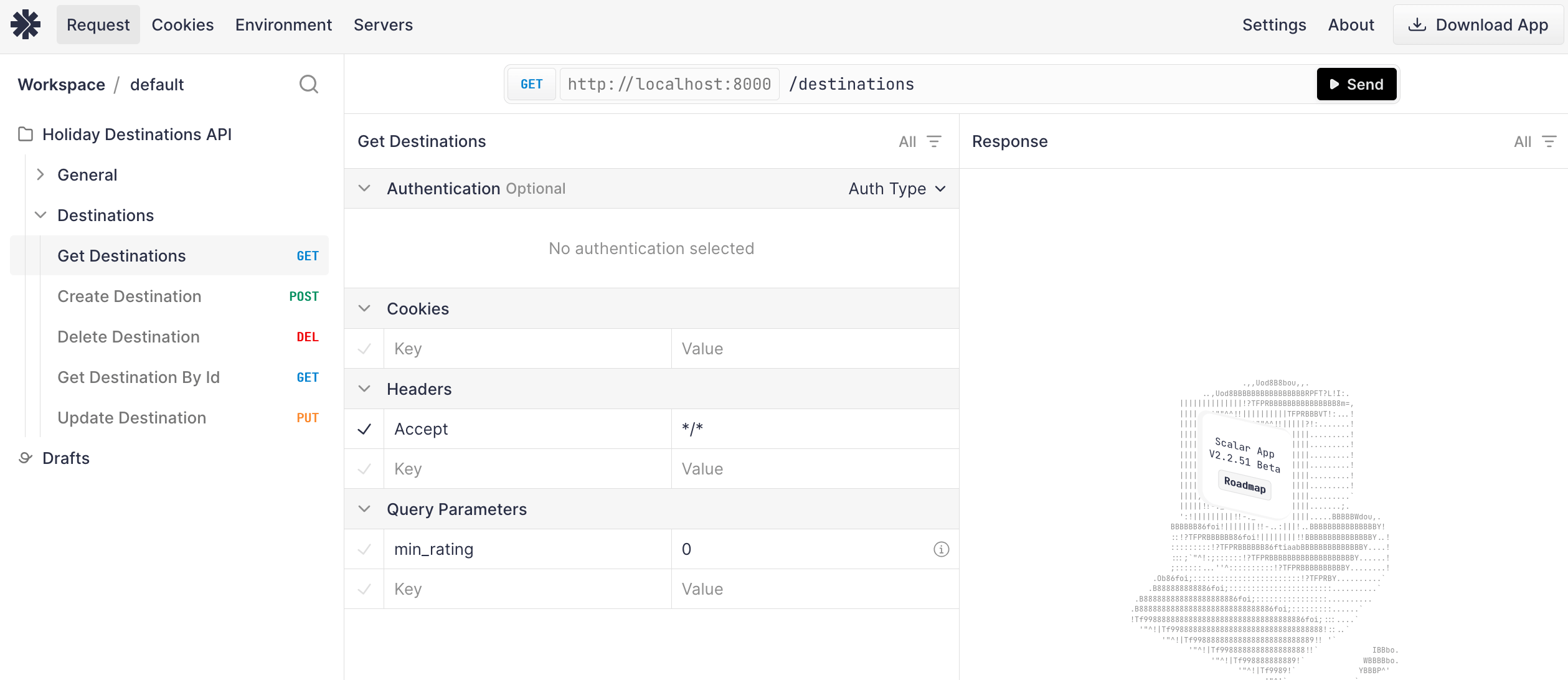
#### Ease of Use
Setup is straightforward with a simple "New Project" flow and WYSIWYG editor. The platform automatically processes OpenAPI documents to generate an interactive reference without requiring additional configuration.
#### Theming & customization
Scalar offers a set of clean unpinionated default themes with customization available to create branded documentation. Users can also upload their own custom CSS and JavaScript files to fully customize the look and feel of their documentation. The only major limitation is the lack of support for MDX for those companies that want to embed custom components within their documentation.
#### Developer experience
One thing that really sets Scalar apart is its array of API framework integrations. For code-first organizations that use frameworks like Django, FastAPI, and Express, Scalar provides seamless integration. Developers can generate documentation directly from their codebase with little additional configuration. If you host your OpenAPI spec at a static URL, Scalar also has automatic updates via URL fetching that makes updates frictionless.
Scalar now offers robust CI/CD integration through the [Scalar Registry](https://guides.scalar.com/scalar/scalar-registry), supporting popular platforms like GitLab, GitHub Actions, and other continuous integration tools. This makes it easy to automatically deploy and version your documentation as part of your development workflow.
#### Support and pricing
You won't find better in terms of product for the price. Scalar offers three subscription tiers:
- **Free:** Full features for public APIs
- **Team ($12/user/month):** Private docs, team features, upcoming Speakeasy integration
- **Enterprise (custom pricing):** Advanced security and support
---
### Mintlify: Seriously beautiful docs
#### One Special Feature: AI-ready
Mintlify is the provider best equipped to make your API accessible to LLMs. They generate vanilla `.md` files for every documentation page, and automatically generate an `llms.txt`. That makes it easy for LLMs to parse and understand your API documentation.
#### Ease of Use
Onboarding is exceptionally smooth, with a guided process from signup to repository creation. The local development workflow using the Mintlify CLI provides immediate feedback through localhost previews.
Mintlify's OpenAPI integration is less robust than other documentation tools, with some opaque error messages, and incorrect validation failures. But these can usually be worked through. IN part this is because Mintlify is a comprehensive docs solution first, and an API reference solution second.
#### Theming & customization
This is where Mintlify shines. It has sleek default themes, but also offers extensive customization options for:
- Styling (primary colors, theming)
- Navigation structure
- Content layouts
Plus, it supports MDX. That means that you can create custom components and embed them directly into your documentation.
#### Developer Experience
Mintlify embraces developer-friendly workflows with:
- Git-based content management
- Local development with live previews
- Integration with external services (analytics, SDK generators,etc.)
Mintlify also offers a great developer experience for teams creating narrative-based documentation in addition to references.
#### Support and pricing
Mintlify is a more expensive offering with three subscription tiers:
- **Free:** For individual hobbyists
- **Pro: $150/month** - For small teams and startups
- **Growth: $550/month** - For growing companies
- **Enterprise: custom pricing** - Custom built packages based on your needs
---
### Bump: Built for scale
#### One Special Feature: Performance at Scale
Bump's exceptional handling of massive API specifications sets it apart from competitors. Our evaluation includes a real-world test with Twilio's OpenAPI document containing over 900 endpoints and 2000+ schema definitions. While other platforms "struggled or crashed with this spec, Bump loaded it in under three seconds and maintained smooth scrolling and instant search results." While not relevant to most companies,this performance advantage becomes valuable as APIs grow in complexity, offering a solution that doesn't degrade with scale.
#### Ease of Use
Setup is simple, with a streamlined process that jumps straight to API documentation without templates or complex configuration. OpenAPI parsing is very thorough and accurate, we didn't encounter any unexpected issues. From a styling perspective, it doesn't take you as close to "production-ready" as some of the other platforms, but it also doesn't require extensive customization or configuration before you see output.
#### Theming & customization
Some would argue that clarity is better than polish when it comes to docs. And that's true, but why not have both? Compared with Mintlify & Scalar, docs made on Bump are sinply not as "sexy". You can do the basics like: logo & brand colors, custom CSS, navbar. But docs tend to retain a very Bump-like feel to them. Appearance is a nice to have compared with performance, which is why Bump is still the best choice for companies with huge API surface areas.
#### Developer experience
Bump lacks some of the slick polish that Mintlify and Scalar offer. But the core functionality is undoubtably solid.
And one place where Bump outperforms is when it comes to versioning. Bump allows you to create multiple versions of your API documentation, making it easy to manage changes and updates. Again, a feature that shines for enterprise's with gnarly API surface areas.
#### Support and pricing
Bump has a slightly steep payment model:
- **Basic: free:** - 1 user
- **Standard: $265/month** - For small teams
- **Enterprise: custom pricing** - SSO, custom branding, custom domain, custom integrations
---
### ReadMe: Simple for Non-Technical Teams, Limited for Developers
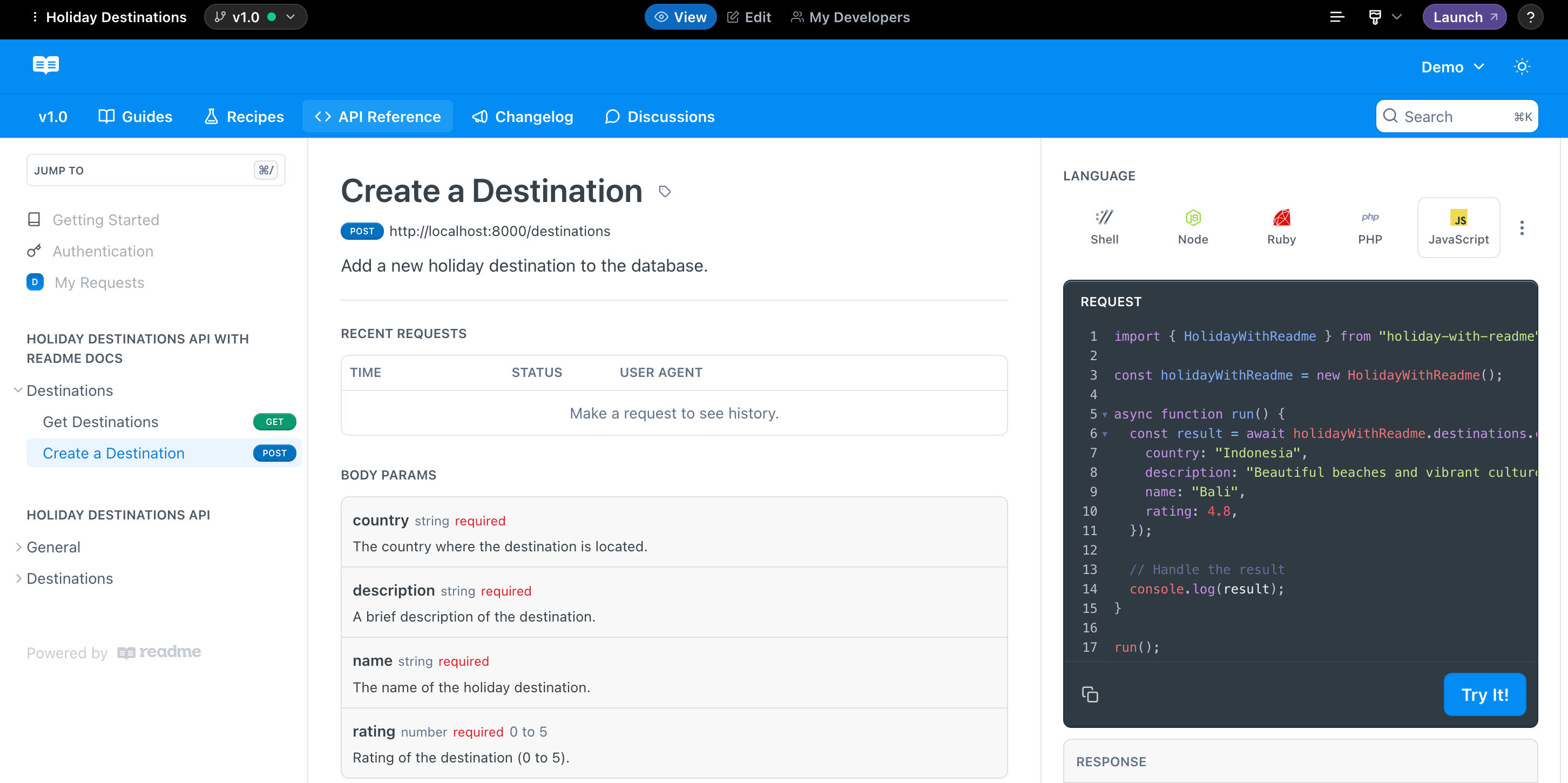
#### One special feature: One tool for the whole team
ReadMe's standout capability being accessible to team members without technical expertise. While other platforms assume users have familiarity with Git, local development environments, or code-based workflows, ReadMe provides a completely web-based experience with visual editing tools that feel familiar to anyone comfortable with basic web interfaces. This empowers non-technical marketing teams, technical writers, or product managers to take ownership of documentation without depending on engineering resources, which can be valuable in organizations where resources are constrained.
However, this feature highlights the fundamental trade-off that ReadMe makes: simplicity and accessibility for non-technical users at the expense of the automation, version control, and workflow integration that developers expect in modern documentation tools. The platform clearly prioritizes lowering the barrier to entry over providing the robust technical features that development teams need for sustainable documentation practices.
#### Theming and customization
ReadMe has been around for a while, so maybe it's not surprising that some of its default themes don't have the sparkle when compared to newer offerings like Scalar and Mintify. But that's largely a result of being a victim of their own success in the docs arena. The pro is that users will be intimately familiar with a Readme docsite, the con is that it's harder to feel unique.
You can add [custom CSS and JavaScript](https://docs.readme.com/main/docs/custom-css-and-javascript) using ReadMe's online editor. This doesn't provide the same level of control as editing the source files directly, but it's a quick way to make small tweaks.
#### Developer experience
As mentioned, ReadMe's most significant weakness is for technical teams. We couldn't find a way to programmatically update the API reference when our OpenAPI document changes. Instead, updated documents need to be manually uploaded each time. This creates a disconnection between code and documentation that introduces multiple risks:
- Documentation easily becomes outdated as APIs evolve
- No integration with continuous integration/deployment pipelines
- Manual processes introduce opportunities for human error
- Potential bottlenecks when documentation updates depend on specific team members with access
For non-technical teams maintaining stable APIs with infrequent changes, this limitation might be acceptable. For development teams working in agile environments with frequent iterations, this manual approach creates substantial maintenance overhead and reliability concerns.
#### Support and pricing
Readme has plans for companies of different sizes:
- **Free:** Create a foundation using your API reference.
- **Startup: $99/month** - For small teams who want to build out their docs and create a community.
- **Business: $399/month** - For multi-role teams who want advanced styling and basic management tools.
- **Enterprise: custom pricing** - For organizations looking to build scalable docs with multi-project management and security needs.
---
### Redocly: Tried & tested
### One special feature: ecosystem
Redoc's standout advantage is its deep integration across the broader API development ecosystem. Unlike newer platforms that require specific adaptations or plugins, Redoc has become something of a standard that many frameworks support natively. Tools like FastAPI, Django, ASP.NET Core, and others often include built-in Redoc support, allowing teams to generate documentation with minimal additional configuration. This widespread adoption means teams can often implement Redoc without disrupting existing workflows or adding new dependencies.
#### Ease of Use
Setting up Redoc feels like returning to a tool you've used before — recognizable but showing its age. The IDE-style dashboard provides an environment that developers will find instantly familiar, with its project structure sidebar, editor pane, and preview panel arrangement. However, this familiarity comes with a dated user experience that lacks the polish of newer competitors.
#### Theming & customization
The familiarity and ecosystem integrations come at a cost. The documentation produced by Redocly tends to have a utilitarian aesthetic that lacks the visual appeal of newer platforms like Mintlify. The interface feels somewhat dated compared to modern web applications, with a functional but not particularly inspiring presentation. For teams prioritizing developer experience and modern design aesthetics, this represents a trade-off.
You can customize nearly everything: typography, spacing, layout, color schemes, code blocks, but you're starting from behind relative to the look and feel of newer platforms. So you'll need to put in more effort to achieve a modern polished look.
#### Developer experience
Redoc's integration with development workflows represents its most enduring strength. The platform offers several approaches to keeping documentation synchronized with code:
- Git integration for automatic rebuilds
- API sync for periodic updates
- CLI workflow for local development
#### Support and pricing
Redocly offers three subscription tiers:
- **Pro: $10/user/month** 1 project
- **Enterprise: $24/user/month** - Advanced security and support
- **Enterprise+ (custom pricing)** - Premium support and advanced features
---
## Wrapping up
Each of the five documentation vendors excels in different areas:
- **Scalar** is a great all-rounder for developer-focused teams who want interactive documentation with powerful testing tools.
- **Bump** optimizes performance for large APIs, making it ideal when reliability and speed are paramount.
- **Mintlify** offers superior customization, making it perfect for projects where visual and functional control is key.
- **ReadMe** remains a solid choice for teams that value a quick and easy setup over deeper automation and customization.
- **ReDoc** is a popular choice for teams that just want a simple, functional documentation platform.
Your choice of docs tool will depend on your team's priorities, but whichever platform you choose, Speakeasy's integration capabilities can enhance your API documentation, keeping it robust and developer-friendly.
# choosing-an-sdk-vendor
Source: https://speakeasy.com/blog/choosing-an-sdk-vendor
import { Callout } from "@/mdx/components";
Without an SDK for your API, your users must handle raw HTTP requests themselves, leading to integration delays, avoidable bugs, and higher support costs. Even with good documentation, not having an SDK can slow adoption, frustrate developers, and increase churn.
A well-designed SDK improves developer experience. It saves time, reduces integration errors, speeds up onboarding, and – importantly – can drive adoption and revenue.
Today, you no longer need to build SDKs manually. Several tools generate SDKs from an OpenAPI document, including [Speakeasy](https://www.speakeasy.com/), [Fern](https://buildwithfern.com/), [Stainless](https://www.stainless.com/), and [OpenAPI Typescript Codegen](https://github.com/ferdikoomen/openapi-typescript-codegen).
But with so many options available, how do you know which will save you the most time? Which generator will create SDKs that are easy to use, extend, and won't break when your API grows? Which will let you focus on building features instead of fixing generated code?
In this article, we compare the main SDK generation options available today. We'll explain their strengths, weaknesses, and differences to help you decide which best suits your needs.
## What to look for in an SDK generator
It's not enough to focus solely on the code produced when evaluating an SDK generator. You also need to consider factors impacting the SDK's developer experience (for internal and external devs) and how well the tool fits your workflow and budget:
- **OpenAPI support:** Does the generator fully support the OpenAPI Specification, including handling schema validation and pagination?
- **OAuth 2.0 support:** Does the generator handle OAuth client credentials properly, including token fetching and refreshing?
- **Webhooks support:** Can the generator validate, parse, and process webhook events securely and reliably?
- **Generated documentation and examples:** Does the generated SDK come with ready-to-use documentation and copy-paste examples for everyday API operations, making it easier for developers to get started quickly?
- **SDK quality and structure:** Is the generated code readable, idiomatic, and easy to navigate? Does the generator produce ready-to-publish packages with minimal dependencies, or does it create bloated, messy code that your team would need to clean up?
- **Streaming support:** Does the generator produce SDKs that properly handle large uploads and downloads using streams?
- **SDK automation and CI/CD integration:** Can the generator integrate into your CI/CD pipeline and automatically regenerate SDKs as your API evolves?
- **SDK customization options:** Does the tool let you customize naming, structure, and the SDK's behavior when necessary?
- **Pricing:** Is the pricing transparent, scalable, and startup-friendly?
Here's a quick comparison of how each SDK generator performs across these criteria.
| **Feature** | **Speakeasy** | **Fern** | **Stainless** | **OpenAPI Typescript Codegen** |
| ------------------------------------------- | --------------------------------------- | --------------------------------- | ------------------------------------------- | ------------------------------- |
| **OpenAPI support** | ✅ Full support for OpenAPI 3.0 and 3.1 | ✅ Supports OpenAPI 3.1 | ⚠️ Limited; best results with custom format | ✅ Supports OpenAPI 2.0 and 3.0 |
| **SDK quality (ready-to-publish packages)** | ✅ Yes | ✅ Yes | ✅ Yes | ⚠️ Basic structure |
| **OAuth 2.0 / runtime validation** | ✅ Built-in schema validation | ✅ Built-in schema validation | ✅ Built-in schema validation | ❌ Not supported |
| **Webhooks support** | ✅ Full support | ⚠️ Helper methods | ❌ Not supported | ❌ Not supported |
| **Streaming support** | ✅ Uploads/downloads via streams | ⚠️ Limited (Fern Definition only) | ⚠️ Enterprise-only | ❌ Not supported |
| **Documentation and examples** | ✅ Autogenerated docs and examples | ⚠️ Basic with OpenAPI | ⚠️ Basic; best with Stainless configuration | ❌ Minimal documentation |
| **SDK automation and CI/CD integration** | ✅ GitHub Action / CI-ready | ✅ CLI / GitHub Action | ⚠️ Manual CLI | ✅ Easy CLI integration |
| **SDK customization options** | ✅ High (OpenAPI extensions, overrides) | ⚠️ High, but via Fern Definition | ⚠️ Requires custom format | ⚠️ Limited (template edits) |
| **Pagination handling** | ✅ Automatic support | ✅ Auto-pagination | ⚠️ Manual configuration needed | ❌ Manual |
| **Retries built-in** | ✅ Yes | ✅ Yes | ✅ Yes | ❌ Manual |
| **Pricing** | Free tier; paid plans from $250/mo | Paid plans from $250/mo | Free tier; paid plans from $250/mo | Free (open source) |
Not sure which tool to pick? Here's how to choose based on your priorities:
- Choose **Speakeasy** if you want the most complete feature set with the least manual work and you're OpenAPI-first.
- Choose **Fern** if you need maximum control over SDK structure and don't mind a more complex setup.
- Choose **OpenAPI Typescript Codegen** if you need a fast, open-source solution for basic TypeScript SDKs.
## Speakeasy
Speakeasy's approach to SDK generation focuses on real-world API usage, offering advanced features and minimizing developer friction. Because Speakeasy uses OpenAPI documents to generate SDKs, it's a compelling choice for API-first teams.
### OpenAPI support
Speakeasy fully supports OpenAPI versions 3.0 and 3.1.
As Speakeasy relies on your [OpenAPI documents](/openapi) to generate SDKs, the quality of those documents directly impacts the results. To help ensure that OpenAPI documents are clean, accurate, and complete, Speakeasy validates them before generation, catching issues like missing required fields in requests or server responses that don't match the documented schema.
For example, when sending a payload, if your OpenAPI document marks a field as required, the SDK will enforce it at the client level:
```js
await sdk.createUser({
email: "user@example.com", // Required
name: "John Doe", // Optional
});
```
If the email field is missing, the SDK throws a validation error without making a request.
Speakeasy also handles [pagination](/openapi/paths/operations/responses#documenting-pagination) patterns natively. Whether your API uses offset, cursor, or custom pagination logic, Speakeasy can generate helper functions that abstract pagination away from the user. For example:
```js
for await (const user of sdk.listUsersPaginated({ pageSize: 50 })) {
console.log(user.name);
}
```
No need to manually manage cursors, tokens, or page offsets.
### SDK quality and structure
Speakeasy-generated SDKs are production-ready by default – idiomatic for each target language, aligned with community best practices, and free of bloated, deeply nested, or unreadable structures.
Each SDK is designed for immediate publishing to registries like npm, PyPI, and Maven Central, with sensible package structure, typed clients, and minimal external dependencies.
### OAuth 2.0 support
Speakeasy supports [OAuth 2.0](/openapi/security/security-schemes/security-oauth2) out of the box. If your OpenAPI document defines an OAuth 2.0 security scheme, Speakeasy automatically detects it and generates SDK code that manages tokens on behalf of your users, including requesting tokens, handling expirations, and refreshing them when needed.
#### Configuring OAuth in your OpenAPI document
Let's take a look at how to define an OAuth 2.0 client credentials flow in an OpenAPI document:
```yaml
components:
securitySchemes:
oauth:
type: oauth2
flows:
clientCredentials:
tokenUrl: https://api.example.com/oauth2/token
scopes:
read: Grants read access
write: Grants write access
security:
- oauth:
- read
```
Once this security scheme is defined in an OpenAPI document, Speakeasy-generated SDKs will prompt SDK users to provide a `clientID` and `clientSecret` when initializing the client:
```js
const sdk = new SDK({
security: {
clientID: "",
clientSecret: "",
},
});
```
Behind the scenes, the SDK will:
- Automatically fetch an access token from the token URL.
- Retry requests with a fresh token if the current one has expired.
- Add the `Bearer ` Authorization header for authenticated requests.
No additional code is needed to manage token lifetimes for this flow.
#### Customizing token retrieval
For more advanced scenarios, such as integrating with nonstandard token endpoints or using custom headers during token exchange, you can write your token retrieval logic and pass it to the SDK:
```js
import { withAuthorization } from "./oauth";
const sdk = new SDK({
security: withAuthorization("clientID", "clientSecret"),
});
```
This allows complete control over how tokens are requested, validated, cached, and refreshed.
To support flows like resource owner password credentials, authorization code,
or custom schemes, you must update your OpenAPI document accordingly and use
Speakeasy [SDK hooks](/docs/customize/code/sdk-hooks) for additional logic.
### Webhooks support
Speakeasy offers automatic [webhook](/openapi/webhooks) event validation and parsing. For example, it can generate functions that automatically verify webhook signatures and parse the payload correctly according to the OpenAPI event schema:
```js
const event = sdk.verifyWebhookEvent(payload, signature);
```
This automatic verification and parsing ensures security and reduces the chances of mishandling or misparsing critical webhook notifications.
### Streaming support
Speakeasy supports [streaming](/docs/customize/runtime/streaming) for download and upload endpoints – essential when handling large files or long-lived server responses. Instead of buffering the whole file in memory, risking performance issues or crashes, SDKs expose the response as a stream.
To enable this behavior, define the endpoint in your OpenAPI document using the `application/octet-stream` content type with a binary format:
```yaml
/streamable:
get:
operationId: streamable
responses:
"200":
description: OK
content:
application/octet-stream:
schema:
type: string
format: binary
```
This tells the SDK generator to treat the response as a raw byte stream. In a TypeScript SDK, the download logic becomes clean and efficient:
```js
import fs from "node:fs";
import { Writable } from "node:stream";
import { SDK } from "@speakeasy/super-sdk";
async function run() {
const sdk = new SDK();
const result = await sdk.streamable("UR123");
const destination = Writable.toWeb(fs.createWriteStream("./report.csv"));
await result.data.pipeTo(destination);
}
run();
```
Here, the `sdk.streamable("UR123")` call fetches a `ReadableStream`. The Node.js `Writable.toWeb()` method converts a standard file stream to a format compatible with the browser-style Streams API. Then `pipeTo()` streams the API's `ReadableStream` directly into the writable file stream, avoiding full in-memory buffering.
### Generated documentation and examples
Alongside SDKs, Speakeasy automatically generates documentation in `README.md`, `RUNTIMES.md`, `FUNCTIONS.md`, and `USAGE.md` files. The docs include concise usage examples (like creating a resource, retries, and authentication) based directly on your OpenAPI document.
Developers get the SDK package and a browsable documentation site located in the `docs` directory, ready to deploy.
### SDK automation and CI/CD integration
Speakeasy supports [fully automated SDK generation](/docs/speakeasy-reference/generation/ci-cd-pipeline). It can integrate directly in your CI/CD pipelines (for example, in GitHub Actions or GitLab CI/CD) so that when you update your OpenAPI document, SDKs are rebuilt and published automatically, without manual intervention.
### SDK customization options
Speakeasy provides flexible configuration for naming, error handling, retry strategies, pagination settings, and more, either through OpenAPI extensions or project-specific overrides.
You can fine-tune the SDK to match your API's particular design patterns or your engineering team's preferences.
### Pricing
[Speakeasy](/pricing) isn't open source but offers a **hosted SDK management platform** with automated generation, publishing, and updates. The **free tier** includes one SDK in a single language with GitHub integration and access to the complete OpenAPI toolchain. Paid plans start at **$250/month** and unlock features like pagination support and multi-language output. Higher tiers offer webhook support, event streaming, test generation, and enterprise-grade service-level agreements (SLAs).
## Fern
Fern is a modern SDK generator built around its domain-specific language, [Fern Definition](https://buildwithfern.com/learn/api-definition/fern/overview). While it supports OpenAPI, Fern works best when you adopt its format. Fern is positioned for teams that want to generate SDKs quickly without thinking about structure, naming, or layout. But choosing convenience over control comes with trade-offs: more generated files, tighter ecosystem lock-in, and reduced interoperability with standard tools.
### OpenAPI support
[Fern](https://buildwithfern.com/learn/api-definition/introduction/what-is-an-api-definition) supports OpenAPI 3.0 and 3.1. However, when relying solely on OpenAPI, you'll likely hit limitations around pagination, OAuth, documentation, or advanced type handling.
The Fern OpenAPI parser covers most standard use cases. However, it is sensitive to inconsistent patterns and may miss edge cases like unconventional pagination and loosely defined endpoints. If standard pagination fields like `next_cursor` or `offset` are clearly described in the Fern Definition, the parser can recognize them and generate SDK methods accordingly.
Link pagination is not supported, and the [customization](https://buildwithfern.com/learn/sdks/deep-dives/auto-pagination) for pagination is limited, as you can only define the `offset` and `results` fields:
```yaml
paths:
/api/orders:
x-fern-pagination:
offset: $request.page_number
results: $response.results
```
[Speakeasy](https://www.speakeasy.com/docs/customize/runtime/pagination#configuring-pagination) allows you to define the type of pagination, whether the pagination inputs are in the request parameters or body, and also the pagination outputs. You can define fields on the outputs such as `numPages`, `results`, and `nextCursor`, so Speakeasy knows how to handle auto-pagination.
```yaml
paths:
/api/orders:
x-speakeasy-pagination:
type: offsetLimit
inputs:
- name: page_number
in: parameters
type: page
outputs:
numPages: $.data.numPages
results: $.data.resultArray
```
### SDK quality and structure
Fern SDKs tend to be deeply nested and verbose. The generated TypeScript code includes multiple layers of abstraction and utility wrappers, making it hard to follow what's being executed. Request logic is often hidden behind custom serializers, and the separation between core logic and API-specific behavior is unclear. Naming conventions are inconsistent, and common operations span too many files, making the SDKs harder to read, debug, or extend.
See the [SDK structure section](/post/speakeasy-vs-fern#sdk-structure) of our Speakeasy vs Fern post for an overview of the Fern SDK structure.
### OAuth 2.0 support
Fern can generate SDKs that support [bearer token authentication (OAuth 2.0 access tokens)](https://buildwithfern.com/learn/sdks/capabilities/oauth). The client setup usually expects you to pass the token at initialization, and it automatically attaches it to API calls.
For example, a Fern TypeScript SDK configuration with OAuth 2.0 would look like this:
```js
client = new Client({
clientId: "YOUR_CLIENT_ID",
clientSecret: "YOUR_CLIENT_SECRET",
});
```
The Fern SDK supports authorization flows such as `client-credentials` and `authorization-code`, but doesn't support more advanced or legacy flows like `resource_owner_password`. Also, you can't implement custom auth flows with Fern because there's no extensibility mechanism.
By contrast, Speakeasy provides full flexibility via [SDK hooks](https://www.speakeasy.com/docs/customize/code/sdk-hooks), letting you inject custom authentication or [refresh](https://www.speakeasy.com/docs/customize/authentication/oauth#custom-refresh-token-flow) logic, or even build support for entirely custom auth schemes when needed.
### Webhooks support
Fern SDKs provide a [constructEvent helper](https://buildwithfern.com/learn/sdks/capabilities/webhook-signature-verification) to verify webhook signatures and parse incoming payloads into typed event objects. This improves security and reduces boilerplate for consumers handling webhooks.
That said, Fern leaves much of the responsibility for webhook handling to the developer. You must manually configure secrets, map the correct headers, and implement any error handling, replay protection, or logging logic.
### Streaming support
Fern supports binary uploads using the `bytes` type in the Fern Definition, allowing you to model raw binary payloads (like MP3 or image files) as the request body. Fern expects `type: file` for responses, which allows the SDK to treat the returned data as a streamable file. However, this streaming behavior is only available when using Fern Definition. If you rely on OpenAPI, you must manually handle both uploads and downloads, without stream helpers.
### Generated documentation and examples
If you use Fern Definition, the generated SDKs include well-structured inline documentation and developer-friendly examples of API operations. When working directly from OpenAPI without Fern-specific metadata, the generated SDK documentation is more basic and lacks detailed examples.
The SDKs still include method signatures and basic type hints, but they rely heavily on how much information is in your original OpenAPI document.
### SDK automation and CI/CD integration
Fern provides [tools that automate SDK generation](https://buildwithfern.com/learn/sdks/guides/publish-a-public-facing-sdk) whenever your API specification changes. However, this automation is primarily designed for projects using Fern Definition. Pure OpenAPI projects may require additional configuration or custom scripts to achieve seamless CI/CD automation.
### SDK customization options
If you adopt the Fern Definition, Fern is highly customizable. You can configure naming conventions, error handling structures, pagination strategies, custom SDK behavior, and even the generated documentation. However, this flexibility comes with vendor lock-in. In many cases, you'll have to manage two sources of truth: your OpenAPI document and the Fern Definition.
Speakeasy, on the other hand, lets you use a single OpenAPI document as the source of truth. For more custom behavior, you can write SDK hooks, update the OpenAPI document directly, or use an [Arazzo definition](https://www.speakeasy.com/openapi/arazzo) for advanced use cases like defining workflows.
Fern also allows [custom code augmentation](https://buildwithfern.com/learn/sdks/capabilities/custom-code), but only after the SDK has been generated.
### Pricing
[Fern's starter plan](https://buildwithfern.com/pricing) begins at **$250/mo per SDK** for up to 50 endpoints. By contrast, Speakeasy's free plan includes up to 250 endpoints per SDK with full OpenAPI support, automated generation, and GitHub integration. You'll need the **$600/mo** Pro plan to access OAuth, pagination, and webhook support. Even then, features like token refresh or signature validation are DIY. Enterprise support adds SLAs and migrations, but doesn't close the feature gap.
## Stainless
Stainless is an SDK generation platform built around a custom configuration format rather than native OpenAPI support. Stainless produces polished SDKs with a clean developer experience, but it requires additional setup and manual integration for many advanced features.
### OpenAPI support
Stainless partially supports the [OpenAPI Specification](https://app.stainless.com/docs/reference/openapi-support), so the best results require migrating to its custom Stainless format. Using plain OpenAPI documents can lead to missing features, such as pagination metadata, authentication flows, and webhook definitions. Stainless does not automatically infer pagination behavior from OpenAPI descriptions. Developers need to annotate their specs manually to enable proper pagination handling.
If your OpenAPI document is your stack's single source of truth, you'll run into limitations unless you migrate to the Stainless domain-specific language.
### SDK quality and structure
Stainless prioritizes clean SDKs with minimal dependencies and idiomatic formatting. However, the [SDK layout](/post/speakeasy-vs-stainless#stainless) lacks structure: Models, operations, and helpers are often mixed without clear separation. Tracing what's actually happening under the hood can take time.
Error handling is thin, so expect to wire up your retry logic, response decoding, and fallback behavior.
### OAuth 2.0 support
Stainless-generated SDKs do not manage OAuth tokens for you. Instead, developers must fetch access tokens manually and inject them into the client's headers.
```js
import axios from "axios";
import TechBooks from "stainless-book-sdk";
async function getToken() {
const res = await axios.post("https://api.example.com/oauth/token", {
grant_type: "client_credentials",
client_id: "client-id",
client_secret: "client-secret",
});
return res.data.access_token;
}
const token = await getToken();
const client = new TechBooks({
headers: {
Authorization: `Bearer ${token}`,
},
});
```
There's no built-in retry, refresh, or expiration handling — you're on your own for all lifecycle logic.
### Webhooks support
Stainless doesn't support webhooks. If you define webhook events, you'll need to implement your own verification (for example, HMAC or RSA) and deserialization logic. There's no helper like `constructEvent()` or built-in type-safe handler — just raw payloads.
### Streaming support
Streaming support is only available for Enterprise customers.
### Generated documentation and examples
Stainless SDKs generated from OpenAPI documents have limited inline documentation. Migrating to the Stainless format improves documentation quality, but compared to other generators like Speakeasy or Fern, Stainless provides fewer ready-to-use examples.
### SDK automation and CI/CD integration
Stainless supports [automation for OpenAPI updates](https://app.stainless.com/docs/guides/automate-updates) through a GitHub Action or polling mechanism. The recommended setup uses a prebuilt GitHub Action that pushes OpenAPI document changes directly from your repository to Stainless. You can also configure the platform to poll a persistent URL (like a raw GitHub link) hourly for changes.
However, Stainless does not provide a full CI/CD pipeline for SDK generation and publication beyond uploading your OpenAPI document. You're still responsible for managing SDK builds, versioning, and publishing to registries like npm or PyPI. Compared to platforms like Speakeasy that offer end-to-end automation – from OpenAPI document to SDK release – Stainless requires more manual setup and maintenance.
### SDK customization options
Customization is only available when using the Stainless format. Using a plain OpenAPI document limits your ability to customize SDK behavior. Teams that want fine-grained control over SDK structure must migrate to Stainless's configuration file format.
### Pricing
Stainless offers a [free plan with one local SDK and up to 50 endpoints](https://www.stainless.com/pricing). The Scale-up plan starts at $250/month per SDK, with a limit of 50 endpoints per SDK. For larger teams, the Business plan is priced at $800/month per SDK and allows up to 200 endpoints per SDK. Enterprise pricing is custom and includes higher limits, SLAs, and premium support.
## OpenAPI Typescript Codegen
OpenAPI Typescript Codegen is a lightweight, open-source CLI tool that generates TypeScript or JavaScript SDKs directly from OpenAPI documents. While the tool is minimalistic and simple to set up, it requires significant manual work to produce production-grade SDKs.
### OpenAPI support
OpenAPI Typescript Codegen fully supports OpenAPI 2.0 and 3.0 but interprets OpenAPI documents very literally: If the document lacks examples, pagination metadata, or detailed schemas, the generated SDK will be incomplete or inaccurate. The tool provides no built-in understanding of pagination patterns (such as offset- or cursor-based approaches) or advanced specification features like polymorphism with `oneOf` and `anyOf`. The quality of the generated SDK depends heavily on the precision of the OpenAPI document provided.
### SDK quality and structure
The SDK generated by OpenAPI Typescript Codegen is clean but extremely basic: A simple folder structure (`/models`, `/services`), low-level HTTP wrappers using Fetch or Axios, and minimal or no error handling for API failures. The SDK feels closer to an API client scaffold than a complete developer experience platform.
### OAuth 2.0 support
OpenAPI Typescript Codegen does not offer built-in helpers for OAuth flows. The developer must manually handle authentication, and token management and refresh logic must be implemented outside the SDK.
### Webhooks support
The generator does not natively support webhook validation, parsing, or handling. It focuses on REST API clients and does not extend to webhook server-side integrations.
### Streaming support
Streaming is not natively supported. Large uploads and downloads must be manually handled by adjusting Fetch or Axios request configurations.
### Generated documentation and examples
OpenAPI Typescript Codegen generates basic inline TypeScript typings and function signatures. It does not provide ready-to-use examples or rich developer documentation. Developers are expected to rely on TypeScript's IntelliSense to navigate the SDK. There are no tutorials or built-in guides alongside the generated code.
### SDK automation and CI/CD integration
Since it is a simple CLI tool, [OpenAPI Typescript Codegen](https://github.com/ferdikoomen/openapi-typescript-codegen/wiki/Basic-usage) easily integrates into any CI/CD pipeline.
A typical GitHub Action step might look like this:
```yaml
- name: Generate SDK
run: |
npx openapi-typescript-codegen --input ./openapi.json --output ./sdk
```
Automation is straightforward but requires custom scripting for tasks like versioning, publishing, and changelog generation.
### SDK customization options
OpenAPI Typescript Codegen has limited support for SDK customization. Developers can modify templates slightly, but advanced customization like changing naming conventions or response handling requires forking the tool or manually post-processing the output.
### Pricing
OpenAPI Typescript Codegen is fully [open source](https://github.com/ferdikoomen/openapi-typescript-codegen/blob/main/LICENSE) and free to use. There is no official enterprise support channel or paid offering available.
## Final thoughts
If you are building an API product, you probably already have an OpenAPI document available – or you should.
When choosing an SDK generator, prioritize tools that offer complete, native support for OpenAPI without requiring custom formats, workarounds, or extensive manual adjustments. Ultimately, the best SDK generator is the one that fits your team's workflow, spec quality, and appetite for customization.
If you are looking for a tool that fully supports OpenAPI, helps you generate high-quality SDKs with minimal manual work, and makes it easier to ship faster, it's worth checking out the [Speakeasy tools](/product/sdk-generation).
# Sample data
Source: https://speakeasy.com/blog/choosing-your-framework-python
import { CardGrid } from "@/components/card-grid";
import { pythonFrameworksData } from "@/lib/data/blog/python-frameworks";
We're fortunate to live in a time when a wide selection of Python API frameworks is available to us. But an abundance of choice can also be overwhelming. Do you go for the latest, trending option or stick with the tried-and-tested framework that offers security and control?
Whether you're a startup founder who needs to deliver an MVP in a few weeks while taking scale and performance into consideration, or part of a large organization running hundreds of microservices needing reliable and robust technologies, choosing the right API framework is a critical decision. The key is recognizing that every framework choice involves trade-offs, which shift based on your project's unique needs. Failing to account for this can lead to frustration down the road.
In this post, we discuss the factors to consider when choosing a REST API framework and explores popular options, highlighting each framework's strengths and weaknesses. At the end of the article, we'll suggest a pragmatic approach you can take to make an informed decision.
## Factors to consider when choosing a Python API framework
### Iteration speed
For startups or fast-moving teams, the pressure to ship an MVP or new features quickly can outweigh concerns about the project's long-term architecture. But this short-term focus can lead to technical debt, making it harder to scale or adapt the API later.
To strike the right balance between speed and maintainability, it helps to understand when speed is essential and when it's worth investing time in a more robust foundation. The solution lies in using tools that offer the flexibility to write code quickly while setting aside some initial scalability or performance concerns, with the option to refactor and evolve your architecture as your project grows.
Start with a simple, script-like setup for exposing endpoints without committing to a solid architecture upfront. Once the business is stable, you can take advantage of the framework's features to transition to a more complex and robust architecture.
### Enterprise needs: Scale and security
Your MVP has succeeded, and your project now serves a significant user base. Or maybe you're operating in an enterprise environment, building a service that must handle thousands or even millions of daily requests. While flexibility is still appealing at this stage, relying on tools that prioritize flexibility over structure is no longer wise. Instead, focus on well-structured frameworks designed to help with scalability, simplify complex processes, and abstract away the challenges introduced by your growing needs.
When choosing a framework for mature or large-scale projects, you need to consider:
- **Request volume:** The number of requests your application needs to handle.
- **Authorization:** How to manage user permissions securely and efficiently.
- **Database optimization:** Ensuring database queries are performant and scalable.
- **Logging:** Implementing proper logging for monitoring and debugging.
- **Performance:** Maintaining responsiveness under heavy traffic and load.
While lightweight frameworks can handle these challenges with careful implementation, your top priorities should shift to performance, robustness, and security.
When evaluating frameworks for these needs, consider these three critical factors:
- **Framework maturity and adoption:** A framework with wide industry adoption can be a sign of reliability. A strong community and long-standing development history often reflect a framework's stability and available support.
- **Security:** A framework with many built-in features may introduce security vulnerabilities. Assess the framework's history of handling security issues, its track record with security updates, and the quality of its documentation.
- **Robustness:** Evaluate the framework's architecture for its ability to abstract complex tasks effectively, ensuring scalability and maintainability over time.
### Async support
Asynchronous programming is known for its performance benefits, especially in non-blocking operations. For example, imagine an API that handles file uploads: The user doesn't need the upload to finish immediately or receive a download link right away. They just want confirmation that the process has started and that they'll be notified of its success or failure later. This is where async frameworks shine, allowing the API to respond without waiting for the file upload to complete.
Synchronous frameworks like Flask or Django can still handle asynchronous-like tasks using background job libraries like Celery paired with tools like Redis or RabbitMQ. While these frameworks have introduced partial async support in their architectures, they are not fully asynchronous yet. Background job solutions like Celery, Redis, and RabbitMQ are robust for task delegation, but they come with additional setup complexity and don't achieve proper non-blocking behavior within the API.
Frameworks built with async programming in mind, like Tornado and FastAPI, provide a more intuitive coding experience for async tasks.
## Popular Python API frameworks
### Flask-RESTX: Familiar, lightweight, and flexible
Flask alone is sufficient to build a REST API. However, to add important REST API features like automatic Swagger documentation, serialization, and error handling, [Flask-RESTX](https://flask-restx.readthedocs.io/) offers tools that simplify additional parts of your workflow.
Here's an example that creates an application to list payments:
```python filename="app.py"
from flask import Flask
from flask_restx import Api, Resource, fields
app = Flask(__name__)
api = Api(app, doc="/docs") # Swagger UI documentation available at /docs
ns = api.namespace('payments', description="Payment operations")
payment_model = api.model('Payment', {
'id': fields.Integer(description="The unique ID of the payment", required=True),
'amount': fields.Float(description="The amount of the payment", required=True),
'currency': fields.String(description="The currency of the payment", required=True),
'status': fields.String(description="The status of the payment", required=True),
})
payments = [
{'id': 1, 'amount': 100.0, 'currency': 'USD', 'status': 'Completed'},
{'id': 2, 'amount': 50.5, 'currency': 'EUR', 'status': 'Pending'},
{'id': 3, 'amount': 200.75, 'currency': 'GBP', 'status': 'Failed'},
]
@ns.route('/')
class PaymentList(Resource):
@ns.marshal_list_with(payment_model)
def get(self):
return payments
api.add_namespace(ns)
if __name__ == "__main__":
app.run(debug=True)
```
This code snippet creates an application that runs on port **5000** and provides two endpoints:
- `/payments`, for listing payments.
- `/docs`, for automatically documenting the payments endpoint.
The Flask-RESTX marshaling feature is noteworthy for how it automatically maps the results – whether from a database, file, or API request – to a defined schema and sends a structured response to the client. This functionality ensures consistency and reduces boilerplate code for formatting responses.
The Flask ecosystem gives you the flexibility to create your application in the way that suits your needs. When the time comes to scale, Flask combined with [Flask-RESTX](https://flask-restx.readthedocs.io/) provides you with the features you need to handle larger, more complex projects effectively.
### Sanic: For lightweight and production-ready real-time APIs
Sanic (not to be confused with Sonic the Hedgehog, though it's just as speedy) is a lightweight, asynchronous Python web framework designed for high-performance and real-time applications. While these characteristics might suggest complexity, writing an application that serves both an HTTP endpoint and a WebSocket server is surprisingly straightforward.
```python filename="app.py"
from sanic import Sanic
from sanic.response import json
app = Sanic("ConfigAPI")
configs = {
"app_name": "My App",
"version": "1.0.0",
"debug": True,
"max_connections": 100,
"allowed_hosts": ["localhost", "127.0.0.1"],
}
@app.get("/configs")
async def get_configs(request):
return json(configs)
if __name__ == "__main__":
app.run(host="127.0.0.1", port=8000, debug=True)
```
Sanic intuitively handles static files, making it a user-friendly alternative to popular frameworks like [Django, which can require more complex configurations for similar tasks](https://www.quora.com/Why-is-Django-making-handling-static-files-so-difficult).
```python filename="app.py"
app = Sanic("ConfigAPI")
app.static('/static', './static')
```
Another point in Sanic's favor is its interesting approach to handling TLS, a process that can be complicated to understand and set up. With Sanic, you can start your server using your certificate files, or even better, let it automatically set up local TLS certificates, enabling secure access with little configuration.
```bash
sanic path.to.server:app \--dev \--auto-tls
```
### FastAPI: Build modern and highly typed REST APIs
FastAPI's excellent developer experience has made it one of the most popular Python frameworks. By combining async programming, type hints, and automatic OpenAPI document generation, FastAPI enables you to create highly documented APIs with minimal effort.
FastAPI's design is also async-first, making it an excellent choice for real-time APIs, high-concurrency workloads, and systems needing rapid prototyping with built-in tools. FastAPI offers modern convenience and a healthy ecosystem of complementary tooling without compromising on performance.
The following code example demonstrates creating a REST API for listing and creating invoices.
```python filename="app.py"
from fastapi import FastAPI, HTTPException
from pydantic import BaseModel
from typing import List
app = FastAPI()
class Invoice(BaseModel):
id: int
customer_uid: str
amount: float
status: str
# In-memory storage for invoices
invoices = [
Invoice(id=1, customer_uid="4r3dd", amount=250.50, status="Paid"),
Invoice(id=2, customer_uid="f3f3f3f", amount=150.00, status="Pending"),
]
@app.get("/invoices", response_model=List[Invoice])
async def list_invoices():
return invoices
```
### Django REST framework
If what you care about is security, reliability, and maturity, [Django REST framework (DRF)](https://www.django-rest-framework.org/) is what you want. Django is the most mature Python framework and rose to prominence thanks to its abstractions of the tedious but essential parts of backend development: authentication, authorization, logging, multiple database connections, caching, testing, and much more.
However, this abstraction comes with trade-offs. Django is not especially flexible or lightweight, and its enforced Model-View-Template (MVT) structure can feel verbose and rigid compared to more modern frameworks. However, if you embrace its design principles, Django can be one of the most stable and effective frameworks you've ever used.
When it comes to async support, DRF does not currently support async functionality. This limitation means you cannot create async API views or viewsets using DRF, as its core features – like serializers, authentication, permissions, and other utilities – are not designed to work asynchronously.
Third-party package [ADRF (Async DRF)](https://github.com/em1208/adrf) adds async support, but it's not officially supported and may not be stable for production. That undermines the core value of Django REST framework: stability.
To create an API with DRF, you need to define a model first.
```python filename="models.py"
from django.db import models
class Item(models.Model):
name = models.CharField(max_length=255)
description = models.TextField()
price = models.DecimalField(max_digits=10, decimal_places=2)
created_at = models.DateTimeField(auto_now_add=True)
def __str__(self):
return self.name
```
Then, you need to define a serializer that will convert the Python object retrieved from the Django ORM to a JSON object and vice versa.
```python filename="serializers.py"
from rest_framework import serializers
from .models import Item
class ItemSerializer(serializers.ModelSerializer):
class Meta:
model = Item
fields = ['id', 'name', 'description', 'price', 'created_at']
```
Next, you need to write a view (or in standard terms, controller) to handle the API logic, in this case, listing.
```python filename="views.py"
from rest_framework.generics import ListCreateAPIView
from .models import Item
from .serializers import ItemSerializer
class ItemListCreateView(ListCreateAPIView):
queryset = Item.objects.all()
serializer_class = ItemSerializer
```
Finally, you need to register the view in a `urls.py` file.
```python
from django.urls import path
from .views import ItemListCreateView
urlpatterns = [
path('items/', ItemListCreateView.as_view(), name='item-list-create'),
]
```
This example illustrates how verbose Django can be. But by following its well-documented architecture, you ensure your application is robust and scalable while following proven design principles.
### Tornado: Pure async logic
Tornado is a lightweight framework built entirely around asynchronous programming, making it ideal for building APIs where non-blocking I/O is critical, like WebSocket-based applications or systems with high-concurrency needs. If you don't have the immediate pressure of needing an extensive feature set or an existing ecosystem, Tornado can be an excellent choice for applications requiring pure async workflows.
```python filename="app.py"
from tornado.ioloop import IOLoop
from tornado.web import Application, RequestHandler
import json
# In-memory storage
orders = []
# Handler to list all orders
class OrderListHandler(RequestHandler):
async def get(self):
self.set_header("Content-Type", "application/json")
self.write(json.dumps(orders))
# Initialize the Tornado app
def make_app():
return Application([
(r"/orders", OrderListHandler), # Endpoint to list all orders
])
if __name__ == "__main__":
app = make_app()
app.listen(8888)
print("Server is running on http://127.0.0.1:8888")
IOLoop.current().start()
```
However, Tornado lacks some of the built-in tools and abstractions found in more modern frameworks like FastAPI, meaning you might spend more time building features available out of the box elsewhere.
## Making pragmatic choices
The Python API frameworks we've discussed each have distinct strengths and trade-offs, but choosing the right framework for your project might still be a daunting task.
To help you select a framework, we've created a flowchart that simplifies the decision-making process and a table that maps use cases to recommended frameworks. To use these resources, start with the flowchart to narrow your options based on your project's stage, requirements, and priorities. Then, consult the table to match your use case and requirements to recommended frameworks.

| **Use case** | **Requirements** | **Recommended frameworks** |
|-----------------------------|---------------------------------------------|--------------------------------------|
| **MVP with limited resources** | Quick setup, simplicity, flexibility | Flask-RESTX, FastAPI |
| **Complex project** | Scalability, structure, robust tools | Django + DRF |
| **Secure enterprise application** | Strong security, maintainability, scalability | Django + DRF |
| **Fully async workload** | High concurrency, non-blocking performance | FastAPI, Tornado |
| **Real-time application** | WebSocket support, low latency | Tornado, Sanic |
| **Existing project** | Gradual migration to async or scaling needs | Django (with ASGI), FastAPI |
Consider:
1. What does your project need most — stability or speed?
2. Are you starting fresh or scaling an existing application?
3. Does the framework support your required features without adding unnecessary risk?
4. How well does the framework align with your team's expertise?
If your team has extensive experience with one framework, that might be your go-to for creating a REST API. If stability, reliability, and enterprise-grade features are your priorities, then [Django REST framework (DRF)](https://www.django-rest-framework.org/) probably makes sense. If your priorities are a modern developer experience, performance, or emerging async capabilities, then a cutting-edge framework like **FastAPI** is a great choice.
# contract-testing-with-openapi
Source: https://speakeasy.com/blog/contract-testing-with-openapi
import Image from "next/image";
import { Table } from "@/mdx/components";
We've all heard that infernal phrase, "It works on my machine." Scaling any solution to work across many machines can be a challenge. The world of APIs with disparate consumers is no different. What if there was a well-defined contract between them?
But APIs and consumers change over time, which begs the question: How do we ensure our systems stick to their agreements? The answer is contract testing.
In this article, we'll explore contract testing, how it fits into the testing pyramid, and why it's important. We'll also walk through how to implement contract testing using OpenAPI, a popular API specification format.
Finally, we'll discuss how you can generate contract tests automatically using OpenAPI and Speakeasy.
## What is contract testing?
Contract testing verifies that two parties who interact via an API stick to the contract they agreed upon. We'll call these parties a consumer and a provider, based on the direction of the API calls between them. The consumer is the system that makes API calls, and the provider is the system that receives and responds to the API call.
In most cases, the contract between our parties is defined by an API specification, such as OpenAPI.
Even if there is no API specification, there is always, at the very least, an implicit agreement between the consumer and the provider. The consumer expects the provider to respond in a certain way, and the provider expects the consumer to send requests in a certain way.
This explicit or implicit agreement is the contract.
Contract testing, from the consumer's perspective, is about verifying that the provider sticks to the contract. From the provider's perspective, it's about verifying that the consumer sticks to the contract.
## How contract testing differs from unit testing, integration testing, and end-to-end testing
Testing strategy is often represented as a pyramid, with unit testing at the base, followed by other testing methodologies in ascending order of complexity and scope. The idea is that the majority of tests should be at the base of the pyramid, with fewer tests at each subsequent level.
The testing pyramid is a useful model for thinking about how different types of tests fit together in a testing strategy. It helps to ensure that the right types of tests are used in the appropriate proportions, balancing the need for comprehensive testing with the need for fast feedback.
Let's discuss each level of the pyramid in more detail, starting from the base.
### Unit testing: Does this function work as expected?
Unit testing forms the base of the testing pyramid. These tests focus on individual components or functions in isolation, typically mocking any dependencies. They are fast to run and easy to maintain, but don't test how components work together.
In the consumer's context, a unit test might verify whether the function that deserializes a JSON object into a Python object works correctly, without making any external API calls.
Unit tests are essential for catching bugs early in the development process and providing fast feedback to developers. They are also useful for ensuring that code behaves as expected when refactoring or adding new features. However, they don't provide much confidence that the system as a whole works correctly.
### Contract testing: Do we honor the API specification?
Moving up the pyramid, we have contract tests. Contract testing sits between unit testing and integration testing. It focuses specifically on the interactions between the provider and consumer for a given call, ensuring that the API contracts are honored. Contract tests are more complex than unit tests but less complex than integration tests.
A contract test verifies that a consumer can create requests with specific data and correctly handle the provider's expected responses or errors. This might be accomplished with mocked request or response data based on the contract. For example, an API contract test for an order creation endpoint might verify that request data correctly maps integer item IDs to quantities and that the response decodes to an expected success with an integer order ID.
Contract tests are useful for catching issues that arise when the consumer or provider strays from the agreed-upon contract. They provide a level of confidence that the system works as expected when the consumer and provider interact. They are also useful for catching breaking changes early in the development process.
### Integration testing: Do systems work together?
Further up, we find integration tests. These verify that different components of a system work together correctly. They are more complex than unit tests and contract tests, and may involve multiple components or services.
An integration test might verify that the consumer can successfully make an API call to the provider and receive a valid response. This test would involve both the consumer and provider, and would typically run in a test environment that mirrors the production environment.
Because integration tests involve multiple systems, they are useful for catching issues that arise when components interact, such as network issues between two services.
### End-to-end testing: Does the user flow work as expected?
At the top of the pyramid are end-to-end tests. These test the entire user flow and supporting systems from start to finish. They provide the highest level of confidence but are also the slowest to run and most difficult to maintain.
In our API context, an end-to-end test might involve making a series of API calls that represent a complete user journey, verifying that the system behaves correctly at each step. This could include creating a resource, updating it, retrieving it, and finally deleting it, all through the API.
When end-to-end tests fail, it can be challenging to identify the root cause of the failure, as the problem could be in any part of the system. Due to their complexity and cost, they are often used as a final check before deploying to production, rather than as part of the regular development process.
### Testing pyramid summary
Here's a summary of the different types of tests and how they compare:
## Why contract testing is important
Over time, APIs change in response to changing requirements, sometimes in subtle and imperceptible ways. For example, a provider may change the format of a field in a certain response from a string to an integer. This change may seem innocuous to the provider but could have catastrophic effects for the consumer.
Contract testing mitigates this risk by ensuring that any changes to the API contract are detected early in the development process. When the provider updates the API, corresponding contract tests will fail if the update is not backward compatible. This failure acts as an immediate signal that the change needs to be reviewed, preventing breaking changes from reaching production.
Consider this example: A subscription management platform (the provider) has an endpoint `/plan/{id}` that returns a subscription plan based on the plan ID. The consumer expects the response to include an `amount` field, which is an integer representing the cost of the plan. If the provider changes the `amount` field from an integer to a string, the consumer's contract test will fail, alerting the consumer to the breaking change.
In this example, a contract test would catch the breaking change early in the development process, before it reaches production. The consumer and provider can then work together to resolve the issue, ensuring that the API contract is honored.
## How to implement contract testing with OpenAPI
Let's walk through the process of implementing contract testing using [OpenAPI](/openapi/), focusing on both the consumer and provider perspectives.
### Step 1: Create a new project
We'll start by creating a new project for our consumer and provider code. We'll use a simple subscription management API as an example.
In the terminal, run:
```bash
mkdir contract-example
cd contract-example
```
Let's create a new TypeScript project for our SDK and tests:
In the terminal, run:
```bash
npm install --save-dev typescript
npx tsc --init
```
Select the default options when prompted.
### Step 2: Define the OpenAPI specification
We'll start by writing an OpenAPI specification for our API. In most cases, the provider will define the OpenAPI specification, as they are responsible for the implementation of the API.
Here's a basic example of an OpenAPI specification. Save it as `subscriptions.yaml` in the root of your project.
The document contains a `/plan/{id}` endpoint, which has a single `GET` operation that retrieves a subscription plan by ID. It expects an integer `id` parameter in the path.
We'll focus on the `200` response for now. The response should be a JSON object with the subscription plan details, as defined in the `Subscription` schema. The schema includes fields for `id`, `name`, `amount`, and `currency`.
```yaml filename="subscriptions.yaml"
openapi: 3.1.0
info:
title: Subscription Management API
version: 1.0.0
servers:
- url: http://127.0.0.1:4010
description: Local server
tags:
- name: subscription
description: Subscription management
security:
- api_key: []
paths:
/plan/{id}:
get:
operationId: getPlanById
tags:
- subscription
summary: Get a subscription plan by ID
parameters:
- name: id
in: path
required: true
schema:
type: integer
examples:
basic:
value: 1
premium:
value: 2
responses:
"200":
description: Successful response
content:
application/json:
schema:
$ref: "#/components/schemas/Subscription"
examples:
basic:
value:
id: 1
name: "Basic"
amount: 100
currency: "USD"
premium:
value:
id: 2
name: "Premium"
amount: 200
currency: "USD"
components:
schemas:
Subscription:
type: object
properties:
id:
type: integer
name:
type: string
amount:
type: integer
currency:
type: string
example:
id: 1
name: "Basic"
amount: 100
currency: "USD"
securitySchemes:
api_key:
type: apiKey
name: X-API-Key
in: header
```
This example OpenAPI specification only defines the happy path for the `/plan/{id}` endpoint. In a real-world scenario, you would define additional paths, operations, and error responses to cover all possible scenarios.
### Step 3: Create an SDK with Speakeasy
We'll use Speakeasy to create a TypeScript SDK from the OpenAPI specification. If you don't have Speakeasy installed, you can install it from the [Introduction to Speakeasy](/docs/introduction/introduction#getting-started) guide.
With Speakeasy installed, run:
```bash
speakeasy quickstart
```
When prompted, select the `subscriptions.yaml` file and choose TypeScript as the target language. We decided on `Billing` as the SDK name, and `billing` as the package name.
### Step 4: Add tests
Now that we have an SDK, we can write tests to verify that the SDK handles the API responses correctly.
Let's install the necessary dependencies:
```bash
npm i --save-dev vitest
```
Create a new `tests` directory in the root of your project. Then, create a new file, `tests/subscription.test.ts`:
```typescript filename="tests/subscription.test.ts"
import { expect, test } from "vitest";
import { Billing } from "../billing-typescript/src/index.ts";
test("Subscription Get Plan By Id Basic", async () => {
const billing = new Billing({
apiKey: process.env["BILLING_API_KEY"] ?? "",
});
const result = await billing.subscription.getPlanById({
id: 1,
});
expect(result).toBeDefined();
expect(result).toEqual({
id: 1,
name: "Basic",
amount: 100,
currency: "USD",
});
});
```
Add the following script to your `package.json`:
```json filename="package.json"
{
"scripts": {
"test": "vitest run"
}
}
```
Now you can run the tests:
```bash
npm run test
```
This should run the test and verify that the SDK correctly handles the API responses, but since we haven't started a server yet, the test will fail.
### Step 5: Start a mock server
We'll use Prism to start a mock server that serves responses based on the OpenAPI specification.
Add Prism as a dev dependency:
```bash
npm install --save-dev @stoplight/prism-cli
```
Then, add a new script to your `package.json`:
```json filename="package.json"
{
"scripts": {
"test": "vitest run",
"mock": "prism mock subscriptions.yaml"
}
}
```
In a new terminal window, run:
```bash
npm run mock
```
This will start a mock server at `http://127.0.0.1:4010`.
### Step 6: Run the tests
Now that the mock server is running, you can run the tests again:
```bash
npm run test
```
This time, Prism returns a `401` status code because we haven't provided an API key. Let's run the test with the `BILLING_API_KEY` set to `test`:
```bash
export BILLING_API_KEY=test
npm run test
```
```txt
$ vitest run
RUN v2.1.1 /Users/speakeasy/contract-example
✓ tests/subscription.test.ts (1)
✓ Subscription Get Plan By Id Basic
Test Files 1 passed (1)
Tests 1 passed (1)
Start at 07:28:38
Duration 630ms (transform 191ms, setup 0ms, collect 199ms, tests 150ms, environment 0ms, prepare 86ms)
```
The test should now pass, verifying that the SDK correctly handles the API response.
### Step 7: Test for correctness
We've validated that the SDK can correctly handle an API response by interacting with a mock server, but we haven't confirmed whether the response conforms to the contract. To make this a true contract test, let's verify that both the consumer and provider behaviors align with the agreed-upon OpenAPI specification.
We'll add a contract-validation step to the test, then use Ajv, a JSON Schema validator, to validate the response against the OpenAPI schema.
```bash
npm install --save-dev ajv ajv-errors ajv-formats yaml
```
Create a new file, `validateSchema.ts`:
```typescript filename="validateSchema.ts"
import { readFileSync } from "fs";
import Ajv from "ajv";
import addErrors from "ajv-errors";
import addFormats from "ajv-formats";
import yaml from "yaml";
// Load and parse the OpenAPI specification
const openApiSpec = yaml.parse(
readFileSync("./subscriptions.yaml", "utf8"),
) as any;
// Initialize Ajv with formats and error messages
const ajv = new Ajv({ allErrors: true, strict: false });
addFormats(ajv);
addErrors(ajv);
// Compile the schema for the Subscription response
const subscriptionSchema = {
...openApiSpec.components.schemas.Subscription,
};
const validate = ajv.compile(subscriptionSchema);
export const validateSubscription = (data: any) => {
const isValid = validate(data);
if (!isValid) {
console.error(validate.errors);
throw new Error("Validation failed");
}
};
```
Update the test to include the contract-validation step:
```typescript filename="tests/subscription.test.ts" mark=3,19
import { expect, expectTypeOf, test } from "vitest";
import { Billing } from "../billing-typescript/src/index.ts";
import { validateSubscription } from "../validateSchema.ts";
test("Subscription Get Plan By Id Basic", async () => {
const billing = new Billing({
apiKey: process.env["BILLING_API_KEY"] ?? "",
});
const result = await billing.subscription.getPlanById({
id: 1,
});
expect(result).toBeDefined();
expect(result).toEqual({
id: 1,
name: "Basic",
amount: 100,
currency: "USD",
});
validateSubscription(result); // Contract validation
});
```
Now when you run the tests, the contract validation will ensure that the response from the mock server matches the OpenAPI specification.
```bash
npm run test
```
## Generating contract tests automatically with OpenAPI
Manually writing contract tests can be a time-consuming and error-prone process. If you're starting with an OpenAPI document as your contract, you may be able to automatically generate tests that conform to your contract.
By generating contract tests, you reduce the risk of human error, save significant development time, and ensure that tests are always kept up to date.
The biggest advantage of automated test generation is the assurance that your tests are based on the API specification. This means that all aspects of the API contract, from endpoint paths and methods to data types and constraints, are accurately represented in the generated tests.
A drawback of basing tests on OpenAPI documents is that the OpenAPI Specification does not currently have built-in support for test generation. Although examples of requests and responses allow test case generation, there are still challenges in linking request and response pairs to each other. These are problems we're working hard to overcome at Speakeasy.
## Speakeasy test generation
At Speakeasy, we enable developers to automatically test their APIs and SDKs by creating comprehensive test suites. Shipping automated tests as part of your SDKs will enable your team to make sure that the interfaces your users prefer, your SDKs, are always compatible with your API. We ensure your APIs and SDKs stick to the contract so that you can focus on shipping features and evolving your API with confidence.
The process of adding tests with Speakeasy is straightforward: Add detailed examples to your OpenAPI document, or describe tests in a simple and well-documented YAML specification that lives in your SDK project. Speakeasy will regenerate your tests when they need to change, and you can run the tests as part of development or CI/CD workflows.
## Speakeasy test generation roadmap
Looking ahead, Speakeasy's testing roadmap includes broader language support, advanced server mocking, ability to run contract tests on past versions of the API and SDK, and using the Arazzo specification to string together multiple contract tests. With these features, you'll be able to monitor the health of all your SDKs and APIs in one place.
We're also working on support for behavior-driven development (BDD) and end-to-end (E2E) testing by embracing OpenAPI and the recently published Arazzo specification for complex testing workflows.
# Connect your agent to your API (adapt to your setup)
Source: https://speakeasy.com/blog/cost-aware-pass-rate
AI benchmarks have a giant blind spot: they celebrate agents that succeed at any cost. Admiring an agent's position on today's leaderboards is like praising a brute force search algorithm for its 100% success rate. If accuracy is the only metric, brute force is perfectly acceptable.
Bigger AI models win by throwing more parameters and reasoning cycles at problems, because this is what the benchmarks reward. Even a stopped clock is right twice a day, but that doesn't make it a good timepiece.
New research from Bloomberg shows that by taking cost into account while optimizing tool descriptions and agent instructions, we can achieve similar or even better performance at a fraction of the cost.
The paper, [A Joint Optimization Framework for Enhancing Efficiency of Tool Utilization in LLM Agents](https://web.archive.org/web/20250818044410/https://aclanthology.org/2025.findings-acl.1149/), introduces a new measure for how well language models use tools: Cost-Aware Pass Rate (CAPR). Instead of merely asking, "Did the model use the tool?" the study adds, "and at what cost?"
Anyone building agents or tools for agents could benefit from this research. We'll summarize the key finding here and look at a practical example of how to implement the joint optimization framework for your own APIs and agents.
## The research: Context vs inference scaling
The Bloomberg team tested their joint optimization framework across 16,464 APIs in StableToolBench, and against real-world scenarios in RestBench. They compared two fundamental approaches: **Context optimization** (improving instructions and tool descriptions) versus **inference scaling** (adding more reasoning steps, like Chain-of-Thought[^1] or tree search[^2]).
[^1]: **Chain-of-Thought (CoT)** encourages models to generate intermediate reasoning steps before arriving at a final answer. Rather than jumping directly to conclusions, CoT prompts guide models to "think out loud" through problems step by step, significantly improving performance on complex arithmetic, commonsense, and symbolic reasoning tasks.
[^2]: **Tree search methods** like depth-first search (DFS) extend linear reasoning approaches by exploring multiple solution paths simultaneously. When applied to LLM tool use, these methods maintain a backup mechanism to quickly restart from the last successful state when a tool call fails, theoretically improving both effectiveness and efficiency compared to simple retry strategies.
The research suggests that context optimization leads to better performance and lower costs compared to inference scaling alone.
When agents only have access to vague tool descriptions, they often resort to trial-and-error approaches, stubbornly repeating slightly varied queries until they stumble on a successful one. Sophisticated reasoning algorithms can't compensate for poor documentation.
## Is this just prompt engineering?
Not quite. While improving prompts is an important part of the solution, tool descriptions may play a bigger role.
Perhaps the most surprising finding from this research is that only improving tool descriptions results in a bigger gain than only doing instruction tuning. While **joint optimization** (improving both tool descriptions and agent instructions) leads to the best outcomes, good tool descriptions can actually be more important than good prompts.
## Why context quality matters more than we thought
LLMs select tools and make tool calls based entirely on the available context. Tools with incomplete or vague descriptions cause agents to iterate through multiple attempts before finding and using the right tool effectively.
This is compounded by incomplete instructions or guidance on how to use the tools.
When tools depend on each other, failures can cascade, leading to a situation where the agent's inability to effectively use one tool impacts its interactions with others. Improving a single tool's description can lead to better performance across a suite of interdependent tools.
Giving an agent more reasoning capabilities, like the ability to perform Chain-of-Thought reasoning about which tools to pick and how to use them, may reduce the impact of these issues. However, inference scaling doesn't make up for missing context.
The research data shows that context optimization provides 10-30% cost reduction at fixed accuracy, while inference scaling increases costs by 200-500% for marginal accuracy gains.
## Practical implementation: The joint optimization framework
Here's how to implement the Bloomberg research team's joint optimization approach for your own APIs and agents. The process works with any tool-calling system, whether it's MCP servers, function calling, or custom APIs.
### The challenge: Generic tool descriptions
Most API documentation follows patterns like these:
- `listItems`: "List all items"
- `createItem`: "Create a new item"
- `updateItem`: "Update an item"
- `deleteItem`: "Delete an item"
While technically accurate, these descriptions don't help LLMs choose between similar operations, understand required parameters, or handle edge cases effectively.
### Step 1: Establish baseline measurement
First, connect your agent to your existing API and collect interaction data. The key is measuring both success and efficiency:
```python
agent = YourAgent(
system_prompt="Your current system prompt",
tools=your_existing_tools
)
# Test with realistic user queries
test_queries = [
"Create a new task called 'Review quarterly reports'",
"Show me all my current tasks",
"Update the first task to mark it as high priority",
"Delete any completed tasks"
]
# Collect performance data
for query in test_queries:
interaction = await agent.process_query(query)
# Log: query, tools called, success rate, response time
```
What to measure:
- **Success rate:** Did the agent complete the task correctly?
- **Tool call efficiency:** How many API calls were needed?
- **Response time:** How long did each interaction take?
- **Error patterns:** Which operations consistently fail?
### Step 2: Calculate the Cost-Aware Pass Rate (CAPR)
Unlike traditional success metrics, CAPR penalizes inefficient tool usage:
```python
def calculate_capr(interactions, efficiency_threshold=5):
scores = []
for interaction in interactions:
success = interaction.success
tool_calls = len(interaction.tool_calls)
if tool_calls > efficiency_threshold:
scores.append(0) # Too inefficient
else:
efficiency = 1 - (tool_calls / efficiency_threshold)
scores.append(success * efficiency)
return sum(scores) / len(scores)
```
### Step 3: Apply joint optimization
The Bloomberg framework optimizes both system prompts and tool descriptions together:
```python
# Analyze current performance patterns
analysis = analyze_interactions(interactions)
# Generate coordinated improvements
optimized_prompt, optimized_tools = joint_optimization(
interactions=interactions,
current_prompt=your_system_prompt,
current_tools=your_tool_descriptions
)
```
### Step 4: Update your tool documentation
Apply the optimized descriptions to your tool documentation, depending on how your tools are defined.
For example, if your tools are part of a [Gram-hosted MCP server](/docs/gram/introduction), update tool descriptions in the Gram admin interface or directly in the OpenAPI documents.
### Step 5: Validate improvements
Test your optimized agent with the same queries to measure improvements.
## Example: TODO MCP server hosted by Gram
As an example, we tested the joint optimization framework on a TODO MCP server hosted by Gram. Here's the step-by-step process we followed, including the results we obtained.
### Step 1: Initial server setup
We started with a basic TODO API hosted on Gram with these generic tool descriptions:
- `listTodos`: "List all todos"
- `createTodo`: "Create a new todo"
- `updateTodo`: "Update a todo"
- `deleteTodo`: "Delete a todo"
The OpenAPI document contained minimal descriptions that provided no parameter guidance or usage examples.
### Step 2: Connect the optimization agent
We created a simple Python agent that connects to the Gram MCP server:
```python
from pydantic_ai import Agent
from pydantic_ai.mcp import MCPServerStreamableHTTP
agent = Agent(
model='gpt-4o-mini',
system_prompt="You help users manage their todo lists efficiently.",
toolsets=[
MCPServerStreamableHTTP(
url="https://app.getgram.ai/mcp/todo-example"
)
]
)
```
### Step 3: Collect baseline performance data
We tested the agent with realistic user queries:
```python
test_queries = [
"Add 'Buy groceries' to my todo list",
"Show me all my todos",
"Add 'Call dentist' to my todos",
"Mark the first todo as completed",
"Show me my todos again",
"Delete the completed todo"
]
```
Here are the baseline results:
- **Success rate:** 83.3% (5 out of 6 queries succeeded)
- **Average response time:** 8.36 seconds
- **CAPR score:** 0.833
- **Key failure:** The delete operation failed because the agent couldn't determine which todo to delete without specific ID guidance
### Step 4: Run the optimization analysis
Using the Bloomberg team's joint optimization framework, we analyzed the interaction data:
```python
# Convert our interaction logs to the optimization format
optimization_interactions = convert_to_optimization_format(interactions)
# Extract current tool descriptions from the OpenAPI spec
current_descriptions = extract_tool_descriptions_from_openapi(openapi_spec)
# Run the joint optimization
optimized_prompt, optimized_tools = joint_optimization(
optimization_interactions,
current_system_prompt,
current_descriptions
)
```
The analysis identified specific improvements for both the system prompt and tool descriptions.
For example, here's how the system prompt can be enhanced:
- **Before:** "You help users manage their todo lists efficiently."
- **After:** "You help users manage their todo lists efficiently. Use specific commands like 'Add', 'Show', 'Update', 'Replace', or 'Delete' followed by the task details. For example, you can say 'Add task X' to create a new todo or 'Show my todos' to list all todos."
And here's how tool descriptions can be improved:
| Tool | Original Description | Optimized Description |
|------|---------------------|----------------------|
| `deleteTodo` | "Delete a todo" | "Delete a todo by ID. Example usage: deleteTodo(18) to remove the todo with ID 18." |
| `updateTodo` | "Update a todo" | "Update a todo by ID. Example usage: updateTodo(1, 'New details') to change the details of the todo with ID 1." |
| `createTodo` | "Create a new todo" | "Create a new todo. Example usage: createTodo('New task description') to add a new task." |
| `listTodos` | "List all todos" | "List all todos. Example usage: listTodos() to retrieve all current todos." |
### Step 5: Generate the optimized OpenAPI document
The framework automatically generated an updated OpenAPI document with Gram's `x-gram` extensions:
```yaml
paths:
/todos/{id}:
delete:
operationId: deleteTodo
summary: Delete a todo
x-gram:
name: deletetodo
description: 'Delete a todo by ID. Example usage: deleteTodo(18) to remove the todo with ID 18.'
put:
operationId: updateTodo
summary: Update a todo
x-gram:
name: updatetodo
description: 'Update a todo by ID. Example usage: updateTodo(1, "New details") to change the details of the todo with ID 1.'
```
### Step 6: Update the Gram server
Next, we updated the Gram server configuration. To do this yourself:
1. Log in to the Gram dashboard.
2. Navigate to **Toolsets**.
3. Click on the API Source you're updating, then select **Update** in the dropdown menu.
4. Upload the optimized OpenAPI document.

The new descriptions will apply to any MCP servers using tools from the updated API Source.
### Step 7: Test the optimized server
After deploying the updated server, we ran the same test queries to measure improvements. Our example query for deleting a todo item performed better with clear parameter guidance, resulting in a higher success rate and faster response time.
## Implementing CAPR and joint optimization for your tools
The [Bloomberg research repository](https://github.com/Bingo-W/ToolOptimization) contains the complete code for Bloomberg's CAPR and joint optimization framework, including benchmarks. To implement similar optimizations for your own tools, follow these steps:
1. **Analyze your interaction data:** Collect and analyze user interactions with your tools to identify common failure points and areas for improvement.
2. **Define clear tool descriptions:** Ensure that each tool has a clear and specific description, including example usage patterns.
3. **Incorporate usage examples:** Add usage examples to your tool descriptions to clarify expected input formats and behaviors.
4. **Test and iterate:** Continuously test your tools with real user queries, gather feedback, and iterate on your descriptions and prompts to improve performance.
## Risks when implementing CAPR and joint optimization
The research revealed an unexpected insight: Verbalized optimization can overfit just like traditional machine learning. After two to three optimization iterations, tool call counts began to increase again despite maintaining accuracy.
There isn't a clear solution to this problem yet, but we recommend tracking efficiency metrics closely to identify potential overfitting early.
## Practical next steps
If you're building agents and tools for your organization, consider updating your AI tool usage metrics to take cost into account. This is essential to optimizing for efficiency and effectiveness.
If you maintain MCP servers, we recommend implementing similar strategies to optimize your servers' tool descriptions. You could also make it easier for users to customize your tools' descriptions to better fit their specific needs.
At Speakeasy, we're following this research closely and building the infrastructure to enable our users to curate, measure, and optimize their MCP servers effectively.
# Configure the PokeAPI provider
Source: https://speakeasy.com/blog/create-a-terraform-provider-a-guide-for-beginners
This tutorial shows you how to create a simple Terraform provider for your web service.
Terraform providers let your customers manage your API through declarative configuration files, the same way they manage AWS, Azure, or any other infrastructure. But HashiCorp's official tutorials are lengthy and overwhelming for developers new to provider development.
This guide cuts through the complexity, demonstrating how to build a working provider that implements create, read, update, and delete (CRUD) operations against a real API ([PokéAPI](https://pokeapi.co/)). You don't need any experience using Terraform to follow along — we'll explain everything as we go.
## Prerequisites
For this tutorial, you need the following installed on your machine:
- [Terraform](https://developer.hashicorp.com/terraform/install)
- [Go (1.21 or higher)](https://go.dev/doc/install)
- [Speakeasy CLI](https://www.speakeasy.com/docs/speakeasy-reference/cli/getting-started)
## Set up your system
First, clone the example project.
```bash
git clone https://github.com/speakeasy-api/examples
cd examples/terraform-provider-pokeapi/base
```
The base project includes the OpenAPI document for the PokéAPI.
### Generate the PokéAPI SDK
Terraform providers require writing your own logic to create, read, update, and delete resources via API calls. Writing those HTTP client functions, request-response models, and error handling can take hundreds of lines or repetitive code. Instead, we'll use Speakeasy to generate a type-safe Go SDK that handles all API interactions for us.
First, install `staticcheck`, which is required by Speakeasy for linting:
```bash
go install honnef.co/go/tools/cmd/staticcheck@latest
export PATH=$PATH:$HOME/go/bin
```
To make this permanent, add the export to your shell profile (for example, `.bashrc` or `.zshrc`):
```bash
echo 'export PATH=$PATH:$HOME/go/bin' >> ~/.zshrc
```
Generate the SDK from the OpenAPI document using the following command:
```bash
speakeasy quickstart
```
Provide the following information as Speakeasy requests it:
- **The OpenAPI document location:** `openapi.yml`
- **Give your SDK a name:** `PokeAPISDK`
- **What you would like to generate:** `Software Development Kit (SDK)`
- **The SDK language you would like to generate:** `Go`
- **Choose a `modulePath`:** `github.com/pokeapi/sdk`
- **Choose a `sdkPackageName`:** `PokeAPISDK`
- **The directory the Go files should be written to:** `/path/to/project/poke-api-sdk`
This creates a complete SDK in the `poke-api-sdk` directory with built-in HTTP client logic, type-safe models, and error handling.
### Initialize the Go module
We're building a provider that connects Terraform to the PokéAPI. This requires two key dependencies.
- `terraform-plugin-framework`: The official library for building Terraform providers.
- `terraform-plugin-log`: The plugin for diagnostic logging and debugging.
Initialize the module following Terraform's naming convention:
```bash
go mod init example.com/me/terraform-provider-pokeapi
go get github.com/hashicorp/terraform-plugin-framework@latest
go get github.com/hashicorp/terraform-plugin-log@latest
```
Add the Speakeasy-generated SDK as a local dependency in `go.mod`:
```diff
// go.mod
module example.com/me/terraform-provider-pokeapi
go 1.24.0
toolchain go1.24.8
+ require (
+ github.com/pokeapi/sdk v0.0.0-00010101000000-000000000000
+)
require (
github.com/hashicorp/terraform-plugin-framework v1.16.1 // indirect
github.com/hashicorp/terraform-plugin-log v0.9.0 // indirect
)
+ replace github.com/pokeapi/sdk => ./poke-api-sdk
```
> **Note:** Adjust the path (`./poke-api-sdk`) to match the actual directory name Speakeasy created.
After editing `go.mod`, update the dependency tree:
```bash
go mod tidy
```
This command downloads all transitive dependencies and updates `go.sum` with checksums for the modules your provider needs.
## Create the provider files
So you have a web service, and in reality, you may even have an SDK in Python, Go, Java, and other languages that your customers could use to call your service. Why do you need Terraform, too?
We answer this question in detail in [our blog post about using Terraform as a SaaS API interface](https://www.speakeasy.com/post/build-terraform-providers). In summary, Terraform allows your customers to manage multiple environments with a single service (Terraform) through declarative configuration files that can be stored in Git. This means that if one of your customers wants to add a new user, or a whole new franchise, they can copy a Terraform resource configuration file from an existing franchise, update it, check it into GitHub, and get it approved. Then Terraform can run it automatically using continuous integration. Terraform provides benefits for your customers in terms of speed, safety, repeatability, auditing, and correctness.
A Terraform provider consists of three essential files that work together:
- An entry point that Terraform calls
- A provider configuration that sets up the API client
- Resource files that implement CRUD operations
### The entry point
Create a `main.go` file in your project root:
```go
package main
import (
"context"
"flag"
"log"
"example.com/me/terraform-provider-pokeapi/internal/provider"
"github.com/hashicorp/terraform-plugin-framework/providerserver"
)
var (
version string = "dev"
)
func main() {
var debug bool
flag.BoolVar(&debug, "debug", false, "set to true to run the provider with support for debuggers like delve")
flag.Parse()
opts := providerserver.ServeOpts{
Address: "example.com/me/pokeapi",
Debug: debug,
}
err := providerserver.Serve(context.Background(), provider.New(version), opts)
if err != nil {
log.Fatal(err.Error())
}
}
```
This file starts the provider server that Terraform connects to. The `Address` is a unique identifier for your provider (like a package name). Users will reference this same address in their Terraform configurations to specify which provider they want to use. For example:
```hcl
terraform {
required_providers {
pokeapi = {
source = "example.com/example/pokeapi"
}
}
}
```
### The provider configuration
The provider configuration file configures the provider with the PokéAPI endpoint and initializes the Speakeasy SDK client.
Create an `internal/provider/provider.go` file:
```go
package provider
import (
"context"
"github.com/hashicorp/terraform-plugin-framework/datasource"
"github.com/hashicorp/terraform-plugin-framework/function"
"github.com/hashicorp/terraform-plugin-framework/path"
"github.com/hashicorp/terraform-plugin-framework/provider"
"github.com/hashicorp/terraform-plugin-framework/provider/schema"
"github.com/hashicorp/terraform-plugin-framework/resource"
"github.com/hashicorp/terraform-plugin-framework/types"
pokeapisdk "github.com/pokeapi/sdk"
)
var _ provider.Provider = &PokeAPIProvider{}
var _ provider.ProviderWithFunctions = &PokeAPIProvider{}
type PokeAPIProvider struct {
version string
}
type PokeAPIProviderModel struct {
Endpoint types.String `tfsdk:"endpoint"`
}
func (p *PokeAPIProvider) Metadata(ctx context.Context, req provider.MetadataRequest, resp *provider.MetadataResponse) {
resp.TypeName = "pokeapi"
resp.Version = p.version
}
func (p *PokeAPIProvider) Schema(ctx context.Context, req provider.SchemaRequest, resp *provider.SchemaResponse) {
resp.Schema = schema.Schema{
MarkdownDescription: `The PokeAPI provider allows you to manage Pokemon data using the Pokemon API.`,
Attributes: map[string]schema.Attribute{
"endpoint": schema.StringAttribute{
MarkdownDescription: "PokeAPI endpoint URL. Defaults to https://pokeapi.co",
Optional: true,
},
},
}
}
func (p *PokeAPIProvider) Configure(ctx context.Context, req provider.ConfigureRequest, resp *provider.ConfigureResponse) {
var data PokeAPIProviderModel
resp.Diagnostics.Append(req.Config.Get(ctx, &data)...)
if resp.Diagnostics.HasError() {
return
}
endpoint := "https://pokeapi.co"
if !data.Endpoint.IsNull() {
endpoint = data.Endpoint.ValueString()
}
if endpoint == "" {
resp.Diagnostics.AddAttributeError(
path.Root("endpoint"),
"Missing PokeAPI Endpoint",
"The provider cannot create the PokeAPI client as there is a missing or empty value for the PokeAPI endpoint.",
)
}
if resp.Diagnostics.HasError() {
return
}
client := pokeapisdk.New(
pokeapisdk.WithServerURL(endpoint),
)
resp.DataSourceData = client
resp.ResourceData = client
}
func (p *PokeAPIProvider) Resources(ctx context.Context) []func() resource.Resource {
return []func() resource.Resource{
NewPokemonResource,
}
}
func (p *PokeAPIProvider) DataSources(ctx context.Context) []func() datasource.DataSource {
return []func() datasource.DataSource{}
}
func (p *PokeAPIProvider) Functions(ctx context.Context) []func() function.Function {
return []func() function.Function{}
}
func New(version string) func() provider.Provider {
return func() provider.Provider {
return &PokeAPIProvider{
version: version,
}
}
}
```
The Go file above implements the provider interface with several key functions:
- `Schema()` defines the provider's configuration schema with an optional `endpoint` attribute that users can set in their Terraform configs.
- `Configure()` initializes the Speakeasy SDK client with `pokeapisdk.New()`, instead of writing dozens of lines of HTTP client setup, and then stores it in `resp.ResourceData`.
- `Resources()` registers the `PokemonResource` so Terraform knows which resources this provider manages.
- `DataSources()` and `Functions()` return empty lists, since we're not implementing data sources or custom functions in this tutorial.
### The Pokémon resource
This is where the complexity begins to show – you must define schemas for every Pokémon attribute and implement CRUD operations. Large APIs with nested objects require hundreds of lines of repetitive schema definitions and type mappings.
Create a `internal/provider/pokemon_resource.go` file. Then, create the resources and schemas:
```go
// internal/provider/pokemon_resource.go
package provider
import (
"context"
"fmt"
"github.com/hashicorp/terraform-plugin-framework/attr"
"github.com/hashicorp/terraform-plugin-framework/path"
"github.com/hashicorp/terraform-plugin-framework/resource"
"github.com/hashicorp/terraform-plugin-framework/resource/schema"
"github.com/hashicorp/terraform-plugin-framework/types"
pokeapisdk "github.com/pokeapi/sdk"
"github.com/pokeapi/sdk/models/operations"
)
var _ resource.Resource = &PokemonResource{}
var _ resource.ResourceWithImportState = &PokemonResource{}
func NewPokemonResource() resource.Resource {
return &PokemonResource{}
}
type PokemonResource struct {
client *pokeapisdk.PokeApisdk
}
type PokemonResourceModel struct {
ID types.Int64 `tfsdk:"id"`
Name types.String `tfsdk:"name"`
Height types.Int64 `tfsdk:"height"`
Weight types.Int64 `tfsdk:"weight"`
BaseExperience types.Int64 `tfsdk:"base_experience"`
Stats types.List `tfsdk:"stats"`
Types types.List `tfsdk:"types"`
Abilities types.List `tfsdk:"abilities"`
Sprites types.Object `tfsdk:"sprites"`
}
func (r *PokemonResource) Metadata(ctx context.Context, req resource.MetadataRequest, resp *resource.MetadataResponse) {
resp.TypeName = req.ProviderTypeName + "_pokemon"
}
func (r *PokemonResource) Schema(ctx context.Context, req resource.SchemaRequest, resp *resource.SchemaResponse) {
resp.Schema = schema.Schema{
MarkdownDescription: "Pokemon resource",
Attributes: map[string]schema.Attribute{
"id": schema.Int64Attribute{
MarkdownDescription: "Pokemon ID",
Required: true,
},
"name": schema.StringAttribute{
MarkdownDescription: "Pokemon name",
Computed: true,
},
"height": schema.Int64Attribute{
MarkdownDescription: "Height in decimetres",
Computed: true,
},
"weight": schema.Int64Attribute{
MarkdownDescription: "Weight in hectograms",
Computed: true,
},
"base_experience": schema.Int64Attribute{
MarkdownDescription: "Base experience",
Computed: true,
},
"stats": schema.ListNestedAttribute{
MarkdownDescription: "Base stats",
Computed: true,
NestedObject: schema.NestedAttributeObject{
Attributes: map[string]schema.Attribute{
"base_stat": schema.Int64Attribute{
Computed: true,
},
"effort": schema.Int64Attribute{
Computed: true,
},
"stat": schema.SingleNestedAttribute{
Computed: true,
Attributes: map[string]schema.Attribute{
"name": schema.StringAttribute{Computed: true},
"url": schema.StringAttribute{Computed: true},
},
},
},
},
},
"types": schema.ListNestedAttribute{
MarkdownDescription: "Pokemon types",
Computed: true,
NestedObject: schema.NestedAttributeObject{
Attributes: map[string]schema.Attribute{
"slot": schema.Int64Attribute{Computed: true},
"type": schema.SingleNestedAttribute{
Computed: true,
Attributes: map[string]schema.Attribute{
"name": schema.StringAttribute{Computed: true},
"url": schema.StringAttribute{Computed: true},
},
},
},
},
},
"abilities": schema.ListAttribute{
MarkdownDescription: "Abilities",
Computed: true,
ElementType: types.ObjectType{
AttrTypes: map[string]attr.Type{
"is_hidden": types.BoolType,
"slot": types.Int64Type,
"ability": types.ObjectType{
AttrTypes: map[string]attr.Type{
"name": types.StringType,
"url": types.StringType,
},
},
},
},
},
"sprites": schema.SingleNestedAttribute{
MarkdownDescription: "Sprite images",
Computed: true,
Attributes: map[string]schema.Attribute{
"front_default": schema.StringAttribute{Computed: true},
"back_default": schema.StringAttribute{Computed: true},
},
},
},
}
}
func (r *PokemonResource) Configure(ctx context.Context, req resource.ConfigureRequest, resp *resource.ConfigureResponse) {
if req.ProviderData == nil {
return
}
client, ok := req.ProviderData.(*pokeapisdk.PokeAPISDK)
if !ok {
resp.Diagnostics.AddError(
"Unexpected Resource Configure Type",
fmt.Sprintf("Expected *pokeapisdk.PokeAPISDK, got: %T", req.ProviderData),
)
return
}
r.client = client
}
```
The `PokemonResourceModel` struct uses Terraform-specific types (like `types.Int64` and `types.List`) instead of Go's native types, because Terraform needs to track null values and unknown states during planning.
The `Schema()` function explicitly defines the structure of each attribute. Notice how nested objects like `stats` require verbose `NestedObject` definitions with their own attribute maps, making this one of the most tedious parts of provider development.
Now, add the CRUD operations:
```go
// internal/provider/pokemon_resource.go
...
func (r *PokemonResource) Create(ctx context.Context, req resource.CreateRequest, resp *resource.CreateResponse) {
var data PokemonResourceModel
resp.Diagnostics.Append(req.Plan.Get(ctx, &data)...)
if resp.Diagnostics.HasError() {
return
}
pokemonID := data.ID.ValueInt64()
pokemon, err := r.client.Pokemon.PokemonRead(ctx, pokemonID)
if err != nil {
resp.Diagnostics.AddError("Client Error", fmt.Sprintf("Unable to read Pokemon: %s", err))
return
}
if err := r.mapPokemonToState(ctx, pokemon, &data); err != nil {
resp.Diagnostics.AddError("Mapping Error", fmt.Sprintf("Unable to map Pokemon: %s", err))
return
}
resp.Diagnostics.Append(resp.State.Set(ctx, &data)...)
}
func (r *PokemonResource) Read(ctx context.Context, req resource.ReadRequest, resp *resource.ReadResponse) {
var data PokemonResourceModel
resp.Diagnostics.Append(req.State.Get(ctx, &data)...)
if resp.Diagnostics.HasError() {
return
}
pokemonID := data.ID.ValueInt64()
pokemon, err := r.client.Pokemon.PokemonRead(ctx, pokemonID)
if err != nil {
resp.Diagnostics.AddError("Client Error", fmt.Sprintf("Unable to read Pokemon: %s", err))
return
}
if err := r.mapPokemonToState(ctx, pokemon, &data); err != nil {
resp.Diagnostics.AddError("Mapping Error", fmt.Sprintf("Unable to map Pokemon: %s", err))
return
}
resp.Diagnostics.Append(resp.State.Set(ctx, &data)...)
}
func (r *PokemonResource) Update(ctx context.Context, req resource.UpdateRequest, resp *resource.UpdateResponse) {
var data PokemonResourceModel
resp.Diagnostics.Append(req.Plan.Get(ctx, &data)...)
if resp.Diagnostics.HasError() {
return
}
pokemonID := data.ID.ValueInt64()
pokemon, err := r.client.Pokemon.PokemonRead(ctx, pokemonID)
if err != nil {
resp.Diagnostics.AddError("Client Error", fmt.Sprintf("Unable to read Pokemon: %s", err))
return
}
if err := r.mapPokemonToState(ctx, pokemon, &data); err != nil {
resp.Diagnostics.AddError("Mapping Error", fmt.Sprintf("Unable to map Pokemon: %s", err))
return
}
resp.Diagnostics.Append(resp.State.Set(ctx, &data)...)
}
func (r *PokemonResource) Delete(ctx context.Context, req resource.DeleteRequest, resp *resource.DeleteResponse) {
// Pokemon can't be deleted from the API, just remove from state
}
func (r *PokemonResource) ImportState(ctx context.Context, req resource.ImportStateRequest, resp *resource.ImportStateResponse) {
resource.ImportStatePassthroughID(ctx, path.Root("id"), req, resp)
}
```
Each CRUD function follows the same pattern:
- Get the current state with `req.Plan.Get()` or `req.State.Get()`.
- Call the API using the Speakeasy SDK (`r.client.Pokemon.PokemonRead()`).
- Map the response to Terraform types.
- Save the response with `resp.State.Set()`.
Since PokéAPI is read-only, `Create()`, `Read()`, and `Update()` all fetch Pokémon data from the same endpoint, while `Delete()` is a no-op that just removes the resource from Terraform's state file.
Now, handle the data mapping:
```go
// internal/provider/pokemon_resource.go
...
func (r *PokemonResource) mapPokemonToState(ctx context.Context, pokemonResp *operations.PokemonReadResponse, data *PokemonResourceModel) error {
if pokemonResp == nil || pokemonResp.Object == nil {
return fmt.Errorf("received nil response from API")
}
pokemon := *pokemonResp.Object
if pokemon.ID != nil {
data.ID = types.Int64Value(int64(*pokemon.ID))
}
if pokemon.Name != nil {
data.Name = types.StringValue(*pokemon.Name)
}
if pokemon.Height != nil {
data.Height = types.Int64Value(int64(*pokemon.Height))
}
if pokemon.Weight != nil {
data.Weight = types.Int64Value(int64(*pokemon.Weight))
}
if pokemon.BaseExperience != nil {
data.BaseExperience = types.Int64Value(int64(*pokemon.BaseExperience))
}
// Map stats
statsElements := []attr.Value{}
if pokemon.Stats != nil {
for _, stat := range pokemon.Stats {
if stat.BaseStat == nil || stat.Effort == nil || stat.Stat.Name == nil || stat.Stat.URL == nil {
continue
}
statObj, _ := types.ObjectValue(
map[string]attr.Type{
"base_stat": types.Int64Type,
"effort": types.Int64Type,
"stat": types.ObjectType{
AttrTypes: map[string]attr.Type{
"name": types.StringType,
"url": types.StringType,
},
},
},
map[string]attr.Value{
"base_stat": types.Int64Value(*stat.BaseStat),
"effort": types.Int64Value(*stat.Effort),
"stat": types.ObjectValueMust(
map[string]attr.Type{
"name": types.StringType,
"url": types.StringType,
},
map[string]attr.Value{
"name": types.StringValue(*stat.Stat.Name),
"url": types.StringValue(*stat.Stat.URL),
},
),
},
)
statsElements = append(statsElements, statObj)
}
}
statsList, _ := types.ListValue(
types.ObjectType{
AttrTypes: map[string]attr.Type{
"base_stat": types.Int64Type,
"effort": types.Int64Type,
"stat": types.ObjectType{
AttrTypes: map[string]attr.Type{
"name": types.StringType,
"url": types.StringType,
},
},
},
},
statsElements,
)
data.Stats = statsList
// Map types
typesElements := []attr.Value{}
if pokemon.Types != nil {
for _, typeInfo := range pokemon.Types {
if typeInfo.Slot == nil || typeInfo.Type.Name == nil || typeInfo.Type.URL == nil {
continue
}
typeObj, _ := types.ObjectValue(
map[string]attr.Type{
"slot": types.Int64Type,
"type": types.ObjectType{
AttrTypes: map[string]attr.Type{
"name": types.StringType,
"url": types.StringType,
},
},
},
map[string]attr.Value{
"slot": types.Int64Value(*typeInfo.Slot),
"type": types.ObjectValueMust(
map[string]attr.Type{
"name": types.StringType,
"url": types.StringType,
},
map[string]attr.Value{
"name": types.StringValue(*typeInfo.Type.Name),
"url": types.StringValue(*typeInfo.Type.URL),
},
),
},
)
typesElements = append(typesElements, typeObj)
}
}
typesList, _ := types.ListValue(
types.ObjectType{
AttrTypes: map[string]attr.Type{
"slot": types.Int64Type,
"type": types.ObjectType{
AttrTypes: map[string]attr.Type{
"name": types.StringType,
"url": types.StringType,
},
},
},
},
typesElements,
)
data.Types = typesList
// Create empty collections for other fields
abilitiesEmpty, _ := types.ListValue(
types.ObjectType{
AttrTypes: map[string]attr.Type{
"is_hidden": types.BoolType,
"slot": types.Int64Type,
"ability": types.ObjectType{
AttrTypes: map[string]attr.Type{
"name": types.StringType,
"url": types.StringType,
},
},
},
},
[]attr.Value{},
)
data.Abilities = abilitiesEmpty
spritesEmpty, _ := types.ObjectValue(
map[string]attr.Type{
"front_default": types.StringType,
"back_default": types.StringType,
},
map[string]attr.Value{
"front_default": types.StringNull(),
"back_default": types.StringNull(),
},
)
data.Sprites = spritesEmpty
return nil
}
```
The `mapPokemonToState()` function converts the SDK's response types to the Terraform type system.
For each nested list like `stats`, you need to:
- Define the exact `AttrTypes` structure that matches your schema
- Iterate through the API response, checking for nil values
- Construct properly typed objects using `types.ObjectValue()`
In this manual, repetitive mapping consumes most of the provider development time, and any mismatch between the `AttrTypes` map here and the schema definition can cause cryptic runtime type errors.
## Run the provider
At this point, you have:
- Generated an SDK with Speakeasy to handle API calls to PokéAPI
- Created three provider files, an entry point (main.go), a provider configuration (`provider.go`), and a Pokémon resource with CRUD operations (`pokemon_resource.go`)
- Implemented complex data mapping that links API responses to Terraform state
Now it's time to test the provider by pretending you're a user who wants to manage Pokémon data through Terraform.
### Configure local development
Because you haven't published your provider to the Terraform registry yet, you need to tell Terraform to use your local build. Create a `.terraformrc` file in your home directory:
```bash
cat > ~/.terraformrc << 'EOF'
provider_installation {
dev_overrides {
"example.com/me/pokeapi" = "/absolute/path/to/your/project/bin"
}
direct {} # For all other providers, install directly from their origin provider.
}
EOF
```
The `dev_overrides` setting tells Terraform to use your local binary instead of downloading from the registry.
Replace `/absolute/path/to/your/project/bin` with the actual absolute path to your project's bin directory. For example: `/Users/yourusername/terraform-provider-pokeapi/bin`.
### Build the server
Compile the provider into an executable binary:
```bash
go build -o ./bin/terraform-provider-pokeapi
```
The command above creates the provider plugin that Terraform will call to manage Pokémon resources.
### Create a test configuration
Create an `examples` directory to hold your Terraform configuration:
```bash
mkdir -p examples
cd examples
```
Create a `main.tf` file inside the `examples` directory. This is what a user of your provider would write:
```tf
terraform {
required_providers {
pokeapi = {
source = "example.com/me/pokeapi"
}
}
}
provider "pokeapi" {
endpoint = "https://pokeapi.co"
}
resource "pokeapi_pokemon" "pikachu" {
id = 25 # Pikachu's ID
}
resource "pokeapi_pokemon" "charizard" {
id = 6 # Charizard's ID
}
output "pikachu_name" {
description = "The name of Pikachu"
value = pokeapi_pokemon.pikachu.name
}
output "pikachu_height" {
description = "Pikachu's height in decimetres"
value = pokeapi_pokemon.pikachu.height
}
output "pikachu_weight" {
description = "Pikachu's weight in hectograms"
value = pokeapi_pokemon.pikachu.weight
}
output "pikachu_base_experience" {
description = "Base experience gained from defeating Pikachu"
value = pokeapi_pokemon.pikachu.base_experience
}
output "pikachu_stats" {
description = "Pikachu's base stats - this is a complex nested list"
value = pokeapi_pokemon.pikachu.stats
}
output "pikachu_types" {
description = "Pikachu's types - this is a nested list with slot and type information"
value = pokeapi_pokemon.pikachu.types
}
output "charizard_name" {
description = "Charizard's name"
value = pokeapi_pokemon.charizard.name
}
```
This configuration tells Terraform to fetch data for two Pokémon (Pikachu and Charizard) and output some of their attributes.
### Apply the configuration
Run Terraform to execute the configuration:
```bash
terraform plan # Preview what Terraform will do
terraform apply -auto-approve # Apply the changes
```
Terraform should output the following:
```txt
Terraform used the selected providers to generate the following execution plan. Resource actions are indicated with the
following symbols:
+ create
Terraform will perform the following actions:
# pokeapi_pokemon.charizard will be created
+ resource "pokeapi_pokemon" "charizard" {
+ abilities = (known after apply)
+ base_experience = (known after apply)
+ cries = (known after apply)
+ game_indices = (known after apply)
+ height = (known after apply)
+ held_items = (known after apply)
+ id = 6
+ is_default = (known after apply)
+ location_area_encounters = (known after apply)
+ moves = (known after apply)
+ name = (known after apply)
+ order = (known after apply)
+ past_abilities = (known after apply)
+ past_types = (known after apply)
+ species = (known after apply)
+ sprites = (known after apply)
+ stats = (known after apply)
+ types = (known after apply)
+ weight = (known after apply)
}
# pokeapi_pokemon.pikachu will be created
+ resource "pokeapi_pokemon" "pikachu" {
+ abilities = (known after apply)
+ base_experience = (known after apply)
+ cries = (known after apply)
+ game_indices = (known after apply)
+ height = (known after apply)
+ held_items = (known after apply)
+ id = 25
+ is_default = (known after apply)
+ location_area_encounters = (known after apply)
+ moves = (known after apply)
+ name = (known after apply)
+ order = (known after apply)
+ past_abilities = (known after apply)
+ past_types = (known after apply)
+ species = (known after apply)
+ sprites = (known after apply)
+ stats = (known after apply)
+ types = (known after apply)
+ weight = (known after apply)
}
Plan: 2 to add, 0 to change, 0 to destroy.
Changes to Outputs:
+ charizard_name = (known after apply)
+ pikachu_base_experience = (known after apply)
+ pikachu_height = (known after apply)
+ pikachu_name = (known after apply)
+ pikachu_stats = (known after apply)
+ pikachu_types = (known after apply)
+ pikachu_weight = (known after apply)
pokeapi_pokemon.pikachu: Creating...
pokeapi_pokemon.charizard: Creating...
pokeapi_pokemon.pikachu: Creation complete after 0s [name=pikachu]
pokeapi_pokemon.charizard: Creation complete after 0s [name=charizard]
Apply complete! Resources: 2 added, 0 changed, 0 destroyed.
Outputs:
charizard_name = "charizard"
pikachu_base_experience = 112
pikachu_height = 4
pikachu_name = "pikachu"
pikachu_stats = tolist([
{
"base_stat" = 35
"effort" = 0
"stat" = {
"name" = "hp"
"url" = "https://pokeapi.co/api/v2/stat/1/"
}
},
{
"base_stat" = 55
"effort" = 0
"stat" = {
"name" = "attack"
"url" = "https://pokeapi.co/api/v2/stat/2/"
}
},
{
"base_stat" = 40
"effort" = 0
"stat" = {
"name" = "defense"
"url" = "https://pokeapi.co/api/v2/stat/3/"
}
},
{
"base_stat" = 50
"effort" = 0
"stat" = {
"name" = "special-attack"
"url" = "https://pokeapi.co/api/v2/stat/4/"
}
},
{
"base_stat" = 50
"effort" = 0
"stat" = {
"name" = "special-defense"
"url" = "https://pokeapi.co/api/v2/stat/5/"
}
},
{
"base_stat" = 90
"effort" = 2
"stat" = {
"name" = "speed"
"url" = "https://pokeapi.co/api/v2/stat/6/"
}
},
])
pikachu_types = tolist([
{
"slot" = 1
"type" = {
"name" = "electric"
"url" = "https://pokeapi.co/api/v2/type/13/"
}
},
])
pikachu_weight = 60
```
Terraform called your provider's `Create()` function for each Pokemon resource, which:
- Made an API call to PokéAPI using the Speakeasy SDK
- Mapped the API response to Terraform's type system
- Stored the Pokemon data in `terraform.tfstate`
Check the state file `terraform.tfstate` that was created. It will look similar to the following example:
```txt
{
"version": 4,
"terraform_version": "1.9.5",
"serial": 3,
"lineage": "317ebf1d-403e-03fa-787e-4694386c5acd",
"outputs": {
"charizard_name": {
"value": "charizard",
"type": "string"
},
"pikachu_abilities": {
"value": [],
"type": [
"list",
[
"object",
...
}
```
This file contains Terraform's view of the Pokémon resources. Never edit the state file manually; always let Terraform manage it.
### Debugging tips
If you need to debug the provider, enable logging:
```bash
export TF_LOG=DEBUG
terraform apply
```
You can also add logging in your provider code:
```go
import "github.com/hashicorp/terraform-plugin-log/tflog"
// Inside any function
tflog.Info(ctx, "Reading Pokemon", map[string]any{"id": pokemonID})
```
To push the current project a bit more, try modifying your configuration to see how Terraform handles changes:
- Add more Pokémon resources with different IDs.
- Run `terraform plan` to see what would change.
- Run `terraform destroy` to remove resources from state.
## Limitations and further reading
You now have a working minimal example of a Terraform provider, but it isn't ready for production use yet. We recommend first enhancing it with features such as the following:
- **Markup responses (JSON or XML):** PokéAPI returns JSON, which simplified our implementation. However, your API might return XML, Protobuf, or custom formats that require additional parsing logic. You need to handle serialization, deserialization, and error responses for the format your service uses.
- **Versioning and continuous integration:** Your web service will change over time, and the provider needs to change to match it. Your customers will need to use the correct versions of both the web service and the provider. We also recommend automatically building and releasing your provider from GitHub, using GitHub Actions.
- **Testing:** A real web service is complex, and you need to write a lot of integration tests to ensure that every provider version you release does exactly what it's supposed to when calling the service.
- **Documentation:** Your customers want to know exactly how to set up and configure your provider to manage whatever resources your service offers.
- **Publishing the provider to the Terraform registry:** Until you add metadata to your provider and release it in the Terraform ecosystem, no one can use it.
You can also add additional functionality, like handling data sources (which are different from resources) and external imports of resources.
If you want to learn how to enhance your provider, the best place to start is the official [Terraform provider creation tutorial](https://developer.hashicorp.com/terraform/tutorials/providers-plugin-framework/providers-plugin-framework-provider). You can also clone the [provider scaffolding repository](https://github.com/hashicorp/terraform-provider-scaffolding-framework) and read through it to see how Terraform structures a provider and uses `.github` to offer continuous integration.
Once you've worked through the tutorial, we recommend reading about [how Terraform works with plugins](https://developer.hashicorp.com/terraform/plugin/how-terraform-works).
HashiCorp released an [automated provider generator](https://developer.hashicorp.com/terraform/plugin/code-generation) in technical preview during 2024, but development has stalled, and it doesn't handle API operation logic or data type conversions - you still write most code manually. We cover this tool and production-ready alternatives in our article on [building Terraform providers](https://www.speakeasy.com/blog/how-to-build-terraform-providers).
## A simpler way
You might feel that creating and maintaining your own Terraform provider is far too much work when you're busy trying to run a business and provide your core service. Luckily, there is a much easier alternative. We at Speakeasy are passionate about and dedicated to making web APIs easy for customers to use. Our service can automatically generate a complete Terraform provider with documentation that's ready for you to offer to your customers on the Terraform registry. All you need is an OpenAPI document for your service and a few custom attributes.
Read our [guide to generating a Terraform provider with Speakeasy](https://www.speakeasy.com/blog/how-to-build-terraform-providers) and see how we can massively reduce your workload by setting up a Terraform provider in a few clicks.
# custom-code-regions-an-overlay-playground
Source: https://speakeasy.com/blog/custom-code-regions-an-overlay-playground
import { Callout, ReactPlayer } from "@/lib/mdx/components";
🎉 Welcome to our first changelog of 2025! This update focuses on customization, introducing powerful tools like Custom Code Regions for direct SDK enhancements and the Overlay Playground, a new open-source tool for modular spec-level changes. These features, combined with other improvements and fixes, make tailoring your SDKs and OpenAPI workflows easier than ever. Let's explore what's new!
## Custom Code Regions
```typescript filename="codeRegions.ts"
// !mark gold
// #region imports
import chalk from "chalk";
import { ClientSDK } from "./lib/sdks.js";
// !mark gold
// #endregion imports
class Acme extends ClientSDK {
// ... generated code ...
// !mark gold
// #region sdk-class-body
greet(name: string): string {
return chalk.green(`Hello, ${name}!`);
}
// !mark gold
// #endregion sdk-class-body
}
```
**Custom Code Regions** give you the flexibility to embed custom logic directly into your SDK without modifying the OpenAPI spec. Using foldable regions in your codebase, you can add anything from helper methods to third-party integrations. Your customizations persist across regenerations, keeping your work intact and formatted.
✨ **Why choose Custom Code Regions?**
- **Direct control**: Insert your logic directly into the SDK.
- **Seamless updates**: Custom code remains untouched during regenerations.
- **Ultimate flexibility**: From logging to integrations, you can do anything.
### **How Does Everything Fit Together?**
With **Custom Code Regions**, **Hooks**, and **Overlays**, Speakeasy offers three distinct ways to customize your SDKs:
| **Customization Tool** | **Purpose** | **Key Use Case** |
| ----------------------- | ---------------------------------------------------------------------- | ------------------------------------------------------------------------ |
| **Overlays** | Modify the OpenAPI spec for structural or schema-related changes. | Adding paths, tweaking parameters, or updating models. |
| **Hooks** | Intercept and modify SDK generation programmatically during the build. | Dynamic updates, injecting logic at specific stages. |
| **Custom Code Regions** | Insert custom logic directly into the generated SDK code at runtime. | Adding helper methods, third-party integrations, or SDK-specific tweaks. |
Each tool offers unique capabilities, and together, they provide unparalleled flexibility for tailoring your SDKs to your needs.
> 📖 Learn more in our release post:
> 🔗 [Custom Code Regions: Ultimate SDK Customization](/post/release-custom-code-regions)
> 📚 Dive into the documentation:
> 🔗 [Custom Code Regions Documentation](/docs/customize/code/code-regions/overview)
---
## Overlay Playground
The [**Overlay Playground**](https://overlay.speakeasy.com) is an open-source tool for managing OpenAPI overlays in a more user-friendly way. Instead of dealing with raw YAML or JSON, you can create, edit, and validate overlays through a visual interface with real-time previews. Once you're done, export your overlays and integrate them into your workflows or CI/CD pipeline. Whether you work solo or with a team, the Playground can reduce the complexity of overlay management.
#### **Key Features**
- **Interactive Editor**: A visual editor for overlays with real-time updates.
- **Validation**: Ensures overlays conform to OpenAPI standards.
- **Export and Share**: Save overlays as reusable `.overlay.yaml` files.
- **Open Source**: Fully extensible and open for contributions at [github.com/speakeasy-api/jsonpath](https://github.com/speakeasy-api/jsonpath).
Start customizing your OpenAPI specs today with the Overlay Playground at [overlay.speakeasy.com](https://overlay.speakeasy.com). 🌟
---
## 🐝 New Features and Bug Fixes 🐛
Based on the most recent CLI version: [**Speakeasy
v1.493.8**](https://github.com/speakeasy-api/openapi-generation/releases/tag/v2.493.8)
### Generation Platform
🐝 Feat: enabled feature flag-based licensing
🐝 Feat: defaulted to API key authentication when a security scheme is missing
🐛 Fix: resolved test generation issues and improved enum handling
### Python
🐝 Feat: upgraded to Poetry 2.0 for modern dependency management
🐝 Feat: bumped minimum Python version to 3.9
🐝 Feat: exposed SDK versioning data as constants
🐛 Fix: added missing imports for per-operation servers
🐛 Fix: updated Mypy for Python 3.13 compatibility
### TypeScript
🐝 Feat: added support for asymmetric webhook signatures
🐛 Fix: improved webhook security parsing
### Go
🐛 Fix: standardized deprecated comments for linter compatibility
### Java
🐝 Feat: added support for JUnit test report generation
### Ruby
🐝 Feat: updated bundler for Ruby 3.4 support
# custom-type-support-in-terraform
Source: https://speakeasy.com/blog/custom-type-support-in-terraform
import { Callout } from "@/lib/mdx/components";
Terraform providers require robust type handling to ensure consistent, reliable infrastructure management. Today, we're excited to announce custom type support in Speakeasy-generated Terraform providers. Custom types enable enhanced validation, improved data handling consistency, and seamless integration with specialized Terraform type libraries. This feature allows API providers to leverage the full power of the terraform-plugin-framework's custom type system while maintaining the simplicity and automation benefits of Speakeasy's SDK generation.
---
## How it works
When you define an API schema field that requires specialized validation or handling, you can now use the OpenAPI Specification extension `x-speakeasy-terraform-custom-type` to specify custom type implementations. This extension allows you to define the necessary imports, schema type, and value type for your custom implementation:
```yaml
ipv4_address:
type: string
x-speakeasy-terraform-custom-type:
imports:
- github.com/hashicorp/terraform-plugin-framework-nettypes/iptypes
schemaType: "iptypes.IPv4AddressType{}"
valueType: iptypes.IPv4Address
```
The schema implementation automatically enables the custom type's built-in validation during Terraform planning, while maintaining compatibility with your Go SDK's type system. This approach provides the best of both worlds: robust validation at the Terraform layer and seamless data handling in your API integration code.
---
## Key improvements
This release includes several significant enhancements to our Terraform generation:
- Replaced the terraform-plugin-framework `Number` schema and value types with `Float64` for the generator `number` type, creating a more consistent 1:1 mapping between Terraform and Go SDK types
- Added initial custom type support for framework base types including `Bool`, `Float32`, `Float64`, `Int32`, `Int64`, `List`, `Map`, `Set` and `String`
- Polished SDK-to-Terraform code conversion for various primitive types including `date`, `date-time`, `int32`, and `number`
- Improved variable naming within deeply nested types for better code readability
---
## Getting started
To leverage custom type support in your Terraform providers:
1. Identify fields in your API schema that would benefit from specialized validation or handling
2. Add the `x-speakeasy-terraform-custom-type` extension to those fields in your OpenAPI Specification document directly or via OpenAPI Overlay
3. Regenerate your Terraform provider using the Speakeasy CLI
For more information on custom types in Terraform, see the [official Terraform plugin framework documentation](https://developer.hashicorp.com/terraform/plugin/framework/handling-data/types/custom).
---
## 🛠️ New Features and Bug Fixes 🐛
Based on the most recent CLI version: [**Speakeasy
v1.524.0**](https://github.com/speakeasy-api/speakeasy/releases/tag/v1.524.0)
### Terraform
🐝 **Feat:** Added custom type support for Terraform providers via `x-speakeasy-terraform-custom-type` extension.\
🐝 **Feat:** Replaced `Number` with `Float64` type for improved data handling consistency.\
🐝 **Feat:** Enhanced primitive type conversion for `date`, `date-time`, `int32`, and `number` types.\
🐝 **Feat:** Improved variable naming within deeply nested types.
# customisable-imports-openapi-overlays-and-terraform-generation-improvements
Source: https://speakeasy.com/blog/customisable-imports-openapi-overlays-and-terraform-generation-improvements
Welcome to another edition of the Speakeasy Changelog. In this issue, we'll give you a sneak peek into our support for [OpenAPI Overlays](https://github.com/OAI/Overlay-Specification) and how we're leveraging them to help customers customize their SDKs and other generated artifacts without changing the underlying specification.
We'll also be diving into new DevEx improvements that let you customize SDK imports, as well as exciting Terraform releases, including Pulumi support!
Sound good?
Ok, let's go! 🚀
## OpenAPI Overlays
What is an Overlay, you ask? You can think of them as miniature OpenAPI documents that can be used to customize certain details of your API without altering the source document.
Why would you want to maintain one?
- You might want to customize your OpenAPI spec for SDK creation, but changing your spec is hard because it's generated from an API framework like FastAPI, tsoa, JOI, etc.
- You have a lot of teams at your company creating OpenAPI specs, and asking one of them to make a change is a tough process.
- You are setting up a Terraform provider for your OSS product and need different server URLs configured so users only hit a hosted API.
Let's look at an example. Here's a simple spec for the Speakeasy bar with only two `tags` defined, `drinks` and `orders`.
```yaml
openapi: 3.1.0
info:
title: The Speakeasy Bar
version: 1.0.0
summary: A bar that serves drinks.
servers:
- url: https://speakeasy.bar
description: The production server.
security:
- apiKey: []
tags:
- name: drinks
description: The drinks endpoints.
- name: orders
description: The orders endpoints.
paths:
/dinner/:
post: ...
get: ...
/drinks/:
post: ...
```
To make an easy-to-use SDK, we've decided that a public interface should use `snacks`, i.e., `sdk.snacks.get_orders()`. As the owner of the company's SDK, you want to make this change, but that would mean making an actual
code change with the team that owns the drinks and orders service. Worse yet, it's all microservices, and there is no one team that owns all the services. You can get around this sustainably with
an overlay.
This overlay includes a `target` that you want to modify in your source document and an `action` to modify the target.
```yaml
overlay: 1.0.0
info:
title: Overlay to fix the Speakeasy bar
version: 0.0.1
actions:
- target: "$.tags"
description: Add a Snacks tag to the global tags list
update:
- name: Snacks
description: All methods related to serving snacks
- target: "$.paths['/dinner']"
description: Remove all paths related to serving dinner
remove: true
```
Specify that we want to add a new tag to the global tags list `$.tags` and add a description of the edit you're making. Under the update label, add the name and description of the tag you want to add.
Now you can use the Speakeasy CLI to merge these two documents right before generating the SDK:
```bash
speakeasy overlay apply -s openapi.yaml -o overlay.yaml >> combined.yaml
```
Time to celebrate 🎉 You've just created a new OpenAPI document that you can use to generate an SDK with the `snacks` tag. More on how to use Overlays [here](/docs/prep-openapi/overlays/create-overlays).
## 📦 Customizable Imports
At Speakeasy, we believe that automated doesn't mean no input. Certain aspects of SDK design need to be in the hands of the API builders. That's why we've built a platform which is flexible enough to let developers craft the devex for their users. To that end, we've released customizable imports. You can now configure the structure of the `import` paths in your SDK, and how they are referenced by your users. As an example, for Typescript:
By default, our SDKs have created models in directories dictated by the OpenAPI spec:
- `models/components`
- `models/operations`
- `models/errors`
```yaml
sdk/
├─ models/
│ ├─ components/
│ │ ├─ user.ts
│ │ ├─ drink.ts
│ │ └─ ...
│ ├─ operations/
│ │ ├─ getuser.ts
│ │ ├─ updateuser.ts
│ │ ├─ getdrink.ts
│ │ ├─ updatedrink.ts
│ │ └─ ...
│ └─ errors/
│ ├─ sdkerror.ts
│ ├─ responseerror.ts
│ └─ ...
└─ ...
```
This is great for keeping your SDK organized, but it could be a bit verbose for your users, especially for less structured languages like Typescript and Python where global imports are the norm.
The import structure in this case would look like:
```typescript
import { SDK } from "@speakeasy/bar";
import { User } from "@speakeasy/bar/dist/models/components/user";
import { GetDrinkRequest } from "@speakeasy/bar/dist/models/operations/user";
```
As an API producer, you can now configure your SDK to generate models into a single directory and import them from there. For Typescript, this would result in:
```yaml
/
├─ src
│ ├─ models/
│ │ ├─ user.ts
│ │ ├─ drink.ts
│ │ ├─ getuser.ts
│ │ ├─ updateuser.ts
│ │ ├─ getdrink.ts
│ │ ├─ updatedrink.ts
│ │ ├─ sdkerror.ts
│ │ ├─ responseerror.ts
│ │ ├─ index.ts
│ │ └─ ...
│ └─ ...
└─ ...
```
This results in an import structure that is flat and supports a global path as follows:
```typescript
import { GetDrinkRequest, SDK, User } from "@speakeasy/bar";
```
More documentation on how to configure this in your SDK's `gen.yaml` file can be found [here](/docs/customize-sdks/imports).
## 🚢 Improvements and Bug Fixes 🐛
#### [Speakeasy v119.1](https://github.com/speakeasy-api/speakeasy/releases/tag/v1.119.1)
### Terraform
🚢 Pulumi support for generated Terraform providers\
🚢 Importing resources with Integer IDs\
🚢 DataSources with no required arguments (Empty Datasources)\
🚢 `x-speakeasy-conflicts-with` extension
### Python
🚢 Oauth support for Python SDKs
### Php
🚢 Support for customizable imports
### Typescript
🐛 Ensure `contentType` variable doesn't conflict with common parameter names\
🐛 Correctly handle `x-www-form-urlencode` in Typescript\
🚢 unset baseURL on default axios client
### Golang
🐛 `BigInt` & `Decimal` type support within a `Union` type
### Other:
🚢 Allow optional properties in usage snippets to be conditionally rendered\
🚢 Support for customizing input/output model suffixes\
🚢 Maintain OpenAPI Order in generated models\
🚢 Automatic Authentication documentation generated in READMEs\
🚢 Automatic Retry documentation generated in READMEs when retry extensions are used
# definitive-guide-to-devex-portals
Source: https://speakeasy.com/blog/definitive-guide-to-devex-portals
import { ReactPlayer } from "@/mdx/components";
## Why You Need A Portal If You Want to Serve Developers
When you're teaching a kid to drive, you don't hand them a car key, the operation manual for the car and then leave them to figure it out. Of course you could, but not everyone would get the car moving, and there might be some easily avoided accidents along the way.
But this is exactly how many companies teach people to use their APIs: they hand over a stack of documentation, an API key and call it a day. Of course, those tools are important; without them, your users are stuck at ‘Go'. But these tools alone don't really deliver any sort of experience to users. It's basic. It's lackluster. It's _an_ experience, but probably not **_THE_** developer experience you want to give your users. It's certainly not a delightful experience or memorable enough to tell others about. And that lackluster experience has a material impact on the adoption and usage of your API.
If developer experience has been underinvested in, a common set of issues begin to pop up:
- The average time gap between user signup and first successful request is longer than one day.
- Your team spends hours every week troubleshooting client integrations.
- The average number of API calls & endpoints made by users isn't expanding over time.
Resulting in:
- Decreased API adoption and usage
- A higher cost to support for each user.
- A reduced LTV for each user.
To address these issues you need to vastly improve your API's DevEx. **The key to a great user experience is providing your users with an API DevEx Portal** which makes your API:
- **Accessible**: there is zero friction to begin sending API requests.
- **Understandable**: users are able to get immediate feedback on their API usage – and to self-service troubleshoot issues when they do occur.
- **Usable**: It is trivially easy for users to discover and test out new use cases for your API that naturally expand their usage.
But what tooling gets you to this point? Let's walk through each of the above criteria and discuss the specific tools that can help you give your API users the DevEx they deserve.
## What Tooling Does Your API Portal Need
### Accessible
Making the API accessible means making it as easy as possible for users to make that first API call. 99% of companies are still stuck somewhere in this first stage.
**Key Capabilities**:
- **API Documentation** - There has been a pervasive view that documentation equals great DevEx. We think that documentation is only the first step: it's critical, but on its own it will still leave your API users wanting. Documentation should be comprehensive, easy to navigate / search, and have code snippets / examples embedded. Ideally, docs should enable users to try the API without any additional tooling or configuration. API docs should also differentiate between API reference (a full list of all endpoints, parameters, response codes, etc.) and usage guides (tutorials that take users step-by-step through how they can use the API to accomplish key tasks).
- **Auth Login** - If you want to offer developers a more personalized experience, auth is the prerequisite. You need to know who someone is before you can issue them an API key, and start giving them tools to help them understand and track their usage. Login should of course be managed by a single shared identity service e.g. auth0 or other system of record – you don't want to build a separate user management system for your application and your API for example.
- **API Key Management** - Nobody wants to have to fill in a typeform and wait for customer support to review before they can get started with an API. If there's no way for a developer to create keys on their own, most will never convert into users of your product. By the time someone has reviewed their access request, they will have moved on to a new priority, or found an alternative solution. If the API interfaces with sensitive data, and a review process is a legal requirement for production credentials, then enable users to provision sandbox keys without review (more on Sandboxes below).
Key management in Speakeasy's API Portal
### Understandable
Even companies where APIs are the primary surface area often struggle to make the investment required to advance their developer portal to being understandable.
**Key Capabilities:**
- **API Request Viewer** - When debugging, there's no substitute for being able to step through things one at a time. A request viewer makes it possible for your users to view the full list of requests they've sent to your API – without creating additional work for your team to pull logs, send screenshots via email or Slack, or jump on a Zoom call. Without a self-service request viewer, broken integrations create poor API experience and leads to churned clients. A request viewer should provide users the ability to filter by time, response code, endpoint and more, and ideally allow users to edit and replay the request for quick debugging.
Request Viewer in Speakeasy's API Portal
- **API Usage Metrics** - A request viewer is only useful to developers if they know there's an issue to investigate. That is why it's important to surface key usage metrics in real time – so that users know the overall health of their integration. Usage metrics should place an emphasis on error reporting and significant changes in usage so that your users can take corrective action to any errors or unintended changes.
Usage Dashboard in Speakeasy's API Portal
- **API Status Page** - Developers need a place to check if APIs are experiencing downtime. Nothing is more frustrating than having to email a company, “is your API working?” An API status page brings transparency, and transparency is important for building trust with your users.
### Usable
Usability tooling is focused on making it easy to test out new API use cases and also making those new use cases easy to find. Usability tooling shines as APIs become larger. Early on an API will serve a single use case, and documentation will focus on supporting that use case. As the API's surface area grows, documentation becomes denser, and isolating relevant instructions becomes challenging. Usability tooling will help insulate users against this by providing structure for the documentation, and making it easier to test out new use cases.
**Key Capabilities:**
- **Client SDKs** - You need to meet your developers where they already are. Providing client SDKs makes it easier for developers to get started with your API by grounding them in the familiarity of their favorite language, and significantly reducing the amount of boilerplate they need to write. This is especially true if your SDKs can handle auth, pagination, and retries and others. They are therefore great at helping maximize your audience while minimizing support costs. But it's not enough to have SDKs, it's critical that the SDKs are developer-friendly, meaning that they are language idiomatic and human readable. Unfortunately, creating client SDKs is prohibitively expensive for most API teams, since they need to be created and updated by hand. While open source generators exist, the SDKs they output are often buggy and not ergonomic.
- **API Runbooks** - We think of runbooks as live usage guides. They take users step-by-step through the process of using your API to accomplish specific tasks, but also show relevant, live API requests in real-time. This helps to focus developers on the key use cases required to complete API integrations. Your customers can use them to grow their usage of your API. As an API builder, runbooks also help you understand the maturity of your customer base: you can begin to understand your API usage as a customer funnel, and start to measure where and why users drop out of the funnel.
- **API Sandbox** - Probably nothing helps more with adoption than giving developers an easy way to play with your API. A sandbox can give prospective users a way to use your APIs without needing to sign up for an account. Developers are more likely to trust an API if they've seen it working before needing to hand over their information. And a sandbox can give existing users a way to learn by doing, and without any risk of corrupting production workflows. This enables users to easily expand their use cases for your API.
## How to get to Best-In-Class: Build or Buy?
The list above is presented as a rough roadmap. To improve your DevEx, just build each of the tools listed above in order, and you can progress from having no tooling, to having a great Developer Portal.
But as any PM or engineer will tell you, knowing what to build is only the beginning. Finding the resources required to build is the real battle. Great DevEx is extremely important for a successful API, but building all of the above is a huge commitment of resources, requires significant ongoing maintenance, and likely isn't a core competency for your organization. As a result, investing in Developer Experience continues to be the project that is slated for next quarter.
For almost every company therefore, investing in a best-of-breed solution makes more sense. With an API DevEx Portal from a company like Speakeasy, your customers get a world-class API Developer Experience in days instead of quarters, your product roadmap has negligible impact, and your eng teams don't need to reinvent the wheel.
Furthermore, our product is designed with maximum flexibility in mind, giving you the best of both worlds. Every tool in our API DevEx Portal is a React component, and can be customized, branded and extended as you need. Similarly, our platform can be self-hosted or run in our Speakeasy Cloud depending on your requirements.
## Final Thoughts
For a long time, companies have been able to get by with substandard developer experiences, but that is beginning to change. Developer Experience is now getting the attention it deserves, and we are rapidly reaching an inflection point. What has been previously considered great DevEx is becoming table stakes for developer products.
We know that DevEx isn't ignored because companies don't see the value. Rather, it's the result of painful prioritization decisions. That's why Speakeasy exists. We don't want anyone to have to ever make that tradeoff. With Speakeasy you can get a best-in-class, composable developer portal up and running in a matter of minutes. If you want to learn more, [come chat with us in our Slack](https://go.speakeasy.com/slack)!
# devex-portals-as-a-service
Source: https://speakeasy.com/blog/devex-portals-as-a-service
If there's a time gap between your user signup and first successful request, if your team has to dig through request logs to troubleshoot integrations, if you're not seeing users' API usage expand over time, then you probably need to consider investing in your API developer experience.
Our new API DevEx portal makes it easy. We've assembled Speakeasy's individual embeds into an end-to-end nextjs app with the tooling needed to enable your users to:
- Manage their API keys
- Analyze request and response logs
- Understand their API usage
- Test new use cases
If you're interested in using the portal builder [Come talk to us on Slack!](https://go.speakeasy.com/slack)
## New Features
**API DevEx Portal Builder** - We talked two weeks ago about how Client SDKs are a pillar of good API DevEx. Portals are another. If APIs are the powerful bare metal capabilities you offer to your clients, developer experience portals are the packaging that make them an easy-to-use product. A well-built portal unlocks fast initial integration, seamless usage expansion, and self-service troubleshooting by making your API:
- **Accessible**: there is zero friction to begin sending API requests.
- **Understandable**: users are able to get immediate feedback on their API usage – and to self-service troubleshoot issues when they do occur.
- **Usable**: It is trivially easy for users to discover and test out new use cases for your API that naturally expand their usage.
See it in action!
We take care of the API developer experience, so you can focus on the stuff that makes your API special.
# dynamic-dev-portals-with-speakeasy-components
Source: https://speakeasy.com/blog/dynamic-dev-portals-with-speakeasy-components
## New Features
- **React-native Request Viewer** - Enable your users to troubleshoot broken API implementations on their own – dramatically reducing support costs and mean time-to-resolution. Just embed our request viewer in your developer portal or any customer facing app. The embed is fully featured: users can **filter requests (time, status code, endpoint, etc.), replay them immediately in-app, or share as a permalink** with your customer support team (no more emailed/slacked logs!). [Check out our NPM package here](https://www.npmjs.com/package/@speakeasy-api/webapp).
[Start Here: Speakeasy API Platform and Dev portal Embeds - Watch Video](https://www.loom.com/share/bac492a4bbf34d62b7d241f87376986a)
- **Python support for client-sdk generation** - Struggling to use the buggy open source openapi-generator libraries? We've added support for an idiomatic Python3 client SDK generated straight from your OpenAPI spec. Reach out if you're interested to try it out. It will soon be freely available through a standalone CLI.
- **Run Speakeasy locally** - Start testing Speakeasy ASAP. Our latest release includes docker compose support, so you can easily run Speakeasy locally.
## Smaller Changes
- **New API Dashboard UI - Our API dashboard has a fresh coat of paint. Overviews of every API are now represented by horizontal cards with all the relevant key stats and labels.** [**Login and check it out**](https://app.speakeasy.com/)**!**
# ...
Source: https://speakeasy.com/blog/e2e-testing-arazzo
import { Callout, Table } from "@/mdx/components";
We've previously written about [the importance of building contract & integration tests](/post/contract-testing-with-openapi) to comprehensively cover your API's endpoints, but there's still a missing piece to the puzzle. Real users don't consume your API one endpoint at a time - they implement complex workflows that chain multiple API calls together.
That's why reliable **end-to-end API tests** are an important component of the testing puzzle. For your APIs most common workflows, you need to ensure that the entire process works as expected, not just the individual parts.
In this tutorial, we'll build a test generator that turns Arazzo specifications into executable end-to-end tests. You'll learn how to:
- Generate tests that mirror real user interactions with your API
- Keep tests maintainable, even as your API evolves
- Validate complex workflows across multiple API calls
- Catch integration issues before they reach production
We'll use a simple "Build-a-bot" API as our example, but the principles and code you'll learn apply to any REST API.
## Arazzo? What & Why
Arazzo is a specification that describes how API calls should be sequenced to achieve specific outcomes. Think of it as OpenAPI for workflows - while OpenAPI describes what your API can do, Arazzo describes how to use it effectively.
Arazzo was designed to bridge the gap between API reference documentation and real-world usage patterns. Fortunately for us, it also makes a perfect fit for generating end-to-end test suites that validate complete user workflows rather than isolated endpoints.
By combining these specifications, we can generate tests that validate not just the correctness of individual endpoints, but the entire user journey.
Arazzo roughly translates to "tapestry" in Italian. Get it? A tapestry of API
calls "woven" together to create a complete user experience. We're still
undecided about how to pronounce it, though. The leading candidates are
"ah-RAT-so" (like fatso) and "ah-RAHT-zoh" (almost like pizza, but with a
rat). There is a minor faction pushing for "ah-razzo" as in razzle-dazzle.
We'll let you decide.
Let's look at a simplified (and mostly invalid) illustrative example. Imagine a typical e-commerce API workflow:
```yaml filename="arazzo.yaml"
arazzo: 1.0.0
workflowId: purchaseProduct
sourceDescriptions:
- url: ./openapi.yaml
steps:
- stepId: authenticate
operationId: loginUser
# post login details
# response contains auth token
# if successful, go to checkInventory
- stepId: checkInventory
operationId: getProductsStock
# with auth token from previous step:
# get stock levels of multiple products
# response contains product IDs and stock levels
# if stock levels are sufficient, go to createOrder
- stepId: createOrder
operationId: submitOrder
# with auth token from first step
# and product IDs and quantities from previous step
# post an order that is valid based on stock levels
# response contains order ID
# if successful, go to getOrder
```
Arazzo allows us to define these workflows, and specify how each step should handle success and failure conditions, as well as how to pass data between steps and even between workflows.
## From specification to implementation
The example above illustrates the concept, but let's dive into a working implementation. We'll use a simplified but functional example that you can download and run yourself. Our demo implements a subset of the Arazzo specification, focusing on the most immediately valuable features for E2E testing.
We'll use the example of an API called Build-a-bot, which allows users to create and manage their own robots. You can substitute this with your own OpenAPI document, or use the Build-a-bot API to follow along.
If you want a deep dive on the Arazzo specification, check out the [Arazzo specification docs](/openapi/arazzo).
## Setting up the development environment
First, clone the demo repository:
```bash
git clone https://github.com/speakeasy-api/e2e-testing-arazzo.git
cd e2e-testing-arazzo
```
You'll need [Deno v2](https://docs.deno.com/runtime/) installed. On macOS and Linux, you can install Deno using the following command:
```bash
curl -fsSL https://deno.land/install.sh | sh
```
The repository contains:
- A simple API server built with [@oak/acorn](https://oakserver.org/acorn) that serves as the Build-a-bot API (in `packages/server/server.ts`)
- An Arazzo specification file (`arazzo.yaml`)
- An OpenAPI specification file (`openapi.yaml`)
- The test generator implementation (`packages/arazzo-test-gen/generator.ts`)
- Generated E2E tests (`tests/generated.test.ts`)
- An SDK created by Speakeasy to interact with the Build-a-bot API (`packages/sdk`)
### Running the Demo
To run the demo, start the API server:
```bash
deno task server
```
Deno will install the server's dependencies, then start the server on `http://localhost:8080`. You can test the server by visiting `http://localhost:8080/v1/robots`, which should return a `401 Unauthorized` error:
```json
{
"status": 401,
"error": "Unauthorized",
"message": "Header x-api-key is required"
}
```
Next, in a new terminal window, generate the E2E tests:
```bash
deno task dev
```
After installing dependencies, this command will generate the E2E tests in `tests/generated.test.ts` and watch for changes to the Arazzo specification file.
You can run the tests in a new terminal window:
```bash
deno task test
```
This command will run the generated tests against the API server:
```txt
> deno task test
Task test deno test --allow-read --allow-net --allow-env --unstable tests/
running 1 test from ./tests/generated.test.ts
Create, assemble, and activate a new robot ...
Create a new robot design session ... ok (134ms)
Add parts to the robot ... ok (2ms)
Assemble the robot ... ok (1ms)
Configure robot features ... ok (2ms)
Activate the robot ... ok (3ms)
Get the robot details ... ok (1ms)
Create, assemble, and activate a new robot ... ok (143ms)
ok | 1 passed (6 steps) | 0 failed (147ms)
```
Beautiful, everything works! Let's see how we got here.
## Building an Arazzo test generator
Let's start with the overall structure of the test generator.
### Project structure
The test generator is a Deno project that consists of several modules, each with a specific responsibility:
- `generator.ts`: The main entry point that orchestrates the test generation process. It reads the Arazzo and OpenAPI specifications, validates their compatibility, and generates test cases.
- `readArazzoYaml.ts` and `readOpenApiYaml.ts`: Handle parsing and validation of the Arazzo and OpenAPI specifications respectively. They ensure the specifications are well-formed and contain all required fields.
- `expressionParser.ts`: A parser for runtime expressions like `$inputs.BUILD_A_BOT_API_KEY` and `$steps.createRobot.outputs.robotId`. These expressions are crucial for passing data between steps and accessing workflow inputs.
- `successCriteria.ts`: Processes the success criteria for each step, including status code validation, regex patterns, direct comparisons, and JSONPath expressions.
- `generateTestCase.ts`: Takes the parsed workflow and generates the actual test code, including setup, execution, and validation for each step.
- `security.ts`: Handles security-related aspects like API key authentication and other security schemes defined in the OpenAPI specification.
- `utils.ts`: Contains utility functions for common operations like JSON pointer resolution and type checking.
The project also includes a `runtime-expression` directory containing the grammar definition for runtime expressions:
- `runtimeExpression.peggy`: A Peggy grammar file that defines the syntax for runtime expressions
- `runtimeExpression.js`: The generated parser from the grammar
- `runtimeExpression.d.ts`: TypeScript type definitions for the parser
Let's dive deeper into each of these components to understand how they work together to generate effective E2E tests.
### Parsing until you parse out
While our project says "test generator" on the tin, the bulk of our work will go into parsing different formats. To generate tests from an Arazzo document, we need to parse:
1. The Arazzo document
2. The OpenAPI document
3. Conditions in the Arazzo success criteria
4. Runtime expressions in the success criteria, outputs, and parameters
5. Regular expressions in the success criteria
6. JSONPath expressions in the success criteria
7. JSON pointers in the runtime expressions
We won't cover all of these in detail, but we'll touch on each to get a sense of the complexity involved and the tools we use to manage it.
### Parsing the Arazzo specification
The first step in our test generator is parsing the Arazzo specification in `readArazzoYaml.ts`. This module reads the Arazzo YAML file and should ideally validate its structure against the Arazzo specification.
For our demo, we didn't implement full validation, instead parsing the YAML file into a JavaScript object. We then use TypeScript interfaces to define the expected structure of the Arazzo document:
```typescript
export interface ArazzoDocument {
arazzo: string;
info: ArazzoInfo;
sourceDescriptions: Array;
workflows: Array;
components: Record;
}
export interface ArazzoWorkflow {
workflowId: string;
description: string;
inputs: {
type: string;
properties: Record;
};
steps: Array;
}
export interface ArazzoStep {
stepId: string;
description: string;
operationId: string;
parameters?: Array;
requestBody?: ArazzoRequestBody;
successCriteria: Array;
outputs?: Record;
}
```
These TypeScript interfaces help with autocompletion, type checking, and documentation, making it easier to work with the parsed Arazzo document in the rest of our code.
The real complexity comes in validating that the parsed document follows all the rules in the Arazzo specification. For example:
- Each `workflowId` must be unique within the document
- Each `stepId` must be unique within its workflow
- An `operationId` must reference a valid operation in the OpenAPI document
- Runtime expressions must follow the correct syntax
- Success criteria must use valid JSONPath or regex patterns
We don't validate all these rules in our demo, but in production, we'd use [Zod](https://zod.dev/) or [Valibot](https://github.com/fabian-hiller/valibot) to enforce these constraints at runtime and provide helpful error messages when the document is invalid.
The OpenAPI team hasn't finalized the Arazzo specification's JSON Schema yet, but once they do, we can use it to validate the Arazzo document against the schema with tools like [Ajv](https://ajv.js.org/).
Speakeasy also provides a [command-line interface](/docs/speakeasy-cli/getting-started) for linting Arazzo documents:
```bash
# Expects arazzo.yaml in the current directory
speakeasy lint arazzo
```
### Parsing the OpenAPI specification
The OpenAPI specification's path is gathered from the Arazzo document. In our test, we simply use the first `sourceDescription` to find the OpenAPI document path. But in a production generator, we'd need to handle multiple `sourceDescriptions` and ensure the OpenAPI document is accessible.
We parse the OpenAPI document in `readOpenApiYaml.ts` and use TypeScript interfaces from the [`npm:openapi-types`](https://www.npmjs.com/package/openapi-types) package to define the expected structure of the OpenAPI document.
We won't cover the OpenAPI parsing in detail, but it's similar to the Arazzo parsing: Read the YAML file, parse it into a JavaScript object, and type check it against TypeScript interfaces.
For OpenAPI, writing a custom validator is more complex due to the specification's size and complexity. We recommend validating against the [official OpenAPI 3.1.1 JSON Schema](https://spec.openapis.org/oas/v3.1.1.html) using [Ajv](https://ajv.js.org/), or Speakeasy's own OpenAPI linter:
```bash
speakeasy lint openapi --schema openapi.yaml
```
### Parsing success criteria
This is where things get interesting. Success criteria in Arazzo are a list of conditions that must be met for a step to be considered successful. Each criterion can be one of the following types:
- `simple`: Selects a value with a runtime expression and compares it to an expected value
- `jsonpath`: Selects a value using a JSONPath expression and compares it to an expected value
- `regex`: Validates a value against a regular expression pattern
- `xpath`: Selects a value using an XPath expression and compares it to an expected value, used for XML documents
In our demo, we don't implement the `xpath` type, but we do cover the other three. Here's an example of a success criterion in the Arazzo document:
```yaml
successCriteria:
- condition: $statusCode == 201
- condition: /^[0-9A-F]{8}-[0-9A-F]{4}-[4][0-9A-F]{3}-[89AB][0-9A-F]{3}-[0-9A-F]{12}$/i
context: $response.body#/robotId
type: regex
- condition: $response.body#/model == "humanoid"
- condition: $response.body#/name == "MyFirstRobot"
- condition: $response.body#/status == "designing"
- context: $response.body#/links
condition: $.length == 5
type: jsonpath
```
The `condition` field is required, and contains the expression to evaluate, while the `context` field specifies the part of the response to evaluate. The `type` field indicates the type of validation to perform.
If no `type` is specified, the success criterion is treated as a `simple` comparison, where the `condition` is evaluated directly.
### Evaluating simple criteria
Here's an example of how we parse a `simple` success criterion:
```yaml
condition: $statusCode == 201
```
We split this simple condition into:
- Left-hand side: `$statusCode` - Runtime expression to evaluate
- Operator: `==` - Comparison operator or assertion
- Right-hand side: `201` - Expected value
We'll evaluate the runtime expression `$statusCode` and compare it to the expected value `201`. If the comparison is true, the criterion passes; otherwise, it fails.
Runtime expressions can also reference other variables, like `$inputs.BUILD_A_BOT_API_KEY` or `$steps.createRobot.outputs.robotId`, or fields in the response body, like `$response.body#/model`.
We'll cover runtime expressions in more detail later.
### Evaluating JSONPath criteria
For JSONPath criteria, we use the `jsonpath` type and a JSONPath expression to select a value from the response:
```yaml
context: $response.body#/links
condition: $.length == 5
type: jsonpath
```
Let's break down the JSONPath criterion:
- `context`: `$response.body#/links` - Runtime expression to select the `links` array from the response body
- `condition`: `$.length == 5` - JSONPath expression compared to an expected value
- `type`: `jsonpath` - Indicates the criterion type
We further need to break down the condition into:
- Left-hand side: `$.length` - JSONPath expression to evaluate
- Operator: `==` - Comparison operator
- Right-hand side: `5` - Expected value
We evaluate the JSONPath expression `$.length` and compare it to the expected value `5`. If the comparison is true, the criterion passes.
### Evaluating regex criteria
For regex criteria, we use the `regex` type and a regular expression pattern to validate a value:
```yaml
context: $response.body#/robotId
condition: /^[0-9A-F]{8}-[0-9A-F]{4}-[4][0-9A-F]{3}-[89AB][0-9A-F]{3}-[0-9A-F]{12}$/i
type: regex
```
Let's break down the regex criterion:
- `context`: `$response.body#/robotId` - Runtime expression to select the `robotId` field from the response body
- `condition`: `/^[0-9A-F]{8}-[0-9A-F]{4}-[4][0-9A-F]{3}-[89AB][0-9A-F]{3}-[0-9A-F]{12}$/i` - Regular expression pattern to validate the value as a UUID v4
- `type`: `regex` - Indicates the criterion type
We evaluate the runtime expression `$response.body#/robotId` against the regular expression pattern. If the value matches the pattern, the criterion passes.
In our implementation, we use TypeScript's `factory.createRegularExpressionLiteral` to create a regular expression literal from the pattern string. This ensures that the pattern is properly escaped and formatted as a valid JavaScript regular expression.
The generated test code looks something like this:
```typescript
assertMatch(
response.body.robotId,
new RegExp(/^[0-9A-F]{8}-[0-9A-F]{4}-[4][0-9A-F]{3}-[89AB][0-9A-F]{3}-[0-9A-F]{12}$/i),
'robotId should be a valid UUID v4'
);
```
This code uses Deno's built-in `assertMatch` function to validate that the `robotId` matches the UUID v4 pattern. If the value doesn't match, the test fails with a helpful error message.
### Parsing runtime expressions
Runtime expressions are used throughout the Arazzo specification to reference variables, fields in the response body, or outputs from previous steps. They follow a specific syntax defined in the Arazzo specification as an ABNF (augmented Backus–Naur form) grammar.
To parse runtime expressions, we use a parser generated from the ABNF grammar. In our demo, this is a two-step process. First, we use the [abnf](https://www.npmjs.com/package/abnf) npm package to generate a Peggy grammar file from the ABNF grammar:
```bash
cd packages/arazzo-test-gen
abnf_gen runtime-expression/runtimeExpression.abnf
```
This generates a `runtime-expression/runtimeExpression.peggy` file that defines the syntax for runtime expressions. We then use the [peggy](https://www.npmjs.com/package/peggy) npm package to generate a parser from the Peggy grammar:
```bash
cd packages/arazzo-test-gen
peggy --dts --output runtime-expression/runtimeExpression.js --format es runtime-expression/runtimeExpression.peggy
```
This generates a `runtime-expression/runtimeExpression.js` file that contains the parser for runtime expressions. We also generate TypeScript type definitions in `runtime-expression/runtimeExpression.d.ts`.
The parser reads a runtime expression like `$response.body#/robotId` and breaks it down into tokens. We then evaluate the tokens to resolve the expression at runtime.
### Evaluating runtime expressions
Once we've parsed a runtime expression, we need to evaluate it to get the value it references. For example, given the expression `$response.body#/robotId`, we need to extract the `robotId` field from the response body.
The `evaluateRuntimeExpression` function in `utils.ts` handles this evaluation. Here's an example of how it works:
```typescript
switch (root) {
case "$statusCode": {
// Handle $statusCode expressions
result = factory.createPropertyAccessExpression(
factory.createIdentifier("response"),
factory.createIdentifier("status"),
);
break;
}
case "$response.": {
// Handle $request and $response expressions
const data = factory.createIdentifier("data");
// use parseRef to handle everything after $response.body
const pointer = parsePointer(expression.slice(15));
result = pointer.length > 0
? factory.createPropertyAccessExpression(data, pointer.join("."))
: data;
break;
}
// Handle other cases ...
}
```
Here, we handle two types of runtime expressions: `$statusCode` and `$response.body`. We extract the `status` field from the `response` object for `$statusCode`, and the `body` object from the `response` object for `$response.body`.
We use the TypeScript compiler API to generate an abstract syntax tree (AST) that represents the expression. This AST is then printed to a string and saved as a source file that Deno can execute.
### Supported runtime expressions
In our demo, we support a limited set of runtime expressions:
- `$statusCode`: The HTTP status code of the response
- `$steps.stepId.outputs.field`: The output of a previous step
- `$response.body#/path/to/field`: A field in the response body selected by a JSON pointer
Arazzo supports many more runtime expressions, for example:
### Parsing regular expressions
Regular expressions in Arazzo are used to validate string values against patterns. They're particularly useful for validating IDs, dates, and other structured strings.
In our implementation, we handle regex patterns in the `parseRegexCondition` function:
```typescript
function parseRegexCondition(
condition: string,
usedAssertions: Set,
context: string,
): Expression {
usedAssertions.add("assertMatch");
return factory.createCallExpression(
factory.createIdentifier("assertMatch"),
undefined,
[
evaluateRuntimeExpression(context),
factory.createNewExpression(
factory.createIdentifier("RegExp"),
undefined,
[factory.createRegularExpressionLiteral(condition)],
),
factory.createStringLiteral(condition),
],
);
}
```
This function takes three parameters:
- `condition`: The regex pattern to match against
- `usedAssertions`: A set to track which assertion functions we've used
- `context`: The runtime expression that selects the value to validate
The function generates code that:
1. Evaluates the context expression to get the value to validate
2. Creates a new RegExp object from the pattern
3. Uses Deno's `assertMatch` function to validate the value against the pattern
The generated code looks like this:
```typescript
assertMatch(
response.body.robotId,
new RegExp(/^[0-9A-F]{8}-[0-9A-F]{4}-[4][0-9A-F]{3}-[89AB][0-9A-F]{3}-[0-9A-F]{12}$/i),
'robotId should be a valid UUID v4'
);
```
This approach has several advantages:
- It preserves the original pattern's flags (like `i` for case-insensitive matching).
- It provides clear error messages when validation fails.
- It integrates well with Deno's testing framework.
In a production implementation, we'd want to add:
- Validation of the regex pattern syntax
- Support for named capture groups
- Error handling for malformed patterns
- Performance optimizations like pattern caching
But for our demo, this simple implementation is sufficient to show how regex validation works in Arazzo.
### Parsing JSONPath expressions
JSONPath expressions are a powerful way to query JSON data. In Arazzo, we use them in success criteria to select objects or values from complex response structures. While JSON Pointer (which we'll cover next) is great for accessing specific values, JSONPath shines when you need to:
- Validate arrays (for example, checking array length)
- Filter elements (for example, finding items matching a condition)
- Access deeply nested data with wildcards
- Aggregate values (for example, counting matches)
Here's how our test generator handles JSONPath expressions:
```typescript
function parseJsonPathExpression(path: string, context: string): Expression {
return factory.createCallExpression(
factory.createIdentifier("JSONPath"),
undefined,
[
factory.createObjectLiteralExpression(
[
factory.createPropertyAssignment(
factory.createIdentifier("wrap"),
factory.createFalse(),
),
factory.createPropertyAssignment(
factory.createIdentifier("path"),
factory.createStringLiteral(path),
),
factory.createPropertyAssignment(
factory.createIdentifier("json"),
evaluateRuntimeExpression(context),
),
],
true,
),
],
);
}
```
This function generates code that evaluates a JSONPath expression against a context object (usually the response body). For example, given this success criterion:
```yaml
successCriteria:
- context: $response.body#/links
condition: $.length == 5
type: jsonpath
```
Our generator creates a test that:
1. Extracts the `links` array from the response body using a JSON pointer
2. Evaluates the JSONPath expression `$.length` against this array
3. Compares the result to the expected value `5`
The generated test code looks something like this:
```typescript
assertEquals(
JSONPath({
wrap: false,
path: "$.length",
json: response.body.links
}),
5,
"links array should contain exactly 5 elements"
);
```
JSONPath is particularly useful for validating:
- Array operations: `$.length`, `$[0]`, `$[(@.length-1)]`
- Deep traversal: `$..name` (all name properties at any depth)
- Filtering: `$[?(@.status=="active")]` (elements where status is `active`)
- Wildcards: `$.*.name` (name property of all immediate children)
A few things to keep in mind when using JSONPath:
1. JSONPath isn't well standardized, so different implementations vary widely. Arazzo makes provisions for this by allowing us to specify the JSONPath version in the test specification.
2. Even though we can specify a version, we still need to be cautious when using advanced features. Some features might not be supported by the chosen JSONPath library.
3. Check the [JSONPath comparison](https://cburgmer.github.io/json-path-comparison/) page to see how different libraries handle various features, and decide which features are safe to use.
### Parsing JSON Pointers
While JSONPath is great for complex queries, [JSON Pointer (RFC 6901)](https://datatracker.ietf.org/doc/html/rfc6901) is perfect for directly accessing specific values in a JSON document. In Arazzo, we use JSON Pointers in runtime expressions to extract values from responses and pass them to subsequent steps.
Here's how our test generator handles JSON Pointers:
```typescript
function evaluateRuntimeExpression(expression: string): Expression {
// ...
case "$response.": {
const data = factory.createIdentifier("data");
// Parse everything after $response.body
const pointer = parsePointer(expression.slice(15));
result = pointer.length > 0
? factory.createPropertyAccessExpression(data, pointer.join("."))
: data;
break;
}
// ...
}
```
This function parses runtime expressions that use JSON Pointers. For example, given this output definition:
```yaml
outputs:
robotId: $response.body#/robotId
```
Our generator creates code that:
1. Takes the part after `#` as the JSON Pointer (`/robotId`)
2. Converts the pointer segments into property access expressions
3. Generates code to extract the value
The generated test code looks something like this:
```typescript
// During test setup
const context = {};
// ...
// In the first test
const data = response.json();
// Generated because of outputs: { robotId: $response.body#/robotId } in the Arazzo document
// highlight-next-line
context["createRobot.outputs.robotId"] = data.robotId;
// ...
// In a subsequent test
const robotId = context["createRobot.outputs.robotId"];
const response = await fetch(`${serverUrl}/v1/robots/${robotId}/assemble`, {
// ...
});
```
## Generating end-to-end tests
Now that we understand how to parse Arazzo documents, let's look at how we generate executable tests from them. Our generator creates type-safe test code using TypeScript's factory methods rather than string templates, providing better error detection and maintainability.
### Test structure
The generator creates a test suite for each workflow in the Arazzo document. Each step in the workflow becomes a test case that executes sequentially.
Let's explore the structure of a generated test case.
We start by setting up a test suite for the workflow, using the Arazzo workflow `description` as the suite name.
```typescript filename="generated.test.ts" focus=9
!from ./generated.test.ts.txt
```
Next we define the `serverUrl`, `apiKey`, and `context` variables. The `serverUrl` points to the API server. We use the `servers` list in the OpenAPI document to determine the server URL.
We also set up the `apiKey` for authentication. In our demo, we use a hardcoded API key, but in a real-world scenario, we'd likely get this after authenticating with the API.
We'll use the `context` object to store values extracted from the response body for use in subsequent steps.
```typescript filename="generated.test.ts" focus=10:12
!from ./generated.test.ts.txt
```
For each step in the workflow, we generate a test case that executes the step and validates the success criteria.
Our first step is to create a new robot design session.
```typescript filename="generated.test.ts" focus=13
!from ./generated.test.ts.txt
```
The HTTP method and path are extracted from the OpenAPI document using the `operationId` from the Arazzo step.
```typescript filename="generated.test.ts" focus=14:15
!from ./generated.test.ts.txt
```
We set up the request headers, including the `x-api-key` header for authentication.
```typescript filename="generated.test.ts" focus=16:19
!from ./generated.test.ts.txt
```
The request body is set up using the `requestBody` object from the Arazzo step.
```typescript filename="generated.test.ts" focus=20
!from ./generated.test.ts.txt
```
We extract the response body as JSON.
```typescript filename="generated.test.ts" focus=22
!from ./generated.test.ts.txt
```
We assert the success criteria for the step.
```typescript filename="generated.test.ts" focus=23:50
!from ./generated.test.ts.txt
```
Finally, we extract the outputs from the step and store them in the `context` object for use in subsequent steps.
```typescript filename="generated.test.ts" focus=51
!from ./generated.test.ts.txt
```
This structure repeats for each step in the workflow, creating a series of test cases that execute the workflow sequentially. The generated tests validate the API's behavior at each step, ensuring that the workflow progresses correctly.
## Future development and improvements
Our generated tests are a good start, but they might not be truly end-to-end if we don't consider the interfaces our users interact with to access the API.
### Testing with SDKs
In our demo, we use the `fetch` API to interact with the Build-a-bot API. While this is a common approach, it's not always the most user-friendly. Developers often prefer SDKs that provide a more idiomatic interface to the API.
To make our tests more end-to-end, we could use the SDK Speakeasy created from the OpenAPI document to interact with the API.
Since the SDK is generated from the OpenAPI document, with names and methods derived from the API's tags and operation IDs, we could use Arazzo to validate the SDK's behavior against the API's capabilities.
For example, we could:
1. Get the `operationId` from the Arazzo step and derive the corresponding SDK method import.
2. Call the SDK method with the required parameters.
3. Validate the response against the success criteria.
4. Extract the outputs from the response and store them in the `context` object.
5. Repeat for each step in the workflow.
This approach would provide a more realistic end-to-end test, validating the SDK's behavior against the API's capabilities.
### Handling authentication
In our demo, we use a hard-coded API key for authentication. In a real-world scenario, we'd likely need to authenticate with the API to get a valid API key.
OpenAPI also supports more advanced authentication schemes like OAuth 2.0, JWT, and API key in headers, query parameters, or cookies. Our test generator should handle these schemes to ensure the tests are realistic and cover all authentication scenarios.
Arazzo can point to the security schemes in the OpenAPI document, allowing us to extract the required authentication parameters and set them up in the test suite.
### Hardening the parsers against vulnerabilities
Our parsers are simple and work well for the demo, but they lack robust error handling and edge case coverage.
For example, JSONPath-plus, the library we use for JSONPath, recently fixed a remote code execution vulnerability. We should ensure our parser is up to date and secure against similar vulnerabilities, or limit the JSONPath features we support to reduce the attack surface.
This applies to parsers in general, and the risk is even higher when parsing user input and generating code from it.
Deno provides some protection by limiting access to the filesystem and network by default, but the nature of API testing means we need to access the network and read files.
## Where to next?
The Arazzo specification, although released as v1.0.0, is in active development. The OpenAPI team is working on a JSON Schema for Arazzo, which will provide a formal definition of the specification's structure and constraints.
We found the specification slightly ambiguous in places, but the team is [active on GitHub](https://github.com/OAI/Arazzo-Specification/issues) and open to feedback and contributions. If you're interested in API testing, Arazzo is a great project to get involved with.
At Speakeasy, we're building tools to make API testing easier and more effective. Our TypeScript, Python, and Go SDK generators can already generate tests from OpenAPI documents, and we're working on integrating Arazzo support. Our CLI can already lint Arazzo documents, and we'll have more to share soon.
We're excited to see how Arazzo evolves and how it can help developers build robust, end-to-end tests for their APIs.
# early-access-for-universal-typescript-sdk-and-sdk-docs
Source: https://speakeasy.com/blog/early-access-for-universal-typescript-sdk-and-sdk-docs
Welcome to another edition of the Speakeasy Changelog. In this issue, we will give you a sneak peek into products rolling hot off the press--our latest Typescript release as well as SDK Documentation.
Sound good?
Ok, let's go! 🚀
## (Early Access) Universal Typescript SDK
We're super excited to announce early access to our newest Typescript SDK. This SDK is designed to be a truly universal interface created to run
on servers and in the browser, and in any Javascript runtime! Powered by [fetch](https://developer.mozilla.org/en-US/docs/Web/API/Fetch_API) and [Zod](https://zod.dev/), it has a minimal code footprint while providing a rich toolkit
for one of the fastest-growing and evolving language communities. Other goodies include:
- Built-in runtime validation for types,
- Support for union types and Bigints,
- Native streaming upload and download support. Got an AI product that streams megabytes of data per request and response? No problem, we've got your users covered.
Check out that slick interface:
```typescript
import { DrinkType, Speakeasybar } from "speakeasy";
async function run() {
const sdk = new Speakeasybar({
apiKey: "my_key",
});
const drinkType = DrinkType.Spirit;
const res = await sdk.drinks.listDrinks(drinkType);
if (res?.statusCode !== 200) {
throw new Error("Unexpected status code: " + res?.statusCode || "-");
}
// handle response
}
run();
```
Read more about it [here](../post/introducing-tsv2)! Or join our [Slack](https://go.speakeasy.com/slack) for early access!
## (Early Access) SDK Documentation
We're also excited to announce SDK Docs into early access! We've always believed that great developer experience starts with type safe experiences and rapid time to 200s. We believe this should
extend to your documentation as well. That's why we're releasing support for generating great SDK docs straight from your OpenAPI spec. Get a fully working NextJS powered app with embedded usage snippets
just by running `speakeasy generate docs .... `! Or plug into our automation and get a working docs site that stays up to date with every API and SDK change.

We've built SDK docs to provide a language-specific guide that gets your users to a fully working integration with just a single copy-paste. Let's face it: 3-pane API references are out of date!
It's time for something new.
Join our [Slack](https://go.speakeasy.com/slack) to get early access to SDK Docs!
## New OpenAPI Guides:
We have two new posts in our OpenAPI tips series covering best practices when working with tags and servers in your OpenAPI document. These simple concepts, when used effectively, can greatly improve the developer experience for your end users.
- [Working with Servers](../post/openapi-servers): The servers block can be a great way to provide your users with convenient access to production, staging, sandbox and other
environments you might have. Maybe your API supports tenancy? No problem! You can template out your server endpoints with variables.
- [Working with Tags](../post/tags-best-practices-in-openapi): Tags can be your best friend when organising your API resources into logical groups for your users. `sdk.payments.list` ? That's
nice and easy to use :)
## 🚢 Improvements and Bug Fixes 🐛
#### [Speakeasy v1.125.1](https://github.com/speakeasy-api/speakeasy/releases/tag/v1.125.1)
🚢 Improved preferred usage examples selection\
🚢 Server selection section automatically added to Readmes\
🚢 Complex serialization of deep objects in additionalProperties
### Terraform
🐛 Importing of external array of enums
### Python
🐛 Unused imports in Python for errors\
🐛 Relaxed urllib3 dependency in Python to support boto3
### Java
🚢 Nullable support\
🚢 Header capture in operation responses
### C#
🚢 Support for server variables\
🐛 Class names conflicting with namespaces and SDKs in C#/Unity
# easy-validation-for-openapi
Source: https://speakeasy.com/blog/easy-validation-for-openapi
New Year means new product shipping!
When you encounter an error while troubleshooting, you want to know **where** the error occurred and **what** caused it. Anyone who's tried to do code generation from an OpenAPI spec is unfortunately very familiar with the anguish of hunting through a thousand-line yaml file to track down opaque errors without line numbers to guide you.
With the latest release of our CLI, that should hopefully be a problem of the past. We've baked in an OpenAPI validator that will help you optimize your spec for code generation workflows and make troubleshooting any issues a breeze. See it in action below.
### **New Features**
**OpenAPI Validation** - OpenAPI validation is baked into [our SDK generator](/docs/sdks/create-client-sdks/), but can also be used on its own: `speakeasy validate openapi -s openapi.yaml`. The validator provides you with both `warnings`: implementation that is bad practice, but not incorrect and `errors`: implementation that violates the OpenAPI spec. The best part is that the warnings and errors returned are actionable. The error messages are human-readable, and include a line number to make it easy to track down:
```yaml
Error: validation error: [line 12] validate-servers - Server URL is not valid: no hostname or path provided
```
To try it out yourself, download the CLI:
```bash
***brew install speakeasy-api/tap/speakeasy***
```
```bash
***speakeasy validate openapi -s openapi.yaml***
```
# easytemplate-release
Source: https://speakeasy.com/blog/easytemplate-release
At Speakeasy, we work in a variety of languages, but most of our backend is written in Go, specifically for its no nonsense outlook on code quality and long term maintainability. Without Go's vibrant OSS community, we wouldn't have been able to build the product we have today, which is why we're very excited to have the opportunity to contribute back to the community.
[**Check it out**](https://github.com/speakeasy-api/easytemplate)
## What is EasyTemplate?
[**easytemplate**](https://github.com/speakeasy-api/easytemplate) is Go's [text/template](https://pkg.go.dev/text/template) with super powers. It is a templating engine that allows you to use Go's [text/template](https://pkg.go.dev/text/template) syntax, but with the ability to use JavaScript or Typescript snippets to manipulate data, control templating and run more complex logic while templating.
[**easytemplate**](https://github.com/speakeasy-api/easytemplate) powers Speakeasy's [SDK Generation](/post/client-sdks-as-a-service/) product and is used by thousands of developers to generate SDKs for their APIs.
The module includes a number of features on top of the standard [text/template](https://pkg.go.dev/text/template) package, including:
- [Support for JavaScript snippets in templates](https://github.com/speakeasy-api/easytemplate#using-javascript).
- ES5 Support provided by [goja](https://github.com/dop251/goja).
- Built-in support for [underscore.js](http://underscorejs.org/)
- Import JavaScripts scripts from other files and inline JavaScript snippets
- Use JavaScript or Typescript
- Modify the templating context from within JavaScript.
- [Controlling the flow of templating within the engine](https://github.com/speakeasy-api/easytemplate#controlling-the-flow-of-templating).
- [Inject Go functions into the JavaScript context](https://github.com/speakeasy-api/easytemplate#registering-js-functions-from-go), in addition to [Go functions into the templates](https://github.com/speakeasy-api/easytemplate#registering-templating-functions).
- [Inject JS functions into the template context.](https://github.com/speakeasy-api/easytemplate#registering-js-templating-functions)
## Why'd we build it?
Speakeasy needed a way of templating complex hierarchies of templates that all relied on each other and the content they contained (like for when you generate SDKs from API Specs). By building a templating engine that allows more complex logic to be run at templating time via JS and allowing templates to template other templates, we unlock the ability to tailor templates to our needs based on the target output.
This allows us to decouple templating from our core binary, allowing new templates to be provided at runtime (think plugins) without the core go code/binary needing to know what templates there are, what data they need, enabling the templating to call itself on a dynamic set of files.
We chose JS/TS as the language for the embedded scripting because of its ubiquity, and ease of learning. It also has a thriving ecosystem of data and string manipulation modules which provide additional super powers to your templates.
## Basic Example
`main.go`
```go
package main
import (
"fmt"
"log"
"os"
"github.com/speakeasy-api/easytemplate"
)
func main() {
// Create a new easytemplate engine.
engine := easytemplate.New()
// Start the engine from a javascript entrypoint.
err := engine.RunScript("main.js", data)
if err != nil {
log.Fatal(err)
}
}
```
`main.js`
```js
// From our main entrypoint, we can render a template file, the last argument is the data to pass to the template.
templateFile("tmpl.stmpl", "out.txt", { name: "John" });
```
`tmpl.stmpl`
In the below template we are using the `name` variable from the data we passed to the template from main.js.
We then also have an embedded JavaScript block that both renders output (the sjs block is replaced in the final output by any rendered text or just removed if nothing is rendered) and sets up additional data available to the template that it then uses to render another template inline.
```go
Hello {{ .Local.name }}!
```sjs
console.log("Hello from JavaScript!"); // Logs message to stdout useful for debugging.
render("This text is rendered from JavaScript!");
context.LocalComputed.SomeComputedText = "This text is computed from JavaScript!";
sjs```
{{ templateString "tmpl2.stmpl" .LocalComputed }}
```
`tmpl2.stmpl`
```go
And then we are showing some computed text from JavaScript:
{{ .SomeComputedText }}
```
The rendered file `out.txt`
```text
Hello John!
This text is rendered from JavaScript!
And then we are showing some computed text from JavaScript:
This text is computed from JavaScript!
```
## How should you use it?
`easytemplate` allows you to control templating directly from scripts or other templates which among other things, allows you to:
- Break templates into smaller, more manageable templates and reuse them, while also including them within one another without the need for your Go code to know about them or control the flow of templating them.
- Provide templates and scripts at runtime allowing pluggable templating for your application.
- Separate your templates and scripts from your Go code, allowing you to easily update them without having to recompile your application and keeping concerns separate.
We can't wait to see what the Go community uses EasyTemplate for!
# enforcing-api-consistency
Source: https://speakeasy.com/blog/enforcing-api-consistency
import { Callout } from "@/mdx/components";
If you're looking for a more comprehensive guide to API design, you can read our REST API Design Guide.
API style guides often make developers' work more difficult, which leads to interface drift, which in turn affects real users. This is easy to resolve within a [two-pizza team](https://martinfowler.com/bliki/TwoPizzaTeam.html) using code review, pair programming, and the collective identity that results from time spent in the trenches together. Small teams have enough rapport and opportunities for interaction to resolve API design issues, update their style guides, and reach consensus without much friction.
Sure, it isn't always as rose-colored as that, but compared to reaching consensus *between* teams, it's a walk in the park. Friction between teams becomes a giant burden to organizations that have multiple teams working on a single API, and even more so when teams are working on multiple adjacent APIs.
The common response is to create an "API governance team" or "architecture review board" - a group of senior engineers tasked with maintaining consistency across teams.
It is painful just typing those phrases out. The idea is well-intentioned, but the execution is often disastrous:
* Teams wait weeks for reviews, slowing down development.
* Reviewers become bottlenecks, causing resentment.
* Standards become rigid and divorced from real-world needs.
* Teams find creative ways to bypass the process entirely.
This compounds until there is enough drift that consistency becomes an unattainable dream.
What's needed instead is a way to enforce consistency that works *with* teams rather than against them. This means moving from manual processes to automated checks; from subjective reviews to objective criteria. It means building tools that help developers stay consistent, and providing a clear path to resolution when they don't.
## What do we mean by consistency?
At its core, consistency means following the [principle of least astonishment](https://en.wikipedia.org/wiki/Principle_of_least_astonishment): APIs should behave in ways that minimize surprises for everyone who interacts with them.
Here's what this looks like in practice:
### Within your interfaces
The most fundamental form of consistency is within individual APIs. When developers interact with different parts of a single API, they should be able to apply what they've learned from one endpoint to other endpoints.
Here are some examples of internal consistency:
1. **Use the same naming patterns across all endpoints:** For example, if you use `snake_case` for field names in one place, you shouldn't switch to `camelCase` in another.
2. **Ensure request and response objects are uniform:** A reasonable assumption is that if an e-commerce API has a `city` field in the `orders` endpoint, it should have the same field in the `returns` endpoint. Replacing `city` with `town` in the `returns` endpoint would be inconsistent and confusing.
3. **Follow the same error-handling patterns throughout:** All endpoints should return errors in a consistent format, with appropriate status codes and messages. If a `GET` request to a resource that doesn't exist returns a `404 Not Found` status code, a `POST` request to the same resource should return the same status code.
4. **Keep authentication flows predictable:** If a user needs to provide a token in the `Authorization` header for one endpoint, they should reasonably expect to use the same header for all other endpoints that require authentication, rather than a query parameter or a cookie.
This internal consistency allows developers to build accurate mental models of how your API works.
### Across your organization
The next level of consistency extends across your organization. This means that every team building APIs should follow the same conventions. This includes:
1. **Shared authentication mechanisms across services:** If one team uses OAuth2 for authentication, all teams should use OAuth2. This ensures that developers don't need to learn new authentication mechanisms when switching between services.
2. **Common error handling across services:** When a service is down, every API should return a `503` status code with the same error structure, not a mix of different formats and codes for different services.
3. **Unified naming conventions:** If your user service uses `/v1/users/{id}` as a pattern, your order service shouldn't use `/api/2.0/orders/{orderId}`. This kind of inconsistency means developers have to remember different patterns for different services.
4. **Standard versioning approaches:** Allowing some teams to use URL versioning (`/v1/resource`) while others use accept headers (`Accept: application/vnd.company.resource.v1+json`) creates unnecessary complexity.
5. **Consistent rate-limiting implementations:** Rate limits should use the same headers and behavior across services. If one service uses `X-RateLimit-Remaining` while another uses `RateLimit-Remaining`, developers need to handle both cases.
This is where the most friction occurs. Teams have different priorities, different constraints, and different preferences. It's easy for standards to drift when there's no shared understanding of why they exist. We'll explore how to address this in more detail later.
### With your domain
Your API should make sense to developers who work in your industry:
1. **Use familiar field names:** A payment API using `amount` and `currency` will feel more natural than `monetary_value` and `money_type`.
2. **Follow standard workflows:** An e-commerce API should follow common patterns for checkout flows that developers will recognize from other platforms.
3. **Support expected features:** If every other API in your space supports bulk operations, your API probably should too.
This requires in-depth domain knowledge and an understanding of what developers expect from APIs in your industry. It's the hardest form of consistency to enforce, but it's also one of the most valuable.
### With HTTP standards
Most developers have expectations about how HTTP works. For example:
1. **GET requests should be safe and idempotent:** They shouldn't change data. A `GET` request to `/users/123` should never delete the user or have any other side effects.
2. **POST is for creation:** Only `POST` should be used to create new resources, not `PUT` or `GET`.
3. **Status codes should follow conventions:** Use `201` for successful creation, not `200` with a `"created"` string in the body.
4. **Cache headers should work:** If you say something can be cached for an hour, it should be safe to cache for an hour.
The goal isn't to perfect adherence to HTTP specifications but to meet developers' reasonable expectations about how HTTP works. We discuss this balance in more detail in our article, [Designing your API: Find the RESTful sweet spot](https://www.speakeasy.com/post/api-design).
## Focusing on what matters most
It is easy to get stuck in a tar pit while trying to deliberate and enforce every possible form of consistency. Bikeshedding and navel-gazing over insignificant details can lead to a loss of focus on what really matters. Here's how to prioritize:
### Non-negotiables
Some forms of consistency are so important that they should be enforced in all but the most exceptional cases. These are the things that will cause the most confusion and frustration if they're inconsistent:
1. **Authentication:** Security patterns need to be predictable and well-understood. Never roll your own authentication scheme, and always use the same mechanism across services.
2. **Error handling:** Consistent error responses are useful for developers to understand what went wrong. If every service returns a different error format, developers will waste time debugging.
3. **HTTP methods:** Stick to the standard HTTP methods and their meanings. This is one of the most fundamental forms of consistency in REST APIs and has been well-established for decades.
4. **HTTP status codes:** Status codes have well-defined meanings. If a resource isn't found, return a `404`. If a user is unauthorized, return a `401`. Don't reinvent the wheel here, and never return a `200` status code for an error.
5. **URL structure:** Predictable URLs make it easier for developers to navigate your API and discover endpoints.
### When to be flexible
Apart from these non-negotiables, most other forms of consistency can be more flexible for the right reasons. Here are some examples:
1. **Performance:** Bulk operations may return stripped-down resources to improve performance, while individual operations return full resources. This is a reasonable trade-off that can be explained in your documentation.
2. **Naming conventions:** If a team has a good reason for using a different naming convention, it's not worth enforcing consistency for its own sake. The goal is to make your API easier to use, not to make it uniform at all costs. For example, if the `users` resource is called a `debtor` in a financial API, that's fine as long as it's well-documented.
3. **Rate limiting:** Different services may have different rate limits based on their usage patterns. It's okay for these to vary as long as they're documented clearly.
In all three examples, documentation saves the day. If developers understand *why* things are inconsistent, they can work around it. If they don't understand your reasons, they may lose confidence in your API, or worse, think they made a mistake elsewhere and go bug-hunting. Explaining the reasons behind inconsistencies is often more important than enforcing consistency for its own sake.
## Consistency isn't the same for everyone
Our definition of consistency is based on the principle of least astonishment, but what's surprising in one context may be expected in another. Start by understanding your developers' expectations and work from there.
Different groups of developers bring different expectations. For example, developers in the financial industry may expect idempotency keys on all write operations, while developers in the gaming industry may not.
This is a balancing act. Some industries have become accustomed to certain patterns that may not be best practice. For example, the financial industry's reliance on SOAP APIs with complex XML payloads is a well-established pattern, but it's not the most developer-friendly approach. In this case, consistency with the industry may not be the best choice. This may be one of the reasons for Stripe's success - they take a developer-first approach to payments, rather than following the industry standard.
Once you understand the expectations of your developers, you can start prioritizing consistency based on what really matters in your context.
## How to enforce consistency
With a clear understanding of what consistency means for your API, you can start enforcing it.
### Use OpenAPI
An OpenAPI document should be the source of truth for your API. If your API framework doesn't generate OpenAPI documents, consider switching to one that does or adding a tool to generate them. Ideally, your OpenAPI document should either be generated automatically from your codebase or act as a contract that your codebase adheres to.
Specifying your API in OpenAPI allows your teams to discuss and agree on standards without implementing them. It also allows you to generate documentation, client libraries, and server stubs automatically.
In the context of consistency, OpenAPI enables you to automate checks for internal consistency.
### Automated enforcement
Start by automating everything that can be objectively verified:
#### Automate OpenAPI validation
Your API definitions should be valid according to the OpenAPI Specification. This is table stakes and should be enforced through CI/CD pipelines.
#### Automate linting
Use tools like [Spectral](https://github.com/stoplightio/spectral) to enforce style conventions. Create a ruleset that codifies your organization's standards. This can include naming conventions, error-handling patterns, and more.
Spectral has built-in rules for common patterns, but you can also write custom rules to enforce your organization's specific standards. For example, you could enforce `kebab-case` for all paths:
```yaml
rules:
paths-kebab-case:
description: Paths should be kebab-case.
message: "{{property}} should be kebab-case (lower-case and separated with hyphens)"
severity: warn
given: $.paths[*]~
then:
function: pattern
functionOptions:
match: "^(\/|[a-z0-9-.]+|{[a-zA-Z0-9_]+})+$"
```
The [Speakeasy CLI](https://www.speakeasy.com/docs/speakeasy-reference/cli/getting-started) tool also provides [linting capabilities](https://www.speakeasy.com/docs/prep-openapi/linting). With the Speakeasy CLI installed, run the following command to lint your OpenAPI document:
```bash
speakeasy lint openapi -s openapi.yaml
```
This will output any issues found in your OpenAPI document:

If you're using Speakeasy to generate SDKs, you can configure it to lint your OpenAPI document as part of the generation process. This ensures that your OpenAPI document is always up-to-date and consistent with your generated code.
Speakeasy supports custom rules in the Spectral format, so you can enforce your organization's standards in the same way as with Spectral.
Individual team members can run these checks locally, before pushing their changes. This reduces the burden on reviewers and ensures that issues are caught early, when they're easiest to fix. In fact, [Spectral](https://marketplace.visualstudio.com/items?itemName=stoplight.spectral) provides a VS Code extension with linting features, so you can stay consistent without leaving your IDE. Shift left!
Linters can also be run as part of your CI/CD pipeline so that no changes are merged without passing these checks and inconsistencies are caught before they reach staging or production.
#### Contract testing
Verify that your API implementations match their specifications. Tools like [Pact](/post/pact-vs-openapi) can help you write tests that verify that your API behaves as expected. OpenAPI itself is not a contract testing tool in itself, but it can be used as a source of truth for contract tests.
Speakeasy supports [contract testing](/docs/sdk-testing) for OpenAPI documents. You can generate contract tests from your OpenAPI document and run them as part of your CI/CD pipeline.
Speakeasy generates test workflows using [Arazzo](https://www.speakeasy.com/openapi/arazzo) (formerly known as OpenAPI Workflows), a simple, human-readable specification for API workflows. This allows you to extend the generated tests with custom logic, making it easy to test complex workflows across multiple services.
Automated contract tests ensure that your API implementations match their specifications, reducing the risk of inconsistencies.
#### Code generation
Generate server stubs and SDKs from your OpenAPI definitions. This ensures that your implementation matches your specification and provides consistent interfaces across languages.
[Speakeasy generates SDKs](https://www.speakeasy.com/docs/sdks/create-client-sdks) in multiple languages from your OpenAPI document.
#### Integration tests
Write automated tests that verify cross-service behavior, especially around authentication, error handling, and common workflows. Better yet, [generate these tests](/docs/sdk-testing) from your OpenAPI definitions.
### Human review where it matters
Some aspects of API design can't be automated and need human judgment:
1. **Domain alignment:** Are your API abstractions aligned with your business domain? This requires deep understanding of both your technical architecture and business context.
2. **Developer experience:** Is your API intuitive and easy to use? This often requires user research and feedback from actual developers.
3. **Breaking changes:** Will a proposed change break existing clients? Humans need to evaluate the impact of each proposed change and plan appropriate migration paths.
4. **Cross-team impacts:** How will changes affect other teams and services? This requires a thorough understanding of system dependencies and team dynamics.
### Establish clear processes
Create lightweight processes that combine automation with human judgment:
1. **API design reviews:** Start with automated checks, then focus human review on what matters. Run automated linting and validation first, then:
- If the checks pass, reviewers focus on domain alignment and developer experience.
- If the checks fail, fix the basic issues before involving more people.
2. **Regular API audits:** Periodically review your APIs as a whole:
- Run consistency reports across all services.
- Identify patterns of drift.
- Update standards based on what's working.
- Deprecate patterns that cause problems.
3. **Documentation and training:** Help teams understand and apply standards:
- Maintain living documentation of your standards.
- Provide clear examples of good and bad patterns.
- Run workshops on API design.
- Share case studies of successful and problematic APIs.
### When standards need to change
Standards shouldn't be static. As your organization grows and your APIs evolve, your standards will need to change too.
When updating standards:
1. **Start small:** Test changes with one team before rolling out widely.
2. **Provide migration paths:** Don't force immediate updates to existing APIs.
3. **Document clearly:** Explain what changed and why.
4. **Update tooling:** Ensure your automated checks align with new standards.
Tests that consistently fail should be updated as soon as possible. If a test is failing because it's outdated, it's not serving its purpose, and will degrade trust in your automated checks over time.
### Document the why
At Speakeasy, we're big fans of *starting with the why*. In internal discussions and pull requests, we often ask what problem we're trying to solve before presenting solutions. This helps us understand the context, make better decisions, and provide better feedback.
When documenting standards, it's important to explain why they exist. This helps developers understand the reasoning behind the rules and makes it easier to follow them. It also makes it easier to update standards when they're no longer relevant.
One way of keeping tabs on temporary inconsistencies is to document them as exceptions, each with a reference number to a ticket or a discussion. This way, you can track them and decide whether they should be resolved or documented as permanent exceptions.
### Reaching consensus across teams
When teams disagree on standards, try to understand the degree to which the inconsistency matters. If it's a non-negotiable, like authentication or error handling, it's worth spending the time required to reach consensus. If it's a naming convention or a performance optimization, it may not be worth the effort.
Use lightweight signals (like the [Internet Engineering Task Force (IETF) humming](https://en.wikipedia.org/wiki/Consensus_decision-making#IETF_rough_consensus_model)) to gauge general direction while concentrating on resolving voiced concerns.
Rough consensus is often enough to move forward. If a team has a strong reason for doing something differently, it's worth considering whether the standard should be updated.
Consensus is easier to reach if everyone understands the problem clearly. Once again, using a design-first approach with OpenAPI can help rule out any misunderstandings. If everyone is working from the same source of truth, it's easier to understand and compare one another's perspectives.
### Making it sustainable
Perfect consistency isn't the goal. The goal is making your APIs predictable and easy to use, while allowing for necessary variation. Focus on the patterns that matter most to your developers and be pragmatic about enforcing them.
## Building a culture of consistency
When done well, consistency reduces developers' cognitive load, speeds up integration, and makes your APIs more maintainable. When done poorly, it becomes a bureaucratic burden that slows teams down and encourages workarounds.
Before reaching for the "API governance team" hammer, consider the following:
1. Automate everything that can be automated, but don't try to automate judgment calls.
2. Focus human review on what matters most: domain alignment, developer experience, and cross-team impacts.
3. Keep processes lightweight and focused on enabling teams rather than controlling them.
4. Allow standards to evolve based on real-world feedback and changing needs.
5. If you need to be flexible, document why.
The goal is to create a culture where consistency is valued and maintained by everyone, rather than enforced by a select few, or worse, ignored by all.
This article is part of our series on [API design](/post/api-design), where we get technical about building APIs that developers love. If you're interested in learning more about API design, check out our other articles in the series.
# Update all connected repositories
Source: https://speakeasy.com/blog/faster-better-speakeasy-run-commands
We're excited to announce three updates to our `speakeasy run` command that make SDK generation faster, more flexible, and easier to manage at scale.
## What we made
### Concurrent execution support
`speakeasy run` now processes multiple local repositories simultaneously, reducing total execution time when working across your local API ecosystem. In other words, instead of processing local repos one by one (Repo A → Repo B → Repo C), it now processes them all at the same time (Repo A + Repo B + Repo C in parallel).
### Multi-repository management with `--github-repos`
Run SDK generation across all your connected GitHub repositories with a single command. Whether you want to update all repositories at once with `speakeasy run --github-repos all` or target specific ones with `speakeasy run --github-repos "org/repo1,org/repo2"`, you now have the flexibility to manage your entire SDK ecosystem from one place.
```bash
speakeasy run --github-repos all
# Target specific repositories
speakeasy run --github-repos "org/repo1, org/repo2"
```
### Flexible output formatting with `--output`
Choose how you want to see `speakeasy run` output:
- `console` - Traditional detailed output for debugging and development
- `summary` - A more concise version — perfect for CI/CD pipelines
- `mermaid` - Visual diagram output for documentation and reporting
---
#### Console Output
```bash
speakeasy run --output console
```

#### Summary Output
```bash
speakeasy run --output summary
```

#### Mermaid Diagram Output
```bash
speakeasy run --output mermaid
```

## Why it matters
**Concurrent execution:** means teams spend less time waiting and more time shipping. What used to require sequential runs across multiple repositories can now happen in parallel.
**Scale without complexity**: As your API landscape grows, managing SDK generation across dozens of repositories can become unwieldy. The `--github-repos` flag enables users to make updates across multiple repos with a single command.
**Context-appropriate information**: Different situations call for different levels of detail. Whether you're debugging locally (use `console`), running in CI (use `summary`), or creating documentation (use `mermaid`), you get exactly the information you need without the noise.
These improvements are particularly valuable for platform teams managing multiple APIs, DevOps engineers integrating SDK generation into CI/CD workflows, and any organization looking to streamline their API-first development process.
## I'm interested — how do I get started?
All these features are available from Speakeasy CLI version 1.548.0 onwards — just run `speakeasy update` if necessary.
# fundraising-series-a
Source: https://speakeasy.com/blog/fundraising-series-a
import { Callout } from "@/mdx/components";
We've raised $15M to revolutionize REST API development. With this latest
round of investment, we're expanding our product offerings, accelerating our
roadmap, and growing our exceptional team 🚀
If software is eating the world, APIs are the knives and forks. They're not just connecting systems: they're fundamentally reshaping how we build, deploy, and scale software.
Slack aside, service-based architectures are how engineering teams are communicating with one another internally. Meanwhile, every B2B SaaS is working to transform into an API-based company and offer programmatic access to their products.
These trends have made APIs the #1 source of web traffic and they're growing faster than any other type. With the rise of AI, we're on the cusp of an even more dramatic surge in traffic as machine-to-machine communication explodes.
But against this backdrop of rapid API growth, the tools and practices for building quality, reliable APIs haven't kept pace. This growing gap is creating a bottleneck that could choke the next wave of software innovation. Unless we invest in better API development solutions, we risk stifling the very progress that APIs have enabled.
## No more API embarrassment
In our conversations with countless engineering teams, we've discovered a common but rarely discussed emotion surrounding their APIs: embarrassment. It's consistent across companies of all sizes and industries.
Teams composed of brilliant engineers find themselves disappointed that their company's APIs don't represent the best of their team's abilities. They're embarrassed by:
- Documentation that's perpetually out of date
- Inadvertent breaking changes that slip into production
- Inconsistencies in naming conventions and functionality
- SDKs that lag behind API updates, if they exist at all
There's a disconnect between the quality these teams aspire to and the reality of their APIs.
Why? Are developers inherently bad at designing and building APIs?
We don't think so.
The root of the problem lies with the tools available. Even the most gifted craftsman needs the appropriate tools to build something they're proud of. And unfortunately the API tooling ecosystem is stuck in 2005.
## Why we're building Speakeasy
We want to make it trivially easy for every developer to build great APIs. Said another way, no more API embarrassment. To make that dream a reality, we're building the API tools we've always wanted: a platform to handle the heavy lifting of API development to unburden developers to focus on refining the business logic.
Here's the future we want to create:
1. Build: You use your favorite API framework to build your API. Speakeasy helps you make sure that your API matches industry & internal best practices.
2. Test: You develop new API features. Speakeasy automates API testing to make sure no unintentional breaking changes get shipped.
3. Distribute: You release your API. Speakeasy automatically generates the SDKs that make your API a joy to integrate.
## Why we raised money
We partnered with FPV Ventures to lead our $15M Series A funding round, with continued support from GV (formerly Google Ventures) and Quiet Capital. Our investors, alongside angels like Søren Bramer Schmidt (CEO at Prisma), Clint Sharp (Co-founder at Cribl), and Arpit Patel (CCO at Traceable), have provided us with the fuel we need to revolutionize API development for engineers everywhere.
We asked Wesley Chan, Managing Partner at FPV Ventures, why he invested:
> "The Speakeasy team's past experience building enterprise APIs has given them profound insight into, and empathy for, the struggles engineering teams are facing. They are building a platform that will not only address existing inefficiencies in API development but anticipates future challenges in the ecosystem. But what ultimately convinced us to lead their round was the overwhelming feedback from their user base. Teams aren't just using the platform; they're enthusiastically championing it, which speaks volumes about Speakeasy's ability to deliver real value and an exceptional experience."
Of course, what ultimately matters isn't what investors think, it's what developers choose. This year, we've seen nearly 3,000 users generate 7,250 SDKs. That's a 575% increase in companies investing in their API's tooling. From fast-growing innovators like Vercel and Mistral AI to established giants like Verizon, to hobby projects by solo devs, engineers are using Speakeasy to accelerate their API development and adoption.
import Image from "next/image";
We're proud of the progress we've made so far, but we can also say with certainty that we are only getting started. With this new funding, we're expanding our product offerings, accelerating our roadmap, and growing our exceptional team across San Francisco and London. We have ambitious plans to revolutionize contract testing, API creation, and webhook management.
Ready to supercharge your API lifecycle? Let's talk.
**Sagar & Simon, Co-founders, Speakeasy**
# Read-only mode
Source: https://speakeasy.com/blog/generate-mcp-from-openapi
AI agents are becoming a standard part of software interaction. From Claude Desktop assisting with research to custom agents automating workflows, these tools need a reliable way to interact with APIs.
This is where the [Model Context Protocol (MCP)](https://modelcontextprotocol.io/) comes in. Introduced by Anthropic in November 2024, MCP provides a universal standard for connecting AI agents to APIs and data sources. Think of it as the bridge between natural language and your API endpoints.
If you already have an API documented with OpenAPI, you're in luck. You can automatically generate a fully functional MCP server from your existing OpenAPI document. In this guide, we'll look at four tools that make this possible: Speakeasy's SDK generation, the Gram platform, FastMCP for Python developers, and the open-source openapi-mcp-generator.
## What is MCP and why does it matter?
The Model Context Protocol is an open standard that enables AI agents to interact with APIs in a consistent way. Instead of building custom integrations for each AI platform, you create one MCP server that works across compatible AI tools like Claude Desktop, Cursor, and others.
MCP follows a client-server architecture where AI applications act as clients, and your MCP server exposes API operations as "tools" that agents can discover and use. These tools are structured descriptions of what your API can do - complete with parameters, expected inputs, and return types. When an AI agent needs to accomplish a task that requires your API, it queries the MCP server for available tools, selects the appropriate one, and executes it with the necessary parameters.
### From OpenAPI to MCP: Where generators fit in
Now, why does this matter if you already have an OpenAPI document? Because OpenAPI specs already contain everything needed to create MCP tools:
- **Endpoint paths and methods** define what operations are available
- **Parameters and request schemas** specify what inputs each operation needs
- **Response schemas** describe what data comes back
- **Operation descriptions** explain the purpose of each endpoint
An MCP generator transforms your OpenAPI specification into a functioning MCP server that exposes your API endpoints as tools AI agents can use:

Your OpenAPI document serves as the source of truth, with its operations documented in OpenAPI format. An MCP generator reads this document and automatically creates tool definitions for each endpoint. The generated MCP server then acts as a bridge, translating AI agent requests into proper API calls. AI agents can discover and use your API's capabilities through the MCP server, without needing to understand your API's specific implementation details.
Your OpenAPI document becomes the single source of truth, eliminating the need to manually maintain two separate specifications. Your MCP server stays in sync with your API automatically.
## The challenge: Building MCP servers manually
While the MCP specification is well-documented, building a server from scratch involves significant work:
- **Understanding the protocol**: MCP uses JSON-RPC 2.0 for transport and has specific conventions for tool definitions, resource handling, and error responses.
- **Keeping tools in sync**: Every time your API changes, you need to manually update tool definitions to match.
- **Type safety and validation**: You'll need to implement request validation and ensure type safety across the entire chain.
- **Hosting and deployment**: MCP servers need infrastructure for hosting, whether locally for development or remotely for team-wide access.
For teams that already maintain OpenAPI documents, duplicating this effort in MCP format creates unnecessary maintenance burden. This is where automation helps.
## Four tools for generating MCP servers from OpenAPI documents
In this post we'll look at four platforms and tools that automatically generate MCP servers from OpenAPI documents:
- **[Speakeasy](https://www.speakeasy.com/docs/standalone-mcp/build-server)** generates TypeScript SDKs and MCP servers together, giving you full control over the generated code and deployment.
- **[Gram](https://getgram.ai)** is a managed platform made by Speakeasy that provides instant hosting and built-in toolset curation.
- **[FastMCP](https://github.com/jlowin/fastmcp)** is a Pythonic framework that converts OpenAPI specs and FastAPI applications into MCP servers with minimal code.
- **[openapi-mcp-generator](https://github.com/harsha-iiiv/openapi-mcp-generator)** is an open-source CLI tool that generates standalone TypeScript MCP servers.
These tools differ primarily in their hosting models. **Managed platforms** like Gram and FastMCP Cloud handle hosting and infrastructure for you - on Gram you upload your OpenAPI document and you get an instantly accessible MCP server. **Self-hosted** tools like Speakeasy and openapi-mcp-generator generate code that you deploy and run yourself, giving you full control over infrastructure, customization, and deployment.
Here's how they compare across hosting model and automation level:

**[Gram](https://getgram.ai)** offers the fastest path to production with a fully managed platform - no infrastructure to maintain. **[Speakeasy](https://www.speakeasy.com/docs/standalone-mcp/build-server)** provides comprehensive code generation for self-hosted deployment. **[FastMCP](https://github.com/jlowin/fastmcp)** gives you both options: use the Python framework for self-hosted servers or FastMCP Cloud for managed hosting. **[openapi-mcp-generator](https://github.com/harsha-iiiv/openapi-mcp-generator)** generates standalone TypeScript servers for complete self-hosted control.
## MCP server generators comparison
Here's a more detailed comparison of the features of each:
| Feature | Speakeasy | Gram | FastMCP | openapi-mcp-generator |
|----------------------|-----------------------|---------------|---------------------|-----------------------|
| **Language** | TypeScript | N/A (hosted) | Python | TypeScript |
| **Setup complexity** | Low | Low | Low | Low |
| **Customization** | Full code access | Config-based | Programmatic | None |
| **Tool curation** | N/A | Yes, built-in | Programmatic | None |
| **Hosting** | Self-hosted | Managed | Self-hosted/Managed | Self-hosted |
| **Type safety** | Full (Zod) | N/A | Partial | Full (Zod) |
| **SDK generation** | Yes (7+ langs) | No | No | No |
| **Auth handling** | OAuth 2.0 | OAuth 2.0 | Manual config | Env variables |
| **Test clients** | Generated Test Client | Playground | No | HTML clients |
Next, we'll explore each tool in detail.
## Speakeasy: SDK + MCP server generation
[Speakeasy](https://www.speakeasy.com/docs/standalone-mcp/build-server) is an SDK generation platform that creates production-ready SDKs from OpenAPI documents. When you generate a TypeScript SDK with Speakeasy, you also get a complete MCP server implementation.
### How it works
When Speakeasy processes your OpenAPI document, it generates a type-safe TypeScript SDK using Zod schemas for validation, creates an MCP server that wraps the SDK methods, transforms each SDK operation into an MCP tool with proper type definitions, and provides a CLI for starting and configuring the server.
The generated MCP server includes:
```bash
mcp-server/
├── tools/ # Each API operation as an MCP tool
│ ├── listTasks.ts
│ ├── createTask.ts
│ ├── getTask.ts
│ └── updateTask.ts
├── server.ts # Main MCP server implementation
├── scopes.ts # Scope-based access control
└── cli.ts # Command-line interface
```
### Example: Task management API
Let's say you have a simple task management API with this OpenAPI operation:
```yaml openapi.yaml
paths:
/tasks:
post:
operationId: createTask
summary: Create a new task
description: Creates a new task with the provided details
requestBody:
required: true
content:
application/json:
schema:
type: object
required:
- title
properties:
title:
type: string
description: Task title
description:
type: string
description: Detailed task description
priority:
type: string
enum: [low, medium, high]
responses:
'201':
description: Task created successfully
content:
application/json:
schema:
$ref: '#/components/schemas/Task'
```
Speakeasy generates an MCP tool that looks like this:
```ts tools/createTask.ts
import { createTask } from "../../funcs/createTask.js";
import * as operations from "../../models/operations/index.js";
import { formatResult, ToolDefinition } from "../tools.js";
const args = {
request: operations.CreateTaskRequest$inboundSchema,
};
export const tool$createTask: ToolDefinition = {
name: "create-task",
description: "Create a new task\n\nCreates a new task with the provided details",
args,
tool: async (client, args, ctx) => {
const [result, apiCall] = await createTask(client, args.request, {
fetchOptions: { signal: ctx.signal },
}).$inspect();
if (!result.ok) {
return {
content: [{ type: "text", text: result.error.message }],
isError: true,
};
}
return formatResult(result.value, apiCall);
},
};
```
The tool is type-safe, handles errors gracefully, and includes full request validation using Zod schemas.
### Customizing with x-speakeasy-mcp
Speakeasy supports the `x-speakeasy-mcp` OpenAPI extension for fine-tuning your MCP tools:
```yaml
paths:
/tasks:
post:
operationId: createTask
summary: Create a new task
x-speakeasy-mcp:
name: "create_task_tool"
description: |
Creates a new task in the task management system.
Use this when the user wants to add a new task or todo item.
Requires a title and optionally accepts a description and priority level.
scopes: [write, tasks]
```
This allows you to provide AI-specific descriptions and organize tools using scopes.
### Using scopes for access control
Scopes let you control which tools are available in different contexts:
```yaml
paths:
/tasks:
get:
x-speakeasy-mcp:
scopes: [read]
post:
x-speakeasy-mcp:
scopes: [write]
/tasks/{id}:
delete:
x-speakeasy-mcp:
scopes: [write, destructive]
```
Start the server with specific scopes:
```bash
npx mcp start --scope read
# Read and write, but not destructive operations
npx mcp start --scope read --scope write
```
### When to use Speakeasy
Choose Speakeasy if you need full control over generated code and deployment, want type-safe SDKs alongside your MCP server, require extensive customization of the MCP implementation, or prefer self-hosting with complete infrastructure control.
## Gram: Managed MCP platform
[Gram](https://getgram.ai) is a managed platform made by Speakeasy that takes a different approach to MCP server generation. Instead of generating code for you to deploy, Gram builds on Speakeasy's excellent MCP generation to provide a fully hosted platform where you upload your OpenAPI document and get an instantly accessible MCP server.
### How Gram works
Upload your OpenAPI document and the platform parses your API specification. Create toolsets by selecting and organizing relevant operations into use-case-specific groups. Configure environments with API keys and environment variables. Deploy and your MCP server is immediately available at a hosted URL.
### Enterprise-ready features
Gram provides a comprehensive platform built for teams and production deployments:
**Toolset curation**: Not every API operation makes sense as an MCP tool. Gram lets you select specific operations to include or exclude, create multiple toolsets for different use cases (like "read-only" vs "full-access"), add custom prompts and context to individual tools, and combine operations into workflow-based custom tools.

**Environment management**: Configure multiple environments (development, staging, production) with different API keys, base URLs, and credentials. Switch between environments without changing your MCP server configuration.
**Built-in authentication**: Gram handles OAuth flows, API key management, and token refresh automatically. Your MCP server can authenticate with APIs that require OAuth without you needing to implement the flow yourself.

**Team collaboration**: Share toolsets across your organization, manage access controls, and collaborate on tool definitions with your team.
**Managed hosting**: Instant deployment at `app.getgram.ai/mcp/your-server` or use custom domains like `mcp.yourdomain.com`. No infrastructure to manage, no servers to maintain.
**Interactive playground**: Test your tools directly in Gram's playground before deploying to production. Try natural language queries and see exactly how AI agents interact with your API.
### The x-gram extension
Similar to Speakeasy, Gram supports OpenAPI extensions for customization:
```yaml
paths:
/tasks/{id}:
get:
operationId: getTask
summary: Get task details
x-gram:
name: get_task_details
description: |
Retrieves complete details for a specific task including title,
description, priority, status, and timestamps.
- You must have a valid task ID. Use list_tasks first if needed.
responseFilterType: jq
```
The `x-gram` extension lets you provide LLM-optimized descriptions with context, specify prerequisites for using a tool, and configure response filtering to reduce token usage.
### When to use Gram
Choose Gram if you want the fastest path from an OpenAPI document to a hosted MCP server, prefer managed infrastructure over self-hosting, need multiple toolsets for different use cases, require built-in OAuth and API key management, or value ease of use and team collaboration over infrastructure control.
Sign up today at [getgram.ai](https://getgram.ai) to get started.
## FastMCP: Python framework for MCP servers
[FastMCP](https://github.com/jlowin/fastmcp) is a Python framework for building MCP servers. As of [FastMCP version `2.0.0`](https://github.com/jlowin/fastmcp/releases/tag/v2.0.0) it can automatically convert OpenAPI specifications into MCP servers with just a few lines of code. FastMCP also supports converting FastAPI applications directly, making it ideal for Python developers who want to expose existing FastAPI endpoints as MCP tools.
### How FastMCP works
By default, every endpoint in your OpenAPI specification becomes a standard MCP Tool, making all your API's functionality immediately available to LLM clients. You can customize which endpoints to include and how they're exposed using route mapping.
### Getting started with FastMCP
Install FastMCP:
```bash
pip install fastmcp
```
Create an MCP server from OpenAPI:
```python
import httpx
from fastmcp import FastMCP
# Load your OpenAPI spec
client = httpx.AsyncClient(base_url="https://api.example.com")
openapi_spec = httpx.get("https://api.example.com/openapi.json").json()
# Create MCP server
mcp = FastMCP.from_openapi(
openapi_spec=openapi_spec,
client=client,
name="Task Management API"
)
# Run the server
mcp.run()
```
Configure Claude Desktop:
```json
{
"mcpServers": {
"tasks-api": {
"command": "python",
"args": ["path/to/your/mcp_server.py"]
}
}
}
```
### Customizing route mapping
FastMCP allows you to customize how OpenAPI endpoints are converted:
```python
from fastmcp import FastMCP, RouteMap
# Create custom route mapping
route_map = RouteMap()
# Exclude specific endpoints
route_map.exclude("/internal/*")
# Convert specific routes to Resources instead of Tools
route_map.map("/tasks", component_type="resource")
mcp = FastMCP.from_openapi(
openapi_spec=openapi_spec,
client=client,
name="Task Management API",
route_map=route_map
)
```
### FastMCP Cloud: Managed hosting
FastMCP also offers [FastMCP Cloud](https://fastmcp.cloud), a managed hosting platform similar to Gram. With FastMCP Cloud, you can upload your OpenAPI document or deploy your FastMCP server and get instant hosted access without managing infrastructure.

### When to use FastMCP
Choose FastMCP if you work primarily in Python, want minimal boilerplate code, need programmatic control over server configuration, or prefer a lightweight, code-first approach. Use FastMCP Cloud for managed hosting while staying in the Python ecosystem.
FastMCP recommends manually designed MCP servers for complex APIs to achieve better performance. The auto-conversion is best for getting started quickly or for simpler APIs.
## openapi-mcp-generator: Open-source TypeScript tool
[openapi-mcp-generator](https://github.com/harsha-iiiv/openapi-mcp-generator) is an open-source CLI tool that generates standalone TypeScript MCP servers from OpenAPI specifications.

### How it works
The generator creates a complete TypeScript project with automatic Zod validation schemas, multiple transport mode support (stdio, web server with SSE, StreamableHTTP), built-in HTML test clients, environment-based authentication, and fully typed server code.
### Getting started
Install the generator:
```bash
npm install -g openapi-mcp-generator
```
Generate a stdio MCP server (for Claude Desktop):
```bash
openapi-mcp-generator \
--input path/to/openapi.json \
--output path/to/output/dir
```
Or generate a web server with Server-Sent Events:
```bash
openapi-mcp-generator \
--input path/to/openapi.json \
--output path/to/output/dir \
--transport=web \
--port=3000
```
Run the generated server:
```bash
cd path/to/output/dir
npm install
npm start
```
### Transport modes
The generator supports three transport modes:
**stdio**: Standard input/output for desktop applications like Claude Desktop
```json
{
"mcpServers": {
"tasks-api": {
"command": "node",
"args": ["path/to/generated/server/index.js"],
"env": {
"API_KEY": "your-api-key"
}
}
}
}
```
**web**: HTTP server with Server-Sent Events for browser-based clients
```bash
openapi-mcp-generator --input openapi.json --output ./server --transport=web --port=3000
```
**StreamableHTTP**: Streaming HTTP for high-performance scenarios
```bash
openapi-mcp-generator --input openapi.json --output ./server --transport=streamable-http
```
### Authentication
The generator handles authentication via environment variables:
```bash
# In your .env file or environment
API_KEY=your-api-key-here
API_BASE_URL=https://api.example.com
```
The generated server automatically includes these in requests to your API.
### When to use openapi-mcp-generator
Choose this tool if you want a basic, standalone MCP server without additional complexity. It's a straightforward CLI that generates TypeScript code from your OpenAPI spec - what you see is what you get. You can edit the generated server code afterward if needed, but there's zero customization during generation beyond choosing transport modes. Best suited for simple use cases where you need a functional MCP server quickly without enterprise features, managed hosting, or advanced tooling.
## Optimizing your OpenAPI document for MCP
Regardless of which tool you choose, the quality of your resulting MCP tools depends on the quality of your OpenAPI document. AI agents need more context than human developers to use APIs effectively.
### Write for AI agents, not just humans
Humans can infer context from brief descriptions. AI agents cannot. Compare these descriptions:
**Basic description** (for humans):
```yaml
get:
summary: Get task
description: Retrieve a task by ID
```
**Optimized description** (for AI agents):
```yaml
get:
summary: Get complete task details
description: |
Retrieves full details for a specific task including title, description,
priority level (low/medium/high), current status, assignee, due date,
and creation/update timestamps.
Use this endpoint when you need complete information about a task.
If you only need a list of task IDs and titles, use listTasks instead.
```
The optimized version tells the AI agent what data to expect in the response, when to use this endpoint vs alternatives, and what each field means (priority values, status types).
### Provide clear parameter guidance
Include examples and explain constraints:
```yaml
parameters:
- name: task_id
in: path
required: true
schema:
type: string
format: uuid
description: |
The unique identifier for the task. Must be a valid UUID v4.
You can get task IDs by calling listTasks first.
examples:
example1:
summary: Valid task ID
value: "550e8400-e29b-41d4-a716-446655440000"
```
### Add response examples
Example responses help AI agents understand what successful responses look like:
```yaml
responses:
'200':
description: Task retrieved successfully
content:
application/json:
schema:
$ref: '#/components/schemas/Task'
examples:
complete_task:
summary: Task with all fields populated
value:
id: "550e8400-e29b-41d4-a716-446655440000"
title: "Review Q4 goals"
description: "Review and update quarterly objectives"
priority: "high"
status: "in_progress"
assignee: "alice@example.com"
due_date: "2025-10-15"
created_at: "2025-10-01T09:00:00Z"
updated_at: "2025-10-07T14:30:00Z"
```
### Use descriptive operation IDs
Operation IDs become tool names. Make them clear and action-oriented:
```yaml
# Good
operationId: createTask
operationId: listActiveTasks
operationId: archiveCompletedTasks
# Less clear
operationId: post_tasks
operationId: get_tasks_list
operationId: update_task_status
```
### Document error responses
Help AI agents understand what went wrong:
```yaml
responses:
'404':
description: |
Task not found. This usually means:
- The task ID is incorrect
- The task was deleted
- You don't have permission to view this task
content:
application/json:
schema:
$ref: '#/components/schemas/Error'
```
## Conclusion
Generating MCP servers from OpenAPI documents bridges the gap between your existing APIs and AI agents. With an OpenAPI document you can have a working MCP server in minutes instead of days.
Ready to get started? Try [Gram](https://getgram.ai) today to get your MCP server hosted instantly.
The era of AI agents is here. Make sure your API is ready for it.
# generating-mcp-from-openapi-lessons-from-50-production-servers
Source: https://speakeasy.com/blog/generating-mcp-from-openapi-lessons-from-50-production-servers
Suddenly, everyone wants an MCP server. You built an API for humans – now AI agents need to use it. That means you need an MCP server. What if you could just point to your OpenAPI document and generate one?
Actually, you can. We've [built a tool](/docs/standalone-mcp/build-server) that automatically generates an MCP server from your OpenAPI document.
So far, we've used it to [generate over 50 MCP servers](https://github.com/search?q="speakeasy"+path%3A**%2Fsrc%2Fmcp-server%2Fmcp-server.ts&type=code) for customers, with many already running in production. But generating MCP servers from OpenAPI isn't trivial. In the post [Auto-generating MCP Servers from OpenAPI Schemas: Yay or Nay?](https://neon.tech/blog/autogenerating-mcp-servers-openai-schemas), Neon captures many of the challenges, such as:
- An overwhelming decision space: MCP servers tend to have as many tools as there are operations, which is problematic for APIs with more than 500 operations, like GitHub's.
- Fragile interactions with complex JSON inputs.
- Difficulties with LLMs understanding workflows from the OpenAPI document, like recognizing that users add items to a cart before validating and paying.
To address those challenges, Neon recommends a hybrid approach:
> [Look] at the tools for generating an MCP server from OpenAPI specs, then begin aggressively pruning and removing the vast majority of the generated tools, keeping only low-level operations that represent genuinely useful, distinct capabilities that an LLM might perform.
This is the approach Speakeasy takes, but our generator automates pruning and supports customization for greater specificity. After generating more than 50 production MCP servers, we've seen what breaks, what matters, and what to avoid.
The lessons that follow will help you build and optimize your own MCP server, whether you use our tool or not.
## A short terminology refresher
MCP is a fast-evolving space and can get complex, but for this guide, you only need to understand a few key concepts:
- An **OpenAPI document** is a YAML or JSON file that describes your API, from endpoints to fields to schemas for request payloads, successful responses, and errors. See more on the [Speakeasy OpenAPI hub](/openapi).
- A **generator** is a tool that takes an OpenAPI document as input and produces an artifact. Previously, the Speakeasy generator focused on creating SDKs and documentation to help users interact with our clients' APIs. Now it generates MCP servers, too.
- **[MCP](https://modelcontextprotocol.io/introduction)** is a protocol for AI agents to interact with your API.
- A **[tool](/mcp/tools)** is a function that an agent can call. An MCP Tool consists of the following components:
- Name
- Schema
- Description
The description can be seen as the "prompt". You need a high-quality description to ensure agents accurately and correctly identify the tool they need to call for a specific action.

## Optimizing OpenAPI documents for MCP servers
Being verbose in OpenAPI documents is normal when they're used to generate SDKs and API documentation. Since we, humans, will read and interact with these artifacts, it's intuitive to repeat key information across endpoint, schema, or field descriptions. This helps readers understand things in context without having to jump around the entire document.
However, more words mean more characters and therefore more tokens consumed in the LLM's context window. LLMs prefer concise and direct descriptions. Since LLMs process all tool and field-level descriptions at once, unlike humans, this creates a strong reason to modify the OpenAPI document for improved token usage.
So, how do you balance being both concise and clear while avoiding repetition? The truth is, it's impossible without drastically affecting your OpenAPI document, which must serve both the MCP server's needs and API documentation. That's why at Speakeasy, we shifted the optimization layer across three components:
- **The OpenAPI document:** This serves as your single source of truth, so you want to make as many changes directly here as possible. However, how much you can modify the document depends on balancing your MCP server's needs without compromising the clarity or usability of your API documentation and SDKs.
- **The generator itself:** It handles aspects like data formats, streaming, and other common API behaviors that don't work well with agents.
- **A custom function file:** Located alongside your generated MCP server, this lets you precisely control how specific tools behave.
Shifting the optimization layer helps us avoid manual changes directly on the generated MCP server that would need to be repeated after every regeneration.

Instead, our approach creates a workflow that allows us to elegantly control the MCP server while enabling regeneration at any time without losing customizations.

This change in workflow taught us how to tackle common problems when generating production-ready MCP servers. We addressed these challenges by adding customization options both in the OpenAPI document and within the MCP server generator. Let's take a closer look at the issues and our solutions.
## Too many endpoints = too many tools
Let's say you have 200 endpoints in your OpenAPI document. Generating an MCP server from this document will easily create around 200 tools. Now, assume you have 200 buttons in front of you, with a vague initial premise. You'd struggle to find the right button to press, whether it's taking time to analyze or taking a risk and pressing the wrong button.
It's no different for LLMs. When faced with 200 tools, the model becomes confused as its context window is overwhelmed. Since many users rely on smaller models with even shorter context windows, the tool overload problem is more severe than it first appears.
### Our solution to tool explosion
To resolve the tool explosion issue, start by pruning your OpenAPI document before generating MCP servers from it. Exclude non-useful endpoints (like `health/` and `inspect/`) and any that don't address the problem you're solving by using an MCP server.
For example, say you're building an MCP server to help users interact with your e-commerce API by ordering items through an AI agent. Remove endpoints for user authentication, user management, and payments, and keep only those for browsing products, creating carts, and setting addresses.
Another tactic for managing tool explosion is to disable the tools on the client side instead. Claude Desktop allows this, but if the server exposes over 200 tools, manually toggling them off one by one isn't much fun.

At Speakeasy, tool explosion was the first problem we needed to tackle, and fortunately, the easiest. Our generator looks for a custom `disabled` key in the OpenAPI document (defaulting to `false`). When set to `true`, a tool is not generated for this operation.
```yaml
x-speakeasy-mcp:
disabled: true
```
### OpenAPI descriptions are not designed for LLMs
Some OpenAPI documents include lengthy descriptions written for humans, not large language models (LLMs). These multi-paragraph descriptions often repeat the same details and add noise. The extra text increases token usage, and with many users relying on multiple MCP servers and smaller LLMs, it can fill the context window before the prompt is processed. As a result, the LLM chooses the wrong tool or hallucinates a response.
However, short and vague descriptions also create issues. If several endpoints have similar names but do different things, the LLM won't know which one to use.
Consider the following OpenAPI document snippet:
```yaml
paths:
/user/profile:
get:
summary: Get user profile
description: Returns the user profile.
responses:
"200":
description: OK
content:
application/json:
schema:
$ref: "#/components/schemas/UserProfile"
/user/details:
get:
summary: Get user details
description: Fetches user details.
parameters:
- name: userId
in: query
required: true
schema:
type: string
responses:
"200":
description: OK
content:
application/json:
schema:
$ref: "#/components/schemas/UserDetails"
/user/info:
get:
summary: Get user info
description: Get user info.
parameters:
- name: userId
in: query
required: true
schema:
type: string
responses:
"200":
description: OK
content:
application/json:
schema:
$ref: "#/components/schemas/UserPublicInfo"
```
Here, three endpoints return information about users. Because each operation has a vague description, the LLM may choose the wrong endpoint when making a call.
### Our solution to long or vague OpenAPI descriptions for MCP servers
To avoid confusion, each operation should have a clear, precise description that explains exactly what it does and when to use it.
```yaml
paths:
/user/profile:
get:
summary: Get current user profile
description: Retrieves the profile of the authenticated user, including display name, bio, and profile picture.
responses:
"200":
description: OK
content:
application/json:
schema:
$ref: "#/components/schemas/UserProfile"
/user/details:
get:
summary: Get internal user details by ID
description: Retrieves detailed internal data for a specific user by ID, including email, role assignments, and account status. Requires admin access.
parameters:
- name: userId
in: query
required: true
schema:
type: string
responses:
"200":
description: OK
content:
application/json:
schema:
$ref: "#/components/schemas/UserDetails"
/user/info:
get:
summary: Get public user info
description: Returns limited public-facing information for a specific user by ID, such as username and signup date. Useful for displaying user data in public or shared contexts.
parameters:
- name: userId
in: query
required: true
schema:
type: string
responses:
"200":
description: OK
content:
application/json:
schema:
$ref: "#/components/schemas/UserPublicInfo"
```
However, you may still need a long description for your endpoint, especially if you are using your OpenAPI document for API references or developer documentation.
To address this, Speakeasy supports the custom `x-speakeasy-mcp` extension for describing endpoints to LLMs.
```yaml
paths:
/products:
post:
operationId: createProduct
tags: [products]
summary: Create product
description: API endpoint for creating a product in the CMS
x-speakeasy-mcp:
disabled: false
name: create-product
scopes: [write, ecommerce]
description: |
Creates a new product using the provided form. The product name should
not contain any special characters or harmful words.
# ...
```
And if you don't want to pollute your OpenAPI document with extensions or non-native terminologies, you can use an [overlay](/openapi/overlays), which is a separate document that modifies the OpenAPI document without directly editing the original.
## MCP servers struggle with complex formats
Agents generally expect simple JSON responses, but APIs often return complex and varied payloads. For example, if you build an MCP server for an API based on the TM Forum OpenAPI specification, the payloads can be quite large and complicated. Since LLMs struggle with complex JSON formats, it's common for them to have difficulty processing such responses. For instance, an agent might see:
- A streaming response, where the consumer is expected to keep a connection open until a stream of information has been completed.
- A binary response, such as an image or audio file.
- Unnecessary information included in responses, such as metadata.
- Complex structures, such as content returned within a nested `{result}` field wrapped in an envelope, like the [`ProductOffering`](https://github.com/tmforum-apis/TMF620_ProductCatalog/blob/4a76d6bcef7ce63783ef2ffb93944cc9a9bbb075/TMF620-ProductCatalog-v4.1.0.swagger.json#L5780) object from the TM Forum [Product Catalog OpenAPI document](https://github.com/tmforum-apis/TMF620_ProductCatalog/blob/master/TMF620-ProductCatalog-v4.1.0.swagger.json).
### Our solution to MCP and complex formats
Speakeasy handles complex formats by automatically transforming data before sending it to the MCP server. For example, if Speakeasy detects an image or audio file, it encodes it in Base64 before passing it to the LLM. This step is crucial because generating reliable MCP server code depends on accurately detecting data types and formatting them correctly for the MCP client.
For streaming data, Speakeasy generates code that first streams the entire response and only passes it to the client once the stream completes.
Speakeasy also allows you to customize how data is transformed. For instance, say you need to extract information from a CSV file returned in a response and convert it to JSON. You can write an [SDK hook](/docs/customize/code/sdk-hooks) to run after a successful request and before the response moves on to the next step in the SDK lifecycle.
## MCP servers expose everything
Suppose you have a Salesforce MCP server, locally connected to Claude desktop. Even with restricted controls, you're one tool call away from leaking sensitive identity information or modifying accounts in unintended ways – whether due to hallucinations, missing context, or any of the issues we've already covered.
This risk exists because MCP servers expose capabilities directly to the client. If you're using a custom MCP client, you can choose not to expose certain tools. With Claude desktop, you can toggle off specific tools to prevent them from being called.

However, things become complicated when you have multiple tools or descriptive actions. Managing this complexity across multiple clients or environments quickly becomes unscalable.
So what if you could define these rules before the MCP server and clients are even generated?
### Our solution to MCP server access control
We have a complementary approach to resolving access control issues. By using scopes, you can restrict tool use on the server rather than the client, and configure that behavior directly instead of relying on a UI like Claude desktop. This way, the server configuration provides built-in protection, regardless of which client the user is on.
A scope is another kind of annotation you can apply to specific endpoints. For example, you can associate all `GET` requests with a `"read"` scope, and `POST`, `PUT`, `DELETE`, and `PATCH` methods with a `"write"` scope.
```yaml
overlay: 1.0.0
info:
title: Add MCP scopes
version: 0.0.0
actions:
- target: $.paths.*["get","head","query"]
update: { "x-speakeasy-mcp": { "scopes": ["read"] } }
- target: $.paths.*["post","put","delete","patch"]
update: { "x-speakeasy-mcp": { "scopes": ["write"] } }
```
With scopes in place, you can start the server with a `read` scope and only expose the corresponding operations.
Scopes are not limited to `read` and `write`. You can define custom scopes to control access to tools based on domain or functionality. For example, to limit the MCP server to exposing only operations related to products, you can add the scope `product` to the relevant endpoints.
```json
{
"mcpServers": {
"MyAPI": {
"command": "npx",
"args": [
"your-npm-package@latest",
"start",
"--scope",
"product"
],
"env": {
"API_TOKEN": "your-api-token-here"
}
}
}
}
```
## Digression: A brief defense of OpenAPI
In general discourse about APIs-to-AI-tools, OpenAPI sometimes gets an unfair bad reputation. The broad argument is that OpenAPI to MCP is simply ineffective. The thing to be clear about is that OpenAPI is a specification for describing APIs. It has no bearing on the quality or expansiveness of the API it describes. The real leap in maturity here is that increasingly, we want developers to build APIs suited for AI tools.
...and still you would want to describe these evolved APIs with OpenAPI. It's a great format and very compatible with MCP:
- API endpoints can still map to tools, only now you have a more focused and well-documented set of them.
- It uses JSON Schema same as MCP and beyond MCP can help power documentation sites, SDKs and other developer tools.
This is not a new concept. In the world of frontend development, many teams were creating so-called [Backends For Front-ends][bff], or BFFs, that were composing multiple backend API services together to create more distilled APIs that were more immediately useful when building front-end apps. The responses from BFF API endpoints contained all the information needed to serve an app and avoided costly waterfalls of backend API calls that an otherwise heavily normalized REST API or many disjoint microservices would lead to.
[bff]: https://samnewman.io/patterns/architectural/bff/
## Final thoughts
MCP servers are powerful tools that shape how users interact with AI agents. But given limitations like static context windows, insufficient descriptions, and the difficulty of handling complex data structures, they can quickly become sources of hallucinations and errors instead of enablers of great experiences for your users.
At Speakeasy, we believe these issues can be mitigated by following a few best practices:
- **Avoid tool explosion** by limiting the number of generated tools and focusing only on what's useful.
- **Write clear, concise descriptions** for fields, schemas, and endpoints to help LLMs reason accurately.
- **Transform complex data**, like binary files or deeply nested JSON, into simpler formats before sending the data to the client.
- **Use scopes and Azzario documents** to restrict tool exposure and control tool generation by domain.
# Manually configure what gets exposed
Source: https://speakeasy.com/blog/gram-vs-fastmcp-cloud
import { Callout, Table } from "@/lib/mdx/components";
import { CalloutCta } from "@/components/callout-cta";
import { GithubIcon } from "@/assets/svg/social/github";
This comparison of Gram & FastMCP is based on a snapshot of two developing
products as of September 2025. If you think we need to update this post,
please let us know!
}
title="Gram OSS Repository"
description="Check out Github to see how it works under the hood, contribute improvements, or adapt it for your own use cases. Give us a star!"
buttonText="View on GitHub"
buttonHref="https://github.com/speakeasy-api/gram"
/>
Since Anthropic launched the Model Context Protocol in November 2024, the MCP ecosystem has grown quickly. But there's still a gap: building production-grade MCP servers takes too long, and maintaining them as your APIs evolve is tedious manual work. This post breaks down how [Gram](https://getgram.ai) and [FastMCP Cloud](https://fastmcp.cloud) each handle building and deploying MCP servers, and where they fit in your stack. This post compares Gram with FastMCP across two dimensions: building agent tools and deploying MCP servers.
[FastMCP](https://gofastmcp.com/) is an open-source Python framework for building MCP servers, and [FastMCP Cloud](https://fastmcp.cloud/) is the managed hosting platform for deploying FastMCP-based applications.
Gram is the MCP cloud, an open-source platform for building and deploying MCP servers. The platform includes Gram Functions, a TypeScript framework for building MCP servers.
## Quick Comparison
### Framework Comparison
### Cloud Platform Comparison
---
## Creating agent tools
**Gram is MCP-compatible, not MCP-specific.** When you define tools with Gram Functions, you're creating agent tools that exist independently of any protocol. These tools can be deployed as MCP servers today, but they're not locked into MCP. If another protocol becomes the standard tomorrow, whether that's code-mode execution, a different agent protocol, or something entirely new, your Gram-defined tools can be wrapped in that protocol without rewriting your core logic.
**FastMCP is MCP-specific.** Tools defined with FastMCP are tightly coupled to the MCP protocol. The framework is designed as a lower-level abstraction that closely mirrors the MCP specification. This gives you direct control over MCP-specific features, but it also locks you into MCP. When the protocol evolves or you need to support a different standard, you're facing a rewrite.
This distinction matters. With [ongoing discussions about MCP's utility and future direction](https://x.com/stevekrouse/status/1986922520298287496), betting your tooling infrastructure on a single protocol is a risk. Protocol-agnostic tooling lets you adapt as the ecosystem evolves without throwing away your work.
### Gram Functions vs FastMCP Framework
Gram Functions (TypeScript) and FastMCP (Python) are both frameworks that abstract the MCP protocol details, but they differ in language, philosophy, and developer experience.
**FastMCP is Python-specific**. You write your MCP server code in Python using FastMCP's decorator-based API. This gives you access to Python's rich ecosystem and is ideal if your team already has Python expertise.
**Gram Functions currently supports TypeScript** (with Python on the roadmap). The TypeScript-first approach caters to teams working in JavaScript/TypeScript ecosystems and offers significantly less boilerplate than traditional MCP SDKs.
**With FastMCP (Python):**
```python filename="my_server.py"
from fastmcp import FastMCP
mcp = FastMCP("My Server")
@mcp.tool()
async def get_order_status(order_id: str) -> dict:
"""Get the status of an order"""
# Your implementation
return await fetch_order(order_id)
@mcp.tool()
async def search_products(query: str, category: str = None) -> list:
"""Search for products"""
params = {"q": query}
if category:
params["category"] = category
return await api_client.get("/products", params=params)
```
**With Gram Functions (TypeScript):**
```typescript filename="server.ts"
import { Gram } from "@gram-ai/functions";
import * as z from "zod";
const g = new Gram()
.tool({
name: "get_order_status",
description: "Get the status of an order",
inputSchema: { orderId: z.string() },
async execute(ctx, input) {
try {
const response = await fetch(
`https://api.example.com/orders/${input.orderId}`,
{ signal: ctx.signal },
);
return ctx.json(await response.json());
} catch (error) {
if (error.name === "AbortError") {
return ctx.fail("Request was cancelled");
}
throw error;
}
},
})
.tool({
name: "search_products",
description: "Search for products",
inputSchema: {
query: z.string(),
category: z.string().optional(),
},
async execute(ctx, input) {
try {
const params = new URLSearchParams({
q: input.query,
...(input.category && { category: input.category }),
});
const response = await fetch(
`https://api.example.com/products?${params}`,
{ signal: ctx.signal },
);
return ctx.json(await response.json());
} catch (error) {
if (error.name === "AbortError") {
return ctx.fail("Request was cancelled");
}
throw error;
}
},
});
export const handleToolCall = g.handleToolCall;
```
Both approaches are straightforward. Gram Functions leverages Zod for schema validation, which many TypeScript developers already use. Whereas, FastMCP uses Python type hints for input validation.
### API Proxy with Automatic Sync
One of the biggest differences between the platforms is how they handle API-based tools.
**Gram Cloud provides true API proxy capabilities.** When you upload an OpenAPI specification, Gram generates production-ready tools that proxy requests to your API endpoints. As your API evolves, you upload an updated OpenAPI spec and your MCP tools automatically stay in sync, no code changes required.

```mermaid
graph TD
A[Update API Code] --> B[Regenerate OpenAPI Spec]
B --> C[Upload to Gram Cloud]
C --> D[MCP Tools Automatically Updated]
```
**FastMCP Cloud offers OpenAPI integration as a development starting point.** While FastMCP can generate MCP server code from your OpenAPI specification, this is primarily a bootstrapping approach. The generated code requires customization, and then you're on your own to keep your MCP server code synchronized with API changes. Every time your API evolves, you're manually updating tool definitions, testing changes, and redeploying.
```mermaid
graph TD
A[Existing API] --> B[Generate code stubs from OpenAPI]
B --> C[Write custom MCP server code]
C --> D[Configure route mappings]
D --> E[Set up authentication]
E --> F[Deploy to FastMCP Cloud]
F --> G[MCP Server Live]
H[API Changes] --> I[Update MCP server code]
I --> J[Test & redeploy]
J --> K[Manual sync maintenance]
```
### Guided Tool Curation
**Gram Cloud provides a UI for tool curation.** When you upload an API with 50+ endpoints, Gram helps you:
1. Select which endpoints matter for your use cases
2. Organize tools into focused toolsets
3. Enhance descriptions with business context
4. Add examples that help LLMs understand when to use each tool
This guided approach helps you move from a sprawling API to a focused 5-30 tool collection that AI agents can navigate confidently.

**FastMCP Cloud manages tool curation in code.** You configure route mappings, filtering, and tool organization in Python code:
```python
from fastmcp import FastMCP
from fastmcp.server.openapi import RouteMap, MCPType
custom_routes = [
RouteMap(methods=["GET"], pattern=r"^/analytics/.*", mcp_type=MCPType.TOOL),
RouteMap(pattern=r"^/admin/.*", mcp_type=MCPType.EXCLUDE),
RouteMap(tags={"internal"}, mcp_type=MCPType.EXCLUDE),
]
mcp = FastMCP.from_openapi(
openapi_spec=openapi_spec,
client=client,
route_maps=custom_routes,
name="My API Server"
)
```
This code-first approach gives you unlimited flexibility to build sophisticated filtering and routing logic. The downside: you're writing and maintaining curation logic yourself, debugging regex patterns, and iterating through code-test-deploy cycles every time you need to adjust which endpoints are exposed.
---
## Deploying MCP servers
Once you've built your MCP server (or decided not to write code at all), you need to deploy it. The deployment model shapes how much flexibility you have down the road.
### Server Artifact vs Dynamic Composition
Both platforms handle cloud hosting and infrastructure management for you, but they take fundamentally different architectural approaches.
**FastMCP Cloud treats each MCP server as a single deployable artifact.** When you deploy your Python code, it runs as a dedicated application on its own infrastructure. The server process stays running, ready to handle requests. If you want to create a new MCP server with a different combination of tools, you write new code and deploy a separate server artifact. This approach mirrors traditional application deployment and works well for long-running operations.
**Gram treats MCP servers as dynamic compositions of tools.** Rather than deploying code to dedicated machines, you're composing tools into dynamic toolsets. The underlying infrastructure is serverless and shared, scaling to zero when idle (sub-30ms cold starts) and automatically scaling under load. Because servers are just logical groupings rather than physical deployments, you can instantly create new "MCP servers" by composing different combinations of existing tools without writing or deploying any code. This enables the reusable toolsets capability where the same tool can participate in multiple servers simultaneously. The trade-off is that Gram's serverless model isn't suitable for operations that require extended execution time.
### Authentication and Security
Both platforms support OAuth 2.1 with Dynamic Client Registration (DCR) and provide OAuth proxy capabilities for traditional providers like GitHub, Google, and Azure that don't support DCR. But the implementation experience differs significantly.
**Gram Cloud provides managed authentication with UI-based configuration.** Choose between managed authentication (where Gram handles OAuth flows and token management) or passthrough authentication (where users bring their own API credentials). You configure OAuth settings through the UI, and Gram takes care of the infrastructure. The OAuth proxy runs as part of Gram's managed service—no deployment or maintenance required.

**FastMCP Cloud provides authentication building blocks you assemble in code.** Choose between remote OAuth (for DCR-enabled providers), OAuth/OIDC proxies (for traditional providers), or even build a full OAuth server yourself. You implement authentication by instantiating providers, configuring token verifiers, and setting up client storage backends in your Python code. For production deployments, you'll need to provide JWT signing keys, configure persistent storage (preferably network-accessible like Redis), and handle encryption wrapping for stored tokens. FastMCP's documentation describes the full OAuth server pattern as "an extremely advanced pattern that most users should avoid."
The key difference: Gram treats authentication as a managed service you configure, while FastMCP gives you libraries to build and deploy your own authentication infrastructure.
---
## Conclusion
If you're a Python shop that needs complete control over your MCP infrastructure and you're prepared to build and maintain authentication systems, FastMCP Cloud provides the libraries to construct exactly what you need. The investment is significant—both upfront and ongoing—but you get unlimited flexibility.
Gram takes a different approach to the same problem. The platform is MCP-compatible rather than MCP-specific, so your tools adapt as the agent ecosystem evolves without rewrites. For code-based tools, Gram Functions provides a TypeScript framework with minimal boilerplate. For API-based tools, upload an OpenAPI spec and deploy production-ready MCP servers in minutes with automatic sync as your API evolves. Authentication, deployment, and scaling are handled for you.
The question isn't which is better, it's how deep you want to go on MCP-specifically. FastMCP gives you control and the full scope of the MCP specification at the cost of significant engineering investment. Gram provides a complete platform with a deep focus on creating agent tools quickly and maintaining them easily as your product and AI ecosystem evolve.
Try Gram for free today at [getgram.ai](https://app.getgram.ai).
# hathora-gaming-devex
Source: https://speakeasy.com/blog/hathora-gaming-devex
If you're wondering why on earth Speakeasy has Unity plugins as a generation target, you can thank me and one of our early customers, [Hathora](http://hathora.dev). Before joining Speakeasy, I had a long career in the games industry, working on backends for multiplayer games.
One of our goals at Speakeasy is to make a great developer experience possible, no matter what vertical a developer works in. I've pushed hard for Gaming to be one of the verticals we focus on because of the industry's proud history of innovation in the dev tooling space and because we're in a period of profound change within gaming. The development of tools like Hathora and Speakeasy is helping to establish a higher benchmark for developer experience and democratizing access to tooling that makes it possible.
In this post, I will walk through some of my war stories, look at how the industry has changed over the last 15 years, and how tools like Hathora and Speakeasy catalyze another wave of change.
## Building Gaming Infrastructure the Old Way
In the 2000s, connecting millions of gamers across the globe was a monumental engineering undertaking reserved for only the most successful studios with the biggest budgets. Behind every multiplayer game was an army of gaming infrastructure professionals wielding massive budgets to build a platform capable of supporting their players all across the globe.
I was one such engineer working on projects as varied as the wave of multiplayer mobile games, MMORPGs, and AAA games like Halo and Gears of War. My teams were generally tasked with the creation of all the core components of the multiplayer platform:
1. Account Management - Creation and synchronization of accounts across all platforms and devices.
2. Game Synchronization - Netcode to ensure that all players would see the same game state at the same time, which meant managing differences in individual network speeds and latencies.
3. Matchmaking - Creating a system that matched players together based on variables such as skill level, geographical location, and latency.
4. Games Server Orchestration - The biggest piece of the puzzle, managing the servers that hosted the games themselves. For mass multiplayer games this included elements such as:
- Load balancing - Distributing player traffic across multiple servers to ensure that no single server becomes overloaded, accounting for regional latency.
- Game lifecycle management - Ensuring that games were started and stopped as needed, and that players were matched to the right game.
- Fleet management - Ensuring that there were enough servers to handle the load of players. Scaling up and down as needed.
Here's a simplified diagram of the multiplayer infrastructure we would've been building in the 2000s that would have been typical for a game like Halo or Gears of War:

At every studio, resources were sunk into building similar systems and trying to figure out cost-effective hosting options. Cloud technology was just entering the picture, so for a lot of games, servers were tucked away in the back corner of the studio office until you could find dedicated locations for them. Some studios could afford hosting partners to cover the US and Europe. But that still meant players from other continents were out of luck (growing up in Cairns, Australia, my >200ms latency was painful).
Needless to say, but building this infrastructure was a huge drain on resources and time that could have been spent on the actual game.
## The Standard Game Dev Technology Stack
Fortunately, in the last ten years, the secular trend that reduced the cost of things like web hosting has finally started to move the needle in gaming. Services like: account management, cloud saving, cross-region networking are all now available to buy off the shelf. The catalyst has been the consolidation around a common technology stack for games:
- Cloud Compute: The rise of the cloud was certainly a significant boost for developers and gamers - ping times dropped, and studios could better manage server costs as games rose and faded in popularity. You still needed to rebuild the core components of the multiplayer platform for each game, but removing the burden of server management was a huge win.
- Gaming Engines: Even more important than the cloud has been the emergence of gaming engines as platforms to build on, Unity for mobile games & Unreal for PC/consoles. This consolidation has made the whole industry more efficient. Instead of reinventing the wheel, studios can focus on differentiating their gameplay experience.
But even more exciting than the productivity boost realized by these developments is what it sets the table for… An explosion in tooling for game developers that is about to reshape the industry.
## The New Age of Building Multiplayer Games
With consolidation around common primitives, it's now more feasible to build game development platforms (server hosting, matchmaking, live ops) that are instantly usable by the industry as a whole. This previously wasn't realistic because every studio's environment was so unique and filled with custom code that integration was impossible.
Hathora, one of Speakeasy's earliest customers, is one such platform. They offer an API that makes deploying and scaling multiplayer servers worldwide a realistic weekend project. Reading through their site was equal parts exciting and frustrating. If Hathora had been an option when I was in gaming, they could have replaced entire pieces of infrastructure that were being maintained by my team. Those efforts could have instead been reinvested into the actual gameplay. Having a service provider completely changes the cost calculation of building a multiplayer game.
The same goes for the other pieces of the multiplayer stack:
| Feature Category | Description | Platforms |
|-------------------------------|---------------------------------------|------------------------------------|
| Account Management | Creation and synchronization of accounts across all platforms and devices | [LootLocker](https://lootlocker.com/), [Pragma](https://pragma.gg/), [Beamable](https://beamable.com/), [PlayFab](https://playfab.com/) |
| Game Synchronization | Ensure that all players would see the same game state at the same time, managing network speeds and latencies | [Photon](https://doc.photonengine.com/pun/current/gameplay/synchronization-and-state#), [Heroic Labs](https://heroiclabs.com/), [Mirror](https://mirror-networking.com/) |
| Matchmaking | Creating a system that matched players based on skill level, geographical location, and latency | [Beamable](https://beamable.com/), [Pragma](https://pragma.gg/), [Playfab](https://playfab.com/), [IDEM](https://www.idem.gg/), [Heroic Labs](https://heroiclabs.com/) |
| Games Server Orchestration | Load balancing, game lifecycle management, and fleet management | [Hathora](https://hathora.dev/), [Multiplay](https://unity.com/products/game-server-hosting) |
Here's what my multiplayer architecture would look like in 2024. Much simpler:

The availability of off-the-shelf services is going to trigger an explosion in creativity as smaller and smaller studios can execute increasingly grand visions. However, there's still work to be done to make platforms like Hathora as impactful as possible. That's where my work at Speakeasy comes in.
## The Role of API Integration Experience in Game Dev
You can build the most incredible tool in the world, but if it's not easy to integrate with, it's not useful. And that's what Speakeasy is working to solve. We want it to be trivially easy to integrate with every game development platform's API. To make that happen, we're building our code gen platform to support library creation for every popular language in the game development space. We've started with C# & Unity and are planning support for Unreal and C++.
We make library creation easy by using an OpenAPI spec as the only required input. Maintain a spec, and you'll get a published library ready to put in the hands of your users without additional work. Providing libraries will remove the need for your users to write the tedious boilerplate code required to connect with your API platform: auth, retries, pagination, type checking, everything is taken care of by the library. API integrations that use a library are on average 60% faster and require less maintenance over time.
That allows the gaming platforms to stay focused on developing their core functionality without having to worry about the last mile of integration into their user's code base.
Here's what integration with Hathora looks like with Speakeasy in the mix. The amount of code required to complete the integration is dramatically reduced:

## The Future of Gaming APIs
We're really excited to be doing our part to help the growth of APIs in gaming development. And gaming platforms are just the start. Increasingly, Public APIs are an important part of the games themselves. An API platform enables communities to expand and build upon their favorite games. Community building opens up a new world of viral opportunities: social interactions, continuous updates, and customized experiences. This will only help increase engagement and attract more players. The future for APIs in gaming is full of possibilities!
# hiring-a-founding-team
Source: https://speakeasy.com/blog/hiring-a-founding-team
One of the most crucial yet challenging activities for an early software startup is hiring the founding engineering team. If you follow the standard hiring process for engineers, you'll gauge technical competency but [fail to assess the vital attributes of a founding engineer:](https://blog.southparkcommons.com/startup-engineering-hiring-anti-patterns/) comfort with ambiguity, strong product instincts, and a sense of ownership/agency. After some early struggles with building the Speakeasy team, we stumbled onto a solution that had been hidden in plain sight. It was the process by which I myself had come to join Speakeasy as the first engineer – **a week-long trial period as a full member of the team.**
## The Need For a New Method
Initially, it was easy to default to our collective experience of being on both sides of the interview process at larger engineering organizations. This resulted in assessing devs for “competency” by sampling their abilities through coding/system design exercises. The problem we identified with this approach was that it often failed to produce strong signals. Surprisingly, this was true in many instances _regardless_ of interview performance.
As an early company, the whole team would have a round table discussion for each applicant we interviewed. But even upon the debrief of a compelling candidate who had performed well on our assessments, we were often left with the feeling of, “now what?” Even if we felt certain in the candidate's technical ability, we lacked the comprehensive signal required to determine whether or not the candidate was someone who would meaningfully move the company forward. The questions we asked were too focused on what people “can do” and relegated us to assessing “how” they did it. What we needed to know was what they “will do” as an integral part of our team. Each founding engineer uniquely shapes the product and has an outsized impact on the success of the company, but we weren't able to glean that from our interviews.
After reflecting on how strongly we'd felt about one another when I'd joined the company, we realized it was on us to create a similar environment for the candidates that better allowed them to showcase their strengths and make a more informed opinion about what it would be like to work with us. In turn, we would be able to develop conviction, champion candidates, and cultivate a more purposeful culture around hiring.
## My Journey to Speakeasy
When I first met Sagar and Simon, I was [exploring EdTech entrepreneurship as a South Park Commons member](https://www.southparkcommons.com/community). During my exploration, I came across a classic research paper in education by Benjamin Bloom – [The 2 Sigma Problem](https://web.mit.edu/5.95/www/readings/bloom-two-sigma.pdf). Bloom found that the efficacy of 1:1 tutoring is remarkable. The _average_ tutored student performed above 98% of the students (2 standard deviations) in a control class of 30 students and 1 teacher. There's no shortage of takeaways that can be drawn from this study, but I took this as evidence for the power of focused attention in driving exceptional outcomes and the impact of [doing things that don't scale](http://paulgraham.com/ds.html) wherever possible.
I decided to apply this learning to my personal career journey. The standard engineering job search typically involves lining up interviews with as many companies as possible and using competing offers as leverage to settle on the best outcome. I figured I'd be better served focusing on a single prospect at a time, diving into the subject area, and getting a more dynamic signal about the team. I wanted to build conviction deliberately. When I connected with Sagar (Speakeasy CEO), I found someone with the same philosophy; we agreed to spend a week closely collaborating together before any longer-term decisions were made.
Over the span of a week, I was involved in design sessions, user discovery calls, and even interviews with other candidates. I was given an unfiltered view of the product direction with full access to all existing Notion docs, code, and proposed GTM planning. Equipped with this knowledge, I was encouraged to define and drive my own project that would be useful to the company. I came to understand the founders as not only congenial people who were easy to share a meal with, but insightful pragmatists who led with a sense of focus and approachability. I was able to identify where I could immediately contribute and where there existed proximal zones of development for my own growth. My understanding of what working at Speakeasy entailed was two standard deviations above what it typically had been prior to making previous career decisions. And I was paid for all of it.
## How it Worked in Practice
We were initially unsure whether it was realistic to ask candidates to do trial periods with us, but we found them to be very open to the process. When we explained why we thought it was important, let them know we would compensate them for their time, and committed to accommodating their normal work schedules, people were eager to give working with us a shot.
During their trial periods, candidates operate as a full member of the team. They are given a real project to work on, welcome to join all standups and design sessions, and are given full access to our team documents. This gives candidates the same opportunity I had to explore and build conviction in Speakeasy's mission and plan of execution.
So far we've extended this process to every full time dev on the team and the results have been nothing short of stellar. The developers we've been fortunate to hire have used their collaboration periods to demonstrate ownership, thoughtfulness about the user experience, and a sincerity that is present in the quality of their work. By the time they officially joined, they had already become part of the team and made meaningful contributions.
We've also observed the positive impact on team culture the collaboration period has brought. While there's value in a company having a unifying culture, people are diverse in their strengths and we believe this should be leveraged. With trial periods, we ended up taking responsibility for cultivating fit, rather than seeking it as a natural occurrence gleaned in the cumulative 4 hrs of a typical interview process.
## Thoughts on Scaling
The conclusion of Bloom's “2 Sigma Problem” isn't that everyone should be tutored 1:1 (that's ideal, but totally unrealistic), rather it is an invitation to explore how we can “find methods of group instruction as effective as one-to-one tutoring”. In the same vein, we know it's not realistic to offer an extended ‘trial period' to every compelling candidate indefinitely. There will soon come a point where we need to graduate from this process, extract the core values, and develop new processes that embody these values as the company scales.
It's something we're already thinking about. We believe the trial period incorporates a few values that have served us well such as radical transparency and openness. We're in the process of formally defining these values, so we can continue to be intentional in our hiring process and build a strong foundation as a team.
In “The 2 Sigma Problem” there is another experiment where students within an _entire class_ performed a standard deviation better than others. The result came from shifting the responsibility to the educator to employ more tailored instructional and feedback-driven strategies. For Speakeasy, this means not throwing a bog-standard ‘Cracking the Coding Interview' question at an applicant and calling it a day. Even at scale, we'll always have a responsibility to engage with each candidate in a way that puts them at the center of the process. In an industry where many developers feel like proficiency with a leetcode question bank is often the be-all and end-all to employability, we're committed to being thoughtful about the overall candidate experience and giving them the opportunity to make genuine contributions during the hiring process.
Whether this involves dynamically responding to a developer's skills as we add more structure to our process or using OSS work for collaboration that can also help build up their portfolio, we're excited to continue making the experience a positive one for all who are involved.
# how-to-build-sdks
Source: https://speakeasy.com/blog/how-to-build-sdks
import { Callout, Table } from "@/mdx/components";
## Why SDKs Matter for Developer Adoption
An SDK can be a game-changer for accelerating developer adoption and streamlining integration. Without one, developers are left to decipher API documentation that might lack essential information or be disorganized, and then build each API call by hand. This means handling everything from authentication and request construction to response parsing, error handling, retries, pagination, and beyond—a process that significantly complicates and delays integration.
In contrast, a well-designed SDK lets developers get started in minutes by importing a single library. Features like in-IDE auto-completion and type safety prevent integration bugs before they happen. Advanced tasks like rate limiting or pagination become seamless. The result is a smooth, even delightful developer experience that fosters trust in your API.
Established API-first companies—Stripe, Plaid, Twilio—prove the point. Their client SDKs provide an A+ developer experience, helping them dominate in their respective markets.
## Developer Experience Without vs. With an SDK
The value of an SDK becomes crystal clear when you compare the integration process with and without one. Let's contrast the developer experience:
```typescript filename="Manual API Integration"
// Without SDK - Complex manual implementation
async function getUser(userId: string): Promise {
try {
const response = await fetch(`https://api.example.com/v1/users/${userId}`, {
headers: {
Authorization: `Bearer ${apiKey}`,
"Content-Type": "application/json",
},
});
if (!response.ok) {
if (response.status === 429) {
// Implement rate limiting logic
await sleep(calculateBackoff(response.headers));
return getUser(userId);
}
throw new Error(`API error: ${response.status}`);
}
const data = await response.json();
// Manual type validation
if (!isValidUser(data)) {
// Check for required fields, data types, etc.
throw new Error("Invalid user data received");
}
return data;
} catch (error) {
// Complex error handling
if (shouldRetry(error)) {
// e.g., check for network errors
await delay(calculateBackoff()); // Exponential backoff strategy
return getUser(userId);
}
throw error;
}
}
// Implementing pagination
async function listUsers(): Promise {
const allUsers = [];
let page = 1;
while (true) {
const response = await fetch(
`https://api.example.com/v1/users?page=${page}`,
{ headers: { Authorization: `Bearer ${apiKey}` } },
);
const data = await response.json();
allUsers.push(...data.users);
if (!data.hasNextPage) break;
page++;
}
return allUsers;
}
```
With a well-designed SDK, however, developers can get started in minutes by simply importing the library:
```typescript filename="SDK Integration"
// With SDK - Clean, type-safe interface
const client = new APIClient({
apiKey: process.env.API_KEY,
});
// Simple request with built-in error handling
const user = await client.users.get(userId);
// Automatic pagination handling
for await (const user of client.users.list()) {
console.log(user.name);
}
```
The difference is dramatic. An SDK transforms complex, error-prone implementation details into simple, intuitive method calls. It handles the heavy lifting of authentication, error handling, rate limiting, and pagination behind the scenes, allowing developers to focus on building their applications rather than wrestling with API integration details.
To dive deeper into why SDKs are crucial for API adoption and developer experience, [check out our comprehensive guide on APIs vs SDKs.](/post/apis-vs-sdks-difference)
## Comparing SDK Development Options
When it comes to building SDKs for your API, you have three main routes. Each comes with specific costs, maintenance burdens, and control levels:
### Hand-Written SDKs
Building SDKs by hand offers maximum control over the developer experience and allows for perfect alignment with internal coding styles. However, this approach comes with significant trade-offs. The initial development cost is high (around $90,000 per SDK), and ongoing maintenance requires a dedicated team with expertise in multiple programming languages. Beyond the direct costs, several common pitfalls can undermine the success of hand-written SDKs:
1. **Neglected Maintenance:** APIs evolve. If your SDK doesn't evolve alongside it, you'll introduce breaking changes, outdated docs, and dissatisfied users.
2. **Inconsistent Language Support:** If you release multiple SDKs but treat one as a “primary” language, users in other languages may feel neglected.
3. **Improper Error Handling:** Failing to handle retries, rate limits, or authentication seamlessly can turn a developer's first impression sour.
4. **Over-Engineering or Under-Engineering:** Trying to build a “perfect” SDK can lead to months of development. Conversely, a bare-bones approach can frustrate users with missing features.
5. **Incomplete Documentation:** Even the best SDK is useless if developers can't find clear examples and usage instructions.
---
### Using OpenAPI Generator
OpenAPI Generator is a robust, open-source tool that automates the creation of SDKs from your OpenAPI specifications. Distributed under the Apache 2.0 license, it offers the flexibility to modify and integrate the generated code into commercial projects across multiple languages. Its straightforward setup and integration with CI/CD pipelines make it an attractive option for teams focused on rapid prototyping or projects with narrowly defined requirements.
That said, while the tool boasts a low upfront cost, it comes with a set of challenges that can become significant in production environments. For instance, as of January 2024, the repository was burdened with over 4,500 open GitHub issues—a stark indicator of the ongoing community maintenance challenges and the absence of formal support or SLAs. This reliance on community-driven fixes can result in unpredictable resolution times for critical bugs or regressions, making it a less-than-ideal choice for enterprise applications.
Moreover, the quality and idiomatic correctness of the generated code can vary widely between target languages. Developers may find themselves investing considerable time customizing templates, patching bugs, and integrating advanced features like OAuth flows, rate limiting, or webhooks to meet internal standards and production-grade requirements. This hidden engineering overhead can quickly erode the initial cost savings offered by the tool.
While OpenAPI Generator remains a viable solution for projects with very specific needs or constraints—particularly where time-to-market is paramount—its challenges in maintenance, support, and consistency often prompt larger organizations to consider more comprehensive, enterprise-grade alternatives.
For a deeper dive into these challenges and a detailed comparison with Speakeasy's managed approach, [read our analysis.](/post/speakeasy-vs-openapi-generator)
---
### Speakeasy
Speakeasy generates enterprise-grade SDKs directly from your OpenAPI spec, eliminating the need for a proprietary DSL or additional config files.
**Key Benefits**:
- **Fully Managed & Always Up-to-Date:** Automated validation, code generation, publishing, and regeneration upon API spec changes.
- **OpenAPI-Native & No Lock-In:** Uses your existing OpenAPI spec as the single source of truth.
- **Idiomatic & Enterprise-Ready:** Generates code that feels native to each language, with built-in authentication, retries, pagination, and error handling.
- **Automated Testing & Documentation:** Ensures SDK compatibility and provides comprehensive API references.
- **Dedicated Support:** A professional team to handle fixes, new features, and improvements.
"Finding Speakeasy has been transformational in terms of our team's velocity. We've been able to progress our roadmap faster than we thought possible. We were able to get SDKs for 3 languages in production in a couple of weeks!"
— Codat Engineering Team
---
## Making the Right Choice
Your decision hinges on **resources, timeline,** and **feature demands**:
- **Hand-Written SDKs:** Maximum control, but at the highest cost and longest development time.
- **OpenAPI Generator:** A seemingly free option, but often requires significant hidden engineering effort for maintenance and customization.
- **Speakeasy:** The fastest and most cost-effective way to get enterprise-grade, fully-managed SDKs, directly from your OpenAPI spec.
Building SDKs is a significant investment in your API's success, but the right approach can dramatically impact both your costs and adoption rates. Speakeasy offers a compelling alternative to traditional methods, providing enterprise-grade SDKs without the usual time and cost burden.
Because Speakeasy is OpenAPI-native, you maintain complete control of your API definition. Generate your first SDK in minutes using your existing OpenAPI spec, or work with our team to optimize it for the best possible results.
[Click here](https://app.speakeasy.com/) to generate your first SDKs — for free.
# install terraform:
Source: https://speakeasy.com/blog/how-to-build-terraform-providers
HashiCorp (creators of Terraform) recently released a tool for automatically creating Terraform provider data types from your OpenAPI documents. In this post we'll do a full walkthrough of how to use both of these tools, but before getting into the details, here's a high level summary of the differences between the two:
- Requires a separate, custom generation configuration. Speakeasy uses the built-in OpenAPI Specification extensions mechanism to define Terraform Provider resources and data modeling. (Both must be handwritten today, but we could make a product decision to enable better UX.)
- Only creates Terraform schema and data handling types. There is no code generation for the underlying code to handle API requests/responses, implement API security, nor Terraform Provider resource logic. Speakeasy does everything (works out of the box).
- Does not support the full OpenAPI Specification data handling system. Speakeasy supports OAS schemas including advanced features, such as `oneOf` and `allOf`.
- Has only received dependency maintenance updates since January 2024. Speakeasy is actively maintained and enhanced.
- Because the Speakeasy workflow is end to end, it is easy to fully automate the generation. Speakeasy has a Github Action that can easily be added to your CI/CD. Hashicorp would require a custom script to pull together a couple of tools in order to fully automate the generation.
- In contrast to Speakeasy's "OpenAPI-first" philosophy, HashiCorp uses an intermediate format between the OpenAPI schema and the provider. This format is theoretically useful if you want to create a provider with something other than OpenAPI, such as directly from your API codebase. But in that case, you probably would need to write a custom script, as there is no tool for this yet.
For those who need it, let's start with a brief overview of Terraform providers and how they work. Otherwise, you can skip ahead to [Generating a Terraform Provider](#generating-a-terraform-provider)
## What Is a Terraform Provider?
Terraform is a free tool to manage infrastructure with configuration files. For instance, you can call Terraform to create identical AWS servers ready to run an application in development, test, and production environments by giving it the same configuration file for each environment. A Terraform provider is a plugin to the Terraform core software that allows Terraform to access resources that live in a 3rd party system (for example, the AWS provider allows access to AWS, the system that manages cloud infrastructure resources).
## Why Build a Terraform Provider for an API?
If your API calls a stateless service (to get a share price, for instance, or charge a credit card), there is nothing for configuration files to manage. However, if your API manages any resource that persists (like user permissions or an accounting system), you could offer your users a custom Terraform provider as an interface to your API, allowing them to call your service through a standard set of configuration files.
For a more thorough conversation of Terraform providers and examples, see our article on the [benefits of Terraform providers](/post/build-terraform-providers).
## About Terraform Providers
Terraform providers are modules written in Go as plugins for Terraform.
When you install a Terraform provider with `go install`, it is saved to the `go` path, for example, `root/go/bin`.
The Terraform provider filename will match the first line in the module's `go.mod` file. For example, the following:
```go
module github.com/speakeasy/terraform-provider-terraform
```
Will match the file `root/go/bin/terraform-provider-terraform`.
However, the name you use for the provider in the `source` field of the Terraform resource configuration file comes from your module's `main.go` file. In this excerpt:
```hcl
terraform {
required_providers {
terraform = {
source = "speakeasy/terraform"
version = "0.0.3"
}
}
}
```
The name used in the `source` field comes from the module's `main.go` file:
```go
opts := providerserver.ServeOpts{
Address: "registry.terraform.io/speakeasy/terraform",
```
When building and testing Speakeasy and HashiCorp providers locally, you need to match your Terraform repository overrides to the `main.go` field in `.terraformrc`:
```hcl
provider_installation {
dev_overrides {
"speakeasy/terraform" = "/root/go/bin"
"terraform-provider-petstore" = "/root/go/bin"
}
direct {}
}
```
## Generating a Terraform Provider
### Prerequisites
If you would like to create a Terraform provider by following this tutorial, you'll need [Docker](https://docs.docker.com/get-docker) installed. Alternatively, you can install Go, Node.js, Speakeasy, Terraform, and the Terraform provider creation modules on your local machine.
Below is a Dockerfile that creates an image prepared with Go, Terraform, Speakeasy, and the new HashiCorp codegen framework that you can use to run all the code in this article. Replace the Speakeasy key with your own on line nine and save the file as `Dockerfile`.
```bash
FROM --platform=linux/amd64 alpine:3.19
WORKDIR /workspace
RUN apk add go curl unzip bash sudo nodejs npm vim
ENV GOPATH=/root/go
ENV PATH=$PATH:$GOPATH/bin
ENV SPEAKEASY_API_KEY=SET_YOUR_API_KEY_HERE
RUN curl -O https://releases.hashicorp.com/terraform/1.7.0/terraform_1.7.0_linux_amd64.zip && \
unzip terraform_1.7.0_linux_amd64.zip && \
mv terraform /usr/local/bin/ && \
rm terraform_1.7.0_linux_amd64.zip
# install openapi terraform provider framework:
RUN go install github.com/hashicorp/terraform-plugin-codegen-framework/cmd/tfplugingen-framework@latest
RUN go install github.com/hashicorp/terraform-plugin-codegen-openapi/cmd/tfplugingen-openapi@latest
# install speakeasy
RUN curl -fsSL https://go.speakeasy.com/cli-install.sh | sh
```
Run the following commands in a terminal to start using the Dockerfile:
```sh
mkdir code
docker build -t seimage . # build the image
docker run -it --volume ./code:/workspace --name sebox seimage # run the container using the code folder to work in
# Run this command if you need to start the container again later:
# docker start -ai sebox
```
In another terminal on your host machine (not inside Docker), run the code below to create folders to work in for the Speakeasy and HashiCorp examples:
```sh
cd code
mkdir hashi # hashicorp
mkdir se # speakeasy
cd se
touch openapi.yaml
```
You need to give your host user write permissions to files created in the container to edit them. On Unix-like systems, use the following command on your host machine, replacing `myusername` with your user name:
```
sudo chown -R myusername:myusername code
```
Now insert the Swagger Petstore example schema (available [here](https://github.com/speakeasy-api/examples-repo/blob/main/how-to-build-terraform-providers/original-openapi.yaml)) into the `openapi.yaml` file. The Swagger Petstore example schema is the API description of a service that manages pets and orders for pets at a store.
## Create a Terraform Provider With the HashiCorp Provider Spec Generator
The [HashiCorp automated Terraform provider creator](https://developer.hashicorp.com/terraform/plugin/code-generation/design) works differently from Speakeasy. HashiCorp provides an API SDK to convert your OpenAPI schema into an intermediate format, called the provider code specification (JSON). This document is then transformed into a provider by Terraform SDK. These transforming SDKs are both CLI tools.
```mermaid
flowchart TD
subgraph 0[" "]
1(📜 OpenAPI schema)
1b(📜 Generator configuration)
end
0 --⚙️ API SDK--> 2(📃 Provider code specification)
2 --⚙️ Terraform SDK --> 3(🗝️ Go provider)
```
An OpenAPI schema does not describe which Terraform resource each operation maps to. So, like Speakeasy extension attributes, you need to include mapping information in a generator configuration file along with your schema.
You can create a provider by starting at any one of the three steps:
- [Start with an OpenAPI schema](https://developer.hashicorp.com/terraform/plugin/code-generation/openapi-generator), as with Speakeasy.
- [Write a provider code specification manually](https://developer.hashicorp.com/terraform/plugin/code-generation/framework-generator), or with some tool the Terraform community may develop in the future, without using OpenAPI at all. Writing a provider code specification is closely coupled to the Terraform system and allows you to precisely create a compatible provider. You can even include custom Go functions to map objects between your API and Terraform. The full list of features with examples is [here](https://developer.hashicorp.com/terraform/plugin/code-generation/specification).
- Create a provider manually by coding it in Go (the traditional way).
As noted in the [HashiCorp code generation design principles](https://developer.hashicorp.com/terraform/plugin/code-generation/design#apis-support-more-than-just-terraform-providers), there is a mismatch between an OpenAPI schema and a Terraform provider. Providers expect resources, transfers, and errors to relate in a way that an API doesn't. For this reason, it's unlikely that there will ever be a general solution to creating a provider from a schema that does not require annotations like Speakeasy extension attributes or a HashiCorp generator configuration.
### The HashiCorp Workflow Example
HashiCorp provides a [full walkthrough for creating a Terraform provider from a schema](https://developer.hashicorp.com/terraform/plugin/code-generation/workflow-example). The Docker container you have been working in has everything you need to follow the Hashicorp walkthrough if you'd like to. Change to the `hashi` folder and continue working.
We don't repeat HashiCorp's tutorial here, but let's take a look at the steps and how the process differs from Speakeasy.
- HashiCorp doesn't create a full Go project for you. You need to create one with `go mod init terraform-provider-petstore`.
- You need to use the framework code generator `scaffold` command to create a template for the Go provider code, and write your own `main.go` file.
- Instead of adding attributes to your schema, you create a `generator_config.yml` file to hold the mapping between the schema and the provider. It looks like this:
```yaml
provider:
name: petstore
resources:
pet:
create:
path: /pet
method: POST
read:
path: /pet/{petId}
method: GET
schema:
attributes:
aliases:
petId: id
```
- The `tfplugingen-openapi generate` command creates a provider code specification in JSON from your schema, and then `tfplugingen-framework generate` creates the provider from the provider code specification, like so:
```sh
tfplugingen-openapi generate \
--config ./generator_config.yaml \
--output ./specification.json \
./openapi.yaml &&
tfplugingen-framework generate all \
--input specification.json \
--output internal/provider
```
- This creates the Go files `internal/provider/provider_petstore/petstore_provider_gen.go` and `internal/provider/resource_pet/pet_resource_gen.go`. The `_gen` in the filename is a hint that a tool created the file, and it should not be edited manually.
- The HashiCorp Terraform provider generator does not create all the code you need. It creates only the Go data types for the pet resource, not the code that manages the data. In the middle of the HashiCorp Terraform provider generation walkthrough, you can see that a long page of code needs to be copied and pasted into `/internal/provider/pet_resource.go`.
## Create a Terraform Provider With Speakeasy
In the Docker container terminal, navigate to the `se` directory using the command `cd /workspace/se` and run the following command to check that your OpenAPI schema is acceptable to Speakeasy:
```sh
speakeasy validate openapi -s openapi.yaml;
```
The Petstore schema has three object types: pet, order, and user. To test Terraform providers, we'll implement the `addPet` and `getPetById` operations. Terraform will use these two operations to create a single pet, and then check if the pet exists when verifying the Terraform state against the API. These operations correspond to Create and Read in CRUD.
### Add Speakeasy Terraform Annotations
We use Speakeasy extension attributes in a schema to have Speakeasy create a Terraform provider. The Speakeasy extensions tell Terraform which OpenAPI schema operations map to which CRUD operations for each resource, and which field is the ID.
Read our [overview of how the Terraform provider creation process works](/docs/create-terraform) or view the [full list of Speakeasy Terraform extensions](/docs/terraform/customize) for more information about creating Terraform providers with Speakeasy.
Insert the following commented lines into `openapi.yaml`:
```yaml
...
post:
tags:
- pet
summary: Add a new pet to the store
description: Add a new pet to the store
x-speakeasy-entity-operation: Pet#create # <-----
operationId: addPet
...
/pet/{petId}:
get:
tags:
- pet
summary: Find pet by ID
description: Returns a single pet
operationId: getPetById
x-speakeasy-entity-operation: Pet#read # <-----
parameters:
- name: petId
x-speakeasy-match: id # <-----
...
components:
schemas:
...
Pet:
x-speakeasy-entity: Pet # <-----
required:
- name
- photoUrls
type: object
...
```
Validate the schema and create the provider in the Docker container:
```sh
speakeasy validate openapi -s openapi.yaml &&
speakeasy quickstart
```
Speakeasy creates a Terraform provider (Go module) in the `sdk` folder.
#### Speakeasy Security Support
In most cases, Speakeasy should support [security in providers](/docs/create-terraform):
> Every authentication mechanism that relies on static authorization is supported with its values automatically available to be configured in the provider configuration.
But you may encounter instances where this will not be true in practice. If you create a provider for the Petstore schema without removing the security elements, when you run `go run main.go --debug`, you'll get the error:
```sh
internal/provider/pet_data_source.go:135:43: not enough arguments in call to r.client.Pet.GetPetByID
have (context.Context, operations.GetPetByIDRequest)
want (context.Context, operations.GetPetByIDRequest, operations.GetPetByIDSecurity)
```
In this instance, Speakeasy will not create a provider, as the API method is defined to have differing *resource* security configuration to the global *provider* security configuration in the OpenAPI specification.
Similarly, for oAuth2 authenticated APIs, the authentication mechanism between a Client and a Token endpoint is ambiguous, even in the (latest) OpenAPI 3.1 Specification. Speakeasy currently natively supports the `client_secret_post` oAuth2 authentication schema as described in Section 9 of [OpenID Connect Core 1.0](https://web.archive.org/web/20250916171023/https://openid.net/specs/openid-connect-discovery-1_0.html#OpenID.Core), under the client credentials flow, but does require that some code is written to help authenticate your provider with your service for your flavour of authentication.
### Install the Terraform Provider
Run the commands below in the Docker terminal to install the Terraform provider as `root/go/bin/terraform-provider-terraform`:
```sh
cd sdk
go install
```
You need to edit the Terraform settings file to redirect provider requests from the online Terraform repository to the custom local provider we created, or Terraform will try to find a provider online for your service and fail. The file is not in the shared `code` folder, so you need to edit it in the Docker terminal. Below we use Vim.
```sh
vim /root/.terraformrc
# inside vim:
# i to enter into edit mode
# ctrl-shift-v to paste the text below:
provider_installation {
dev_overrides {
"speakeasy/terraform" = "/root/go/bin",
"terraform-provider-petstore" = "/root/go/bin"
}
direct {}
}
# escape to exit edit mode
# :wq to write and quit vim
```
Here we add `terraform-provider-petstore` in addition to the Speakeasy line so that your container is ready to run the HashiCorp tutorial later.
### Call the Provider From Terraform
Now that the provider is installed and ready, we need a Terraform resource configuration file as input.
Insert the code from `sdk/examples/provider/provider.tf` (which defines the provider to use) into `sdk/examples/resources/terraform_pet/resource.tf` (which defines the resource to change). The final `sdk/examples/resources/terraform_pet/resource.tf` file should look like this:
```hcl
terraform {
required_providers {
terraform = {
source = "speakeasy/terraform"
version = "0.0.1"
}
}
}
provider "terraform" {
# Configuration options
}
resource "terraform_pet" "my_pet" {
id = 10
name = "doggie"
photo_urls = [
"...",
]
status = "available"
}
```
Now we can call the Petstore service through the API using Terraform and the resource configuration file. In Docker:
```sh
cd /workspace/se/sdk/examples/resources/terraform_pet
terraform plan
terraform apply
```
The result is an expected Terraform execution:
```sh
/workspace/se/sdk/examples/resources/terraform_pet # terraform apply
╷
│ Warning: Provider development overrides are in effect
│
│ The following provider development overrides are set in the CLI configuration:
│ - speakeasy/terraform in /root/go/bin
│ - speakeasy/hashicups in /root/go/bin
│
│ The behavior may therefore not match any released version of the provider and applying changes may cause the state to become incompatible with published releases.
╵
Terraform used the selected providers to generate the following execution plan. Resource actions are indicated with the following symbols:
+ create
Terraform will perform the following actions:
# terraform_pet.my_pet will be created
+ resource "terraform_pet" "my_pet" {
+ category = (known after apply)
+ id = 10
+ name = "doggie"
+ photo_urls = [
+ "...",
]
+ status = "available"
+ tags = (known after apply)
}
Plan: 1 to add, 0 to change, 0 to destroy.
Do you want to perform these actions?
Terraform will perform the actions described above.
Only 'yes' will be accepted to approve.
Enter a value: yes
terraform_pet.my_pet: Creating...
terraform_pet.my_pet: Creation complete after 2s [name=doggie]
Apply complete! Resources: 1 added, 0 changed, 0 destroyed.
```
You'll notice we do not have a local implementation of the API service running somewhere for the provider to call. The Petstore example is a real service provided online by Swagger. You can see the URL in the `server` field of the schema. For example, you can browse to an operation at https://petstore3.swagger.io/.
If you are building your own API, you'll need to make a service the provider can call.
### Summary of the Speakeasy Terraform Provider Creation Process
Let's review what we did:
- Annotate an OpenAPI schema file with Speakeasy extension attributes to indicate which operations are for which Terraform CRUD functions.
- Remove security elements and non-JSON request and response elements.
- Create the Terraform provider Go code with Speakeasy.
- Compile and install the provider.
- Redirect Terraform settings to use the local provider.
- Make a Terraform resource configuration file.
- Run Terraform against the file.
As your API changes over time and you release new Terraform provider versions to clients, you will need to add extension attributes. Apart from that, the Terraform provider creation process should be an automated set of terminal commands.
## Comparison and Conclusion
In conclusion, Speakeasy provides a complete solution for creating a Terraform provider from a schema with only one manual step. The HashiCorp automated Terraform provider generator is not ready for production use yet, but is something to keep an eye on during 2024 to see how it catches up. The HashiCorp provider code specification intermediate language will also benefit from the massive Terraform community building plugins.
Read [our case study on how leading data integration platform Airbyte uses Speakeasy](/customers/airbyte) to create and maintain Terraform providers alongside SDKs and minimize engineer burden.
## Further Reading
- [Benefits of providers for an API](/post/build-terraform-providers)
- [Original Petstore example](https://github.com/speakeasy-api/examples-repo/blob/main/how-to-build-terraform-providers/original-openapi.yaml)
- [Annotated Petstore example](https://github.com/speakeasy-api/examples-repo/blob/main/how-to-build-terraform-providers/annotated-openapi.yaml)
- [HashiCorp provider example](https://github.com/hashicorp/terraform-provider-hashicups)
- [Speakeasy provider example](https://github.com/speakeasy-sdks/terraform-provider-hashicups)
- [OpenTofu — the open-source Terraform substitute](https://opentofu.org)
### HashiCorp Automated Terraform Provider Creation
- [Documentation overview](https://developer.hashicorp.com/terraform/plugin/code-generation/design)
- [Provider code specification documentation](https://developer.hashicorp.com/terraform/plugin/code-generation/specification)
- [OpenAPI schema SDK](https://github.com/hashicorp/terraform-plugin-codegen-openapi)
- [Terraform SDK](https://github.com/hashicorp/terraform-plugin-codegen-framework)
### Speakeasy Automated Terraform Provider Creation
- [Documentation overview](/docs/create-terraform)
- [Annotation documentation](/docs/terraform/customize/entity-mapping)
# ECOM SDK
Source: https://speakeasy.com/blog/how-to-create-a-custom-python-sdk
import { Callout } from "@/mdx/components";
This tutorial demonstrates one way to code and package a Python SDK.
## Why Are We Building an SDK?
Since the 2000s, HTTP APIs have enabled businesses to be more connected than ever and, as a result, produce higher utility and profit — no wonder APIs have exploded in popularity.
So, your business has created an API? Great! At first, developers might use `curl` or create a Postman collection to experiment with your API. However, the true power of an API is only unleashed when developers can interact with it in an automated and programmatic way. To get some real work done, you'll want to wrap the HTTP API in your language of choice, so that it can be testable and have the most important aspects abstracted for your convenience and productivity.
## What Are We Building?
We'll build a Python SDK that wraps an HTTP API.
Fictional e-commerce startup ECOM enables the selling of products through the creation of online stores and associated products on its website. The ECOM HTTP API enables developers to create stores and manage products in an automated way. We want to give Python programmers easy access to the ECOM API with a robust, secure, and user-friendly SDK that handles the underlying HTTP API service in a type-safe, programmatic way.
## Example SDK Repository
You can follow along without downloading our complete example repository, but if you get stuck or want to see the final result, you can find the code on GitHub at [speakeasy-api/ecom-sdk](https://github.com/speakeasy-api/ecom-sdk).
## Initialize the Project
Before we begin coding the SDK, let's set up our project.
### Install pyenv
While not strictly necessary in all cases, we prefer to manage Python versions with pyenv. If you're building the SDK with us, [install `pyenv`](https://github.com/pyenv/pyenv?tab=readme-ov-file#installation) for your operating system.
On macOS, you can install `pyenv` with Homebrew:
```bash
brew install pyenv
```
### Decide on a Python Version
Deciding on a [Python version](https://devguide.python.org/versions/) that
your SDK will support is important. At the time of writing, Python 3.8 is the
minimum version supported by many popular libraries and frameworks. Python
3.12 is the latest stable version. Even though Python 2 is no longer
supported, some older projects still use it, so you may need to support Python
2.7 if your SDK is to be used in internal legacy systems that have not yet
been updated.
For this tutorial, we'll use Python 3.8, because it is the oldest version that still receives security updates.
### Install Python 3.8
Install Python 3.8 with `pyenv`:
```bash
pyenv install 3.8.19
```
### Set Up a Python Virtual Environment
We'll set up a Python virtual environment to isolate our project dependencies from the system Python installation.
Create a new Python 3.8 virtual environment:
```bash
pyenv virtualenv 3.8.19 ecom-sdk
```
Activate the virtual environment:
```bash
pyenv activate ecom-sdk
```
After activating the virtual environment, depending on the shell you're using, your shell prompt might change to indicate that you are now using the virtual environment. Any Python packages you install will be installed in the virtual environment and won't affect the system Python installation.
### Upgrade pip
When you create a new virtual environment, it's good practice to upgrade `pip` to the latest version:
```bash
python3.8 -m pip install --upgrade pip
```
### Decide on a Build Backend
The [complexities of Python
packaging](https://packaging.python.org/en/latest/) can make navigating your
options challenging. We will outline the options briefly before selecting an
option for this particular example.
In the past, Python used a `setup.py` or `setup.cfg` configuration file to prepare Python packages for distribution, but new standards (like PEPs 517, 518, 621, and 660) and build tools are modernizing the Python packaging landscape. We want to configure a modern build backend for our SDK and we have many options to choose from:
- [Hatchling](https://hatch.pypa.io/latest/history/hatchling/)
- [Poetry](https://python-poetry.org/)
- [PDM](https://pdm-project.org/)
- [Setuptools](https://pypi.org/project/setuptools/)
- [Flit](https://flit.pypa.io/en/stable/)
- [Maturin](https://github.com/PyO3/maturin)
Some factors to consider when selecting a build backend include:
- **Python version support:** Some build backends only support a subset of Python versions, so ensure your chosen build backend supports the correct versions.
- **Features:** Determine the features you need and choose a backend that meets your requirements. For example, do you need features like project management tools, or package uploading and installation capabilities?
- **Extension support:** Do you need support for extension modules in other languages?
We'll use [Hatchling](https://hatch.pypa.io/latest/history/hatchling/) in this tutorial for its convenient defaults and ease of configurability.
### Set Up a Project With Hatchling
First, install Hatch:
```bash
pip install hatch
```
Now, create a new project with Hatch:
```bash
hatch new -i
```
The `-i` flag tells Hatch to ask for project information interactively. Enter the following information when prompted:
```bash
Project name: ECOM SDK
Description: Python SDK for the ECOM HTTP API
```
Hatch will create a new project directory with the name `ecom-sdk` and initialize it with a basic `pyproject.toml` file.
Change into the project directory:
```bash
cd ecom-sdk
```
### See the Project Structure
Run `tree` to see the project structure:
```bash
tree .
```
The project directory should now contain the following files:
```bash
.
├── LICENSE.txt
├── README.md
├── pyproject.toml
├── src
│ └── ecom_sdk
│ ├── __about__.py
│ └── __init__.py
└── tests
└── __init__.py
4 directories, 6 files
```
The `LICENSE.txt` file contains the MIT license, the `README.md` file has a short installation hint, and the `pyproject.toml` file contains the project metadata.
### Update the README File
If you continue to support and expand this SDK, you'll want to keep the `README.md` file up to date with the latest documentation, providing installation and usage instructions, and any other information relevant to your users. Without a good README, developers won't know where to start and won't use the SDK.
For now, let's add a short description of what the SDK does:
```markdown
Python SDK for the ECOM HTTP API
```
### Create a Basic SDK
Add a `./src/ecom_sdk/sdk.py` file containing Python code, for example:
```python
def sdkFunction():
return 1
```
We'll use the `./src/ecom_sdk/sdk.py` file to ensure our testing setup works.
### Create a Test
As we add functionality to the SDK, we will populate the `./tests` directory with tests.
For now, create a `./src/ecom_sdk/test_sdk.py` file containing test code:
```python
import src.ecom_sdk.sdk
def test_sdk():
assert src.ecom_sdk.sdk.sdkFunction() == 1
```
Later in this guide, we'll run the test with scripts provided by Hatch.
### Inspect the Build Backend Configuration
The `pyproject.toml` file contains the project metadata and build backend configuration.
Be sure to take a peek at the `pyproject.toml` [guide](https://packaging.python.org/en/latest/guides/writing-pyproject-toml/#writing-pyproject-toml) and [specification](https://packaging.python.org/en/latest/specifications/pyproject-toml/#pyproject-toml-specification) for details on all the possible metadata fields available for the `[project]` table. For example, you may want to enhance the discoverability of your SDK on PyPI by specifying keyword metadata or additional classifiers.
### Test Hatch
Here's the Hatch test script that we'll use to run tests:
```bash
hatch run test
```
The first time you run the test script, Hatch will install the necessary dependencies and run the tests. Subsequent runs will be faster because the dependencies are already installed.
After running the test script, you should see output similar to the following:
```bash
========================= test session starts ==========================
platform darwin -- Python 3.12.3, pytest-8.1.1, pluggy-1.5.0
rootdir: /speakeasy/ecom-sdk
configfile: pyproject.toml
collected 1 item
tests/test_sdk.py . [100%]
========================== 1 passed in 0.00s ===========================
```
## Code the SDK
Now that we have the project set up, let's start coding the SDK.
### Add an SDK Method To Fetch a List of Stores
In the `./src/ecom_sdk/sdk.py` file, define a class, constructor, and `list_stores()` method for fetching a list of stores from our API:
```python
import requests
HTTP_TIMEOUT_SECONDS = 10
class EComSDK:
def __init__(self, api_url, api_key):
self.api_url = api_url
self.api_key = api_key
def list_stores(self):
r = requests.get(
self.api_url + "/store",
headers={"X-API-KEY": self.api_key},
timeout=HTTP_TIMEOUT_SECONDS,
)
if r.status_code == 200:
return r.json()
else:
raise Exception("Invalid response status code: " +
str(r.status_code))
```
Now we can begin writing tests in the `./tests/test_sdk.py` file to test that the newly added `list_stores()` method works as intended.
In `requests.get()`, we use `HTTP_TIMEOUT_SECONDS` to set a maximum bound for waiting for the request to finish. If we don't set a timeout, the `requests` library will wait for a response forever.
Add the following to `./tests/test_sdk.py`:
```python
from src.ecom_sdk.sdk import EComSDK
import responses
from responses import matchers
api_url = "https://example.com"
api_key = "hunter2"
def test_sdk_class():
sdk = EComSDK(api_url, api_key)
assert sdk.api_url == api_url
assert sdk.api_key == api_key
@responses.activate
def test_sdk_list_stores():
responses.add(
responses.GET,
api_url + "/store",
json=[
{"id": 1, "name": "Lidl", "products": 10},
{"id": 2, "name": "Walmart", "products": 15},
],
status=200,
match=[matchers.header_matcher({"X-API-KEY": api_key})],
)
sdk = EComSDK(api_url, api_key)
stores = sdk.list_stores()
assert len(stores) == 2
assert stores[0]["id"] == 1
assert stores[0]["name"] == "Lidl"
assert stores[1]["id"] == 2
assert stores[1]["name"] == "Walmart"
```
Here we use the `responses` library to mock API responses since we don't have a test or staging version of the ECOM HTTP API. However, even with the ECOM API, we might choose to have some part of the testing strategy mock the API responses as this approach can be faster and tightly tests code without external dependencies.
The `test_sdk_class()` test function checks that we can instantiate the class and the correct values are set internally.
The `test_sdk_list_stores()` test function makes a call to `sdk.list_stores()` to test that it receives the expected response, which is a JSON array of stores associated with the user's account.
### Add Dependencies
We need to add the `requests` and `responses` libraries to the project dependencies. Add the following to the `pyproject.toml` file:
```toml
dependencies = [
"requests",
"responses",
"pydantic",
]
```
### Run the Tests
Let's run the Hatch `test` script we configured earlier to check that everything is working correctly:
```bash
hatch run test
```
Once Hatch has installed our new dependencies, you should see output similar to the following:
```bash
=============================== test session starts ================================
platform darwin -- Python 3.12.3, pytest-8.1.1, pluggy-1.5.0
rootdir: /speakeasy/ecom-sdk
configfile: pyproject.toml
collected 2 items
tests/test_sdk.py .. [100%]
================================ 2 passed in 0.09s =================================
```
## Exception Handling
To create a pleasant surface for our SDK users, we'll hide details of HTTP implementation behind exception handling and provide helpful error messages should things go wrong.
Let's modify the `list_stores()` function to catch some more common errors and print helpful information for the user:
```python filename="src/ecom_sdk/sdk.py"
import requests
HTTP_TIMEOUT_SECONDS = 10
class EComSDK:
def __init__(self, api_url, api_key):
self.api_url = api_url
self.api_key = api_key
def list_stores(self):
try:
r = requests.get(
self.api_url + "/store",
headers={"X-API-KEY": self.api_key},
timeout=HTTP_TIMEOUT_SECONDS,
)
r.raise_for_status()
except requests.exceptions.ConnectionError as err:
raise ValueError("Connection error, check `EComSDK.api_url` is set correctly") from err
except requests.exceptions.HTTPError as err:
if err.response.status_code == 403:
raise ValueError("Authentication error, check `EComSDK.api_key` is set correctly") from err
else:
raise
return r.json()
```
When an exception is raised from the call to `requests.get()`, we catch the exception, add useful information, and then re-raise the exception for the SDK user to handle in their code.
The call to `r.raise_for_status()` modifies the `requests` library behavior to raise an `HTTPError` if the HTTP response status code is unsuccessful. Read more about `raise_for_status()` in the [Requests library documentation](https://requests.readthedocs.io/en/latest/api/#requests.Response.raise_for_status).
Now we'll add tests for a 403 response and a connection error to the `test_sdk.py` file. We'll also import the `requests` library into the `test_sdk.py` file:
```python filename="tests/test_sdk.py"
import requests
# ...
@responses.activate
def test_sdk_list_stores_connection_error():
responses.add(
responses.GET,
api_url + "/store",
body=requests.exceptions.ConnectionError(),
)
sdk = EComSDK(api_url, api_key)
try:
sdk.list_stores()
except ValueError as err:
assert "Connection error" in str(err)
else:
assert False, "Expected ValueError"
@responses.activate
def test_sdk_list_stores_403():
responses.add(
responses.GET,
api_url + "/store",
status=403,
)
sdk = EComSDK(api_url, api_key)
try:
sdk.list_stores()
except ValueError as err:
assert "Authentication error" in str(err)
else:
assert False, "Expected ValueError"
```
This test ensures that the helpful error message from our SDK is displayed when a connection error or 403 response occurs.
Check that the new code passes the test:
```bash
hatch run test
```
## Type Safety With Enums
To make development easier and less error-prone for our SDK users, we'll define Enums to use with the `list_products` endpoint.
Add the following Enums to the `EComSDK` class:
```python filename="src/ecom_sdk/sdk.py"
import requests
from enum import Enum
HTTP_TIMEOUT_SECONDS = 10
class EComSDK:
# ...
class ProductSort(str, Enum):
PRICE = "price"
QUANTITY = "quantity"
class ProductSortOrder(str, Enum):
DESC = "desc"
ASC = "asc"
# ...
```
The `ProductSort` and `ProductSortOrder` Enums inherit from the `str` class and can be used with the `list_products()` method we'll define next – `ProductSort` specifies the sort category, and `ProductSortOrder` determines the sort order of the product list.
Now define the `list_products()` function at the bottom of the `EComSDK` class:
```python filename="src/ecom_sdk/sdk.py"
# ...
class EComSDK:
# ...
def list_products(self, store_id, sort_by=ProductSort.PRICE, sort_order=ProductSortOrder.ASC):
try:
r = requests.get(
self.api_url + f"/store/{store_id}/product",
headers={"X-API-KEY": self.api_key},
params={"sort_by": sort_by, "sort_order": sort_order},
timeout=HTTP_TIMEOUT_SECONDS,
)
r.raise_for_status()
except requests.exceptions.ConnectionError as err:
raise ValueError("Connection error, check `EComSDK.api_url` is set correctly") from err
except requests.exceptions.HTTPError as err:
if err.response.status_code == 403:
raise ValueError("Authentication error, check `EComSDK.api_key` is set correctly") from err
else:
raise
return r.json()
```
The `list_products()` function accepts named parameters `sort_by` and `sort_order`. If the `list_products()` function is called with named parameters, the parameters are added to the `params` dictionary to be included in the request's HTTP query parameters.
An SDK user can call the `list_products()` function with the string `list_products(sort_by="quantity")` or with the safer equivalent using Enums: `list_products(sort_by=sdk.ProductSort.QUANTITY)`. By encouraging the user to use Enums in this way, we prevent HTTP error requests that don't clearly identify what went wrong should a user mistype a string, for example, "prise" instead of "price".
Now add another test at the bottom of the `test_sdk.py` file:
```python filename="tests/test_sdk.py"
# ...
@responses.activate
def test_sdk_list_products_sort_by_price_desc():
store_id = 1
responses.add(
responses.GET,
api_url + f"/store/{store_id}/product",
json=[
{"id": 1, "name": "Banana", "price": 0.5},
{"id": 2, "name": "Apple", "price": 0.3},
],
status=200,
match=[matchers.header_matcher({"X-API-KEY": api_key})],
)
sdk = EComSDK(api_url, api_key)
products = sdk.list_products(store_id, sort_by=EComSDK.ProductSort.PRICE, sort_order=EComSDK.ProductSortOrder.DESC)
assert len(products) == 2
assert products[0]["id"] == 1
assert products[0]["name"] == "Banana"
assert products[1]["id"] == 2
assert products[1]["name"] == "Apple"
```
Check that the new test passes:
```bash
hatch run test
```
## Output Type Safety With Pydantic
To make the SDK even more user-friendly, we can use Pydantic to create data models for the responses from the ECOM API.
First, add Pydantic to the project dependencies in the `pyproject.toml` file:
```toml
dependencies = [
"requests",
"responses",
"pydantic",
]
```
Now, create a `Product` model in the `./src/ecom_sdk/models.py` file:
```python filename="src/ecom_sdk/models.py"
from pydantic import BaseModel
class Product(BaseModel):
id: int
name: str
price: float
```
Next, import the `Product` model into the `./src/ecom_sdk/sdk.py` file:
```python filename="src/ecom_sdk/sdk.py"
from .models import Product
```
Modify the `list_products()` function to return a list of `Product` models:
```python filename="src/ecom_sdk/sdk.py"
# ...
class EComSDK:
# ...
def list_products(self, store_id, sort_by=ProductSort.PRICE, sort_order=ProductSortOrder.ASC):
try:
r = requests.get(
self.api_url + f"/store/{store_id}/product",
headers={"X-API-KEY": self.api_key},
params={"sort_by": sort_by, "sort_order": sort_order},
timeout=HTTP_TIMEOUT_SECONDS,
)
r.raise_for_status()
except requests.exceptions.ConnectionError as err:
raise ValueError("Connection error, check `EComSDK.api_url` is set correctly") from err
except requests.exceptions.HTTPError as err:
if err.response.status_code == 403:
raise ValueError("Authentication error, check `EComSDK.api_key` is set correctly") from err
else:
raise
return [Product(**product) for product in r.json()]
```
The `list_products()` function now returns a list of `Product` models created from the JSON response.
Now update the `test_sdk.py` file to test the new `Product` model:
```python filename="tests/test_sdk.py"
# ...
from src.ecom_sdk.models import Product
# ...
@responses.activate
def test_sdk_list_products_sort_by_price_desc():
store_id = 1
responses.add(
responses.GET,
api_url + f"/store/{store_id}/product",
json=[
{"id": 1, "name": "Banana", "price": 0.5},
{"id": 2, "name": "Apple", "price": 0.3},
],
status=200,
match=[matchers.header_matcher({"X-API-KEY": api_key})],
)
sdk = EComSDK(api_url, api_key)
products = sdk.list_products(store_id, sort_by=EComSDK.ProductSort.PRICE, sort_order=EComSDK.ProductSortOrder.DESC)
assert len(products) == 2
assert products[0].id == 1
assert products[0].name == "Banana"
assert products[1].id == 2
assert products[1].name == "Apple"
assert isinstance(products[0], Product)
assert isinstance(products[1], Product)
```
We'll also need to update the `test_sdk_list_products()` test to check that the `Product` models are returned from the `list_products()` function.
```python filename="tests/test_sdk.py"
# ...
assert len(products) == 2
assert products[0].id == 1
assert products[0].name == "Banana"
assert products[0].price == 0.5
assert products[1].id == 2
assert isinstance(products[0], Product)
assert isinstance(products[1], Product)
```
Check that the new tests pass:
```bash
hatch run test
```
We've now added type safety to the SDK using Pydantic, ensuring that the SDK user receives a list of `Product` models when calling the `list_products()` function. The same principle can be applied to other parts of the SDK to ensure that the user receives the correct data types.
## Add Type Safety to the SDK Constructor
To ensure that the SDK user provides the correct data types when instantiating the `EComSDK` class, we can use Pydantic to create a `Config` model for the SDK constructor.
First, create a `Config` model in the `./src/ecom_sdk/models.py` file:
```python filename="src/ecom_sdk/models.py"
from pydantic import BaseModel
class Config(BaseModel):
api_url: str
api_key: str
```
Next, import the `Config` model into the `./src/ecom_sdk/sdk.py` file:
```python filename="src/ecom_sdk/sdk.py"
from .models import Config
```
Now, modify the `EComSDK` class to accept a `Config` model in the constructor:
```python filename="src/ecom_sdk/sdk.py"
# ...
class EComSDK:
def __init__(self, config: Config):
self.api_url = config.api_url
self.api_key = config.api_key
# ...
```
The `EComSDK` class now accepts a `Config` model in the constructor, ensuring that the SDK user provides the correct data types when instantiating the class.
Let's update the `test_sdk.py` file to test the new `Config` model:
```python filename="tests/test_sdk.py"
# ...
from src.ecom_sdk.models import Config
# ...
def test_sdk_class():
config = Config(api_url="https://example.com", api_key="hunter2")
sdk = EComSDK(config)
assert sdk.api_url == config.api_url
assert sdk.api_key == config.api_key
```
Follow the same pattern to update the other tests in the `test_sdk.py` file to use the new `Config` model. Replace `sdk = EComSDK(api_url, api_key)` with:
```python filename="tests/test_sdk.py"
# ...
config = Config(api_url=api_url, api_key=api_key)
sdk = EComSDK(config)
# ...
```
Check that the new tests pass:
```bash
hatch run test
```
## Things to Consider
We've described some basic steps for creating a custom Python SDK, but there are many facets to an SDK project besides code that contribute to its success or failure. For any publicly available Python library, you should consider such aspects as documentation, linting, and licensing.
### Documentation
To focus on the nuts and bolts of a custom Python SDK, this guide does not cover developing an SDK's documentation. But documentation is critical to ensure your users can easily pick up your library and use it productively. Without good documentation, developers may opt not to use your SDK at all.
All SDK functions, parameters, and behaviors should be documented, and creating beautiful, functional documentation is an essential part of making your SDK usable. You can roll your own documentation and add Markdown to the project `README.md` file or use a popular library like [Sphinx](https://www.sphinx-doc.org/) that includes such features as automatic highlighting, themes, and HTML or PDF outputs.
### Linting
Consistently formatted code improves readability and encourages contributions that are not jarring in the context of the existing codebase. While this guide doesn't cover linting, linting your SDK code should form part of creating an SDK.
For best results, linting should be as far-reaching and opinionated as possible, with little to zero default configuration required. Some popular options for linting include [Flake8](https://pypi.org/project/flake8/), [Ruff](https://github.com/astral-sh/ruff), and [Black](https://pypi.org/project/black/).
### Licensing
A project's license can significantly influence the type and number of potential open-source contributors. Choosing the right license for your SDK is key. Do you want your SDK's license to be community-orientated? Simple and permissive? To preserve a particular philosophy on enforcing the sharing of code modifications? In this example, we selected the MIT license for simplicity and ease of use. If you're unsure which license would best suit your needs, consider using a tool like [Choose a license](https://choosealicense.com/).
### Other Endpoints
This tutorial covered a basic SDK for two endpoints. Consider that real-world SDKs can have many more endpoints and features. You can use the same principles to add more endpoints to your SDK.
### Authentication Methods
If APIs use OAuth 2.0 or other authentication methods, you'll need to add authentication methods to your SDK. You can use libraries like [Authlib](https://docs.authlib.org/en/latest/) to handle OAuth 2.0 authentication.
### Pagination
If the API returns paginated results, you'll need to handle pagination in your SDK.
### Retries and Backoff
If the API is rate-limited or has intermittent failures, you'll need to add retry and backoff logic to your SDK.
## Build the Package
Now that we have a working SDK, we can build the package for distribution.
```bash
hatch build
```
Hatch will build the package and output the distribution files:
```bash
────────────────────────────────────── sdist ───────────────────────────────────────
dist/ecom_sdk-0.0.1.tar.gz
────────────────────────────────────── wheel ───────────────────────────────────────
dist/ecom_sdk-0.0.1-py3-none-any.whl
```
You should now have a `./dist` directory containing your source (`.tar.gz`) and built (`.whl`) distributions:
```bash
.
├── dist
│ ├── ecom_sdk-0.0.1-py3-none-any.whl
│ └── ecom_sdk-0.0.1.tar.gz
```
## Upload the SDK to the Distribution Archives
We now have just enough to upload the SDK to the PyPI test repo at test.pypi.org.
To upload the build to TestPyPI, you need:
1. A test PyPI account. Go to [https://test.pypi.org/account/register/](https://test.pypi.org/account/register/) to register.
2. A PyPI API token. Create one at [https://test.pypi.org/manage/account/#api-tokens](https://test.pypi.org/manage/account/#api-tokens), setting the "Scope" to "Entire account".
Don't close the token page until you have copied and saved the token. For
security reasons, the token will only appear once.
If you plan to automate SDK publishing in your CI/CD pipeline, you should create per-project tokens. For automated releasing using CI/CD, it is recommended that you create per-project API tokens.
Finally, publish the package distribution files by executing:
```bash
hatch publish -r test
```
The `-r test` switch specifies that we are using the TestPyPI repository.
Hatch will ask for a username and credentials. Use `__token__` as the username (to indicate that we are using a token value rather than a username) and paste your PyPI API token in the credentials field.
```bash
hatch publish -r test ⇐ [15:13]═
Enter your username [__token__]: __token__
Enter your credentials: (paste your token here)
dist/ecom_sdk-0.0.1-py3-none-any.whl ... success
dist/ecom_sdk-0.0.1.tar.gz ... success
[ecom-sdk]
https://test.pypi.org/project/ecom-sdk/0.0.1/
```
Your shiny new package is now available to all your new Python customers!
The `ecom-sdk` python package can now be installed using:
```bash
pip install --index-url https://test.pypi.org/simple/ --no-deps ecom-sdk
```
We use the `--index-url` switch to specify the TestPyPI repo instead of the default live repo. We use the `--no-deps` switch because the test PyPI repo doesn't have all dependencies (because it's a test repo) and the `pip install` command would fail otherwise.
## Automatically Create Language-Idiomatic SDKs From Your API Specification
We've taken the first few steps in creating a Python SDK but as you can see, we've barely scratched the surface. It takes a good deal of work and dedication to iterate on an SDK project and get it built right. Then comes the maintenance phase, dealing with pull requests, and triaging issues from contributors.
You might want to consider automating the creation of SDKs with a managed service like Speakeasy. You can quickly get up and running with SDKs in nine languages with best practices baked in and maintain them automatically with the latest language and security updates.
# how-to-generate-a-mock-server
Source: https://speakeasy.com/blog/how-to-generate-a-mock-server
import { CodeWithTabs, Table } from "@/mdx/components";
Testing your SDK against your API can be challenging. During development, you often need to spin up a local server as well as a database and other dependencies, which can slow down the process. You're also prone to network issues, rate limits, and other external factors that can disrupt development and testing.
Mock servers provide a way to simulate your API's behavior without needing the actual API to be running. They're especially useful when you need to test how your SDK handles specific behaviors – like rate limiting or malformed responses – without relying on unpredictable or hard-to-reproduce real-world conditions.
In this guide, we'll walk through how to generate a mock server using Speakeasy and how to test your SDK against it. We'll also discuss the advantages of using a mock server during SDK development and compare Speakeasy with other mock server solutions.
## What is a mock server?
A mock server is a virtual API endpoint that simulates the behavior of a real API server. It intercepts test HTTP requests and returns predefined responses according to your OpenAPI document. This means you can test your SDK without connecting to a live API.
Think of a mock server as a stand-in actor during a rehearsal. It follows a script (your OpenAPI document) and responds exactly as needed, every time. This consistency is invaluable for ensuring thorough testing across various scenarios, from successful responses to error conditions. It also significantly speeds up the development process by removing the need to wait for real API responses.
```mermaid
graph TD
A[Unit Test] -->|1 Setup expectations| C[Mock Server]
A -->|2 Tests| B[SDK]
B -->|3 Sends expected request| C
C -->|4 Returns simulated response| B
C -->|5 Verify requests using assertion| A
```
## Why use mock servers?
In development, you need to verify how your SDK:
- Manages rate limits
- Handles network timeouts
- Processes malformed responses
While Speakeasy-generated SDKs handle these scenarios gracefully, you still need to test them to ensure your SDK behaves as expected.
A mock server allows you to simulate these scenarios reliably, without waiting for them to occur in a real environment, ensuring your SDK is thoroughly tested before it reaches production.
Additionally, mock servers allow you to **test your SDK in complete isolation**. Instead of depending on external services, you can execute local tests that provide consistent, predictable responses every time.
This stability has significant advantages if your backend experiences intermittent downtime or if you want to minimize the impact of outside variables like network latency or downtime windows. When using Speakeasy, the mock server aligns closely with your OpenAPI document, which means that simulated responses closely mirror the behavior of your existing API.
While generating your SDK, Speakeasy automatically creates a mock server based on your OpenAPI document, eliminating time-consuming manual coding. It even generates a suite of tests that interact with the server, giving you a strong baseline of coverage for your endpoints right out of the box.
As your API evolves, you can regenerate and update both the mock server and the test suite whenever you regenerate your SDK, meaning your simulated mock environment and tests stay in sync with the latest version of your OpenAPI document.
```mermaid
sequenceDiagram
Tests ->> SDK: Makes calls
SDK ->> MockServer: Sends request
MockServer ->> SDK: Match request & return mocked response
SDK ->> Tests: Verifies results
```
## Generating a mock server with Speakeasy
To generate a mock server using Speakeasy, we'll use our [example FastAPI server](https://github.com/speakeasy-api/examples/tree/main/frameworks-example-fastapi-travel-server), which includes an OpenAPI document.
### 1. Clone the examples repository
Begin by cloning the the Speakeasy examples repository. This will serve as our base project.
```bash
clone git@github.com:speakeasy-api/examples.git
```
Go to the FastAPI example:
```bash
cd examples/frameworks-example-fastapi-travel-server
```
### 2. Set up Speakeasy
If you haven't installed the Speakeasy CLI yet, follow these steps to get started:
- **macOS (Homebrew):**
```bash
brew tap speakeasy-api/tap
brew install speakeasy
```
- **macOS/Linux (Shell Script):**
```bash
curl -fsSL https://raw.githubusercontent.com/speakeasy-api/speakeasy/main/install.sh | bash
```
- **Windows (Scoop):**
```powershell
scoop bucket add speakeasy-api https://github.com/speakeasy-api/speakeasy
scoop install speakeasy
```
You can verify the installation by running the following command:
```bash
speakeasy --version
```
Next, authenticate your CLI with the Speakeasy platform:
```bash
speakeasy auth login
```
For more detailed installation instructions, refer to the [getting started guide](/docs/speakeasy-reference/cli/getting-started).
### 3. Generate the SDK
In the cloned repository, use the Speakeasy CLI to generate an SDK from the OpenAPI document.
```bash
speakeasy quickstart -o ./sdk -s openapi.yaml -t python
```
Answer the prompts to configure the SDK generation process. The resulting SDK will be saved in the `/sdk` directory.
### 4. Modify the `gen.yaml` file
Navigate to the generated SDK directory and locate the `.speakeasy` folder.
```bash
cd sdk/.speakeasy
```
The `gen.yaml` file in the `.speakeasy` folder contains the configuration for the SDK generation process. We'll modify this file to enable mock server generation.
Open the `gen.yaml` file in your text editor:
```bash
nvim gen.yaml # or your preferred editor
```
Add the `tests` configuration to the `gen.yaml` file and set `generateNewTests` to `true` to enable mock server generation and create test files.
```yaml filename=".speakeasy/gen.yaml"
configVersion: 2.0.0
generation:
devContainers:
enabled: true
schemaPath: openapi.yaml
sdkClassName: HolidayDestinations
maintainOpenAPIOrder: true
usageSnippets:
optionalPropertyRendering: withExample
useClassNamesForArrayFields: true
fixes:
nameResolutionDec2023: true
parameterOrderingFeb2024: true
requestResponseComponentNamesFeb2024: true
auth:
oAuth2ClientCredentialsEnabled: true
oAuth2PasswordEnabled: true
tests:
generateNewTests: true
```
### 5. Generate the mock server
Next, regenerate the SDK with the updated configuration. Run the following command from a terminal in your SDK directory:
```bash
speakeasy run
```
A new `/tests` directory will be created in the `./sdk` folder, containing the mock server and test files.
```bash filename="SDK directory structure"
sdk
├── .devcontainer
├── .gitattributes
├── .gitignore
├── .speakeasy
├── CONTRIBUTING.md
├── README.md
├── USAGE.md
├── docs
├── poetry.toml
├── py.typed
├── pylintrc
├── pyproject.toml
├── scripts
├── src
└── tests
├── __init__.py
├── mockserver
│ ├── Dockerfile
│ ├── Makefile
│ ├── README.md
│ ├── go.mod
│ ├── go.sum
│ ├── internal
│ ├── testdata
│ └── main.go
├── test_client.py
├── test_destinations.py
└── test_general.py
```
### 5. Run the mock server
Navigate to the mock server directory:
```bash
cd tests/mockserver
```
Start the mock server:
```bash
go run .
```
You now have a fully operational mock server to simulate API responses and test your SDK without relying on the actual API.
For more information on running the mock server, read the generated `README.md` file in the `tests/mockserver` directory.
## Testing against the mock server
Let's look at how you can unit test your SDK against the mock server.
The generated SDK includes test files that you can use to validate the behavior of your SDK.
To run the tests, you'll need to install `pytest` and a few other modules listed in the `pyproject.toml` of the generated SDK.
Open a new terminal window and install the dependencies. It's best to install in a virtual environment.
```bash
pip install pytest httpx pydantic typing-inspect
```
Navigate to the `tests` directory in the SDK and run the tests:
```bash
pytest
```
The generated tests will be run against the mock server, validating that your SDK behaves as expected.
## Comparison with other mock server solutions
Several other mock server solutions are available, each with its own set of features and limitations.
- **[Prism](https://github.com/stoplightio/prism):** An open-source API mocking tool that uses OpenAPI documents to generate mock servers.
- **[MockServer](https://www.mock-server.com/):** A Java-based tool for mocking HTTP/HTTPS requests.
- **[Postman](https://www.postman.com/):** An API development platform that includes mocking capabilities.
The table below compares Speakeasy with these mock server solutions.
## Why choose Speakeasy for test generation and mocking?
Speakeasy simplifies two key parts of your SDK development workflow: **test generation** and **mocking**. Here's how:
1. **Immediate test suite**
Speakeasy generates a suite of tests when you generate your SDK. Each test aligns with a specific API endpoint, so you can quickly validate both regular and edge-case scenarios without writing boilerplate code.
2. **Automatic mock server**
With one command, Speakeasy can start a mock server based on your OpenAPI document. You won't have to set up separate testing environments or craft mock responses by hand, making local testing easier.
3. **Isolated and repeatable testing**
Because tests run against a mock server, you aren't affected by network issues or external service downtime. The environment remains consistent, so test results are reliable and easy to reproduce.
4. **Comprehensive endpoint coverage**
When Speakeasy generates tests alongside a mock server, it covers every endpoint in your API document. This helps you catch issues early and maintain higher test coverage.
5. **Easy regeneration**
As your API changes, update your OpenAPI document. Speakeasy regenerates the mock server and tests, ensuring everything remains in sync with minimal effort on your part.
By handling **test generation** and **mocking**, Speakeasy frees you from having to constantly devise tests and maintain testing environments through your development cycle.
## Next steps
For a deeper dive into testing, take a look at our [guide to API contract test generation](/post/release-contract-testing), which covers automated testing and validating API contracts.
# GOOD
Source: https://speakeasy.com/blog/how-to-set-operationid
import { Callout } from "@/mdx/components";
Hi! These blog posts have been popular, so we've built an entire [OpenAPI Reference Guide](/openapi/) to answer any question you have.
It includes detailed information on [**operations**](/openapi/paths/operations).
Happy Spec Writing!
## Intro
The OpenAPI spec is best known for descriptions of RESTful APIs, but it's designed to be capable of describing any HTTP API whether that be REST or something more akin to RPC based calls. That leads to the spec having a lot of flexibility baked-in; there's a lot of ways to achieve the exact same result that are equally valid in the eyes of the spec. Because of this, [the OpenAPI docs](https://spec.openapis.org/oas/v3.1.0#operation-object) are very ambiguous when it comes to telling you how you should define your API. That's why we'd like to take the time to eliminate some of the most common ambiguities that you'll confront when you build your OpenAPI spec. In this case we'll be taking a look at **operationId.**
## Common OpenAPI Problem - OperationId
A common problem developers face is the handling of operationId (the name of a particular endpoint). The spec lists it as completely optional, but not including it will become a blocker when attempting to use your API Spec with tooling built to generate docs, SDKs, etc from your spec.
Now let's take a look at the naming convention for operationId. The [official OpenAPI documentation](https://spec.openapis.org/oas/v3.1.0#operation-object) defines operationId as: “A unique string used to identify the operation. The id MUST be unique among all operations described in the API. The operationId value is case-sensitive. Tools and libraries MAY use the operationId to uniquely identify an operation, therefore, it is RECOMMENDED to follow common programming naming conventions.”
While the IDs are case-sensitive, there are a number of tools and programming languages that might be targeted that will require case-insensitivity, case-insensitivity can also help with the readability of your spec. So if you are planning on using your OpenAPI spec to generate downstream artifacts like docs, SDKs, Server stubs, etc, it might be worthwhile ensuring your IDs are named consistently, descriptively and uniquely enough.
## How to write OpenAPI Spec - OperationId
Our recommendation would be to **treat the operationId as a required field,** and **make each operationId unique** within the document **treating it as case insensitive**, while avoiding using anything other than alphanumerics and simple separators such as hyphens and underscores. Also be sure to avoid the potential of operationIds being non-unique when any separators are removed (which can happen with a number of tools as they convert your spec to code).
Treating operationIds this way gives you a number of advantages:
- Avoids name conflicts when generating things such as code for SDKs, server stubs etc
- Provides a simple way to refer to your various endpoints in your openapi spec, both for yourself and the consumers of your API.
- Provides additional consistency to your OpenAPI spec.
Here are some examples of good and bad operationIds:
```yaml
## The below examples are all unique within the document and are avoiding use of anything but simple separators:
operationId: "getPetByTag"
...
operationId: "add-pet"
...
operationId: "findpetsbystatus"
...
operationId: "update_pet_with_form"
# BAD
## The below examples are of operationIds that while different, are not unique within the document when treated case-insensitively and separators are removed (a common practice for code gen):
operationId: "getPetById"
...
operationId: "getpetbyid"
...
operationId: "get-pet-by-id"
## The below examples generally cause issues for a lot of tooling:
operationId: "getPet(ById)"
...
operationId: "$getPetById"
...
operationId: ""
...
operationId: "get pet by id"
...
operationId: "getPet byId"
```
# how-we-built-cli
Source: https://speakeasy.com/blog/how-we-built-cli
Like many startups, the original product we worked on isn't the one that ended up getting product-market fit. One of the side effects of our pivot is that our users were navigating a UX that had been patched in order to support the new core use case (SDK Creation). Not ideal.
To address the situation, we spent the last month focused on building a **revamped CLI experience** to establish the foundation for a new standardized SDK creation and management workflow. This is the first step in creating a DX (Developer Experience) that will eventually unify the creation of API artifacts locally, in production, or via the web.
In this article we'll walk through our motivation for doing a v2, what principles guided the development process, and how we used [Charm's libraries](https://charm.sh/) to implement a best-in-class CLI. We hope that this can be both an inspiration and guide to other teams considering similar projects.
## Why did we rebuild our CLI?
The decision to focus the efforts of our onboarding rebuild on a new CLI was because of the nature of our product. Our product generates libraries, which are output as a set of files. We therefore wanted our DX to be as close to our user's file management workflows as possible. The made focusing on CLI as the natural choice. Our focus on CLI isn't a comment about the importance of traditional GUI-based UX. That too is an important part of DX, and one that we plan on tackling now that we've established a unified workflow.
Even if CLI isn't quite as important as UI for your product, building your CLI first may still be a good idea. A CLI should be the core actions a user might take while using your product, with all the veneer stripped away. Building it is a forcing function to make sure you carefully consider and design the base set of commands, which you will later assemble into more complex workflows. It is a natural starting point.
As for the timing, the rebuild was triggered by two motivating forces:
1. **Need for new primitives**: As mentioned, we needed a fresh new workflow design that was both optimized for our core use case: artifact creation from an OpenAPI spec, and flexible enough to keep pace with the company's aggressive vision for the future.
2. **New tooling enables new possibilities**: We became aware of [Charm.sh](https://charm.sh/) and their libraries to “make the command line glamorous.” in late 2023. The example apps on their website blew us away and had us playing with ideas we hadn't thought previously possible. With such great tools available to us, there was no excuse for providing users with a mediocre CLI experience.
## What were our principles?
For anyone who is building a CLI, we strongly recommend that they first read through the [Command Line Interface Guidelines](https://clig.dev/). Don't take it as gospel, but it's an incredibly useful guide authored by some of the folks who built `docker compose`. The advice may seem at times obvious, but often the best advice is 🙂
- **Assume no prior context** - One of the consistently annoying things about CLIs is that they are often the functional equivalent of a set of magic incantations. Say it correctly, and you're successful. Get it even a bit wrong, and no rabbit comes out of the hat. That means that before you can use a CLI functionally, you need to go and read through the instruction set and match it against your use case.
Our goal is for anyone to be able to install our CLI, enter `speakeasy` and just by interacting with it, understand the full scope of what's possible and how they should use it. No docs required.
- **Make it Conversational** - Maybe this will change, but at least for the time being, most CLI users are still human. And yet most CLIs don't really cater to people. Most CLIs don't provide any feedback when you're using them and provide no information on common patterns you might want to follow. It's a choose your own adventure.
There's no reason it has to be this way. Our goal is for the CLI to provide a guided experience, alongside the rawer primitives.
- Include prompts as an alternative to flags for providing information.
- Provide suggestions when an input is incorrect.
- When an action is complete, we indicate the likely next action.
- **Keep it simple** - When presenting users with a CLI's commands, there's often a well-intentioned desire to exhaustively describe everything that's possible. That typically backfires and what's important gets lost.
To combat bloat, we adhere to a few rules: - Avoid deep nesting of commands wherever possible. - Use sensible defaults rather than asking the user for information.
The sum total of these rules was the creation of a compact and easily grok-able CLI that someone could understand and use without having any previous understanding of Speakeasy.
Armed with our design philosophy we set out to build our CLI.
## Why and How Did we Use Charm?
It worth stating that we're in no way being sponsored by [Charm](https://charm.sh/) to write this section of our blog post. But if anyone is looking to build a CLI, there is really no substitute for the tooling developed by the Charm team. We're a Go shop, so there was no learning curve, but even if you're not, it's probably worth learning Go just so that you can build on top of their libraries.
The best analogy for explaining the value of Charm is that it's like React for Terminal UI. It makes it possible to build beautiful user experiences at a fraction of the cost. To build our new CLI we made use of several of Charm's libraries which we'll walkthrough in more detail.
### Bubble Tea to build our foundation
In the React analogy, [Bubble Tea](https://github.com/charmbracelet/bubbletea) is the equivalent of the components framework. We used Bubble Tea as the framework for defining our Terminal application. Some of the more sophisticated aspect of the CLI were built as custom components. For example, our Validation table:
```go filename="cliVisualizer.go"
func (m cliVisualizer) Update(msg tea.Msg) (tea.Model, tea.Cmd) {
switch msg := msg.(type) {
case tea.KeyMsg:
if msg.String() == "ctrl+c" || msg.String() == "esc" {
m.status = StatusFailed
return m, tea.Quit
}
case UpdateMsg:
switch msg {
case MsgUpdated:
return m, listenForUpdates(m.updates) // wait for next event
case MsgSucceeded:
m.status = StatusSucceeded
return m, tea.Quit
case MsgFailed:
m.status = StatusFailed
return m, tea.Quit
}
}
var cmd tea.Cmd
m.spinner, cmd = m.spinner.Update(msg)
return m, cmd
}
```
Bubble tea makes it possible to easily create delightful experiences that users don't associate with the Terminal.
### Lip Gloss for custom styling
[Lip Gloss](https://github.com/charmbracelet/lipgloss) is the equivalent of custom CSS. The custom coloring, text formatting, and selection highlighting in our CLI is all being controlled by our Lip Gloss rules. In particular we make heavy use of Adaptive colors, which ensure that the CLI looks good no matter what our user's terminal theme is.
Is it critical to the functioning of the CLI? No. But it's those nice small touches that make the CLI into something that is recognizable as a Speakeasy experience:
```go filename="styles.go"
var (
Margins = lipgloss.NewStyle().Margin(1, 2)
HeavilyEmphasized = lipgloss.
NewStyle().
Foreground(Colors.Yellow).
Bold(true)
Emphasized = HeavilyEmphasized.Copy().Foreground(Colors.White)
Info = Emphasized.Copy().Foreground(Colors.Blue)
Warning = Emphasized.Copy().Foreground(Colors.Yellow)
Error = Emphasized.Copy().Foreground(Colors.Red)
Focused = lipgloss.NewStyle().Foreground(Colors.Yellow)
FocusedDimmed = Focused.Copy().Foreground(Colors.DimYellow)
Dimmed = lipgloss.NewStyle().Foreground(Colors.Grey)
DimmedItalic = Dimmed.Copy().Italic(true)
Help = DimmedItalic.Copy()
Success = Emphasized.Copy().Foreground(Colors.Green)
Cursor = FocusedDimmed.Copy()
None = lipgloss.NewStyle()
```
### Using Huh to build Quickstart
[Huh](https://github.com/charmbracelet/huh) is Charm's latest & greatest library (released December 2023). It is a form builder for terminals. Despite being so new, we jumped on the opportunity to use it. It was a perfect fit foundation for our `speakeasy quickstart` experience. If you agree that CLI experiences should resemble a conversation, then providing users with prompts to keep them moving through the workflow is critically important. We've built our quickstart command to wrap our other command primitives (`configure` & `run`) to give users a fully guided onboarding experience,
```go filename="quickstart.go"
func PromptForNewTarget(currentWorkflow *workflow.Workflow, targetName, targetType, outDir string) (string, *workflow.Target, error) {
sourceName := getSourcesFromWorkflow(currentWorkflow)[0]
prompts := getBaseTargetPrompts(currentWorkflow, &sourceName, &targetName, &targetType, &outDir, true)
if _, err := tea.NewProgram(charm.NewForm(huh.NewForm(prompts),
"Let's setup a new target for your workflow.",
"A target is a set of workflow instructions and a gen.yaml config that defines what you would like to generate.")).
Run(); err != nil {
return "", nil, err
}
...
}
```
### What's Next
Rebooting our CLI was the first step of a complete overhaul to our onboarding workflow. We're now working on two related projects to complete the end to end workflow. 1) Moving our [Github action](https://github.com/speakeasy-api/sdk-generation-action) to use the new CLI primitives, for a single source of truth. 2) Creating a sync with Github so that users can easily iterate on their production SDKs.
Have ideas on what we should build next? Have thoughts on the new CLI experience? We'd love to hear them, please feel free to [join our public slack](https://go.speakeasy.com/slack) and let us know what you think.
# how-we-built-universal-ts
Source: https://speakeasy.com/blog/how-we-built-universal-ts
import { Callout } from "@/mdx/components";
Try out our new TypeScript generation for yourself. Download our CLI to get started:
```bash
brew install speakeasy-api/tap/speakeasy
```
In this blog post, we'll share the story behind why we decided to build v2 of our typescript generation. And talk through some of the critical design choices we made along the way. Whether you're a seasoned TypeScript developer or just starting out, we hope you'll find something valuable in this article.
## Learning from V1
Let's start by talking about the [open-source generators](https://openapi-generator.tech/docs/generators/); there are a lot of them (11 for TypeScript currently). It'd be fair to ask, why do we need another one, and why would someone pay for it.
None of the existing generators are good enough to build SDKs for an enterprise API offering (without a fair amount of custom work). We're very glad that the open-source generators exist. They're great for experimentation and hobby projects, but they fall short of serving enterprises (which, to be fair, was never the intent of the OSS project).
We rolled out the first version of our TypeScript generator exactly 1 year ago. Our goal was to build an SDK generator that could serve enterprise use cases. Our initial requirements were:
- Support for OpenAPI 3.0 & 3.1
- Idiomatic TypeScript code
- Runtime Type safety for both request and response payloads
- Support for Node LTS
- Support for retries & pagination
- CI/CD Automation for building & publishing
We satisfied all of these requirements, but weren't ourselves satisfied with the result. We hadn't built something that was really great. It was certainly better than the open-source offerings available, but we found ourselves frustrated with a few aspects of the generator:
1. Our approach to de/serialization had us in a straight jacket. We had decided to use classes with decorators. This approach had several limitations and made it difficult to maintain and extend our codebase. Specifically, it impeded our ability to build support for Union types. We needed a more flexible solution that would allow us to better support the evolving needs of our users without sacrificing runtime type safety.
```typescript filename="OldPet.ts"
export class Pet extends SpeakeasyBase {
@SpeakeasyMetadata({ data: "form, name=category;json=true" })
@Expose({ name: "category" })
@Type(() => Category)
category?: Category;
@SpeakeasyMetadata({ data: "form, name=id" })
@Expose({ name: "id" })
id?: number;
@SpeakeasyMetadata({ data: "form, name=name" })
@Expose({ name: "name" })
name: string;
@SpeakeasyMetadata({ data: "form, name=photoUrls" })
@Expose({ name: "photoUrls" })
photoUrls: string[];
/**
* pet status in the store
*/
@SpeakeasyMetadata({ data: "form, name=status" })
@Expose({ name: "status" })
status?: PetStatus;
@SpeakeasyMetadata({ data: "form, name=tags;json=true", elemType: Tag })
@Expose({ name: "tags" })
@Type(() => Tag)
tags?: Tag[];
}
```
2. Our SDK generation was overly focused on server-side usage. Understandable, because this was the majority of our usage. But more and more JavaScript applications are being built where the line between server responsibility and client responsibility are blurred. In these applications, both rely on a common set of libraries. We wanted to cover this use case.
3. Finally, the rise of AI APIs in the last year had created new and growing demand for TypeScript SDKs that could better handle long running data streams.
So three months ago, we embarked on the journey of building a new TypeScript generator to overcome these deficiencies.
## How we designed our new generator
A theme that we're going to keep coming back to is, "Use the platform". We're building a TypeScript generator, so we use TypeScript primitives wherever possible. We're building a generator for OpenAPI, so we use OpenAPI primitives wherever possible.
Seems straightforward, but sometimes it's easy to get caught up in the excitement of building something new and forget to take advantage of the tools that are already available to us.
### Rebuilding Type Safety with Zod
Validation is really important when you talk about APIs. By making your API's inputs explicit, developers can debug in their IDE as they write the application code, sparing them the frustration of having to compare constructed data object to API docs to see where mistakes occurred. This is even more important in the world of JavaScript, where users will pass you anything, and your types don't exist at runtime.
As we mentioned, our first attempt worked at plugging the hole of runtime type safety, but it had downsides. Adding support for more complex types was overly difficult.
In our second attempt, we turned to Zod: "A TypeScript-first schema validation library that allows you to define schemas from a simple `string` to a complex nested object."
Our TypeScript generator creates Zod schemas for all the request and response objects in a users OpenAPI spec:
```typescript filename="product.ts"
export namespace ProductInput$ {
export type Inbound = {
name: string;
price: number;
};
export const inboundSchema: z.ZodType = z
.object({
name: z.string(),
price: z.number().int(),
})
.transform((v) => {
return {
name: v.name,
price: v.price,
};
});
export type Outbound = {
name: string;
price: number;
};
export const outboundSchema: z.ZodType =
z
.object({
name: z.string(),
price: z.number().int(),
})
.transform((v) => {
return {
name: v.name,
price: v.price,
};
});
}
```
We then use these schemas to validate the request and response payloads at runtime:
```typescript filename="zodExample.ts"
import { SDK } from "@speakeasy/super-sdk";
async function run() {
const sdk = new SDK();
const result = await sdk.products.create({
name: "Fancy pants",
price: "ummm",
});
}
run();
// 🚨 Throws
//
// ZodError: [
// {
// "code": "invalid_type",
// "expected": "number",
// "received": "string",
// "path": [
// "price"
// ],
// "message": "Expected number, received string"
// }
// ]
```
Our validation also goes beyond user input, by validating the server's responses. We will guarantee that what your API is providing to users is correct, as per your spec. And if it's not, we fail loudly. There's no hidden errors for users to parse through.
#### Validation Tradeoffs
It's worth acknowledging that there are tradeoffs to using Zod. The biggest one is having a 3rd party dependency in the library. We've tried hard to keep our generated libraries free of them because of the security risks they pose. However, validation is a critical feature, and Zod doesn't pull in any additional dependencies, so we felt it was well worth it.
Additionally, we've encountered a couple of truly enormous OpenAPI specs that have resulted in huge SDKs. These can suffer some performance regressions from having to type-check all the way through. It's an edge case, and one that we're working on some heuristics to mitigate, but it's worth noting.
### Going TypeScript Native for Client Support
Most SDKs you encounter will live in repos like `acme-sdk-node` or `acme-sdk-front-end`, but these qualifiers don't need to exist anymore. The primitives needed to run a feature-rich Typescript SDK across all the major runtimes are available. And that what we set out to build
The biggest changes that we needed to make were dropping our dependency on Axios and moving to the native `fetch` API. We now have a single codebase that can be used in any environment, including Node.js, browsers, and serverless functions.
Other changes we needed to make to better support client-side usage were:
- Enabling tree-shaking - we decoupled the SDKs' modules wherever possible. If SDKs are subdivided into namespaces, such as `sdk.comments.create(...)`, it's now possible to import the exact namespaces, or "sub-SDKs" as we call them, and tree-shake the rest of the SDK away at build time.
#### Universality Tradeoffs
If you set out to build an SDK per runtime, like an SDK for node, an SDK for bun, you will be able to leverage more native APIs that in some instances could perform better than the primitive APIs we use. For example, Node's [stream library](https://nodejs.org/api/stream.html) is a little bit more performant than the web streams one, but we think the trade off that we made is valuable in the long run and better at enterprise scale.
It's cognitively simpler to distribute and talk about one SDK. It allows you to manage one set of documentation, and maintain one education path for users. That's invaluable to an org operating at scale.
### Adding Support for Data Streams
The last major feature we wanted to add was support for data streams. When we talk about data streams, we're talking about support for two different things, both of which are important for AI APIs. The first is traditional file uploads and downloads. Previously, we had supported this where the entire file was loaded into memory before being sent to the server. This is fine for small files, but isn't workable for large ones.
We shifted our file support to use the `Blob()` and `File()` APIs, so that files could be sent to/from APIs via a data stream. We base that on whether your OpenAPI spec marks a certain field as binary data. If it does we'll automatically generate a type for that field such that your users can pass a blob-like object or an entire byte array to upload. On the response side, if we know that the response is binary data, then users will be given a readable stream to consume.
Finally, there's another type of streaming that we've built support for: server-sent events (SSEs). SSEs have gained popularity recently as a way to stream data from the server to the client. They're a great fit for AI APIs, where you might be streaming the results of a long running job.
We've built a straightforward implementation that doesn't require any proprietary extensions in your OpenAPI spec. Just mark the response as a `text/event-stream` and we'll automatically generate a type for it. We'll also generate a `stream` option on the request object that will return an async iterable that you can use to consume the stream:
```typescript filename="sse.ts"
import { SDK } from "@speakeasy/super-sdk";
async function run() {
const sdk = new SDK();
const result = await sdk.chat({
stream: true,
messages: [
{
role: "user",
text: "Tell me three interesting facts about Norwegian Forest cats.",
},
],
});
if (!result.chatStream) {
throw new Error("expected completion stream");
}
for await (const event of result.chatStream) {
process.stdout.write(event.data.content);
}
// 👆 gradually prints the chat response to the terminal
}
run();
```
## Summary
So that's it. We're really proud of the new TypeScript generator that we've built. We think it's better than any other TypeScript generation that's out there, and is on par with even the best hand-written SDKs. We're interested in hearing people's feedback, so please give it a go yourself. Join [our public slack](https://go.speakeasy.com/slack) and let us know what you think!
# how-we-reduced-token-usage-by-100x-dynamic-toolsets-v2
Source: https://speakeasy.com/blog/how-we-reduced-token-usage-by-100x-dynamic-toolsets-v2
import { Callout } from "@/mdx/components";
import { CalloutCta } from "@/components/callout-cta";
import { GithubIcon } from "@/assets/svg/social/github";
}
title="Gram OSS Repository"
description="Check out Github to see how it works under the hood, contribute improvements, or adapt it for your own use cases. Give us a star!"
buttonText="View on GitHub"
buttonHref="https://github.com/speakeasy-api/gram"
/>
If you've been following the discussion around MCP (Model Context Protocol) lately, you've probably noticed the grumbling on Hacker News and elsewhere. Critics love to point out that MCP is a "context hog," burning through tokens at an alarming rate when you try to expose more than a handful of tools to an AI agent.
This criticism reveals a fundamental tension in AI tooling: tools are incredibly useful for making LLMs productive, but letting the LLM know about those tools is context-expensive. Load up hundreds of API operations and you'll quickly hit context window limits or face prohibitive token costs.
Lots of people like to complain about the challenges of making LLMs useful and then blame it on MCP. At Speakeasy, we prefer to use the protocol to solve problems. Here are the results.
We've refined our Dynamic Toolset implementation for MCP servers, creating an approach that delivers the best of both worlds: the discoverability of progressive search and the efficiency of semantic search. Our latest benchmarks show up to 160x token reduction compared to static toolsets while maintaining 100% success rates across diverse tasks.
The new Dynamic Toolset approach reduces token usage by an average of 96% for inputs and 90% for total token consumption, making it practical to build MCP servers with hundreds of tools without overwhelming the LLM's context window. Dynamic Toolsets are available in Gram today for all MCP servers!
## Learning from our previous approach
Earlier this month, we [introduced Dynamic Toolsets](/blog/100x-token-reduction-dynamic-toolsets) with two experimental approaches:
progressive search and semantic search. Both delivered significant token reductions, but our production experience revealed important insights:
**Semantic search was highly effective** at helping LLMs find the right tools within large toolsets using embeddings-based discovery.
However, it had a critical limitation: LLMs sometimes wouldn't even attempt to search for tools because they had no visibility into what was available.
A vague user prompt like "how many deals do we have?" would cause confusion because the LLM had no idea that a "deal" meant a "HubSpot deal" in this context.
**Progressive search provided excellent discoverability** by including an outline of available tool "categories" in the tool description.
This helped LLMs understand what tools were available in the first place, increasing the likelihood that they would attempt to search for tools.
However, this categorization depends on the quality of the input Gram Functions or OpenAPI documents. Semantic search doesn't have this limitation.
We also discovered that adding a separate `describe_tools` function significantly reduced token usage
by allowing LLMs to retrieve input schemas only for tools they intended to use, since input schemas represent a large percentage of total tokens.
## Introducing the refined Dynamic Toolset
Our new approach combines the strengths of both methods into a unified system that exposes three core tools:
**`search_tools`**: Uses embeddings-based semantic search like our previous approach, but now includes an overview of available tool categories in the description.
The LLM can also apply filters to narrow searches by tags like `source:hubspot` or `hubspot/deals`.
This gives the LLM both discoverability and precise search capability.
**`describe_tools`**: Provides detailed schemas and documentation for specific tools. By separating this from search,
we optimize token usage since very large input schemas are only loaded when actually needed.
**`execute_tool`**: Executes the discovered and described tools. This remains unchanged but benefits from the improved discovery mechanisms.
The key insight is that tool descriptions provide structure and discoverability, while semantic search
provides efficiency and natural language discovery. Together, they create a system that scales naturally without sacrificing usability.
## Performance results
We conducted extensive benchmarking across toolsets of varying sizes (40 to 400 tools)
using both simple single-tool tasks and complex multi-tool workflows.
### Token usage comparison

We saw 100% success rates for all toolset sizes and task complexities, where
success is defined as the LLM calling the expected (underlying) tools with the
expected arguments. Note that we used Claude Sonnet 4.5 for all tests.
### Advantages
The data reveals several significant advantages of Dynamic Toolsets:
**Massive token reduction**: Input tokens are reduced by an average of 96.7% for simple tasks and 91.2% for complex tasks. Even accounting for increased output tokens from additional tool calls, total token usage drops by 96.4% and 90.7% respectively.
**Consistent scaling**: Unlike static toolsets where token usage grows linearly with toolset size, Dynamic Toolsets maintain relatively constant token consumption regardless of whether you have 40 or 400 tools.
**Perfect success rates**: The refined approach maintains 100% success rates across all toolset sizes and task complexities, proving that token efficiency doesn't come at the cost of reliability.
**Predictable costs**: While tool calls increase by 2x on average, the dramatic reduction in token usage results in overall cost savings, especially for large toolsets where static approaches become prohibitively expensive or impossible due to context window limits.
## Disadvantages
**More tool calls**: Dynamic Toolsets require 2-3x more tool calls than a static toolset.
This is because the LLM needs to search for the tools it needs to use, and then describe the tools it needs to use.
The number of tools calls could be reduced (at the expense of token usage) by combining the `search_tools` and `describe_tools` calls into a single call.
**Slower**: More tools calls means more LLM cycles, which means more time to complete the task. We saw an average of ~50% increased execution time for dynamic toolsets compared to static toolsets.
We expect that for longer-running agents, the execution time will be closer to (perhaps even less than) the static toolset execution time.
This is because as tools are discovered (brought into context), the LLM can reuse them without needing new search/describe calls.
### Why three tool calls instead of one?
While it might seem counterintuitive to increase tool calls, the three-step approach is essential for optimal token efficiency:
1. **`search_tools`**: The LLM first searches for relevant tools using natural language queries
2. **`describe_tools`**: The LLM then requests detailed schemas only for the tools it intends to use
3. **`execute_tool`**: Finally, the LLM executes the tools with the proper parameters
This separation prevents loading unnecessary schemas upfront while ensuring the LLM has complete information about the tools it chooses to use. Despite increasing tool calls by 2x, this doesn't increase total tokens or runtime because input tokens are reduced by 96%+.
### Tool call patterns
For the "complex" workflow shown in our benchmarks, we typically see 6-8 total tool calls instead of the 3 tool calls required for a static toolset:
**Typical 7-call pattern** (most common):
- 3 separate `search_tools` calls (one for each needed tool)
- 1 `describe_tools` call (requesting schemas for all three tools at once)
- 3 `execute_tool` calls (one for each tool)
**Efficient 6-call pattern** (when search is optimal):
- 2 `search_tools` calls (finding multiple tools in combined searches)
- 1 `describe_tools` call
- 3 `execute_tool` calls
**Extended 8-call pattern** (when search needs refinement):
- 4 `search_tools` calls (one search doesn't return expected results, particularly common with larger toolsets)
- 1 `describe_tools` call
- 3 `execute_tool` calls
**Enhanced search capability**: The `search_tools` function combines semantic search with structured filtering. Tool descriptions include categorical overviews (e.g., "This toolset includes HubSpot CRM operations, deal management, contact synchronization...") while maintaining the precision of embeddings-based search.
**Lazy schema loading**: Input schemas are only loaded via `describe_tools` when the LLM explicitly requests them. Since schemas often represent 60-80% of token usage in static toolsets, this separation delivers significant efficiency gains.
**Intelligent reuse**: The conversation history serves as a "cache" for tool descriptions and schemas, reducing redundant token usage in multi-step workflows.
## Why this approach works
The success of the refined Dynamic Toolsets comes from addressing the core tension between discoverability and efficiency:
**Context awareness**: By including categorical overviews in tool descriptions, LLMs understand what's possible within a toolset before starting their search.
**Natural language discovery**: Semantic search allows LLMs to describe their intent naturally ("find tools for managing customer deals") rather than guessing exact function names.
**Just-in-time loading**: Only the tools and schemas actually needed for a task consume tokens, keeping context windows focused and efficient.
**Scalable architecture**: Adding new tools to a toolset doesn't increase initial token usage, making the approach naturally scalable for growing APIs.
## Getting started
Dynamic Toolsets are available in Gram for all MCP servers. To enable them:
1. Navigate to the MCP section in your Gram dashboard
2. Select your toolset and switch from "Static" to "Dynamic" mode
3. Configure any tag-based filters if your toolset includes categorized tools
The system handles the transition automatically, maintaining full compatibility with existing MCP implementations while delivering immediate token efficiency benefits.
## The bigger picture
MCP gets a lot of criticism, but here's the thing: it's just an implementation detail. At its core, MCP is a flexible protocol that gets out of the way to let you solve real problems. The complaints you hear aren't really about the protocol—they're about the fundamental challenge of building useful AI agents at scale.
You could build specialized "code mode" environments that sidestep context limitations entirely, and some teams do. But those solutions require significant engineering investment and domain expertise that most teams simply don't have. The beauty of MCP is that it provides a standardized way to make any API accessible to AI agents, and approaches like Dynamic Toolsets show how the protocol can adapt to solve its own scaling challenges.
Dynamic Toolsets represent more than just a token optimization—they demonstrate that MCP can evolve to meet the practical needs of production AI systems. By treating the context window as a resource to be managed rather than a hard constraint to work around, we've opened up new possibilities for building comprehensive AI agents that can work with complex enterprise systems.
The future of AI tooling isn't about building perfect protocols from day one. It's about building flexible systems that can adapt as we learn more about what works in practice. MCP provides that flexibility, and we're just getting started.
## Additional reading
- [Previous Dynamic Toolsets implementation](/blog/100x-token-reduction-dynamic-toolsets)
- [Dynamic Toolsets documentation](/docs/gram/build-mcp/dynamic-toolsets)
- [Code execution with MCP](https://www.anthropic.com/engineering/code-execution-with-mcp)
- [Tool design best practices](/mcp/tool-design)
# improved-devex-with-flattened-sdks
Source: https://speakeasy.com/blog/improved-devex-with-flattened-sdks
Despite what some NBA players may believe, the world is not flat. But Speakeasy-created SDKs now are!
As the user of an API, you don't want to have to understand the technical detail of the API you are using. You just want to understand what input is expected, and what output I should expect in return. Everything else is a distraction.
We're raising the bar for API developer experience, and ensuring the SDKs produced by Speakeasy are as easy to use as possible. That's why we're excited to release a new flattened structure to our SDKs.
## New Features
**Flattened SDKs:** Users no longer need to understand whether the inputs to your API are query params, path params, headers, or request bodies. The SDK abstracts away all those details. Users just need to provide the relevant data as key-value pairs -- the SDK will construct the correct call to the API.
That means less code that your users need to write, more easily understood interfaces, faster integration times, and an overall improved developer experience.
You don't need to do anything to generate with the new SDK structure. If you've set up an automated pipeline, it will run with flattened requests as the new default. If you're using the CLI, then simply upgrade to the latest version.
Here's an example of before and after the new flattened structure, using the Speakeasy API (SDK) for adding a user to a workspace.
**Old:**
```python
import speakeasy
from speakeasy.models import operations, shared
s = speakeasy.SDK()
s.config_security(
security=shared.Security(
api_key_authentication=shared.SchemeAPIKeyAuthentication(
api_key="YOUR_API_KEY_HERE",
)
)
)
req = operations.AddUserToWorkspaceRequest(
path_params=operations.AddUserToWorkspacePathParams(
project_id=548814,
),
request=shared.AddUserToWorkspaceRequest(
user="nolan",
)
)
res = s.workspace.add_user_to_workspace(req)
if res.generic_api_response is not None:
# handle response
```
**New**:
```python
import speakeasy
from speakeasy.models import operations, shared
s = speakeasy.SDK(api_key="YOUR_API_KEY_HERE")
req = operations.AddUserToWorkspaceRequest(
project_id=548814,
add_user_to_workspace_request=shared.AddUserToWorkspaceRequest(
user="nolan",
),
)
res = s.workspace.add_user_to_workspace(req)
if res.generic_api_response is not None:
# handle response
```
# integrate-with-your-favorite-docs-provider
Source: https://speakeasy.com/blog/integrate-with-your-favorite-docs-provider
import { Callout, ReactPlayer } from "@/lib/mdx/components";
As we roll into summer, the days are getting longer but your APIs' time to `200` will be getting shorter thanks to our new integration with API documentation providers! More on this exciting new feature below, as well as the regular deluge of updates to our code generator!
Let's get into it 👇
## SDK Docs Integration
Production integration involves a lot more than just making an HTTP request. So why does your API reference have a generic `fetch` call? Authentication, error handling, pagination parsing, request retries, all need to be considered.
Thankfully, SDKs abstract a lot of these concerns for users, making it possible to provide a code snippet that is both concise and useful to your users. And with our new docs integration, it's now possible to automatically update your SDK code snippets with every new version of your SDKs!
Building a production-ready integration is as easy as ⌘C, ⌘V.
Head to [**our docs**](/docs/mintlify) to start integrating SDKs into **your docs**!
## 🚢 Improvements and Bug Fixes 🐛
Based on the most recent CLI version: [**Speakeasy
v1.253.3**](https://github.com/speakeasy-api/speakeasy/releases/tag/v1.231.0)
### The Platform
🚢 Speed up validation runs by skipping name resolution \
🚢 Global parameters can now be hidden from method signatures by configuring `maxMethodParams` with extensions \
🚢 Support for flattened globals \
🚢 `deprecated` OpenAPI keyword now respected for globals
### Terraform
🚢 Always instantiate arrays to empty slices to avoid `null` being sent over the wire \
🚢 Capability to generate resource state upgraders \
🚢 Custom set validators, bump `terraform-plugin-framework` to 1.7.0 with custom dependencies \
🚢 Set types in Terraform, `x-speakeasy-xor-with` / `x-speakeasy-required-with` validators \
🐛 Fix: extensions being ignored when under an `allOf` \
🐛 Fix Terraform support in `quickstart` command \
🐛 Fix: only hoist union subtypes that are primitive to avoid a provider error
### C#
🚢 Support multi-level package naming and non-camel case namespaces
### Python
🚢 Bump pylint version to `3.1.0` in Python \
🚢 Better `additionalDeps` validation in your `gen.yaml` file
# internal-sdks
Source: https://speakeasy.com/blog/internal-sdks
{/* import { Testimonial } from "~/components"; */}
{/* TODO: Add testimonials */}
People often think about SDKs in the context of libraries that make it easier for **external** users to integrate with an API. But SDKs are just as as valuable to internal developers working with internal APIs.
In fact, internal APIs are where SDKs can provide the most business value:
- **Most APIs are internal**:
In its [2023 state of the API](https://www.postman.com/state-of-api/a-day-week-or-year-in-the-life/#a-day-week-or-year-in-the-life) report,
Postman found that 61% of APIs are for private use only.
- **Internal APIs are heavily used**:
An external API probably has a single point of integration whereas an internal API is likely reused across a suite of applications in their frontend, backend, and middleware.
Because of this, building SDKs for internal APIs can be transformational:
- **Increased velocity** - SDKs can reduce the time to integrate with an API by 50% or more. That means more time for innovation and less time on boilerplate.
- **Improved API Governance** - SDKs can be a powerful tool for API governance, helping teams work autonomously while maintaining a consistent interface across the organization.
- **Better staff retention** - Faster velocity, and less reptition leads to happier and more productive developers, which leads to better staff retention.
## Developer velocity drives business growth
For orgs with an API-first approach, ease of integration with internal APIs is critical for business success. SDKs enable this through:
- **Eliminates integration boilerplate** - Eliminates the tedious, repititve integration work that needs to be done before integrating with a service.
- **Reduces errors** - SDKs mean there's less opprotunity to shoot yourself in the foot. The SDK will handle areas where people will frequently make mistakes, like authentication, error handling, and serialization.
- **Speeds up debugging** - SDK wll shrink the surface area of the integration, so when issues do occur, there's less code to dig through.

With SDKs handling so much of the integration work, developers can focus on innovating where it matters, the business logic of their application. And the more teams using your internal SDKs, the faster the gains in velocity compound.
## Greater independence with consistent interfaces
Organizations fail when they create lengthy review processes to enforce consistency across development teams. They inevitably kill innovation without solving the consistency challenge. The better strategy is to hand developers tools that speed up their work, and have the side effect of ensuring consistency.
Derived from a common API contract, SDKs can be a usual tool to make sure that API consumption practices are consistent acorss the organization. This is a major compenent of a successufl API governance program. Kin Lane [defines API governance](https://apievangelist.com/2021/11/13/some-thoughts-on-api-governance) as:
{/*
“Ensuring that the complex systems powering the enterprise are as defined, discoverable, and observable as possible so that you can understand the state of the system, and then incrementally evolve the state of the system as a whole, in the right direction.”
*/}
oAs a codebase grows, governance becomes increasingly important.
Good SDKs make it easier for teams to make good design choices and harder to make bad ones.
## Happy Developers, Happy Business
[A study by McKinsey](https://www.mckinsey.com/industries/technology-media-and-telecommunications/our-insights/developer-velocity-how-software-excellence-fuels-business-performance) found that high developer velocity correlates strongly with many indicators of business health, including talent retention.
The study concluded that a major driver of velocity comes from the quality of internal tooling:
{/*
“The ability to access relevant tools for each stage of the software life cycle contributes to developer satisfaction and retention rates that are 47 percent higher for top-quartile companies compared with bottom-quartile performers.”
*/}
The previous sections have explained how SDKs can bring a level of reusability and consistency to API usage.
To understand the impact of that reusability on developers' quality of life, consider a common pattern that manifests at organizations where it's missing:
1. Every team writes bespoke code. No one shares resources. When someone tries to share, they soon find that no one else uses or even recognizes their attempt.
2. The first time two teams discover they have independently done the same thing, it's amusing. Then, this becomes a running joke. But beneath the humor is mounting frustration.
3. Inevitably, people start to feel that their work is unimportant, meaningless. Data inconsistencies pile on top of fragile designs;
the codebase begins to feel brittle and perilous; workers feel less and less incentive to innovate; dreams of standardization becomes more and more remote as disarray spreads.
4. All productive engineers are looking for a new job.
An SDK cannot save an organization from chaos, but it can heavily contribute to consistency and well-being.
## SDKs are a win-win
- Effective organizations encourage teams to work autonomously and discover their own solutions.
- Effective organizations benefit from standardized codebases and design patterns.
A good SDK program can ease the tension between these apparently contradictory statements.
The standardized interface and pre-built libraries help teams work faster, work autonomously, and develop quickly without "going rogue".
This harmony promotes both bottom-up creativity and top-down governance.
## OK, but making an SDK is hard work
One fact may undermine my whole argument: good SDKs are hard to build and maintain.
This is true even with a stable API and a single development language.
For fast-moving, polyglottal teams, the maintenance complexity explodes.
What if there were a tool to generate quality SDKs automatically, in multiple languages, using taut, idiomatic code, and avoiding heaps of boilerplate?
Grab an OpenAPI spec and [try Speakeasy yourself](https://app.speakeasy.com/).
# Speakeasy's $11M Raise
Source: https://speakeasy.com/blog/introducing-speakeasy
import { Callout } from "@/mdx/components";
4000 SDKs, 100's of Github repos, 9 team members, and 8 languages later...
Today, we're excited to [officially announce Speakeasy to the world](https://techcrunch.com/2023/06/29/speakeasy-is-using-ai-to-automate-api-creation-and-distribution/), with $11 million in combined pre-seed & seed funding from backers including: [Crystal Huang](https://twitter.com/CrystalHuang) at [Google Ventures](https://www.gv.com/), [Astasia Myers](https://twitter.com/AstasiaMyers) at [Quiet Capital](https://quiet.com/), [Flex Capital](https://www.flexcapital.com/), [StoryHouse Ventures](https://www.storyhousevc.com/), [Firestreak Ventures](https://www.firestreak.com/), and angels including Amit Agarwal (President of Datadog), Clint Sharp (co-founder and CEO of Cribl) and Todd Berman (CTO of Attentive).
To show off all the exciting features we've built this year, we'll be hosting a Feature Week, July 10th-14th. Every day, we'll be posting short deep-dives on what we're busy building here at Speakeasy. [Sign up for our newsletter](/post#subscribe) and we'll send you a reminder!
## Why are we building Speakeasy?
There is one thing we can all agree on: APIs are ubiquitous and critical to building modern software. In a single line of code, you are able to harness the collective efforts of a thousand developers. It's not much of an exaggeration to say that APIs give engineering teams superpowers.
Yet shifting access patterns and heightened user expectations mean it has never been harder to build a "great" API. Providing the tools necessary for users to easily integrate requires navigating a world of API marketplaces, plugin ecosystems, chat interfaces, a dozen language communities, and more. We're a long way from the days of the humble `curl`. Of course, everyone wants their API to have a great developer experience and be natively accessible in any environment & runtime, but very few are able to commit the huge platform engineering investments required to solve this "final mile" problem. Those who do - such as Stripe, Plaid, Twilio, Github — reap fantastic rewards.
Most API teams however are left in the lurch. Between managing new versions, duct taping schemas, and keeping documentation from going stale, their hands are already full. That often places the “final mile” of integration on the shoulders of the user. Their only tools: an API reference page, their own determination, and a high threshold for frustration.
As a result, APIs — whether for internal or external users — end up under-used and under-resourced. Neither builder nor user is happy. And yet what's the alternative? Building all the tooling to offer that ideal API DevEx in-house would leave API teams with tons of tech debt that isn't related to their core product.
That's why Speakeasy has showed up, with a product, a pipeline, and a team of people to solve this problem once and for all.
**📣 Speakeasy's mission is to make it easy to create and consume any API.**
## What We Do
Speakeasy provides production-quality developer surfaces for your API that delight users and make integration easy. Today, that means managed native-language SDKs and Terraform providers.
Speakeasy SDKs enable your API users, whether external customers or internal teams, to integrate rapidly. We provide a far more intuitive and developer-friendly (even, dare we say, enjoyable?) experience than is possible with the status quo “API reference + sheer determination” approach today.
Speakeasy managed SDKs will equip your API users with compilable usage snippets for every function, context-aware in-IDE code completion, and type safety. Users are spared from writing error-prone boilerplate code, dramatically reducing frustration and the number of support tickets.
Ultimately, API builders save huge amounts of time and cost, while user adoption is maximized thanks to a world-class API developer experience.
Here's what a couple of our customers have to say:
> “The engineering team is consistently focused on developing Codat's core infrastructure, and we're always figuring out the most efficient way to advance our developer experience. Finding Speakeasy has been transformational in terms of our team's velocity. We've been able to progress our roadmap faster than we thought possible. We already have SDKs for 3 languages in production. If we'd been on our own, we'd probably be getting ready to publish the first one now.”
[David Coplowe, Codat DevEx Team](/post/case-study-codat)
> “Speakeasy's unique offering of high-quality SDKs including a Terraform provider, all generated from our existing API specs allowed us to take a huge leap in our own product go-to-market. We don't need to invest in hiring teams of specialist engineers — allowing us to focus on our core product.”
[Viljami Kuosmanen, Head of Engineering, epilot](/post/case-study-epilot)
## How does it work?
Today, given an API, we:
- Automatically maintain your API specs through AI-powered suggestions and telemetry-based drift detection
- Create idiomatic, type safe, production-quality SDKs in 7 languages and counting: Python, Java, Typescript, Go, Ruby, PHP, C# — and even new API ecosystems like Terraform Providers. We create and maintain these in polished Github repos.
- Customise and brand your SDKs with a batteries-included experience like retries, pagination and auth. You can steer our code generation engine with extensions and simple config.
- Generate docs for your SDK. Making it incredibly simple for API consumers to pick up and use in minutes. 1 copy paste to a working integration
- Publish SDKs to package managers (npm, PyPI, etc.). No more signign into your sonatype account.
- Watch for updates to your API spec, and re-run the entire workflow automatically so your SDKs are always up-to-date
- Manage the rollout of your SDKs, client authentication with gateways and self service telemetry in just a few clicks

Speakeasy manages the entire workflow of SDK and Terraform provider creation: from spec validation/enrichment, through code creation, and package publishing
## Why We're Different
Prior to Speakeasy, the most prevalent options for creating SDKs were:
1. Creating SDKs manually
2. Using open-source generators (yes, the one with >3K issues)
Neither of these are great options for most companies. Manually creating SDKs requires costly eng teams to be hired and maintained, and dilutes focus from other core development priorities. Open-source generators are great for hobbyists — but lack the comprehensive commercial support, idiomatic code output, and broad OpenAPI compatibility needed for enterprises. If using the OSS generators, teams ultimately still need to invest a significant amount of eng time in order to support production use cases.
**Speakeasy offers a compelling alternative**
- SDKs that are fully-managed and supported by our responsive team, providing you with all the benefits of an [API platform](/post/why-an-api-platform-is-important/) team at a fraction of the cost.
- A comprehensive pipeline for generating SDKs, Terraform providers, and other developer surfaces: CLIs, Zapier plugins, natural language agents and more.
- Integrates seamlessly with your API development. We integrate directly with GitHub, GitLab, and other CI/CD platforms ensuring SDKs are updated on every release.
- Code generation built from the ground up, with a focus on creating customisable, idiomatic, fault tolerant and type safe SDKs. You can see the results for yourself:
- [Speakeasy's Python SDKs vs. OpenAPI Generator](/docs/languages/python/oss-comparison-python)
- [Speakeasy's Typescript SDKs vs. OpenAPI Generator](/docs/languages/typescript/oss-comparison-ts)
- [Speakeasy's Go SDKs vs. OpenAPI Generator](/docs/languages/golang/oss-comparison-go)`
## Who Do We Work With?
You, we hope!
Our product has been battle-tested across 4000 SDKs, and by great product and engineering teams like Shippo, [Airbyte](/post/case-study-airbyte), [Codat](/post/case-study-codat) and more.
## What's next?
We're excited to continue helping builders build, by making APIs incredibly easy to create and consume. What's coming up next?
- Adding more code generation targets - languages, clients, runtimes, ecosystems, novel targets
- Providing plug and play infrastructure to provide deep insights into API changes and usage
- Going upstream and integrating into your favorite server side frameworks to remove the need for API specs and cumbersome documentation workflows
## Want to try Speakeasy?
Sign up today at [https://www.speakeasy.com/](https://www.speakeasy.com/)! Bring your API spec if you have one - we like those :)
## Talk to us!
- Follow us on [Twitter](https://twitter.com/speakeasydev) and [LinkedIn](https://www.linkedin.com/company/speakeasyapi/)
- Come chat with us on [Slack](https://go.speakeasy.com/slack)
- [Check out our open roles](https://jobs.ashbyhq.com/Speakeasy), we're hiring amazing engineers and a developer focused UX designer.
## Last but not least
We'll leave you with a carefully crafted poem. Well not so crafted... thanks ChatGPT! Prompt engineering credit goes to our newest team member, Sterling:
> In search of clear instructions,
> We turn to the API's functions.
> But to use them without confusion,
> We need SDK documentation.
> Yet sometimes it's hard to follow,
> The API's lingo can be hollow.
> We need a way to make it clear,
> To rewrite it in a language we hold dear.
> With OpenGPT-3.5 at our side,
> We can translate and simplify with pride.
> The developer's task is now made light,
> With SDK documentation in their sight.
> So let us embrace this new tool,
> And make our SDKs easy to use.
> From API to SDK, it's a breeze,
> With OpenGPT-3.5, we achieve with ease.
# Rest of gen.yaml omitted for brevity
Source: https://speakeasy.com/blog/introducing-universal-ts
import { Callout } from "@/mdx/components";
## The best SDKs for the biggest language community
Today, we're introducing our updated TypeScript code generation target that will power the next wave of TypeScript SDKs built on top of OpenAPI. Our new code generator takes full advantage of TypeScript's type system, native Fetch APIs and the amazing data validation and transformation library [Zod](https://zod.dev/) to deliver feature rich SDKs that run anywhere modern JavaScript can run.
There's a lot to unpack so, before going any further, here are the headline features that come with TypeScript SDKs generated using Speakeasy:
- Compatibility with the browser & server
- Support for popular JavaScript runtimes including Node.js, Bun, Deno, React Native
- User input and server response validation with Zod
- Support for polymorphic types, also known as unions or `oneOf` in OpenAPI.
- Support for multipart streaming upload
To get started, all you need is an OpenAPI spec. Simply install the speakeasy CLI, and start generating:
```bash
brew install speakeasy-api/tap/speakeasy
```
```bash
speakeasy quickstart
```
If you are currently using Speakeasy for TypeScript generation, we've listed the breaking changes in the later sections of this post as well as instructions on using the new generator.
## New features
### Works in the browser, Node.js and other modern JS runtimes
One key decision we took when designing for new TypeScript SDKs was to stick as close to modern and ubiquitous web standards as possible. This included switching from Axios to the Fetch API as our HTTP client. This API includes all the necessary building blocks to make HTTP requests: `fetch`, `Request`, `Response`, `Headers`, `FormData`, `File` and `Blob`. Previously, SDKs leaked some of the Axios API and it meant that users needed to be aware of it which was undesirable. Making this move also ensures that your SDKs will work seamlessly on both the server & browser. We also observed frameworks like `Next.js` which specifically augment the fetch API to enable caching of HTTP responses within React Server Components. That is now unlocked with new SDKs.
In addition to browser compatibility, the standard nature of this SDK means it will work in modern JavaScript runtimes. This includes: Node.js, Deno, Bun, React Native. We've already been able to run our extensive suite to confirm that new SDKs work in Node.js, Bun and browsers. We're working to expand our automated testing to cover Deno and React Native.
Wherever and however your users are building, they will be able to use your SDK.
### Tree-shaking-ly good
Our new SDKs contain fewer internal couplings between modules. This means users that are bundling them into client-side apps can take advantage of better tree-shaking performance when working with "deep" SDKs. These are SDKs that are subdivided into namespaces such as `sdk.comments.create(...)` and `sdk.posts.get(...)`. Importing the top-level SDK will pull in the entire SDK into a client-side bundle even if a small subset of functionality was needed. It's now possible to import the exact namespaces, or "sub-SDKs" as we call them, and tree-shake the rest of the SDK away at build time.
```typescript
import { PaymentsSDK } from "@speakeasy/super-sdk/sdk/payments";
// 👆 Only code needed by this SDK is pulled in by bundlers
async function run() {
const payments = new PaymentsSDK({ authKey: "" });
const result = await payments.list();
console.log(result);
}
run();
```
We also benchmarked whether there would be benefits in allowing users to import individual SDK operations but from our testing it seems that this only yielded marginal reduction in bundled code versus importing sub-SDKs. It's highly dependent on how operations are grouped and the depth and breadth of an SDK as defined in the OpenAPI spec. If you think your SDK users could greatly benefit from exporting individual operations then please reach out to us and we can re-evaluate this feature.
### Support for server-sent events
We're really excited to share that TypeScript SDKs now support streaming events from your API using [server-sent events][sse] (SSE). SSE is a feature of the web that has been around for quite some time and has seen renewed popularity in the AI space. It's the technology that's powering some of your favourite AI / LLM chat-based user interfaces.
Here's an example of working with a chat completion stream in Node.js:
```typescript
import { SDK } from "@speakeasy/super-sdk";
async function run() {
const sdk = new SDK();
const result = await sdk.chat({
stream: true,
messages: [{
role: "user",
text: "Tell me three interesting facts about Norwegian Forest cats."
}]
});
if (!result.chatStream) { throw new Error("expected completion stream"); }
for await (const event of result.chatStream) {
process.stdout.write(event.data.content);
}
// 👆 gradually prints the chat response to the terminal
}
run();
```
We wanted to make sure the experience is ergonomic and found that exposing an [async iterable][mdn-for-await-of] which can be looped over was our favourite solution. This will work the same way in the browser and other JavaScript runtimes!
One of the challenges, we've had to tackle when working on this feature was figuring out how to model these APIs within OpenAPI and we're proud to share that we've developed a proposed specification that is free from propietary extensions. It's vanilla OpenAPI and you can start describing your SSE endpoints with it today then generate SDKs with Speakeasy. As more and more chat-based products emerge, we want to ensure that the APIs and SDKs powering them are free from unnecessary vendor lock-in and instead move towards a common approach to describing them.
[mdn-for-await-of]: https://developer.mozilla.org/en-US/docs/Web/JavaScript/Reference/Statements/for-await...of
[sse]: https://html.spec.whatwg.org/multipage/server-sent-events.html
### Runtime validation powered by [Zod](https://zod.dev/)
TypeScript provides static type safety to give you greater confidence in the code your shipping. However, TypeScript has limited support to protect from opaque data at the boundaries of your programs. User input and server data coming across the network can circumvent static typing if not correctly modelled. This usually means marking this data as `unknown` and exhaustively sanitizing it.
Our new TypeScript SDKs solve this issue neatly by modelling all the data at the boundaries using Zod schemas. That ensures that everything coming from users and servers will work as intended, or fail loudly with clear validation errors. This is even more impactful for the vanilla JavaScript developers using your SDK.
```typescript
import { SDK } from "@speakeasy/super-sdk";
async function run() {
const sdk = new SDK();
const result = await sdk.products.create({
name: "Fancy pants",
price: "ummm"
});
}
run();
// 🚨 Throws
//
// ZodError: [
// {
// "code": "invalid_type",
// "expected": "number",
// "received": "string",
// "path": [
// "price"
// ],
// "message": "Expected number, received string"
// }
// ]
```
While validating user input is considered table stakes for SDKs, it's especially useful to validate server data given the information we have in your OpenAPI spec. This can help detect drift between schema and server and prevent certain runtime issues such as missing response fields or sending incorrect data types.
### Unions are here
Support for polymorphic types is critical to most production applications. In OpenAPI, these types are defined using the `oneOf` keyword. We represent these using TypeScript's union notation `Cat | Dog`. We want to give a big shout out to Zod for helping us deliver this feature!
```typescript
import { SDK } from "@speakeasy/super-sdk";
async function run() {
const sdk = new SDK();
const pet = await sdk.fetchMyPet();
switch (pet.type) {
case "cat":
console.log(pet.litterType);
break;
case "dog":
console.log(pet.favoriteToy);
break;
default:
// Ensures exhaustive switch statements in TypeScript
pet satisfies never;
throw new Error(`Unidentified pet type: ${pet.type}`)
}
}
run();
```
### Support for data streaming
Support for streaming is critical for applications that need to send or receive large amounts of data between client and server without first buffering the data into memory, potentially exhausting this system resource. Uploading a very large file is one use case where streaming can be useful.
As an example, in Node.js v20, streaming a large file to a server using an SDK is only a handful of lines:
```typescript
import { openAsBlob } from "node:fs";
import { SDK } from "@speakeasy/super-sdk";
async function run() {
const sdk = new SDK();
const fileHandle = await openAsBlob("./src/sample.txt");
const result = await sdk.upload({ file: fileHandle });
console.log(result);
}
run();
```
On the browser, users would typically select files using `` and the SDK call is identical to the sample code above.
Other JavaScript runtimes may have similar native APIs to obtain a web-standards [File](https://developer.mozilla.org/en-US/docs/Web/API/File) or [Blob](https://developer.mozilla.org/en-US/docs/Web/API/Blob) and pass it to SDKs.
For response streaming, SDKs expose a [ReadableStream](https://developer.mozilla.org/en-US/docs/Web/API/ReadableStream), a part of the [Streams API](https://developer.mozilla.org/en-US/docs/Web/API/Streams_API) web standard.
```typescript
import fs from "node:fs";
import { Writable } from "node:stream";
import { SDK } from "@speakeasy/super-sdk";
async function run() {
const sdk = new SDK();
const result = await sdk.usageReports.download("UR123");
const destination = Writable.toWeb(
fs.createWriteStream("./report.csv")
);
await result.data.pipeTo(destination);
}
run();
```
### Support for arbitrary-precision decimals powered by [decimal.js](https://github.com/MikeMcl/decimal.js)
Using decimal types is crucial in certain applications such as code manipulating monetary amounts and in situations where overflow, underflow, or truncation caused by precision loss can lead to significant incidents.
To describe a decimal type in OpenAPI, you can use the `format: decimal` keyword. The SDK will take care of serializing and deserializing decimal values under the hood.
```typescript
import { SDK } from "@speakeasy/super-sdk";
import { Decimal } from "@speakeasy/super-sdk/types";
const sdk = new SDK();
const result = await sdk.payments.create({
amount: new Decimal(0.1).add(new Decimal(0.2))
});
```
### Support for big integers using the native `BigInt` type
Similar to decimal types, there are numbers too large to be represented using JavaScript's `Number` type. For this reason, we've introduced support for `BigInt` values.
In an OpenAPI schema, fields that are big integers can be modelled as strings with `format: bigint`.
```typescript
import { SDK } from "@speakeasy/super-sdk";
const sdk = new SDK();
const result = await sdk.doTheThing({
value: 67_818_454n,
value: BigInt("340656901")
});
```
## Breaking changes
### ES2020 and Node.js v18+
In order to deliver our leanest TypeScript SDKs yet, we set out to avoid unnecessary third-party libraries, polyfills and transpilation which could inflate JavaScript bundles. Based on browser and backend usage statistics, we decided to create a support policy which targets JavaScript features that have been available for at least 3 years. Additionally, when it comes to Node.js in particular, we'll be supporting the current LTS releases. At the time of writing, this is version 18 ([source](https://nodejs.org/en/about/previous-releases)).
### Moving from Axios to fetch
Our previous TypeScript SDK generator used [Axios](https://axios-http.com/) as the underlying HTTP client. SDKs were also exposing Axios APIs to users establishing an unwanted expectation that they are familiar with this library and understand how to configure custom clients and requests. Fortunately, the [Fetch API](https://developer.mozilla.org/en-US/docs/Web/API/Fetch_API) is a standard web platform API and has become ubiquitous across all runtimes, from browsers to React Native to Bun/Deno/Node.js. Switching to `fetch` means SDKs no longer pull in an unnecessary third-party dependency and leverage standard platform features.
### Changes in SDK file structure
In previous versions of our SDKs, various functionality such as model classes and types were nest in the package's directory structure under a `dist/` folder. While modern editors with language server support take the burden out of typing out imports, it was still unpleasant to see the build folder present in import paths. Many of our existing users commented as much and we fully agree so we've updated how we package SDKs into NPM modules and eliminated this folder from appearing in import paths. This is a breaking change but one that we think SDK owners and users will appreciate.
We've also reorganised various supporting files in the SDK and moved away from the `internal/` package to `lib/`. We do not believe this is going to affect end-users of SDKs but, since it's a breaking change, we're listing it here for completeness.
## Next steps
If you are using Speakeasy to generate your TypeScript SDK for the first time, then you'll automatically be using our new generator.
For existing Speakeasy customers with TypeScript SDKs, we've introduced a new field that you can add in your `gen.yaml` file, called `templateVersion`, to opt-in to the new generator:
```diff
configVersion: 1.0.0
typescript:
+ templateVersion: v2
```
If you are using our GitHub Action then, after committing that change, the next run will generate a refreshed SDK. `speakeasy` CLI users can rerun the `generate` command which will pick up the flag and regenerate the new SDK.
## Building on good foundations
We're really excited to provide users with an awesome experience using machine-generated SDKs. There's often a trade-off that product engineers and API owners consider when relying on code generators versus hand-building SDKs and the quality of the code and public interface they produce. We believe that our refreshed TypeScript SDK generator has baked in a lot of good ideas that ultimately result in a great developer experience, one that increasingly feels like working with a carefully curated TypeScript SDK. We now have the foundation to build even more exciting features like support for Server-sent Events and we're looking forward to taking more of the pain away from shipping awesome DX for your products.
If you do try out Speakeasy and our TypeScript SDKs then we'd love to get your feedback about your experience, new ideas or feature requests.
Happy hacking!
# java-general-availability-and-managed-oauth-support
Source: https://speakeasy.com/blog/java-general-availability-and-managed-oauth-support
Another changelog, another massive improvement to our SDK generation. This month, it's Java's turn for a GA makeover. But our other languages aren't gathering dust. We've added support for managed OAuth2.0 client credentials flow, and flattened response objects.
Let's jump into it 🚀
## Java General Availability
Java is inevitable. You can have your head turned by all the new & exciting languages that are being created, but if you are serving a large organization, you will need to be ready to support Java.
Which is why we are excited to announce that Java is now Generally Available on the Speakeasy Platform! General availability means that every feature of our generation platform is now available for Java. As a bonus, we've taken this work as an opportunity to completely revamp the developer experience. Here are the highlights of what's changed:
- Enhanced `null` safety and `Optional` support
- Builder patterns for better readability, discoverability, and convenient overloads
- Lists instead of arrays for collections
- No direct field access (getter methods are used now)
- A simplified Gradle project structure
- Support for non-discriminated `oneOf`s
- Auto-Pagination
- Retry support
- OAuth2.0 support
Check out the new interface:
```java
public class Application {
public static void main(String[] args) {
try {
MyPlatform sdk = MyPlatform.builder()
.security(Security.builder()
.authHeader("Basic BASE_64_ENCODED(API_KEY)")
.build())
.build();
UserRequestBody req = UserRequestBody.builder()
.name("Saj Batchu")
.role(RoleType.ADMIN)
.workspaces(java.util.List.of(
workspaceRef.builder()
.id("60d2fa12-8a04-11ee-b9d1-0242ac120002")
.build()))
.build();
CreateUserResponse res = sdk.user().create()
.request(req)
.call();
if (res.user().isPresent()) {
// handle response
}
} catch (Exception e) {
// handle exception
}
}
}
```
For the details, please read the full announcement [here](/post/release-java-ga).
## 🚢 Improvements and Bug Fixes 🐛
**Based on most recent version: [Speakeasy v1.210.0](https://github.com/speakeasy-api/speakeasy/releases/tag/v1.210.0)**
🚢 Handle flat responses for empty status codes \
🚢 Fail schema validation if missing a server \
🚢 Propagate defaults for examples in parameters
### Typescript
🚢 Support Empty Error types \
🚢 Add support for response formats and flat responses \
🚢 Add managed OAuth2.0 client credentials flow support (as a SDK hook) \
🚢 Handle null enums fields and union members \
🐛 Fix missing imports with flat responses
### Java
🚢 Support passing in additional dependencies in the SDK \
🚢 Support `callAsStream` autopagination syntax \
🐛 Fix typo in README.md Error Handling section
### Python
🚢 Add support for response formats and flat responses
### Terraform
🚢 Use the default http client in TF to remove timeouts
### C#
🚢 Support naming servers
### Go
🚢 Add support for response formats and flat responses
# java-sdks-telemetry
Source: https://speakeasy.com/blog/java-sdks-telemetry
In 2022, we've seen the acceleration of a trend: the dispersal of programming language usage. There's no sign of that trend abating anytime soon. That's great for nerding out over language design, but it's a pain if you're on the hook for building your API's client libraries. Whereas 15 years ago you could have covered most programmers with 3-4 libraries, it's now probably closer to 8-10.
Language dispersal makes it harder to provide the same level of service to your users and makes it harder to keep track of how users are interfacing with your product.
We're committed to giving people the tools they need to manage this new reality. We're constantly working to add more languages to [our SDK generator](/docs/sdks/create-client-sdks/): the alpha for Java is live! And we've baked telemetry into all of the SDKs we create so you can get a clear picture of how your users experience your API.
## New Features
**Client SDKs: Java (Alpha)** - Love it or hate it, there's no denying the importance of Java. As one of the most widely-used server-side programming languages, anyone building an API should be sure to make sure they have SDKs for the Java community. We've built our Java SDKs to make sure they follow Java conventions and design patterns to provide a consistent interface for developers interacting with your API:
- **Minimal Dependencies**: we use [Jackson Libary](https://github.com/FasterXML/jackson) to (de)serialize models, and use java.net HttpClients to make HTTP requests.
- **Annotations for all generated models**: this allows us to append per field metadata to correctly serialize and deserialize models based on the OpenAPI document.
- **A utils module**: to contain methods for configuring the SDK and serializing/deserializing the types we generate, to avoid duplication of code in each method reducing the readability.
To see the SDKs for yourself, just download our CLI:
**_brew install speakeasy-api/tap/speakeasy_**
**_speakeasy quickstart_**
**SDK Usage Telemetry** - If you don't know which SDKs developers are using to access your API, then you've got a blind spot in your understanding of your users. Github stars offer an imperfect metric: they help you understand interest rather than SDK usage. We've addressed this common gap in telemetry with our SDKs. When you integrate Speakeasy into your API, you will get SDK usage telemetry out of the box! SDK Language and version are now available as filter criteria in the usage dashboard and request viewer, so you can easily get a clear picture of which languages your users favor.
## Small Improvements
**New UX** - Same product with a fresh coat of paint. New icons, colors, and navigation for a much improved user experience. You've probably noticed a difference in our latest Gifs, so head over to our app to experience it yourself.
# label-based-versioning-openapi-transformations-and-overlay-insights
Source: https://speakeasy.com/blog/label-based-versioning-openapi-transformations-and-overlay-insights
import { Callout, ReactPlayer } from "@/lib/mdx/components";
Ever wished managing SDK versions was as simple as adding a label? Or wanted your OpenAPI transformations to just work™️ every time you regenerate? We've got you covered with some powerful new features that will make iterating on your SDK a breeze.
## GitHub-Native Version Management
Managing SDK versions should be as natural as any other GitHub workflow. Now it is! With label-based versioning, you can control your SDK's version bumps right from your pull request:
- **Automated Version Detection**: By default, we'll analyze your changes and suggest the appropriate semantic version bump. You'll see our suggested version label on your generated PR.
- **Manual Override**: Want to override our suggestion? Just remove the current label and add a `major`, `minor`, or `patch` label to your PR.
- **Persistent Preferences**: Your chosen version bump persists across regenerations until you change it.
- **Pre-release Support**: Planning a beta release? When you are ready to move off your pre-release, simply add the label `graduate`.
This feature is automatically active in all SDK generation workflows today. If you would also like generation to kick off immediately after adding a label, just add the following to your GitHub workflow file:
```yaml
name: Generate
permissions:
checks: write
contents: write
pull-requests: write
statuses: write
"on":
workflow_dispatch:
inputs:
force:
description: Force generation of SDKs
type: boolean
default: false
push_code_samples_only:
description: Force push only code samples from SDK generation
type: boolean
default: false
set_version:
description: optionally set a specific SDK version
type: string
pull_request:
types: [labeled]
schedule:
- cron: 0 0 * * *
```
## OpenAPI Transformations
```yaml filename="workflow.yaml"
workflowVersion: 1.0.0
speakeasyVersion: latest
sources:
my-source:
inputs:
- location: ./openapi.yaml
transformations:
- removeUnused: true
- filterOperations:
operations: getPets, createPet
include: true # exclude: true
- cleanup: true
```
OpenAPI transformations are now a first-class citizen in your generation workflow. Instead of manually running transforms or building custom pipelines, transformations are automatically applied every time your SDK is generated.
Available transforms:
- **`filterOperations`**: Include or exclude specific operations from your SDK
- **`removeUnused`**: Automatically clean up unused schemas and components
- **`cleanup`**: Fix and standardize your OpenAPI spec's formatting
The best part? Transformations adapt to your spec changes. For example, if you're filtering to include specific operations, newly added operations matching your filter will automatically flow through to your SDK.
## Overlay Summaries
When applying OpenAPI overlays, it's crucial to understand exactly how they're modifying your spec. Our new overlay summaries provide clear, actionable insights into the changes.
These summaries help you:
- Quickly validate your overlay changes,
- Understand the impact on your API spec,
- Debug overlay application issues.
---
## 🐝 New features and bug fixes 🐛
Based on the most recent CLI version: [**Speakeasy
v1.404.0**](https://github.com/speakeasy-api/speakeasy/releases/tag/v1.404.0)
### Generation platform
🐝 Feat: improved markdown tables in `README.md` \
🐝 Feat: `defaultErrorName` config param added to enable custom naming of unhandled API error class \
🐛 Fix: improved handling of complex allOf schemas that merge multiple types \
🐛 Fix: remove duplication of error types \
🐝 Feat: warn users about optional request bodies
### PHP
🐝 Feat: replace JMS serializer with custom serializer for better union support \
🐝 Feat: handle multiple servers \
🐛 Fix: ensure PHP compile dependency version matches composer
### Terraform
🐝 Feat: added `default` object support \
🐝 Feat: new `x-speakeasy-terraform-alias-to` extension for mapping to specific values in an array \
🐝 Feat: support default empty array in terraform \
🐛 Fix: prevent compilation errors caused by missing response schemas
### Java
🐝 Feat: support added for `additionalProperties`
### Python
🐛 Fix: Prevent compilation errors on macOS, and if the source code directory changes
### TypeScript
🐝 Feat: allow hooks to trigger retries in TS SDKs
# langchain-vs-haystack-api-tools
Source: https://speakeasy.com/blog/langchain-vs-haystack-api-tools
import { Callout } from "@/mdx/components";
If you're developing an AI application, you're probably considering using APIs to extend its capabilities and integrate it with various services (internal or external).
Fortunately, popular AI agent frameworks like [LangChain](https://python.langchain.com/docs/introduction/) and [Haystack](https://haystack.deepset.ai/), make this easy. You can use them to build an AI agent that can process user queries, interact with APIs, and generate responses based on the data retrieved. All you need to start connecting the agent with outside systems is an [OpenAPI document](/openapi).
OpenAPI is a standardized way to describe a RESTful API (in JSON/YAML). The AI agents can use this document to understand and interact with the API.
In this guide, we'll build an agent with each of these frameworks. The agents will connect with a mock **F1 API** to answer queries about Formula One (F1) race winners, using the API's OpenAPI document to automatically understand which API endpoints to call, what data to send, and how to interpret the responses.
When we're done, we'll compare LangChain and Haystack in terms of their features, workflows, and documentation to help you decide which is better suited to your needs.
## What is an agent?
An AI agent is an intelligent system that can autonomously perform tasks like decision-making, data retrieval, and interacting with external systems. Think of it as a digital assistant that helps automate complex workflows without needing constant human supervision.
## How do agents and APIs interact, and where does OpenAPI fit in?
The [OpenAPI Specification](/openapi) provides a standardized format for describing RESTful APIs that agents can use to understand what endpoints are available, how to authenticate, what data is needed, and what responses to expect.
By [generating an OpenAPI document from code](/openapi/frameworks), you can guarantee a correct interface between agents and APIs. This means agents can autonomously work with APIs, reducing the manual work involved in crafting queries and parsing responses.
## Agents vs. LLMs?
Just as web frameworks like Flask or FastAPI simplify full-stack development by handling much of the boilerplate for routing, input validation, and middleware, AI agent frameworks do the heavy lifting when working with large language models. Instead of manually writing HTTP requests and parsing JSON responses line by line, you can use an AI framework to quickly get started using structured components.
For example, when building the F1 agent in this guide, using a framework like LangChain or Haystack spares you from writing custom code to fetch the winner from an endpoint like `/winners/2024/monaco`. Instead, you can plug in your OpenAPI document, and the framework's existing tools handle the low-level details. This means less time spent wrestling with request formatting and more time focusing on your agent's logic.
For a quick, one-off prompt, directly calling OpenAI or Claude might be simpler. But if you're aiming for a production-level system that is reliable and can handle edge cases like LLM refusal (for example, "I can't answer that"), using a framework saves on development time and headaches, much like web frameworks simplify traditional app development.
## What we're building
We'll build an F1 race agent that answers users' questions about F1 races to demonstrate how AI can integrate with an API to retrieve real-time or historical data. When prompted with a question, the agent will autonomously call the relevant endpoints, parse results, and deliver meaningful answers.
For example, if a user asks, _"Who won the Monaco Grand Prix in 2024?"_, the agent will:
1. Recognize the query and identify the relevant API endpoint, like `/winners/{year}/{race}`, based on the OpenAPI spec.
2. Call the endpoint with the necessary parameters.
3. Return a clear, user-friendly reply based on the API response, for example, _"Charles Leclerc won the Monaco Grand Prix in 2024."_
Here's a diagram of our agent's workflow:
```mermaid
flowchart TB
A["User"] -- (1) sends query to --> B["Agent"]
B -- (2) reads schema from --> C["openapi.yaml"]
B -- (3) formulates API request and calls --> D["API Server"]
D -- (4) returns response to --> B
B -- (5) sends query context to --> E["LLM"]
E -- "(6) generates user-friendly reply for" --> B
B -- (7) sends answer to --> A
D -- (8) generates --> C
A:::user
A:::user
B:::agent
B:::agent
B:::agent
C:::schema
C:::schema
D:::api
D:::api
E:::llm
classDef user stroke:#EAB308,stroke-width:2px
classDef agent stroke:#3B82F6,stroke-width:2px
classDef schema stroke:#6366F1,stroke-width:2px
classDef api stroke:#F87171,stroke-width:2px
classDef llm stroke:#84CC16,stroke-width:2px
```
## AI frameworks: LangChain and Haystack
**LangChain** and **Haystack** are two popular frameworks for API integration, each offering a different design philosophy and user experience.
### LangChain
One of the most widely-used frameworks for building AI applications, [LangChain](https://python.langchain.com/docs/introduction/) is known for its ability to integrate with OpenAPI documents, enabling agents to understand and interact with APIs naturally. In theory, this makes LangChain a solid candidate for building our F1 agent, where the goal is to fetch race winners from a FastAPI backend based on user queries.
Our expectation was that LangChain would deliver a smooth transition from a static spec file to a working prototype in no time: Feed in an OpenAPI document, and the agent should automatically figure out which endpoint (such as `/winners/{year}/{race}`) to call for queries like "Who won the Monaco Grand Prix in 2024?"
In reality, we spent a lot of time struggling with LangChain's documentation. Much of the OpenAPI integration guidance was outdated, referencing methods and classes that had been deprecated or moved elsewhere. Trying to use the code within the Langchain OpenAPI guide often resulted in deprecation errors like this one:
```text
LangChainDeprecationWarning: The class `ChatOpenAI` was deprecated in LangChain 0.0.10 and will be removed in 1.0. An updated version of the class exists in the :class:`~langchain-openai package and should be used instead. To use it run `pip install -U :class:`~langchain-openai` and import as `from :class:`~langchain_openai import ChatOpenAI``
```
This forced us into a trial-and-error approach, where we had to rely on `langchain-community` modules rather than the official `langchain` package.
#### Hallucination and debugging the agent
Once we had a working prototype, our LangChain-based agent occasionally hallucinated non-existent endpoints (like `/winners/latest`), and required extra prompt tuning and spec details to keep it on track.
The silver lining was that the `AgentExecutor` tool allowed us to see the agent's internal reasoning steps so we could trace the logic that led to a faulty endpoint choice. This transparency helped us debug the agent's behavior.
#### Strengths
- Highly flexible and extensible ecosystem.
- Large community offering workarounds and additional tools.
- Useful view of the agent's "chain of thought" for debugging and prompt engineering.
#### Challenges
- Outdated and incomplete official documentation.
- Reliance on community-driven modules.
### Haystack
[Haystack](https://haystack.deepset.ai/) was initially designed for search, retrieval-augmented generation (RAG), and question-answering (QA), but it's evolved into a general-purpose AI agent framework that also integrates with OpenAPI documents. While this means that Haystack can enable an agent to understand and call specific API endpoints much like LangChain does, it handles such tasks with a more standardized pipeline structure.
Haystack's modular pipeline structure uses standardized components to handle different parts of an agent's workflow, making it easier to understand how tasks are processed step by step. Compared to LangChain's "black box" approach, this modularity made the experience of implementing our F1 agent with Haystack more straightforward.
Without having to hunt down unofficial modules or rummage through outdated examples, we got the agent calling the correct `/winners/{year}/{race}` endpoint and retrieving data with comparatively little friction. Queries like "Who won the Monaco Grand Prix in 2024?" worked reliably within a much shorter setup time.
A standout feature of Haystack is its accurate and up-to-date documentation. Instead of encountering deprecated functions or incomplete references, we found guides that matched the latest version of the framework and provided clear, step-by-step instructions.
Unlike LangChain, where we found that most new features required some community-driven workaround, Haystack's official docs led us directly to solutions that work out of the box.
#### Hallucination and debugging the agent
As with our LangChain-based agent, our Haystack-based agent occasionally tried to call non-existent endpoints. We addressed this by providing more detailed descriptions in the OpenAPI document, as we did previously.
Unlike LangChain, Haystack didn't readily expose the agent's reasoning steps. Although this made certain debugging tasks less transparent, the overall reliability of the agent and reduced need for guesswork in its implementation meant we didn't feel as dependent on seeing those internal processes. Haystack's consistent documentation and structured design approach helped us avoid many of the pitfalls that required extensive investigation in LangChain.
For example, we asked the question "Who is the latest winner of the Monaco Grand Prix?" The Haystack agent hallucinated an endpoint:
```text
HTTP error occurred: 500 Server Error: Internal Server Error for url: http://127.0.0.1:8000//winners/2023/monaco_gp while sending request to http://127.0.0.1:8000//winners/latest/monaco_gp
Error invoking OpenAPI endpoint. Error: HTTP error occurred: 500 Server Error: Internal Server Error for url: http://127.0.0.1:8000//winners/2023/monaco_gp
LLM Response: It seems that there was a server error when trying to retrieve the information for the latest Monaco Grand Prix. Unfortunately, I cannot access the data at the moment. If you're looking for information about the winners or another specific query regarding F1, please let me know, and I'll do my best to assist you!
```
#### Strengths
- Clear, up-to-date documentation.
- More stable and consistent components, resulting in fewer breaking changes.
- No reliance on community modules.
#### Challenges
- Smaller ecosystem means fewer experimental or cutting-edge integrations.
- No visibility into the agent's internal reasoning steps.
## Building an OpenAPI agent
Now we'll walk you through creating two AI agents that interact with an F1 API using OpenAPI documents: One built with LangChain and the other with Haystack. We'll cover setting up the F1 API server, loading the OpenAPI document, and implementing each agent.
### Example API Server
The agents use an F1 API built with FastAPI, featuring endpoints for race standings, to demonstrate how agents interact with real-world data.
The F1 API includes the endpoints `/winners/{year}/{race}`, which returns the winner of a specific race in a given year, and `/winners/{year}`, which returns all race winners for that year.
Take a look at the [F1 API repository](https://github.com/speakeasy-api/openapi-agent-examples/tree/main/f1-fastapi-server) for more details on the API implementation.
#### Running the F1 API server
To run the F1 API server, follow these steps:
1. Clone the [repository](https://github.com/speakeasy-api/openapi-agent-examples/tree/main/f1-fastapi-server) and navigate to the `f1-fastapi-server` directory.
```bash
git clone https://github.com/speakeasy-api/openapi-agent-examples.git
cd openapi-agent-examples/f1-fastapi-server
```
2. Install the required dependencies using `pip install -r requirements.txt`.
3. Run the FastAPI server using `uvicorn main:app --reload`.
The API server will start on `http://127.0.0.1:8000/` by default.
### Generating the OpenAPI document
We'll use FastAPI's built-in support for OpenAPI to generate the OpenAPI document that describes the F1 API's endpoints, request parameters, and response formats. This spec serves as a blueprint for the AI agent to understand the API's capabilities and interact with it effectively.
Find the generated OpenAPI document by spinning up the FastAPI server and navigating to `http://127.0.0.1:8000/openapi.json`.
Convert the OpenAPI document to YAML format using an online tool like [JSON to YAML](https://www.json2yaml.com/).
### Building an agent with LangChain
You can follow along with the code in our [example repository](https://github.com/speakeasy-api/openapi-agent-examples).
#### Prerequisites
You'll need the following to build the agent with LangChain:
- An Anthropic API key to use with the ChatAnthropic model. Sign up for an account and get an API key from the [Anthropic website](https://www.anthropic.com/).
- The OpenAPI document (`openapi.json`) that describes the F1 API's endpoints and data structure. Read the [running the F1 API server](#running-the-f1-api-server) section to generate the OpenAPI document.
#### 1. Importing libraries
First install and import the necessary libraries for building the agent:
```txt filename="requirements.txt"
langchain_anthropic
langchain_community
```
```bash
pip install -r requirements.txt
```
Now import the required modules in the agent script:
```python filename="langchain_agent.py"
import os
import json
import argparse
from langchain_community.utilities.requests import RequestsWrapper
from langchain_community.agent_toolkits.openapi import planner
from langchain_community.agent_toolkits.openapi.spec import reduce_openapi_spec
from langchain_anthropic import ChatAnthropic
```
#### 2. Checking the API key
Let's add a check to ensure the API key is set before proceeding:
```python filename="langchain_agent.py"
if "ANTHROPIC_API_KEY" not in os.environ:
raise ValueError("ANTHROPIC_API_KEY environment variable not set")
```
#### 3. Parsing command-line arguments
We'll use argparse to parse command-line arguments for using the agent:
```python filename="langchain_agent.py"
argparser = argparse.ArgumentParser()
argparser.add_argument("query", type=str, help="User query. E.g: 'Who won in Monaco in 2024?'")
argparser.add_argument("--model", type=str, default="claude-3-sonnet-20240229", help="Model name")
argparser.add_argument("--timeout", type=int, default=10, help="Timeout in seconds")
argparser.add_argument("--stop", type=str, default="", help="Stop token")
args = argparser.parse_args()
```
This code snippet provides a CLI interface to input user queries and set optional parameters like model name, timeout, and stop token.
#### 4. Initializing the Anthropic model
Next, we'll initialize the Anthropic model for generating responses:
```python filename="langchain_agent.py"
model = ChatAnthropic(
model_name=args.model,
timeout=args.timeout,
stop=[args.stop],
)
```
#### 5. Loading the OpenAPI document
Now load the OpenAPI document (`openapi.json`):
```python filename="langchain_agent.py"
with open("openapi.json") as f:
openapi = json.load(f)
```
#### 6. Reducing the OpenAPI document
We'll reduce the OpenAPI document to optimize it for the agent:
```python filename="langchain_agent.py"
f1_spec = reduce_openapi_spec(openapi)
```
#### 7. Initializing the requests wrapper
Now initialize `RequestsWrapper` to handle HTTP requests:
```python filename="langchain_agent.py"
requests_wrapper = RequestsWrapper()
```
#### 8. Creating the OpenAPI agent
Create the OpenAPI agent by combining the optimized OpenAPI document, request handling, and Anthropic model:
```python filename="langchain_agent.py"
f1_agent = planner.create_openapi_agent(
f1_spec, requests_wrapper, model, allow_dangerous_requests=True
)
```
Here we set `allow_dangerous_requests` to `True` to enable the agent to make potentially unsafe requests to the F1 API.
#### 9. Invoking the agent
Finally, invoke the agent with the user query:
```python filename="langchain_agent.py"
f1_agent.invoke(args.query)
```
#### Running the script
Before running the script, make sure the [F1 API server is running](#running-the-f1-api-server).
1. Place the OpenAPI document (`openapi.json`) in the working directory.
2. Set your Anthropic API key in the environment variables:
```bash
export ANTHROPIC_API_KEY="your_anthropic_api_key"
```
3. Run with a query:
```bash
python langchain_agent.py "Who won the Monaco Grand Prix in 2024?"
```
You should receive a response similar to the following:
```text
Based on the data from the F1 API, Charles Leclerc won the 2024 Monaco Grand Prix.
```
### Building an agent with Haystack
You can follow along with the code in our [example repository](https://github.com/speakeasy-api/openapi-agent-examples).
#### Prerequisites
You'll need the following to build an agent with Haystack:
- An OpenAI API key. You can sign up for an account and get an API key from the [OpenAI website](https://platform.openai.com/).
- The OpenAPI document (`openapi.yaml`) that describes the F1 API's endpoints and data structure. Read the [running the F1 API server](#running-the-f1-api-server) section to generate the OpenAPI document.
#### 1. Importing libraries
First, install and import the necessary libraries for building the pipeline:
```txt filename="requirements.txt"
haystack-ai
openapi3
jsonref
haystack-experimental==0.3.0
```
Run the following command to install the required libraries:
```bash
pip install -r requirements.txt
```
Now import the required modules in the agent script:
```python filename="haystack_agent.py"
import os
import argparse
from haystack import Pipeline
from haystack.dataclasses import ChatMessage
from haystack.components.builders import ChatPromptBuilder
from haystack.components.generators.chat import OpenAIChatGenerator
from haystack_experimental.components.tools.openapi import OpenAPITool, LLMProvider
```
#### 2. Checking the API key
Let's add a check to make sure that the API key is set:
```python filename="haystack_agent.py"
if "OPENAI_API_KEY" not in os.environ:
raise ValueError("OPENAI_API_KEY environment variable not set")
```
#### 3. Initializing the OpenAPI tool
Next, initialize the OpenAPI tool with the F1 API schema:
```python filename="haystack_agent.py"
f1_tool = OpenAPITool(
generator_api=LLMProvider.OPENAI,
spec="openapi.yaml",
)
```
#### 4. Building the prompt template
Let's define a conversation template to guide the LLM in generating responses:
```python filename="haystack_agent.py"
messages = [
ChatMessage.from_system(
"Answer the F1 query using the API. Race names with two words should be separated by an underscore and be in lowercase. The API stores data from 2021 to 2024."
),
ChatMessage.from_user("User asked: {{user_message}}"),
ChatMessage.from_system("API responded: {{service_response}}"),
]
builder = ChatPromptBuilder(template=messages)
```
#### 5. Initializing the LLM
Set up the LLM to generate API-based replies:
```python filename="haystack_agent.py"
llm = OpenAIChatGenerator(generation_kwargs={"max_tokens": 1024})
```
#### 6. Building the pipeline
Now we'll create a pipeline that connects the OpenAPI tool, prompt builder, and LLM. Haystack's modular design allows us to chain components together easily:
```python filename="haystack_agent.py"
pipe = Pipeline()
pipe.add_component("f1_tool", f1_tool)
pipe.add_component("builder", builder)
pipe.add_component("llm", llm)
pipe.connect("f1_tool.service_response", "builder.service_response")
pipe.connect("builder.prompt", "llm.messages")
```
#### 7. Querying the pipeline
Define a function to process user queries through the pipeline and return the LLM's response:
```python filename="haystack_agent.py"
def query_f1_pipeline(user_query: str):
"""
Run the F1 bot pipeline with the user's query.
:param user_query: The user's query as a string.
:return: The response generated by the LLM.
"""
result = pipe.run(data={
"f1_tool": {
"messages": [ChatMessage.from_user(user_query)]
},
"builder": {
"user_message": ChatMessage.from_user("Answer the F1 query in a user-friendly way")
}
})
return result["llm"]["replies"][0].content
```
#### 8. Creating a CLI tool
Finally, let's set up the main function to allow the script to accept user input via command-line arguments:
```python filename="haystack_agent.py"
def main():
parser = argparse.ArgumentParser(description="Query the F1 pipeline CLI tool.")
parser.add_argument("query", type=str, help="User query. E.g., 'Who won in Monaco in 2024?'")
parser.add_argument("--model", type=str, default="gpt-4", help="Model name")
parser.add_argument("--timeout", type=int, default=10, help="Timeout in seconds")
parser.add_argument("--max_tokens", type=int, default=1024, help="Maximum tokens for response")
args = parser.parse_args()
llm.generation_kwargs["max_tokens"] = args.max_tokens
response = query_f1_pipeline(args.query)
print("LLM Response:", response)
if __name__ == "__main__":
main()
```
#### Running the script
Before running the script, make sure the [F1 API server is running](#running-the-f1-api-server).
1. Place the F1 API document (`openapi.yaml`) in the working directory.
2. Set your OpenAI API key as an environment variable:
```bash
export OPENAI_API_KEY="your_openai_api_key"
```
3. Run the script with a query:
```bash
python haystack_agent.py "Who won in Monaco in 2024?"
```
You should receive a response similar to the following:
```text
LLM Response: Based on the data from the F1 API, Charles Leclerc won the 2024 Monaco Grand Prix.
```
## The production gap
Turning a proof-of-concept into a production-ready system involves more than just getting basic queries right. Even if your agent works perfectly in testing, production brings new challenges, like how to handle errors, manage resources, and keep the agent secure.
### Error handling
In production, your agent must gracefully handle unexpected inputs, outdated OpenAPI documents, and API timeouts. If a user asks about a non-existent race, your agent should respond with a helpful message rather than crash.
Input validation, API timeout handling, and clear error messages ensure the system stays stable. Logging errors makes it easier to troubleshoot issues later.
### Resource management
As usage grows, so do costs and performance demands. Without limits, frequent LLM and API calls can lead to significant bills.
Caching popular results reduces unnecessary calls. Monitoring request rates and scaling resources as needed helps maintain responsiveness without overspending.
### Security
With increased traffic comes higher security risks. Always sanitize user inputs to prevent malicious payloads.
Secure API keys, add authentication if needed, and ensure only authorized users can access sensitive endpoints.
### Making your agent production-ready
Implement rate limiting to handle traffic spikes, and add retries for flaky network calls. A good monitoring system should warn you if something goes wrong, while a thorough testing suite (including integration tests) ensures that updates don't break critical features.
## Final thoughts
LangChain is more of a collection of tools than a fully integrated framework. The LangChain toolset offers good flexibility, allowing you to pick and choose components, integrate various LLMs, and adapt the setup to unusual requirements. However, LangChain's official documentation is lacking, and you'll rely on community modules to piece together solutions. Developing a good agent involves experimenting with `langchain-community` modules to replace outdated instructions.
Haystack, on the other hand, focuses on reliability and production-readiness. The Haystack documentation is clear and up-to-date, and the structured pipeline design makes it easier to understand how components interact. Haystack also offers a lower risk of breaking changes and deprecated functions, and eliminates the need to rely on community modules to fill gaps.
Keep in mind that even with the right framework, AI agents can hallucinate endpoints and produce unexpected errors.
Overall, Haystack is the better choice for production-level systems and quick POCs, while LangChain is more suited for projects that require greater flexibility and allow for time to experiment.
# last-changelog-of-the-year-looking-ahead-and-a-thank-you
Source: https://speakeasy.com/blog/last-changelog-of-the-year-looking-ahead-and-a-thank-you
import { Callout } from "@/lib/mdx/components";
## 2024, a year in review 📅
As we wrap up 2024, I wanted to take a moment to reflect on the year. It's been a year of growth, learning and building. We've launched some exciting new features,
expanded our team and continued to push the boundaries of what's possible with code generation.
Here are some of the highlights from 2024:
- We continued the march towards our vision of "generating handwritten SDKs" for REST APIs. Our TypeScript generation led the charge adding [functional support](/post/standalone-functions), [react hooks](/post/release-react-hooks) and [webhooks](/post/release-webhooks-support). Other languages followed with [PHP adding support for Laravel](/post/release-php) and Python with [async functions and Pydantic2.0 type-safety](/post/release-python-v2-alpha).
- We launched our [API contract testing](/post/release-contract-testing/) feature to help you automate your API testing leveraging the completeness of SDKs.
- We brought on several new team members across engineering, support and GTM. This team is on 🔥.
- We raised a [Series A](/post/fundraising-series-a/) to fuel our growth and expand our product offerings!
## 2025, what's coming up? 🚀
As I look ahead to 2025 the API landscape is rapidly evolving for consumers with AI agents and LLMs changing how we manage and execute API calls. I'm absolutely thrilled for
what we're cooking behind the scenes. Here's a sneak peek at what's coming up in 2025:
- An exciting new way to design your SDKs ! 🎨
- Expanding on [our initial foray into API testing]() with more Arazzo support, multi endpoint testing and a new testing experience.
- Support for more non-HTTP protocols: webhooks, events and internal API landscapes
- Make it really easy for LLMs to discover and connect with your APIs. All your AI tools, generated.
- Leverage the power of executable code samples through prompts. No more 3 pane doc sites.
Simply put, the job's not finished ! 🚧

## A Thank You ! 🎉
Finally we'd love to thank you all for making this year a success. We're excited to continue building the future of APIs in 2025. We're so grateful for your continued support. 🙏
A few special shoutouts:
### To our Customers
Thank you for your invaluable feedback and for trusting us with your API needs. You help us push the bar everyday!
### To our Team
Thank you for your hard work and dedication. I'm grateful to be surrounded a very talented group of folks who are relentless. This team cooks!
### To our Partners
Thank you for your collaboration and support.
- Colin McDonnell for continuing to push Zod forward. We're lucky to build on the shoulders of giants.
- The team at Vercel for driving us towards functional and performance-optimized SDKs.
- The Pydantic team for prioritizing fixes and improvements in Pydantic2.0.
- Marc and Scalar Team for iterating with us as product partner. Scalar Docs + Speakeasy SDKs is a game changer!
- Our amazing blog contributors: The team at Ritza, Phil Sturgeon, Steve McDougall and many more.
- Paul, Flo and the folks at Supabase for bringing some of the best dev tools together for Mega Launch Week.
### To our Investors
Thank you for backing us and supporting our vision 🚀
## 🐝 New features and bug fixes 🐛
Based on the most recent CLI version:
[**v1.460.3**](https://github.com/speakeasy-api/speakeasy/releases/tag/v1.460.3)
### Generation platform
🐝 feat: added a new `normalise` transform to available OpenAPI `transforms` \
🐛 fix: improved handling of complex allOf schemas that merge multiple types \
🐛 fix: validate custom linting rulesets before execution
## API testing
🐝 feat: Mock API server automatically generated with test generation \
🐛 fix: improvement to result variable names in tests \
🐝 feat: add simple support for multiple operations in contract tests
## TypeScript
🐛 fix extraneous HTTP Authorization header in TypeScript \
🐝 feat: support for custom webhook security in TS \
🐛 fix: flattening with hidden parameters and allow server urls to allows be overridable per-method \
🐛 fix: improve typescriptv2 readme errors \
🐛 fix: make React hooks peer dependencies optional
## PHP
🐝 feat: support for retries in PHP \
🐝 feat: support sdk hooks for custom code
## Java
🐝 feat: open enum support \
## Ruby
🐛 fix: ruby rubocop linting issues \
## Python
🐛 fix: flattening with hidden parameters and allow server urls to allows be overridable per-method \
🐝 feat: support for injecting headers \
🐛 fix: python usage snippet imports and handle property names made up of illegal characters only \
🐛 fix: avoid unnecessary content-type header in empty python requests
## Golang
🐛 fix: flattening with hidden parameters and allow server urls to allows be overridable per-method \
🐛 fix: Support go target oneOf types in deepObject style query parameters \
🐝 feat: support for injecting headers
## Terraform
🐛 fix: bugs with missing terraform types \
🐛 fix: make useragent better in terraform \
🐝 feat: add option for disabling deduplication of types
# launch-week-0-round-up-webhooks-react-query-support-more
Source: https://speakeasy.com/blog/launch-week-0-round-up-webhooks-react-query-support-more
Last week we took a break from our normal changelog schedule. We instead joined Supabase and other outstanding dev tool companies for [Mega Launch Week](https://launchweek.dev/lw/2024/MEGA) ⚡ Over the course of 5 days, we launched 5 new products / features for you to get your hands on.
Below is the summary for those of you who weren't following along live. If you're interested in any of the features, send us a slack message and we can help you get set up!
## Day 1 - API contract testing

We're fully automating API testing. Use the Speakeasy platform to generate comprehensive test suites using your favorite testing framework (Vitest, pytest, etc.) with AI-generated test data to cover every test case.
[Read the release →](/post/release-contract-testing)
## Day 2 - SDK generation with webhooks support

We've added webhook support to our SDK generation platform. The new feature provides type-safe webhook handlers and built-in security verification, all powered by native OpenAPI support.
[Read the release →](/post/release-webhooks-support)
## Day 3 - Speakeasy API docs

Scalar's best-in-class documentation platform is now seamlessly integrated into the Speakeasy platform. Generate beautiful, branded documentation that stay in-sync with your SDKs.
[Read the release →](/post/release-speakeasy-docs)
## Day 4 - Enhanced PHP generation

We're delivering a whole batch of new features for PHP generation. In addition to Laravel service provider creation, we've added support for pagination, Oauth 2.0 and hooks for custom code.
[Read the release →](/post/release-php)
## Day 5 - React query hook generation

We've added React hooks to our TypeScript SDK generation platform. The new feature provides type-safe hooks for all your API operations, powered by Tanstack Query.
[Read the release →](/post/release-react-hooks)
---
You'll be hearing more about these new features in coming changelogs, so stay tuned!
# lean-typescript-sdks-for-the-browser
Source: https://speakeasy.com/blog/lean-typescript-sdks-for-the-browser
import { Callout, CodeWithTabs } from "@/lib/mdx/components";
What's better than an ergonomic, type-safe TypeScript SDK? A **lean**, ergonomic, type-safe TypeScript SDK that's optimized for the browser! We've made some major improvements to our TypeScript generation so that you can better serve your users who are building web applications.
And best of all, no breaking changes are required on your end. Just rerun your TypeScript generation and get the latest and greatest 🎉
## Lean TypeScript SDKs with standalone functions
When SDKs are large, they can bloat the bundle size of your user's app, even if they're only using a small portion of your SDK's functionality. That matters because the smaller the bundle, the faster the app loads, the better the user experience. If your SDK is too large, it may be a non-starter for your users.
To address this, we've introduced a new feature for TypeScript SDKs called **Standalone Functions** to make your SDKs tree-shakable. That will allow your users to import only the functions they need, resulting in a smaller bundle size and a more performant application.
Here's an example of standalone functions in action via [Dub's SDK](https://github.com/dubinc/dub-ts):
The performance benefits are enormous. In a benchmark test using a single function from the Dub SDK, bundle-size reduced from **324.4 kb -> 82.1 kb**. That's a **75% reduction** in bundle size!
If you want the juicy technical details, check out the [full blog post](/post/standalone-functions).
---
## Regenerate Github SDKs from the CLI

You can now remotely generate your SDKs on GitHub directly from your terminal! Just use the `--github` flag with `speakeasy run` to kick off a remote generation.
If you haven't installed the GitHub app yet, don't worry. Follow the prompts in your workspace to complete the setup. This will ensure the Speakeasy Github app has access to your managed repositories within your organization.
Ready to streamline your workflow? Give it a try!
## 🐝 New features and bug fixes 🐛
Based on the most recent CLI version: [**Speakeasy
v1.388.0**](https://github.com/speakeasy-api/speakeasy/releases/tag/v1.388.0)
### Generation platform
🐝 Feat: Add Summary and ToC sections to Readme generation
### TypeScript
🐝 Feat: support added for custom compile commands \
🐝 Feat: support for streaming file uploads in test generation \
🐛 Fix: pagination when used alongside error handling
### Python
🐛 Fix: pagination when used alongside error handling \
🐛 Fix: correct implementation of unions of arrays \
🐛 Fix: add errorUnions handling to usage snippets
### Go
🐝 Feat: Support added for streaming uploads
### C#
🐛 Fix: prevent conflicts with `System` namespace
### PHP
🐛 Fix: handle empty global parameters array
# loom-for-remote-collaboration
Source: https://speakeasy.com/blog/loom-for-remote-collaboration
Working on a remote-first dev team can be challenging. Most of us devs have spent years building up processes optimized for in person collaboration. We've found a really quick win has been posting short [Loom](https://www.linkedin.com/company/useloom/) videos for dev updates in our slack! This builds shared context for our team without more meetings. Our hope is to build up dozens of these so new hires can have a library of resources to watch and reference when they join the team. In this short clip, I demonstrate how we use [Pulumi](https://www.linkedin.com/company/pulumi/) for managing infra.
# making-gram-ai-friendly
Source: https://speakeasy.com/blog/making-gram-ai-friendly
import { CalloutCta } from "@/components/callout-cta";
import { GithubIcon } from "@/assets/svg/social/github";
}
title="Gram OSS Repository"
description="Check out Github to see how it works under the hood, contribute improvements, or adapt it for your own use cases. Give us a star!"
buttonText="View on GitHub"
buttonHref="https://github.com/speakeasy-api/gram"
/>
When we started building [Gram](https://github.com/speakeasy-api/gram), our goal wasn't specifically to make the codebase "AI-friendly." Initially, we just wanted a codebase where any developer could jump in and be productive quickly, no tribal knowledge required.
Turns out, what makes a codebase easy for new developers also makes it easy for AI agents.
## Think of AI as a developer with broad experience, but shallow context"
The best mental model we've found: AI coding agents are developers with a breadth of experience who lack knowledge depth, specifically in the context of your project. They excel at pattern matching but they don't build on context overtime the same way a developer would.
This reframe changes how you think about structuring code. If a new developer would struggle to find where API schemas are defined or how to generate migrations, a coding agent will too.
## Contract-first, generated code everywhere
The core principle behind Gram's structure is contract-first design with extensive code generation. We use:
- [Goa](https://goa.design/) for API contracts and server stub generation
- [SQLC](https://sqlc.dev/) for type-safe database queries
- [Speakeasy](https://www.speakeasy.com/) for SDK generation
- [Atlas](https://atlasgo.io/) for database migrations
Here's what that looks like in practice.
To add a new API endpoint, you define it in the [design package](https://github.com/speakeasy-api/gram/blob/main/server/design/projects/design.go):
```go
var _ = Service("projects", func() {
Description("Manages projects in Gram.")
Method("listProjects", func() {
Description("List all projects for an organization.")
Payload(ListProjectsPayload)
Result(ListProjectsResult)
HTTP(func() {
GET("/rpc/projects.list")
Param("organization_id")
})
Meta("openapi:operationId", "listProjects")
Meta("openapi:extension:x-speakeasy-name-override", "list")
Meta("openapi:extension:x-speakeasy-react-hook", `{"name": "ListProjects"}`)
})
})
```
Run `mise gen:goa-server` to generate the server stubs and OpenAPI spec.
For the database, it works similarly. When adding a new database table, you write a schema in [`server/database/schema.sql`](https://github.com/speakeasy-api/gram/blob/main/server/database/schema.sql):
```sql
CREATE TABLE IF NOT EXISTS projects (
id uuid NOT NULL DEFAULT generate_uuidv7(),
name TEXT NOT NULL CHECK (name <> '' AND CHAR_LENGTH(name) <= 40),
slug TEXT NOT NULL CHECK (slug <> '' AND CHAR_LENGTH(slug) <= 40),
organization_id TEXT NOT NULL,
created_at timestamptz NOT NULL DEFAULT clock_timestamp(),
updated_at timestamptz NOT NULL DEFAULT clock_timestamp(),
deleted_at timestamptz,
deleted boolean NOT NULL GENERATED ALWAYS AS (deleted_at IS NOT NULL) stored,
CONSTRAINT projects_pkey PRIMARY KEY (id)
);
```
Instead of writing migration files manually, run `mise db:diff add_organization_metadata` and Atlas generates the migration SQL for you.
Then write your queries using SQLC syntax in module-specific [`queries.sql`](https://github.com/speakeasy-api/gram/blob/main/server/internal/projects/queries.sql) files:
```sql
-- name: ListProjectsByOrganization :many
SELECT *
FROM projects
WHERE organization_id = @organization_id
AND deleted IS FALSE
ORDER BY id ASC;
```
Run `mise gen:sqlc-server` and SQLC generates type-safe Go repository that you can connect to your server implementation. No room for deviation, no need to look at five different examples to figure out "the right way."
Lastly, running `mise gen:sdk` updates the Speakeasy SDK, complete with React Query hooks for use in the client.
## Mise: A recipe book for agents
[Mise](https://mise.jdx.dev/) is a polyglot development environment manager and task runner. Beyond managing tool versions (Go, Node.js, pnpm), it provides a discoverable task system that has become central to how we work.
All our development tasks live in [`.mise-tasks`](https://github.com/speakeasy-api/gram/tree/main/.mise-tasks) as executable scripts organized hierarchically:
```bash
.mise-tasks/
├── db/
│ ├── diff.sh # Generate migrations
│ ├── migrate.sh # Run migrations
│ └── rewind.mts # Rewind migrations
├── gen/
│ ├── goa-server.sh # Generate Goa code
│ └── sqlc-server.sh # Generate SQLC code
└── start/
├── server.sh # Start server
└── worker.sh # Start worker
```
Agents can run `mise tasks` to see what's available, then execute `mise db:migrate` or `mise gen:sqlc-server`. Progressive disclosure at its best, the agent discovers commands as needed rather than needing everything upfront.
## Everything in one place: The monorepo advantage
Gram is a true monorepo: server, web app, CLI, and our NPM functions framework all live together in [`speakeasy-api/gram`](https://github.com/speakeasy-api/gram).
This matters because when an agent needs to make changes that touch multiple surfaces (say, adding a new CLI feature that calls a server endpoint), it can see both sides of the interaction. No context switching between repos, no hunting for the right version of a shared type.
## Zero to productive in one command
We have a `mise zero` command that sets up everything: installs dependencies, pulls Docker images, starts local services. One command, and you're ready to develop.
This isn't revolutionary, it's just thoughtful automation. But it eliminates a whole class of "getting started" friction that would otherwise require back-and-forth with an agent or digging through README files.
## Keep agent instructions minimal
We maintain a [`CLAUDE.md`](https://github.com/speakeasy-api/gram/blob/main/CLAUDE.md) (symlinked to `AGENTS.md`, `GEMINI.md`, etc.) with basic onboarding info. But we keep it lean. Rather than documenting every workflow, we point to general patterns and where a developer would find more information:
```markdown
## Available commands
All development commands are in Mise. Run `mise tasks` to see available
commands, or execute them directly:
- `mise db:*` - Database operations
- `mise gen:*` - Code generation
- `mise start:*` - Start services locally
```
The goal is day-one context, that a developer or a coding agent can explore from there.
## What works well, what doesn't
AI agents are great at:
- Formulaic work (adding new API endpoints, database tables)
- Bug investigation when you can describe the general area of the problem
- Changes that generally are heavy on pattern matching
They struggle with:
- Designing net new patterns or architectures
- Understanding subtle business logic without extensive context
- Making opinionated decisions about design
Our approach: let AI handle the boilerplate, while developers own the design and review. For simple things we describe the structure we want, and the agent writes it out faster than we could. This saves us time to work on the complex.
## The real win
Building Gram this way didn't just make it easier to use AI. It made the codebase easier to work with, period. New team members ramp up faster. Code reviews focus on logic, not style. Everyone benefits.
If you're building a new project and want it to work well with AI tools, don't overthink it. Focus on clear patterns, good discoverability, and minimizing cognitive load. The AI-friendliness will follow.
---
Want to see these principles in action? Check out the [Gram repo](https://github.com/speakeasy-api/gram) or try building an MCP server with [Gram Functions](/docs/gram/getting-started/typescript).
# mintlify-integration-plan-validators-and-python-async-beta
Source: https://speakeasy.com/blog/mintlify-integration-plan-validators-and-python-async-beta
import { Callout, ReactPlayer } from "@/lib/mdx/components";
Generation targets grow up so fast. You announce their alpha release, and before you know it, they're off to beta... And it's not only the Python Generator that's maturing.
The Mintlify integration is now self-serve, and Terraform Generation just got even more fully featured with the addition of OpenAPI-based Plan Validators.
Read on for the details!
## Mintlify Integration - Now Self-Serve
Making your API documentation SDK-based is easier than ever with our Mintlify integration now available for self-serve.
1. Select the SDKs you want to include in your docs.
2. Point Speakeasy workflow at your Mintlify repo.
That's it! Now every new generation of your SDKs will automatically update your Mintlify repo.
---
## Terraform Plan Validators
```go
func (r *userResource) Schema(_ context.Context,
_ resource.SchemaRequest, resp *resource.SchemaResponse) {
resp.Schema = schema.Schema{
Attributes: map[string]schema.Attribute{
"username": stringattribute.String{
Required: true,
Description: "The username of the user.",
Validators: []validator.String{
stringvalidator.LengthBetween(6, 64),
stringvalidator.RegexMatches(
regexp.MustCompile(`^[a-z]+$`),
"must contain only lowercase alphanumeric characters",
),
},
},
},
}
}
```
With the latest Speakeasy release, Terraform Provider generation will now automatically convert additional OAS validation properties into Terraform configuration validators. This will ensure that Terraform users will receive upfront feedback about invalid configurations before they are applied.
Automatic OAS -> Terraform validation now includes:
- For `string` types: `maxLength`, `minLength`, and `pattern`
- For `integer` types: `maximum` and `minimum`
- For `array` types: `maxItems`, `minItems`, and `uniqueItems`
Refer to [the docs](/docs/terraform/customize/validation-dependencies) for more on validation capabilities.
## Python Beta Release: Pydantic & Async
Last changelog we announced the alpha release of our new Python Generator with support for Async & Pydantic models. We're now excited to announce the new generator is in beta!
All new SDKs will use the new generator by default. Existing production SDKs will be migrated by request.
For all the details on the new generator, read about [our Python SDK design](/docs/sdk-design/python/methodology-python)
## 🐝 New Features and Bug Fixes 🐛
Based on the most recent CLI version: [**Speakeasy
v1.345.0**](https://github.com/speakeasy-api/openapi-generation/releases/tag/v1.345.0)
### The Platform
🐝 Feat: SSE Sentinel - enables API builders to specify a sentinel which indicates that a streaming response has no more content to send. \
🐝 Feat: `deepObject` style Params now supported \
🐛 Fix: Optional fields for error models are correctly marked.
### TypeScript
🐛 Fix: Handle renamed object fields using `x-speakeasy-name-override`
### Python
🐝 Feat: Make Python `unset` falsy \
🐝 Feat: Support defaults and usage snippets for flattened request bodies \
🐛 Fix: Fix handling of single member unions \
🐛 Fix: Allow model\_ prefixes on model fields \
🐛 Fix: Handle renamed object fields using `x-speakeasy-name-override` \
🐛 Fix: Added support for string unions
### Terraform
🐝 Feat: Plan modifiers created automatically from OpenAPI attributes \
🐝 Feat: Move custom plan modifiers to the same folder as the normal plan modifiers
### C#
🐝 Feat: Improve `NuGet` metadata
### Go
🐝 Feat: Add support for populating globals from env variables
# more-apis-less-complexity
Source: https://speakeasy.com/blog/more-apis-less-complexity
_This post is the first from the Speakeasy blog! Follow us as we explore why APIs are important to the future of software, the challenges developers at non-FAANG companies face, and what the future of dev infra for APIs holds._
It has always been the case that there are far more ideas in the world which deserve to be built, than there are people to build them. The tricky thing about ideas is that it's really hard to know whether they're good or not until you get knee deep in them. You could of course try and get really good at identifying the ideas that have legs, but the far safer method is to just throw as many ideas at the wall as possible and see what sticks.
The question then becomes, as a community, how do we make sure that we are pursuing as many ideas as possible? The answer is that we do what humans have always done, we build tools. The best tools empower each individual to accomplish what previously took 10 people to do. With the right tools the same number of people can collectively tackle 10x the number of projects and thus push the boundaries of what's possible.
Nowhere has this pattern of tools providing 10X productivity boosts been more powerful than in software. Free of nearly all physical constraints, the creation and proliferation of software is only ever constrained by the time of the world's developers. Unfortunately, that's still a big constraint. There aren't nearly enough new developers being trained to keep pace with the cambrian explosion of new software products being created. The only way to keep the industry accelerating is to keep building tools which deliver a step change boost in productivity. We believe the next step change in productivity will be achieved when developers' are able to easily operationalise a common, but underutilized technology, APIs.
> _If we want to massively accelerate the creation of new products and businesses, we need to make it easier for developers to build, maintain, and ultimately,_ **_use_** _APIs._
APIs are the next solution to the consistent problem of limited developer bandwidth. A well built API is like giving a developer [superpowers](https://www.notboring.co/p/apis-all-the-way-down?s=r). They enable a dev, with a single line of code, to harness functionality that would've taken a team of 10 devs years to build. That dev is now able to focus more time on true innovation rather than reinventing the wheel. A perfect example of this is the explosion of D2C e-commerce, none of which would have been possible without the layers of abstraction in payments processing provided by API companies like [Shopify](https://shopify.dev/docs/api) and [Stripe](https://stripe.com/docs/api):

e-commerce = Abstraction all the way down
APIs have the potential to bring an explosion in innovation to every industry they touch.
## Too often, APIs go unbuilt and unused
There's no doubt that APIs are the answer to the problem of developer bandwidth. And yet, within the answer lies another set of problems. Too often, APIs go unbuilt because productionizing them is too tedious to be valuable. And even more often, APIs that are built go unused because their value is hidden by a layer of usability issues. Before the full promise of APIs can be realized, these issues need to be fixed.
Nearly every development team outside of FAANG (now christened _MAMAA?_) finds itself trapped in what could be described as API development purgatory, they know they need APIs to power innovation across their business, but they can't justify the upfront investment which would be required to build the tooling devs need to easily build said APIs. So, API development limps forward, too important to give up, too tangential to business objectives to be a priority.
## The Problem: Building reliable and usable APIs takes a lot of effort.
Without tooling to make development easy, it's each developer's personal conviction that determines whether an API is built, and if so, to what standard. Often developers simply can't justify the time investment which would be required to make the API high quality. This is because writing code is merely one task on the long laundry list of necessary activities which comprise the full API development lifecycle. Some of the most particularly painful problems associated with the API lifecycle are:
- **Devs deserve a great user experience too!**: It is extremely easy for static artifacts to get out of sync with code. Every developer has experienced the pain & confusion caused by sparse, stale documentation.
- **The dreaded back compat:** It is expensive to maintain multiple versions of an API, but without versioning, making major changes becomes an epic migration with all the associated spreadsheets and client calls.
- **Yet another integration**: the API ecosystem is fragmented for Authentication, Gateways, Billing and much more. It's challenging for a developer to keep these all in sync without causing customer downtime and rarely get accounted upfront in development planning.
- **K8s Apps, services, ingresses, proxies, gateways…. :(** : The cloud is powerful, but complicated with many moving parts needed for a simple API. Making sure that infrastructure is optimally configured for your use case can take as long as building the product in the first place.
The above is really just the tip of the iceberg. For any given API you may also need to consider key management, rate limiting, discovery, dev portals, usage tracking, billing, observability…. When you consider all this, it's a wonder that any APIs get built at all.

## How do we end API purgatory?
Unfortunately, it's not going to happen in a day, but there is hope that the ease of API development can be massively improved for developers. In future posts, we plan to break down each of the individual issues we mentioned and propose what a developer-first solution to the problem might look like.
We know we don't have all the answers, so we look forward to hearing from everyone! Please don't hesitate to chime in with your perspective on the challenges facing devs working on APIs, and what you think constitutes a good solution. If you ever want to speak with us, [don't hesitate to reach out!](https://calendly.com/d/5dm-wvm-2mx/chat-with-speakeasy-team)
# nivo-vs-recharts
Source: https://speakeasy.com/blog/nivo-vs-recharts
If you work in B2B it's inevitable that you'll be asked to build a dashboard. Building dashboards means buildings charts, and creating nice-looking charts for the web is undeniably difficult. Sure you _could_ build your own solution directly using D3, but do you really _need_ (or want) to? Probably not. Building off of D3 might allow you to build some elaborate custom visualizations, but as any frequenter of [/r/dataisbeautiful](https://www.reddit.com/r/dataisbeautiful/) knows, simplicity and usability go hand in hand when visualizing data. Good news!--there are plenty of great React libraries for making simple charts.
At Speakeasy, we were recently building out an API usage dashboard and in doing so explored Nivo and Recharts (an admittedly non-exhaustive dive into the sea of React charting libraries out there). We want to share, and save you from needing to do the same investigation, at least into those two.
## TLDR
If you're picking between Nivo and Recharts, we strongly recommend choosing Recharts. If you're deciding between Recharts and something else, maybe use Recharts (we like it well enough) but also know that it's not without issues.
## Nivo - What We Liked
[Nivo](https://nivo.rocks/) is beautiful. Their charts are beautiful, their website is beautiful, their online sandbox is a fantastic feature. All of these are wonderful selling points and will hopefully make for a top-of-the-line chart library one day. We were drawn in by the siren's song and pulled the trigger on it without doing any due diligence investigating other options. Unfortunately there are plenty of problems we encountered (fortunately very quickly).
## Nivo - What We Disliked
### Poor responsiveness
Static charts are ugly. Responsiveness is important. Here's what happens when you try to make your Nivo charts responsive:
This is a known issue ([here's](https://github.com/plouc/nivo/issues/109) one of several Github issues calling it out). Workarounds exist for certain situations, but for others, no such luck. We were not able to get simple width responsiveness working; this was a big strike against Nivo.
### Poor interface

We found Nivo to be very verbose. Those ultra-minimal charts with no axes, gridlines, or tooltips in the gif above? The code for the corresponding Nivo component, with all of its input props, is 30 lines long.
To the left is (some of) the code for the default example on [their website](https://nivo.rocks/line/) (the rest of it didn't fit on one screen for a screenshot). You can see that everything is crammed into the component props. Not the end of the world, but as you'll see in the Recharts section, there's a much better way.
### Subpar Technical Documentation
The poor interface mostly becomes an issue when paired with subpar documentation. If you want to do something simple (or something that happens to have a corresponding example in their [storybook](https://nivo.rocks/storybook/)), it's (relatively) smooth sailing. If you want to do something that has no example, you'll have to fumble in the dark a bit. Many of the property objects are not documented anywhere, leaving you to guess at what properties are available and what they do. I found myself messing around in their sandbox, looking at the corresponding code, and copying over the relevant properties in a tedious trial & error process. If your use case is simple you'll be okay, but the second you run into an issue, the limited documentation makes troubleshooting very difficult.
### Mindshare is low
While very polished-looking, Nivo is one of the least used of the popular React charting libraries. This naturally means mindshare (read: stack overflow answers) will be limited and troubleshooting will involve praying that (a) there's a corresponding issue on Github and (b) someone has responded to that issue with a fix or workaround. And again, because usage is low, that's not super likely.
## Recharts - What We Liked
After struggling with the aforementioned issues with Nivo, we decided to cut our losses and swap in a different chart library. After spiking out an implementation using Recharts, we decided it met our needs and was a substantial improvement, so we trialed it everywhere.
### It's easy to make pretty charts
The charts are nice-looking (though simple) out of the box. They come with things like a nice animation when the page is loaded
It's also trivial to add things like synchronized tooltips. This was a one-line change that yielded pretty cool results.
### It has a nice interface

The interface for Recharts is very well designed, especially when compared to Nivo. Below is our implementation of the ultra-minimal charts shown above.

Declaring the different elements of a chart (axes, gridlines, the line itself) as individual components is very intuitive and nice to use. For the charts above we wanted _just_ the line, so to achieve that we simply added _just_ the \`Line\` component. Beautiful.
## Recharts - What We Dislike
### It has many open issues
Here's one annoying one we encountered.
Here you can see in that same synchronized tooltip example the page jumps around because the bottom tooltip starts off the screen. This is actually an issue for every tooltip, but most of the time if you hover over a chart it's already on your screen. It was just particularly noticeable for these synchronized charts since the bottom one is often _not_ already on your screen. We tried to no avail to fix it, and ended up having to disable the synchronized tooltips altogether.
There are many such issues ([430](https://github.com/recharts/recharts/issues) of them, to be exact) so you'll likely encounter one or two, which can be frustrating given that the documentation is not stellar.
### The documentation has room for improvement
While somewhat better than Nivo on the technical side of the docs, Recharts' docs still lack real depth and meat. There are a fair few [examples](https://recharts.org/en-US/examples) which, like Nivo, are helpful if you are trying to do something simple with minimal customization. There's also a [technical reference](https://recharts.org/en-US/api) which is at least a step up over Nivo in that it exists, but also contains so little detail that it's not very useful. It can help remind you what properties exist, but it won't help you figure out anything deeper than that.
## Conclusion
In the grand scheme of things, our charting needs are relatively simple and Nivo was not able to meet those simple needs, while Recharts was. So Recharts is definitely worthy of consideration, but we know that isn't the full story. It's definitely worth considering other libraries before you commit. We would love to hear what other libraries people have tried and how they compare to Recharts.
# npm-trusted-publishing-security
Source: https://speakeasy.com/blog/npm-trusted-publishing-security
import { Callout } from "@/lib/mdx/components";
The npm ecosystem is evolving, and if you're publishing TypeScript or MCP TypeScript SDKs, there are important changes on the horizon that you need to know about.
## The Landscape is Changing
In the wake of recent supply chain attacks targeting the NPM ecosystem, the maintainers have made a decisive move to strengthen security across the platform. At the heart of these changes is a recognition that long-lived authentication tokens—once a convenient standard—have become a significant security vulnerability.
Starting in October, NPM introduced a fundamental shift: all newly created write-enabled granular access tokens now come with a default expiration of just seven days, with a maximum lifespan of 90 days. But that's just the beginning.
In the coming weeks, NPM will take two additional steps:
- Revoking all existing legacy classic tokens for npm publishers
- Permanently disabling legacy classic token generation on npmjs.com
If your publishing workflow relies on these tokens, the clock is ticking.
## A Better Way Forward: Trusted Publishing
Rather than simply adapting to shorter-lived tokens and the rotation headaches they bring, there's a more elegant solution: **Trusted Publishing**.
At Speakeasy, we strongly recommend migrating to [trusted publishing](https://docs.npmjs.com/trusted-publishers) for your publishing workflows. Here's why it's worth the effort:
- **Simplified authentication** using OpenID Connect (OIDC)—no more juggling tokens
- **Zero token rotation** required—ever
- **Automatic provenance attestation** for enhanced supply chain security
It's not just more secure; it's actually easier to maintain.
## What You Need to Do
### Step 1: Update Your GitHub Workflow Permissions
First, ensure your GitHub workflows have the necessary permissions to generate OIDC tokens. Add the `id-token: write` permission to any workflows used for publishing NPM packages:
```yaml
name: Publish
permissions:
checks: write
contents: write
pull-requests: write
statuses: write
id-token: write # Required for OpenID Connect (OIDC)
```
Not sure if you've got it right? Run `speakeasy configure publishing` in your
local repository. This command will automatically add the required permission
and provide instructions tailored to your specific SDK configuration.
### Step 2: Configure Trusted Publishing on NPM
Head over to your package settings on [npmjs.com](https://npmjs.com) and [configure trusted publishing](https://docs.npmjs.com/trusted-publishers#configuring-trusted-publishing):
1. Select **GitHub Actions** as your _Trusted Publisher_
2. Enter the GitHub **user** and **Repository Name** for your SDK
3. Identify your publishing workflow file (typically found in `.github/workflows/`):
- For `pr` mode: usually `sdk_publish.yaml`
- For `direct` mode: usually `sdk_generation.yaml`
4. Leave the **Environment** field blank
5. Keep the **"Don't require two-factor authentication"** option selected in the `Publishing access` section.
### Step 3: Test Your Configuration
Before you celebrate, let's make sure everything works:
1. Navigate to your repository's **Actions** tab on GitHub
2. Run the **Generate** workflow with these settings:
- ✅ Check the `Force generation of SDKs` box
- Bump the SDK version using the optional `set a specific SDK version` field
3. Once published, visit your package on [npmjs.com](https://npmjs.com)
Look for two things that confirm success:
- A green checkmark ✓ indicating the package was published using OIDC
- A **Provenance** badge at the end of the README
## The Bottom Line
The NPM ecosystem is moving toward a more secure future, and trusted publishing is the path forward. While these changes might require a bit of setup work now, they'll save you time and headaches down the road—not to mention significantly improving your supply chain security posture.
Don't wait until your legacy tokens are revoked. Make the transition to trusted publishing today, and publish with confidence.
---
_Questions about setting up trusted publishing for your Speakeasy-generated SDKs? Check out our [documentation](https://docs.npmjs.com/trusted-publishers) or reach out to our support team._
# on-demand-publishing-pre-releases
Source: https://speakeasy.com/blog/on-demand-publishing-pre-releases
import { Callout, ReactPlayer, YouTube } from "@/lib/mdx/components";
You've just generated your SDK, and you're feeling good, but in the immortal words of Kobe Bryant, "Jobs not finished. SDK published? I don't think so."
Until it's published, your SDK is NOT done. Fortunately, with our recent release it's easier than ever to not only generate, but also publish your SDKs "On Demand".
## Pre-Releases & On-Demand Publishing
You can now add any pre-release version identifiers that you want to tag your SDK with: `-alpha`, `-beta`, etc. As you update your SDK, we'll automatically version bump while retaining the pre-release tags. Then when you're ready, you can remove the tag and publish your new version.
And now, all this can be done from the Speakeasy dashboard, just head to the publishing tab and re-publish your SDKs whenever you want.
---
## 🚢 Improvements and Bug Fixes 🐛
Based on the most recent CLI version: [**Speakeasy
v1.309.1**](https://github.com/speakeasy-api/speakeasy/releases/tag/v1.309.1)
### The Platform
🚢 Feat: Turn on Github Sandboxes by default for typescript, go and python SDKs \
🚢 Feat: Imroved default target SDK naming from the classname \
🐛 Fix: Improved handling of discriminated union handling
### Terraform
🚢 Feat: `x-speakeasy-match` supports subkeys for Terraform
### Java
🚢 Feat: Enabled custom base package naming in `gen.yaml`
🚢 Feat: License included in build.gradle \
🚢 Feat: Improved comment syntax \
🐛 Fix: `ClientCredentialsHook` compiles when global security absent
### C#
🚢 Feat: Added tolerance for extra json fields in union deserialization \
🐛 Fix: Resolved union handling
# one-click-request-sharing
Source: https://speakeasy.com/blog/one-click-request-sharing
## New Features
- **One-Click Request Sharing** - When you're combing through API traffic to debug customer issues and you find something you want to flag to your team, don't worry about taking a screenshot or formatting a payload. You can now share the URL of the filtered traffic or specific API request to any teammate on the Speakeasy team account, so that they can easily open up, and replay or export the request. Also available in the Request Viewer react embed.
[Permalink Sharing - Watch Video](https://www.loom.com/share/91813dca7b1d4531b9b640c4fb004327)
- **API Quickstart** - Get your API set up with Speakeasy in a minute. Our revamped API set up process makes it easy to get started whether you have an OpenAPI schema or are starting from scratch.
[API Quickstart - Watch Video](https://www.loom.com/share/8752648ec6804b3c968a6d0bf55bc1f7)
## Smaller Changes
- **JSON Schema Support - Upload your API existing schema without any alterations. We now support .json API schemas in addition to .yaml. Come with your API as it is, and get started using Speakeasy.**
- **\[Bug Fix\] Big Query Schema Gen - If you are self-hosting Speakeasy on GCP, you can now accurately generate an OpenAPI schema off of API traffic stored in BigQuery.**
# open-enums
Source: https://speakeasy.com/blog/open-enums
Today we're announcing support for "open" enums in our Go, Python and TypeScript
code generators. This feature will help you ship SDKs that continue to work as
you evolve your API and without causing your users unnecessary dependency
management churn.
## What even is that?
An enum is considered "closed" when it specifies a strict set of members like
this TypeScript enum:
```typescript
enum Color {
Red = "red",
Green = "green",
Blue = "blue",
}
const value: Color = Color.Red;
// ^ This can only be one of the three declared colors
```
Other languages, like Python and Java, treat enums similarly by default for
example.
An "open" enum, on the other hand, is one where unrecognized values can be
expressed alongside the known members. Some languages may not have a way to make
enums open but we can find a way such as with [branded types][branded-types]
in TypeScript:
[branded-types]: https://egghead.io/blog/using-branded-types-in-typescript
```typescript
declare const brand: unique symbol;
type Unrecognized = string & { [brand]: "unrecognized" };
function unrecognized(value: string): Unrecognized {
return value as Unrecognized;
}
enum Color {
Red = "red",
Green = "green",
Blue = "blue",
}
type OpenColor = Color | Unrecognized;
const stillWorks: OpenColor = Color.Blue;
const value: OpenColor = unrecognized("pink");
const badValue: Color = value;
// ~~~~~~~~
// Type 'Unrecognized' is not assignable to type 'Color'. (2322)
```
> We'll continue using TypeScript as the target language for the rest of this
> post.
## The problem
Enums in OpenAPI and JSONSchema have presented developers with a unique
challenge when it comes to making updates to their API. Let's consider an
example where we have an API to fetch a blog post from a CMS:
```yaml
openapi: 3.1.0
info:
title: Blog CMS API
summary: The API for the content management system of our blog.
version: 0.1.0
servers:
- url: https://headless-cms.example.com/api
paths:
/posts/{slug}:
get:
tags: "Other"
operationId: get
parameters:
- name: slug
in: path
required: true
schema:
type: string
responses:
"200":
description: A blog post
content:
application/json:
schema:
$ref: "#/components/schemas/BlogPost"
components:
schemas:
BlogPost:
type: object
required: [id, slug, title, readingTime, markdown, category]
properties:
id:
type: string
slug:
type: string
title:
type: string
readingTime:
type: integer
markdown:
type: string
category:
type: string
enum:
- photography
- lifestyle
- sports
```
If we're building a TypeScript SDK with [Zod][zod] for runtime validation from
this API description, the code for the `BlogPost` schema might look like this:
[zod]: https://zod.dev/
```typescript
import { z } from "zod";
export enum Category {
Photography = "photography",
Lifestyle = "lifestyle",
Sports = "sports",
}
export const BlogPost = z.object({
id: z.string(),
slug: z.string(),
title: z.string(),
readingTime: z.number().int(),
markdown: z.string(),
category: z.nativeEnum(Category),
});
export type BlogPost = z.output;
// ^? type BlogPost = { id: string; slug: string; title: string; readingTime: number; markdown: string; category: Category; }
```
We're showing an example here with TypeScript enums but the problem we're
solving is also present when using literal string unions like if we were to
define `Category` as:
```typescript
export const Category = z.enum(["photography", "lifestyle", "sports"]);
export type Category = z.infer;
// ^? type Category = "photography" | "lifestyle" | "sports"
```
> The Speakeasy TypeScript SDK generator lets you choose if you want to generate
> TypeScript-native enums or literal unions.
We ship version 1 of our SDK and users can interact with the API like so:
```typescript
import { CMS } from "@acme/cms";
const cms = new CMS();
const post = await cms.posts.get({ slug: "my-first-post" });
console.log(post.category); // -> photography
```
Some time passes and we've decide to add a new "tech" category to our API. We
update our API description as follows:
```diff
components:
schemas:
BlogPost:
type: object
required: [id, slug, title, readingTime, markdown, category]
properties:
id:
type: string
slug:
type: string
title:
type: string
readingTime:
type: integer
markdown:
type: string
category:
type: string
enum:
- photography
- lifestyle
- sports
+ - tech
```
Once we deploy this change to our servers, users on v1 start getting validation
errors because the category `tech` is not recognised by the SDK.
```
Uncaught:
[
{
"received": "tech",
"code": "invalid_enum_value",
"options": [
"photography",
"lifestyle",
"sports"
],
"path": [],
"message": "Invalid enum value. Expected 'photography' | 'lifestyle' | 'sports', received 'tech'"
}
]
```
This is not a novel problem and depending on the language and API description
format you're using, enums are sometimes treated as "closed" by default which
gives rise to this challenge with evolving APIs.
There is a longstanding [GitHub issue][oapi-enums] in the OpenAPI community to
address this problem. In a different world, [protobuf enums][proto-enum] have
varied representations where certain languages translate them to open enums and
others to closed.
[oapi-enums]: https://github.com/OAI/OpenAPI-Specification/issues/1552
[proto-enum]: https://protobuf.dev/programming-guides/enum/
## How we're solving it
Previously, the Speakeasy generator treated enums as closed and emitted code
appropriately in target languages. Starting from today, we're exposing an
OpenAPI extension, `x-speakeasy-unknown-values`, to allow you to selectively
mark certain enums in your API description as open.
To get started, add the extension to your enums:
```diff
components:
schemas:
BlogPost:
type: object
required: [id, slug, title, readingTime, markdown, category]
properties:
# ... other fields omitted for brevity ...
category:
type: string
+ x-speakeasy-unknown-values: allow
enum:
- photography
- lifestyle
- sports
```
SDKs generated after this change will now have a `Category` enum type that is
open. For TypeScript, the code we generate is equivalent to the following
snippet:
```typescript
import * as z from "zod";
import { catchUnrecognizedEnum } from "../../types";
// ^ A utility to capture and brand unrecognized values
export enum Category {
Photography = "photography",
Lifestyle = "lifestyle",
Sports = "sports",
}
export const BlogPost = z.object({
id: z.string(),
slug: z.string(),
title: z.string(),
readingTime: z.number().int(),
markdown: z.string(),
category: z.nativeEnum(Category).or(z.string().transform(catchUnrecognizedEnum)),
});
export type BlogPost = z.output;
// ^? type BlogPost = { id: string; slug: string; title: string; readingTime: number; markdown: string; category: Category; }
type OpenCategory = z.output["category"];
// ^? type OpenCategory = Category | Unrecognized
```
In case you're interested, here's how `catchUnrecognizedEnum` works to create a
branded type:
```typescript
declare const __brand: unique symbol;
export type Unrecognized = T & { [__brand]: "unrecognized" };
export function catchUnrecognizedEnum(value: T): Unrecognized {
return value as Unrecognized;
}
```
> Speakeasy TypeScript SDKs explicitly emit TypeScript types that are tied to
> Zod schemas instead of being inferred from them.
Continuing with our example above, when the new "tech" category is introduced,
the following code continues to compile and work:
```typescript
import { CMS } from "@acme/cms";
const cms = new CMS();
const post = await cms.posts.get({ slug: "my-first-post" });
// ^ Previously, this would throw a validation error
console.log(post.category); // -> tech
```
Users of the SDK also get the editor support they're used to when working with
enums. For instance, switch-blocks work great for branch logic over enums:
```typescript
import { CMS } from "@acme/cms";
import { Unrecognized } from "@acme/cms/types";
// ...
let icon: "📸" | "🎨" | "🏈" | "❓";
switch (post.category) {
case "lifestyle":
icon = "🎨";
break;
case "photography":
icon = "📸";
break;
case "sports":
icon = "🏈";
break;
default:
post.category satisfies Unrecognized;
// ^ Helps assert that our switch cases above are exhaustive
icon = "❓";
break;
}
```
Great! It seems we've done a lot of work to get back to client code that
continues work. The net outcome, however, is that we've made more room for our
APIs to evolve without causing issues for users on older versions of our SDK.
This is _in addition_ to retaining good type safety, backed by strict runtime
validation, and great developer experience (editor auto-complete continues to
work for open enums).
## Wrapping up
The "open" enums feature, using the `x-speakeasy-unknown-values` extension, is
available for Go, Python and TypeScript SDKs with support for additional
language targets being added in the future. Check out our docs on [customizing
enums][customizing-enums] to learn about this and other customization options.
[customizing-enums]: /docs/customize-sdks/enums
# open-source-pledge-2024
Source: https://speakeasy.com/blog/open-source-pledge-2024
import { Table } from "@/mdx/components";
For as long as Speakeasy has had money in a bank account, we've been contributing to open-source projects we depend on. It therefore feels like a natural evolution to announce that we've joined [Open Source Pledge](https://opensourcepledge.com/) to formalize our support of the maintainers and projects that make our work possible.
## What is the Open Source Pledge?
For too long Open Source software has been taken for granted by the software industry. The Open Source Software Pledge, initiated by Sentry, is attempting to change that by encouraging companies to commit to financially support open-source maintainers. The minimum participation is $2,000 per full-time employed developer per year. You can read more about it [here](https://opensourcepledge.com/about/).
## Speakeasy's open source contributions
We donate a total of $3,523 per month ($42,276 per year) to OSS projects which annualizes to $4,228/engineer.
Here's a breakdown of our monthly sponsorships:
## Why we support open source
Like any software company in 2024, our success stands on the shoulders of open-source giants. Many of the projects we sponsor have been crucial in developing our product, while others play a vital role in maintaining a healthy API development ecosystem.
## Thank you, OSS community
To all the maintainers, contributors, and issue raisers behind these open-source projects: thank you. Your dedication and hard work have not only made our work possible but have also paved the way for countless other developers and companies to innovate and succeed.
We hope others will join us in supporting open-source software to create a sustainable future for the tools and technologies that power innovation.
# open-unions-typescript-type-theory
Source: https://speakeasy.com/blog/open-unions-typescript-type-theory
## The problem: API evolution
Consider a typical API that returns user-linked accounts:
```typescript
type LinkedAccount =
| { provider: "google"; email: string; googleId: string }
| { provider: "github"; username: string; githubId: number }
| { provider: "email"; email: string; verified: boolean };
```
Looking at this union, you can probably guess what's coming. Next quarter, the team adds Apple Sign-In. Then Microsoft. Maybe SAML for enterprise customers. This union **will** grow.
Now imagine you've deployed an SDK with this type baked in. When the server starts returning `{ provider: "apple", ... }`, your application receives a 200 response, but then crashes trying to parse it.
```
Error: Unknown provider "apple" in LinkedAccount
```
Getting a successful HTTP response and then erroring is confusing. The user's code might not even care about the provider. They might just be checking if the user is authenticated. But one unexpected value nukes the entire response.
At Speakeasy, we’re obsessed with building the best clients, and forward compatibility is a core part of that work. TypeScript’s structural type system introduces subtle constraints that make designing for forward compatibility non-trivial. In this article, we examine six approaches to designing forward-compatible unions, discuss the tradeoffs of each, and explain the approach we ultimately chose.
**A note on API versioning:** Proper [API versioning](/blog/building-apis-and-sdks-that-never-break) can sidestep this problem, but most backends aren't built that way. Forward-compatible clients are often the more practical solution.
**TL;DR:** Add an explicit unknown variant with a sentinel discriminator value:
```typescript
type LinkedAccount =
| { provider: "google"; email: string; googleId: string }
| { provider: "github"; username: string; githubId: number }
| { provider: "email"; email: string; verified: boolean }
| { provider: "UNKNOWN"; raw: unknown };
```
This preserves type narrowing on known variants while gracefully capturing anything new the server sends. The `raw` field holds the original payload for logging or custom handling.
## Approach 1: the starting point
This is what most SDKs and API clients do today. Here's a typical discriminated union:
```typescript
type Pet = Dog | Cat;
type Dog = { kind: "dog"; name: string; barkVolume: number };
type Cat = { kind: "cat"; name: string; napsPerDay: number };
```
This looks like clean, type-safe code. TypeScript can narrow based on the `kind` discriminator:
```typescript
function describe(pet: Pet): string {
switch (pet.kind) {
case "dog":
return `${pet.name} barks at volume ${pet.barkVolume}`;
case "cat":
return `${pet.name} takes ${pet.napsPerDay} naps daily`;
}
}
```
The compiler knows exactly which properties exist in each branch. But this type safety is an illusion.
❌ **The problem:** When the server starts returning parrots, your code throws runtime errors. You had compile-time confidence that didn't hold at runtime.
## Approach 2: the naive solution
The obvious fix is to add `unknown` to handle future cases:
```typescript
type Pet = Dog | Cat | unknown;
```
This compiles. Try to use it:
```typescript
function describe(pet: Pet): string {
if (pet.kind === "dog") {
// Error: 'pet' is of type 'unknown'
}
}
```
❌ What happened? TypeScript uses structural typing, not nominal typing. Types aren't defined by their names. They're defined by the **set of values** they can hold. A union is the set-theoretic union of its members.
Here's the key insight: `unknown` is the **top type** in TypeScript. It's the set of all possible values. When you union something with its superset, the superset wins:
```
Dog | Cat | unknown = unknown
```
The union collapses. Your carefully crafted discriminated union becomes useless. (Note: `any` is also a top type with the [same absorption behavior](https://www.totaltypescript.com/an-unknown-cant-always-fix-an-any), but less safe.)
This is set theory being unforgiving. You can't have a "weaker" type that represents "none of the above" because if it accepts more values, it's a superset, and supersets absorb their subsets.
## Approach 3: the monadic wrapper
A pattern from functional programming, popularized by Rust's Result type, is to wrap values in a result type:
```typescript
type Result = { ok: true; value: T } | { ok: false; raw: unknown };
type Pet = Result;
```
Now you can handle unknown cases:
```typescript
function describe(pet: Pet): string {
if (!pet.ok) {
return `Unknown pet: ${JSON.stringify(pet.raw)}`;
}
switch (pet.value.kind) {
case "dog":
return `${pet.value.name} barks at volume ${pet.value.barkVolume}`;
case "cat":
return `${pet.value.name} takes ${pet.value.napsPerDay} naps daily`;
}
}
```
= { ok: true; value: T } | { ok: false; raw: unknown };
type Pet = Result;
function describe(pet: Pet): string {
if (!pet.ok) {
return \`Unknown pet: \${JSON.stringify(pet.raw)}\`;
}
switch (pet.value.kind) {
case "dog":
return \`\${pet.value.name} barks at volume \${pet.value.barkVolume}\`;
case "cat":
return \`\${pet.value.name} takes \${pet.value.napsPerDay} naps daily\`;
}
}`} />
This works. Type narrowing is preserved, unknown cases are handled gracefully.
❌ **The problem:** Consider a realistic domain model where unions appear at multiple levels:
```typescript
type Pet = Result;
type Dog = { kind: "dog"; name: string; owner: Result };
type Cat = { kind: "cat"; name: string; owner: Result };
type Person = { type: "person"; name: string; address: Result };
type Company = { type: "company"; name: string; address: Result };
type Home = { location: "home"; city: string };
type Office = { location: "office"; city: string };
```
Every level requires navigating through `.value`:
```typescript
function getOwnerCity(pet: Pet): string | undefined {
if (!pet.ok) return undefined;
if (!pet.value.owner.ok) return undefined;
if (!pet.value.owner.value.address.ok) return undefined;
return pet.value.owner.value.address.value.city;
}
```
Compare to what you **want** to write:
```typescript
function getOwnerCity(pet: Pet): string | undefined {
return pet.owner.address.city;
}
```
The nesting exposes SDK internals when developers just want to think about their domain. They're thinking about pets and owners, not about whether the SDK successfully parsed a field.
❌ Another issue: switching a union from closed to open (or vice versa) becomes a breaking change. Adding the `Result` wrapper changes the type signature, forcing all consumers to update their code.
That said, this pattern works well for unions without a common discriminator, like `string | { data: object }`. When there's no property to narrow on, wrapping is the only type-safe option.
## Approach 4: discriminator with string fallback
We can do better than approach 3 if we have a common discriminator. The discriminator allows indexing into the union for TypeScript consumption:
```typescript
type Pet = Dog | Cat | { kind: string; raw: unknown };
type Dog = { kind: "dog"; name: string; barkVolume: number };
type Cat = { kind: "cat"; name: string; napsPerDay: number };
```
The idea: `kind: string` can hold any value beyond `"dog"` or `"cat"`, capturing unknown variants from the server.
❌ **The problem:** Narrowing breaks. When you check `pet.kind === "dog"`, TypeScript can't narrow to just `Dog`:
```typescript
function describe(pet: Pet): string {
if (pet.kind === "dog") {
return pet.barkVolume.toString();
// Error: Property 'barkVolume' does not exist on type
// 'Dog | { kind: string; raw: unknown; }'
}
return "other";
}
```
Since `"dog"` is a valid `string`, the `{ kind: string; raw: unknown }` variant still matches after the check. TypeScript can't eliminate it from the union. This is the same structural typing problem from approach 2: `string` is a superset of `"dog"`, so it absorbs the literal.
## Approach 5: discriminator with symbol
What if we use a symbol to guarantee no collision?
```typescript
const UNKNOWN_KIND: unique symbol = Symbol("UNKNOWN_KIND");
type UnknownPet = { kind: typeof UNKNOWN_KIND; raw: unknown };
type Pet = Dog | Cat | UnknownPet;
// Narrowing works correctly
function describe(pet: Pet): string {
switch (pet.kind) {
case "dog":
return `${pet.name} barks at volume ${pet.barkVolume}`;
case "cat":
return `${pet.name} takes ${pet.napsPerDay} naps daily`;
case UNKNOWN_KIND:
return `Unknown pet: ${JSON.stringify(pet.raw)}`;
}
}
```
This solves the assignability problem. Symbols are completely distinct from string literals.
❌ **The problem:** Symbols introduce friction:
- **Comparison requires imports:** Checking for unknown variants forces you to import from the SDK:
```typescript
import { UNKNOWN_KIND } from "pets-sdk";
if (pet.kind === UNKNOWN_KIND) {
// handle unknown
}
```
- **Breaking changes:** If the union goes from closed to open, existing code that didn't account for symbols breaks:
```typescript
function logPetKind(kind: string) {
console.log(kind);
}
logPetKind(pet.kind);
// Error: Argument of type 'string | typeof UNKNOWN_KIND' is not
// assignable to parameter of type 'string'.
```
- **Serialization:** Symbols are stripped when serializing, e.g. using `JSON.stringify`
## Approach 6: the UNKNOWN literal string sentinel
The solution is simpler than the previous approaches:
```typescript
type Pet = Dog | Cat | { kind: "UNKNOWN"; raw: unknown };
type Dog = { kind: "dog"; name: string; barkVolume: number };
type Cat = { kind: "cat"; name: string; napsPerDay: number };
```
Use an uppercase `"UNKNOWN"` string literal as the sentinel value.
```typescript
function describe(pet: Pet): string {
switch (pet.kind) {
case "dog":
return `${pet.name} barks at volume ${pet.barkVolume}`;
case "cat":
return `${pet.name} takes ${pet.napsPerDay} naps daily`;
case "UNKNOWN":
return `Unknown pet: ${JSON.stringify(pet.raw)}`;
}
}
```
Why this works:
- `"UNKNOWN"` is a distinct literal, not a supertype of other values
- Assignability is preserved: `Dog` clearly doesn't match `{ kind: "UNKNOWN" }`
- No imports needed for comparison
- Works with object keys and serialization
❌ **The problem:** What if the API later documents `kind: "UNKNOWN"` as a legitimate value? You'd need to rename the sentinel to `"_UNKNOWN_"` or similar, which is a breaking change for SDK consumers. We detect this during code generation and adjust accordingly, but it's something to be aware of.
## What we use in Speakeasy TypeScript SDKs
In the Speakeasy SDK generator:
- **When we can infer a discriminator:** We use approach 6 (the `"UNKNOWN"` sentinel). We have a smart algorithm for inferring discriminators in `oneOf`/`anyOf` schemas. It finds a property that's present on all variants with distinct literal values.
- **When there's no common discriminator:** We fall back to approach 3 (the monadic wrapper). It's not as ergonomic, but it's the only type-safe option for polymorphic unions like `string | { data: object }`.
The discriminator inference looks for:
```typescript
// Detected: `a` is the discriminator
{ a: "x" } | { a: "y" }
// Not detected: no single property distinguishes all variants
{ a: "x"; b: 1 } | { a: "x"; c: 1 } | { b: 1; c: 1 }
```
---
There are no perfect solutions here, only tradeoffs. Pick the approach that fits your constraints.
_If you're building SDKs and want forward-compatible unions out of the box, [check out Speakeasy](https://www.speakeasy.com)._
# openapi-editor-comparison
Source: https://speakeasy.com/blog/openapi-editor-comparison
You're designing a new API endpoint. You need to generate the OpenAPI document, validate it against the required standards, collaborate with your team on the design, and keep it synchronized with your codebase as the API evolves.
In this guide, we'll compare three popular OpenAPI editors: Speakeasy OpenAPI Editor, [Swagger Editor](https://swagger.io/tools/swagger-editor/), and [Postman](https://learning.postman.com/docs/design-apis/specifications/edit-a-specification/). We'll evaluate them based on what matters most when maintaining API specifications: editing experience, validation capabilities, workflow integration, and their fit within your broader API toolchain.
## OpenAPI document editing experience
All three editors provide a familiar VSCode-like interface for authoring OpenAPI documents. The main difference lies in the depth of feedback and error detection they offer.
### Validation and error detection
All three editors offer real-time validation, but the quality and depth of feedback vary based on the level of detail and help provided to address that feedback. Speakeasy provides the most comprehensive validation system, featuring three levels of feedback:
- **Errors**: Specification violations that must be fixed.

- **Warnings**: Potential issues or best practices you're breaking that won't cause errors but may cause problems downstream.

- **Hints**: Suggestions for improving specification quality, like adding examples to parameters. For example, Speakeasy's hints might suggest:
- Adding example values to request parameters.
- Including response descriptions for all status codes.
- Defining reusable components for repeated schemas.
These suggestions enhance specification quality even when the document is technically valid.

This tiered approach helps you understand not just what's broken but what could be better. Speakeasy also includes a dedicated panel that lists all warnings, hints, and errors for easy navigation.

For production APIs, this validation depth matters. While live previews show what the API documentation will look like, comprehensive validation catches issues that could break your SDK generation, cause integration problems, or create confusion for API consumers. It's the difference between "Does this look right?" and "Is this OpenAPI document actually correct and complete?".
Swagger Editor shows detailed error messages when you violate the OpenAPI specification but lacks the nuanced warnings or hints that help improve spec quality beyond basic correctness.

Postman also displays detailed error information when validation fails, focusing on specification compliance.

### Live preview
Both Swagger Editor and Postman offer live preview capabilities. Swagger displays a full Swagger UI rendering of your API documentation, offering a consumer-facing view of your spec.

Postman provides a more developer-oriented preview that shows individual OpenAPI components as you edit them. For instance, when working on a path, you'll see that component's properties rendered in the preview pane.

### Autocomplete
Currently, only Postman provides autocomplete functionality, helping you write OpenAPI documents faster by suggesting valid OpenAPI properties and values as you type.
| Feature | Speakeasy Editor | Swagger Editor | Postman Editor |
| -------------------- | ---------------- | --------------- | ------------------- |
| Real-time validation | ✅ | ✅ | ✅ |
| Error details | ✅ | ✅ | ✅ |
| Warnings | ✅ | ❌ | ✅ |
| Quality hints | ✅ | ❌ | ❌ |
| Error/warning panel | ✅ | ❌ | ✅ |
| Live preview | ❌ | ✅ (Swagger UI) | ✅ (Component view) |
| Autocomplete | ❌ | ❌ | ✅ |
## Specification fidelity
All three editors support OpenAPI 3.x specifications and handle complex schemas, components, and syntax without issues. However, they diverge in their treatment of custom extensions.
### Extension support
OpenAPI specifications allow for custom extensions (properties prefixed with `x-`) that teams use to add vendor-specific functionality or metadata to their OpenAPI documents.
Speakeasy fully understands and validates custom extensions, which means you get proper validation, autocomplete, and documentation for your custom `x-` properties, treating them as first-class citizens in your specification.

Swagger Editor and Postman accept custom extensions without throwing errors, but they don't provide any special handling, validation, or tooling support for them. Instead, the extensions are passed through as unknown properties.
| Feature | Speakeasy Editor | Swagger Editor | Postman Editor |
| ------------------------ | ---------------- | ------------------ | ------------------ |
| OpenAPI 3.x support | ✅ | ✅ | ✅ |
| Complex schema handling | ✅ | ✅ | ✅ |
| Custom extension support | ✅ | ⚠️ (No validation) | ⚠️ (No validation) |
## Workflow integration
How an OpenAPI editor fits into your development workflow can make the difference between a tool that streamlines your process and one that creates friction.
### Version control
Speakeasy is built around a Git-based version control model. Every change is automatically committed with a hash, giving you a complete file history that you can navigate.

Speakeasy's Git-based model means every edit creates a commit automatically, which allows you to:
- Review the complete change history with commit hashes.
- Roll back to any previous version.
You can see exactly what changed and when, and publish your OpenAPI document either to the main branch or as a custom tag. This automatic versioning preserves your OpenAPI document's changes history without any manual effort.

The free Swagger Editor doesn't include version control, which means your work is stored in the browser cache and can be lost when you clear it. However, SwaggerHub (the commercial platform) provides versioning capabilities where you can manually register versions, though it doesn't automatically create commits like Speakeasy.

Postman does not provide built-in versioning for your OpenAPI documents. Version tracking only occurs when you update the version field in your document and sync it with collections.
### CI/CD capabilities
Speakeasy excels in CI/CD integration. Publishing a new version to the main branch or creating a custom tag can automatically trigger downstream processes, such as generating new SDKs, updating MCP servers, or refreshing Terraform providers. This tight integration keeps your entire API toolchain synchronized with your OpenAPI document changes.

The free Swagger Editor lacks CI/CD integration. SwaggerHub provides webhooks that fire with each new version, allowing teams to write custom scripts to handle these webhooks and trigger downstream processes like SDK regeneration or documentation updates.
Postman does not provide any workflow integration or automation capabilities.
### Export and portability
Speakeasy allows you to download your entire workspace as a ZIP file, including the OpenAPI document, overlays, and workflow files that define how the Speakeasy CLI combines overlays with your base specification. Speakeasy's [overlay](https://www.speakeasy.com/docs/prep-openapi/overlays/create-overlays) support allows teams to modify OpenAPI documents without touching the source file. For example, you might add vendor-specific extensions or customize descriptions for different audiences while keeping the base specification unchanged. The workflow file defines how overlays combine with the base OpenAPI document.

Swagger Editor supports exporting your OpenAPI document in either JSON or YAML format.
Postman does not offer a dedicated export feature for OpenAPI specifications from the Specs editor.
| Feature | Speakeasy Editor | Swagger Editor (Free) | Postman Editor |
| ------------------------- | ------------------------ | --------------------- | -------------- |
| Automatic version control | ✅ (Git-based) | ❌ (SwaggerHub only) | ❌ |
| Commit history | ✅ | ❌ (SwaggerHub only) | ❌ |
| Branch/tag publishing | ✅ | ❌ | ❌ |
| CI/CD automation | ✅ (SDK/tool generation) | ❌ (SwaggerHub only) | ❌ |
| Export capabilities | ✅ (Full workspace ZIP) | ✅ (JSON/YAML) | ❌ |
| Overlay support | ✅ | ❌ | ❌ |
## Ecosystem and integration
OpenAPI editors differ in how they integrate with SDK generation and API tooling.
### SDK generation
Speakeasy and Swagger Editor both offer SDK generation from your OpenAPI specification. Speakeasy specializes in SDK generation as its core product. It [supports eight languages](https://www.speakeasy.com/docs/sdks/create-client-sdks) and generates production-ready SDKs with:
- Type safety and navigable structure.
- Comprehensive documentation.
- OAuth2, retries, and pagination support.
- Webhook handling.
- Idiomatic code that feels natural to developers in each language.
- Extensibility and batteries-included features.
The Editor integrates directly with this generation pipeline, providing validation and hints specifically designed to improve SDK quality.
Swagger Editor uses [swagger-codegen](https://github.com/swagger-api/swagger-codegen) under the hood, which presents some challenges:
- **Some unresolved bugs**: [Over 3k open issues](https://github.com/swagger-api/swagger-codegen/issues) as of October 2025.
- **Inconsistent API feature coverage**: Struggles with OAuth, union types, and pagination in moderately complex APIs.
- **Non-idiomatic code**: Originally a Java-based project, the generated code often feels Java-like, even in languages like Python or TypeScript, which can be off-putting for developers.
Postman does not offer SDK generation capabilities.
### MCP servers
[MCP](/mcp) (Model Context Protocol) servers allow users to interact with your APIs through LLMs, which is an increasingly essential capability as AI integration becomes standard.
Swagger Editor enables the generation of MCP servers with streamable transports, but you are responsible for hosting, running, and maintaining them. Distribution typically happens via ZIP files or GitHub repositories with manual installation instructions for users.
Speakeasy generates both local and remote MCP servers from your OpenAPI document. Within the Speakeasy Editor, you can visualize the artifacts for the MCP server along with the accepted parameters for each tool.

Combined with Speakeasy's CI/CD integration, you can automatically update these MCP servers whenever your OpenAPI document changes, no manual code updates required.
Postman does not offer MCP server generation.
## Pricing and accessibility
[Swagger Editor](https://editor.swagger.io/) is completely free and open source, while [Swagger Pro](https://swagger.io/api-hub/essentials-trial/) ($9/month) adds code generation and API versioning. For team collaboration and CI/CD integrations like webhooks, [API Hub](https://swagger.io/tools/swaggerhub/pricing/) offers plans starting at $29/month for teams and $49/month for enterprises.
Speakeasy provides its OpenAPI Editor as part of the Starter plan, which includes unlimited APIs with one SDK target.
Postman offers the Spec editor free of charge.
## Which tool to use?
The right OpenAPI editor depends on your team's workflow and priorities:
- If you are looking for superior validation to ensure that your OpenAPI document is of top-tier quality and to make the creation of OpenAPI documentation, SDKs, or MCP server generation easier, then choose Speakeasy.
- If you want to preview your UI without relying on generating tools from your OpenAPI document, the Swagger Editor is sufficient.
- If the UI preview of your API doc in Swagger UI isn't essential, then Postman is a good option.
## Final thoughts
Swagger Editor and Postman are great tools that set the standard for OpenAPI editing. At Speakeasy, our goal is to go far beyond those standards with a platform that's better for designing, validating, and managing your APIs end to end. Try it for yourself and experience the difference.
# openapi-reference-guide
Source: https://speakeasy.com/blog/openapi-reference-guide
[Speakeasy has released a comprehensive, Open Source reference to writing OpenAPI specifications.](/openapi/)
The reference has AI-search built in to help you quickly answer any questions that you may have.
{
/**
* !NOTE:
* This has been commented out because we don't currently allow
* for contributions to this documentation.
*
* If you are interested in contributing, the GitHub repo can be found
* [here](https://github.com/speakeasy-api/openapi-reference-documentation).
*/
}
## Why is OpenAPI Important?
Consistent API design is essential. Building an API that developers enjoy interacting with, turns a SaaS business into a platform. However great design is only useful if it's well-documented and consistently represented across every API surface area (docs, SDKs, etc.).
That is where OpenAPI comes in. Trying to create and maintain all your surfaces manually will inevitably lead to frustration and inconsistencies. With OpenAPI, you get much greater visibility into your API, and you can unify all aspects of your errors, responses, and parameters, ensuring consistency.
If you are building a RESTful API, OpenAPI should be the source of truth that automates the creation of all your public surfaces (docs, SDKs, etc.)

This documentation will help you understand the OpenAPI Specification.
## What is OpenAPI?
When we refer to OpenAPI, we mean the OpenAPI Specification - a standardized document structure for describing HTTP APIs in a way that humans and computers can understand.
OpenAPI files are written as JSON or YAML, describing your API using a standard vocabulary defined by the Specification - we'll call this JSON or YAML file an OpenAPI document.
A valid OpenAPI document describes your RESTful API and serves as the instruction set for tooling that generates API documentation, SDKs, and more. We will refer to an app or tool that reads an OpenAPI document to perform an action as an OpenAPI tool. Speakeasy is one such tool.
## OpenAPI Document Basics
Your OpenAPI document is composed of keywords (some required, some optional). Together, the document covers the key elements of your API:
- What security is required to access it?
- Which endpoints expose which resources?
- How are those resources constructed?
```yaml
openapi: 3.1.0
info:
title: The Speakeasy Bar
version: 1.0.0
servers:
- url: https://speakeasy.bar
description: The production server
security:
- apiKey: []
tags:
- name: drinks
description: Operations related to drinks
paths:
/drinks:
get:
tags:
- drinks
operationId: listDrinks
summary: Get a list of drinks
responses:
"200":
description: A list of drinks
content:
application/json:
schema:
type: array
items:
$ref: "#/components/schemas/Drink"
components:
schemas:
Drink:
type: object
title: Drink
properties:
name:
type: string
price:
type: number
securitySchemes:
apiKey:
type: apiKey
name: Authorization
in: header
```
To break that down piece by piece:
`openapi`: The version of the OpenAPI Specification that the document conforms to, should be one of the supported versions.
```yaml
openapi: 3.1.0
```
Note: Speakeasy tooling currently only supports OpenAPI Specification versions 3.0.x and 3.1.x.
`info`: Contains information about the document including fields like `title`, `version`, and `description` that help to identify the purpose and owner of the document.
```yaml
info:
title: The Speakeasy Bar
version: 1.0.0
```
`servers`: Contains an optional list of servers the API is available on. If not provided, the default URL is assumed to be /, a path relative to where the OpenAPI document is hosted.
```yaml
servers:
- url: https://speakeasy.bar
description: The production server
```
`security`: Contains an optional list of security requirements that apply to all operations in the API. If not provided, the default security requirements are assumed to be [], an empty array.
```yaml
security:
- apiKey: []
```
`tags`: Contains an optional list of tags that are generally used to group or categorize a set of Operations.
```yaml
tags:
- name: drinks
description: Operations related to drinks
paths:
/drinks:
get:
tags:
- drinks
operationId: listDrinks
summary: Get a list of drinks
```
`paths`: Contains the paths and operations available within the API.
```yaml
paths:
/drinks:
get:
tags:
- drinks
operationId: listDrinks
summary: Get a list of drinks
responses:
"200":
description: A list of drinks
content:
application/json:
schema:
type: array
items:
$ref: "#/components/schemas/Drink"
```
`components`: Contains an optional list of reusable schemas that can be referenced from other parts of the document. This improves the readability and maintainability of the document by allowing common schemas to be defined once and reused in multiple places.
```yaml
components:
schemas:
Drink:
type: object
title: Drink
properties:
name:
type: string
price:
type: number
securitySchemes:
apiKey:
type: apiKey
name: Authorization
in: header
```
## Format and File Structure
An OpenAPI document is a JSON or YAML file that contains either an entire API definition or a partial definition of an API and/or its components. All field names in the specification are case-sensitive unless otherwise specified.
A document can be split into multiple files, and the files can be in different formats. For example, you can have a JSON file that contains the API definition and a YAML file that contains the components, or a collection of files that contain partial definitions of the API and its components.
Generally, the main API definition file is called `openapi.json` or `openapi.yaml`, and the component files are called `components.json` or `components.yaml`, though this is not a requirement.
Some common organizational patterns for OpenAPI documents are:
- A single file that contains the entire API definition.
- A main file that contains the API definition and a components file that contains the components.
- This is normally achieved by using the $ref keyword to reference the components file from the main file. Click here for more information on references.
- A collection of files that contain partial definitions of the API and its components.
- Some tools support this pattern by allowing multiple files to be provided. Others, such as the Speakeasy Generator, require the individual files to be merged into a single file before being passed to the tool, which can be achieved using the Speakeasy CLI tool. Click here for more information on the Speakeasy CLI merge tool.
## How is this different from the official OpenAPI documentation?
The goal of this documentation is to provide a practitioner's guide for developers interested in understanding the impact of OpenAPI design on their downstream API surfaces. This guide prioritizes approachability and practicality over technical completeness.
We've structured the documentation according to the needs of OpenAPI users of any skill level.
## Which versions of the OpenAPI Specification does this documentation cover?
There are several versions of the OpenAPI specification in circulation: 2.0 (also known as Swagger), 3.0, and 3.1. We recommend developers use OpenAPI version 3.1 for all projects. The advantage of using OpenAPI version 3.1 is that it is fully compatible with JSON Schema, which gives you access to a much larger ecosystem of tools and libraries.
Speakeasy's documentation covers versions `3.0.x` and `3.1.x` of the OpenAPI specification. Where there is an important difference between the two versions, we call it out specifically, otherwise, the documentation will apply to both versions.
# ...
Source: https://speakeasy.com/blog/openapi-servers
import { Callout } from "@/mdx/components";
Hi! These blog posts have been popular, so we've built an entire [OpenAPI Reference Guide](/openapi/) to answer any question you have.
It includes detailed information on [**servers**](/openapi/servers).
Happy Spec Writing!
In this post, we'll take a detailed look at how the OpenAPI Specification (OAS) allows us to define servers in our OpenAPI documents (OADs), then at a few tips to help you provide the best developer experience for your users.
This aspect of API design is often overlooked, but specifying servers in a flexible and robust way can ensure your users know exactly where to send API calls, allows users the flexibility to pick a specific server based on their preference or data-privacy requirements, and allows your developers to switch between development and production environments while testing without editing code.
## A Brief History of Base URLs in Swagger (OAS 2.0)
If you have some experience with Swagger 2.0, the predecessor to OpenAPI 3.0, you may recall that specifying servers for your API was somewhat rigid. We're including this to show you how to convert your Swagger 2.0 base URL definition to OpenAPI 3.x later on. If you don't have a Swagger 2.0 document, you can safely skip this section.
In Swagger 2.0, we could define three fields to tell API users where to send requests: `host`, `basePath`, and `schemes`. The `host` specified the domain name or IP, the `basePath` defined the base path for the API, and `schemes` determined the protocols (HTTP or HTTPS) as an array.
Here's an example of the relevant Swagger 2.0 fields:
```yaml filename="swagger-2.0.yaml"
swagger: "2.0"
host: api.example.com
basePath: /v1
schemes:
- https
- http
```
To construct the base URL for requests, the API user should select a scheme, then concatenate the strings to form the URL: `schemes[n] + host + basepath`.

The screenshot above illustrates the scheme selector in the Swagger 2.0 editor. The scheme selector is the only option for building a base URL in Swagger 2.0.
## Servers in OAS 3.x - Controlled Flexibility
In response to the need for more flexibility, OAS 3.0 introduces the optional `servers` schema. The `servers` schema allows API users to select a base URL from an array of servers, some of which can include variables - allowing for the construction of more complex base URLs.
Each server in the `servers` array consists of an object with at least one field, `url`. Each server object can also contain an optional `description` field, as well as an optional array of `variables`.
Let's look at three different server objects to illustrate the available options, and how they influence the Swagger UI server selector.
```yaml
openapi: 3.1.0
servers:
- url: https://speakeasy.bar
```
The first server object is the simplest. It contains only a `url` field, which is a string containing the base URL for the API: `https://speakeasy.bar`.
```yaml
servers:
- description: The staging server.
url: https://staging.speakeasy.bar
```
The second server object contains a `url` field and a `description` field. The `description` field is a string that can be used to describe the server. This is useful for providing additional information about the server, such as its location or purpose. In our example, the `description` field is used to describe the server as the staging server.
```yaml
openapi: 3.1.0
servers:
- description: A per-organization and per-environment API.
url: https://{organization}.{environment}.speakeasy.bar
variables:
environment:
default: prod
description: The environment name. Defaults to the production environment.
enum:
- prod
- staging
- dev
organization:
default: api
description: The organization name. Defaults to a generic organization.
```
The third server object contains a `url` field, a `description` field, and a `variables` field. The `variables` field is an array of objects that define variables that can be used to construct the base URL.
In this example, the URL is a template string that contains two variables: `organization` and `environment`. Each variable's name is defined by the object's key. The `default` field is a string that defines the default value for the variable.
The `enum` field is an array of strings that define the possible values for the variable.
The `description` field is a string that can be used to describe the variable. This is useful for providing additional information about the variable, such as its purpose.
This field is not used by the OpenAPI documentation generator, but it can be used by other tools to provide additional information to API users.
## Steps to Adapt Swagger 2.0 URL Definitions to OpenAPI 3.x
1. Identify Swagger 2.0 URL Components: Extract the `host`, `basePath`, and `schemes` values from your Swagger 2.0 document.
2. Create the servers array: Initiate a `servers` array in your OpenAPI 3.x document.
3. Translate URL Components: For each scheme in your Swagger 2.0 document, create a `server` object in the OpenAPI 3.x `servers` array. Combine the `scheme`, `host`, and `basePath` to form the `url` field of each server object.
For example, if your Swagger 2.0 document contains the following URL components:
```yaml filename="swagger-2.0.yaml"
swagger: "2.0"
host: api.example.com
basePath: /v1
schemes:
- https
- http
```
You would create the following `servers` array in your OpenAPI 3.x document:
```yaml filename="openapi.yaml"
openapi: 3.1.0
servers:
- url: https://api.example.com/v1
- url: http://api.example.com/v1
```
## Best Practices for Defining Servers in OpenAPI
When defining servers in an OpenAPI document, it's crucial to strike a balance between flexibility and clarity. The goal is to provide enough information for users to understand and use the API effectively while allowing for various deployment scenarios.
Here are some best practices to keep in mind:
1. **Provide clear and concise descriptions:** When using the `description` field, ensure it clearly indicates the purpose or specific use case of each server. This is particularly helpful in multiserver setups where different servers serve different roles, such as development, staging, and production.
2. **Use variables judiciously:** Variables offer great flexibility but can also introduce complexity. Use them sparingly and only when necessary, such as when users have unique base URLs or need to select a specific environment.
3. **Document server variables thoroughly:** If you use variables in your server URLs, provide clear documentation on what each variable represents and the valid values (`enum`) it can take. This documentation is crucial for users who need to understand how to construct the URLs correctly.
4. **Consider including common environment URLs:** While variables offer flexibility, sometimes it's easier for users if you explicitly list common environments (like `production`, `staging`, `development`) as separate server entries. This approach reduces the need for users to understand and manipulate variables.
5. **Validate server URLs regularly:** Use automated tools to validate that the URLs in the `servers` section are up to date and operational. This check is particularly important for APIs that undergo frequent changes or have multiple deployment environments.
6. **Stay consistent across documents:** If you manage multiple OpenAPI documents, maintain consistency in how servers are defined across them. This consistency helps users who work with multiple APIs in your suite, making it easier to understand and switch between them.
By following these best practices, you can ensure that your OpenAPI server definitions are both functional and user-friendly, enhancing the overall usability and accessibility of your API.
## Advanced Server Definitions: Using Variables
Server variables offer significant flexibility and adaptability when defining servers. This approach is especially useful in scenarios where the base URL of an API might change based on different environments (like production, staging, or development) or other factors (like user-specific or regional settings). Here's how to leverage variables effectively in your OpenAPI server definitions.
### Understanding Variables in Server URLs
1. **Defining variables:** Variables in OpenAPI are defined within the `servers` array. Each server object can have a `variables` field, which is an object itself. This object contains keys representing variable names, each with its set of properties.
2. **Properties of variables:** The properties of a variable can include:
- `default`: A mandatory field that specifies the default value of the variable.
- `enum`: An optional array of possible values the variable can take.
- `description`: An optional field to describe the variable's purpose or usage.
3. **Using variables in URLs:** Variables are used within the `url` field of a server object, enclosed in curly braces `{}`. For example, `https://{environment}.api.example.com`.
### Best Practices for Using Variables
1. **Name variables clearly:** Choose clear and descriptive names for your variables. Names like `environment`, `region`, or `version` can be more intuitive for users to understand and use.
2. **Use sensible defaults:** Always provide sensible default values that point to the most common or recommended server configuration. This approach ensures that the API can be used out of the box without requiring users to modify the server URL.
3. **Restrict values with enums:** When appropriate, use `enum` to restrict the values that a variable can take. This is particularly useful for environment variables where only specific values like `production`, `staging`, and `development` are valid.
4. **Descriptive documentation:** Each variable should be accompanied by a description that explains its purpose and how it should be used. This is crucial for users who are unfamiliar with your API or its configuration options.
5. **Test variable-driven URLs:** Ensure that all combinations of variables and their values lead to valid and accessible API endpoints. This testing is critical to avoid configuration errors that could make the API unusable.
### Example of a Variable-Driven Server Definition
```yaml filename="openapi.yaml"
openapi: 3.1.0
servers:
- url: https://{environment}.api.example.com/v1
description: API server - selectable environment
variables:
environment:
default: production
enum:
- production
- staging
- development
description: Deployment environment of the API
```
In this example, the `environment` variable allows users to switch between different deployment environments without the need for separate server entries for each one.
Use variables in server definitions to enhance the flexibility and scalability of your API configurations, catering to a wide range of deployment scenarios and user needs.
## Servers at the Path or Operation Level
While it's common to define servers at the global level in OpenAPI documents, there are cases where specifying servers at the path or operation level is essential. This approach allows for more granular control, enabling different parts of the API to interact with different servers. It's particularly useful in microservices architectures, where different services may reside on different servers, or when specific operations require a unique endpoint.
### Overriding Servers at Path or Operation Level
1. **Path-level servers:** You can specify servers for individual paths. This is useful when different paths in your API are hosted on different servers. For instance, if your API handles file uploads and general data requests separately, you might have different servers handling each.
2. **Operation-level servers:** Similarly, servers can be specified for individual operations (GET, POST, PUT, DELETE, etc.). This granularity is beneficial when a specific operation, like a data submission (POST request), needs to be directed to a distinct server, like a secure data processing server.
### Best Practices
- **Clear documentation:** Clearly document why certain paths or operations use different servers. This clarity helps developers understand the API's architecture and its interaction with various servers.
- **Consistency in structure:** If you have different servers for different paths or operations, maintain a consistent structure in how these are defined to avoid confusion.
- **Fallback to global servers:** Ensure that there is always a fallback server defined at the global level. This fallback acts as a default in cases where a path or operation doesn't explicitly specify a server.
### Example of a Server Definition at the Path Level
Consider an API where file uploads are handled by a dedicated server. Here's how you might define this at the path level:
```yaml
paths:
/upload:
servers:
- url: https://upload.api.example.com
description: Dedicated server for file uploads
post:
summary: Upload a file
# ... other operation details ...
```
In this example, any POST requests to the `/upload` path would be directed to the specified upload server, differentiating it from other operations in the API that use the default global server.
By strategically using servers at the path or operation levels, you can effectively manage different aspects of your API's functionality, ensuring that each part interacts with the most appropriate server.
## Case Studies: Effective Server Definitions in OpenAPI
We'll now look at a few examples of how different companies have used OpenAPI server definitions to enhance their APIs' usability and functionality.
### Stripe: Path-Level Servers for File Uploads
Stripe's OpenAPI documentation offers an excellent example of using path-level servers. In the Stripe API, the endpoint for file uploads is directed to the `https://files.stripe.com/` server, optimized for handling large data transfers. This separation ensures that the file upload process does not interfere with the regular API traffic and provides a more efficient way to handle resource-intensive operations.
The following excerpt from [Stripe's OpenAPI document](https://raw.githubusercontent.com/stripe/openapi/master/openapi/spec3.yaml) illustrates this setup:
```yaml filename="stripe.yaml"
openapi: 3.0.0
paths:
/v1/files:
post:
operationId: PostFiles
servers:
- url: "https://files.stripe.com"
# ... other operation details ...
servers:
- url: "https://api.stripe.com"
```
This setup demonstrates a clear understanding of operational requirements and a commitment to providing a seamless user experience.
Stripe's OpenAPI document could be further enhanced by providing a fallback global server in case the file server is unavailable and documenting the reason for using a separate server for file uploads.
### Datadog: Dynamic Server Selection with Variables
Datadog's API, known for its scalability and flexibility, leverages variables in server definitions to allow users to select their preferred region. This feature is particularly useful for global services where latency and data residency are critical considerations.
The following setup allows users to dynamically choose the region closest to them, enhancing the performance and reliability of the AP:.
```yaml filename="datadog.yaml"
openapi: 3.0.0
servers:
- url: https://{subdomain}.{site}
variables:
site:
default: datadoghq.com
description: The regional site for Datadog customers.
enum:
- datadoghq.com
- us3.datadoghq.com
- us5.datadoghq.com
- ap1.datadoghq.com
- datadoghq.eu
- ddog-gov.com
subdomain:
default: api
description: The subdomain where the API is deployed.
- url: "{protocol}://{name}"
variables:
name:
default: api.datadoghq.com
description: Full site DNS name.
protocol:
default: https
description: The protocol for accessing the API.
- url: https://{subdomain}.{site}
variables:
site:
default: datadoghq.com
description: Any Datadog deployment.
subdomain:
default: api
description: The subdomain where the API is deployed.
...
```
## Conclusion: The Impact of Well-Defined Servers in API Usability
The way servers are defined in OpenAPI documents can significantly impact the usability and effectiveness of an API. Well-defined servers provide clear, accessible endpoints for different operational needs, improve the developer experience, and foster trust in the API's reliability and efficiency. Key benefits include:
- **Enhanced clarity:** Clear server definitions help developers understand where and how to interact with the API.
- **Operational flexibility:** Using variables and specifying servers at different levels (global, path, and operation) allows for greater operational flexibility and efficiency.
- **Improved performance:** Strategic server allocation, such as dedicated endpoints for resource-intensive tasks, optimizes API performance.
- **Global scalability:** Variables that allow for regional server selection make the API more adaptable to global users, addressing concerns like latency and data residency.
## Additional Resources and Tools for OpenAPI Server Definition
If you're interested in deepening your understanding of OpenAPI server definitions, we recommend the following resources and tools:
1. **OpenAPI Specification:** The official [OpenAPI Specification](https://spec.openapis.org/oas/v3.1.0#server-object) documentation provides comprehensive guidance on server definitions and other aspects of OpenAPI.
2. **Swagger Editor:** An online tool that helps visualize and [edit OpenAPI documents](https://editor-next.swagger.io/), making it easier to define and review server configurations.
3. **The OpenAPI Specification Explained: API Servers:** A detailed [guide to the OpenAPI Servers](https://learn.openapis.org/specification/servers.html) that explains the different aspects of server definitions and how to use them effectively.
4. **Speakeasy documentation:** Our documentation on how to [configure your servers](/docs/customize-sdks/servers) in OpenAPI while creating SDKs with Speakeasy.
# openapi-spec-drift-detection
Source: https://speakeasy.com/blog/openapi-spec-drift-detection
### New Features
- **Know when your API drifts from your docs** - The Speakeasy SDK now checks API traffic against your uploaded OpenAPI schema. When traffic that is not present in your schema is served by your API, your team will be able to diff schemas and see where drift has occurred.
- **Push Alerts to the whole team** \- To enable automation, Speakeasy pushes an event to your webhook for each unknown endpoint when drift is detected. Integrate your team's tooling with our webhooks to create automatic Slack alerts so you know as soon as something changes!
### Smaller Improvements
- Speakeasy is now available for APIs written in **typescript**, thanks to our typescript SDK!
# openapi-studio-laravel-integration-and-what-in-zod-s-name
Source: https://speakeasy.com/blog/openapi-studio-laravel-integration-and-what-in-zod-s-name
import { Callout, ReactPlayer } from "@/lib/mdx/components";
If you like scrolling through `yaml` & `json` documents, ignore this update. If you'd be quite happy to get some help editing your OpenAPI spec, then read on!
And if [last week's PHP announcement](/changelog/changelog-2024-09-18) got you excited, then prepare yourself for more good things: Laravel integration support!
## AI-powered spec improvement with OpenAPI Studio
Speakeasy's new AI-powered OpenAPI Studio has arrived!
Here's what you can expect:
- **AI-suggested improvements**: Our AI will analyze your OpenAPI document and provide tailored suggestions to enhance it for optimal SDK creation.
- **Local sync**: the OpenAPI Studio stays in perfect sync with changes made to your locally saved spec to maintain a single source of truth.
- **Clean versioning with overlays**: All edits are saved in OpenAPI overlay files, keeping your root OpenAPI spec pristine while allowing for flexible, version-controlled improvements.
This feature is designed to streamline your workflow, ensuring your APIs are always primed for top-notch SDK generation.
## Laravel-compatible packages for every API
```php
use Dub\Dub;
use Illuminate\Contracts\View\View;
use Illuminate\Http\Request;
final readonly class LinksController
{
public function __construct(
private Dub $dub,
) {}
public function index(Request $request): View
{
return view('links.index', [
'links' => $this->dub->links->list(),
]);
}
}
```
Building on our recent [type-safe PHP generation release](/post/release-php), we're excited to introduce Laravel integration support. Now, when you generate PHP SDKs with Speakeasy, you can opt to create a Laravel-compatible package.
What's included:
- Automatic Service Provider Creation: We'll generate the necessary service provider for your package.
- Configuration File Setup: Get config files tailored for the Laravel ecosystem.
- Laravel Package Structure: Your SDK will be structured as a proper Laravel package, ready for distribution.
It's never been easier to make your API native to the Laravel ecosystem!
## What in Zod's name?

[Zod](https://zod.dev/) powers runtime validation in our TypeScript generation. Depending on the complexity of a Zod schema, the resulting validation error message can contain a wall of JSON text - the serialised issues that were recorded during validation.
We've created a small tool to help better visualize and parse the errors. It's built as a web UI which provides yo with sharable URLs for easy collaboration.
We hope it will help the TypeScript community be able to more easily build with Zod!
Try it out at [zod.fyi](https://zod.fyi)!
---
## 🐝 New features and bug fixes 🐛
Based on the most recent CLI version: [**Speakeasy
v1.398.0**](https://github.com/speakeasy-api/speakeasy/releases/tag/v1.398.0)
### Generation platform
🐝 Feat: improvements to the error handling readme section \
🐝 Feat: support path, header, and query parameter assertions in mock server \
🐝 Feat: improved snapshot, and performance testing \
🐛 Fix: address missing examples and improve number examples
### Python
🐛 Fix: patched implementation of optional responses \
🐛 Fix: enable const support for Python 3.9.x environments
### TypeScript
🐛 Fix: pagination now works when parameter flattening is enabled
### PHP
🐝 Feat: Laravel integration support \
🐝 Feat: improved PHP usage snippet generation
# Here we are describing the Global security schemes used by the operations in this document
Source: https://speakeasy.com/blog/openapi-tips-auth
import { Callout } from "@/mdx/components";
Hi! These blog posts have been popular, so we've built an entire [OpenAPI Reference Guide](/openapi/) to answer any question you have.
It includes detailed information on [**API authentication**](/openapi/security).
Happy Spec Writing!
## The Problem
The OpenAPI spec is best known for descriptions of RESTful APIs, but it's designed to be capable of describing any HTTP API whether that be REST or something more akin to RPC based calls. That leads to the spec having a lot of flexibility baked-in; there's a lot of ways to achieve the exact same result that are equally valid in the eyes of the spec. Because of this, [the OpenAPI](https://spec.openapis.org/oas/v3.1.0#operation-object) documentation is very ambiguous when it comes to how you should define your API. That's why we'd like to take the time to eliminate some of the most common ambiguities that you'll encounter when you build your OpenAPI spec. In this case we'll be taking a look at **how to correctly configure auth in your OpenAPI spec.**
## What Authentication mechanisms are available?
OpenAPI supports a number of different options for API authentication, which can be daunting when first starting out. Before we give our thoughts on the different methods, it's worth highlighting that regardless of the method of authentication you choose, you should pair it with TLS. TLS encrypts the messages to and from your API, to protect you and your users from attack. [Learn more about setting up TLS here](https://letsencrypt.org/getting-started/). Some of the common types of authentication are listed below:
- **apiKey**: This is the most common form of authentication for machine-to-machine (M2M) APIs and supports passing a pre-shared secret in a number of different ways i.e. either via the _Authorization_ header (or another custom header), as a query parameter, or via a cookie. While this is probably the most commonly used mechanism, it is generally one of the least secure. This is especially true if the key is passed outside of headers or cookies (i.e. via query params as various logging mechanisms normally store query param information). The biggest security flaw is that most pre-shared secrets are long lived and if intercepted can be used until they are either revoked or expire (generally in a number of months or years). This risk is normally tolerated for M2M applications as the chance of interception (especially when using private VPCs/TLS and other mechanisms) is relatively low when compared to a key from a user's device traveling on a public network.
- **basic**: This is a simple authentication mechanism baked into the HTTP protocol. It supports sending an _Authorization_ header containing an encoded username and password. While this can be a relatively simple mechanism to get started with, if used incorrectly can risk leaking easy to decode passwords. It also shares a lot of the downsides of apiKeys below.
- **bearer**: This scheme allows the passing of a token (most commonly a JWT) in the _Authorization_ header. This is generally used for short lived tokens that are granted to the users of your API through an additional login mechanism. Using a JWT allows for the storage of additional metadata within the token which can be helpful for some use cases, such as storing scopes for permissions models.
- **oauth2**: A popular open authentication mechanism that supports an authentication flow that allows servers to authenticate on behalf of a user or organization. While more generally used for authenticating clients and end-users it is quite often used in machine-to-machine applications as well, but is less popular due to the added complexity of the authentication flows. OAuth2 is considered more secure than other mechanisms due to its granted privileges through short lived tokens, that limit damage from intercepting the tokens.
- **openIdConnect**: Is an authentication mechanism built on top of OAuth2 that allows obtaining identity information about the authenticating user via JWTs.
## Global Authentication vs Endpoint Authentication
The OpenAPI specification allows you to describe all the above authentication mechanisms and more from the [HTTP Authentication Scheme Registry](https://www.iana.org/assignments/http-authschemes/http-authschemes.xhtml).
Describing security in your OpenAPI document is then done through 1 of 2 different options:
- **Global security**: the security you describe is available for all operations in your document.
- **Per operation security:** when described it overrides any global level security described.
Here is an example of describing security in the ways mentioned above:
```yaml
openapi: 3.0.3
info:
title: Example Security Definitions
version: 1.0.0
servers:
- url: http://api.prod.speakeasy.com
# This is a list of security schemes names defined in the components section
security:
- APIKey: []
components:
# The definition of the used security schemes
securitySchemes:
APIKey:
type: apiKey
in: header
name: X-API-Key
Bearer:
type: http
scheme: bearer
bearerFormat: JWT
paths:
/test:
get:
# The security schemes defined here will override the global security schemes for this operation
security:
- Bearer: []
responses:
200:
description: OK
# This operation used the global security schemes defined as it doesn't provide its own
delete:
responses:
200:
description: OK
```
The important parts of the above example are the [security](https://spec.openapis.org/oas/v3.1.0#security-requirement-object) and [securitySchemes](https://spec.openapis.org/oas/v3.1.0#security-scheme-object/security-schemes) sections. We will go into some details about how they are defined and the options available.
## How To Describe Security
The [security](https://spec.openapis.org/oas/v3.1.0#security-requirement-object) section is a list (actually a list of key-value pairs, but we will talk a bit more about that later) of security schemes that can be used to authenticate all operations or a particular operation (depending on the scope of the [security](https://spec.openapis.org/oas/v3.1.0#security-requirement-object) list).
Below is an example of a number of different ways you can use the [security](https://spec.openapis.org/oas/v3.1.0#security-requirement-object) section of your document:
```yaml
# The below example shows a single mandatory scheme needed for the API
security:
- APIKey: []
# The below example shows that one of the below schemes is required for the API
security:
- APIKey: []
- Bearer: []
# The below example shows there is no security required for the API
# this is equivalent to not having a security section at all at the Global scope
# or disabling security at the per operation level
security: []
# The below example shows that security is optional for the API
# this may be used if an API provides additional functionality when authenticated
security:
- APIKey: []
- {}
# The below example shows that certain scopes are required by the OAuth token used
# to authenticate the API
security:
- OAuth:
- read
- write
```
The items in the list are key-value pairs with a name or key of a security scheme defined in the components section. We recommend giving them a boring name that explains what they are.
The values are an array of scopes used only by the [oauth2](https://spec.openapis.org/oas/v3.1.0#oauth2-security-requirement) and [openIdConnect](https://tools.ietf.org/html/draft-ietf-oauth-discovery-06) type schemes, and define what scopes are needed for the API.
When used as shown above it provides a list of available schemes that can be used, with the end-user of the API being able to choose one of the available schemes to use to authenticate.
If more than one scheme is required to authenticate an API, then that is where additional pairs in the key-value pairs come in. See the example below:
```yaml
# The below example shows 2 options for an end user to choose, as long as they use one or the other
# they will be able to access the API
security:
- APIKey: []
- Bearer: []
# The example below differs as it is a single option with multiple schemes
# Both the APIKey and SigningKey need to be used together to access the API
security:
- APIKey: []
SigningKey: []
# The example below shows multiple options for an end user to chose
# with one of them requiring the use of multiple schemes
security:
- APIKey: []
SigningKey: []
- Bearer: []
```
Combining schemes like above give you the option to define AND/OR type functionality when it comes to the requirements of your API.
## How To Describe Security Schemes
[securitySchemes](https://spec.openapis.org/oas/v3.1.0#security-scheme-object/security-schemes) are the actual details of the options provided in the [security](https://spec.openapis.org/oas/v3.1.0#security-requirement-object) sections of your document. The security schemes are components that are defined with the [components](https://spec.openapis.org/oas/v3.1.0#components-object) section of your document. Below is an example of the 5 types of security schemes described above and how they are defined:
```yaml
---
components:
schemas: ...
responses: ...
# The definition of the used security schemes
securitySchemes:
BasicAuth: # An arbitrary scheme name, we recommend something descriptive
type: http
scheme: basic
Bearer:
type: http
scheme: bearer
bearerFormat: JWT # Optional token format
APIKey:
type: apiKey
in: header # or query/cookie
name: X-API-Key
OAuth:
type: oauth2
flows: # Many different flows are available - https://spec.openapis.org/oas/v3.1.0#oauth-flows-object
implicit:
authorizationUrl: https://test.com/oauth/authorize
scopes:
read: Grants read access
write: Grants write access
OpenIdConnect:
type: openIdConnect
openIdConnectUrl: https://test.com/.well-known/openid-configuration
```
## Best Practices
I generally recommend considering developer experience and weighing this up against the security requirements of your API. Consider its use cases such as will it be called from another server? A client? Or a combination of both. Based on your needs then try to describe your security requirements in your OpenAPI document as simply as possible, if you can avoid multiple options or too many per operation differences then it will generally require less friction for your end-user to get up and running and start using your API. This is the main reason we still see pre-shared secrets (described by the [apiKey](https://spec.openapis.org/oas/v3.1.0#api-key-sample) type above) being the most ubiquitous option amongst APIs today, but if not managed correctly it can be one of the least secure options available.
# A basic string
Source: https://speakeasy.com/blog/openapi-tips-data-type-formats
import { Callout, Table } from "@/mdx/components";
Hi! These blog posts have been popular, so we've built an entire [OpenAPI Reference Guide](/openapi/) to answer any questions you have.
It includes detailed information on [**data types**](/openapi/schemas).
Happy Spec Writing!
## The problem
The OpenAPI spec is best known for descriptions of RESTful APIs, but it's designed to be capable of describing any HTTP API whether that be REST or something more akin to RPC based calls.
That leads to the spec having a lot of flexibility baked-in: there's a lot of ways to achieve the exact same result that are equally valid in the eyes of the spec. Because of this, [the OpenAPI](https://spec.openapis.org/oas/v3.1.0#operation-object) documentation is very ambiguous when it comes to how you should define your API.
That's why we're taking the time to eliminate some of the most common ambiguities that you'll encounter when you build your OpenAPI spec. In this case we'll be taking a look at **how to effectively use data types in your OpenAPI 3.0.X spec.**
Note: We will cover the differences introduced by 3.1 in a future post.
## Recommended practices
The OpenAPI Spec gives you plenty of options for describing your types, but also a lot of options to describe them loosely. Loose is fine if your goal is to have a spec that is valid, but if you are using your OpenAPI document to generate: code, documentation or other artifacts, loose will get you into trouble.
**Describe your types as accurately as possible**; you will not only improve the documentation of your API reducing ambiguity for end-users), but **will give as much information as possible to any tools you might be using to generate code, documentation or other artifacts from your OpenAPI document.** Concretely, we recommend that you:
- Describe your types as explicitly as possible by using the OpenAPI defined formats.
- Use additional validation attributes as much as possible: mark properties as required, set readOnly/writeOnly, and indicate when fields that are nullable.
Below, we will step through the different types available in OpenAPI and explain how to use formats, patterns and additional attributes to give you a spec that is descriptive and explicit.
## The data types
In addition to an **object** type, for custom type definitions, the [OpenAPI Specification](https://spec.openapis.org/oas/latest.html#data-types) supports most of the “primitive” types and objects you would expect to describe what your API is capable of sending and receiving:
- [**string**](/openapi/schemas/strings)
- [**number**](/openapi/schemas/numbers)
- [**integer**](/openapi/schemas/numbers)
- [**boolean**](/openapi/schemas/booleans)
- [**array**](/openapi/schemas/arrays)
For each of these primitive types, there is a set of commonly-used **formats** (i.e. date format for string) which you can designate to enforce additional constraints on the values of a schema or field. There is also the option of associating a **nullable** attribute. These options lead to a number of different possibilities for describing your data.
The OpenAPI Spec also includes the ability to describe more complex relationships between types using the **oneOf/anyOf/allOf** attributes and providing the ability to describe **enums** but we will leave the discussion of them to a future blog post.
For now, let's explore the various types and options available for describing your types.
### string
Of the primitive types (ignoring the **object** type) , the **string** type is the most flexible type available. In addition to being able to be used to represent other types (such as `“true”`, `“100”`, `“{\\“some\\”: \\”object\\”}”`), it supports a number of formats that overlay constraints to the type of data represented. This is useful for mapping to types in various languages if you are using the OpenAPI spec for code generation.
#### Formats
The string type via the OpenAPI Specification officially supports the below formats:
The **format** attribute can also be used to describe a number of other formats the string might represent but outside the official list above, those formats might not be supported by tooling that works with the OpenAPI Spec, meaning that they would be provided more as hints to end-users of the API:
- email
- uuid
- uri
- hostname
- ipv4 & ipv6
- and others
Below are some examples of describing various string types:
```yaml
schema:
type: string
# A string that represents a RFC3339 formatted date-time string
schema:
type: string
format: date-time
# A string that represents a enum with the specified values
schema:
type: string
enum:
- "one"
- "two"
- "three"
# A string that represents a file
schema:
type: string
format: binary
```
#### Patterns
The **string** type also has an associated **pattern** attribute that can be provided to define a regular expression that should be matched by any string represented by that type. **The format of the regular expression is based on** [**Javascript**](https://262.ecma-international.org/5.1/#sec-15.10.1) and therefore could describe regular expressions that might not be supported by various tools or target languages, so **make sure to check the compatibility with your intended targets**.
Example of a string defined with a regex pattern:
```yaml
# A string that must match the specified pattern
schema:
type: string
pattern: ^[a-zA-Z0-9_]*$
```
### number/integer
The **number/integer** types allow the description of various number formats through a combination of the **type** and **format** attributes, along with a number of attributes for validating the data, the spec should cover most use cases.
Available formats are:
Below are some examples of defining **number/integer** types:
```yaml
# Any number
schema:
type: number
# A 32-bit floating point number
schema:
type: number
format: float
# A 64-bit floating point number
schema:
type: number
format: double
# Any integer
schema:
type: integer
# A 32-bit integer
schema:
type: integer
format: int32
# A 64-bit integer
schema:
type: integer
format: int64
```
Various tools may treat a **number/integer** without a format attribute as a type capable of holding the closest representation of that number in the target language. For example, a **number** might be represented by a **double,** and an **integer** by an **int64.** Therefore, it's recommended that you **be explicit with the format of your number type and always populate the format attribute**.
The **number** type also has some optional attributes for additional validation:
- **minimum**: The **minimum** inclusive number the value should contain.
- **maximum**: The **maximum** inclusive number the value should contain.
- **exclusiveMinimum**: Make the **minimum** number exclusive.
- **exclusiveMaximum**: Make the **maximum** number exclusive.
- **multipleOf**: Specify the **number/integer** is a multiple of the provided value.
Some examples are below:
```yaml
# An integer with a minimum inclusive value of 0
schema:
type: integer
format: int32
minimum: 10
# An integer with a minimum exclusive value of 0
schema:
type: integer
format: int32
minimum: 0
exclusiveMinimum: true
# A float with a range between 0 and 1
schema:
type: number
format: float
minimum: 0
maximum: 1
# A double with an exclusive maximum of 100
schema:
type: number
format: double
maximum: 100
exclusiveMaximum: true
# An 64 but integer that must be a multiple of 5
schema:
type: integer
format: int64
multipleOf: 5
```
### boolean
The boolean type is simple; it represents either **true** or **false**. Be aware that it doesn't support other truthy/falsy values like: **1** or **0**, an empty string “” or **null**. It has no additional attributes to control its format or validation.
```yaml
# A boolean type
schema:
type: boolean
```
### array
The **array** type provides a way of defining a list of other types through providing an **items** attribute that represents the schema of the type contained in the array.
```yaml
# An array of string
schema:
type: array
items:
type: string
# An array of objects
schema:
type: array
items:
type: object
properties:
name:
type: string
age:
type: integer
# An array of arbitrary things
schema:
type: array
items: {}
```
The **array** type will support any schema that describes any other type in its items attribute including types using **oneOf/anyOf/allOf** attributes. The **array** type also has some optional attributes for additional validation:
- **minItems**: The minimum number of items the array must contain.
- **maxItems**: The maximum number of items the array must contain.
- **uniqueItems**: The array must contain only unique items.
```yaml
# An array of floats that must contain at least 1 element.
schema:
type: array
items:
type: number
format: float
minItems: 1
# An array of strings that must contain at most 10 elements.
schema:
type: array
items:
type: string
maxItems: 10
# An array of booleans that must contain exactly 3 elements.
schema:
type: array
items:
type: boolean
minItems: 3
maxItems: 3
# An array of strings that must contain only unique elements.
schema:
type: array
items:
type: string
uniqueItems: true
```
### object
The **object** type allows simple and complex objects, dictionaries, and free-form objects, along with a number of attributes to control validation.
#### Fully typed object
Fully typed objects can be described by providing a properties attribute that lists each property of the object and its associated type.
```yaml
# A fully typed object
schema:
type: object
properties:
name:
type: string
age:
type: integer
format: int32
active:
type: boolean
# A fully typed object with a nested object
schema:
type: object
properties:
name:
type: string
age:
type: integer
format: int32
active:
type: boolean
address:
type: object
properties:
street:
type: string
city:
type: string
state:
type: string
zip:
type: string
```
Objects with properties have access to some additional attributes that allow the objects to be validated in various ways:
- **required**: A list of properties that are required. Specified at the object level.
- **readOnly**: A property that is only available in a response.
- **writeOnly**: A property that is only available in a request.
```yaml
# A fully typed object with all fields required
schema:
type: object
properties:
name:
type: string
age:
type: integer
format: int32
active:
type: boolean
required:
- name
- age
- active
# A fully typed object with only one field required
schema:
type: object
properties:
name:
type: string
age:
type: integer
format: int32
active:
type: boolean
required:
- name
# A fully typed object with some field as read-only
schema:
type: object
properties:
name:
type: string
age:
type: integer
format: int32
active:
type: boolean
readOnly: true # This field is only returned in a response
required:
- name
- age
- active # This field will only be required in a response
# A fully typed object with some field as write-only
schema:
type: object
properties:
name:
type: string
age:
type: integer
format: int32
active:
type: boolean
isHuman:
type: boolean
writeOnly: true # This field is only required in a request
required:
- name
- age
- active
- isHuman # This field will only be required in a request
```
#### Using object for dictionaries
The **object** type can also be used to describe dictionaries/maps/etc that use strings for keys and support any value type that can be described by the OpenAPI Spec.
```yaml
# A dictionary of string values
schema:
type: object
additionalProperties:
type: string
# A dictionary of objects
schema:
type: object
additionalProperties:
type: object
properties:
name:
type: string
age:
type: integer
format: int32
```
You can also describe dictionaries that will contain certain keys
```yaml
# A dictionary that must contain at least the specified keys
schema:
type: object
properties:
name:
type: string # Must match type of additionalProperties
required:
- name
additionalProperties:
type: string
```
When using the **additionalProperties** attribute you can also specify additional attributes to validate the number of properties in the object:
- **minProperties**: The minimum number of properties allowed in the object.
- **maxProperties**: The maximum number of properties allowed in the object.
For example:
```yaml
# A dictionary of string values that has at least one key.
schema:
type: object
additionalProperties:
type: string
minProperties: 1
# A dictionary of string values that has at most 10 keys.
schema:
type: object
additionalProperties:
type: string
maxProperties: 10
# A dictionary of string values that has 1 key.
schema:
type: object
additionalProperties:
type: string
minProperties: 1
maxProperties: 1
```
#### Free-form objects
The **object** type can also be used to describe any arbitrary key/value pair (where the keys are still required to be strings).
```yaml
# An arbitrary object/dictionary that can contain any value.
schema:
type: object
additionalProperties: true
# An alternate way to specify an arbitrary object/dictionary that can contain any value.
schema:
type: object
additionalProperties: {}
```
### null
OpenAPI 3.0.X doesn't support a null type but instead allows you to mark a schema as being nullable. This allows that type to either contain a valid value or null.
```yaml
# A nullable string
schema:
type: string
nullable: true
# A nullable integer
schema:
type: integer
format: int32
nullable: true
# A nullable boolean
schema:
type: boolean
nullable: true
# A nullable array
schema:
type: array
items:
type: string
nullable: true
# A nullable object
schema:
type: object
properties:
foo:
type: string
nullable: true
```
# openapi-tips-oneof-allof-anyof
Source: https://speakeasy.com/blog/openapi-tips-oneof-allof-anyof
import { Callout } from "@/mdx/components";
Hi! These blog posts have been popular, so we've built an entire [OpenAPI Reference Guide](/openapi/) to answer any question you have.
It includes detailed information on [**polymorphic types**](/openapi/schemas/objects/polymorphism).
Happy Spec Writing!
The OpenAPI Specification (OAS) is designed to be capable of describing any HTTP API, whether that be REST or something more akin to RPC-based calls. That leads to the OAS having a lot of flexibility baked-in: there are a lot of ways to achieve the exact same result that are equally valid in the eyes of the OAS.
That's why we're taking the time to eliminate some of the most common ambiguities that you'll encounter when you build your OpenAPI documents (OADs). In this case, we'll be taking a look at **how to effectively use anyOf, allOf, and oneOf in your OpenAPI 3.X OADs.**
The `anyOf`, `allOf`, and `oneOf` keywords are defined by JSON Schema and used in OpenAPI to define the structure and validation rules for data. They can be used together to define complex and flexible schemas.
- **`oneOf`:** The value must match exactly one of the subschemas. The `oneOf` keyword is useful for describing scenarios where a property can be defined with multiple possible data structures, but only one of them is used at a time. For example, if your API accepts a `string` or an `int` for a certain field depending on the use case, `oneOf` would be used. In code generation, it will be generally interpreted as a union type.
- **`allOf`:** The value must match all of the subschemas. The `allOf` keyword is useful for describing model composition: the creation of complex schemas via the composition of simpler schemas.
- **`anyOf`:** The value must match one or more of the subschemas. The `anyOf` keyword is useful for describing type validation (similar to `oneOf`), but it can get you into a lot of trouble in code generation. There is no straightforward way for a code generator to interpret what `anyOf` means, which can lead to undefined or unintended behavior or simply any schema being allowed. We'll dig into this more later.
## **Recommended Practices**
When you're writing your OAD, you need to consider your end goals. The distinctions between allOf, oneOf, anyOf are subtle, but the implications on types in a generated SDK can be huge. To avoid downstream problems, we recommend following these rules:
- Use `oneOf` to represent union type object fields.
- Use `allOf` to represent intersection type / composite objects and fields.
- Don't use `anyOf` unless you absolutely need to.
Below, we will step through each of the different keywords and explain how to use formats, patterns, and additional attributes to give you a spec that is descriptive and explicit.
## **What is `oneOf`?**
The `oneOf` keyword in JSON Schema and OpenAPI specifies that a value must match **exactly one** from a given set of schemas.
`oneOf` is the closest OpenAPI analog to the concept of a union type. A union type is a way to declare a variable or parameter that can hold values of multiple different types. They allow you to make your code more flexible while still providing type safety to users.
Let's look at an example of how a `oneOf` is translated into a typescript object:
```yaml
components:
schemas:
Drink:
type: object
oneOf:
- $ref: "#/components/schemas/Cocktail"
- $ref: "#/components/schemas/Mocktail"
```
That would produce a type structure like:
```tsx
type Drink = Cocktail | Mocktail;
```
## **What is `allOf`?**
The `allOf` keyword in JSON Schema and OpenAPI combines multiple schemas to create a single object that must be valid against **all of** the given subschemas.
`allOf` is the closest OpenAPI analog to an intersection type or a composite data type. You can use allOf to create a new type by combining multiple existing types. The new type has all the features of the existing types.
```json
components:
schemas:
MealDeal:
type: object
allOf:
- $ref: "#/components/schemas/Cocktail"
- $ref: "#/components/schemas/Snack"
```
That would produce a type structure like:
```tsx
type MealDeal = Cocktail & Snack;
```
### Pitfall: Construction of Illogical Schemas
`allOf` has valid use cases, but you can also shoot yourself in the foot fairly easily. The most common problem that occurs when using `allOf` is the construction of an illogical schema. Consider the following example:
```yaml
type: object
properties:
orderId:
description: ID of the order.
type: integer
allOf:
- $ref: '#/components/schemas/MealDealId'
...
components:
schemas:
MealDealId:
type: string
description: The id of a meal deal.
```
The OAS itself doesn't mandate type validation, so this is *technically* valid. However, if you try to turn this into functional code, you will quickly realize that you're trying to make something both an integer and a string at the same time, something that is clearly not possible.
>Speakeasy's implementation of `allOf` is a work in progress. To avoid the construction of illogical types, we currently construct an object using the superset of fields from the listed schemas. In cases where the base schemas have a collision, we will default to using the object deepest in the list.
## **What is `anyOf`?**
The `anyOf` keyword in JSON Schema and OpenAPI is the poor misunderstood sibling of `oneOf` and `allOf`. There is no established convention about how `anyOf` should be interpreted, which often leads to some very nasty unintended behavior. The issue arises when `anyOf` is interpreted to mean that a value must match **at least one** of the given listed schemas.
>There could be a valid use of `anyOf` to describe an extended match of **one** element of a list. But that is not currently implemented by any OpenAPI tooling known to us.
### Pitfall: Combinatorial Explosion of Type
`anyOf` leads to a lot of problems in code generation because, taken literally, it describes a combinatorial number of data types. Imagine the following object definition:
```tsx
components:
schemas:
Drink:
type: object
anyOf:
- $ref: "#/components/schemas/Soda"
- $ref: "#/components/schemas/Water"
- $ref: "#/components/schemas/Wine"
- $ref: "#/components/schemas/Spirit"
- $ref: "#/components/schemas/Beer"
```
>To avoid the explosion of types described below, Speakeasy's SDK creation interprets `anyOf` as `oneOf`.
If you're doing code generation, you need to explicitly build types to cover all the possible combinations of these 5 liquids (even though most would be disgusting). That would lead you to build over 200 types to cover all the different combinations. That would lead to tremendous bloat in your library. That's why our recommendation is **don't use anyOf.**
## Describing Nullable Objects
People sometimes incorrectly use `oneOf` when they want to indicate that it is possible for an object to be null. It differs based on the the version of OpenAPI you are using, but there are better ways to describe something as nullable.
If you are using OpenAPI 3.0 use the nullable property:
```yaml
components:
schemas:
Drink:
type: object
nullable: true
```
If you are using OpenAPI 3.1, use `type: ['object', ‘null']` to specify that an object is nullable:
```yaml
components:
schemas:
Drink:
type: [object, 'null']
```
## **Conclusion**
AnyOf, AllOf, and OneOf are powerful keywords that can be used to define the structure and validation rules for data in OpenAPI.
You'll notice that this article doesn't cover the JSON Schema `not`keyword. Although this keyword is valid in OAS, its use with code-generation tools leads to immediate problems. How can a code generator generate code for every possible schema **except** one or a set? This problem has taxed many big-brains, and remains unsolved today.
Here is a link to a blog post that provides more information about defining data types in OpenAPI:
https://speakeasy.com/post/openapi-tips-data-type-formats/
# openapi-tips-query-parameters-serialization
Source: https://speakeasy.com/blog/openapi-tips-query-parameters-serialization
import { Callout } from "@/mdx/components";
Hi! These blog posts have been popular, so we've built an entire [OpenAPI Reference Guide](/openapi/) to answer any question you have.
It includes detailed information on [**query parameters**](/openapi/paths/parameters/query-parameters).
Happy Spec Writing!
## The Problem
The OpenAPI spec is best known for descriptions of RESTful APIs, but it'is designed to be capable of describing any HTTP API whether that be REST or something more akin to RPC based calls.
That leads to the spec having a lot of flexibility baked-in: there's a lot of ways to achieve the exact same result that are equally valid in the eyes of the spec. Because of this, [the OpenAPI documentation](https://spec.openapis.org/oas/v3.1.0#operation-object) is very ambiguous when it comes to how you should define your API.
That's why we're taking the time to eliminate some of the most common ambiguities that you'll encounter when you build your OpenAPI schema. In this case we'll be taking a look at **how to serialize query parameters in your OpenAPI 3.0.X schema.**
## Recommended Practices
The OpenAPI spec grants quite a bit of flexibility in defining query parameters for any operation. There are many serialization options and defaults, therefore it's advisable you **define query parameters as strictly as possible** in your schema. This will **improve your API documentation** thereby reducing ambiguity for end-users. In addition, explicit definitions will **aid any OpenAPI tooling you may be using to produce artifacts**, such as client SDKs.
As an API developer, strict definitions will also give you a more intuitive understanding of each operatio's intended behavior as you iterate on your OpenAPI schema. Concretely, we recommend that you:
- Describe your query parameters as explicitly as possible by using OpenAPI defined formats.
- Use additional validation attributes as much as possible: mark properties as required, allowReserved, allowEmptyValue, and indicate when fields are nullable.
It's also important to note that OpenAPI considers a unique operation as a combination of a path and HTTP method, so it is not possible to have multiple operations that only differ by query parameters. In this case, it's advisable to use unique paths as shown below:
```yaml
GET /users/findByName?name=anuraag
GET /users/findByRole?role=developer
```
## Query Parameters
Query parameters are criteria which appear at the end of a request URL demarcated by a question mark (?), with different key=value pairs usually separated by ampersands (&). They may be required or optional, and can be specified in an OpenAPI schema by specifying **in: query**. Consider the following operation for an event catalog:
```yaml
GET /events?offset=100&limit=50
```
Query parameters could be defined in the schema as follows:
```yaml
parameters:
- in: query
name: offset
schema:
type: integer
description: The number of items to skip before starting to collect the result set
- in: query
name: limit
schema:
type: integer
description: The numbers of items to return
```
When you're working with query parameters, it's important to understand serialization. Let's explore what serialization is, and the variety of ways the OpenAPI specification supports serialization of query parameters.
## Serialization
Serialization is responsible for transforming data into a format that can be used in transit and reconstructed later. For query parameters specifically, this format is the query string for requests of that operation. The serialization method allows us to define this through the use of the following keywords:
- **style** – defines how multiple values are delimited. Possible styles depend on the parameter location – [path](https://swagger.io/docs/specification/serialization/#path), [query](https://swagger.io/docs/specification/serialization/#query), [header](https://swagger.io/docs/specification/serialization/#header) or [cookie](https://swagger.io/docs/specification/serialization/#cookie).
- **explode** – (true/false) specifies whether arrays and objects should generate separate parameters for each array item or object property.
OpenAPI supports serialization of arrays and objects in all operation parameters (path, query, header, cookie). The serialization rules are based on a subset of URI template patterns defined by [RFC 6570](https://tools.ietf.org/html/rfc6570).
From the OpenAPI Swagger documentation, query parameters support the following style values:
- **form** (default): ampersand-separated values, also known as form-style query expansion. Corresponds to the `{?param_name}` URI template.
- **spaceDelimited**: space-separated array values. Has effect only for non-exploded arrays (`explode: false`), that is, the space separates the array values if the array is a single parameter, as in arr=a b c.
- **pipeDelimited**: pipeline-separated array values. Has effect only for non-exploded arrays (`explode: false`), that is, the pipe separates the array values if the array is a single parameter, as in arr=a|b|c.
- **deepObject**: simple non-nested objects are serialized as `paramName[prop1]=value1¶mName[prop2]=value2&....` The behavior for nested objects and arrays is undefined.
The **default serialization method** is **style: form and explode: true**. As shown in the GET /events call above, the `“?offset=100&limit=50”` query string is created with this default serialization when the schema has no references to style or explode. However, we recommend explicitly setting these values, even in the default case, to reap the benefits discussed in “Recommended Practices” above.
Style and explode cover the most common serialization methods, but not all. For more complex scenarios (ex. a JSON-formatted object in the query string), you can use the **content** keyword and specify the media type that defines the serialization format. The example schema below does exactly that:
```yaml
parameters:
- in: query
name: filter
# Wrap 'schema' into 'content.'
content:
application/json: #media type indicates how to serialize/deserialize parameter content
schema:
type: object
properties:
type:
type: string
location:
type: string
```
## Additional Attributes
Query parameters can be specified with quite a few additional attributes to further determine their **serialization, optionality, and nullability**.
### AllowReserved
This is the only additional attribute which is specific to query parameters. From the OpenAPI Swagger documentation: The **allowReserved** keyword specifies whether the reserved characters, defined as :**/?#[]@!$&'()\*+,;=** by [RFC 3986](https://www.rfc-editor.org/rfc/rfc3986), are allowed to be sent as they are as query parameter values or should be percent-encoded. By default, allowReserved is false, and reserved characters are percent-encoded. For example, / is encoded as %2F (or %2f), so that the parameter value, events/event_info.txt, will be sent as events%2Fevent_info.txt. To preserve the / as is, **allowReserved** would have to be set to true as shown below:
```yaml
parameters:
- in: query
name: path
required: true
schema:
type: string
allowReserved: true
```
### Required
By default, OpenAPI treats all request parameters as optional. You can add **required: true** to mark a parameter as required.
### Default
Use the **default** keyword in the parameter schema to specify the default value for an optional parameter. The default value is the one that the server uses if the client does not supply the parameter value in the request. The value type must be the same as the parameter's data type.
Consider a simple example, where default used with paging parameters allows these 2 calls from the client to be equivalent:
```yaml
GET /events
GET /events?offset=0&limit=100
```
This would be specified in the schema like so:
```yaml
- in: query
name: offset
schema:
type: integer
default: 0
description: The number of items to skip before starting to collect the result set
- in: query
name: limit
schema:
type: integer
default: 100
description: The numbers of items to return
```
The **default keyword should not be used with required values**. If a parameter is required, the client must always send it and therefore override the default.
### Enum and Constant Parameters
You can restrict a parameter to a fixed set of values by adding the enum to the parameter's schema. The **enum** values must be the same type as the parameter data type.
A constant parameter can then be defined as a required parameter with only one possible value as shown below:
```yaml
parameters:
- in: query
name: eventName
required: true
schema:
type: string
enum:
- coachella
```
The enum property specifies possible values, and in this example, only one value can be used.
It's important to note a **constant parameter is not the same as the default parameter value**. A constant parameter is always sent by the client, whereas the default value is something that the server uses if the parameter is not sent by the client.
### Empty-Valued and Nullable
Query string parameters may only have a name and no value, like so:
```yaml
GET /events?metadata
```
Use allowEmptyValue to describe such parameters:
```yaml
parameters:
- in: query
name: metadata
required: true
schema:
type: boolean
allowEmptyValue: true
```
The OpenAPI spec also supports **nullable** in schemas, allowing operation parameters to have the null value when **nullable: true**. This simply means the parameter value can be null, and is **not the same as an empty-valued or optional parameter**.
### Deprecated
Use **deprecated: true** to mark a parameter as deprecated.
### Common Parameters Across Methods in Same Path
Parameters may be defined once to be used in multiple methods/paths in an OpenAPI schema. Parameters shared by all operations of a path can be defined on the path level instead of the operation level. These path-level parameters are inherited by all operations (GET/PUT/PATCH/DELETE) of that path. An example is shown below(manipulating the same resource in different ways is a good use case here):
```yaml
paths:
/events:
parameters:
- in: query
name: filter
content:
application/json:
schema:
type: object
properties:
type:
type: string
location:
type: string
get:
summary: Gets an event by type and location
...
patch:
summary: Updates the newest existing event with the specified type and location
...
delete:
```
Any extra parameters defined at the operation level are used **in addition** to path-level parameters. Specific path-level parameters **may also be overridden on the operation level, but cannot be removed**.
### Common Parameters Across Multiple Paths
Parameters can also be shared across multiple paths. Pagination is a good candidate for this:
```yaml
components:
parameters:
offsetParam:
- in: query
name: offset
required: false
schema:
type: integer
minimum: 0
default: 0
description: The number of items to skip before collecting the result set.
limitParam:
- in: query
name: limit
required: false
schema:
type: integer
minimum: 1
default: 10
description: The number of items to return.
paths:
/events:
get:
summary: Gets a list of events
parameters:
- $ref: '#/components/parameters/offsetParam'
- $ref: '#/components/parameters/limitParam'
responses:
'200':
description: OK
/locations:
get:
summary: Gets a list of locations
parameters:
- $ref: '#/components/parameters/offsetParam'
- $ref: '#/components/parameters/limitParam'
responses:
'200':
description: OK
...
```
Note the above parameters defined in components are simply global definitions that can be handily referenced. They are not necessarily applied to all methods of an operation.
# openapi-tips-webhooks-callbacks
Source: https://speakeasy.com/blog/openapi-tips-webhooks-callbacks
import { Callout, Table } from "@/mdx/components";
Hi! These blog posts have been popular, so we've built an entire [OpenAPI Reference Guide](/openapi/) to answer any question you have.
It includes detailed information on [**webhooks**](/openapi/webhooks) **&** [**callbacks**](/openapi/webhooks/callbacks).
Happy Spec Writing!
## What Are Webhooks and Callbacks and When Are They Used in OpenAPI?
A traditional REST API functions by allowing users to trigger a request that the API immediately sends a response to; this is known as a pull mechanism. Webhooks and callbacks expand the possible ways of working with the API beyond this traditional call/response interface.
- `webhooks` are a mechanism that allows an API to send real-time data to a user as soon as an event occurs (without requiring the user to take any action). The user simply needs to subscribe to the event stream and provide a URL to start receiving data.
- `callbacks` are a mechanism that allows a user to specify a URL to which an API request should send a certain response.
### Which Should You Use?
Both webhooks and callbacks are a way of defining asynchronous communication with an API. You can use webhooks and callbacks somewhat interchangeably, but we recommend sticking to the following convention:
- If users will be receiving a stream of data over time with a consistent format, you should use webhooks.
- If the initial API request triggers a long-running job and the user wants to receive the response asynchronously, use callbacks.
## A Short History of Webhooks and Callbacks in OpenAPI
Callbacks were added to the OpenAPI Specification in [version 3](https://spec.openapis.org/oas/v3.0.0#callback-object) in 2017; webhooks in [version 3.1](https://spec.openapis.org/oas/v3.1.0#oasWebhooks) in 2021.
In OpenAPI, webhooks and callbacks are defined as follows:
- `webhooks` are a top-level entry represented by a map of Path Item Objects or OpenAPI Reference Objects that are keyed by the unique name of the webhook. Webhooks specify what is pushed to a given URL but provide no way of setting the target URL. The subscription itself might be configured by a sales representative, entered during the sign-up process when a user creates an account on your system, or even set by a separate API endpoint (duplicating how callbacks work).
- A `callback` is a map of runtime expressions (that represent a URL the callback request is sent to) to a Path Item Object or Reference that defines a request to be initiated by the API provider and a potential response to be returned. The expression, when evaluated at runtime, will resolve to a URL represented in the parameters, request body, or response body of the parent operation.
A valid API schema can comprise only webhooks. For your schema to be valid, it needs only an `info` element and at least one of `paths`, `webhooks`, or `components`.
## Creating a Webhook in OpenAPI
Below is the same notification service described as a webhook.
### Add a Webhook Description
Add a webhook named `concertAlert` that describes what information will be pushed to a subscriber. This is the only requirement for a valid schema with a webhook.
Notice that there is no way for a user to register for this alert using the API, nor is the URL on which the user will be notified specified.
```yaml filename="openapi.yaml"
openapi: 3.1.0
info:
title: SpeakeasyClub
version: 1.0.0
webhooks:
concertAlert:
post:
summary: Concert alert
description: Notify the registered URL with details of an upcoming concert
requestBody:
required: true
content:
text/plain:
schema:
type: string
example: "The Swing Machine will be playing at 19h30 tomorrow. $10 cover charge."
responses:
"200":
description: Notification received by the external service.
```
### Add a Subscription Path
To allow users to register for alerts without using a callback, you can optionally mimic callback functionality by proving a subscription endpoint in a `/path`.
OpenAPI has no way to explicitly link the webhook with the registration. You will have to make this clear to users in your `description` elements or by grouping the operations with tags.
```yaml filename="openapi.yaml"
openapi: 3.1.0
info:
title: SpeakeasyClub
version: 1.0.0
webhooks:
concertAlert:
post:
summary: Concert alert
description: Notify the registered URL with details of an upcoming concert
requestBody:
required: true
content:
text/plain:
schema:
type: string
example: "The Swing Machine will be playing at 19h30 tomorrow. $10 cover charge."
responses:
"200":
description: Notification received by the external service.
paths:
/registerForAlert:
post:
summary: Register for concert alerts
description: Register a URL to be called when new concerts are scheduled.
requestBody:
required: true
content:
application/json:
schema:
type: object
properties:
url:
type: string
format: uri
description: The URL to be notified about approaching concerts.
example:
url: "http://example.com/notify"
responses:
"200":
description: Registration successful.
```
### Creating a Callback in OpenAPI
Let's create a simple callback example. We use YAML rather than JSON for readability.
### Add a Subscription Path
Now add a single `/registerForAlert` endpoint that a user can pass a URL to for concert notifications. We disregard error responses for brevity.
```yaml filename="openapi.yaml"
openapi: 3.1.0
info:
title: SpeakeasyClub
version: 1.0.0
paths:
/registerForAlert:
post:
summary: Register for concert alerts
description: Register a URL to be called when new concerts are scheduled.
requestBody:
required: true
content:
application/json:
schema:
type: object
properties:
url:
type: string
format: uri
description: The URL to be notified about approaching concerts.
example:
url: "http://example.com/notify"
responses:
"200":
description: Registration successful.
callbacks:
concertAlert:
"{$request.body#/url}":
post:
summary: Concert alert
description: Notify the registered URL with details of an upcoming concert.
requestBody:
required: true
content:
text/plain:
schema:
type: string
example: "The Swing Machine will be playing at 19h30 tomorrow. $10 cover charge."
responses:
"200":
description: Notification received by the external service.
```
## Add a Callback to the Path
Finally, add a callback to the endpoint. The callback gets the URL using `{$request.body#/url}` from the POST to send a string describing the next concert.
Selecting parameters in a POST request in this way is called a [runtime expression](https://spec.openapis.org/oas/v3.1.0#runtime-expressions). Read more about the syntax in the specification.
```yaml filename="openapi.yaml"
openapi: 3.1.0
info:
title: SpeakeasyClub
version: 1.0.0
paths:
/registerForAlert:
post:
summary: Register for concert alerts
description: Register a URL to be called when new concerts are scheduled.
requestBody:
required: true
content:
application/json:
schema:
type: object
properties:
url:
type: string
format: uri
description: The URL to be notified about approaching concerts.
example:
url: "http://example.com/notify"
responses:
"200":
description: Registration successful.
callbacks:
concertAlert:
"{$request.body#/url}":
post:
summary: Concert alert
description: Notify the registered URL with details of an upcoming concert.
requestBody:
required: true
content:
text/plain:
schema:
type: string
example: "The Swing Machine will be playing at 19h30 tomorrow. $10 cover charge."
responses:
"200":
description: Notification received by the external service.
```
## Syntax Rules
The `webhooks` element has identical syntax to the `paths` element. Both are lists of [Path Item Objects](https://spec.openapis.org/oas/v3.1.0#pathItemObject). (This makes sense if you consider that a webhook is like a reverse path: Just as paths describe endpoints on the server's API, webhooks describe endpoints on the user's API.)
A `callback` is also a Path Item Object.
This means a webhook or callback has all the following path properties available to it: `$ref`, `summary`, `description`, `get`, `put`, `post`, `delete`, `options`, `head`, `patch`, `trace`, `servers`, and `parameters`.
## Callbacks and Webhooks in Speakeasy
Speakeasy will [automatically include your webhook types](/docs/customize-sdks/webhooks) in generated code and documentation. You don't need to do anything extra or include Speakeasy extensions (`x-speakeasy`) to use these features.
## Tips
Here are a few more considerations when designing your API's use of webhooks and callbacks:
- If using callbacks, you can manage multiple subscriptions in the same endpoint using multiple parameters — one for each URL. This might be neater than creating one registration path per callback.
- If using webhooks, be sure to explain in the summary or description exactly how users can subscribe and unsubscribe, as well as any associated fees for the service.
- Any `description` elements may use [CommonMark syntax](https://spec.openapis.org/oas/v3.1.0#rich-text-formatting).
- Callbacks and webhooks must have unique names in the schema. The names are case-sensitive.
- Make your webhooks idempotent. Sending or receiving the same event multiple times should not cause side effects.
- Protect your API from DDoS attacks by making sure webhooks are protected from spam registrations with authentication and that limits are in place for the rate and size of your messages.
## What About AsyncAPI Standard?
OpenAPI is a general-purpose API specification that can be used for asynchronous APIs, but it is not necessarily optimized for them. If you find that OpenAPI is insufficient for your use case, you should check out [AsyncAPI](https://www.asyncapi.com/). Just be aware that AsyncAPI is still in the early stages of development and is not yet widely supported by the tooling ecosystem.
# openapi-webhook-support
Source: https://speakeasy.com/blog/openapi-webhook-support
Where would we be without Webhooks? Inefficient polling leading to unnecessary load on our APIs. And although Webhooks are an important part of most companies with an API strategy, they often have a less robust Developer Experience than API endpoints.
At Speakeasy, we're doing our part to make sure that webhooks aren't treated differently from other API endpoints. That's why we've added support for OpenAPI webhook definitions in our SDK generator.
## New Features
**Webhook Support** - For each defined webhook in your OpenAPI spec, Speakeasy will generate the types for your webhook's request, and response objects. This makes sure that whatever the endpoint type, your users have a consistent experience interfacing with your API.
**OpenAPI**
```yaml
webhooks:
newPet:
post:
requestBody:
description: Information about a new pet in the system
content:
application/json:
schema:
$ref: "#/components/schemas/Pet"
responses:
"200":
description: Return a 200 status
```
**SDK Output**
```go
package webhooks
import (
"openapi/pkg/models/shared"
)
type NewPetRequest struct {
Request *shared.Pet `request:"mediaType=application/json"`
}
type NewPetResponse struct {
ContentType string
StatusCode int64
}
```
## Small Improvements
**http.ServeMux Support** - For those interested in getting request & response logs by integrating Speakeasy server-side, we now offer support for any router based on http.ServeMux, for example: [httptrace.Mux](https://pkg.go.dev/gopkg.in/DataDog/dd-trace-go.v1/contrib/net/http).
**“Does Not Contain” filters** - A nice quality of life improvement. When you're filtering logs in the Speakeasy request viewer, you can now use the “does not contain” operator to build your filters.
# our-series-a-fundraise
Source: https://speakeasy.com/blog/our-series-a-fundraise
No Changelog this week. Just a big thank you to our customers, partners, and team for helping us reach this milestone. We're excited to continue building the future of developer experience with you all.
[**Read more about our latest funding 🚀**](/post/fundraising-series-a)
# pact-vs-openapi
Source: https://speakeasy.com/blog/pact-vs-openapi
The promise of reliable, well-tested APIs shouldn't at the expense of developer productivity. Yet, that's precisely what many teams face when Pact, a consumer-driven approach to enterprise contract testing.
Pact's approach was born out of a worthy goal. Rigorous and comprehensive API contract testing is necessary, but Pact fell into a classic trap. The creators tried to create a new standard to solve 100% of the testing problem, instead of building on existing standards that already solved 80% of the issue: OpenAPI. The result was an extra 20% of value for at least 2x the cost (but typically much more).
In this article, we'll weigh up the costs and benefits of using Pact vs. OpenAPI for API contract testing.
TL;DR:
1. While Pact offers comprehensive contract testing, its implementation complexity and maintenance overhead often outweigh the benefits for most teams.
2. OpenAPI-based testing provides comparable reliability with significantly less overhead, especially when combined with Arazzo for workflow testing.
3. Teams serving external API consumers can benefit most from OpenAPI-based approaches, while Pact might still make sense for mission-critical dependencies within internal microservices architectures.
## The API testing challenge
Well-tested APIs are essential when building reliable systems. API integrations, sitting at the edges between systems, represent the ideal place to catch and prevent issues before they cascade into production problems. Getting testing right at these boundaries provides outsized returns on investment.
### Why API integration failures are so expensive
Bugs that originate with API requests typically propagate through multiple systems, making them extremely difficult to pinpoint and resolve.
This leads to rolled-back releases, large-scale outages, and years of wasted developer time. The most expensive loss may very well be developers' trust in your system.
To minimize the cost of API failures, teams employ various testing methodologies for their APIs. The most comprehensive test methodologies are usually the most complex. We need to ask whether adding more complexity to an already brittle integration may be pricier than simply supporting the bugs that arise.
### What teams want from tests
To be truly useful, API testing strategies should provide three key benefits:
1. Confidence that API changes will not break existing integrations.
2. Early detection of potential issues.
3. **Minimal maintenance overhead.**
Consumer-driven contract testing, as implemented with Pact, deliver on the first two points, but fails spectacularly at the third.
## Understanding Pact
Pact implements consumer-driven contract testing, where API consumers define their expectations in advance. These expectations form a contract that API providers must fulfill. While this approach sounds logical, its implementation can become surprisingly complex.
```mermaid
sequenceDiagram
title Testing workflow with Pact
participant Consumer Team
participant Pact Broker
participant Provider Team
Note over Consumer Team: Write consumer test
Consumer Team->>Consumer Team: Generate contract
Consumer Team->>Pact Broker: Publish contract
Note over Pact Broker: Store contract
Provider Team->>Pact Broker: Fetch contracts
Pact Broker->>Provider Team:
Provider Team->>Provider Team: Verify API against contracts
Provider Team->>Pact Broker: Publish results
alt If contract verification fails
Provider Team->>Consumer Team: Negotiate changes
Consumer Team->>Consumer Team: Update tests
Consumer Team->>Pact Broker: Republish contract
end
```
Let's break down what's happening:
### 1. Consumer teams write tests describing their API expectations
The consumer's teams must write specialized Pact tests in one of Pact's supported languages. These tests define expected request and response pairs.
Here's an example from [pact-js](https://github.com/pact-foundation/pact-js):
```javascript
import { PactV3, MatchersV3 } from '@pact-foundation/pact';
// Create a 'pact' between the two applications in the integration we are testing
const provider = new PactV3({
dir: path.resolve(process.cwd(), 'pacts'),
consumer: 'MyConsumer',
provider: 'MyProvider',
});
// API Client that will fetch dogs from the Dog API
// This is the target of our Pact test
public getMeDogs = (from: string): AxiosPromise => {
return axios.request({
baseURL: this.url,
params: { from },
headers: { Accept: 'application/json' },
method: 'GET',
url: '/dogs',
});
};
const dogExample = { dog: 1 };
const EXPECTED_BODY = MatchersV3.eachLike(dogExample);
describe('GET /dogs', () => {
it('returns an HTTP 200 and a list of dogs', () => {
// Arrange: Setup our expected interactions
//
// We use Pact to mock out the backend API
provider
.given('I have a list of dogs')
.uponReceiving('a request for all dogs with the builder pattern')
.withRequest({
method: 'GET',
path: '/dogs',
query: { from: 'today' },
headers: { Accept: 'application/json' },
})
.willRespondWith({
status: 200,
headers: { 'Content-Type': 'application/json' },
body: EXPECTED_BODY,
});
return provider.executeTest((mockserver) => {
// Act: test our API client behaves correctly
//
// Note we configure the DogService API client dynamically to
// point to the mock service Pact created for us, instead of
// the real one
dogService = new DogService(mockserver.url);
const response = await dogService.getMeDogs('today')
// Assert: check the result
expect(response.data[0]).to.deep.eq(dogExample);
});
});
});
```
### 2. These tests generate a contract file
When the developer runs their tests locally or in a staging environment, Pact generates a contract file.
Contract files are JSON documents that describe the consumer's expected requests and responses. Each consumer generates their own contract. If your API has 100 consumers, you can expect 100 contract files to be generated by their teams.
### 3. The contract is published to a Pact Broker
As the provider, you need to maintain a service called a Pact Broker. This service versions, tags, and stores contracts. It sits between the consumer and the provider.
### 4. Provider teams verify their API against all consumer contracts
As part of the provider's CI/CD workflow, their API needs to verify against all consumer contracts in the Pact Broker.
Here's an example from [pact-js](https://github.com/pact-foundation/pact-js):
```javascript
const { Verifier } = require("@pact-foundation/pact");
// (1) Start provider locally. Be sure to stub out any external dependencies
server.listen(8081, () => {
importData();
console.log("Animal Profile Service listening on http://localhost:8081");
});
// (2) Verify that the provider meets all consumer expectations
describe("Pact Verification", () => {
it("validates the expectations of Matching Service", () => {
let token = "INVALID TOKEN";
return new Verifier({
providerBaseUrl: "http://localhost:8081", // <- location of your running provider
pactUrls: [
path.resolve(process.cwd(), "./pacts/SomeConsumer-SomeProvider.json"),
],
})
.verifyProvider()
.then(() => {
console.log("Pact Verification Complete!");
});
});
});
```
Each time the API is verified, the results are published back to the Pact Broker.
### 5. Failed verifications block provider deployments
This is where this process changes from complex to a developer time vortex. The provider and consumer teams now have to negotiate contract changes. Either the provider must fix their API, or consumers need to update their tests and publish new contracts. This process takes place for all failed verifications across all consumer contracts. Finally, the provider re-verifies the API and the cycle starts anew.
### Pact's direct costs
The Pact workflow above demonstrates why implementing Pact is often so complex:
- **Setup complexity**: The initial implementation of Pact is a significant undertaking for any team size. It requires standing up new tools, and the orchestration of CI/CD pipelines.
- **Coordination overhead**: The burden of testing lies with API consumers, but the maintenance and synchronization of contracts depends on the provider. This coordination requires meetings, training, and ongoing maintenance.
- **Learning curve**: Pact requires specialized knowledge on both the consumer and provider's side.
- **Misaligned incentives**: Pact separates the responsibility for the contract, from the responsibility of maintaining the service. It's hard to motivate the consumer teams to keep on top of maintaining Pact definitions when the services they are consuming are at the periphery of their day-to-day work. Out of sight, out of mind.
- **Duplication**: Each consumer team has to maintain their own Pact tests with overlap between teams likely.
In almost every case, OpenAPI offers comparable benefits without these costs.
But before we dive into OpenAPI, let's take a look at where Pact **does** shine.
### Where Pact shines
Large organizations with a multitude of internal microservices and strong inter-team communication channels may be able to make Pact work, regardless of the complexity and cost. Pact's high degree of assurance can also provide the confidence required to release updates to truly mission-critical services, where failures would be catastrophic. In that case, the cost of failure far outweighs the maintenance cost of Pact tests and workflows.
The decision to use Pact should be based on potential costs of API failures versus the ever-increasing complexity of maintaining Pact tests.
Now, let's take a look at OpenAPI as an alternative.
## The OpenAPI ecosystem approach
While Pact focuses on consumer-driven contracts, OpenAPI is effectively the reverse: a provider-driven API spec that guarantees a contract to the consumer. This approach aligns the responsibility for the contract with the responsibility of maintaining the service.
```mermaid
sequenceDiagram
title Testing workflow with OpenAPI
participant API Team
participant Test Runner
participant OpenAPI Spec
participant Consumer Teams
API Team->>Test Runner: Propose spec update
Test Runner->>OpenAPI Spec: Test passed: publish
OpenAPI Spec->>Consumer Teams: Consume API (directly or SDK)
Note over Consumer Teams: Compile-time validation
alt Breaking Change
Test Runner->>API Team: Test failed: block release
alt Manual release
Test Runner->>OpenAPI Spec: Override Test: publish
end
end
```
### Benefits of using OpenAPI for contract testing
The OpenAPI approach offers several benefits over Pact:
1. **Reduced setup complexity**: OpenAPI specifications are easier to write and maintain than Pact tests. They can also be generated automatically from some API frameworks. Most orgs already have an OpenAPI specification for their API, so their is no setup cost.
2. **Little to no coordination needed between teams**: Since the API team owns the OpenAPI specification, consumers use the API as documented. There's no need for separate contracts or negotiation between teams.
3. **No duplication**: There is a single OpenAPI specification for every consumer. There's no need for per-team contracts.
4. **Early detection**: You can test changes to your API before writing code. You simply propose a change to the OpenAPI specification, and run your tests.
### Limitations of using OpenAPI for contract testing
OpenAPI is not specifically designed for contract testing. It's a specification for describing your API, and as such, it's not as comprehensive as Pact.
1. **Coverage scope**: OpenAPI-based testing is best suited for testing the API's contract and functionality. Natively, it may not catch all integration issues, especially those that involve multiple APIs or complex business logic. (More on this in the next section.)
2. **Specification maintenance**: OpenAPI specifications must be kept up-to-date with the API's actual behavior. If the specification falls out of sync with the API, consumers may encounter unexpected behavior. However, this is a common problem with any API testing strategy.
3. **Theoretical vs. actual**: In some ways, an OpenAPI spec is a theoretical contract. It describes all the ways the API can be used, but doesn't describe how the API is actually used in practice. This can lead to false positives in your tests. There may be a breaking change in the API, but in actual practice, no consumer is not using the API in that way.
## Future considerations
[Arazzo](/openapi/arazzo) is a recently published workflow specification that enables developers to describe complex workflows that involve multiple APIs. By combining OpenAPI-based testing with Arazzo, teams can [test end-to-end scenarios that span multiple APIs](/post/e2e-testing-arazzo), ensuring that their integrations work as expected.
### How Arazzo workflows enhance API testing
1. **End-to-end testing**: Arazzo workflows describe complex interactions between multiple APIs, enabling teams to test entire user journeys from start to finish.
2. **Scenario-based testing**: Workflows can describe different scenarios that users might encounter, such as error conditions, edge cases, or performance bottlenecks.
3. **Automated testing**: Workflows can be executed automatically as part of your CI/CD pipeline, ensuring that your integrations work as expected before they reach production.
4. **Improved developer experience**: By describing workflows in a human-readable format, Arazzo makes it easy for developers to understand and contribute to your testing efforts.
We foresee a future where teams combine OpenAPI-based testing with Arazzo workflows to create comprehensive, reliable, and maintainable API tests that catch integration issues early and often.
## Making the decision
When deciding between Pact and OpenAPI-based testing, consider the following factors:
1. **Team structure**
- Teams with mission-critical internal dependencies might prefer Pact.
- Smaller or more distributed teams could benefit more from OpenAPI's reduced complexity.
2. **Consumer profile**
- If your APIs have many external consumers, OpenAPI is the better choice as it provides a single contract for every consumer.
- APIs with few but tightly coupled internal consumers might justify Pact's effort for higher assurance.
3. **Resource availability**
- Teams with limited resources may find OpenAPI more manageable due to lower overhead and maintenance.
- Pact may require dedicated resources for broker management and contract maintenance.
4. **API complexity**
- Straightforward APIs with straightforward interactions may not need the advanced features of Pact; OpenAPI suffices.
- Complex APIs with functionality that lives outside the spec may still benefit from Pact's guarantees.
The choice between Pact and OpenAPI should align with your team's structure, goals, and resources. By understanding the trade-offs, you can make an informed decision that best suits your API strategies.
## Key differences between Pact and OpenAPI
- **Pact**: Offers thorough contract testing with a heavy emphasis on consumer-driven contracts but involves significant setup and maintenance complexity.
- **OpenAPI**: Provides a single contract for every consumer, and a single source of truth for your API. It is lightweight to implement, and requires no additional setup at the cost of some comprehensiveness.
## How to try OpenAPI-based testing
Speakeasy offers a simple way to get started with OpenAPI-based testing:
Start by creating an OpenAPI specification for your API, or add examples to your existing specification.
That's all there is to it. With Speakeasy, you can start testing your API with generated SDKs and tests in minutes.
If you made it this far, you're clearly interested in improving your API testing strategy. We're on a mission to solve this problem, and we'd love to hear from you. [Join our Slack community](https://go.speakeasy.com/slack) to share your thoughts, or to learn more about Speakeasy.
# php-beta-sso-for-enterprises
Source: https://speakeasy.com/blog/php-beta-sso-for-enterprises
import { Callout } from "@/lib/mdx/components";
[Laravel raised $57M in Series A funding](https://laravel-news.com/laravel-raises-57-million-series-a) 💰 making it clear that PHP is back in a big way. That makes it the perfect time to announce the beta release of our new PHP SDK Generator! We're bringing modern type safety and a streamlined developer experience to PHP SDKs generated on our platform.
And in less splashy (but still important) news, we're launching Single Sign-On (SSO) support on the Speakeasy platform!
Read on for more details.
## Type-Safe PHP Generation is now in Beta
```php
declare(strict_types=1);
require 'vendor/autoload.php';
use Dub;
use Dub\Models\Components;
use Dub\Models\Operations;
$security = new Components\Security(
token: "DUB_API_KEY",
);
$sdk = Dub\Dub::builder()->setSecurity($security)->build();
try {
$request = new Operations\CreateLinkRequestBody(
url: 'https://google.com',
tagIds: '...',
externalId: '123456',
);
$response = $sdk->links->create($request);
if ($response->linkSchema !== null) {
// handle response
}
} catch (Throwable $e) {
// handle exception
}
```
Here's a quick rundown of what our new PHP SDK Generator brings to the table:
- **Robust type safety** with carefully typed properties for all models
- **Support for union types**, embracing PHP 8's modern type system
- **Readability**, a streamlined, object-oriented approach for easy debugging
- **Minimal external dependencies** for a lightweight footprint
- **IDE compatibility** for a superior development experience
We can't wait to hear what people think! Please don't hesitate to reach out with feedback and questions.
[Read the release post here](/post/release-php).
---
## SSO for Enterprises

We're excited to announce the launch of Single Sign-On (SSO) support on the Speakeasy platform. Our SSO is compatible with any IDP that uses SAML or OIDC (i.e. Okta).
We're committed to providing robust, enterprise-grade solutions to businesses of every size.
If you're interested in enabling SSO for your organization, please reach out to your account manager for access.
---
## 🐝 New features and bug fixes 🐛
Based on the most recent CLI version: [**Speakeasy
v1.398.0**](https://github.com/speakeasy-api/speakeasy/releases/tag/v1.398.0)
### Generation platform
🐝 Feat: initialize `git` repository during quickstart
### Python
🐝 Feat: upgrade to Pydantic 2.9 \
🐛 Fix: ensure async client is used for async request building \
🐛 Fix: handle additional properties in models with nullable fields \
🐛 Fix: add usage snippets for `next` pagination func
### Go
🐛 Fix: Handle default streaming responses in go
### Terraform
🐝 Feat: add `resources` & `data sources` to terraform documentation
### PHP
🐝 Feat: add multi-level tagging support \
🐝 Feat: add nullable support \
🐛 Fix: improve handling of associative arrays contained in unions
# php-general-availability-improved-fastapi-support-and-a-new-billing-page-experience
Source: https://speakeasy.com/blog/php-general-availability-improved-fastapi-support-and-a-new-billing-page-experience
import { Callout, ReactPlayer } from "@/lib/mdx/components";
We're excited to announce three significant updates: **PHP SDK Generation** has reached General Availability (GA), we've greatly improved **FastAPI spec support**, and we've introduced a refreshed **billing page experience**.
---
## 🚀 PHP is now Generally Available
Following a successful beta period and renewed enthusiasm within the PHP ecosystem, we're thrilled to announce that Speakeasy's PHP SDK Generation is now generally available. This marks a major milestone in our mission to provide developers with robust, type-safe SDKs across all major programming languages.
### Key highlights:
- **True type safety** with PHP 8's robust type system.
- **Native support for BigInt & Decimal** with arbitrary precision.
- **Built-in OAuth 2.0 flows** with automatic token management.
- **Seamless Laravel integration** with ready-to-use Service Providers.
- **Enhanced error handling** with specialized exception types.
- **Intelligent pagination** for handling large datasets.
📖 [**Read the detailed release post for deeper insights into new features, code examples, real-world use cases, and much more!**](/post/release-php-ga)
---
## ⚡ Better Support for FastAPI Specs
FastAPI has quickly become a favorite among Python developers due to its intuitive design, powerful data validation, and impressive performance. Yet, effectively generating SDKs from FastAPI specifications has often required manual tweaks and workarounds.
Our latest improvements eliminate these hurdles, providing robust, automated integration for FastAPI specs, ensuring greater accuracy and significantly simplifying your workflow.
---
## 💳 New Billing Page Experience
Managing your add-ons is now simpler than ever. The redesigned billing page in your dashboard includes intuitive toggles for quickly managing feature access, providing clearer insights into your billing details and usage.
---
## 🛠️ New Features and Bug Fixes 🐛
Based on the most recent CLI version: [**Speakeasy
v1.523.1**](https://github.com/speakeasy-api/speakeasy/releases/tag/v1.523.1)
### Platform
🐛 **Fix:** Improved naming resolution and JSON serialization performance.\
🐝 **Feat:** Added MCP prompts and enhanced cursor pagination.\
🐝 **Feat:** Enabled deduplication of inline error schemas.\
🐝 **Feat:** Language server is now accessible via WebSocket.
### Ruby
🐝 **Feat:** Added HTTP retry capabilities, global timeout configurations, and customizable SDK hooks.
### TypeScript
🐛 **Fix:** Improved handling of duplex streams and OAuth2 security.
### Python
🐛 **Fix:** Disabled unnecessary JSON key sorting.
### Go
🐛 **Fix:** Improved annotations and reserved keyword handling.
# php-sdks-now-available
Source: https://speakeasy.com/blog/php-sdks-now-available
PHP is like the cockroach of the programming ecosystem, people love to hate on it and yet it will likely outlive all of us.
Some 80% of websites use PHP, with especially strong use in E-commerce & finance. So if you're building an API, support for the PHP community should be at the top of your priority list. Which is why we're excited to announce that Speakeasy now supports PHP SDK creation!
## PHP SDK Creation
As with all Speakeasy SDKs, our PHP SDKs place an emphasis on being idiomatic and type-safe. We've made several choices to give PHP users an experience they would expect:
- **Type hints & doc strings** wherever possible to guide the end user to use the right data types.
- [**Jms/serializer**](https://jmsyst.com/libs/serializer) to accurately serialize and deserialize json bodies
- [**Guzzle**](https://docs.guzzlephp.org/en/stable/) as the HTTP client of choice. However, like all our SDKs, we make it easy to swap in a custom client to be used if desired.
PHP is live the Speakeasy CLI, so just upgrade to the latest version and create a great SDK for your PHP users:
```bash
speakeasy quickstart
```
And here's some example output from the canonical Petstore example API for an `addPet` method:
```php
/**
* addPet - Creates a new pet in the store. Duplicates are allowed
*/
public function addPet(\PetstoreAPI\models\operations\AddPetRequest $request): \PetstoreAPI\models\operations\AddPetResponse
{
$baseUrl = $this->_serverUrl;
$url = utils\Utils::generateURL($baseUrl, '/pets');
$options = ['http_errors' => false];
$body = utils\Utils::serializeRequestBody($request);
if (is_null($body)) {
throw new \Exception('Request body is required');
}
$options = array_merge_recursive($options, $body);
$client = $this->_defaultClient;
$httpRes = $client->request('POST', $url, $options);
$contentType = $httpRes->getHeader('Content-Type')[0] ?? '';
$res = new \PetstoreAPI\models\operations\AddPetResponse();
$res->statusCode = $httpRes->getStatusCode();
$res->contentType = $contentType;
if ($httpRes->getStatusCode() == 200) {
if (utils\Utils::matchContentType($contentType, 'application/json')) {
$serializer = utils\JSON::createSerializer();
$res->pet = $serializer->deserialize($httpRes->getBody()->__toString(), 'PetstoreAPI\models\shared\Pet', 'json');
}
}
else {
if (utils\Utils::matchContentType($contentType, 'application/json')) {
$serializer = utils\JSON::createSerializer();
$res->error = $serializer->deserialize($httpRes->getBody()->__toString(), 'PetstoreAPI\models\shared\Error', 'json');
}
}
return $res;
}
```
# picking-a-javascript-api-framework
Source: https://speakeasy.com/blog/picking-a-javascript-api-framework
import { Table } from "@/mdx/components";
The fast-paced and ever-evolving JavaScript ecosystem, with its plethora of server-side frameworks for building REST APIs in JavaScript and TypeScript, can feel overwhelming when choosing the right tool for your project.
This article explores the key factors for selecting a JavaScript API framework, covering community support, documentation, scalability, request-processing speed, concurrency, and OpenAPI compatibility, and provides a decision-making framework to help you choose between options like Express, NestJS, Fastify, Hono, and ElysiaJS.
## Factors to consider when choosing a JavaScript API framework
---
### Iteration speed
Speed is critical for startups and projects with tight deadlines. Selecting a JavaScript framework with a strong ecosystem ensures you can quickly build features and abstract logic without unnecessary complexity. Frameworks that support rapid development and scalability are ideal for MVPs.
For quick iteration and simplicity, consider frameworks like Express or Hono, which enable rapid endpoint creation while leaving room for future enhancements.
### Robustness and security
If your MVP has succeeded, or you need to build a secure API for an existing service, robustness and security take priority. To ensure a framework meets these needs, consider the following:
- Architecture: Look for clear patterns, like dependency injection or layered architectures, to ensure modularity, scalability, and maintainability.
- Community support: Opt for frameworks with active communities, comprehensive documentation, and a strong ecosystem of plugins.
- Maintenance: Consider frameworks with stable or LTS versions, regular updates, and consistent security patches.
- TypeScript support: Strong typing and improved refactoring capabilities make TypeScript invaluable for reducing runtime errors in large-scale projects.
- Security features: Built-in authentication, access control, and data validation tools simplify secure API implementation and reduce vulnerability risks.
### Maturity vs innovation
Bun has reshaped the JavaScript ecosystem by addressing the performance limitations often associated with Node.js. Known for its speed and optimization, Bun reduces the bottlenecks caused by slow Node.js core improvements.
Bun offers faster and safer development with native optimizations and built-in tools, including a JavaScript runtime, bundler, and task runner. However, compared to Node.js, which boasts over 15 years of stability, long-term support policies, and a vast ecosystem, Bun lacks maturity and comprehensive compatibility. Despite this, Bun is steadily improving its compatibility with Node.js libraries, enabling developers to explore its potential.
While frameworks like Express are compatible with Bun, Hono and ElysiaJS are specifically designed to leverage Bun's capabilities, offering streamlined integration and optimized performance.
**So, how do you choose between a newer framework and a more established one?**
If stability is essential and you want to avoid tools with an underdeveloped ecosystem or undocumented edge cases, opt for mature frameworks like Fastify, NestJS, or Express.
However, ElysiaJS is worth testing if you already have experience with Bun's ecosystem. While robust, it's best suited for developers who are comfortable taking risks and delving into source code to address issues, as error handling and documentation might be limited.
## Popular JavaScript API frameworks
---
### Express: Lightweight, simple, and battle-tested
[Express](https://expressjs.com/) is one of the oldest and most widely used JavaScript frameworks for building REST APIs. Valued for its simplicity and minimalism, Express provides a lightweight structure that allows developers to make their own architectural decisions. Its flexible design makes it ideal for projects with evolving or undefined requirements.
Here's an example of creating an endpoint to fetch a list of products from a database:
```javascript filename="index.js"
import express from "express";
import { Pool } from "pg";
// Create an Express app
const app = express();
// PostgreSQL database connection pool
const pool = new Pool({
connectionString: 'postgres://user:password@localhost:5432/mydatabase',
});
// One-liner route to get all products
app.get('/products', async (req, res) => {
try {
res.json((await pool.query('SELECT * FROM products')).rows);
} catch (error) {
console.error('Error fetching products:', error.message);
res.status(500).json({ error: 'Internal Server Error' });
}
});
// Start the server
const PORT = 3000;
app.listen(PORT, () => {
console.log(`🚀 Server is running at http://localhost:${PORT}`);
});
```
You can start the server with the `node index.js` command. This example demonstrates a basic Express application, but you can organize your code or leverage ecosystem tools to streamline development. Express relies on the middleware design pattern, where middleware processes requests, handles tasks like logging, authentication, or error handling, and passes control to the next middleware or route handler.

Find a list of middleware modules the Express team maintains [in the documentation](https://expressjs.com/en/resources/middleware.html).
### Hono: For serverless APIs with essential features
[Hono](/openapi/frameworks/hono) is a modern JavaScript framework tailored for serverless architectures that simplifies development by directly bundling features like authentication, middleware, and validation into the framework.
**Why choose serverless for your API?**
Serverless architecture reduces developer overhead by abstracting server management. Here are three technical benefits:
1. Cost efficiency: Pay only for your API's compute power, making it ideal for MVPs or traffic with unpredictable demand.
2. Dynamic scaling: Platforms like AWS Amplify and Cloudflare Workers scale automatically during traffic spikes without manual intervention.
3. Reduced complexity: Serverless manages infrastructure, patching, and scaling, letting developers focus on code.
Hono enhances these serverless advantages by offering built-in authentication, validation, and routing tools, minimizing external dependencies, and streamlining development.
Here is how you can write an API that returns a list of Pokémon, for example:
```javascript filename="index.js"
import { Hono } from 'hono';
import { logger } from 'hono/logger';
import { cors } from 'hono/cors';
import { swaggerUI } from '@hono/swagger-ui'
const app = new Hono();
// Pokémon data
const pokemons = [
{ id: 1, name: 'Bulbasaur', type: 'Grass/Poison' },
{ id: 2, name: 'Charmander', type: 'Fire' },
{ id: 3, name: 'Squirtle', type: 'Water' },
];
// Middleware: Logger
app.use('*', logger());
// Middleware: CORS
app.use('*', cors());
// Middleware: Swagger UI
app.get('/ui', swaggerUI({ url: '/doc' }))
// Route to return a list of Pokémon
app.get('/pokemons', (c) => {
return c.json(pokemons);
});
export default app;
```
### NestJS: For Robust and Secure Enterprise Applications
As your project scales or if you need a robust and scalable solution from the start, frameworks with strong architectural foundations are the better choice, offering proven design patterns and built-in tools to effectively address security, reliability, and scalability.
The framework that excels in building robust, scalable, maintainable applications is [NestJS](/openapi/frameworks/nestjs). Its opinionated architecture enforces best practices, making NestJS ideal for complex systems focused on security and reliability. Built on top of Express or, optionally, Fastify, NestJS provides a structured layer tailored to enterprise needs.
NestJS supports multiple programming paradigms:
- Object-oriented programming (OOP): Ensures modularity and encapsulation.
- Functional programming (FP): Promotes clean, declarative logic.
- Domain-driven design (DDD): Suitable for large, complex applications with intricate domain modeling.
NestJS's flexibility allows developers to handle simple CRUD operations and advanced business logic without compromising maintainability.
Key built-in NestJS features that simplify development are:
- Authentication and authorization: Use [@nestjs/jwt](https://github.com/nestjs/jwt) for authentication and implement role-based access control (RBAC) with guards for enhanced security.
- OpenAPI documentation: [@nestjs/swagger](https://docs.nestjs.com/openapi/introduction) automatically generates OpenAPI-compliant documentation, easing API consumption and integration.
- Deep TypeScript support: NestJS employs TypeScript's type system to provide robust type checking and ensure type safety throughout the application.
However, these benefits come with a significant inconvenience: verbosity. Let's see how we can create a simple API to manage books for a library.
First, you need to define the model. NestJS integrates well with Mongoose.
```typescript filename="book.schema.ts"
import { Prop, Schema, SchemaFactory } from '@nestjs/mongoose';
import { Document } from 'mongoose';
@Schema()
export class Book extends Document {
@Prop({ required: true })
title: string;
@Prop({ required: true })
author: string;
@Prop()
publishedYear: number;
}
export const BookSchema = SchemaFactory.createForClass(Book);
```
Then, you need to define the data transfer object (DTO), which helps validate incoming data.
```javascript filename="create-book.dto.ts"
export class CreateBookDto {
readonly title: string;
readonly author: string;
readonly publishedYear?: number;
}
```
Next, you implement the service as the middleman between your application and the database. Queries to create and retrieve items can be defined here.
```javascript filename="books.service.ts"
import { Injectable } from '@nestjs/common';
import { InjectModel } from '@nestjs/mongoose';
import { Model } from 'mongoose';
import { Book } from './book.schema';
import { CreateBookDto } from './create-book.dto';
@Injectable()
export class BooksService {
constructor(@InjectModel(Book.name) private readonly bookModel: Model) {}
async getAllBooks(): Promise {
return this.bookModel.find().exec();
}
async createBook(createBookDto: CreateBookDto): Promise {
const newBook = new this.bookModel(createBookDto);
return newBook.save();
}
}
```
With the services defined, you can write the controller that will handle the requests to the REST API.
```javascript filename="books.controller.ts"
import { Controller, Get, Post, Body } from '@nestjs/common';
import { BooksService } from './books.service';
import { CreateBookDto } from './create-book.dto';
import { Book } from './book.schema';
@Controller('books')
export class BooksController {
constructor(private readonly booksService: BooksService) {}
@Get()
async getAllBooks(): Promise {
return this.booksService.getAllBooks();
}
@Post()
async createBook(@Body() createBookDto: CreateBookDto): Promise {
return this.booksService.createBook(createBookDto);
}
}
```
The `BooksController` will expose these endpoints:
- `GET /books`: Retrieve all books.
- `POST /books`: Add a new book.
The defined components are part of the books module, which registers the providers (services), controllers, and schema, ensuring modularity and organization within the application.
```javascript filename="books.module.ts"
import { Module } from '@nestjs/common';
import { MongooseModule } from '@nestjs/mongoose';
import { BooksController } from './books.controller';
import { BooksService } from './books.service';
import { Book, BookSchema } from './book.schema';
@Module({
imports: [MongooseModule.forFeature([{ name: Book.name, schema: BookSchema }])],
controllers: [BooksController],
providers: [BooksService],
})
export class BooksModule {}
```
Finally, you can add the `BooksModule` to the main module.
```javascript filename="app.module.ts"
import { Module } from '@nestjs/common';
import { MongooseModule } from '@nestjs/mongoose';
import { BooksModule } from './books/books.module';
@Module({
imports: [
MongooseModule.forRoot('mongodb://localhost/nest-books'),
BooksModule,
],
})
export class AppModule {}
```
NestJS's structured approach, though initially tedious, is justified by its ability to simplify the management of complex applications, even in large teams. Its modular design ensures that every component – models, DTOs, controllers, and modules – has a clear and defined role, reducing ambiguity and enforcing best practices.
This focus on robust architecture and built-in features makes NestJS a trusted choice for critical applications, as evidenced by its use in organizations like [Adidas](https://adidas.github.io/) and Société Générale. When robustness and security are essential, NestJS provides the reliability needed.
### Fastify: A replacement for Express
JavaScript's asynchronous core makes it inherently fast, but not all frameworks maximize its potential. A notable limitation of Express is its lack of optimization for asynchronous workflows. Although Express now supports `async/await`, its core, originally designed for callbacks, doesn't handle errors in async route handlers automatically.
For example, if an `async` route handler throws an error or rejects a promise, you must explicitly use a `try/catch` block or pass errors to `next()` to invoke the built-in error-handling mechanism. Without this, unhandled errors may crash the application, highlighting Express's limitations in modern asynchronous processing.
```javascript
app.get('/products', async (req, res, next) => {
try {
const data = await someAsyncFunction();
res.json(data);
} catch (err) {
next(err); // Pass the error to the Express error handler
}
});
```
Without `try/catch` or `next(err)`, the application might crash or fail to handle the error appropriately. In addition, older third-party middleware in Express may not always support `async/await` out of the box, which can lead to performance bottlenecks, as the architecture doesn't optimize for high-throughput asynchronous tasks.
This is where [Fastify](/openapi/frameworks/fastify) is a framework worth considering, offering syntax and ease of use that closely resemble Express. To illustrate, here is how the example we wrote for the product REST API built with Express can be implemented with Fastify:
```javascript filename="index.js"
import Fastify from 'fastify';
import { createPool } from './db.js';
// Create a Fastify instance
const fastify = Fastify({ logger: true });
// Import PostgreSQL connection pool
const pool = createPool();
// Route to get all products
fastify.get('/products', async (request, reply) => {
try {
const { rows } = await pool.query('SELECT * FROM products');
reply.send(rows);
} catch (error) {
fastify.log.error(error);
reply.status(500).send({ error: 'Internal Server Error' });
}
});
// Start the server
const startServer = async () => {
try {
await fastify.listen({ port: 3000 });
console.log('🚀 Server is running at http://localhost:3000');
} catch (err) {
fastify.log.error(err);
process.exit(1);
}
};
startServer();
```
The `GET /products` route can also be written using `fastify.route`. This method helps with schema definition for both the response and request and integrates with Fastify's built-in support for OpenAPI documentation generation if needed.
```javascript
// Define the schema for the route
const getProductsSchema = {
response: {
200: {
type: 'array',
items: {
type: 'object',
properties: {
id: { type: 'integer' },
name: { type: 'string' },
price: { type: 'number' },
description: { type: 'string' },
},
required: ['id', 'name', 'price'],
},
},
},
};
// Define the route
fastify.route({
method: 'GET',
url: '/products',
schema: getProductsSchema,
handler: async (request, reply) => {
try {
const { rows } = await pool.query('SELECT * FROM products');
reply.send(rows);
} catch (error) {
fastify.log.error(error);
reply.status(500).send({ error: 'Internal Server Error' });
}
},
});
```
Fastify excels in high-performance server setups by using a refined asynchronous model. Fastify, built on `async/await` and Promises, ensures non-blocking request handling with exceptional efficiency. Fastify's key features include:
* Schema validation: Streamlines request and payload validation, reducing runtime overhead.
* Logging performance: Integrated with [Pino](https://github.com/pinojs/pino) at its core, Fastify provides fast, low-cost logging even under heavy loads.
* Throughput: Fastify can handle up to 30,000 requests per second, making it one of the fastest frameworks for traditional or containerized setups. That's [2x to 3x time faster than ExpressJS](https://thenewstack.io/a-showdown-between-express-js-and-fastify-web-app-frameworks/).
Fastify's speed also comes from using the `fast-json-stringify` library for efficient JSON handling and a lightweight, plugin-based architecture that optimizes components and connections.
Thanks to its high performance and plugin-based architecture, Fastify is an excellent choice for building fast, lightweight MVPs as it simplifies initial development. Fastify can serve as the HTTP adapter for a more robust framework, like NestJS, making it a strategic choice: Start with Fastify for speed and agility, then migrate to NestJS when requirements for modularity, maintainability, and advanced features like dependency injection and guards become priorities.
### ElysiaJS: For speed and developer experience
With the emergence of Bun, the latest and fastest JavaScript runtime, new frameworks and paradigms are redefining the ecosystem. This raises the question: Should you choose a mature or cutting-edge framework?
[ElysiaJS](https://elysiajs.com/) is a notable framework optimized for Bun and Node.js environments. Designed for high performance and developer experience, ElysiaJS includes features like route schema definitions that efficiently generate API documentation using tools such as Swagger UI or Scalar, providing a modern, responsive interface for managing APIs.
Here's an example of an API written in ElysiaJS with OpenAPI schema definitions:
```javascript filename="index.js"
import process from 'node:process'
import { Elysia } from 'elysia'
import { logger } from '@bogeychan/elysia-logger'
import { swagger } from '@elysiajs/swagger'
import { cors } from '@elysiajs/cors'
import { prisma } from './db'
import { getAllProducts } from './orm'
const app = new Elysia()
.use(logger())
.use(
swagger({
documentation: {
info: {
title: 'Products API',
version: '1.0.0',
description: 'API documentation for retrieving all products.',
},
servers: [
{
url: 'http://localhost:3000',
},
],
tags: "Other",
components: {
schemas: {
Product: {
type: 'object',
properties: {
id: {
type: 'integer',
},
name: {
type: 'string',
},
shopId: {
type: 'integer',
},
},
},
},
},
},
}),
)
.use(cors())
.get(
'/api/products',
async () => {
const products = await getAllProducts()
return products
},
{
detail: {
tags: ['Products'],
summary: 'Get all products',
},
},
)
await prisma.$connect()
app.listen(process.env.PORT as string, () =>
console.info(`🦊 Server started at ${app.server?.url.origin}`))
```
The code above exposes a `GET /api/products` API route but also does something interesting: It generates documentation built on [Scalar UI](https://scalar.com/). Visiting `https://localhost:3000/swagger` will return a page similar to this:

## Making pragmatic choices
The JavaScript API frameworks discussed here each have distinct strengths and trade-offs, making it challenging to select the right one for your project. We've included a flowchart outlining key factors like performance, scalability, and stability and a decision table that maps everyday use cases to recommended frameworks to assist in this decision.
Use the flowchart to narrow your choices based on your project's needs and priorities. Then, consult the decision table to find the framework that best matches your requirements.

To be concise, consider:
- Stability or speed? Express and NestJS for stability; Fastify and ElysiaJS for speed.
- New or scaling? Hono and Fastify for new projects; NestJS for scaling.
- Features vs risk? NestJS provides robust features; Hono and ElysiaJS are lightweight and modern.
- Team expertise? Express suits familiar teams; ElysiaJS is ideal for Bun experts.
For stability, choose Express or NestJS; explore Fastify, Hono, or ElysiaJS for speed and innovation.
# playwright-tool-proliferation
Source: https://speakeasy.com/blog/playwright-tool-proliferation
Flask creator, Armin Ronacher, [recently voiced a frustration](https://x.com/mitsuhiko/status/1942531115371131270) familiar to many MCP users:

When asked which tools he actually uses, [Armin's response was telling](https://x.com/mitsuhiko/status/1942533476592300215):
> Most of the time it's navigate, press key, handle dialog, click, type, select, wait for, page snapshot.
That's only eight of the 26 tools available on the Playwright MCP server.
## What is Playwright?
[Playwright](https://playwright.dev) is a framework that allows AI agents to access a browser. Microsoft built it as a "universal remote control" for web browsers, with which you can control Chrome, Firefox, Safari, and Edge using the exact same code. Originally designed for testing web applications, Playwright has been extended with an MCP server that allows AI agents to interact with websites programmatically.
What makes Playwright special is its reliability. Traditional browser automation tools suffer from flaky tests that fail randomly, usually because they don't wait for pages to load fully. Playwright solves this by automatically waiting for elements to be ready before interacting with them. It can also handle complex scenarios like multi-tab browsing, mobile device emulation, and even intercepting network requests to mock APIs.
But here's the thing: Playwright was built for developers writing code, not for AI agents making decisions on the fly. That's where the MCP server comes in.
### How the Playwright MCP server actually works
The Playwright MCP server acts as a bridge between AI agents and Playwright's browser usage capabilities. Instead of Claude Desktop trying to figure out Playwright's complex APIs directly, the MCP server translates requests from the agent into browser actions and returns the resultant state back to the browser.

The diagram above shows how Claude connects to your browser through the Playwright MCP server. Here's the flow when you ask Claude to _"Click the login button"_:
1. **Claude** (the MCP client) has access to the **Tools** section, which exposes browser automation capabilities like Navigate, Click, and Snapshot.
2. Claude selects the appropriate tool (in this case, Click) and sends an **action** to the **Playwright MCP** server.
3. The MCP server translates this into commands for the **Playwright framework**.
4. Playwright **interacts with** your actual **browser** to perform the click.
5. The browser sends a **response** to Claude through the same chain.
Claude never directly touches the browser; it just selects from a curated set of tools that the MCP server exposes and manipulates the browser through the Playwright library.
## The tool proliferation problem
To understand why Armin Ronacher felt overwhelmed, let's examine exactly what Claude sees when it connects to the Playwright MCP server. The screenshot below shows the full tool inventory in VS Code:

This is what confronts every AI agent trying to automate a browser. Let's break down this extensive toolset:
**Core browser control (6 tools)**
- `browser_navigate`: Go to URLs
- `browser_navigate_back`: Select the browser back button
- `browser_navigate_forward`: Select the browser forward button
- `browser_close`: Close browser
- `browser_resize`: Change browser size
- `browser_install`: Install browser binaries
**Element interaction (6 tools)**
- `browser_click`: Click elements
- `browser_type`: Type text
- `browser_press_key`: Enter keyboard input
- `browser_hover`: Hover cursor
- `browser_drag`: Drag and drop
- `browser_select_option`: Make dropdown selection
**Page analysis (4 tools)**
- `browser_snapshot`: Accessibility tree capture
- `browser_take_screenshot`: Visual screenshot
- `browser_wait_for`: Waiting conditions
- `browser_handle_dialog`: Popup management
**Advanced features (6+ tools)**
- `browser_console_messages`: Console log access
- `browser_network_requests`: Network monitoring
- `browser_pdf_save`: PDF generation
- `browser_file_upload`: File handling
- `browser_tab_*`: Tab management (4 tools)
- `browser_generate_playwright_test`: Code generation
This results in a **total of 26 tools** for what should be straightforward browser automation.
### When more tools mean more problems
Here's a real e-commerce test that demonstrates the problem. We gave Claude Code this specific prompt and gave it browser access using the Playwright MCP server:
```
Perform an e-commerce purchase test:
1. Go to https://www.saucedemo.com
2. Login with username "standard_user" and password "secret_sauce"
3. Add "Sauce Labs Backpack" to cart
4. Add "Sauce Labs Bike Light" to cart
5. Go to cart and verify both items are there
6. Proceed to checkout
7. Fill checkout form: First Name "John", Last Name "Doe", Zip "12345"
8. Complete the purchase
9. Verify the success message appears
10. Logout
```
**Here's what happened when all the tools were available:**
Claude wasted time taking **unnecessary screenshots** at every step. Notice in the workflow below how it repeatedly says, "Let me take a screenshot to better see the current state," and "Let me take another screenshot to see the current state," even after simple actions like clicking **Add to cart** buttons:

The agent got distracted by visual verification tools when it should have been focused on form automation. Screenshots aren't entirely necessary when the agent is receiving the page structure as a response.
**Here's what happened when we curated the toolset to just three essential tools:**
We restricted Claude to only these tools:
- `browser_navigate`: Go to URLs
- `browser_click`: Click elements
- `browser_type`: Type text
With this focused toolset, Claude executed the same e-commerce workflow efficiently without any unnecessary verification steps.

The difference is dramatic: Claude generated no wasted screenshots and experienced no decision paralysis between similar tools.
When all 26 tools are available, every interaction becomes a multiple-choice question:
- Need to see the page? Choose between `browser_snapshot` and `browser_take_screenshot`.
- Want to wait? Decide whether to use `browser_wait_for` or just proceed.
- Does `browser_console_messages` need to be checked for errors?
- Is `browser_network_requests` relevant here?
This cognitive overhead slows down an agent's ability to complete a task by making it more difficult to reason about the best tool to use.
### How agents use interfaces
Let's take a look at how an agent approaches a seemingly simple task:
```
Search for 'Claude MCP servers' on Google.
```

- Step 1: Navigate and understand
The agent starts by navigating to Google, then takes a snapshot to understand the page structure. With 26 tools available, it has to choose between `browser_navigate`, `browser_navigate_back`, or `browser_navigate_forward` just to get started.
- Step 2: Locate and interact
Next, it needs to find the search box. Should it use `browser_click` first, then `browser_type`? Or should it just use `browser_type` directly? What about using `browser_hover` to ensure the element is ready?
- Step 3: Submit and verify
Finally, it submits the search. Options include `browser_press_key` with `enter`, `browser_click` on the search button, or even `browser_select_option` if there's a dropdown involved.
Here's what becomes obvious: Even a simple Google search forces the agent through unnecessary decision points. Every step becomes a multiple-choice question when it should be straightforward execution.
The agent knows it needs to understand the page, interact with elements, and verify results. But instead of having clear tools for each phase, it's stuck with overlapping options that basically do the same thing.
For more on how tool count affects LLM performance across different models and use cases, see our guide: [Why less is more for MCP](/mcp/tool-design/less-is-more). The guide presents research showing that LLMs start to struggle at around 30 tools for large models and just 19 tools for smaller models.
## The problem with client-side tool curation
Most MCP clients offer some form of tool filtering. Claude Desktop lets you manually disable tools, while other clients provide similar interfaces. However, this puts the burden on users to figure out which tools they actually need.
The problem with client-side curation is that it requires users to understand the differences between `browser_snapshot` and `browser_take_screenshot`, or to know when they need `browser_console_messages` and when they can figure out the issue using basic navigation.
Manually selecting tools becomes tedious, especially when you're unsure which tools you need for a task.

Not to mention that not all clients support tool curation. For example, Claude Code and Gemini CLI don't offer tool curation at all. And other clients, like Copilot, limit how many tools you can provide to the agent at once.

Even when clients support tool selection, manual curation has drawbacks:
- **Configuration fatigue:** Users become tired when there are too many tools to manage manually.
- **A lack of persistence:** In most clients, settings aren't saved between sessions.
- **No sharing capabilities:** Teams are unable to share curated configurations.
- **Context switching:** Different tools can have vastly different use cases, making context switches more problematic.
## The solution: Build focused MCP servers
Instead of expecting users to curate tools client-side, MCP server builders should design focused servers from the ground up. The key is applying the [80/20 rule](https://en.wikipedia.org/wiki/Pareto_principle) by identifying the 20% of functionality that handles 80% of user workflows.
### Start with user workflows, not API coverage
The current Playwright MCP server was built as an extension of the existing [Playwright](https://playwright.dev) framework, essentially exposing every Playwright method as a tool. Instead, start with common browser automation workflows, such as:
- **Web scraping**: navigate → snapshot → extract → repeat
- **Form automation**: navigate → snapshot → fill → submit → verify
- **Testing**: navigate → interact → assert → screenshot
Build your MCP server around these workflows rather than around the underlying framework or API. For browser automation, 80% of the functionality is performed by a core 20% of the tools, including `navigate`, `snapshot`, `click`, `type`, `select`, `press_key`, `wait_for`, `handle_dialog`.
Consider the implications of focusing on specific workflows, rather than creating a comprehensive server.
**Traditional approach**: "Let's expose all of Playwright's APIs as tools"
- Results in 26 tools covering every edge case
- Forces users to learn complex tool relationships
- Creates decision paralysis for simple tasks
**Focused approach**: "Let's solve specific automation problems"
- Provides essential automation, using eight core tools for 90% of tasks
- Allows you to test workflows with core tools and debugging capabilities
- Creates advanced automation with specialized tools for complex scenarios
The key difference is that different users need different tools, but the same user rarely needs all of the tools for a single task.
### Map tool dependencies
Once you have your browser workflows, identify the tool dependencies within them:
```
Successful page interaction depends on:
├── Navigation (from browser_navigate)
├── Page understanding (from browser_snapshot)
└── Element readiness (from browser_wait_for)
Form automation depends on:
├── Page structure (from browser_snapshot)
├── Element interaction (from browser_click, browser_type, browser_select)
└── Submission handling (from browser_press_key, browser_handle_dialog)
```
This is a good starting point for figuring out which tools are needed for specific tasks, so that you can decide which tools are essential and which can be excluded.
### Group tools for specific use cases
Create different toolsets for different browser automation scenarios, like in the examples below.
A **web scraping toolset** would focus on data extraction:
- `navigate`, `snapshot`, `wait_for`
- `click`, `type` (for pagination and forms)
- `take_screenshot` (for verification)
A **form automation toolset** would focus on data entry:
- `navigate`, `snapshot`
- `click`, `type`, `select`, `press_key`
- `handle_dialog`, `wait_for`
A **testing toolset** would focus on validation:
- `navigate`, `snapshot`, `take_screenshot`
- `click`, `type`, `wait_for`
- `console_messages`, `network_requests`
### Create purpose-built servers with progressive disclosure
Rather than creating one massive server with 26 tools, build focused servers with specialized toolsets, such as:
- **playwright-web-browser**: A server with just the core eight tools for giving an agent web browser access
- **playwright-testing**: A testing-focused server with tools that have debugging capabilities
**playwright**: The original server with the full feature set for power users
If you must build a comprehensive server, organize tools by purpose and complexity, and use the tool descriptions to provide context that will help the agent decide which tools to employ:
```yaml
paths:
/browser/navigate:
post:
operationId: browserNavigate
summary: Navigate to URL
description: Navigate to any URL to start browser automation
x-speakeasy-mcp:
disabled: false
name: navigate
scopes: [core, navigation]
description: |
Essential starting point for all browser automation workflows.
Use this before any page interaction to establish the context.
/browser/snapshot:
post:
operationId: browserSnapshot
summary: Capture page accessibility tree
description: Capture the current page's accessibility tree for analysis
x-speakeasy-mcp:
disabled: false
name: snapshot
scopes: [core, discovery]
description: |
Critical discovery tool that provides structured data for element
interaction. Prefer this over screenshots for element discovery.
/browser/click:
post:
operationId: browserClick
summary: Click page elements
description: Click on page elements like buttons, links, or form fields
x-speakeasy-mcp:
disabled: false
name: click
scopes: [core, interaction]
description: |
Core interaction tool. Use after snapshot to identify clickable
elements. Requires element reference from page structure.
```
The `scopes` field lets you organize tools into logical groups, while the MCP-specific description provides context for tool selection.
```
Essential Automation (default)
├── Navigation & Analysis
├── Element Interaction
└── Flow Control
Testing & Debug (opt-in)
├── Visual Verification
├── Console Access
└── Network Monitoring
Advanced Features (specialized)
├── File Operations
├── Document Generation
└── Complex Interactions
```
## Testing your curation decisions
Testing an MCP server is different to testing a traditional application. Instead of testing the server itself, you're testing the "agentic experience" of how an agent would use the server. This is more akin to testing user experience than testing a traditional application.
Test the server by using specific prompts to assess each workflow.
**End-to-end workflow testing:**
```
Search for 'MCP servers' on Google and take a screenshot
```
- Does the agent choose efficient tools or get distracted by verification options?
**Form automation testing:**
```
Fill out the contact form on example.com with test data
```
- Does the agent complete the workflow without unnecessary screenshots?
**Error handling testing:**
```
Navigate to a page that doesn't exist and handle the error
```
- Does the agent have the right tools to detect and respond to failures?
Watch how agents navigate your tool selection. Do they get stuck choosing between similar options? Do they waste time with irrelevant tools? Use these insights to refine your MCP server's toolset.
## Summary
Although tool curation poses a potential solution to the proliferation problem in browser automation, it requires users to be capable of understanding agent workflows, mapping tool dependencies, and designing experiences that feel natural and efficient.
Instead, we recommend creating focused MCP servers. The goal isn't to restrict agents, but rather to empower them. A well-designed MCP server gives agents exactly what they need to accomplish their goals without overwhelming them with choices they don't need.
Start with your users' goals, work backward to identify the essential tools and dependencies, and build servers that support complete workflows. The best tools aren't the ones that do everything; they're the ones that do the right things effortlessly.
# Prompting agents: What works and why
Source: https://speakeasy.com/blog/prompting-agents-what-works-and-why
As chatbots, large language models are surprisingly human-like and effective conversation partners. They mirror whoever is chatting with them and have a knack for small-talk like no other - sometimes even appearing too compassionate.
In contrast, working with an LLM **agent** (rather than a chatbot) often feels like you're pushing a string, only to realize too late that the string has folded over itself in kinks and loops, and you need to start over again. Agents that lack clear success and failure criteria or explicit direction can be expensive, slow, and in the worst case, destructive.
In this guide, we unpack the different layers of prompting agents, and explore proven methods for improving how we prompt agents.
But first, why focus on agents if there is already so much written about prompts and context engineering in general?
## Chatbots are **for** loops; agents are **while** loops
Chatbots take discrete turns, with a human available to steer the bot at each turn. They work on a single task per turn. Claude, ChatGPT, and Grok are examples of chatbots. There are many prompting guides available online for these popular chatbots.
Agents, on the other hand, work continuously in a loop to achieve complex goals. Agents are usually employed in situations where they have access to tools that influence the real world. Examples include Claude Code, ChatGPT Operator (soon to be replaced by ChatGPT agent mode), and Gemini CLI. Agents are so complex, layered, and multifaceted that most agent prompting guides only scratch the very surface - how an end user should ask an agent to do things.
## A note on terminology
The AI world hasn't settled on standard terms yet (even calling LLMs "AI" is sometimes frowned upon), so let's be clear about what we mean:
**Agents** are AI systems that can take actions through tools - they can run commands, manipulate files, call APIs, and change things in the real world. Claude Code executing terminal commands is an agent. When Cursor edits your files or Gemini CLI runs Python scripts, they are also acting as agents.
**Agent interfaces** like Claude Code, ChatGPT Operator, and Gemini CLI are the products you interact with. They combine an underlying model (Claude 3.5 Sonnet, GPT-4, Gemini) with tools and a user interface.
**Chatbots** just generate text responses. They can't execute code, access your filesystem, or take actions beyond returning text. Regular Claude.ai and ChatGPT (without plugins) are chatbots.
When we talk about "prompting agents" we mean getting AI to actually do things, not just talk about doing them.
## When prompting an agent, start at the right layer
An agent's prompt doesn't start at the point when a user asks a question. An agent prompt is a larger entity, which we can break up into the following distinct layers, all of which influence how well an agent performs, and each of which is as important as the others to get right:
1. **The model's platform-level instructions:** At the highest layer are the platform-level instructions. These are set by the platform, like OpenAI or Anthropic. For example, even if we use the OpenAI API, the model's API responses won't include copyrighted media, illegal material, or information that could cause harm.
2. **Developer instructions:** These are often called the **system prompt**, and for most developers, this is the highest level of authority their prompts could have. Examples include proprietary system prompts, like Claude Code or Cursor's system prompt, or prompts for open-source agents like those of [Goose](https://github.com/block/goose/blob/1d0c08b3d31a075cce71e6493c3ff049412cb42f/crates/goose/src/prompts/system.md) and [Cline](https://github.com/cline/cline/tree/31161f894bc83302bfbea383d16f92a1c8d0403a/src/core/prompts/system-prompt). The system prompt is set by the agent's developers.
3. **User rules:** Some agents support rules files that the user can set for all instances of their agent. For example, Claude Code reads the file at `~/.claude/CLAUDE.md`, or any parent directory of the project you're working on, and consistently applies your rules to its actions.
4. **Project rules:** These are instructions an agent applies within a specific directory. For example, a `CLAUDE.md` file in the project root directory, or a child directory.
5. **User request:** This is the actual prompt entered by the user, for example, *"Fix the race condition in `agents/tasks.py`"*.
6. **Tool specifications:** At the lowest level are the descriptions and guidelines from tool developers, which include input/output formats, constraints, and best practices. These are usually only for the agent to read and are written by the tool developers. An example would be the `browser_console_messages` tool in Playwright MCP, with the description `Returns all console messages`.
These different prompt levels are strung together in the agent's context, and changing any one may have an effect on the agent's performance. The levels you have access to and your history with the agent will determine where you should begin improving your prompts.
| Role | Description | Levels to influence |
|------|-------------|---------------------|
| Agent user | The person interacting with the agent, providing input and feedback. | User request, User rules, Project rules. |
| Agent developer | The person building and maintaining the agent, responsible for its overall behavior and capabilities. | Developer instructions. |
| Model host | The underlying architecture and infrastructure that supports the agent, including APIs, databases, and other services. | Platform-level instructions. |
| Tool developer | The person or team responsible for creating and maintaining the tools that the agent uses. | Tool specifications. |
## Understanding how system prompts shape agent behavior
You can't change the system prompt of Claude Code or ChatGPT Operator, but understanding what's happening behind the scenes helps explain why agents sometimes behave in unexpected ways and how to work around their limitations.
System prompts are the hidden instructions that make agents work. They're written by the companies building these tools and run thousands of words long. When your agent refuses to do something reasonable or insists on doing something you didn't ask for, the system prompt is often at work.
Here's what these gigantic prompts typically contain:
### 1. Identity and role boundaries
Most agents start with a defined identity that constrains what they will and won't do. This is why Claude Code won't help you write malware, even if you have a legitimate security testing reason.
For example, Cline's system prompt looks as follows (from their open-source code):
```typescript filename="agent_role.ts"
const AGENT_ROLE = [
"You are Cline,",
"a highly skilled software engineer",
"with extensive knowledge in many programming languages, frameworks, design patterns, and best practices.",
]
```
#### 2. Tool usage patterns and guardrails
Agents have extensive instructions about how to use their tools correctly. This is why Claude Code often checks file contents before editing, or why it might refuse certain filesystem operations.
For example, the MinusX team discovered the contents of Claude Code's hidden prompts:
```xml
This is a reminder that your todo list is currently empty. DO NOT mention this to the user explicitly because they are already aware.
pytest /foo/bar/tests
cd /foo/bar && pytest tests
```
This structured XML approach dramatically improved tool usage accuracy and reduced navigation errors.
### 3. Domain-specific behaviors
Agents come preloaded with opinions about best practices. When v0 generates a React component, it follows specific instructions about which libraries to use and how to structure code.
For example, this is what v0 by Vercel is instructed to do behind the scenes:
```text
- You use the shadcn/ui CHART components.
- The chart component is designed with composition in mind.
- You build your charts using Recharts components and only bring in custom components, such as ChartTooltip, when and where you need it.
- You always implement the best practices with regards to performance, security, and accessibility.
- Use semantic HTML elements when appropriate, like `main` and `header`.
- Make sure to use the correct ARIA roles and attributes.
- Remember to use the "sr-only" Tailwind class for screen reader only text.
- Add alt text for all images, unless they are decorative or it would be repetitive for screen readers.
```
### The massive size and impact of system prompts
Modern AI coding agents use system prompts of around tens of thousands of characters. These prompts encode years of engineering wisdom, safety rules, and behavioral patterns.
Here's what you need to keep in mind about these hidden instructions:
- **Your instructions compete with these prompts:** If you ask for something that conflicts with the system prompt, the system prompt usually wins.
- **Weird behaviors often trace back here:** That annoying habit where ChatGPT uses em-dashes everywhere? Probably baked into its system prompt.
- **You can work around them once you know they exist:** You can override default behaviors by being more explicit and repeating important instructions.
Want to see what's under the hood? Check out these extracted system prompts from top AI tools (though be aware, these are often reverse-engineered and may not be official): [Collection of system prompts](https://github.com/dontriskit/awesome-ai-system-prompts).
### Learning from open-source agents
If you're building your own agent or want to understand how they think, these open-source system prompts are goldmines:
- [The Goose system prompt](https://github.com/block/goose/blob/1d0c08b3d31a075cce71e6493c3ff049412cb42f/crates/goose/src/prompts/system.md)
- [The Cline system prompt](https://github.com/cline/cline/tree/31161f894bc83302bfbea383d16f92a1c8d0403a/src/core/prompts/system-prompt)
- [Aider System Prompt](https://github.com/Aider-AI/aider/blob/32faf82b31c54d6f19c5c3d63bc294f748bd3e72/aider/prompts.py)
- [The Zed prompts](https://github.com/zed-industries/zed/tree/8c18f059f195d099dfdf3fea70eac33703e6c9dd/assets/prompts)
- [The Gemini CLI system prompt](https://github.com/google-gemini/gemini-cli/blob/f00cf42f69a65ea26774826119356afcb08f8e9d/packages/core/src/core/prompts.ts#L50)
Tracking how these prompts change over time reveals how agent capabilities evolve and the problems developers are trying to solve.
Now that you understand the hidden forces shaping agent behavior, let's look at what you can actually control: your own prompts.
## Prompting as a user: Techniques that improve agent performance
Let's look at some examples of prompting techniques.
### 1. Give agents clear success criteria
[Simon Willison](https://simonwillison.net/2025/Mar/11/using-llms-for-code/), who has extensively documented his AI agent experiments, demonstrates this perfectly. In one function-writing experiment, he saved 15 minutes of work with an efficient prompt.
Simon could have used a simple prompt like the following:
```
Write a function to download a database from a URL.
```
At a glance, we can guess how that conversation would have gone - a long loop of clarifying questions and incremental changes, eventually taking as long as it would have to just write the function ourselves.
Instead, he used a prompt that included success criteria:
```
Write a Python function that uses asyncio httpx with this signature:
async def download_db(url, max_size_bytes=5 * 1025 * 1025): -> pathlib.Path
Given a URL, this downloads the database to a temp directory and returns a path to it. BUT it checks the content length header at the start of streaming back that data and, if it's more than the limit, raises an error. When the download finishes it uses sqlite3.connect(...) and then runs a PRAGMA quick_check to confirm the SQLite data is valid—raising an error if not. Finally, if the content length header lies to us— if it says 2MB but we download 3MB—we get an error raised as soon as we notice that problem.
```
This prompt produced a complete, production-ready function in 15 seconds. Simon's key insight is that the prompt should do the following:
- Provide the exact function signature upfront.
- Specify the precise technologies to use.
- Follow up with *"Now write me the tests using pytest"* to get comprehensive test coverage.
### 2. Use the "think" tool pattern
[Anthropic added](https://www.anthropic.com/engineering/claude-think-tool) a seemingly useless "think" tool that significantly improves complex reasoning:
```json
{
"name": "think",
"description": "Use the tool to think about something. It will not obtain new information or change the database, but just append the thought to the log. Use it when complex reasoning or some cache memory is needed.",
"input_schema": {
"type": "object",
"properties": {
"thought": {
"type": "string",
"description": "A thought to think about."
}
},
"required": ["thought"]
}
}
```
This tool, which appears to do nothing, actually enables models to leverage their tool-calling training to pause and think through complex problems, resulting in significant performance improvements.
### 3. Be specific
Actual agent interactions show the dramatic difference between vague and specific prompts. Consider the following two examples:
#### File organization gone wrong (or right)
If you need to organize test files that are scattered throughout a project, a vague prompt like, *"Organize my test files,"* results in the following agent response:
```bash
⏺ Bash(find . -type f -name "*.test.*" -o -name "*.spec.*")
⏺ Bash(mkdir -p __tests__ tests src/__tests__ src/tests)
⏺ Bash(mv src/api.test.js __tests__/ && mv src/user.test.js __tests__/)
✓ JavaScript tests → __tests__/
✓ Python tests → tests/
```
The agent creates a flat `__tests__` directory and dumps all JavaScript test files there, losing the original folder structure and mixing component tests with utility and API tests.
You can get a better agent response by using a more specific prompt:
```
Find all files ending in .test.js, .test.tsx, .test.py, and .spec.js in the src folder and move them to __tests__ directories that mirror the original folder structure. For example, src/components/button.test.tsx should move to src/components/__tests__/button.test.tsx.
```
This improved prompt results in an improved agent response:
```bash
⏺ Search(pattern: "src/**/*.test.js") - Found 3 files
⏺ Bash(mkdir -p src/__tests__ src/components/__tests__ src/utils/__tests__)
⏺ Bash(mv src/components/button.test.tsx src/components/__tests__/)
✓ src/components/__tests__/button.test.tsx
✓ src/utils/__tests__/helpers.spec.js
✓ Preserved folder structure
```
**The lesson:** Both prompts "worked" but the vague one made assumptions that might not match your needs. The specific prompt guaranteed the exact structure you wanted.
#### The units confusion that costs real money
In this scenario, you run a website CMS platform with subscriptions ($29-99/month) and setup fees ($150-300), and your payment processor stores amounts in cents (standard practice). You need to batch payment transactions from a CSV file:
```csv
customer_id,amount,reference
1001,2900,CMS-BASIC-JAN
1002,15000,SETUP-FEE-NEW
1003,9900,CMS-ENTERPRISE-JAN
```
When you use the following vague prompt, you don't get the desired result:
```
I have a CSV file with subscription payments. Please batch these orders with a daily limit of $2,000 per batch.
```
The agent responds to the vague prompt as follows:
```python
# Agent code:
amount = int(row['amount']) # Treats 2900 as $2,900!
if current_total + amount > 2000: # $2,900 > $2,000
# Creates new batch for EVERY transaction
```
The agent creates **30 batches** (one per transaction since even the "basic" plan exceeds $2,000).
You use the following, more specific prompt instead:
```
I have a CSV file with subscription payments. The amount column contains values in cents (e.g., 2900 = $29.00). Please batch these orders with a daily limit of $2,000 (200000 cents).
```
When given the improved prompt, the agent delivers the correct result:
```python
# Agent code:
amount_cents = int(row['amount'])
amount_dollars = amount_cents / 100 # Converts 2900 → $29.00
if current_total_dollars + amount_dollars > 2000:
# Batches properly
```
It creates **three batches** with proper grouping.
**The lesson:** A human sees "2900" for a "BASIC" plan and immediately thinks "$29". An agent might interpret it as "$2,900" - who pays that for basic website hosting? Without explicit units, you're gambling on the agent's interpretation.
### 4. Create custom user rules in a convention file
The practice of creating AI convention documents (like CLAUDE.md) has become increasingly popular. These files act as persistent rules that agents follow automatically.
For example, an agent implements different code styling based on whether it's using a convention document in addition to user prompts or relying on user prompts alone.
When you prompt Claude to *"refactor cart.js to modern JavaScript"* without including any style rules in `CLAUDE.md`, it makes its own decisions. It might use class syntax, skip documentation, or add features you didn't ask for.
However, when you include the following section in `CLAUDE.md`, Claude will respond to the same *"refactor cart.js to modern JavaScript"* prompt by converting function declarations to arrow functions and adding JSDoc comments, because it follows the `CLAUDE.md` rules automatically:
```markdown
## Code Style Rules
- Use arrow functions instead of function declarations
- Use const/let instead of var
- Add JSDoc comments to all exported functions
```
This example makes the power dynamic clear: When the same instruction appears in both CLAUDE.md and your prompt, CLAUDE.md usually wins. Use this to your advantage for consistent project-wide rules.
[One developer's observation on Hacker News](https://news.ycombinator.com/item?id=42900137) demonstrates how project-specific guidance significantly improves agent performance:
> I have a rule: 'Do information gathering first,' which encourages it to look around a bit before making changes.
### 5. Learn real-world safety from production disasters
The [Ory team documented](https://www.ory.sh/blog/AI-agent-lessons) a sobering incident where an AI agent accidentally deleted their production database. Here's what actually happened and how you can prevent similar disruptions:
When Ory sent a prompt telling the agent to *"Fix the database connection issue in production,"* the agent responded as follows:
```bash
⏺ Agent connected to production database
⏺ Attempted to "fix" by dropping and recreating tables
⏺ Production data: gone
```
If they had given the agent a prompt like the following, they could have prevented the disaster:
```
Set up these safety rules in your CLAUDE.md or agent configuration:
- Before making any changes, confirm the environment (test vs production).
- Never modify production databases directly.
- Require explicit confirmation for destructive operations.
- Given the option, use read-only credentials by default.
```
**The lesson:** Agents don't understand the difference between "test" and "production" unless you explicitly tell them. Always assume they'll take the most direct path to "fixing" something.
### 6. Practice constraint-based prompting
Instead of explaining in natural language, stub out methods and define code paths directly in code:
```python
def process_data(input_file: str) -> pd.DataFrame:
"""TODO: Implement data processing
1. Load CSV file
2. Clean missing values
3. Normalize numeric columns
4. Return processed dataframe
"""
pass # AI: implement this function following the docstring
```
### 7. Use AI to improve your prompts
The fastest way to fix a broken prompt is to use AI itself. Instead of guessing what went wrong, request specific feedback about why the prompt failed.
This works because the agent:
- Understands its own failure modes better than you do.
- Can identify ambiguities you missed.
- Suggests concrete improvements, rather than giving vague advice.
You can use an agent like Claude or ChatGPT directly by pasting your failed prompt in the console and asking for analysis.
Alternatively, you can use agent-specific tools to improve a prompt. For example, the **Workbench** page in the Anthropic console contains various tools for bettering prompts.

You can optimize your prompts by templatizing them. Make individual prompts reusable by clicking on the **Templatize** button.

You can also use the **Improve prompt** button to interactively develop a prompt via the **What would you like to improve?** modal.

Once you've stated your needs, Anthropic provides you with an updated prompt:

We tested this process with the following initial prompt:
```txt
Set up Docker for this project and run the tests
{{PROJECT}}
```
And we ended up with the following prompt, improved by Anthropic tools:
```txt
Here's the project description:
{{PROJECT}}
You are an experienced DevOps engineer and coding assistant specializing in Docker containerization and testing. Your task is to help set up Docker for the given project and provide instructions on how to run tests within the Docker environment. You should be aware of the coding environment and interact with the user when necessary.
Please analyze the project and provide a comprehensive guide on setting up Docker and running tests. Follow these steps:
1. Analyze the project structure and requirements.
2. Create a Dockerfile and, if necessary, a docker-compose.yml file.
3. Provide instructions for building the Docker image and running the container.
4. Explain how to run tests within the Docker environment.
Before providing the final guide, wrap your thoughts inside tags to break down your thought process. In this section:
- List out the key components of the project
- Identify potential dependencies
- Consider any specific testing requirements
- Note any potential issues or questions you might need to ask the user
If you need any clarification about the project, ask the user before proceeding.
In your final response, structure your guide as follows:
1. Project Analysis
2. Dockerfile Creation
3. Docker Compose Setup (if necessary)
4. Building and Running the Docker Container
5. Running Tests in Docker
6. Troubleshooting Tips
For each step, provide clear explanations and reasoning for your choices. If there are multiple possible approaches, explain the pros and cons of each.
Remember to be interactive and ask for clarification if any aspect of the project is unclear or if you need more information to provide accurate instructions.
Now, please proceed with your project breakdown and guide creation.
```
This tool was built for Anthropic models and agents, but the same pattern works with others. You can ask ChatGPT, Gemini, or any LLM to refine your prompt by following the flow: **Your prompt → Goal → Refined prompt**.
### 8. Use XML tags in prompts
XML is token-rich compared to JSON or YAML: Lots of angle brackets and closing tags create strong, distinct boundaries. These clear boundaries help LLMs avoid mixing sections. LLMs aren't actually **parsing** in the strict sense, like a compiler. They're predicting tokens.
By providing an LLM with **consistent delimiters** (`…`), you enable it to do the following:
- Recognize scope easily: The `` section is clearly different from ``.
- Reduce ambiguity: Instead of "status (optional)," you give ``, and the model no longer needs to infer.
The following example demonstrates how to use XML tags to write a prompt that includes context, the desired format, and constraints:
```xml
This is a legacy JavaScript project from 2018 that uses ES5 syntax and jQuery. The team maintains backward compatibility with IE11.
Add input validation to the login form: check for empty email, validate email format, ensure password is at least 8 characters, and display error messages.
Respond with only: TESTS: PASS/FAIL, ERRORS: [count], FILES: [list of failing files]. No explanations.
The files to modify are in the /components directory. Do not install new dependencies. You will find everything you need at /ui and utils.ts.
```
## As agents get smarter, prompts become more important, not less
Smarter agents make more sophisticated assumptions that are harder to predict and debug. As agents get "smarter," specific prompts become more important, not less.
Your action items:
1. Create a `CLAUDE.md` (or equivalent file) for your projects with explicit rules.
2. Include units, formats, and examples in your prompts.
3. Test prompts with actual outputs before trusting them in production.
4. When something goes wrong, make your prompt more specific, not longer.
# pulumi-terraform-provider
Source: https://speakeasy.com/blog/pulumi-terraform-provider
In this post, we'll show you how to make a Terraform provider available on Pulumi. The article assumes some prior knowledge of Terraform and Pulumi, as well as fluency in Go. If you are new to Terraform providers, please check out [our Terraform documentation](/docs/create-terraform/).
While we provide instructions for building a Pulumi provider here, the resultant provider is not intended for production use. If you want to maintain a Pulumi provider as part of your product offering, we recommend you get in touch with us. Without a partner, providers can become a significant ongoing cost.
## Why Users Are Switching From Terraform to Pulumi
Following the recent [HashiCorp license change](https://www.hashicorp.com/blog/hashicorp-adopts-business-source-license), many users are exploring Pulumi as an alternative to Terraform.
The license change came as a surprise. In response, many companies are considering alternatives to manage their infrastructure-as-code setup. Given the scale of the Terraform ecosystem, it's unlikely that the license change will lead to Terraform disappearing. However, we can expect to see some fragmentation in the market.
If you're used to Terraform, you might notice that Pulumi has fewer providers available. Currently, Pulumi offers 125 providers in their registry, while Terraform boasts an incredible 3,511.
We know the comparison isn't completely fair, though – some users take the "everything-as-code" approach to the extreme, with providers for [ordering pizza](https://registry.terraform.io/providers/MNThomson/dominos/latest/docs), [building Factorio factories](https://github.com/efokschaner/terraform-provider-factorio), and [placing blocks in Minecraft](https://registry.terraform.io/providers/HashiCraft/minecraft/latest). But even accounting for hobbyist providers, it's clear that Terraform has significantly more third-party support.
So, let's look at how we can shrink that provider gap...
## How Pulumi Differs From Terraform
Pulumi and Terraform are both infrastructure-as-code tools, but they [differ in many ways](https://www.pulumi.com/docs/concepts/vs/terraform/), most importantly in the languages they support.
Terraform programs are defined in the declarative HashiCorp Configuration Language (HCL), while Pulumi allows users to create imperative programs using familiar programming languages like Python, Go, JavaScript, TypeScript, C#, and Java.
This difference has some benefits and drawbacks. With Pulumi's imperative approach, users have more control over how their infrastructure is defined and can write complex logic that isn't easily expressed in Terraform's declarative language. However, this also means that Pulumi code can be less readable than Terraform code.
## Bridging Terraform and Pulumi
Pulumi provides two tools to help maintainers build bridge providers. The first is [Pulumi Terraform Bridge](https://github.com/pulumi/pulumi-terraform-bridge), which creates Pulumi SDKs based on a Terraform provider schema. The second repository, [Terraform Bridge Provider Boilerplate](https://github.com/pulumi/pulumi-tf-provider-boilerplate), is a template for building a new Pulumi provider based on a Terraform provider.
While creating a new provider, we'll use the Terraform Bridge Provider Boilerplate, but we'll often call functions from the Pulumi Terraform Bridge.
Pulumi Terraform Bridge is actively maintained, so bear in mind that the requirements and steps below may change with time.
## How the Pulumi Terraform Bridge Works
Pulumi Terraform Bridge plays an important role during two distinct phases: design time and runtime.
During design time, Pulumi Terraform Bridge inspects a Terraform provider schema, then generates Pulumi SDKs in multiple languages.
At runtime, the bridge connects Pulumi to the underlying resource via the Terraform provider schema. This way, the Terraform provider schema continues to perform validation and calculates differences between the state in Pulumi and the resource state.
Pulumi Terraform Bridge does not use the Terraform provider binaries. Instead, it creates a Pulumi provider based only on a Terraform provider's Go modules and provider schema.
## Step by Step: Creating a Terraform Bridge Provider in Pulumi
The process of creating a Pulumi provider differs slightly depending on how the Terraform provider was created. In the past, most Terraform providers were based on [Terraform Plugin SDK](https://github.com/hashicorp/terraform-plugin-sdk). More recent providers are usually based on [Terraform Plugin Framework](https://github.com/hashicorp/terraform-plugin-framework).
The steps you'll follow depend on your Terraform provider. Inspect the `go.mod` file in your provider to see whether it depends on `github.com/hashicorp/terraform-plugin-sdk` or `github.com/hashicorp/terraform-plugin-framework`.
### Prerequisites
We manually installed the required tools before noticing that the Terraform Bridge Provider Boilerplate contains a Dockerfile to set up a development image. The manual process wasn't too painful, and either method should work.
The following must be available in your `$PATH`:
- [`pulumictl`](https://github.com/pulumi/pulumictl#installation)
- [Pulumi](https://www.pulumi.com/docs/install/)
- [Go 1.17](https://golang.org/dl/) or 1.latest
- [NodeJS](https://nodejs.org/en/) 14.x – we recommend using [nvm](https://github.com/nvm-sh/nvm) to manage Node.js installations
- [Yarn](https://yarnpkg.com/)
- [TypeScript](https://www.typescriptlang.org/)
- [Python](https://www.python.org/downloads/) (called as `python3`) – for recent versions of macOS, the system-installed version is fine
- [.NET](https://dotnet.microsoft.com/download)
### Terraform Plugin SDK to Pulumi
As an example of a Terraform provider based on Terraform Plugin SDK, we'll use this [Spotify Terraform provider](https://github.com/conradludgate/terraform-provider-spotify), a small provider for managing Spotify playlists with Terraform.
To create a new Pulumi provider, we'll start with the [Terraform Bridge Provider Boilerplate](https://github.com/pulumi/pulumi-tf-provider-boilerplate).
#### Clone the Terraform Bridge Provider Boilerplate
Go to the [Terraform Bridge Provider Boilerplate](https://github.com/pulumi/pulumi-tf-provider-boilerplate) repository in GitHub and click on the green **Use this template** button. Select **Create a new repository** from the dropdown.
Select your organization as the owner of the new repository (we'll use `speakeasy-api`) and create a name for your Pulumi provider. In Pulumi, it is conventional to use `pulumi-` followed by the resource name in lowercase as the provider name. We'll use `pulumi-spotify`.
Click **Create repository**.
Use your Git client of choice to clone your new Pulumi provider repository on your local machine. Our examples below will use the command line on macOS.
In the terminal, replace `speakeasy-api` with your GitHub organization name in the code below and run it:
```bash mark=1[26:38]
git clone git@github.com:speakeasy-api/pulumi-spotify.git
cd pulumi-spotify
```
#### Rename Pulumi-Specific Strings in the Boilerplate
The Pulumi Terraform Bridge Provider Boilerplate in its current state is primarily an internal tool used by the Pulumi team to bring Terraform providers into Pulumi. We need to replace a few instances where the boilerplate assumes Pulumi will publish the provider in their GitHub organization.
The `Makefile` has a `prepare` command that handles some of the string replacement. In the terminal, replace `speakeasy-api` with your GitHub organization name in the command below and run it:
```bash mark=1[49:61]
make prepare NAME=spotify REPOSITORY=github.com/speakeasy-api/pulumi-spotify
```
The `make` command will print the `sed` commands it ran to replace the boilerplate strings in two files in the repo.
Next, we'll use `sed` to replace strings in the rest of the repo:
In the terminal, replace `speakeasy-api` with your GitHub organization name, then run:
```bash mark=5[55:67]
find . -not \( -name '.git' -prune \) /
-not -name 'Makefile' /
-type f /
-exec sed /
-i '' 's|github.com/pulumi/pulumi-spotify|github.com/speakeasy-api/pulumi-spotify|g' {} \;
```
In the `Makefile`, replace the `ORG` variable with the name of your GitHub organization.
Finally, in the `provider/resources.go` file, manually replace the values in the `tfbridge.ProviderInfo` struct. Many of these values define names and other fields in the resulting Pulumi SDK packages. Set the `GitHubOrg` to `conradludgate`.
#### Import Your Terraform Provider
Back in the `provider/resources.go` file, replace the `github.com/terraform-providers/terraform-provider-spotify/spotify` import with `github.com/conradludgate/terraform-provider-spotify/spotify`.
In a terminal run the following to change into the provider directory and install requirements.
```bash
cd provider
go mod tidy
```
#### Fix a Dependency Version
This temporary step is a workaround related to the version of `terraform-plugin-sdk` imported in the boilerplate.
During our testing, we encountered a bug in `terraform-plugin-sdk` that was fixed in `v2.0.0-20230710100801-03a71d0fca3d`.
In `provider/go.mod`, replace `replace github.com/hashicorp/terraform-plugin-sdk/v2 => github.com/pulumi/terraform-plugin-sdk/v2 v2.0.0-20220824175045-450992f2f5b9` with `replace github.com/hashicorp/terraform-plugin-sdk/v2 => github.com/pulumi/terraform-plugin-sdk/v2 v2.0.0-20230710100801-03a71d0fca3d`. Note the difference in the version strings.
#### Remove Outdated `make` Step
This temporary step removes a single line from the `Makefile` that copies a nonexistent `scripts` directory while building the Node.js SDK. In earlier versions of Pulumi, the Node.js SDK included a `scripts` folder containing `install-pulumi-plugin.js`, but [Pulumi no longer generates these files](https://github.com/pulumi/pulumi/issues/13195#issuecomment-1703318022).
In the `Makefile`, remove the `cp -R scripts/ bin && \` line from `build_nodejs`:
```makefile filename="Makefile"
build_nodejs:: VERSION := $(shell pulumictl get version --language javascript)
build_nodejs:: install_plugins tfgen # build the node sdk
$(WORKING_DIR)/bin/$(TFGEN) nodejs --overlays provider/overlays/nodejs --out sdk/nodejs/
cd sdk/nodejs/ && \
yarn install && \
yarn run tsc && \
cp -R scripts/ bin && \ # remove this line
cp ../../README.md ../../LICENSE package.json yarn.lock ./bin/ && \
sed -i.bak -e "s/\$${VERSION}/$(VERSION)/g" ./bin/package.json
```
#### Remove the Nonexistent `prov.MustApplyAutoAliasing()` Function
In `provider/resources.go`, remove the line `prov.MustApplyAutoAliasing()` from the `Provider()` function.
#### Build the Generator
In the terminal, run:
```bash
make tfgen
```
Go will build the `pulumi-tfgen-spotify` binary. You can safely ignore any warnings about missing documentation. This can be resolved by mapping documentation from Terraform to Pulumi, but we won't cover that in this guide because the Pulumi boilerplate code does not include this step yet.
#### Build the Provider
In the terminal, run:
```bash
make provider
```
Go now builds the `pulumi-resource-spotify` binary and outputs the same warnings as before.
#### Build the SDKs
In the final step, Pulumi generates SDK packages for .NET, Go, Node.js, and Python.
In the terminal, run:
```bash
make build_sdks
```
You can find the generated SDKs in the new `sdk` directory in your repository.
### Terraform Plugin Framework to Pulumi
As we mentioned earlier, more recent Terraform plugins are based on Terraform Plugin Framework instead of Terraform Plugin SDK. The way Terraform Plugin Framework structures Go code adds a few extra steps when bridging a plugin to Pulumi.
As with providers created using Terraform Plugin SDK, Pulumi Bridge for Terraform Plugin Framework needs to create a new Go binary that calls the Terraform plugin's new provider function. Plugins created with Terraform Plugin Framework define their new provider functions in an _internal_ package, which means we can't import the package directly.
To work around this, we'll create a shim that imports the internal package and exposes a function to our bridge.
But we're getting ahead of ourselves. Let's look at a step-by-step example.
#### Airbyte Terraform Provider
For this example, we'll bridge the [Airbyte Terraform provider](https://registry.terraform.io/providers/airbytehq/airbyte/latest/docs) to Pulumi. While not the focus of this guide, it is worth mentioning that this provider was [entirely generated by Speakeasy](/customers/airbyte).
#### Clone the Terraform Bridge Provider Boilerplate
Go to the [Terraform Bridge Provider Boilerplate](https://github.com/pulumi/pulumi-tf-provider-boilerplate) repository in GitHub and click on the green **Use this template** button. Select **Create a new repository** from the dropdown.
Select your organization as the owner of the new repository (we'll use `speakeasy-api` again) and create a name for your Pulumi provider. Let's use `pulumi-airbyte`.
Click **Create repository**.
Use your Git client of choice to clone your new Pulumi provider repository on your local machine. Our examples below will use the command line on macOS.
In the terminal, replace `speakeasy-api` with your GitHub organization name in the code below and run it:
```bash mark=1[26:38]
git clone git@github.com:speakeasy-api/pulumi-airbyte.git
cd pulumi-airbyte
```
#### Rename Pulumi-Specific Strings in the Boilerplate
You'll remember that the Pulumi Terraform Bridge Provider Boilerplate in its current state is primarily an internal tool used by the Pulumi team to bring Terraform providers into Pulumi, so we need to replace a few instances where the boilerplate assumes Pulumi will publish the provider in their GitHub organization.
The `Makefile` has a `prepare` command that handles some of the string replacement. In the terminal, replace `speakeasy-api` with your GitHub organization name in the command below and run it:
```bash mark=1[49:61]
make prepare NAME=airbyte REPOSITORY=github.com/speakeasy-api/pulumi-airbyte
```
The `make` command will print the `sed` commands it ran to replace the boilerplate strings in two files in the repo.
Next, we'll use `sed` to replace strings in the rest of the repo.
In the terminal, replace `speakeasy-api` with your GitHub organization name, then run:
```bash mark=5[55:67]
find . -not \( -name '.git' -prune \) /
-not -name 'Makefile' /
-type f /
-exec sed /
-i '' 's|github.com/pulumi/pulumi-airbyte|github.com/speakeasy-api/pulumi-airbyte|g' {} \;
```
In the `Makefile`, replace the `ORG` variable with the name of your GitHub organization.
In the `provider/resources.go` file, manually replace the values in the `tfbridge.ProviderInfo` struct. Many of these values define names and other fields in the resulting Pulumi SDK packages. Set the `GitHubOrg` to your `airbytehq`.
Most importantly, in `provider/resources.go`, replace `fmt.Sprintf("github.com/pulumi/pulumi-%[1]s/sdk/", mainPkg),` with `fmt.Sprintf("github.com/speakeasy-api/pulumi-%[1]s/sdk/", mainPkg),`:
```diff filename="provider/resources.go" mark=3[29:41]
ImportBasePath: filepath.Join(
- fmt.Sprintf("github.com/pulumi/pulumi-%[1]s/sdk/", mainPkg),
+ fmt.Sprintf("github.com/speakeasy-api/pulumi-%[1]s/sdk/", mainPkg),
tfbridge.GetModuleMajorVersion(version.Version),
```
Remember to replace `speakeasy-api` with your organization name.
#### Remove Outdated `make` Step
This temporary step removes a single line from the `Makefile` that copies a nonexistent `scripts` directory while building the Node.js SDK. In earlier versions of Pulumi, the Node.js SDK included a `scripts` folder containing `install-pulumi-plugin.js`, but [Pulumi no longer generates these files](https://github.com/pulumi/pulumi/issues/13195#issuecomment-1703318022).
In the `Makefile`, remove the `cp -R scripts/ bin && \` line from `build_nodejs`:
```makefile filename="Makefile"
build_nodejs:: VERSION := $(shell pulumictl get version --language javascript)
build_nodejs:: install_plugins tfgen # build the node sdk
$(WORKING_DIR)/bin/$(TFGEN) nodejs --overlays provider/overlays/nodejs --out sdk/nodejs/
cd sdk/nodejs/ && \
yarn install && \
yarn run tsc && \
cp -R scripts/ bin && \ # remove this line
cp ../../README.md ../../LICENSE package.json yarn.lock ./bin/ && \
sed -i.bak -e "s/\$${VERSION}/$(VERSION)/g" ./bin/package.json
```
#### Remove the Nonexistent ‘prov.MustApplyAutoAliasing()' Function
In `provider/resources.go`, remove the line `prov.MustApplyAutoAliasing()` from the `Provider()` function.
#### Create a Shim To Import the Internal New Provider Function
Start with a new directory called `provider/shim` in your `pulumi-airbyte` project:
```bash
mkdir provider/shim
```
Add a `go.mod` file to this directory with the following contents:
```go filename="provider/shim/go.mod"
module github.com/airbytehq/terraform-provider-airbyte/shim
go 1.18
require (
github.com/airbytehq/terraform-provider-airbyte latest
github.com/hashicorp/terraform-plugin-framework v1.3.5
)
```
Now we'll add `shim.go` to this directory:
```go filename="provider/shim/shim.go"
package shim
import (
tfpf "github.com/hashicorp/terraform-plugin-framework/provider"
"github.com/airbytehq/terraform-provider-airbyte/internal/provider"
)
func NewProvider() tfpf.Provider {
return provider.New("dev")()
}
```
#### Add Shim Requirements
To have Go gather the requirements for our shim module, run the following from the root of the project:
```bash
cd provider/shim
go mod tidy
cd ../..
```
#### Import the New Shim Provider and the Terraform Package Framework Bridge
In `provider/resources.go`, edit your imports to look like this (replace `speakeasy-api` with your organization name):
```go filename="provider/resources.go" mark=11[14:26]
import (
"fmt"
"path/filepath"
"github.com/pulumi/pulumi-terraform-bridge/v3/pkg/tfbridge"
"github.com/pulumi/pulumi-terraform-bridge/v3/pkg/tfbridge/tokens"
shim "github.com/pulumi/pulumi-terraform-bridge/v3/pkg/tfshim"
// Import the Pulumi Terraform Framework Bridge:
pf "github.com/pulumi/pulumi-terraform-bridge/pf/tfbridge"
"github.com/pulumi/pulumi/sdk/v3/go/common/resource"
"github.com/speakeasy-api/pulumi-airbyte/provider/pkg/version"
// Import our shim:
airbyteshim "github.com/airbytehq/terraform-provider-airbyte/shim"
)
```
#### Instantiate the Shimmed Provider
In `provider/resources.go`, replace `shimv2.NewProvider(airbyte.Provider())` with `pf.ShimProvider(airbyteshim.NewProvider())`:
```diff filename="provider/resources.go"
func Provider() tfbridge.ProviderInfo {
// Instantiate the Terraform provider
- p := shimv2.NewProvider(airbyte.Provider())
+ p := pf.ShimProvider(airbyteshim.NewProvider())
```
#### Add the Shim Module as a Requirement
Edit `provider/go.mod`, and add `github.com/airbytehq/terraform-provider-airbyte/shim v0.0.0` to the requirements.
```go filename="provider/go.mod"
require (
github.com/airbytehq/terraform-provider-airbyte/shim v0.0.0
// ...
)
```
Also in `provider/go.mod`, replace `github.com/airbytehq/terraform-provider-airbyte/shim` with `./shim` as shown below, to let the Go compiler look for the shim in our local repository:
```go filename="provider/go.mod"
replace (
github.com/airbytehq/terraform-provider-airbyte/shim => ./shim
)
```
#### Install Go Requirements
From the root of the project, run:
```bash
cd provider
go mod tidy
cd ..
```
#### Build the Generator
In the terminal, run:
```bash
make tfgen
```
Go will build the `pulumi-tfgen-airbyte` binary. You can safely ignore any warnings about missing documentation. The missing documentation warnings can be resolved by mapping documentation from Terraform to Pulumi, but we won't cover that in this guide as the Pulumi boilerplate code does not include this step yet.
#### Build the Provider
In the terminal, run:
```bash
make provider
```
Go now builds the `pulumi-resource-airbyte` binary and outputs the same warnings as before.
#### Build the SDKs
In the final step, Pulumi generates SDK packages for .NET, Go, Node.js, and Python.
In the terminal, run:
```bash
make build_sdks
```
You can find the generated SDKs in the new `sdk` directory in your repository.
## Summary
We hope this comparison of Terraform and Pulumi and our step-by-step guide to bridging a Terraform provider into Pulumi has been useful to you. You should now be able to create a Pulumi provider based on your Terraform provider.
Speakeasy can help you generate a Terraform provider based on your OpenAPI specifications. Follow [our documentation](/docs/create-terraform) to enter this exciting ecosystem.
Speakeasy is considering adding Pulumi support. [Join our Slack community](https://go.speakeasy.com/slack) to discuss this or for expert advice on Terraform providers.
# !mark(15:16)
Source: https://speakeasy.com/blog/pydantic-vs-dataclasses
import { Callout, Table } from "@/mdx/components";
A massive thank you to [Sydney Runkle](https://x.com/sydneyrunkle) from the
[Pydantic](https://pydantic.dev/) team for her invaluable feedback and
suggestions on this post!!
Python's dynamic typing is one of its greatest strengths. It is the language developers use to get things done without getting bogged down by type definitions and boilerplate code. When prototyping, you don't have time to think about unions, generics, or polymorphism - close your eyes, trust the interpreter to guess your variable's type, and then start working on the next feature.
That is, until your prototype takes off and your logs are littered with `TypeError: 'NoneType' object is not iterable` or `TypeError: unsupported operand type(s) for /: 'str' and 'int'`. You might blame the users for adding units in the amount field, or the frontend devs for posting `null` instead of `[]`. So you fix the bug with another `if` statement, a `try` block, or the tenth validation function you've written this week. No time for reflection, just keep shipping, right? The ball of twine must grow.
We all know there is a better way. Python has had type annotations for years, and data classes and typed dictionaries allow us to document the shapes of the objects we expect.
Pydantic is the most comprehensive solution available to enforce type safety and data validation in Python, which is why we chose it for our SDKs at Speakeasy.
In this post we'll run through how we got to this conclusion. We'll detail the history of type safety in Python and explain the differences between: type annotations, data classes, TypedDicts, and finally, Pydantic.
## If It Walks Like a Duck and It Quacks Like a Duck, Then It Must Be a Duck
Python is a [duck-typed language](https://docs.python.org/3/glossary.html#term-duck-typing). In a duck-typed language, an object's type is determined by its behavior at runtime, based on the parts of the object that are actually used. Duck-typing makes it easier to write generic code that works with different types of objects.
If your code expects a `Duck` object to make it quack, Python doesn't care if the object is a `Mallard` or a `RubberDuck`. From Python's perspective, anything with a `quack` method is a `Duck`:
```python
class Duck:
def quack(self):
print("Quack!")
class Mallard:
def quack(self):
print("Quack!")
def make_duck_quack(duck):
duck.quack()
make_duck_quack(Duck()) # prints "Quack!"
make_duck_quack(Mallard()) # prints "Quack!"
```
This code runs without errors, even though `make_duck_quack` expects a `Duck` object in our mental model, and we pass it a `Mallard` object. The `Mallard` object has a `quack` method, so it behaves like a `Duck` object.
One of the reasons for Python's popularity is its flexibility. You can write generic and reusable code without worrying about the specific object types.
But this flexibility comes at a cost. If you pass the wrong type of object to a function you'll only find out at runtime, leading to bugs that are difficult to track down.
This was the motivation behind developing type annotations.
## Type Annotations
Type annotations were introduced in Python 3.5 to add optional type hints to your code ([PEP 484](https://www.python.org/dev/peps/pep-0484/)). Type hints can help you catch bugs while you are still writing your code by telling you when you pass the wrong type of object to a function.
To make the most of these type hints, many developers use type checkers. Type checkers are tools that analyze your Python code without running it, looking for potential type-related errors. One popular type checker is [Pylance](https://marketplace.visualstudio.com/items?itemName=ms-python.vscode-pylance), a Visual Studio Code Extension that checks your Python code for type mismatches and shows you hints in your IDE.
If you're not using VS Code, [Pyright](https://github.com/microsoft/pyright/tree/main) has similar functionality and can be run from the [command line](https://microsoft.github.io/pyright/#/command-line) or as an [extension](https://microsoft.github.io/pyright/#/installation) to many text editors.
Here's how you can add type hints to the `make_duck_quack` function:
```python
class Duck:
def quack(self):
print("Quack!")
class RubberDuck:
def quack(self):
print("Quack!")
def make_duck_quack(duck: Duck):
duck.quack()
make_duck_quack(Duck()) # prints "Quack!"
make_duck_quack(RubberDuck())
# Pylance will show the hint: Argument 1 to "make_duck_quack" has incompatible type "RubberDuck"; expected "Duck".
```
Now, when you pass a `RubberDuck` object to the `make_duck_quack` function, your IDE hints that there's a type mismatch. Using annotations won't prevent you from running the code if there is a type mismatch, but it can help you catch bugs during development.
This covers type annotations for functions, but what about classes? We can use data classes to define a class with specific types for its fields.
## Data Classes
Data classes were introduced in Python 3.7 ([PEP 557](https://www.python.org/dev/peps/pep-0557/)) as a convenient way to create classes that are primarily used to store data. Data classes automatically generate special methods like `__init__()`, `__repr__()`, and `__eq__()`, reducing boilerplate code. This feature aligns perfectly with our goal of making type-safe code easier to write.
By using data classes, we can define a class with specific types for its fields while writing less code than we would with a traditional class definition. Here's an example:
```python
# !mark(17[23:25])
from dataclasses import dataclass
@dataclass
class Duck:
name: str
age: int
def quack(self):
print(f"{self.name} says: Quack!")
donald = Duck("Donald", 5)
print(donald) # Duck(name='Donald', age=5)
donald.quack() # Donald says: Quack!
daffy = Duck("Daffy", "3")
# Pylance will show the hint: Argument of type "Literal['3']" cannot be assigned to parameter "age" of type "int" in function "__init__".
```
We define a `Duck` data class with two fields: `name` and `age`. When we create a new `Duck` object and pass in values, the data class automatically generates an `__init__()` method that initializes the object with these values.
In the data class definition, the type hints specify that the `name` field should be a string and that `age` should be an integer. If we create a `Duck` object with the wrong data types, the IDE hints that there's a type mismatch in the `__init__` method.
We get a level of type safety that wasn't there before, but at runtime, the data class still accepts any value for the fields, even if they don't match the type hints. Data classes make it convenient to define classes that store data, but they don't enforce type safety.
What if we're building an SDK and want to help users pass the right types of objects to functions? Using `TypedDict` types can help with that.
## TypedDict Types
Introduced in Python 3.8 ([PEP 589](https://www.python.org/dev/peps/pep-0589/)), `TypedDict` lets you define specific key and value types for dictionaries, making it particularly useful when working with JSON-like data structures:
```python
# !mark(29[20:22])
from typing import TypedDict
class DuckStats(TypedDict):
name: str
age: int
feather_count: int
def describe_duck(stats: DuckStats) -> str:
return f"{stats['name']} is {stats['age']} years old and has {stats['feather_count']} feathers."
print(
describe_duck(
{
"name": "Donald",
"age": 5,
"feather_count": 3000,
}
)
)
# Output: Donald is 5 years old and has 3000 feathers.
print(
describe_duck(
{
"name": "Daffy",
"age": "3", # Pylance will show the hint: Argument of type "Literal['3']" cannot be assigned to parameter "age" of type "int" in function "describe_duck"
"feather_count": 5000,
}
)
)
```
In this example, we define a `DuckStats` `TypedDict` with three keys: `name`, `age`, and `feather_count`. The type hints in the `TypedDict` definition specify that the `name` key should have a string value, while the `age` and `feather_count` keys should have integer values.
When we pass a dictionary to the `describe_duck` function, the IDE will show us a hint if there is a type mismatch in the dictionary values. This can help us catch bugs early and ensure that the data we are working with has the correct types.
While we now have type hints for dictionaries, data passed to our functions from the outside world are still unvalidated. Users can pass in the wrong types of values and we won't find out until runtime. This brings us to Pydantic.
## Pydantic
Pydantic is a data validation library for Python that enforces type hints at runtime. It helps developers with the following:
1. Data Validation: Pydantic ensures that data conforms to the defined types and constraints.
2. Data Parsing: Pydantic can convert input data into the appropriate Python types.
3. Serialization: Pydantic makes it easy to convert Python objects into JSON-compatible formats.
4. Deserialization: It can transform JSON-like data into Python objects.
These Pydantic functionalities are particularly useful when working with APIs that send and receive JSON data, or when processing user inputs.
Here's how you can use Pydantic to define a data model for a duck:
```python
from pydantic import BaseModel, Field, ValidationError
class Duck(BaseModel):
name: str
age: int = Field(gt=0)
feather_count: int | None = Field(default=None, ge=0)
# Correct initialization
try:
duck = Duck(name="Donald", age=5, feather_count=3000)
print(duck) # Duck(name='Donald', age=5, feather_count=3000)
except ValidationError as e:
print(f"Validation Error:\n{e}")
# Faulty initialization
try:
invalid_duck = Duck(name="Daffy", age=0, feather_count=-1)
print(invalid_duck)
except ValidationError as e:
print(f"Validation Error:\n{e}")
```
In this example, we define a `Duck` data model with three fields: `name`, `age`, and `feather_count`. The `name` field is required and should have a string value, while the `age` and `feather_count` fields are optional and should have integer values.
We use the `Field` class from Pydantic to define additional constraints for the fields. For example, we specify that the `age` field should be greater than or equal to zero, and the `feather_count` field should be greater than or equal to zero, or `None`.
In Python 3.10 and later, we can use the `|` operator for union types ([PEP 604](https://www.python.org/dev/peps/pep-0604/)), allowing us to write `int | None` instead of `Union[int, None]`.
When we try to create an invalid `Duck` instance, Pydantic raises a `ValidationError`. The error message is detailed and helpful:
```bash
Validation Error:
2 validation errors for Duck
age
Input should be greater than 0 [type=greater_than, input_value=0, input_type=int]
# link[35:80] https://errors.pydantic.dev/2.8/v/greater_than
For further information visit https://errors.pydantic.dev/2.8/v/greater_than
feather_count
Input should be greater than or equal to 0 [type=greater_than_equal, input_value=-1, input_type=int]
# link[35:86] https://errors.pydantic.dev/2.8/v/greater_than_equal
For further information visit https://errors.pydantic.dev/2.8/v/greater_than_equal
```
This error message clearly indicates which fields failed validation and why. It specifies that:
1. The 'age' should be greater than 0, but we provided `0`.
2. The 'feather_count' should be greater than or equal to 0, but we provided `-1`.
Detailed error messages make it much easier to identify and fix data validation issues, especially when working with complex data structures or processing user inputs.
## Simplifying Function Validation with Pydantic
While we've seen how Pydantic can validate data in models, it can also be used to validate function arguments directly. This can simplify our code while making it safer to run. Let's revisit our `describe_duck` function using Pydantic's `validate_call` decorator:
```python
from pydantic import BaseModel, Field, validate_call
class DuckDescription(BaseModel):
name: str
age: int = Field(gt=0)
feather_count: int = Field(gt=0)
@validate_call
def describe_duck(duck: DuckDescription) -> str:
return f"{duck.name} is {duck.age} years old and has {duck.feather_count} feathers."
# Valid input
print(describe_duck(DuckDescription(name="Donald", age=5, feather_count=3000)))
# Output: Donald is 5 years old and has 3000 feathers.
# Invalid input
try:
print(describe_duck(DuckDescription(name="Daffy", age=0, feather_count=-1)))
except ValueError as e:
print(f"Validation Error: {e}")
# Validation Error: 2 validation errors for DuckDescription
# age
# Input should be greater than 0 [type=greater_than, input_value=0, input_type=int]
# For further information visit https://errors.pydantic.dev/2.8/v/greater_than
# feather_count
# Input should be greater than 0 [type=greater_than, input_value=-1, input_type=int]
# For further information visit https://errors.pydantic.dev/2.8/v/greater_than
```
In this example, we made the following changes:
1. We defined a `DuckDescription` Pydantic model to represent the expected structure and types of our duck data.
2. We used the `@validate_call` decorator on our `describe_duck` function. This decorator automatically validates the function's arguments based on the type annotations.
3. The function now expects a `DuckDescription` object instead of separate parameters. This ensures that all the data is validated as a unit before the function is called.
4. We simplified the function body since we can now be confident that the data is valid and of the correct type.
By using Pydantic's `@validate_call` decorator, we made our function safer and easier to read.
## Comparing Python Typing Methods
The table below summarizes the key differences between the Python typing methods we discussed. Keep in mind that some points may have exceptions or nuances depending on your specific use case. The table is meant to provide a general overview only.
## Why Speakeasy Chose Pydantic
At Speakeasy, we chose Pydantic as the primary tool for data validation and serialization in the Python SDKs we create.
After our initial Python release, support for Pydantic was one of the most requested features from our users. Pydantic provides a great balance between flexibility and type safety. And because Pydantic uses Rust under the hood, it has a negligible performance overhead compared to other third-party data validation libraries.
SDKs are an ideal use case for Pydantic, providing automatic data validation and serialization for the data structures that API users interact with.
By working with the Pydantic team, we've contributed to the development of features that make Pydantic even better suited for SDK development.
## The Value of Runtime Type Safety
To illustrate the value of runtime type safety, consider a scenario where we are building an API that receives JSON data from a client to represent an order from a shop. Let's use a `TypedDict` to define the shape of the order data:
```python
from typing import TypedDict
class Order(TypedDict):
customer_name: str
quantity: int
unit_price: float
def calculate_order_total(order: Order) -> float:
return order["quantity"] * order["unit_price"]
print(
calculate_order_total(
{
"customer_name": "Alex",
"quantity": 10,
"unit_price": 5,
}
)
) # Output: 50
```
In this example, we define an `Order` `TypedDict` with three keys: `customer_name`, `quantity`, and `unit_price`. We then create an `order_data` dictionary with values for these keys and pass it to the `calculate_order_total` function.
The `calculate_order_total` function multiplies the `quantity` and `unit_price` values from the `order` dictionary to calculate the total order amount. It works fine when the `order_data` dictionary has the correct types of values, but what if the client sends us invalid data?
```python
print(
calculate_order_total(
{
"customer_name": "Sam",
"quantity": 10,
"unit_price": "5",
}
)
) # Output: 5555555555
```
In this case, the client sends us a string value for the `unit_price` key instead of a float. Since Python is a duck-typed language, the code will still run without errors, but the result will be incorrect. This is a common source of bugs in Python code, especially when working with JSON data from external sources.
Now, let's see how we can use Pydantic to define a data model for the order data and enforce type safety at runtime:
```python
from pydantic import BaseModel, computed_field
class Order(BaseModel):
customer_name: str
quantity: int
unit_price: float
@computed_field
def calculate_total(self) -> float:
return self.quantity * self.unit_price
order = Order(
customer_name="Sam",
quantity=10,
unit_price="5",
)
print(order.calculate_total) # Output: 50.0
```
In this case, Pydantic converts the string `"5"` to a float value of `5.0` for the `unit_price` field. The automatic type coercion prevents errors and ensures the data is in the correct format.
Pydantic enforces type safety at runtime, but don't we lose the simplicity of passing dictionaries around?
But we don't have to give up on dictionaries.
## Using Typed Dictionaries With Pydantic Models
In some cases, you may want to accept both `TypedDict` and Pydantic models as input to your functions. You can achieve this by using a union type in your function signature:
```python
from typing import TypedDict
from pydantic import BaseModel
class OrderTypedDict(TypedDict):
customer_name: str
quantity: int
unit_price: float
class Order(BaseModel):
customer_name: str
quantity: int
unit_price: float
def calculate_order_total(order: Order | OrderTypedDict) -> float:
if not isinstance(order, BaseModel):
order = Order(**order)
return order.quantity * order.unit_price
print(
calculate_order_total(
{
"customer_name": "Sam",
"quantity": 10,
"unit_price": "5",
}
)
) # Output: 50.0
```
In this example, we define an `OrderTypedDict` `TypedDict` and an `Order` Pydantic model for the order data. We then define a `calculate_order_total` function to accept a union type of `Order` and `OrderTypedDict`.
If the input is a `TypedDict`, it'll be converted to a Pydantic model before performing the calculation. Now our function can accept both `TypedDict` and Pydantic models as input, providing us flexibility while still enforcing type safety at runtime.
Speakeasy SDKs employ this pattern so users can pass in either dictionaries or Pydantic models to the SDK functions, reducing the friction of using the SDK while maintaining type safety.
## Conclusion
To learn more about how we use Pydantic in our SDKs, see our post about [Python Generation with Async & Pydantic Support](/post/release-python-v2-alpha).
# python-alpha-release-pydantic-async
Source: https://speakeasy.com/blog/python-alpha-release-pydantic-async
import { Callout, ReactPlayer } from "@/lib/mdx/components";
One benefit of having a UK-based engineering hub — no Independence Day! As the US celebrated last week, our UK colleagues were hard at work on the next iteration of our Python SDK Generator.
And it's thanks to those efforts that we're able to announce the alpha release of our new Python Generator with support for Async & Pydantic models!
## Python Alpha Release: Pydantic & Async
The new generator takes full advantage of the best tooling available in the Python ecosystem to introduce true end-to-end type safety, support for asynchronous operations, and a streamlined developer experience:
- Full type safety with [Pydantic](https://github.com/pydantic/pydantic) models for all request and response objects,
- Support for both asynchronous and synchronous method calls using `HTTPX`,
- Support for typed dicts as method inputs for an ergonomic interface,
- `Poetry` for dependency management and packaging,
- Improved IDE compatibility for a better type checking experience,
- A DRYer and more maintainable internal library codebase.
Check out the [release post](/post/release-python-v2-alpha) for the full details.
If you want to test the new Python Generator, please fill out [our Typeform](https://speakeasyapi.typeform.com/python-v2), or message us on Slack. We will provide you with the necessary information to get started.
---
## TypeScript Bundle Size Reduction
Bundle Size does matter! Which is why we've been working hard to reduce the size of our TypeScript SDKs, and we're happy to announce that we've made significant progress. Bundle size has dropped an average of 30% with some SDKs seeing reductions of up to 50%. This is down to a couple recent efforts:
- **Support for ESM** - We've implemented support for ECMAScript Modules (ESM) alongside CommonJS. This dual bundling approach improves the ability to tree-shake by allowing developers to choose the format that works best for their needs.
- **DRYer library code** - We intentionally prioritize readability and debuggability in our SDKs, but that can sometimes mean duplication. We identified some key areas where we could reduce duplication without sacrificing readability.
This is just the beginning. With the upcoming release of Zod v4 we'll be able to tree-shake the Zod dependency, and further reduce the bundle size. Stay tuned for further updates!
## 🐝 New Features and Bug Fixes 🐛
Based on the most recent CLI version: [**Speakeasy
v2.361.11**](https://github.com/speakeasy-api/openapi-generation/releases/tag/v2.361.11)
### The Platform
🐛 Fix: Correctly display `x-speakeasy-error-message` \
🐛 Fix: Patch broken usage snippets for SSE-based SDK methods
### TypeScript
🐝 Feat: Support building SDKs to ESM or ESM and CJS \
🐝 Feat: Refactored Zod Schemas for tree-shaking \
🐛 Fix: Omit barrel exports in ESM for unused model scopes \
🐛 Fix: Added missing imports for open enums in TS
### Python
🐛 Fix: use None as arg default instead of UNSET for optional method arguments
### Terraform
🐝 Feat: Support for custom plan modifiers \
🐝 Feat: Derive json schema types from const values when not specified
### Go
🐝 Feat: Move retry logic out of utils and into a public package
### Java
🐛 Fix: Patched compilation error in client credentials hook when security not flattened
# Create an opener with authentication handler
Source: https://speakeasy.com/blog/python-http-clients-requests-vs-httpx-vs-aiohttp
import { Table } from "@/mdx/components";
Anyone who's been using Python for more than a minute has come across the `Requests` library. It is so ubiquitous, some may have thought it was part of the standard library. Requests is so intuitive that writing `r = requests.get` has become muscle memory. In contrast, any script using Python's built-in [`urllib`](https://docs.python.org/3/library/urllib.html) starts with a trip to the Python docs.
But Python has evolved, and simply defaulting to Requests is no longer an option. While `Requests` remains a solid choice for short synchronous scripts, newer libraries like `HTTPX` and `AIOHTTP` are better suited for modern Python, especially when it comes to asynchronous programming.
Let's compare these three popular HTTP clients for Python: [`Requests`](https://github.com/psf/requests), [`HTTPX`](https://github.com/projectdiscovery/httpx), and [`AIOHTTP`](https://docs.aiohttp.org/en/stable/). We'll explore their strengths, weaknesses, and ideal use cases to help you choose the right tool for your next project.
## In The Beginning, Guido Created Urllib
Before we dive into our comparison of modern HTTP libraries, it's worth taking a brief look at where it all began: Python's built-in `urllib` module.
`urllib` has been part of Python's standard library since the early days. It was designed to be a comprehensive toolkit for URL handling and network operations. However, its API is notoriously complex and unintuitive, often requiring multiple steps to perform even simple HTTP requests.
Here's a basic example of making a GET request with `urllib`:
```python filename="urllib_basic.py"
from urllib.request import urlopen
with urlopen('https://api.github.com') as response:
body = response.read()
print(body)
```
While this might seem straightforward for a simple GET request, things quickly become more complicated when dealing with headers, POST requests, or authentication. For instance, here's how you might make a request with authentication:
```python filename="urllib_example.py"
import urllib.request
import json
url = 'http://httpbin.org/basic-auth/user/passwd'
username = 'user'
password = 'passwd'
password_mgr = urllib.request.HTTPPasswordMgrWithDefaultRealm()
password_mgr.add_password(None, url, username, password)
auth_handler = urllib.request.HTTPBasicAuthHandler(password_mgr)
opener = urllib.request.build_opener(auth_handler)
# Make the request
with opener.open(url) as response:
raw_data = response.read()
encoding = response.info().get_content_charset('utf-8')
data = json.loads(raw_data.decode(encoding))
print(data)
```
In this example, we create an authentication handler and an opener to make the request. We then read the response, decode it, and parse the JSON data.
The verbosity and complexity of `urllib` led to the creation of third-party libraries that aimed to simplify HTTP requests in Python.
## Requests: HTTP For Humans™️
In 2011 (on Valentine's day, no less), Kenneth Reitz released the [Requests](https://github.com/psf/requests) library, designed to make HTTP requests as human-friendly as possible. After only two years, [by July 2013, Requests had been downloaded more than 3,300,000 times](https://web.archive.org/web/20130905090055/http://kennethreitz.org/growing-open-source-seeds), and as of [August 2024](https://web.archive.org/web/20240818081841/https://pypistats.org/top), it gets downloaded around 12 million times a day.
It turns out [devex is important after all](/docs/introduction/api-devex)!
To install Requests, use pip:
```bash
pip install requests
```
Let's compare the previous `urllib` examples with their Requests equivalents:
```python filename="requests_example.py"
import requests
# GET request
response = requests.get('https://api.github.com')
print(response.text)
# request with auth
url = 'http://httpbin.org/basic-auth/user/passwd'
username = 'user'
password = 'passwd'
response = requests.get(url, auth=(username, password))
data = response.json()
print(data)
```
The simplicity and readability of `Requests` code compared to `urllib` is immediately apparent. `Requests` abstracts away much of the complexity, handling things like authentication headers and JSON responses with ease.
Some key features that made `Requests` the de facto standard include:
1. **Automatic content decoding**: `Requests` automatically decodes the response content based on the Content-Type header.
2. **Session persistence**: The `Session` object allows you to persist certain parameters across requests.
3. **Elegant error handling**: `Requests` raises intuitive exceptions for network problems and HTTP errors.
4. **Automatic decompression**: `Requests` automatically decompresses gzip-encoded responses.
However, as Python evolved and the use cases for Python expanded, new needs arose that `Requests` wasn't designed to address. In particular, Asynchronous rose as a need which led to the introduction of `asyncio` in Python 3.4.
## `AIOHTTP`: Built for Asyncio
[`AIOHTTP`](https://github.com/aio-libs/aiohttp), first released in October 2014, was one of the first libraries to fully embrace Python's asyncio framework. Designed from the ground up for asynchronous operations, it's an excellent choice for high-performance, concurrent applications. Today, `AIOHTTP` is widely used, with around [six million downloads per day](https://web.archive.org/web/20250510011435/https://pypistats.org/packages/aiohttp) as of May 2024.
`AIOHTTP` has several key features that set it apart from Requests:
1. **Purely asynchronous**: All operations in `AIOHTTP` are async, allowing for efficient handling of many concurrent connections.
2. **Both client and server**: `AIOHTTP` can be used to create both HTTP clients and servers.
3. **WebSocket support**: It offers full support for WebSocket connections.
Install `AIOHTTP` using pip:
```bash
pip install aiohttp
```
Here's a basic example of using `AIOHTTP`:
```python filename="aiohttp_basic.py"
import aiohttp
import asyncio
async def fetch(session, url):
async with session.get(url) as response:
return await response.text()
async def main():
async with aiohttp.ClientSession() as session:
html = await fetch(session, 'https://api.github.com')
print(html)
asyncio.run(main())
```
To really test `AIOHTTP`'s capabilities, you need to run multiple requests concurrently. Here's an example that fetches multiple URLs concurrently:
```python filename="aiohttp_multiple.py"
import asyncio
import aiohttp
import time
urls = [
"https://httpbin.org/delay/1",
"https://httpbin.org/delay/2",
"https://httpbin.org/delay/3",
"https://httpbin.org/delay/1",
"https://httpbin.org/delay/2",
]
async def fetch(session, url, i):
try:
start_time = time.perf_counter()
async with session.get(url) as response:
await response.text()
elapsed = time.perf_counter() - start_time
print(f"Request {i} completed in {elapsed:.2f}s")
except asyncio.TimeoutError:
print(f"Request {i} timed out")
async def async_requests():
start_time = time.perf_counter()
async with aiohttp.ClientSession(timeout=aiohttp.ClientTimeout(total=10)) as session:
tasks = [fetch(session, url, i) for i, url in enumerate(urls, 1)]
await asyncio.gather(*tasks)
total_time = time.perf_counter() - start_time
print(f"\nTotal time: {total_time:.2f}s")
if __name__ == "__main__":
asyncio.run(async_requests())
```
In this example, we're fetching five URLs concurrently, each with a different server-side delay. The script will output the time taken for each request to complete, as well as the total time taken:
```bash filename="output"
Request 1 completed in 2.22s
Request 4 completed in 2.22s
Request 5 completed in 3.20s
Request 2 completed in 3.20s
Request 3 completed in 4.30s
Total time: 4.31s
```
For comparison, here's how you might achieve the same thing using Requests:
```python filename="requests_multiple.py"
import requests
import time
urls = [
"https://httpbin.org/delay/1",
"https://httpbin.org/delay/2",
"https://httpbin.org/delay/3",
"https://httpbin.org/delay/1",
"https://httpbin.org/delay/2",
]
def sync_requests():
start_time = time.time()
with requests.Session() as session:
session.timeout = 10.0
for i, url in enumerate(urls, 1):
try:
response = session.get(url)
print(f"Request {i} completed in {response.elapsed.total_seconds():.2f}s")
except requests.Timeout:
print(f"Request {i} timed out")
total_time = time.time() - start_time
print(f"\nTotal time: {total_time:.2f}s")
if __name__ == "__main__":
sync_requests()
```
The output will be similar to the `AIOHTTP` example, but the total time taken will be significantly longer due to the synchronous nature of Requests.
```bash filename="output"
Request 1 completed in 3.04s
Request 2 completed in 2.57s
Request 3 completed in 3.26s
Request 4 completed in 1.23s
Request 5 completed in 2.49s
Total time: 12.61s
```
As you can see, `AIOHTTP`'s asynchronous nature allows it to complete all requests in roughly the time it takes to complete the slowest request, while Requests waits for each request to complete sequentially.
While `AIOHTTP` is a powerful library for asynchronous operations, it doesn't provide a synchronous API like Requests. This is where HTTPX comes in.
## `HTTPX`: The Best of Both Worlds
[HTTPX](https://github.com/encode/httpx), released by Tom Christie (the author of Django REST framework) in August 2019, aims to combine the best features of Requests and `AIOHTTP`. It provides a synchronous API similar to Requests but also supports asynchronous operations.
Key features of `HTTPX` include:
1. **Familiar Requests-like API**: `HTTPX` maintains a similar API to Requests, making it easy for developers to transition.
2. **Both sync and async support**: Unlike Requests or `AIOHTTP`, `HTTPX` supports both synchronous and asynchronous operations.
3. **HTTP/2 support**: `HTTPX` natively supports HTTP/2, allowing for more efficient communication with modern web servers.
4. **Type annotations**: `HTTPX` is fully type-annotated, which improves IDE support and helps catch errors early.
To install `HTTPX`, use pip:
```bash
pip install httpx
```
Here's a basic example of using `HTTPX` synchronously:
```python filename="httpx_sync.py"
import httpx
response = httpx.get('https://api.github.com')
print(response.status_code)
print(response.json())
```
The code is almost identical to the Requests example, making it easy to switch between the two libraries. However, HTTPX also supports asynchronous operations:
```python filename="httpx_async.py"
import asyncio
import httpx
import time
urls = [
"https://httpbin.org/delay/1",
"https://httpbin.org/delay/2",
"https://httpbin.org/delay/3",
"https://httpbin.org/delay/1",
"https://httpbin.org/delay/2",
]
async def fetch(client, url, i):
response = await client.get(url)
print(f"Request {i} completed in {response.elapsed.total_seconds():.2f}s")
async def async_requests():
start_time = time.time()
async with httpx.AsyncClient(timeout=10.0) as client:
tasks = [fetch(client, url, i) for i, url in enumerate(urls, 1)]
await asyncio.gather(*tasks)
total_time = time.time() - start_time
print(f"\nTotal time: {total_time:.2f}s")
if __name__ == "__main__":
asyncio.run(async_requests())
```
The output will be similar to the AIOHTTP example:
```bash filename="output"
Request 1 completed in 1.96s
Request 4 completed in 1.96s
Request 5 completed in 3.00s
Request 2 completed in 3.30s
Request 3 completed in 4.42s
Total time: 4.44s
```
HTTPX's ability to switch seamlessly between synchronous and asynchronous operations makes it a versatile choice for a wide range of applications. It's especially useful when you need to interact with both synchronous and asynchronous code within the same project.
This brings us to the question: which library should you choose for your next Python project? That depends on your specific requirements.
## Choosing the Right HTTP Client for Your Project
Here's a quick comparison of the key features of Requests, AIOHTTP, and HTTPX:
## Recommendations
1. If you're working on a simple script or a project that doesn't require asynchronous operations, stick with **`Requests`**. Its simplicity and wide adoption make it an excellent choice for straightforward HTTP tasks.
2. For high-performance asyncio applications, especially those dealing with many concurrent connections or requiring WebSocket support, **`AIOHTTP`** is your best bet. It's particularly well-suited for building scalable web services.
3. If you need the flexibility to use both synchronous and asynchronous code, or if you're looking to future-proof your application with `HTTP/2` support, go with **`HTTPX`**. It's also a great choice if you're familiar with `Requests` but want to start incorporating async operations into your project.
## How Speakeasy Uses `HTTPX`
When creating Python SDKs, Speakeasy includes HTTPX as the default HTTP client. This choice allows developers to use our SDKs for synchronous and asynchronous operations.
For example, here's how you might use the [Mistral Python SDK](https://github.com/mistralai/client-python) created by Speakeasy to make requests.
First, install the SDK:
```bash
pip install mistralai
```
Set your [Mistral API key](https://console.mistral.ai/api-keys/) as an environment variable:
```bash
export MISTRAL_API_KEY="your-api-key"
```
Here's how you might use the SDK to make a synchronous request:
```python filename="mistral_sync.py"
from mistralai import Mistral
import os
s = Mistral(
api_key=os.getenv("MISTRAL_API_KEY", ""),
)
res = s.chat.complete(model="mistral-small-latest", messages=[
{
"content": "Who is the best French painter? Answer in one short sentence.",
"role": "user",
},
])
if res is not None and res.choices:
print(res.choices[0].message.content)
```
And here's the same SDK and request using the asynchronous API:
```python filename="mistral_async.py"
import asyncio
from mistralai import Mistral
import os
async def main():
s = Mistral(
api_key=os.getenv("MISTRAL_API_KEY", ""),
)
res = await s.chat.complete_async(model="mistral-small-latest", messages=[
{
"content": "Who is the best French painter? Answer in one short sentence.",
"role": "user",
},
])
if res is not None:
print(res.choices[0].message.content)
asyncio.run(main())
```
Note how the asynchronous version uses the `_async` suffix for the method name, but otherwise the code is almost identical. This consistency makes it easy to switch between synchronous and asynchronous operations as needed.
You'll also notice that there is no need to instantiate a different client object for the asynchronous version. SDKs created by Speakeasy allow developers to use the same client object for both synchronous and asynchronous operations. By abstracting away the differences between the modes of operation in HTTPX, Speakeasy reduces boilerplate code and makes your SDKs more user-friendly.
To illustrate the value of mixing synchronous and asynchronous operations, consider a scenario where you need to make a synchronous request to fetch some data, then use that data to make multiple asynchronous requests. HTTPX's unified API makes this kind of mixed-mode operation straightforward.
```python filename="mistral_mixed.py"
import asyncio
from mistralai import Mistral
import os
# Initialize Mistral client
s = Mistral(
api_key=os.getenv("MISTRAL_API_KEY", ""),
)
def sync_request():
res = s.chat.complete(model="mistral-small-latest", messages=[
{
"content": "Who is the best French painter? Answer with only the name of the painter.",
"role": "user",
},
])
if res is not None and res.choices:
print("Sync request result:", res.choices[0].message.content)
return res.choices[0].message.content
async def async_request(question):
res = await s.chat.complete_async(model="mistral-small-latest", messages=[
{
"content": question,
"role": "user",
},
])
if res is not None and res.choices:
return res.choices[0].message.content
return None
async def main():
# Make a sync request
painter = sync_request()
# Make two async requests
tasks = [
async_request(f"Name the most iconic painting by {painter}. Answer in one short sentence."),
async_request(f"Name one of {painter}'s influences. Answer in one short sentence."),
]
results = await asyncio.gather(*tasks)
# Print the results of async requests
print("Async request 1 result:", results[0])
print("Async request 2 result:", results[1])
if __name__ == "__main__":
asyncio.run(main())
```
In this example, we first make a synchronous request to get the name of a painter. We then use that information to make two asynchronous requests to get more details about the painter. The SDK is only instantiated once, and the same client object is used for both synchronous and asynchronous operations.
## Using a Different HTTP Client in Speakeasy SDKs
While HTTPX is the default HTTP client in SDKs created by Speakeasy, you can [easily switch to Requests for synchronous operations](/docs/customize-sdks/custom-http-client) if needed. For example, to use Requests in the Mistral SDK, you can set the `client` parameter when initializing the client:
```python filename="mistral_requests.py"
import os
import requests
from mistralai import Mistral, HttpClient
# Define a custom HTTP client using Requests
class RequestsHttpClient(HttpClient):
def __init__(self):
self.session = requests.Session()
def send(self, request, **kwargs):
return self.session.send(request.prepare())
def build_request(
self,
method,
url,
*,
content = None,
headers = None,
**kwargs,
):
return requests.Request(
method=method,
url=url,
data=content,
headers=headers,
)
# Initialize the custom client
client = RequestsHttpClient()
# Initialize Mistral with the custom client
s = Mistral(
api_key=os.getenv("MISTRAL_API_KEY", ""),
client=client,
)
# Use the Mistral client
res = s.chat.complete(model="mistral-small-latest", messages=[
{
"content": "Who is the best French painter? Answer in one short sentence.",
"role": "user",
},
])
if res is not None and res.choices:
print(res.choices[0].message.content)
```
In this example, we define a custom `RequestsHttpClient` class that extends `HttpClient` from the Mistral SDK. This class uses the Requests library to send HTTP requests. We then initialize the Mistral client with this custom client, allowing us to use Requests for synchronous operations.
# Conclusion
To learn more about how we use HTTPX in our SDKs, see our post about [Python Generation with Async & Pydantic Support](/blog/release-python).
You can also read more about our Python SDK design principles in our [Python SDK Design Overview](/docs/sdk-design/python/methodology-python).
# Check your current version
Source: https://speakeasy.com/blog/python-sdk-lazy-loading-performance
We shipped a **major performance improvement** to our Python SDKs.
Now, every Speakeasy-generated Python SDK will defer loading of modules until they're actually needed — instead of loading everything upfront when the SDK is imported.
We've implemented this by making use of Python's forward references and lazy loading of modules. This approach maintains full type safety and IDE autocomplete functionality while completely avoiding the performance penalty of eager imports.
## Why it matters
With this update, Python SDKs will show dramatic performance improvements across two key metrics:
- **8.5x faster initialization**: In a sample of large customer SDKs, import time was reduced from 1.7 seconds to just 0.2 seconds. Faster imports mean better developer experience: less waiting during development, faster CI/CD test runs, and quicker serverless cold starts
- **80% reduced memory footprint**: Similarly, memory usage was cut from ~98MB to ~22MB on initial import
## Performance Impact
### Initialization Time Improvements
In the example below, the time taken for the import statement dropped from 1.26 sec to 0.17 sec — **7.5x faster!** This improves the developer experience considerably.
**Before lazy loading:**

**After lazy loading:**

### Memory Usage Reduction
The memory used by the process was reduced from 124 MB to 40MB — a **68% reduction** in memory footprint.
**Before lazy loading:**

**After lazy loading:**

_Performance measurements were taken using [this script](https://gist.github.com/kanwardeep007/60240afe152ab9645a74279c302b9015)._
## Key Benefits
1. **Faster Development Cycles**: Reduced import times mean less waiting during development iterations
2. **Improved CI/CD Performance**: Faster test suite execution with quicker SDK imports
3. **Better Serverless Performance**: Reduced cold start times for serverless functions
4. **Lower Resource Costs**: Decreased memory usage translates to lower infrastructure costs
5. **Maintained Developer Experience**: Full type safety and IDE autocomplete functionality preserved
## Technical Implementation
Our lazy loading implementation leverages:
- **Python Forward References**: Maintaining type hints without eager imports
- **Module-level Lazy Loading**: Deferring module initialization until first use
- **Preserved Type Safety**: Full static analysis support maintained
- **IDE Compatibility**: Autocomplete and IntelliSense continue to work seamlessly
## Getting Started
Simply ensure your Speakeasy CLI is upgraded to version v1.549.0:
```bash
speakeasy -v
# Update to the latest version
speakeasy update
```
Every Python SDK generated with this version and above will incorporate these improvements automatically, and your applications will start faster and use less memory!
## What's Next
This performance improvement is just the beginning. We're continuously working on optimizing our SDK generation to provide the best possible developer experience. Stay tuned for more performance enhancements across all our supported languages.
Try out the new lazy loading feature in your Python SDKs and experience the performance boost firsthand!
# Send to Claude
Source: https://speakeasy.com/blog/rag-vs-mcp
Ask Claude about Django 5.2's new features, and you get this:

Django 5.2 was released in April 2025. Claude's training data ends in January 2025, so it doesn't know about this release yet.
This is the core limitation of LLMs: their knowledge is frozen at training time. They can't access information published after their cutoff date or domain-specific data locked inside your organization. Claude doesn't know your API documentation, your company's internal policies, or yesterday's product updates.
To bridge this gap, you have two architectural options: Retrieval-Augmented Generation (RAG) or Model Context Protocol (MCP) servers. Both connect LLMs to external information, but they work differently and excel in different scenarios.
This guide compares RAG and MCP through a concrete example: teaching Claude about Django 5.2's new features. You'll learn how each approach works, what it costs in tokens, and when to use which.
## RAG vs MCP: Different problems, different solutions
**RAG** is an architecture pattern for semantic search. Documents are embedded into vectors, stored in a database, and retrieved based on semantic similarity to user queries.
**MCP** is a protocol for connecting LLMs to external systems. It standardizes how LLMs call tools and access data sources, and whether those tools perform RAG searches, query databases, or hit APIs.
They're not competing approaches. RAG solves issues like, "How do I search documents semantically?" while MCP solves problems like, "How do I connect my LLM to external systems?"
## What is RAG?
RAG combines information retrieval with text generation. Instead of relying only on training data, the LLM searches external databases for relevant context before generating an answer. RAG works in three steps:
1. **Retrieval:** The system sends the user's question to a retriever, which is usually a vector database like [ChromaDB](https://docs.trychroma.com/docs/overview/introduction), [Pinecone](https://docs.pinecone.io/guides/get-started/quickstart), or [Weaviate](https://weaviate.io/). The retriever then searches for semantically similar content and returns the most relevant chunks.
2. **Context injection:** The system adds retrieved information to the LLM prompt.
```python
prompt = f"""You are a helpful nutritional assistant.
Here is relevant information from our nutrition database:
{context}
Based on this information, please answer the following question:
{question}
Provide a clear answer using only the context above. If the context doesn't contain enough information, say so."""
```
3. **Generation:** The LLM generates an answer using both the retrieved context and the question, grounding its response in actual documentation rather than relying on training data alone.

In the diagram above, a user asks, "What's new in django.contrib.gis?" The query goes to a vector database, which returns relevant snippets like, "Django 5.2 adds MultiCurve geometry." The LLM receives these snippets with instructions to answer only using the provided documents, resulting in a response like, "Django 5.2 adds MultiCurve support..."
## What is MCP?
The [Model Context Protocol](https://modelcontextprotocol.io/docs/getting-started/intro) standardizes how LLMs access external tools and data sources. Without MCP, each LLM provider uses different tool integration methods. Anthropic has tool use, OpenAI has function calling, and each uses its own schema. Building an integration for Claude means rebuilding it from scratch for GPT-5.
MCP provides one consistent interface. An MCP server works with any MCP-compatible system such as Claude, GPT-5, or custom applications. The protocol defines how tools, databases, and APIs get exposed, eliminating the need for provider-specific implementations.
## Why is RAG preferred over MCP resources?
To pass documents as context in MCP servers, MCP provides resource primitives that LLMs can consult to enrich their contexts before returning a response. But here is the thing: there is no processing or anything of the document. So, the context is just dumped into the context window, which can easily become bloated.
RAG is then preferred over MCP resources due to the vectorization that makes the document much more digestible, reducing token consumption and saving money in the long run.
## RAG vs MCP in practice
Both RAG and MCP can provide Claude Anthropic with Django 5.2 documentation, but in different ways.
Let's see how RAG and MCP handle the same task of finding information about new features in Django 5.2.
### RAG: Semantic search
Building a RAG system for Django documentation requires three components:
- A document processor that extracts and chunks text
- An embedder that converts text to vectors
- A vector database for storage
This implementation uses the PyPDF2 library for PDF extraction, the Sentence Transformers library for embeddings, ChromaDB for vector storage, and Anthropic for answer generation.
#### Indexing the documentation
The first step is to extract and preprocess the documentation. The following code reads the Django PDF, splits it into overlapping text segments to preserve context, embeds those chunks in vectors, and stores everything in ChromaDB for semantic search:
```python
from pathlib import Path
from PyPDF2 import PdfReader
from sentence_transformers import SentenceTransformer
import chromadb
pdf_path = Path("django.pdf")
reader = PdfReader(str(pdf_path))
text = "\n\n".join([p.extract_text() for p in reader.pages])
words = text.split()
chunks = [" ".join(words[i:i+500]) for i in range(0, len(words), 450)]
embeddings = SentenceTransformer("all-MiniLM-L6-v2").encode(chunks)
client = chromadb.PersistentClient(path="./chroma_db")
collection = client.create_collection("django_docs")
collection.add(ids=[f"chunk_{i}" for i in range(len(chunks))],
embeddings=embeddings.tolist(),
documents=chunks)
```
Here, we create 500-word chunks with 50-word overlaps. This overlap is essential because it ensures that concepts spanning chunk boundaries remain intact and searchable. We then convert each chunk into a numerical embedding, which is a 384-dimensional vector that captures its semantic meaning.
The `all-MiniLM-L6-v2` model handles this conversion. It's lightweight and fast, but still maintains good semantic accuracy.
#### Querying the system
When a user asks a question about Django 5.2, the system embeds the question using the same `all-MiniLM-L6-v2` model, retrieves the most relevant chunks from ChromaDB based on semantic similarity, and sends those chunks to Claude. Claude receives the retrieved documentation with instructions to answer using only the provided context.
```python
import os
from sentence_transformers import SentenceTransformer
import chromadb
import anthropic
from dotenv import load_dotenv
load_dotenv()
model = SentenceTransformer("all-MiniLM-L6-v2")
client = chromadb.PersistentClient(path="./chroma_db")
collection = client.get_collection("django_docs")
query = "Django 5.2 new features"
q_embed = model.encode(query).tolist()
results = collection.query(query_embeddings=[q_embed], n_results=3)
context = "\n\n".join(results["documents"][0])
client = anthropic.Anthropic(api_key=os.getenv("ANTHROPIC_API_KEY"))
response = client.messages.create(
model="claude-sonnet-4-20250514",
max_tokens=1024,
messages=[{"role": "user", "content": f"{context}\n\nQuestion: {query}"}]
)
print("Answer:")
print(response.content[0].text)
print(f"\nTokens used: {response.usage.input_tokens + response.usage.output_tokens}")
```
The system retrieves the three chunks most similar to the query, and formats them into the prompt along with the question. Claude then generates an answer grounded in the actual Django documentation rather than its training data.
### RAG outcome
When a user asks about Django 5.2, the system embeds the query in a vector, matches it against the ChromaDB content, and retrieves the three 500-word chunks most semantically similar to the query:
```python
import os
import anthropic
from mcp.client.stdio import stdio_client
from mcp import ClientSession, StdioServerParameters
import asyncio
import json
from dotenv import load_dotenv
load_dotenv()
async def query_mcp(question: str):
# 1. Connect to MCP server
server_params = StdioServerParameters(
command="python3",
args=["mcp_server.py"],
env=None
)
async with stdio_client(server_params) as (read, write):
async with ClientSession(read, write) as session:
await session.initialize()
# 2. Call search tool
result = await session.call_tool(
"search_django_docs",
arguments={"query": question}
)
return json.loads(result.content[0].text)
# Run query
question = "Django 5.2 new features"
mcp_results = asyncio.run(query_mcp(question))
# 3. Format results and send to Claude
mcp_docs = "\n\n".join([
f"[Page {r['page']}]\n{r['text']}"
for r in mcp_results["results"]
])
anthropic_client = anthropic.Anthropic(api_key=os.getenv("ANTHROPIC_API_KEY"))
response = anthropic_client.messages.create(
model="claude-sonnet-4-20250514",
max_tokens=200,
messages=[{
"role": "user",
"content": f"Based on this Django documentation:\n\n{mcp_docs}\n\nQuestion: {question}\n\nProvide a short, direct answer."
}]
)
print("Answer:")
print(response.content[0].text)
print(f"\nTokens used: {response.usage.input_tokens + response.usage.output_tokens}")
```
The three chunks cover the Django 5.2 release notes, new features, and improvements. They're semantically related to "new features", even if they don't use the exact words used in the prompt. RAG understands that questions about releases relate to feature updates and documentation changes.

The RAG semantic search uses:
- **Tokens:** 9,619
- **Cost:** $0.036
- **Response time:** 8.89s
### MCP: Keyword search
Building an MCP server for Django documentation requires a different architectural approach. Instead of pre-indexing prompts with embeddings, we expose the Django PDF through **Tools** that Claude can call on demand. MCP servers communicate via JSON-RPC over stdio, making them easy to integrate with Claude Desktop or Claude Code.
#### MCP data
An MCP server mainly provides two types of primitives:
- **Resources** are read-only data endpoints (like `django://docs/models`).
- **Tools** are callable functions that perform searches, lookups, or actions.
#### MCP implementation
The server loads the Django PDF once at startup, then provides a `search_django_docs` tool that performs keyword matching across all pages. When Claude needs information about Django 5.2, it calls this tool with a search query and receives all matching pages as JSON.
```python
#!/usr/bin/env python3
"""MCP Server for Django Documentation"""
from pathlib import Path
from mcp.server import Server
from mcp.server.stdio import stdio_server
from mcp.types import Tool, TextContent
from PyPDF2 import PdfReader
import json
class DjangoMCPServer:
def __init__(self):
self.server = Server("django-docs")
self.documentation_pages = []
self._load_documentation()
self._setup_handlers()
def _load_documentation(self):
"""Load Django PDF once at startup"""
pdf_path = Path("django.pdf")
if not pdf_path.exists():
return
reader = PdfReader(str(pdf_path))
self.documentation_pages = [
page.extract_text() for page in reader.pages
]
def _search_documentation(self, query: str, max_pages: int = 50):
"""Keyword search across all pages"""
query_words = query.lower().split()
matching_pages = []
for i, page_text in enumerate(self.documentation_pages):
page_lower = page_text.lower()
# Check if any query word appears in this page
if any(word in page_lower for word in query_words):
matching_pages.append({
"text": page_text,
"page_num": i + 1
})
if len(matching_pages) >= max_pages:
break
return matching_pages
def _setup_handlers(self):
"""Register MCP tool handlers"""
@self.server.list_tools()
async def list_tools():
return [
Tool(
name="search_django_docs",
description="Search Django documentation and return all matching pages",
inputSchema={
"type": "object",
"properties": {
"query": {
"type": "string",
"description": "Search query (e.g., 'models', 'authentication')"
}
},
"required": ["query"]
}
)
]
@self.server.call_tool()
async def call_tool(name: str, arguments: dict):
if name == "search_django_docs":
query = arguments.get("query", "")
results = self._search_documentation(query)
formatted_results = {
"query": query,
"results_count": len(results),
"results": [
{
"page": r["page_num"],
"text": r["text"]
}
for r in results
]
}
return [TextContent(
type="text",
text=json.dumps(formatted_results)
)]
return [TextContent(
type="text",
text=json.dumps({"error": f"Unknown tool: {name}"})
)]
async def run(self):
"""Start the MCP server"""
async with stdio_server() as (read_stream, write_stream):
await self.server.run(
read_stream,
write_stream,
self.server.create_initialization_options()
)
def main():
import asyncio
server = DjangoMCPServer()
asyncio.run(server.run())
if __name__ == "__main__":
main()
```
The server performs simple keyword matching. When Claude asks about new Django 5.2 features, the server finds all documentation pages containing words like "Django", "5.2", "new", or "features".
### MCP outcome
The MCP server splits the query into keywords, searches for any pages containing those words, and returns up to 50 matching pages:
```python
from mcp import ClientSession, StdioServerParameters, stdio_client
import asyncio
import json
async def query_mcp(question: str):
# 1. Connect to MCP server
server_params = StdioServerParameters(
command="python3",
args=["mcp_server.py"],
env=None
)
async with stdio_client(server_params) as (read, write):
async with ClientSession(read, write) as session:
await session.initialize()
# 2. Call search tool
result = await session.call_tool(
"search_django_docs",
arguments={"query": question}
)
return json.loads(result.content[0].text)
# Run query
question = "Django 5.2 new features"
mcp_results = asyncio.run(query_mcp(question))
# 3. Format results and send to Claude
mcp_docs = "\n\n".join([
f"[Page {r['page']}]\n{r['text']}"
for r in mcp_results["results"]
])
response = anthropic_client.messages.create(
model="claude-sonnet-4-20250514",
max_tokens=200,
messages=[{
"role": "user",
"content": f"I searched Django docs for: \"{question}\"\n\nFound {mcp_results['results_count']} pages:\n\n{mcp_docs}\n\nProvide a short, direct answer."
}]
)
```
The server returns 50 pages containing words like "Django", "5.2", "new", and "features". This includes relevant content, such as release notes and feature documentation, alongside many irrelevant pages: configuration files mentioning "new" settings, migration guides with "Django" in headers, tutorial pages with "features" in titles, and 45 other loosely related pages. Claude reads through everything to find the answer.

The MCP implementation provided an incomplete answer. The naive keyword search found pages containing "Django", "features", "new", or "5.2" throughout the 2,000+ page document. However, the implementation hit a hard limit: Claude's API has a maximum context window. The system can only send the first 50 matching pages to stay within token limits.
The most relevant release notes pages weren't necessarily among the first 50 pages. The keyword matching has no way to prioritize which pages are most relevant because it just returns them in document order. Even if we had unlimited context, sending hundreds of pages per query would be impractical: costs would exceed $9 per query and response times would stretch beyond 90 seconds.
The MCP keyword search uses:
- **Tokens:** 30,048
- **Cost:** $0.0925
- **Response time:** 30.41 seconds
### Comparing outcomes
Looking at the resource use for each implementation, it's clear that RAG is the more efficient option. Generating a response with RAG uses less than a third of the tokens and time it takes with MCP.
| Metric | RAG | MCP |
| ------------------ | ------ | ------- |
| **Input tokens** | 9,619 | 30,048 |
| **Cost per query** | $0.036 | $0.0925 |
| **Response time** | 8.89s | 30.41s |
This stark difference is due to the use of vectorization in the RAG implementation. By processing documents into chunks and sending only three chunks to Claude, RAG keeps both the token use and the monetary cost of each query low.
In contrast, the MCP server loads the Django document as an MCP resource primitive that is not processed. By passing 50 unprocessed document pages in to the context window, MCP keyword matching uses more than triple the resources of a RAG semantic search.
The RAG implementation also resulted in a more complete answer. Because RAG uses semantic similarity, it provides more focused, relevant context. The embedding model converted the "Django 5.2 new features" query into a vector that's mathematically similar to vectors for "release notes", "version updates", and "feature announcements", enabling the system to retrieve content based on conceptual proximity.
Without the same semantic reasoning, the MCP keyword search delivered the first 50 pages containing "Django", "new", or "features" rather than the 50 most relevant pages containing those keywords.
## When to use MCP
MCP shines when working with dynamic, structured data that changes frequently. For example, consider running an e-commerce platform with 100,000+ products. Your prices change daily, the inventory updates in real time, and you constantly add new products.
With RAG, every time something changes, you'd need to re-embed that data and update your vector database. Given your extensive product catalog, you'd need to regenerate embeddings for thousands of items daily. The embedding process alone could cost $5-10 per day and take 10-30 minutes to complete. You'd always have a sync lag between your real data and the data the LLM can access.
With MCP, you could use tools like `get_product_info` and `search_products` to access the actual platform data:
```python
@mcp.tool()
def get_product_info(product_id: str) -> dict:
response = requests.get(f"https://api.yourstore.com/products/{product_id}")
return response.json()
@mcp.tool()
def search_products(query: str, category: str = None) -> list:
return api.search(query=query, in_stock=True, category=category)
```
This pattern works beautifully for any structured data that changes often, including user accounts, order statuses, inventory levels, API rate limits, and server metrics. MCP also enables actions, enabling agents not just to read data but also to create orders, update records, or trigger workflows.
RAG remains the better choice for static content, like documentation, where semantic search matters and the content rarely changes. The ideal architecture often combines both: using RAG to search product documentation and tutorials, and MCP to handle live inventory lookups and order placement.
## Combining RAG and MCP
Given their differences, you may think you shouldn't use RAG and MCP together, but they combine perfectly. In fact, MCP tools can perform RAG queries, acting as the bridge between Claude and your vector database.
For example, instead of Claude directly accessing your vector store, you can build an MCP tool that handles the entire RAG pipeline processes — embedding the query, searching vectors, and returning relevant chunks. From Claude's perspective, it just calls a tool, but under the hood, that tool conducts a sophisticated semantic search.
```python
@mcp.tool()
async def search_documentation(query: str, top_k: int = 3) -> dict:
"""
Search technical documentation using semantic similarity.
Returns the most relevant documentation chunks.
"""
# 1. Embed the query
query_embedding = embedder.encode(query)
# 2. Search vector database
results = collection.query(
query_embeddings=[query_embedding.tolist()],
n_results=top_k
)
# 3. Return formatted results
return {
"query": query,
"chunks": [
{
"text": doc,
"page": meta["page_num"],
"similarity": 1 - distance
}
for doc, meta, distance in zip(
results["documents"][0],
results["metadatas"][0],
results["distances"][0]
)
]
}
```
This architecture gives you the best of both worlds. You benefit from RAG's semantic search and efficient token usage, while MCP provides standardization, discoverability, and easy integration with Claude Desktop and other MCP clients. The vector database stays behind your MCP server, handling the heavy lifting, while Claude simply calls tools when it needs context.
You can even combine multiple approaches in one system, using:
- MCP resources for static reference data (for example, API schemas and configuration files)
- MCP tools with RAG for searchable documentation
- Additional MCP tools for actions like creating tickets or updating records
The MCP protocol unifies all these capabilities in one interface.
The following projects on GitHub implement these patterns:
- [`mcp-crawl4ai-rag`](https://github.com/coleam00/mcp-crawl4ai-rag)
- [`rag-memory-mcp`](https://github.com/ttommyth/rag-memory-mcp)
## Conclusion
RAG and MCP aren't competing approaches; you can use them to complement each other. RAG provides semantic search capability, and MCP standardizes how your AI connects to external systems, whether those systems perform RAG searches, database queries, or API calls.
RAG works best for searching documentation because of its semantic understanding and low token costs. MCP excels at live data queries and actions like creating records and triggering workflows. Modern production AI systems use RAG for searching knowledge bases and MCP for carrying out real-time operations.
# react-embeds
Source: https://speakeasy.com/blog/react-embeds
### New Features
- **React Embeds** - The Speakeasy platform web app is always there if you need it, but if you already have a homegrown platform, you can alternately [add us in as a React embed](/docs/introduction/introduction). Check out the below demo of Alexa, from our engineering team, adding Speakeasy embeds into a web app;
(plus [bonus footage](https://www.loom.com/share/ce17b0e28c3746b0aaf704460fdf34a8) of Alexa setting up filtering for the embeds)
### Smaller Changes
- **\[Typescript\] Mask sensitive data** - Customers using the typescript SDK can now prevent sensitive fields from entering the platform. [See our docs for how to set up field masking](/docs/introduction/introduction).
- **\[Self Hosting\] Support for BigQuery storage** - Store API logs in your data warehouse. User's self-hosting Speakeasy on GCP can now store requests in BigQuery.
# rebranding-speakeasy
Source: https://speakeasy.com/blog/rebranding-speakeasy
Today, we're excited to share Speakeasy's new brand identity: a visual system built to match the precision of our current product and the ambition of our future vision.
## Why rebrand now?
Speakeasy isn’t the same company it was a year ago. We started by simplifying SDK generation. Today, we’re powering the next frontier of software: agent-ready APIs.
As AI applications like Claude and Cursor reshape software development, APIs need to speak a new language. MCP (Model Context Protocol) has given AI the power to interact with the world via APIs, creating the potential for a tidal wave of productivity and creativity. But this only happens if the ecosystem has APIs ready to handle it. Speakeasy is becoming the MCP company to help every API platform successfully transform into an AI platform.
This shift demanded a new visual identity that could:
- Communicate our goal to help you "Craft exceptional API experiences"
- Give a taste of the refinement and purpose we put into our products
- Scale across new products like [Gram](https://getgram.ai), the fastest way to go from API to MCP Server
## Finding our visual voice
How do you build a brand that speaks to who we are today and where we want to be tomorrow?
We build for engineers and teams who obsess over their craft, and the brand needed to reflect that.
We partnered with [Basement Studio](https://basement.studio) to develop what we call "Refined Tech"—a design philosophy that balances technical precision with the warmth of the Speakeasy community.
## A symbol with layers

The logotype tells our story: stacked layers representing both "the tech stack" and the first letter of our name.

## Evolution, not revolution

It was important to us that we didn't lose the elements of our current brand we loved. We gave the slashes from our old logo a new home. Just about everywhere.
We took our original logo, re-imagined it in 3D space, and then ASCII-fied it. Giving us a way to add some retro joy to our site using animations that we felt represented our products—uncompromising quality, going the extra mile and a little bit of fun.

## Bold messaging for a bold mission


Our new brand was a chance to re-evaluate our voice. We're not just another API tool—we're the bridge to the agent economy and our new messaging reflects this.
## Type

Headlines use Tobias a serif that’s got a bit of retro tech soul. It keeps things human. Supporting content leans on ABC Diatype and Diatype Mono a clean, structured, unmistakably technical font.

## Color System


Our new palette was born out of utility. It was important that the brand extended naturally into our products.
The monochrome foundation gets out of your way when you need to move fast, while the RGB brand gradient was born from the colors we assigned to our SDK generation targets.
## What's next
This visual refresh is just the beginning. We’ve already started bringing the brand into the product with Moonshine; our utility-first design system, that we’ll share more about in an upcoming post.
We're committed to building APIs that agents love and developers trust.
Thank you for being part of our journey.
# release-arbitrary-custom-code
Source: https://speakeasy.com/blog/release-arbitrary-custom-code
Speakeasy generates production-ready SDKs and Terraform providers from OpenAPI specifications, with extensive configuration options through [hooks](/docs/sdks/customize/code/sdk-hooks), [gen.yaml settings](/docs/speakeasy-reference/generation/gen-yaml), and [OpenAPI extensions](https://www.speakeasy.com/docs/speakeasy-reference/extensions). Today, we're introducing persistent edits, a feature that lets you make arbitrary changes anywhere in your generated code which the Speakeasy generator will automatically maintain across regenerations.
With persistent edits, you can:
1. Add utility methods, custom properties, and business logic to any generated file
2. Modify configuration files like package.json or pyproject.toml directly
3. Extend your SDK without waiting for Speakeasy to add new configuration options
## The generation ownership problem
Speakeasy's code generator has always taken an opinionated approach: the files we generate, we own. This ensures deterministic output and predictable behavior. Given the same configuration, you always get the exact same SDK.
This approach has served us well, but it comes with a constraint. When users wanted to add functionality that wasn't supported through our configuration system, they had two options:
1. Wait for us to add a new configuration option
2. Work around it by maintaining changes in separate files
Neither option was ideal. Adding configuration for every use case creates complexity, and maintaining changes separately breaks the convenience of having everything in one place.
What teams really wanted was simple: make a change to the generated code, and have that change persist.
## How persistent edits work
Persistent edits removes the restrictions on where you can make changes to Speakeasy-generated code. The concept is straightforward: modify any file in your generated SDK, and Speakeasy will maintain those changes as long as they don't conflict with updates we're making.
The conflict detection works like git merge. If you modify a line and we later regenerate code that touches the same line, you'll see a conflict. But if your changes and ours touch different parts of the file, both changes coexist seamlessly.
### Enabling persistent edits
The first time you modify a generated file and run Speakeasy, you'll see a prompt:
```bash
⚠ Modified files detected
╭─────────────────────────────────────────────────────╮
│ We've detected changes to files that Speakeasy │
│ manages. Would you like to enable persistent edits │
│ to maintain these changes? │
│ │
│ Modified files: │
│ - src/sdk/payments.ts │
│ - package.json │
╰─────────────────────────────────────────────────────╯
Enable persistent edits? (Y/n)
```
Choose yes, and Speakeasy adds `persistentEdits: { enabled: true }` to your gen.yaml. From that point forward, all your changes persist automatically.
## Real-world use cases
### Adding utility methods
One of the most common requests we've seen is adding helper methods to generated models. With persistent edits, you can add methods directly to the generated classes:
```typescript filename="src/sdk/models/payment.ts"
export class Payment {
id: string;
amount: number;
currency: string;
status: PaymentStatus;
// Generated code above
// Your custom method below
/**
* Convert payment to invoice format
*/
toInvoiceItem(): InvoiceItem {
return {
description: `Payment ${this.id}`,
amount: this.amount,
currency: this.currency,
};
}
/**
* Check if payment requires customer action
*/
needsAction(): boolean {
return (
this.status === PaymentStatus.RequiresAction ||
this.status === PaymentStatus.RequiresConfirmation
);
}
}
```
These methods persist across regenerations. Add a new field to your OpenAPI spec, regenerate, and your custom methods remain intact.
### Modifying configuration files
Want to add a dependency that Speakeasy doesn't know about? Just edit package.json directly:
```json filename="package.json"
{
"name": "@acme/payments-sdk",
"version": "1.0.0",
"dependencies": {
"axios": "^1.6.0",
"zod": "^3.22.0",
"aws-sdk": "^2.1.0" // Your custom dependency
}
}
```
Speakeasy maintains this change. When we update other parts of package.json (like version numbers or our dependencies), your aws-sdk entry stays.
### Extending SDK initialization
Some teams need custom authentication providers or specialized configuration. Add them directly to the SDK constructor:
```typescript filename="src/sdk/sdk.ts"
import { AWSAuth } from "./custom/aws-auth";
export class PaymentsSDK {
private client: HTTPClient;
private awsAuth?: AWSAuth;
constructor(config: SDKConfig) {
this.client = new HTTPClient(config);
// Your custom initialization
if (config.awsAuth) {
this.awsAuth = new AWSAuth(config.awsAuth);
this.client.interceptors.request.use(
this.awsAuth.signRequest.bind(this.awsAuth),
);
}
}
}
```
## Getting started
Persistent edits is available today for all Speakeasy users across SDKs and Terraform providers.
To enable persistent edits on an existing SDK:
1. Make a change to any generated file
2. Run `speakeasy run`
3. When prompted, choose **Yes** to enable persistent edits
4. Commit the updated gen.yaml with `persistentEdits: { enabled: true }`
For new SDKs, you can enable it immediately by adding the flag to gen.yaml:
```yaml filename=".speakeasy/gen.yaml"
configVersion: 2.0.0
generation:
sdkClassName: PaymentsSDK
maintainOpenAPIOrder: true
persistentEdits:
enabled: true
```
Once enabled, any modifications you make to generated files will persist across regenerations. The feature works locally and in CI/CD, with no additional setup required.
Persistent edits represents our vision for how code generation should work: deterministic and reliable, but flexible enough to meet you where you are. Generated code shouldn't be a black box you work around. It should be a foundation you can build on.
---
_Questions about persistent edits or need help with a specific use case? [Book time with our team](/book-demo)_
# release-contract-testing
Source: https://speakeasy.com/blog/release-contract-testing
import { CodeWithTabs } from "@/mdx/components";
Today we're excited to announce the beta launch of API contract test generation, a powerful new addition to our API development platform that uses your OpenAPI spec to automatically create comprehensive test suites for your API. This release continues our mission of automating the tedious parts of API development, enabling your team to stay focused on building great products.
## The Hidden Cost of API Testing
API contract testing is crucial for maintaining reliability and preventing breaking changes, but creating and maintaining test suites is a significant burden on engineering teams. Today, developers face two major challenges:
First, they must manually write test code using HTTP frameworks, carefully crafting requests and validation logic for each endpoint. This involves tedious work like handling authentication, managing data structures, and writing assertions.
Second, they need to create and maintain realistic test data. While simple endpoints might only need basic examples, real-world APIs often have complex data structures with numerous fields and edge cases. Missing even a single field in your test coverage can lead to broken integrations down the line.
The result? Teams either invest significant engineering resources in testing or, more commonly, settle for incomplete test coverage that leaves them vulnerable to breaking changes.
## Generating test suites
Speakeasy Contract Testing approaches this problem from both sides. We don't just generate the test code – we also create the test data needed to validate your API's behavior.
**Native Test Generation**: Tests are generated in your favorite language's native testing framework ([pytest](https://docs.pytest.org/en/stable/) for Python, [vitest](https://vitest.dev/) for TypeScript, etc.), ensuring they integrate seamlessly with your existing development workflow. We know that debugging impenetrable autogenerated tests is a nightmare, so we've put a lot of work into making the tests we generated look and feel like they were written by your team.
{
const petstore = new Petstore({
serverURL: process.env["TEST_SERVER_URL"] ?? "http://localhost:18080",
httpClient: createTestHTTPClient("createUser"),
apiKey: process.env["PETSTORE_API_KEY"] ?? "",
});
const result = await petstore.users.create({
id: 10,
username: "theUser",
firstName: "John",
lastName: "James",
email: "john@email.com",
password: "12345",
phone: "12345",
userStatus: 1,
});
expect(result).toBeDefined();
expect(result).toEqual({
id: 10,
username: "theUser",
firstName: "John",
lastName: "James",
email: "john@email.com",
password: "12345",
phone: "12345",
userStatus: 1,
});
});`,
},
{
label: "test_user_sdk.py",
language: "python",
code: `def test_user_sdk_create_user():
with Petstore(
server_url=os.getenv("TEST_SERVER_URL", "http://localhost:18080"),
client=create_test_http_client("createUser"),
api_key="",
) as s:
assert s is not None
res = s.user.create_user(
request={
"id": 10,
"username": "theUser",
"first_name": "John",
"last_name": "James",
"email": "john@email.com",
"password": "12345",
"phone": "12345",
"user_status": 1,
}
)
assert res is not None
assert res == petstore.User(
id=10,
username="theUser",
first_name="John",
last_name="James",
email="john@email.com",
password="12345",
phone="12345",
user_status=1,
)`,
},
{
label: "user_test.go",
language: "go",
code: `func TestUser_CreateUser(t *testing.T) {
s := petstoresdk.New(
petstoresdk.WithServerURL(utils.GetEnv("TEST_SERVER_URL", "http://localhost:18080")),
petstoresdk.WithClient(createTestHTTPClient("createUser")),
petstoresdk.WithSecurity(""),
)
ctx := context.Background()
res, err := s.User.CreateUser(ctx, &components.User{
ID: petstoresdk.Int64(10),
Username: petstoresdk.String("theUser"),
FirstName: petstoresdk.String("John"),
LastName: petstoresdk.String("James"),
Email: petstoresdk.String("john@email.com"),
Password: petstoresdk.String("12345"),
Phone: petstoresdk.String("12345"),
UserStatus: petstoresdk.Int(1),
})
require.NoError(t, err)
assert.Equal(t, 200, res.HTTPMeta.Response.StatusCode)
assert.NotNil(t, res.User)
assert.Equal(t, &components.User{
ID: petstoresdk.Int64(10),
Username: petstoresdk.String("theUser"),
FirstName: petstoresdk.String("John"),
LastName: petstoresdk.String("James"),
Email: petstoresdk.String("john@email.com"),
Password: petstoresdk.String("12345"),
Phone: petstoresdk.String("12345"),
UserStatus: petstoresdk.Int(1),
}, res.User)
}`,
}
]}
/>
## Solving the testing workflow
Generating testing code is only part of the solution. Testing is a workflow, and we know every team's testing needs are different, so we've built flexibility and out of the box completeness into the core of our testing platform:
**Comprehensive Data Coverage**: Beyond just testing happy paths, our platform generates test data that covers edge cases and optional fields. If you have examples in your OpenAPI spec, we'll use those. If not, we'll generate realistic mock data that validates your API's full schema.
**Flexible testing environment**: Have your own sandbox environment? We've got you covered. You can run your tests against any server URL you'd like. Don't have a sandbox? We've got you covered there too. Our platform will create a mock server for you to run your tests against.
**Flexible Configuration**: We are ready to support your preferred workflow. For teams managing their OpenAPI spec, simply add the `x-speakeasy-test` annotation to your OpenAPI spec to enable testing for specific endpoints or your entire API. Alternatively, you can use our external configuration support to define tests without modifying the underlying OpenAPI document.
**CI/CD Integration**: Tests can be run locally during development or automated in your CI/CD pipeline. We provide GitHub Actions workflows out of the box, making it easy to validate API changes on every pull request.
## Testing end-to-end
In addition to contract testing, we're also rolling out the beginnings of end-to-end testing support. This will allow you to validate your API's behavior across multiple endpoints, ensuring that your API behaves as expected in complex workflows. For example, you might want to test a workflow where a user logs in, creates an order, and then verifies the order appears in their order history. This kind of multi-step testing is crucial because it validates not just individual endpoints, but the connections between them.
To enable end-to-end testing, we're leveraging the [Arazzo specification](/openapi/arazzo), which allows you to arrange API calls into multi-step workflows. The Arazzo specification is fully compatible with the OpenAPI specification, so you can use your existing OpenAPI documents to generate end-to-end tests with a fully open source framework.
We'll be rolling out more support for bootstrapping Arazzo workflows in the coming months, so stay tuned for more updates!
## Getting Started
Contract Testing is available for early access. You can generate tests in TypeScript, Python, and Go today, with more languages (Java, C#, etc.) coming soon. Existing customers can reach out to their account manager to get access. If you're new to Speakeasy, you can request access to the testing module by filling out this [form](/book-demo).
We're excited to see how this helps teams build more reliable APIs with less effort. This is just the beginning – we have lots more planned for testing, including deeper workflow validation, end-to-end testing support, and enhanced mock data generation.
Ready to automate your API testing? [Sign up now](https://app.speakeasy.com/) or check out our [documentation](https://speakeasy.com/docs) to learn more.
# release-custom-code-regions
Source: https://speakeasy.com/blog/release-custom-code-regions
import { Table } from "@/mdx/components";
We're excited to announce **Custom Code Regions**, a powerful new feature that puts you in complete control of your SDKs. Whether you need to add custom methods, integrate third-party libraries, or build bespoke functionality, Custom Code Regions let you do it all—directly in the generated SDK. And the best part? Your customizations persist across updates, with no need to edit your OpenAPI spec or deal with workarounds.
---
### What are Custom Code Regions?
Custom Code Regions give developers the ability to embed their own code into specific parts of the generated SDK. Using foldable region syntax, you can define areas in the codebase for your custom logic. These regions are preserved during regenerations, meaning you can enhance the SDK while maintaining its stability.
Whether you're adding helper methods, extending SDK functionality, or introducing custom integrations, Custom Code Regions make it easy to personalize your SDK without impacting the underlying OpenAPI spec.
#### **How It Works**
Custom Code Regions leverage foldable region syntax, inspired by Visual Studio Code, to define and preserve custom code sections. Here's an example:
```typescript
import { ClientSDK } from "./lib/sdks.js";
// #region imports
import chalk from 'chalk';
// #endregion imports
class Acme extends ClientSDK {
// ... generated code ...
// #region sdk-class-body
greet(name: string): string {
return chalk.green(`Hello, ${name}!`);
}
// #endregion sdk-class-body
}
```
During SDK generation, the generator identifies these regions and ensures your custom code is seamlessly integrated into the updated SDK. This process ensures consistent formatting while preserving customizations.
### Why Custom Code Regions?
For developers, flexibility is key. Before Custom Code Regions, SDK customization options were limited to overlays and hooks, which are powerful tools but sometimes require modifying the OpenAPI spec or working programmatically within the generation process. Custom Code Regions provide a simpler, more direct approach:
1. **Direct Control**: Write custom logic right in the SDK, bypassing spec modifications or hook configurations.
2. **Persistent Changes**: Customizations are preserved during SDK regenerations, so you don't have to worry about losing your code when the spec changes.
3. **Unlimited Flexibility**: From helper methods to advanced integrations, you can do anything with Custom Code Regions.
---
### How Custom Code Regions Fit with Overlays and Hooks
Custom Code Regions complement overlays and hooks, giving developers three levels of control over their SDKs:
By combining these tools, you can build SDKs that are perfectly tailored to your needs.
---
### Ready to Try Custom Code Regions?
Custom Code Regions are now available for enterprise customers in TypeScript and Python SDKs generated with the latest Speakeasy CLI. Support for additional languages is on the way, so stay tuned.
> 📚 Dive into the documentation:
> 🔗 [Custom Code Regions Documentation](/docs/customize/code/code-regions/overview)
# release-gram-beta
Source: https://speakeasy.com/blog/release-gram-beta
import { YouTube, Callout } from "@/lib/mdx/components";
import { CalloutCta } from "@/components/callout-cta";
import { GithubIcon } from "@/assets/svg/social/github";
**[Gram](https://app.getgram.ai) is an [open
source](https://github.com/speakeasy-api/gram) platform for building MCP
servers is now in public beta**. Instead of exposing raw APIs that confuse
agents, Gram helps you curate tools, add context, and compose custom tools
that represent complete business operations. [Sign up
today](https://app.getgram.ai/) and start building MCP servers that perform.
}
title="Gram OSS Repository"
description="Check out Github to see how it works under the hood, contribute improvements, or adapt it for your own use cases. Give us a star!"
buttonText="View on GitHub"
buttonHref="https://github.com/speakeasy-api/gram"
/>
## MCP, MCP everywhere, nor any tool to use
In just a year, MCP has gone from protocol white paper to critical infrastructure. As developers scramble to get a handle on this new technology, **MCP servers are everywhere, and yet, good MCP servers remain elusive**.
Any developer can create a basic MCP server in minutes. The code isn’t complicated and the infra is straightforward. But building a server that AI agents can actually use effectively is a nuanced, ever-evolving challenge. Most MCP servers fail for one of four reasons:
1. They expose too many tools, creating decision paralysis and tool confusion for LLMs.
2. Tools lack the rich descriptions and examples that help LLMs understand when and why to use each tool.
3. MCP servers provide CRUD-based tools lacking context, which forces LLMs and agents to construct workflows on the fly.
4. They have an incomplete authentication story preventing production usage.
The result? Servers that may "technically" be MCP-compliant... but in practice, confuse agents and produce unreliable results. Ultimately, the promise of MCP and agents goes unfulfilled, and dev teams give up.
## Gram: build tools that perform
Gram is an open source platform that bridges the gap between tools and AI agents. Our unique focus is tool design. We help you curate and compose your APIs into intelligent custom-built tools that agents can actually use effectively.
Most frameworks for building MCP servers focus on the mechanics of server creation: decorators, custom functions, and infrastructure. While these are important foundational elements, the critical factor for agent success is tool design: how you structure, describe, and organize the capabilities your server exposes. LLMs don't interact with your code, they interact with your tool definitions, descriptions, and prompts.
**Gram enables teams to add context, refine prompts, and compose custom tools until your APIs can be consumed effectively by LLMs.**
Here’s how it works.
### 1. **Curate Toolsets** → Eliminate AI Confusion
When you upload your API to Gram, we convert your API endpoints into primitive tools. We help you identify which capabilities actually matter for your use cases and filter out the noise. A 600-endpoint API becomes a focused 5-30 tool collection that AI agents can navigate confidently.
All your tools are grouped into toolsets. You can remix tools across different APIs into a single toolset ensuring you have all the right tools for a specific use case rather than a single API.
### 2. **Add Context** → Improve AI Performance
APIs designed for developers often lack the rich context that AI agents need. Our platform lets you enhance tool descriptions, add business logic, and provide examples that help LLMs understand not just _what_ each tool does, but _when_ and _why_ to use it.
Every time you update a tool, immediately test it out in a convenient playground.
### 3. **Define Custom Tools** → Create Complete Solutions
This is where Gram truly differentiates itself. Instead of forcing AI agents to orchestrate multiple tool calls together manually, you can define what we call "custom tools," tools that chain together smaller atomic tools and represent specific business operations.
For example, let's say you ask your AI a question like "Summarize ACME Corp's health". Without custom tools, your AI might need to figure out, from a plethora of tools available, that it needs to (a) find the ACME Corp customer record and id; (b) search for the id within the CSAT scores table; (c) search for ACME Corp using a specific tool from your CRM; (d) retrieve relevant notes within your CRM; (e) summarize all the above.
As the number of tool calls that the AI needs to independently figure out increases, the chance of making an error increases: e.g. if there's a 5% chance of each individual call failing i.e. 95% chance of success, then across five calls that figure drops to (1-5%)^5 = 77% chance of success.
With custom tools, you can instead create a tool that is targeted at a specific use case, and that calls specific tools that you define — decreasing the chance that AI encounters tool confusion.
## Prototype fast, scale faster
Getting started with Gram takes under a minute, but our platform is built to grow into a complete MCP control plane that enterprises need.
**OAuth 2.1 Compliance**: MCP servers deployed through Gram can optionally include our OAuth 2.1 proxy with Dynamic Client Registration support, and PKCE flows. Your tools are secure by default, not as an afterthought. Already have your own OAuth flow implemented? Bring your own OAuth authorization server and add it in front of any Gram hosted MCP Server with just a few clicks.
**Centralized Management**: You get unified control across all the agent tools within your org, with role-based access control, comprehensive audit logging, and compliance reporting. It's the difference between scattered tools and a strategic tool repository.
**Production Infrastructure**: Our hosted infrastructure means automatic scaling, uptime SLAs, zero downtime deployments, and 24/7 monitoring. No local setup, no infrastructure management, no maintenance overhead.
**Every toolset in Gram is immediately available as a hosted MCP server.** Whether your teams use Claude Desktop, ChatGPT, Cursor, or any other MCP-compatible platform, integration is instant and tested for different AI ecosystems.
## Real Impact: From Prototype to Production
MCP servers have been transformational for the companies we work with. We see three primary use cases driving adoption:
### 1. **Launching Public MCP Servers**
Companies are exposing their APIs as MCP servers to make their platforms AI-native. By creating well-designed MCP servers, businesses enable AI agents to seamlessly integrate with their services, opening up new distribution channels and user experiences. Instead of users needing to learn complex APIs or navigate web interfaces, they can simply ask an AI agent to perform tasks using natural language. We want to make launching `mcp.yourcompany.com` as easy as possible.
### 2. **Embedding AI-Native Experiences**
Product teams are embedding AI capabilities directly into their applications using MCP servers as the integration layer. All major agentic frameworks like Langchain, OpenAI Agents SDK, and PydanticAI support MCP servers for accessing tools. MCP servers interact with their existing APIs and data sources allowing developers to embed AI chat, image, and video generation, and audio synthesis into their applications. This approach dramatically reduces development time while providing users with intuitive, natural language interfaces.
### 3. **Internal Workflow Orchestration**
Every company has internal admin APIs for operational capabilities: user management, billing operations, system diagnostics, data analytics, configuration controls, etc. Teams are replacing internal dashboards, saved SQL commands, and shared bash scripts with AI agents powered by MCP servers. Complex multi-step operations that previously required navigating multiple systems can now be accomplished with a simple natural language request.
## Why we open sourced Gram
We made the decision to [open source Gram](https://github.com/speakeasy-api/gram) because the MCP ecosystem is evolving rapidly, and we realized that much of what we're building will continue to change in the coming months. MCP has already transformed from a local-only tool to supporting remote servers, and this pace of innovation shows no signs of slowing.
With an open source approach, we can engage directly with the community as we build this new piece of the AI engineering stack. This collaboration is essential for integrating with other agentic frameworks and ensuring Gram works seamlessly across the broader ecosystem.
Most importantly, Gram is infrastructure that we're asking companies to rely on. Being able to see the code, understand how we build it, and evaluate our engineering practices gives users confidence in what we're doing. Transparency builds trust, especially for critical infrastructure.
The tech stack includes:
- [TypeScript](https://www.typescriptlang.org/) – dashboard language.
- [Golang](https://go.dev/) - backend language
- [Goa](https://github.com/goadesign/goa) - design-first API framework in Golang.
- [Temporal](https://temporal.io/) - workflow engine.
- [Polar](https://github.com/polarsource/polar) - usage-based billing.
- [Speakeasy](https://www.speakeasy.com/) - generated SDKs.
- [Our own homegrown OpenAPI parser](https://github.com/speakeasy-api/openapi)
**Contributing**: The entire platform is open source with a comprehensive development guide. Getting started locally requires just running a mise script, with only two external dependencies: a Temporal key and OpenRouter key. We're particularly looking for contributions around MCP server capabilities, expanding our OpenAPI parser to support more API shapes, and implementing newer features from the MCP specification.
## Getting Started
As of today, Gram is in **public beta** and anyone can sign up and get started.
Pricing is usage-based with a generous free tier (1K tool calls) to encourage teams to experiment and iterate quickly.
The future belongs to organizations that make their capabilities easily accessible to AI agents. The question isn't whether your company will need MCP—it's whether you'll lead the transformation or follow it.
**Try it out today** [Join Gram](https://app.getgram.ai/) and start powering AI agents by leveraging your APIs.
## What’s coming
Looking ahead, we're expanding the platform in three key directions:
**Gram Functions** - Moving beyond OpenAPI-only tool creation, teams will soon be able to upload custom TypeScript and Python code to create sophisticated agent tools that don't require existing APIs. This opens Gram to any team building AI workflows, not just those with existing OpenAPI specifications.
**MCP server import** - Rather than building yet another marketplace, we're enabling teams to import and manage the best MCP servers from across the ecosystem—including official servers from Anthropic's registry, official first party servers from the likes of Notion, Linear etc. and third-party marketplaces like Smithery. Your Gram workspace becomes a unified control plane for all your organization's MCP servers whether you're making a server or consuming an external one.
**Self-hosted data plane** - Enterprise teams will gain self-hosted data plane options to keep API traffic within their VPC, comprehensive observability and audit trails, role-based access controls, and compliance certifications including SOC2 Type 2. Plus, embeddable Gram Elements will let you add curated chat experiences directly into your applications.
Check out the complete roadmap [here](https://roadmap.speakeasy.com/roadmap).
---
_Interested in learning more about our approach to MCP and enterprise AI integration? [Book time with our team](/book-demo)_
# release-gram-functions
Source: https://speakeasy.com/blog/release-gram-functions
import { CalloutCta } from "@/components/callout-cta";
import { GithubIcon } from "@/assets/svg/social/github";
import { YouTube } from "@/lib/mdx/components";
Gram is the MCP cloud platform that makes building production-ready MCP servers fast and easy. Today, we're making it even more powerful with [Gram Functions](/docs/gram/getting-started/typescript), a TypeScript framework that lets you define agent tools in code without worrying about MCP protocol internals or managing infrastructure. Write your tool logic, deploy to Gram's managed platform, and get production-grade MCP servers with enterprise performance, observability, and security built-in.
With Gram Functions, you can:
1. Define agent tools using an intuitive TypeScript framework that abstracts away protocol complexity
2. Deploy to managed infrastructure with one command
3. Scale production MCP servers without operational overhead
## Moving beyond APIs
In the 45 days since Gram launched, we've seen teams like Polar use Gram-hosted MCP servers to build [amazing AI experiences](/customers/polar). But we always knew that API-based MCP was only the beginning of the story.
Sometimes a company's APIs are the right abstraction for an LLM to use, but often they're not. The right API endpoints may not be present, or they don't map cleanly to business operations, or, the LLM simply needs capabilities that go beyond HTTP (querying a DB).
Today, we're taking care of all those use cases with **Gram Functions**.
## An agent tool framework built for TypeScript developers
}
title="Gram OSS Repository"
description="Check out Github to see how it works under the hood, contribute improvements, or adapt it for your own use cases. Give us a star!"
buttonText="View on GitHub"
buttonHref="https://github.com/speakeasy-api/gram"
/>
Gram Functions lets you compose TypeScript tools in code that are hosted as MCP servers. No need for OpenAPI. No need for detailed MCP protocol knowledge. No infrastructure to manage. Just define tools in code and deploy them securely as MCP servers in Gram's serverless environment. Remix tools across different functions and OpenAPI into a single MCP server.
The Gram Functions API is designed to be intuitive and familiar to TypeScript developers. Each tool definition has four simple components:
- **`name`**: A unique identifier for the tool that agents will use to call it
- **`description`**: A human-readable explanation that helps agents understand when to use the tool
- **`inputSchema`**: A Zod schema defining the expected parameters with type safety and validation
- **`execute`**: An async function containing your business logic
```typescript filename="functions.ts"
import { Gram } from "@gram-ai/functions";
import * as z from "zod/mini";
const gram = new Gram().tool({
name: "greet",
description: "Greet someone special",
inputSchema: { name: z.string() },
async execute(ctx, input) {
return ctx.text(`Hello, ${input.name}!`);
},
});
```
That's it. Upload this code to Gram, and it immediately becomes a tool that agents can use. Once uploaded, a tool can be used across multiple MCP servers.
### A focused approach to MCP
Gram Functions isn't trying to be an exhaustive implementation of the MCP protocol. Instead, we're focused on making the core building blocks of MCP like tools and resources, as ergonomic as possible to work with through a high level API.
The tools you build with Gram are exposed as MCP servers and work with any MCP client, but they represent a carefully selected subset of what's possible with the protocol. This tradeoff lets us deliver a dramatically better developer experience for the most common use cases while maintaining full compatibility with the MCP ecosystem.
For those who want to start with existing implementations we do support a complete pass through of natively implemented servers using the MCP SDK.
## Functions in production
The above example was basic, but Gram Functions can handle complex workflows that call multiple APIs, query databases, and perform business logic:
```typescript filename="investigate_failed_payment.ts"
export const gram = new Gram().tool({
name: "investigate_failed_payment",
description: "Investigate why a payment failed and check customer history",
inputSchema: {
paymentId: z.string(),
},
async execute(ctx, input) {
// Get payment details
const payment = await fetchPaymentDetails(input.paymentId, ctx);
// Query customer's payment history
const history = await fetchPaymentHistory(payment.customerId, ctx);
// Check if card is about to expire
const cardStatus = await checkCardExpiry(payment.cardId, ctx);
// Query risk score
const riskScore = await getRiskScore(payment.customerId, ctx);
return ctx.json({
failureReason: payment.errorMessage,
customerHistory: {
totalPayments: history.total,
failureRate: history.failureRate,
lastSuccessful: history.lastSuccess,
},
cardExpiring: cardStatus.expiresWithin30Days,
riskLevel: riskScore.level,
recommendedAction: determineAction(payment, history, riskScore),
});
},
});
```
Without a Gram function, an agent would need to make four separate API calls, construct each request correctly, parse responses, and synthesize the results. Each additional call multiplies the chance of failure. If each call has a 95% success rate, four calls drops overall success to 81%.
Gram Functions lets you encode this workflow once, correctly, and agents simply call `investigate_failed_payment`.
## Getting started
Functions are available to users on every tier (including free). You can create a new Gram Functions project to start writing tools:
```bash filename="Create Gram project"
npm create @gram-ai/function
> npx
> "create-function"
│
◇ Pick a framework
│ Gram
│
◇ What do you want to call your project?
│ demo-mcp
│
◇ Where do you want to create it?
│ demo-mcp
│
◇ Initialize a git repository?
│ Yes
│
◇ Install dependencies with npm?
│ Yes
│
│
◆ All done! Jump in with cd demo-mcp.
│
│ Some next steps:
│
│ - Start a local development MCP server with npm run dev
│
│ - Build your function with npm run build
│
│ - Create MCP servers from your tools in the Gram dashboard: https://app.getgram.ai
│
│ Have fun 🚀
```
This creates a project with example tools and our minimal framework:
```typescript filename="src/gram.ts"
import { Gram } from "@gram-ai/functions";
import * as z from "zod/mini";
export const gram = new Gram().tool({
name: "greet",
description: "Greet someone special",
inputSchema: {
name: z.string(),
},
async execute(ctx, input) {
return ctx.json({ message: `Hello, ${input.name}!` });
},
});
```
Deploy to Gram:
```bash filename="deploy"
npm run build
npm run push
```
Your function is now live as an MCP tool, available at your Gram-hosted MCP server URL. Connect it to Claude Desktop, Cursor, or any MCP-compatible platform.
## What's next
We're launching our TypeScript framework today and will be expanding its capabilities in the coming months
Looking ahead:
- **Support for ChatGPT Apps** - providing a high level widget API in the functions framework for building ChatGPT apps.
- **Ability to stage and draft toolsets** - add the ability to preview changes to your tools before they're deployed into production
We're building Gram Functions to be the fastest path from code to production MCP. Whether you're wrapping internal APIs, orchestrating complex workflows, or building entirely new capabilities, Gram Functions provides the infrastructure you need without the complexity you don't.
**Try it today**: [Sign up for Gram](https://app.getgram.ai/) and deploy your first function.
---
_Questions about Gram Functions or need help getting started? [Book time with our team](/book-demo)_
# release-gram-private-server-oauth
Source: https://speakeasy.com/blog/release-gram-private-server-oauth
As AI agents become standard tools within organizations, platform teams face a new challenge: how do you give everyone access to the same MCP servers without managing credentials for each person? The answer increasingly looks like a centralized MCP gateway where one team manages servers, environments, and API keys while everyone else just connects and works.
Gram's private servers already solve the hosting side of this problem. Today, we're adding the last piece: Gram OAuth lets your team members authenticate with your org's MCP servers using standard auth methods like Google SSO instead of needing to provision & manage API keys.
## The MCP gateway pattern
When an organization adopts MCP, the typical path starts with individual developers running their own servers. This works fine at small scale, but creates problems as usage grows: duplicated credentials across machines, no visibility into what's being accessed, and no way to revoke access when someone leaves.
MCP platforms like Gram offer a centralized alternative. A platform team hosts all the org's MCP servers on Gram, configures the credentials once, and shares access with everyone who needs it. Users connect to the shared servers without needing to manage API keys themselves.
## How Gram OAuth works
When a user connects to a private MCP server with Gram OAuth enabled:
1. They're prompted to sign in to Gram
2. They authenticate with Google, email, or their preferred method
3. Gram issues OAuth tokens automatically via the standard DCR flow
4. They gain access to the server without ever seeing an API key
The experience is identical to signing in to any other service. For administrators, onboarding is just adding someone to the organization.
## Getting started
To enable Gram OAuth on a private server:
1. Navigate to your private MCP server in the Gram dashboard
2. Enable **Gram OAuth** in the authentication settings
3. Add team members to your Gram organization
4. Share the server connection details with your team
For detailed configuration options, see the [private server authentication documentation](https://www.getgram.ai/docs/host-mcp/public-private-servers#gram-oauth).
---
_Questions about Gram OAuth or need help setting up private servers for your team? [Book time with our team](/book-demo)_
# Java SDKs, now async‑native: `CompletableFuture` + Reactive Streams
Source: https://speakeasy.com/blog/release-java-async
import { Callout, Table } from "@/lib/mdx/components";
Java's ecosystem has steadily shifted toward asynchronous, event‑driven programming. **Reactive architectures are increasingly adopted by major platforms**[^1], while `CompletableFuture` is ubiquitous in modern APIs. SDKs should match this **async‑first** reality—without forcing teams to abandon familiar synchronous code.
## What's new
* **Async native**: `CompletableFuture` returned by standard methods.
* **Streaming built‑in**: Reactive Streams `Publisher` for pagination, SSE, JSONL, and file I/O.
* **Dual SDK**: Synchronous by default; opt in with `.async()` per call‑site or service.
* **Blob**: A light, framework‑agnostic byte‑stream abstraction for efficient uploads/downloads.
## Why async
Traditional blocking SDKs dedicate **one thread per in‑flight request**. That results in idle threads, wasted memory, and hard‑to‑tune pools. Especially under high concurrency and variable network latency. Async I/O scales with a small, fixed number of threads without sacrificing composition[^3] or [backpressure](https://www.reactivemanifesto.org/glossary#Back-Pressure)[^2]. For key reactive concepts, see the [Reactive Manifesto glossary](https://www.reactivemanifesto.org/glossary).
Python has `asyncio`, JavaScript has async/await with `Promise`, Go has goroutines, and Swift has async/await. **Async I/O is the de facto model** across modern languages. Java's ecosystem is rapidly moving in this direction—think of this as **Python's `asyncio` but for Java**, with the added benefits of strong typing and mature reactive ecosystems.
### When async provides the most value
Your developers have diverse needs: some build high-concurrency microservices that benefit from async patterns, while others prefer straightforward synchronous flows. **Don't make them choose at the SDK level**—cater to both paradigms in one unified SDK so they can adopt async where it adds value without abandoning familiar synchronous code. The most successful SDKs optimize for **developer choice**, not architectural dogma.
Here's how this works in practice. We expose both sync and async interfaces from **one** SDK:
```java
// Build once — defaults to synchronous behavior
TradingSDK sdk = TradingSDK.builder()
.serverURL("https://api.trading.com")
.apiKey("your-api-key")
.build();
// Synchronous usage (existing behavior)
Portfolio portfolio = sdk.getPortfolio("user-123");
List trades = sdk.getTrades(portfolio.getId());
// Asynchronous usage via .async()
CompletableFuture> asyncTrades = sdk
.async()
.getPortfolio("user-123")
.thenCompose(p -> sdk.async().getTrades(p.getId()));
```
The builder yields a synchronous SDK by default, so **no breaking changes**. Opt into async via `.async()`; the mode applies consistently across sub‑SDKs.
## Implementation deep‑dive
Our HTTP stack uses Java 11's `HttpClient` async APIs and [NIO.2](https://docs.oracle.com/javase/tutorial/essential/io/fileio.html) primitives ([`ByteBuffer`](https://docs.oracle.com/en/java/javase/11/docs/api/java.base/java/nio/ByteBuffer.html), [`AsynchronousFileChannel`](https://docs.oracle.com/en/java/javase/11/docs/api/java.base/java/nio/channels/AsynchronousFileChannel.html), [`AsynchronousSocketChannel`](https://docs.oracle.com/en/java/javase/11/docs/api/java.base/java/nio/channels/AsynchronousSocketChannel.html)) for end‑to‑end non‑blocking I/O.
```java
// The underlying HTTP client call
client.sendAsync(
request,
HttpResponse.BodyHandlers.ofPublisher());
// returns a CompletableFuture
```
Our SDKs go to lengths to ensure there is as little as possible thread blocking work. For standard JSON responses, we collect and decode bytes asynchronously using `thenApply/thenCompose`. For streams, we hook into **`Flow.Publisher>`**.
### Async iterables via Reactive Streams
For async iterables (pagination, streaming responses), we represent them as **[Reactive Streams](https://www.reactive-streams.org/)** [`Publisher`](https://github.com/reactive-streams/reactive-streams-jvm/blob/v1.0.4/README.md#1-publisher-code). Traditional Java collections or custom iterators aren't feasible for async scenarios—they can't express **non‑blocking [backpressure](https://www.reactivemanifesto.org/glossary#Back-Pressure)** or handle variable consumption rates gracefully. Using `Publisher` is an increasingly common idiom in modern Java applications, providing seamless interoperability with mature reactive ecosystems like [Project Reactor](https://projectreactor.io/), [RxJava](https://github.com/ReactiveX/RxJava), [Akka Streams](https://doc.akka.io/libraries/akka-core/current/stream/index.html), [Vert.x](https://vertx.io/docs/vertx-reactive-streams/java/), and [Quarkus Mutiny](https://quarkus.io/guides/mutiny-primer). We keep dependencies light by implementing JDK‑native operators (map, mapAsync, concat, wrap, flatten) through custom publishers, subscribers, and subscriptions.
### Protocol‑aware streaming
* **SSE & JSONL**: Custom publishers bridge raw byte streams to protocol parsers, yielding typed events on backpressure‑aware `Publisher`
* **Pagination**: A generic, non‑blocking pagination publisher drives page fetches using pluggable `ProgressTrackerStrategy` to parse cursors and termination conditions
### Retries, timeouts, and hooks
* **Async retries** use `ScheduledExecutorService` for non‑blocking exponential backoff with jitter
* **Timeouts/cancellation[^5]** are surfaced with `CompletableFuture#orTimeout`, `completeExceptionally`, and cancellation propagation to HTTP requests
* **Hook transformations** leverage `CompletableFuture` for zero‑blocking customization points
## Efficient payloads with `Blob`
`Blob` is our core abstraction for working with streams of `ByteBuffer`:
```java
// Factories
Blob.from(Paths.get("large-dataset.json")); // File path
Blob.from(inputStream); // InputStream
Blob.from("text content"); // String
Blob.from(byteArray); // byte[]
Blob.from(flowPublisherOfByteBufferLists);
// Flow.Publisher>
// Consumption
blob.asPublisher(); // org.reactivestreams.Publisher
blob.toByteArray(); // CompletableFuture
blob.toFile(targetPath); // CompletableFuture
blob.toInputStream(); // InputStream bridge
```
**Multipart uploads** concatenate publishers—each part (form field or file) is its own stream. **Downloads** expose `Blob` so you can stream to disk without buffering whole payloads.
Enable `enableStreamingUploads: true` to get the same memory-efficient upload capabilities
```java
// Sync SDK with streaming uploads
syncSDK.uploadDataset(Blob.from(
Paths.get("./datasets/large-file.jsonl")));
```
```java
// Stream a large model to disk
CompletableFuture model = asyncMLSDK.downloadModel("bert-large.bin")
.thenCompose(res -> res.body().toFile(Paths.get("./models/bert-large.bin")));
// Stream binary telemetry (JSONL/SSE similar)
var bytes = asyncIoTSDK.streamSensorData("factory-floor-1")
.thenApply(res -> res.body().asPublisher());
// Use your favourite reactive libraries to react to stream
Flux.from(Mono.fromFuture(bytes))
.flatMap(Flux::from)
.buffer(1024)
.map(this::parseBinaryTelemetry)
.filter(r -> r.getTemperature() > CRITICAL_THRESHOLD)
.subscribe(this::triggerAlert);
// Upload a 10GB dataset without memory pressure
CompletableFuture up = asyncDataSDK.uploadDataset(
Blob.from(Paths.get("./datasets/customer-data-10gb.jsonl"))
);
```
We expose **Reactive Streams** types in the public API for ergonomic use with the wider ecosystem. Java 11+ HTTP APIs expose `Flow.Publisher` under the hood; we convert via [`FlowAdapters`](https://www.reactive-streams.org/reactive-streams-jvm-1.0.4-javadoc/org/reactivestreams/FlowAdapters.html) and flatten `List` as needed. If you require `Flow.Publisher`, adapters are available in both directions.
## Reactive streaming patterns
### Reactor
```java
// Paginate users
Publisher users = asyncCRMSDK.listUsers().asPublisher();
Flux.from(users)
.filter(User::isActive)
.flatMap(u -> sendWelcomeEmail(u).thenReturn(u))
.subscribe();
```
### RxJava
```java
// Real-time logs (SSE/JSONL abstracted)
Publisher logStream = asyncLoggingSDK.streamLogs();
Flowable.fromPublisher(logStream)
.filter(log -> "ERROR".equals(log.getLevel()))
.window(30, TimeUnit.SECONDS)
.flatMapSingle(window -> window.toList())
.subscribe(alertingService::sendAlert);
```
### Akka Streams
```java
// Batched notifications
Publisher notifications = asyncNotificationSDK.streamNotifications();
Source.fromPublisher(notifications)
.filter(n -> "HIGH".equals(n.getPriority()))
.mapAsync(10, this::enrichWithUserData)
.grouped(50)
.runForeach(batch -> pushNotificationService.sendBulk(batch), system);
```
## On Virtual Threads
[Virtual threads](https://docs.oracle.com/en/java/javase/21/core/virtual-threads.html) make **synchronous** code scale far better by reducing the cost of blocking. They're a great fit for simple request/response flows and can be used with the synchronous SDK today. Our **async SDK** still adds value where you need **backpressure, streaming, cancellation, and composition across multiple concurrent I/O operations**—patterns that `CompletableFuture`/`Publisher` express naturally.
## For API Producers: the unified paradigm advantage
* **Broader reach**: Works for Spring MVC (sync) *and* WebFlux/Quarkus (async)
* **Migration flexibility**: Adopt async gradually without replacing integrations
* **Lower maintenance**: One codebase; two clean interfaces
* **Consistent DX**: Same auth, errors, and config everywhere
## Getting started
Enable the following flag in your `.speakeasy/gen.yaml`:
```yaml
java:
asyncMode: enabled
```
Then run `speakeasy run` to regenerate your SDK.
For existing SDKs, see our [migration guide](https://www.speakeasy.com/docs/customize/java/java-async-migration) for step-by-step instructions on enabling async support for your SDKs.
## Looking ahead
This release lays the groundwork for the full spectrum of modern Java patterns—from cloud‑native microservices to real‑time streaming systems. Ready to unlock the benefits of non‑blocking I/O? **[Regenerate your Java SDK](https://speakeasy.com/docs/sdks/create-client-sdks)** and try it today.
---
[^1]: [Netflix API with RxJava](https://netflixtechblog.com/reactive-programming-in-the-netflix-api-with-rxjava-7811c3a1496a) | [The Rise of Reactive Programming in Java](https://web.archive.org/web/20241213112122/https://www.icertglobal.com/the-rise-of-reactive-programming-in-java-blog/detail) | [Java Reactive Programming: An In-Depth Analysis](https://www.rethink.de/en/blog/java-reactive-programming-an-in-depth-analysis) | [Reactive Programming is Not a Trend](https://www.thisdot.co/blog/reactive-programming-is-not-a-trend-why-the-time-to-adopt-is-now) | [Java Reactive Programming](https://sam-solutions.com/blog/java-reactive-programming/)
[^2]: [Spring WebFlux Overview](https://docs.spring.io/spring-framework/reference/web/webflux/new-framework.html) — Why reactive/non‑blocking scales with a small, fixed number of threads.
[^3]: **Composition** — The ability to chain and combine async operations declaratively, like `future.thenCompose()` or stream operators, without manual thread coordination.
[^4]: **Streaming** — Processing data as a continuous flow of elements rather than loading everything into memory at once, enabling efficient handling of large datasets or real-time data.
[^5]: **Cancellation** — The ability to interrupt or stop async operations gracefully, propagating cancellation signals through composed operations to free resources and avoid unnecessary work.
# SDK generated by Speakeasy handles all streaming complexity
Source: https://speakeasy.com/blog/release-jsonl-support
Structured Streaming APIs powered by formats like JSON Lines (JSONL) are revolutionizing how applications consume real-time data. Their surging popularity isn't surprising—they enable everything from token-by-token LLM interactions to large-scale analytics with minimal latency, fundamentally changing how AI systems process information. Today, we're excited to announce built-in support for JSONL in Speakeasy-generated SDKs—eliminating complex boilerplate code and improving developer experience. This capability also complements our existing support for the [Server-Sent Events (SSE)](/docs/customize/runtime/server-sent-events) streaming protocol.
## What is JSON Lines (JSONL)?
JSON Lines is a simple yet powerful data format designed specifically for streaming and incremental processing scenarios. By structuring data in a consistent line-by-line approach, JSONL offers significant advantages for modern API implementations:
* **One JSON per line:** Each line is a complete, standalone JSON object
* **Newline separated:** Individual objects separated by `\n` characters
* **Streaming-friendly:** Process data incrementally as it arrives
* **Memory efficient:** Handle large datasets without significant memory overhead
* **Easily appendable:** Perfect for log aggregation and real-time event streams
Here's a simple JSONL stream example:
```jsonl
{"id": 101, "username": "alice", "status": "active"}
{"id": 102, "username": "bob", "status": "inactive", "groups": ["dev", "test"]}
{"id": 103, "username": "charlie", "status": "active", "last_login": "2025-04-07T10:00:00Z"}
```
Think of JSONL like receiving a continuous stream of small packages. Each package can be opened and processed immediately, unlike traditional JSON which requires receiving the complete payload first.
### Why JSONL matters for AI & real-time APIs
JSONL powers key capabilities your API consumers increasingly demand:
* **Enhanced AI/LLM experiences:** Token-by-token streaming vastly improves perceived performance
* **Reactive AI agents:** Enables real-time analysis and mid-stream interactions
* **Large dataset processing:** Efficiently handle large datasets with minimal memory footprint
* **Real-time data processing:** Essential for live dashboards and monitoring tools
## The Challenge: Consuming JSONL streams
When developers interact with JSONL-formatted API responses, they face significant technical hurdles. Consuming these streams requires writing extensive custom code to handle asynchronous connections, buffer incoming data, parse JSON objects line by line, validate against expected schemas, and transform raw data into usable objects. This complexity creates a substantial barrier to entry, especially for developers who simply want to integrate with your API quickly and reliably. Each implementation risks introducing subtle bugs in stream handling, leading to brittle integrations and increased support burden.
## Solution: Built-in JSONL support in your SDKs
Speakeasy addresses these challenges by automatically generating SDKs with sophisticated JSONL handling capabilities built directly into the client libraries you provide to your users. As an API provider, you simply define your streaming endpoints in your OpenAPI specification, and Speakeasy generates all the necessary data processing logic for your consumers. The resulting SDKs handle the entire workflow—from connection management to object deserialization—presenting your users with a clean, intuitive interface that feels like working with native language constructs rather than managing complex protocols.
## How to define JSONL in your OpenAPI Spec
To use this feature, simply:
1. Define an operation with a response using `application/jsonl` content type
2. Specify the schema for individual objects in the stream
Speakeasy then does the heavy lifting—generating the SDK logic that handles line-by-line parsing, validation, and type-safe data models automatically.
For example:
```yaml
/stream:
get:
responses:
'200':
content:
application/jsonl:
schema:
# Your per-line object schema here
type: object
properties:
id:
type: integer
message:
type: string
```
## Broader streaming support
This new JSONL capability complements Speakeasy's existing robust support for handling Server-Sent Events (SSE) with the `text/event-stream` content type. While JSONL is a data format for structured information, SSE is an actual streaming transport mechanism built on HTTP.
For more information about our SSE support:
* [Defining SSE in OpenAPI](https://www.speakeasy.com/openapi/server-sent-events)
* [Customizing SSE Runtime Behavior](https://www.speakeasy.com/docs/customize/runtime/server-sent-events)
## Availability & Automated handling
SDK generation with built-in JSONL handling is available today for **Python** (using Pydantic models) and we are actively developing support for TypeScript, Go, Java, C#, PHP, Ruby and all future languages. For supported languages, generated SDKs automatically:
* Read streams incrementally
* Parse each JSON line individually
* Validate each object against your OpenAPI-defined schema
* Yield typed, ready-to-use data models
## Example: Effortless Python Experience
```python
try:
for record in client.operations.stream_log_data():
# 'record' is a typed Pydantic model matching your schema
# Typed, validated, and ready-to-use!
process_record(record.id, record.message)
except ApiException as e:
print(f"Error consuming stream: {e}")
```
Without Speakeasy's SDK generation capabilities, developers would need to implement multiple components themselves. Our approach encapsulates this complexity behind a clean, intuitive interface, significantly reducing development time and potential for errors.
### Benefits for your API consumers
* **Rapid integration:** Eliminates boilerplate coding
* **Increased reliability:** Reduces potential parsing and validation errors
* **Superior developer experience:** Simplifies complex stream interactions
**Get started today**
1. Define your streaming data formats natively in the spec with `text/event-stream` for SSE and `application/jsonl` for JSON Lines.
2. Generate your SDK: `speakeasy quickstart`
3. Empower your users with enhanced data handling capabilities.
[See the documentation for a detailed guide.](/openapi/jsonl-responses)
# release-model-context-protocol
Source: https://speakeasy.com/blog/release-model-context-protocol
[mcp]: https://modelcontextprotocol.io/introduction
[mcp-announcement]: https://www.anthropic.com/news/model-context-protocol
[docs]: /docs/standalone-mcp/build-server
[universal-ts]: /post/introducing-universal-ts
[standalone-funcs]: /post/standalone-functions
[react-hooks]: /post/release-react-hooks
It's no longer enough for businesses to make their services available to developers. A great development experience also hinges on the ability for AI to access and integrate with available APIs. That's why starting today, every TypeScript SDK generated by Speakeasy now bundles a runnable [Model Context Protocol (MCP)][mcp] server enabling you to expose your API to the growing landscape of AI agents.
## What is MCP?
[Model Context Protocol][mcp] (MCP) is an open source protocol developed by Anthropic for defining tools which connect AI agents to any 3rd party software system that has useful context. Since its [announcement][mcp-announcement] in November 2024, we've been seeing an increasing number of AI platforms adopting it. Through MCP servers, LLMs can visit websites, read files from your laptop, pull in messages from Slack and much more.
For those familiar, the language server protocol that Microsoft released with Visual Studio Code had such a profound impact on how developers write code that it's been adopted in many other popular editors. Now, MCP is positioned to do the same for the agentic AI ecosystem.
## A type-safe MCP server in every SDK
```yaml filename="bluesky-ts/src/mcp-server"
├── tools
│ ├── accountDelete.ts
│ ├── accountExportData.ts
│ ├── accountsGetInviteCodes.ts
│ ├── actorGetSuggestions.ts
│ └── ...
├── build.mts
├── mcp-server.ts
├── resources.ts
├── server.ts
├── shared.ts
└── tools.ts
```
The generated MCP server acts as a thin wrapper around the existing TypeScript SDK, orchestrating API calls and formatting the results on behalf of the AI agent. The TypeScript SDK's generated Zod schemas are passed down to the MCP server to give the agent an accurate picture of the request format.
For each method in the SDK, the MCP server will have a generated tool. The tool represents a discrete action that the AI agent can take. For example, the `bluesky-ts` SDK has a `getFeed` method that enables agents to fetch a user's feed from Bluesky. The MCP server will generate a `getFeed` tool that looks like this:
```typescript filename="bluesky-ts/src/mcp-server/tools/getFeed.ts"
import { linksCreate } from "../../funcs/linksCreate.js";
import * as operations from "../../models/operations/index.js";
import { formatResult, ToolDefinition } from "../tools.js";
const args = {
request: operations.CreateLinkRequestBody$inboundSchema.optional(),
};
export const tool$linksCreate: ToolDefinition = {
name: "links_create",
description: `Create a new link
Create a new link for the authenticated workspace.`,
args,
tool: async (client, args, ctx) => {
const [result, apiCall] = await linksCreate(client, args.request, {
fetchOptions: { signal: ctx.signal },
}).$inspect();
if (!result.ok) {
return {
content: [{ type: "text", text: result.error.message }],
isError: true,
};
}
const value = result.value;
return formatResult(value, apiCall);
},
};
```
## Customizing tools with OpenAPI extensions
We've added an `x-speakeasy-mcp` OpenAPI extension that will let you annotate your operations with custom tool names, descriptions and scopes. Being able to customize a tool's description in particular is going to be essential to provide an LLM with the right context on what a tool does and when to call it.
## Scopes
Scopes are a small concept we're introducing that allows you to tag the generated tools and in turn allow users to control which of them are initialized when they start an MCP server. For example, it's possible to tag the "read" and "write" operations in your OpenAPI document like so:
```yaml
paths:
/todos:
get:
x-speakeasy-mcp:
scopes: [read]
operationId: listTodos
# ...
post:
x-speakeasy-mcp:
scopes: [write]
operationId: createTodo
# ...
/todos/{id}:
delete:
x-speakeasy-mcp:
scopes: [write, destructive]
operationId: deleteTodo
# ...
```
The server will now expose the `--scope` CLI flag:
```bash
USAGE
mcp start [--scope destructive|read|write] [--transport stdio|sse] [--port value] [--log-level debug|warning|info|error] [--server-url value] [--server-index value] [--api-host example.com|localhost:3000]
mcp start --help
Run the Model Context Protocol server
FLAGS
[--scope] Mount tools/resources that match given scope (repeatable flag) [destructive|read|write]
[--transport] The transport to use for communicating with the server [stdio|sse, default = stdio]
[--log-level] The log level to use for the server [debug|warning|info|error, default = info]
[--port] The port to use when the SSE transport is enabled [default = 2718]
[--server-url] Overrides the default server URL used by the SDK
[--server-index] Selects a predefined server used by the SDK
[--api-host] Sets the apiHost variable for url substitution [example.com|localhost:3000]
-h [--help] Print help information and exit
```
And it can be launched like so:
```json
{
"mcpServers": {
"Todos": {
"command": "npx",
"args": ["-y", "--", "todos", "mcp", "start", "--scope", "read"]
"env": {
"TODOS_API_TOKEN": "..."
}
}
}
}
```
> _Note the `--scope read` argument above_
Now only the tools that represent read operations will be running. This adds a layer of safety if you want to prevent an LLM from accidentally modifying or deleting data while exploring.
## Still an SDK at heart
While the MCP server and CLI are going to be the common entrypoint for many users, we're still focused on shipping best-in-class TypeScript SDKs. Every tool we generate is a self-contained module that developers can import and compose into their own MCP servers or integrate into other frameworks. Here's a short example of using the `resolve-handle` tool from our Bluesky SDK and merge the result with data from your own project:
```ts
import { McpServer } from "@modelcontextprotocol/sdk/server/mcp.js";
import { BlueskyCore } from "@speakeasy-sdks/bluesky/core.js";
import { tool$atprotoIdentityResolveHandle } from "@speakeasy-sdks/bluesky/mcp-server/tools/atprotoIdentityResolveHandle.js";
import * as z from "zod";
import { fetchProfileFields } from "./bsky.js";
const bluesky = new BlueskyCore();
const mcp = new McpServer({ name: "Mashup MCP", version: "0.0.0" });
const {
tool: resolveDID,
/* name, args (zod schema), description are also available here */
} = tool$atprotoIdentityResolveHandle;
const schema = {
handle: z.string(),
fields: z.array(z.enum(["name", "bio", "avatar", "banner"])),
};
mcp.tool(
"bluesky-profile",
"A tool that summarizes a Bluesky user's profile.",
schema,
async (args, extra) => {
const res = await resolveDID(
bluesky,
{ request: { handle: args.handle } },
extra,
);
res.content.push({
type: "text",
text: JSON.stringify(await fetchProfileFields(args.handle)),
});
return res;
},
);
```
## Get started with MCP
If you are an existing Speakeasy customer generating TypeScript, you will already have a pull request ready to review that merge that adds MCP support to your SDK (and of course a way to opt out). For those that are new to Speakeasy, follow the SDK generation [getting started guide](/docs/sdks/create-client-sdks), and check out the [docs page][docs] that talks about enabling this feature and customizing your tools.
## What's next?
The MCP ecosystem is nascent and we plan to do our part in growing it. The next big step is the planned support for remote servers. Despite not being released into the protocol yet, we're already seeing momentum from companies like [Cloudflare](https://developers.cloudflare.com/agents/concepts/tools/#model-context-protocol-mcp) getting ready to support it.
There's no doubt that remote MCP servers will be a major improvement to the developer experience that will help to broaden their appeal to users. We're watching the project closely and will be adding support in the coming weeks.
Stay tuned!
# release-oss-arazzo-parser
Source: https://speakeasy.com/blog/release-oss-arazzo-parser
import { CodeWithTabs } from "@/mdx/components";
We've been hard at work on building an automated end-to-end testing framework for REST APIs. That's meant building a lot of internal tooling to work with the [Arazzo specification](https://github.com/OAI/Arazzo-Specification).
Today, we're excited to announce the release of our Arazzo parser, a powerful tool for working with the Arazzo specification. We hope that this will be help the community build more tooling that leverages the Arazzo specification.
[Check it out on GitHub →](https://github.com/speakeasy-api/openapi/tree/main/arazzo)
## What is Arazzo?
The Arazzo specification is a language-agnostic way to describe chains of API calls. While OpenAPI documents define the individual API endpoints and methods available, Arazzo allows you to define sequences of calls that relate to those OpenAPI documents. This means you can create complex workflows like "authenticate → create user → get user → delete user" and ensure the output of one call feeds correctly into the inputs of another.
What makes Arazzo particularly powerful is its ability to reference multiple OpenAPI documents from different providers, enabling you to build and test intricate integrations across various services.
## Why'd we build a parser?
Developers testing API workflows often resort to writing custom testing applications or using end-to-end testing frameworks that don't integrate well with their API tooling. This leads to duplicate schema definitions and a disconnect between testing and the rest of the API development lifecycle.
We see Arazzo bridging this gap by providing a native way to define workflows that leverage your existing OpenAPI specifications. This means you're not just testing individual API endpoints – you're validating entire workflows while ensuring your SDKs and integrations work as expected.
## Basic Example
Here's a simple example of an Arazzo workflow for a hypothetical bar API:
```yaml
workflows:
createDrink:
workflowId: create-drink
summary: Creates a new drink in the system
inputs:
drinkName: string
drinkType: string
price: number
steps:
- operationId: authenticate
inputs:
username: ${inputs.username}
password: ${inputs.password}
- operationId: createDrink
inputs:
name: ${inputs.drinkName}
type: ${inputs.drinkType}
price: ${inputs.price}
```
## What's in the parser
The parser includes comprehensive features for:
- **Reading** Arazzo documents
- **Validating** documents
- **Walking** through a document
- **Creating** new documents
- **Mutating** existing documents
Here's how you can get started:
## What's Next?
While the Arazzo specification is broad and deep, we're starting with focused support for testing workflows against single APIs. Our roadmap includes:
- Visual workflow builders to make creating Arazzo documents more intuitive
- Enhanced testing capabilities across multiple APIs
- Integration with our existing SDK generation tools
- Expanded tooling in our CLI for Arazzo validation and workflow management
## Try It Out
The Arazzo parser is available now on GitHub. Get started by checking out our [documentation](https://www.speakeasy.com/openapi/arazzo) and let us know what you build with it!
We're excited to see how the community uses Arazzo to improve their API testing and integration workflows. This is just the beginning of our journey to make API development more streamlined and reliable.
# release-oss-openapi-library
Source: https://speakeasy.com/blog/release-oss-openapi-library
import { CodeWithTabs } from "@/mdx/components";
Today we're excited to announce the release of our OpenAPI parser library — a comprehensive Go library for working with OpenAPI 3.0.x and 3.1.x specifications, Arazzo workflow descriptions, and OpenAPI Overlay files that has been battle-tested on thousands of real-world API specs.
[Check it out on GitHub →](https://github.com/speakeasy-api/openapi)
## Why we built this parser
At Speakeasy, we process thousands of OpenAPI specifications from companies across all industries and sizes through our core SDK generation platform. More recently, through [Gram](https://app.getgram.ai) — our platform for building MCP (Model Context Protocol) servers — we've encountered even more diverse specifications in varying states of completeness and correctness.
These specs come in all shapes and conditions — some perfectly valid, others with quirks, gaps, or outright errors that need to be handled gracefully. Gram, in particular, has been a catalyst for pushing our parsing capabilities further, as it needs to work reliably with imperfect specifications while automatically generating functional MCP servers.
We needed a parser that could work with imperfect specs while providing the tools to improve them over time. This is especially important for API tooling that helps developers enhance their specifications incrementally, whether they're generating SDKs or building MCP servers.
## Core capabilities
The library provides comprehensive functionality for working with OpenAPI documents:
- **Parsing and validation**: Full support for OpenAPI 3.0.x and 3.1.x with built-in validation
- **Document traversal**: Powerful walking API to iterate through specific elements
- **Reference resolution**: Intelligent handling of `$ref` references, including circular references
- **Document manipulation**: Create, modify, and transform OpenAPI documents programmatically
- **Upgrading**: Automatically upgrade OpenAPI 3.0.x documents to 3.1.x
- **Type safety**: Strongly typed Go structs that closely mirror the OpenAPI specification
## Getting started
Here are some examples of what you can do with the parser:
= 2 {
return walk.ErrTerminate
}
return nil
},
Schema: func(schema *oas3.JSONSchema[oas3.Referenceable]) error {
if schema.IsLeft() && schema.GetLeft().Type != nil {
types := schema.GetLeft().GetType()
if len(types) > 0 {
fmt.Printf("Found Schema of type: %s\\n", types[0])
}
}
return nil
},
})
if err != nil {
if err == walk.ErrTerminate {
fmt.Println("Walk terminated early")
break
}
fmt.Printf("Error during walk: %s\\n", err.Error())
break
}
}
}`,
},
{
label: "mutate.go",
language: "go",
code: `package main
import (
"bytes"
"context"
"fmt"
"os"
"github.com/speakeasy-api/openapi/openapi"
"github.com/speakeasy-api/openapi/pointer"
)
func main() {
ctx := context.Background()
r, err := os.Open("./openapi.yaml")
if err != nil {
panic(err)
}
defer r.Close()
// Unmarshal the OpenAPI document
doc, validationErrs, err := openapi.Unmarshal(ctx, r)
if err != nil {
panic(err)
}
// Print any validation errors
for _, err := range validationErrs {
fmt.Println(err.Error())
}
// Mutate the document by modifying the returned OpenAPI object
doc.Info.Title = "Updated Simple API"
doc.Info.Description = pointer.From("This API has been updated with new description")
// Add a new server
doc.Servers = append(doc.Servers, &openapi.Server{
URL: "https://api.updated.com/v1",
Description: pointer.From("Updated server"),
})
buf := bytes.NewBuffer([]byte{})
// Marshal the updated document
if err := openapi.Marshal(ctx, doc, buf); err != nil {
panic(err)
}
fmt.Println("Updated document:")
fmt.Println(buf.String())
}`,
}
]}
/>
## Advanced features
The parser includes several advanced capabilities that set it apart:
**Lazy reference resolution**: References are resolved on-demand, giving you fine-grained control over when and how references are loaded. This improves performance when working with large documents where you only need specific parts.
**Circular reference handling**: Properly detects and handles circular references in schemas without infinite loops or stack overflow errors.
**Extension support**: Full support for OpenAPI extensions (`x-*` fields) with type-safe access patterns.
**Memory efficiency**: Optimized for working with large specifications while using minimal memory, important when processing hundreds of documents.
## Beyond OpenAPI: Arazzo and Overlays
While OpenAPI documents define individual API endpoints, this library also supports two important extensions to the OpenAPI ecosystem:
**Arazzo workflow specifications** allow you to describe chains of API calls and complex workflows. Instead of just defining what endpoints exist, Arazzo lets you describe sequences like "authenticate → create user → get user → delete user" where the output of one call feeds into the inputs of another. This is particularly powerful for testing API workflows and building integrations across multiple services.
**OpenAPI Overlays** provide a way to modify existing OpenAPI documents without directly editing the original files. Overlays are separate documents containing instructions for updating, adding, or removing parts of an OpenAPI specification. This is invaluable for managing different versions of your API documentation, applying organization-specific customizations, or maintaining separate internal and external versions of your API specs.
Both specifications integrate seamlessly with the core OpenAPI parsing functionality, giving you a complete toolkit for working with modern API specifications.
## What's next
This release represents our foundational parsing capabilities across the OpenAPI ecosystem, but we have exciting plans ahead:
- Enhanced tooling integration with our CLI for validation and transformation workflows
- Additional utilities for common manipulation tasks across all supported specifications
- Support for emerging OpenAPI specification features as they're released
- Community-driven improvements and extensions
## Open source and community-driven
This library is fully open source and we welcome contributions from the community. Whether it's bug reports, feature requests, or pull requests, we're excited to collaborate with developers who are building the future of API tooling.
The codebase has been designed with contributors in mind — clean architecture, comprehensive tests, and clear documentation make it easy to understand and extend.
## Try it out
The OpenAPI parser is available now on GitHub. Get started by checking out our documentation and examples, and let us know what you build with it!
We're excited to see how the community uses this library to build better API tooling. This release represents years of learning from real-world API specifications, and we can't wait to see what innovative solutions the community creates with it.
# release-php-ga
Source: https://speakeasy.com/blog/release-php-ga
Following our successful beta release and the continued renaissance in the PHP ecosystem, we're thrilled to announce that Speakeasy's PHP SDK Generation is now generally available. This marks a significant milestone in our mission to provide developers with powerful, type-safe SDKs across all major programming languages.
## Key highlights:
- True type safety with PHP 8's robust type system
- Native support for BigInt & Decimal with arbitrary precision
- Built-in OAuth 2.0 flows with automatic token management
- Seamless Laravel integration with ready-to-use Service Providers
- Enhanced error handling with specialized exception types
- Intelligent pagination for handling large datasets
## Why PHP matters in 2025
With PHP powering over 75% of websites with known server-side languages and the explosive growth of PHP 8's adoption, PHP remains a cornerstone of modern web development. The language has transformed from its dynamic roots into a powerhouse of type safety and performance, with PHP 8.0-8.3 introducing features that rival traditionally "enterprise" languages:
```php
// The evolution of PHP type safety
// PHP 5 - No type hints
function process($data) { /* ... */ }
// PHP 7 - Basic scalar type hints
function process(array $data): array { /* ... */ }
// PHP 8 - Full type system with union types and nullability
function process(array $data, ?Logger $logger = null): array|JsonResponse
{
// Type-safe operations with IDE support
return $data['success'] ? $data : new JsonResponse($data);
}
```
Modern PHP offers the perfect balance between developer productivity and enterprise-grade reliability, making it a great choice for today's development teams.
Our GA release brings production-ready PHP SDK generation to this thriving ecosystem, enabling API providers to deliver exceptional developer experiences to their PHP users.
## What we learned during the beta
During our beta phase, we gathered valuable feedback from PHP developers across industries. Three main themes emerged:
1. Framework compatibility was crucial - especially with Laravel
2. Type safety was consistently identified as the most important feature
3. Performance optimization remained a key concern for high-volume API users
We've addressed each of these areas in our GA release, with particular focus on framework integration and connection efficiency optimizations.
---
## What's new in our GA release
Building on our beta foundation, we've expanded our PHP SDK generation with powerful new capabilities:
### Core features
- **True Type Safety**: Leverage PHP 8's type system with proper docblocks for superior IDE integration
- **Union Types**: Represent complex data structures and polymorphic APIs with PHP 8's union type syntax
- **Laravel Integration**: Deploy framework-compatible packages with zero configuration required
- **OAuth 2.0**: Implement secure authentication flows with built-in token management
- **BigInt & Decimal**: Handle arbitrary precision numbers for financial and scientific applications
### Developer experience improvements
- **Deep Object Support**: Pass complex nested objects in query parameters without serialization headaches
- **Smart Pagination**: Navigate large datasets with intuitive iterators that handle pagination automatically
- **Resilient Networking**: Implement robust retry mechanisms for handling transient API failures
- **Extensible SDK Hooks**: Customize request/response workflows for logging, metrics, and more
- **Comprehensive Docs**: Access usage examples for every endpoint with copy-pastable code samples
### Security Improvements
All Speakeasy-generated PHP SDKs follow industry best practices for security, including:
- **Ephemeral Token Storage**: Prevent persistence of sensitive credentials
- **HTTPS-Only Connections**: Proper certificate validation for all requests
- **Custom Security Policies**: Configurable security middleware for your needs
- **Secure Error Handling**: Prevents sensitive information leakage
### Performance Improvements
Performance is equally critical, especially for high-throughput applications:
- **Minimal Dependencies**: We use only what's necessary to keep your dependency tree lean
- **Connection Pooling**: Reuse HTTP connections for better performance under load
- **Lazy Loading**: Resources are only initialized when accessed to reduce memory footprint
- **PSR-18 HTTP Client**: Compatible with any PSR-18 client for maximum flexibility
- **Request Batching**: Group multiple API calls into a single HTTP request where supported
These optimizations ensure that your API integrations remain fast and reliable, even at scale.
---
## Core SDK Features In-Depth
### Type Safety
PHP's journey from a loosely typed language to one embracing strong typing has been remarkable. Our SDK Generator maximizes PHP 8's type system to create truly type-safe SDKs that reduce runtime errors and improve developer productivity.
Here's how our type-safe approach translates into real code:
```php
class Payment
{
public string $id;
public float $amount;
public Currency $currency;
public Status $status;
public \DateTime $createdAt;
public ?string $description;
public Customer|Organization $owner;
public function __construct(
string $id,
float $amount,
Currency $currency,
Status $status,
\DateTime $createdAt,
?string $description,
Customer|Organization $owner
) {
$this->id = $id;
$this->amount = $amount;
$this->currency = $currency;
$this->status = $status;
$this->createdAt = $createdAt;
$this->description = $description;
$this->owner = $owner;
}
}
```
This approach ensures that your IDE can provide accurate auto-completion, type-related errors are caught early, and developers can build with confidence.
We go even further by leveraging docstrings to provide additional type information, particularly for typed collections – something that PHP's built-in type system doesn't yet support natively:
```php
/**
* Process payments with enhanced type safety
*
* @param array $transactions List of transactions to process
* @param ?PaymentProvider $provider Optional payment provider
* @return array|ErrorResponse Collection of receipts or error response
*/
function processPayments(
array $transactions,
?PaymentProvider $provider = null
): array|ErrorResponse
{
// Enhanced type-safe operations with IDE support for collection types
// Your IDE now knows $transactions contains only Transaction objects
// and the return value is either an array of Receipt objects or an ErrorResponse
}
```
With these enhanced type annotations, IDEs can provide even more precise code completion and type checking than PHP's native type system alone allows.
### BigInt and Decimal Support
Financial applications demand precision, and PHP's floating-point limitations often cause problems when handling currency values or large IDs. Our PHP SDKs solve this with native BigInt and Decimal support that maintains precision throughout the entire request/response lifecycle:
```php
// Problem with regular floats/integers
$regularFloat = 0.1 + 0.2;
echo $regularFloat; // Outputs: 0.30000000000000004 (precision error)
// With our Decimal support
use YourAPI\Types\Decimal;
$preciseDecimal = new Decimal('0.1')->add(new Decimal('0.2'));
echo $preciseDecimal; // Outputs: 0.3 (exact precision)
// Creating a transaction with precise decimal amounts
$transaction = $client->transactions->create([
'amount' => new Decimal('1234.56789012345'),
'accountId' => new BigInt('9007199254740991'),
'exchangeRate' => new Decimal('1.2345678901234567890')
]);
// Performing precise calculations with returned values
$fee = $transaction->amount->multiply(new Decimal('0.029'));
$netAmount = $transaction->amount->subtract($fee);
echo "Transaction Amount: {$transaction->amount}\n";
echo "Fee (2.9%): {$fee}\n";
echo "Net Amount: {$netAmount}\n";
```
Our implementation preserves precision at every step in the data journey, from API request to business logic processing to storage — critical for financial services, blockchain applications, and scientific computing.
### OAuth 2.0
Implementing OAuth flows correctly can be challenging. Our PHP SDKs now include built-in support for OAuth 2.0, making secure API integration straightforward:
```php
// Initialize client with OAuth credentials
$client = Client::builder()
->setSecurity(new Security(
$clientId = 'your-client-id',
$clientSecret = 'your-client-secret'
))
->build();
// Generate authorization URL - redirect URL is configured at the provider level
$authUrl = $client->auth()->getAuthorizationUrl([
'scopes' => ['read', 'write'],
'state' => $csrf_token
]);
// Redirect user to $authUrl
// In your callback handler:
$tokens = $client->auth()->exchangeCode($code);
// The client will automatically use and refresh tokens for future requests
$response = $client->resources->list();
```
---
## Laravel Integration
PHP developers choose frameworks to increase productivity, with Laravel being the most popular choice. Our GA release includes first-class Laravel support with dependency injection, comprehensive testing utilities, and middleware compatibility.
### Simple Installation Via Composer
```bash
composer require your-api/laravel-sdk
```
### Automatic Service Provider Registration
```php
// In config/app.php
'providers' => [
// Other Service Providers...
YourAPI\Laravel\YourAPIServiceProvider::class,
],
// In .env
YOUR_API_KEY=sk_test_123456789
YOUR_API_ENVIRONMENT=sandbox
```
### Dependency Injection In Controllers
```php
use YourAPI\Client;
use YourAPI\Resources\Payment;
use YourAPI\Exceptions\ApiException;
use Illuminate\Http\Request;
class PaymentController extends Controller
{
public function __construct(
private Client $client, // Auto-injected from the service container
) {}
public function processPayment(Request $request)
{
try {
$payment = $this->client->payments->create([
'amount' => $request->input('amount'),
'currency' => Currency::USD,
'description' => $request->input('description'),
'metadata' => [
'order_id' => $request->input('order_id'),
'customer_id' => auth()->id(),
],
]);
// Store payment reference in your database
$order = Order::find($request->input('order_id'));
$order->payment_id = $payment->id;
$order->payment_status = $payment->status;
$order->save();
return view('payment.confirmation', ['payment' => $payment]);
} catch (ApiException $e) {
// Comprehensive error handling with specific error types
return back()->withErrors([
'payment' => $e->getMessage(),
'error_code' => $e->getErrorCode(),
'error_type' => $e->getErrorType(),
]);
}
}
}
```
---
## Real-World Integration Example
To illustrate how these features work together, here's a simplified example of a subscription management system:
```php
client = $client;
// Register telemetry hooks for observability
$this->client->registerHook(new YourAPI\Hooks\BeforeRequestHook());
$this->client->registerHook(new YourAPI\Hooks\AfterResponseHook());
}
/**
* Create a new subscription for a customer
*/
public function createSubscription(Customer $customer, string $planId): Subscription
{
try {
// Create the subscription with typed parameters
$paymentSubscription = $this->client->subscriptions->create([
'customer' => $customer->payment_customer_id,
'plan' => $planId,
'billing_cycle_anchor' => new \DateTime('first day of next month'),
'proration_behavior' => 'none',
]);
// Persist subscription details to local database
$subscription = new Subscription([
'customer_id' => $customer->id,
'payment_subscription_id' => $paymentSubscription->id,
'status' => $paymentSubscription->status,
]);
$subscription->save();
return $subscription;
} catch (ApiException $e) {
// Type-safe error handling with specific exception types
throw new PaymentFailedException($e->getUserFacingMessage());
}
}
/**
* Process transactions for reconciliation with auto-pagination
*/
public function reconcileTransactions(\DateTime $startDate, \DateTime $endDate): array
{
$summary = [
'total' => 0,
'successful' => 0,
'total_amount' => new Decimal('0'),
];
// SDK handles pagination automatically
$transactions = $this->client->transactions->list([
'created' => [
'gte' => $startDate->format('Y-m-d'),
'lte' => $endDate->format('Y-m-d'),
],
]);
// Auto-paginating iterator
foreach ($transactions as $transaction) {
$summary['total']++;
if ($transaction->status === 'succeeded') {
$summary['successful']++;
$summary['total_amount'] = $summary['total_amount']->add($transaction->amount);
}
}
return $summary;
}
}
```
This example demonstrates the key features of our SDK in a production context, showing how type safety, pagination, and decimal handling work together seamlessly.
---
## Get Started Today
Ready to deliver a world-class developer experience to your PHP users? Here's how to get started:
1. [Generate your PHP SDK in less than 5 minutes](/docs/sdks/create-client-sdks)
2. [Read the documentation for configuration options](/docs/languages/php/methodology-php)
PHP 8 has evolved into a powerful, type-safe language, and with our SDK generator, you can now provide your users with a developer experience that leverages all these capabilities. Try it out and see how it can simplify your API integration workflow.
# release-php
Source: https://speakeasy.com/blog/release-php
## PHP is so back
Off the back of [Laravel's $57 million Series A](https://laravel-news.com/laravel-raises-57-million-series-a), we won't be the first to observe that ***PHP is so back***. Which makes it the perfect time to announce the beta release of our new PHP SDK Generator! We're bringing modern type safety and a streamlined developer experience to the PHP SDKs generated on our platform.
## Headline features
Our PHP SDK Generator balances a simple developer experience with feature depth.
Simple developer experience:
- **Robust type safety** with carefully typed properties for all models
- **Readability** for easy debugging with a streamlined, object-oriented approach
- **Minimal external dependencies** for a lightweight footprint
Depth:
- **Union type support**, embracing PHP 8's modern type system
- **Laravel service provider** for seamless integration
- **SDK hooks** for customizing request workflows
- **Pagination support** for handling large datasets efficiently
- **Retry logic** for handling transient errors
## Type safety in PHP
### Humble beginnings
Born as a loosely typed language, PHP spent years as the wild child of web development, allowing developers to play fast and loose with their data types. But as applications have grown more complex, the need for stricter type checking has become apparent.
Enter PHP 7, which introduced scalar type declarations and return type declarations, marking the beginning of PHP's type matruity. Next, PHP 8 landed, bringing union types, null-safe operators, and other type-related improvements that firmly put PHP on the path to true type-safety.
### Building type safety into our SDK generation
Our PHP SDK Generator takes fullest advantage of PHP's nascent type system. We've implemented a robust type-hinting system that leverages the latest PHP features to provide a truly type-safe developer experience. Here's how we've done it:
1. **Native Types**: Wherever possible, we use PHP's native types like `enum`, `string`, `int`, `float`, and `bool`.
2. **Class-Based Objects**: We generate standard PHP classes with public properties, using attributes and reflection to guide serialization.
3. **DateTime Handling**: We use the native `\DateTime` class for timestamp handling, ensuring consistent date and time operations.
4. **Custom Types**: For special cases like `Date`, we leverage the `Brick\DateTime\LocalDate` class from our minimal set of dependencies.
Let's take a look at how this translates into real code:
```php
class Drink
{
public string $name;
public float $price;
public ?DrinkType $type;
public ?int $stock;
public ?string $productCode;
public function __construct(string $name, float $price, ?DrinkType $type, ?int $stock, ?string $productCode)
{
// Constructor implementation
}
}
```
This approach ensures that your IDE can provide accurate auto-complete suggestions, that type-related errors are caught early in the development process and that developers cannot accidentally build objects with incomplete data.
## Unions: Embracing PHP 8's Type System
One of the most exciting features of PHP 8 was the introduction of union types, and our SDK Generator leverages this to provide even more precise type definitions. Union types allow properties or parameters to accept multiple types, providing flexibility while maintaining type safety.
Here's how we've implemented union types in our generated SDKs:
```php
class BeverageContainer
{
/**
*
* @var Shared\Mocktail|Shared\Cocktail $beverage
*/
public Shared\Mocktail|Shared\Cocktail $beverage;
public function __construct(Shared\Mocktail|Shared\Cocktail $beverage)
{
$this->beverage = $beverage;
}
}
```
## A Lightweight Footprint
We understand the importance of keeping your project's dependency tree manageable. That's why our PHP SDK generator has been designed to rely on as few external libraries as possible. We've carefully selected a minimal set of dependencies:
- `guzzlehttp/guzzle`: For a robust HTTP client
- `jms/serializer`: To handle data serialization and deserialization
- `Brick\DateTime`: For comprehensive date and time support
This lean approach ensures that integrating our generated SDK into your project won't bloat your composer.json or introduce potential conflicts with your existing dependencies.
## Laravel-compatible packages for every API
PHP generation comes with optional Laravel integration support that can be enabled in the SDK's `gen.yaml` configuration. This will generate a Laravel [Service Provider](https://laravel.com/docs/master/providers). The following snippet demonstrates an example of how to use
the Laravel DI container with [Dub's PHP SDK](https://github.com/dubinc/dub-php).
```php
use Dub\Dub;
use Illuminate\Contracts\View\View;
use Illuminate\Http\Request;
final readonly class LinksController
{
public function __construct(
private Dub $dub,
) {}
public function index(Request $request): View
{
return view('links.index', [
'links' => $this->dub->links->list(),
]);
}
}
```
## Inject custom logic with hooks
One of our most powerful new features is SDK hooks, which allow you to intercept and modify requests at various stages in their lifecycle. This gives you precise control over how your users' SDK interacts with your APIs, enabling customizations like:
- Adding custom headers or query parameters
- Modifying request bodies
- Implementing complex authentication flows
- Adding custom logging or monitoring
Here's an example of how you might use hooks to make sure all requests are sent over `HTTPS`:
```php
namespace Some\SDK\Hooks;
use GuzzleHttp\ClientInterface;
class HttpsCheckHook implements SDKInitHook
{
public function sdkInit(string $baseUrl, ClientInterface $client): SDKRequestContext
{
$parts = parse_url($baseUrl)
if (array_key_exists('scheme', $parts) && $parts['scheme'] !== 'https') {
$parts['scheme'] = 'https';
}
$baseUrl = http_build_url($parts);
return new SDKRequestContext($baseUrl, $client);
}
}
```
## Enhanced Developer Experience
We've gone the extra mile to ensure that working with our generated PHP SDKs is a joy for developers:
- **Improved Import Patterns**: Say goodbye to namespace conflicts and hello to predictable behavior in your IDE's type hinting.
- **Intuitive Factory Pattern**: Our convenient factory pattern manages the SDK configuration, making it a breeze to get started and customize as needed.
- **Comprehensive Documentation**: Each generated SDK comes with detailed markdown documentation, ensuring you have all the information you need at your fingertips.
## Looking Forward
As we enter this beta phase, we're excited to see how the PHP community puts our SDK Generator to work. We're committed to refining and improving the generator based on your feedback, so don't be shy – put it through its paces and let us know what you think!
# release-postman-generator
Source: https://speakeasy.com/blog/release-postman-generator
import { Callout } from "@/mdx/components";
Postman is a popular tool for API development and testing, but it is tedius and often challenging to keep Postman Collections up-to-date with the latest API changes.
To address this issue, we are excited to announce the release of our newest generation target: Postman Collections. This new generator means that you can now automatically generate high quality Postman Collections with the same OpenAPI documents, extensions, and workflows that you use today.
## Get Started
If you are new to Speakeasy, you can learn more about how to [get started
here](/docs/introduction/introduction).
To get started just run:
```bash
speakeasy configure targets
```
Once you have configured the Postman target, use `speakeasy run` to run the workflow.
The Postman collection will be generated, ready for import into Postman
We are very excited to share this with our community. Please give it a try and let us know what you think.
We invite you to join our [Slack community](https://go.speakeasy.com/slack), and we look forward to your feedback and suggestions for future improvements.
If you're new to Postman, read on to learn more about what Postman Collections
offer and why they are important.
## What is a Postman Collection?
A Postman Collection is a structured set of API endpoints and associated requests that can be imported into the Postman application for testing, development, and automation purposes. A collection encapsulates various operations like GET, POST, PUT, and DELETE requests, allowing developers to interact with APIs effectively and efficiently.
## Why are they useful to maintain?
Maintaining Postman Collections facilitates the easy adoption, development, and testing of APIs. Collections allow developers to quickly execute API requests without setting up complex environments, speeding up both development and testing. Collections can also serve as a form of documentation, showing how APIs should be used, which is especially beneficial for onboarding new developers or for external users who need to understand the API's capabilities quickly.
## What makes maintenance hard?
Despite their utility, maintaining Postman Collections is challenging. The difficulty comes from needing to keep collections up to date with the latest API changes. Manually updating collections in Postman is time-consuming and prone to errors, and the lack of versioning support in Postman Collections can lead to confusion and inconsistencies. These issues are all compounded when collections are forked by a large number of users.
## How does the generation work?
Postman Collections can be automatically generated from an OpenAPI specification, which contains all the details of the API endpoints. Simply configure a Postman workflow target, run `speakeasy configure github`, and GitHub actions will automate generation. This automatic generation ensures that the collection always reflects any changes in the API specification, reducing the manual effort required and minimizing the risk of errors.
## How does this improve upon existing solutions?
The automated generation of Postman Collections is a significant improvement over manual methods, and the Speakeasy OpenAPI feature set allows a much larger array of customization and functionality over existing automated solutions. This automation not only saves time but also enhances accuracy and consistency across different users and systems. By dynamically generating collections, developers can ensure that their APIs are always correctly represented and can immediately be tested for any updates or changes.
# release-python-constructor-split
Source: https://speakeasy.com/blog/release-python-constructor-split
import { Callout } from "@/lib/mdx/components";
Python SDK generation now supports a constructor-based approach for handling synchronous and asynchronous operations. This eliminates method name duplication and provides a cleaner interface for SDK users.
## Same functionality, new interface
Previously, Python SDKs used a method-based approach where every operation had two methods: a synchronous version and an asynchronous version with an `_async` suffix. This approach created several issues:
- **Method name pollution**: Every operation appeared twice in autocomplete and documentation
- **Naming confusion**: The `_async` suffix was awkward and non-standard
- **Unclear intent**: The SDK interface didn't clearly communicate which mode it was in
The new approach uses separate constructors for synchronous and asynchronous clients. All method names are now identical between sync and async versions. The choice happens once at instantiation, not repeatedly for every method call.
The constructor pattern for handling async is more Pythonic with the added benefits of improved IDE suggestions (no duplicate method names) and enforcing clear user intent by making async usage a more explicit choice.
## Configuring the new behavior
Constructor-based async can be enabled in your `gen.yaml` file:
```yaml
python:
version: 1.0.0
asyncMode: split # Use constructor-based approach
```
The `asyncMode` setting accepts two values:
- `both` (default): Method-based approach with `_async` suffixes
- `split`: Constructor-based approach with separate classes
Switching to `asyncMode: split` is a breaking change. Existing SDK users will need to update their code to use the new constructor pattern.
## Why this matters
Python's async ecosystem uses an event loop to manage non-blocking I/O operations, similar to JavaScript's event model. However, async functions in Python aren't easily interoperable with synchronous functions — async code "colors" all the functions it touches.
While async is increasingly popular, synchronous code remains the default for many Python applications. Supporting both patterns cleanly requires a clear separation at the SDK level, which constructor-based async provides.
This change aligns Python SDK generation with patterns used by established Python libraries and provides a more intuitive interface for developers familiar with Python's async conventions.
## Additional resources
- [Python SDK generation design](/docs/languages/python/methodology-python)
- [Gen.yaml configuration reference](/docs/speakeasy-reference/generation/gen-yaml)
# release-python
Source: https://speakeasy.com/blog/release-python
import { CodeWithTabs } from "@/mdx/components";
import { Callout } from "@/mdx/components";
Python generation is GA (Generally Available)! Check out our [language maturity page](/docs/languages/maturity) for the latest information on language support.
Today, we're announcing the release of our new Python Generator! The new generator takes full advantage of the best tooling available in the Python ecosystem to introduce true end-to-end type safety, support for asynchronous operations, and a streamlined developer experience.
The full details are below, but here are the headline features that come included in the new Python SDKs:
- Full type safety with [Pydantic](https://github.com/pydantic/pydantic) models for all request and response objects.
- Support for both asynchronous and synchronous method calls using `HTTPX`.
- Support for typed dicts as method inputs for an ergonomic interface.
- `Poetry` for dependency management and packaging.
- Improved IDE compatibility for a better type checking experience.
- A DRYer and more maintainable internal library codebase.
And if you want to see new SDKs in the wild, check out the SDK from our design partner:
- [Dub.co](https://github.com/dubinc/dub-python)
## End-to-end Type Safety with Pydantic
Pydantic is a data modeling library beloved in the Python ecosystem. It enhances Python's type hinting annotations, allowing for more explicit API contracts and runtime validation.
And now, Speakeasy generates Pydantic models for all request **and response** objects defined in your API. The request models ensure that your user's data is correct at run time, while the response models validate the data returned by the server matches the contract.
The Pydantic-powered hints and error messages presented to users helps them ensure identify and correct errors before they cause issues downstream. This functionality is crucial for maintaining data integrity and reliability in applications that rely on your APIs.
## Enhanced Asynchronous and Synchronous Support
As the Python ecosystem has expanded to support data intensive, real-time applications, asynchronous support has grown in importance. That's why we've built our Python SDKs on top of `HTTPX`. Python SDKs will now support both asynchronous and synchronous method calls.
And to make it as ergonomic as possible, there's no need for users to declare separate sync & async clients if they need both. Just instantiate one SDK instance and call methods sync or async as needed.
## Support for `TypedDict` Input
```python filename="main.py"
from clerk_dev import Clerk
s = Clerk()
res = s.invitations.create(email_address="user@example.com",
ignore_existing=True, notify=True, public_metadata={},
redirect_url="https://example.com/welcome")
if res is not None:
# handle response
pass
```
Continuing with our efforts to make the SDKs as ergonomic as possible. SDKs now support the use of `TypedDict`s for passing data into methods. This feature allows you to construct request objects by simply listing off `key: value` pairs.
The SDK will handle the construction of the request object behind the scenes. Just another way we're making it easier for your users to get integrated with your APIs.
## A Streamlined Developer Experience
It's what on the inside that matters, so we've made significant improvements to the internal library code as well:
- **Improved Import Patterns**: By refining how we handle imports internally, developers will see a more stable and predictable behavior in their IDE's type hinting. This change helps maintain a cleaner namespace and reduces the chance of conflicts or errors due to improper imports.
- **Enhanced Dependency Management**: Transitioning from `pip` to `poetry` has streamlined our SDK's setup and dependency management, making it easier to maintain and update. `poetry` provides a more declarative way of managing project dependencies, which includes automatic resolution of conflicts and simpler packaging and distribution processes.
- **Renamed Packages**: To further enhance usability, we've decoupled SDK class names from package names, allowing for more intuitive and flexible naming conventions. This adjustment allows better organization and integration within larger projects, where namespace management is crucial.
- **DRYer Codebase**: We've refactored our internal library code to reduce redundancy and improve code reuse. This makes it easier for users to step through the codebase and understand how the SDK functions.
These changes collectively reduce the complexity and increase the maintainability of projects using our SDK.
## Looking Forward
The new Python Generator is just the beginning. We plan to continue refining the SDK based on user feedback. Over the next few weeks we'll be moving to make this new generation the default for all new Python SDKs generated on the platform.
We are excited to see how the community puts these new features to work. Your feedback is invaluable to us, and we welcome everyone to join us in refining this tool to better suit the needs of the Python community.
# release-react-hooks
Source: https://speakeasy.com/blog/release-react-hooks
import { CodeWithTabs } from "@/mdx/components";
import { Callout } from "@/mdx/components";
Now in preview! Enable React hook generation for your TypeScript SDKs through the Speakeasy CLI. Check out our [getting started guide](/docs/customize/typescript/react-hooks) to try it today.
Today, we're excited to announce first-class support for React hooks in our TypeScript SDKs. This new generation feature builds on top of our [standalone functions](/post/standalone-functions) work and [TanStack Query](https://tanstack.com/query/latest) (formerly React Query) to provide seamless integration between your API and React applications.
We think this feature is going supercharge teams to build awesome React applications against their APIs in the fewest steps possible.
Used in roughly 1 in 6 React projects today, TanStack Query has become the de-facto standard for managing server state in React applications. Our new generator wraps your API operations, utilizing TanStack Query's powerful caching, synchronization, and data management features to create fully-typed hooks that are ready for use in your React app. Here are the key features you get out of the box:
- Full type safety from your API through React components
- Backed by runtime validation with [Zod](https://zod.dev) so you can trust your types
- Great tree-shaking performance so you only bundle the hooks and SDK code you use
- Automatic cache management with smart invalidation utilities
- Support for both standard and infinite pagination patterns
- Integration with server-side rendering, React Server Components and Suspense
- Optimistic updates and background refetching
- Smart request deduplication and request cancellation
previousData,
},
);
if (status === "loading") {
return
);
}`,
},
{
label: "actorProfile.ts",
language: "typescript",
code: `export function useActorProfile(
request: operations.AppBskyActorGetProfileRequest,
options?: QueryHookOptions,
): UseQueryResult {
const client = useBlueskyContext();
return useQuery({
...buildActorProfileQuery(
client,
request,
options,
),
...options,
});
}`,
}
]}
/>
## End-to-end Type Safety
Our React hooks provide complete type safety from your API definition all the way through to your React components. Request and response types are derived from your OpenAPI specification and validated at runtime, ensuring your application stays in sync with your API contract.
The type-safe interface helps developers catch errors early and enables rich IDE features like autocompletion and inline documentation.
## Intelligent Cache Management
Managing cached data is one of the most challenging aspects of building modern web applications. Building on TanStack query, our React hooks handle this complexity for you by generating intelligent cache keys. We then provide utility functions to invalidate specific resources or groups of resources, making it easy to keep your UI in sync with your server state. The cache management system is built to handle common patterns like:
- Optimistic updates for a snappy UI
- Background refetching of stale data
- Smart request deduplication
- Automatic revalidation after mutations
## Support for SSR, RSC, Suspense and more
Our React hooks are designed to work seamlessly with modern React patterns and features. We provide both standard and Suspense-enabled versions of each query hook, letting you choose the right approach for your application.
Additionally, we provide utilities for prefetching data during server-side rendering and in React Server Components that will be immediately available to client components using the hooks.
The hooks also support TanStack Query's latest features for handling loading states, preventing layout shift, and managing complex data dependencies.
Here's an example of everything you get for each operation in your SDK:
```typescript
import {
// Query hooks for fetching data.
useFollowers,
useFollowersSuspense,
// Query hooks suitable for building infinite scrolling or "load more" UIs.
useFollowersInfinite,
useFollowersInfiniteSuspense,
// Utility for prefetching data during server-side rendering and in React
// Server Components that will be immediately available to client components
// using the hooks.
prefetchFollowers,
// Utilities to invalidate the query cache for this query in response to
// mutations and other user actions.
invalidateFollowers,
invalidateAllFollowers,
} from "@speakeasy-api/bluesky/react-query/followers.js";
```
## Pagination Made Simple
We automatically detect pagination patterns in your API and generate appropriate hooks for both traditional pagination and infinite scroll interfaces. The infinite query hooks integrate perfectly with intersection observers for building smooth infinite scroll experiences.
Here's an example using the [infinite query][infinite-query] version of a React hook:
[infinite-query]: https://tanstack.com/query/v5/docs/framework/react/guides/infinite-queries
```typescript
import { useInView } from "react-intersection-observer";
import { useActorAuthorFeedInfinite } from "@speakeasy-api/bluesky/react-query/actorAuthorFeed.js";
export function PostsView(props: { did: string }) {
const { data, fetchNextPage, hasNextPage } = useActorAuthorFeedInfinite({
actor: props.did,
});
const { ref } = useInView({
rootMargin: "50px",
onChange(inView) {
if (inView) { fetchNextPage(); }
},
});
return (
);
```
## Looking Forward
We're excited to see how the community puts these new features to work. Your feedback is invaluable to us, and we welcome everyone to join us in refining these tools to better serve the React ecosystem.
Try out the new React hooks today by updating your Speakeasy CLI and enabling React hooks generation for your TypeScript SDKs. Check out our documentation to get started.
# release-sdk-docs
Source: https://speakeasy.com/blog/release-sdk-docs
{/* import { Testimonial } from "~/components"; */}
{/* TODO: Add testimonials */}
Production integration with an API involves a lot more than just making an HTTP request. So your docs need to do more than provide users with a generic `fetch` call.
Today, we're partnering with [Mintlify](https://mintlify.com/) to release our new "code as docs" integration to help companies shift their API references to being code-native. You can now fully integrate your SDKs into your documentation provider so that building a production integration with your API is as easy as ⌘c, ⌘p.
## Building with Mintlify
We spent the last two months in close collaboration developing the SDK Docs solution with the stellar team over at [Mintlify](https://mintlify.com/docs/integrations/sdks/speakeasy). Our shared commitment to Developer experience and building OpenAPI-based tooling made the team at Mintlify natural launch partners. We couldn't be more excited to work together towards our shared vision of making API integrations as easy as possible for developers.
{/* */}
## How It Works
For every method in your OpenAPI spec, we will generate code snippets that demonstrate use of your SDK to make the corresponding API request. We then add these snippets back into your spec using the `x-codeSamples` extension.
To enable the new feature, you simply make a one line change to your Speakeasy workflow file:
```yaml filename=".speakeasy/workflow.yaml"
targets:
my-target:
target: typescript
source: my-source
codeSamples:
output: codeSamples.yaml
```
With your new workflow configured, we will regenerate snippets and create an updated OpenAPI spec.
Point your docs provider at the new spec, and you're good to go!
## Supported documentation
This feature was developed in partnership with Mintlify, but was designed for extensibility. It should be compatible with any documentation vendor that supports the `x-codeSamples` extension. That includes:
- [Mintlify](https://mintlify.com/docs/integrations/sdks/speakeasy)
- [Redoc](https://redocly.com/)
- [Readme](https://readme.com/)
- [Stoplight](https://stoplight.io/)
- **Many more**
## The Future
As we look ahead, the integration of SDKs into documentation platforms like Mintlify is only the beginning. We are working to enhance code snippets to be, not just copiable, but fully executable within a live sandbox environment.
This transformative feature will empower developers to bootstrap production usage directly from the documentation pages.
# release-sdk-release-notes
Source: https://speakeasy.com/blog/release-sdk-release-notes
SDK changes should be transparent and easy to validate. Today, we're announcing comprehensive SDK release notes that serve two critical purposes: giving SDK maintainers detailed summaries on every pull request to validate changes, and providing end users with clear documentation to track how the SDK is evolving over time.
## 📋 PR summaries & commit messages for SDK maintainers
Every SDK generation results in a commit message that includes a comprehensive summary of the changes. Those commit messages, will be bundled into a PR summary that allows maintainers to easily validate SDK changes before clicking merge.
The commit message will also include a line for each change made to the SDK, including:
- **Added methods**: New functionality being introduced
- **Removed methods**: Deprecated functionality being removed (flagged as breaking)
- **Modified methods**: Changed signatures, parameters, or behavior
- **Breaking change indicators**: Clear warnings for any backward-incompatible changes

This improvement helps SDK maintainers with code review and maintain git history hygiene.
## 💬 Detailed release notes for SDK users
Every SDK user deserves to know what's new and what's changed in the SDKs they rely on. This release includes detailed release notes that provide a comprehensive overview of the changes in each version.
Once changes are validated and merged by maintainers, the detailed information becomes part of the SDK's public release notes:
- **Method-level change tracking**: See exactly which methods were added, modified, or removed
- **Breaking change visibility**: Clear indicators for any changes that could impact existing integrations
- **Change summary**: Easy-to-scan summaries that makes it easy for users to assess upgrade impacts
## Getting started
The feature works automatically with your existing Speakeasy workflow - no configuration changes required. Your next SDK update will include the enhanced release notes information in:
- Pull request descriptions
- Commit messages
- Release notes
# release-sdk-ruby-4
Source: https://speakeasy.com/blog/release-sdk-ruby-4
Language runtime upgrades happen regularly, and each one requires testing, compatibility fixes, and releases. With Speakeasy, this work happens automatically. Ruby 4.0 dropped on December 25, 2025, and as of today, we've updated our generators and perform compatibility tests so you don't have to. Your users get uninterrupted support for the latest Ruby version, and your team stays focused on your core product.
## What changed in Ruby 4.0
[Ruby 4.0](https://www.ruby-lang.org/en/news/2025/12/25/ruby-4-0-0-released/) was released on December 25, 2025, bringing exciting new features like Ruby Box for isolated definition spaces, the experimental ZJIT compiler, core language improvements including `Set` and `Pathname` promoted to core classes, as well as some general language clean up:
- Removal of deprecated Ractor methods (`Ractor.yield`, `Ractor#take`)
- Changes to `*nil` behavior (no longer invokes `nil.to_a`)
- Removal of process creation via `IO`/`Kernel#open` with leading `|`
- Various stdlib changes including CGI library removal from defaults
None of these affected our generated SDKs significantly, but we verified compatibility so you don't have to wonder.
## Get started
If you're already using Speakeasy to generate Ruby SDKs, you're all set. Regenerate your SDK using the latest Speakeasy version to pick up the improvements.
If you're maintaining Ruby SDKs manually and want to stop worrying about runtime compatibility, [get started with Speakeasy](https://www.speakeasy.com/docs/create-client-sdks).
# release-sdk-testing
Source: https://speakeasy.com/blog/release-sdk-testing
import { CodeWithTabs } from "@/mdx/components";
Today we're excited to announce the enhanced version of **SDK Testing**, a powerful addition to the Speakeasy Platform that transforms how you validate client libraries for your APIs. SDK Testing now provides comprehensive validation for SDKs in Go, TypeScript, and Python, with a focus on developer experience and efficiency.
### The Hidden Cost of SDK Testing
For API providers, maintaining reliable client libraries comes with significant challenges:
- **Manual SDK testing drains developer resources** with repetitive, error-prone tasks
- **API evolution breaks test synchronization**, leading to outdated validation
- **Breaking changes often reach customers** before they're caught in testing
- **Complex API workflows** require sophisticated test sequences that are difficult to maintain
Without robust testing, you risk developer frustration, reduced API adoption, and a surge in support issues. Our enhanced SDK Testing directly addresses these pain points.
### Comprehensive SDK Testing Solution
Speakeasy SDK Testing approaches this problem holistically. We don't just generate the test code -- we create the entire testing environment including mock servers and realistic test data.
### Key Features
- **Autogenerated tests from OpenAPI specs** with rich field coverage based on your schema definitions
- **Zero-config mock servers** that simulate your API behavior without connecting to backend systems
- **Example-aware test generation** that uses your OpenAPI examples or creates realistic test data
- **GitHub Actions integration** for continuous validation on every PR
- **Language-specific test implementations** that follow idiomatic patterns for each language
- **Automatically updated tests** that evolve with your API changes
- **Real server testing** for validating against actual API endpoints
- **Multi-operation test workflows** using the [Arazzo specification](https://www.speakeasy.com/openapi/arazzo) for complex scenarios
- **End-to-end validation** across entire user journeys
### Native Test Generation
Tests are generated in your favorite language's native testing framework ([pytest](https://docs.pytest.org/en/stable/) for Python, [vitest](https://vitest.dev/) for TypeScript, etc.), ensuring they integrate seamlessly with your existing development workflow. We know that debugging impenetrable autogenerated tests is a nightmare, so we've put a lot of work into making our generated tests look and feel like they were written by your team.
{
const petstore = new Petstore({
serverURL: process.env["TEST_SERVER_URL"] ?? "http://localhost:18080",
httpClient: createTestHTTPClient("createUser"),
apiKey: process.env["PETSTORE_API_KEY"] ?? "",
});
const result = await petstore.users.create({
id: 10,
username: "theUser",
firstName: "John",
lastName: "James",
email: "john@email.com",
password: "12345",
phone: "12345",
userStatus: 1,
});
expect(result).toBeDefined();
expect(result).toEqual({
id: 10,
username: "theUser",
firstName: "John",
lastName: "James",
email: "john@email.com",
password: "12345",
phone: "12345",
userStatus: 1,
});
});`,
},
{
label: "test_user_sdk.py",
language: "python",
code: `def test_user_sdk_create_user():
with Petstore(
server_url=os.getenv("TEST_SERVER_URL", "http://localhost:18080"),
client=create_test_http_client("createUser"),
api_key="",
) as s:
assert s is not None
res = s.user.create_user(
request={
"id": 10,
"username": "theUser",
"first_name": "John",
"last_name": "James",
"email": "john@email.com",
"password": "12345",
"phone": "12345",
"user_status": 1,
}
)
assert res is not None
assert res == petstore.User(
id=10,
username="theUser",
first_name="John",
last_name="James",
email="john@email.com",
password="12345",
phone="12345",
user_status=1,
)`,
},
{
label: "user_test.go",
language: "go",
code: `func TestUser_CreateUser(t *testing.T) {
s := petstoresdk.New(
petstoresdk.WithServerURL(utils.GetEnv("TEST_SERVER_URL", "http://localhost:18080")),
petstoresdk.WithClient(createTestHTTPClient("createUser")),
petstoresdk.WithSecurity(""),
)
ctx := context.Background()
res, err := s.User.CreateUser(ctx, &components.User{
ID: petstoresdk.Int64(10),
Username: petstoresdk.String("theUser"),
FirstName: petstoresdk.String("John"),
LastName: petstoresdk.String("James"),
Email: petstoresdk.String("john@email.com"),
Password: petstoresdk.String("12345"),
Phone: petstoresdk.String("12345"),
UserStatus: petstoresdk.Int(1),
})
require.NoError(t, err)
assert.Equal(t, 200, res.HTTPMeta.Response.StatusCode)
assert.NotNil(t, res.User)
assert.Equal(t, &components.User{
ID: petstoresdk.Int64(10),
Username: petstoresdk.String("theUser"),
FirstName: petstoresdk.String("John"),
LastName: petstoresdk.String("James"),
Email: petstoresdk.String("john@email.com"),
Password: petstoresdk.String("12345"),
Phone: petstoresdk.String("12345"),
UserStatus: petstoresdk.Int(1),
}, res.User)
}`,
}
]}
/>
### Technical Implementation
The SDK Testing framework operates through a streamlined architecture:
1. **Test bootstrapping**: The system analyzes your OpenAPI document and generates a `.speakeasy/tests.arazzo.yaml` file containing test workflows
2. **Mock server generation**: A language-specific mock server is created based on your API specification
3. **Test execution**: Tests run against the mock (or real) server, validating request/response handling
4. **Result aggregation**: Test outcomes are compiled into detailed reports
Each test verifies critical aspects of SDK functionality:
- Correct request formation (headers, path parameters, query strings, etc.)
- Proper serialization and deserialization of complex objects
- Accurate response handling and type conversions
- Graceful error management
## End-to-End Testing with Arazzo
Beyond simple contract testing, we're introducing end-to-end testing capabilities powered by the [Arazzo specification](https://www.speakeasy.com/openapi/arazzo). This allows you to validate complex workflows across multiple API endpoints with data dependencies between steps.
### What is Arazzo?
Arazzo is a simple, human-readable specification for defining API workflows. It enables you to create rich tests that can:
- Test sequences of multiple operations with dependencies
- Extract data from responses to use in subsequent requests
- Validate complex success criteria across operations
- Test against both mock servers and real API endpoints
- Configure setup and teardown routines for complex scenarios
### Example: User Lifecycle Testing
Here's a simplified example of an Arazzo workflow that tests the complete lifecycle of a user resource:
```yaml
arazzo: 1.0.0
workflows:
- workflowId: user-lifecycle
steps:
- stepId: create
operationId: createUser
requestBody:
contentType: application/json
payload:
{
"email": "user@example.com",
"first_name": "Test",
"last_name": "User",
}
successCriteria:
- condition: $statusCode == 200
outputs:
id: $response.body#/id
- stepId: get
operationId: getUser
parameters:
- name: id
in: path
value: $steps.create.outputs.id
successCriteria:
- condition: $statusCode == 200
- stepId: update
operationId: updateUser
parameters:
- name: id
in: path
value: $steps.create.outputs.id
requestBody:
contentType: application/json
payload: $steps.get.outputs.user
replacements:
- target: /email
value: "updated@example.com"
successCriteria:
- condition: $statusCode == 200
- stepId: delete
operationId: deleteUser
parameters:
- name: id
in: path
value: $steps.create.outputs.id
successCriteria:
- condition: $statusCode == 200
```
This workflow will automatically generate tests that:
1. Create a new user
2. Retrieve the user by ID
3. Update the user's information
4. Delete the user
The tests share data between steps (like the user ID) and verify expected responses at each stage.
## ⚡ Getting Started in Three Simple Steps
1️⃣ **Generate tests** with `speakeasy configure tests`\
This will enable test generation in your configuration and create a `.speakeasy/tests.arazzo.yaml` file with default tests for all operations in your OpenAPI document.
2️⃣ **Run tests locally or in CI/CD** with `speakeasy test`\
This will run all tests against a mock server, validating your SDK's functionality without requiring a real backend.
3️⃣ **View reports** in the Speakeasy dashboard for insights.

## Advanced Usage
### Customizing Tests
You can customize tests by modifying the `.speakeasy/tests.arazzo.yaml` file. Some common customizations include:
- **Grouping tests**: Use [`x-speakeasy-test-group`](/docs/sdk-testing/customizing-sdk-tests#grouping-tests) to organize tests into logical file groupings
- **Target-specific tests**: Use [`x-speakeasy-test-targets`](/docs/sdk-testing/customizing-sdk-tests#generate-tests-only-for-specific-targets) to generate tests only for specific language targets
- **Disabling tests for operations**: Add [`x-speakeasy-test: false`](/docs/sdk-testing/customizing-sdk-tests#disable-auto-generation-of-tests-for-specific-operations) in your OpenAPI spec for operations you don't want to test
### Testing Against Real APIs
SDK Tests can be configured to run against your actual API endpoints instead of mock servers:
- **Configuring server URLs**: Use [`x-speakeasy-test-server`](/docs/sdk-testing/api-contract-tests#configuring-an-api-to-test-against) to specify real API endpoints
- **Security credentials**: Add [`x-speakeasy-test-security`](/docs/sdk-testing/api-contract-tests#configuring-security-credentials-for-contract-tests) to authenticate with your API
- **Environment variables**: Use [`x-env`](/docs/sdk-testing/api-contract-tests#configuring-environment-variable-provided-values-for-contract-tests) syntax to inject environment variables into tests
### GitHub Actions Integration
Run your tests automatically on every pull request with our out-of-the-box GitHub Actions workflow:


## Getting Started
Ready to automate your API testing?
SDK Testing is available today. You can generate tests in TypeScript, Python, and Go today, with more languages coming soon. [Sign up now](https://app.speakeasy.com/) or check out our [documentation](/docs/sdk-testing) to learn more.
# release-speakeasy-docs
Source: https://speakeasy.com/blog/release-speakeasy-docs
Great documentation isn't just a nice-to-have — it's essential for developer adoption and success. We've heard from countless companies that while generating SDKs solved a crucial part of their API distribution challenge, they're still struggling to provide a documentation experience that matches their brand and meets their developers' needs.
We're excited to announce the launch of Speakeasy Docs, powered by [Scalar](https://scalar.com/). This new offering combines Speakeasy's expertise in SDK generation with Scalar's best-in-class documentation platform to provide a complete solution so companies can deliver exceptional developer experiences.
## Too often docs let developers down
Companies often face a difficult choice when building and maintaining API documentation: invest significant engineering resources into building the docs experience they want, or protect engineering resources by settling for a generic experience that doesn't meet their quality bar.
Existing documentation solutions have problems such as customization limitations, OpenAPI spec rendering challenges, and difficulties maintaining consistency between their SDKs and documentation. These limitations put a ceiling on the developer experience they can deliver, impacting adoption and satisfaction.
## The docs your API deserves
**Complete OpenAPI support**: Your API is more complicated than the pet store API. That's why Speakeasy Docs starts with industry-leading OpenAPI spec rendering. Your entire API, in all its messy glory, will be presented with accuracy and clarity in the generated documentation.
**Customized branding**: Companies work hard to establish a unique identity, and your docs should reflect that. Customization is at the heart of Speakeasy Docs. You have complete control over the look and feel of your documentation. Your docs won't just contain your logo — they'll embody your brand's identity, matching your color schemes, typography, and custom design elements seamlessly.
The result? Documentation that looks and feels custom-built for your brand.
**Always in-sync**: We've also solved one of the most persistent challenges in API documentation: maintaining consistency between your SDKs and your docs. By integrating directly with our SDK generation platform, Speakeasy Docs ensures that your documentation and code samples are always in sync. When your API evolves, both your SDKs and documentation update automatically, eliminating the drift that often occurs between documentation and implementation.
## Why we partnered with Scalar
Our partnership with Scalar is built on complementary strengths. While we've focused on building the best SDK generation platform, Scalar has established itself as a leader in API documentation, particularly when it comes to API reference rendering.
This partnership allows both companies to focus on their core strengths:
- Speakeasy: Advanced SDK generation and API tooling
- Scalar: Design excellence and documentation expertise
The result is a solution that's greater than the sum of its parts, offering our customers the best of both worlds without compromise.
### How the partnership works
When you use Speakeasy Docs, you get the full Scalar solution without any limitations. You'll work with one vendor (us), with one support channel for both your docs & SDKs. Down the road, you'll see even deeper integration with new features that make the experience more seamless.
## Getting Started
Getting started with Docs is straightforward and can be done entirely through our self-service dashboard. The platform works seamlessly with your existing OpenAPI specifications, and our team is here to help with any customization needs.
For existing Speakeasy customers, just head to the Docs tab in the Speakeasy dashboard and follow the steps to enable it. For new customers, you can now get started with both SDK generation and documentation in one integrated solution by [signing up](https://app.speakeasy.com/).
Join the growing number of companies that are choosing Speakeasy Docs to provide their API with the documentation experience it deserves!
# release-speakeasy-suggest
Source: https://speakeasy.com/blog/release-speakeasy-suggest
import { Table } from "@/mdx/components";
[`Speakeasy Suggest`](/post/release-speakeasy-suggest), our AI-powered tool for automatically improving OpenAPI specs, is available now through the [Speakeasy CLI](/docs/speakeasy-cli/suggest/README) or as a [Github workflow](/docs/workflow-reference). Provide your own OpenAI API key, or simply use ours by default. We'd love to hear your feedback in our [Slack community](https://go.speakeasy.com/slack)!
Stay tuned for more posts on `Suggest` output as Github PRs when configuring it as a workflow, interesting results on a variety of specs, and its downstream effects on Speakeasy-generated SDKs!
✨ We plan on open sourcing the core of our LLM-based agent for general-purpose use. Its primary function will be to serve as a JSON document transformer that receives a custom validation function, list of errors, and original document as inputs.
## Background
At Speakeasy, we've been automating the creation of high-quality developer surfaces for API companies around the world. These include SDKs across multiple languages and even Terraform providers. Today, our generation logic is built on top of OpenAPI, requiring users to supply an OpenAPI schema to effectively use our tooling and generate these surfaces.
Unfortunately, OpenAPI is a complicated specification with lots of potential for misconfiguration and unnecessary repetition. For example, the following schema operations contain duplicate operationIDs (i.e., `listDrinks`), duplicate inline schema objects, and no examples.
```yaml
---
/drinks:
get:
operationId: listDrinks
summary: Get a list of drinks.
description: Get a list of drinks, if authenticated this will include stock levels and product codes otherwise it will only include public information.
security:
- {}
tags:
- drinks
parameters:
- name: drinkType
in: query
description: The type of drink to filter by. If not provided all drinks will be returned.
required: false
schema:
$ref: "#/components/schemas/DrinkType"
responses:
"200":
description: A list of drinks.
content:
application/json:
schema:
type: array
items:
type: object
properties:
name:
description: The name of the drink.
type: string
type:
$ref: "#/components/schemas/DrinkType"
price:
description: The price of one unit of the drink in US cents.
type: number
stock:
description: The number of units of the drink in stock, only available when authenticated.
type: integer
readOnly: true
productCode:
description: The product code of the drink, only available when authenticated.
type: string
required:
- name
- price
---
/drink/{name}:
get:
operationId: listDrinks
summary: Get a drink.
description: Get a drink by name, if authenticated this will include stock levels and product codes otherwise it will only include public information.
tags:
- drinks
parameters:
- name: name
in: path
required: true
schema:
type: string
responses:
"200":
description: A drink.
content:
application/json:
schema:
type: object
properties:
name:
description: The name of the drink.
type: string
type:
$ref: "#/components/schemas/DrinkType"
price:
description: The price of one unit of the drink in US cents.
type: number
stock:
description: The number of units of the drink in stock, only available when authenticated.
type: integer
readOnly: true
productCode:
description: The product code of the drink, only available when authenticated.
type: string
required:
- name
- price
```
As a result of this complexity, many companies create a spec to benefit from the vast ecosystem of OpenAPI tooling (e.g. docs providers), but they don't have resources or processes in place to maintain it as a first-class resource.
At Speakeasy, we've worked with many users' specs to ensure they are compliant, clean, and accurately depict the state of their API. By leveraging our OpenAPI expertise and custom spec extensions, we've been able to create specs that produce idiomatic and human-readable SDKs for dozens of companies. **But wouldn't it be great if we could automate this? Enter Speakeasy Suggest.**
## Building Speakeasy Suggest
### What is it?
`Speakeasy Suggest` is our LLM-based agent that, given an OpenAPI document, automatically suggests fixes, applies them, and outputs the modified spec. Using AI, we're able to offload the burden of spec management from API producers. `Suggest` can be invoked through both the Speakeasy CLI (outputs modified spec to the local filesystem) and our GitHub Action (creates PR) today.
Applying `Suggest` on the invalid spec above, we produce a valid document with unique operationIDs, re-use of common objects where applicable, and better examples.
```yaml
components:
schemas:
...
Drink:
type: object
properties:
name:
description: The name of the drink.
type: string
type:
$ref: "#/components/schemas/DrinkType"
price:
description: The price of one unit of the drink in US cents.
type: number
stock:
description: The number of units of the drink in stock, only available when authenticated.
type: integer
readOnly: true
productCode:
description: The product code of the drink, only available when authenticated.
type: string
required:
- name
- price
example:
name: Old Fashioned
type: cocktail
price: 1000
stock: 50
productCode: EX123
...
/drinks:
get:
operationId: listDrinks
summary: Get a list of drinks.
description: Get a list of drinks, if authenticated this will include stock levels and product codes otherwise it will only include public information.
security:
- {}
tags:
- drinks
parameters:
- name: drinkType
in: query
description: The type of drink to filter by. If not provided all drinks will be returned.
required: false
schema:
$ref: "#/components/schemas/DrinkType"
responses:
"200":
description: A list of drinks.
content:
application/json:
schema:
type: array
items:
$ref: "#/components/schemas/Drink"
...
/drink/{name}:
get:
operationId: getDrink
summary: Get a drink.
description: Get a drink by name, if authenticated this will include stock levels and product codes otherwise it will only include public information.
tags:
- drinks
parameters:
- name: name
in: path
required: true
schema:
type: string
example: CocaCola
responses:
"200":
description: A drink.
content:
application/json:
schema:
$ref: "#/components/schemas/Drink"
...
...
```
For the remainder of this post, we'd like to delve deeper into the decision-making and engineering challenges behind `Speakeasy Suggest`. To do that, we'll start from the beginning.
### Good Input = Good Output
Just as a polished OpenAPI spec may be used to generate high-quality SDKs, an LLM requires input with sufficient specificity and detail to produce useful suggestions for a document. It became quickly obvious to us that dumping a spec and naively asking an LLM to “make it better” would not be fruitful.
We found that our in-house validator (i.e. `speakeasy validate` from our [CLI](https://github.com/speakeasy-api/speakeasy)) would be effective at adding a more specific, deterministic context to our LLM prompt. Our validator is built using [vacuum](https://github.com/daveshanley/vacuum), enabling us to specify **custom rules**. Since these rules are defined by us, they output fixed error messages and line numbers for an array of spec issues. Below is a table highlighting a few of the errors, the suggestions we'd hope to receive from the LLM when including them in the prompt, and explanations of the resulting effects on Speakeasy-generated SDKs when applying those suggestions to the OpenAPI spec.
Each of the validation errors above is present in our invalid spec. So let's examine the generated Go SDK code before and after running `Speakeasy Suggest` on the document.
**Before**
```go
// ListDrinks - Get a drink.
// Get a drink by name, if authenticated this will include stock levels and product codes otherwise it will only include public information.
func (s *drinks) ListDrinks(ctx context.Context, request operations.ListDrinksRequest) (*operations.ListDrinksResponse, error) {
...
switch {
case httpRes.StatusCode == 200:
switch {
case utils.MatchContentType(contentType, `application/json`):
var out *operations.ListDrinks200ApplicationJSON
if err := utils.UnmarshalJsonFromResponseBody(bytes.NewBuffer(rawBody), &out); err != nil {
return nil, err
}
res.ListDrinks200ApplicationJSONObject = out
...
}
...
}
return res, nil
}
// ListDrinks - Get a list of drinks.
// Get a list of drinks, if authenticated this will include stock levels and product codes otherwise it will only include public information.
func (s *drinks) ListDrinks(ctx context.Context, request operations.ListDrinksRequest) (*operations.ListDrinksResponse, error) {
...
switch {
case httpRes.StatusCode == 200:
switch {
case utils.MatchContentType(contentType, `application/json`):
var out []operations.ListDrinks200ApplicationJSON
if err := utils.UnmarshalJsonFromResponseBody(bytes.NewBuffer(rawBody), &out); err != nil {
return nil, err
}
res.ListDrinks200ApplicationJSONObjects = out
...
}
...
}
return res, nil
}
```
#### After
```go
// GetDrink - Get a drink.
// Get a drink by name, if authenticated this will include stock levels and product codes otherwise it will only include public information.
func (s *drinks) GetDrink(ctx context.Context, request operations.GetDrinkRequest) (*operations.GetDrinkResponse, error) {
...
switch {
case httpRes.StatusCode == 200:
switch {
case utils.MatchContentType(contentType, `application/json`):
var out *shared.Drink
if err := utils.UnmarshalJsonFromResponseBody(bytes.NewBuffer(rawBody), &out); err != nil {
return nil, err
}
res.Drink = out
...
}
...
}
return res, nil
}
// ListDrinks - Get a list of drinks.
// Get a list of drinks, if authenticated this will include stock levels and product codes otherwise it will only include public information.
func (s *drinks) ListDrinks(ctx context.Context, request operations.ListDrinksRequest) (*operations.ListDrinksResponse, error) {
...
switch {
case httpRes.StatusCode == 200:
switch {
case utils.MatchContentType(contentType, `application/json`):
var out []shared.Drink
if err := utils.UnmarshalJsonFromResponseBody(bytes.NewBuffer(rawBody), &out); err != nil {
return nil, err
}
res.Drinks = out
...
}
...
}
return res, nil
}
```
The code in “Before” would not even compile due to duplicate method names from the conflicting operationIDs. As such, we wouldn't even generate the SDK without throwing a validation error but have done so here simply to show the differences in output. Also, notice the stark difference in the generated class names the successful responses are being deserialized to (i.e. `ListDrinks200ApplicationJSON` vs. `Drink`).
Let's also examine the differences in the README's usage snippets your users will reference in their implementation.
**Before**
```go
...
func main() {
s := sdk.New(
sdk.WithSecurity(shared.Security{
APIKey: "",
}),
)
ctx := context.Background()
res, err := s.Drinks.ListDrink(ctx, operations.ListDrinkRequest{
Name: "Willie Gulgowski DVM",
})
if err != nil {
log.Fatal(err)
}
if res.ListDrink200ApplicationJSONObject != nil {
// handle response
}
}
...
```
**After**
```go
...
func main() {
s := sdk.New(
sdk.WithSecurity(shared.Security{
APIKey: "",
}),
)
ctx := context.Background()
res, err := s.Drinks.GetDrink(ctx, operations.GetDrinkRequest{
Name: "CocaCola",
})
if err != nil {
log.Fatal(err)
}
if res.Drink != nil {
// handle response
}
}
...
```
In addition to better method names and more human-readable classnames, the example value for the drink name parameter is much more relevant. This makes the generated SDK easier for end-users to consume and integrate into their applications.
The validation errors we've applied suggestions for are just a small sample of the improvements we can make to an OpenAPI spec. By including them in the prompt, we've enabled a feedback loop where even non-critical errors that don't block SDK generation are encouraged to be added if addressing them improves the quality of the SDK output.
Let's delve into how we receive these suggestions from the LLM in a format that allows us to apply them to the spec.
## Structured Output Parser
In our initial implementation of `Suggest`, we were only focused on reporting suggestions instead of applying them. Unfortunately, this requires a human in the loop to copy-paste the suggestions themselves. To avoid potential errors and automate the spec management, we needed to be involved in the process of applying the suggestions to our input document as well. This would enable us to revalidate the document upon each applied fix and ensure that overall document correctness was being improved.
Modifying an OpenAPI schema requires us to receive structured output from the LLM that we can apply to the document. We decided to use JSON patch for the format of the suggestion itself. Using [langchain-js](https://github.com/langchain-ai/langchainjs), this involved defining a custom agent with an output parser specifying the [zod](https://github.com/colinhacks/zod) schema we pass in to ensure we get LLM output in the right format.
```tsx
// zod schema
export const SUGGESTION_SCHEMA = z.object({
suggested_fix: z.string().describe(
`a simple English description of the suggested JSON patch.
For example, the JSON patch [{"op": "replace", "path": "/paths/~1pet/post/operationId", "value": "addPet"}] could be described as "Replace the operationId of the POST /pet endpoint with addPet`
),
json_patch: z.string().describe(`suggested fix in the form of a JSON Patch`),
reasoning: z
.string()
.describe(
"a brief explanation of why you think the suggested fix will resolve the error"
),
});
...
// output parser which verifies LLM's final response is formatted according to the zod schema
class JsonOutputParser extends AgentActionOutputParser {
lc_namespace = ["langchain", "agents", "custom_llm_agent"];
schema: z.ZodType;
constructor(schema: z.ZodType) {
super();
this.schema = schema;
}
async parse(text: string): Promise {
console.log("\n" + text);
const answerMatch = /```json(.*)```/gms.exec(text);
if (answerMatch) {
try {
const json = JSON.parse(answerMatch[1].trim());
// This will throw an error if the json does not match the schema.
this.schema.parse(json);
return {
log: "Got answer",
returnValues: json,
};
} catch (e) {
console.log(
"Answer is invalid JSON or does not match schema. Trying again..."
);
return {
tool: "logger",
toolInput: `Error: ${e}`,
log: `Final answer is invalid. It does not conform to the requested output schema. Output schema: ${JSON.stringify(
zodToJsonSchema(this.schema)
)}`,
};
}
}
...
}
...
}
```
This ensured responses were in a form that was easy for us to extract the JSON patch from. However, we soon found that our agent would hallucinate invalid JSON patches that referenced keys that didn't exist in the OpenAPI document. This required augmenting our agent with another tool to verify the validity of these patches by checking if we could apply them.
```tsx
export class JsonPatchValidator extends DynamicTool {
static description = `Use this to verify that a given JSON patch is valid.
Always use this tool to check the validity of your final suggestion.
If your suggestion is invalid, use the error message to try to fix it.
Do not return anything this tool says is invalid as your answer.
This tool will return "valid" if the patch is valid, or an error message if it is not.
Example input to this tool:
[{{ "op": "replace", "path": "/baz", "value": "boo" }}]
Example output: "valid", "error: path /baz does not exist"`;
constructor(spec: JSON) {
super({
name: "json_patch_valid",
func: async (input) => {
input = removeQuotes(input);
try {
apply_patch(spec, input);
return "valid";
} catch (e: any) {
return `error: ${e}`;
}
},
description: JsonPatchValidator.description,
});
}
}
```
💡For a yaml spec, `Speakeasy Suggest` takes extra caution by converting it to JSON before applying the patch and converting it back to yaml while preserving the original key ordering.
We'll discuss several of the tools we equipped our agent within the next section, where we detail the decision-making process of moving forward with a custom agent.
## Benchmarking Different Approaches
There were two main approaches we tested — _Custom Agent vs. Retrieval Augmented Generation (RAG)_. In order to not exceed GPT-4's token limits, we provide a small range of lines surrounding the error from the spec to the LLM prompt. As a result, both approaches need to be capable of enabling the LLM to gather information from the full spec in order to return valid JSON patches. The primary differentiator is how this is achieved:
- An agent utilizes tools to enable the LLM to execute custom logic to traverse the spec
- In RAG, we use external data to augment our prompts. In our case, this involves the standard method of using a vector store to persist embeddings of the spec, which the LLM can quickly index when trying to answer the prompt.
### **Agent with Custom Tools**
Directly from the langchain docs: “In agents, a language model is used as a reasoning engine to determine which actions to take and in which order.” Each action an agent can take corresponds to one of the tools defined by us that executes a custom function. Since we're using GPT-4 as our LLM, this takes advantage of [OpenAI's function calling](https://openai.com/blog/function-calling-and-other-api-updates). Our tools take the OpenAPI spec as input and are capable of performing a range of operations on it.
**Searching for line numbers that contain a particular string**
The LLM may need to locate regions of the spec that are not in close proximity to the validation error but contain a specific key.
```bash
WARN validation warn: [line 63] oas3-unused-component - `#/components/schemas/Pets` is potentially unused or has been orphaned
Using model gpt-4-0613
Running agent...
The error message indicates that the schema 'Pets' is potentially unused or has been orphaned. This means that it is not referenced anywhere in the document. To confirm this, I will use the document_text_searcher tool to search for any references to 'Pets' in the document. If there are no references, the schema 'Pets' can be removed from the document. If there are references, they need to be replaced with the correct schema.
Action: document_text_searcher
Action Input: 'Pets'
```
From the LLM logs, we can see that the `document_text_searcher` tool searches the document for `Pets` to see if any usage of this component exists across the schema. The wonderful thing about agents is that the result of this action can be fed as input to other tools before returning a final answer (see `get_line_range` below).
**Retrieving specific line ranges**
This is helpful since our validation errors - and the output of other tools - report the offending line number. The LLM uses this to retrieve the region of the spec it needs more information from or where most fixes are likely to be applied.
Following the output of `document_text_searcher` above, the LLM receives appropriate line numbers to conclude its search and validate the final answer.
```bash
The 'Pets' schema is referenced on lines 5 and 99. Line 99 is the definition of the 'Pets' schema itself, so it doesn't count as a usage. I need to check line 5 to see how 'Pets' is used. I will use the get_line_range tool to retrieve lines 1-20 for context.
Action: get_line_range
Action Input: '1-20'
The 'Pets' schema is not used in lines 1-20. It seems that the 'Pets' schema is indeed unused. I will suggest a JSON patch to remove the 'Pets' schema from the document. I will also validate the JSON patch using the json_patch_valid tool.
Action: json_patch_valid
Action Input: [{"op": "remove", "path": "/components/schemas/Pets"}]
The JSON patch is valid. I will now provide the final answer.
Final Answer:
{
"suggested_fix": "Remove the unused 'Pets' schema from the components.",
"json_patch": "[{\"op\": \"remove\", \"path\": \"/components/schemas/Pets\"}]",
"reasoning": "The 'Pets' schema is not referenced anywhere in the document, making it unused and can be safely removed."
}
```
**Resolving $ref definitions**
Many OpenAPI specs contain `$ref` keys that point to definitions living in different parts of the document. The LLM should be able to locate the original definition from this when it needs to use it to suggest a fix. This is useful when we want to suggest an example for a component in the OpenAPI spec.
```bash
INFO validation hint: [line 104] missing-examples - Missing example for component. Consider adding an example
Using model gpt-4-0613
Running agent...
The error message indicates that there is a missing example for a component. Looking at the surrounding context, it seems that the error is on line 162, which corresponds to the "Pets" schema. This schema is an array of "Pet" objects. To fix this error, we need to add an example for the "Pets" schema. The example should be an array of "Pet" objects. We can use the "Pet" schema to create a valid example.
Action: ref_resolver
Action Input: #/components/schemas/Pet
The "Pet" schema requires an "id" and a "name", both of which are strings. An example "Pet" could be {"id": 1, "name": "Fido", "tag": "dog"}. We can use this to create an example for the "Pets" schema, which is an array of "Pet" objects. The JSON patch to add this example would be [{"op": "add", "path": "/components/schemas/Pets/example", "value": [{"id": 1, "name": "Fido", "tag": "dog"}]}]. Let's validate this patch.
Action: json_patch_valid
Action Input: [{"op": "add", "path": "/components/schemas/Pets/example", "value": [{"id": 1, "name": "Fido", "tag": "dog"}]}]
The JSON patch is valid. Therefore, we can suggest this patch as a fix for the error. The patch adds an example to the "Pets" schema, which is an array of "Pet" objects. The example is a valid "Pet" object, as it includes the required "id" and "name" properties.
Final Answer:
{
"suggested_fix": "Add an example to the 'Pets' schema. The example should be an array of 'Pet' objects. An example 'Pet' object could be {'id': 1, 'name': 'Fido', 'tag': 'dog'}.",
"json_patch": "[{\"op\": \"add\", \"path\": \"/components/schemas/Pets/example\", \"value\": [{\"id\": 1, \"name\": \"Fido\", \"tag\": \"dog\"}]}]",
"reasoning": "The error message indicates that there is a missing example for a component. The 'Pets' schema is an array of 'Pet' objects, so the example should also be an array of 'Pet' objects. The 'Pet' schema requires an 'id' and a 'name', so the example 'Pet' object includes these properties."
}
```
By equipping the agent with the necessary toolkit to explore the spec JSON, we are able to traverse the document without exceeding the TPM (tokens per minute) limit. However, since each initial query to the agent can chain through a sequence of actions before returning a final answer, we wanted to assess another approach that would limit the number of OpenAI calls.
**Retrieval Augmented Generation (OpenAPI Spec Embeddings in Chroma)**
We use embeddings to store the spec for quick similarity searches without requiring the full contents to be passed into the prompt, enabling us to respect the token limit. Specifically, we used [RetrievalQAChain](https://js.langchain.com/v0.1/docs/modules/chains/popular/vector_db_qa) with the OpenAPI spec embedded in [Chroma](https://github.com/chroma-core/chroma).
**Results**
We compared the execution time, number of OpenAI calls, and the accuracy of both approaches above. Although RAG seemed to perform fine on **\***most**\*** simple errors, complex tasks such as moving duplicate inline schemas to shared components seemed impossible. At first, the returned JSON patch for such a task seems reasonable.
```bash
INFO {"error":"validation hint: [line 22] duplicate-schemas - Identical inline object schemas found: [line 22] - [line 31] conflicts with [line 107] - [line 116]. Consider moving to a shared component"}
Asking for a Suggestion!
[{"op": "add", "path": "/components/schemas/Error", "value": {"type": "object", "required": ["code", "message"], "properties": {"code": {"type": "integer", "format": "int32"}, "message": {"type": "string"}}}}, {"op": "replace", "path": "/paths/~1pets/get/parameters/0/schema", "value": {"$ref": "#/components/schemas/Error"}}, {"op": "replace", "path": "/components/schemas/Error", "value": {"$ref": "#/components/schemas/Error"}}]
```
But upon further review, we found it added the shared component and then swapped out its own schema definition with the `$ref`, thinking it was one of the duplicate schemas itself despite having a clear line number to check against. Since RAG can't gather more context via function calls, it would use a similarity search to suggest fixes for same-name fields on the wrong lines. Due to this behavior, this approach wasn't sufficient for returning JSON patches with the correct paths.
The agent fared much better on all validation errors ranging across a broad span of complexity. Despite the fact that it took 2-3x as long to execute, the agent's ability to “reason” through a sequence of actions via the execution of custom functions proved to be critical for good suggestion quality. The ability to equip the agent with any new tool we could think of makes it more flexible and future-proof for our use-case than embedding the OpenAPI schema. This is the most important factor in ensuring `Suggest` is a useful product, as OpenAPI specs vary greatly in shape, purpose, and functionality, much like the tools and people who produce them.
### Conclusion
Even after settling on the agent approach, suggestion quality, rate limits, and execution time were all variables that still needed to be addressed. Our team has been tackling these roadblocks by implementing parallelization, passing in additional guidance to the prompt for specific validation errors, and benchmarking various LLMs post fine-tuning.
Want to try it for yourself? Head over to the [Speakeasy Suggest docs](/post/release-speakeasy-suggest), or just copy paste [this workflow file](https://github.com/speakeasy-sdks/template-sdk/blob/main/.github/workflows/speakeasy_spec_suggestions.yml) into your own github repo to get started!
# release-sse-improvements
Source: https://speakeasy.com/blog/release-sse-improvements
SDK generation now includes major improvements to Server-Sent Events (SSE) support, making it easier to work with streaming APIs across TypeScript, Python, Java, and C#.
## Why SSE matters
Server-Sent Events enable servers to push real-time updates to clients over a single HTTP connection. This pattern is essential for streaming APIs, particularly AI and LLM services like OpenAI, Anthropic, and similar platforms where responses stream token-by-token.
These improvements eliminate boilerplate code and provide better type safety when working with streaming responses.
## 🎯 Type-safe SSE overloads
TypeScript and Python SDKs now generate type-safe overloads for operations that support both streaming and non-streaming responses.
Previously, operations with a `stream: true/false` parameter returned a union type. The type system couldn't determine the return type even though the `stream` parameter value provided the relevant context, leaving developers to write their own handlers.
We've revamped generated SDKs to now include overloads that return the correct type based on the `stream` parameter. IntelliSense and type checking now work correctly without manual type guards.
**Old behavior: union return type**
```typescript
const response = await sdk.chat.completions({
stream: true,
messages: [...]
});
// Type system doesn't know which type was returned
if (response instanceof EventStream) {
// Handle streaming response
} else {
// Handle JSON response
}
```
There is no configuration required to enable SSE overloads. They are automatically generated when a streaming operation follows the established pattern, i.e has a required request body containing a boolean `stream` field and returns different response types based on the `stream` value.
## 📦 SSE response flattening
TypeScript and Python SDKs support flattening SSE responses to eliminate unnecessary nesting.
SSE responses include metadata fields (`event`, `data`, `retry`, `id`). When the `event` field acts as a discriminator, it forces nested access patterns. Developers must always access `.data` to reach the actual response content, even when the outer `event` field already determined the type.
Response flattening abstracts away the `event`, `retry` and `id` fields from the server sent event and just yields the `data` in an un-nested fashion.
**Without flattening: nested access required**
```typescript
for await (const response of stream) {
if (response.event === "message") {
console.log(response.data.content);
} else if (response.event === "error") {
console.error(response.data.message);
}
}
```
**With flattening: direct access**
```typescript
for await (const response of stream) {
if (response.type === "message") {
console.log(response.content); // No .data nesting
} else if (response.type === "error") {
console.error(response.message); // No .data nesting
}
}
```
To configure flattening in your `gen.yaml`:
```yaml
typescript:
version: 1.0.0
sseFlatResponse: true
python:
version: 1.0.0
sseFlatResponse: true
```
## 🔷 C# SSE support
C# SDKs now include full Server-Sent Events support, bringing streaming capabilities to .NET applications.
```csharp
// C# streaming example
var request = new CompletionRequest() {
Stream = true,
Messages = messages
};
var res = await sdk.Chat.Completions(request)
using (var eventStream = res.Events!)
{
CompletionEvent? eventData;
while ((eventData = await eventStream.Next()) != null)
{
Console.Write(eventData);
}
}
```
C# joins TypeScript, Python, Go, Java, PHP, and Ruby with complete SSE support.
## ☕ Java for-each support for SSE
Java SDKs now support for-each iteration over SSE streams, providing a more idiomatic way to process streaming responses.
```java
// Java streaming with for-each
CompletionRequest request = CompletionRequest.builder()
.stream(true)
.messages(messages)
.build();
CompletionResponse res = sdk.chat().completions(request);
try (EventStream events = res.events()) {
for (ChatStream event : events) {
System.out.println(event);
}
}
```
This eliminates the need for manual iterator handling and makes streaming code cleaner.
## Additional resources
- [TypeScript SDK generation](/docs/languages/typescript/methodology-ts)
- [Python SDK generation](/docs/languages/python/methodology-python)
- [Java SDK generation](/docs/languages/java/methodology-java)
- [C# SDK generation](/docs/languages/csharp/methodology-csharp)
# release-standalone-mcp
Source: https://speakeasy.com/blog/release-standalone-mcp
[Gram by Speakeasy](https://app.getgram.ai/login) is the fastest way to create, curate and host MCP servers in production. It's an all in one platform for your team.
But for organizations that prefer a bare-metal approach, we're excited to introduce the new self-hostable MCP target. This dedicated target creates an MCP server code repository, which can be deployed as a remote server or used locally. It's a perfect fit for those who want total control over the internals of their MCP servers.
## A fully featured MCP server
The new self-hostable MCP target is an evolution of the [SDK-bundled version](/blog/release-model-context-protocol). By creating a dedicated target, more MCP-specific features have been added, for a more fully featured server.
### Automatic DXT generation
Think of DXT files as the "app store for AI tools" — but instead of downloading apps, you're installing powerful MCP servers that extend what Claude Desktop and other MCP clients can do.
Before DXT, connecting Claude to external tools meant manually installing Node.js or Python and editing JSON configuration files. While not complicated for developers, this was imposing for users without a technical background.
With DXT support, it's literally one-click installation with no computer science knowledge needed:
1. Download a `.dxt` file
2. Double-click to install
That's it — no terminal commands, no JSON configuration files to edit. The [automatic DXT generation](/docs/standalone-mcp/build-server#desktop-extension-dxt-generation) creates a packaged Desktop Extension alongside your MCP server, making distribution to non-technical users seamless.
### Built-in Cloudflare deployment
No big company has invested in MCP infrastructure like Cloudflare. The result is that Cloudflare Workers are the infrastructure of choice for remote MCP servers, which is why deploying to Workers is now a native feature of our MCP server generator.
The [built-in Cloudflare deployment](/docs/standalone-mcp/cloudflare-deployment) makes getting your MCP server running on Workers incredibly simple. Just specify your Worker's URL and we'll create the necessary configuration so that deploying your server is a single command:
```bash
npx wrangler deploy
```
This integration leverages Cloudflare's robust MCP infrastructure investment, giving your MCP server access to their global edge network with minimal setup effort.
### Streamlined OAuth setup
The MCP specification recommends OAuth 2.1 with Dynamic Client Registration (DCR) for seamless authentication. While some APIs support DCR, the vast majority don't.
Our [streamlined OAuth setup](/docs/standalone-mcp/setting-up-oauth) makes setting up authentication for your MCP server easy, regardless of your API's auth set up:
- **For APIs with DCR support**: Direct integration with your existing OAuth provider
- **For APIs without DCR**: Automatic OAuth proxy generation that bridges the gap between MCP requirements and your provider's capabilities
You get production-ready authentication without building custom OAuth infrastructure from scratch.
## Moving on from bundled MCP
If you're currently using MCP servers generated as part of TypeScript SDK generation, migrating to standalone generation is straightforward:
1. **Run standalone generation**: Use the Speakeasy CLI to generate a standalone MCP server.
```bash
speakeasy quickstart --mcp
```
2. **Update configurations**: Remove MCP server generation from your TypeScript SDK by editing the `gen.yaml` file.
```yaml filename="gen.yaml"
enableMCPServer: False
```
3. **Distribute easily**: Use your MCP server locally with DXT or deploy on Cloudflare for a remote server experience.
For detailed documentation on customization, deployment, and advanced features, visit our [standalone MCP documentation](/docs/standalone-mcp/build-server).
## The benefits of unbundling
Human developers (who use SDKs) and AI agents (who use MCP) have different needs — so bundling them together into one package means that suboptimal trade-offs have to be made between them.
By moving MCP server generation into its own dedicated target, we can optimize for each audience individually. Here are some examples of how the standalone MCP target delivers better performance:
- **Agent-friendly naming conventions**: When MCP tools are bundled in the TypeScript SDK, field names get converted to camelCase per TypeScript convention. However, this confuses LLMs since tool descriptions reference the original field names. For example, an API field called `user_name` would become `userName` in the TypeScript SDK, but tool descriptions would expect the original `user_name`. The standalone MCP server maintains the original naming format, avoiding this confusion.
- **Richer data descriptions**: Every property gets detailed Zod descriptions that help AI understand your data model. Including these in an SDK would bloat the bundle unnecessarily, but they're essential for AI tools.
- **Smaller SDK bundles**: Removing MCP functionality from the TypeScript SDK means reduced bundle size for web developers.
- **Simplified configuration**: With MCP, there's less need to worry about style choices such as HTTP response format or union syntax that matter more for human developers.
---
*The future of API-AI integration is here, and it's built for independence, optimization, and production scale. Try standalone MCP generation today and see the difference dedicated tooling makes.*
# Awkward manual pagination
Source: https://speakeasy.com/blog/release-terraform-globals-pagination
import { Callout } from "@/lib/mdx/components";
We're excited to announce three significant improvements to Terraform provider generation that bring it closer to SDK generation parity. These features eliminate manual workarounds, reduce code duplication, and provide a cleaner developer experience for Terraform users.
## 🌐 Provider-level globals
Define common configuration values once at the provider level instead of repeating them across every resource.
### What it solves
Before globals support, Terraform providers required manual coding to handle provider-level configuration like region settings or organization IDs. There was no clean workaround — teams had to implement custom solutions or accept repetitive configuration across resources.
Terraform consumers can choose the appropriate style of configuration for their use case:
* Per-resource: Same as before.
* Provider-only: Configure once at the provider level for all resource configurations.
* Provider with per-resource overrides: Configure the provider level with a default value while a resource level value will override.
### How it works
Globals use the same Speakeasy globals extension as SDK generation, ensuring consistency across all generated code. Simply add `x-speakeasy-globals` to your OpenAPI specification:
```yaml
x-speakeasy-globals:
- name: region
description: The AWS region to use
type: string
- name: orgId
description: Organization identifier
type: string
```
This generates clean provider-level configuration in your Terraform blocks:
```hcl
provider "myapi" {
region = "us-west-2"
org_id = "my-org-123"
}
resource "myapi_instance" "example" {
# region and org_id automatically available
name = "my-instance"
}
```
## 📄 Automatic pagination handling
Terraform data sources now handle paginated API responses automatically behind the scenes.
### What it solves
Previously, pagination handling was incomplete, requiring manual data resource creation. Paginated results are now fully handled and unnecessary pagination details are hidden from consumers.
### How it works
Using the same Speakeasy pagination extension as SDK generation, providers automatically handle all pagination types:
- Cursor-based pagination
- Offset/limit pagination
- Page-based pagination
Before pagination support, users had to manually handle paging:
```hcl
data "myapi_resources" "page1" {
page_number = 1
page_size = 100
}
data "myapi_resources" "page2" {
page_number = 2
page_size = 100
}
```
After pagination support, it's seamless:
```hcl
# Clean automatic pagination
data "myapi_resources" "all" {
# Automatically fetches all pages
}
# Access all results
output "resource_count" {
value = length(data.myapi_resources.all.items)
}
```
## 🔗 Server URL variables
Configure server endpoints dynamically with support for environment-specific hostnames and region-specific endpoints.
### What it solves
Previously, Terraform providers had limited server URL customization options. Teams couldn't easily switch between staging and production environments or configure region-specific endpoints without manual modifications.
### How it works
Server URL variables provide the same functionality as SDK generation, with full OpenAPI server URL variable support:
```yaml
servers:
- url: https://{environment}.api.{region}.example.com
variables:
environment:
enum: [staging, prod]
default: prod
region:
enum: [us, eu, asia]
default: us
```
This generates provider-level configuration with environment variable support:
```hcl
provider "myapi" {
# Full server URL customization is still supported
# server_url = "https://staging.api.eu.example.com"
# Now each server URL variable is exposed for simplified configuration.
environment = "staging"
region = "eu"
}
```
## 🚀 Bringing Terraform generation to parity
All three features use the same extensions as SDK generation, ensuring consistency across your entire API ecosystem. This represents a significant step toward feature parity between SDK and Terraform provider generation.
### Key benefits
- **DRY configuration**: Define common values once with globals
- **Seamless data access**: Automatic pagination eliminates manual handling
- **Environment flexibility**: Server URL variables support any deployment scenario
- **Consistent tooling**: Same extensions work across SDKs and Terraform providers
- **No breaking changes**: All features are additive and backward-compatible
These features for Terraform provider generation are available now. Update your OpenAPI specifications with the appropriate extensions and regenerate your providers to take advantage of these improvements.
## Next steps
Ready to enhance your Terraform providers? Check out our documentation for implementation details:
- [Terraform provider generation](/docs/terraform/create-terraform)
- [Defining globals](/docs/terraform/customize/provider-configuration#globals)
- [Pagination configuration](/docs/sdks/customize/runtime/pagination)
- [Server URL variables](/docs/terraform/customize/provider-configuration#server-url)
These improvements eliminate common pain points and provide a more polished experience for both provider developers and end users. We're committed to continuing this progress toward full feature parity between SDK and Terraform provider generation.
# API has separate project_id, region, and name fields
Source: https://speakeasy.com/blog/release-terraform-jq-transformations
import { CalloutCta } from "@/components/callout-cta";
Moving an existing Terraform provider to code generation isn't always straightforward. The provider you built by hand likely evolved over time with naming conventions, structural decisions, and interface choices that made sense for your users—but don't exactly match your API.
Maybe you simplified tag management by using a map instead of the array-of-objects structure your API returns. Perhaps you concatenated multiple API fields into a single identifier. These thoughtful design decisions improve the user experience, but they create a challenge when migrating to a provider generated from an OpenAPI spec.
We've added support for data transformations in Speakeasy's Terraform provider generator. Using JQ expressions, you can transform data between your provider's interface and your API's structure, maintaining your existing interface while moving to generated code.
## The migration challenge
Existing Terraform providers often diverge from their underlying APIs in useful ways. These differences accumulate as you refine the provider based on user feedback, add convenience features, or work around API quirks.
Here are common patterns that create migration challenges:
### Structural simplification
Many APIs represent tags or labels as arrays of objects:
```json
{
"tags": [
{ "key": "environment", "value": "production" },
{ "key": "team", "value": "platform" },
{ "key": "cost-center", "value": "engineering" }
]
}
```
But from a Terraform user's perspective, this structure is unnecessarily complex. A simple map is more ergonomic:
```hcl
resource "platform_instance" "main" {
name = "api-server"
tags = {
environment = "production"
team = "platform"
cost-center = "engineering"
}
}
```
Your hand-coded provider handles this transformation internally. Moving to generation means either accepting the more complex API structure or finding a way to maintain the simplified interface.
### Composite identifiers
Some APIs split related identifiers across multiple fields, but Terraform providers often combine them for convenience:
```hcl
# Provider combines them into a single ID for simplicity
resource "platform_database" "main" {
id = "projects/my-project/regions/us-east1/databases/prod-db"
}
```
The provider parses this combined identifier internally when making API calls. Generated code would naturally use separate fields unless you can specify the transformation.
### Field naming improvements
API field names don't always align with Terraform conventions. Your provider might rename fields for consistency:
```hcl
# API uses "displayName" but provider uses "name"
# API uses "maxInstances" but provider uses "max_instance_count"
resource "platform_service" "api" {
name = "api-service" # API: displayName
max_instance_count = 10 # API: maxInstances
}
```
These naming improvements create a better experience, but they're custom logic that needs to persist through migration.
## Data transformations with JQ
Data transformations use [JQ expressions](https://jqlang.org/manual/) to convert between your provider interface and your API structure. JQ is a widely-used JSON manipulation language—if you've worked with complex JSON transformations, you've likely encountered it.
The transformation layer sits between Terraform and your API, automatically converting data in both directions:
- **Requests**: Transform Terraform configuration values into the structure your API expects
- **Responses**: Transform API responses into the structure your Terraform provider exposes
### Converting tags to a map
Here's how to transform tag arrays into the simpler map structure:
```yaml
requestBody:
content:
application/json:
schema:
type: object
x-speakeasy-transform-to-api:
jq: |
.tags |= (
if type == "object" then
to_entries | map({key: .key, value: .value})
else
.
end
)
properties:
tags:
type: array
items:
type: object
properties:
key:
type: string
value:
type: string
```
Users configure tags as a simple map in their Terraform configuration. The transformation converts it to the array structure before sending it to the API. Response transformations work in reverse, converting arrays back to maps.
### Building composite identifiers
Create combined identifiers from separate API fields:
```yaml
responses:
"200":
content:
application/json:
schema:
type: object
x-speakeasy-transform-from-api:
jq: |
.id = "projects/\(.project_id)/regions/\(.region)/databases/\(.name)"
properties:
project_id:
type: string
region:
type: string
name:
type: string
```
The API returns three separate fields. The transformation concatenates them into a single identifier that Terraform users work with.
### Renaming fields
Normalize field names to match Terraform conventions:
```yaml
schema:
type: object
x-speakeasy-transform-to-api:
jq: |
{
displayName: .name,
maxInstances: .max_instance_count
}
properties:
displayName:
type: string
maxInstances:
type: integer
```
The transformation maps between your provider's naming conventions and the API's field names.
## The JQ playground
Writing and testing JQ expressions requires iteration. We've built a playground specifically for Terraform provider transformations at [jq.speakeasy.com](https://jq.speakeasy.com).
The playground includes:
- Syntax highlighting and validation
- Real-time transformation preview
- Example transformations for common patterns
- Error messages that explain what went wrong
Use the playground to develop transformations before adding them to your OpenAPI specification. Test with sample data to verify the transformation produces the expected structure in both directions.
## Beyond migration: forward-looking transformations
While migration is the primary use case, data transformations also support forward-looking changes. If you know your API will change in the future, you can implement the new structure in your Terraform provider ahead of time.
For example, suppose your API currently uses a field name you plan to deprecate:
```yaml
# API currently uses 'fubar' but you're migrating to 'configuration'
schema:
type: object
x-speakeasy-transform-to-api:
jq: |
{
fubar: .configuration
}
properties:
configuration:
type: object
```
Your Terraform provider exposes the new `configuration` field name while the API still expects `fubar`. When the API changes, you remove the transformation rather than forcing a breaking change on Terraform users.
This technique works for any planned API evolution where you want to minimize downstream impact.
## When to use transformations
Data transformations add complexity. They're valuable when:
- **Migrating existing providers**: Maintain your current interface while moving to generation
- **Significant UX improvements**: The transformation provides a meaningfully better user experience (like tags as maps)
- **Planned API changes**: You're preparing for a known future API modification
Avoid transformations when:
- **The API structure is reasonable**: If your API's structure works well in Terraform, don't add unnecessary transformation logic
- **Simple renames**: Minor naming differences usually aren't worth the complexity
- **You can change the API**: If you control the API and it's not yet released, consider changing the API instead
Generated code that directly reflects your API is simpler and easier to maintain. Use transformations when the value clearly outweighs the added complexity.
## Next steps
Data transformations are available now for Terraform provider generation. If you're considering migrating an existing provider or need to bridge the gap between your API structure and ideal provider interface, check out the documentation:
- [Terraform provider generation](/docs/terraform/create-terraform)
- [JQ playground](https://jq.speakeasy.com)
Data transformations solve a specific problem: they let you maintain the provider interface you've carefully designed while moving to generated code. This bridges the gap between manual implementation and generation, making migration feasible even when your provider has evolved significantly from your API's structure.
# Configure the cloud management provider
Source: https://speakeasy.com/blog/release-terraform-per-resources
Large infrastructure companies often expose multiple APIs under a single platform: a cloud management API for creating and configuring resources, plus specialized APIs for managing individual databases, clusters, or other infrastructure components. Each API may have its own endpoint and credentials.
Terraform's configuration model presents a challenge here. It provides only two levels of configuration: global provider settings and individual resource settings. There's no concept of grouping related resources with shared configuration. This limitation meant you either needed to create separate Terraform providers for each API or write significant custom code to handle the complexity.
We've added support for per-resource security and server URLs in Terraform provider generation. This feature allows resource groups to declare their own endpoints and credentials while staying within a single provider.
## The challenge with multi-API infrastructure platforms
Infrastructure platforms often separate their control plane APIs from their data plane APIs. Here's a common pattern:
- **Cloud API**: Manages users, organizations, clusters, and high-level resources at `https://api.platform.com`
- **Cluster API**: Manages resources within a specific cluster at `https://cluster-abc123.platform.com` with cluster-specific credentials
Take MongoDB Atlas as a real-world example. The Atlas Admin API handles projects, clusters, and organizational resources. But once a cluster exists, managing databases, collections, and users within that cluster requires connecting to the cluster's specific API endpoint with database-specific credentials.
### The traditional approach: multiple providers
The technically correct solution in Terraform is to create separate providers:
```hcl
provider "platform_cloud" {
api_token = var.cloud_token
api_url = "https://api.platform.com"
}
# Create a cluster using the cloud provider
resource "platform_cloud_cluster" "main" {
name = "production"
}
# Configure a separate provider for cluster management
provider "platform_cluster" {
api_token = var.cluster_token
server_url = platform_cloud_cluster.main.endpoint
}
# Manage resources within the cluster
resource "platform_cluster_topic" "orders" {
provider = platform_cluster
name = "orders"
}
```
This works, but requires:
- Maintaining two separate Terraform providers
- Users downloading and managing multiple provider binaries
- Coordination between two codebases for API changes
- Complex provider aliasing in Terraform configurations
## Per-resource configuration
With per-resource security and server URL support, resources can accept their own endpoint and credentials directly:
```hcl
provider "platform" {
api_token = var.cloud_token
}
# Create a cluster
resource "platform_cluster" "main" {
name = "production"
}
# Configure resources within the cluster - no second provider needed
resource "platform_cluster_topic" "orders" {
name = "orders"
server_url = platform_cluster.main.endpoint
api_token = var.cluster_token
}
```
The cluster topic resource accepts its own `server_url` and `api_token` configuration, pulling values directly from the cluster resource output. Users write a single Terraform configuration that handles both layers without managing multiple providers.
## How it works
Per-resource configuration uses the OpenAPI specification's operation-level security and server definitions. When your OpenAPI spec declares different servers or security requirements for specific operations, Speakeasy can expose these as resource-level configuration options in the Terraform provider.
This feature is disabled by default. Not every API with operation-level configuration needs per-resource settings exposed to end users. Enable it selectively for resources that genuinely require different endpoints or credentials.
### When to use per-resource configuration
This feature fits specific architectural patterns:
- **Admin APIs and data APIs**: Separate management planes and control planes with distinct authentication
- **Multi-tenant infrastructure**: Resources that connect to tenant-specific endpoints
- **Cluster-based systems**: Managing both cluster provisioning and internal cluster resources
- **Database platforms**: Controlling database instances plus in-database resources like schemas and users
## Configuration from a user perspective
Users configure per-resource settings just like any other resource attribute. The difference is these settings control how the provider connects to the API rather than what data gets sent.
Here's what it looks like with environment-specific clusters:
```hcl
resource "platform_cluster" "staging" {
name = "staging"
}
resource "platform_cluster" "production" {
name = "production"
}
# Same resource type, different endpoints
resource "platform_cluster_topic" "staging_orders" {
name = "orders"
server_url = platform_cluster.staging.endpoint
api_token = var.staging_cluster_token
}
resource "platform_cluster_topic" "production_orders" {
name = "orders"
server_url = platform_cluster.production.endpoint
api_token = var.production_cluster_token
}
```
The provider handles the different endpoints automatically based on the configuration. Users don't need provider aliases or complex meta-arguments.
## Next steps
Per-resource security and server URL support is available now for Terraform provider generation. When your OpenAPI specification includes operation-level servers or security schemes, you can choose which resources should expose these as configuration options.
If you're building providers for infrastructure platforms with multiple API layers, or migrating existing providers with these patterns, check out the documentation:
- [Terraform provider generation](/docs/terraform/create-terraform)
- [Provider configuration](/docs/terraform/customize/provider-configuration)
# release-terraform-polling
Source: https://speakeasy.com/blog/release-terraform-polling
Long running requests are a pattern that appears throughout infrastructure APIs. That's why Terraform providers generated with Speakeasy will now include automatic polling support for API operations that perform background processing. This eliminates the need to manually implement waiter logic when resources need time to reach a desired state.
## ⏱️ Automatic polling for long-running operations
Many infrastructure API operations perform work asynchronously. When creating a database instance, spinning up compute resources, or processing batch jobs, the API returns immediately with an identifier, but the actual work happens in the background. The resource must repeatedly poll a status endpoint until the operation completes.
Before polling support, Terraform provider developers had to manually implement waiter logic for each resource:
```go
// Manual waiter implementation in Terraform provider code
func (r *DatabaseResource) Create(ctx context.Context, req resource.CreateRequest, resp *resource.CreateResponse) {
var data DatabaseResourceModel
resp.Diagnostics.Append(req.Plan.Get(ctx, &data)...)
if resp.Diagnostics.HasError() {
return
}
client := r.client
// Create the resource
instance, err := client.CreateDatabase(ctx, data)
if err != nil {
resp.Diagnostics.AddError("Client Error", fmt.Sprintf("Unable to create database, got error: %s", err))
return
}
data.ID = types.StringValue(instance.ID)
// Manual polling loop
timeout := time.After(10 * time.Minute)
ticker := time.NewTicker(5 * time.Second)
defer ticker.Stop()
for {
select {
case <-timeout:
resp.Diagnostics.AddError("Timeout", "timeout waiting for database to be ready")
return
case <-ticker.C:
status, err := client.GetDatabase(ctx, instance.ID)
if err != nil {
resp.Diagnostics.AddError("Client Error", fmt.Sprintf("Unable to get database status: %s", err))
return
}
if status.State == "ready" {
resp.Diagnostics.Append(resp.State.Set(ctx, &data)...)
return
}
if status.State == "failed" {
resp.Diagnostics.AddError("Database Creation Failed", "database creation failed")
return
}
}
}
}
```
This pattern appears across infrastructure providers: databases, compute instances, networking resources, and any API that performs background work. Each resource requires careful handling of timeouts, intervals, success conditions, and failure states.
### How it works
Polling support uses the `x-speakeasy-polling` OpenAPI extension to define success criteria, failure criteria, and timing configuration for operations:
```yaml
paths:
/databases/{id}:
get:
operationId: getDatabase
x-speakeasy-polling:
- name: WaitForCompleted
delaySeconds: 2
intervalSeconds: 5
limitCount: 120
successCriteria:
- condition: $statusCode == 200
- condition: $response.body#/state == "ready"
failureCriteria:
- condition: $statusCode == 200
- condition: $response.body#/state == "failed"
```
#### Configuration options
Each polling option supports:
- **delaySeconds**: Initial delay before first poll (default: 1)
- **intervalSeconds**: Time between subsequent polls (default: 1)
- **limitCount**: Maximum number of polling attempts (default: 60)
- **successCriteria**: Conditions that indicate operation completion (using [Arazzo criterion objects](https://spec.openapis.org/arazzo/latest.html#criterion-object))
- **failureCriteria**: Conditions that indicate operation failure (using Arazzo criterion objects)
Multiple polling options can be defined for the same operation, each with different success criteria for different use cases.
### Entity operation configuration
To wire polling configurations to Terraform resources, you'll also need to configure the `x-speakeasy-entity-operation` extension. This tells the generator how and when to use the polling configuration for each resource operation:
```yaml
/task:
post:
x-speakeasy-entity-operation: Task#create#1
/task/{id}:
get:
responses:
"200":
description: OK
content:
application/json:
schema:
type: object
properties:
name:
type: string
status:
type: string
enum:
- completed
- errored
- pending
- running
required:
- name
- status
x-speakeasy-polling:
- name: WaitForCompleted
failureCriteria:
- condition: $statusCode == 200
- condition: $response.body#/status == "errored"
successCriteria:
- condition: $statusCode == 200
- condition: $response.body#/status == "completed"
x-speakeasy-entity-operation:
- Task#read
- entityOperation: Task#create#2
options:
polling:
name: WaitForCompleted
```
This configuration provides the flexibility to use different polling settings for different operations on the same resource. For example, creation might need a delay before starting polls and take longer to complete, while deletion can start immediately and finish quicker.
For more details on entity operation configuration, see our [entity mapping documentation](https://www.speakeasy.com/docs/terraform/customize/entity-mapping#api-operation-polling).
### Terraform resource behavior
After defining polling configuration in your OpenAPI specification, Terraform resources automatically handle state transitions:
```hcl
resource "myapi_database" "example" {
name = "production-db"
region = "us-west-2"
# Terraform automatically waits for the database to be ready
# using the polling configuration from your OpenAPI spec
}
```
When a resource is created, updated, or deleted, Terraform uses the polling configuration to wait for the operation to complete before proceeding. This provides a seamless experience for Terraform users without requiring custom waiter implementations in provider code.
#### Resource lifecycle integration
Polling integrates with all phases of the Terraform resource lifecycle:
- **Create**: Wait for new resources to reach a ready state
- **Update**: Wait for modifications to be applied
- **Delete**: Wait for resources to be fully removed
- **Read/Refresh**: Ensure resources are in expected states during plan operations
### Error handling
When polling encounters issues, Terraform receives clear error messages:
- **Failure criteria met**: If the API indicates the operation failed (status reaches "failed", "error", etc.), Terraform immediately stops and reports the failure
- **Timeout reached**: If polling exceeds the configured limit count, Terraform reports a timeout error with context about how many attempts were made
This allows Terraform users to understand what went wrong and take appropriate action, whether that's investigating API issues or modifying resource configuration.
## 🚀 Eliminating manual waiter logic
Polling support eliminates one of the most tedious aspects of Terraform provider development. By embedding this pattern directly in generated providers, Speakeasy removes the need for custom waiter implementations.
### Key benefits
- **Eliminate boilerplate**: No manual polling loops in Terraform provider code
- **Consistent behavior**: Same polling pattern across all resources
- **Flexible configuration**: Define timing and criteria in OpenAPI specifications
- **Proper error handling**: Distinguish between operation failures and timeouts
- **Seamless user experience**: Terraform resources "just work" with long-running operations
- **Declarative configuration**: Polling behavior lives in API specifications, not code
## Next steps
Ready to add polling support to your Terraform providers? Check out our documentation:
- [Terraform provider generation](/docs/terraform/create-terraform)
Polling support works alongside other Speakeasy features like retries, globals, pagination, and authentication to provide a complete Terraform provider generation solution.
# Before: Traditional pip installation
Source: https://speakeasy.com/blog/release-uv-python
Python developers are rapidly adopting [UV](https://github.com/astral-sh/uv), and now Speakeasy Python SDKs support it too. UV is a next-generation package manager written in Rust that delivers 10-100x faster performance than traditional Python tooling.
Starting today, all new Python SDKs generated by Speakeasy use UV by default, while maintaining full backward compatibility with Poetry for existing projects.
## What is UV?
UV is an extremely fast Python package and project manager created by [Astral](https://astral.sh), the team behind the popular Ruff linter. Built in Rust, UV serves as a single tool to replace `pip`, `pip-tools`, `pipx`, `poetry`, `pyenv`, `twine`, `virtualenv`, and more.
The tool has gained significant traction in the Python community for its speed and simplified developer experience. Instead of juggling multiple Python tools, developers can use UV as their Swiss Army knife for all package management tasks.
## Dramatic performance improvements
The most immediate benefit is speed. UV delivers 10-100x faster package operations compared to pip, with particularly significant improvements for:
- **Initial SDK installation**: Installing a Python SDK for the first time
- **Dependency updates**: Regenerating SDKs with updated dependencies
- **Custom modifications**: Adding additional packages to customized SDKs
This performance boost is especially noticeable for complex SDKs with many dependencies, where installation time drops from minutes to seconds.
```bash
pip install acme-sdk
# Takes 2-3 minutes for complex SDKs
# After: UV-powered installation
uv add acme-sdk
# Completes in 10-20 seconds
```
## Simplified developer experience
UV consolidates the Python toolchain into a single, intuitive interface. Where developers previously needed to coordinate multiple tools, UV handles everything:
- **Package installation and removal**
- **Virtual environment management**
- **Dependency resolution and locking**
- **Project publishing**
- **Python version management**
This unification reduces the cognitive overhead of working with Python SDKs, making them easier to integrate and maintain in projects.
## Backward compatibility maintained
Existing Python SDK users can continue using Poetry without any changes. The transition to UV is opt-in, ensuring zero disruption to current workflows.
Both package managers are fully supported:
```yaml
# Continue using Poetry
python:
packageManager: poetry
# Or switch to UV for faster performance
python:
packageManager: uv
```
## Migration is straightforward
For teams ready to experience UV's performance benefits, migration is simple. simply update your SDK's `gen.yaml` file to use UV as the package manager:
```yaml
python:
...
packageManager: uv
```
# release-webhooks-support
Source: https://speakeasy.com/blog/release-webhooks-support
We're excited to announce that Speakeasy SDK generation now supports webhooks. This new feature makes it dramatically easier for both API producers and consumers to work with webhooks by providing type-safe handlers and built-in security verification, all powered by OpenAPI-native features.
## The webhook integration challenge
If you maintain an API platform, you almost certainly have webhooks. But implementing webhook support has always been more complex than it needs to be, with challenges on both sides of the integration:
For API consumers, integrating webhooks typically involves:
- Implementing complex security verification from scratch
- Manual type construction and validation
- Handling undefined or unexpected payloads
- Managing authentication secrets
- Building resilient processing infrastructure
For API producers:
- Writing extensive documentation for webhook security
- Maintaining separate authentication systems
- Ensuring correct payload construction
- Managing webhook delivery and retries
- Supporting customers through integration challenges
The result? Developers spend more time wrestling to integrate with the webhook system than building product on top of it.
## Better webhooks for producers & consumers
Our new webhook support simplifies this entire process by generating typed webhook handlers with built-in security verification. Here's what that looks like in practice.
### Consumer Support
```typescript
const res = await sdk.validateWebhook({ request, secret });
if (res.error) {
throw res.error; // Failed auth or unknown payload
}
const data = res.data;
if (data.type === "company.created") {
return myHandleCompanyCreated(data);
}
if (data.type === "company.deleted") {
return myHandleCompanyDeleted(data);
}
if (data.type === "connection.created") {
return myHandleConnection(data);
}
throw new Error(`Unhandled webhook payload: ${res.inferredType}`);
```
No more implementing HMAC SHA-256 verification from scratch. No more debugging undefined properties in production. Just install the SDK and start processing webhooks with confidence.
### Producer Support
Generate convenience methods for producers to correctly construct and sign webhook payloads.
```typescript filename="sendPayment.ts"
const finotech = new Finotech();
const result = await finotech.webhooks.sendCompanyCreated({
recipient: {
url: "https://bank.com/finotech-webhooks",
secret: "secret-key"
},
{ id: "foo", name: "Foo Inc" }
});
```
### Key Features
**Type-Safe**: All webhook payloads are fully typed, letting you catch integration issues at compile time rather than production.
**Built-in Security**: Support for industry-standard webhook security including HMAC SHA-256 signing, with more verification methods coming soon.
**OpenAPI Native**: Webhooks are defined right in your OpenAPI spec, ensuring your SDK, docs, and webhook interfaces stay in sync as your API evolves.
## Getting Started
The magic happens through OpenAPI's native webhook support. Simply add add our custom extension to configure your webhook security and your SDK will generate the rest:
```yaml filename="openapi.yaml"
openapi: 3.1.1
paths:
...
x-speakeasy-webhooks:
security:
type: signature # a preset which signs the request body with HMAC
name: x-signature # the name of the header
encoding: base64 # encoding of the signature in the header
algorithm: hmac-sha256
webhooks:
user.created:
post:
requestBody:
required: true
content:
application/json:
schema:
type: object
properties:
id:
type: string
required:
- id
responses:
"200":
description: Okay
```
The SDK will sign the request body. More complex signing schemes are also supported. Get in touch to find out how to support your signing scheme.
## Webhooks maturity
Webhook support is available today in TypeScript, with support for additional languages rolling out soon. We've also got some exciting features on our roadmap:
- Asymmetric signature verification
- Key rotation support
- Custom signing scheme support
- Infrastructure for reliable webhook delivery and processing
For existing Speakeasy Enterprise customers, define `webhooks` in your OpenAPI spec and we'll automatically include webhook generation in your next action run. For new customers, you can start generating webhook-enabled SDKs today by [signing up](https://app.speakeasy.com/).
Join the growing number of companies using Speakeasy to deliver exceptional API experiences, now with first-class webhook support!
# release-zod-v4
Source: https://speakeasy.com/blog/release-zod-v4
import { Callout, Table } from "@/mdx/components";
Zod v4 mini support is available now in all Speakeasy TypeScript SDKs. Enable
it by modifying the `zodVersion: v4-mini` flag to your gen.yaml configuration.
Today we're releasing support for Zod v4 mini in all Speakeasy-generated TypeScript SDKs. This update brings bundle size reductions of ~10% while maintaining the runtime type safety that makes our SDKs reliable.
## Why Zod matters
When we [rebuilt our TypeScript generator](/post/how-we-built-universal-ts), Zod was a critical piece of the puzzle. It solved a fundamental problem: TypeScript has no runtime type safety. Types exist only at compile time, disappearing entirely when your code runs.
This creates real issues when working with APIs. Without runtime validation, there's no guarantee that:
- The data you send matches your API's requirements
- The responses you receive match your expectations
- Type mismatches get caught before they cause bugs
Zod gives us runtime type safety by validating API responses before your code uses them:
```typescript
import { SDK } from "@speakeasy/ecommerce-sdk";
async function run() {
const sdk = new SDK();
const products = await sdk.products.list();
// Without Zod validation:
// ❌ Runtime error: "Cannot read properties of undefined (reading 'amount')"
console.log(product.price.amount);
}
// With Zod validation, fails fast with a clear error:
// ZodError: Required at path: ["product", "price"]
```
This catches API contract mismatches immediately with clear errors, rather than letting your code crash when it tries to access properties that don't exist.
## Every improvement counts
We're always asking ourselves: can we make our SDKs better? When Zod v4 was released, we saw an opportunity to improve bundle efficiency.
Zod v3 has served us well. In a typical SDK, it accounts for around 15% of the bundle size—about 20KB minified and gzipped. For many applications, this is a reasonable tradeoff for runtime type safety. But with Zod v4 mini offering better tree-shaking through its standalone function API, we could reduce that footprint even further without compromising on validation.
## Enter Zod v4 mini
Zod v4 introduced a new variant called "mini" that fundamentally changes how validation works. Instead of method chaining, it uses standalone functions:
```typescript
// Zod v3/v4 (method chaining)
const schema = z.string().optional().nullable();
// Zod v4 mini (standalone functions)
const schema = z.nullable(z.optional(z.string()));
```
This might look like a cosmetic change, but it enables better tree-shaking. Standalone functions are module-level exports that bundlers can analyze and eliminate when unused. A class-based API, by contrast, pulls in the entire class structure regardless of which methods you actually call.
Zod v4 mini clocks in at around 10KB minified and gzipped—about half the size of Zod v3's 20KB.
Beyond bundle size, Zod v4 delivers significant performance improvements:
- String parsing is 14.7x faster
- Array parsing is 7.4x faster
- Object parsing is 6.5x faster
## How this impacts Speakeasy SDKs
These library changes are entirely internal to our generated SDKs. Your SDK users don't need to change anything—they continue using the same class-based interface they're familiar with:
```typescript
import { Dub } from "dub";
const dub = new Dub({ token: process.env.DUB_API_KEY });
const result = await dub.links.create({
url: "https://example.com",
domain: "dub.sh",
});
```
Under the hood, we've migrated all validation logic to use Zod v4 mini's standalone functions. Here's what we're seeing in real-world SDKs:
Your SDK users automatically benefit from:
- Smaller bundle sizes when building frontend applications (typically ~10% reduction)
- Better tree-shaking that only includes validation for the SDK methods they actually use
- Faster validation at runtime
We've also maintained backward compatibility. Thanks to [the forward thinking zod team](https://zod.dev/library-authors?id=how-to-support-zod-3-and-zod-4-simultaneously) our SDKs work regardless of whether v3 or v4 is installed in your project.
## Getting started
Zod v4 mini support is opt-in via your gen.yaml configuration file. Add the zodVersion flag to your TypeScript generation settings:
```yaml
typescript:
version: 1.0.0
zodVersion: v4-mini
```
Then regenerate your SDK:
```bash
speakeasy run
```
Some edge cases may require sticking with Zod v3. For example, MCP servers
currently have compatibility issues with Zod v4. We recommend testing the
migration in a development environment before deploying to production.
## Looking forward
Zod v4 mini is part of our broader commitment to building TypeScript SDKs that work everywhere: from Node.js servers, to browser frontends to edge functions. Every improvement matters, especially in bundle-sensitive environments like edge functions and mobile applications.
If you're generating TypeScript SDKs with Speakeasy, we encourage you to try Zod v4 mini. The migration is straightforward, and you'll benefit from smaller bundles and faster validation.
# replay-requests
Source: https://speakeasy.com/blog/replay-requests
## New Features
- **Request Replay** - It can be difficult to reproduce API issues that users are seeing in production: there's so many variables that need to be accounted for. Now you can use the request viewer to find and replay the exact request you need. All the headers and request objects are editable so that you can make sure you have a high fidelity replica to test with.
[Speakeasy Request Replays - Watch Video](https://www.loom.com/share/07b41e6d6f5b406a8853947d77487cc1)
## Smaller Changes
- **OpenAPI Schema Validation - Catch errors in your OpenAPI schema before your clients do. If you upload an OpenAPI spec, Speakeasy will run a validation before applying it to your managed APIs. It will inform you of any errors in the spec, so you can address them.**
- **\[self-hosting\] Ambassador Support** - Speakeasy self-hosting now supports clients using Ambassador. Just configure the values.yaml file to get set up.
# Transcript
Source: https://speakeasy.com/blog/request-response-anuj-jhunjhunwala
import { NewsletterSignUp } from "@/components/newsletter-signup";
import { anujJhunjhunwalaEpisode } from "@/lib/data/request-response";
import { PodcastCard } from '@/components/podcast';
[Anuj Jhunjhunwala](https://www.linkedin.com/in/anuj-jhunjhunwala/) is the Director of Product and Design at [Merge](https://merge.dev/).
In this episode, Anuj shares how Merge is transforming integration pain into product velocity with their unified API approach. We discuss:
- The pain of building and maintaining custom integrations
- How AI is making integrations table stakes for modern products
- The three types of data that matter for AI applications
- Why proprietary data accessed through integrations creates competitive differentiation
- How AI is changing API design expectations and consumption patterns
- The evolution from traditional CRUD to richer, contextual queries
- What great developer experience really means in practice
### Listen on
[Apple Podcasts](https://podcasts.apple.com/us/podcast/ais-impact-on-api-integration-patterns-and-building/id1801805306?i=1000713359298) | [Spotify](https://open.spotify.com/episode/247AHOYYfswDokKxruYk7F)
## Show Notes
[02:30] – The pain of building and maintaining custom integrations
[03:45] – Merge as "Plaid for B2B software" and the magic moment for devs
[07:30] – AI making integrations table stakes; the three types of data
[08:30] – Why proprietary data is the key to differentiation in AI
[09:45] – AI and the future of APIs: personalization and intuitive design
[11:30] – DX vs AX: API design for devs and for AI
[12:00] – How AI product patterns are changing API requirements
[13:00] – Richer queries, delta endpoints, and evolving API design
[14:00] – The rising importance of fine-grained permissions
[15:00] – HubSpot, search endpoints, and future-facing API choices
[16:00] – Delta endpoints explained and why they're valuable for LLMs
[17:00] – Principles of great developer experience: predictability and frictionlessness
[19:00] – Where to learn more about Merge
## Key Quotes From The Discussion
### API Integrations are Table Stakes for AI
> "The biggest trend is that it's just becoming table stakes, API integrations. We talk to a lot of AI companies. We get a lot of interest in AI companies, and there's really like three types of data that is helpful when you're building an LLM, right? There's the public data that exists out there that's scraped from the internet and is publicly accessible. There's synthetic data, which is obviously produced itself by an algorithm or by an LLM and can help you validate and test out edge cases. And then there's proprietary data, right? So it's the data that belongs to your customer."
### The Magic of Proprietary Data
> "The proprietary data is data that's specific to you and makes you different, and it's a thing that no one else can get access to because it literally just belongs to you or your customer. That I think, is the magic of the integration, is that the integrations pull in that third bucket and like they can make your product different, so you're leaving money on the table if you don't have an integration strategy because you're not thinking about that third bucket, which actually makes you different."
### AI's Impact on API Design and Documentation
> "APIs in general just have to be extremely intuitive and easy to get started, right? So like AI, I think, spoils us at a very high level into expecting a lot of personalization, right? When you go to ChatGPT and you ask it a question, it can feel like a very pointed personal response to what you just said. It's a unique answer in many cases, like the exact question you have. Separately, but also relatedly, no one reads docs, right? No one reads anything."
### What is Great Developer Experience?
> "I think ultimately what this boils down to is that great DevEx is reducing friction to the point where your team can spend its time on other high-leverage things that you'd rather spend your time on, right? That's ultimately what this is—providing leverage. It's multiplying your team. It's a force multiplier, and I think that's super powerful just because out of the box you click a few buttons on a website and it can do that for you, which is a really powerful experience in my mind."
## Referenced
- [Merge.dev](https://merge.dev/)
- [Plaid](https://plaid.com/)
- [HubSpot](https://www.hubspot.com/)
- [ChatGPT](https://chatgpt.com/)
Production by [Shapeshift](https://shapeshift.so).
For inquiries about guesting on Request // Response, email [samantha.wen@speakeasy.com](mailto:samantha.wen@speakeasy.com).
## Frequently Asked Questions
### What is Merge and what does it do?
Merge is a unified API platform that makes it easy to add hundreds of integrations to your product. Think of it as "Plaid for B2B software" - they span HR, accounting, ticketing, file storage, CRM, and other categories. Instead of building individual integrations to tools like SharePoint, NetSuite, or Jira, you integrate once with Merge's API and get access to all their integrations.
### Why do companies choose Merge over building integrations themselves?
Building custom integrations takes weeks or months per integration, requires ongoing maintenance, and can become a blocker when customers need integrations you haven't built yet. Merge eliminates this by providing pre-built integrations that are maintained by their team, allowing companies to focus on their core product instead of integration infrastructure.
### How is AI changing the importance of API integrations?
AI is making integrations table stakes because of the three types of data useful for LLMs: public data (accessible to everyone), synthetic data (generated by algorithms), and proprietary data (unique to your customers). Proprietary data accessed through integrations is what creates competitive differentiation, making integration strategy critical for AI companies.
### What are delta endpoints and why do they matter?
Delta endpoints return only what has changed in a database over a specific time period, rather than requiring you to iterate through all records to find updates. This is particularly valuable for AI applications that need to efficiently process large amounts of data and understand what's new or changed.
### What makes for great developer experience according to Anuj?
Great developer experience is about reducing friction to the point where teams can spend time on high-leverage activities. It should be predictable, stable, frictionless to get started, and act as a force multiplier that gives developers superpowers by handling complex tasks seamlessly.
### How is AI changing API design expectations?
AI is creating expectations for highly personalized, intuitive experiences similar to ChatGPT. APIs need to be extremely easy to understand and use, as people increasingly rely on AI tools instead of reading documentation. This is driving the need for more intuitive API design and better out-of-the-box experiences.
[00:00:00] Great Dev X is reducing friction to the point where your team can spend its time on other high leverage things that you'd rather spend your time on.
Hey everyone. Welcome to Request Response. I'm your host Ser CEO, and co-founder of Speakeasy. We are the modern tool chain for REST API development. I'm joined today by an Who runs the product and design Teams at Merge. Great to have you here today. Great day's going. Great. Thanks for having me on. I'm excited to chat.
Yeah. I had the, um, opportunity to visit your office, uh, last year. I think it's really interesting Merge holds this, uh, place in the API ecosystem. As you know. I think one of the first companies that really, um, popularized being an API company and not, not a company selling an API necessarily, but actually.
Building a product or tool for other API companies. So really excited to chat. Just before we get into all the, all the fun stuff happening in the a p world today, I love [00:01:00] for you to share about. What, what merge actually does today, what your role is, how you, how you ended up there. Merge in a nutshell is a unified API.
We make it really easy to add hundreds of integrations to your product. So think of it as like plaid for B2B software, we span hr, accounting, ticketing, file storage, CRM. There's a bunch of different categories we offer these integrations for, but let's say you want to pull from your customer's SharePoint or NetSuite or Jira.
We make that very simple. So you don't have to build those integrations yourself. We build the integration for you, or do you have the integrations built? You integrate with our API and you get access to all the integrations behind the scenes. When you see the problem of building integrations, you're like, I need this.
This is one of those things that just saves me time and effort, not only in the initial build, but it also helps with maintenance, right? Because over the long run, these integrations break third party providers, change the endpoint. There's things that happen and we just handle all, all that for you, including the observability.
So. It can save you a lot of time and energy. What I do here is I, I run the product and design team. It's a series B startup. We are growing rapidly. We're about [00:02:00] 115 people, uh, spread across New York, SF and Berlin. There's a lot that goes with that, right? There's the, um, ambiguity of how do you go from series B to series C.
There's a lot of exciting things that we want to build a lot of. Uh, great customer feedback we get and prospect feedback, and it's just balancing all these things and making sure we're building the right things at the right time, which is a, a very, uh, exciting challenge to be working on.
Yeah, that's super cool. Such a unique. Place to be as, as a company, you know, as someone who's integrated a lot of APIs myself, as a developer, why do you think people come to merge? Like as a, as a developer, is there like a singular pain point, a singular kind of magic moment that, uh, would make me. So like, Hey, I would rather use Merge than go do all these integrations myself.
It's probably easiest to like use an example. So let's say you're a PM at a financial forecasting company. Like your, your job, your product is to help your customers with their financial forecasting. And so what you need to do that is you need. Your customers to somehow provide their financial data, their transactions, their journal entries, all this information that lives in [00:03:00] NetSuite or QBO or Sage, right?
It, it's all in these accounting tools. And what you could do as a PM for this company is build an integration to all these different third party providers. You could have your customers upload the data, but no one wants to do that, right? No one's gonna sit there and. You know, fiddle with CSVs and all that.
So, um, neither of these options are particularly enticing because to build your own integrations, each one takes weeks, months of time to do. Docs can be arcane and opaque. It's hard to understand exactly which things mo a map to what some of these integrations have, multiple APIs that just, you know, it's unclear how they kind of play together with each other.
And you have to figure out things like authentication and pagination and rate limits and, you know, again, like these things can change over time as well. So you have to constantly maintain them. Keep an eye on things. You come to us and you integrate straight With Merge, you integrate with our API and behind the scenes you have access to all these different accounting integrations and your customers have this little popup box, kind of similar to Plaid, where if you go to like TurboTax and try to log into your, or pull your bank information in, your customers can come to your portal.
Click on a button [00:04:00] that says, connect my accounting integration, or connect to my accounting software and pick the software that they, they use authenticate, and that's it. And to extend this even further, it's not just accounting, right? So there's, you know, this financial forecasting example, maybe you want compensation data or headcount spend and you need that from the HR platforms.
Or you need pipeline data to understand like how your sales are doing. So you wanna pull that from Salesforce or HubSpot customer tickets. So you wanna analyze turn risks, so you want ticketing data. All of a sudden you're not just building like four or five integrations, you're building 50 integrations.
What's tricky here and what people don't fully see all the time, is the fact that if you sign a customer as the PM at this financial forecasting company that needs some accounting software, you have not already integrated with. That becomes a blocker for you, right? Because all of a sudden you need to get their data, you need to build that integration.
So what Merge does here, and what's really beneficial is not only do we provide this all outta the box for you, we have built all these integrations in-house. So. If you have that additional new customer who, who signs on chances are we support it and it's just a click of [00:05:00] the button to enable it for them.
Yeah, that's really interesting. I think as you were saying, that's something that came to my mind as as a developer, is like when you build integration, it's now this live thing, right? It's this thing that needs maintenance. You need to kind of constantly put. Cycles velocity into it to keep it up to date, keep it healthy, keep it monitored, uptime, all that stuff.
And it just kind of occurred to me that, you know, if I have to do that, you know, end times, as you said, instead I go to you, that's a company that's pouring all that, all those cycles into one API. Right? Your unified API. And I get probably many hundreds of dev years of time spent into that one API. It's just something that I've been thinking about a lot as, as also someone, you know who runs a company and we we're a vendor to other companies.
How do you explain the value of having someone. Hyper-focused on that problem for you. And I think in your case, it, it is really apparent because you are aggregating many APIs and making it one. And so it's so obvious that like those hundreds of APIs, the, the time you take to integrate all [00:06:00] of them, the health and upkeep of all of that now just compounded.
It's like kind of like compounding interest just built into one API. So that's, it's a really fascinating, uh, business model that you guys have. It's one of those things that really accelerates. The growth of our customers. At the end of the day, they have to spend a lot of time doing this in-house. So I guess there, there's like three options, right?
There's one option, rebuild these integrations in-house, and that takes a lot of time and energy and slows down your roadmap to build other things. There's number two, which is that you don't build integrations at all, which either provides a worse customer experience for your customers, or it means that you're missing the boat.
Right, because ultimately you need this data from your customers. That's what differentiates you as a business, is getting your own customer data and using something, doing something with it. Or the third option is you use Merge A Unified API that has all these integrations built outta the box and significantly speeds up your time and saves your money as a business.
You guys also have such an interesting vantage point because of where you are with. The one API to rule them all. That vantage point must give you kind of very interesting perspective [00:07:00] on some of the shifts you're seeing in the API integration. I think, you know, one thing, uh, listeners and, and really everyone I work with is always asking me like, how is AI going to evolve API integrations?
Like, is it going to make it so you don't need a unified API? Is it gonna make it make the problem worse? People still have to do these integrations, put them in production, right? It's easy to do, like. Pull up cursor and then make integration for fun deploy. But then that looks very different than someone running an at scale production system.
So I'm curious to hear your take on, on what's going on on the ground. The biggest trend is that it's just becoming tables stakes, staff integrations. We talk to a lot of AI companies. We get a lot of interest in AI companies, and there's really like three types of data. That is helpful when you're building an LLM, right?
There's the public data that exists out there that's scraped from the internet and is publicly accessible. There's synthetic data, which is, you know, obviously it produced itself by an algorithm or by an LLM and can help you validate and test out edge cases. And then there's proprietary data, right? So it's the data that belongs to your customer.
[00:08:00] And the first two things there, the public and the synthetic data. Are accessible to basically anybody. The proprietary data is a data that's specific to you and makes you different, and it's a thing that no one else can get access to because it literally just belongs to you or your customer. That I think, is the magic of the integration, is that the integrations pull in that third bucket and like they can make your product different, so you're leaving money on the table if you don't have an integration strategy because you're not thinking about that third bucket, which actually makes you different.
Maybe more broadly, the role of AI in changing how APIs are consumed and built. APIs in general just have to be extremely intuitive. And, uh, easy to get started, right? So like AI, I think, spoils us at a very high level into expecting a lot of personalization, right? When you like go to chat BT and you ask it a question, it can feel like a very pointed personal response to what you just said.
It's, it's a unique answer in many cases, like the exact question you have separately, but also relatedly, no one reads docs, right? No one reads anything. Um, they, you know, they just, uh, I'm at the point where if I use a third party tool or if I am. Figuring out how to troubleshoot something at home. The first thing I do is open up chat GBT [00:09:00] and like take a picture of it and say, how do I use this thing?
And so I think people are, they're using AI to personalize the type of responses they get. They expect low friction in all these encounters. And so in the future you're gonna get to a world where no one's gonna read draw docs. What they're gonna do is they're gonna go to Chacha bt and say, how do I do this thing?
And so it's on, it's incumbent. It's easy, it's it. Absolutely imperative that as a business you make it very simple to understand what you do and that extends to the API. The API needs to be easy to understand. It itself is a product, so people need to understand like what the different endpoints do. Why are they using this API, what's the advantage of it?
And it can't be this like very non-standard thing that makes it hard to actually build an integration on top of. So that's kind of like a maybe broader point on just like how people, how I see ai. Changing the API I landscape over time or ways that products can differentiate today in the world of AI is by having access to more data, right?
Like you said, and integrations are the way to get that. So I think that's, that's a really great take because that's a, that's a really strong tailwind for unified APIs and API integrations more generally. It's kind of moves them from bringing, I [00:10:00] guess, something further down the task list to table stakes, right?
Like now you just need to integrate with. As many systems as you can get, as much data. Make sure that any AI experience you have in your product has maximum access to different data behind different services. So that, that really resonates with me. I think the other interesting thing you said is like a lot of APIs are just not intuitive to use.
Humans really struggle with that. Maybe AI can help us there, like actually do that process of like reading docs, understanding how to use this, the gaps. It's so funny because I think just earlier today I was, I made an MCP server for an API, it was an MCP server for our, um, internal API, so our own kind of admin endpoint that we have that has our customer data.
So, you know, one of the things we do is like we generate SDKs for customers and I was looking at. Who was the last person we generated SDKs for web that has web hook in there. It gave me the results back, but it left off like the one customer I wanted. And then I asked, why did you leave it off? It basically said, I got confused with the pagination style of [00:11:00] this API.
And I was like, that's kind of hilarious because it's probably what would've happened to a human too, and like this thing is struggling with the most non-I part of our own API. So yeah, I think just a long way of saying, I think. Something that all of this drives us towards is actually API design is even more and more important.
It probably has like diverging branches. You have great API design for dx Great. API design for ax, the new hot term on Twitter X. That's really kind of an interesting take that you had that really stands out to me is. Um, a lot of this is actually tailwind for some of the things that we already do. As all of this moves forward, how do you see some of these consumption patterns changing as people build more actual real AI product applications and not, not just attempting to use AI to do integrations, but people have products that showcase to their customers energetic experience or chat experience or some other AI experience.
How's that gonna like, pull or push you guys in? [00:12:00] What people want from the API integrations. I think there's three major things that come to mind. So the first one is an increase in breadth of what kind of data AI needs ultimately from these different APIs, right? So like inherently, AI has less friction in processing and using data just inherently in how AI works.
Um, it's gonna need more data from more places, right? You're not limited by a human processing data. You have this machine that's doing it. It can just do more of it faster. So you can need more data from more places. I think also proprietary API data helps ground. LLMs and like avoid hallucination. So the data becomes more important to feedback into the system, just to like test out the products you're building.
And the more structured and reliable that access is from more places, the better it is. So it kind of all ties together in like helping expand the breadth of the data that AI has access to. I think it also. Leads to more, I call almost like contextual queries, right? So I, I think traditional crud is kind of going to give way to richer queries.
Like give me all candidates hired in the past year group by department with average time to hire, [00:13:00] right? So there's like very rich questions you can ask of an LLM. And so things like bulk fetching, delta endpoints are gonna be more important. You wanna have caching strategies to preempt that, right? So there's like different ways you wanna like set up the API itself to kind of return the data in a way that is.
Tuned towards a customer in this case, uh, an AI like an LLM that needs more data faster. You're not kind of like limited by some of the old rest API design patterns, if you will. And that leads to the third one, which I think is that permissions are gonna matter a lot more. Mm-hmm. Um, right. So if you're pulling data from ticketing integration or Google Drive or SharePoint, for example, there's a larger surface area.
To accidentally expose data for the wrong users. Right? And so you wanna be very careful in how that works. And that's something we take very seriously when we build these integrations. So I think those are kinda like the three big things that come to mind is like there's increased, increased breadth of the kind of data that you're looking at.
The queries themselves can get richer, and that leads to changes and kind of evolution in how APIs are designed. Even a change in user consumption patterns, which is where permissions comes in. Um, and you wanna make sure that. [00:14:00] You really lock down the kind of data that any given user has access to at any given time on the build side for APIs, I think we can expect maybe a couple things that are.
Better user experience related. Earlier you were saying like, we're no longer beholden to crud the way that rest APIs traditionally get built. Another kind of just anecdotes from today for me is I was, um, one of the MCPS that I use the most is HubSpot. So I don't have to cut to HubSpot ui, I can just, you know, figure out what our deal pipeline is like, what the deal stages are and, and things like that.
And I found that HubSpot does actually really well with MCP. Because most of the tool calls when you peer under the hood and look at what it's doing, it's not using the, the crowd endpoints. They have a search query endpoint built into the API spec. And so the LM is opting to use that nine times outta 10 instead of like trying to do tool discovery and like actually say, you know, if I wanna find out the, the deal state for.
Company Y and then this is like the deal values of doing those tool individual API [00:15:00] calls. It's actually just doing a search and letting HubSpot, I forgot, you know what, what it is. So, and I think that's kind of exactly what you brought up, right, is there are certain types of APIs that are going to get more.
Probably be more used, more powerful, higher leverage. In this world of, of Chat first, or even agent first, our day to day we run into so many API specs for companies. That's such a core part of what we do. I think being able to help customers understand like design choices, how that might play out later on could be a really interesting thing to do.
But you said this term, Delta endpoints. Uh, what, what is a Delta endpoint? So a Delta endpoint in a nutshell just basically returns. What has changed in the database itself, right? So if you wanted to see all the things that have changed in the past week, the records that have been updated, for example, it, it allows the API to return exactly what has changed.
So you can see the, the, the delta, the changes in that. It just makes for a more efficient response. You don't have to like iterate through and see when the last modified ads, uh, timestamps have been updated. It's just a more efficient way of returning data, which is super helpful because LLMs again, like.[00:16:00]
When they need more data, when they ingest more data to begin with, you wanna make it as simple as possible for them to understand what has changed in that data itself. Um, and so we're seeing kind of the rise of that endpoint, which has been very helpful on our end. And when we're, you know, integrating with these third parties when they have that endpoint, it makes things a lot easier on our end as well.
Okay. That, that makes a lot of sense. I think, I've actually not worked with Delta Endpoints myself, but it's, it's, the pattern sounds very similar to. Change data capture database event streams where you start to look at like, yeah, you get what's changed and you act on that as opposed to doing queries. So yeah, I, I think the, the tech technology behind it makes a lot of sense to me.
Yeah. As we come to the end of this, I wanted to also ask you again, as someone who builds this amazing product that devs gonna use to not do a bunch of other work, what does, like other particular points of view principles you develop over the time, over your time emerge on. What does great developer experience look like?
If you are designing a new product, are there high level principles or philosophies you, you try to follow [00:17:00] to get to great dev? The first one that comes to mind is that we want to make things as predictable as they can be. So like the one thing you don't want to have unpredictability in or chaos is your a i integrations, right?
Because it's ultimately your data, your customer's data that we're pulling in. You want it to be structured and understandable and, you know, ease of understanding is super important here. The one thing we never want to do is ship a breaking change, right? So like we want to keep things stable, easy for you to understand.
If we do need to change something, we're gonna give you ample notice and you know, a heads up on why it's happening, but. We don't wanna do that that often. And I think that that kind of comes to the second point, which is a good developer experience is ultimately very frictionless, right? So you can like, sign up for an account, start testing it out, low cognitive load, right?
You don't have to read a lot of docs or understand a lot of things upfront to start seeing how you can, how this tool can provide value for you. Um, it doesn't require a lot of explanation and um, I think this all kind of come together, right? It goes back to the point earlier about when you use chat, bt it's a very like.
Tailored experience outta the box. You just start asking it questions and it returns [00:18:00] data to you. We're not quite there yet. I think with API integrations, there's a lot of, you still have to build the integration and, and, you know, ingest a unified API, but I think we're, we're headed towards that world where right outta the box, you sign up for an account and it makes sense.
It's just like, this is what this does for me. This is why I need this. This is where, you know, the different models live and why I need to access all this data and do something with it. That makes this a very powerful user experience, I think in my mind. I think great developer experience really does have to give you kind of a, a feeling of having superpowers, right?
You like, you do something, uh, it's so seamless, it's so frictionless that you've got hours back in your day and, and as a result you're like, this thing is, uh, yeah, is, is compounding value for me is like a huge point of leverage for me. So, yeah, that makes a lot of sense. I, we we're a develop experience company, so I, I always love to ask this question, kind of see how people think about it.
I've heard all kinds of. Crazy things from great DevX means that you should work on an airplane offline to great DevX means, um, you don't need to talk about DevX, right? Like, it [00:19:00] just, it just works Such an important point for like products like this that we work on. I think ultimately what this boils down to is like great DevX is reducing friction to the point where your team can spend its time on other.
High leverage things that you'd rather spend your time on, right? That's ultimately what this is, is providing leverage. It's multiplying your team. It's a force multiplier, and I think that's super powerful just because out of the box you click a a few buttons on a website and it can do that for you, which is a really powerful experience in my mind.
Well, that brings us to kind of the end of our time here, uh, and thanks a ton for joining us today and just for everyone here who tuned in, if they wanna learn more about what you do or get in touch. Uh, where should they go? Well, thanks for having me on our website is merge.dev. You can follow me on LinkedIn as well.
We have a lot of great things coming up and we're really excited to, to talk to you more. I'll be excited to have you back in the show here in a couple of months as AI evolves and we really have to see how people, how integration change. Yeah, will do. Thanks. Thanks for having me [00:20:00] on.
# request-response-john-kodumal
Source: https://speakeasy.com/blog/request-response-john-kodumal
import { NewsletterSignUp, PodcastPlayer, YouTube } from "@/lib/mdx/components";
**[John Kodumal](https://www.linkedin.com/in/john-kodumal/)** is the co-founder and former CTO of **[LaunchDarkly](https://launchdarkly.com/)**. At LaunchDarkly, he created the feature flagging category and scaled the business to over 5000 customers. On the first episode of Request // Response, he joined us to discuss:
- The power of separating deployment from release
- How LD pioneered the use of server-sent events, long before it became the tech of choice for LLMs.
- The importance of traversability in API design.
- How the expectations for API design have evolved over time.
- What defines a great Developer Experience.
### Listen on
[Apple Podcasts](https://podcasts.apple.com/us/podcast/request-response/id1801805306?i=1000698928723) | [Spotify](https://open.spotify.com/episode/29i1yj8mVO6PiCl4Hizll3?si=e89864f088e644bb)
## Show Notes
[00:00:00] **Introduction**
- Sagar welcomes John Kodumal to the podcast.
- John's background as co-founder and former CTO of LaunchDarkly.
[00:00:28] **What is LaunchDarkly?**
- LaunchDarkly's role in separating deployment from release.
- The impact of fine-grained feature flag controls.
- Benefits: safer rollouts, experimentation, controlled beta releases.
[00:02:18] **Pre-LaunchDarkly Era**
- How companies previously handled feature releases.
- Homegrown tools and their limitations.
- Inspiration from early DevOps talks, including Flickr's feature flagging.
[00:05:26] **LaunchDarkly's API and SDK Focus**
- The importance of embedding into the software development lifecycle.
- Learning from Atlassian's approach to API-driven development.
- Early investment in API design and OpenAPI specifications.
[00:10:37] **Technical Deep Dive: SSE and Feature Flags**
- Use of Server-Sent Events (SSE) for real-time feature flagging.
- Challenges with existing SSE open-source libraries.
- Ensuring consistency across distributed systems.
[00:14:23] **The Evolution of API Expectations**
- Increased demand for standardized, high-quality APIs.
- Importance of pagination, rate limiting, and caching.
- Growing role of OpenAPI specifications in modern API development.
[00:19:26] **Traversability and Developer Experience**
- APIs as traversable maps for both humans and machines.
- Comparison to REST principles and the Fielding Thesis.
- How great APIs lower integration barriers for developers and AI agents.
[00:22:40] **What Defines Great Developer Experience?**
- Macro and micro-scale perspectives on DevEx.
- Anticipating user needs and providing escape hatches.
- Importance of small but impactful UX details.
[00:26:23] **Closing Thoughts**
- The significance of developer experience in building tools.
- How LaunchDarkly has influenced modern software development.
### More John Kodumal Quotes From The Discussion
1. **Feature Flags Are Powerful**
"A lot of people look at just that idea of feature flags, and they think that it's small, and they're shocked that there's a multi billion dollar company that does feature flags. But it's not about feature flags. It's about all the changes to the software development lifecycle that feature flags enable"
2. **Traversability Over Endpoints**
"Nothing should be an endpoint. Everything should be traversable. If you have an endpoint, it's broken."
3. **Working With The Complexity of Developer Needs**
"In order to fit into someone's SDLC you have to respect the differences that make their software development practices unique---you have to work with them, not force a one-size-fits-all solution."
### Referenced
- [Flickr DevOps Talk on Feature Flagging 2009](https://www.youtube.com/watch?v=LdOe18KhtT4)
- [OpenAPI Specification](https://spec.openapis.org/#specifications)
Production by [Shapeshift](https://shapeshift.so).
For inquiries about guesting on Request // Response, email [samantha.wen@speakeasy.com](mailto:samantha.wen@speakeasy.com).
# Transcript
Source: https://speakeasy.com/blog/request-response-ken-rose
import { NewsletterSignUp } from "@/components/newsletter-signup";
import { PodcastCard, PodcastPlayer } from "@/components/podcast";
import { kenRoseEpisode } from "@/lib/data/request-response";
[Ken Rose](https://www.linkedin.com/in/klprose/) is the CTO and co-founder of [OpsLevel](https://opslevel.com/).
In this episode, Ken shares the founding journey of OpsLevel and lessons from his time at PagerDuty and Shopify. We discuss:
- GraphQL vs REST
- The API metrics that matter
- How LLMs and agentic workflows could reshape developer productivity.
### Listen on
[Apple Podcasts](https://podcasts.apple.com/us/podcast/anthropic-mcp-graphql-vs-rest-and-api-strategies-for/id1801805306?i=1000703080125) | [Spotify](https://open.spotify.com/episode/3gDRkAk1rq0Y4f1PFNL51y?si=_aRaEq7cSlGZ1kZBhWLByw)

## **Show Notes:**
- [00:01:08] What OpsLevel does and why internal developer portals matter
- [00:01:51] Ken's journey from PagerDuty to Shopify and to starting OpsLevel
- [00:04:03] Developer empathy, platform engineering, and founding OpsLevel
- [00:05:02] OpsLevel's API-first approach and extensibility focus
- [00:06:26] Using GraphQL at scale—Shopify's journey and lessons
- [00:08:30] Managing GraphQL performance and versioning
- [00:10:12] GraphQL vs REST – developer expectations and real-world tradeoffs
- [00:11:27] Key metrics to track in API platforms
- [00:12:50] Why not every feature should have an API—and how to decide
- [00:13:48] Advice for API teams launching today
- [00:14:44] API consistency and avoiding Conway's Law
- [00:15:50] Agentic APIs, LLMs, and the challenge of semantic understanding
- [00:18:48] Why LLM-driven API interaction isn't quite magic—yet
- [00:20:00] Internal APIs as the next frontier for LLM productivity
- [00:21:43] 5x–10x improvements in DX via LLMs + internal API visibility
- [00:23:00] API consolidation, discoverability, and LLM-powered developer tools
- [00:23:54] What great developer experience (DevEx) actually looks like
## More Quotes From The Discussion
### Challenges of Running GraphQL
> "I can tell you as OpsLevel, running a GraphQL API, you know, all the usual things, making sure that like you don't have n+1 queries, ensuring, you don't get per resource rate limiting like you do with REST... You have to kind of be more intentional about things like query complexity. Those are challenges you end up having to solve.
>
> Versioning is another big one. We are far enough along in our journey. We haven't done a major version bump yet. I know a few years ago, after I left Shopify, they switched their GraphQL schema to be versioned and now they have much more kind of program management around like every six months they have a new major version bump.
>
> They require clients to migrate to the latest version, but that's effort and that's calories that you have to spend in that kind of API program management."
### DevEx of REST vs GraphQL
> "We have a customer that has been with us for years, but our champion there hates GraphQL. Like he really hates it. And the first time he told me that I actually thought he was like, you know, joking or being sarcastic.
>
> No. He was legitimate and serious because from his perspective, he has a certain workflow he's trying to accomplish, like a "Guys, I just need a list of services. Why can't I just like REST, even make a REST call and fetch last services and that's it. Why do I have to do all this stuff and build up a query and pass in this particular print?"
>
> And I get that frustration for developers that, you know, REST is sort of easier to start. It's easier just to create a curl request and be done with it, right? It's easier to pipe, the output of a REST call, which is generally just a nice JSON up into whatever you want versus "No, you've actually have to define the schema and things change."
>
> I think GraphQL solves a certain set of problems, again, around over fetching and if you have a variety of different clients. But there is this attractive part of REST, which is "I just made a single API call the single endpoint to get the one thing I needed, and that was it." And if your use case is that, then the complexity of GraphQL can really be overwhelming."
### API Consistency and Conway's Law
> "I do think consistency is an important thing, especially when you're dealing with a large company that has disparate parts working on different aspects of the API. You don't want Conway's Law to appear in your API—you know, where you can see the organizational structure reflected in how the API is shipped.
>
> So making sure that an API platform team or someone is providing guidance on how your organization thinks about the shape of APIs is crucial. Here's how you should structure requests. Here's how you should name parameters. Here's what response formats should look like. Here's consistent context for returns and responses.
>
> Here's how to implement pagination. It's all about ensuring consistency because the most frustrating thing as an API client is when you hit one endpoint and it works a certain way, then you hit another endpoint and wonder, 'Why is this structured differently? Why does this feel different?' That can be tremendously difficult. So having some guardrails or mechanisms to ensure consistency across an API surface area is really valuable."
## Referenced
- [OpsLevel](https://opslevel.com/)
- [Shopify Storefront API](https://shopify.dev/docs/api/storefront)
- [GraphQL](https://graphql.org/)
- [REST](https://web.archive.org/web/20250908222822/http://restfulapi.net/)
- [Conway's Law](https://en.wikipedia.org/wiki/Conway%27s_law)
- [RED Metrics](https://grafana.com/blog/2018/08/02/the-red-method-how-to-instrument-your-services/)
- [Anthropic MCP](https://www.anthropic.com/news/model-context-protocol)
- [Agents.js](https://huggingface.co/blog/agents-js)
Production by [Shapeshift](https://shapeshift.so).
For inquiries about guesting on Request // Response, email [samantha.wen@speakeasy.com](mailto:samantha.wen@speakeasy.com).
## Introduction
[00:00:05] **Nolan**: Hey guys, this is Nolan. I do developer relations at Speakeasy. Thanks so much for taking the time to listen to the podcast. This is a new format for us and we're actively looking to get feedback from the community. Would love if you guys could drop us an email, you can email me, nolan@speakeasy.com, or our producer Ira, ira@speakeasy.com.
[00:00:23] If you're enjoying the content, don't forget to sign up below, drop us your email, and you'll be the first to hear about new guests that are coming on. Get episodes straight to your inbox as soon as they release. Thanks so much for listening and enjoy the rest of the episode.
## Welcome and OpsLevel Introduction
[00:00:34] **Sagar Batchu**: Hey everyone. Welcome to another episode of Request and Response. I'm your host, Sagar, co-founder, CEO of Speakeasy. I'm joined today with Ken Rose, CTO, and co-founder of OpsLevel. Ken, how are you doing today?
[00:00:47] **Ken Rose**: I am doing great. Thank you. Thanks for having me on the show.
[00:00:49] **Sagar Batchu**: Absolutely. I hear you're a pro at doing podcasts, so really I think we should swap places here.
[00:00:55] **Ken Rose**: It's definitely new for me to be in the guest seat. It's been a while. Normally I'm the host, but yeah, it's fun to be on this side of the aisle today.
[00:01:01] **Sagar Batchu**: That's awesome. Yeah. Cool. To kick things off, I would love for you to share a bit more about OpsLevel and what you guys do.
[00:01:08] **Ken Rose**: Yeah, definitely. So at OpsLevel, we make a product called an internal developer portal. And really this is a tool that helps engineering teams manage the complexity of really large software environments. And we help consolidate a bunch of the context from various tools that sort of exist out there across the building of software, the deployment of software, the management of software and production into a single, consolidated place so that engineering teams can ship more reliably and more securely.
## The Journey to OpsLevel
[00:01:35] **Sagar Batchu**: That's amazing. It honestly sounds like a product I know a lot of our customers would be interested in. I've worked at a few companies where building out like this single pane of glass is such a tough thing to do at scale. So it sounds like you're solving a real problem. How did you come to working on this problem? What's your journey to OpsLevel?
[00:01:51] **Ken Rose**: Yeah, it actually begins, oh man, like more than 12 years ago now. My co-founder, John, was the first employee at PagerDuty, right? The kind of, you know, big incident management company. And I was considering being their first Canadian employee. I was, I'm based here in Toronto, and at the time, again, it's 12 years ago now. It was like, actually I wanna go start a startup. I really wanted to start my own company and do my own thing.
And I tried something in like real estate and it didn't really go anywhere. And then I was like, you know, kind of went back from my tail between my legs "yeah, John, is that job offer still there?"
[00:02:19] I thought, you know, go back to PagerDuty. I worked for a year and then try again. Oh, that one year turned to four and John and I became really, you know, good friends and yeah, kind of like that seed was always there. And so I ended up going to another company after PagerDuty. It's a small e-commerce company here in Canada called Shopify.
[00:02:35] And then I actually was on a parental leave. My daughter was born at the time and I kind of had that space to think about, what do I want in life? You know, what's next? And that entrepreneurship bug was kind of still there. And so John also had a similar kind of fire brewing in his belly, and he reached out and we started, you know, getting to talking.
[00:02:52] And we had the, you know, the kind of list of all the possible startup ideas where a big list of 50 things, but whittled it down to two. And so one of them was a better applicant tracking system. So John and I had both done as engineering leaders, just a lot of interviews with engineering candidates.
[00:03:05] I won't name which tool we use, but it wasn't very good. It's still around, so I don't wanna name them. But we're like, okay, we can build something better here. But in doing a lot of discovery, we realized the buyer for that is gonna be HR people. And I love my HR VP, but I wasn't sure if I wanted to commit 10 years to working with that person or that persona.
[00:03:21] And the other idea was something in and around OpsLevel, and we had seen this idea of cataloging your services, building internal tooling to help development teams move more efficiently. We had seen that problem being solved internally as an internal tool at just a variety of organizations. We talked to Spotify before they'd open source Backstage, Shopify had their own version, LinkedIn, Microsoft, Groupon, like all these companies had basically reinvented the wheel, solving the same problem.
[00:03:45] And the thing we also love was the personas just it's other developers, it's other folks that were like John and myself. It's developers, it's platform engineering leaders. It's engineering leadership at large. That's my jam. I just, I love those folks, right? I, that's the area I live in. The amount of empathy I have for that, the set of problems that those groups have is huge.
[00:04:03] So that was just, it was a very natural pull. And you know, we're really fortunate years later, our, you know, company's still thriving, growing, adding on new customers, and just really lucky to be able to kind of found lightning in a bottle and being able to build this great product for all of our customers.
## APIs and OpsLevel
[00:04:16] **Sagar Batchu**: That's amazing. I can resonate with so much of that story to be honest, that platform engineering is something I nerd out on so much. It honestly is that core part of many tech businesses today that is kind of silent hero in the background, giving the rest of the company velocity and the ability to create amazing products.
[00:04:35] The internal API and just more overall problem that OpsLevel is solving is not too far from actually why we started Speakeasy and wanting to kind of go after and bring consistency and governance and really, you know, just sanity to API development. I honestly feel like OpsLevel is, yeah would be something I could have used at any of the past companies I worked at, so that's really amazing.
[00:04:57] Does OpsLevel have an API or how do APIs kind of fit into the OpsLevel story?
[00:05:02] **Ken Rose**: Yeah, no we have a large API, in fact so before starting OpsLevel years ago, again, when I was at PagerDuty, I was responsible, I as the sort of technical lead for their API. And then when I moved over to Shopify, I was the lead for their GraphQL API. Shopify has, as you know, massive API. Also, they had this API patterns team that was responsible for shepherding a lot of the shape of the API and was responsible for those kind of cross-cutting API concerns.
[00:05:25] For our API, we are very much like an API driven company. If you think about what goes into an internal developer portal, there's an aspect of a software catalog. There is aspects of standardization, there's aspects of developer self-service. There's a ton of automation that has to go into driving each of those pillars.
[00:05:44] And the only way to achieve that automation is through an API. So pretty much everything we build as part of our platform strategy, we need to be API first because we really wanna be able to solve a large percentage of our customer's problems, you know, as a product, but there's always gonna be some long tail that we won't be able to solve directly, right?
[00:06:01] Our scrappy team of product dev folks. And so for that, we need our APIs to be allowing for extensibility allowing for customization so that our customers can self-serve themselves. So, if there's some tool we don't support, if there is some particular workflow that like, makes sense maybe for one customer, but not for our base at large, we wanna make sure that our APIs are present and there to be able to do that.
[00:06:20] So that means that pretty much everything, and it's a very broad product suite that you can do through the UI. There has to be an API for as well.
## GraphQL vs REST: The Shopify Experience
[00:06:26] **Sagar Batchu**: That's fantastic. Going back to really cool that you worked at Shopify during, I think such an amazing time there. One thing that stands out to me as an API developer, Shopify always got a lot of attention for being a company that actually used the GraphQL API externally with their customers.
[00:06:42] And I thought it was really cool to see that hot new technology actually go to scale and be used publicly. I feel like since then maybe this is a hot take, but since then, kind of the popularity on GraphQL, especially for external use cases, has gone up and down. There's been a lot of debate around whether, you know, REST or GraphQL is the ultimate option.
[00:07:02] I know there's no true answer, but I'm curious if that ever came up at Shopify. Did your customers, were they ever surprised that they had to integrate with GraphQL?
[00:07:10] **Ken Rose**: So I mean, I can talk a little bit and, you know, there's history there, right? So I'm trying to remember this, like 2017, 2018, right? So I believe there was the marketplace API, and then there was the admin API. So I actually launched the admin API when I was there, right? It was Shopify has their marketplace API which was it marketplace or storefront? It might've been storefront, but it was like a smaller subset, APIs.
[00:07:31] And that was almost like the test bed for GraphQL at Shopify. And that proved valuable for, you know, things like all the usual benefits that GraphQL provides, right? Because GraphQL kind of came out in 2015 from Facebook. But you know, ensuring that there's no over fetching, ensuring better client experience.
[00:07:42] And so then there was this decision that they should migrate to their admin API, which is like the commerce API onto GraphQL. And the reasoning at a very high level is look, commerce is a graph. We had a very similar thesis when we started OpsLevel. We have a GraphQL API internally, because software development is a graph.
[00:07:59] There's teams, there's microservices, there's applications, there's this tapestry of stuff that's kind of all connected, right? So GraphQL kind of makes sense there. Back to whether or not developers were surprised, I mean I don't think anyone was surprised. 'cause you know, there's kind of enough lead up to the fact like, look, there was already this one API that was, you know, sort of using GraphQL.
[00:08:17] There was a lot of support. Shopify maintained backwards compatibility with their existing REST APIs for, you know, some period of time. So there was an overlap period to allow for that transition. Yeah, so, you know, I think overall it was like for Shopify and net positive, but it wasn't without a lot of the usual hiccups that people kind of encounter when they're dealing with GraphQL, right? Both as a client and as a company that provides it.
## GraphQL Implementation Challenges
[00:08:30] On our side, I can tell you as OpsLevel, running a GraphQL API, you know, all the usual things, making sure that like you don't have N plus one queries, ensuring, you know, you don't get per resource rate limiting like you do with REST, you have to kind of be more intentional about things like query complexity. Those are, you know, challenges you have to end up having to solve. Versioning is another big one. You know, we are far enough along in our journey. We haven't done a major version bump yet.
[00:08:58] I know a few years ago, this was after I left Shopify based switched their GraphQL schema to be versioned and now they have much more kind of program management around like every, I think it's every six months they have a new major version bump. They require clients to migrate to the latest version, but that's effort and that's calories that you have to spend in that kind of API program management.
[00:09:15] **Sagar Batchu**: Yeah, that makes sense. I think that's really where the argument kind of goes astray. A lot of the times I think is people you know, compare GraphQL to REST and then immediately look at how they're used externally, but they don't realize the kind of practices that go behind running these two different kinds of APIs is vastly different.
[00:09:33] And I think you raised a really good point, like commerce is a graph and that shows like kind of your choice on GraphQL was rooted in a use case that made sense. And I think it always reminds us as developers like not to debate these things in the abstract. That is kind of a key use case behind why you might choose GraphQL, and I think Shopify just happened to be one of the first ones at scale with a very, very clear use case for it.
[00:09:57] **Ken Rose**: Yeah, it's funny. I agree with everything you just said and nevertheless, we have, you know, some customers, we deal with developers, right? And sometimes developers are prickly is, is maybe a way I would say describe it. So I know there's one customer I think about in particular, I love them. They're, a fantastic customer.
[00:10:12] They've been a customer of us for years, but our champion there is he hates GraphQL. Like he really hates it. And the first time he told me that I actually thought he was like, you know, joking or being sarcastic. No he was legitimate and serious because from his perspective, like he, you know, he has a certain workflow he's trying to accomplish, like a "Guys, I just need a list of services. Why can't I just like REST, even make a REST call and fetch last services and that's it. Why do I have to do all this stuff and build up a query and pass in this particular print?"
And I get that frustration for developers that, you know, REST is sort of easier to start. It's easier just to create a curl request and be done with it, right? It's easier to pipe, the output of a REST call, which is generally just a nice JSON up into whatever you want versus "No, you've actually have to define the schema and things change."
I think GraphQL solves a certain set of problems, again, around over fetching and if you have a variety of different clients. But for, you know, there is this attractive part of REST, which is "I just made a single API call the single endpoint to get the one thing I needed, and that was it." And if your use case is that the complexity of GraphQL can really be overwhelming.
## Measuring API Success
[00:11:05] **Sagar Batchu**: Totally. Yeah. There's like an enhanced simplicity in just exposing your API one resource per, you know, business object or business use case that you want your customers to take advantage of. Yeah I totally resonate with that. You know, just on that API point again, what were some of the metrics you all looked at when you were running these APIs at scale, at Shopify, or even now at OpsLevel?
[00:11:27] What metrics to you, do you think that an API team should measure?
[00:11:32] **Ken Rose**: Yeah. I mean, I probably would be more apt to talk about what we do at OpsLevel. 'cause that's just a lot more recent. I don't know what Shopify looks at, there's two classes, right? There's kinda just the operational metrics, like things like the RED metrics, right?
[00:11:44] Request errors, duration just understand like how is your API performing? For us it's looking at specific, you know, queries that are coming in and just understand like which ones are, you know, potentially non-performing or what are some areas we have to fix. We have things like, you know, N plus one detection to make sure that like we don't, you know, explode.
[00:12:00] The other kind of like qualitative one has been feature requests that we get around missing capability in our API. Like I did just finish saying earlier, you know, part of our platform strategy is this sort of Pareto principle. Like we wanna make sure that for problems that are, you know, in the box, like something that 80% of our customer base wants, that's something we should solve as a first class thing.
[00:12:20] We obviously will have API for it. But we always wanna make sure those APIs exist. 'cause if we don't solve for something, you know, there's an API to do it. That said, sometimes there are things that we will intentionally not have an API for. There's sometimes that's due to performance or sometimes it's, that's due to the UX is really meant to be more human centered.
[00:12:35] It's not really meant for like the machine to wanna ingest data or push data to do something with, but we do look at if we're getting requests for that, how does that translate to the fidelity then of what we're wanting to do with the API? It becomes sort of that backstop to justify yes, this decision we made to not put this in API maybe that was wrong.
[00:12:50] Or maybe our assumptions about like why we did that were actually correct. Because now we're getting some input that like, oh, here's some new use case where they do wanna use API for this particular thing.
[00:12:57] **Sagar Batchu**: I love that framing because I see a lot of times with companies, they kind of expose a very large API, but then most of the traffic will be on like two endpoints, so one endpoint, and so they don't really have an understanding of which parts of the API actually getting used. And so they've actually exposed a huge part of the API and created a massive dependency for their customers.
[00:13:18] And they move a lot slower as result because they have to update, you know, a hundred endpoints instead of just two, which is like where all the value is. So I love the kind of framing on metrics that you guys have. If, you know, I'm curious if someone is launching an API today and you had to give them like one or two top things to look for.
[00:13:36] What would you advise them on? This is something I see. It's so funny, I see this on LinkedIn all the time where there's like API product managers talking about this. They'll be like the top two or three metrics that an API team should look at. I don't know if you have a point of view on that.
## Key Advice for API Launches
[00:13:48] **Ken Rose**: Oh man. I mean, I think it depends a lot on the business and like the scale that API is gonna be hitting. Like I could talk about things in general. Like again, think about like your RED metrics, think about versioning of your API and how you're gonna manage deprecations. It's almost I like the term API product manager.
[00:14:02] It's put on your product management hat. What is the value of this API's providing? Why are your users using it? What are they trying to do? What problem are they trying to solve and how's your API help 'em accomplish that? Then just focus on that repeatedly and make it, you know, refine it until it's as simple as it could possibly be.
[00:14:15] I think that would be like the ultimate lesson. Everything else after that is just details in the pursuit of that goal.
[00:14:20] **Sagar Batchu**: Yeah, that makes a lot of sense. I think in some ways API platform teams sometimes have to wear that product manager hat for the API. Especially at at larger companies, you have each team ships a part of the API and gets packaged up as like a single library or a single documentation site.
[00:14:37] Unless you have that API platform team owning those metrics and wearing the product manager hat, you often don't get that thinking. So, yeah, that makes a lot of sense.
## API Consistency Across Organizations
[00:14:44] **Ken Rose**: There is actually one now that you mentioned the API platform team. I do think consistency is an important thing, especially when you are dealing, if you have a large company, you have disparate parts of the company working on different parts of the API. You don't want to have, is it Conway's Law that you can kind of, you know, you see the shipping of the, you don't want Conway's Law to appear in your API.
[00:15:01] So making sure that API platform team or someone is providing guidance on like here's how our organization thinks about the shape of APIs. Here's how you should think about structuring requests. Here's how you should name parameters. Here's what response format should look like. Here's consistent context of return and responses.
[00:15:14] Here's how to do a pagination. But it just ensuring that consistency because the most frustrating thing as a an API client is okay, I hit this REST, hit this one end point. It works this way. Hit this other point. Why is this structured differently? Like, why does this feel different? Yeah, that can be tremendously difficult.
[00:15:27] So just, you know, having some guardrails or mechanisms to ensure consistency across an API surface area. Also really valuable.
[00:15:34] **Sagar Batchu**: Yeah, absolutely. I think I'm so glad you brought up, it's like the number one thing that I see when I look at like an API, that's old, like a legacy spec, and since we deal with specs I look to the specs and I see I think I can literally draw the org structure by looking at that schema document and being like, "Hey these two are designed by one team, these two are designed by another team. And then this one was tacked on later, right?" Like this such a clear history evolution built into it. No I love that analogy.
## Frequently Asked Questions
### What is OpsLevel?
OpsLevel is an internal developer portal that helps engineering teams manage the complexity of large software environments.
# request-response-robert-ross
Source: https://speakeasy.com/blog/request-response-robert-ross
import { NewsletterSignUp, PodcastPlayer, YouTube } from "@/lib/mdx/components";
On the second episode of Request // Response, I speak with [Robert Ross](https://www.linkedin.com/in/bobby-tables/), CEO of [FireHydrant](https://firehydrant.com/).
We discussed his journey building FireHydrant, the evolution of API design, and the impact of gRPC and REST on developer experience. We also talked about the role of LLMs in API design, the shift towards data consumption trends in enterprises, and how great developer experience is measured by a simple litmus test.
### Listen on
[Apple Podcasts](https://podcasts.apple.com/us/podcast/request-response/id1801805306?i=1000698928724) | [Spotify](https://open.spotify.com/episode/0OZRnw1dUfFydxQt9tnTqg?si=llkwy5XBRMWkPtidMOfVJQ)
## **Show Notes:**
[00:00:00] **Introduction**
- Overview of discussion topics: building FireHydrant, gRPC, API design trends, and LLMs in APIs
[00:00:42] **The Story Behind FireHydrant**
- Robert's background in on-call engineering and why he built FireHydrant
- The problem of incidents and automation gaps in on-call engineering
[00:02:16] **APIs at FireHydrant**
- FireHydrant's API-first architecture from day one
- Moving away from Rails controllers to a JavaScript frontend with API calls
- Today, over 350 public API endpoints power FireHydrant's frontend and customer integrations
[00:03:50] **Why gRPC?**
- Initial adoption of gRPC for contract-based APIs
- Evolution to a REST-based JSON API but with lessons from protocol buffers
- Would Robert choose gRPC today? His thoughts on API design best practices
[00:06:40] **Design-First API Development**
- The advantages of Protocol Buffers over OpenAPI for API design
- How API-first development improves collaboration and review
- Challenges with OpenAPI's verbosity vs. Protobuf's simplicity
[00:08:23] **Enterprise API Consumption Trends**
- Shift from data-push models to API-first data pulls
- Companies scraping API every 5 minutes vs. traditional data lake ingestion
- FireHydrant's most popular API endpoint: Get Incidents API
[00:10:11] **Evolving Data Exposure in APIs**
- Considering webhooks and real-time data streams for API consumers
- Internal FireHydrant Pub/Sub architecture
- Future vision: "Firehose for FireHydrant" (real-time streaming API)
[00:12:02] **Measuring API Success (KPIs & Metrics)**
- Time to first byte (TTFB) as a key metric
- API reliability: retry rates, latency tracking, and avoiding thundering herd issues
- The challenge of maintaining six years of stable API structure
[00:17:12] **API Ergonomics & Developer Experience**
- Why Jira's API is one of the worst to integrate with
- The importance of API usability for long-term adoption
- Companies with great API design (e.g., Linear)
[00:18:14] **LLMs and API Design**
- How LLMs help in API design validation
- Are LLMs changing API consumption patterns?
- Rethinking API naming conventions for AI agents
[00:22:02] **Future of API Ergonomics for AI & Agents**
- Will there be separate APIs for humans vs. AI agents?
- How agentic systems influence API structures
- The need for context-rich naming conventions in APIs
[00:24:02] **What Defines Great Developer Experience?**
- The true test of developer experience: Can you be productive on an airplane?
- Importance of great error messages and intuitive API design
- The shift towards zero-docs, self-explanatory APIs
### More Robert Ross Quotes From The Discussion
1. **Enterprise Data Teams are Now More Receptive to APIs**
"I think more and more people are willing to pull data from your API. There used to be kind of a requirement many years ago of like, you need to push data to me, into my data lake. And the problem with that is, sure, we can push data all day long, but it may not be in the format you want. It may not be frequent enough. Like, you might have stale data if we're doing, a nightly push to our customers' data lakes."
2. **On LLMs and API Design**
"I don't think that LLMs are going to fundamentally change how we interact with APIs. At least not in the short term. I think that they'll help us build better clients and I think they'll help us build better APIs, but the moment we start using them, I mean, that's just going to be code calling code."
3. **The Airplane Test for Developer Experience**
"When it comes to developer experience, I think that my guiding principle is like, is it easy? Like, how far can I get before I have to read documentation? And I think that includes like great error messages, like, if I can do something on an airplane with really crappy wifi and like be productive, that's great developer experience."
### Referenced
- [FireHydrant | The end-to-end incident management platform](https://firehydrant.com/)
- [Linear API docs](https://linear.app/docs/api-and-webhooks)
- [Offset's Materialize RBAC system](https://materialize.com/docs/manage/access-control/rbac/)
- [Speakeasy's Terraform generator](https://www.speakeasy.com/docs/create-terraform)
Production by [Shapeshift](https://shapeshift.so).
For inquiries about guesting on Request // Response, email [samantha.wen@speakeasy.com](mailto:samantha.wen@speakeasy.com).
# Transcript
Source: https://speakeasy.com/blog/request-response-sinan-eren
import { NewsletterSignUp } from "@/components/newsletter-signup";
import { PodcastCard, PodcastPlayer } from "@/components/podcast";
import { sinanErenEpisode } from "@/lib/data/request-response";
[Sinan Eren](https://www.linkedin.com/in/sinaneren/) is the CEO and co-founder of [Opnova](https://opnova.ai/).
In this episode, Sinan shares how Opnova is building AI-powered automation for enterprises, specifically targeting companies that rely on legacy systems and lack modern APIs. We discuss:
- Automation in systems without APIs
- RPA, LLMs, and new standards like MCP
- The rise of browser-based automation
- The long-term vision of API-first ecosystems
### Listen on
[Apple Podcasts](https://podcasts.apple.com/us/podcast/multimodal-automation-api-democratization-and/id1801805306?i=1000705415680) | [Spotify](https://open.spotify.com/episode/4KaetUSRYsCPRlqmdsZU8r)
## Show Notes
### Introduction [00:00:00]
Overview of discussion topics: automation in legacy systems, RPA, LLMs, MCP, and the evolution toward API-first ecosystems
### What OpNova Is Solving [00:00:42]
- Sinan's background in cybersecurity and founding OpNova
- Automating rework: repetitive, manual tasks in regulated industries like healthcare and finance
### Bridging the API Gap [00:02:00]
- Most enterprise systems lack modern APIs
- How OpNova helps these companies automate despite missing APIs
- The challenges of working beyond the Silicon Valley tech bubble
### Leveraging RPA and LLMs for Automation [00:03:00]
- How OpNova uses robotic process automation and large language models
- Modeling user behavior to automate UI actions via screenshots and intent recognition
### Standards Like MCP and Tool Calling [00:04:58]
- MCP (Model Context Protocol) and its potential to become a new standard
- Bridging the gap for underserved industries lacking API exposure
- Sinan's take on early adoption and long-tail enterprise needs
### APIs as a Deal-Maker [00:06:00]
- APIs enabling last-minute customer wins in previous startups
- Command-line over UI: why customers sometimes prefer APIs to interfaces
- Rapid feature delivery via API access
### The API Tax Debate [00:07:54]
- Comparing API access to the "SSO tax" of the past
- Concerns about hiding APIs behind enterprise pricing tiers
- Why APIs should be a baseline offering
### APIs as the New Sitemaps [00:09:00]
- API discoverability as a critical factor in tool ecosystems
- Drawing parallels between SEO-era sitemaps and today's OpenAPI specs
- The risk of exclusion from LLM-powered interfaces
### Browser Automation as a Transitional Layer [00:11:58]
- Why browser-based agents are a temporary solution
- The long-term goal: native APIs everywhere
- Transitional tooling as a necessary bridge
### Tool Discovery and Registries [00:13:58]
- The need for robust API registries to support tool discovery
- From proof-of-concept to production: bridging the enterprise automation gap
- The challenge of finding the right tools at the right time
### Closing Thoughts and Opnova's Vision [00:15:28]
- Browser orchestration vs. API-driven workflows
- Why APIs are the true endgame
## More Quotes From The Discussion
### The API Tax Revolution
> "We have this curse in our space, it's changing now—it's called SSO tax, single sign-on tax. Why? You will have like the cheap tier, free tier, and then you'll have the enterprise tier, if you want single sign-on, if you want to tie your Okta, your EntraID into the SaaS, right? You need to buy the enterprise tier so that you can have the benefit of SSO. But I'm noticing APIs are now put in place of SSO. So SSO tax—now I worry that it's becoming API tax."
### APIs as the New Sitemaps for the Agentic Era
> "I feel like not having API actually is similar now. It's going to exclude you from a rapidly emerging ecosystem of tools and tool use where the discovery problem is now distributed. And so, like, what sitemaps did for websites was it said, 'Hey, I'm a website. I'm going to broadcast. I do this thing.' And then therefore any scraper ecosystem could pick it up. I think the same thing's happening with APIs."
### Browser Automation: The Necessary Bridge to an API-First Future
> "All this browser use models, right? Like computer use, browser use models. They are an intermediary kind of a solution, a transitional solution, right? Because we're waiting for the APIs to be exposed. So nobody really genuinely loves the idea of an agent orchestrating a Chrome browser. Really, it's just a temporary point in time that we have to do it because like you said, like, sitemaps had to be invented for better SEO."
## Referenced
- [Anthropic MCP](https://www.anthropic.com/news/model-context-protocol)
- [OpNova.ai](https://opnova.ai/)
- [Okta](https://www.okta.com/)
Production by [Shapeshift](https://shapeshift.so).
For inquiries about guesting on Request // Response, email [samantha.wen@speakeasy.com](mailto:samantha.wen@speakeasy.com).
## Introduction
[00:00:00] **Sagar Batchu**: Everyone, this is Sagar, CEO of Speakeasy. On today's episode of Request Response, we had Sinan Aron, CEO and co-founder of OpNova, and previously VP at Barracuda Networks. We chatted about the emerging ecosystem of tool use and tool discovery, and how that's helping companies without APIs solve the last mile problem of automation.
[00:00:19] **Sagar Batchu**: MCP and tools are super new, but tune in to learn how big enterprises are leveraging them today.
[00:00:24] **Sagar Batchu**: Everyone. Welcome to another episode of Request Response. I'm your host, Sagar, co-founder of Speakeasy. We are the modern tool chain for API development. I'm joined today by Sinan Aron, co-founder and CEO of OpNova and previously VP at Barracuda Networks. Sinan, how are you doing today?
[00:00:42] **Sinan**: Good. Great. Good to be here. Thanks.
## About OpNova: Automating without APIs
[00:00:44] **Sagar Batchu**: You told me a lot of great things we want to talk about today, but I'd love to start by just learning more about OpNova, what you guys do, kind of your background as well.
[00:00:52] **Sinan**: Yeah, sure. Happy to. Personal background. I've been in cyber security for over 20 plus years now. But mainly in cyber security use cases at a starting point, but we are able to automate entire back office functions for regulated industries.
[00:01:06] **Sinan**: We started with a focus on repetitive, mundane and error-prone tasks, which we call rework - repetitive work.
[00:01:12] **Sagar Batchu**: That's really cool. I feel like APIs for you are such a unique thing, but like for most companies, we think about APIs as just, hey, you either have a public API, that's how you know, you ship your product, it's your revenue driver, or you have internal APIs and how you build. I feel like you are really working with companies and ecosystems that almost don't have them, and you're kind of bringing some of the automation that usually isn't possible when those pre-existing APIs don't exist.
[00:01:38] **Sinan**: That's spot on. That's what I was excited about this conversation because, you know, look. If we have APIs, we will use APIs, right? That will be the preferred mode of execution automation, right? That would make things a lot more deterministic, a lot simpler, a lot more efficient, you know, cost effective, you name it.
[00:01:56] **Sinan**: Therefore, you know, these internal applications or some of these legacy applications with potential overlays, if they can expose APIs, will do our jobs much better. But you're right, we're kind of trying to figure it out and bridge that gap of lack of APIs, lack of modern protocols.
[00:02:11] **Sinan**: How can we expand these platforms and connect it to them?
## The API Gap in Non-Tech Industries
[00:02:16] **Sagar Batchu**: New age suddenly where I think we're realizing with, you know, with LLMs, with AI, there's so much automation, operational work we can offload, but so many systems today actually don't have APIs. I was reading some crazy stats the other day around how just so many websites and products out there don't have APIs.
[00:02:37] **Sagar Batchu**: And I think in the, in maybe the, you know, Silicon Valley and broader VC power tech ecosystem where we somewhat take for granted that every system out there has any programmatic interface to leverage, but really, the majority of them don't. And you look across, you know, Healthcare insurance, as you said, like, there's so many industries where APIs are not the norm.
[00:02:58] **Sinan**: You definitely tapped on something important. We do not sell or work with, you know, these early design partners anybody in the valley, right? We want it to expand beyond this tech bubble. This time we're looking into completely outside of the valley, trying to serve the underserved. They do want to be more modern and cost effective, but yet some of these applications that they depend on a daily basis do not offer any means for automation or improvement. So that's where we come in and try to help them out.
## Bringing Automation to Legacy Systems
[00:03:26] **Sagar Batchu**: Yeah, that's super cool. I'd love to understand a little bit more how, you know, you're bringing that kind of automation when systems don't have APIs, like kind of what tech are you leveraging?
[00:03:37] **Sinan**: That's right. I'm sure a lot of the folks are familiar with kind of the RPA, Robotic Process Automation.
[00:03:44] **Sinan**: So think about all these amazing multimodality models that we can leverage to do a recording, have that recording break into chunks, understand the intent behind the action and from that built an automation prompt or a template, then the agent can repeat you know, take a screenshot.
[00:04:03] **Sinan**: You know, process the screenshot, understand the intent for the action, decide what the next action should look like, then translate that action into a click, a text entry, a drag and drop it, you know, a scroll. So that's kind of how it works. It models essentially the operator doing the task from that. It generates some byproducts that you can use to automate it end to end.
## The Evolution of Tool Calling and MCP
[00:04:25] **Sagar Batchu**: You brought on an interesting point and, you know, our own tool calling and the ecosystem suddenly has seen like, literally in the last few weeks, like a real surge and excitement on, like, what tools can unlock for companies and both internally externally. I think a lot of it is actually centered around kind of automation experience that you've described. We've seen a ton of movement here in the kind of overall tool calling landscape. I think one that stands out is MCP from Anthropic, the Model Context Protocol. How do you see this evolving? Like, do you think something like MCP is going to become the new standard?
[00:04:59] **Sinan**: It might very well become the lay of the land and the standard here in the valley. Or maybe in the East Coast in New York, you know, the tech centers of the country. I can see that. Right? I'd become the standard for builders. Like, if you're building a SAS product, a vertical SAS product, whatever it is, you're going to definitely standardize behind one of these, you know, protocols.
[00:05:19] **Sinan**: I get it. But what I see with the long tail of, you know, all these companies that I mentioned, the underserved, right? What I see is that there's going to be a lot of bridging.
[00:05:30] **Sinan**: I can totally see in this long tail of underserved industries that could be MCP bridges. That's how usually these things are adapted by the tech industry very quickly. You know that one of them becomes the dominant play. Great. We are all happy, you know, with each other, but when it comes to these, you know, manufacturing, banking, credit unions, right, they can benefit maybe with some sort of a bridge, a proxy approach to those modernized protocol.
## The Future of API Consumption
[00:05:58] **Sagar Batchu**: I'm also kind of curious to get your take. What changes are you anticipating in how API consumption is going to change with this new model, right? Do you foresee like a broader adoption?
[00:06:10] **Sinan**: Yeah, I'll share kind of, anecdote from the former startups that I build, or I work that I see, like, tremendous value in APIs because we were able to, you know, for example, ship a feature. Let's say a deal depends on a particular feature, right? There's always that, like the customer is going to ask you for something that you thought about, but you didn't prioritize.
[00:06:30] **Sinan**: And now, in order to win the deal, you have to ship it, right? It could be some security feature. It could be some sort of an integration. What I found out, you know, that we were able to say, you know what, the UX, the UI part is going to take time. But why don't I ship you an API right, and then tie it to our CLI, and then you get to consume it that way.
[00:06:50] **Sinan**: Guess what? In almost all cases, we won that deal, and hardly ever baked it into the UI, right, because it was good enough. It was actually, in some cases, preferred, because people have this fatigue about going between, you know, management interfaces of 100 different tools, especially if you're in IT, especially you're in cyber security, right? They'd rather have CLIs that they can bake into some automation that can just orchestrate API. They don't really need to see your crappy UI really. So API saved me so many times because if I went through the design process that would have pushed us out three months at a minimum, and we would have lost that deal, right?
[00:07:30] **Sinan**: But I do have a question in return for you.
## The Emerging "API Tax" Concern
[00:07:32] **Sinan**: Actually, the only concern that I have is you notice that I've been talking a lot about identity. I am, you know, a lot of cyber security around user management. So we have this curse in our space, it's changing now, it's called SSO tax, single sign on tax. Why? You will have like the cheap tier, free tier, and then you will have the enterprise tier, if you want single sign on, if you want to tie your Okta, your EntriD into the SaaS, right?
[00:07:59] **Sinan**: You need to buy the enterprise tier so that you can have the benefit of SSO, the benefit of two factor. This was usually You know, there's like SSO wall of shame. It's been, you know, vendors who do this practice have been shamed for the last decade or so, right? Now they're changing their tune. SSO is almost by default.
[00:08:17] **Sinan**: It's not hidden behind some sort of a very steep enterprise pricing tier. But I'm noticing APIs are now put in place of SSO. So SSO tax, now I worry that it's becoming API tax. So what do you think? Do you observe this? Where do you think this is going?
[00:08:33] **Sagar Batchu**: Yes. Wow. I love this. Such an interesting point of view. I think like over the last 10 years, like we've seen a couple of shifts in the developer ecosystem and in SAS in general. Like, I think there was a time and no SAS had APIs and like it was very much exception. And then you've had this kind of API first mark both modernization as well as a business, you know, kind of business model update that a lot of sass went through the last 15, 20 years. And then now, I think we've gone to the point where I actually feel that, like, for the best companies out there, not going API first is a is actually a huge mistake and a mess in terms of being able to do early signal and discovery around how people would use their product. Of course, there's always exceptions. There's some businesses where, like, your ICP just has no, you know, need to integrate with an API. That being said, I think now, all of a sudden, with tool calling, like, if you have an API, sure, your ICP may not be developers, but someone may make an MCP server for your API and then let the non-developer persona actually access the data in the API through, you know, whatever MCP client, whether it's Cloud or Cursor or whatever.
[00:09:43] **Sagar Batchu**: So I think actually that it's a mistake to have APIs behind kind of enterprise tier of walled garden because API is no longer just the interface for developer persona. It's actually interface now for all personas.
[00:09:58] **Sinan**: That makes a lot of sense. So in the fullness of time, you think that this API tax is going to disappear because the need is immense. It's not just a luxury to offer it up to developers, but it's just, you know, part of the tool use. It's just, if you expose any kind of LLM driven workloads. If you want to expose it to the Chet GPTs of the world, it needs to be available right through an MCP set up. Yeah that, that's hopeful. I appreciate that. Yeah, that's a vision because some of these companies, yeah, they might afford it, but they really turned off by this, right? Like it's feels like it's just a basic block like SSO that should come by default, not as an add on.
## APIs as the New Sitemaps
[00:10:36] **Sagar Batchu**: Yeah, I do agree. I think it's no longer an add on. Another kind of analogy I've been thinking about and just to get your take is, you know, a lot of websites went through an evolution in the last, you know, early in the century around making sure they have site maps so that web crawlers can go out and kind of get information on them.
[00:10:53] **Sagar Batchu**: It works with SEO. I feel like not having API actually is similar now. Like, it's going to exclude you from a rapidly emerging ecosystem of tools and tool use where the discovery problem is now distributed. And so, like, the, what sitemaps did for websites was it said, Hey, I'm a website, broadcast. I do this thing. And then therefore any scraper SEO system could pick it up. I think same things happening with APIs, right? Like people try to build centralized catalogs and governance platforms and all of that. And we're realizing like, adoption of that is really hard. Instead, if everyone launches and releases an API, and then like, let's say a tool definition, then suddenly there's a, you know, a wide variety of clients that can take advantage of you. So, yeah, that's the analogy I'm seeing is like not having, you know, a public OpenAPI spec and not having an API broadcasted means you're just going to get excluded from this kind of LLM and agentic ecosystem.
## Implications for B2C and Commerce
[00:11:49] **Sinan**: That makes a ton of sense. I'm thinking in my day to day use of these, you know, these models like perplexity search is now almost, you know, 100 percent of the time I would say baked into that chat like interface, right? I don't navigate to web pages. I kind of get something dense. Maybe I can follow some reference, some link to the website if I want to get to more details or whatever.
[00:12:12] **Sinan**: But so if that's the experience, if the e-commerce experience is going to become that, if you are a B2C business, I guess it might be super damaging to your upside not to expose APIs, you know, if you're a travel business, right? If you're selling flights, whatever it is, right? Tickets. If you don't expose it to these interfaces. Yeah, I mean, I can see myself not wanting to buy anything through that e-cart process anymore. Like add to cart and check out. No, I just want to say, buy it. Give me some options, do some research for me. Okay. I want that one, buy it for me. Right.
[00:12:43] **Sinan**: If you don't expose an API how is that going to work? Yeah. Makes a ton of sense. It lines up for B2C very well lines up. You're a hundred percent right.
[00:12:49] **Sagar Batchu**: Yeah, absolutely. I think it's really day zero of like a new ecosystem emerging. And I think for companies with APIs like you just want to be involved, right? It's moving so quickly that not being involved means you're going to miss out on. It's very hard to guess who the winners and losers are going to be, and I think the best thing you can do is kind of be in that stream, in that river as it's flowing. It's one kind of, you know, thing that I mention to a lot of companies we work with.
## Browser Automation as a Transition Technology
[00:13:14] **Sinan**: Maybe I wanted to touch base on something. That's something that really plays into what you guys are building. So all this browser use models, right? Like computer use browser use models. They are an intermediary kind of a solution, a transitional solution, right? Because we're waiting for the APIs to be exposed.
[00:13:32] **Sinan**: So nobody really genuinely loves the idea of an agent orchestrating a Chrome browser. Really, it's just a temporary point in time that we have to do it because like you said, like, sitemaps had to be invented for better SEO, right? Now we're waiting for the APIs to be kind of be in place to be able to drop that whole click and click orchestration stuff and direct access to the API.
[00:13:53] **Sinan**: So it's a transitional phase. But it's also important because we don't have what we need, right? Once we have APIs on every direction that we look at every application that we want to interact with, expose those APIs, I think we're going to be in a great spot. So you are actually the destination, you know, so that's a good place to be at.
## Tool Discovery: The Next Frontier
[00:14:13] **Sagar Batchu**: Yeah, no, absolutely. It's really early here. Like what I kind of see is that still a pretty big gap between like POC and enterprise usage. But yeah I do see that. I'm also seeing something similar and that people are asking, like, do you need a model for tool discovery? As well, right?
[00:14:32] **Sagar Batchu**: Like models very specifically optimized for actually finding the right tools to work with. And as you said, like, if there is something like site map that appears, then there is a search problem. All of a sudden right now, there's no search problem because these ecosystems are small and it's just small little tool registries that people are running. But yeah, no, absolutely.
[00:14:50] **Sinan**: Yeah, an API registry is a great idea. Tell me what you're capable of. Show me how it's done. Give me some examples and let me consume them in real time. I like that vision. And yeah, I mean, definitely you're building something that will become how we interact with the web going forward for sure.
[00:15:06] **Sinan**: You know, as I said, like, it's not a transitional technology. It's where the destination is the end point. It's the end game, right? Yeah, but we do need that transitional period and in cybersecurity is endemic, by the way. You end up building a lot of features that are, well, you're building a lot of products that are going to be a feature of the platform in the fullness of time.
[00:15:23] **Sinan**: There's no way avoiding that you have to build it. It's a need in the market, but, you know, very well, right? In 3, 5, 10 years out, it's going to be a feature of the bigger platform that you're overlaying, right? So transitional stuff, a lot of computer use, a lot of browser orchestration has to happen before API is take hold everywhere.
## Conclusion and Looking Forward
[00:15:43] **Sagar Batchu**: Absolutely. Yeah, no, I agree. It's another analogy. I tell people, it's kind of like the autonomous way more cars on the street. Like, we're in an in between period where there's driverless cars and then drivers as well. But once you have all driverless cars, like, suddenly, I think you get new interfaces open up and like, you know, you can address the whole fleet of cars in one go make changes.
[00:16:06] **Sinan**: We'll see where the POCs are going to materialize production use. But yeah, we're also seeing a lot of that. A lot of kick in the tires, a lot of excitement, but let's see if it's going to be really transformative. But I do believe, you know, we have to be optimistic.
[00:16:18] **Sagar Batchu**: On that note, you know, we'll come to the end of this awesome chat. You know, and thanks so much for, joining us today. I know OpNova is doing some awesome stuff and you guys are just getting started. If people want to find out more about what you're doing there, where can they kind of go to reach out to learn more?
[00:16:34] **Sinan**: OpNova.ai please fill out the contact form, depending on what kind of interest that you have. We can set you up. Thanks. This was super fun. Yeah.
[00:16:41] **Sagar Batchu**: Thanks.
## Frequently Asked Questions
### What is OpNova and what does it do?
OpNova automates back office functions for regulated industries, focusing on repetitive, mundane, and error-prone tasks, especially for companies that lack modern APIs. It helps bridge the gap between legacy systems and modern automation needs.
### How does OpNova bring automation to systems without APIs?
OpNova leverages Robotic Process Automation (RPA) technology combined with multimodal AI models. These models record user actions, break them into chunks, understand the intent behind each action, and then create automation templates that can replicate those actions through clicks, text entries, and other interface interactions.
### What is MCP and why is it important?
MCP (Model Context Protocol) is a standard developed by Anthropic for tool calling in AI systems. It's becoming an important standard for builders in tech centers but may need "bridges" to work with underserved industries that don't yet have modern API infrastructure.
### Why should companies care about having APIs in the age of AI?
APIs are becoming essential infrastructure for participation in the emerging AI ecosystem. Without APIs, companies risk being excluded from tool discovery systems, AI agents, and other automation technologies. As Sinan explains, it's similar to how websites needed sitemaps to be discovered by search engines.
### What is the "API tax" problem?
Similar to how Single Sign-On (SSO) was often locked behind expensive enterprise tiers (the "SSO tax"), some companies are now putting API access behind premium pricing tiers. This practice could hinder adoption and integration with the broader AI ecosystem, especially as APIs become necessary infrastructure rather than optional features.
### How will browser automation and API development evolve together?
Browser automation (like what OpNova does) is seen as a transitional technology while waiting for universal API adoption. In the future, direct API access will likely replace browser automation for most use cases, but the transition period is necessary and could last several years.
# rise-of-developer-infrastructure
Source: https://speakeasy.com/blog/rise-of-developer-infrastructure
We have a theory about what's going on with developer infrastructure:
- The most successful engineering organizations in the industry have invested heavily in internal developer infrastructure, which has given them a differentiated advantage when it comes to constant innovation and speed of shipping products.
- The next 10 years will see the majority of developers shifting from using cloud infrastructure to using developer infrastructure
- Composable, Extensible and Usable: these will be the guiding principles for great developer experience.
## What is Dev Infrastructure
Dev infrastructure can be a bit of a fuzzy gray area, but we define it as the tooling which forms the connective tissue between your application code and your cloud primitives. Your cloud provider defines the limit of what's computationally possible, your application code determines the particular what you're focused on, and your developer infrastructure determines how quickly you're able to get your application code running in production and how well you can maintain it atop primitives from your cloud provider.
When it comes to sustained innovation in software development, **good** **developer infrastructure** is the secret weapon that gives the best companies a head start on their competition. It's not often talked about because it's often not the shiny apps your customers use, but it is critically important to velocity and quality. Developer infrastructure is a lot like public infrastructure: when it's working well you forget it's there, but when it's not working, you've got yourself a major problem.
when it's not working, you've got yourself a major problem
Over the last 10 years, developers at smaller companies have struggled to balance developing innovative apps while also managing the complexity of the cloud. Meanwhile, companies like Uber, Airbnb, Stripe, Netflix et al. have been able to invest heavily to build up in-house platform teams, which supports the continued productivity of their application developers. Some of the developer infrastructure those teams created were shared publicly. Two well knowns that I've personally adopted in high scale settings are:
- [**Kubernetes**](https://kubernetes.io/) - The now ubiquitous container deployment and orchestration system was born from Google's famous internal [**Borg**](https://kubernetes.io/blog/2015/04/borg-predecessor-to-kubernetes/) system which provided abstractions for resource allocation. For most (stateless) use cases devs were able to “submit” a container and let K8's handle how it got running on VMs. Needless to say there is now a massive ecosystem in continuous evolution around K8s.
- [**Spinnaker**](https://spinnaker.io/) - There were plenty of ways to build and deploy containers independently but they all required you to manage your own workflow. This meant brittle scripts, triggers, sometimes complete bespoke stacks maintained by internal teams. Spinnaker solved this with an orchestration first approach - a developer could string together many different steps which could live across team and system boundaries. Since then we've seen an [**explosion in this space**](https://landscape.cd.foundation/).
Each of these was enthusiastically adopted by the developer community. At the time of their release, they each represented massive improvements over the status quo.
Yet, this wasn't the end of the story. There were some issues. First off, it wasn't sustainable for devs to continue to rely on larger companies sporadically open sourcing their tools. Increasingly ambitious business growth targets meant that devs needed consistent innovation of tooling to enable them to build more, faster. And more importantly, the tools had been developed by large organizations with huge dedicated platform functions; they weren't optimized for application developers operating at a smaller scale without robust dev ops support. Simply stated, though the tools were powerful, they lacked a great dev experience. App devs were still having to go down the dev ops rabbit hole, spending far too much time trying to figure how to secure, deploy, and maintain their applications.

## Who Will Build the Future of Dev Infra
The way developers interact with the cloud is undergoing a profound shift, Erik Bernhardsson described it well in one of his recent blog posts, “[**Storm brewing in the stratosphere**](https://erikbern.com/2021/11/30/storm-in-the-stratosphere-how-the-cloud-will-be-reshuffled.html)”. The last 10 years were the initial phase of the cloud movement - shifting your compute and storage from your own server racks to those maintained by a commoditized public cloud. Now we are in the early days of the second phase - the abstraction of the cloud in order to undo the productivity loss caused by dev ops being splattered across the stack. We are pushing towards a future where every App and API dev will launch their product by focusing on the application primitives while maintaining the benefits of public cloud elasticity.
That's why we're beginning to see the paradigm start to shift. As the cloud has matured, we are now beginning to see the development of dev infra atop the underlying cloud primitives. Some of the biggest drivers for this shift are:
- **The desire for great UX**: Developers now expect their tools to not only be powerful, but also to be usable. A great UX means more personas in the org can insert themselves into the development loop, increasing leverage for the devs. A great dev tool is not only great UX but also great dev ex, as we explore below.
- **The focus on differentiation**: Developer time has never been in higher demand. Businesses need to focus the efforts of their developers on solving the problems that differentiate their business. Everything non-mission critical, wherever possible, should be handled by a 3rd party. Tools that take unnecessary tasks out of development and deployment are invaluable.
- **The dev infra gold rush**: The market is awash in solutions as startups armed with VC cash have rushed in to fill the need for cloud products with dev experience as the primary differentiator. For a dev looking to plug a gap in their development lifecycle or offload non-core work with 3rd party tooling, there have never been more options.
- **Multi-Cloud**: As organizations begin to consider the implications of cloud lock in, it becomes critical that their dev tooling remains consistent across platforms. Optimizing an application for multiple clouds is a vastly inefficient use of developer time. Dev infra developed by cloud vendors is typically limited to just their cloud and vertically integrated.
Cloud platforms rooted in developer productivity have seen rapid growth in the last few years. One of my favorite dev ex innovations recently is PlanetScale's [**Revert**](https://planetscale.com/features/revert) feature. A mention of database migrations can invoke anxiety in the most battle-hardened devs. Commit a stateless SQL file to manage a production database? No thank you! Another noteworthy mention is [**Cloudflare open sourcing their Workers runtime**](https://blog.cloudflare.com/workers-open-source-announcement/) - Devs can now deploy fullstack apps serverless-ly on the edge with just a click and with full transparency, amazing ! As this trend continues, the leverage of each developer will soar. For the majority of teams, dev ops will be a distant memory. We're approaching the inflection point.
## What Makes Great Dev Infrastructure
Companies like PlanetScale and Cloudflare are at the tip of the iceberg. The community of independent dev tool companies has really begun to blossom in the last few years. The cloud providers commoditized access to secure, reliable, scalable server capacity, This, in turn has provided the foundation required for dev infra companies 100% focused on building tools with a great dev experience to be viable.
As to what constitutes a great developer experience, it's still early days so there aren't many resources. However, when we're building our tools, we grade our work against our developer experience pyramid:

The Dev Ex Pyramid
**Dev Infrastructure**:
- **Usable** - An individual dev or team should be able to find the tool, set it up, and start using it without barriers or issues in 30 minutes.
- **Composable** - The tool should be modular enough for developers to slot it into their (probably complex) environments. Support for multiple frameworks and integrations is key to adoption.
- **Extensible** - Although most developers will only ever scratch the surface of a tool's functionality, every tool will have its power users. Power users should be able to add functionality to the tool, for advanced use cases.
**Cloud Infrastructure (**These are table stakes!)
- **Scalable -** Able to elastically scale compute to the needs of the application.
- **Reliable -** This one is pretty easy. If a tool doesn't have 99.99% reliability, then people won't use it. If you are building infrastructure, you have to be dependable.
- **Secure -** You cannot jeopardize your client's security. Your tools must be water tight. For us this means running within our client's cloud environment and minimizing any external network communication.
We constructed this pyramid based on our experience working on enterprise software, and the things we valued in the tools we used. We would love to hear from other developers to see if this is in line with what they think is important. Are there things we've missed? We'd love to know.
The future of dev infra is bright, and we look forward to making our contribution. [**For any devs who want to pitch in and help us build great infra for the developer community, please check out the job board. We would love to hear from you!**](https://jobs.lever.co/speakeasyapi/)
# rss.xml
Source: https://speakeasy.com/blog/rss.xml
{/* export const getServerSideProps = getRssServerSideProps; */}
# Ruby Enumerator support for pagination
Source: https://speakeasy.com/blog/ruby_beta_release
Ruby has been an enduring staple of web application development over the last decade, and Speakeasy is thrilled to announce that Speakeasy's Ruby SDK Generation is now available in public beta. This marks a significant milestone in our mission to provide developers with powerful, elegant SDKs across all major programming languages.
Key highlights:
Idiomatic Ruby design with method chaining and blocks
Built-in OAuth 2.0 flows with automatic token management
Enhanced error handling with custom exception hierarchy
Intelligent pagination for handling large datasets
## Why Ruby matters in 2025
With Ruby powering millions of web applications and the continued innovation in the Ruby ecosystem, Ruby remains a cornerstone of modern web development. The language has evolved from its dynamic roots into a mature platform for building scalable, maintainable applications, with Ruby 3.x introducing features that enhance performance and developer productivity:
### The evolution of Ruby's elegance
#### Ruby 1.8 - Basic dynamic typing
```ruby
def process(data)
# ...
end
```
#### Ruby 2.0 - Keyword arguments and refinements
```ruby
def process(data:, logger: nil)
# ...
end
```
#### Ruby 3.x - Pattern matching and improved type annotations
```ruby
def process(data:, logger: nil)
case data
in { success: true, result: Array => results }
results
in { success: false, error: String => error }
raise ProcessingError, error
end
end
```
Modern Ruby offers a balance between developer productivity and enterprise-grade reliability, making it a great choice for today's development teams.
Our beta release brings production-ready Ruby SDK generation to this thriving ecosystem, enabling API providers to deliver exceptional developer experiences to their Ruby users.
## What's new in our beta release
Our Ruby SDK generation includes powerful new capabilities:
### Core features
Idiomatic Ruby: Leverage Ruby's expressive syntax with proper method chaining and block support
Typing: First-class support for Sorbet type system, with the flexibility to disable for performance-oriented projects.
OAuth 2.0: Implement secure authentication flows with built-in token management
Deep Object Support: Pass complex nested objects in query parameters without serialization headaches
Minimal Dependencies: We use only what's necessary to keep your dependency tree lean
### Developer experience improvements
Smart Pagination: Navigate large datasets with Ruby Enumerators that handle pagination automatically
Resilient Networking: Implement robust retry mechanisms for handling transient API failures
Extensible SDK Hooks: Customize request/response workflows using Ruby blocks for logging, metrics, and more
Comprehensive Docs: Access usage examples for every endpoint with copy-pastable code samples
These optimizations ensure that your API integrations remain fast and reliable, even at scale.
## Core SDK Features In-Depth
### Idiomatic Ruby Design
Ruby's philosophy of developer happiness and expressiveness shines through in our SDK design. We've embraced Ruby's conventions to create SDKs that feel natural to Ruby developers.
Here's how our idiomatic approach translates into real code:
```ruby
class Payment
extend T::Sig
include Crystalline::MetadataFields
field :id, ::Integer
field :amount, ::Float
field :currency, Models::Components::CurrencyEnum
field :status, Models::Components::StatusEnum
field :created_at, ::Date
field :description, Crystalline::Nilable.new(::String)
field :owner, ::String
sig do
params(
id: ::Integer,
amount: ::Float,
currency: Models::Components::CurrencyEnum,
status: Models::Components::StatusEnum,
created_at: ::Date,
owner: ::String,
description: T.nilable(::String)
).void
end
def initialize(id:, amount:, currency:, status:, created_at:, owner:, description: nil)
@id = id
@amount = amount
@currency = currency
@status = status
@created_at = created_at
@description = description
@owner = owner
end
end
```
This approach ensures that your code feels natural to Ruby developers, with familiar patterns like question mark methods for boolean checks and expressive method names.
Thanks to our optional support for Sorbet, method signatures can be generated with 100% complete typing.
### Pagination
```ruby
sdk.subsdk.do_multipage.each do |page|
# SDK handles pagination automatically
process_page(page)
end
```
### High Accuracy Numbers
For financial and scientific applications, supporting high-accuracy numbers in your SDK is a must. With Speakeasy's Ruby SDK, we support working with arbitrary precision numbers at all times in the SDK. When serializing/deserializing, the maximum precision is dictated by JSON, and Ruby does not currently support encoding arbitrary precision numbers as strings, so some precision may be lost when encoding/decoding objects.
### OAuth 2.0
Implementing OAuth flows correctly can be challenging. Our Ruby SDKs now include partial support for OAuth 2.0, making secure API integration straightforward.
## Get Started Today
Ready to deliver a world-class developer experience to your Ruby users? Here's how to get started:
[Generate your Ruby SDK in less than 5 minutes](https://www.speakeasy.com/docs/sdks/create-client-sdks)
[Read the documentation for configuration options](https://www.speakeasy.com/docs/languages/ruby/methodology-ruby)
Ruby has evolved into a powerful, expressive language with a mature ecosystem, and with our SDK generator, you can now provide your users with a developer experience that leverages all these capabilities. Try it out and see how it can simplify your API integration workflow.
# rust-aws-api-usage-visualization
Source: https://speakeasy.com/blog/rust-aws-api-usage-visualization
## New Features
- **API Usage Dashboards \[Embed\]** \- Make it easy for your developers and API users to understand API errors and traffic patterns with our out-of-the-box usage dashboards. With a click or two, users can see data across various time spans, and group by API endpoints, customer, and status code. The dashboards are of course available as an embed that can be incorporated into your own developer portal or any customer facing app. [Watch Chase walkthrough the new embed!](https://www.loom.com/share/637bbadcbdba499e949a4ec86ca39246)
- **Rust SDK** - Speakeasy is now available to anyone building their API stack in Rust! The new SDK has full support for Speakeasy features like field masking, path hints, and more. Check out [the full SDK in our public github repository.](https://github.com/speakeasy-api/speakeasy-rust-sdk)
- **Self-Host on AWS** - If AWS is your cloud of choice, you can now run Speakeasy! Our solution is now fully operational for those who want to self-host on AWS.
## Incremental Improvements & Fixes
- **Delete API Endpoints** - No more clutter! You can now remove APIs and API endpoints you've added to your Speakeasy workspace.
# sass-vs-css-modules-vs-css-in-js
Source: https://speakeasy.com/blog/sass-vs-css-modules-vs-css-in-js
We are in the midst of building the first version of our API Ops platform. One of the components which we are actively building is a developer console where devs can get an overview of their APIs and each endpoint's performance. While building our UI, we are debating many of the fundamental front end architecture decisions that will shape our UI development. One of the biggest debates thus far was whether we would use SASS or CSS-In-JS for our styling.
We know developers are facing these same questions every day, so we want to publish our thoughts in case they are useful to anyone else. Ultimately, we chose to move forward with CSS-In-JS as our primary styling mechanism for reasons specific to our business; we considered it important for the UIs we build to be easily embeddable within external UIs. We felt that CSS-In-JS was the best option for embeds, because integrators wouldn't need to worry about dealing with style injection, and could theme our components into their style.
We'd love to know your thoughts and how you reached decisions about styling your UI? Have you had any bad experiences with CSS-In-JS?
Below is our full internal conversation only minimillaly edited for brevity:


If you're interested in learning more about [what we're building](https://www.speakeasy.com/), please reach out!
—
Transcript of Convo for accessibility purposes :)
**Fullstack dev 1** \>
@UX Designer and I were just talking about the UI and I think it might be time to move away from some of the MaterialUI components to make it a little easier to get things looking as he's designed. I'd like to move most of the styling into sass. Anyone have thoughts on that?
**dev** \>
what is sass ? Is that another library ?
**Fullstack dev 1** \>
it's a "language" that transpiles to css:
[https://sass-lang.com/](https://sass-lang.com/)
**UX Designer** \>
yes, like a css framework that allows smart functionality over and above vanilla css
**Fullstack dev 1** \>
it makes it a little easier to have a consistent theme
**Tech Lead** \>
interesting - is this any different than using tailwind and related libraries ?
**Tech Lead** \>
another question i'll ask is if we move away from MUI will we need to build our own modals, drawers etc ? I would be wary of introducing a lot of work around maintaining our own design system without being able to leverage tablestakes libraries under the hood (edited)
**UX Designer** \>
Could we use MUI partially, for the core components we don't need to redesign (like modals)
**Fullstack dev 1** \>
I think tailwind is sort of like bootstrap
**Fullstack dev 1** \>
@UX Designer yeah, I was definitely going to start with the components that don't have a great MUI analog (or at least that don't style as well)
**UX Designer** \>
but then do some custom like for buttons and other more visual/branding components
**Fullstack dev 1** \>
right
**Tech Lead** \>
Having our consistent branding and style is important so our users feel they're using a polished product but i would strongly reconsider spending any time on creating custom components for undifferentiated features (buttons, modals etc) and use that sparingly for differentiated features (request viewers, test automation components etc)
**Fullstack dev 2** \>
IMO Material UI / SASS are totally interoperable. Material UI is good in that it's a sensible set of defaults, but for anything designed it can be just ignored, or themed to match. Similarly if the styling is via SASS via \[styled-components, MUI/Emotion, tailwind classes\] it doesn't matter too much: it's just CSS at the end of the day.
I have biases against globally-running CSS rules, because it's slightly harder to maintain (as they start to overwrite each other): but that just depends on how SASS is compiled/injected into the components.
On a more general level, I personally have biases towards adjusting design to fit a standard component library rather than be more custom in each view. E.g. I'd rather we style MaterialUI, rather than do our own custom CSS, just because it's faster and easier to mutate in future.
**Fullstack dev 1** \>
ok
**Tech Lead** \>
i think the idea of using SASS is a good one but i think we should probably revisit the option every few weeks. Still feels premature to maintain our own components until we find a novel ux interaction that standard components don't support
**UX Designer** \>
ok so the implications of this is that some of the styling in the UI may not reflect identically what we see in the live UI, but it will be minimal and inconsequential
**UX Designer** \>
As long as branding colors and fonts are custom (which they are in MUI), we should be largely ok
**Tech Lead** \>
Sounds good, thanks raising this Fullstack dev 1 and UX designer. Lets pushing MUI as long as possible here to reduce our maintenance burden.
**Tech Lead** \>
@**Fullstack dev 1,** @**Fullstack dev 2** I was thinking about this from another angle - it seems like if we have a Master CSS style sheet there is some value in using SASS right now (mostly from a developer productivity point of view). If we use styled components i see that value going down.
The other thing to think about is we do have downstream in the product roadmap the need to inject parts of our developer dashboard (as iframe or embeds) into company's own dashboards. It seems like going the way of styled components would keep the door open for that. Curious to hear you thoughts
**Fullstack dev 2** \>
IMO:
1. If we leave CSS-In-JS and go down the route of a Global CSS style sheet (e.g. via SASS), I'm not convinced we gain any short-term developer productivity benefit. The only time I'd personally recommend this nowadays is when we have CSS-only developers, who do not want to touch JS. My experience is that this gain still would often lose to other complexities better-handled in a CSS-In-JS approach in the medium-term \[0\] \[1\].
2. If we go down any of the CSS-In-JS routes (e.g. styled-components, mui/emotion), we will be easier to embed, as the developer embedding us will not need to think about style injection. Currently we use emotion (as MUI wraps it): [https://emotion.sh/docs/introduction](https://emotion.sh/docs/introduction) . Emotion is essentially a more modern version of styled-components: it provides a superset of features, and is a bit faster \[2\].
3. If we continue down a MUI-theme route, we become easier to re-style in one place. E.g. we could more easily be styled in customer colours. Similarly implementing dark mode is trivial, if we want that.
\[0\] I personally have a little Trauma from giant ball-of-mud global CSS stylesheets implementations. In a couple 2-year length projects we went down this route, but gradually spent more-and-more time hunting down bugs caused by CSS overriding each other all over the app. In each project, there were several “CSS refactor” mega-epics to try to trim the mud into something sensible. They always failed, and were very time-expensive. I don't think this is the suggestion, but wanted to state my opinion and validate consensus that we should rule this out.
\[1\] An alternative that is closer to CSS is CSS Modules (which can be powered via SASS). I've also used this on one major project. I had no negative experience, but features which required dynamically adjusting theme (e.g. implementing dark mode) were expensive to implement, and so we never bothered. For a devtools project I think theme adjustment (either by adding dark mode, or by allowing a customer to theme us on an embed) is probably important. Hence would rather go with a pure CSS-In-JS solution.
\[2\] Of the CSS-In-JS libraries, I just picked emotion as it's IMO the most modern of them, and it's also the MUI default. The API to all of them is effectively the same. No strong opinions here. (edited)
# sdk-and-terraform-generation-improvements
Source: https://speakeasy.com/blog/sdk-and-terraform-generation-improvements
## 🚢 Improvements and Bug Fixes 🐛
#### Most recent version: [Speakeasy v1.160.0](https://github.com/speakeasy-api/speakeasy/releases/tag/v1.160.0)
🚢 Vacuum reports to validation output\
🚢 feat: added validation for invalid const/default values\
🐛 Ensure serialization method suffix is retain when overriding method names
### Typescript
🚢 Add support for server sent events (SSE)\
🐛 Correctly resolve union references and imports\
🐛 remove Type from reserved words
### Java
🚢 Use primitives for required boolean/numeric values\
🚢 support const (primitives only, not operation parameters)\
🚢 support file streaming for downloads\
🐛 prevent namespace collisions with `java.lang.Object`
### Python
🐛 Correctly resolve union references and imports short global and server variable names and conflicts with reserved type keyword\
🚢 Add support for server sent events (SSE)
### Go
🐛 Ensure global security callbacks are always an option\
🚢 Add support for server sent events (SSE)\
🚢 bump minimum go version to 1.20
### C#
🚢 Add pagination section to readme\
🚢 add authentication readme section\
🚢 implement global security flattening\
🚢 support applying Bearer prefix for oauth2 and oidc scheme\
🐛 fixed handling of sdks without servers\
🐛 `serverIndex` not used during SDK instantiation
### Terraform
🚢 default value for big floats (type: number)\
🚢 push default values into Computed + Optional fields explicitly; such that it's available as terraform plan output\
🐛 type reconciliation of enums + non-enums could sometimes cause attributes (e.g. computed) from not being applied
### Ruby
🐛 imports and module issues fixed
# sdk-best-practices
Source: https://speakeasy.com/blog/sdk-best-practices
## From API-First to SDK-First
One of the most significant trends in tech over the past ten years has been the proliferation and success of API-as-a-product companies (e.g. Twilio, Algolia, etc).
But the term API-as-a-product, obscures one of the most critical ingredients in these companies' success. The secret that the most successful API companies have been hiding in plain sight, is that their APIs are not the actual interface beloved by users. It is their SDKs which are at the heart of the best-in-class developer experience these companies offer. If you want to delight developers, don't try to just be API-first, focus on becoming SDK-first.
So why doesn't every API company offer SDKs to their users? Up until now, it's been really hard to sustainably build great SDKs. If you look at a list of [the most popular APIs](https://www.postman.com/explore/most-popular-apis-this-year), you'll find that even some of the biggest API companies have failed to build out robust SDK programs. Many offer patchy or incomplete support.
Change is coming though. Speakeasy is committed to giving every company access to an API experience platform on par with what the best API companies provide. A major component of that platform is a workflow to easily and sustainably build SDKs for all your REST APIs.
In this piece, we'll discuss why SDKs are important, what qualities make a great SDK, and how to overcome the common problems that typically plague SDK development and maintenance.
## Why Are SDKs Important?
SDKs provide numerous unique benefits to your end-users' developer experience, and to your team too:
- **Reduce your team's support burden**: By enabling type definitions in the IDE, SDKs reduce the likelihood of user error during user integration. That in turn means less support tickets for your team to manage.
- **Improve product discoverability**: SDKs put your product in the place where developers are most likely to look for solutions. Client libraries on Github and in popular package managers will help your product develop social proof as users encounter you in familiar environments.
- **Increase revenue with a larger addressable market**: Every SDK you offer makes it easier to appeal to a new community of developers. That means an increase in users, and ultimately, more revenue.
Of course, releasing a badly-written SDK could do more harm than good. Let's dive into what it means to build a great SDK.

## Best Practices for a Great SDK
We've talked to hundreds of developers on this topic. While there is always a bit of personal preference, these are the things that every developer wants to see in an SDK:
### 1. Type Safe
Type safety might be the most important aspect of SDK creation. By making your API's inputs and outputs explicit, the developers integrating the API into their application can better understand how the API is intended to be used — and massively reduce the amount of incorrect requests being made to your API. Type safety will help developers debug in their IDE as they write the application code, and spare them the frustration of having to comb through the constructed data object to see where/ mistakes occurred.
The more that you can include in your type definition, the more feedback developers will have when they are building with your SDK. The below example shows how Speakeasy uses Zod Schemas to define the input and output types for a product object in TypeScript. This allows developers to validate the input and output of the API at runtime, and provides a clear contract for how the API should be used:
```tsx filename="product.ts"
export namespace ProductInput$ {
export type Inbound = {
name: string;
price: number;
};
export const inboundSchema: z.ZodType = z
.object({
name: z.string(),
price: z.number().int(),
})
.transform((v) => {
return {
name: v.name,
price: v.price,
};
});
export type Outbound = {
name: string;
price: number;
};
export const outboundSchema: z.ZodType = z
.object({
name: z.string(),
price: z.number().int(),
})
.transform((v) => {
return {
name: v.name,
price: v.price,
};
});
}
```
### 2. Abstracted
SDKs spare your users from having to worry about the minutiae of how your API works. You can abstract away details like:
- **Networking code**: SDKs can handle the details of making network requests to an API. This allows developers to focus on the functionality they want to implement, rather than the details of how to communicate with the API.
- **Request and response formatting**: SDKs can handle the details of formatting requests and parsing responses in a format that is specific to the API
- **Error handling**: SDKs can interpret the details of errors that occur when using an API, allowing developers to focus on their application logic rather than error handling.
### 3. Human Readable
This one is pretty self-explanatory. AI hasn't made developers obsolete yet, so there is going to be another person on the other side of your SDK code. When code is well-organized, well-commented and easy to read, developers are more likely to be able to understand how the SDK works and how to use it correctly.
### 4. Limited Dependencies
Codebases are jungles, and SDKs are another component of this complex ecosystem. When an SDK has a large number of dependencies, it can be more difficult to use the SDK with other libraries and frameworks. If a developer has to try and resolve incompatible dependencies before they can use your SDK, there is a high risk they will abandon the API integration altogether.
Limiting the number of external dependencies in your SDK is therefore critical to ensure compatibility.
### 5. Enterprise Features
We think that features like retries, pagination, and security helpers should come in every SDK. These aren't things that are strictly required at the earliest stages of an integration, but as soon as users want to use your API for production use cases, this matters — and their absence can slow down integrations significantly. It's just another case where a user doesn't want to have to think about how to do this well — and may not have enough product context do to so optimally.
The API creator is in a much better position to set sensible defaults here.
```tsx
x-speakeasy-retries:
strategy: backoff
backoff:
initialInterval: 500 # 500 milliseconds
maxInterval: 60000 # 60 seconds
maxElapsedTime: 3600000 # 5 minutes
exponent: 1.5
statusCodes:
- 5XX
```
### Language Idiomatic
This is a meaty topic, and it's hard to discuss in generalities (it's different for every language), so let's walk through an example of the type of design choices that a developer might expect of a Go SDK:
- **Minimal dependencies** and relying on the Go standard library as much as possible.
- **Struct tags and reflection based (de)serializers** to define how the types we generate are correctly serialized based on the OpenAPI document.
- **Pointers for optional objects** including fields/parameters/response and request bodies to ensure that the user can differentiate between a field not being set and a field being set to a zero value.
- **A Utils package** that improves readability by bundling the methods for configuring the SDK and serializing/deserializing the types we generate into a shared package, avoiding the need to duplicate in each method.
```go
package shared
type PetStatusEnum string
const (
PetStatusEnumAvailable PetStatusEnum = "available"
PetStatusEnumPending PetStatusEnum = "pending"
PetStatusEnumSold PetStatusEnum = "sold"
)
type Pet struct {
Category *Category `json:"category,omitempty"`
ID *int64 `json:"id,omitempty"`
Name string `json:"name"`
PhotoUrls []string `json:"photoUrls"`
Status *PetStatusEnum `json:"status,omitempty"`
Tags []Tag `json:"tags,omitempty"`
}
```
If you make sure your SDK is type safe, idiomatic, and compatible with their existing environment you're going to attract developers and inspire loyalty. At this point the last thing that needs to be solved is building a sustainable program for your SDK development.
## How to Sustainably Build SDKs
When you start building SDKs you will quickly run into two major issues:
1. There are a lot of languages that you'll need to build support for
2. You need a way to update SDKs as your API changes.
Let's walkthrough how you can overcome these two blockers.
### The Long-tail of languages and runtimes
In 2022, [the proliferation of programming languages accelerated](https://octoverse.github.com/2022/top-programming-languages) — and there's no sign of that trend abating anytime soon.
That's great for nerding out over language design, but it's a pain if you're on the hook for building your API's SDKs. Whereas 15 years ago you could have covered most programmers with 3-4 libraries, it's now probably closer to 8-10. Languages can also have multiple popular frameworks, each of which require idiosyncratic tweaks to get the developer experience correct.
This fragmentation of languages & runtimes makes it harder to provide the same level of service to your users and makes it hard to keep track of how users are interfacing with your product.

It's not reasonable to expect that every company will have the language expertise internally to be able to support every language & runtime. That's why we've built the Speakeasy generator. We are committed to building out support for every popular language & runtime so that you don't have to. And in cases where people need something very specific, we offer the ability to right a custom template for the generator to use.
### Preventing SDK Drift
Too many companies think of building SDKs as a one-time project. They assign developers or contractors to handroll SDKs in the languages they know best, and punt on a long-term support system. This works for a while, but inevitably an expanding API definition, and an increasing number of libraries saddles the engineering team with a constant stream of tedious refactoring work. This refactoring may or may not be prioritized leading to SDKs with divergent behavior.
The best API companies have built SDK generators and workflows that update the SDK automatically as part of their CI/CD pipeline. Whenever a new version of the API is published, a new version of their SDKs is released.
This is a huge lift for any company to undertake — which is where Speakeasy comes in. With Speakeasy, any development team can have the same API infrastructure as the world's best API companies. Producing idiomatic SDKs as part of your CI/CD is now available with our generator and a simple Github action:
## Final Thoughts
What's considered table stakes for developer experience has never been higher. And as the primary interface for APIs, your SDKs are perhaps the single most important component of your developer experience. At the same time, the proliferation in languages & runtimes being used in production applications, means it's never been harder to support the developer community.
When you are building SDKs, make sure you build something that developers will actually want to use. That means making sure your SDKs are type-safe and idiomatic. Finally, make sure that your SDK development is sustainable. Make sure you have a plan to provide ongoing support to the SDKs you build, otherwise you risk developers losing trust in the product when SDKs are not at parity with the API.
If you want your to make your SDK creation and ongoing support easy to manage, consider trying out the Speakeasy pipeline.
# sdk-docs-in-beta-a-2024-sneak-peek
Source: https://speakeasy.com/blog/sdk-docs-in-beta-a-2024-sneak-peek
Welcome to the first Speakeasy changelog of 2024! 🎉 We're excited to share the updates we snuck in at the end of 2023 and also give you a sneak peek of what's coming up in 2024.
Sound good?
Ok, let's go! 🚀
## SDK Documentation in Beta
Your users are code-native. Your docs should be too. Today, we're releasing our SDK docs product into Beta!
What does code-native mean? It means fully integrating your SDKs into your documentation so that your documentation reflects how users will actually interact with your API. Let's face it: the best way to code is to copy and paste.

Some of the highlights from the beta launch include:
- Code snippets that are compilable and feature the latest version of your SDKs;
- Request & response objects presented in terms of your SDK's type system;
- Generated sections for authentication, pagination, error handling, and more;
- Easily customizable theming;
- Deep linking & single page scroll so that you can navigate and share any level of your API reference;
- Built on best-in-class open-source tools like MDX, Next.js, and CodeHike.
Read more about it [in our release post](../post/release-sdk-docs).
## What's Coming Up in 2024
When we set out to build Speakeasy, we saw that dev teams everywhere were spending more time on API tooling than building the API itself. Let's face it: REST APIs are unruly. They neither have the flexibility of GraphQL nor the standardization of gRPC. However,
they're still the simplest way for companies to expose their data and services to the world. We started our journey addressing the needs of API producers by taking on the burden of building the various interfaces needed to consume APIs. This experience has solidified our mission of
making APIs everywhere easy to create and consume.
This year, we're continuing our journey by moving upstream and providing API producers with all the tooling they need to build great APIs. Great external DevEx starts with great internal DevEx. New features to look out for:
- More great SDK generation targets, including v2 Java generator, v2 of our Terraform generation to support multiple API calls per resource, and GA versions of Ruby, PHP, C#, and Kotlin;
- "Level 2 SDKs" - chain calls in your client libraries;
- A central registry to track and manage your API definitions and SDK packages;
- Visibility of API changes across your organization;
- Ability to define your own governance policies and enforce them on various artifacts.
Onward and upwards! 🚀
## New Posts:
As you know, we love writing about all things API design, DevEx, and OpenAPI. Here are our latest blog posts.
- [Working with Webhooks and Callbacks](../post/openapi-tips-webhooks-callbacks): Since OpenAPI3.1, the new `webhooks` keyword is a top-level element alongside paths. Webhooks are a mechanism that allows an API to send real-time data to a user as soon as an event occurs (without requiring the user to take any action). The user simply needs to subscribe to the event stream and provide a URL to start receiving data.
These can now be described in your OpenAPI document alongside your regular APIs, enabling all API models to be described in a single place.
- [Speakeasy SDKs vs OpenApi-Generator OSS](../post/compare-speakeasy-open-source): The pre-existing OpenAPI generator ecosystem has been a great inspiration for us, but we've felt the quality and flexibility of code gen is short of what's needed for production APIs. We've recently redone our Speakeasy vs OSS comparison to highlight where we've gone the extra mile in bringing you best-in-class SDKs.
## 🚢 Improvements and Bug Fixes 🐛
#### [Speakeasy v1.136.3](https://github.com/speakeasy-api/speakeasy/releases/tag/v1.136.3)
🚢 Support for OpenAPI-based ordering in generated SDKs\
🐛 Improved server selection and retry usage snippets\
🐛 Comparison of extensions when merging schemas
### Typescript
🚢 Support for extensionless import\
🐛 Missing imports for form-encoded requests\
🐛 Support for async iterators\
🐛 Support for default and const values
### Go
🐛 consts and defaults with an optional attribute
### Terraform
🐛 consts and defaults with an optional attribute
### Python
🚢 Nullable support\
🚢 Support for configurable license file\
🐛 More robust retry connection logic
### Java
🚢 Oauth support through security callbacks\
🚢 Javav2 released into preview in CLI. Try `--lang javav2` when generating SDKs\
🐛 Fixed gradlew file permissions
### SDK Docs
🚢 Improved page performance for large OpenAPI specs\
🚢 Support for language-specific sections and links\
🚢 Support for rate limit tables\
🚢 Support for Speakeasy error extensions
# sdk-hooks-openapi-reference-more
Source: https://speakeasy.com/blog/sdk-hooks-openapi-reference-more
import { Callout, ReactPlayer } from "@/lib/mdx/components";
We've got a jam packed changelog that includes the introduction of new extensibility into our code gen platform and a comprehensive OpenAPI reference guide.
Let's get into it 👇
## SDK Hooks
Since Speakeasy started, we've carefully balanced the extensibility and dependability of our code generator. We want users to customize their SDKs without creating a maintenance burden. It can be a difficult balance to strike. Which is why we're excited to announce the biggest addition of extensibility to our platform yet – SDK Hooks!
With SDK Hooks, you are no longer constrained to what is defined in your OpenAPI document. You can now safely inject custom logic into your SDKs where you need it.

[Read more here](/post/release-sdk-hooks)
## OpenAPI Reference
OpenAPI was designed to be capable of describing any HTTP API, whether that be REST or something more akin to RPC-based calls. By design, it has **a lot** of flexibility baked-in. That is great, but it makes it really hard to grok if you're new to the format (and often even when you're experienced).
That's why we built the reference documentation that we wished we had when we were starting out. It's a comprehensive guide to the OpenAPI format, with examples, explanations, and links to the relevant sections of the OpenAPI specification.
And even better, it's AI-enabled! Ask any OpenAPI question, and the reference guide will get you sorted out.
[Check out the full reference here](/openapi)
## 🚢 Improvements and Bug Fixes 🐛
Based on most recent CLI version: [**Speakeasy
v1.231.0**](https://github.com/speakeasy-api/speakeasy/releases/tag/v1.231.0)
🚢 Offer sample OpenAPI Document during quickstart \
🚢 Make example generation much, much faster \
🚢 Generate code samples in speakeasy run \
🚢 New CLI command: `speakeasy openapi diff`\
🚢 Validate `gen.yaml` during speakeasy run
### TypeScript
🐛 Fix hoisting operation security and TypeScript basic auth support
### Java
🚢 Add `wait`, `notify`, `notifyAll`, `clone` as reserved words
### Python
🚢 Add support for additional metadata url
### Terraform
🚢 Capability to wrap classes and unions \
🚢 Mix wrapped with non-wrapped resources in a multi-operation terraform resource \
🐛 Read data sources during multiple read requests dropping unnecessary attributes
### C#
🚢 Introduce conventional namespaces into C# & Unity
# sdks-and-our-march-of-progress
Source: https://speakeasy.com/blog/sdks-and-our-march-of-progress
SDK generators are attractive because they're easy. Hand Rolling SDKs requires time and broad language expertise. The downside has always been that generated SDKs sacrifice developer experience. Generated SDKs feel like they exist so that someone could tick a box and claim they offered SDKs, even though those SDKs would never be something a developer would want to use.
We're determined to make an SDK generator that is not only easy to use, but makes SDKs that are great for your users. Since we rolled out the beta of our SDK generator, we've continued to add features that add the type of finishing touches that take an SDK from usable to enjoyable.
## New Features
**Easy OpenAPI Extension: Multiple Servers** - OpenAPI is great, but it has some glaring holes. One is that, when there are multiple servers, it doesn't provide a strongly typed way to define which server to use by default. Speakeasy provides an extension to the OpenAPI spec that allows you to define an ID for each server in the Servers array. This can be done using the x-speakeasy-server-id property on the server object. [Read more about how in our documentation](/docs/customize-sdks/).
```yaml
openapi: 3.0.3
info:
title: Example
version: 0.0.1
servers:
- url: https://prod.example.com # Used as the default URL by the SDK
description: Our production environment
x-speakeasy-server-id: prod
- url: https://sandbox.example.com
description: Our sandbox environment
x-speakeasy-server-id: sandbox
```
Servers are just the start. We're building out extensions for retries and pagination and are [looking for customers interested in being alphas users](https://app.speakeasy.com/).
**Readmes & Code Comments** - SDKs are more than just the functions in the library. They're also the business context in which they exist. That's why the Speakeasy generator creates a Readme with install instructions and usage examples, and generates code comments & usage snippets based on your OpenAPI operation's descriptions. Read more about how in our documentation: [Readme & Code comments](/docs/customize-sdks/).
**Custom HTTP Client Support** - We know that SDKs don't exist in a vacuum. That's why our SDKs are built to be optionally used with a custom HTTP Client. This allows you to use HTTP Clients that are setup to use proxies, provide custom telemetry or be preconfigured with global headers or any additional configuration. [Read more about how, in our documentation](/docs/customize-sdks/).
## Small Improvements
Google Login - Users now have the option of logging in with their google account in addition to github. More auth providers to come!
# seamlessly-managed-sdk-versions
Source: https://speakeasy.com/blog/seamlessly-managed-sdk-versions
Updating an API is a harrowing task. There's plentiful opportunity to introduce issues that could lead to unintended functionality in your product. So why make it even harder on yourself by then hand rolling the changes out to all of your client libraries in a variety of languages? At that point, you're just asking for there to be inconsistencies between SDKs that require painful client migrations to address in the future.
That's why Speakeasy is making it easy with automatic generation & versioning of your API's SDKs. All you need to do is review and approve.
### **New Features**
**PRs for New Versions** - Speakeasy provides both a github workflow & action to automate SDK creation. When a new version of your OpenAPI spec is published, we'll create new commits on a PR branch with the changes for each SDK and then an associated Github release upon merge. We can even automate publishing to package managers.
If you're interested in end to end automation for your SDK management, get in touch.
# self-serve-sdk-creation-pipeline-alpha
Source: https://speakeasy.com/blog/self-serve-sdk-creation-pipeline-alpha
Even though we are a team of lovely people, we understand that not everyone wants to talk to us to get their SDK creation pipeline set up. That's why we're hard at work building a self-serve pipeline. With just a few simple clicks in our platform UI, production-ready SDKs will magically appear in your Github. If you want to see the final result, check out this [Python SDK repo](https://github.com/speakeasy-sdks/openai-python-sdk) for OpenAI API, and its [PyPi package](https://pypi.org/project/speakeasy-openai/).
We're currently running user feedback sessions, so if you're interested in getting your hands on this new feature ASAP, [sign up for a testing slot](https://calendly.com/d/yy2-6r6-3d4/alpha-test-latest-speakeasy-release) before they fill up!
## New Features
**Self-serve SDK Creation Pipeline:** You can now go from spec to published package in a couple clicks. Our pipeline runs as part of your CI/CD, so you'll never need to worry about SDKs getting out of sync with your spec again. To get started, all you need to do is:
1. Upload your OpenAPI spec.
2. Select your target languages.
3. Optionally add publishing information.
4. Click ‘Create' — thats it !
Check it out in action below:
## Improvements
**Publishing for Java**: You can now publish your Java SDKs to Maven. Just add your Maven API key and start publishing!
**Test coverage for SDKs**: SDKs are a critical product surface area, and we treat them as such. We've revamped our test coverage and developed a set of language specific test suites to prevent any regressions in the SDKs we create.
# sensitive-data-masking
Source: https://speakeasy.com/blog/sensitive-data-masking
### New Features
- **Mask sensitive data** - Whether it's request/response fields, headers or cookies, use the middleware controller to prevent sensitive fields from entering the platform. Alternatively, ignore entire routes by not assigning the Speakeasy middleware to the endpoint's router.
```go
func MyHandler(w http.ResponseWriter, r *http.Request) {
ctrl := speakeasy.MiddlewareController(req)
ctrl.Masking(speakeasy.WithRequestHeaderMask("Authorization")) // Masked header
// the rest of your handlers code
}
```
- **Get a customer-specific view** - When you're looking at API logs, you need to be able to filter down to a single customer. By configuring the Speakeasy SDK to pick up your customer-key, you can easily breakdown to get a customer-specific view.
```go
func MyHandler(w http.ResponseWriter, r *http.Request) {
ctrl := speakeasy.MiddlewareController(req)
ctrl.CustomerID("a-customers-id") // Specify customer ID
// the rest of your handlers code
}
```
### Smaller Changes
- **Easy service discovery** - Search APIs registered with the Speakeasy platform via associated metadata i.e. search by team label, version label.
# snippetai-for-your-api-documentation
Source: https://speakeasy.com/blog/snippetai-for-your-api-documentation
import { ReactPlayer } from "@/lib/mdx/components";
Helping developers understand how to use your API is a critical part of API adoption. Today, we're excited to announce SnippetAI - an AI-powered code snippet generator that integrates directly into your API documentation. SnippetAI enables your users to ask natural language questions about your API and instantly receive contextualized code examples that leverage your actual SDKs, dramatically reducing integration time and improving the developer experience.
## How it works
SnippetAI adds an intelligent assistant to your documentation that specializes in generating code snippets for your API. Users can:
1. Click the "Generate Code Example" button or use keyboard shortcut (⌘+S / Ctrl+S)
2. Ask a natural language question like "How do I create a new user?"
3. Receive contextually relevant code snippets that use your actual SDK implementation
SnippetAI analyzes your OpenAPI specification and SDK code samples to generate snippets that match your real implementation, ensuring developers get accurate, working examples every time.
## Key benefits
- **Accelerated integration**: Developers can quickly generate working code samples for your API without having to piece together documentation
- **Improved Developer Experience**: Natural language interface removes friction when exploring your API's capabilities
- **Higher adoption rates**: By making your API easier to implement, SnippetAI helps drive increased API usage and adoption
- **Lower support burden**: Comprehensive, accurate code examples reduce the need for basic integration support
- **Easy integration**: Add to your documentation site with just a few lines of code as a web component or React component
## Getting started
To add SnippetAI to your documentation:
1. Enable the SnippetAI add-on in your Speakeasy dashboard under the Docs tab
2. Generate a publishing token for your target SDK
3. Integrate SnippetAI into your documentation site using one of three methods:
- React component
- Web Component (ES Module)
- Web Component (UMD script)
The integration process takes just minutes, and you can customize the appearance to match your documentation's look and feel.
For detailed integration instructions, see our [SnippetAI documentation](/docs/sdk-docs/snippet-ai/overview).
# speakeasy-branding-process
Source: https://speakeasy.com/blog/speakeasy-branding-process
_All the branding work for Speakeasy was done in partnership with our design partners,_ [_Catalog_](https://www.trycatalog.com/).
Last week we rolled out some new branding for the company, replacing the hand-rolled branding which had previously been cobbled together by a team in which two of the three members were colorblind; it represents a massive improvement.
How companies arrive at their branding is typically opaque to those outside the company (and often to some people within it!). Prior to this exercise, nobody on our team had participated in a proper 0-1 branding exercise. Before we started, we weren't able to identify many useful resources to help shape our expectations of what would be involved. That's why we wanted to share our own process; hopefully it gives people a window-in and provides the reference point we wished we'd had.
## What we were looking for
Our design needs had three different aspects to it: Look & feel (color scheme, font, design elements, etc), logo, and mascot. The need for look & feel, and a logo are pretty self explanatory, but the desire for a mascot does require a brief explanation.
We want Speakeasy to make API development a joyful activity. We believed that adding a mascot to serve as a companion for the journey through the product was something that could help bring delight to an otherwise utilitarian task. This is perhaps controversial, those old enough will still remember Clippy's incessant and obtrusive bouncing. But we think that, used sparingly and appropriately, a mascot can help bring personality to a user's interactions with a new tool.
## Step 1: Defining our values for the design team
Before the designers started, we needed to articulate what values were most important to our company, so they could be central to the design process. During a couple of 1-hr sessions we focused on what is most important to our users, and therefore most important to us.
We're building the developer-first [API platform](/post/why-an-api-platform-is-important/); we make it easy for developers to ship quality APIs to their customers with confidence. For developers, confidence in tooling comes from **transparency,** and **reliability**. No snake oil, black boxes, or downtime. Our platform is **honest** with our users, and **consistent** in its execution.
As previously mentioned, we also believe that dev-first means building tools that are joyful for developers to use. Too often, developer tooling means a product with a densely-technical website, a cryptic set of instructions, and no UX to speak of. Whatever we build, we want it to be **approachable** for users, and give them a **direct** path to unlocking value.
These words: transparency, reliability, honest, consistent, approachable, direct were the ones we handed to our designers after our internal discussions. We then turned them loose to see what they could come up with.
## Iteration 1: Casting a wide net


Our designers came back to us with four very different design styles for us to look through and give feedback on. The whole team individually recorded thoughts, before we collectively discussed to provide condensed feedback.
The main takeaway that emerged from the first iteration was that it was tricky to balance approachability with reliability. How do you project openness and friendliness without appearing too flippant? Designs #1 and #4, we thought both did a good job of projecting approachability, but struggled to project reliability. Meanwhile, Design #3 did the best job at projecting reliability, but wasn't as friendly or approachable. However, we felt sure that our future look & feel lay somewhere in the intersection of the three.
In terms of logos, there was a strong preference for the logo designs in #1 and #3. We did not want to have our mascot also serve as our logo. We felt that doing so would make them a static favicon, thus robbing them of the opportunity to have a personality.
For iteration #2, we asked our designers to further refine the look & feel of the three options we had identified as having promise, with an eye towards cohesively integrating approachability and reliability. We also wanted to get more logo options, and begin to think about how our mascot could sit comfortably within the larger branding.
## Iteration 2: Committing to a Look & Feel


From the options we received, we were determined to select a single option to move forward with. We were therefore at a critical point in the branding cycle. We decided to get opinions from the developer community. We created a feedback survey which we sent out to all the developers who were signed up to trial our product to see what they thought.
This feedback exercise was a great example of why it's important to get quantitative and qualitative feedback. We asked people to score each of the designs, then rank the three, and finally provide written commentary about each design: how would they describe each design? What words came to mind?
Designs #1 (two cans of red bull) and #2 (Easy as A,P,I) scored significantly higher than design #3 (Smart and light at heart) with an edge going to design #2. However, when we read through the responses, there was a much clearer alignment between design #1 and our team values. Users responded with words like, “clean”, “reliable”, “to the point”, “approachable”.
As for #2, people said it was professional, but they also said it, “popped”, was “bold” and “saturated”, reminded them of “Warby Parker”, or “modern 70s design”. None of these are negative descriptions! Sentiment was overwhelmingly positive. They rated it very highly, but we felt that in some ways the design obscured the messaging we wanted to deliver.
We therefore decided to go with design #1 as the basis for our look and feel. With that decided, we turned our attention to the logo and mascot.
## Iteration 2: Logo & Mascot


Our user survey had also gathered feedback on the mascot and logo choices. The 16-bit pixelated mascot style had an overwhelmingly positive response, especially among the developers we interviewed (Stardew Valley has clearly left an impression on the community).
However this was slightly at odds with the most popular logo; #8 was a clear favorite. We felt strongly about consistency in design style. If we had a pixelated mascot, then we wanted a pixelated logo (i.e. logos 1,2,3). However we didn't feel strongly about any of the logos presented, so we pushed our designers for some more options, specifically one with a more distinct ‘S' shape as opposed to the stacked blocks motif.
We also internally had a discussion about what animal best represented the company (Mr. Diggsworth the Mole was sadly destined to be a placeholder). We discussed which animals we felt were hard workers (something we all aspire to), and very quickly focused on the natural world's best engineers: beavers, ants, and bees.
After some back and forth, we landed on Beezy the Speakeasy bee. One of nature's most common and cutest builders. That they live in (api)aries was an added plus!
With our look and feel & mascot both decided, we headed into another iteration to put it all together…
## Iteration 3: Bringing it all together

We were overjoyed with the iteration, and felt like the branding was now in a place where we were ready to begin to see things come to life on a live webpage. And in fact the branding that we have live on our website today isn't very different from this design iteration.
While building the site, a few minor alterations to the design were made after seeing what it looked like on a live screen. We swapped pink and yellow in the color hierarchy (yellow to primary accent, pink to secondary accent), and added some dark blue to the otherwise plain background. With that, we had the final design:

And that was that! That is the full story of how we arrived at the branding we are using today. If you've made it this far down the article, I hope it was interesting, and that you find it useful if you ever find yourself in the midst of a design exercise. I'm sure that with time our product will expand and we will want to make updates to our design. When we do, I'll be sure to follow up with more notes on our process.
# speakeasy-is-now-officially-soc-2-compliant
Source: https://speakeasy.com/blog/speakeasy-is-now-officially-soc-2-compliant
We're pleased to announce that Speakeasy has successfully achieved SOC 2 Type I compliance. This milestone represents our ongoing commitment to maintaining the highest standards of security and data protection for your API development workflows.
## What is SOC 2?
[System and Organization Control (SOC) 2](https://www.aicpa-cima.com/topic/audit-assurance/audit-and-assurance-greater-than-soc-2), developed by the American Institute of Certified Public Accountants (AICPA), is a framework that evaluates how organizations secure and protect customer data. A Type I report specifically assesses the design of security controls at a specific point in time, ensuring they meet stringent trust service criteria.
## Our SOC 2 Audit Details
- Our SOC 2 Type I audit was conducted by Sensiba LLP
- The audit's reporting date is February 28, 2025
- We received a "clean" opinion with zero exceptions noted
## Why This Matters for Your API Development
This certification validates that Speakeasy maintains robust security practices around our infrastructure, giving you confidence that your data and workflows are protected by independently verified security measures.
As we continue enhancing our platform's capabilities, our commitment to security remains unwavering. Our goal is to let you focus on building great APIs while knowing your sensitive information is well-protected.
To request a copy of our SOC 2 Type I report, please [contact us](https://www.speakeasy.com/contact).
# speakeasy-vs-apimatic
Source: https://speakeasy.com/blog/speakeasy-vs-apimatic
import { Table } from "@/mdx/components";
At Speakeasy, we create [idiomatic SDKs](/docs/sdk-design/intro) in the most popular languages. Our generators follow principles that ensure we create SDKs that offer the best developer experience so that you can focus on building your API, and your developer-users can focus on delighting their users.
In this post, we'll compare TypeScript SDKs created by Speakeasy to those generated by APIMatic.
### SDK Generation Targets
At Speakeasy, we believe it is crucial to meet your users where they are by supporting SDKs in languages your users depend on. Anyone who has had to maintain custom SDK code because a vendor doesn't support their tech stack knows how frustrating this can be.
This table shows the current, as of September 2024, languages and platforms targeted by Speakeasy and APIMatic. These lists will change over time, so check the official documentation for the latest language support.
We're always open to expanding our language support, but would only ever do this if we have the in-house experience to create idiomatic, best-in-class SDKs for a given language. [Let us know](/roadmap) if you would like to suggest a language or platform to support.
### SDK Features
The table below compares the current SDK features offered by Speakeasy and APIMatic as of September 2024. Both Speakeasy and APIMatic are under active development, so these features may change over time.
APIMatic lacks advanced SDK customization features, and we couldn't find any code or documentation related to pagination. These are features Speakeasy's users rely on.
### Platform Features
Speakeasy's primary interface is an open-source, full-featured, and portable CLI. Developers use our CLI to experiment and iterate locally and to customize their CI/CD workflows.
APIMatic's CLI depends on Node.js and several packages. This makes it much less portable. In testing, we also found that it does not generate SDKs as reliably as the APIMatic web interface.
### Enterprise Support
Both Speakeasy and APIMatic offer support for Enterprise customers. This includes features like concierge onboarding, private Slack channels, and enterprise SLAs.
### Pricing
Speakeasy offers a free plan, while APIMatic offers a limited free trial.
Speakeasy's free plan is more generous than both Lite plans offered by APIMatic.
## Speakeasy vs APIMatic Technical Walkthrough
### Dependencies and SBOM (Software Bill of Materials)
From day one, Speakeasy has prioritized efficiency, and we've kept the dependency trees for our generated SDKs as lean as possible. For example, here's the [dependency graph for the Vercel SDK](https://npmgraph.js.org/?q=%40vercel%2Fsdk), an SDK generated by Speakeasy. It has zero direct dependencies, and Zod bundled as a regular dependency.

By contrast, here's the [dependency graph for the Maxio SDK](https://npmgraph.js.org/?q=@maxio-com/advanced-billing-sdk), an SDK generated by APIMatic. It has many dependencies, which in turn have transitive dependencies, leading to a much more bloated SDK that is harder to maintain.

Having more dependencies isn't only bad in terms of efficiency. Many libraries single or no active maintainer. Many dependencies also have unaddressed critical vulnerabilities (CVs), leaving the upstream SDK vulnerable as well ([the Maxio SDK has 4 of these](https://socket.dev/npm/package/@maxio-com/advanced-billing-sdk/alerts/6.1.0?tab=dependencies)).
### Bundle size
Dependencies aren't just a security risk. They also bloat the size of your SDK. Here's a comparison of the bundle sizes for libraries generated from the same OpenAPI spec by Speakeasy and APIMatic:


That bundle size is a problem if you have customers that need to integrate with your API in runtimes where performance is critical (browser and on the edge).
### Type safety
Speakeasy creates SDKs that are type-safe from development to production. As our CEO recently wrote, [Type Safe is better than Type Faith](/post/type-safe-vs-type-faith).
Speakeasy uses [Zod](https://zod.dev/) to validate data at runtime. Data sent to the server and data received from the server are validated against Zod definitions in the client.
This provides safer runtime code execution and helps developers who use your SDK to provide early feedback about data entered by their end users. Furthermore, trusting data validation on the client side allows developers more confidence to build [optimistic UIs](https://medium.com/distant-horizons/using-optimistic-ui-to-delight-your-users-ac819a81d59a) that update as soon as an end user enters data, greatly improving end users' perception of your API's speed.
APIMatic will only be validated on the server. This means that the error will only be caught from the client's perspective _after_ the data is sent to the server, and the server responds with an error message.
As a result, developers using the SDK generated by APIMatic may need to write additional client-side validation code to catch these errors before they are sent to the server.
### Discriminated Unions
Our OpenAPI document includes a `Book` component with a `category` field that can be one of three values: `Programming`, `Fantasy`, or `SciFi`.
This allows us to type the `Book` component in requests and responses as specific book types, such as `ProgrammingBook`, `FantasyBook`, and `SciFiBook`.
OpenAPI supports discriminated unions using the `discriminator` field in the schema. Here's an example of a response that returns an array of books of different types:
```yaml filename="openapi.yaml"
schema:
type: array
items:
oneOf:
- $ref: "#/components/schemas/ProgrammingBook"
- $ref: "#/components/schemas/FantasyBook"
- $ref: "#/components/schemas/SciFiBook"
discriminator:
propertyName: category
mapping:
Programming: "#/components/schemas/ProgrammingBook"
Fantasy: "#/components/schemas/FantasyBook"
Sci-fi: "#/components/schemas/SciFiBook"
```
Let's see how the SDKs handle this.
Speakeasy generates TypeScript types for each book type, and uses a discriminated union to handle the different book types. This enables developers to use the correct type when working with books of different categories. This pattern could just as easily apply to payment methods or delivery options.
The example below shows how Speakeasy defines the `ProgrammingBook` type. It also generates types for `FantasyBook` and `SciFiBook`.
In this example, you'll notice that the `category` field is optional in the `ProgrammingBook` type, but is enforced by Zod validation in the SDK.
```typescript filename="speakeasy/books.ts" mark=16,29,50,61
/*
* Code generated by Speakeasy (https://speakeasy.com). DO NOT EDIT.
*/
import { Author, Author$ } from "./author";
import * as z from "zod";
export type ProgrammingBook = {
id?: number | undefined;
title: string;
description: string;
/**
* Price in USD cents
*/
price: number;
category?: "Programming" | undefined;
author: Author;
coverImage?: string | undefined;
};
/** @internal */
export namespace ProgrammingBook$ {
export const inboundSchema: z.ZodType = z
.object({
id: z.number().int().optional(),
title: z.string(),
description: z.string(),
price: z.number().int(),
category: z.literal("Programming").optional(),
author: Author$.inboundSchema,
cover_image: z.string().optional(),
})
.transform((v) => {
return {
...(v.id === undefined ? null : { id: v.id }),
title: v.title,
description: v.description,
price: v.price,
...(v.category === undefined ? null : { category: v.category }),
author: v.author,
...(v.cover_image === undefined ? null : { coverImage: v.cover_image }),
};
});
export type Outbound = {
id?: number | undefined;
title: string;
description: string;
price: number;
category: "Programming";
author: Author$.Outbound;
cover_image?: string | undefined;
};
export const outboundSchema: z.ZodType = z
.object({
id: z.number().int().optional(),
title: z.string(),
description: z.string(),
price: z.number().int(),
category: z.literal("Programming").default("Programming" as const),
author: Author$.outboundSchema,
coverImage: z.string().optional(),
})
.transform((v) => {
return {
...(v.id === undefined ? null : { id: v.id }),
title: v.title,
description: v.description,
price: v.price,
category: v.category,
author: v.author,
...(v.coverImage === undefined ? null : { cover_image: v.coverImage }),
};
});
}
```
We can see how Speakeasy generates SDK code to handle the different book types in the response for the `getgetAllBooks` operation:
```typescript filename="speakeasy/getallbooks.ts"
/*
* Code generated by Speakeasy (https://speakeasy.com). DO NOT EDIT.
*/
import * as components from "../components";
import * as z from "zod";
export type ResponseBody =
| (components.ProgrammingBook & { category: "Programming" })
| (components.FantasyBook & { category: "Fantasy" })
| (components.SciFiBook & { category: "Sci-fi" });
export type GetAllBooksResponse = {
httpMeta: components.HTTPMetadata;
/**
* A list of books
*/
responseBodies?:
| Array<
| (components.ProgrammingBook & { category: "Programming" })
| (components.FantasyBook & { category: "Fantasy" })
| (components.SciFiBook & { category: "Sci-fi" })
>
| undefined;
};
// ...
```
Note how the array elements in `responseBodies` are typed according to the book category.
This may seem like a trivial example, but it illustrates how Speakeasy generates types that are more specific and easier to work with than the types generated by APIMatic. This could, for instance, help developers correctly handle different book types in their applications.
APIMatic does not generate types for discriminated unions, and developers must manually handle the different book types in the response.
Here is the equivalent type definition generated by APIMatic:
```typescript filename="apimatic/programmingBook.ts"
/**
* Bookstore APILib
*
* This file was automatically generated by APIMATIC v3.0 ( https://www.apimatic.io ).
*/
// ...
import { CategoryEnum, categoryEnumSchema } from './categoryEnum';
// ...
export interface ProgrammingBook {
id?: number;
title: string;
description: string;
/** Price in USD cents */
price: number;
category: CategoryEnum;
author: Author2;
coverImage?: string;
}
// ...
```
Following the `CategoryEnum` import:
```typescript filename="apimatic/categoryEnum.ts"
/**
* Bookstore APILib
*
* This file was automatically generated by APIMATIC v3.0 ( https://www.apimatic.io ).
*/
// ...
/**
* Enum for CategoryEnum
*/
export enum CategoryEnum {
Scifi = 'Sci-fi',
Fantasy = 'Fantasy',
Programming = 'Programming',
}
// ...
```
Discriminating between different book types in the response is left to users.
## Speakeasy Compared to Open-Source Generators
If you are interested in seeing how Speakeasy stacks up against other SDK generation tools, check out our [post](/post/compare-speakeasy-open-source).
# will require GitHub login in browser
Source: https://speakeasy.com/blog/speakeasy-vs-fern
import { Callout, Table } from "@/mdx/components";
This comparison of Speakeasy and Fern is based on a snapshot of two developing
companies as of January 2025. If you think we need to update this post, please
let us know!
[Speakeasy](https://www.speakeasy.com/) and [Fern](https://buildwithfern.com/) both offer free and paid services that API developers use to create SDKs (client libraries) and automate SDKs' publication to package managers, but how do they differ? Here's the short answer:
1. **Fern** is an SDK generation tool designed for the Fern domain-specific language (DSL). It creates SDKs in seven languages and API reference documentation.
2. **Speakeasy** is a complete platform for building and exposing enterprise APIs. It is OpenAPI-native and supports SDK generation in ten languages, as well as Terraform providers and documentation.
## How is Speakeasy different?
### Speakeasy is everything you need in one
We've built a platform that does more than merely generate SDKs. You could use Fern for SDKs, Stoplight for documentation, Spectral for linting, and handroll your Terraform provider, or you could use Speakeasy to do it all. One platform, one team, all your API needs handled.
### OpenAPI-native vs OpenAPI-compatible
Speakeasy is designed to be **OpenAPI-native**. We don't believe the world needs another standard for describing APIs. OpenAPI has its flaws, but it's the established standard, and we're committed to making it better. That means that Speakeasy is interoperable with the rest of the API tooling ecosystem. Mix and match us with your other favorite tools, and we'll play nice.
Fern is built on top of a [DSL (domain-specific language)](https://buildwithfern.com/learn/api-definition/fern/overview), with **optional** support for OpenAPI. This makes Fern **OpenAPI-compatible**, meaning your OpenAPI document is no longer the single source of truth for your API.
### Engineering velocity and maturity
Fern's initial GitHub commit was in [April 2022](https://github.com/fern-api/fern/commit/322908f557ee94882ed64f265993ed53ae002198), and the tool has expanded its language support to seven languages since then. By comparison, [Speakeasy's first commit was in September 2022](https://github.com/speakeasy-api/speakeasy/commit/cb126d57ba7ad2ed9c1445a396beb5b48714da80), and the platform has released support for ten languages in a shorter period.
The Speakeasy platform is also broader, with support for additional generation features not supported by Fern, like [React Hooks](/post/release-react-hooks) and [Terraform providers](/post/release-terraform-v2).
### Speakeasy SDKs work where you need them
Speakeasy SDKs are designed to work in any environment. Speakeasy supports the latest versions of the languages it targets, and we're committed to staying up to date with new releases. Our TypeScript SDKs can be bundled for the browser and many other JavaScript environments, while Fern's are Node.js-only.
Speakeasy gets high-quality products in the hands of our users fast.
## Comparing Speakeasy and Fern
### SDK generation
Everyone has that one odd language that is critically important to their business and seemingly to nobody else's. That's why we're committed to supporting the long tail. We've made a dent, but we've got further to go. Is there a language you need that we don't support? [Join our Slack community](https://go.speakeasy.com/slack) to let us know.
### SDK features
Fern and Speakeasy SDKs differ in two key areas of feature support:
1. Fern lacks native support for some of the more advanced enterprise features supported by Speakeasy. Features like pagination and OAuth are left up to the customer to implement with custom code.
2. Fern offers customizations to the names used in the SDK but not to the fundamental structure of the SDK. In addition to names, Speakeasy allows you to customize details like the directory structure and how parameters are passed into functions.
### Platform features
The primary differences between the platforms are:
1. Fern is solely focused on the generation of artifacts. Speakeasy has a deeper platform that supports the management of API creation through CLI validation.
2. Speakeasy offers a web interface for managing and monitoring the creation of your SDKs.
⚠️ Fern claims CI/CD support for SDKs on its paid plan, but this feature is not mentioned in the documentation.
### Dependencies and SBOM (Software Bill of Materials)
From day one, Speakeasy has prioritized efficiency, and we've kept the dependency trees for our generated SDKs as lean as possible. For example, here's the [dependency graph for the Vercel SDK](https://npmgraph.js.org/?q=%40vercel%2Fsdk), an SDK generated by Speakeasy. It has zero direct dependencies, and Zod bundled as a regular dependency.

By contrast, here's the [dependency graph for the ElevenLabs SDK](https://npmgraph.js.org/?q=elevenlabs), an SDK generated by Fern. It has many dependencies, which in turn have transitive dependencies, leading to a much more bloated SDK that is harder to maintain.

Having more dependencies isn't only bad in terms of efficiency. Many libraries might have only a single maintainer (the ElevenLabs SDK has 36 of these). This means any of these libraries could become unmaintained without warning. Similarly, many dependencies might have unaddressed critical vulnerabilities (CVs), leaving the upstream SDK vulnerable as well.
### Enterprise support
Speakeasy sets up tracking on all customer repositories and will proactively triage any issues that arise.
### Pricing
The biggest difference between the two pricing models is the starter plan. Speakeasy offers one free SDK with up to 250 endpoints, while Fern's starter plan is paid.
### Type safety
Both Fern and Speakeasy ensure that, if the input is incorrect, the SDK will throw an error instead of silently giving you incorrect data.
Fern uses a custom data serialization validator to validate every object received by your SDK from the server. See an example of this in `api/resources/pet/client/Client.ts`, where the line `return await serializers.Pet.parseOrThrow(_response.body, {` calls into the `core/schemas/builders` code.
Speakeasy uses [Zod](https://github.com/colinhacks/zod), an open-source validator, eliminating the need for custom serialization code.
### File streaming
Streaming file transmission allows servers and clients to do gradual processing, which is useful for playing videos or transforming long text files.
Fern [supports file streaming](https://buildwithfern.com/learn/api-definition/openapi/endpoints/sse) but with the use of a proprietary endpoint extension, `x-fern-streaming: true`.
Speakeasy supports the [Streams API](https://developer.mozilla.org/en-US/docs/Web/API/Streams_API) web standard automatically. You can use code like the following to upload and download large files:
```js
const fileHandle = await openAsBlob("./src/sample.txt");
const result = await sdk.upload({ file: fileHandle });
```
### React Hooks
React Hooks simplify state and data management in React apps, enabling developers to consume APIs more efficiently.
Fern does not support React Hooks natively. Developers must manually integrate SDK methods into state management tools like React Context, Redux, or TanStack Query.
Speakeasy generates built-in React Hooks using [TanStack Query](https://tanstack.com/query/latest). These hooks provide features like intelligent caching, type safety, pagination, and seamless integration with modern React patterns such as SSR and Suspense.
Here's an example:
```typescript filename="example/loadPosts.tsx"
import { useQuery } from "@tanstack/react-query";
function Posts() {
const { data, status, error } = useQuery([
"posts" // Cache key for the query
], async () => {
const response = await fetch("https://jsonplaceholder.typicode.com/posts");
return response.json();
});
if (status === "loading") return
Loading posts...
;
if (status === "error") return
Error: {error?.message}
;
return (
{data.map((post) => (
{post.title}
))}
);
}
```
In this example, the `useQuery` hook fetches data from an API endpoint. The cache key ensures unique identification of the query. The `status` variable provides the current state of the query: `loading`, `error`, or `success`. Depending on the query status, the component renders `loading`, `error`, or the fetched data as a list.
#### Auto-pagination
Speakeasy's React Hooks also enable auto-pagination, which automatically fetches more data when the user scrolls to the bottom of the page. This feature is useful for infinite scrolling in social media feeds or search results.
```typescript filename="example/PostsView.tsx"
import { useInView } from "react-intersection-observer";
import { useActorAuthorFeedInfinite } from "@speakeasy-api/bluesky/react-query/actorAuthorFeed.js";
export function PostsView(props: { did: string }) {
const { data, fetchNextPage, hasNextPage } = useActorAuthorFeedInfinite({
actor: props.did,
});
const { ref } = useInView({
rootMargin: "50px",
onChange(inView) {
if (inView) { fetchNextPage(); }
},
});
return (
);
```
Fern also supports pagination, but only offset- and cursor-based pagination, and these require additional configuration.
For an in-depth look at how Speakeasy uses React Hooks, see our [official release article](https://www.speakeasy.com/post/release-react-hooks).
### Webhooks support
Webhooks enable users to receive real-time updates from your API through HTTP callbacks in your SDK. Both Speakeasy and Fern generate SDKs that support webhooks and provide built-in support for webhook validation, payload parsing, and delivery.
However, the way the platforms handle webhooks differs slightly. Speakeasy provides a higher-level abstraction that includes validation and event type inference, whereas Fern requires manual event handling after signature verification.
We'll use an example bookstore API to demonstrate how both SDKs handle webhooks.
First we'll look at the OpenAPI definition for the webhook:
```yaml
openapi: 3.1.1
paths: ...
x-speakeasy-webhooks:
security:
type: signature # a preset which signs the request body with HMAC
name: x-signature # the name of the header
encoding: base64 # encoding of the signature in the header
algorithm: hmac-sha256
webhooks:
book.created:
post:
requestBody:
required: true
content:
application/json:
schema:
type: object
properties:
id:
type: string
title:
type: string
required:
- id
- title
responses:
"200":
description: Book creation event received
book.deleted: ...
```
Here's how you would handle the webhook using the SDKs:
```typescript filename="speakeasy-example/webhook.ts"
// techbooks-speakeasy SDK created by Speakeasy
import { TechBooks } from "techbooks-speakeasy";
const bookStore = new TechBooks();
async function handleWebhook(request: Request) {
const secret = "my-webhook-secret";
const res = await bookStore.webhooks.validateWebhook({ request, secret });
if (res.error) {
console.error("Webhook validation failed:", res.error);
throw new Error("Invalid webhook signature");
}
// Speakeasy provides type inference and payload parsing
const { data, inferredType } = res;
switch (data.type) {
case "book.created":
console.log("New Book Created:", data.title);
break;
case "book.deleted":
console.log("Book Deleted:", data.title);
break;
default:
console.warn(`Unhandled event type: ${inferredType}`);
}
}
```
```typescript filename="fern-example/webhook.ts"
// techbooks-fern SDK created by Fern
import FernClient from 'fern-sdk';
const client = new FernClient();
async function handleWebhook(req) {
try {
const payload = client.webhooks.constructEvent({
body: req.body,
signature: req.headers['x-imdb-signature'],
secret: process.env.WEBHOOK_SECRET
});
if (payload.type === "book.created") {
console.log("New Book Created:", payload.title);
} else if (payload.type === "book.deleted") {
console.log("Book Deleted:", payload.title);
} else {
console.warn(`Unhandled event type: ${payload.type}`);
}
} catch (error) {
console.error("Webhook validation failed:", error);
throw new Error("Invalid webhook signature");
}
}
```
You can read more about how Speakeasy handles webhooks in our [webhooks release post](/post/release-webhooks-support).
### OAuth client credentials handling
OAuth 2.0 client handling is only available on Fern's paid plans. Speakeasy
supports OAuth 2.0 client credentials on all plans.
Both Speakeasy and Fern generate SDKs that handle OAuth 2.0 with client credentials, offering similar functionality in managing the token lifecycle and authentication processes.
Our bookstore API requires an OAuth 2.0 token with client credentials to access the API. Let's see how the SDKs handle this.
Consider the following OAuth 2.0 configuration from the OpenAPI document:
```yaml
components:
securitySchemes:
OAuth2:
type: oauth2
flows:
clientCredentials:
tokenUrl: https://api.bookstore.com/oauth/token
scopes:
write: Grants write access
read: Grants read access
```
Let's look at how you can use the SDKs to create a new book in the bookstore API and how to handle OAuth 2.0 authentication.
```typescript filename="example/techbooks-speakeasy.ts"
import { TechBooks } from "techbooks-speakeasy";
const bookStore = new TechBooks({
security: {
// OAuth 2.0 client credentials
clientID: "",
clientSecret: "",
},
});
async function run() {
// The SDK handles the token lifecycle, retries, and error handling for you
await bookStore.books.addBook({
// Book object
});
}
run();
```
```typescript filename="example/techbooks-fern.ts"
import FernClient from 'fern-sdk';
const client = new FernClient({
clientId: '',
clientSecret: '',
});
async function run() {
await client.books.addBook({
// Book object
});
}
run();
```
Both Speakeasy and Fern SDKs handle OAuth 2.0 automatically – you provide credentials when creating the client, and the SDK manages token lifecycle, refreshes, and errors for you without additional manual handling.
## Fern-generated SDK case study: Cohere TypeScript
Let's take a closer look at a real-world SDK generated by Fern for a more complete view of Fern's SDK generation. We inspected the [Cohere TypeScript SDK](https://github.com/cohere-ai/cohere-typescript) and here's what we found.
### SDK structure
The Cohere SDK's repository is deeply nested, reminiscent of older Java codebases. This may reflect the generator's codebase, or it may be due to the generator's templates being designed by developers who aren't TypeScript specialists.
There is a separation between core SDK code and API-specific code such as models and request methods, but internal SDK tools that hide behind layers of abstraction are not marked clearly as internal. This can lead to breaking changes in users' applications in the future.
Speakeasy addresses these problems by clearly separating core internal code into separate files, or marking individual code blocks as clearly as possible for internal use. Repository structure and comments follow the best practices for each SDK's target platform, as designed by specialists in each platform.
### Data validation libraries
Both Speakeasy and Fern generate SDKs that feature runtime data validation. We've observed that Speakeasy uses Zod, a popular and thoroughly tested data validation and schema declaration library.
The Cohere TypeScript SDK, on the other hand, uses a custom Zod-like type-checking library, which ships as part of the SDK. Using a hand-rolled type library is a questionable practice for various reasons.
Firstly, it ships type inference code as part of the SDK, which adds significant complexity.
Here's an example of [date type inference](https://github.com/cohere-ai/cohere-typescript/blob/30ac11173e374e66310184834831cc5fca2256fc/src/core/schemas/builders/date/date.ts#L6-L8) using complex regular expression copied from Stack Overflow.
```typescript filename="src/core/schemas/builders/date/date.ts"
import { BaseSchema, Schema, SchemaType } from "../../Schema";
import { getErrorMessageForIncorrectType } from "../../utils/getErrorMessageForIncorrectType";
import { maybeSkipValidation } from "../../utils/maybeSkipValidation";
import { getSchemaUtils } from "../schema-utils";
// https://stackoverflow.com/questions/12756159/regex-and-iso8601-formatted-datetime
const ISO_8601_REGEX =
/^([+-]?\d{4}(?!\d{2}\b))((-?)((0[1-9]|1[0-2])(\3([12]\d|0[1-9]|3[01]))?|W([0-4]\d|5[0-2])(-?[1-7])?|(00[1-9]|0[1-9]\d|[12]\d{2}|3([0-5]\d|6[1-6])))([T\s]((([01]\d|2[0-3])((:?)[0-5]\d)?|24:?00)([.,]\d+(?!:))?)?(\17[0-5]\d([.,]\d+)?)?([zZ]|([+-])([01]\d|2[0-3]):?([0-5]\d)?)?)?)?$/;
```
While Zod uses a similar regex-based approach to dates under the hood, we know that Zod's types and methods are widely used, tested by thousands of brilliant teams each day, and are supported by stellar [documentation](https://zod.dev/?id=dates).
Furthermore, using Zod in SDKs created by Speakeasy allows users to include Zod as an external library when bundling their applications. Speakeasy bundles Zod as a regular dependency to prevent version conflicts and ensure consistent behavior.
A hand-rolled type library will almost certainly lead to safety issues that are challenging to debug and impossible to find answers for from other developers, as there is no community support.
### Documentation
Apart from a short README, the Cohere TypeScript SDK does not include any documentation. This is in stark contrast to SDKs created by Speakeasy, which contain copy-paste usage examples for all methods and documentation for each model. Speakeasy SDKs are also supported by Zod's detailed and clear documentation regarding types and validation.
### Readability
SDK method bodies in the Cohere SDK are extremely long, unclear, and contain repeated verbose response-matching code. As a result, methods are difficult to read and understand at a glance.
Response matching in SDK methods involves long switch statements that are repeated in each method. The snippet below from the Cohere SDK is repeated multiple times.
```typescript filename="src/Client.ts"
// ...
if (_response.error.reason === "status-code") {
switch (_response.error.statusCode) {
case 400:
throw new Cohere.BadRequestError(_response.error.body);
case 401:
throw new Cohere.UnauthorizedError(_response.error.body);
case 403:
throw new Cohere.ForbiddenError(_response.error.body);
case 404:
throw new Cohere.NotFoundError(_response.error.body);
case 422:
throw new Cohere.UnprocessableEntityError(
await serializers.UnprocessableEntityErrorBody.parseOrThrow(
_response.error.body,
{
unrecognizedObjectKeys: "passthrough",
allowUnrecognizedUnionMembers: true,
allowUnrecognizedEnumValues: true,
skipValidation: true,
breadcrumbsPrefix: ["response"],
},
),
);
case 429:
throw new Cohere.TooManyRequestsError(
await serializers.TooManyRequestsErrorBody.parseOrThrow(
_response.error.body,
{
unrecognizedObjectKeys: "passthrough",
allowUnrecognizedUnionMembers: true,
allowUnrecognizedEnumValues: true,
skipValidation: true,
breadcrumbsPrefix: ["response"],
},
),
);
case 499:
throw new Cohere.ClientClosedRequestError(
await serializers.ClientClosedRequestErrorBody.parseOrThrow(
_response.error.body,
{
unrecognizedObjectKeys: "passthrough",
allowUnrecognizedUnionMembers: true,
allowUnrecognizedEnumValues: true,
skipValidation: true,
breadcrumbsPrefix: ["response"],
},
),
);
case 500:
throw new Cohere.InternalServerError(_response.error.body);
case 501:
throw new Cohere.NotImplementedError(
await serializers.NotImplementedErrorBody.parseOrThrow(
_response.error.body,
{
unrecognizedObjectKeys: "passthrough",
allowUnrecognizedUnionMembers: true,
allowUnrecognizedEnumValues: true,
skipValidation: true,
breadcrumbsPrefix: ["response"],
},
),
);
case 503:
throw new Cohere.ServiceUnavailableError(_response.error.body);
case 504:
throw new Cohere.GatewayTimeoutError(
await serializers.GatewayTimeoutErrorBody.parseOrThrow(
_response.error.body,
{
unrecognizedObjectKeys: "passthrough",
allowUnrecognizedUnionMembers: true,
allowUnrecognizedEnumValues: true,
skipValidation: true,
breadcrumbsPrefix: ["response"],
},
),
);
default:
throw new errors.CohereError({
statusCode: _response.error.statusCode,
body: _response.error.body,
});
}
}
switch (_response.error.reason) {
case "non-json":
throw new errors.CohereError({
statusCode: _response.error.statusCode,
body: _response.error.rawBody,
});
case "timeout":
throw new errors.CohereTimeoutError();
case "unknown":
throw new errors.CohereError({
message: _response.error.errorMessage,
});
}
// ...
```
By contrast, Speakeasy creates SDKs with improved readability by breaking SDK functionality into smaller, more focused methods, without hiding important steps behind multiple layers of abstraction.
### Open enums
Both Speakeasy and Fern generate SDKs that allow users to pass unknown values in fields that are defined as enums if the SDK is configured to do so. This is useful to keep legacy SDKs working when an API changes.
However, where Speakeasy SDKs clearly mark unknown enum values by wrapping them in an `Unrecognized` type, SDKs generated by Fern use a type assertion. By not marking unrecognized enum values as such, Fern undermines the type safety TypeScript users rely on.
Consider the following OpenAPI component:
```yaml filename="openapi.yaml"
components:
schemas:
BackgroundColor:
type: string
x-speakeasy-unknown-values: allow
enum:
- red
- green
- blue
```
Based on this definition, Speakeasy will allow users to set the value of the `BackgroundColor` string to `yellow`, but will mark it as unrecognized. Here's an example of what this looks like in TypeScript:
```typescript filename="speakeasy/BackgroundColor.ts"
type BackgroundColor = "red" | "green" | "blue" | Unrecognized;
```
In the Cohere SDK generated by Fern, we found this enum:
```typescript filename="src/serialization/resources/finetuning/resources/finetuning/types/Status.ts"
/**
* This file was autogenerated by Fern from our API Definition.
*/
import * as Cohere from "../../../../../../api/index";
import * as core from "../../../../../../core";
import * as serializers from "../../../../../index";
export const Status: core.serialization.Schema<
serializers.finetuning.Status.Raw,
Cohere.finetuning.Status
> = core.serialization.enum_([
"STATUS_UNSPECIFIED",
"STATUS_FINETUNING",
"STATUS_DEPLOYING_API",
"STATUS_READY",
"STATUS_FAILED",
"STATUS_DELETED",
"STATUS_TEMPORARILY_OFFLINE",
"STATUS_PAUSED",
"STATUS_QUEUED",
]);
export declare namespace Status {
type Raw =
| "STATUS_UNSPECIFIED"
| "STATUS_FINETUNING"
| "STATUS_DEPLOYING_API"
| "STATUS_READY"
| "STATUS_FAILED"
| "STATUS_DELETED"
| "STATUS_TEMPORARILY_OFFLINE"
| "STATUS_PAUSED"
| "STATUS_QUEUED";
}
```
When we looked at the definition of `core.serialization.enum_`, we found that any string value can be passed as a status, and would be represented as type `Status`.
## SDK and bundle size
Both Speakeasy and Fern SDKs include runtime data validation, which can increase the bundle size. However, Speakeasy SDKs are designed to be tree-shakable, so you can remove any unused code from the SDK before bundling it.
Speakeasy also exposes a standalone function for each API call, which allows you to import only the functions you need, further reducing the bundle size.
### Creating bundles
Let's compare the bundle sizes of the SDKs generated by Speakeasy and Fern.
Start by adding a `speakeasy.ts` file that imports the Speakeasy SDK:
```typescript filename="speakeasy.ts"
import { SDKCore } from "./bar-sdk-speakeasy/src/core";
import { drinksListDrinks } from "./bar-sdk-speakeasy/src/funcs/drinksListDrinks";
// Use `SDKCore` for best tree-shaking performance.
// You can create one instance of it to use across an application.
const sdk = new SDKCore();
async function run() {
const res = await drinksListDrinks(sdk, {});
if (!res.ok) {
throw res.error;
}
const { value: result } = res;
// Handle the result
console.log(result);
}
run();
```
Next, add a `fern.ts` file that imports the Fern SDK:
```typescript filename="fern.ts"
import { NdimaresApiClient } from "./generated/typescript";
// Create an instance of the Fern SDK client
const client = new NdimaresApiClient({
apiKey: "YOUR_API_KEY",
});
async function run() {
try {
// Use the drinks.listDrinks() method to get the list of drinks
const result = await client.drinks.listDrinks();
// Handle the result
console.log(result);
} catch (error) {
console.error("An error occurred:", error);
}
}
run();
```
We'll use esbuild to bundle the SDKs. First, install esbuild:
```bash
npm install esbuild
```
Next, add a `build.js` script that uses esbuild to bundle the SDKs:
```typescript filename="build.js"
import * as fs from "fs";
import * as esbuild from "esbuild";
const speakeasyBuild = await esbuild.build({
entryPoints: ["speakeasy.ts"],
outfile: "dist/speakeasy.js",
bundle: true,
minify: true,
treeShaking: true,
metafile: true,
target: "node18",
platform: "node",
});
fs.writeFileSync(
"dist/speakeasy.json",
JSON.stringify(speakeasyBuild.metafile, null, 2),
);
const fernBuild = await esbuild.build({
entryPoints: ["fern.ts"],
outfile: "dist/fern.js",
bundle: true,
minify: true,
treeShaking: true,
metafile: true,
target: "node18",
platform: "node",
});
fs.writeFileSync("dist/fern.json", JSON.stringify(fernBuild.metafile, null, 2));
```
Run the `build.js` script:
```bash
node build.js
```
This generates two bundles, `dist/speakeasy.js` and `dist/fern.js`, along with their respective metafiles.
### Bundle size comparison
Now that we have two bundles, let's compare their sizes.
First, let's look at the size of the `dist/speakeasy.js` bundle:
```bash
du -sh dist/speakeasy.js
# Output
# 76K dist/speakeasy.js
```
Next, let's look at the size of the `dist/fern.js` bundle:
```bash
du -sh dist/fern.js
# Output
# 232K dist/fern.js
```
The SDK generated by Fern is significantly larger than that built with the SDK generated by Speakeasy.
We can use the metafiles generated by esbuild to analyze the bundle sizes in more detail.
### Analyzing bundle sizes
The metafiles generated by esbuild contain detailed information about which source files contribute to each bundle's size, presented as a tree structure.
We used esbuild's online [bundle visualizer](https://esbuild.github.io/analyze/) to analyze the bundle sizes.
Here's a summary of the bundle sizes:
The `dist/speakeasy.js` bundle's largest contributor, at 72.3%, is the Zod library used for runtime data validation. The Zod library's tree-shaking capabilities are a work in progress, and future versions of SDKs are expected to have smaller bundle sizes.

The `dist/fern.js` bundle includes bundled versions of `node-fetch`, polyfills, and other dependencies, which contribute to the larger bundle size. Fern's SDKs also include custom serialization code and a validation library, which can increase the bundle size.

### Bundling for the browser
Speakeasy SDKs are designed to work in a range of environments, including the browser. To bundle an SDK for the browser, you can use a tool like esbuild or webpack.
Here's an example of how to bundle the Speakeasy SDK for the browser using esbuild:
```bash
npx esbuild src/speakeasy.ts --bundle --minify --target=es2020 --platform=browser --outfile=dist/speakeasy-web.js
```
Doing the same for the Fern SDK generates an error, as the SDK is not designed to work in the browser out of the box.
## Summary
Speakeasy's additional language support and SDK documentation make it a better choice than Fern for most users.
If you are interested in seeing how Speakeasy stacks up against other SDK generation tools, check out our [post](https://www.speakeasy.com/post/compare-speakeasy-open-source).
# speakeasy-vs-liblab
Source: https://speakeasy.com/blog/speakeasy-vs-liblab
import { Table } from "@/mdx/components";
import { FileTree } from "nextra/components";
This analysis compares Speakeasy and liblab in terms of SDK generation, OpenAPI integration, language support, features, platform support, enterprise support, and pricing. We'll also provide a technical walkthrough of generating SDKs using both services and compare the generated TypeScript SDKs.
## In short: How do Speakeasy and liblab differ?
1. **OpenAPI integration:** Speakeasy is [built for OpenAPI](/docs/openapi/openapi-support), supporting advanced features of OpenAPI 3.0 and 3.1, while testing and implementing upcoming OpenAPI features like OpenAPI [Overlays](/openapi/overlays) and [Workflows](/openapi/arazzo). liblab uses OpenAPI as a starting point, but has not yet implemented advanced OpenAPI features like Overlays or Workflows, instead depending on its own configuration system. This can lead to a divergence between the OpenAPI document and the generated SDK, and may require additional configuration after spec changes.
2. **Velocity and language support**: liblab was founded in January 2022 and gradually expanded its language support and features to support seven languages. In comparison, Speakeasy was founded in May 2022, found market traction in early 2023, and released support for ten languages within 12 months. Speakeasy meets the diverse needs of users, while supporting their existing stacks.
3. **SDK generator maturity:** Speakeasy creates SDKs that are [idiomatic to each target language](/docs/sdk-design/intro), type safe during development and production, human-readable, and fault-tolerant. Our comparison found some room for improvement in liblab's type safety, fault tolerance, and SDK project structure. Both products are under active development, and improvement should be expected.
## Comparing Speakeasy and liblab
We'll start by comparing the two services in terms of their SDK generation targets, features, platform support, enterprise support, and pricing.
### SDK generation targets
As your user base grows, the diversity of their technical requirements will expand beyond the proficiencies of your team. At Speakeasy, we understand the importance of enabling users to onboard with our clients without making major changes to their tech stacks. Our solution is to offer support for a wide range of SDK generation targets.
The table below highlights the current SDK language support offered by Speakeasy and liblab as of June 2024. Please note that these lists are subject to change, so always refer to the official documentation for the most up-to-date information.
Everyone has that one odd language that is critical to their business. In our first year, we've made a dent, but we've got further to go. See a language that you require that we don't support? [Join our Slack community](https://go.speakeasy.com/slack) to let us know.
### SDK features
This table shows the current feature support for Speakeasy and liblab as of June 2024. Refer to the official documentation for the most recent updates.
Speakeasy creates SDKs that handle advanced authentication. For example, Speakeasy can generate SDKs that handle OAuth 2.0 with client credentials - handling the token lifecycle, retries, and error handling for you.
liblab leaves some of these features to be implemented by the user. For example, liblab's configuration allows for global retries on all operations, but only recently released support for custom retries requiring custom implementation per SDK.
liblab also lacks support for pagination, server-sent events, and streaming uploads.
### Platform features
Speakeasy is designed to be used locally, with a dependency-free CLI that allows for local experimentation and iteration. This makes it easier to test and iterate on your SDKs and allows for custom CI/CD workflows.
For local use, liblab provides an NPM package with a dependency tree of 749 modules. Installing and updating the liblab CLI is slower than Speakeasy's single binary, the CLI is less feature-rich, and it depends on Node.js and NPM.
### Enterprise support
Both Speakeasy and liblab offer support for Enterprise customers. This includes features like concierge onboarding, private Slack channels, and enterprise SLAs.
### Pricing
Speakeasy offers a free tier, with paid plans starting at $600 per month.
liblab's free tier is limited to open-source projects, with paid plans starting at $300 per month.
Both services offer custom enterprise plans.
## TypeScript SDK comparison
Now that we have two TypeScript SDKs generated from a single OpenAPI document, let's see how they differ.
### SDK structure overview
Before we dive into the detail, let's get an overall view of the default project structure for each SDK.
Speakeasy automatically generates detailed documentation with examples for each operation and component, while liblab generates an `examples` folder with a single example.
liblab generates a `test` folder, while Speakeasy does not. We'll take a closer look at this shortly.
In the comparison below, comparing the folder structure might seem superficial at first, but keep in mind that SDK users get the same kind of high-level glance as their first impression of your SDK. Some of this may be a matter of opinion, but at Speakeasy we aim to generate SDKs that are as organized as SDKs coded by hand.
#### Speakeasy SDK structure
Speakeasy generates separate folders for models and operations, both in the documentation and in the source folder. This indicates a clear separation of concerns.
We also see separate files for each component and operation, indicating modularity and separation of concerns.
#### liblab SDK structure
liblab generates an SDK that at a glance looks less organized, considering the greater number of configuration files at the root of the project, the lack of a `docs` folder, and the way the `src` folder is structured by OpenAPI tags instead of models and operations.
### SDK code comparison
With the bird's-eye view out of the way, let's take a closer look at the code.
#### Runtime type checking
Speakeasy creates SDKs that are type safe from development to production. As our CEO recently wrote, [Type Safe is better than Type Faith](/post/type-safe-vs-type-faith).
The SDK created by Speakeasy uses [Zod](https://zod.dev/) to validate data at runtime. Data sent to the server and data received from the server are validated against Zod definitions in the client.
This provides safer runtime code execution and helps developers who use your SDK to provide early feedback about data entered by their end users. Furthermore, trusting data validation on the client side allows developers more confidence to build [optimistic UIs](https://medium.com/distant-horizons/using-optimistic-ui-to-delight-your-users-ac819a81d59a) that update as soon as an end user enters data, greatly improving end users' perception of your API's speed.
Let's see how Speakeasy's runtime type checking works in an example.
Consider the following `Book` component from our OpenAPI document:
```yaml mark=18:21
!from ./openapi.yaml.txt 379:406
```
The highlighted `price` field above has type `integer`.
```typescript filename="speakeasy-example.ts" mark=17
// techbooks-speakeasy SDK created by Speakeasy
import { TechBooks } from "techbooks-speakeasy";
const bookStore = new TechBooks({
apiKey: "123",
});
async function run() {
await bookStore.books.addBook({
author: {
name: "Robert C. Martin",
photo: "https://example.com/photos/robert.jpg",
biography:
'Robert Cecil Martin, colloquially known as "Uncle Bob", is an American software engineer...',
},
category: "Programming",
description: "A Handbook of Agile Software Craftsmanship",
price: 29.99,
title: "Clean Code",
});
}
run();
```
The `price` field in the `Book` object in our test code is set to `29.99`, which is a floating-point number. This will cause a validation error before the data is sent to the server, as the `price` field is expected to be an integer.
[Handling Zod validation errors](https://zod.dev/?id=error-handling) is straightforward, and allows developers to provide meaningful feedback to their end users early in the process.
The same book object in code using the SDK generated by liblab will only be validated on the server. This means that the error will only be caught from the client's perspective _after_ the data is sent to the server, and the server responds with an error message.
If the server is not set up to validate the `price` field, the error will _not be caught at all_, leading to unexpected behavior in your developer-users' applications.
As a result, developers using the SDK generated by liblab may need to write additional client-side validation code to catch these errors before they are sent to the server.
#### Components compared
Speakeasy creates SDKs that contain rich type information for each component in your OpenAPI document. This includes clear definitions of enums, discriminated unions, and other complex types, augmented with runtime validation using Zod.
Let's compare the `Order` component from our OpenAPI document in the SDKs generated by Speakeasy and liblab.
Here's the `Order` component as generated by liblab:
```typescript filename="liblab/services/orders/models/Order.ts"
// This file was generated by liblab | https://liblab.com/
import { FantasyBook } from "../../common/FantasyBook";
import { ProgrammingBook } from "../../common/ProgrammingBook";
import { SciFiBook } from "../../common/SciFiBook";
import { User } from "./User";
type Status = "pending" | "shipped" | "delivered";
export interface Order {
id: number;
date: string;
status: Status;
user: User;
products: (FantasyBook | ProgrammingBook | SciFiBook)[];
}
```
Note how the `products` field is defined as an array of `FantasyBook`, `ProgrammingBook`, or `SciFiBook`. This is a union type, but the SDK generated by liblab does not provide any runtime validation for this field, nor does it give any indication that this is a discriminated union.
Contrast this with the `Order` component as created by Speakeasy, which exports a useful `Products` type that is a discriminated union of `FantasyBook`, `ProgrammingBook`, and `SciFiBook`, along with a `Status` enum for use elsewhere in your code.
Verbose runtime validation is marked as `@internal` in the generated code, clearly indicating that it is not intended for direct use by developers, but rather for internal use by the SDK.
Here's the `Order` component created by Speakeasy:
```typescript filename="speakeasy/models/components/order.ts"
/*
* Code generated by Speakeasy (https://speakeasy.com). DO NOT EDIT.
*/
import * as z from "zod";
import { FantasyBook, FantasyBook$ } from "./fantasybook";
import { ProgrammingBook, ProgrammingBook$ } from "./programmingbook";
import { SciFiBook, SciFiBook$ } from "./scifibook";
import { User, User$ } from "./user";
export enum Status {
Pending = "pending",
Shipped = "shipped",
Delivered = "delivered",
}
export type Products =
| (ProgrammingBook & { category: "Programming" })
| (FantasyBook & { category: "Fantasy" })
| (SciFiBook & { category: "Sci-fi" });
export type Order = {
id: number;
date: Date;
status: Status;
user: User;
products: Array<
| (ProgrammingBook & { category: "Programming" })
| (FantasyBook & { category: "Fantasy" })
| (SciFiBook & { category: "Sci-fi" })
>;
};
/** @internal */
export namespace Status$ {
export const inboundSchema = z.nativeEnum(Status);
export const outboundSchema = inboundSchema;
}
/** @internal */
export namespace Products$ {
export const inboundSchema: z.ZodType =
z.union([
ProgrammingBook$.inboundSchema.and(
z
.object({ category: z.literal("Programming") })
.transform((v) => ({ category: v.category })),
),
FantasyBook$.inboundSchema.and(
z
.object({ category: z.literal("Fantasy") })
.transform((v) => ({ category: v.category })),
),
SciFiBook$.inboundSchema.and(
z
.object({ category: z.literal("Sci-fi") })
.transform((v) => ({ category: v.category })),
),
]);
export type Outbound =
| (ProgrammingBook$.Outbound & { category: "Programming" })
| (FantasyBook$.Outbound & { category: "Fantasy" })
| (SciFiBook$.Outbound & { category: "Sci-fi" });
export const outboundSchema: z.ZodType =
z.union([
ProgrammingBook$.outboundSchema.and(
z
.object({ category: z.literal("Programming") })
.transform((v) => ({ category: v.category })),
),
FantasyBook$.outboundSchema.and(
z
.object({ category: z.literal("Fantasy") })
.transform((v) => ({ category: v.category })),
),
SciFiBook$.outboundSchema.and(
z
.object({ category: z.literal("Sci-fi") })
.transform((v) => ({ category: v.category })),
),
]);
}
/** @internal */
export namespace Order$ {
export const inboundSchema: z.ZodType =
z.object({
id: z.number().int(),
date: z
.string()
.datetime({ offset: true })
.transform((v) => new Date(v)),
status: Status$.inboundSchema,
user: User$.inboundSchema,
products: z.array(
z.union([
ProgrammingBook$.inboundSchema.and(
z
.object({ category: z.literal("Programming") })
.transform((v) => ({ category: v.category })),
),
FantasyBook$.inboundSchema.and(
z
.object({ category: z.literal("Fantasy") })
.transform((v) => ({ category: v.category })),
),
SciFiBook$.inboundSchema.and(
z
.object({ category: z.literal("Sci-fi") })
.transform((v) => ({ category: v.category })),
),
]),
),
});
export type Outbound = {
id: number;
date: string;
status: string;
user: User$.Outbound;
products: Array<
| (ProgrammingBook$.Outbound & { category: "Programming" })
| (FantasyBook$.Outbound & { category: "Fantasy" })
| (SciFiBook$.Outbound & { category: "Sci-fi" })
>;
};
export const outboundSchema: z.ZodType =
z.object({
id: z.number().int(),
date: z.date().transform((v) => v.toISOString()),
status: Status$.outboundSchema,
user: User$.outboundSchema,
products: z.array(
z.union([
ProgrammingBook$.outboundSchema.and(
z
.object({ category: z.literal("Programming") })
.transform((v) => ({ category: v.category })),
),
FantasyBook$.outboundSchema.and(
z
.object({ category: z.literal("Fantasy") })
.transform((v) => ({ category: v.category })),
),
SciFiBook$.outboundSchema.and(
z
.object({ category: z.literal("Sci-fi") })
.transform((v) => ({ category: v.category })),
),
]),
),
});
}
```
#### OAuth client credentials handling
Only Speakeasy's SDKs handle OAuth 2.0 with client credentials, including managing the token lifecycle, retries, and error handling without any additional code.
Our bookstore API requires an OAuth 2.0 token with client credentials to access the API. Let's see how the SDKs handle this.
Consider the following OAuth 2.0 configuration from our OpenAPI document:
```yaml filename="openapi.yaml"
!from ./openapi.yaml.txt 633:639
```
Speakeasy's generated SDK takes a `clientID` and `clientSecret` when instantiating the SDK. The SDK also includes `ClientCredentialsHook` class that implements `BeforeRequestHook` to check whether the token is expired and refresh it if necessary. The hook also checks whether the client has the necessary scopes to access the endpoint, and handles authentication errors.
```typescript filename="speakeasy-example.ts"
// techbooks-speakeasy SDK created by Speakeasy
import { TechBooks } from "techbooks-speakeasy";
const bookStore = new TechBooks({
security: {
// OAuth 2.0 client credentials
clientID: "",
clientSecret: "",
},
});
async function run() {
// The SDK handles the token lifecycle, retries, and error handling for you
await bookStore.books.addBook({
// Book object
});
}
run();
```
The SDK generated by liblab does not support OAuth 2.0 client credentials at all.
#### Server-sent events (SSE) and streaming responses
Our bookstore API includes an operation that streams orders to the client using Server-Sent Events (SSE).
```yaml mark=15
paths:
/orderstream:
get:
summary: Get a stream of orders
operationId: getOrderStream
description: Returns a stream of orders
tags:
- Orders
security:
- apiKey: []
responses:
"200":
description: A stream of orders
content:
text/event-stream:
schema:
$ref: "#/components/schemas/OrderStreamMessage"
```
Let's see how the SDKs handle this.
[Speakeasy generates types and methods for handling SSE](/docs/customize-sdks/streaming) without any customization. Here's an example of how to use the SDK to listen for new orders:
```typescript filename="speakeasy-example.ts"
import { TechBooks } from "techbooks-speakeasy";
const bookStore = new TechBooks({
apiKey: "KEY123",
});
async function run() {
const result = await bookStore.orders.getOrderStream();
if (result.orderStreamMessage == null) {
throw new Error("Failed to create stream: received null value");
}
const stream = result.orderStreamMessage.stream;
if (!stream || typeof stream.getReader !== "function") {
throw new Error("Invalid stream: expected a ReadableStream");
}
const reader = stream.getReader();
try {
while (true) {
const { done, value } = await reader.read();
if (done) break;
console.log(new TextDecoder().decode(value));
}
} catch (error) {
console.error("Error reading stream", error);
} finally {
reader.releaseLock();
}
}
run();
```
(The example above does not run against a local Prism server, but you can test it against [Stoplight's hosted Prism](https://stoplight.io/) server.)
liblab does not generate SSE handling code. Developers using the SDK generated by liblab will need to write additional code to handle SSE.
#### Streaming uploads
Speakeasy supports streaming uploads without any custom configuration. OpenAPI operations with `multipart/form-data` content types are automatically handled as streaming uploads.
The following example illustrates how to use an SDK created by Speakeasy to upload a large file:
```typescript filename="speakeasy-example.ts"
import { openAsBlob } from "node:fs";
import { SDK } from "@speakeasy/super-sdk";
async function run() {
const sdk = new SDK();
const fileHandle = await openAsBlob("./src/sample.txt");
const result = await sdk.upload({ file: fileHandle });
console.log(result);
}
run();
```
#### React Hooks
React Hooks simplify state and data management in React apps, enabling developers to consume APIs more efficiently.
liblab does not support React Hooks natively. Developers must manually integrate SDK methods into state management tools like React Context, Redux, or TanStack Query.
Speakeasy generates built-in React Hooks using [TanStack Query](https://tanstack.com/query/latest). These hooks provide features like intelligent caching, type safety, pagination, and seamless integration with modern React patterns such as SSR and Suspense.
Here's an example:
```typescript filename="example/loadPosts.tsx"
import { useQuery } from "@tanstack/react-query";
function Posts() {
const { data, status, error } = useQuery([
"posts" // Cache key for the query
], async () => {
const response = await fetch("https://jsonplaceholder.typicode.com/posts");
return response.json();
});
if (status === "loading") return
Loading posts...
;
if (status === "error") return
Error: {error?.message}
;
return (
{data.map((post) => (
{post.title}
))}
);
}
```
For example, in this basic implementation, the `useQuery` hook fetches data from an API endpoint. The cache key ensures unique identification of the query. The `status` variable provides the current state of the query: `loading`, `error`, or `success`. Depending on the query status, the component renders `loading`, `error`, or the fetched data as a list.
#### Auto-pagination
Speakeasy's React Hooks also enable auto-pagination, which automatically fetches more data when the user scrolls to the bottom of the page. This feature is useful for infinite scrolling in social media feeds or search results.
```typescript filename="example/PostsView.tsx"
import { useInView } from "react-intersection-observer";
import { useActorAuthorFeedInfinite } from "@speakeasy-api/bluesky/react-query/actorAuthorFeed.js";
export function PostsView(props: { did: string }) {
const { data, fetchNextPage, hasNextPage } = useActorAuthorFeedInfinite({
actor: props.did,
});
const { ref } = useInView({
rootMargin: "50px",
onChange(inView) {
if (inView) { fetchNextPage(); }
},
});
return (
);
```
liblab also supports pagination, however this requires additional configuration using the `liblab.config.json` file.
For an in-depth look at how Speakeasy generates React Hooks, see our [official release article](https://www.speakeasy.com/post/release-react-hooks).
### OpenAPI extensions and Overlays vs liblab config
Speakeasy embraces OpenAPI as the source of truth for generating SDKs. This means that Speakeasy does not require any additional configuration files to generate SDKs, apart from minimal configuration in the `gen.yaml` file.
Any configuration related to individual operations or components is done in the OpenAPI document itself, using OpenAPI extensions. Speakeasy provides a [list of supported OpenAPI extensions](/docs/customize-sdks) in its documentation.
If editing your OpenAPI document is not an option, Speakeasy also supports the [OpenAPI Overlays](/docs/prep-openapi/overlays/create-overlays) specification, which allows you to add or override parts of an OpenAPI document without modifying the original document.
This step can form part of your CI/CD pipeline, ensuring that your SDKs are always up-to-date with your API, even if your OpenAPI document is generated from code.
Speakeasy's CLI can also generate OpenAPI Overlays for you, based on the differences between two OpenAPI documents.
Instead of using OpenAPI extensions, liblab uses a [configuration file](https://developers.liblab.com/cli/config-file-overview/) to customize SDKs. This configuration overrides many of the aspects Speakeasy allows you to configure in the OpenAPI document itself, or using overlays.
### Linting and change detection
Speakeasy's CLI includes a detailed and accurate linter that checks your OpenAPI document and provides feedback. This is especially useful during development, but can also catch errors in your CI/CD pipeline.
Speakeasy also keeps track of changes in your OpenAPI document, and versions the SDKs it creates based on those changes.
### Building for the browser
Both Speakeasy and liblab generate SDKs that can be used in the browser. To use the SDKs in the browser, you need to bundle your application using a tool like webpack, Rollup, or esbuild.
Speakeasy creates SDKs that are tree-shakeable, meaning that you can include only the parts of the SDK that you need in your application. This can help reduce the size of your application bundle.
Because Speakeasy SDKs include runtime type checking, the Zod library is included in the bundle. However, if you use Zod in other parts of your application, you can share the Zod instance between the SDK and your application to reduce the bundle size.
Here's an example of how to bundle an application that uses the Speakeasy SDK for the browser without Zod using esbuild:
```bash filename="Terminal" mark=7
npx esbuild src/speakeasy-app.ts \
--bundle \
--minify \
--target=es2020 \
--platform=browser \
--outfile=dist/speakeasy-app.js \
--external:zod
```
## Speakeasy compared to open-source generators
If you are interested in seeing how Speakeasy stacks up against other SDK generation tools, check out our [post](/post/compare-speakeasy-open-source).
# speakeasy-vs-openapi-generator
Source: https://speakeasy.com/blog/speakeasy-vs-openapi-generator
import { CardGrid } from "@/components/card-grid";
import { openApiGeneratorComparisonData } from "@/lib/data/blog/openapi-generator-comparison";
import { Callout, Table } from "@/mdx/components";
## OpenAPI Generation Overview
The [OpenAPI Generator project](https://openapi-generator.tech/) is a popular open-source tool for generating SDKs from OpenAPI/Swagger specifications. It has been an indispensable tool for the increasing number of companies which provide SDKs to their users. But, as any past user will know, there is a gap between what it is possible to achieve with off-the-shelf OSS and what's required for supporting enterprise APIs.
Simply put, when users are paying for your API, they expect (and deserve) a high quality SDK: type-safety, authentication, pagination, retries and more. That is why **Speakeasy** was created. The platform has been designed to generate a best in class DevEx that can support enterprise APIs of any size & complexity.
In this article, we'll dive into the business and high level technical differences between using Speakeasy to generate SDKs and using the OpenAPI Generators. If you want a granular breakdown for a specific language, check out our comparison guides.
## The cost of using `openapi-generator`
{/*
“OpenAPI gen doesn't work very well — the code often doesn't look and feel
right, and certain aspects of OpenAPI just aren't handled well. We would
probably still have needed to spend a ton of engineer time working around its
limitations and quirks, and we decided that the headache wasn't worth it.”
*/}
Open-source software is free, but that doesn't mean it doesn't have a cost.
The open-source projects have a number of issues that make it difficult to use in an enterprise:
- **Spotty API feature coverage**: There are holes in the OpenAPI generators that make it difficult to support moderately complex APIs. If your API uses OAuth, if it has union types, if it requires pagination, you'll find that the generators fall short.
- **Non-idiomatic code**: The Open Source generators started off as a Java-based project. They are largely maintained by Java developers and consequently, many of the supported languages have a Java-like feel to them. This might not seem like a big deal, but it is massively off-putting to users if they are used to a language like Python or Typescript.
- **Huge number of bugs**: There are 4.5K open issues as of January 2025 — and growing ~10% every year.
The result of all these issues is that most enterprise users end up forking the repository and maintaining their own version of the Open Source generators with the fixes they need.
## Enterprise case study: using `openapi-generator` at Fastly
Don't just take our (or even our customers') word for it, however. See what the API Architect of a publicly traded company [posted](https://dev.to/fastly/better-fastly-api-clients-with-openapi-generator-3lno) in Nov 2022 to mark his team's completion of a project to develop SDKs using the Open Source generators. The post is equal parts celebration of the accomplishment and postmortem on the pain suffered.
Here are just a few key quotes from the post:
{/*
“To ensure we would be able to run the code-generation process within
our Continuous Integration (CI) pipeline, we needed to use
a Dockerised version of openapi-generator-cli (the coordination of which was a
complex process).”
*/}
{/*
“Another challenge we encountered was the quality of the community-driven
language templates. They worked but templates didn't appear to be well
maintained over time, nor did every feature in our OpenAPI specification have
a corresponding implementation in the language templates.”
*/}
{/*
“Language templates **didn't support the latest programming language
version**, and the generated documentation wasn't as good as we needed it to
be.”
*/}
{/*
“Our OpenAPI specification files would cause problems in the generator... Each
of these issues would result in hard-to-debug compilation errors within the
code-generation pipeline, and so we would have to figure out which of the
three potential layers the issue was stemming from: 1. The Fastly OpenAPI
specification documents. 2. The [openapi-generator mustache
templates](https://github.com/OpenAPITools/openapi-generator/tree/master/modules/openapi-generator/src/main/resources).
3. The [openapi-generator language
parsers](https://github.com/OpenAPITools/openapi-generator/tree/master/modules/openapi-generator/src/main/java/org/openapitools/codegen/languages) (written
in Java).”
*/}
{/*
“We had to iterate on both ends of the integration, a bit like trying to fit a
square peg into a round hole, then gradually changing the shape of both the
peg and the hole until they fit.”
*/}
{/*
“Auto-generating our API clients has been a long project... The code generation
itself hasn't been easy: we've had to balance the complexity of coordinating
changes across multiple repositories while handling errors over multiple
layers, and producing API clients that are not only idiomatic to the language
they're built in but also correct and accessible.”
*/}
For an enterprise that wants to appeal to developers and showcase a compelling API experience, using Open Source successfully will require a significant investment in engineering resources, and significant time-to-market.
Total cost of ownership for OSS tooling is likely to be 3+ FTEs at a minimum,
depending on the API surface area and SDK languages required. This is an
ongoing commitment.
## Generating handwritten SDKs with Speakeasy
When we set out to build our SDK generators, we wanted to deliver something that was 10x better than the existing generators. Our goal was to generate handwritten SDKs.
What constitutes a great SDK is somewhat subjective, but we set out some principles to guide development:
- **Type safe** - The SDKs we generate are fully typed, so that developers can catch errors early and often.
- **Human readable** - The SDKs we generate are easy for developers to read and debug. No convoluted abstractions.
- **Minimal dependencies** - Our SDKs are meant to be powerful but lean. We start with native language libraries and layer on third-party libraries only when the customer benefits far outweigh the cost of the extra dependency. We avoid adding unnecessary dependencies.
- **Batteries-included** - The SDKs we generate include everything from oauth, to pagination and retries.
With every language we support, we're striving for an experience that's instantly familiar to developers. As an example, check out this code snippet from [Vercel's TypeScript SDK](https://github.com/vercel/sdk/tree/main), generated on the Speakeasy platform:
```typescript filename="buyDomain.ts"
import { Vercel } from "@vercel/sdk";
const vercel = new Vercel({
bearerToken: "",
});
async function run() {
const result = await vercel.domains.buyDomain({
teamId: "team_1a2b3c4d5e6f7g8h9i0j1k2l",
slug: "my-team-url-slug",
requestBody: {
name: "example.com",
expectedPrice: 10,
renew: true,
country: "US",
orgName: "Acme Inc.",
firstName: "Jane",
lastName: "Doe",
address1: "340 S Lemon Ave Suite 4133",
city: "San Francisco",
state: "CA",
postalCode: "91789",
phone: "+1.4158551452",
email: "jane.doe@someplace.com",
},
});
// Handle the result
console.log(result);
}
run();
```
## Generator Comparison Table
## Summary
The OpenAPI Generators are great for the ecosystem, because they establish a baseline. But our commitment at Speakeasy is create a platform that is 10x better than using `openapi-generator`. We encourage you to try it out for yourself and see the difference.
# speakeasy-vs-stainless
Source: https://speakeasy.com/blog/speakeasy-vs-stainless
import { Callout, Table } from "@/mdx/components";
import { FileTree } from "nextra/components";
This comparison of Speakeasy & Stainless reflects the current state of both
platforms as of September 2025. Both companies continue to evolve rapidly,
particularly around AI-agent integration and MCP capabilities. If you think we
need to update this post, please let us know!
In this post, we'll compare generated SDKs, as well as the underlying philosophies that guide the development of the two companies. And while we acknowledge that our views may be biased, we'll show our work along with our conclusions so that readers can decide for themselves.
## In short: How is Speakeasy different?
### OpenAPI-native vs OpenAPI-compatible
Speakeasy is OpenAPI-native; Stainless is OpenAPI-compatible. Stainless is built on a custom DSL known as the [Stainless config](https://app.stainlessapi.com/docs/reference/config). This approach requires your team to manage an additional config file. Speakeasy has no intermediary DSL. Your OpenAPI spec is the only source of truth for SDK generation.
Being OpenAPI-native is beneficial for integration into an existing stack. Regardless of the API proxies, server-side code, or specific web framework that you're using, you can plug in Speakeasy's tools. Stainless is doubling down on a vertically integrated approach by building a [backend TypeScript framework](https://github.com/stainless-api/stl-api) which will become the foundation for their solution. Their product will work best when you buy the entire stack, Speakeasy will shine regardless of the other tools in your existing stack.
### Type-safe vs type-faith
There's [more on this topic](#runtime-type-checking) in the technical deep dive below. Speakeasy SDKs guarantee true end-to-end type safety with runtime validation using Zod schemas, meaning that types are generated to validate both request and response objects defined in your API. Stainless SDKs, on the other hand, are mainly type-hinted, not guarding the API from bad inputs.
### Velocity and maturity
[Stainless was founded in 2021](https://www.sequoiacap.com/companies/stainless/) and has expanded its language support to seven languages. By comparison, Speakeasy launched in October 2022 and has released support for ten languages in less time. The Speakeasy platform is also broader, with support for additional generation features, like [webhooks](/post/release-webhooks-support), [React Hooks](/post/release-react-hooks), and [contract testing](/post/release-contract-testing), not supported by Stainless.
Both companies are financially secure, having raised $25M+ in funding.
## Platform
## SDK generation
If there's a language you require that we don't support, [add it to our roadmap](https://roadmap.speakeasy.com/roadmap).
### SDK features
Breadth matters, but so does the depth of support for each language. The table below shows the current feature support for Speakeasy and Stainless's SDK generation.
## Pricing
In terms of pricing, both Speakeasy and Stainless offer free plans, as well as paid plans for startups and enterprises. The most significant pricing difference is in the enterprise plan. Existing customers indicate that Stainless's enterprise pricing is ~20% higher than Speakeasy's. Of course, this can vary, and we recommend reaching out to both companies for a quote.
## Speakeasy vs Stainless: TypeScript SDK comparison
For this technical comparison, we'll examine the Cloudflare TypeScript SDK
(generated by Stainless) and the Vercel SDK (generated by Speakeasy) to
demonstrate real-world differences between these two approaches to SDK
generation.
## SDK structure
### Vercel SDK (Speakeasy)
### Cloudflare SDK (Stainless)
The Vercel SDK (generated by Speakeasy) maintains a clear separation of concerns with dedicated folders for models, operations, hooks, and comprehensive documentation. Each component and operation has its own file, making the codebase easy to navigate and understand.
The Cloudflare SDK (generated by Stainless) organizes code differently, with a flatter structure under `resources` and extensive runtime shims for cross-platform compatibility. While this approach supports multiple JavaScript runtimes, it results in more configuration files and less clear separation between different types of code.
Structure affects developer experience. SDK users form their first impressions from the high-level organization, and a well-structured SDK suggests quality and maintainability to developers evaluating whether to adopt it.
## Dependencies and bundle size
One key difference between Speakeasy and Stainless approaches is their dependency philosophy, which directly impacts bundle size and security surface area.
### Vercel SDK (Speakeasy) - Minimal dependencies
The Vercel SDK has an extremely minimal dependency graph with only **Zod** as its single runtime dependency. This focused approach provides:
- **Reduced attack surface**: Fewer dependencies mean fewer potential security vulnerabilities
- **Predictable updates**: Only one external dependency to monitor and maintain
- **Simplified auditing**: Security teams can easily review the entire dependency chain
- **Faster installation**: Minimal dependencies result in quicker `npm install` times
### Cloudflare SDK (Stainless) - Complex dependency web
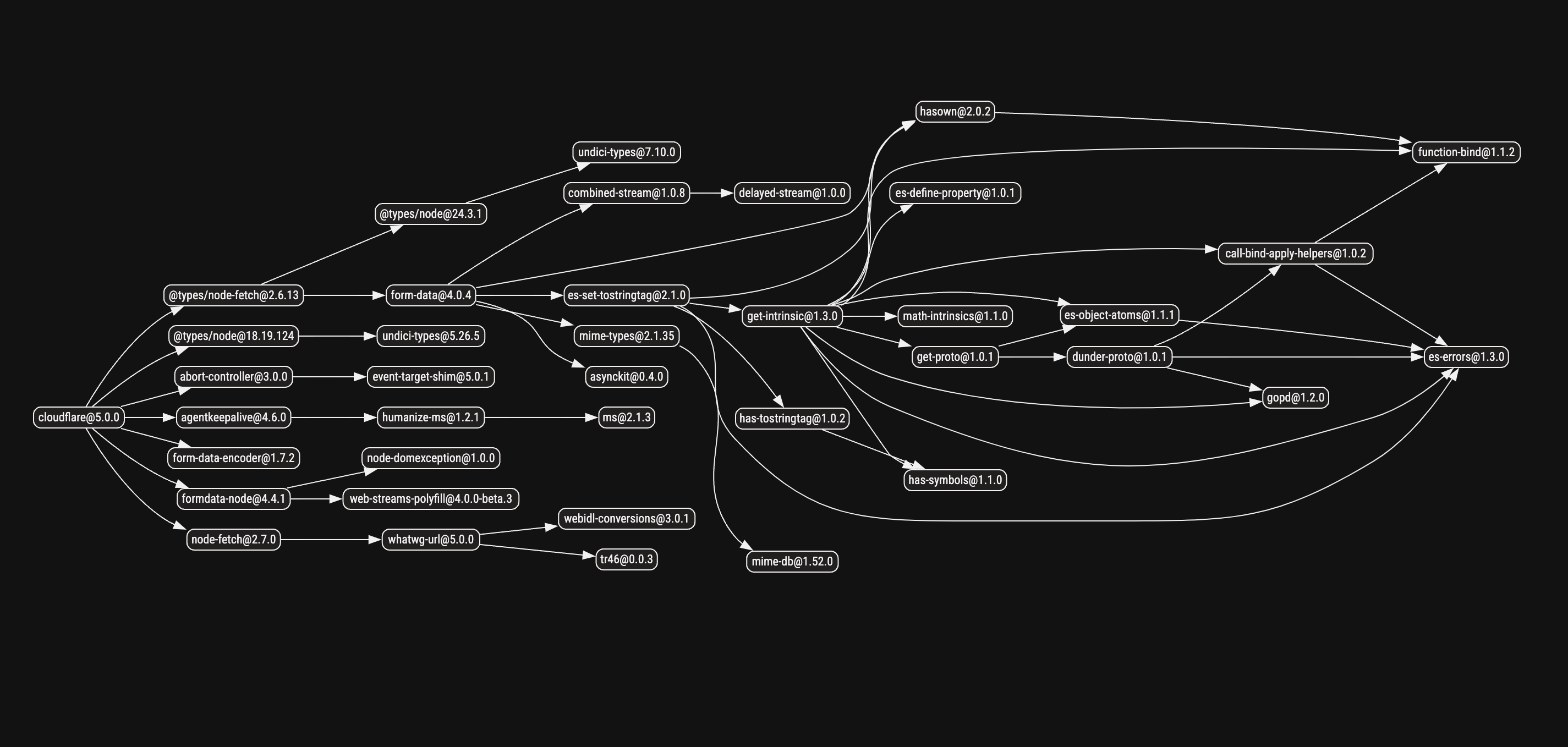
The Cloudflare SDK includes a complex web of **25+ dependencies**, creating a more intricate dependency graph with:
- **Larger attack surface**: More dependencies increase potential security risks
- **Complex maintenance**: Multiple dependencies require ongoing monitoring for vulnerabilities
- **Update complexity**: Changes in any dependency can introduce breaking changes
- **Installation overhead**: More dependencies mean longer installation times
While the Cloudflare SDK's dependencies serve specific purposes (cross-platform compatibility, streaming support, etc.), all of that functionality can be achieved with minimal external dependencies as shown by the Speakeasy generated SDK.
## Generated types and type safety
Both Speakeasy and Stainless generate TypeScript types, but they differ significantly in their approach to type safety. Speakeasy generates types with runtime validation using Zod, while Stainless relies primarily on compile-time TypeScript checking.
Let's examine how each handles creating a deployment with project configuration:
```typescript filename="vercel-sdk-types.ts"
// Vercel SDK (Speakeasy) - with runtime validation
import { Vercel } from "@vercel/sdk";
const vercel = new Vercel({
bearerToken: "your-token"
});
async function createDeployment() {
// Strong typing with runtime validation
const deployment = await vercel.deployments.createDeployment({
// !mark
// !callout[/}/] Zod validates this at runtime and compile time
name: "my-project",
gitSource: {
type: "github",
repo: "user/repo",
ref: "main"
},
// Missing required fields will cause both
// TypeScript errors AND runtime validation errors
});
return deployment;
}
```
```typescript filename="cloudflare-sdk-types.ts"
// Cloudflare SDK (Stainless) - compile-time only
import Cloudflare from "cloudflare";
const cf = new Cloudflare({
apiToken: "your-token"
});
async function createZone() {
// Strong compile-time typing, no runtime validation
const params: Cloudflare.ZoneCreateParams = {
// !mark
// !callout[/}/] Only TypeScript compile-time checking
name: "example.com",
account: {
id: "account-id"
}
// Invalid data might pass TypeScript but fail at runtime
};
const zone = await cf.zones.create(params);
return zone;
}
```
The Vercel SDK generates Zod schemas that validate data both at compile time and runtime, catching type errors before they reach the server. The Cloudflare SDK provides excellent TypeScript types but relies on server-side validation to catch runtime errors.
This difference becomes critical when dealing with dynamic data or complex validation rules that can't be fully expressed in TypeScript's type system.
### Runtime type checking
Speakeasy creates SDKs that are type-safe from development to production. As our CEO wrote, [type safe is better than type faith](/post/type-safe-vs-type-faith).
The Vercel SDK uses [Zod](https://zod.dev/) to validate data sent to and received from the server. This provides safer runtime code execution and helps developers catch errors before making API calls.
Here's what happens when invalid data is passed to each SDK:
```typescript filename="vercel-runtime-validation.ts"
// Vercel SDK (Speakeasy) - Runtime validation
import { Vercel } from "@vercel/sdk";
const vercel = new Vercel({
bearerToken: "your-token"
});
async function updateProject() {
try {
await vercel.projects.updateProject({
idOrName: "my-project",
requestBody: {
// !mark
// !callout[/:/] Zod validation error: Expected string, received number
name: 12345, // Invalid: should be string
framework: "nextjs"
}
});
} catch (error) {
// Catches validation error immediately
// before making the HTTP request
console.log("Validation failed:", error.message);
}
}
```
```typescript filename="cloudflare-no-validation.ts"
// Cloudflare SDK (Stainless) - No runtime validation
import Cloudflare from "cloudflare";
const cf = new Cloudflare({
apiToken: "your-token"
});
async function updateZone() {
try {
const params: any = { // Bypassing TypeScript
// !mark
// !callout[/:/] No runtime validation - sent to server as-is
name: 12345, // Invalid: should be string
account: { id: "account-id" }
};
await cf.zones.create(params);
} catch (error) {
// Only catches server-side validation errors
// after the HTTP request is made
console.log("Server error:", error.message);
}
}
```
The Vercel SDK catches type errors immediately with Zod validation, providing clear error messages before making HTTP requests. The Cloudflare SDK relies on server-side validation, meaning invalid data is sent over the network and errors are discovered later.
This difference is crucial when dealing with dynamic data, user input, or complex validation rules that can't be fully expressed in TypeScript's type system.
## Authentication handling
Both SDKs handle authentication, but with different approaches and levels of built-in sophistication.
The Vercel SDK (generated by Speakeasy) uses bearer token authentication with simple configuration. Authentication is handled automatically for all requests, with no additional setup required.
The Cloudflare SDK (generated by Stainless) uses API token authentication and provides comprehensive error handling with specific error classes for different authentication scenarios, including `AuthenticationError`, `PermissionDeniedError`, and other HTTP status-specific errors.
When it comes to OAuth 2.0 support, Speakeasy-generated SDKs include built-in OAuth 2.0 client credentials handling with automatic token lifecycle management, retries, and error handling. This means the SDK automatically fetches, stores, and refreshes tokens as needed without requiring additional code.
Stainless-generated SDKs typically require manual OAuth implementation when OAuth is needed, meaning developers must write additional code to handle token acquisition, storage, refresh logic, and error recovery.
## MCP server
Both Speakeasy and Stainless allow you to generate an MCP server, which reuses your SDK methods, based on your API. Stainless generates the MCP server by default in the SDK package, which makes the SDK package larger.
At Speakeasy, because we believe in the separation of concerns, we provide the MCP server and the SDK as separate options you can choose to generate or not. This keeps your SDK package lightweight if you don't need the server functionality. To generate an MCP server, select the `Model Context Protocol (MCP) Server` option when generating the SDK.

Let's compare the generated MCP server for both SDKs.
### Speakeasy
### Stainless
Speakeasy again focuses on simplicity, giving you a simpler file structure with only the parts you need for an MCP server.
Stainless has a more complicated file structure, with more bloat.
### Usage
Both platforms let you run MCP servers locally using the setup instructions in the READMEs.
Speakeasy makes distribution easier than Stainless. It creates DXT files that users can drag and drop into Claude Desktop without having to edit configuration files manually. Via [Gram](https://getgram.ai) you also get a hosted page for your MCP server that makes it easy to integrate into other MCP clients.
Speakeasy (also through Gram) further provides advanced functionality like curating toolsets for specific use cases, custom tools, prompt refining and production-grade hosting in one click.
## Webhooks support
Speakeasy-generated SDKs provide built-in support for webhook validation, payload parsing, and delivery with automatic signature verification using HMAC or other signing algorithms. The generated SDK includes strongly-typed webhook event handlers based on the OpenAPI specification.
The Vercel SDK includes webhook handling capabilities as part of its comprehensive feature set, allowing developers to validate and process webhook events with minimal setup.
Stainless-generated SDKs typically don't provide out-of-the-box webhook functionality. The Cloudflare SDK focuses primarily on API calls rather than webhook handling, requiring developers to implement their own logic for verifying event signatures, defining event payload types, and managing webhook delivery mechanisms.
This difference means that APIs requiring webhook support benefit significantly from Speakeasy's built-in webhook validation and type-safe event handling, while Stainless users must build these features manually.
You can read more about how Speakeasy handles webhooks in our [webhooks release post](/post/release-webhooks-support).
## React Hooks
React Hooks simplify state and data management in React apps, enabling developers to consume APIs more efficiently. Speakeasy generates built-in React Hooks using [TanStack Query](https://tanstack.com/query/latest). These hooks provide features like intelligent caching, type safety, pagination, and integration with modern React patterns like SSR and Suspense. Stainless does not generate React Hooks.
```tsx filename="speakeasy-example/booksView.tsx"
import { useQuery } from "@tanstack/react-query";
function BookShelf() {
// loads books from an API
const { data, status, error } = useQuery(
[
"books", // Cache key for the query
],
async () => {
const response = await fetch("https://api.example.com/books");
return response.json();
},
);
if (status === "loading") return
Loading books...
;
if (status === "error") return
Error: {error?.message}
;
return (
{data.map((book) => (
{book.title}
))}
);
}
```
For example, in this basic implementation, the `useQuery` hook fetches data from an API endpoint. The cache key ensures unique identification of the query. The `status` variable provides the current state of the query: `loading`, `error`, or `success`. Depending on the query status, the component renders `loading`, `error`, or the fetched data as a list.
For an in-depth look at how Speakeasy uses React Hooks, see our [official release article](/post/release-react-hooks).
## Summary
We've all experienced bad SDKs that make integration with the API harder, not easier. Speakeasy is building a generator to make poorly written, poorly maintained SDKs a thing of the past. To do so, our team has put an extraordinary level of thought into getting the details of SDK generation right. We think that the effort has earned us the position to compare favorably with any other generator.
If you are interested in seeing how Speakeasy stacks up against some of the popular open-source SDK-generation tools, check out [this post](/post/compare-speakeasy-open-source).
# standalone-functions
Source: https://speakeasy.com/blog/standalone-functions
import { CodeWithTabs } from "@/mdx/components";
import { Callout } from "@/mdx/components";
Today we're introducing a feature for every Speakeasy-generated TypeScript SDK,
called Standalone Functions. This feature makes it possible for your users to
build leaner apps on top of your API, that can run in the browser, or any other
environment where performance is an important consideration.
## The short version
Rather than needing to import the entire library, your SDK users will be able to
select specific functions they want to use. Here's what the change looks like
with [Dub's SDK](https://dub.co/):
```ts
import { Dub } from "dub";
async function run() {
const dub = new Dub();
const count = await dub.links.count();
console.log("Link count:", count);
}
run();
```
Into this:
```ts
import { DubCore } from "dub/core.js";
import { linksCount } from "dub/funcs/linksCount.js";
async function run() {
const dub = new DubCore();
const result = await linksCount(dub);
if (!result.ok) {
throw result.error;
}
// Use the result
console.log("Link count:", result.value);
}
run();
```
All the SDK's unused functionality: methods, Zod schemas, encoding/decoding
helpers and so on, will be excluded from the user's final application build. The
bundler will tree-shake the package and handle minification of the unused code
from within the modules.
Additionally, standalone functions return a `Result` type
which brings about better error handling ergonomics.
Standalone functions _do not_ replace the existing class-based interface. All
Speakeasy TypeScript SDKs now provide both functions and classes. We think
they are both equally valid ways for developers to work with SDKs. The
decision on which style to use can be based on the project you're building and
what constraints are in place.
## Impact
Combining standalone functions with ES Modules yields massive savings as shown
in the bundle analysis for the sample programs above.
Using `dub@0.35.0` with the class-based API:

Using `dub@0.36.0` with the standalone functions API:

Please note that the sizes above are _before_ compressing the bundles with Gzip
or Brotli. The uncompressed size is a good proxy for metrics like JavaScript
parsing time in the browser. Regardless, it's a great idea to compress code
before serving it to browsers or using a CDN that handles this for you.
Our TypeScript SDKs use Zod to build great support for complex validation and
(de)serialization logic. If you are already using Zod in your application then
consider excluding its size (~50KB) when thinking about the numbers above. The
impact is even more compelling in this case.
## The long version
Many SDKs are built around the concept of a class that you instantiate and,
through it, access various operations:
```ts
import { Beezy } from "@speakeasy-sdks/beezyai";
const beezy = new Beezy(); // The SDK class
const stream = await beezy.chat.stream({
prompt: "What is the most consumed type of cheese?",
model: "ex-30b",
});
// Use the result...
```
This works great from a developer experience perspective especially if you are
using an IDE with language server support. You can autocomplete your way to most
functionality and breeze through your work.
If we dig under the surface, we would likely find a typical SDK is arranged like
so:
> { /* ... */ }
/**
* Generate a complete response to a prompt.
*/
async complete(req: CompletionRequest): Promise { /* ... */ }
}`,
},
{
label: "src/files.ts",
language: "typescript",
code: `import { encodeMultipart } from "./lib/encodings.js"
class Files extends APIClient {
/**
* Create a multipart request to upload files for fine tuning and other jobs.
*/
async upload(req: FileUploadRequest): Promise { /* ... */ }
}`,
},
{
label: "src/chat-history.ts",
language: "typescript",
code: `import { createPaginatedIterable } from "./lib/pagination.js"
import { encodeJSON } from "./lib/encodings.js"
class ChatHistory extends APIClient {
/**
* Paginated list of chat sessions.
*/
async function list(req: ListChatsRequest): Promise { /* ... */ }
}`,
}
]}
/>
However, if you're building a web app/site, there is a downside to this approach
that is not immediately apparent: the entire SDK will be included in your app's
bundle because there is little or no opportunity to tree-shake or exclude unused
code from the SDK. If we were to bundle the snippet of code above, then all the
code in the `Beezy`, `Chat`, `Files` and `ChatHistory` classes as well as all of
the code that supports those classes an their methods, such as pagination and
multipart request helpers, will be include in our app. Yet, we only called
`beezy.chat.stream()`.
### A brief crash course on bundlers and tree-shaking
A lot of web apps are built using front-end frameworks with bundlers such as
[Rollup][rollup], [Webpack][webpack], [ESBuild][esbuild],
[Turbopack][turbopack]. Bundlers are responsible for a bunch of tasks including
taking your TypeScript code and code from all the libraries you used, converting
into a JavaScript files that can be loaded on the browsers. They also employ
techniques to reduce the amount of JavaScript to load such as
[minifying][zod-minify] the code, splitting a bundle into smaller parts to load
functionality incrementally and tree-shaking to eliminate unused code from your
codebase and the libraries you've used.
[rollup]: https://rollupjs.org/
[webpack]: https://webpack.js.org/
[esbuild]: https://esbuild.github.io/
[turbopack]: https://turbo.build/pack/docs
[zod-minify]: /post/writing-zod-code-that-minifies
Tree-shaking is the process of identifying what parts of a JavaScript module
were used and only including that subsection of the module. Here's an example
from ESBuild:

([Playgound link for the screenshot above][esbuild-playground])
[esbuild-playground]: https://esbuild.github.io/try/#YgAwLjIzLjAALS1idW5kbGUgLS1mb3JtYXQ9ZXNtAGUAZW50cnkuanMAaW1wb3J0IHsgZ3JlZXQgfSBmcm9tICIuL21vZHVsZS1hLmpzIjsKCmNvbnNvbGUubG9nKGdyZWV0KCJHZW9yZ2VzIikpOwAAbW9kdWxlLWEuanMAZXhwb3J0IGZ1bmN0aW9uIGdyZWV0KG5hbWUpIHsKICByZXR1cm4gYEhlbGxvLCAke25hbWV9IWA7Cn0KCmV4cG9ydCBmdW5jdGlvbiBhZGQoYSwgYikgewogIHJldHVybiBhICsgYjsKfQoKZXhwb3J0IGNvbnN0IFBJID0gMy4xNDsKCmV4cG9ydCBjb25zdCBjb2xvcnMgPSB7CiAgcmVkOiAiI2ZmMDAwMCIsCiAgZ3JlZW46ICIjMDBmZjAwIiwKICBibHVlOiAiIzAwMDBmZiIsCn07
Notice how in the build output, the `add`, `PI` and `colors` exports were not
included. Most bundlers are capable of tree-shaking, some apply better or more
heuristics than others, but generally the rule is to analyze which module
exports were used and leave out the rest.
### And we're back
So if we understand how tree-shaking works, we can arrange our SDK code a little
differently and greatly reduce the impact of our package on a web app's total
bundle size. This is what's new in our recent changes to the generator. We now
create a folder in every TypeScript SDK at `src/funcs/` and emit standalone
functions. Here's a simplified example of one:
```typescript
import { BeezyCore } from "../core.js";
export async function chatStream(
client: BeezyCore,
req: ChatRequest,
): Promise<
Result<
EventStream,
ForbiddenError | RateLimitError | TimeoutError
>
> { /* ... */ }
```
The interesting change is that instead of attaching methods to classes, we
designed functions to take a tiny "client" as their first argument. This small
_inversion_ means bundlers can dial it up to the max with their tree-shaking
algorithms since functions are module-level exports.
## Playing the long game
When you peer into a function's source code today, you'll notice it's more
verbose than a one line call to a massive HTTP client abstraction. There's code
to validate data with Zod schemas, encode query, path and header parameters and
execute response matching logic. This was a deliberate decision because it
allows us, and by extension you, to have fine-grained control over tree-shaking.
Whereas deep abstractions are very appealing at first, they end up unnecessarily
dragging in all the functionality an SDK provides even if small subsets of it
are needed. We're choosing shallower abstractions instead and reaping the
benefits.
From the results we've seen so far, we think standalone functions are the right
building block for modern web apps. We're excited to see what you'll build with
them.
# streamlined-sdk-testing-ai-ready-apis-with-mcp-server-generation
Source: https://speakeasy.com/blog/streamlined-sdk-testing-ai-ready-apis-with-mcp-server-generation
import { Callout, ReactPlayer } from "@/lib/mdx/components";
We've made SDK Testing more powerful with real server validation, GitHub integration, and multi-operation workflows. Plus, every TypeScript SDK now includes an MCP server, making your API instantly accessible to AI-powered tools like Claude, Cursor, Zed and many other AI applications.
Let's dive into what's new!
## 🧪 More Powerful SDK Testing
We've enhanced our SDK Testing capabilities to help API providers maintain reliable client libraries with less effort. Our revamped SDK Testing now provides comprehensive validation for SDKs in Go, TypeScript, and Python.
### ✨ Key Highlights
- **Autogenerated tests from OpenAPI specs** with rich field coverage based on your schema definitions
- **Zero-config mock servers** that simulate your API behavior without connecting to backend systems
- **Real server testing** for validating against actual API endpoints
- **Multi-operation test workflows** using the Arazzo specification for complex scenarios
- **GitHub Actions integration** for continuous validation on every PR
🔗 [**Read the Full SDK Testing Release Post**](https://www.speakeasy.com/post/release-sdk-testing) for in-depth details on implementation, examples, and advanced usage.
### ⚡ Getting Started in Three Simple Steps
1️⃣ **Generate tests** with `speakeasy configure tests`
2️⃣ **Run tests locally or in CI/CD** with `speakeasy test`
3️⃣ **View reports** in the Speakeasy dashboard for insights.

🔗 [**Read the full SDK Testing release post**](https://www.speakeasy.com/post/release-sdk-testing) for in-depth details on implementation, examples, and advanced usage.
---
## 🤖 MCP Server Generation: AI-Ready APIs, No Extra Work
Two weeks ago, we launched MCP Server Generation, and the response has been incredible! We've seen strong adoption across the community, with great feedback from developers who have integrated MCP servers into their APIs.
### What is MCP?
Model Context Protocol (MCP) is an open standard from Anthropic that enables secure, two-way connections between APIs and AI-powered tools like Claude, Cursor, and Zed.
Think of MCP as a Rosetta Stone for your APIs—allowing AI agents to instantly understand and interact with your services without custom integrations or deciphering complex documentation.
### 🚀 What's New?
Every TypeScript SDK generated by Speakeasy now includes an MCP server that:
- **Acts as a thin wrapper** around your existing TypeScript SDK
- **Generates a tool for each SDK method** so AI agents can discover and use them
- **Uses your SDK's Zod schemas** to give agents an accurate picture of request formats
- **Supports customization** via OpenAPI extensions to control tool names and descriptions
- **Includes scoping capabilities** to tag and control which operations are available to AI agents
The generated MCP server structure looks like this:
```yaml filename="bluesky-ts/src/mcp-server"
├── tools
│ ├── accountDelete.ts
│ ├── accountExportData.ts
│ ├── accountsGetInviteCodes.ts
│ ├── actorGetSuggestions.ts
│ └── ...
├── build.mts
├── mcp-server.ts
├── resources.ts
├── server.ts
├── shared.ts
└── tools.ts
```
Watch Claude using Dub's MCP server to create a shortlink in real-time:
### ⚡ Getting Started
With MCP servers now included in every TypeScript SDK:
- **AI agents can instantly interact** with your API
- **No extra setup is needed**-just merge the PR and run the server
- **Launch with scopes** to control which operations are available:
```
npx your-sdk mcp start --scope read
```
### 📢 Customers Already Using MCP Servers
Shoutout to [**Dub**](https://github.com/dubinc/dub-ts)**,** [**Polar**](https://github.com/polarsource/polar-js)**,** [**Hathora**](https://github.com/hathora/cloud-sdk-typescript)**,** [**Novu**](https://github.com/novuhq/novu-ts)**,** [**Acuvity**](https://github.com/acuvity/acuvity-ts) for being among the first to generate their MCP servers! 🚀
🔗 [**Learn More About MCP Server Generation**](/docs/standalone-mcp/build-server)
🔗 [**Read the Full Release Post**](https://www.speakeasy.com/post/release-model-context-protocol)
---
## 🛠️ New Features and Bug Fixes 🐛
Based on the most recent CLI version: [**Speakeasy
v1.510.0**](https://github.com/speakeasy-api/speakeasy/releases/tag/v1.510.0)
**Platform**\
🐛 **Fix:** Prevented compilation errors with naming in various targets due to special characters in operationId.\
🐝 **Feat:** Improved inline schema naming to refine name resolution and reduce ambiguities.\
🐝 **Feat:** Added --env CLI flag for passing environment variables to MCP servers.\
🐝 **Feat:** Improved security and global authentication handling in MCP servers.
**Python**\
🐝 **Feat:** Implemented TYPE_CHECKING safeguards to properly handle circular dependencies in Pydantic models.
**Ruby**\
🐛 **Fix:** Removed extraneous config_server and config_server_url methods in SDK class.\
🐝 **Feat:** Added global security flattening to streamline authentication via constructor parameters.\
🐝 **Feat:** Refactored Ruby serializer into a standalone module for better maintainability.
**TypeScript**\
🐝 **Feat:** Switched to jsonpath-rfc9535 for RFC9535-compliant JSONPath handling, improving compatibility with Next.js and SWC.\
🐝 **Feat:** Introduced Model Context Protocol (MCP) servers for hosting SDK functions as callable tools.
**Terraform**\
🐝 **Feat:** Added support for **map of array types** (e.g., map of list of strings).\
🐝 **Feat:** Enabled proper rendering of **array of array types** (e.g., list of list of floats).\
🐝 **Feat:** Added support for **array of empty objects** to improve Terraform schema handling.\
🐝 **Feat:** Enabled support for **maps of double, float, int32, and number types**.\
🐛 **Fix:** Properly rendered union type examples with stable single selection.\
🐛 **Fix:** Prevented OAuth authentication errors when other API security options are available.\
🐛 **Fix:** Prevented package name shadowing for required dependencies.\
🐛 **Fix:** Correctly rendered examples for maps of booleans and integers.\
🐛 **Fix:** Added support for nullable maps in Terraform SDKs.
# tags-best-practices-in-openapi
Source: https://speakeasy.com/blog/tags-best-practices-in-openapi
import { Callout } from "@/mdx/components";
Hi! These blog posts have been popular, so we've built an entire [OpenAPI Reference Guide](/openapi/) to answer any question you have.
It includes detailed information on [**tags**](/openapi/tags).
Happy Spec Writing!
## Introduction
This article explains how to use [tags in OpenAPI](https://spec.openapis.org/oas/latest.html#tag-object).
Tags are the way to organize your API endpoints into groups to make them easier for users to understand.
## Definitions
Every separate feature in your API that a customer can call is named an **endpoint**.
An endpoint is an **operation** (an HTTP method like GET or POST) applied to a **path** (for example, `/users`).
Below is an example endpoint in an OpenAPI schema. The path is `play`, and the operation is a POST.
```yaml
paths:
/play:
post:
description: Choose your jazz style.
operationId: band#play
```
In informal conversation, people often refer to API endpoints and operations as if the terms are interchangeable.
Paths are the natural way to categorize your endpoints. You might have separate paths in your API for products, purchases, or accounts. However, paths are hierarchical. Each endpoint can be in only one path. This may make it difficult for users of your API to browse to the feature they are looking for if they assume it's under a different path.
By contrast, each endpoint may have multiple tags, so may be shown in multiple groups in your schema documentation.
## Example Schema
To demonstrate using tags, let's make a simple schema for a jazz club API with just three paths:
- `/play` — plays music.
- `/stop` — stops music.
- `/order` — orders a drink.
### API Information
Start with some basic information about your API.
```yaml
openapi: 3.0.3
info:
title: The Speakeasy Club
description: A club that serves drinks and plays jazz.
version: 1.0.0
servers: []
```
### Simple Tag
Add the `tags` root-level object with a tag for drink operations.
Only the tag `name` is mandatory.
```yaml
openapi: 3.0.3
info:
title: The Speakeasy Club
description: A club that serves drinks and plays jazz.
version: 1.0.0
servers: []
tags:
- name: Drinks
```
### Detailed Tag
Add another tag with more detail. The **Music** tag has a `description` string and an `externalDocs` object with two required fields: `description` and `url`.
The URL points to information anywhere on the web that you want to use to describe the endpoint. Use `externalDocs` if you don't want to overcrowd your schema with unnecessary detail or if another department in your company maintains the documentation separately.
```yaml
openapi: 3.0.3
info:
title: The Speakeasy Club
description: A club that serves drinks and plays jazz.
version: 1.0.0
servers: []
tags:
- name: Drinks
- name: Music
description: A band that plays jazz.
externalDocs:
description: List of jazz genres
url: https://en.wikipedia.org/wiki/List_of_jazz_genres
```
### Paths
Now that we have tag definitions, we can tag our endpoints.
Here the `/play` and `/stop` endpoints are tagged with `Music`, and the `/order` endpoint is tagged with `Drinks`.
We could also make another tag called `Front of house` and apply it to both endpoints to organize them separately to `Backstage` endpoints.
```yaml
openapi: 3.0.3
info:
title: The Speakeasy Club
description: A club that serves drinks and plays jazz.
version: 1.0.0
servers: []
tags:
- name: Drinks
- name: Music
description: A band that plays jazz.
externalDocs:
description: List of jazz genres
url: https://en.wikipedia.org/wiki/List_of_jazz_genres
paths:
/play:
post:
tags:
- Music
summary: Play music
description: Choose your jazz style.
operationId: band#play
requestBody:
required: true
content:
application/json:
schema:
$ref: "#/components/schemas/PlayRequestBody"
example:
style: Bebop
responses:
"204":
description: No Content response.
/stop:
post:
tags:
- Music
summary: Stop music
description: Stop playing.
operationId: band#stop
responses:
"204":
description: No Content response.
/order:
post:
tags:
- Drinks
summary: Order tea
description: Order a cup of tea.
operationId: order#tea
requestBody:
required: true
content:
application/json:
schema:
$ref: "#/components/schemas/TeaRequestBody"
example:
includeMilk: false
responses:
"204":
description: No Content response.
```
## The Full Schema Example
Below is the full example schema with `components` added to specify how to call the endpoints.
Paste the code into the [Swagger editor](https://editor.swagger.io/) to see it displayed as a formatted document. Note that operations in the Swagger output are grouped by `tag`.
```yaml
openapi: 3.0.3
info:
title: The Speakeasy Club
description: A club that serves drinks and plays jazz.
version: 1.0.0
servers: []
tags:
- name: Drinks
- name: Music
description: A band that plays jazz.
externalDocs:
description: List of jazz genres
url: https://en.wikipedia.org/wiki/List_of_jazz_genres
paths:
/play:
post:
tags:
- Music
summary: Play music
description: Choose your jazz style.
operationId: band#play
requestBody:
required: true
content:
application/json:
schema:
$ref: "#/components/schemas/PlayRequestBody"
example:
style: Bebop
responses:
"204":
description: No Content response.
/stop:
post:
tags:
- Music
summary: Stop music
description: Stop playing.
operationId: band#stop
responses:
"204":
description: No Content response.
/order:
post:
tags:
- Drinks
summary: Order tea
description: Order a cup of tea.
operationId: order#tea
requestBody:
required: true
content:
application/json:
schema:
$ref: "#/components/schemas/TeaRequestBody"
example:
includeMilk: false
responses:
"204":
description: No Content response.
components:
schemas:
PlayRequestBody:
type: object
properties:
style:
type: string
description: Style of music to play
example: Bebop
enum:
- Bebop
- Swing
example:
style: Bebop
required:
- style
TeaRequestBody:
type: object
properties:
includeMilk:
type: boolean
description: Whether to have milk.
example: true
example:
includeMilk: false
```
Below is what it looks like in the editor.

## Tags in Speakeasy
Speakeasy will split the SDKs and documentation it generates based on your tags.
You can add the [x-speakeasy-group](/docs/customize-sdks/namespaces#define-namespaces-without-tags) field to an endpoint to tell Speakeasy to ignore the endpoint's tag and group it under the custom group instead.
## Conclusion
That's everything you need to know about tags in OpenAPI.
There are just three more tag rules you might want to know:
- Tags are optional, both at the root level and on endpoints.
- Tags must have unique names in your schema.
- The tag `description` may use [CommonMark syntax](https://spec.commonmark.org/).
# terraform-enhancing-validation
Source: https://speakeasy.com/blog/terraform-enhancing-validation
When working with APIs, ensuring that the values we send meet specific requirements, such as string lengths or numerical ranges, is crucial. This validation becomes even more critical when using Terraform Providers to interact with these APIs. Relying only on server-side validation can lead to slow feedback loops, errors during the apply phase, and frustrated users. Plan validation in Terraform Providers helps catch these issues earlier, improving the end-user experience by providing immediate feedback and preventing errors before they occur. This blog post explores how you can add configuration validation to your Terraform Providers.
### The Problem with Missing Validation
APIs often enforce strict value requirements, such as minimum and maximum string lengths, numerical ranges, or specific formats. When a Terraform Provider interacts with an API but lacks validation for these requirements, Terraform's validate and plan operations may proceed without issues. However, the apply operation can fail due to API errors, leading to frustrating and time-consuming feedback loops. These failures can occur in the middle of applying resources, causing further complications and delays.
Imagine you're deploying multiple resources, and halfway through the process, an API error occurs because of an invalid string length. You would need to fix the issue and rerun the apply operation, wasting valuable time and resources. The goal is to enhance the user experience by having Terraform raise validation errors before applying configurations, ensuring smoother deployments and reducing the risk of mid-apply failures.
### Why Does It Matter?
- **Efficiency**: Early error detection saves time and resources by preventing mid-apply failures.
- **User Experience**: Immediate feedback during validation enhances satisfaction and reduces frustration.
- **Resource Management**: Preventing mid-apply failures ensures infrastructure remains stable and consistent.
- **Scalability**: Early validation maintains a reliable deployment process as infrastructure grows.
- **Error Reduction**: Automating validation reduces the risk of human error and ensures consistent application of validation rules.
### Manual Validation in Terraform Providers
Adding validation to Terraform Providers involves implementing [validators](https://developer.hashicorp.com/terraform/plugin/framework/validation) within the resource schema.
Let's assume you are developing a Terraform provider for managing a simple resource, such as a "User" resource, which has a "username" attribute:
```go
func NewUserResource() resource.Resource {
return &userResource{}
}
type userResource struct{}
func (r *userResource) Metadata(_ context.Context, req resource.MetadataRequest, resp *resource.MetadataResponse) {
resp.TypeName = req.ProviderTypeName + "_user"
}
func (r *userResource) Schema(_ context.Context, _ resource.SchemaRequest, resp *resource.SchemaResponse) {
resp.Schema = schema.Schema{
Attributes: map[string]schema.Attribute{
"username": stringattribute.String{
Required: true,
Description: "The username of the user.",
Validators: []validator.String{
stringvalidator.LengthBetween(6, 64),
stringvalidator.RegexMatches(
regexp.MustCompile(`^[a-z]+$`),
"must contain only lowercase alphanumeric characters",
),
},
},
},
}
}
```
- The `username` attribute is defined with type `schema.TypeString` and marked as required.
- The `username` attribute is defined with string validation helpers from [`terraform-plugin-framework-validators`](https://pkg.go.dev/github.com/hashicorp/terraform-plugin-framework-validators) that checks if the length of the string is between 6 and 64 characters, as well as only lowercase characters.
Consider the following configuration:
```
resource "user" "test" {
username = "abcd"
}
```
Running `terraform validate` will produce an error if the `username` length does not meet the specified criteria:
```go
- Error: Invalid value for field "username": String length must be between 6 and 64 characters.
- Error: Invalid value for field "username": must contain only lowercase alphabetic characters.
```
[See more in the terraform-plugin-framework-validators package here](https://pkg.go.dev/github.com/hashicorp/terraform-plugin-framework-validators).
Repeating this process for every field in your Terraform Provider is daunting, but necessary to enhance the user experience by catching errors early in the validation phase, preventing issues during the apply phase, and ensuring smoother deployments.
### Configuration Validation with Speakeasy
Speakeasy simplifies the process of adding configuration validation to Terraform Providers by automatically generating validation handlers based on your OpenAPI specification.
By default, these OpenAPI specification properties are automatically handled:
- For `string` types: `enum`, `maxLength`,`minLength`, and `pattern`
- For integer types: `enum`, `minimum` and `maximum`
- For `array` types: `maxItems`, `minItems`, and `uniqueItems`
For scenarios not covered by these default handlers, Speakeasy supports custom validation logic. If you're interested in finding out more, see our [Terraform Provider generation documentation](/docs/create-terraform) and join our [Slack](https://go.speakeasy.com/slack) to chat with our engineering team.
### Conclusion: Enhancing Terraform Providers with Validation
Adding configuration validation to Terraform Providers is essential for improving the end user experience and ensuring smooth deployments. By implementing validation, whether manually or through generated providers like those created by Speakeasy, developers can ensure consistent, efficient, and reliable configurations, ultimately benefiting API consumers. With robust validation in place, the risk of errors is minimized, leading to more stable and predictable infrastructure management.
# terraform-generation-alpha
Source: https://speakeasy.com/blog/terraform-generation-alpha
If you are interested in being an alpha user for our Terraform provider generator, please respond to this email to let us know!
Github's 2022 annual review crowned HCL (hashicorp configuration language) as the fastest growing language (56%), even beating out developer darling, Rust, for the top spot. It is a testament to the establishment of infrastructure as code (IaC) as a leading development practice and the popularity of Terraform as the medium for infrastructure management.
The best developer companies meet their users where they already are, to flatten the learning curve and provide a great DevEx. For some API companies that increasingly means a terraform provider so that the resources exposed by the API can be managed in concert with any related infrastructure. However, like SDKs, a terraform provider becomes another artifact that needs ongoing investment & management. That's why we've been working on a way to enable teams to autogenerate terraform providers from their OpenAPI definition.
## Alpha Release
**Terraform Provider Generation** - Just add annotations to your OpenAPI specification's entities and operations. Speakeasy will then process your spec to produce and maintain a terraform-registry compliant provider plugin, that will create, update and destroy persistent resources by interacting with your APIs. As an example, imagine the pet entity from the canonical petshop example:
```yaml
paths:
/pet:
post:
tags:
- pet
summary: Add a new pet to the store
x-speakeasy-entity-operation: Pet#create
description: Add a new pet to the store
operationId: addPet
responses:
'200':
description: Successful operation
content:
application/json:
schema:
$ref: '#/components/schemas/Pet'
requestBody:
description: Create a new pet in the store
required: true
content:
application/json:
schema:
$ref: '#/components/schemas/Pet'
…
Pet:
x-speakeasy-entity: Pet
required:
- name
- photoUrls
properties:
id:
type: integer
format: int64
example: 10
name:
type: string
category:
$ref: '#/components/schemas/Category'
photoUrls:
type: array
items:
type: string
…
```
Adding the `x-speakeasy-entity` annotation to a resource-based API, along with annotations to each operation such as:
- `x-speakeasy-entity-operation: Pet#create`
- `x-speakeasy-entity-operation: Pet#delete`
- `x-speakeasy-entity-operation: Pet#update`
are all that's required to generate a valid terraform provider with terraform-registry documentation, usable like the following:
```HCL
resource "petstore_pet" "myPet" {
name = "Freddie"
photo_urls = ["https://example.com/example.jpg"]
tags = {
name = "foo"
}
}
```
Speakeasy will output this provider plugin to a github repository, annotating resources with Computed, ReadOnly, Required and ForceNew attributes based upon the semantics of how they're used in Create/Update operations.
If you would like us to generate a terraform provider from your OpenAPI definition, please get in touch! We're actively looking for design partners for whom we can generate/maintain terraform providers for your API.
## New Features
**SDK Retries** - Every SDK should have retries. It's one of the things that makes for a great DevEx. End-users shouldn't be left to figure out what errors should trigger retries, which shouldn't, and how long you should wait before resending. Nobody knows an API better than the builder, and that's who should be determining when a retry is appropriate. That's why we've added the ability for our users to extend their OpenAPI spec and configure retry logic for their SDKs.
```yaml
x-speakeasy-retries:
strategy: backoff
backoff:
initialInterval: 100 # 100 ms
maxInterval: 30000 # 30s
exponent: 2 # backoff delay doubles from 100ms until 30s
maxElapsedTime: 300000 # After 5 minutes, returns a failure to the callee
statusCodes: # a list of status codes to retry on (supports XX wildcards)
- 429
- 5XX
retryConnectionErrors: true # whether to retry connection errors
```
# terraform-v2-cli-upgrade
Source: https://speakeasy.com/blog/terraform-v2-cli-upgrade
Following on from our TypeScript work in January, we've kept our focus on upleveling our developer experience of both our platform and our generation targets. This month our CLI got an overhaul, and Terraform got a package of upgrades. The result is an experience that is more intuitive, more powerful, and more flexible for both our users and their end users.
Let's jump into it 🚀
## Terraform v2
Terraform is the go to tool for businesses implementing a strict disaster recovery plan. For any SaaS businesses trying to sell API usage to these enterprises, that makes offering a Terraform Provider a must-have.
Our Terraform generation has made maintaining a provider trivially easy and unlocked our customers ability to win large enterprise contracts. We've been working hard to extend that opportunity to every API. That's why we're excited to announce the release of Terraform v2 with a range of new features to support increasingly complex APIs:
- Collapse multiple API endpoints into a single Terraform Entity.
- Add Custom Plan Validators to your Provider
- Automatically enforced Runtime Validations
- Support for `default` and `const` attributes
- Handling of Batch Endpoints
For the details, please read the full release notes [here](/post/release-terraform-v2).
## Upgraded CLI - Enhanced Quickstart
We received a lot of feedback from our users about the CLI being their preferred interface for generating SDKs. We've therefore invested in creating what we think is one of the best CLI experiences available anywhere today. The principles that guided our rebuild were:
- ✨ No magic incantations required
- 😀 Flattened command hierarchy
- 👩🔧 Design for humans
Tangibly it means you don't need any context or docs to use the CLI. Our interactive prompts will make setting up your SDKs a breeze.
If you're interested in learning how we built the new CLI, [the code is open source](https://github.com/speakeasy-api/speakeasy) and a detailed blog post is available [here](/post/how-we-built-cli).
## 🚢 Improvements and Bug Fixes 🐛
#### Most recent version: [Speakeasy v1.200.1](https://github.com/speakeasy-api/speakeasy/releases/tag/v1.200.1)
🚢 Generation of SSE usage examples in `Readme.md`\
🐛 Correct construction of input statements when readOnly: true\
🚢 use defaults for usage snippet rendering if example not available\
🚢 support disabling security for a single operation\
🐛 don't regenerate if no version bump detected\
🐛 handle nullable enums correctly\
### Typescript
🚢 Support for [Retry-After](https://developer.mozilla.org/en-US/docs/Web/HTTP/Headers/Retry-After) headers\
🚢 Support for URL based cursor based pagination\
🚢 Allow string enums to be used in SSE data\
🚢 Make const fields optional on the client\
🚢 Improve validation errors thrown from SDK methods\
🚢 Introduce new response format with http metadata\
🚢 Support SDKs that do not have global servers
### Java
🚢 Support for new Sonatype Central Publishing\
🚢 Support bigint, decimal format\
🚢 Retries support\
🐛 Handle non-numeric cursors for pagination\
🐛 Fixed imports and handling of security builder field names\
🐛 Pagination response constructor signature, internal whitespace/ordering
### Python
🐛 Invalid dataclasses if method has params both with and without default value
### Ruby
🐛 fix server param in docstring\
🐛 handle named servers\
🐛 improve security and parameter handling\
🐛 improve unmarshalling of complex data types\
🐛 change base64 encodingtechnique to support long credentials
### Terraform
🚢 Allow for arrays of non-string enums\
🚢 Support for custom plan validators
### C#
🚢 example generation for complex objects\
🚢 add support for nullable request bodies\
🚢 support .NET5 compilation checks\
🚢 extend BigInteger/Decimal support to arrays and maps\
🚢 add support for global security callbacks\
🐛 revert dotnet version default to 5.x
### Go
🚢 Allow string enums to be used in SSE data
# test-suite-generation-early-access
Source: https://speakeasy.com/blog/test-suite-generation-early-access
import { Callout, CodeWithTabs } from "@/lib/mdx/components";
If you are interested in participating in early access, please fill out [this
form](https://speakeasyapi.typeform.com/testing-early), or, if you're an
existing customer, drop a note in your Speakeasy Slack connect channel.
If at first you don't succeed test, test, test again.
We're excited to announce the early access release of our new Test Generation feature. It empowers developer teams to ship SDKs with confidence that they work as intended for end users.
## Test Generation
{
const beezy = new index_js_1.Beezy({
security: {
clientID: process.env("BEEZY_CLIENT_ID"),
clientSecret: process.env("BEEZY_CLIENT_SECRET"),
},
});
const result = await beezy.analysis.analyzeText({
text: "What is the difference between OpenAPI and Swagger?",
analysisTypes: ["keywords"],
model: "ex-7b",
});
(0, vitest_1.expect)(result).toEqual({
results: [
{
keywords: [""],
},
],
});
});`,
},
{
label: "test_analysis.py",
language: "python",
code: `from beezyai import Beezy
from beezyai.models import shared
def test_analysis_analyze_text():
s = Beezy(
security=shared.Security(
client_id="",
client_secret="",
),
)
assert s is not None
res = s.analysis.analyze_text(request={
"text": "What is the difference between OpenAPI and Swagger?",
"analysis_types": [
shared.AnalysisTypes.KEYWORDS,
],
"model": shared.Model.EX_7B,
})
assert res is not None
assert res == shared.TextAnalysisResponse(
results=[
shared.KeywordAnalysis(
keywords=[
"",
],
),
],
)`,
},
{
label: "analysis_test.go",
language: "go",
code: `package tests
import (
"beezyai"
"beezyai/models/shared"
"context"
"github.com/stretchr/testify/assert"
"github.com/stretchr/testify/require"
"testing"
)
func TestAnalysis_AnalyzeText(t *testing.T) {
s := beezyai.New(
beezyai.WithSecurity(shared.Security{
ClientID: "",
ClientSecret: "",
}),
)
var text string = "What is the difference between OpenAPI and Swagger?"
analysisTypes := []shared.AnalysisTypes{
shared.AnalysisTypesKeywords,
}
var model *shared.Model = shared.ModelEx7b.ToPointer()
ctx := context.Background()
res, err := s.Analysis.AnalyzeText(ctx, text, analysisTypes, model)
require.NoError(t, err)
require.NotNil(t, res)
assert.Equal(t, shared.TextAnalysisResponse{
Results: []shared.Results{
shared.CreateResultsKeywordAnalysis(
shared.KeywordAnalysis{
Keywords: []string{
"",
},
},
),
},
}, *res.TextAnalysisResponse)
}`,
}
]}
/>
### What's Included
- Support for TypeScript, Python, and Go,
- Test creation based on the examples in your OpenAPI spec,
- The ability to specify custom requests and responses for your tests.
### How It Works
1. Specify the examples you want to use in your OpenAPI spec.
2. Optionally specify custom examples via a `tests.yaml`.
3. Speakeasy generates tests for your SDKs based on the examples you provided.
The generated tests will be created in a new `tests` directory in your SDK. For each language, we've selected a popular testing framework for the generated tests:
- TypeScript: [Vitest](https://vitest.dev/)
- Python: [Pytest](https://docs.pytest.org/en/stable/)
- Go: [Testify](https://github.com/stretchr/testify) along with Go's built-in testing package
---
## 🐝 New Features and Bug Fixes 🐛
Based on the most recent CLI version: [**Speakeasy
v1.353.1**](https://github.com/speakeasy-api/openapi-generation/releases/tag/v1.353.1)
### TypeScript
🐝 Feat: Readme's render with environment variable usage \
🐛 Fix: Updated `.gitignore` rules for TS SDKs
### Python
🐝 Feat: Readme's render with environment variable usage \
🐝 Feat: Added Python debug logger interface \
🐛 Fix: Buffering of streaming responses and TypedDict unmarshalling in pythonv2 \
🐛 Fix: Handle `consts` in non-json
### Go
🐝 Feat: Readme's render with environment variable usage
### Terraform
🐛 Fix: Dependencies upgraded \
🐛 Fix: Prevent creating attribute validators for invalid or RE2 engine incompatible OAS pattern \
🐛 Fix: Support for flattened security env vars
### Java
🐝 Feat: Support for discriminated oneOf
### C#
🐝 Feat: Implemented support for `x-speakeasy-enums`
# the-rest-template-project
Source: https://speakeasy.com/blog/the-rest-template-project
## Github Repository: [speakeasy-api/rest-template-go](https://github.com/speakeasy-api/rest-template-go)
Building a RESTful API can be daunting for developers who have never done it before (and even those who have). There are a number of choices and best practices that need to be considered as part of an API's implementation; it can be hard to know where to start. That's why we're pleased to announce the [RESTful API template project.](https://github.com/speakeasy-api/rest-template-go) Over the coming months, we will release RESTful API templates for the most used programming languages – [starting today with Go](https://github.com/speakeasy-api/rest-template-go).
This is the template that our team forks from when we are building new APIs. The repo contains a CRUD API for a ‘user' resource which incorporates the best practices needed for a basic REST service. Our hope is that developers can use this as a foundation upon which to build their own sets of APIs.
The service represents our team's opinionated stance about what makes for good RESTful API code. Specifically, the template gives you a service which is:
- **Entity-based**: The resources available should represent the domain model. Each resource should have the CRUD methods implemented (even if not all are available to API consumers). In our template, we have a single resource defined (users.go). However other resources could be easily added by copying the template and changing the logic of the service layer.
- **Properly Abstracted**: The transport, service, and data layers are all cleanly abstracted from one another. This makes it easy to apply updates to your API endpoints.
- **Consistent**: It's important that consumers of a service have guaranteed consistency across the entire range of API endpoints and methods. In this service, responses are consistently formatted whether successfully returning a JSON object or responding with an error code. All the service's methods use shared response (http.go) and error (errors.go) handler functions to ensure consistency.
- **Tested**: We believe that a blend of unit and integration testing is important for ensuring that the service maintains its contract with consumers. The service repo therefore contains a collection of unit and integration tests for the various layers of the service.
- **Explorable**: It is important for developers to be able to play with an endpoint in order to understand it. We have provided Postman collections for testing out the REST endpoints exposed by the service. There is a Bootstrap Users collection that can be run using the Run collection tool in Postman that will create 100 users to test the search endpoint with.
We look forward to hearing from the community what they think of the repo. We'd love to know what else people would want to see included in a template: versioning, pagination, authentication? Would people want to see more advanced features?
# type-safe-vs-type-faith
Source: https://speakeasy.com/blog/type-safe-vs-type-faith
### Type Faith vs Type Safe
### Introduction
Type safety is a core aspect of modern programming, ensuring that errors related to mismatched or incorrect data types are caught at compile time rather than during execution.
The evolution of JavaScript—a language known for its flexibility and lack of strict type enforcement—saw a significant shift with the introduction of TypeScript.
TypeScript, developed by Microsoft, brought static type checking to the JavaScript ecosystem, helping developers catch errors early in the development process.
However, TypeScript isn't without its limitations. While it enforces type safety within the codebase, it cannot guarantee the correctness of data coming from external sources like APIs.
This becomes a critical issue when developers assert incorrect data types received from APIs, leading to potential runtime errors and system failures.
The good news for API builders is that it is now possible to provide end-to-end type safety in their libraries, ensuring that data types are consistent throughout the application and API interactions.
### Type Faith
Developers often opt out of implementing end-to-end type safety in their libraries due to the complexity and additional coding required. This decision places a significant burden on end users who
must then ensure data type correctness in their applications, a process that is both error-prone and time-consuming.
For example, consider a scenario where an API is expected to return a list of user objects, but due to changes in the backend, it starts returning mixed types (users and admin objects). A client
application relying on type faith—assuming the returned data matches the expected types without validation—may perform operations that are valid for user objects but not for admin objects,
leading to runtime errors and application crashes.
### Type Safe
To achieve true type safety, developers can use tools like Zod to validate and enforce data types at runtime. Zod allows for the definition of schemas that describe the expected shape and type of data.
Here's a simple example of how Zod can be used to enforce type safety when handling API responses
```typescript
import { z } from 'zod';
// Define a schema for the user object
const UserSchema = z.object({
id: z.number(),
name: z.string(),
email: z.string().email(),
});
// Function to validate API response
function validateApiResponse(data: unknown) {
try {
// Validate data against the schema
UserSchema.parse(data);
console.log('Data is valid!');
} catch (error) {
console.error('Invalid data:', error);
}
}
// Simulated API response
const apiResponse = {
id: 1,
name: "John Doe",
email: "john@example.com",
};
validateApiResponse(apiResponse);
```
Using such validations, the end developer who consumes the API can trust that the data they are working with is correctly typed, reducing the risk of bugs and improving the reliability of the application.
### Conclusion
Implementing end-to-end type safety requires additional effort from the developers building the API libraries. However, the benefits in terms of application stability, security, and developer productivity are immense.
As the ecosystem evolves, the tools and practices around type safety continue to improve, making it increasingly feasible to achieve robust type safety across the board. By adopting these practices, developers
can ensure that their applications are not only functional but also secure and resilient against type-related errors.
# typescript-forward-compatibility
Source: https://speakeasy.com/blog/typescript-forward-compatibility
Speakeasy TypeScript SDKs now support forward compatibility features that let your SDK gracefully handle API evolution. When you add a new enum value, extend a union type, or adjust response fields, SDK users on older versions continue working without errors.
This guide walks through how to enable these features in your existing SDK configuration.
## What's changing
New Speakeasy TypeScript SDKs now include forward compatibility features enabled by default. If you're upgrading an existing SDK, you'll need to opt in to these features in your `gen.yaml` configuration.
Here's a quick reference of the settings to add:
```yaml
typescript:
forwardCompatibleEnumsByDefault: true
forwardCompatibleUnionsByDefault: tagged-only
laxMode: lax
unionStrategy: populated-fields
```
Each of these settings addresses a specific class of API evolution issues. The sections below explain what each setting does and how to configure it.
1. [Forward-compatible enums](#forward-compatible-enums)
2. [Forward-compatible unions](#forward-compatible-unions)
3. [Lax mode](#lax-mode)
4. [Smart union deserialization](#smart-union-deserialization)
### Forward-compatible enums
Enums are one of the most common sources of breaking changes. When your API adds a new status, category, or type value, SDKs with strict enum validation will reject the entire response—even though the request succeeded.
To enable forward-compatible enums, add this to your `gen.yaml`:
```yaml
typescript:
forwardCompatibleEnumsByDefault: true
```
**What this changes:** Any enum used in a response will automatically accept unknown values. Single-value enums won't be automatically opened. For finer control, use the `x-speakeasy-unknown-values: allow` or `x-speakeasy-unknown-values: disallow` extension on individual enums in your OpenAPI spec.
**Example scenario:** Your notification system starts with `email` and `sms`, then you add `push` notifications. Without forward compatibility, SDK users on older versions see errors until they upgrade. With forward compatibility enabled, they receive the value gracefully:
```typescript
const notification = await sdk.notifications.get(id);
// Before: Error: Expected 'email' | 'sms' | 'push'
// After: 'email' | 'sms' | 'push' | Unrecognized
```
When SDK users receive a known value, everything works exactly as before. Unknown values are captured in a type-safe `Unrecognized` wrapper.
### Forward-compatible unions
Similar to enums, discriminated unions often get extended as your API evolves. A linked account system might start with email and Google authentication, then you add Apple or GitHub options later.
To enable forward-compatible unions, add this to your `gen.yaml`:
```yaml
typescript:
forwardCompatibleUnionsByDefault: tagged-only
```
**What this changes:** Tagged unions will automatically accept unknown discriminator values. For finer control, use `x-speakeasy-unknown-values: allow` or `x-speakeasy-unknown-values: disallow` on specific unions in your OpenAPI spec.
**Example scenario:** You add GitHub as a new linked account type. SDK users on older versions won't crash—they'll receive an `UNKNOWN` variant with access to the raw response data:
```typescript
const account = await sdk.accounts.getLinkedAccount();
// Before: Error: Unable to deserialize into any union member
// After:
// | { type: "email"; email: string }
// | { type: "google"; googleId: string }
// | { type: "UNKNOWN"; rawValue: unknown } // Automatically inserted for open unions
```
### Lax mode
Sometimes the issue isn't new values being added, but missing or mistyped fields. A single missing required field can cause the entire response to fail deserialization, even when all the data SDK users actually need is present.
To enable lax mode, add this to your `gen.yaml`:
```yaml
typescript:
laxMode: lax # or 'strict' to keep current behavior
```
**What this changes:** Lax mode applies sensible defaults when fields are missing or have minor type mismatches. It only kicks in when the payload doesn't quite match the schema—correctly documented APIs see no change in behavior.
**Why this matters:** The SDK types never lie to your users. Lax mode fills in sensible defaults rather than returning incorrect data, applying only non-lossy coercions. This approach is inspired by Go's built-in JSON unmarshal behavior and Pydantic's coercion tables.
For required fields that are missing, lax mode fills in zero values:
| Field Type | Missing Value | Default |
| ---------------- | --------------------- | ----------------------- |
| Required string | `null` or `undefined` | `""` |
| Required number | `null` or `undefined` | `0` |
| Required boolean | `null` or `undefined` | `false` |
| Required date | `null` or `undefined` | `Date(0)` (Unix epoch) |
| Required literal | `null` or `undefined` | The literal/const value |
| Required bigint | `null` or `undefined` | `BigInt(0)` |
For nullable and optional fields, lax mode handles the common confusion between `null` and `undefined`:
- Nullable field that received `undefined` is coerced to `null`
- Optional field that received `null` is coerced to `undefined`
Lax mode also provides fallback coercion for type mismatches:
- Required string: any value coerced to string with `JSON.stringify()`
- Required boolean: coerces the strings `"true"` and `"false"`
- Required number: attempts to coerce strings to valid numbers
- Required date: attempts to coerce strings to dates, coerces numbers (in milliseconds) to dates
- Required bigint: attempts to coerce strings to bigints
### Smart union deserialization
When deserializing union types, the order of options matters. The default `left-to-right` strategy tries each type in order and returns the first valid match. This works well when types have distinct required fields, but can pick the wrong option when one type is a subset of another.
To enable smart union deserialization, add this to your `gen.yaml`:
```yaml
typescript:
unionStrategy: populated-fields
```
**What this changes:** Instead of picking the first valid match, the SDK tries all union options and returns the one with the most matching fields (including optional fields). This approach is inspired by Pydantic's union deserialization algorithm.
**How it works:** The algorithm attempts to deserialize into all union options and rejects any that fail validation. It picks the candidate with the most populated fields. If there's a tie, it picks the candidate with the fewest "inexact" fields (where coercion happened, such as an open enum accepting an unknown value).
**Example scenario:** You have a union of `BasicUser` and `AdminUser` where `AdminUser` has all the fields of `BasicUser` plus additional admin-specific fields. The `populated-fields` strategy correctly identifies admin users even if `BasicUser` is listed first in the union.
## Complete upgrade checklist
To upgrade your existing TypeScript SDK with all forward compatibility features, add these settings to your `gen.yaml`:
```yaml
typescript:
forwardCompatibleEnumsByDefault: true
forwardCompatibleUnionsByDefault: tagged-only
laxMode: lax
unionStrategy: populated-fields
```
After updating your configuration, regenerate your SDK with `speakeasy run`. The changes are backward compatible—your SDK users won't need to change their code, but they'll benefit from improved resilience to API evolution.
## What to expect
These features work together to provide a robust experience for your SDK users:
- **Forward-compatible enums and unions** handle additive changes to your API
- **Lax mode** handles missing or mistyped fields gracefully
- **Smart union deserialization** handles ambiguous type discrimination
All without sacrificing the type safety and developer experience that make TypeScript SDKs valuable.
If you run into any issues during the upgrade or have questions about specific scenarios, reach out to the Speakeasy team.
_Note: This post focuses on TypeScript SDK behavior. Speakeasy SDKs for other languages (Python, Go, Java, and more) implement similar forward compatibility behaviors tailored to each language's idioms._
# ui-enhancements-deepobject-query-support-for-terraform
Source: https://speakeasy.com/blog/ui-enhancements-deepobject-query-support-for-terraform
import { Callout, ReactPlayer } from "@/lib/mdx/components";
## 📝 Speakeasy Studio: Navigate OpenAPI Specs with Ease
Speakeasy Studio now provides a structured, interactive outline for OpenAPI specs and SDK README files, significantly improving the navigation and editing experience.
## 📌 API Registry: Smarter Tracking, Seamless Organization
We've redesigned the API Registry to make it even more powerful: from tracking changes at-a-glance, to sharing any API revision with a click.
🏗️ **DeepObject Query Parameter Support for Terraform Providers**
Terraform provider generation now supports `style: deepObject`. This improves usability and reduces complexity for consumers by allowing them to define structured attributes in Terraform configurations, instead of needing to manually construct key-value query strings.
---
## 📝 Speakeasy Studio: Navigate OpenAPI Specs with Ease
OpenAPI specs are powerful but often overwhelming—long, complex, and difficult to navigate. Finding key details like authentication methods, endpoints, or dependencies can be time-consuming and frustrating.
### What's New?
Speakeasy Studio now provides a structured, interactive outline for OpenAPI specs and SDK README files, making it effortless to: \
✅ **Jump to key sections** like servers, security settings, and endpoints.
✅ **Quickly locate dependencies** without endless scrolling.
✅ **Improve accuracy** by reducing the risk of missing critical spec details.
This update eliminates the pain of manually searching through massive API definitions. Everything you need is now neatly organized and just a click away.
---
## 📌 API Registry: Smarter Tracking, Seamless Organization
The API Registry page is the central hub for tracking OpenAPI document revisions, SDK dependencies, and API history—all in one place.
### **What's New?**
We've redesigned the API Registry to make it even more powerful: \
✅ **Improved artifact grouping** for better organization and clarity.
✅ **More structured spec representation**, making it easier to track changes at a glance.
✅ **One-click API sharing**, allowing any revision to be turned into a public URL instantly.
✅ **Namespace archiving**, helping teams manage deprecated or inactive APIs effortlessly.
Whether you're maintaining API history, sharing specs, or tracking dependencies, the new API Registry page makes API management more intuitive and efficient.
---
## 🏗️ DeepObject Query Parameter Support for Terraform Providers
Some APIs accept structured objects as query parameters. For example, an API might support filtering on multiple fields (`status` and `type`):
```
GET /users?filter[status]=active&filter[type]=premium
```
### Before DeepObject Support
Without `deepObject` support, consumers of a Terraform provider for this API would need to construct query strings manually. This means defining query parameters as flat key-value pairs or concatenating them into a string:
```hcl
data "example_resource" "query" {
query = "filter[status]=active&filter[type]=premium"
}
```
This approach is unintuitive, error prone, and hard to maintain.
### With DeepObject Support
Now, Speakeasy supports `style: deepObject` in OpenAPI specifications. For example:
```yaml
paths:
/users:
get:
parameters:
- name: filter
in: query
style: deepObject
explode: true
schema:
type: object
properties:
status:
type: string
type:
type: string
```
With `deepObject` support, Terraform provider consumers can now define query parameters as structured attributes — eliminating the need to construct manual query strings:
```hcl
data "example_resource" "query" {
parameters = {
status = "active"
type = "premium"
}
}
```
### Key Benefits
This has a significant impact on consumer ergonomics:
✅ Eliminates manual query string construction\
✅ Supports complex filtering and nested input\
✅ Ensures Terraform provider behavior matches API expectations
---
## 🛠️ New Features and Bug Fixes 🐛
Based on the most recent CLI version: [**Speakeasy
v2.493.8**](https://github.com/speakeasy-api/openapi-generation/releases/tag/v2.493.8)
### Platform
- 🐛 Fix: Prevented compilation errors caused by special characters in `operationId`.
- 🐛 Fix: Fixed handling of `null` values in maps and arrays for better representation.
### PHP
- 🐝 Feat: Added support for deepObject query parameters.
- 🐛 Fix: Improved query and path parameter handling.
### Go
- 🐛 Fix: Resolved issues with circular references in Go usage snippets.
- 🐛 Fix: Prevented Go panics related to `const` query parameters.
### TypeScript
- 🐛 Fix: Reordered standalone function code for better readability.
- 🐝 Feat: Introduced `APIPromise`, a custom thenable type that exposes `$inspect()` for SDK functions.
### Terraform
- 🐝 Feat: Improved float/int32 number format handling.
- 🐝 Feat: Enabled custom HTTP headers via provider configuration.
- 🐛 Fix: Added support for nullable array types in Terraform SDKs.
### Java
- 🐝 Feat: Removed Apache `httpclient` as a dependency, reducing SDK size and improving maintainability.
# unity-and-c-now-available-as-generation-targets
Source: https://speakeasy.com/blog/unity-and-c-now-available-as-generation-targets
While we haven't had a Changelog post for a minute, the Eng team here at Speakeasy has been heads down building out a laundry list of new features and capabilities. In this Changelog we share a few of these new features including the addition of Unity and C# as generation targets.
## New Features
### C# generation
C# has an active community of developers and diverse uses across desktop, web, mobile, cloud, IoT, ML, and gaming apps. We're excited to announce that Speakeasy now supports C# SDK creation! Speakeasy C# SDKs are designed to be easy to use and easy to debug. Our SDK design is guided by:
- Minimal dependencies and relying on the C# standard library as much as possible.
- SDK & sub SDKs implement full interfaces so that the SDKs are ready for dependency-injection.
- Requests are async so that you can await them or run them asynchronously.
- Nullable fields for optional objects, including fields/parameters/response and request bodies, to ensure that the user can differentiate between a field not being set and a field being set to a zero value.
- Compatible with net5.0 projects for partial Unity support.
### Unity generation
Unity is used by developers of all sizes, from small indie studios to large AAA studios. And now, all of these developers can take advantage of Speakeasy's newly launched support of Unity SDK creation! Our Unity SDK offers:
- Native `UnityWebRequest` support so it'll work on all of Unity's target platforms
- Models are Serializable and can be used with Unity Editor and plugins
- Supports streaming downloads
- Works with async/await and coroutines
### Multi-level Namespacing
Our SDKs now support multi-level namespacing to enable interfaces that more closely match your organization's resource structure! You can read more about it [here](/docs/customize-sdks/namespaces/#multi-level-namespacing)
### Monkey Patching SDKs via .genignore
We now support the use of `.genignore` to monkey patch your SDKs with any custom business logic, usage snippets, or documentation that regeneration won't override! You can read more about it in the [monkey patching documentation](/docs/customize/code/monkey-patching).
## 🐜 Improvements and Bug Fixes 🐛
### Managed SDKs and Terraform providers
- Python - id / object keywords
- Ruby - Empty request body issues
- publishing of typescript docs folders
- validation of oneOf objects with nested references
- Mandatory entity support in terraform
- Support for arbitrary names in multipart file upload for Typescript
### Product onboarding
- Moved API key creation for SDK generation to the backend
- Long term fix for the issue where repos were getting created without the SPEAKEASY_API_KEY secret
- Guarantees that each workspace will have exactly one key used for generation in GitHub and that that key is always added as a secret to every repo that gets created for that workspace
- Speakeasy API Key not attached on new SDK repos
For the latest on feature and bug status, check out the [Speakeasy Public Roadmap](https://roadmap.speakeasy.com/roadmap) and follow us on [X](https://twitter.com/speakeasydev?s=20) and [LinkedIn](https://www.linkedin.com/company/speakeasyapi/). Have a feature request or bug to report? Message us on [Slack](https://go.speakeasy.com/slack) or log an [issue](https://github.com/orgs/speakeasy-api/repositories) on GitHub.
# Issue NODE-CLOUDFLARE-WORKERS-1 in **speakeasy**
Source: https://speakeasy.com/blog/using-mcp-deep-dive
import { Callout, Table } from "@/mdx/components";
import { Steps } from "nextra/components";
To abuse a [famous quote about monoids](https://stackoverflow.com/questions/3870088/a-monad-is-just-a-monoid-in-the-category-of-endofunctors-whats-the-problem), "MCP is an open protocol that standardizes how applications provide context to LLMs, what's the problem?"
But even after a few hours of reading about [what MCP is](https://www.speakeasy.com/mcp/intro) and [working through an example](https://www.speakeasy.com/mcp/agents-mcp-real-world-example), it can be confusing to follow exactly what is happening when and where. What does the LLM do? What does the MCP server do? What does the MCP client do? Where does data flow, and where are choices made?
This is an in-depth introduction to MCP: what it is, how it works, and a full walkthrough example showing how everything fits together and exactly what happens at each step.
Specifically, we deployed a deliberately buggy Cloudflare Worker. The error surfaced in Sentry, and an AI assistant (Cline) running inside Visual Studio Code (VS Code) pulled the stack trace via the hosted **Sentry MCP Server**, opened a matching GitHub issue through a local **GitHub MCP Server**, patched the code, committed the fix, and redeployed - all under human approval. MCP cut the integration work from _M × N_ bespoke bridges to _M + N_ adapters, but it charged us in latency, security diligence, and a healthy learning curve.
## Why we need MCP
When an AI assistant has to juggle real-world systems - Sentry for monitoring, GitHub for code, Jira for tickets, and Postgres for data - every extra pairing means another custom adapter, another token shim, another place to break. The result is a hairball of one-off glue code that takes maintenance time and adds security risks. MCP was created to replace that chaos with a single, predictable handshake, so any compliant host can talk to any compliant tool out of the box.
### The M × N integration tax
Without MCP, each Large Language Model (LLM) host or agent (such as ChatGPT, Claude, Cline, or VS Code Copilot) plus each tool (such as Sentry, GitHub, Jira, MySQL, or Stripe) requires its own connector - that is **M hosts x N tools** bits of glue-code.
Every connector re-implements:
- Authentication and token refresh
- Data-format mapping
- Error handling and retries
- Rate-limiting quirks
- Security hardening
The cost grows quadratically. We imagine teams will end up prioritizing a handful of integrations and calling the rest "backlog".
### One protocol to rule the connectors
MCP proposes a USB-C moment for AI tooling: Every host implements MCP once, every tool exposes an MCP server once, and any host-and-tool pair can talk. Complexity collapses to **M + N**. This claim sounded too good to ignore, so we put it to the test.
Before we get to our walkthrough, let's go through a quick primer:
## MCP 101
If you already speak LSP or JSON-RPC, you'll feel at home. If not, here's the 30-second cheat sheet:
### Core vocabulary
### Stateful by design
MCP insists on a persistent channel, which is usually **HTTP + Server-Sent Events (SSE)** for remote servers and plain `stdio` for local processes. The server can remember per-client context (for example, auth tokens, working directory, in-progress job IDs). This is heavier than stateless REST but enables streaming diffs, long-running jobs, and server-initiated callbacks.
### Discovery flow
1. The client calls **`tools/list`** to ask the server, "What can you do?"
2. The server returns JSON describing each tool, including its name, summary, and JSON Schema for the parameters and result.
3. The host injects that JSON into the model's context.
4. When the user's prompt demands an action, the model emits a **structured call**:
```json
{
"name": "create_issue",
"arguments": { "title": "...", "body": "..." }
}
```
5. The MCP client executes it using the transport and streams back result chunks. The conversation then resumes.
## Our demo scenario
The best way to learn a new protocol is by using it to solve a real problem, so here's what we'll do: We'll create a real problem and build a real solution.
### The recurring nightmare of the 5 PM regression alert
To help set the scene, imagine this scenario: It's Friday afternoon, you're the last one in the office, and just as you're packing your bag, Slack starts screaming that there is a new regression in `worker.ts:12`.
We want to find the shortest route from that first Slack message to a deployed fix.
### The demo stack
We want a realistic but snack-sized scenario:
```mermaid
graph TB
%% ─── Stack Top → Bottom ───────────────────
Worker["Cloudflare Worker (bug-demo)"] -->|"TypeError → Sentry SDK"| SentryCloud["Sentry Cloud Project"]
SentryCloud -->|"HTTPS API"| SentryMCP["Sentry MCP (SSE)"]
SentryMCP -. "SSE / JSON-RPC" .-> VSCode["VS Code (Cline Host)"]
VSCode -->|"stdio / JSON-RPC"| GHServer["GitHub MCP (stdio Docker container)"]
GHServer -->|"GitHub REST"| GitHubRepo["GitHub Repo"]
%% Optional return arrows for clarity
SentryMCP -. "list_issues" .-> VSCode
GHServer -->|"create_issue / comment / PR"| VSCode
```
_A buggy Cloudflare Worker reports exceptions to Sentry, which surface through the hosted Sentry MCP (SSE) into Cline within VS Code. The same session then flows down to a local GitHub MCP (stdio) that is running in Docker, allowing the agent to file an issue, add comments, and push a pull request to the GitHub repository - all under human oversight._
## Setup walkthrough
Let's set up our stack.
{
Setup requirements
}
You'll need the following:
You'll also need an LLM to run the Cline agent. We used [Mistral Codestral 25.01](https://mistral.ai/) for this demo, but you can use [any LLM supported by Cline](https://docs.cline.bot/getting-started/model-selection-guide).
{
Bootstrap the buggy worker
}
In the terminal, run:
```bash filename="Terminal"
npx -y wrangler init bug-demo
```
When prompted, select the following options:
```text filename="Terminal"
╭ Create an application with Cloudflare Step 1 of 3
│
├ In which directory do you want to create your application?
│ dir ./bug-demo
│
├ What would you like to start with?
│ category Hello World example
│
├ Which template would you like to use?
│ type Worker only
│
├ Which language do you want to use?
│ lang TypeScript
│
├ Copying template files
│ files copied to project directory
│
├ Updating name in `package.json`
│ updated `package.json`
│
├ Installing dependencies
│ installed via `npm install`
│
╰ Application created
╭ Configuring your application for Cloudflare Step 2 of 3
│
├ Installing wrangler A command line tool for building Cloudflare Workers
│ installed via `npm install wrangler --save-dev`
│
├ Installing @cloudflare/workers-types
│ installed via npm
│
├ Adding latest types to `tsconfig.json`
│ added @cloudflare/workers-types/2023-07-01
│
├ Retrieving current workerd compatibility date
│ compatibility date 2025-04-26
│
├ Do you want to use git for version control?
│ yes git
│
├ Initializing git repo
│ initialized git
│
├ Committing new files
│ git commit
│
╰ Application configured
╭ Deploy with Cloudflare Step 3 of 3
│
├ Do you want to deploy your application?
│ no deploy via `npm run deploy`
│
╰ Done
```
Enter your new project:
```bash filename="Terminal"
cd bug-demo
```
Install the Sentry SDK npm package:
```bash filename="Terminal"
npm install @sentry/cloudflare --save
```
Open your project in VS Code:
```bash filename="Terminal"
code .
```
Edit `wrangler.jsonc` and add the `compatibility_flags` array with one item, `nodejs_compat`:
```json filename="wrangler.jsonc"
"compatibility_flags": [
"nodejs_compat"
]
```
Visit the [Sentry setup guide for Cloudflare Workers](https://docs.sentry.io/platforms/javascript/guides/cloudflare/#setup-cloudflare-workers) and copy the example code. Paste it in `src/index.ts` and then add the intentional bug in the `fetch()` method.
Edit `src/index.ts`:
```typescript filename="src/index.ts"
// !mark(10:11)
import * as Sentry from "@sentry/cloudflare";
export default Sentry.withSentry(
(env) => ({
dsn: "https://[SENTRY_KEY]@[SENTRY_HOSTNAME].ingest.us.sentry.io/[SENTRY_PROJECT_ID]",
tracesSampleRate: 1.0,
}),
{
async fetch(request, env, ctx) {
// ❌ intentional bug
undefined.call();
return new Response("Hello World!");
},
} satisfies ExportedHandler,
);
```
Deploy and trigger:
```bash filename="Terminal"
npm run deploy
```
In your browser, visit your Cloudflare Worker at `https://bug-demo..workers.dev`.
You should see the following error:
```
Error 1101 - Worker threw exception
```

{
Set up the Sentry MCP Server in Cline
}
In VS Code, with Cline installed, follow the steps below:
You may need to adjust configuration settings depending on the path of your Node and npx installation. For this guide, we used Node and npx installed with Homebrew.

1. Click the **Cline (robot)** icon in the VS Code sidebar.
2. Click the **MCP Servers** toolbar button at the top of the Cline panel.
3. Select the **Installed** tab.
4. Click **Configure MCP Servers**.
5. Paste the Sentry MCP Server config JSON that runs `npx mcp remote https://mcp.sentry.dev/sse` in the window, then press `Cmd + s` to save.
```json filename="cline_mcp_settings.json"
{
"mcpServers": {
"sentry": {
"command": "npx",
"args": ["-y", "mcp-remote", "https://mcp.sentry.dev/sse"]
}
}
}
```
6. Click **Done** in the top-right corner of the panel.
After saving the MCP configuration, your browser should open with a prompt to authorize **Remote MCP**.

Click **Approve** so that the application can allow the Sentry MCP Server to connect with your Sentry account.
{
Set up the GitHub MCP Server in Cline
}
Generate a GitHub personal access token:
1. In GitHub, click your profile picture to open the right sidebar.
2. Click **Settings** in the sidebar.
3. Click **Developer settings** at the bottom of the left sidebar.
4. Expand **Personal access tokens** in the left sidebar.
5. Click **Fine-grained tokens**.
6. Press the **Generate new token** button.
7. Enter any name for your token, and select **All repositories**.
8. Select the following permissions:
- Administration: Read and Write
- Contents: Read and Write
- Issues: Read and Write
- Pull requests: Read and Write
9. Click **Generate token** and save your token for the next step.
Now that we have a GitHub token, let's add the GitHub MCP Server.
1. Click the **Cline (robot)** icon in the VS Code sidebar.
2. Click the **MCP Servers** toolbar button at the top of the Cline panel.
3. Select the **Installed** tab.
4. Press **Configure MCP Servers**.
5. Paste the GitHub MCP Server config JSON that runs `docker run -it --rm -e GITHUB_PERSONAL_ACCESS_TOKEN=$GITHUB_PERSONAL_ACCESS_TOKEN ghcr.io/github/github-mcp-server` in the window, then press `Cmd + s` to save.
```json filename="cline_mcp_settings.json"
{
"mcpServers": {
"sentry": {...},
"github": {
"command": "docker",
"args": [
"run",
"-i",
"--rm",
"-e",
"GITHUB_PERSONAL_ACCESS_TOKEN",
"ghcr.io/github/github-mcp-server"
],
"env": {
"GITHUB_PERSONAL_ACCESS_TOKEN": ""
}
}
}
}
```
6. Click **Done**.
Let's take it for a spin.
## Create a GitHub repository
We'll use the GitHub MCP Server to create a new repository for our demo.
We asked Cline:
```text filename="Cline"
Add this repository to GitHub as a private repo
```
Here's what happened next:
{
System prompt with tools and task
}
Cline sent a completion request to the LLM. The request contained our prompt, a list of tools, and the tool schemas. You can see how Cline built this prompt in the Cline repository at [`src/core/prompts/system-prompt`](https://github.com/cline/cline/tree/main/src/core/prompts/system-prompt).
```mermaid
sequenceDiagram
participant Human
participant Cline
participant LLM
Human->>Cline: "Add this repository to GitHub as a private repo"
Cline->>LLM: Sends prompt + available tools + schemas
Note over Cline,LLM: Cline constructs a system prompt containing all available tools
```
{
LLM generates a tool call
}
The LLM generates a tool call based on the prompt and the tools available. The tool call is a structured XML object that contains the name of the MCP server, the name of the tool to be called, and the arguments to be passed to it.
```mermaid
%%{init: { 'sequence': {'noteAlign': 'left', 'noteFontFamily': 'Monospace' } }}%%
sequenceDiagram
participant Human
participant Cline
participant LLM
LLM->>Cline: Returns XML tool call
Note over LLM,Cline: github create_repository { "name": "bug-demo", "private": true }
Cline->>Human: Asks for approval to use create_repository
Human->>Cline: Approves repository creation
```
```xml
githubcreate_repository
{
"name": "bug-demo",
"private": true
}
```
{
Cline sends the tool call to the MCP server
}
Cline sends the tool call to the GitHub MCP Server using the `stdio` transport.
```mermaid
%%{init: { 'sequence': {'noteAlign': 'left', 'noteFontFamily': 'Monospace' } }}%%
sequenceDiagram
participant Human
participant Cline
participant LLM
participant GHMCP as GitHub MCP
LLM->>Cline: Requests to create repository
Cline->>Human: Asks for approval to use create_repository
Human->>Cline: Approves repository creation
Cline->>GHMCP: Sends JSON-RPC request via stdio
Note over Cline,GHMCP: { #160;#160;"jsonrpc": "2.0", #160;#160;"id": "42", #160;#160;"method": "create_repository", #160;#160;"params": { #160;#160;#160;#160;"name": "bug-demo", #160;#160;#160;#160;"private": true #160;#160;} }
```
```json filename="stdio"
{
"jsonrpc": "2.0",
"id": "42",
"method": "create_repository",
"params": {
"name": "bug-demo",
"private": true
}
}
```
- The message is sent over the already-open `stdio` pipe as a single UTF-8 line, typically terminated by `\n`, so the server can parse it line by line.
- The `id` is an opaque request identifier chosen by Cline; the server will echo it in its response to let the client match replies to calls.
- All MCP tool invocations follow the same structure - only the method and parameters change.
{
GitHub MCP Server processes the request
}
The GitHub MCP Server receives the tool call and processes it. It calls the GitHub API to create a new repository with the specified name and privacy settings, then parses the response from the API.
```mermaid
sequenceDiagram
participant GHMCP as GitHub MCP
participant GHAPI as GitHub API
GHMCP->>GHAPI: Makes API call to create repository
Note over GHMCP,GHAPI: GitHub MCP Server translates JSON-RPC to GitHub REST API call
```
{
GitHub MCP Server sends the response back to Cline
}
The GitHub MCP Server sends the response back to Cline over the `stdio` transport.
```mermaid
%%{init: { 'sequence': {'noteAlign': 'left', 'noteFontFamily': 'Monospace' } }}%%
sequenceDiagram
participant Human
participant Cline
participant LLM
participant GHMCP as GitHub MCP
participant GHAPI as GitHub API
GHAPI->>GHMCP: Returns API response
GHMCP->>Cline: Sends JSON-RPC response via stdio
Note over GHMCP,Cline: { #160;#160;"jsonrpc": "2.0", #160;#160;"id": "42", #160;#160;"result": { #160;#160;#160;#160;"id": 123456789, #160;#160;#160;#160;"name": "bug-demo", #160;#160;#160;#160;... #160;#160;} }
Cline->>Human: Shows result for verification
```
```json filename="stdio"
{
"jsonrpc": "2.0",
"id": "42",
"result": {
"id": 123456789,
"name": "bug-demo",
"visibility": "private",
"default_branch": "main",
"git_url": "git://github.com/speakeasy/bug-demo.git",
"etc": "..."
}
}
```
- The response contains the `id` of the request and the result of the tool call.
- The result is a JSON object that contains the details of the newly created repository.
- Cline receives the response and displays it in the UI.
- The response is also passed to the LLM for further processing and is now available in the context for the next prompt.
{
Cline displays the result
}
Cline displays the result of the tool call in the UI, and the LLM can use it in subsequent prompts.
```mermaid
sequenceDiagram
participant Human
participant Cline
participant LLM
Cline->>Human: Displays repository creation result
Cline->>LLM: Passes repository info into context
Note over Cline,Human: Cline UI shows successful repository creation details
```
```json
{
"id": 123456789,
"name": "bug-demo",
"visibility": "private",
"default_branch": "main",
"git_url": "git://github.com/speakeasy/bug-demo.git",
"etc": "..."
}
```
{
Cline pushes the repository to GitHub
}
Cline pushes the new repository to GitHub using the `git` command.
```mermaid
%%{init: { 'sequence': {'noteAlign': 'left', 'noteFontFamily': 'Monospace' } }}%%
sequenceDiagram
participant Human
participant Cline
participant LLM
participant GHMCP as GitHub MCP
participant GHAPI as GitHub API
LLM->>Cline: Request git command execution
Cline->>Human: Asks for approval to run git command
Human->>Cline: Approves command execution
Cline->>GHAPI: Executes git command to push repository
Note over Cline,GHAPI: git remote add origin git@github.com:speakeasy/bug-demo.git git push -u origin main
Human->>Cline: Confirms successful push
```
```bash filename="Terminal"
git remote add origin git@github.com:speakeasy/bug-demo.git && \
git push -u origin main
```
## Fixing the bug using MCP
That was the fiddly part, which only happens once. Now we can fix the bug.
{
Giving Cline a task
}
In Cline, we asked:
```text filename="Cline"
1. Fetch the latest issue from Sentry.
2. Create a new GitHub issue with a link back to the Sentry issue and a description.
3. Fix the bug based on the issue from Sentry.
4. Commit your changes in a new branch with an appropriate message and reference to both Sentry and the GitHub issues.
5. Push new branch to GitHub.
6. Open a PR with reference to the GitHub issue.
```
{
Cline sends the request to the LLM
}
Cline sends the request to the LLM, which generates a tool call to the Sentry MCP Server to fetch the latest issue.
```mermaid
%%{init: { 'sequence': {'noteAlign': 'left', 'noteFontFamily': 'Monospace' } }}%%
sequenceDiagram
participant Human
participant Cline
participant LLM
participant SentryMCP as Sentry MCP
Human->>Cline: Requests to fix bug using MCP
Cline->>LLM: Sends multi-step task request
LLM->>Cline: Returns tool call for list_issues
Cline->>Human: Asks for approval to run tool
Human->>Cline: Approves tool call
Cline->>SentryMCP: Sends JSON-RPC request via SSE
Note over Cline,SentryMCP: { #160;#160;"jsonrpc": "2.0", #160;#160;"id": "42", #160;#160;"method": "list_issues", #160;#160;"params": { #160;#160;#160;#160;"sortBy": "last_seen" #160;#160;} }
```
The JSON-RPC request sent to the Sentry MCP Server looks like this:
```json filename="stdio"
{
"jsonrpc": "2.0",
"id": "42",
"method": "list_issues",
"params": {
"sortBy": "last_seen"
}
}
```
{
Sentry MCP Server processes the request
}
The Sentry MCP Server processes the request and calls the Sentry API to fetch the latest issue. It returns the result to Cline.
```mermaid
sequenceDiagram
participant Cline
participant LLM
participant SentryMCP as Sentry MCP
participant SentryAPI as Sentry API
SentryMCP->>SentryAPI: Queries for latest issues
SentryAPI->>SentryMCP: Returns issue list
SentryMCP->>Cline: Sends formatted issue data via SSE
Note over SentryMCP,Cline: Response contains formatted issue summary with error details
```
```json filename="stdio"
{
"jsonrpc": "2.0",
"id": "42",
"result": {
"content": [
{
"type": "text",
"text": "# Issues in **speakeasy**\n\n## NODE-CLOUDFLARE-WORKERS-1\n\n**Description**: TypeError: Cannot read properties of undefined (reading 'call')\n**Culprit**: Object.fetch(index)\n**First Seen**: 2025-04-21T14:21:10.000Z\n**Last Seen**: 2025-04-21T15:05:33.000Z\n**URL**: https://speakeasy.sentry.io/issues/NODE-CLOUDFLARE-WORKERS-1\n\n# Using this information\n\n- You can reference the Issue ID in commit messages (e.g. `Fixes `) to automatically close the issue when the commit is merged.\n- You can get more details about a specific issue by using the tool: `get_issue_details(organizationSlug=\"speakeasy\", issueId=)`"
}
]
}
}
```
{
Cline analyzes the Sentry issue
}
After receiving the issue from Sentry, Cline requests additional details to understand the stack trace:
```mermaid
%%{init: { 'sequence': {'noteAlign': 'left', 'noteFontFamily': 'Monospace' } }}%%
sequenceDiagram
participant Human
participant Cline
participant LLM
participant SentryMCP as Sentry MCP
participant SentryAPI as Sentry API
Cline->>LLM: Provides initial issue data
LLM->>Cline: Requests more detailed information
Cline->>Human: Asks for approval to run get_issue_details
Human->>Cline: Approves tool call
Cline->>SentryMCP: Calls get_issue_details
Note over Cline,SentryMCP: { #160;#160;"jsonrpc": "2.0", #160;#160;"id": "43", #160;#160;"method": "get_issue_details", #160;#160;"params": { #160;#160;#160;#160;"organizationSlug": "speakeasy", #160;#160;#160;#160;"issueId": "NODE-CLOUDFLARE-WORKERS-1" #160;#160;} }
SentryMCP->>SentryAPI: Retrieves detailed issue information
SentryAPI->>SentryMCP: Returns stack trace and details
SentryMCP->>Cline: Sends comprehensive error data
Cline->>LLM: Provides complete error context
Note over LLM,Cline: LLM analyzes stack trace to identify exact error location
```
```json filename="stdio"
{
"jsonrpc": "2.0",
"id": "43",
"method": "get_issue_details",
"params": {
"organizationSlug": "speakeasy",
"issueId": "NODE-CLOUDFLARE-WORKERS-1"
}
}
```
The Sentry MCP Server returns error details:
```text filename="response"
**Description**: TypeError: Cannot read properties of undefined (reading 'call')
**Culprit**: Object.fetch(index)
**First Seen**: 2025-04-21T14:21:10.756Z
**Last Seen**: 2025-04-21T15:05:33.000Z
**URL**: https://speakeasy.sentry.io/issues/NODE-CLOUDFLARE-WORKERS-1
## Event Specifics
**Occurred At**: 2025-04-21T15:05:33.000Z
**Error:**
```
TypeError: Cannot read properties of undefined (reading 'call')
```
**Stacktrace:**
```
index.js:6633:25 (Object.withScope)
index.js:6634:14
index.js:3129:12
index.js:3371:21
index.js:3140:14
index.js:2250:26 (handleCallbackErrors)
index.js:3141:15 (handleCallbackErrors.status.status)
index.js:6996:33
index.js:7021:79
index.js:7090:16 (Object.fetch)
```
Using this information:
- You can reference the IssueID in commit messages (for example, `Fixes NODE-CLOUDFLARE-WORKERS-1`) to automatically close the issue when the commit is merged.
- The stack trace includes both first-party application code as well as third-party code, so it's important to triage to first-party code.
```
The stack trace reveals the exact nature and location of the bug: It's due to the `(undefined).call()` in `src/index.ts` on line 12.
This response is passed to the LLM, which uses it to generate the next tool call.
{
Cline creates a GitHub issue
}
Next, at the request of the LLM, Cline uses the GitHub MCP Server to create an issue documenting the bug:
```mermaid
%%{init: { 'sequence': {'noteAlign': 'left', 'noteFontFamily': 'Monospace' } }}%%
sequenceDiagram
participant Human
participant Cline
participant LLM
participant GHMCP as GitHub MCP
participant GHAPI as GitHub API
LLM->>Cline: Decides to create GitHub issue
Cline->>Human: Asks for approval to use create_issue
Human->>Cline: Approves issue creation
Cline->>GHMCP: Sends create_issue request
Note over Cline,GHMCP: { #160;#160;"jsonrpc": "2.0", #160;#160;"id": "44", #160;#160;"method": "create_issue", #160;#160;"params": { #160;#160;#160;#160;"owner": "speakeasy", #160;#160;#160;#160;"repo": "bug-demo", #160;#160;#160;#160;"title": "Fix bug in index.ts", #160;#160;#160;#160;"body": "This issue addresses the bug described in the Sentry issue: https://speakeasy.sentry.io/issues/NODE-CLOUDFLARE-WORKERS-1" #160;#160;} }
GHMCP->>GHAPI: Creates issue via GitHub API
GHAPI->>GHMCP: Returns issue creation confirmation
GHMCP->>Cline: Sends issue creation result
Cline->>LLM: Provides issue details for next steps
Cline->>Human: Shows GitHub issue creation success
```
```json filename="stdio"
{
"jsonrpc": "2.0",
"id": "44",
"method": "create_issue",
"params": {
"owner": "speakeasy",
"repo": "bug-demo",
"title": "Fix bug in index.ts",
"body": "This issue addresses the bug described in the Sentry issue: https://speakeasy.sentry.io/issues/NODE-CLOUDFLARE-WORKERS-1"
}
}
```
The GitHub MCP Server confirms that the issue has been created:
```json filename="stdio"
{
"jsonrpc": "2.0",
"id": "44",
"result": {
"id": 1,
"number": 1,
"state": "open",
"locked": false,
"title": "Fix bug in index.ts",
"body": "This issue addresses the bug described in the Sentry issue: https://speakeasy.sentry.io/issues/NODE-CLOUDFLARE-WORKERS-1",
"etc": "..."
}
}
```
{
Cline examines the codebase
}
To fix the bug, the LLM needs to have the code in context. The LLM initiates a tool call to read the source code of the Cloudflare Worker.
```mermaid
%%{init: { 'sequence': {'noteAlign': 'left', 'noteFontFamily': 'Monospace' } }}%%
sequenceDiagram
participant Human
participant Cline
participant LLM
participant VSCodeFS as VS Code File System
LLM->>Cline: Requests source code
Cline->>Human: Asks for approval to read file
Human->>Cline: Approves file read
Cline->>VSCodeFS: Uses read_file tool
Note over Cline,VSCodeFS: src/index.ts
VSCodeFS->>Cline: Returns file contents
Cline->>LLM: Provides source code
Note over LLM,Cline: LLM examines code and identifies the bug: (undefined).call()
```
Since we're working directly in the VS Code editor, Cline uses the `read_file` tool:
```xml filename="Tool Call"
src/index.ts
```
Cline sends the result of the tool call to the LLM, which now has the full context of the codebase.
After examining the code, the LLM responds with a proposed fix.
{
The LLM generates the fix and Cline applies it
}
```mermaid
%%{init: { 'sequence': {'noteAlign': 'left', 'noteFontFamily': 'Monospace' } }}%%
sequenceDiagram
participant Human
participant Cline
participant LLM
participant VSCodeFS as VS Code File System
LLM->>Cline: Generates fix to remove buggy code
Note over LLM,Cline: #60;replace_in_file#62; #60;path#62;src/index.ts#60;/path#62; #60;diff#62; #60;#60;#60;#60;#60;#60;#60; SEARCH #160;#160;#160;#160;(undefined).call()#59; ======= >>>>>> REPLACE #60;/diff#62; #60;/replace_in_file#62;
Cline->>Human: Shows proposed file change for approval
Human->>Cline: Approves code change
Cline->>VSCodeFS: Applies the fix by removing the buggy line
VSCodeFS->>Cline: Confirms file update
Cline->>LLM: Reports successful code change
Note over Cline,LLM: LLM can now proceed with creating branch and committing fix
```
The LLM generates a fix for the bug, which is then sent to Cline:
```xml
src/index.ts
(undefined).call();
```
{
Cline creates a new branch and commits the fix
}
```mermaid
%%{init: { 'sequence': {'noteAlign': 'left', 'noteFontFamily': 'Monospace' } }}%%
sequenceDiagram
participant Human
participant Cline
participant LLM
participant GHAPI as GitHub API
LLM->>Cline: Requests to create a new branch
Cline->>Human: Asks for approval to run git command
Note over Cline,Human: git checkout -b fix-bug-NODE-CLOUDFLARE-WORKERS-1 true
Human->>Cline: Approves command execution
Cline->>Cline: Creates new branch locally
LLM->>Cline: Requests to commit the fix
Cline->>Human: Asks for approval to commit changes
Note over Cline,Human: Commit message references both Sentry and GitHub issue IDs for auto-linking
Human->>Cline: Approves commit
LLM->>Cline: Requests to push branch to GitHub
Cline->>Human: Asks for approval to push
Human->>Cline: Approves push
Cline->>GHAPI: Pushes branch to GitHub repository
```
Cline creates a new branch for the fix:
```xml
git checkout -b fix-bug-NODE-CLOUDFLARE-WORKERS-1true
```
This opens the VS Code terminal and creates a branch:
```bash filename="Terminal"
git checkout -b fix-bug-NODE-CLOUDFLARE-WORKERS-1
```
Cline then commits the fix:
```xml
git add src/index.ts && git commit -m "Fixes NODE-CLOUDFLARE-WORKERS-1 and closes #1"true
```
Then, Cline pushes the new branch to GitHub:
```xml
git push origin fix-bug-NODE-CLOUDFLARE-WORKERS-1true
```
{
Cline opens a PR
}
```mermaid
%%{init: { 'sequence': {'noteAlign': 'left', 'noteFontFamily': 'Monospace' } }}%%
sequenceDiagram
participant Human
participant Cline
participant LLM
participant GHMCP as GitHub MCP
participant GHAPI as GitHub API
LLM->>Cline: Requests to create a pull request
Cline->>Human: Asks for approval to use create_pull_request
Human->>Cline: Approves PR creation
Cline->>GHMCP: Sends create_pull_request request
Note over Cline,GHMCP: { #160;#160;"jsonrpc": "2.0", #160;#160;"id": "47", #160;#160;"method": "create_pull_request", #160;#160;"params": { #160;#160;#160;#160;"owner": "speakeasy", #160;#160;#160;#160;"repo": "bug-demo", #160;#160;#160;#160;"title": "Fix bug in index.ts", #160;#160;#160;#160;"head": "fix-bug-NODE-CLOUDFLARE-WORKERS-1", #160;#160;#160;#160;"base": "main", #160;#160;#160;#160;"body": "This PR fixes the bug described in the Sentry issue..." #160;#160;} }
GHMCP->>GHAPI: Creates PR via GitHub API
GHAPI->>GHMCP: Returns PR creation confirmation
GHMCP->>Cline: Sends PR creation result
Cline->>LLM: Provides PR details
Cline->>Human: Shows GitHub PR creation success
```
Finally, Cline creates a pull request (PR) with the fix:
```json filename="stdio"
{
"jsonrpc": "2.0",
"id": "47",
"method": "create_pull_request",
"params": {
"owner": "speakeasy",
"repo": "bug-demo",
"title": "Fix bug in index.ts",
"head": "fix-bug-NODE-CLOUDFLARE-WORKERS-1",
"base": "main",
"body": "This PR fixes the bug described in the Sentry issue: https://speakeasy.sentry.io/issues/NODE-CLOUDFLARE-WORKERS-1 and closes #1"
}
}
```
The GitHub MCP Server confirms the PR creation.
{
Human approval and deployment
}
The final step requires human approval. The developer reviews the PR, approves the changes, merges the PR, and deploys:
```bash filename="Terminal"
npm run deploy
```
A quick visit to the Cloudflare Worker URL confirms the fix is working, and Sentry shows no new errors.
## What we learned
We learned a lot about MCP, both the good and the bad. Here are our key takeaways:
### The good: Protocol unification
The MCP approach delivered on its promise. We only had to set up each service once, rather than having to build custom bridges between every pair of services. This was our first concrete experience with the theoretical _M + N_ vs _M × N_ difference.
Consider our modest demo setup with just three components (the Cline host, Sentry server, and GitHub server):
The difference is small, with just a few components, but scales dramatically. With 10 hosts and 10 tool backends (100 potential connections), MCP requires just 20 adapters.
Moreover, we found that the JSON Schema system improved tooling discoverability. When Cline connected to a server, it automatically received comprehensive documentation about available operations without having to consult external API references.
### The challenges: Latency, security, learning curve
MCP may not be suitable for all use cases. We encountered several challenges that could limit its applicability.
#### Latency
The MCP approach introduces additional layers between the LLM and the APIs. This comes with a latency cost.
In our testing, each MCP hop added a little time overhead, which is negligible for most use cases but could become significant in latency-sensitive applications or during complex multi-step workflows.
This isn't a flaw in the protocol, but rather a trade-off for the convenience of having a single, unified interface. The latency is manageable for most applications, but it's worth considering if you're building a performance-critical application.
#### Security
Authentication represents one of the more challenging aspects of MCP. The protocol requires the secure handling of access tokens, which introduces additional security considerations.
1. **Token management**: Each server requires its own authentication approach (OAuth for Sentry, API tokens for GitHub).
2. **Permission scoping**: The user needs to grant permissions for each server, which can be cumbersome.
3. **Token refresh**: OAuth flows with refresh tokens add complexity.
This may be a symptom of the relative immaturity of the ecosystem, but most MCP clients do not yet support OAuth flows or token refreshes. This is exactly why the Sentry MCP Server is called via `npx mcp-remote`, which is a wrapper MCP server that handles the OAuth flow and token refresh for you:
```json
{
"command": "npx",
"args": [
"-y",
"mcp-remote", // a wrapper MCP server
"https://mcp.sentry.dev/sse"
]
}
```
#### Learning curve
While the protocol is reasonably straightforward for developers familiar with JSON-RPC, we encountered a few hurdles.
1. **Sparse documentation:** The specification is comprehensive, but practical guides are limited.
2. **Debugging challenges:** When tools failed, error messages weren't always clear. The first time we tried to run the Sentry MCP Server, we encountered an authentication error that was difficult to diagnose.
### Ecosystem maturity
MCP is still in its early days. The available servers are primarily reference implementations rather than production-ready services. We identified several areas needing improvement.
1. **Standardization**: Common operations (like CRUD) aren't yet standardized across servers.
2. **Host support**: LLM host support is limited and extremely variable. Some hosts support only `tools`, while others support `resources` and `tools`. Some hosts support only `stdio`, while others support `SSE`.
Despite these challenges, the direction is promising. Each new MCP server adds disproportionate value to the ecosystem by enabling any compliant host to connect to it.
## Future improvements
Here's a wishlist of improvements we think would benefit the MCP ecosystem:
### Performance optimizations
Future MCP implementations could benefit from several performance optimizations:
1. **Connection optimization**: Using streaming HTTP instead of SSE for long-lived connections would reduce the need for persistent connections and improve performance. (This is already in development in the MCP SDK and spec.)
2. **Schema caching**: Hosts and LLMs could cache tool schemas to avoid repeated discovery calls and wasted token usage.
3. **Request batching**: Grouping related operations into a single request would increase efficiency by reducing round trips between the client and server.
4. **Partial schema loading**: Loading only the schemas for tools likely to be used in a given context could reduce token usage and improve tool selection.
Our Cline session for this problem sent 413,300 tokens and received 2,100 in total. This is a lot of tokens for a single session, and we could have saved plenty of tokens by caching the schemas and using partial schema loading.
### Enhanced security
The security model could be strengthened with:
1. **Granular permissions**: Token scopes limited to specific tools rather than entire servers would allow for granular permissions. This is part of the MCP Specification (in the form of MCP roots) but isn't widely supported by clients or servers yet.
2. **Approval workflows**: Using more sophisticated approval UIs for dangerous operations could ensure the user is aware of the implications of each action and help them avoid prompt injection attacks.
3. **Audit logging**: Comprehensive tracking of all MCP operations would improve the security model.
## Verdict and recommendations
We're excited about the potential of MCP and think the protocol will become a key part of the AI ecosystem. However, we'd recommend caution for production use. Audit the security of any MCP server you use and be prepared to work around the ecosystem's current fragmentation.
While everyone is still figuring out the security details, perhaps deactivate YOLO mode and stick to human-in-the-loop workflows for now.
# Run only the test at line 42
Source: https://speakeasy.com/blog/vitest-vs-jest
import { Callout, Table } from "@/mdx/components";
This article was updated in January 2025 to reflect the release of [Vitest 3](https://github.com/vitest-dev/vitest/releases/tag/v3.0.0), which introduces new features and improvements, as well as some breaking changes. Be sure to check the [official Vitest documentation](https://vitest.dev/blog/vitest-3.html) and migration guide for further details.
Effective testing frameworks are essential in building reliable JavaScript applications, helping you minimize bugs and catch them early to keep your customers happy. Choosing the right testing framework saves hours of configuration hassles and improves developer experience.
This post compares [Jest](https://jestjs.io/) and [Vitest](https://vitest.dev/), popular JavaScript testing frameworks that support unit testing, integration testing, and [snapshot testing](https://jestjs.io/docs/snapshot-testing).
**Jest** — created by the Facebook team, is the most widely used JavaScript testing framework.
**Vitest** — a fast-growing new testing framework. Originally built for [Vite](https://vite.dev/), the popular development server and JavaScript bundler, Vitest can now be used with any JavaScript project, not just those using Vite.
## Which JavaScript testing framework is right for you?
We think Vitest is best, unless you're using a framework or library that has better Jest support, such as React Native. The table below compares some features of the two testing frameworks. **If you're starting a new project, use Vitest**. With ES module, TypeScript, JSX, and PostCSS support out of the box, Vitest is the right choice for almost every modern JavaScript app.
\* Experimental
\+ Using Babel
\*\* Includes inline workspace support
At Speakeasy, we've tried both Jest and Vitest, and ultimately chose Vitest – even without Vite in our setup.
We decided to document our experience and dive deeper into both Vitest and Jest, comparing the two testing frameworks in terms of their features, performance, and developer experience to further help you decide which is best for your use case. We'll also share our experience of migrating from Jest to Vitest for our TypeScript SDK and how we're using Vitest for our new automated API testing feature, which is currently in beta, for Speakeasy-created SDKs.
## Jest's beginnings: From Facebook to open source
Back in 2011, no JavaScript testing framework existed that met the Facebook (now Meta) team's testing needs, so they built Jest. Jest was open-sourced in 2014, shortly after React was open-sourced, and as React rapidly gained in popularity, so did Jest.
Popular React project starter [Create React App](https://create-react-app.dev/) integrated Jest as its default testing framework in 2016 and Jest soon became the go-to testing tool for React developers. When Next.js, the most popular React framework, included built-in Jest configuration in version 12, Jest's dominance in the React ecosystem was secured.
Ownership of Jest was transferred to the [OpenJS Foundation](https://engineering.fb.com/2022/05/11/open-source/jest-openjs-foundation/) in 2022 and the framework is currently maintained by a core group of contributors external to Meta.
## Jest features
Jest's popularity is in part thanks to the extensive Jest API that handles a variety of testing needs, including snapshots, mocking, and code coverage, making it suitable for most unit testing situations. Jest works with Node.js and frontend frameworks like React, Angular, and Vue, and can be used with TypeScript using Babel or the `ts-jest` library to transpile TypeScript to JavaScript.
Consider the following example snapshot test:
```javascript filename="link.test.js.snap"
test("Checkout link renders correctly", () => {
const tree = renderer
.create(Go to checkout)
.toJSON();
expect(tree).toMatchSnapshot();
});
```
The [`test`](https://jestjs.io/docs/api#testname-fn-timeout) method runs a test. The Jest [`expect` API](https://jestjs.io/docs/expect) provides modifier and matcher (assertion) methods that simplify checking whether a value is what you expect it to be. Among the matcher methods available are:
- `toBe()`
- `toHaveProperty()`
- `toMatchSnapshot()`
Jest's extensive set of modifiers and matchers makes error messages more detailed, helping you pinpoint why a test fails. The [jest-extended](https://github.com/jest-community/jest-extended) library, maintained by the Jest community, provides additional matchers to expand testing functionality.
You can use Jest's [mock functions](https://jestjs.io/docs/mock-functions) to mock objects, function calls, and even npm modules for faster testing without relying on external systems. This is especially useful for avoiding expensive function calls like calling a credit card charging API in the checkout process of an app.
To run code before and after tests run, Jest provides handy [setup and teardown functions](https://jestjs.io/docs/setup-teardown): `beforeEach`, `afterEach`, `beforeAll`, and `afterAll`.
```javascript filename="cityDb.test.js"
beforeAll(() => {
return initializeCityDatabase();
});
afterAll(() => {
return clearCityDatabase();
});
```
```javascript filename="cityDb.test.js"
beforeEach(() => {
initializeCityDatabase();
});
afterEach(() => {
clearCityDatabase();
});
test("city database has Vienna", () => {
expect(isCity("Vienna")).toBeTruthy();
});
test("city database has San Juan", () => {
expect(isCity("San Juan")).toBeTruthy();
});
```
When running tests, you can add the `--watch` flag to only run tests related to changed files.
```shell
jest --watch
```
While Vitest doesn't have Jest's [Interactive Snapshot Mode](https://jestjs.io/docs/snapshot-testing#interactive-snapshot-mode), which enables you to update failed snapshots interactively in watch mode, this feature has been [added to Vitest's TODO list](https://github.com/vitest-dev/vitest/issues/2229).
Jest also has a multi-project runner for running tests across multiple projects, each with their own setup and configuration, using a single instance of Jest.
## Getting started with Jest
To set up a basic test, install Jest as a development dependency:
```shell
npm install --save-dev jest
```
Create a test file with `.test` in its name, for example, `sum.test.js`:
```javascript filename="sum.test.js"
const sum = require("./sum");
test("adds 1 + 2 to equal 3", () => {
expect(sum(1, 2)).toBe(3);
});
```
This code imports a `sum` function that adds two numbers and then checks that `1` and `2` have been correctly added.
Add the following script to your `package.json` file:
```json filename="package.json"
{
"scripts": {
"test": "jest"
}
}
```
Run the test using the following command:
```shell
npm run test
```
Jest finds the test files and runs them. Jest will print the following message in your terminal if the test passes:
```shell
PASS ./sum.test.js
✓ adds 1 + 2 to equal 3 (5ms)
```
## The origin of Vitest: The need for a Vite-native test runner
The introduction of in-browser ES modules support led to the creation of the popular JavaScript bundler and development server Vite, which uses ES modules to simplify and speed up bundling during development. While it's possible to use Jest with Vite, this approach creates separate pipelines for testing and development. Among other factors, Jest requires separate configuration to transpile ES modules to CommonJS using Babel. A test runner that supports ES modules would integrate better with Vite and simplify testing. Enter Vitest.
Developed by core Vite team member, Anthony Fu, Vitest is built on top of Vite, but you can use it in projects that don't use Vite.
Vite's rise in popularity can be attributed to its simplicity and performance. Unlike traditional JavaScript bundlers that can be slow when running development servers for large projects, the Vite development server loads fast, as no bundling is required. Instead, Vite transforms and serves source code as ES modules to the browser on demand, functionality that allows for fast Hot Module Replacement (HMR) - the updating of modules while an app is running without a full reload - even for large applications.
In development, the main advantages of using Vitest with Vite are their performance during development, ease of integration, and shared configuration. Vitest's growing adoption is partly driven by the widespread success of Vite.
## Vitest features
Vitest has built-in ES module, TypeScript, JSX, and PostCSS support and many of the same features as Jest, like the `expect` API, snapshots, and code coverage. Vitest's Jest-compatible API makes migrating from Jest easy. Take a look at the differences between the frameworks in the [migrating from Jest guide](https://vitest.dev/guide/migration.html#migrating-from-jest) in the Vitest docs.
With Vitest 3, several features have been enhanced. The code coverage functionality now automatically excludes test files by default, providing cleaner coverage reports. The mocking capabilities have also been expanded, with the new version including spy reuse for already mocked methods, reducing test boilerplate, and adding powerful new matchers like `toHaveBeenCalledExactlyOnceWith`:
```javascript
test('vitest mocking example', () => {
const mock = vi.fn();
mock('hello');
// New matcher for more precise assertions
expect(mock).toHaveBeenCalledExactlyOnceWith('hello');
// Spy reuse example
const obj = {
method: () => {}
};
const spy = vi.spyOn(obj, 'method');
// Spy is automatically reused if spyOn is called again
const sameSpy = vi.spyOn(obj, 'method');
expect(spy === sameSpy).toBe(true);
});
```
In contrast to Jest, Vitest uses watch mode by default for a better developer experience. Vitest searches the ES module graph and only reruns affected tests when you modify your source code, similar to how Vite's HMR works in the browser. This makes test reruns fast - so fast that Vitest adds a delay before displaying test results in the terminal so that developers can see that the tests were rerun.
Vitest supports [Happy DOM](https://github.com/capricorn86/happy-dom) and [jsdom](https://github.com/jsdom/jsdom) for DOM mocking. While Happy DOM is more performant than jsdom, which is used by Jest, jsdom is a more mature package with a more extensive API that closely emulates the browser environment.
When running tests, Vitest runs a Vite dev server that provides a UI for managing your tests. Vitest 3 significantly improves the UI experience with several new features:
- Run individual tests or test suites right from the UI for easier debugging.
- Quickly spot and fix issues with automatic scrolling to failed tests.
- Get a clearer view of your test dependencies with toggleable `node_modules` visibility.
- Better organize your tests with improved filtering, search, and management controls.
To view the UI, install `@vitest/ui` and pass the `--ui` flag to the Vitest run command:
```shell
vitest --ui
```
Take a look at the StackBlitz [Vitest Basic Example](https://stackblitz.com/fork/github/vitest-dev/vitest/tree/main/examples/basic?initialPath=__vitest__/) for a live demo of the Vitest UI. At Speakeasy, we've found Vitest's UI to be a valuable tool for debugging.
Vitest also has Rust-like [in-source testing](https://vitest.dev/guide/in-source) that lets you run tests in your source code:
```javascript filename="add.ts"
export function add(...args: number[]) {
return args.reduce((a, b) => a + b, 0)
}
// in-source test suites
if (import.meta.vitest) {
const { it, expect } = import.meta.vitest
it('add', () => {
expect(add()).toBe(0)
expect(add(1)).toBe(1)
expect(add(1, 2, 3)).toBe(6)
})
}
```
While using separate test files is recommended for more complex tests, in-source testing is suitable for unit testing small functions and prototyping, making it especially useful for writing tests for JavaScript libraries.
Vitest's recent experimental [browser mode](https://vitest.dev/guide/browser/) feature allows you to run tests in the browser, instead of simulating them in Node.js. [WebdriverIO](https://webdriver.io/) is used for running tests, but you can use other providers. You can also browse in headless mode using WebdriverIO or [Playwright](https://playwright.dev/). Vitest developed browser mode to improve test accuracy by using a real browser environment and streamline test workflows, but you may find browser mode slower than using a simulated environment as it needs to launch a browser, handle page rendering, and interact with browser APIs.
Vitest 3 introduces powerful new CLI features that upgrade test execution flexibility. You can now exclude specific projects using patterns with `--project=!pattern`, making it easier to manage test runs in monorepos or large projects. The new line-number-based test filtering allows you to run specific tests by their location in the file:
```shell
vitest path/to/test.ts:42
# Exclude all projects matching the pattern
vitest --project=!packages/internal-*
```
Other experimental features include [type testing](https://vitest.dev/guide/features.html#type-testing) and [benchmarking](https://vitest.dev/guide/features.html#benchmarking).
## Getting started with Vitest
The set up and execution of a basic test in Vitest is similar to Jest.
First, install Vitest as a development dependency:
```shell
npm install --save-dev vitest
```
Create a test file with `.test` or `.spec` in its name, for example, `sum.test.js`:
```javascript filename="sum.test.js"
import { expect, test } from "vitest";
import { sum } from "./sum.js";
test("adds 1 + 2 to equal 3", () => {
expect(sum(1, 2)).toBe(3);
});
```
This code imports a `sum` function that adds two numbers and then checks that `1` and `2` have been correctly added.
Compared to Jest, this basic test is a little different. Vitest uses ES module imports, and for the sake of explicitness, it does not provide global APIs like `expect` and `test` by default. You can configure Vitest to provide [global APIs](https://vitest.dev/config/#globals) if you prefer or are migrating from Jest.
Add the following script to your `package.json` file:
```json filename="package.json"
{
"scripts": {
"test": "vitest"
}
}
```
Run the test using the following command:
```shell
npm run test
```
Vitest finds the files and runs them, and will print the following message in your terminal if the test passes:
```shell
✓ sum.test.js (1)
✓ adds 1 + 2 to equal 3
Test Files 1 passed (1)
Tests 1 passed (1)
Start at 02:15:44
Duration 311ms
```
Note that Vitest starts in watch mode by default in a development environment.
## Choosing between Vitest and Jest
Let's compare the two testing frameworks in terms of performance, developer experience, community and ecosystem, and their usage with Vite.
### Performance
Performance comparisons of Vitest and Jest have delivered conflicting results, as the outcome depends on what you're testing and how you configure the testing tool. One blog post reports that [Jest is faster than Vitest](https://bradgarropy.com/blog/jest-over-vitest) when running all the tests for the author's blog website. [Another comparison](https://dev.to/mbarzeev/from-jest-to-vitest-migration-and-benchmark-23pl), which performed 1,256 unit tests on a production web app that uses Vite and Vue, found that Vitest was faster than Jest in most tests. [Yet another comparison](https://uglow.medium.com/vitest-is-not-ready-to-replace-jest-and-may-never-be-5ae264e0e24a) found Jest to be almost twice as fast as Vitest for testing a production app.
Even if your benchmarking finds Jest is faster than Vitest, there are ways to improve Vitest's performance, as explained in the [improving performance guide](https://vitest.dev/guide/improving-performance.html#improving-performance) in the Vitest docs.
For example, you can disable test [isolation](https://vitest.dev/config/#isolate) for projects that don't rely on side effects and properly clean up their state, which is often the case for projects in a `node` environment.
Vitest 3 introduces significant performance enhancements with several key changes. The test runner now supports better concurrent execution with suite-level test shuffling for improved parallelism. Snapshot handling has been optimized to reset state properly during retries and repeats, reducing test flakiness. The new version also improves memory usage through smarter spy handling, automatically reusing mocks for methods that have already been spied on instead of creating new ones.
In watch mode, Vitest often outperforms Jest when rerunning tests, as it only reruns tests affected by code changes. While Jest also only reruns changed tests in watch mode, it relies on checking uncommitted Git files, which can be less precise, as not all detected changes may be relevant to the tests you're running.
### Developer experience
Both Jest and Vitest have comprehensive, well-organized, and easy-to-search documentation. The Jest docs include guides for specific types of tests such as [timer mocks](https://jestjs.io/docs/timer-mocks) and using Jest with other libraries, databases, web frameworks, and React Native. Vitest's [getting started guide](https://vitest.dev/guide/) sets it apart. It includes StackBlitz examples that you can use to try Vitest in the browser without setting up a code example yourself. The getting started guide also has example GitHub repos and StackBlitz playgrounds for using Vitest with different web frameworks.
Vitest's ES module support gives it a significant advantage over Jest, which only offers [experimental support for ES modules](https://jestjs.io/docs/ecmascript-modules).
Jest uses [Babel](https://babeljs.io/) to transpile JavaScript ES Modules to CommonJS, using the [`@babel/plugin-transform-modules-commonjs`](https://babeljs.io/docs/babel-plugin-transform-modules-commonjs) plugin. By default, Babel excludes Node.js modules from transformation, which may be an issue if you use an [ES-module-only library](https://gist.github.com/sindresorhus/a39789f98801d908bbc7ff3ecc99d99c) like [`react-markdown`](https://remarkjs.github.io/react-markdown/), in which case you'll get this commonly seen error message:
```javascript
SyntaxError: Unexpected token 'export'
```
To fix this issue, use the [`transformIgnorePatterns`](https://jestjs.io/docs/configuration#transformignorepatterns-arraystring) option in your `jest.config.js` file to specify that the Node module is an ES module package that needs to be transpiled by Babel:
```javascript filename="jest.config.js"
/** @type {import('jest').Config} */
const config = {
...
"transformIgnorePatterns": [
"node_modules/(?!(react-markdown)/)"
],
};
module.exports = config;
```
Jest supports TypeScript using Babel, which requires some [configuration](https://jestjs.io/docs/getting-started#using-typescript).
Overall, Jest requires some configuration to work with ES modules and TypeScript, which work out of the box with Vitest. Less configuration means happier developers.
[RedwoodJS](https://redwoodjs.com/), the full-stack, open-source web framework, [is in the process of migrating from Jest to Vitest](https://www.youtube.com/watch?v=zVY4Nv104Vk&t=271). The RedwoodJS team found Vitest much better suited to working with ES modules compared to Jest.
### Community and ecosystem
While [npm stats](https://tanstack.com/stats/npm?packageGroups=%5B%7B%22packages%22%3A%5B%7B%22name%22%3A%22vitest%22%7D%5D%7D%2C%7B%22packages%22%3A%5B%7B%22name%22%3A%22jest%22%7D%5D%7D%5D&range=365-days&transform=none&binType=weekly&showDataMode=complete&height=400) shows that Jest is downloaded more frequently than Vitest, Vitest usage is rapidly increasing, outpacing Jest in growth.

According to the [State of JS 2023 survey](https://2023.stateofjs.com/en-US/libraries/), Vitest has seen a rapid rise in popularity and positive opinions between 2021 and 2023. By contrast, Jest experienced a rapid rise in popularity and positive opinions between 2016 and 2020, but this momentum slowed between 2021 and 2023, with opinions becoming more mixed. This shift may be due to developers adopting Vitest, which solves one of the main pain points of Jest: ES Module support.
Vite and Vitest claimed many of the top spots in the [survey](https://2023.stateofjs.com/en-US/awards/), while Jest made an appearance as the second most most-loved library, after Vite.
Of the four most popular JavaScript frontend frameworks and libraries, two use Jest, and two use Vitest. React uses Jest and Angular added experimental Jest support in 2023 with the release of Angular version 16 to modernize its unit testing.
Jest's popularity and the fact that it's been around for longer means there are more blog posts and [Stack Overflow questions about Jest](https://stackoverflow.com/questions/tagged/jestjs) than [Vitest](https://stackoverflow.com/questions/tagged/vitest), which is useful for figuring out uncommon testing situations and debugging.
Many large companies use Jest, but Vitest is [gaining traction in prominent projects](https://vitest.dev/guide/#projects-using-vitest), including frameworks like Vue and Svelte. Many of the projects using Vitest are built with Vue. This is no surprise, as Evan You, the creator of Vue, also created Vite, and one of Vite's core team members developed Vitest.
For React developers, Jest's compatibility with mobile development using React Native and [Expo](https://expo.dev/) is an important advantage. React Native and Expo testing documentation recommend using Jest, and Expo provides the [`jest-expo`](https://github.com/expo/expo/tree/main/packages/jest-expo) library to simplify testing for Expo and React Native apps.
Vitest, meanwhile, offers support for React Native using the [`vitest-react-native`](https://github.com/sheremet-va/vitest-react-native) library, which is developed by a Vitest team member and is a work in progress.
Vitest is under more rapid development than Jest, as can be seen by the number of recent commits to the [Vitest GitHub repo](https://github.com/vitest-dev/vitest/commits/main/) compared to the [Jest GitHub repo](https://github.com/jestjs/jest/commits/main/).
Recently, Evan You founded [VoidZero](https://voidzero.dev/), a company building an open-source, unified development toolchain by bringing together some of the most popular JavaScript toolchain libraries: Vite, Vitest, Rolldown, and Oxc. With $4.6 million in seed funding, VoidZero is likely to accelerate Vitest's development and boost its popularity.
### Using with Vite
If Vite is part of your development toolchain, Vitest's easy integration with Vite is a compelling advantage, delivering a streamlined setup through shared configuration.
Jest is not fully supported by Vite, but you can get it to work using the vite-jest library, with some [limitations](https://github.com/haoqunjiang/vite-jest/tree/main/packages/vite-jest#limitations-and-differences-with-commonjs-tests).
Using Jest with Vite adds complexity as you need to manage testing and building your app as separate processes. However, Angular uses Vite and Jest. The Angular team considered using Vitest but chose Jest because of its widespread adoption among Angular developers and its maturity.
## Migrating from Jest to Vitest: Insights from our experience at Speakeasy
Our experience migrating from Jest to Vitest at Speakeasy revealed clear advantages, particularly in speed and ease of setup.
In January, when we rebuilt our TypeScript SDK, switching to Vitest gave us a noticeable runtime boost with zero configuration. Unlike Jest, which required Babel integration, TSJest setup, and multiple dependencies, Vitest worked out of the box, allowing us to drop five dependencies from our project.
Vitest's compatibility with Jest's API made the migration smooth, and the intuitive UI provided a browser view with real-time test updates – a significant productivity boost.
Since July, we've expanded Vitest's role in our process by introducing a test generation product, where clients can create Vitest tests for their API SDKs, maintaining minimal dependencies with only Zod and Vitest required.
Vitest has quickly become a strong choice for future-proofing, advancing rapidly with the support of VoidZero and its integration into a modern toolchain that aligns with frameworks like Vue.
## Adding automated API testing for Speakeasy-created SDKs using Vitest
When we rebuilt our TypeScript SDK generation – which doesn't use Vite – we switched from Jest to Vitest and saw a significant improvement in performance. Vitest needed zero configuration – it just worked. Vitest's Jest-compatible API made the migration straightforward, and we've found that Vitest has most of Jest's features as well as some extras, like its feature-packed, intuitive UI for viewing and interacting with tests.
We are now in the process of expanding our use of Vitest to our customers' Speakeasy-generated SDKs with an automated API testing feature that generates API tests that will help you make more robust and performant APIs, faster and cheaper. Our own internal SDKs have Vitest tests, which we used to add this feature.
Test generation is currently available in Typescript, Python, and Go. Customers can enable test generation in a generated Speakeasy SDK using their OpenAPI doc or using a `tests.yaml` file. We have plans to further improve testing including:
- Providing a mock server to run the generated tests against.
- Adding integration with CI/CD using our GitHub Action.
- Adding support for more languages.
- Adding end-to-end testing using the [Arazzo specification](/openapi/arazzo), which allows for more complex testing scenarios.
- Integration with the Speakeasy web app.
## Conclusion: Which testing framework is better?
Vitest's many experimental features simplify testing and the framework is under active development, a fact that may skew this comparison even more in its favor in the coming years.
While both libraries are easy to get started with, Vitest is easier to set up for modern projects using ES modules and TypeScript, and it's easier to use with modern npm libraries that are ES modules only.
We think that Vitest is a good successor to Jest. Picking a technology means betting on the future, and we're betting on Vitest.
# webhook-security
Source: https://speakeasy.com/blog/webhook-security
Interesting fact: [80% of API producers sign their webhook requests with HMAC-SHA256](https://ngrok.com/blog-post/get-webhooks-secure-it-depends-a-field-guide-to-webhook-security).
Request signing provides **authenticity** by enabling you, the webhook consumer, to verify who sent the webhook. However, webhooks aren't so different from any other API request. They're just an HTTP request from one server to another. So why not use an API key just like any other API request to check who sent the request? Signing requests does give extra security points, but why do we collectively place higher security requirements on webhook requests than API requests?
## What is request signing?
Disclaimer: this is not an exhaustive explanation of cryptographic signatures. This is a practical introduction to what is meant by “request signing” in this article and by the average webhooks service.
```tsx
function sign_request(request) {
// The secret is never included in the request
// Also, the request contents form the signature input
request.headers["x-signature"] = sign(secret, request.body);
}
```
When consuming the request, you'd do something like:
```tsx
function verify_request(request) {
actual = request.headers["x-signature"];
// This is the same secret used for the sender and consumer
expected = sign(secret, request.body);
return actual == expected;
}
```
## The three security benefits of signing requests
There are three benefits to signing your requests (in addition to encrypting the request in transit over TLS):
1. **Reduced risk of leaking secrets**: Though traditional API requests are likely over HTTPS, the application server is likely not the TLS-terminating gateway. Once decrypted, it's common for API Keys to leak into logs, queues, third parties and traverse several layers of infrastructure. Signed requests never contain the sensitive secret, so there's a smaller surface area that the secret will touch and thus reduced risk of leaking the secret.
2. **Replay protection**: With an API Key, you have weaker guarantees on when the message was sent. Since you can include a timestamp and/or a nonce in the signed message, you have stronger guarantees somebody didn't attempt to maliciously recycle the same request.
3. **Integrity**: With an API Key, you have fewer guarantees that the request contents were created by the same party that “owns” the API Key. Maybe some malicious HTTP client middleware added or modified it? With signing, the signature is built from the request contents.
## Why aren't most API requests signed?
If there are so many benefits, why aren't most API requests signed? While it's a lot less common, some big names like [Amazon](https://docs.aws.amazon.com/IAM/latest/UserGuide/reference_sigv.html), [Azure](https://learn.microsoft.com/en-us/azure/azure-app-configuration/rest-api-authentication-hmac) and [Oracle](https://docs.oracle.com/en/cloud/saas/marketing/crowdtwist-develop/Developers/HMACAuthentication.html) all employ request signing in their APIs. Indeed, there is even a [standard for signing HTTP requests](https://datatracker.ietf.org/doc/rfc9421/). So are API keys just a phase?
I'll posit that the primary reason most people don't opt for signing their API requests is because of herd mentality. That's a valid reason. If simple API Keys are [good enough for Stripe requests](https://docs.stripe.com/keys) then they're probably good enough for you, too. Is request signing really that much more secure? Security is like stacked slices of [Swiss cheese](https://en.wikipedia.org/wiki/Swiss_cheese_model) with lots of randomly placed holes. The more layers you have, the more holes the attacker has to find. Knowing when to stop adding layers is hard. There's always better security. Inline with mantras like "don't roll your own crypto” and “not invented here” it's safer and easier to follow the wisdom of the crowd.
Having said that, there are some principled reasons for why you wouldn't bother signing your API requests:
- **API Keys are good enough**: At least for the comparison in this article, you can assume the API producer does enforce HTTPS for both API requests and webhook endpoints. If the request will be encrypted over TLS, the risk of 2 & 3 above are massively diminished. TLS guarantees confidentiality and integrity. This makes the integrity guarantees provided by 3 somewhat redundant as the attacker would need to be able to view or modify the unencrypted request, which would likely require compromising the request sender's machine or infrastructure. At which point, as the victim, requests being replayed is the least of your concerns.
- **Complexity of implementation**: For example, how you will sign server sent events or streams? Which parts of the HTTP request will be included in the signature input? Webhook requests are mostly small-ish POST requests which makes them practical to sign.
- **Performance overhead**: signed requests are guaranteed to be slower than traditional API key requests, especially for big payloads.
## Why do we place higher security requirements on webhooks?
It is valid to argue that webhook requests don't inherently deserve stronger security measures than traditional API requests. The security benefits of request signing can provide value in either context. Therefore, there is a double standard. If you do decide to use shared secrets for webhooks, it is a reasonable decision and that doesn't mean your webhooks service is insecure.
Having said that, there are some reasons why webhooks often receive this different security treatment:
- **Webhooks are untrusted URLs**: It's one thing if you accidentally hand your API key to a malicious site—now they can impersonate you. It's another if Stripe, for example, sends a secret to a malicious site—now that site can impersonate Stripe. What is the risk of a misconfigured webhook URL vs a misconfigured API request? Then again, if a URL is truly untrusted, Stripe shouldn't be sending data there in the first place. In practice, Stripe and similar providers trusts URLs their customers configure. By using a separate secret for each customer, a single compromised secret doesn't compromise all customers.
- **Historical precedent**: This precedent likely dates back to the [PubSubHubbub standard from 2008](https://github.com/pubsubhubbub/PubSubHubbub/commit/3aec180d9170afdd816085e6d3d3301fd188c514#diff-99eb0f15a3e4d003ab1cbe7378d330f366134af4d473e79876812fee073d3d0bR140) and snowballed from there. Signing is also included as a best practice in the more recent [Standard Webhooks](https://www.standardwebhooks.com/). As before, most webhooks services follow the wisdom of the crowd.
- **Non-HTTPS Webhooks**: While increasingly rare, some webhooks still use plain HTTP. Request signing can provide some level of protection against potential man-in-the-middle attacks when TLS is absent. Most modern webhook providers, however, enforce HTTPS by default and still use signing.
Regardless, request signing adds valuable security layers to any type of request, which is why [we support API Producers to configure request signing in our generated SDKs at Speakeasy](https://www.speakeasy.com/docs/customize/webhooks). We're following the wisdom of the crowd, too.
# why-an-api-platform-is-important
Source: https://speakeasy.com/blog/why-an-api-platform-is-important
This is the first in a series of conversations that we'll be having with leading API development engineers and managers about how they're approaching API development within their organizations. If you or someone you would like to sit down and talk to us, [please get in touch](https://rfnxkmu4ddz.typeform.com/to/b2bfTMUG).
Tl;dr
- API platforms are important for turning API development into a repeatable task for internal developers. Repeatability is critical for exposing a consistent experience to external developers.
- An API platform should handle all the API ops (every aspect of API creation that's not the business logic). Ideally, you should be able to put server code in, and get a production-ready API out.
- It's important to formalize an API strategy early, ideally long before you've launched anything publicly. A little upfront planning can avoid a pile of tech debt later.
- For most companies who sell to developers, APIs are at the heart of DevEx. API platforms can often become the foundation for the larger DevEx team.
- Webhooks are great and should be considered any time there's a "push" use case.
## Introduction
_Roopak Venkatakrishnan is a director of engineering at Bolt. He is responsible for managing the platform & infrastructure org, as well as the merchant org working to democratize commerce by providing one-click checkout to sellers. Prior to Bolt, Roopak was at Spoke (acq. by Okta) and held senior positions at Google and Twitter._
## What is an API Platform
**_Nolan: You've been working on building out Bolt's API platform. Could you explain what the purpose of an API platform is? If it is successfully built, how does it impact the day to day work of the developers in the company?_**
Roopak: Yeah, simply put, you want to give your internal developers a great experience when building APIs. And then when you ship an API as a product, you want to make sure the API is holistically thought through; that certain standards are followed throughout. So for example, when an external developer already uses two of your APIs, and then they go on to use a third API that you add later: the errors look the same, the endpoints, the style, the response objects, everything is the same. Generally, once they start working with your product, there should be no surprises. It should look similar and holistic.
So that's one part where an API platform can start helping. It can define a nice pattern for the teams, their product, and make sure APIs are treated holistically across the company. But the second, more interesting part of it, especially for internal teams, is there's going to be a lot of shared components. Things that you don't want to just be using. As an example, you don't want everyone to be building their own rate limiting. It could also be the way you do your docs, it could be guides, it could be, authentication. Every team shouldn't be trying to build their own, it should just be handled for you.
**So what I would say is that an API platform should take away all the API ops, basically everything that isn't business logic.** Let product developers handle the business logic and then the rest of it is handled by the API platform. An assembly line for APIs, raw business logic goes in, and a productized API comes out.
**_Nolan: Bolt is an API as a product company, but for lots of companies APIs are a secondary interface. How do you think this changes the need for an API platform?_**
Roopak: Interestingly, Bolt was not, until recently, an API-driven company. In the sense that, when I joined, one of the things that bothered me about our APIs was that it was just different all over the place. The way we handled authentication, the way we did rate limits, the way our docs were published, our errors, even our observability, across different APIs, it was inconsistent.
To go back to the question, whenever you start providing an API externally, you should have an API platform, and in fact, I think essentially every company does have an API platform. They just don't realize it's an actual thing that they maintain or provide. Usually, it's just two developers, who are kind of managing this in the style guides or runbooks they provide to the rest of the team. It's very similar to say, maintaining Dev & Prod in a company's early days, right? Like, you don't have a developer productivity engineer, when you are eight engineers, but someone still does it 30% of the time, you're just not accounting for it.
And I think you should just be thoughtful and realize that at some point, you do need to start accounting for it and be like, "hey, if we don't do this, we're just going to end up in a bad place." Ultimately, someone needs to be thinking about all these API concerns. Because, here's the worst part of it, this is not something you can go back and fix, right?
**Here's the problem with an API, you've released it, and then you're stuck with it. If you want to make a change, you have to beg every single external developer to make the change.** Let's just say you add a field to an API without realizing it. Even if it's not documented, you cannot remove it anymore. You know why? Because the minute it's out there, somebody's started using it. So, it's actually one of those things you should think about earlier, more than anything else, because it's no take backs.
## How to design API architecture
**_Nolan: Bolt's public APIs are RESTful, but you also provide webhooks. What're your thoughts on when to use different frameworks?_**
Roopak: I'm biased. I really, really like web hooks. I would say, in some sense, it's easier to offer web hooks to start off with, than to offer APIs. For example, I have built a lot of stuff off of some companies' web hooks before I started using their APIs. But I do think it's important that you offer both.
I think that web hooks are the push and APIs are the pull. Web hooks should be the way you notify customers about changes in your system. And I believe that almost any system which has an API is going to have changes in their system that they want to notify their customers about.
**_Nolan: If someone was designing their API architecture today, what advice would you give them?_**
Roopak: I have an anecdote. Spoke, the previous company I worked at was very interesting. I was an early employee, so we were building from the ground up. From day one, we said, "Hey, we're going to build our entire app on a public API". We're just not going to publish the documentation. So that way, whenever we want to become an API driven system, we are already there. I thought it was a genius idea!
But it was really tough. At some point, we finally realized that it was slowing us down. Because to make changes to a public API, you have to be really thoughtful, and you know, an internal endpoint not so much. So, we tried doing it all public, but it didn't end up working out.
And when we published our actual public API, it ended up that we didn't just take everything from what we already had, they were almost there, but still required changes. So, we published a style guide for public APIs. We said, "Okay, this is how our external APIs are gonna look."
But it was an interesting learning for me, I like that we did it. I just think that, in the end, the style guide approach kind of worked for us, at least for a while, we were small enough that we were not adding too many endpoints. Eventually though, it just becomes harder. Because the more engineers you have, there's just someone who's just not going to follow the guide. Someone is going to make a mistake, and then you need to have a group of people who review the API changes, and then it just starts getting more and more expensive. And that's why API platforms are ultimately necessary.
## The API Platform team at Bolt
**_Nolan: When did you create the API platform team at Bolt, and how did you know it was the right time to start it?_**
Roopak: Our APIs had existed for the people who needed them, but we weren't necessarily trying to be API-first. But at some point, we realized, you know, the kinds of customers we want, they actually need a good API. We can't publish something shitty, because that's just not going to work. So that's sort of when we realized we needed a formalized API platform.
I think the answer to the right time is, it's like, if you're a company, which is offering an API as a product, you should think about this on day one. But if you're starting to offer an API as a secondary interface, and even if you don't have a dedicated team around it, you should have a group of people who sit and then think through this and then say, "Hey, how are we going to make sure what we expose is what we want to expose." You better think through this, you can't do it after the fact. It has to be before. Otherwise, you're going to pay back a lot of tech debt.
**_Nolan: How would you define the mandate of the API platform team at Bolt_**
Roopak: It's actually slowly growing, right? Initially, it was, help our engineering teams do the basics of shipping an API. The team started with building our API tooling: detecting backward incompatible changes, helping with our Doc's, and so on and so forth. That is growing, it's going to be every part of the API lifecycle: key rotation, authentication – rate limiting is its own beast. Every part of API tooling is going to be something that this team does.
But the team is actually formally called DevEx, which is developer experience, because that's the ultimate goal.This team is going to to be the team that interfaces with developers every which way. One day, it may be a fully-fledged developer portal, but today it's mainly focused on tooling to produce consistently great APIs for our customers.
**_Nolan: What is something your team recently accomplished that you would like to shine a light on? Anything you're particularly proud of?_**
Roopak: We recently shifted API Doc generation to be much more in line with our code. We're creating the API reference directly from our server code, and having it live right beside the code. I'm very excited about that, mainly because I believe that API docs are super important; it's the end-product people see. You can have a beautiful API, but if you have bad API docs, you're going to be set a couple of steps back.
So we're using Open API 3.0. And we've constructed the whole thing where all the models are separate. Even when you're starting to build an API, you can be like, "Oh, what are the models that we use in our different APIs", and you can actually look them up. Here's the request models that we use, all the various different things. So you can look at them per request, and then you can look at what we use overall. And it's all right beside the code, which I'm personally a fan of because it encourages developers to think about what the customer will see if they are making a change to the code base. You can't just write the API code in isolation and throw it over the fence to someone else to write the API reference and documentation. The end-product is just not going to work well that way.
**_Nolan: What are currently the API platform team's biggest goals?_**
Roopak: Oh there's a lot of different things. I'm not going to jump into everything. We're redoing some of our authentication, our key rotation, all of that. The other big goal is improving how quickly we get our partner developers being able to use our APIs. That's one of the metrics that we're starting to track. How soon can a developer get a key and make their first successful API call? And there are so many more tiny things to improve the internal experience for developers that we're trying to get done.
**_Nolan: If you ask developers building public APIs at Bolt what their biggest challenge is, what would they say?_**
Roopak: Well, we do ask our developers this, and until recently, it was things like: I don't know where the docs are, how to edit them. It was very complicated. So we picked that up. I think, probably right now, it would be something like, I don't know what our definition for a good API is. And you know, that's something that we need to come up with, and evangelize. Like, we're redoing errors right now as an example. We just haven't published a comprehensive guide yet. And right now, it's much more informal, like you get guidance from this team. So I would say that's probably the next thing. We know how we want endpoints to look. We want to make it clear to our developers what's a good API, so new APIs are in-line with the rest of Bolt's existing APIs.
**_Nolan: Do internal APIs factor into an API platform team's remit?_**
Roopak: Right now it's handled differently. We're still trying to figure out how we want to do this. We want our API platform to focus on the external stuff first. That's more important to get in shape. And then internal stuff.
It's interesting, as long as the APIs are performing, even if the API change is backwards incompatible, it's not the end of the world. You can create an entirely new endpoint, and then make every service transition over because you can ping the team and be like, "hey, switch over," and then you can get rid of the old endpoint. Sure, it might take a week, and it's a little bit of a pain, but we're shipping a lot of new external APIs. So we want to make sure we got that in shape. So internal, not yet.
I do think there is an ideal world where I would like an API platform to manage both internal and external. Build a framework, maybe internally use something like gRPC. And, you know, the platform would help other teams generate internal docs for their endpoints, so that any team can easily provide a good DevEx internally. But, we're not big enough for that yet. As you become a much bigger company, you do want internal teams to be treated similarly to your external customers. But, you know, it all depends on the size of the company.
**_Nolan: A closing question we like to ask everyone: any new technologies or tools that you're particularly excited by? Doesn't have to be API related._**
Roopak: Ah, this is a very hard question, because for me, this changes every two days. I try out loads of new tools and then some of them just stick. So I can tell you all the random things that I have been trying out and using recently. I cannot pick a favorite because it's too hard! I got an invite to [Arc](https://thebrowser.company/), the new browser, so that is something which I've been playing with. I have switched my terminal to use [Warp](https://www.warp.dev/), and I use [Graphite](https://graphite.dev/) for code review. I think Graphite is just friggin great. This is on the tooling side. On the development side, it's been things like [Temporal](https://temporal.io/) and [Tailscale](https://tailscale.com/). And finally, I mean, this is not a new tool, but I'm moving all my personal projects that I build onto [Cloudflare](https://www.cloudflare.com/), trying to make everything run on workers and pages and whatever else they offer.
# Why API producers should care about JSONL
Source: https://speakeasy.com/blog/why-api-producers-should-care-about-jsonl
When end users expect near-instant responses (as they do), API producers reach for streaming responses.

Yet, many APIs still force users to wait for complete responses before displaying anything, creating that dreaded spinner experience that kills engagement and conversion rates.
We believe that streaming responses will become the norm for most APIs, especially those that wrap or extend LLMs.
In this post, we'll directly address the common misconception that streaming is a complex and time-consuming feature to implement. If you're struggling to implement streaming, the problem is likely that you're ignoring the simplest tool in your arsenal: JSONL.
We'll compare traditional request-response implementations with streaming alternatives, demonstrating not just the user experience benefits of streaming but also the surprisingly minimal code changes it requires. If your team has been putting off streaming support because it seems like a major project, we hope this guide will show you a faster path forward.
## What is JSONL?
JSON Lines (JSONL) is a text format that represents a sequence of JSON objects, with one object per line.
It looks like this:
```jsonl
{"name": "Labrador", "size": "large"}
{"name": "Wire Fox Terrier", "size": "medium"}
{"name": "Schnauzer", "size": "medium"}
```
## OK, but _why_ is JSONL even a thing?
As we'll discuss in more detail below, JSONL's many benefits boil down to one main point:
JSONL data can be processed or emitted record by record while it is read from a file or received over a network without needing to load the entire dataset into memory first.
This makes JSONL inherently streamable.
Let's break that down a bit:
### JSONL can be parsed line by line
There is no need to parse the entire dataset before you begin processing JSONL. This means you can start sending data to your users as soon as you have it, rather than waiting for the entire response to be ready. And users can start consuming data the moment they receive it, rather than waiting for the entire response to be sent. Each chunk you send is a complete response, after all.
### JSONL uses less memory on the server and client
Because only one line (representing a single JSON object or value) needs to be in memory for parsing at any given time, JSONL has a low memory footprint compared to the footprint for parsing a large standard JSON array. This makes it feasible to work with terabyte-scale datasets on machines with limited memory.
### We don't need to know the size of the dataset beforehand
Adding more records to a JSONL file is straightforward and efficient. You can append new JSON entries as new lines to the end of the file without needing to parse or modify the existing data. This is ideal for logging systems or any application where data is continuously generated.
### JSONL can be parallelized
Because each line in a JSONL file is independent, processing is easily parallelized. This means you can take advantage of multicore processors to process multiple lines simultaneously, significantly speeding up data processing tasks.
### JSONL plays well with Unix tools
The line-based nature of JSONL makes it compatible with a wide range of standard Unix command-line utilities like `grep`, `sed`, `awk`, `head`, and `tail`. This makes it easy to explore and filter data without needing to load it into a specialized tool or library. For example, you can use `grep` to quickly find all records that match a certain pattern or `head` to view the first few lines of a large dataset.
### JSONL is human-readable
Subjectively, JSONL is easier to read than a large JSON array. Each line represents a single record, so you can scan through the data without being overwhelmed by the sheer volume of information. This is especially helpful when debugging or exploring data. Copy a line, and you know you have a complete record - there's no risk of missing a closing bracket or comma.
### Error handling is easier
When processing a JSONL file line by line, an error encountered while parsing one line (for example, a malformed JSON object) does not necessarily invalidate the remaining lines in the file. Parsers can be designed to skip or log problematic lines and continue processing the rest of the data.
### It takes your dog for a walk
Just checking whether you're still with us. But seriously, it does make your code cleaner, which can lead to more relaxing time off. Who knows what else it might do for you?
## Why is JSONL important _now_?

Large Language Models (LLMs) generate text in chunks. This means that as LLMs produce output, they can stream text to users in real time, rather than waiting for the entire response to be generated.
Users expect this kind of responsiveness, and APIs that don't provide it risk losing users to competitors that do.
Streaming allows AI agents to respond to or act on data as it arrives, rather than requiring them to wait for long and expensive text completions to finish. This makes AI agents far more efficient and agile.
## This seems too fast and loose, where's the spec?
JSONL is a simple format, and as such, it doesn't have a formal specification. However, the [JSON Lines website](https://jsonlines.org/) provides a good overview of the format.
Here's the TL;DR:
- JSONL is always UTF-8 encoded.
- Each line is a valid JSON value.
- Lines are separated by a newline (`\n`) character.
While not prescriptive, the JSON Lines website also adds that the recommended file extension is `.jsonl` and that the MIME type may be `application/jsonl` (though this is not formalized yet, and `application/x-ndjson` is also used).
So, it seems more like a convention than a specification. But the fact that it is so simple and widely used means that you can rely on it being supported by most programming languages and libraries.
## Streaming vs traditional request-response
We'll ask an OpenAI model to generate some text, then do the same thing with streaming, and see what is sent over the wire.
### Requirements
This example assumes you have a working OpenAI API key set as an environment variable called `OPENAI_API_KEY`.
If you don't have one, you can sign up for a free [OpenAI account](https://platform.openai.com/signup), [get a new API key](https://platform.openai.com/api-keys), then run the following command to set your API key:
```bash
# Set your OpenAI API key here
export OPENAI_API_KEY=sk-...
```
### Traditional request-response
In a traditional request-response model, you would send a single request to the OpenAI API and wait for the entire response to be generated before processing it. Let's see how this looks in practice.
Run the following command to send a request to the OpenAI API and receive a response:
```bash
curl https://api.openai.com/v1/responses \
-H "Content-Type: application/json" \
-H "Authorization: Bearer $OPENAI_API_KEY" \
-H "Accept: application/json" \
--silent \
--no-buffer \
-d '{
"model": "gpt-4.1",
"input": "Write a short sentence about tamborines."
}'
```
The response will look something like this:
```json
{
"id": "resp_1234567890abcdef",
"object": "response",
"output": [
{
"id": "msg_682ddf545708819897cf1cc0c76269780de9aa243ddb5cc3",
"type": "message",
"status": "completed",
"content": [
{
"type": "output_text",
"annotations": [],
"text": "Tambourines are handheld percussion instruments that create a jingling sound when shaken or struck."
}
],
"role": "assistant"
}
]
# ... snip ...
}
```
We're most interested in the `content` field, which contains the actual text generated by the model. See how the entire response is wrapped in a JSON object? This means that the entire response must be generated before it can be sent to the client.
For this tiny example, that isn't a big deal. But imagine if the model were generating a full-length novel or a long technical document. There would be a significant delay before the user saw any output, and they would have to wait for the entire response to be generated before they could start reading it.
### Streaming
Now let's try the same thing with streaming.
When we use this command, the OpenAI API will send the response in chunks as it is generated, allowing us to start processing it immediately:
```bash
curl https://api.openai.com/v1/responses \
-H "Content-Type: application/json" \
-H "Authorization: Bearer $OPENAI_API_KEY" \
-H "Accept:text/event-stream" \
--no-buffer \
--silent \
-d '{
"model": "gpt-4.1",
"input": "Write a short sentence about tamborines.",
"stream": true
}'
```
OpenAI, like many modern APIs, uses Server-Sent Events (SSE) to stream responses. In this format, each piece of data is typically a JSON object, prefixed by `data:`.
The response will look something like this:
```text
event: response.output_text.delta
data: {"type":"response.output_text.delta","item_id":"msg_682de0b36c888198a8dfc9890806fbeb0443a479c4e91c02","output_index":0,"content_index":0,"delta":"A"}
event: response.output_text.delta
data: {"type":"response.output_text.delta","item_id":"msg_682de0b36c888198a8dfc9890806fbeb0443a479c4e91c02","output_index":0,"content_index":0,"delta":" tamb"}
event: response.output_text.delta
data: {"type":"response.output_text.delta","item_id":"msg_682de0b36c888198a8dfc9890806fbeb0443a479c4e91c02","output_index":0,"content_index":0,"delta":"our"}
event: response.output_text.delta
data: {"type":"response.output_text.delta","item_id":"msg_682de0b36c888198a8dfc9890806fbeb0443a479c4e91c02","output_index":0,"content_index":0,"delta":"ine"}
event: response.output_text.delta
data: {"type":"response.output_text.delta","item_id":"msg_682de0b36c888198a8dfc9890806fbeb0443a479c4e91c02","output_index":0,"content_index":0,"delta":" is"}
event: response.output_text.delta
data: {"type":"response.output_text.delta","item_id":"msg_682de0b36c888198a8dfc9890806fbeb0443a479c4e91c02","output_index":0,"content_index":0,"delta":" a"}
... we cut a whole bunch of these out for brevity ...
event: response.output_text.delta
data: {"type":"response.output_text.delta","item_id":"msg_682de0b36c888198a8dfc9890806fbeb0443a479c4e91c02","output_index":0,"content_index":0,"delta":" music"}
event: response.output_text.delta
data: {"type":"response.output_text.delta","item_id":"msg_682de0b36c888198a8dfc9890806fbeb0443a479c4e91c02","output_index":0,"content_index":0,"delta":"."}
event: response.output_text.done
data: {"type":"response.output_text.done","item_id":"msg_682de0b36c888198a8dfc9890806fbeb0443a479c4e91c02","output_index":0,"content_index":0,"text":"A tambourine is a small percussion instrument with jingling metal disks, often shaken or struck to add rhythm and sparkle to music."}
```
### This isn't simpler at all
You might look at that SSE output with its `event:` and `data:` lines and think it doesn't immediately scream "simplicity". And you're right, SSE has its own protocol for framing events. It's powerful for sending named events, and many APIs like OpenAI use it effectively.
Each `data:` payload in that SSE stream is a self-contained JSON object. Just like with JSONL, these objects are individual, parsable JSON units.
Let's take a look at how we might process this response in real time:
```bash
curl https://api.openai.com/v1/responses \
-H "Content-Type: application/json" \
-H "Authorization: Bearer $OPENAI_API_KEY" \
-H "Accept: text/event-stream" \
--no-buffer \
--silent \
-d '{
"model": "gpt-4.1",
"input": "Write a 200 word paragraph about tamborines.",
"stream": true
}' | stdbuf --output=L awk '
/response.output_text.delta/ { getline;
if ($0 ~ /data:/) {
gsub(/.*"delta":"/, "", $0);
gsub(/".*/, "", $0);
printf "%s", $0;
fflush();
}
}'
```
If you run this command (you may need to install `coreutils` if the `stdbuf` command is not found), you'll see the text being generated in real time, one chunk at a time. This is the power of streaming!
But as you can see, dealing with the SSE wrapper adds some complexity. Now, what if your API wants to stream a sequence of JSON objects without the additional SSE framing? What if you just want to send one JSON object after another as effortlessly as possible? That's precisely where JSONL shines as the "simplest tool".
## Streaming with JSONL
To see this in action, you can use your own Vercel project or deploy one of Vercel's boilerplate projects. For this example, we'll use the [Vercel AI Chatbot](https://github.com/vercel/ai-chatbot) project.
### Deploying the Vercel AI Chatbot
First, let's deploy the AI Chatbot:
- Log in to your Vercel account.
- Click on the **New Project** button.
- Select the **AI Chatbot** template.
- Follow the prompts to deploy the project.
### Gathering your environment variables
In Vercel, create a new token for your account. This token will be used to authenticate your API requests.
- Go to your Vercel account settings.
- Click on the **Tokens** tab.
- Click **Create**.
- Copy the token and save it in a secure place.
Next, we need to get your Vercel project ID and deployment ID:
- Go to your Vercel project dashboard.
- Click on the **Settings** tab.
- Copy the project ID from the URL and save it.
- Now, click on the **Deployments** tab.
- Click on the **Latest Deployment** link.
- Copy the deployment ID from the URL (prefix it with `dpl_`).
- Save the prefixed deployment ID in a secure place.
### Setting up your environment variables
In your terminal, run the following command to set your environment variables:
```bash
export VERCEL_TOKEN=your-vercel-token
export VERCEL_PROJECT_ID=prj_your-vercel-project-id
export VERCEL_DEPLOYMENT_ID=dpl_your-vercel-deployment-id
```
### Streaming your logs
Now that you have your environment variables set up, you can start streaming your Vercel logs.
Run the following command in your terminal:
```bash
curl https://api.vercel.com/v1/projects/$VERCEL_PROJECT_ID/deployments/$VERCEL_DEPLOYMENT_ID/runtime-logs \
-H "Authorization: Bearer $VERCEL_TOKEN" \
--no-buffer \
--silent
```
This starts streaming your Vercel logs in real time. You should see something like this:
```jsonl
{"level":"info","message":"Starting Vercel runtime..."}
{"level":"info","message":"Vercel runtime started."}
{"level":"info","message":"Received request: GET /api/chat"}
{"level":"info","message":"Processing request..."}
{"level":"info","message":"Request processed."}
{"level":"info","message":"Sending response..."}
{"level":"info","message":"Response sent."}
{"level":"info","message":"Request completed."}
{"level":"info","message":"Vercel runtime stopped."}
```
Now this looks familiar, right? Each line is a complete JSON object, and you can process it line by line as it arrives.
If you use your app, you should see the logs being streamed in real time.
Now we can use [jq](https://stedolan.github.io/jq/) to filter the logs and extract the messages:
```bash
curl https://api.vercel.com/v1/projects/$VERCEL_PROJECT_ID/deployments/$VERCEL_DEPLOYMENT_ID/runtime-logs \
-H "Authorization: Bearer $VERCEL_TOKEN" \
--no-buffer \
--silent | jq -r 'select(.level == "error") | .message'
```
This filters the logs and only shows the `error`-level messages. Using `jq` is a great way to process JSONL data in real time, and it works perfectly with streaming data.
The output should look something like this:
```text
⨯ [Error: No response is returned from route handler '/vercel/path0/app/(chat)/api/chat/route.ts'. Ensure you return a `Response` or a `NextResponse` in all branches of your handler.]
```
This is way easier than trying to parse an entire JSON object with a complex structure. We're querying a stream of JSON objects with the simplest of tools in real time.
## Generating JSONL on the server side
You've seen how powerful consuming JSONL streams can be, especially with tools like `jq`. But what about producing them from your own API? Good news: it's often simpler than constructing and managing large, in-memory JSON arrays.
These are the core principles an API producer should follow when streaming JSONL:
- **Set the correct headers:** Make sure to set the `Content-Type` header to `application/jsonl`.
- **Iterate and Serialize:** Process your data record by record (for example, from a database query, an LLM token stream, or any other iterable source). Convert each record into a JSON string.
- **Write, newline, flush, repeat:** Write the JSON string to the response output stream, follow it with a newline character (`\n`), and flush the output buffer. Flushing ensures the data is sent to the client immediately, rather than being held back by the server or application framework.
### Python example
Let's illustrate these principles with a simple Python Flask example. Flask is a lightweight web framework that makes streaming straightforward.
```python filename="app.py"
from flask import Flask, Response
import json
import time
app = Flask(__name__)
# Simulated data source (e.g., could be database records or LLM outputs)
def generate_data_records():
"""A generator function that simulates fetching data records one by one."""
records = [
{"id": 1, "event": "user_signup", "timestamp": "2025-05-21T10:15:00Z", "details": {"user_id": "u123", "method": "email"}},
{"id": 2, "event": "item_purchase", "timestamp": "2025-05-21T10:15:30Z", "details": {"item_id": "p456", "quantity": 2}},
{"id": 3, "event": "image_processed", "timestamp": "2025-05-21T10:16:00Z", "details": {"image_id": "i789", "status": "completed"}},
# Simulate a stream that continues for a bit
{"id": 4, "event": "llm_token", "timestamp": "2025-05-21T10:16:05Z", "details": {"token": "Hello"}},
{"id": 5, "event": "llm_token", "timestamp": "2025-05-21T10:16:06Z", "details": {"token": " world"}},
{"id": 6, "event": "llm_token", "timestamp": "2025-05-21T10:16:07Z", "details": {"token": "!"}},
]
for record in records:
yield record
time.sleep(0.5) # Simulate some processing time or data arrival delay
@app.route('/stream-data')
def stream_data():
def generate_jsonl():
for record in generate_data_records():
# Serialize each record to a JSON string
json_string = json.dumps(record)
# Yield the JSON string followed by a newline
yield json_string + '\n'
# In many web frameworks, yielding from a generator response
# handles flushing implicitly. For some WSGI servers or specific
# setups, explicit flushing might be needed if data isn't
# appearing immediately on the client.
# Return a Flask Response object, using the generator.
# Set the mimetype to application/jsonl.
return Response(generate_jsonl(), mimetype='application/jsonl')
if __name__ == '__main__':
# For development:
# In production, use a proper WSGI server like Gunicorn or uWSGI.
# Example: gunicorn --workers 1 --threads 4 myapp:app
app.run(debug=True, threaded=True)
```
To run this example:
- Save it as a Python file (for example, `app.py`).
- Install Flask using `pip install Flask`.
- Run the app using `python app.py`.
- In another terminal, use `curl` to access the stream:
```
curl -N http://127.0.0.1:5000/stream-data
```
**Note:** Using the `-N` or `--no-buffer` flag with curl is important for seeing the output as it arrives.
- Watch as each JSON object is printed on a new line. The objects appear one by one, just as intended with JSONL.
This server-side approach is memory efficient because you're not building a massive list of objects in memory. You process and send each one, then discard it from server memory (or at least, from the application's direct memory for that response).
### Handling errors mid-stream
What if something goes wrong while you're generating the stream? One common practice with JSONL is to ensure that even error messages are valid JSON objects. You could, for example, have the last line of your stream be a JSON object indicating an error:
```jsonl
{
"status": "error",
"code": "DB_TIMEOUT",
"message": "Database query timed out while generating report."
}
```
Clients can be designed to check the last line or look for objects with an `error` status. Since each line is independent, prior valid data may still be usable.
## Will this really make a difference?
The difference between JSONL and traditional JSON is that JSONL allows you to start processing data as soon as it arrives, rather than requiring you to wait while the entire dataset is generated. Again, this is especially important in agentic applications or chat interfaces, where users expect to see results as soon as possible.
This means we should aim for the lowest possible **time to first byte** (TTFB), instead of optimizing for throughput. Let's see how this looks in practice.
## Benchmarking JSONL vs traditional JSON
To effectively compare the performance of JSONL and traditional JSON, we'll first modify our Python Flask application to include an endpoint that serves data in the traditional, full-JSON-response manner. This allows us to use the same data generation logic for both streaming (JSONL) and traditional responses.
### Modifying the Flask app for benchmarking
We'll add a new route, `/traditional-data`, to our `app.py`. This route will first collect all data records into a list, then send them as a single JSON array.
Here's the updated `app.py`:
```python filename="app.py"
from flask import Flask, Response, jsonify # Added jsonify
import json
import time
app = Flask(__name__)
# Simulated data source (e.g., could be database records or LLM outputs)
def generate_data_records():
"""A generator function that simulates fetching data records one by one."""
records = [
{"id": 1, "event": "user_signup", "timestamp": "2025-05-21T10:15:00Z", "details": {"user_id": "u123", "method": "email"}},
{"id": 2, "event": "item_purchase", "timestamp": "2025-05-21T10:15:30Z", "details": {"item_id": "p456", "quantity": 2}},
{"id": 3, "event": "image_processed", "timestamp": "2025-05-21T10:16:00Z", "details": {"image_id": "i789", "status": "completed"}},
# Simulate a stream that continues for a bit
{"id": 4, "event": "llm_token", "timestamp": "2025-05-21T10:16:05Z", "details": {"token": "Hello"}},
{"id": 5, "event": "llm_token", "timestamp": "2025-05-21T10:16:06Z", "details": {"token": " world"}},
{"id": 6, "event": "llm_token", "timestamp": "2025-05-21T10:16:07Z", "details": {"token": "!"}},
]
for record in records:
yield record
# Crucial: Simulate work/delay for each record
# This makes the TTFB difference apparent in benchmarks
time.sleep(0.5)
@app.route('/stream-data') # Our existing JSONL streaming endpoint
def stream_data():
def generate_jsonl():
for record in generate_data_records():
json_string = json.dumps(record)
yield json_string + '\n'
return Response(generate_jsonl(), mimetype='application/jsonl')
@app.route('/traditional-data') # New endpoint for traditional JSON
def traditional_data():
all_records = []
for record in generate_data_records():
all_records.append(record)
# Sends the entire list as a single JSON array response
return jsonify(all_records)
if __name__ == '__main__':
app.run(debug=True, threaded=True) # threaded=True can help with concurrent requests during testing
```
Ensure this updated `app.py` is running. If it was already running from the previous section, it will most likely auto-reload, but you might need to stop and restart it to activate the new `/traditional-data` route.
### Running the benchmark
We'll use `curl` along with its `-w` (write-out) option to capture specific timing information, especially `time_starttransfer`, which is our TTFB. The `time` utility (often a shell built-in command) will measure the total wall-clock time for the `curl` command.
Open your terminal (while `app.py` is running in another) and execute the following commands to measure the TTFB and total time.
For JSONL streaming:
```bash
time curl -N -s -o /dev/null -w "TTFB (JSONL Stream): %{time_starttransfer} s\nTotal time (curl JSONL): %{time_total} s\n" http://127.0.0.1:5000/stream-data
```
For traditional JSON:
```bash
time curl -s -o /dev/null -w "TTFB (Traditional JSON): %{time_starttransfer} s\nTotal time (curl Traditional): %{time_total} s\n" http://127.0.0.1:5000/traditional-data
```
In these code blocks:
- The `-N` or `--no-buffer` option for `curl` disables buffering of the output stream, allowing us to see streaming behavior.
- The `-s` option silences progress output from `curl`.
- The `-o /dev/null` option discards the actual response body so it doesn't clutter the terminal (we're interested in timings here).
- The `-w "..."` option formats the output from `curl` after the transfer:
- `%{time_starttransfer}` is the TTFB.
- `%{time_total}` is the total transaction time measured by `curl` itself.
- The `time` command prefixing `curl` gives an overall execution time from the shell's perspective.
### Results
In our tests, we saw the following results:
| | TTFB | Total time |
| ---------------- | ---------- | ---------- |
| curl JSONL | 0.001550 s | 3.021876 s |
| curl traditional | 3.018902 s | 3.019132 s |
## What about subjective observations?
We've seen the numbers, but we know that the perception of something as "fast" or "slow" is subjective. So let's look at the qualitative differences in how the data arrives.
### Observing the stream
To visually see the difference in how the data arrives, run `curl` without discarding the output.
- For JSONL streaming:
```bash
curl -N http://127.0.0.1:5000/stream-data
```
You'll see the data appear line by line. Each JSON line prints about half a second after the previous line.
- For traditional JSON:
```bash
curl http://127.0.0.1:5000/traditional-data
```
You'll see there is a pause of about three seconds, then the entire JSON array is printed at once.
## Interpreting the benchmark
The results should clearly demonstrate:
- **Vastly superior TTFB for JSONL:** This is the most critical takeaway. JSONL allows the server to send initial data almost immediately after it's ready, significantly improving perceived performance and enabling real-time updates for the client. In our simulation, this is because the first `time.sleep(0.5)` elapses, one record is yielded, and Flask sends it.
- **Client-side processing can begin sooner with JSONL:** Because each line is a complete JSON object, the client can start parsing and using the data as it arrives. With traditional JSON, the client must wait for the entire payload.
- **JSONL improves server-side memory efficiency (implied):** While this benchmark doesn't directly measure server memory, recall that the `/stream-data` endpoint processes one record at a time, while `/traditional-data` builds a list of `all_records` in memory. For large datasets, this difference is important for server stability and scalability. Our example dataset is small, but extrapolate this to millions of records, and the traditional approach becomes infeasible or very resource-intensive.
The `time.sleep(0.5)` in `generate_data_records` is key to this demonstration. It simulates the real-world scenario where records aren't all available instantaneously (for example, they may be results from an LLM generating tokens, database queries, or other microservice calls). Without such a delay in a local benchmark against a very fast data generator, the TTFB for both might appear small and hide the architectural benefit.
This benchmark should provide compelling evidence that when TTFB matters, JSONL is a significantly better method than waiting for a complete JSON dataset.
## How Speakeasy enables API producers to stream responses
Speakeasy SDKs include built-in JSONL streaming support. To enable this for your API:
1. Set the response content type to `application/jsonl` in your OpenAPI spec
2. Speakeasy generates SDK code that handles the streaming automatically
3. Your API/SDK users get clean, easy-to-use streaming methods
Here's an example of how to set the `application/jsonl` content type in your OpenAPI document:
```yaml
paths:
/logs:
get:
summary: Stream log events
operationId: stream
tags:
- logs
parameters:
- name: query
in: query
required: true
schema:
type: string
responses:
"200":
description: Log events stream
content:
# Either content type can be used:
application/jsonl:
schema:
$ref: "#/components/schemas/LogEvent"
# OR
application/x-ndjson:
schema:
$ref: "#/components/schemas/LogEvent"
components:
schemas:
LogEvent:
description: A log event in line-delimited JSON format
type: object
properties:
timestamp:
type: string
message:
type: string
```
See our documentation on [enabling JSON lines responses](https://www.speakeasy.com/docs/customize/runtime/jsonl-events) for detailed information about how best to prepare your OpenAPI document for streaming JSONL responses.
Speakeasy also generates the necessary code for SSE, so your users don't need to worry about the underlying implementation details. They can focus on building their applications and consuming your API.
From your user's perspective, SDK implementations of your API will look like this:
```python filename="example.py"
from speakeasy_sdk import SDK
with SDK() as sdk:
stream = sdk.analytics.stream(
start_date="2024-01-01"
)
with stream.object as jsonl_stream:
for event in jsonl_stream:
# Handle the event
print(event, flush=True)
```
We hope this guide has shown you that streaming JSONL responses is not only possible, but simple and efficient. By using JSONL, you can provide a better user experience, reduce server load, and make your API more responsive.
# Why work on API developer experience?
Source: https://speakeasy.com/blog/why-work-at-speakeasy
As the end of 2023 quickly approaches my internal calendar is reminding me of the natural slow down that happens.
However on the ground reality at Speakeasy has not matched that expectation at all. December is shaping up to be our
busiest month of the year! The holidays though have given me a moment to reflect on what we do and why we do it.
There is a lot happening in the tech world right now. The Generative AI boom is in full swing. It feels like it's never been a more exciting
time to be a builder. Large language models are making new business and service creation less capital intensive. Natural language
everything means an explosion of new products and a compression of the time to market.
This also means it's an incredibly challenging time to be a builder. The number of frameworks and tools is exploding.
The number of apis is exploding. The burden of integration is exploding. Whether you're bootstrapping a startup, building at a scaleup,
or innovating at a large enterprise, the number of choices you have to make is exploding. If you haven't caught my vibe yet it's really
:exploding_head: out there!
In the middle of all that noise the best companies have been able to clarify against competition by investing in community. They've built loyal developer
user groups by getting the details right. This is the fine points of day to day integration work that most don't obsess over. This is
developer experience. Specifically API developer experience. For me this is best captured by Twillio's sign off of the 101 freeway in San Francisco.
"Ask your Developer". Not a question, not an answer. Just a statement with immense gravity and implication. Developer communities are loyal to great experiences.
They're loyal to great products. Most companies fall short on this vision. To get it right you have to burn several percentage points of company time purely on conviction.

Working at Speakeasy means working on the brass tacks. We're in the weeds of the experiences that best in class products truly standout.
We sweat the details so our customers don't have to. At its core today we're a unique code generation platform that takes massive burden
off API devs, teams and companies from worrying about staying up to date with every developer ecosystem. As an API company having a great SDK may
seem like a narrow start. But it's the gateway drug to a suite of tooling that gives your customers the fabled "aha" moment and keeps them coming back for more. API first is out. SDK first is in.
This isn't always flashy work. Through APIs of our customers we get to look at the guts of many different businesses across many verticals and then wrap those into easy to understand
experiences for millions of end users. Whether its Generative AI, Fintech, Infrastructure or something else we're giving a set of high leverage tools for
builders to reach their customers in the best way possible.
Our mission and story doesn't end with developers. For the GTM half of businesses we ensure you never have to turn down a deal or risk customer success
because of a lack or resources or prioritisation. The modern business is a balancing act between great product build and great distribution. We reduce that tension by taking the burden
of distribution to your developer base.
Speakeasy is a very ambitious project. We're building a company/product/team that will power the next generation of APIs and developer adoption at the
fastest growing growing companies. REST API best practices may already have broad consensus but they definitely don't have broad practice. We have to meet our customers where they are. Sometimes
this means APIs being designed from the ground up and sometimes it means ones that support many 0's of RPS. This means we have to build extensibly, reliably and at scale. We have the privilege of sitting between producers and
consumers and shepherding usage in a way that dictates the exact lines of code used. So very design decision we make can future proof our customers or cut their growth short.
It's high stakes which also means it's a lot of fun :).
We're working on Speakeasy because the best businesses are increasingly being built on a community of developers. We ship fast so our customers
can ship fast and keep their customers happy. We have a lot of work to do to bring this reality to every business, it's going to a be an exciting 2024.
If you're excited by our mandate check out our [open roles](https://jobs.ashbyhq.com/Speakeasy) - we'd love to hear from you!
# Why we list Zod as a dependency and not as a peer dependency
Source: https://speakeasy.com/blog/why-zod-is-a-dependency
import { Callout } from "@/mdx/components";
Speakeasy-generated TypeScript SDKs use Zod for runtime validation to ensure correctness, provide safer defaults, and maintain type safety between API responses and TypeScript types. This validation layer catches mismatches between the OpenAPI specification and actual API behavior, preventing runtime errors in production.
Speakeasy includes `zod` as a regular dependency rather than a peer dependency. This design decision ensures better compatibility, simpler installation, and more reliable SDK behavior across different project configurations.
## Understanding peer dependencies
[Peer dependencies are designed to indicate that a package is a plugin or extension on top of another package](https://nodejs.org/es/blog/npm/peer-dependencies/). Quoting from the article, "a plugin package is meant to be used with another "host" package, even though it does not always directly use the host package". In other words, peer dependency indicates this package should be not installed if you don't already use "package A" in your project.
For example, a Babel plugin should be listed as a peer dependency because it makes no sense to install a Babel plugin if Babel isn't already in the project. Similarly, `zod-to-openapi` lists Zod as a peer dependency because it's a plugin that extends Zod's functionality.
## Why Speakeasy SDKs use dependencies
Speakeasy SDKs are not plugins on top of Zod. They are standalone libraries that use Zod internally for runtime validation. It makes perfect sense to install and use a Speakeasy SDK even if the project doesn't otherwise use Zod.
### Practical benefits
Whether using dependencies or peerDependencies, if an existing compatible version exists, npm will deduplicate installations. Also, starting with npm 7, npm automatically attempts to install peer dependencies. In many projects there's little practical difference between `dependencies` and `peerDependencies`. However, in edge cases `peerDependencies` will result in confusing errors and incompatibility with certain projects:
#### Backward compatibility
If a project uses an older legacy version of Zod which is incompatible with our SDKs (such as Zod v2), the SDK will still work correctly with its own compatible Zod version installed.
With a peerDependency, the SDK would be forced to use the project's older Zod version, which would break the SDK due to compatibility issues and preventing installation entirely.
#### Forward compatibility
If a project starts using Zod v5 in the future, and the SDK isn't yet compatible with Zod v5, the SDK will continue to work correctly. A compatible version of Zod will be installed alongside the project's Zod v5, and the SDK will use its own version.
With a peerDependency, the SDK would attempt to use the project's Zod v5, potentially causing runtime errors if there are breaking changes.
#### No version conflicts
When multiple packages list React as a peerDependency with conflicting version requirements, npm throws an error because having multiple React versions in the same application causes problems. At time of writing, `pnpm` will just pick one of the versions and probably result in runtime issues.
However, in our case, having multiple Zod versions in a project is not problematic. Different packages can use different Zod versions without interfering with each other, since they don't share global state or interact at runtime.
#### Simplified installation
Peer dependencies must be installed separately when using Yarn or earlier npm versions. With Zod as a regular dependency, SDK installation is a single step with no additional configuration required.
## Version resolution
Whether Zod is listed as a `dependency` or `peerDependency`, if a compatible version of Zod is already installed in the project, that version will be used. Modern package managers deduplicate dependencies when possible, so listing Zod as a regular dependency doesn't result in unnecessary duplication.
We aim to make our SDKs compatible with as broad a range of possible Zod versions to leverage this deduplication.
Listing Zod as a dependency rather than a peerDependency provides better compatibility, simpler installation, and more reliable SDK behavior while maintaining the same deduplication benefits.
# Rest of gen.yaml omitted
Source: https://speakeasy.com/blog/windows-support-quickstart-and-a-v1-sunset
import { Callout } from "@/lib/mdx/components";
Before everyone dissipates into the BBQ smoke of the summer holidays, we've got a few more updates to share. This week, amid the usual slew of improvements and fixes, we're excited to announce the release of Windows support, a smarter Quickstart, and the coming sunset TypeScript V1.
Let's get into it 👇
## Full CLI Support for Windows
With last month's [GA release of our C# SDK generation](/changelog/changelog-2024-05-01), it's as good a time as any to make sure that the CLI is as easy to use on Windows as it is on MacOS and Linux. And so we're happy to announce that Windows is now a fully supported platform.
We've made sure that our CLI's interactive mode works seamlessly, and our CLI's integration testing has been updated to include Windows environments.
Install our CLI on Windows:
```bash
choco install speakeasy
```
## A Quicker Quickstart
```bash
│ Workflow - success
│ └─Target: my-first-target - success
│ └─Source: openapi - success
│ └─Tracking OpenAPI Changes - success
│ └─Snapshotting OpenAPI Revision - success
│ └─Storing OpenAPI Revision - success
│ └─Validating Document - success
│ └─Retrying with minimum viable document - success
│ └─Source: openapi - success
│ └─Applying Overlays - success
│ └─Apply 1 overlay(s) - success
│ └─Tracking OpenAPI Changes - success
│ └─Snapshotting OpenAPI Revision - success
│ └─Storing OpenAPI Revision - success
│ └─Validating Document - success
│ └─Validating gen.yaml - success
│ └─Generating Typescript SDK - success
│ └─Setup Environment - success
│ └─Load and Validate Document - success
│ └─Generate SDK - success
│ └─Compile SDK - success
│ └─Cleaning up - success
```
We would love to think that every OpenAPI spec is error-free, but we know that not every company is using [our linter](/docs/linting/linting) (yet). That's why we've rebuilt Speakeasy Quickstart to be able to persevere through errors to help teams get to a minimally viable SDK faster.
Instead of blocking generation when there's an error in the OpenAPI syntax, `quickstart` will pare down your spec to the validly documented operations and generate an SDK with just those. The error logs will be logged separately so that you can go back and make your fixes. Just another small change in the name of getting users their SDKs sooner.
## TypeScript V1 Rides Off Into The Sunset
Just as important as the new products you roll out, are the old products you retire. And so, we're officially announcing the sunset of TypeScript V1 on **August 9th, 2024**.
We [rolled out TypeScript v2 in December 2023](/post/introducing-universal-ts), and since then, we've been working to make sure that all of our users have had the time to migrate. We're at almost 100% migration, and so we're ready to say goodbye to TypeScript V1.
If anyone needs reminding of the benefits of switching, here's the summary of the changes:
- Dependencies: v1 used Axios; v2 uses the Fetch API.
- Compatibility: v2 supports Node.js, Deno, Bun, and React Native.
- Validation: v2 integrates Zod for robust runtime data validation.
- Polymorphic Types: v2 handles complex API schemas better.
Switching is as easy as a 1 line change in your SDK's `gen.yaml` file:
```yaml filename="gen.yaml"
configVersion: 1.0.0
typescript:
templateVersion: v2
```
---
## 🚢 Improvements and Bug Fixes 🐛
Based on the most recent CLI version: [**Speakeasy
v1.309.1**](https://github.com/speakeasy-api/speakeasy/releases/tag/v1.309.1)
### The Platform
🐛 Fix: Handle edge case where `.yaml` looks like `.json`\
🐛 Fix: Handle empty responses in webhooks
### Typescript
🐛 Fix: Added explicit types for exported enum schemas
### Terraform
🐛 Fix: Edge case with combination of oneOf and non-oneOf in TF
### Java
🚢 Feat: Add support for client credentials to java \
🚢 Feat: Support user customization of `build.gradle` \
🐛 Fix: Addressed compiler errors for pagination-enabled methods that exceed `maxMethodParameters`
### C#
🚢 Feat: `Nuget.md` file is generated for published C# packages \
🐛 Fix: Handle missing C# imports for unions
### Unity
🐛 Fix: Address bugs related to Unity's support for only `.Net5`
# writing-zod-code-that-minifies
Source: https://speakeasy.com/blog/writing-zod-code-that-minifies
I don't think it's exaggerating when I say that [Zod][zod] has had a major
positive impact on how we write safe TypeScript code that also preserves its
safety guarantees at runtime. It's so powerful that we at Speakeasy based the
design of our [latest TypeScript SDK generator](/post/introducing-universal-ts) on it.
We've been iterating on the TypeScript code we're generating because we're going
through a phase of optimising the size of our SDKs so they work even better in
the browser and one interesting area has been around how we write Zod schemas.
Consider the following (contrived) example of a Zod schema:
```ts
import * as z from "zod";
export const person = z.object({
name: z.string(),
age: z.number().optional(),
address: z.object({
line1: z.string().optional(),
line2: z.string().optional(),
line3: z.string().optional(),
line4: z.string().optional(),
city: z.string(),
}),
pets: z.array(
z.union([
z.object({
type: z.literal("dog"),
name: z.string(),
}),
z.object({
type: z.literal("cat"),
name: z.string(),
}),
])
),
});
```
This is a fairly common style of writing zod schemas: you import the whole
library as a single variable and use the powerful chaining API to describe
validation rules.
When running this code through a bundler like esbuild we're going to get subpar
minification performance. Esbuild will remove unnecessary spaces and newlines
but I'm going to keep them in for the sake of readability. Here's the formatted
result:
```ts
import * as t from "zod";
export const person = t.object({
name: t.string(),
age: t.number().optional(),
address: t.object({
line1: t.string().optional(),
line2: t.string().optional(),
line3: t.string().optional(),
line4: t.string().optional(),
city: t.string(),
}),
pets: t.array(
t.union([
t.object({ type: t.literal("dog"), name: t.string() }),
t.object({ type: t.literal("cat"), name: t.string() }),
])
),
});
```
The actual minified code comes out to 379 bytes, down from 512 bytes. That's
rougly a 26% reduction.
Notice how not a lot has changed. In fact, the only thing that has changed is
that esbuild renamed `z` to `t`. The only net reduction in this minified code
can be attributed to the removal of unnecessary whitespace characters which
we've kept in here.
So on the current course, if your project is building up more and more Zod
schemas, you'll notice that the minified code isn't tremendously smaller than
the unminified code. The only real gains will be from compressing this code with
gzip or brotli (or whatever you prefer) but that doesn't impact the size of the
code that needs to be parsed. Furthermore, minified can still compress well and
result in overall less text to send down the wire and to parse.
The way to improve the impact of minification on our code will come from using
local variables that can be rewritten by the minifier. Fortunately, Zod exports
much of its API as a standalone functions that can be separately imported.
Lets rewrite the code above using these standalone functions:
```ts
import { object, string, number, array, union, literal, optional } from "zod";
export const person = object({
name: string(),
age: optional(number()),
address: object({
line1: optional(string()),
line2: optional(string()),
line3: optional(string()),
line4: optional(string()),
city: string(),
}),
pets: array(
union([
object({
type: literal("dog"),
name: string(),
}),
object({
type: literal("cat"),
name: string(),
}),
])
),
});
```
... and the minified result:
```ts
import {
object as t,
string as e,
number as i,
array as o,
union as r,
literal as a,
optional as n,
} from "zod";
export const person = t({
name: e(),
age: n(i()),
address: t({
line1: n(e()),
line2: n(e()),
line3: n(e()),
line4: n(e()),
city: e(),
}),
pets: o(
r([t({ type: a("dog"), name: e() }), t({ type: a("cat"), name: e() })])
),
});
```
That did better. The actual result is now 290 bytes, down from 512 bytes. That's
roughly a 43% reduction!
You can see how the minifier was able to re-alias all the imports to single
letter variables and use that to shrink the remaining code.
The new style of writing Zod schemas might be a little more tedious because you
are no longer carrying the entire library with you with a single variable.
However, if optimising for bundle size is a real concern for you, then this is a
neat trick to keep in your backpocket.
[tsv2]: (/post/introducing-universal-ts)
[zod]: https://zod.dev/
# airbyte
Source: https://speakeasy.com/customers/airbyte
import { Card, Table } from "@/mdx/components";
## Company Info
- **Company:** Airbyte
- **Industry:** Data Integration
- **Website:** [airbyte.com](https://airbyte.com/)
## Key Takeaways
- Unlocked access to the Terraform community
- ~500 Terraform resources maintained automatically
- Huge improvement in time-to-market: from 9 months to 4 weeks
---
## Offering a Terraform Provider and SDKs Accelerates Adoption and Improves Customer Experience
[Airbyte](https://airbyte.com/) (W'20 YC) is an open-source data integration platform, syncing data from applications, APIs & databases to destinations such as data warehouses, data lakes & databases. Their developer-first approach has led to a robust and loyal community, with 40,000+ users and over [⭐ 10K on Github](https://github.com/airbytehq/airbyte).
The Airbyte API enables customers to programmatically control the Airbyte platform. For example, users can easily create a new source, update a destination, and change data sync frequency.
Thanks to Speakeasy SDKs, Airbyte's customers can rapidly integrate with the API, without needing to read through pages of docs, or write and debug a lot of boilerplate code. Customers simply import the SDK and call the relevant methods.
In addition, Speakeasy also creates and maintains a Terraform provider for the Airbyte API. By allowing customers to control Airbyte through Terraform they enable customers to manage their "Infrastructure as Code" and have a superior product experience. For customers, this enables:
- Rapid deployment and configuration
- Version control and collaboration of Terraform configuration
- Automated deployment and scaling across different environments
- More robust deployments, with reduced errors thanks to explicit and declarative configuration
Offering a Terraform provider is also a compelling strategic move for Airbyte:
- Unlocking access to the Terraform community
- Streamlined customer onboarding
- Greater competitive differentiation
- Increasing product stickiness by embedding Airbyte within a company's infrastructure
## Speakeasy Uses Existing OpenAPI Spec to Minimize Eng Burden
Creating and maintaining SDKs and Terraform providers can be a huge lift for engineering and product teams — particularly at the scale at which Airbyte is operating:
Speakeasy offers a dramatically simpler approach:
There is also a huge ongoing saving in terms of cost and developer toil:
We're excited to partner with the Airbyte team, to make an amazing modern data platform even better for its users.
---
# apex
Source: https://speakeasy.com/customers/apex
import { YouTube, Card, Table } from "@/mdx/components";
## Company Info
- **Company:** Apex Fintech Solutions
- **Industry:** FinTech
- **Website:** [apexfintechsolutions.com](https://apexfintechsolutions.com/)
[Apex Fintech Solutions](https://apexfintechsolutions.com/) offers a range of services for the fintech industry, trusted by companies like Ally (traded on NYSE), SoFi, and many more. With $123B+ in assets under custody, they enable modern investing and wealth management tools through frictionless platforms, APIs, and other services.
## APIs Power Successful Fintechs
APIs play a crucial role for Apex and any modern financial institution.
Financial institutions have historically relied on outdated practices to deliver consumer experiences, such as wet signatures for authorization, cumbersome batch processing of transactions, and error-prone manual data entry. These practices led to high cost-to-serve, long transaction processing times, and reduced customer satisfaction.
By offering services via APIs, Apex empowers its financial services customers to eliminate these inefficiencies, reduce costs, and accelerate transaction speed. Thanks to these APIs, companies like eToro can offer compelling consumer experiences like real-time $0 commission trades.
## Challenges Apex Wanted to Solve
Due to the critical importance of APIs for Apex's business, a fast and seamless integration experience is essential.
The Apex team identified numerous ways that Speakeasy could help:
- **Streamline integrations and save time for their customers:** Apex noticed that about ~30% of each customer's integration code was the same, and had to be unnecessarily re-written from scratch by every customer. By providing this code out-of-the-box in a client SDK, Apex realized they could help customers get to a live integration faster while significantly reducing the potential for coding bugs.
- **Ensure stability of services:** Placing the burden of writing the entire integration on the customer alone exposes them to potential errors, such as forgetting to account for pagination, retries, error handling, or dealing with auth in an insecure manner. These issues can cause the integration to fail unexpectedly, which would reflect poorly on Apex. Handling these concerns in an SDK enabled Apex to better ensure that integrations are built optimally and reliably, ultimately leading to improved customer satisfaction and reduced support costs.
- **Easily handle breaking change mitigation:** As their APIs evolve, Apex wanted to offer customers a better way to update their integrations.
---
## Speakeasy SDKs Enable API Integration Excellence
The team chose the Speakeasy platform to generate SDKs that would allow them to achieve these goals and provide integration guidance to their customers. Instead of expecting the customers to build the integration on their own, in their own way, with potential errors, Apex empowers them with all the necessary tools to minimize the effort on the customer side.
Through strategic collaboration with Speakeasy, Apex Fintech Solutions has overcome integration hurdles, paving the way for enhanced customer experiences and accelerated growth. By empowering customers with user-friendly SDKs and comprehensive documentation, Apex reinforces its position as a leader in the fintech landscape, driving innovation and enabling seamless digital transformation.
## Key Takeaways
How Apex Fintech Solutions benefits from using Speakeasy to generate SDKs for their API platform:
### Standardized Integration Experience
Apex eliminated 30% of redundant integration code for their customers, enabling faster and more reliable connections.
### Improved Service Reliability
By handling common integration challenges like pagination, auth, and error handling within SDKs, Apex reduced integration failures and support costs.
### Cost-Effective Maintenance
Automating SDK generation with Speakeasy allowed Apex to support multiple programming languages without hiring specialized engineering teams.
# apiture
Source: https://speakeasy.com/customers/apiture
import { Card, Callout, CodeWithTabs, Table, YouTube } from "@/mdx/components";
## Company Info
- **Company:** Apiture
- **Industry:** FinTech
- **Website:** [apiture.com](https://www.apiture.com)
## Overview: Modern Banking Solutions Powered by APIs
Nowhere has the digital revolution been as furiously fast-paced as the financial ecosystem. To help banks and credit unions evolve with this ever-changing ecosystem, [Apiture](https://www.apiture.com/) provides online and mobile banking solutions. The key to their approach lies in the name: Apiture.
All of Apiture's solutions rely on the Apiture API platform. That's why Chief API Officer, David Biesack, is always on the hunt for the best API technology available to his team, and why he was early to partner with Speakeasy to develop SDKs.
## Challenge: Incomplete Support & Maintenance Burden of OSS Generators
Prior to Speakeasy, Apiture had a custom SDK generation solution built using the OSS Generators. However, they were always acutely aware of the limitations:
Working with Speakeasy not only offered superior SDKs to what they were able to develop internally but also provided the Apiture team with a partner who cared as much about APIs as they did.
---
## Solution: Making Your API a Joy to Work With
The Apiture team now has SDKs that cover the things they care about most, exposed in an interface that's easy to work with:
### Key Improvements with Speakeasy
- **Comprehensive idiomatic error handling** to simplify the API user experience
- **Easy-to-use authentication** to make APIs more accessible
- **Dynamic runtime error checking** to ensure client & server code is always correct
- **A CLI-native experience** to embed SDK creation in Apiture's CI/CD pipeline
The job of removing friction from your API is never finished, but using Speakeasy provides Apiture with tools that brings them one step closer to a seamless integration experience.
---
## Results: Enhanced Developer Experience and Support
By partnering with Speakeasy, Apiture has been able to significantly improve both their internal development processes and the experience for developers consuming their APIs:
### Internal Benefits
- **Reduced maintenance burden**: No longer spending engineering resources on maintaining custom templates
- **Improved API discipline**: Better OpenAPI specs lead to better documentation and better SDKs
- **CI/CD integration**: Automated SDK generation as part of development workflow
- **Expert support**: Access to a team that specializes in SDK generation and OpenAPI
### External Benefits
- **Higher quality SDKs**: More idiomatic code for developer consumers
- **Complete feature coverage**: Full support for all API capabilities
- **Better developer experience**: Type safety, error handling, and authentication made simple
- **Streamlined integration**: Reduced friction for API consumers
## Looking Forward
Apiture continues to work with Speakeasy to refine and improve their SDK offerings. The partnership ensures that as their API platform evolves, their SDK experience keeps pace, providing their banking customers with the tools they need to integrate quickly and effectively.
As financial APIs continue to grow in complexity and importance, having a reliable SDK generation partner allows Apiture to focus on their core strength – building best-in-class banking solutions – while ensuring their developer experience remains best-in-class.
# autobound
Source: https://speakeasy.com/customers/autobound
import { Card } from "@/mdx/components";
In the world of sales & marketing, personalization is king. [Autobound.ai](https://www.autobound.ai) enables teams to create hyper-targeted content at scale by combining 350+ data sources.
However, leveraging mountains of data presents it's own problems. Problems that Autobound solved with an MCP server built on [Gram](/docs/gram/introduction).
## The limits of determinism
For every prospect, Autobound's system has anywhere from 20 to 100 relevant insights available, from SEC filings to podcast appearances to LinkedIn activity. The challenge is figuring out which insights to draw on for each unique sales conversation, dynamically fetching additional context based on how the conversation progresses.
That's a problem that required moving beyond deterministic algorithms into truly agentic decisioning. The algorithm could pick from available insights, but it couldn't reason about them. For that, Autobound needed MCP.
## MCP in days not weeks
What Autobound wanted was straightforward: expose the core of their Insights API through an MCP server so that their [Vellum-based agents](https://www.vellum.ai/products/orchestration) could dynamically fetch insights based on context.
Daniel Wiener, CEO of Autobound.ai, suspected that building it wouldn't be quite so straightforward.
Gram changed the equation entirely. Autobound was able to easily transform their Insights API into a set of tools and deploy them as an MCP server.
## Pushing personalization forward with MCP
After integrating Vellum's agents with their Gram-powered MCP server, something fundamentally different became possible. Now the agent determines how to structure tool calls based on context. It analyzes the returned insights and reasons about what additional data might improve content quality. It makes subsequent calls dynamically based on its reasoning, and Gram's self-healing properties ensure that tool calls have a high success rate.
For a company whose core value proposition is having "the best insights to write the best content," this shift from deterministic selection to intelligent orchestration represents a fundamental evolution in how they deliver on that promise.
## The reality of production scale
Getting an MCP server working in development is one thing. Scaling it to production volumes is another challenge entirely.
Every email generated requires 5-10 tool calls through the MCP server to fetch and orchestrate insights. At full scale, that translates to millions of API interactions daily, all needing to happen fast enough to feel instant to sales teams working through their outreach sequences.
This kind of scale exposes issues that never surface in testing. Connection pooling becomes critical. Error handling needs to be bulletproof, a failed tool call can't break an entire email generation flow. Latency matters when you're chaining multiple API requests together. And all of this needs to work reliably while Autobound's agents are dynamically deciding which subsequent requests to make based on previous results.
The partnership with Speakeasy became essential here. Autobound stayed focused on tool & prompt design while Speakeasy handles the infrastructure to ensure the MCP server scales appropriately.
## Going live and looking ahead
Autobound's first version went live within days of starting with Gram. The full rollout is planned over the coming weeks as they continue to refine their insight selection logic and scale up volume.
The focus now is on monitoring the results. Does intelligent orchestration actually deliver better insights? Does better insight selection lead to better content? The directional indicators suggest yes, but Autobound is taking the time to measure properly.
But the fundamental transformation is already clear. Autobound moved from a static algorithm to an intelligent reasoning system without blocking their engineering team or breaking their economics at scale. They went from exploring MCP through failed ChatGPT suggestions to production deployment in weeks, not months.
Learn more about building production MCP servers:
- [Gram Documentation](/docs/gram/introduction)
# codat
Source: https://speakeasy.com/customers/codat
import { Card, Callout, CodeWithTabs, Table } from "@/mdx/components";
## Company Info
- **Company:** Codat
- **Industry:** FinTech
- **Website:** [codat.io](https://www.codat.io)
## Key Takeaways
- "Three production-ready SDKs in < 2 weeks -- accelerating time-to-market by months",
- "No need to hire dedicated eng team to maintain SDKs",
- "SDKs used by internal teams to boost developer productivity"
---
## Challenge
[Codat](https://www.codat.io) is the universal API for small business data. Intended for companies building software used by SMBs, the Codat API can be used for such varied purposes as underwriting credit risk, automating accounting, or building SMB dashboards. They serve as a one-stop shop for accessing consented business data from a customer's banking, accounting, and commerce platforms.
Max Clayton Clowes and David Coplowe are part of Codat's developer experience SWAT team; a small team, with a big mandate. And in the beginning of 2023, they asked themselves a question that many a small DevEx team has obsessed over: what is the most impactful thing we could do to reduce our user's time to build?
With the company being founded by developers, developer experience has always been at the heart of what they build. As such, Codat's dedicated DevEx team is relentlessly focused on ensuring Codat's implementation is simple and the time to integration (ie. time to 200) is measured in minutes.
In the DevEx team's review, they identified SDKs as a top priority feature to improve the time to 200 for new users. SDKs had been a long-standing request from some of their largest customers, and could be a big plus for reducing the effort for Codat to onboard smaller customers.
### Languages identification
They first identified which languages were important for them to support. In order of priority:
- [C#](https://github.com/codatio/client-sdk-csharp)
- [Typescript](https://github.com/codatio/client-sdk-typescript)
- [Python](https://github.com/codatio/client-sdk-python)
- [Go](https://github.com/codatio/client-sdk-go)
Their plan was to attack the languages one at a time, starting with the languages which they had familiarity with: Go.
But before they started coding, they first needed to decide on whether they were going to use a generator, or build the libraries by hand.
From a time to value perspective, a generator was appealing. Especially for languages where they lacked expertise, but it would mean painful tradeoffs in terms of the vision they had for their SDKs. Ease of use and good developer ergonomics was extremely important to them. In particular they wanted an SDK with:
- **Per Service Packages** - They wanted each Codat API e.g. banking, accounting, commerce to be available as a standalone package so that users could avoid bloat, and just grab what they need.
- **Type Safety** - They wanted strongly typed library so that users could catch errors at compile time, and take advantage of their IDE's auto-completion.
- **Appropriate Abstraction** - They wanted the methods in their SDK to abstract away API details like whether a parameter belongs in the path or the query. They wanted users to be able to focus on inputs & outputs.
- **Accurate Documentation** - They wanted client libraries to be well-documented, with rich usage examples that would help customers get started.
---
## Solution
Staring down the barrel of a trade-off between quality and speed, Codat went searching for alternative options. And that's when they found Speakeasy.
Speakeasy enabled Max & David to easily create SDKs which met all of the important criteria for good ergonomics — done automatically from the Codat OpenAPI spec.
Not only did the Speakeasy SDKs help deliver great developer ergonomics, but the managed SDK workflow made ongoing support trivial.
In particular Speakeasy's OpenAPI validation has helped them make ongoing improvements to their OpenAPI spec, which has paid dividends not just in the creation of SDKs, but in improving their API reference documentation as well.
---
## Results
[Codat's SDKs](https://docs.codat.io/get-started/libraries) are available via their user's favorite package managers. The response has been overwhelmingly positive. Users have been delighted to have the option of integrating Codat using their preferred language and runtime.
In addition, the SDKs have had a positive impact on internal development. Codat's application teams have received a boost in productivity as they've been able to take advantage of the SDKs to handle the more mundane aspects of integrating with backend services. [Take a closer at Codat's SDKs here](https://docs.codat.io/get-started/libraries).
### Benefits for Codat's Customers
- **Shorter Integration Times**: Customers can start building with Codat APIs much faster using their preferred language
- **Better Developer Experience**: Type safety, IDE auto-completion, and well-documented methods make development more efficient
- **Reduced Overhead**: Abstraction of API details lets developers focus on their business logic instead of API mechanics
### Internal Benefits for Codat
- **Accelerated Roadmap**: Delivered a major DevEx initiative in weeks instead of months
- **Resource Efficiency**: No need to hire language specialists or dedicate engineering resources to SDK maintenance
- **Enhanced Productivity**: Internal teams use the SDKs to streamline their own integrations with Codat services
- **Improved Documentation**: OpenAPI validation led to improvements in both SDK usability and API reference documentation
---
## SDK Adoption
Codat continues to expand their SDK offerings with consistent updates as their API evolves. The Speakeasy platform ensures that as Codat adds new capabilities, their SDKs automatically stay synchronized with their latest API features.
Each package is modular, allowing customers to install only the components they need, resulting in more efficient integration experiences.
Visit [Codat's documentation](https://docs.codat.io/get-started/libraries) to explore their full SDK offerings.
# conductorone
Source: https://speakeasy.com/customers/conductorone
import { Card, Table } from "@/mdx/components";
## Company Info
- **Company:** ConductorOne
- **Industry:** Identity Security
- **Website:** [conductorone.com](https://www.conductorone.com/)
## Key Takeaways
- Go, Python, Typescript SDKs and a Terraform provider launched in weeks, not months
- 650 hours of upfront development saved -- plus ongoing maintenance
- Fully automated pipeline: from spec all the way through to package manager
---
Founded in 2020, [ConductorOne](https://www.conductorone.com/) is dedicated to providing secure identity for the modern workforce. Companies today suffer from identity sprawl, with accounts and permissions spread across multitudes of SaaS and IaaS apps. Identity compromise is the leading cause of data breaches, with orphaned and over-provisioned accounts posing serious risks to organizations. ConductorOne provides an automation platform for managing the lifecycle of permissions and access across SaaS apps and cloud infrastructure, providing a valuable tool for organizations of all sizes looking to improve their security posture and reduce the risk of unauthorized access.
## Challenge
At ConductorOne, a key element of their company philosophy is to meet customers where they are. To roll out an enterprise API to their customers, that meant ensuring maximum accessibility.
The first decision they had to make was what protocol they wanted to use to expose their API: REST or gRPC. Internally, their teams built and consumed gRPC services. However, for the public API, they decided to expose a RESTful interface to appeal to the greatest number of users. They built a [custom plugin](https://github.com/ductone/protoc-gen-apigw/tree/main), forked from [gRPC gateway](https://github.com/grpc-ecosystem/grpc-gateway) that generates a Go server with a REST gateway exposed to their users.
To ensure maximum accessibility, the ConductorOne product and engineering teams knew they wanted to provide SDKs to lower the barriers for integration. They knew that well-crafted SDKs and documentation equates to happy developers.
ConductorOne also wanted a Terraform (TF) provider to allow Terraform code to interact with their API to automate the setup/configuration process and ensure stability of the customer's infrastructure.
The team realized that signing up for the creation of SDKs and Terraform providers meant potentially taking on significant development overhead and an ongoing maintenance burden.
---
## Solution
The team had prior experience with SDK generators, and recognized that the in-house approach often requires significant rework. In addition, SDK generators don't create documentation for the SDK – so this would have to be built by hand also.
With Speakeasy they were able to automatically create a Terraform provider and idiomatic SDKs across multiple languages, with in-repo documentation – all while radically reducing development time.
Time is an important dimension, but for ConductorOne, SDK and Terraform provider quality are even more important. As the primary interface for APIs, ConductorOne understood that their SDKs are perhaps the single most important component of their developer experience. With Speakeasy, ConductorOne is able to ensure their SDKs are type safe and idiomatic and that they are able to provide a best-in-class developer experience.
---
## Results
Developing 3 SDKs and a Terraform provider, coding by hand, would take a team of developers weeks to produce.
By their estimation, utilizing Speakeasy, ConductorOne was able to save between 400 to 500 hours of development for the SDKs, and another 150+ hours for the generation of their Terraform provider.
And the savings continue to compound over time. With Speakeasy, they are able to automatically regenerate their SDKs, provider, and docs each time they update their API.
Aside from cost and time savings, one of the greatest ongoing benefits realized by ConductorOne has been eliminating the developer toil and onerous release process involved with updating every SDK whenever the API changes. With Speakeasy, the SDKs and Terraform providers are always up-to-date and versioned. They have peace of mind that every time the API changes, SDKs/TF providers are updated and republished automatically.
To see the results first hand, take a closer look at ConductorOne's SDKs and Terraform provider here:
- [Go SDK](https://github.com/ConductorOne/conductorone-sdk-go)
- [Python SDK](https://github.com/ConductorOne/conductorone-sdk-python)
- [Typescript SDK](https://github.com/ConductorOne/conductorone-sdk-typescript)
- [TF Provider](https://github.com/ConductorOne/terraform-provider-conductorone)
## Benefits Summary
ConductorOne's partnership with Speakeasy has delivered significant advantages:
### Developer Experience
By providing high-quality, type-safe, and idiomatic SDKs across multiple languages, ConductorOne has made it easier for developers to integrate with their platform, expanding their potential customer base.
### Time to Market
What would have taken weeks of development work was accomplished in a fraction of the time, allowing ConductorOne to focus on their core product rather than SDK maintenance.
### Quality Assurance
Speakeasy ensures that SDKs follow best practices for each language, providing a consistent and reliable experience across all supported platforms.
### Continuous Updates
The automated pipeline ensures that as ConductorOne's API evolves, their SDKs and Terraform provider stay in sync without additional engineering effort.
Gain your own peace of mind, try Speakeasy for yourself for free. [Sign up](https://app.speakeasy.com/) today.
# Example of epilot's OpenAPI spec with Speakeasy annotations
Source: https://speakeasy.com/customers/epilot
import { Card, Table } from "@/mdx/components";
## Company Info
- **Company:** epilot
- **Industry:** Enterprise SaaS
- **Website:** [epilot.cloud](https://epilot.cloud/)
## Key Takeaways
- 8X reduction in expected cost of Terraform Provider ($220K cost saving)
- Generated from OpenAPI specs for a minimal learning curve
- No need to invest in hiring teams of specialist engineers — maintain focus on core product development
---
## Automating Terraform Provider Creation Cuts Costs by 8X and Accelerates Go-to-Market
Prior to Speakeasy, epilot's Solutions Engineering team needed to work with each customer manually to set up their epilot instance. Viljami Kuosmanen, epilot's Head of Engineering, realized that epilot setup could be automated via their existing APIs, and that a language for configuring infrastructure already existed — Terraform.
The only piece they were missing was a Terraform provider. Terraform providers allow Terraform code to interact with an API. In epilot's case, they could create Terraform configuration files that communicate with the epilot Terraform provider (and ultimately, the epilot API), to automate the setup/configuration process. This would make setting up a new customer in epilot as easy as running a single command.
Viljami recognized that building an entire suite of Terraform providers would require significant creation and maintenance cost however: in fact, **their initial budget estimate was $250K per year to hire a dedicated team of Go engineers.**
## The Solution: OpenAPI-based Terraform Generation with Speakeasy
epilot are huge advocates of the OpenAPI framework. Viljami himself is the maintainer of several OpenAPI-based tools such as the OpenAPI backend project.
Internally, the epilot team uses their OpenAPI spec as the primary source of truth for their API development, automating as many workflows as possible.
All the epilot team had to do was add some simple annotations to their OpenAPI spec, describing the Terraform resources that they wanted to create:
```yaml
/v1/permissions/roles/{roleId}:
get:
operationId: getRole
summary: getRole
x-speakeasy-entity-operation: Role#get
description: Get role by id
tags:
- Roles
parameters:
- name: roleId
x-speakeasy-match: id
in: path
required: true
schema:
$ref: "#/components/schemas/RoleId"
responses:
"200":
description: ok
content:
application/json:
schema:
$ref: "#/components/schemas/Role"
Role:
x-speakeasy-entity: Role
oneOf:
- $ref: "#/components/schemas/UserRole"
- $ref: "#/components/schemas/OrgRole"
- $ref: "#/components/schemas/ShareRole"
- $ref: "#/components/schemas/PartnerRole"
```
Now, whenever the epilot team updates their OpenAPI specs, Speakeasy's Github workflow automatically regenerates their Terraform providers, runs a suite of tests, and then publishes a new version to the registry. No maintenance work required!
## The Results: New Use Cases And New Customers
The proof is in the provider: [epilot's Registered Terraform Providers](https://registry.terraform.io/namespaces/epilot-dev)
Through the use of OpenAPI and Speakeasy, epilot was able to automate the creation of Terraform Providers, resulting in a massive acceleration of their roadmap at a fraction of the expected cost.
---
# fivetran
Source: https://speakeasy.com/customers/fivetran
import { Card } from "@/mdx/components";
[Fivetran](https://fivetran.com) provides automated data movement for analytics, helping enterprises move data from sources to warehouses and lakes.
The breadth of Fivetran's user base means enterprise customers constantly need custom connectors for internal APIs and niche third-party tools that fall outside their 700+ pre-built integrations. Building these longtail connectors traditionally requires significant engineering investment—resources most enterprises don't have on hand.
For Lead Solution Architect Elijah Davis, the Model Context Protocol (MCP) provided a solution. By exposing [Fivetran's Connector SDK](https://www.fivetran.com/connectors/connector-sdk) and [platform APIs](https://fivetran.com/docs/rest-api) as MCP servers, he hypothesized that it would be possible to enable customers to use AI agents to build custom connectors through natural language.
## Building an enterprise MCP server
Elijah started off by building a standalone Python-based MCP server that customers could deploy locally. This worked for proof-of-concept demonstrations, but asking every customer to install a local server wasn't a great user experience.
He began looking into building a hosted server, but had some immediate challenges. To run a production server would mean managing infrastructure, configuring an Oauth server, and testing support across various MCP clients. They were staring at weeks of work.
Then the team discovered Gram. In 30 minutes Eli was running tests against a hosted server. In a couple of days, he had an OAuth server handling authentication. At the end of the week, he was ready to start serving production traffic.
## Long-tail connector creation with MCP
Watch Fivetran's MCP-based connector creation in action
The primary workflow addresses one of the most time-consuming tasks in data integration: setting up new connectors. With hundreds of potential connectors and varying requirements across teams, even experienced engineers spend hours on manual configuration.
Through the Connector SDK and Gram's MCP tooling, users can describe what they want to connect in natural language. The AI agent generates all necessary files (`connector.py`, `config.json`, `requirements.txt`), incorporates Fivetran best practices, debugs issues when they arise, and deploys directly to Fivetran infrastructure.
And sometimes a description isn't even necessary. By providing an API docs URL to the AI agent, it's possible to create a custom connector. The agent learns context from the API documentation, then uses the MCP server to create the connector files, it debugs connection issues, and deploys the solution to Fivetran where it appears immediately in the dashboard. What previously required hours of engineering work is completed in minutes.
## The beginning of a transformation
Fivetran successfully deployed MCP integrations to enterprise customers across multiple industries. The solutions team now has a repeatable service offering: work with the customer to understand their workflows, configure custom toolsets in Gram, and enable their teams to automate data operations through natural language.
And custom connectors are really just the beginning. Fivetran has embraced AI evolution across their entire product suite. Experiments into AI-based onboarding, and creating chat-based interfaces are only just getting underway.
For enterprises exploring AI-powered data operations, Fivetran's approach demonstrates a clear path forward: identify high-value workflows, validate with customers before heavy investment, and leverage specialist infrastructure to focus engineering resources on customer success. In the enterprise world, knowing what not to build yourself is often the fastest path to value.
# formance
Source: https://speakeasy.com/customers/formance
import { Card, Table } from "@/mdx/components";
## Company Info
- **Company:** Formance
- **Industry:** FinTech
- **Website:** [formance.com](https://www.formance.com/)
## Key Takeaways
- Rapid time-to-market, minimal eng burden: SDKs in 2 weeks -- without dedicated engineering resources
- Embedded SDKs as part of their OSS Monorepo
- High-quality API integrations with SDKs for five languages
---
The [Formance](https://www.formance.com/) team is on a mission to build the Open Source Ledger for money-moving platforms. Since coming out of YC W'21, the Paris-based team has scaled its platform to support dozens of fintech companies, like Carbon, Shares, and Cino. These companies trust the Formance stack to provide their critical payments infrastructure.
The Formance team relies on Speakeasy to create and maintain SDKs that accelerate their internal development and help scale the reach of their external API, which is critical for product adoption.
As a result of working with Speakeasy, the Formance team was able to:
- expand to 5+ languages: Typescript, Python, Go, Java, PHP;
- start supporting OAuth workflows and BigInt types;
- embed their SDKs as part of their OSS Monorepo;
- get set up in 2 weeks without dedicated engineering resources.
---
## SDKs Are a Critical Component of API DevEx
A core element of delivering that ideal API experience was offering SDKs to their API users, but for a long time, Formance struggled to do this sustainably.
Thanks to Speakeasy, automating SDKs via their CI/CD allowed them to gain the advantage of SDKs without sacrificing team time to maintain them.
---
## Impact on Formance's Business
## SDK Strategy Results
### Comprehensive Language Coverage
By offering SDKs in TypeScript, Python, Go, Java, and PHP, Formance ensures that their platform is accessible to developers across the entire ecosystem, increasing their market reach.
### Improved Developer Experience
Formance's SDKs provide a consistent, high-quality integration experience that aligns with their vision of excellent API DevEx through discoverability, transparency, and elimination of ambiguity.
### Enhanced Core Platform Focus
By eliminating the mental load of SDK maintenance, Formance's engineering team can fully focus on building new features and improving the performance of their core platform.
### Seamless OSS Integration
The Speakeasy-generated SDKs integrate directly into Formance's open source monorepo, maintaining consistency with their overall development philosophy and workflow.
# kong
Source: https://speakeasy.com/customers/kong
import { YouTube, Card } from "@/mdx/components";
## Company Info
- **Company:** Kong Inc.
- **Industry:** B2B SaaS
- **Website:** [konghq.com](https://konghq.com)
[Kong](https://konghq.com/) is one of the leading API platforms in the industry. Built on the world's most adopted API gateway and supporting over 400B API calls daily, Kong provides the foundation for any company to become an API-first company.
## Increasing Customer Satisfaction with a Terraform Provider
Providing a top-quality user experience is imperative for Kong to maintain a steady competitive advantage. Michael Heap, Senior Director of Developer Experience at Kong, ensures that Kong products are as user-friendly as possible, including documentation, automation capabilities, how well the products work together, and more. This led him to explore the Terraform ecosystem.
There has always been a demand to configure Kong via Terraform. For a long time, Kong would refer customers to the provider managed by the Kong community. But for large enterprises, a community-maintained provider was a compliance liability that made it a no-go. The bigger issue for the Kong team was the time to market for new features. For customers using the community provider, it would take weeks, sometimes months, before a new feature would be available.
That lag between development and availability became increasingly problematic – convincing the Kong team that they needed to offer their enterprise customers a Terraform provider with tier-one support.
## When a Design-First Approach Pays Off
In 2022, Kong made a decision to become a design-first company. This means that, before releasing a new product, they have to consider all possible use cases carefully, focus on flexibility and simplicity, and accommodate all levels of users. The company has put significant effort into designing its OpenAPI specs for the best customer experience. This came in handy when they chose the Speakeasy platform to generate the Terraform provider from the OpenAPI spec, resulting in:
- the engineering team staying focused on their existing roadmap projects without any detours,
- maintained service reliability with no disruption to existing customers,
- improvements to Kong's existing OpenAPI specs for other use cases, like documentation,
- enterprise customers receiving support when needed,
- new feature updates to the Terraform provider as soon as they are released.
The provider's automated updates wouldn't be possible if it was maintained solely by in-house resources and without Kong's commitment to a design-first approach. The Speakeasy platform ensures that the provider stays up-to-date with Kong's API by pushing a new branch to the provider's repository whenever an API spec change is detected.
This helps Kong ensure that:
- their customers always have access to the most recent version of the provider,
- their engineering team saves time due to no manual updates required,
- the support team's workload is decreased thanks to no discrepancies between the provider and the API,
- the company maintains the highest quality level of customer experience.
You can read more about Kong's experience working with Speakeasy in [an article they wrote for The New Stack.](https://thenewstack.io/from-zero-to-a-terraform-provider-for-kong-in-120-hours/)
Watch Michael Heap talk about the Kong Terraform Provider and his experience with Speakeasy.
# mistral
Source: https://speakeasy.com/customers/mistral
import { Card, CodeWithTabs, Table } from "@/mdx/components";
## Overview: Offering Always-in-sync SDKs With Minimal Eng Work
Mistral AI provides text generation with streaming capabilities, chat completions, embeddings generation, and specialized services like OCR and moderation through their [API](https://docs.mistral.ai/api/).
In the fast-paced generative AI landscape, providing millions of developers immediate access to the latest models and features via consistent, reliable SDKs in users' most popular languages is a key competitive differentiator.
This case study explains how Mistral AI automated their SDK generation process using Speakeasy to maintain consistent, high-quality client libraries across multiple deployment environments, freeing their team to focus on core AI innovation.
## Technical Context
Before automating their SDK generation, Mistral AI's API presented several implementation challenges for SDK development:
- Complex API structure: Their completion and chat APIs featured nested JSON with conditional fields and streaming responses, pushing the limits of standard OpenAPI representations.
- Multiple authentication schemes: Services running on their own infrastructure as well as on GCP and Azure—each with different authentication requirements and subtle API differences
- Rapid feature evolution: New capabilities, like structured outputs, needed to be consistently and quickly available across all client libraries.
## Challenges
### Developer Experience Challenges
Before implementing Speakeasy, Mistral AI relied on manually written clients. This manual process struggled to keep pace with rapid API development, leading to several problems for developers using the SDKs:
- Feature gap: SDKs often lagged behind the API capabilities, with developers waiting for new features or having to work around missing functionality.
- Inconsistent implementations: Features might appear (or behave differently) in one language SDK before others.
- Documentation drift: Keeping API documentation, SDK documentation, and SDK implementations synchronized during rapid development cycles was a constant struggle.
### Technical Implementation Challenges
The engineering team faced significant technical hurdles maintaining these manual SDKs:
- Representing Complex APIs: Accurately representing the complex nested JSON structures, especially for streaming responses, within OpenAPI specifications was difficult.
Example structure of a chat completion request:
- Multi-Environment Support: Managing the distinct authentication logic and potential subtle API differences across GCP, Azure, and on-premise environments within each SDK was cumbersome.
- SDK Consistency: Ensuring feature parity, consistent behavior, and idiomatic usage across both Python and TypeScript implementations required significant manual effort and testing.
## Solution: Automated SDK Generation with Speakeasy
Mistral AI adopted Speakeasy's SDK generation platform to automate the process and address these challenges comprehensively.
### Multi-Source Specification Management
To handle their different deployment targets and authentication schemes, the Mistral AI team designed a sophisticated workflow leveraging Speakeasy's ability to manage OpenAPI specifications.
They used multiple specification sources and applied overlays and transformations to tailor the final specification for each target environment (e.g., adding cloud-specific authentication details or Azure-specific modifications).
This approach allowed them to maintain a single source of truth for their core API logic while automatically generating tailored specifications and SDKs for their complex deployment scenarios, replacing tedious manual SDK coding with an automated pipeline.
### Cross-Platform Support
Speakeasy enabled Mistral AI to automatically generate and maintain consistent SDKs across their diverse deployment environments, ensuring developers have a reliable experience regardless of how they access the Mistral AI platform:
(Links: [Mistral's Python SDK](https://github.com/mistralai/client-python), [Mistral's TypeScript SDK](https://github.com/mistralai/client-ts))
This automation ensures that whether developers interact with Mistral AI via a managed cloud instance or a self-deployed environment, they benefit from SDKs generated from the same verified OpenAPI source, including necessary configurations (like specific authentication methods) handled during the generation process. The platform provided automated generation for both public-facing SDKs and enhanced internal variants with additional capabilities.
### From Manual to Automated: Collaborative Engineering
The transition from manual SDK creation to an automated workflow involved close collaboration between Mistral AI and Speakeasy.
This partnership allowed Mistral AI to leverage Speakeasy's expertise and customization capabilities to accurately model their complex API and authentication requirements.
**Before Speakeasy:** Based on their earlier client versions, developers had to manually construct request bodies, handle optional parameters explicitly, implement distinct logic for streaming versus non-streaming responses, and manage HTTP requests and error handling directly. This led to more verbose and potentially error-prone code requiring significant maintenance.
Union[ChatCompletionResponse, Iterator[ChatCompletionStreamResponse]]:
# Manually construct the request data dictionary
data = {
"model": model,
"messages": [message.model_dump() for message in messages],
"safe_mode": safe_mode,
}
# Manually add optional parameters if they are provided
if temperature is not None:
data["temperature"] = temperature
if max_tokens is not None:
data["max_tokens"] = max_tokens
if top_p is not None:
data["top_p"] = top_p
if random_seed is not None:
data["random_seed"] = random_seed
# ... manual checks for other optional parameters
# Manual branching logic based on the 'stream' parameter
if stream:
data["stream"] = True
# Manually call internal request method configured for streaming
response = self._request(
"post", self._resolve_url("/chat/completions"), json=data, stream=True
)
# Manually process the streaming response via a separate generator
return self._process_chat_stream_response(response)
else:
# Manually call internal request method for non-streaming
response = self._request("post", self._resolve_url("/chat/completions"), json=data)
# Manually parse the JSON and instantiate the response object
return ChatCompletionResponse.model_validate_json(response.content)
# Note: The internal '_request' method (not shown) would contain further manual logic
# for handling HTTP calls, authentication headers, and error status codes.`,
}
]}
/>
This manual approach required developers to carefully manage numerous optional fields, different response types depending on parameters like `stream`, and the underlying HTTP interactions for each API endpoint.
**After Speakeasy:** The generated code provides clean, idiomatic interfaces with automatic type handling, validation, proper resource management (like context managers in Python), and abstracts away the underlying HTTP complexity.
This automated approach enabled Mistral AI to provide a polished, consistent experience for developers, significantly reducing boilerplate and potential integration errors.
## Key Results
Mistral AI's implementation of Speakeasy has yielded impressive technical and business outcomes:
### Engineering Efficiency
- SDKs automatically update when API changes occur.
- Reduced maintenance overhead, freeing up core engineers to focus on AI model development and platform features.
- Significant productivity boost for internal SDK consumers e.g. front-end team
### Feature Velocity & Quality
- Rapid feature rollout: New API capabilities, like structured outputs, were implemented consistently across SDKs in days, compared to a multi-week timeline previously.
- Complete API coverage, ensuring all public endpoints and features are consistently available across supported SDKs.
- Improved internal practices: Increased usage of SDKs by internal teams, with Speakeasy's validation helping enforce OpenAPI spec quality and ensuring consistent validation and type-checking across their ecosystem.
## Implementation Journey
Mistral AI's journey to fully automated SDK generation followed these key phases:
1. Specification Refinement: Collaborating with Speakeasy to ensure their OpenAPI specifications accurately represented the complex API structure, including streaming and authentication details.
2. Customization & Transformation: Developing necessary transformations (using Speakeasy's customization features) to handle environment-specific logic like authentication.
3. Validation & Testing: Rigorous testing of the generated SDKs across different languages and deployment environments.
## What's Next
Mistral AI continues to leverage and expand its Speakeasy implementation:
- Automated Test Generation: Implementing Speakeasy's test generation features for comprehensive SDK testing.
- CI/CD Integration: Integrating Speakeasy's SDK generation into their existing CI/CD pipeline for fully automated builds and releases upon API updates.
- Generated Code Snippets: Adding Speakeasy-generated code examples directly into their API documentation to further improve developer onboarding.
- New Model Support: Upcoming models and services, like their advanced OCR capabilities, will utilize Speakeasy-generated SDKs from day one, demonstrating continued confidence in the platform.
As Mistral AI expands its offerings with models like Mistral Large, Pixtral, and specialized services, Speakeasy provides the scalable foundation for maintaining a world-class developer experience across their entire API ecosystem.
Explore the Speakeasy-generated SDKs and the Mistral AI API documentation:
- [Mistral AI Python SDK](https://github.com/mistralai/client-python)
- [Mistral AI TypeScript SDK](https://github.com/mistralai/client-ts)
- [Mistral AI SDK Documentation](https://docs.mistral.ai/getting-started/clients/)
# polar
Source: https://speakeasy.com/customers/polar
import { Card } from "@/mdx/components";
[Polar](https://polar.sh) provides payment infrastructure designed for software developers. Widely admired for their approach to developer experience and design, the Polar team is always thinking about how to make payments more intuitive, whether that's through a clean API, thoughtful documentation, or a polished web app.
When the Model Context Protocol (MCP) was announced, Polar's engineering team faced a familiar challenge: how do you balance building core product with exploring emerging technologies when you're a small team?
In February 2025, Polar launched with a locally hosted MCP server, powered by [Speakeasy's generator](/docs/standalone-mcp/build-server). Over the next few months, through observation of their users and their own internal experimentation, they identified three distinct use cases where AI agents connected to their MCP server could have an immediate impact.
To start bringing those production use cases to life, they built out their remote MCP server using Gram.
## Use case 1: AI-assisted onboarding
Even with a developer-friendly API, initializing a payments platform requires understanding pricing models, configuring products correctly, and navigating multiple screens. For developers new to monetization, this complexity can slow down what should be a quick process.
Polar's traditional onboarding flow followed the standard pattern: new customers sign up through the web app, navigate through forms to configure products and pricing, and then integrate the API into their codebase. It's functional, but requires understanding payment terminology and making configuration decisions upfront.
With MCP, Polar realized they could flip this experience entirely. Instead of filling out forms, developers could describe their business model in natural language: "I want to charge $10 per month for my API, with usage-based pricing for calls over 1,000." Polar's AI agent would handle creating the appropriate products, setting up pricing tiers, and configuring entitlements automatically.
## Use case 2: Natural language analytics
One of the most common reasons users check their payment dashboard is to answer simple questions: "What did I sell most this month?" or "Who was my biggest revenue customer?" These questions typically require navigating analytics dashboards, filtering data, and sometimes writing custom queries.
Polar's MCP server will enable a more direct approach. Users can ask questions in natural language, and the AI agent interacts with Polar's MCP to provide answers with derived analytics.
## Use case 3: Operational automation through agents
The most ambitious use case involves handling common, but tedious, day-to-day merchant operations through AI agents. Processing refunds, managing subscriptions, and responding to customer issues could all happen through natural language commands rather than manual dashboard interactions.
In an ideal world when a complaint comes in, a merchant can just say, 'refund 50% of what this emailer has paid us.' The Polar agent figures out the customer, finds their purchases, and handles the refunding logic.
No more manually looking up orders, calculating amounts, and executing refunds through multiple steps. With an MCP-powered agent, the entire workflow collapses into a single natural language instruction.
## Why Gram made sense
For a small team, building an MCP server from scratch would mean weeks spent on protocol implementation, authentication flows, and ongoing maintenance – all before delivering any value to customers.
Gram's automatic generation from Polar's API meant they could skip the infrastructure work entirely. The team built their AI-assisted onboarding experience in less than a week. The architecture was elegantly simple: [Vercel's AI SDK](https://ai-sdk.dev/docs/introduction) on the frontend for the conversational interface, The Gram-generated MCP server managing tool execution, and Polar's existing API managing the actual configuration.
## What Gram enabled

Polar shipped their first AI-powered use case to production in under a week, validating the concept before committing significant engineering resources. As their APIs evolve, Gram automatically updates the MCP server without manual intervention, eliminating what would otherwise be an ongoing maintenance burden.
While automatic generation from their OpenAPI spec covers Polar's entire API surface area, Gram's custom tool builder provides flexibility when needed. For complex workflows like refund processing that require specialized business logic, Polar can create hand-crafted tools that encapsulate the full operation into a simple, natural language command.
## Looking toward an AI-integrated future
The partnership with Speakeasy has allowed Polar to pioneer AI-powered payment workflows without diverting engineering resources from their core product. As they expand the analytics and operational automation use cases based on real usage patterns, the decision to build MCP with Gram continues to pay dividends.
The Polar team is particularly excited about Gram's upcoming observability features. Once available, they'll be able to see which tools get called and where users experience friction, providing data-driven insights into which use cases resonate most. This will help them prioritize future investment: double down on the onboarding flow, or expand the analytics and operational automation capabilities?
For developer tools companies exploring AI integration, Polar's approach offers a clear roadmap: identify use cases through exploration, leverage specialist infrastructure to ship quickly, and invest engineering resources where they create the most differentiated value. Sometimes the fastest path to innovation is knowing what not to build yourself.
# prove
Source: https://speakeasy.com/customers/prove
import { Card, Callout, CodeWithTabs, Table } from "@/mdx/components";
## Company Info
- **Company:** Prove
- **Industry:** Identity Verification
- **Website:** [prove.com](https://www.prove.com)
[Prove](https://www.prove.com) is a leading provider of identity verification solutions, delivering services like Prove Pre-Fill®, Prove Identity℠, and Prove Verified Users℠ through robust APIs.
## Overview: Automating SDK Generation to Speed Up API Integration
Prove adopted Speakeasy to automate the generation and maintenance of high-quality, server-side SDKs. This has resulted in significantly reduced integration times, improved developer experience, and faster time-to-market for Prove and its customers.
## Challenge: API Docs Alone Leads to Slower, Error-Prone Integrations
Prove's customers and their own development team were spending too much time hand-building API integrations from API docs:
- **Internal inefficiencies:** Engineers had to write boilerplate code for service-to-service integrations. This led to wasted time and created opportunities for inconsistencies between implementations.
- **Customer onboarding delays:** Without SDKs, customers were left to build everything from scratch: handling OAuth token management, request/response formats, retries, and parsing API docs. With 10–12 endpoints per solution, implementation timelines stretched into weeks.
---
## Solution: Automated SDKs Reduces Manual Work, Accelerates Integrations
Prove chose Speakeasy to automate the generation of server-side SDKs for both internal and external use. Speakeasy allows Prove to:
### Language Support and Distribution
Prove leverages Speakeasy to generate and maintain several SDKs:
```
Go → https://github.com/prove-identity/prove-sdk-server-go
TypeScript → https://github.com/prove-identity/prove-sdk-server-typescript
Java → https://github.com/prove-identity/prove-sdk-server-java
```
These SDKs handle complex authentication flows, error handling, request formatting, and response parsing, making it substantially easier for developers to integrate with Prove's identity verification services.
## Results: Faster Integrations and Enhanced Developer Experience
Since adopting Speakeasy, Prove has experienced significant improvements in both internal development and customer onboarding:
### Reduced Integration Time
### Key Improvements
- **Reduced Internal Integration Time:** Internal teams can now integrate with Prove's services in a matter of hours instead of days.
- **Faster customer onboarding:** Thanks to simplified APIs and the availability of SDKs, Prove has cut customer implementation time in half, from initial conversation to production deployment.
- **Improved Developer Experience:** Both internal and external developers benefit from well-documented, easy-to-use SDKs, reducing frustration and accelerating development cycles. The SDKs handle OAuth token management and simplify request/response handling, allowing developers to focus on their application logic.
- **Enhanced API Consistency:** Speakeasy ensures that SDKs are always in sync with the latest API specifications, eliminating API drift and reducing integration errors.
### Key Takeaways
- Automated SDK generation significantly reduces integration time for both internal and external developers
- Consistent SDKs across multiple languages ensure reliability and reduce maintenance overhead
- Handling authentication, request formatting, and response parsing in SDKs simplifies developer experience
- Continuous generation from OpenAPI specs eliminates API drift and ensures documentation accuracy
Discover how Speakeasy can help your organization streamline API integration and improve developer experience.
# solarwinds
Source: https://speakeasy.com/customers/solarwinds
import { Card, Table } from "@/mdx/components";
## Company Info
- **Company:** SolarWinds
- **Industry:** IT Management
- **Website:** [solarwinds.com](https://www.solarwinds.com/)
## Key Takeaways
- Rapid API Integration: Reduced development cycles from weeks to days
- Automated Testing: Ensures API updates are automatically validated
- Intuitive SDKs: Provides a superior developer experience with easy-to-integrate solutions
---
## About SolarWinds
[SolarWinds](https://www.solarwinds.com/) delivers seamless resiliency and efficiency, safeguarding across hybrid IT environments by integrating observability, database performance, and IT service management. SolarWinds has collaborated with Speakeasy to generate robust Software Development Kits (SDKs), significantly reducing API integration time and transforming the developer experience, leading to faster and more accessible innovation.
## The Challenge: Complexity, Time, and Maintenance
SolarWinds has seen usage of their API grow significantly over time – not just from customers, but also from internal teams who have developed their own tools atop the APIs.
Given this increased interest in the REST API, SolarWinds recognized that improving the API developer experience was a key priority. Existing manually-created SDK clients were effective, but had become complex and time-consuming to maintain.
* **Evaluating open-source options:** The team considered Open-Source tools like the OpenAPI Generator (formerly Swagger Codegen) but determined that the required staffing and maintenance efforts were unsustainable for an enterprise-scale solution.
* **Developer friction:** Without a reliable, automated SDK solution, API updates would require extensive rework, increasing the risk of errors and frustrating developers.
## The Solution: Speakeasy
After evaluating multiple commercial options, SolarWinds selected Speakeasy for its:
* **Ergonomic SDKs:** Speakeasy-generated SDKs offered intuitive interfaces and ease of integration, allowing developers to start building immediately.
* **Automated testing and documentation:** Built-in test generation and seamless documentation integration ensured that every API change was automatically validated and reflected in up-to-date code samples.
## The Results: Enhanced Engineering Efficiency and Developer Experience
SolarWinds is expanding its SDK offerings to six languages, with the SolarWinds SDK for Go already available. This multi-language support empowers more developers to build on the SolarWinds® Platform.
## Ready to Accelerate Your API Integration?
The SolarWinds journey—from in-house struggles to a streamlined, automated SDK solution with Speakeasy—shows how the right tools can revolutionize developer experience and contribute to a more efficient and resilient IT environment. By reducing integration times and eliminating maintenance burdens, SolarWinds can focus on innovation.
[Book a demo](https://www.speakeasy.com/book-demo) or [start a free Speakeasy trial](https://app.speakeasy.com/) today.
---
## Implementation Details
SolarWinds' implementation of Speakeasy has delivered significant technical benefits:
### Multi-Language Support
Expanding SDK offerings to six programming languages, beginning with Go and systematically adding support for additional languages to meet diverse developer needs.
### Automated SDK Generation
Transitioning from manually-created SDKs to an automated pipeline that generates SDKs directly from OpenAPI specifications, ensuring consistency across all languages.
### Integrated Testing Framework
Leveraging Speakeasy's built-in testing capabilities to automatically validate API changes, reducing the risk of integration issues and regression bugs.
### Developer-First Design
Focusing on creating intuitive, ergonomic SDKs that prioritize developer experience and reduce the learning curve for API integration.
# unified
Source: https://speakeasy.com/customers/unified
import { Card } from "@/mdx/components";
Unified API platform for B2B SaaS: 100+ integrations spanning HR, ATS, CRM, and Authentication in just hours.
## Company Info
- **Company:** Unified.to
- **Industry:** unified API
- **Website:** [unified.to](https://unified.to)
## Unified.to Prioritized the Usability of Their API
[Unified.to](https://www.unified.to/) is building “one API to integrate them all” — enabling developers to rapidly integrate with third-party systems across HR, ATS, CRM, and more, all through a single API. Unified.to knew that in order for their API to succeed, they had to offer high-quality developer experience.
The most surefire way to achieve this is through SDKs. Unified.to's users simply download the SDK in their favorite programming language and call the relevant method. Dev-friendly features like in-IDE code completion and typesafety are built-in, and the developer doesn't need to spend any time with low-ROI boilerplate integration code.
Unified.to quickly realized that creating all the SDKs themselves would be prohibitively expensive.
They considered open-source tooling but felt that the quality of the output didn't provide the leading developer experience — and would also still require a lot of work to automatically keep the SDKs up-to-date.
## Speakeasy Creates and Maintains Multiple SDKs For Unified.to
Through Speakeasy, Unified.to was able to offer SDKs in six different languages — in just one week, and without needing to hire additional engineering resources.
Due to Speakeasy's automated SDK maintenance, customers always have access to the latest SDK version as soon as the API changes. This ensures customers always have the latest and greatest, while saving tens of hours of engineer time per month on SDK maintenance.
Unified.to was also impressed with the responsiveness of the Speakeasy team:
[Unified.to](https://www.unified.to/) already provides a great Unified API experience to developers. Now, thanks to idiomatic SDKs in six languages from Speakeasy, Unified.to's API users get an even more intuitive, friction-free integration experience.
# unstructured
Source: https://speakeasy.com/customers/unstructured
import { Card, Table, YouTube } from "@/mdx/components";
## Company Info
- **Company:** Unstructured
- **Industry:** AI/Data Processing
- **Website:** [unstructured.io](https://unstructured.io/)
## How Unstructured Makes Its Enterprise API More Accessible With Speakeasy
[Unstructured](https://unstructured.io/) enables companies to talk to their data. They extract unstructured data from any file format and transform it into AI-friendly JSON files that can be passed to LLMs. They're currently the only company doing this kind of AI pre-processing – and have seen tremendous success. In fact, since the summer of 2022, Unstructured's OSS library has been downloaded 6.4M times and used by 27,000 organizations.
When the Unstructured team was working on building their enterprise API, they wanted to provide a seamless, high-class experience to their enterprise customers every step of the way. They understood the massive difference that SDKs can make for streamlining and elevating the API integration experience and started investigating how to offer them to their customers.
## Choosing an SDK Partner
They decided against building SDKs in-house, as it would create a massive burden for the team and distract focus from other core development priorities.
By creating and maintaining their SDKs in the Speakeasy platform, the Unstructured dev team was able to save time and cognitive overhead. This has proven to be the right decision considering the rapid growth Unstructured has been enjoying.
Additionally, Unstructured wanted their SDK partner to be highly experienced with OpenAPI and advise them on spec management for a public API. They chose Speakeasy because it ticked all these boxes and provided the expertise they were looking for.
---
## API Experience Plan
While planning their top-quality API experience, the Unstructured team wanted to focus on a few key points:
With Speakeasy, Unstructured is able to maintain Typescript and Python SDKs that offer an amazing integration experience to their users. These SDKs are now the primary way developers are directed to integrate with Unstructured. Great API accessibility is paramount to Unstructured's product usage, and having a partner like Speakeasy that they can fully rely on has enabled the team to continue developing their product while knowing that their users are equipped with all the necessary tools.
---
## Key Benefits for Unstructured
### Focus on Core Product
By outsourcing SDK generation to Speakeasy, Unstructured's engineering team can focus on enhancing their core data processing capabilities rather than SDK maintenance.
### Consistent Developer Experience
Speakeasy ensures that Unstructured's SDKs follow best practices for each language, providing a consistent and reliable experience that makes their API more accessible.
### Automatically Updated Documentation
As Unstructured's API evolves, their documentation stays in sync without additional engineering effort, ensuring developers always have current information.
### Enterprise-Ready Features
Critical enterprise features like error handling, retries, and authentication are automatically included in the SDKs, making Unstructured's paid API offering more attractive to large customers.
### Reduced Support Burden
Well-designed SDKs with informative error messages help users troubleshoot issues themselves, reducing the support load on Unstructured's team as they scale.
# Getting Started with Docs MD
Source: https://speakeasy.com/docs/docs-md/getting-started
import { Callout } from "@/mdx/components";
## Installation
Install docs from npm with:
```bash
npm install @speakeasy-api/docs-md
```
If you use pnpm, you'll need to either run `pnpm add jotai motion` or `pnpm i --shamefully-hoist` to pick up some transient dependencies currently needed at the root of `node_modules`
This step is part of a temporary mechanism for getting sidebar styling to inherit properly, and will be removed before the public beta in July.
## Configuration
The first step in configuration is to create a file named `speakeasy.config.mjs`. This file can live anywhere, but convention is to put it beside other configuration files (e.g. `package.json`, `eslint.config.js`, etc.). Start by specifying the path to your OpenAPI spec file:
```ts
export default {
spec: "./my-openapi-spec.yaml",
};
```
The next step in configuration configuration of docs looks a little different for [Docusaurus](#docusaurus) vs [Nextra](#nextra). See the relevant section below for instructions.
Once core configuration is complete, check out [Try It Now](#try-it-now) for instructions on configuring live-querying of your backend from the docs.
### Docusaurus
For Docusaurus, you'll want to add this information to your speakeasy config file:
```ts
export default {
spec: "./my-openapi-spec.yaml",
output: {
framework: "docusaurus",
pageOutDir: "./docs/api",
componentOutDir: "./src/components/speakeasy",
},
};
```
Let's go over what these properties do:
- `framework` tells docs to run some Docusaurus specific compilation, such as configuring `_category_.json` files for pages
- `pageOutDir` sets the directory where we'll put `.mdx` files that represents a page
- Assuming you are using the classic preset in `docusaurus.config.js` and have configured the docs option, then you want to pick somewhere in the `docs/` folder
- We automatically configure `_category_.json` files for generated docs, so that these pages properly show up in the left sidebar nav
- `componentOutDir` set the directory where we'll put supporting code
- This code does not represent a page, and so should not go in the `docs/` folder
### Nextra
For Nextra, you'll want to add this information to your speakeasy config file
```ts
export default {
spec: "./my-openapi-spec.yaml",
output: {
framework: "nextra",
pageOutDir: "./src/app/api",
componentOutDir: "./src/components/speakeasy",
},
};
```
Let's go over what these properties do:
- `framework` tells docs to run some Nextra specific compilation, such as configuring `_meta.ts` files for pages
- `pageOutDir` sets the directory where we'll put `.mdx` files that represents a page
- Assuming you are using the [documentation theme](https://nextra.site/docs/docs-theme/start), then you'll want to pick somewhere in `src/app`.
- IMPORTANT: make sure _not_ to have a [route group](https://nextjs.org/docs/app/api-reference/file-conventions/route-groups) in the path to generated docs. Experimentation has shown that this breaks the left sidebar
- We automatically configure `_meta.ts` files for generated docs, so that these pages properly show up in the left sidebar nav
- `componentOutDir` set the directory where we'll put supporting code
- This code does not represent a page, and so should not go in the `src/app` folder
### Common Display options
You can tweak how docs are displayed with the following properties:
- `showSchemasInNav`: whether or not to generate links to schemas in the left sidebar nav. Default `true`
- `maxTypeSignatureLineLength`: controls when inline type signatures wrap into multiple lines. Default `80`
- If you notice weird wrapping issues with inline type signatures, try increasing or decreasing this value. Otherwise, we recommend not setting this value
- `maxSchemaNesting`: controls how deeply to nest schemas before breaking deeper schemas into the right popout
## Try It Now
If you would like to use the Try It Now feature, which allows users to live-query your backend using TypeScript code samples, you'll first need your SDK published to npm.
We will add support for Try It Now without needing the SDK published to npm
before docs reaches General Availability in August.
To configure Try It Now, add the following to your `speakeasy.config.mjs` file:
```ts
export default {
...
tryItNow: {
npmPackageName: 'my-awesome-npm-package',
sdkClassName: 'MyAwesomeClassName'
}
};
```
Let's break down what these two properties do:
- `npmPackageName` is the name of the package containing a published version of your SDK
- This name is what you would use with `npm install my-awesome-npm-package`
- `sdkClassName` is the name of the main export from the npm package
- This name is what you would use with `import { MyAwesomeClassName } from 'my-awesome-npm-package'`
The current implementation of Try It Now is very new and has some rough edges.
We'll work to polish this feature considerably before General Availability in
August.
When enabling Try It Now, the spec used to build the npm package and the spec
pointed to by `spec` in the config file *must* match, including overlays.
Otherwise, code samples most likely will not run correctly due to naming
mismatches.
## Building
To build docs pages, add this to the `scripts` section of your `package.json`:
```json
"build-api-docs": "docs-md",
```
Whenever your spec changes, run `npm run build-api-docs` to update files in `pageOutDir` and `componentOutDir`. This command supports a few flags:
- `-C` / `--clean`: delete the contents of page and component out directories
- This flag is useful for removing pages that no longer exist, e.g. because you renamed an operation tag
- `-c` / `--config`: specify the configuration file to use
- By default, we look for the config file in directory that the command is run from, e.g. the same folder that `package.json` is in when building docs with npm scripts
Once docs files have been built, you can use the standard Docusaurus or Nextra scripts for previewing or building the site, e.g. `npm run dev` or `npm run build`.
# Using Zapier with Gram-hosted MCP servers
Source: https://speakeasy.com/docs/gram/clients/using-zapier-with-gram-mcp-server
[Zapier](https://zapier.com/) is a leading automation platform that connects thousands of apps. With the **MCP Client by Zapier** integration, you can connect Zapier to your [Gram-hosted MCP servers](/blog/release-gram-beta), allowing you to trigger tools and actions on your MCP server directly from your Zapier workflows.
This guide shows you how to connect Zapier to a Gram-hosted MCP server using an example Push Advisor API. You'll learn how to set up the connection, create a Zap that you can interact with in a Slack channel and that uses custom MCP tools to check whether today is a good day to push to production.
## Prerequisites
To follow this tutorial, you need:
- Admin access to a [Slack](https://slack.com/) workspace
- A [Gram account](/product/gram)
- A [Zapier account](https://zapier.com/) (7-day free trial available)
## Creating a Gram MCP server
If you already have a Gram MCP server configured (like the Push Advisor from other guides), you can skip to [connecting Zapier to your Gram-hosted MCP server](#creating-a-zap-with-gram-mcp).
### Setting up a Gram project
In the [Gram dashboard](https://app.getgram.ai), click **New Project** to create a new project. Enter a project name and click **Submit**.

Once you've created the project, click the **Get Started** button.
Choose **Start from API**. Gram then guides you through the following steps.
### Step 1: Upload the OpenAPI document
Upload the [Push Advisor OpenAPI document](https://github.com/ritza-co/gram-examples/blob/main/push-advisor-api/openapi.yaml), enter `Push Advisor` as the API name, and click **Continue**.

### Step 2: Create a toolset
Give your toolset a name (for example, `push_advisor`) and click **Continue**.

Notice that the **Name Your Toolset** dialog displays the names of the tools that Gram will generate from your OpenAPI document.
### Step 3: Configure MCP
Enter a URL slug for the MCP server (for example, `zapier-push-advisor`) and click **Continue**.

This finalizes the creation of the toolset from the OpenAPI document.
### Step 4: Test the toolset
We can test that our tools work correctly using the **Gram Playground**. Navigate to the **Playground** page. The chatbot page lists all our available tools on the left.
Ask some questions in the chat that would trigger tool calls. For example:
```
Can I push to prod?
```
The AI determines the correct tool to call and returns a response based on the answer data.

### Creating an API key
Navigate to **Settings** and click **New API Key**. Name your key and click **Create**. Then copy the key and store it somewhere secure (we'll use it later to integrate with Zapier).

### Publishing an MCP server
Go to the **MCP** tab and click on your toolset. Click **Enable**, then scroll down and change the visibility to **Public**.

Finally, copy the **Hosted URL** from the configuration (for example, `https://app.getgram.ai/mcp/your-mcp-slug`). We'll use the URL along with our API key to integrate with Zapier.
## Creating a Zap with Gram MCP
Let's create a Zap that interacts with our user through Slack and makes use of our MCP toolset.
To get started, sign in to your Zapier account, click **+ Create**, and choose **Zaps**.

### Step 1: Create the Trigger
Click the placeholder for the trigger to open the trigger configuration screen and select **Slack** from the options list.
For the **Trigger event** select **New Message Posted to Channel**, then sign in to your Slack account under **Account** and press **Continue**.

Next, in the **Configure** tab, select your preferred **Channel** from your Slack workspace and click **Continue**.

Before testing the trigger, open your chosen Slack channel and send a message that we can use for the remaining setup (for example, *"Should I push?"*). Then test the trigger, select that message from the recent records list, and click **Continue with selected record**.

### Step 2: Add the MCP Client action
From the Actions menu, search for `MCP` and choose **MCP Client**.
Select **Run Tool** as the **Action event**.

Click **Sign in** under **Account** and enter your Gram **Server URL** and **Bearer Token** (this is the API key you copied from Gram earlier). Set **Transport** to **Streamable HTTP** and set **OAuth** to **No**, then click **Yes, Continue to MCP Client**.

Click **Continue**. In the **Configure** section, click the **Tool** dropdown to load the list of tools from your Gram server. Select the `can_i_push_to_prod` tool.

Click **Continue** and then **Test step**. You should see a successful response from the Gram MCP server containing the tool result.

Once you're confident that you've connected the Gram server, click the **+** button to add another action.
### Step 3: AI response
To demonstrate how we can integrate an LLM into our workflow using Zapier, we will add an **AI by Zapier** action. We will pass it the result of our MCP tool call and get a customized response.
When we add the action, we are presented with a prompt builder screen. Here we can customize our AI Model to do exactly what we want.
Select **Custom prompt** for **Build mode** and select your preferred **Model**. Under **Input fields**, press **+ Add field**. Give the field a name, then under **Field value**, press the **+** sign, and find the **Structured Content Reason** field returned from the MCP tool. Finally, set the **Content Type** to **Text** and press **Save**.

In the **Prompt** field, instruct the bot to provide a friendly response to questions about pushing to production, making sure to use the result of the tool. A stronger prompt will cause the AI to behave more predictably.
For example, this is a reasonably strong prompt:
```
You are a helpful and friendly DevOps assistant for a software engineering team. A user has just asked if it is safe to push to production.
You will be provided with the raw output from the "Push Advisor" tool (should_i_push), which checks if we are allowed to push to production.
Your task is to write a concise Slack reply based on this status:
1. If the status is POSITIVE (e.g., "yes", "go for it", "safe", "chill"):
- Give them the green light.
- Be encouraging and enthusiastic e.g., "All systems go! 🚀" or similar.
2. If the status is NEGATIVE (e.g., "no", "hold", "unsafe", "bad vibes"):
- Warn them strictly not to push.
- Be polite but firm (e.g., "Hold your horses! 🛑 The vibes are off.").
3. If the status is unclear:
- Advise caution.
**Rules:**
- Keep the message short (under 2 sentences).
- Do not mention "JSON" or internal data structures.
- Use an appropriate emoji.
- Address the team directly.
```
Zapier will give you an estimation of your prompt's strength and allow you to generate a sample preview response, so you can see whether you're satisfied with its behavior. Once you're happy with the prompt, click **Finish**.

### Step 4: Reply in Slack
Add a final action step and select **Slack**. Choose **Send Channel Message** as the **Action event** and click **Continue**.

In the **Channel** field, select the same channel as the trigger. In the **Message Text** field, insert the output from the **AI by Zapier** step. Make sure **Send as a bot?** is set to **Yes**. This ensures that the bot message doesn't kick off the trigger action, causing a loop.

Click **Continue** and test the step to send a message to Slack.
### Step 5: Deploy and test your Zap
To deploy and enable your Zap, first rename it something relevant, then click **Publish**.

Your Zap is now live, and you can test it by sending a message in your Slack channel.

## What's next
You have successfully connected Zapier to a Gram-hosted MCP server. This allows you to bring any API or tool hosted on Gram into your Zapier automation workflows.
When you add more tools to your Gram toolset, they become available in the **Run Tool** dropdown in Zapier.
Ready to build your own MCP server? [Try Gram today](/product/gram) and see how easy it is to turn any API into agent-ready tools.
# docs
Source: https://speakeasy.com/docs
import { Button } from "@/components/ui/button";
import { CardGrid } from "@/mdx/components";
import { cards, intro } from "@/lib/data/docs/overview";
import { TechCards } from "@/components/card/variants/docs/tech-cards";
import { DocsHeaderIndex } from "@/components/nextra/docs/docs-header-index";
Idiomatic SDKs
# Core concepts
Source: https://speakeasy.com/docs/sdks/core-concepts
The core concepts explained on this page are essential to understanding Speakeasy SDKs. To skip to getting started with the platform, [go here](/docs/sdks/create-client-sdks).
## Generation workflows
A workflow is how the Speakeasy platform defines the process of generating a [target](#Target) from a [source](#Source). A workflow is defined in a `workflow.yaml` file stored in the root of the target repository in the `.speakeasy` directory. A workflow is run using the `speakeasy run` command.
Workflows can be run locally for fast iteration, or via a set of GitHub Actions for production usage. For a complete reference of the GitHub workflow, see [the documentation](/docs/manage/github-setup).
### Sources
A source is one or more OpenAPI documents and OpenAPI overlays merged to create a single OpenAPI document.
- **OpenAPI specification (OAS)** is a widely accepted REST specification for building APIs. An OpenAPI document is a JSON or YAML file that defines the structure of an API. The Speakeasy platform uses OpenAPI documents as the source for generating SDKs and other code.
- **OpenAPI overlay** is a JSON or YAML file used to specify additions, removals, or modifications to an OpenAPI document. Overlays enable users to alter an OpenAPI document without making changes to the original document.
### Targets
A target refers to an SDK, agent tool, docs, or other code generated from sources.
- **[SDKs](/docs/sdks/create-client-sdks)** are available in 8 languages (and growing). Language experts developed each SDK generator to ensure a high level of idiomatic code generation. For the full details on the design and implementation of generation for each language, see the [SDK design documentation](/docs/languages/philosophy).
- **[Agent tools](/docs/standalone-mcp/build-server)** are a new surface for interacting with APIs. They provide a way for LLMs and other agentic platforms to interact with APIs. We support [MCP server generation](/docs/standalone-mcp/build-server) with other tools on the way.
- **[Documentation](/docs/sdk-docs/code-samples/generate-code-samples)** is available in the form of an API reference. Generated docs will include with SDK code snippets for every API method. Code snippets can also be embedded into an existing documentation site.
- **[Terraform providers](/docs/create-terraform)** can be generated from an annotated OpenAPI document. Terraform providers do not map 1:1 with APIs and so annotations are required to specify the Terraform entities and their methods.
### Workflow file syntax
The `workflow.yaml` workflow file is a YAML file that defines the steps of a workflow. The file is broken down into the following sections:
```yaml
workflowVersion: 1.0.0
speakeasyVersion: latest
sources:
my-source:
inputs:
- location: ./openapi.yaml
- location: ./overlay.yaml
- location: ./another-openapi.yaml
- location: ./another-overlay.yaml
# .... more openapi documents and overlays can be added here
# more inputs can be added here through `speakeasy configure sources` command
# ....
# ....
targets:
python-sdk:
target: python
source: my-source
# more inputs can be added here through `speakeasy configure targets` command
# ....
# ....
```
The workflow file syntax allows for 1:1, 1:N, or N:N mapping of `sources` to `targets`. A common use case for 1:N mapping is setting up a monorepo of SDKs. See our [monorepo guide](/guides/sdks/creating-a-monorepo) for details.
### Workflow steps
#### Validation
Validation is the process of checking whether an OpenAPI document is ready for code generation. The Speakeasy platform defines the default validation rules used to validate an OpenAPI document. Validation is done using the `speakeasy validate` command, and validation rules are defined in the `lint.yaml` file.
By default the `validate` CLI command will use the `speakeasy-default` linting ruleset if custom rules are not defined.
#### Linting
Linting is the process of checking an OpenAPI document for errors and style issues. The Speakeasy platform defines the default linting rules used to validate an OpenAPI document. Linting is done using the `speakeasy lint` command, and linting rules are defined in the `lint.yaml` file.
#### Testing
Testing is the process of checking a generated target for errors. The Speakeasy platform generates a test suite for each target, which can be run using the `speakeasy test` command. A test will be created for each operation in the API.
#### Release and versioning
Speakeasy automatically creates releases and versions for your target artifacts. The release and version are defined in the `gen.yaml` file and used to track the state of a generation and create a release on the target repository. [Releases](https://docs.github.com/en/repositories/releasing-projects-on-github/about-releases) are used synonymously with GitHub releases, the primary way Speakeasy distributes artifacts. For more information on how to manage versioning, see our [versioning reference](/docs/manage/versioning).
#### Publishing
Publishing is the process of making a generated target available to the public. The Speakeasy platform generates a package for each target, which can be pushed to the relevant package manager.
# Generate SDKs from OpenAPI
Source: https://speakeasy.com/docs/sdks/create-client-sdks
import {
Button,
Callout,
CardGrid,
CodeWithTabs,
Screenshot,
Table,
} from "@/mdx/components";
import { supportedLanguages } from "@/lib/data/docs/languages";
This page documents using the Speakeasy CLI to generate SDKs from OpenAPI / Swagger specs.
For a more UI-based experience, use the Speakeasy app:
## Install the Speakeasy CLI
After signing up, install the Speakeasy CLI using one of the following methods:
For manual installation, download the latest release from the [releases page](https://github.com/speakeasy-api/speakeasy/releases), extract the binary, and add it to the system path.
---
## Speakeasy Quickstart
For first-time SDK generation, run `speakeasy quickstart`.
```bash
speakeasy quickstart
```
### Authentication & account creation
The CLI will prompt for authentication with a Speakeasy account. A browser window will open to select a workspace to associate with the CLI. Workspaces can be changed later if required.
If you've not previously signed up for an account, you will be prompted to create one.
New accounts start with a 14 day free trial of Speakeasy's business tier, to enable users to try out every SDK generation feature. At the end of the trial, accounts will revert to the free tier. No credit card is required.
Free accounts can continue to generate one SDK with up to 50 API methods free of charge. Please refer to the pricing page for update information on each [pricing tier](https://www.speakeasy.com/pricing).
### Upload an OpenAPI document
After authentication, the system prompts for an OpenAPI document:
Provide either a link to a remote hosted OpenAPI document, or a relative path to a local file in one of the supported formats:
If the spec is in an unsupported format, use one of the following tools to convert it:
- [Swagger 2.0 -> OpenAPI 3.0](https://editor.swagger.io/): go to **Edit > Convert to OpenAPI 3.0**
- [Postman -> OpenAPI 3.0](https://kevinswiber.github.io/postman2openapi/)
### Select artifact type
After configuring the OpenAPI document, the next step prompt is to choose the type of artifact being generated: SDK or MCP. Select SDK, and a prompt will appear to choose the target language:
Choosing Terraform will default you back to the CLI native onboarding. [Editor support for Terraform previews](https://roadmap.speakeasy.com/roadmap?id=a8164ebf-55e1-4376-b42e-4e040c085586) coming soon.
For each language, Speakeasy has crafted generators with language experts to be highly idiomatic. Follow the links below for all the details on the design decisions that have gone into each language we support:
### Complete the SDK configuration
Speakeasy validates the specifications and generates the SDK after receiving all inputs. The process executes [`speakeasy run`](/docs/speakeasy-reference/cli/run) to validate, generate, compile, and set up the SDK. A confirmation message displays the generated SDK details upon successful completion:
## Iterating on the SDK with Studio
If the SDK is successfully generated, there will be a prompt asking the user to open the SDK studio. The Studio is a web GUI that helps users make look & feel improvements to their SDKs. It uses [OpenAPI Overlays](/openapi/overlays) to preserve the original OpenAPI specification while allowing users to make changes to the generated SDK.
Saved changes in the Studio automatically triggers a regeneration of the SDK locally.
It is also possible to make changes without the Studio. Check out the following guide on [customizing SDKs](/docs/customize-sdks/) for all the details.
## Next Step: Uploading the SDK to GitHub
Once the SDK is ready, upload it to GitHub by following the [Github setup guide](/docs/manage/github-setup)
# Customize security and authentication
Source: https://speakeasy.com/docs/sdks/customize/authentication/configuration
import { Callout, CodeWithTabs } from "@/mdx/components";
## Scope authentication
### Global security
Global security allows users to configure the SDK once and then reuse the security configuration for all subsequent calls.
To use global security, define the security configuration in the `security` block at the root of the SDK:
```yaml
paths:
/drinks:
get:
operationId: listDrinks
summary: Get a list of drinks.
description: Get a list of drinks, if authenticated this will include stock levels and product codes otherwise it will only include public information.
tags:
- drinks
components:
securitySchemes:
api_key:
type: apiKey
name: api_key
in: header
security: # Here
- api_key: []
```
In the resulting SDK, the user can define the security configuration in the SDK's instantiation. It will then be automatically applied to all subsequent method calls without needing to be passed in as an argument:
",
});
const result = await sdk.drinks.listDrinks();
// Handle the result
console.log(result);
}
run();`,
},
{
label: "Python",
language: "python",
code: `import sdk
s = sdk.SDK(
api_key="",
)
res = s.drinks.list_drinks()
if res.drinks is not None:
# handle response
pass`,
},
{
label: "Go",
language: "go",
code: `package main
import (
"context"
"log"
"speakeasy"
"speakeasy/models/components"
)
func main() {
s := speakeasy.New(
speakeasy.WithSecurity(""),
)
ctx := context.Background()
res, err := s.Drinks.ListDrinks(ctx)
if err != nil {
log.Fatal(err)
}
if res.Drinks != nil {
// handle response
}
}`,
},
{
label: "Java",
language: "java",
code: `package hello.world;
import dev.speakeasyapi.speakeasy.SDK;
import dev.speakeasyapi.speakeasy.models.components.*;
import dev.speakeasyapi.speakeasy.models.components.Security;
import dev.speakeasyapi.speakeasy.models.operations.*;
import dev.speakeasyapi.speakeasy.models.operations.ListDrinksResponse;
import java.math.BigDecimal;
import java.math.BigInteger;
import java.time.LocalDate;
import java.time.OffsetDateTime;
import java.util.Optional;
import static java.util.Map.entry;
public class Application {
public static void main(String[] args) {
try {
SDK sdk = SDK.builder()
.apiKey("")
.build();
ListDrinksResponse res = sdk.drinks().listDrinks()
.call();
if (res.drinks().isPresent()) {
// handle response
}
} catch (dev.speakeasyapi.speakeasy.models.errors.SDKError e) {
// handle exception
} catch (Exception e) {
// handle exception
}
}
}`,
},
{
label: "C#",
language: "csharp",
code: `using Speakeasy;
using Speakeasy.Models.Components;
var sdk = new SDK(
security: new Security() { ApiKey = "" }
);
try
{
var res = await sdk.Drinks.ListDrinksAsync();
if (res.Drinks != null)
{
// handle response
}
}
catch (Exception ex)
{
// handle exception
}`,
},
{
label: "PHP",
language: "php",
code: `declare(strict_types=1);
require 'vendor/autoload.php';
use OpenAPI\\OpenAPI;
$sdk = OpenAPI\\SDK::builder()
->setSecurity(
new OpenAPI\\Security(
apiKey: ""
)
)
->build();
try {
$response = $sdk->drinks->listDrinks();
if ($response->drinks !== null) {
// handle response
}
} catch (Exception $e) {
// handle exception
}`,
},
{
label: "Ruby",
language: "ruby",
code: `require 'openapi'
s = ::OpenApiSDK::SDK.new(security: ::OpenApiSDK::Models::Shared::Security.new(api_key: ""))
begin
res = s.drinks.list_drinks
unless res.drinks.nil?
# handle response
end
rescue APIError # handle exception
end`,
}
]}
/>
### Per-operation security
**Security hoisting:** In cases where global security is **not** defined, Speakeasy automatically hoists the most commonly occurring operation-level security to be considered global. This simplifies SDK usage. To opt out, set `auth.hoistGlobalSecurity: false` in your `gen.yaml`.
Operation-specific security configurations override the default authentication settings for an endpoint. Per-operation configurations are commonly used for operations that do not require authentication or that are part of an authentication flow, such as for obtaining a short-lived access token.
Define `security` within an operation's scope to apply operation-specific security:
```yaml
paths:
/drinks:
get:
operationId: listDrinks
summary: Get a list of drinks.
description: Get a list of drinks, if authenticated this will include stock levels and product codes otherwise it will only include public information.
security: # Here
- apiKey: []
tags:
- drinks
components:
securitySchemes:
api_key:
type: apiKey
name: api_key
in: header
security:
- {}
```
In the resulting SDK, the user can pass in a specific security configuration as an argument to the method call:
")
if res.drinks is not None:
# handle response
pass`,
},
{
label: "Go",
language: "go",
code: `package main
import (
"context"
"log"
"speakeasy"
"speakeasy/models/operations"
)
func main() {
s := speakeasy.New()
operationSecurity := operations.ListDrinksSecurity{
APIKey: "",
}
ctx := context.Background()
res, err := s.Drinks.ListDrinks(ctx, operationSecurity)
if err != nil {
log.Fatal(err)
}
if res.Drinks != nil {
// handle response
}
}`,
},
{
label: "Java",
language: "java",
code: `package hello.world;
import dev.speakeasyapi.speakeasy.SDK;
import dev.speakeasyapi.speakeasy.models.components.*;
import dev.speakeasyapi.speakeasy.models.components.Security;
import dev.speakeasyapi.speakeasy.models.operations.*;
import dev.speakeasyapi.speakeasy.models.operations.ListDrinksResponse;
import java.math.BigDecimal;
import java.math.BigInteger;
import java.time.LocalDate;
import java.time.OffsetDateTime;
import java.util.Optional;
import static java.util.Map.entry;
public class Application {
public static void main(String[] args) {
try {
SDK sdk = SDK.builder()
.build();
ListDrinksResponse res = sdk.drinks().listDrinks()
.security(ListDrinksSecurity.builder()
.apiKey("")
.build())
.call();
if (res.drinks().isPresent()) {
// handle response
}
} catch (dev.speakeasyapi.speakeasy.models.errors.SDKError e) {
// handle exception
} catch (Exception e) {
// handle exception
}
}
}`,
},
{
label: "C#",
language: "csharp",
code: `using Speakeasy;
using Speakeasy.Models.Components;
var sdk = new SDK(
security: new Security() { ApiKey = "" }
);
try
{
var res = await sdk.Drinks.ListDrinksAsync();
if (res.Drinks != null)
{
// handle response
}
}
catch (Exception ex)
{
// handle exception
}`,
},
{
label: "PHP",
language: "php",
code: `declare(strict_types=1);
require 'vendor/autoload.php';
use OpenAPI\\OpenAPI;
$sdk = OpenAPI\\SDK::builder()->build();
$requestSecurity = new ListDrinksSecurity(
apiKey: '',
);
try {
$response = $sdk->drinks->listDrinks(
security: $requestSecurity,
);
// handle response
} catch (Exception $e) {
// handle exception
}`,
},
{
label: "Ruby",
language: "ruby",
code: `require 'openapi'
Models = ::OpenApiSDK::Models
s = ::OpenApiSDK::SDK.new
begin
res = s.drinks.list_drinks(
security: Models::Shared::ListDrinksSecurity.new(
api_key: '',
),
)
unless res.drinks.nil?
# handle response
end
rescue Models::Errors::APIError => e
# handle exception
raise e
end`,
}
]}
/>
## Environment variables
The global parameters and security options for an SDK are commonly set using environment variables. Speakeasy supports this pattern with environment variable prefixes. To enable this feature, set the `envVarPrefix` variable in the language section of the SDK's `gen.yaml` file.
You can then provide global parameters via environment variables in the format `{PREFIX}_{GLOBALNAME}`. The relevant documentation will be automatically included in the README.
Security options can also be set via environment variables if not provided directly to the SDK. For example, a security field like `api_key` can be set with the variable `{PREFIX}_{API_KEY}`:
```ts
const SDK = new SDK({
apiKey: process.env["SDK_API_KEY"] ?? "",
});
```
In some cases, adding `envVarPrefix` may alter the structure of security options. Required global security will become optional to allow you to set it via environment variables.
To learn more about enabling this feature during generation, see the language-specific `gen.yaml` [configuration reference](/docs/speakeasy-reference/generation/gen-yaml).
# Custom Security Schemes
Source: https://speakeasy.com/docs/sdks/customize/authentication/custom-security-schemes
import { CodeWithTabs, Callout, Table } from "@/mdx/components";
Custom Security Schemes define a JSON Schema for SDK security options. Combined with [SDK Hooks](/docs/customize/code/sdk-hooks), custom authentication and authorization schemes can be implemented beyond OpenAPI's capabilities.
Custom Security Schemes are only available for [Business and Enterprise users](/pricing).
### Language support
### Define a custom security scheme
Define the custom security scheme under `components -> securitySchemes` and reference it in the `security` section. Set the `type` to `http` and the `scheme` to `custom`. Use the `x-speakeasy-custom-security-scheme` extension to specify a JSON Schema. This schema must include at least one property and can accommodate multiple properties with different schema definitions.
```yaml
openapi: 3.1.0
info:
title: Custom Security Scheme Example
version: 1.0.0
security:
- myCustomScheme: [] # reference to the custom security scheme defined below
# ...
components:
securitySchemes:
myCustomScheme: # defined as usual under components -> securitySchemes
type: http
scheme: custom # type: http, scheme: custom is used to identify the custom security scheme
x-speakeasy-custom-security-scheme: # A JSON Schema is then provided via the x-speakeasy-custom-security-scheme extension
schema:
type: object # the JSON Schema MUST be defined as an object with at least one property, but can then have any number of properties with any schema
properties:
appId:
type: string
example: app-speakeasy-123
secret:
type: string
example: MTIzNDU2Nzg5MDEyMzQ1Njc4OTAxMjM0NTY3ODkwMTI
required:
- appId
- secret
```
### Initialize the custom security scheme
Once the SDK is regenerated, the custom security scheme can be configured globally or per operation, depending on the `security` definitions.
new Security() {
AppId = "app-speakeasy-123",
Secret = "MTIzNDU2Nzg5MDEyMzQ1Njc4OTAxMjM0NTY3ODkwMTI"
});`,
},
{
label: "Java",
language: "java",
code: `import org.openapis.openapi.SDK;
import org.openapis.openapi.models.components.Security;
SDK sdk = SDK.builder()
.security(Security.builder()
.appId("app-speakeasy-123")
.secret("MTIzNDU2Nzg5MDEyMzQ1Njc4OTAxMjM0NTY3ODkwMTI")
.build())
.build();`,
},
{
label: "PHP",
language: "php",
code: `use Openapi;
use Openapi\\Models\\Components;
$sdk = Openapi\\SDK::builder()
->setSecurity(
new Components\\Security(
appId: 'app-speakeasy-123',
secret: 'MTIzNDU2Nzg5MDEyMzQ1Njc4OTAxMjM0NTY3ODkwMTI',
)
)->build();`,
},
{
label: "Ruby",
language: "ruby",
code: `require 'openapi'
$sdk = Openapi\\SDK::builder()
->setSecurity(
new Components\\Security(
appId: 'app-speakeasy-123',
secret: 'MTIzNDU2Nzg5MDEyMzQ1Njc4OTAxMjM0NTY3ODkwMTI',
)
)->build();`,
}
]}
/>
### Use the custom security scheme
Use [SDK Hooks](/docs/customize/code/sdk-hooks) to access user-provided security values and enable custom authentication workflows, like adding headers to requests.
The following example illustrates accessing a custom security scheme in a hook and adding headers to a request:
Union[requests.PreparedRequest, Exception]:
security = hook_ctx.security_source
if not security.app_id or not security.secret:
raise ValueError("Missing security credentials")
# Add security headers to the request
request.headers["X-Security-App-Id"] = security.app_id
request.headers["X-Security-Secret"] = security.secret
return request`,
},
{
label: "Go",
language: "go",
code: `package hooks
import (
"errors"
"net/http"
"openapi/models/components"
)
type CustomSecurityHook struct{}
func (h *CustomSecurityHook) BeforeRequest(hookCtx BeforeRequestContext, req *http.Request) (*http.Request, error) {
// Access security values from hookCtx.Security
security, ok := hookCtx.Security.(*components.Security)
if !ok {
return nil, errors.New("security context is not properly defined")
}
appId := security.GetAppID()
secret := security.GetSecret()
if appId == "" || secret == "" {
return nil, errors.New("missing security credentials")
}
// Add security values to the request headers
req.Header.Set("X-Security-App-Id", appId)
req.Header.Set("X-Security-Secret", secret)
return req, nil
}`,
},
{
label: "C#",
language: "csharp",
code: `namespace Openapi.Hooks
{
using System;
using System.Net.Http;
using System.Net.Http.Headers;
using System.Threading.Tasks;
using Openapi.Models.Shared;
public class CustomSecurityHook : IBeforeRequestHook
{
public async Task BeforeRequestAsync(BeforeRequestContext hookCtx, HttpRequestMessage request)
{
await Task.CompletedTask;
if (hookCtx.SecuritySource == null)
{
throw new Exception("Security source is null");
}
Security? security = hookCtx.SecuritySource() as Security;
if (security == null)
{
throw new Exception("Unexpected security type");
}
// Add security values to the request headers
request.Headers.Add("X-Security-App-Id", security.AppId);
request.Headers.Add("X-Security-Secret", security.Secret);
return request;
}
}
}`,
},
{
label: "Java",
language: "java",
code: `import java.net.http.HttpRequest;
import org.openapis.openapi.models.shared.Security;
import org.openapis.openapi.utils.Helpers;
import org.openapis.openapi.utils.Hook.BeforeRequest;
import org.openapis.openapi.utils.Hook.BeforeRequestContext;
// an instance of this class is registered in SDKHooks
public class CustomSecurityHook implements BeforeRequest {
@Override
public HttpRequest beforeRequest(BeforeRequestContext context, HttpRequest request) throws Exception {
if (!context.securitySource().isPresent()) {
throw new IllegalArgumentException("security source is not present");
}
// this example is for global security, cast to the appropriate HasSecurity
// implementation for method-level security
Security sec = (Security) context.securitySource().get().getSecurity();
return Helpers.copy(request) //
.header("X-Security-App-Id", sec.appId()) //
.header("X-Security-Secret", sec.secret()) //
.build();
}
}`,
},
{
label: "PHP",
language: "php",
code: `namespace OpenAPI\\OpenAPI\\Hooks;
use OpenAPI\\OpenAPI\\Models\\Shared\\Security;
use Psr\\Http\\Message\\RequestInterface;
class CustomSecurityHook implements BeforeRequestHook
{
public function beforeRequest(BeforeRequestContext $context, RequestInterface $request): RequestInterface
{
if ($context->securitySource === null) {
throw new \\InvalidArgumentException('Security source is null');
}
$security = $context->securitySource->call($context);
if (! $security instanceof Security) {
throw new \\InvalidArgumentException('Unexpected security type');
}
$request = $request->withHeader('Idempotency-Key', 'some-key');
// Add security values to the request headers
$request = $request->withAddedHeader('X-Security-App-Id', $security->appId);
$request = $request->withAddedHeader('X-Security-Secret', $security->secret);
return $request;
}
}`,
},
{
label: "Ruby",
language: "ruby",
code: `require_relative './types'
require 'sorbet-runtime'
module OpenApiSDK
module SDKHooks
class CustomSecurityHook
extend T::Sig
include AbstractBeforeRequestHook
sig do
override.params(
hook_ctx: BeforeRequestHookContext,
request: Faraday::Request
).returns(Faraday::Request)
end
def before_request(hook_ctx:, request:)
raise ArgumentError, 'Security source is null' if hook_ctx.security_source.nil?
security = hook_ctx.security_source.call
raise ArgumentError, 'Unexpected security type' unless security.is_a?(Models::Shared::Security)
# Add security values to the request headers
request.headers['X-Security-App-Id'] = security.app_id
request.headers['X-Security-Secret'] = security.secret
request
end
end
end
end`,
}
]}
/>
# OAuth 2.0 authentication
Source: https://speakeasy.com/docs/sdks/customize/authentication/oauth
import { CodeWithTabs, Table, Callout } from "@/mdx/components";
Speakeasy supports the OAuth 2.0 security implementation, including type generation for OAuth schemas and in many cases
the complete management of the token refresh flow. End users of Speakeasy SDKs don't need to retrieve and manage access tokens manually.
API builders also have the option to leverage Speakeasy's [custom security schemes](/docs/customize/authentication/custom-security-schemes) to implement custom OAuth flows that aren't part of
the standard OpenAPI specification.
This document covers the following types of OAuth 2.0 flows:
Other custom flows can be implemented using a combination of [hooks](/docs/customize/code/sdk-hooks) and [custom security schemes](/docs/customize/authentication/custom-security-schemes).
## Client credentials flow
The client credentials flow is used to obtain an access token for API requests by prompting users for a client ID and client secret when instantiating the SDK. OAuth 2.0 defines several methods for building a request to the `tokenUrl` endpoint. Speakeasy supports the following authentication methods:
- [`client_secret_post`](#client_secret_post) (default method)
- [`client_secret_basic`](#client_secret_basic)
- [`authorization-code`](#authorization-code-flow) (with hooks)
- [Custom flows](#custom-refresh-token-flow) (with hooks and [custom security schemes](/docs/customize/authentication/custom-security-schemes))
To enable the client credentials flow in the SDK:
- define `type: oauth2` and `flows: clientCredentials` in your OpenAPI specification.
- add the following to the `gen.yaml` file:
```yaml
configVersion: 2.0.0
generation:
auth:
OAuth2ClientCredentialsEnabled: true
```
### client_secret_post
The `client_secret_post` method sends the client credentials in the request body as `application/x-www-form-urlencoded` form data. This is the default authentication method used by Speakeasy when no specific method is specified.
```yaml
components:
securitySchemes:
clientCredentials:
type: oauth2
flows:
clientCredentials:
tokenUrl: https://speakeasy.bar/oauth2/token/
# client_secret_post is the default method, so no additional configuration is needed
scopes: {}
```
When using this method, the client ID and client secret are sent in the request body as form parameters:
```
client_id=YOUR_CLIENT_ID&client_secret=YOUR_CLIENT_SECRET&grant_type=client_credentials
```
### client_secret_basic
The `client_secret_basic` method sends the client credentials in the `Authorization` header using the `Basic` authentication scheme. The client ID and client secret are combined with a colon separator, Base64-encoded, and sent in the header.
To use this method, add the `x-speakeasy-token-endpoint-authentication: client_secret_basic` extension to your OAuth security scheme:
```yaml
components:
securitySchemes:
clientCredentials:
type: oauth2
flows:
clientCredentials:
tokenUrl: https://speakeasy.bar/oauth2/token/
x-speakeasy-token-endpoint-authentication: client_secret_basic
scopes: {}
```
When using this method, the client ID and client secret are sent in the Authorization header:
```
Authorization: Basic base64(client_id:client_secret)
```
This method is preferred by some OAuth providers for security reasons, as it keeps credentials out of request bodies and server logs.
### tokenUrl
The `tokenUrl` property in OAuth 2.0 flows can be specified in two formats:
1. A pathname (e.g., `/auth/token`)
2. An absolute URL (e.g., `https://api.example.com/auth/token`)
When a pathname is provided instead of an absolute URL, Speakeasy resolves it relative to the user's configured server URL. This is particularly useful in environments where you have multiple server configurations and need the token endpoint to adapt accordingly.
For example, if your OpenAPI specification includes a pathname:
```yaml
components:
securitySchemes:
clientCredentials:
type: oauth2
flows:
clientCredentials:
tokenUrl: /clientcredentials/token
scopes:
read: Read access
write: Write access
```
And the user has configured their server URL as `https://api.example.com`, the effective token URL will be `https://api.example.com/clientcredentials/token`.
Alternatively, you can specify an absolute URL:
```yaml
components:
securitySchemes:
clientCredentials:
type: oauth2
flows:
clientCredentials:
tokenUrl: https://auth.mycompany.com/clientcredentials/token
scopes:
read: Read access
write: Write access
```
This feature allows for more flexible authentication configurations across different environments without requiring changes to the OpenAPI specification.
Currently, absolute URLs are only supported in Go and Python.
### additional properties
To provide additional properties to the `tokenUrl`, you need to use the `x-speakeasy-token-endpoint-additional-properties` extension.
For example, to include an `audience` parameter we need to modify our OpenAPI specification like this:
```yaml
components:
securitySchemes:
clientCredentials:
type: oauth2
flows:
clientCredentials:
tokenUrl: /clientcredentials/token
x-speakeasy-token-endpoint-additional-properties:
audience:
type: string
example: "AUD"
scopes:
read: Read access
write: Write access
```
Currently, `x-speakeasy-token-endpoint-additional-properties` are only
supported in our primary targets: Go, TypeScript and Python.
### Example OpenAPI configuration
Here's a complete example showing how to configure OAuth client credentials flow in your OpenAPI specification:
```yaml
paths:
/drinks:
get:
operationId: listDrinks
summary: Get a list of drinks.
security:
- clientCredentials:
- read:drinks
tags:
- drinks
/drink/{id}:
get:
operationId: viewDrink
summary: View drink details.
tags:
- drinks
put:
operationId: updateDrink
summary: Update drink details.
security:
- clientCredentials:
- write:drinks
tags:
- drinks
components:
securitySchemes:
clientCredentials:
type: oauth2
flows:
clientCredentials:
tokenUrl: /oauth2/token/
# Uncomment the following line to use client_secret_basic instead of the default client_secret_post
# x-speakeasy-token-endpoint-authentication: client_secret_basic
scopes:
read:basic: Basic read access
read:drinks: Allow listing available drinks
write:drinks: Allow updating drinks inventory
security:
- clientCredentials:
- read:basic
```
When making a token Request to the `tokenUrl`, all operation-specific scopes
used in the specification will be requested alongside globally required
scopes. Please refer to the [OAuth 2.0 scopes](#oauth2.0-scopes) section for
more details.
",
clientSecret: "",
},
});
const result = await sdk.drinks.listDrinks();
// Handle the result
console.log(result);
}
run();`,
},
{
label: "Python",
language: "python",
code: `import speakeasy
from speakeasy.models.components import Security
s = speakeasy.SDK(
security=Security(
client_id="",
client_secret="",
),
)
res = s.drinks.list_drinks()
if res.drinks is not None:
# handle response
pass`,
},
{
label: "Go",
language: "go",
code: `package main
import (
"context"
"log"
"speakeasy"
"speakeasy/models/components"
)
func main() {
s := speakeasy.New(
speakeasy.WithSecurity(components.Security{
ClientID: "",
ClientSecret: "",
}),
)
ctx := context.Background()
res, err := s.Drinks.ListDrinks(ctx)
if err != nil {
log.Fatal(err)
}
if res.Drinks != nil {
// handle response
}
}`,
},
{
label: "Java",
language: "java",
code: `package hello.world;
import dev.speakeasyapi.speakeasy.SDK;
import dev.speakeasyapi.speakeasy.models.components.Security;
import dev.speakeasyapi.speakeasy.models.operations.ListDrinksResponse;
public class Application {
public static void main(String[] args) {
try {
SDK sdk = SDK.builder()
.security(Security.builder()
.clientID("")
.clientSecret("")
.build())
.build();
ListDrinksResponse res = sdk.drinks().listDrinks()
.call();
if (res.drinks().isPresent()) {
// handle response
}
} catch (dev.speakeasyapi.speakeasy.models.errors.SDKError e) {
// handle exception
} catch (Exception e) {
// handle exception
}
}
}`,
},
{
label: "C#",
language: "csharp",
code: `using Speakeasy;
using Speakeasy.Models.Components;
var sdk = new SDK(
security: new Security()
{
ClientID = "",
ClientSecret = ""
}
);
try
{
var res = await sdk.Drinks.ListDrinksAsync();
if (res.Drinks != null)
{
// handle response
}
}
catch (Exception ex)
{
// handle exception
}`,
},
{
label: "PHP",
language: "php",
code: `use Speakeasy;
use Speakeasy\\Models\\Components;
use Speakeasy\\Models\\Operations;
$sdk = Speakeasy\\SDK::builder()
->setSecurity(
new Components\\Security(
clientID: '',
clientSecret: '',
)
)->build();
try {
$res = $sdk->drinks->listDrinks();
if ($res->Drinks != null) {
// handle response
}
} catch (Errors\\ErrorThrowable $e) {
// handle exception
}`,
}
]}
/>
## Resource Owner Password Credentials flow
Also known informally as OAuth 2.0 Password flow.
Resource Owner Password Credentials (ROPC) flow is designed for obtaining access tokens directly in exchange for a username and password.
Below is an example of how ROPC Flow is configured in `openapi.yaml`. You'll note that
`oauth2` security scheme is linked to the `listProducts` operation and that the scope `products:read` is
required by the `listProducts` operation.
```yaml
paths:
/products:
get:
operationId: listProducts
summary: List all products.
responses:
"200":
description: Successful response.
content:
application/json:
schema:
$ref: "#/components/schemas/Products"
components:
securitySchemes:
oauth2:
type: oauth2
flows:
password:
tokenUrl: http://localhost:35456/oauth2/token
scopes:
products:read: Permission to read/list products
products:create: Permission to create products
products:delete: Permission to delete products
admin: Full permission including managing product inventories
security:
- oauth2: [products:read]
```
To enable OAuth 2.0 ROPC flow in the SDK, add the following to the `gen.yaml` file:
```yaml
configVersion: 2.0.0
generation:
auth:
OAuth2PasswordEnabled: true
```
When making a call using this flow, the SDK security is configured with these parameters:
Below are usage examples in supported languages:
It is also possbile to bypass token retrievals by passing an explicit token to the SDK object:
## Authorization code flow
Authorization code flows can vary in implementation, but there are typically some secret values that need to be passed during the code token exchange.
The format for the secret values can also vary but a very common format is:
:
`,
},
]}
/>
- `` often being `Basic` or `Bearer`
- The following string being some format of Client ID and Client Secret, combined with a `:` and then base64 encoded.
To allow for any possible formatting Speakeasy offers support for Hooks, these hooks allow you to alter a request before it is sent to the server.
For this example we will be using the names `id` and `secret`, but you can use any names you like.
First we will define a custom security schema, documentation for that [can be found here](/docs/customize/authentication/custom-security-schemes)
```yaml
tokenRequest:
type: http
scheme: custom
x-speakeasy-custom-security-scheme:
schema:
properties:
id:
type: string
example: app-speakeasy-123
secret:
type: string
example: MTIzNDU2Nzg5MDEyMzQ1Njc4OTAxMjM0NTY3ODkwMTI
required:
- id
- secret
description: The string `Basic` with your ID and Secret separated with colon (:), Base64-encoded. For example, Client_ID:Client_Secret Base64-encoded is Q2xpZW50X0lEOkNsaWVudF9TZWNyZXQ=.
```
This security schema will then be applied to our OAuth token exchange endpoint.
```yaml
paths:
/oauth/token:
post:
tags:
- OAuth2
summary: OAuth2 Token
description: Get an OAuth2 token for the API.
operationId: getToken
security:
- tokenRequest: []
```
This custom security schema allows us to supply the Id and Secret needed for the token exchange directly to that method, and generate the unique header value needed with a hook.
Next we add the hook to generate that header.
Now that the hook is added, when you are using the SDK to acquire an OAuth token, you can pass in the values and the hook will generate the special header for you.
## Custom refresh token flow
To enable custom OAuth refresh token handling, implement [security callbacks](/docs/customize/authentication/security-callbacks) along with additional configuration outside the OpenAPI spec.
### Step 1: Define OAuth security in the OpenAPI spec
```yaml
/oauth2/token:
get:
operationId: auth
security:
- []
responses:
200:
description: OK
content:
application/json:
schema:
type: object
properties:
access_token: string
required:
- access_token
/example:
get:
operationId: example
responses:
200:
description: OK
components:
securitySchemes:
auth:
type: oauth2
flows:
clientCredentials:
tokenUrl: https://speakeasy.bar/oauth2/token/
scopes: {}
security:
- auth: []
```
### Step 2: Add a callback function to the SDK
Add a file called `oauth` with the appropriate file extension for the programming language (for example, `oauth.ts` for TypeScript, `oauth.py` for Python, `oauth.go` for Go, and so on) to implement OAuth token exchange logic.
=> {
const session = await tokenStore.get();
// Return the current token if it has not expired yet.
if (session && session.expires > Date.now()) {
return session.token;
}
try {
const response = await fetch(url, {
method: "POST",
headers: {
"content-type": "application/x-www-form-urlencoded",
// Include the SDK's user agent in the request so requests can be
// tracked using observability infrastructure.
"user-agent": SDK_METADATA.userAgent,
},
body: new URLSearchParams({
client_id: clientID,
client_secret: clientSecret,
grant_type: "client_credentials",
}),
});
if (!response.ok) {
throw new Error("Unexpected status code: " + response.status);
}
const json = await response.json();
const data = tokenResponseSchema.parse(json);
await tokenStore.set(
data.access_token,
Date.now() + data.expires_in * 1000 - tolerance,
);
return data.access_token;
} catch (error) {
throw new Error("Failed to obtain OAuth token: " + error);
}
};
}
/**
* A TokenStore is used to save and retrieve OAuth tokens for use across SDK
* method calls. This interface can be implemented to store tokens in memory,
* a shared cache like Redis or a database table.
*/
export interface TokenStore {
get(): Promise<{ token: string; expires: number } | undefined>;
set(token: string, expires: number): Promise;
}
/**
* InMemoryTokenStore holds OAuth access tokens in memory for use by SDKs and
* methods that require OAuth security.
*/
export class InMemoryTokenStore implements TokenStore {
private token = "";
private expires = Date.now();
constructor() {}
async get() {
return { token: this.token, expires: this.expires };
}
async set(token: string, expires: number) {
this.token = token;
this.expires = expires;
}
}`,
},
{
label: "TypeScript-Axios (v1)",
language: "typescript",
code: `import axios from "axios";
// eslint-disable-next-line @typescript-eslint/no-unused-vars
export function withAuthorization(clientID: string, clientSecret: string) {
return async (): Promise<{ auth: string }> => {
const tokenEndpoint = "https://speakeasy.bar/oauth2/token/";
const data = {
grant_type: "client_credentials",
client_id: clientID,
client_secret: clientSecret,
};
try {
const response = await axios.post(tokenEndpoint, data);
return { auth: response.data.access_token };
} catch (error) {
throw new Error("Failed to obtain OAuth token");
}
};
}`,
},
{
label: "Python",
language: "python",
code: `import requests
from sdk.components import Security
def with_authorization(client_id: str, client_secret: str) -> Security:
token_endpoint = 'https://speakeasy.bar/oauth2/token/'
data = {
'grant_type': 'client_credentials',
'client_id': client_id,
'client_secret': client_secret,
}
try:
response = requests.post(token_endpoint, data=data)
response.raise_for_status()
return Security(auth=response.json()['access_token'])
except Exception as e:
raise Exception(f'Failed to obtain OAuth token: {str(e)}')`,
},
{
label: "Go",
language: "go",
code: `package speakeasy
import (
"speakeasy/components"
)
func withAuthorization(clientID string, clientSecret string) func(context.Context) (components.Security, error) {
return func(ctx context.Context) (components.Security, error) {
// Please implement callback here
return components.Security{Auth: ""}, nil
}
}`,
},
{
label: "Java",
language: "java",
code: `import dev.speakeasyapi.speakeasy.SecuritySource;
import dev.speakeasyapi.speakeasy.models.components.Security;
class OAuth implements SecuritySource {
private String clientID;
private String clientSecret;
public OAuth(String clientID, String clientSecret) {
this.clientID = clientID;
this.clientSecret = clientSecret;
}
public Security getSecurity() {
// Please implement callback here
return Security.builder()
.auth("")
.build();
}
}`,
},
{
label: "C#",
language: "csharp",
code: `namespace Speakeasy.Callbacks
{
using Speakeasy;
using Speakeasy.Models.Components;
public static class OAuth
{
public static Security withAuthorization(string clientID, string clientSecret)
{
// Please implement callback here
return new Security { Auth = ""}
}
}
}
`,
}
]}
/>
### Step 3: Pass the callback function in SDK instantiation
Update the README to show how to pass the callback function when instantiating the SDK:
", ""))
res = s.drinks.list_drinks()`,
},
{
label: "Go",
language: "go",
code: `import (
"context"
sdk "speakeasy"
)
s := sdk.New(
sdk.WithSecuritySource(withAuthorization(
"",
"",
)),
)
ctx := context.Background()
s.Drinks.ListDrinks(ctx)`,
},
{
label: "Java",
language: "java",
code: `import dev.speakeasyapi.speakeasy.OAuth;
import dev.speakeasyapi.speakeasy.SDK;
OAuth securitySource = new OAuth("", "");
SDK s = SDK.builder()
.securitySource(securitySource)
.build();
ListDrinksResponse res = s.Drinks.listDrinks().call();`,
},
{
label: "C#",
language: "csharp",
code: `using Speakeasy;
using Speakeasy.Callbacks;
var sdk = new SDK(securitySource: OAuth.withAuthorization)
var res = await sdk.Drinks.ListDrinksAsync();`,
}
]}
/>
## OAuth 2.0 scopes
### Global security with OAuth 2.0 scopes
The _available_ scopes for the OAuth 2.0 scheme can be listed in the `scopes` property when defining the security component.
```yaml
components:
securitySchemes:
oauth2:
type: oauth2
flows:
clientCredentials:
tokenUrl: /oauth2/token/
scopes:
read: Grants read access
write: Grants write access
```
The following OpenAPI definition then applies _global_ OAuth 2.0 scopes:
```yaml
security:
- oauth2:
- read # Apply the read scope globally
- write # Apply the write scope globally
```
In this configuration the SDK automatically requests the `read` and `write` scopes for all operations. This is useful for APIs where most endpoints share the same level of access. When making a request, the SDK checks whether the token contains the required scopes for the operation. If the token lacks the necessary scopes or has expired, a new token is requested with the correct scopes.
### Per-operation OAuth 2.0 scheme
For more control over specific API operations, OAuth2 security schemes can be applied to specific operations only:
```yaml
paths:
/drinks:
get:
operationId: listDrinks # uses API key authentication
summary: Get a list of drinks.
/order/{id}:
get:
operationId: viewOrder # uses OAuth2 client credentials flow
summary: Get order details.
security:
- clientCredentials: [read]
components:
securitySchemes:
apiKey:
type: apiKey
name: Authorization
in: header
clientCredentials:
type: oauth2
flows:
clientCredentials:
tokenUrl: /oauth2/token/
scopes:
read: Grants read access
security:
- apiKey: []
```
```typescript
import { SDK } from "speakeasy";
const sdk = new SDK();
const result = await sdk.viewOrder({
security: {
clientID: "",
clientSecret: "",
},
});
```
### Operation level OAuth 2.0 scopes
Scopes defined in the root-level security section apply globally but can be overridden on a per-operation basis. In the following example:
- the `read` scope is requested by default as it is defined in the root-level `security` section.
- the `write` scope will be requested for the `updateOrder` operation only.
- the `admin` scope is available in the `scopes` property but not actually used by any operation.
```yaml
paths:
/order/{id}:
get:
operationId: viewOrder
summary: View order details.
put:
operationId: updateOrder
summary: Update order details.
security:
- clientCredentials: [write]
requestBody:
required: true
content:
application/json:
schema:
$ref: "#/components/schemas/Order"
components:
securitySchemes:
clientCredentials:
type: oauth2
flows:
clientCredentials:
tokenUrl: /oauth2/token/
scopes:
read: Grants read access
write: Grants write access
admin: Grants admin access
security:
- clientCredentials: [read]
```
### User-defined OAuth 2.0 scopes
By enabling the `x-speakeasy-overridable-scopes` extension, end users can override the list of scopes sent to the authorization server for each token request.
The `x-speakeasy-overridable-scopes` extension is currently only supported for
the `clientCredentials` flow.
First, add `x-speakeasy-overridable-scopes: true` to the `clientCredentials` flow definition:
```yaml
components:
securitySchemes:
clientCredentials:
type: oauth2
flows:
clientCredentials:
tokenUrl: /oauth2/token/
x-speakeasy-overridable-scopes: true
scopes:
read: Grants read access
write: Grants write access
admin: Grants admin access
security:
- clientCredentials: [read, write]
```
Users can then specify a custom list of scopes at runtime by setting the `scopes` field when instantiating the security object. When provided, these scopes will take precedence over the ones defined in the OpenAPI specification.
```typescript
async function run() {
const sdk = new SDK({
security: {
clientID: "",
clientSecret: "",
scopes: ["user:read", "user:write"],
},
});
}
```
# Security and authentication
Source: https://speakeasy.com/docs/sdks/customize/authentication/overview
import { Table } from "@/mdx/components";
## Authentication overview
Speakeasy-created SDKs have authentication automatically configured based on the `securitySchemes` defined in the [OpenAPI specification](/openapi/security).
APIs authenticated with simple schemes, such as Basic HTTP auth, API keys, and bearer tokens, work out of the box. For APIs using short-lived tokens (OAuth), additional configuration is required to simplify setup.
# Security callbacks
Source: https://speakeasy.com/docs/sdks/customize/authentication/security-callbacks
import { CodeWithTabs, Table } from "@/mdx/components";
Instead of providing credentials once during SDK instantiation, pass a custom authentication function that allows end users to manage secrets dynamically. Custom authentication functions can be used to automatically refresh tokens or retrieve secrets from a secret store.
## Language support
## Example: Bearer authentication
In this example, bearer authentication is used as the only security scheme:
```yaml
security:
- bearerAuth: []
components:
securitySchemes:
bearerAuth:
type: http
scheme: bearer
```
The callback function passed when initializing the SDK acts as a _security source_ and is called whenever a request is made, allowing tokens to be refreshed if needed.
";
import { Security } from "/models";
const sdk = new SDK({
security: async (): Promise => {
// refresh token here
const token = "";
return { bearerAuth: token };
},
});`,
},
{
label: "Python",
language: "python",
code: `import requests
import sdk
from sdk.components import Security
def callback() -> Security:
# refresh token here
token = ""
return Security(bearer_auth=token)
s = sdk.SDK(security=with_authorization(callback))`,
},
{
label: "Go",
language: "go",
code: `import (
"context"
sdk "speakeasy"
"speakeasy/components"
)
s := sdk.New(
sdk.WithSecuritySource(func(ctx context.Context) (components.Security, error) {
// refresh token here
token := ""
return components.Security{BearerAuth: token}, nil
}),
)`,
},
{
label: "Java",
language: "java",
code: `import dev.speakeasyapi.speakeasy.SDK;
import dev.speakeasyapi.speakeasy.SecuritySource;
import dev.speakeasyapi.speakeasy.models.components.Security;
class BearerSource implements SecuritySource {
public Security getSecurity() {
// refresh token here
return Security.builder()
.bearerAuth("")
.build();
}
}
_____________________________________
import dev.speakeasyapi.speakeasy.SDK;
import dev.speakeasyapi.speakeasy.SecuritySource;
import dev.speakeasyapi.speakeasy.models.components.Security;
SDK s = SDK.builder()
.securitySource(new BearerSource())
.build();`,
},
{
label: "C#",
language: "csharp",
code: `using Speakeasy;
using Speakeasy.Models.Components;
Func tokenSource = () =>
{
// refresh token here
var token = ""
return new Security { BearerAuth = token}
}
var sdk = new SDK(securitySource: tokenSource);`,
},
{
label: "PHP",
language: "php",
code: `use Speakeasy\\Speakeasy;
$sdk = Speakeasy\\SDK::builder()
->setSecuritySource(
function (): Security {
//refresh token here
var token = "";
return new Security(bearerAuth: $token);
}
)->build();
try {
$res = $sdk->drinks->listDrinks();
if ($res->Drinks != null) {
// handle response
}
} catch (Errors\\ErrorThrowable $e) {
// handle exception
}`,
},
{
label: "Ruby",
language: "ruby",
code: `require 'speakeasy'
sdk = Speakeasy::SDK.new(
security_source: -> {
# Refresh token here
token = ''
Models::Components::Security.new(bearer_auth: token)
}
)
res = sdk.drinks.list_drinks`,
}
]}
/>
# Simple security schemes
Source: https://speakeasy.com/docs/sdks/customize/authentication/simple-schemes
import { CodeWithTabs } from "@/mdx/components";
## Basic HTTP authentication
Basic HTTP authentication is supported in all languages.
Define `type: http` and `scheme: basic` to generate authentication that prompts users for a username and password when instantiating the SDK. The SDK will encode the username and password into a Base64 string and pass it in the `Authorization` header.
```yaml
paths:
/drinks:
get:
operationId: listDrinks
summary: Get a list of drinks.
description: Get a list of drinks, if authenticated this will include stock levels and product codes otherwise it will only include public information.
tags:
- drinks
components:
securitySchemes:
auth:
type: http
scheme: basic
security:
- auth: []
```
",
password: "",
},
});
const result = await sdk.drinks.listDrinks();
// Handle the result
console.log(result);
}
run();`,
},
{
label: "Python",
language: "python",
code: `import speakeasy
from speakeasy.models import components
s = speakeasy.SDK(
security=components.Security(
username="",
password="",
),
)
res = s.drinks.list_drinks()
if res.drinks is not None:
# handle response
pass`,
},
{
label: "Go",
language: "go",
code: `package main
import (
"context"
"log"
"speakeasy"
"speakeasy/models/components"
)
func main() {
s := speakeasy.New(
speakeasy.WithSecurity(components.Security{
Username: "",
Password: "",
}),
)
ctx := context.Background()
res, err := s.Drinks.ListDrinks(ctx)
if err != nil {
log.Fatal(err)
}
if res.Drinks != nil {
// handle response
}
}`,
},
{
label: "Java",
language: "java",
code: `package hello.world;
import dev.speakeasyapi.speakeasy.SDK;
import dev.speakeasyapi.speakeasy.models.components.*;
import dev.speakeasyapi.speakeasy.models.components.Security;
import dev.speakeasyapi.speakeasy.models.operations.*;
import dev.speakeasyapi.speakeasy.models.operations.ListDrinksResponse;
import java.math.BigDecimal;
import java.math.BigInteger;
import java.time.LocalDate;
import java.time.OffsetDateTime;
import java.util.Optional;
import static java.util.Map.entry;
public class Application {
public static void main(String[] args) {
try {
SDK sdk = SDK.builder()
.security(Security.builder()
.username("")
.password("")
.build())
.build();
ListDrinksResponse res = sdk.drinks().listDrinks()
.call();
if (res.drinks().isPresent()) {
// handle response
}
} catch (dev.speakeasyapi.speakeasy.models.errors.SDKError e) {
// handle exception
} catch (Exception e) {
// handle exception
}
}
}`,
},
{
label: "C#",
language: "csharp",
code: `using Speakeasy;
using Speakeasy.Models.Components;
var sdk = new SDK(
security: new Security()
{
Username = "",
Password = "",
}
);
try
{
var res = await sdk.Drinks.ListDrinksAsync();
if (res.Drinks != null)
{
// handle response
}
}
catch (Exception ex)
{
// handle exception
}`,
},
{
label: "PHP",
language: "php",
code: `use OpenAPI\\OpenAPI;
use OpenAPI\\OpenAPI\\Models\\Shared;
$sdk = OpenAPI\\SDK::builder()->setSecurity(
new Shared\\Security(
password: 'YOUR_PASSWORD',
username: 'YOUR_USERNAME',
);
)->build();
try {
$res = $sdk->drinks->listDrinks();
if ($res->Drinks != null) {
// handle response
}
} catch (Errors\\ErrorThrowable $e) {
// handle exception
}`,
},
{
label: "Ruby",
language: "ruby",
code: `require 'openapi'
Models = ::OpenApiSDK::Models
s = ::OpenApiSDK::SDK.new(
security: Models::Shared::Security.new(
username: 'YOUR_USERNAME',
password: 'YOUR_PASSWORD',
),
)
begin
res = s.drinks.list_drinks
unless res.drinks.nil?
# handle response
end
rescue Models::Errors::APIError => e
# handle exception
raise e
end
`,
}
]}
/>
## API key authentication
API key authentication is supported in all languages.
Define `type: apiKey` and `in: [header,query]` to generate authentication that prompts users for a key when instantiating the SDK. The SDK passes the key in a header or query parameter, depending on the `in` property, and uses the `name` field as the header or key name.
```yaml
paths:
/drinks:
get:
operationId: listDrinks
summary: Get a list of drinks.
description: Get a list of drinks, if authenticated this will include stock levels and product codes otherwise it will only include public information.
tags:
- drinks
responses:
"200":
description:
OK
#...
components:
securitySchemes:
api_key:
type: apiKey
name: api_key
in: header
security:
- api_key: []
```
",
});
const result = await sdk.drinks.listDrinks();
// Handle the result
console.log(result);
}
run();`,
},
{
label: "Python",
language: "python",
code: `import speakeasy
s = speakeasy.SDK(
api_key="",
)
res = s.drinks.list_drinks()
if res.drinks is not None:
# handle response
pass`,
},
{
label: "Go",
language: "go",
code: `package main
import (
"context"
"log"
"speakeasy"
"speakeasy/models/components"
)
func main() {
s := speakeasy.New(
speakeasy.WithSecurity(""),
)
ctx := context.Background()
res, err := s.Drinks.ListDrinks(ctx)
if err != nil {
log.Fatal(err)
}
if res.Drinks != nil {
// handle response
}
}`,
},
{
label: "Java",
language: "java",
code: `package hello.world;
import dev.speakeasyapi.speakeasy.SDK;
import dev.speakeasyapi.speakeasy.models.components.*;
import dev.speakeasyapi.speakeasy.models.components.Security;
import dev.speakeasyapi.speakeasy.models.operations.*;
import dev.speakeasyapi.speakeasy.models.operations.ListDrinksResponse;
import java.math.BigDecimal;
import java.math.BigInteger;
import java.time.LocalDate;
import java.time.OffsetDateTime;
import java.util.Optional;
import static java.util.Map.entry;
public class Application {
public static void main(String[] args) {
try {
SDK sdk = SDK.builder()
.apiKey("")
.build();
ListDrinksResponse res = sdk.drinks().listDrinks()
.call();
if (res.drinks().isPresent()) {
// handle response
}
} catch (dev.speakeasyapi.speakeasy.models.errors.SDKError e) {
// handle exception
} catch (Exception e) {
// handle exception
}
}
}`,
},
{
label: "C#",
language: "csharp",
code: `using Speakeasy;
using Speakeasy.Models.Components;
var sdk = new SDK(
security: new Security() { ApiKey = "" }
);
try
{
var res = await sdk.Drinks.ListDrinksAsync();
if (res.Drinks != null)
{
// handle response
}
}
catch (Exception ex)
{
// handle exception
}`,
},
{
label: "PHP",
language: "php",
code: `use OpenAPI\\OpenAPI;
use OpenAPI\\OpenAPI\\Models\\Shared;
$sdk = OpenAPI\\SDK::builder()->setSecurity(
new Shared\\Security(
apiKey: ""
);
)->build();
try {
$res = $sdk->drinks->listDrinks();
if ($res->Drinks != null) {
// handle response
}
} catch (Errors\\ErrorThrowable $e) {
// handle exception
}`,
},
{
label: "Ruby",
language: "ruby",
code: `require 'openapi'
Models = ::OpenApiSDK::Models
s = ::OpenApiSDK::SDK.new(
security: Models::Shared::Security.new(
api_key: '',
),
)
begin
res = s.drinks.list_drinks
unless res.drinks.nil?
# handle response
end
rescue Models::Errors::APIError => e
# handle exception
raise e
end`,
}
]}
/>
## Bearer token authentication
Bearer token authentication is supported in all languages.
Define `type: http` and `scheme: bearer` to generate authentication that prompts users for a token when instantiating the SDK.
The SDK will pass the token in the `Authorization` header using the `Bearer` scheme, appending the `Bearer` prefix to the token if not already present.
```yaml
paths:
/drinks:
get:
operationId: listDrinks
summary: Get a list of drinks.
description: Get a list of drinks, if authenticated this will include stock levels and product codes otherwise it will only include public information.
tags:
- drinks
components:
securitySchemes:
auth:
type: http
scheme: bearer
security:
- auth: []
```
",
});
const result = await sdk.drinks.listDrinks();
// Handle the result
console.log(result);
}
run();`,
},
{
label: "Python",
language: "python",
code: `import speakeasy
s = speakeasy.SDK(
auth="",
)
res = s.drinks.list_drinks()
if res.drinks is not None:
# handle response
pass`,
},
{
label: "Go",
language: "go",
code: `package main
import (
"context"
"log"
"speakeasy"
"speakeasy/models/components"
)
func main() {
s := speakeasy.New(
speakeasy.WithSecurity(""),
)
ctx := context.Background()
res, err := s.Drinks.ListDrinks(ctx)
if err != nil {
log.Fatal(err)
}
if res.Drinks != nil {
// handle response
}
}`,
},
{
label: "Java",
language: "java",
code: `package hello.world;
import dev.speakeasyapi.speakeasy.SDK;
import dev.speakeasyapi.speakeasy.models.components.*;
import dev.speakeasyapi.speakeasy.models.components.Security;
import dev.speakeasyapi.speakeasy.models.operations.*;
import dev.speakeasyapi.speakeasy.models.operations.ListDrinksResponse;
import java.math.BigDecimal;
import java.math.BigInteger;
import java.time.LocalDate;
import java.time.OffsetDateTime;
import java.util.Optional;
import static java.util.Map.entry;
public class Application {
public static void main(String[] args) {
try {
SDK sdk = SDK.builder()
.auth("")
.build();
ListDrinksResponse res = sdk.drinks().listDrinks()
.call();
if (res.drinks().isPresent()) {
// handle response
}
} catch (dev.speakeasyapi.speakeasy.models.errors.SDKError e) {
// handle exception
} catch (Exception e) {
// handle exception
}
}
}`,
},
{
label: "C#",
language: "csharp",
code: `using Speakeasy;
using Speakeasy.Models.Components;
var sdk = new SDK(
security: new Security() { Auth = "" }
);
try
{
var res = await sdk.Drinks.ListDrinksAsync();
if (res.Drinks != null)
{
// handle response
}
}
catch (Exception ex)
{
// handle exception
}`,
},
{
label: "PHP",
language: "php",
code: `use OpenAPI\\OpenAPI;
use OpenAPI\\OpenAPI\\Models\\Components;
$sdk = OpenAPI\\SDK::builder()->setSecurity(
new Components\\Security(
auth: ""
);
)->build();
try {
$res = $sdk->drinks->listDrinks();
if ($res->Drinks != null) {
// handle response
}
} catch (Errors\\ErrorThrowable $e) {
// handle exception
}`,
},
{
label: "Ruby",
language: "ruby",
code: `require 'openapi'
Models = ::OpenApiSDK::Models
s = ::OpenApiSDK::SDK.new(
security: Models::Shared::Security.new(
auth: '',
),
)
begin
res = s.drinks.list_drinks
unless res.drinks.nil?
# handle response
end
rescue Models::Errors::APIError => e
# handle exception
raise e
end`,
}
]}
/>
# Customization basics
Source: https://speakeasy.com/docs/sdks/customize/basics
import { Callout } from "@/mdx/components";
The Speakeasy SDK pipeline uses sensible defaults to generate SDKs, but various customizations can improve the user experience. Customizations can be applied using the following methods:
1. Modifying the OpenAPI document.
2. Adding `x-speakeasy` extensions to the OpenAPI document.
3. Editing the `gen.yaml` file in the SDK repository.
---
## 1. Modifying the OpenAPI document
The OpenAPI document is the foundation of SDK generation. Modifications to the OpenAPI document influence the structure, naming conventions, and functionality of generated SDKs.
Learn more about OpenAPI in [the reference documentation](/openapi).
### Modifying the OpenAPI document with overlays
Speakeasy supports OpenAPI overlays for customizing and extending existing OpenAPI documents without directly modifying them. Overlays are especially useful for applying different configurations or updates to the specification for various environments or SDKs without altering the base OpenAPI document.
Overlays work by referencing and extending parts of the base OpenAPI document. They can be used to add, override, or remove elements such as paths, schemas, parameters, or security configurations.

[Learn more about overlays](/docs/prep-openapi/overlays/create-overlays).
---
## 2. Using x-speakeasy extensions
Proprietary Speakeasy extensions provide fine-tuned control over the SDK, enabling modification of behaviors such as retries, pagination, error handling, and other advanced SDK features.
Add Speakeasy extensions to the OpenAPI document.

For a complete list of available extensions, see the [Speakeasy extensions reference](/docs/speakeasy-extensions).
---
## 3. Editing the gen.yaml file
Further customize Speakeasy-generated SDKs by editing the `gen.yaml` file, typically located in the `.speakeasy` folder at the root of the SDK. This configuration file contains both language-agnostic and language-specific settings, offering more control over the structure and behavior of the SDK beyond what the OpenAPI document provides.
Edit the `gen.yaml` file to modify elements like class names, method parameters, and response formatting.

For a complete list of available options, refer to the [`gen.yaml` reference](/docs/gen-reference).
---
## 4. Adding custom code to SDKs
Speakeasy provides two approaches for adding custom code to generated SDKs:
### SDK hooks
[SDK hooks](/docs/sdks/customize/code/sdk-hooks) enable custom logic at various points in the SDK request lifecycle, including SDK initialization, before requests, after successful responses, and after errors.
Best for:
- Custom authentication and security schemes
- Request/response transformations
- Tracing and logging
- HTTP client customization
### Custom code
[Custom code](/docs/sdks/customize/code/custom-code/custom-code) allows custom changes anywhere in the generated SDK. Modifications are automatically preserved across regenerations using intelligent 3-way merging.
Best for:
- Adding utility methods to models
- Extending SDK initialization
- Extending SDK methods (such as interactions hard to model with OpenAPI)
---
## SDK dependencies
Speakeasy-generated SDKs use dependencies and tools selected based on extensive testing and best practices for each language ecosystem.
### Dependency version management
Speakeasy does not provide an out-of-the-box way to change the versions of dependencies that are automatically added to generated SDKs. This design decision ensures that:
- All SDKs use dependencies thoroughly tested with the generator
- Compatibility issues between dependencies are minimized
- Security vulnerabilities in dependencies can be addressed systematically
For specific dependency versions, the recommended approach is:
1. **Post-generation scripts**: Implement a post-generation build process that modifies dependency specifications before building or publishing the SDK. This can be integrated into the CI/CD pipeline to run automatically after SDK generation.
For example, create a script that:
- Parses and modifies package.json, requirements.txt, go.mod, or other dependency files
- Updates specific dependency versions to meet requirements
- Runs before the build or publish step in the workflow
2. **Contact Speakeasy support**: For enterprise customers with specific dependency requirements, contact [Speakeasy support](/support/enterprise) to discuss custom solutions.
Modifying dependency versions may lead to compatibility issues or unexpected behavior. Proceed with caution and thorough testing.
# Custom code regions in Java
Source: https://speakeasy.com/docs/sdks/customize/code/code-regions/java
To enable custom code regions for Java SDKs, update the project's
`.speakeasy/gen.yaml` file as follows:
```diff filename=".speakeasy/gen.yaml"
configVersion: 2.0.0
generation:
# ...
java:
# ...
+ enableCustomCodeRegions: true
```
## Full example
The Speakeasy examples repository includes a [full Java SDK](https://github.com/speakeasy-api/examples/tree/main/customcode-sdkclasses-java) that uses custom code regions.
## Regions
Below are the available code regions in Java SDKs.
### SDK classes
Java SDK classes can have two code regions:
- `// #region imports`: The imports region allows you to add imports to an SDK file needed for
custom methods and properties. It must be located at the top of the
file alongside generated imports.
- `// #region class-body`: The class-body region allows you to add custom methods and
properties to an SDK class. It must be located in the body of a Java
SDK class alongside generated methods and properties.
### Model classes
Java model classes can also have custom code regions:
- `// #region imports`: The imports region allows you to add imports to a model file needed for
custom methods and properties. It must be located at the top of the
file alongside generated imports.
- `// #region class-body`: The class-body region allows you to add custom methods and
properties to a model class. It must be located in the body of a Java
model class alongside generated methods and properties.
## Managing dependencies
When adding custom code that requires external packages, configure these dependencies in the `.speakeasy/gen.yaml` file to prevent them from being removed during SDK regeneration. Use the `additionalDependencies` configuration to specify package dependencies:
```yaml filename=".speakeasy/gen.yaml"
java:
additionalDependencies:
- implementation:org.commonmark:commonmark:0.21.0
- implementation:org.jsoup:jsoup:1.16.1
- testImplementation:org.junit.jupiter:junit-jupiter:5.9.2
- testImplementation:org.mockito:mockito-core:5.1.1
```
This ensures that dependencies persist across SDK regenerations and are properly included in the generated `build.gradle`.
```java filename="src/main/java/com/example/sdk/Todos.java"
/*
* Code generated by Speakeasy (https://speakeasy.com). DO NOT EDIT.
*/
package com.example.sdk;
import com.example.sdk.models.operations.*;
import com.example.sdk.models.shared.*;
import com.example.sdk.utils.HTTPClient;
import com.example.sdk.utils.HTTPRequest;
import com.example.sdk.utils.Utils;
// #region imports
import org.commonmark.parser.Parser;
import org.commonmark.renderer.html.HtmlRenderer;
// #endregion imports
public class Todos implements
MethodCallCreate,
MethodCallGetOne {
private final SDKConfiguration sdkConfiguration;
Todos(SDKConfiguration sdkConfiguration) {
this.sdkConfiguration = sdkConfiguration;
}
// #region class-body
public String renderTodo(String id) throws Exception {
Todo todo = getOne(id).todo()
.orElseThrow(() -> new Exception("Todo not found"));
Parser parser = Parser.builder().build();
HtmlRenderer renderer = HtmlRenderer.builder().build();
String markdown = String.format("# %s\n\n%s", todo.title(), todo.description());
return renderer.render(parser.parse(markdown));
}
// #endregion class-body
public Todo getOne(String id) throws Exception {
// Generated method implementation
...
}
}
```
## Model class example
You can also add custom methods to model classes. This example adds a `render()` method to a `Todo` model class:
```java filename="src/main/java/com/example/sdk/models/components/Todo.java"
/*
* Code generated by Speakeasy (https://speakeasy.com). DO NOT EDIT.
*/
package com.example.sdk.models.components;
import java.util.Objects;
// #region imports
import org.commonmark.parser.Parser;
import org.commonmark.renderer.html.HtmlRenderer;
// #endregion imports
import com.example.sdk.utils.Utils;
import com.fasterxml.jackson.annotation.JsonCreator;
import com.fasterxml.jackson.annotation.JsonIgnore;
import com.fasterxml.jackson.annotation.JsonProperty;
public class Todo {
@JsonProperty("id")
private String id;
@JsonProperty("title")
private String title;
@JsonProperty("description")
private String description;
@JsonProperty("completed")
private boolean completed;
@JsonCreator
public Todo(
@JsonProperty("id") String id,
@JsonProperty("title") String title,
@JsonProperty("description") String description,
@JsonProperty("completed") boolean completed) {
Utils.checkNotNull(id, "id");
Utils.checkNotNull(title, "title");
Utils.checkNotNull(description, "description");
Utils.checkNotNull(completed, "completed");
this.id = id;
this.title = title;
this.description = description;
this.completed = completed;
}
@JsonIgnore
public String id() {
return id;
}
@JsonIgnore
public String title() {
return title;
}
@JsonIgnore
public String description() {
return description;
}
@JsonIgnore
public boolean completed() {
return completed;
}
// #region class-body
public String render() throws Exception {
Parser parser = Parser.builder().build();
HtmlRenderer renderer = HtmlRenderer.builder().build();
String markdown = String.format("# %s\n\n%s", title(), description());
return renderer.render(parser.parse(markdown));
}
// #endregion class-body
// Generated methods continue...
}
```
This allows you to use the custom method as follows:
```java
Todo todo = ...;
String rendered = todo.render();
```
# Custom code regions
Source: https://speakeasy.com/docs/sdks/customize/code/code-regions/overview
import { Callout } from "@/mdx/components";
Looking for more flexibility? Check out [Custom code](/docs/sdks/customize/code/custom-code/custom-code) - a feature that allows custom changes anywhere in the SDK, not just in predefined regions.
Generally, the Speakeasy code generator "owns" the files it generates. Modifying these files causes the next generation run to overwrite all edits. One way to persist modifications to generated files is
to add them to `.genignore`, but this has a significant drawback: those files
will stop receiving updates during generation, and thus risk build failures in
the future.
**Custom code regions** allow developers to add code to specific sections of a
generated file that the generator knows to carry forward. Speakeasy can continue
to own and update files while providing a constrained way to add bespoke
functionality to SDKs.
## Syntax
Custom code regions are defined by adding start and end comments to prescribed
sections of a generated file. The comments follow Visual Studio Code's format
for [creating code folds](https://code.visualstudio.com/docs/editor/codebasics#_folding).
## Language support
Custom code regions are currently supported in the following languages:
- [Java](/docs/sdks/customize/code/code-regions/java)
- [Python](/docs/sdks/customize/code/code-regions/python)
- [TypeScript](/docs/sdks/customize/code/code-regions/typescript)
Custom code regions are only available for [Enterprise users](/pricing).
Custom code regions must be enabled in `settings/billing` under the account.
# Custom code regions in Python
Source: https://speakeasy.com/docs/sdks/customize/code/code-regions/python
To enable custom code regions for Python SDKs, update the project's
`.speakeasy/gen.yaml` file as follows:
```diff filename=".speakeasy/gen.yaml"
configVersion: 2.0.0
generation:
# ...
python:
# ...
+ enableCustomCodeRegions: true
```
## Full example
The Speakeasy examples repository includes a [full Python SDK](https://github.com/speakeasy-api/examples/tree/main/customcode-sdkclasses-python) that uses custom code regions.
## Regions
Below are the available code regions in Python SDKs.
### SDK classes
Python SDK classes can have two code regions:
- `# region imports`: The imports region allows you to add imports to an SDK file needed for
custom methods and properties. It must be located at the top of the
file alongside generated imports.
- `# region sdk-class-body`: The class-body region allows you to add custom methods and
properties to an SDK class. It must be located in the body of a Python
SDK class alongside generated methods and properties.
## Managing dependencies
When adding custom code that requires external packages, configure these dependencies in the `.speakeasy/gen.yaml` file to prevent them from being removed during SDK regeneration. Use the `additionalDependencies` configuration to specify package dependencies:
```yaml filename=".speakeasy/gen.yaml"
python:
additionalDependencies:
main:
markdown: "^3.4.0"
beautifulsoup4: "^4.12.0"
dev:
pytest: "^7.0.0"
black: "^23.0.0"
```
This ensures that dependencies persist across SDK regenerations and are properly included in the generated `pyproject.toml`.
```python filename="src/todos_sdk/todos.py"
"""Code generated by Speakeasy (https://speakeasy.com). DO NOT EDIT."""
from .basesdk import BaseSDK
from todos_sdk import models, utils
from todos_sdk._hooks import HookContext
from todos_sdk.types import OptionalNullable, UNSET
from typing import Mapping, Optional
# region imports
import markdown
# endregion imports
class Todos(BaseSDK):
# region sdk-class-body
def render_todo(self, id: str) -> str:
todo = self.get_one(id=id)
return markdown.markdown(f"# {todo.title}\n\n{todo.description}")
# endregion sdk-class-body
def get_one(
self,
*,
id: int,
retries: OptionalNullable[utils.RetryConfig] = UNSET,
server_url: Optional[str] = None,
timeout_ms: Optional[int] = None,
http_headers: Optional[Mapping[str, str]] = None,
) -> models.Todo:
...
async def get_one_async(
self,
*,
id: int,
retries: OptionalNullable[utils.RetryConfig] = UNSET,
server_url: Optional[str] = None,
timeout_ms: Optional[int] = None,
http_headers: Optional[Mapping[str, str]] = None,
) -> models.Todo:
...
```
# Custom code regions in TypeScript
Source: https://speakeasy.com/docs/sdks/customize/code/code-regions/typescript
To enable custom code regions for TypeScript SDKs, update the project's
`.speakeasy/gen.yaml` file as follows:
```diff filename=".speakeasy/gen.yaml"
configVersion: 2.0.0
generation:
# ...
typescript:
# ...
+ enableCustomCodeRegions: true
```
## Full example
The Speakeasy examples repository includes a [full TypeScript SDK](https://github.com/speakeasy-api/examples/tree/main/customcode-sdkclasses-typescript) that uses custom code regions.
## Regions
Below are the available code regions in TypeScript SDKs.
### SDK classes
TypeScript SDK classes can have two code regions:
- `// #region imports`: The imports region allows you to add imports to an SDK file needed for
custom methods and properties. It must be located at the top of the
file alongside generated imports.
- `// #region sdk-class-body`: The class-body region allows you to add custom methods and
properties to an SDK class. It must be located in the body of a TypeScript
SDK class alongside generated methods and properties.
## Managing dependencies
When adding custom code that requires external packages, configure these dependencies in the `.speakeasy/gen.yaml` file to prevent them from being removed during SDK regeneration. Use the `additionalDependencies` configuration to specify package dependencies:
```yaml filename=".speakeasy/gen.yaml"
typescript:
additionalDependencies:
dependencies:
marked: "^5.0.0"
dompurify: "^3.0.0"
devDependencies:
"@types/dompurify": "^3.0.0"
peerDependencies:
react: "^18.0.0"
```
This ensures that dependencies persist across SDK regenerations and are properly included in the generated `package.json`.
```typescript filename="src/sdk/todos.ts"
/*
* Code generated by Speakeasy (https://speakeasy.com). DO NOT EDIT.
*/
import { todosGetOne } from "../funcs/todosGetOne.js";
import { ClientSDK, RequestOptions } from "../lib/sdks.js";
import * as operations from "../models/operations/index.js";
import { unwrapAsync } from "../types/fp.js";
// #region imports
import DOMPurify from "dompurify";
import marked from "marked";
import type { Todo } from "../models/components/todo.js";
// #endregion imports
export class Todos extends ClientSDK {
// #region sdk-class-body
async renderTodo(id: string): Promise {
const todo = await this.getOne({ id });
const html = await marked.parse(`# ${todo.title}\n\n${todo.description}`, {
async: true,
});
return DOMPurify.sanitize(html);
}
// #endregion sdk-class-body
async getOne(
request: operations.TodosGetOneRequest,
options?: RequestOptions,
): Promise {
return await unwrapAsync(todosGetOne(this, request, options));
}
}
```
# Custom code best practices
Source: https://speakeasy.com/docs/sdks/customize/code/custom-code/custom-code-best-practices
import { Callout } from "@/mdx/components";
This guide covers best practices for using custom code effectively, avoiding common pitfalls, and working smoothly in team environments.
## When to use custom code
### Good use cases
Custom code works best for:
- **Adding utility methods** to models or SDK classes
- **Extending initialization** with custom authentication or middleware
- **Modifying configuration files** like package.json or pyproject.toml
- **Adding business logic** specific to the domain
- **Performance optimizations** that require deep changes
- **Integration code** for internal systems
### When to consider alternatives
Consider other approaches when:
- **OpenAPI can solve it**: Many customizations can be handled via OpenAPI extensions
- **Hooks suffice**: [SDK hooks](/docs/sdks/customize/code/sdk-hooks) might provide enough flexibility if you want to simply alter or act on the request or response. They are also useful for custom authentication setups
## Avoiding conflicts
### Structure changes to minimize conflicts
**Delegate logic to separate files**
Keep changes in generated files minimal to reduce merge conflicts.
```typescript
// ❌ Avoid: Writing complex logic directly in generated files
export class PaymentSDK {
async createPayment(data: PaymentRequest): Promise {
// Generated code...
// 50 lines of custom validation logic mixed in...
if (!data.amount || data.amount < 0) {
// ...complex validation...
}
// More generated code...
}
}
// ✅ Better: Import and call external logic
import { validatePayment } from "./custom/validator"; // Only 1 line added
export class PaymentSDK {
async createPayment(data: PaymentRequest): Promise {
validatePayment(data); // Only 1 line added
// Generated code continues unchanged...
}
}
```
**Add methods, do not modify existing ones**
```typescript
// ❌ Avoid: Modifying generated methods
class User {
// This method is generated
getName(): string {
// Changed the implementation
return this.firstName + " " + this.lastName;
}
}
// ✅ Better: Add new methods
class User {
// Generated method untouched
getName(): string {
return this.name;
}
// Custom method addition
getFullName(): string {
return this.firstName + " " + this.lastName;
}
}
```
## Team workflows
### Communicating changes
**Document customizations**
Create a `CUSTOMIZATIONS.md` file in the SDK:
```markdown filename="CUSTOMIZATIONS.md"
# SDK Customizations
This SDK has custom code enabled. The following customizations have been added:
## Utility Methods
- `Payment.toInvoiceItem()` - Converts payments to invoice format
- `User.getFullName()` - Returns formatted full name
## Custom Dependencies
- `aws-sdk` - For S3 upload functionality
- `redis` - For caching API responses
## Modified Files
- `src/models/payment.ts` - Added utility methods
- `package.json` - Added custom dependencies and scripts
```
**Use clear commit messages**
```bash
# When adding customizations
git commit -m "feat(sdk): add payment utility methods for invoice conversion"
# When resolving conflicts
git commit -m "fix(sdk): resolve generation conflicts in payment model"
```
## Troubleshooting tips
### Common patterns to avoid
**Do not remove generated headers**
```typescript
// ❌ Do not remove these
// Code generated by Speakeasy (https://speakeasy.com). DO NOT EDIT.
// @generated-id: a1b2c3d4e5f6
// ✅ Keep them for move detection to work
```
**Do not copy files with IDs**
```bash
# ❌ Copying creates duplicate IDs
cp src/models/user.ts src/models/user-v2.ts
# ✅ Either move or create new file
mv src/models/user.ts src/models/user-v2.ts
# or create fresh without the @generated-id header
```
### Recovery procedures
**Reset a single file**
```bash
# Remove custom changes from one file
git checkout HEAD -- src/models/payment.ts
# Re-run generation using the same pristine snapshot (no new snapshot is created)
speakeasy run --skip-versioning
```
**Reset everything**
```bash
# Disable custom code
# Edit .speakeasy/gen.yaml: enabled: false
# Remove all generated files
find . -name "*.gen.*" -delete # Adjust pattern for the SDK
# Regenerate fresh
speakeasy run
```
**Fix "duplicate ID" warnings**
1. Find files with duplicate IDs
2. Remove `@generated-id` line from copied files
3. Let next generation assign new IDs
## Summary checklist
✓ Enable custom code before reorganizing files. Move detection is file-specific, not folder-specific
✓ Document customizations for team members
✓ Do not remove @generated-id headers
✓ Commit custom edits independently of generator changes for clarity
# Custom code technical reference
Source: https://speakeasy.com/docs/sdks/customize/code/custom-code/custom-code-reference
import { Callout } from "@/mdx/components";
This reference describes the internal implementation of custom code. Understanding these details is not required to use the feature - this information is for debugging, troubleshooting, or satisfying technical curiosity.
## How the 3-way merge works
Custom code uses a 3-way merge algorithm similar to Git merge. For each file, three versions are tracked:
```mermaid
graph LR
A[Base Last pristine generation] --> D[3-Way Merge]
B[Current Modified version on disk] --> D
C[New Latest generation] --> D
D --> E[Result Merged output]
```
The merge process:
1. **Base**: The pristine version from the last generation (stored in Git objects)
2. **Current**: The version on disk (potentially with custom changes)
3. **New**: The newly generated version from Speakeasy
If changes do not overlap, the merge completes automatically. When changes overlap, Speakeasy writes conflict markers to the file and stages the conflict in Git's index using three-stage entries (base, ours, theirs). This ensures `git status`, IDEs, and other Git tools recognize the conflict and prompt for resolution.
## File tracking and move detection
### Generated file headers
Each generated file contains a tracking header:
```typescript
// Code generated by Speakeasy (https://speakeasy.com). DO NOT EDIT.
// @generated-id: a1b2c3d4e5f6
```
The `@generated-id` is a deterministic hash based on the file's original path. This allows Speakeasy to detect when files are moved:
1. File generated at `src/models/user.ts` gets ID based on that path
2. File is moved to `src/entities/user.ts`
3. Next generation, Speakeasy scans for the ID and finds it at the new location
4. Updates are applied to the moved file
### Lockfile structure
The `.speakeasy/gen.lock` file tracks generation state:
```json
{
"generationVersion": "2.500.0",
"persistentEdits": {
"generation_id": "abc-123",
"pristine_commit_hash": "deadbeef123",
"pristine_tree_hash": "cafebabe456"
},
"trackedFiles": {
"src/models/user.ts": {
"id": "a1b2c3d4e5f6",
"last_write_checksum": "sha1:7890abcdef",
"pristine_git_object": "blobhash123",
"moved_to": "src/entities/user.ts"
}
}
}
```
Fields explained:
- `generation_id`: Unique ID for this generation
- `pristine_commit_hash`: Git commit storing pristine generated code
- `pristine_tree_hash`: Git tree hash for no-op detection
- `trackedFiles`: Per-file tracking information
- `id`: File's generated ID for move detection
- `last_write_checksum`: Checksum when last written (dirty detection)
- `pristine_git_object`: Git blob hash of pristine version
- `moved_to`: New location if file was moved
## Git integration details
### Object storage
Custom code stores pristine generated code using Git's object database:
1. **Blob objects**: Each generated file is stored as a blob
2. **Tree objects**: Directory structure is stored as trees
3. **Commit objects**: Each generation creates a commit
These objects live in `.git/objects` but are not referenced by any branch.
### Git refs
Generation snapshots are stored at:
```
refs/speakeasy/gen/
```
These refs:
- Are not visible in `git branch` or GitHub
- Keep objects reachable so `git gc` does not prune them
- Can be fetched/pushed like any other ref
### Git commands used
The Speakeasy CLI uses the following Git operations internally:
| Operation | Git command |
| --- | --- |
| Store file content | `git hash-object -w --stdin` |
| Create tree | `git write-tree` |
| Create commit | `git commit-tree` |
| Read pristine content | `git cat-file -p ` |
| Check object exists | `git cat-file -e ` |
| Stage conflict | `git update-index --index-info` |
| Fetch snapshot | `git fetch origin refs/speakeasy/gen/` |
| Push snapshot | `git push origin :refs/speakeasy/gen/` |
When conflicts are detected, Speakeasy stages three versions of the file in Git's index (stages 1, 2, and 3 representing base, ours, and theirs). This is the same mechanism Git uses for merge conflicts, ensuring compatibility with standard Git conflict resolution tools.
## Edge cases and behavior
### File moves before enabling
If files are moved before enabling custom code:
- No `@generated-id` header exists
- Move cannot be detected
- File treated as deleted at old location, created at new location
- History is broken for that file
**Recommendation**: Enable custom code before reorganizing files.
### Duplicate IDs
If a file is copied (not moved):
- Both files have the same `@generated-id`
- System detects duplicate and logs warning
- Prefers the file at the expected (original) location
- Other copies may not receive updates correctly
### Deleted files
When a generated file is deleted:
- Marked as `deleted: true` in lockfile
- Speakeasy does not recreate it
- To restore: remove the file entry from `trackedFiles` in gen.lock
### Binary files
Binary files (images, JARs, etc.) are handled differently:
- No `@generated-id` header (cannot add comments)
- Tracked by path only (no move detection)
- Replaced entirely on regeneration if changed
Regeneration completely overwrites binary files. Any manual modifications to binary files are lost.
### CI mode detection
Custom code runs in two modes:
- **Interactive mode**: when stdin is a TTY and no explicit CI mode is set. Prompts like "Enable custom code?" are shown.
- **CI mode**: when running non-interactively (no TTY) or when `mode: ci` is configured in the SDK generation action or CLI environment. Prompts are suppressed and conflicts cause a non-zero exit.
In GitHub Actions, the `speakeasy-api/sdk-generation-action` automatically sets the appropriate mode.
## Troubleshooting
### Common issues
#### "Failed to fetch pristine snapshot"
This occurs when:
- Remote repository is unreachable
- CI does not have permission to fetch refs
**Solution**: Ensure full clone in CI:
```yaml
- uses: actions/checkout@v4
with:
fetch-depth: 0 # Full clone, not shallow
```
#### "Duplicate generated ID detected"
This means multiple files have the same `@generated-id`:
- Check if files were copied instead of moved
- Remove duplicate headers from copied files
- Let Speakeasy assign new IDs on next generation
#### "Cannot resolve conflicts automatically"
Manual changes and Speakeasy updates modify the same lines:
1. Open the conflicted files
2. Resolve conflicts manually (keep desired code)
3. Run `speakeasy run --skip-versioning`
4. Commit the resolution
The `--skip-versioning` flag tells Speakeasy to reuse the existing pristine snapshot (the "Base" in the 3-way merge) instead of creating a new snapshot from the conflicted state. This keeps the merge inputs stable while resolving conflicts.
### Resetting to pristine state
#### Full reset (low-level)
To discard all customizations and also reset custom code internal tracking:
1. Delete all generated files
2. (Optional, advanced) Remove the `persistentEdits` section from `.speakeasy/gen.lock`
3. Run `speakeasy run` to generate fresh files and create a new snapshot
For a higher-level reset workflow that does not require editing internal tracking files, see the "How to reset to pristine generated code" FAQ in the [main custom code guide](/docs/sdks/customize/code/custom-code/custom-code).
To temporarily disable without losing configuration:
```yaml
persistentEdits:
enabled: false # or "never" to prevent prompts
```
### Inspecting Git objects
To debug custom code internals:
```bash
# View stored refs
git show-ref | grep refs/speakeasy/gen/
# Inspect a specific generation
git log --oneline refs/speakeasy/gen/
# See pristine version of a file
git show
# Check if object exists locally
git cat-file -e && echo "exists" || echo "missing"
```
## Performance considerations
### Repository size
Generation snapshots use a commit history (each new generation commit has the previous as its parent), enabling Git delta compression. This keeps storage efficient:
- Git pack files compress content efficiently using deltas between generations
- Identical files share storage (deduplication)
- Only the latest generation needs to be fetched
- Old generations can be pruned if needed
### Initial scan
On first run with existing modifications:
- Speakeasy scans all files for `@generated-id` headers
- This can be slow for very large SDKs (1000+ files)
- Subsequent runs use cached information from lockfile
### Merge performance
The 3-way merge is performed per-file:
- Clean files (no changes) are fast - just overwrite
- Modified files require diff computation
- Conflicts are rare in practice
## Security considerations
### Git permissions
Custom code requires:
- Read access to `.git/objects`
- Ability to create Git objects locally
- Optional: push access to `refs/speakeasy/gen/*` (soft failure if unavailable)
### Remote operations
- Fetch: Attempts to get latest pristine snapshot
- Push: Attempts to backup new snapshot
- Both operations are "fire and forget"; failures do not block generation
### No branch access
Custom code never:
- Creates or modifies branches
- Changes commit history
- Modifies the working branch
- Requires access to source branches
## Language-specific behavior
### Comment syntax
Different languages use different comment styles for the `@generated-id` header:
| Language | Comment style |
| --- | --- |
| Go, Java, JavaScript, TypeScript, C# | `// @generated-id: abc123` |
| Python, Ruby, Shell | `# @generated-id: abc123` |
| HTML, XML | `` |
| CSS | `/* @generated-id: abc123 */` |
### Files without comment support
Some file types do not support comments:
- JSON files
- Binary files
- Some configuration formats
These files:
- Cannot have `@generated-id` headers
- Are tracked by path only
- Do not support move detection
# Custom code
Source: https://speakeasy.com/docs/sdks/customize/code/custom-code/custom-code
import { Callout, CodeWithTabs } from "@/mdx/components";
Custom code allows changes anywhere in generated SDKs. Speakeasy automatically preserves those changes across regenerations. Unlike [custom code regions](/docs/sdks/customize/code/code-regions/overview), which require predefined areas for customization, custom code provides complete flexibility to modify any generated file.
## How it works
Speakeasy preserves manual edits by performing a 3-way merge during generation. This process combines the pristine generated code from the previous generation, the current code on disk, and the newly generated code. If manual changes and generated updates touch the same lines, standard Git-style conflict markers appear for resolution in the editor.
Custom code requires a Git repository. The feature uses Git under the hood to track and merge changes, but direct Git interaction is not necessary.
## Enabling custom code
### For new SDKs
Add the configuration to `gen.yaml`:
```yaml filename=".speakeasy/gen.yaml"
configVersion: 2.0.0
generation:
sdkClassName: MySDK
# ... other configuration
persistentEdits: # Enables custom code preservation
enabled: true
```
### For existing SDKs
When modifying a generated file and running Speakeasy, a prompt appears showing a diff of the changes:
```ansi
┃ Changes detected in generated SDK files
┃ The following changes were detected in generated SDK files:
┃ M package.json (+2/-1)
┃ --- generated
┃ +++ current
┃ @@ -22,7 +22,8 @@
┃ "scripts": {
┃ "lint": "eslint --cache --max-warnings=0 src",
┃ "build": "tshy",
┃ - "prepublishOnly": "npm run build"
┃ + "prepublishOnly": "npm run build",
┃ + "test:integration": "node ./scripts/integration.js"
┃ },
┃ ... (2 more lines)
┃
┃ Would you like to enable custom code preservation?
┃ Yes - Enable custom code
┃ > No - Continue without preserving changes
┃ Don't ask again
```
Select **"Yes - Enable custom code"** to preserve changes. Speakeasy updates `gen.yaml` automatically.
## When to use custom code
Custom code is appropriate when:
- Adding utility methods or business logic to generated models
- Customizing SDK initialization or configuration
- Integrating with internal systems or libraries
- Making changes that do not fit into predefined extension points
For simpler customizations, consider:
- [SDK hooks](/docs/sdks/customize/code/sdk-hooks) for lifecycle customization
- [Custom code regions](/docs/sdks/customize/code/code-regions/overview) for predefined extension areas (Enterprise only)
- OpenAPI extensions for generation-time customization
## Common use cases
### Adding utility methods
Add helper methods directly to generated model classes:
```typescript
export class Payment {
id: string;
amount: number;
currency: string;
status: PaymentStatus;
// Custom utility method
toInvoiceItem(): InvoiceItem {
return {
description: `Payment ${this.id}`,
amount: this.amount,
currency: this.currency,
};
}
needsAction(): boolean {
return this.status === PaymentStatus.RequiresAction ||
this.status === PaymentStatus.RequiresConfirmation;
}
}
```
### Modifying configuration files
Add custom dependencies or scripts to package configuration:
### Extending SDK initialization
Add custom authentication providers or configuration:
```typescript
import { AWSAuth } from "./custom/aws-auth";
import { MetricsCollector } from "./custom/metrics";
export class MySDK {
private client: HTTPClient;
private awsAuth?: AWSAuth;
private metrics?: MetricsCollector;
constructor(config: SDKConfig) {
this.client = new HTTPClient(config);
// Custom initialization logic
if (config.awsAuth) {
this.awsAuth = new AWSAuth(config.awsAuth);
this.client.interceptors.request.use(
this.awsAuth.signRequest.bind(this.awsAuth)
);
}
if (config.enableMetrics) {
this.metrics = new MetricsCollector(config.metricsEndpoint);
this.client.interceptors.response.use(
this.metrics.recordResponse.bind(this.metrics)
);
}
}
}
```
## Handling conflicts
When manual changes and Speakeasy updates modify the same lines, Speakeasy detects the conflict, adds conflict markers to the file, and stages the conflict in the Git index. This ensures that IDEs, `git status`, and other Git tools recognize the conflict and prompt for resolution:
```bash
Merge conflicts detected
1 file(s) have conflicts that must be resolved manually:
both modified: package.json
To resolve:
1. Open each file and resolve the conflict markers (<<<<<<, ======, >>>>>>)
2. Remove the conflict markers after choosing the correct code
3. Run: speakeasy run --skip-versioning
```
For example, when the SDK version uses a customized prerelease tag and Speakeasy bumps the version during generation:
```diff filename="package.json"
{
"name": "petstore",
<<<<<<< Current (local changes)
"version": "0.0.2-prerelease",
=======
"version": "0.0.3",
>>>>>>> New (Generated by Speakeasy)
"dependencies": {
...
}
}
```
To resolve conflicts:
1. Edit the file to keep the desired code (in this case, decide on the correct version)
2. Remove the conflict markers (`<<<<<<<`, `=======`, `>>>>>>>`)
3. Run `speakeasy run --skip-versioning` to finalize the merge and update internal tracking to accept the resolution
4. Commit the resolved changes
## Working in CI/CD
Custom code works seamlessly in CI/CD environments. The feature runs non-interactively in CI:
- No prompts appear
- Conflicts cause the generation to fail with a clear error message
- The CI job exits with a non-zero code if conflicts occur
The Speakeasy GitHub Action automatically rolls back to the last working generator version if conflicts or other issues occur. This ensures SDK generation remains stable while conflicts are resolved.
### Handling conflicts in CI
If conflicts occur during CI generation:
- The CI job fails with an error message listing conflicted files
- Pull the changes locally
- Run `speakeasy run` to reproduce the conflicts
- Resolve conflicts manually
- Commit and push the resolution
- CI succeeds on the next run
## Configuration options
```yaml filename=".speakeasy/gen.yaml"
persistentEdits:
# Enable or disable custom code
enabled: true
```
### Disabling custom code
To disable custom code without losing changes:
```yaml filename=".speakeasy/gen.yaml"
persistentEdits:
enabled: false
```
To prevent prompts entirely:
```yaml filename=".speakeasy/gen.yaml"
persistentEdits:
enabled: never
```
## Frequently asked questions
### Editing files in the GitHub web UI
Changes made in the GitHub web UI or any Git-based tool are treated like any other manual change. When the repository is cloned locally and Speakeasy runs in that clone, edits are preserved.
### Removing generated headers
Do not remove generated headers (like `// @generated-id: abc123`) when planning to move files. These headers contain tracking information that helps Speakeasy detect file moves.
If headers are removed:
- Custom code still works for files that stay in the same location
- File move detection does not work - moved files are treated as deleted and recreated
### Using custom code with custom code regions
Both features can be used together. Custom code regions provide predefined safe areas for customization, while custom code allows changes anywhere. Choose the approach that best fits the use case.
### Git operations performed
See the [technical reference](/docs/sdks/customize/code/custom-code/custom-code-reference#git-integration-details) for details on Git integration.
### Resetting to pristine generated code
To discard all custom changes and get fresh generated code:
1. Disable custom code in `gen.yaml`
2. Delete the modified files
3. Run `speakeasy run` to regenerate fresh files
4. Re-enable custom code if desired
For resetting a single file while keeping other customizations, see the [best practices guide](/docs/sdks/customize/code/custom-code/custom-code-best-practices#recovery-procedures).
## Next steps
- Review the [technical reference](/docs/sdks/customize/code/custom-code/custom-code-reference) for implementation details
- Check out [best practices](/docs/sdks/customize/code/custom-code/custom-code-best-practices) for team workflows
- Learn about [custom code regions](/docs/sdks/customize/code/code-regions/overview) for predefined customization areas
# Ignoring files
Source: https://speakeasy.com/docs/sdks/customize/code/custom-code/genignore
import { Callout } from "@/mdx/components";
**Advanced technique:** Ignoring files is an advanced feature that requires additional maintenance effort and can introduce complexity for SDKs.
Ignoring files removes matched files from the generation process and grants full ownership of those files. This approach can address bugs, add features, or implement workarounds that are not supported by the source API or generator configuration. In Speakeasy, this includes modifying generated SDK code, documentation, or examples.
For most persistent changes to generated SDKs, the [Custom code](/docs/sdks/customize/code/custom-code/custom-code) feature is recommended. Custom code uses a three-way merge to preserve edits across generations.
Ignoring files increases maintenance effort and can introduce inconsistencies, failures, and discrepancies within SDKs. The trade-offs should be evaluated carefully, as this approach can add significant overhead.
## Recommended use cases
Ignoring files can be beneficial in low-impact scenarios such as:
- Customizing usage snippets or example code.
- Modifying generated documentation.
- Implementing additional business logic that the API does not handle.
When possible, avoid ignoring core generated code or package dependencies, because these changes can introduce issues during SDK generation or result in failures.
## Mark files with `.genignore`
To ignore files, add a `.genignore` file to the project. This file behaves similarly to `.gitignore` but signals that the files it matches are managed manually rather than by the SDK generator.
Rules in `.genignore` follow this syntax:
- Blank lines match nothing and improve readability.
- Lines starting with `#` are comments. Escape `#` with a backslash (`\#`) to match a file starting with `#`.
- Trailing spaces are ignored unless escaped with `\`, which preserves spaces.
- Lines starting with `!` denote negative matches (files matching that line will not be ignored).
- Lines ending with `/` match directories only.
- Each non-empty, non-comment line is interpreted as a glob pattern (for example, `*.go` matches all `.go` files).
- Wildcards (`*`, `?`) do not match directory separators.
- `**` matches across multiple directory levels.
- Lines starting with `/` match paths relative to the directory that contains the `.genignore` file.
Once a file is included in `.genignore`, the generator does not modify that file.
Files generated by Speakeasy include the following header:
```go
// Code generated by Speakeasy (https://speakeasy.com). DO NOT EDIT.
```
To mark a file as manually maintained, update the header to:
```go
// Code originally generated by Speakeasy (https://speakeasy.com).
```
This header distinguishes manually maintained files from files that continue to be managed by the generator.
## Caveats
Ignoring files can introduce the following issues:
- **Duplicated code:** Changes in naming conventions during generation can result in duplicate symbols between ignored files and generated code.
- **Missing code:** Internal generator changes can replace or rename symbols, causing ignored files to break.
- **Dead code:** Ignored files may become obsolete if they are no longer referenced by the SDK, resulting in unused code.
Each SDK generation can introduce these or other maintenance challenges. Ignore files only when necessary.
## Recovering from issues
The following workflow can help resolve issues caused by ignored files:
- Comment out the affected lines in `.genignore`.
- Regenerate the SDK using the Speakeasy CLI or GitHub Action.
- Compare changes between the regenerated SDK and the ignored files using `git diff`.
- Update the ignored files as required, then uncomment or restore the relevant lines in `.genignore`.
- Commit changes to maintain synchronization between ignored files and the generated SDK.
# Custom Code With SDK Hooks
Source: https://speakeasy.com/docs/sdks/customize/code/sdk-hooks
import { Callout, CodeWithTabs, Table } from "@/mdx/components";
SDK Hooks are available for [Business and Enterprise users](/pricing) only.
SDK Hooks enable custom logic to be added to SDK functions and request lifecycles across supported SDKs. These hooks allow for transformations, tracing, logging, validation, and error handling during different stages of the SDK's lifecycle.
Hooks can be applied to the following lifecycle events:
- **On SDK initialization:** Modify the SDK configuration, base server URL, wrap or override the HTTP client, add tracing, inject global headers, and manage authentication.
- **Before request:** Cancel an outgoing request, transform the request contents, or add tracing. Access to SDK configuration and operation context.
- **After success:** When a successful response is received, add tracing and logging, validate the response, return an error, or transform the raw response before deserialization. Access to SDK configuration and operation context.
- **After error:** On connection errors or unsuccessful responses, add tracing and logging or transform the returned error. Access to SDK configuration and operation context.
## Hook Context
All hooks (except SDK initialization) receive a `HookContext` object that provides access to:
- **SDK Configuration:** The complete SDK configuration object, allowing hooks to access custom settings, authentication details, and other configuration parameters.
- **Base URL:** The base URL being used for the request.
- **Operation ID:** The unique identifier for the API operation being called.
- **OAuth2 Scopes:** The OAuth2 scopes required for the operation (if applicable).
- **Security Source:** The security configuration or source for the operation.
- **Retry Configuration:** The retry settings for the operation.
## SDK Configuration Access
SDK configuration access in hooks is controlled by the `sdkHooksConfigAccess`
feature flag in the `generation` section of your `gen.yaml` configuration
file.
The `sdkHooksConfigAccess` feature flag determines whether hooks have access to the complete SDK configuration object:
- **`sdkHooksConfigAccess: true`** (default for newly generated SDKs): Hooks receive full access to the SDK configuration through the `HookContext` object, and the SDK initialization hook receives the complete configuration object as a parameter.
- **`sdkHooksConfigAccess: false`** (default for SDKs generated before May 2025): Hooks have limited access to SDK configuration, and the SDK initialization hook has a different signature that doesn't include the configuration parameter.
### Version Compatibility
- **New SDKs (May 2025 and later)**: The `sdkHooksConfigAccess` flag defaults to `true`, providing full configuration access.
- **Existing SDKs (before May 2025)**: The flag defaults to `false` to maintain backward compatibility. You can manually set it to `true` in your `gen.yaml` file to enable full configuration access.
When `sdkHooksConfigAccess` is set to `false`, the SDK initialization hook will have a different signature that doesn't receive the configuration object as a parameter, limiting the customization options available during SDK initialization.
To enable full SDK configuration access in existing SDKs, add `sdkHooksConfigAccess: true` under the `generation` section in your `gen.yaml` file.
## Add a Hook
Hooks are supported in SDKs generated with the latest Speakeasy CLI. Each supported language includes a hooks directory in the generated code:
### Steps to Add a Hook
1. **Create a hook implementation.**
Add the custom hook implementation in a new file inside the `hooks` directory. The generator won't override files added to this directory.
2. **Locate the registration file.**
Find the appropriate registration file for the language:
3. **Instantiate and register the hook.**
In the registration file, find the method `initHooks/init_hooks/initialize/InitHooks`. This method includes a hooks parameter, allowing hooks to be registered for various lifecycle events.
Instantiate the hook here and register it for the appropriate event.
{
public static class HookRegistration
{
public static void InitHooks(IHooks hooks)
{
var exampleHook = new ExampleHook();
hooks.RegisterBeforeRequestHook(exampleHook);
}
}
}`,
},
{
label: "PHP",
language: "php",
code: `;
class HookRegistration
{
/**
* @param Hooks $hooks
*/
public static function initHooks(Hooks $hooks): void
{
$exampleHook = new ExampleHook();
$hooks->registerBeforeRequestHook($exampleHook);
}
}`,
},
{
label: "Ruby",
language: "ruby",
code: `def self.init_hooks(hooks)
example_hook = ExampleHook.new
hooks.register_before_request_hook example_hook
end`,
}
]}
/>
The registration file is generated once and will not be overwritten. After the
initial generation, you have full control and ownership of it.
Here are example hook implementations for each of the lifecycle events across different languages:
SDKConfiguration:
# modify the SDK configuration, base_url, or wrap the client used by the SDK here and return the
# updated configuration
# Access config.base_url, config.client, and other configuration options
return config
def before_request(
self, hook_ctx: BeforeRequestContext, request: httpx.Request
) -> Union[httpx.Request, Exception]:
# Access SDK configuration: hook_ctx.config
# Access operation details: hook_ctx.operation_id, hook_ctx.base_url
# modify the request object before it is sent, such as adding headers or query
# parameters, or raise an exception to stop the request
return request
def after_success(
self, hook_ctx: AfterSuccessContext, response: httpx.Response
) -> Union[httpx.Response, Exception]:
# Access SDK configuration: hook_ctx.config
# Access operation details: hook_ctx.operation_id, hook_ctx.base_url
# modify the response object before deserialization or raise an exception to stop
# the response from being returned
return response
def after_error(
self,
hook_ctx: AfterErrorContext,
response: Optional[httpx.Response],
error: Optional[Exception],
) -> Union[Tuple[Optional[httpx.Response], Optional[Exception]], Exception]:
# Access SDK configuration: hook_ctx.config
# Access operation details: hook_ctx.operation_id, hook_ctx.base_url
# modify the response before it is deserialized as a custom error or the error
# object before it is returned or raise an exception to stop processing of other
# error hooks and return early
return response, error`,
},
{
label: "Java",
language: "java",
code: `package dev.speakeasyapi.speakeasy.hooks;
import dev.speakeasyapi.speakeasy.utils.Utils;
import dev.speakeasyapi.speakeasy.utils.Hook.AfterError;
import dev.speakeasyapi.speakeasy.utils.Hook.AfterErrorContext;
import dev.speakeasyapi.speakeasy.utils.Hook.AfterSuccess;
import dev.speakeasyapi.speakeasy.utils.Hook.AfterSuccessContext;
import dev.speakeasyapi.speakeasy.utils.Hook.BeforeRequest;
import dev.speakeasyapi.speakeasy.utils.Hook.BeforeRequestContext;
import dev.speakeasyapi.speakeasy.utils.Hook.SdkInit;
import dev.speakeasyapi.speakeasy.SDKConfiguration;
import java.io.InputStream;
import java.net.http.HttpRequest;
import java.net.http.HttpResponse;
import java.util.Optional;
final class ExampleHook implements BeforeRequest, AfterError, AfterSuccess, SdkInit {
@Override
public SDKConfiguration sdkInit(SDKConfiguration config) {
// modify the SDK configuration, baseURL, or wrap the client used by the SDK here and return the updated config
// Access config properties and modify as needed
return config;
}
@Override
public HttpRequest beforeRequest(BeforeRequestContext context, HttpRequest request) throws Exception {
// Access SDK configuration: context.sdkConfiguration()
// Access operation details: context.operationId(), context.baseUrl()
// modify the request object before it is sent, such as adding headers or query parameters
// or throw an error to stop the request from being sent
// Note that HttpRequest is immutable. With JDK 16 and later you can use
// \`HttpRequest.newBuilder(HttpRequest, BiPredicate)\` to copy the request
// and modify it (the predicate is for filtering headers). If that method is not
// available then use \`Helpers.copy\` in the generated \`utils\` package.
return request;
}
@Override
public HttpResponse afterSuccess(AfterSuccessContext context, HttpResponse response)
throws Exception {
// Access SDK configuration: context.sdkConfiguration()
// Access operation details: context.operationId(), context.baseUrl()
// modify the response object before deserialization or throw an exception to stop the
// response from being deserialized
return response;
}
@Override
public HttpResponse afterError(AfterErrorContext context,
Optional> response, Optional error) throws Exception {
// Access SDK configuration: context.sdkConfiguration()
// Access operation details: context.operationId(), context.baseUrl()
// modify the response before it is deserialized as a custom error or the exception
// object before it is thrown or throw a FailEarlyException to stop processing of
// other error hooks and return early
return response.orElse(null);
}
}`,
},
{
label: "C#",
language: "csharp",
code: `namespace Speakeasy.Hooks
{
using Speakeasy.Utils;
using Speakeasy.Models.Components;
public class ExampleHook : ISDKInitHook, IBeforeRequestHook, IAfterSuccessHook, IAfterErrorHook
{
public SDKConfig SDKInit(SDKConfig config)
{
// modify the SDK configuration, baseURL, or wrap the client used by the SDK here and return the updated config
// Access config.BaseURL, config.Client, and other configuration options
return config;
}
public async Task BeforeRequestAsync(BeforeRequestContext hookCtx, HttpRequestMessage request)
{
// Access SDK configuration: hookCtx.SDKConfiguration
// Access operation details: hookCtx.OperationID, hookCtx.BaseURL
// modify the request object before it is sent, such as adding headers or query parameters, or throw an exception to stop the request from being sent
return request;
}
public async Task AfterSuccessAsync(AfterSuccessContext hookCtx, HttpResponseMessage response)
{
// Access SDK configuration: hookCtx.SDKConfiguration
// Access operation details: hookCtx.OperationID, hookCtx.BaseURL
// modify the response object before deserialization or throw an exception to stop the response from being returned
return response;
}
public async Task<(HttpResponseMessage?, Exception?)> AfterErrorAsync(AfterErrorContext hookCtx, HttpResponseMessage? response, Exception error)
{
// Access SDK configuration: hookCtx.SDKConfiguration
// Access operation details: hookCtx.OperationID, hookCtx.BaseURL
// modify the response before it is deserialized as a custom error
// return (response, null);
// OR modify the exception object before it is thrown
// return (null, error);
// OR abort the processing of subsequent AfterError hooks
// throw new FailEarlyException("return early", error);
// response and error cannot both be null
return (response, error);
}
}
}`,
},
{
label: "PHP",
language: "php",
code: `namespace Speakeasy\\Hooks;
class ExampleHook implements AfterErrorHook, AfterSuccessHook, BeforeRequestHook, SDKInitHook
{
public function sdkInit(SDKConfiguration $config): SDKConfiguration
{
// modify the SDK configuration, baseURL, or wrap the client used by the SDK here and return the updated config
// Access config properties and modify as needed
return $config;
}
public function beforeRequest(BeforeRequestContext $context, RequestInterface $request): RequestInterface
{
// Access SDK configuration: $context->config
// Access operation details: $context->operationID, $context->baseURL
// modify the request object before it is sent, such as adding headers or query parameters, or throw an exception to stop the request from being sent
return $request;
}
public function afterSuccess(AfterSuccessContext $context, ResponseInterface $response): ResponseInterface
{
// Access SDK configuration: $context->config
// Access operation details: $context->operationID, $context->baseURL
// modify the response object before deserialization or throw an exception to stop the response from being returned
return $response;
}
public function afterError(AfterErrorContext $context, ?ResponseInterface $response, ?\\Throwable $exception): ErrorResponseContext
{
// Access SDK configuration: $context->config
// Access operation details: $context->operationID, $context->baseURL
// modify the response before it is deserialized as a custom error
// return new ErrorResponseContext($response, null);
// OR modify the exception object before it is thrown
// return new ErrorResponseContext(null, $exception);
// OR abort the processing of subsequent AfterError hooks
// throw new FailEarlyException("return early", $exception);
// response and error cannot both be null
return new ErrorResponseContext($response, $exception);
}
}`,
},
{
label: "Ruby",
language: "ruby",
code: `# typed: true
# frozen_string_literal: true
require_relative './types'
require 'sorbet-runtime'
module ExampleSDK
module SDKHooks
class ExampleHook
extend T::Sig
include AbstractSDKInitHook
include AbstractBeforeRequestHook
include AbstractAfterSuccessHook
include AbstractAfterErrorHook
sig do
override.params(
config: SDKConfiguration
).returns(SDKConfiguration)
end
def sdk_init(config:)
# modify the SDK configuration, base_url, or wrap the client used by the SDK here and return
# the updated configuration
# Access config properties and modify as needed
config
end
sig do
override.params(
hook_ctx: BeforeRequestHookContext,
request: Faraday::Request
).returns(Faraday::Request)
end
def before_request(hook_ctx:, request:)
# Access SDK configuration: hook_ctx.config
# Access operation details: hook_ctx.operation_id, hook_ctx.base_url
# modify the request object before it is sent, such as adding headers or
# query parameters, or raise an exception to stop the request
request
end
sig do
override.params(
hook_ctx: AfterSuccessHookContext,
response: Faraday::Response
).returns(Faraday::Response)
end
def after_success(hook_ctx:, response:)
# Access SDK configuration: hook_ctx.config
# Access operation details: hook_ctx.operation_id, hook_ctx.base_url
# modify the response object before deserialization or raise an
# exception to stop the response from being returned
response
end
sig do
override.params(
error: T.nilable(StandardError),
hook_ctx: AfterErrorHookContext,
response: T.nilable(Faraday::Response)
).returns(T.nilable(Faraday::Response))
end
def after_error(error:, hook_ctx:, response:)
# Access SDK configuration: hook_ctx.config
# Access operation details: hook_ctx.operation_id, hook_ctx.base_url
# modify the response before it is deserialized or raise an exception to
# stop processing of other error hooks and return early
response
end
end
end
end`,
}
]}
/>
## Async Hooks (Python)
Python SDKs support async hooks for non-blocking I/O in async methods. Enable with `useAsyncHooks: true` in `gen.yaml`:
```yaml
python:
useAsyncHooks: true
```
**Key points:**
- Async hooks use `async/await` syntax and are registered in `asyncregistration.py`
- Existing sync hooks automatically work in async contexts (adapted via `asyncio.to_thread()`)
- Native async hooks provide better performance than adapted sync hooks for I/O-heavy operations
For complete documentation including implementation examples, migration paths, and adapter usage, see [Async Hooks for Python](/docs/sdks/customize/python/async-hooks).
## Adding Dependencies
To add dependencies needed for SDK hooks, configure the `additionalDependencies` section in the `gen.yaml` file.
=6.0.0"
- "flake8>=3.9.0"
main:
- "requests>=2.25.0"
- "pydantic>=1.8.0" `,
},
{
label: "Java",
language: "yaml",
code: `java:
additionalDependencies:
# Pass an array of \`scope:groupId:artifactId:version\` strings, for example, \`implementation:com.fasterxml.jackson.core:jackson-databind:2.16.2\`.
- implementation:com.fasterxml.jackson.core:jackson-databind:2.16.0
- api:org.apache.commons:commons-compress:1.26.1 `,
},
{
label: "C#",
language: "yaml",
code: `csharp:
additionalDependencies:
- package: RestSharp
version: 106.12.0
includeAssets: all
privateAssets: contentFiles; build; native; analyzers; buildTransitive
excludeAssets: none `,
},
{
label: "PHP",
language: "yaml",
code: `php:
additionalDependencies:
require:
"firebase/php-jwt": "^6.10"
require-dev:
"roave/security-advisories": "dev-latest" `,
},
{
label: "Ruby",
language: "yaml",
code: `configVersion: 2.0.0
ruby:
additionalDependencies:
runtime:
"faraday-net_http_persistent": "~>2.3"
development:
"rubocop-faker": "1.3.0" `,
},
]}
/>
# Additional properties
Source: https://speakeasy.com/docs/sdks/customize/data-model/additionalproperties
When OpenAPI schemas use the [`additionalProperties`](https://json-schema.org/understanding-json-schema/reference/object#additional-properties) keyword, Speakeasy generates SDKs that handle these flexible object types automatically.
## Using `additionalProperties` in SDKs
**Important**: `additionalProperties` is an internal implementation detail. Pass objects with all properties directly - the SDK handles serialization and validation automatically.
## The Speakeasy approach
Speakeasy sets `additionalProperties` to `false` by default unless explicitly defined otherwise. This encourages fully-typed objects with clear documentation. Most developers prefer closed objects by default, but setting `additionalProperties: false` in every schema would be tedious. Most backend frameworks that generate OpenAPI schemas don't add `additionalProperties: false`, even when that's the intended behavior.
## Using `additionalProperties: true`
Set `additionalProperties: true` to accept arbitrary fields beyond the defined properties. This is useful for accepting unpredictable fields or allowing future extensions without schema updates.
```yaml filename="openapi.yaml"
components:
schemas:
FlexibleObject:
type: object
properties:
title:
type: string
description:
type: string
additionalProperties: true
```
### Generated type structure
```typescript
export type FlexibleObject = {
title: string;
description: string;
additionalProperties: Record; // Internal field - do not interact directly
}
```
### Usage
```typescript
await sdk.items.create({
title: "My Item",
description: "A flexible item",
customField: "custom value",
anotherField: 123,
metadata: { key: "value" }
});
```
## Using typed `additionalProperties`
Constrain additional properties to a specific type:
```yaml filename="openapi.yaml"
components:
schemas:
StringOnlyObject:
type: object
properties:
title:
type: string
description:
type: string
additionalProperties:
type: string
```
# The `allOf` keyword
Source: https://speakeasy.com/docs/sdks/customize/data-model/allof-schemas
import { Callout } from "@/mdx/components";
The OpenAPI `allOf` keyword enables schema composition by merging multiple schema definitions into a single schema. Speakeasy provides two strategies for handling `allOf` merging: shallow merge and deep merge.
## Merge strategies
The `schemas.allOfMergeStrategy` configuration option in `gen.yaml` controls how Speakeasy merges `allOf` schemas. This setting is located under the `generation` section of the configuration file.
```yaml
generation:
schemas:
allOfMergeStrategy: deepMerge # or shallowMerge
```
### Available strategies
**`deepMerge` (default for new SDKs)**: Recursively merges nested properties within objects, preserving properties from all schemas in the `allOf` array.
**`shallowMerge` (legacy behavior)**: Replaces entire property blocks when merging, which can result in lost properties from earlier schemas.
New SDKs default to `deepMerge`. Existing SDKs continue to use `shallowMerge` unless explicitly changed. Switching from `shallowMerge` to `deepMerge` may be a breaking change for existing SDKs.
## Deep merge behavior
With `deepMerge` enabled, nested properties are recursively combined rather than replaced. This is particularly useful when extending base schemas with additional nested properties.
Consider this OpenAPI definition:
```yaml
components:
schemas:
Base:
type: object
properties:
id:
type: string
metadata:
type: object
properties:
createdAt:
type: string
updatedAt:
type: string
Extended:
allOf:
- $ref: '#/components/schemas/Base'
- type: object
properties:
name:
type: string
metadata:
type: object
properties:
deletedAt:
type: string
```
With `deepMerge`, the resulting merged schema preserves all metadata properties:
```yaml
components:
schemas:
Extended:
type: object
properties:
id:
type: string
metadata:
type: object
properties:
createdAt:
type: string
updatedAt:
type: string
deletedAt:
type: string
name:
type: string
```
The `metadata` object includes all three timestamp properties: `createdAt`, `updatedAt`, and `deletedAt`.
## Shallow merge behavior
With `shallowMerge`, entire property blocks are replaced during merging. When the same property name appears in multiple schemas, only the last occurrence is retained.
Using the same example from above with `shallowMerge`:
```yaml
components:
schemas:
Extended:
type: object
properties:
id:
type: string
metadata:
type: object
properties:
deletedAt:
type: string
name:
type: string
```
The `metadata` properties `createdAt` and `updatedAt` from the `Base` schema are lost because the entire `metadata` properties block was replaced by the one in the `Extended` schema.
## Configuration
To configure the merge strategy, add the `schemas.allOfMergeStrategy` option to the `generation` section of the `gen.yaml` file:
```yaml
generation:
schemas:
allOfMergeStrategy: deepMerge
```
### Switching strategies
Changing from `shallowMerge` to `deepMerge` may affect the generated SDK's type definitions and could be a breaking change. Review the impact on existing generated code before making this change in production SDKs.
To explicitly use the legacy behavior:
```yaml
generation:
schemas:
allOfMergeStrategy: shallowMerge
```
## Use cases
### Deep merge use cases
Deep merge is beneficial when:
- Extending base schemas with additional nested properties
- Combining request and response schemas with shared metadata objects
- Working with APIs that use `allOf` to compose complex nested structures
- Maintaining all properties across schema inheritance hierarchies
### Shallow merge use cases
Shallow merge may be appropriate when:
- Maintaining backward compatibility with existing SDKs
- Intentionally replacing entire nested objects from base schemas
- Working with simple schema compositions without nested property conflicts
## Advanced example
This pattern is common in APIs that separate shared components from operation-specific requirements and examples:
```yaml
paths:
/clusters:
post:
operationId: createCluster
requestBody:
content:
application/json:
schema:
allOf:
- $ref: '#/components/schemas/Cluster'
- type: object
required:
- spec
properties:
spec:
type: object
required:
- displayName
- availability
- type: object
properties:
spec:
type: object
properties:
environment:
example: { id: 'env-00000' }
network:
example: { id: 'n-00000' }
```
With `deepMerge`, the final `spec` object combines the required fields from the second schema with the examples from the third schema, while preserving all properties from the referenced `Cluster` component.
With `shallowMerge`, the `spec` properties from the second schema would be lost entirely, replaced by only the example properties from the third schema.
# Complex numbers
Source: https://speakeasy.com/docs/sdks/customize/data-model/complex-numbers
OpenAPI does not provide support natively for complex numbers. The highest precision integer type is an `integer` with an `int64` format, while the highest precision decimal value in the spec is a type `number` with a `double` format.
To support arbitrary precision numbers, Speakeasy introduces two new formats for use in OpenAPI documents: `bigint`, which represents arbitrary precision integers, and `decimal`, which represents arbitrary precision decimal numbers. When these formats are used, the generated SDK will use the language-appropriate types to allow natively interacting with them.
## Preserve precision when serializing
Generated SDKs treat `bigint` and `decimal` values as arbitrary precision and ensure their precision is maintained.
During serialization, however, the value will be cast into the `type` of the field, which may result in a loss of precision. To prevent this, avoid using a numeric `type` in the OpenAPI document, and rather use the `string` type with a `bigint` or `decimal` format. This ensures that the value is serialized as a string, preserving its full precision, subject to the typical limitations of arbitrary precision decimal values in the language of choice.
# Customize enums
Source: https://speakeasy.com/docs/sdks/customize/data-model/enums
import { Callout, CodeWithTabs } from "@/mdx/components";
## Enum value naming
### Basic conversion
Enum values are named according to their values, with adjustments made to form valid identifiers:
- Invalid characters are removed.
- Values are converted to fit the case style of the target programming language.
- Special characters (for example, `+`, `-`, and `.`) are converted to words (like `Plus`, `Minus`, and `Dot`).
### Name conflicts
If naming conflicts arise after sanitization, deduplication is attempted by modifying case styles or adding suffixes.
For example, given the following schema:
```yaml
schema:
type: string
enum:
- foo
- Foo
- FOO
```
Resulting enum values will be `FOO_LOWER`, `FOO_MIXED`, and `FOO_UPPER`.
If unique names cannot be resolved, a validation error will prompt you to resolve conflicts, potentially using the `x-speakeasy-enums` extension.
The recommended approach is to use the map format, which prevents length mismatch errors:
```yaml
schema:
type: integer
enum:
- 1
- 2
- 3
x-speakeasy-enums:
1: NOT_STARTED
2: IN_PROGRESS
3: COMPLETE
```
Alternatively, you can use the array format, but ensure the order in the enum array corresponds exactly to the custom names in the `x-speakeasy-enums` array:
```yaml
schema:
type: integer
enum:
- 1
- 2
- 3
x-speakeasy-enums:
- NOT_STARTED
- IN_PROGRESS
- COMPLETE
```
## Enum class naming
Use the `x-speakeasy-name-override` attribute to customize enum class names:
```yaml
Enum:
x-speakeasy-name-override: example_override
type: string
enum:
- foo
- FOO
```
This schema will produce:
```python
class ExampleOverride(str, Enum):
FOO_LOWER = 'foo'
FOO_UPPER = 'FOO'
```
### Name conflict considerations
Some cases (like open enums) may pose unique name resolutions challenges, particularly when similar names occur in the schema.
In name conflict cases, the parent schema is given the original name, while the child schema's name is concatenated with the parent's name.
For example, the following schema:
```yaml
enum_field:
oneOf:
- type: string
- type: string
enum:
- foo
- FOO
x-speakeasy-name-override: enum_field
```
Results in:
```python
class EnumFieldEnumField(str, Enum):
FOO_LOWER = 'value'
FOO_UPPER = 'value'
```
To avoid naming conflicts, additional overrides may be necessary. For example:
```yaml
enum_field:
x-speakeasy-name-override: enum_field_parent
oneOf:
- type: string
- type: string
enum:
- foo
- Foo
x-speakeasy-name-override: enum_field
```
This will result in:
```python
class EnumField(str, Enum):
FOO_LOWER = 'value'
FOO_UPPER = 'value'
```
## Open vs closed enums
This feature is currently supported in Go, Python, TypeScript, Java and C#
SDKs.
By default, enums defined in OpenAPI are considered closed during code
generation. This means that introducing a new member to an enum can become a
breaking change for consumers of older versions of the SDK. Sometimes, this is
desirable because particular enums can be rigidly defined and not changing in
the foreseeable future (country codes might be a good example of this).
However, in some cases, you might want to make room for future iteration and the
introduction of new enum members. This is where open enums can help. Use the
`x-speakeasy-unknown-values` extension to mark an enum as open:
```yaml
components:
schemas:
BackgroundColor:
type: string
x-speakeasy-unknown-values: allow
enum:
- red
- green
- blue
```
When an SDK is generated with this type, the API is able to send values beyond
what is specified in the enum and these will be captured and returned to the user
in a type-safe manner.
Here's how the `BackgroundColor` model translates to different languages:
;`,
},
{
label: "Go",
language: "go",
code: `type BackgroundColor string
const (
BackgroundColorRed BackgroundColor = "red"
BackgroundColorGreen BackgroundColor = "green"
BackgroundColorBlue BackgroundColor = "blue"
)`,
},
{
label: "Python",
language: "python",
code: `BackgroundColor = Union[Literal["red", "green", "blue"], UnrecognizedStr]`,
},
{
label: "C#",
language: "csharp",
code: `// Known values mimic enum semantics
var green = BackgroundColor.GREEN;
green.IsKnown(); // true
// Use .Of() to create an open-enum instance from any string value
var purple = BackgroundColor.Of("purple");
purple.IsKnown(); // false
// Alternatively, the implicit operator can be used
BackgroundColor red = "red";
red.IsKnown(); // true
// Enum-like equality checks are also available
red.Equals(BackgroundColor.RED); // true
green == BackgroundColor.Of("green"); // true`,
},
{
label: "Java",
language: "java",
code: `// Known values mimic enum semantics
BackgroundColor green = BackgroundColor.GREEN;
// Use .of() to create an open-enum instance from any string value
BackgroundColor purple = BackgroundColor.of("purple");
purple.isKnown(); // false
// Enum-like equality checks are also available
BackgroundColor.of("blue").equals(BackgroundColor.BLUE); // true
green == BackgroundColor.of("green"); // true`,
}
]}
/>
## Native enums vs union of strings
Languages like Python and TypeScript support string or integer literal unions as
well as native enum types. When generating SDKs for these targets, specify
the preferred style using the `enumFormat` option in the
`.speakeasy/gen.yaml` config file where the SDK is generated.
For example, in the `gen.yaml` file:
```yaml
typescript:
enumFormat: union
```
This will cause all enums to be generated as a union of strings:
```typescript
type Color = "sky-blue" | "dark-gray" | "stone";
```
```typescript
import { SDK } from "cool-sdk";
const sdk = new SDK();
const result = await sdk.themes.create({
name: "flashy",
background: "dark-gray",
});
```
Whereas this:
```yaml
typescript:
enumFormat: enum
```
Will result in the following output:
```typescript
enum Color {
SkyBlue = "sky-blue",
DarkGray = "dark-gray",
Stone = "stone",
}
```
```typescript
import { SDK } from "cool-sdk";
import { Color } from "cool-sdk/models/color";
const sdk = new SDK();
const result = await sdk.themes.create({
name: "flashy",
background: Color.DarkGray,
});
```
The main trade-offs to consider between the two styles are that literal unions
do not require SDK users to import any additional types or values from the SDK
package. The user starts typing a string or number and their IDE's autocompletion
interface will suggest from the valid set of values.
Native enums need to be
imported from within the SDK but benefit from having members with clear names
and documentation on each. This is particularly useful when you define enums
that do not map well to spoken language, such as `enum: ["+", "_", "*", "!"]`.
Using the `x-speakeasy-enums` extension will allow you to customize the name of
each native enum member.
In TypeScript and Python, native enums are nominally typed, which means that
users cannot pass in any string value they have or another native enum that
overlaps with the desired one without triggering a type-checker error. In some
of these instances, they may need to write some code to map values to native
enum members.
### Mixing enum formats
While `enumFormat` is a global setting, it is possible to mix and match the enum
format on a per-schema basis using the `x-speakeasy-enum-format` extension:
```yaml
# `enumFormat` is set to `union` in the gen.yaml
components:
schemas:
BackgroundColor:
type: int
x-speakeasy-enum-format: enum
enum:
- 1
- 2
- 3
x-speakeasy-enums:
1: Red
2: Green
3: Blue
```
In this case, the `BackgroundColor` enum will be generated as a native enum in
the target language, while the rest of the enums will be generated as a union of
values.
## Enum value descriptions
Use the `x-speakeasy-enum-descriptions` extension to add descriptions to enum values that will appear as documentation in the generated SDK code. This is particularly useful for providing context about each enum option to SDK users through IDE hints and generated documentation.
The extension supports two formats:
### Array format
Provide descriptions as an array that corresponds to the enum values in order:
```yaml
components:
schemas:
ProgrammingLanguage:
description: Programming language environment for the generated code.
type: string
x-speakeasy-enum-descriptions:
- Python >= 3.10, with numpy and simpy available.
- TypeScript >= 4.0
enum:
- PYTHON
- TYPESCRIPT
```
A lint rule ensures that the `x-speakeasy-enum-descriptions` array must be the same length as the `enum` array.
### Map format
Alternatively, use a map format where keys are enum values:
```yaml
components:
schemas:
ProgrammingLanguage:
description: Programming language environment for the generated code.
type: string
x-speakeasy-enum-descriptions:
PYTHON: Python >= 3.10, with numpy and simpy available.
TYPESCRIPT: TypeScript >= 4.0
enum:
- PYTHON
- TYPESCRIPT
```
The map format is the preferred method when using overlays. If a new enum member is added to the OpenAPI specification that isn't in the
`x-speakeasy-enum-descriptions` map, it will only cause a lint warning rather than a lint failure during generation.
Both formats generate the same output with JSDoc comments:
```typescript
/**
* Programming language environment for the generated code.
*/
export enum ProgrammingLanguage {
/**
* Python >= 3.10, with numpy and simpy available.
*/
PYTHON = "PYTHON",
/**
* TypeScript >= 4.0
*/
TYPESCRIPT = "TYPESCRIPT",
}
```
This feature works primarily with `enumFormat: enum`. When using native enum types, the descriptions will be rendered as JSDoc comments that provide IDE hints and appear in generated documentation. When rendered into literal unions, whilst the description is available above the literal value in source-code, our testing implied most language servers / IDEs will not automatically present it to the user.
# The `oneOf` keyword
Source: https://speakeasy.com/docs/sdks/customize/data-model/oneof-schemas
import { CodeWithTabs } from "@/mdx/components";
In support of the OpenAPI Specification `oneOf` schemas, Speakeasy SDKs provide language-specific implementations based on idiomatic unions (when available) or using generated supporting objects that allow type safety by using an `enum` discriminator.
## Supporting objects
Assuming an OpenAPI document has a `Pet` component, consider this `oneOf` block:
```yaml
oneOf:
- type: string
- type: integer
- $ref: "/components/schemas/Pet"
```
How Speakeasy generates supporting objects for your SDK depends on the language of the SDK.
(){}));
}
public static FetchPetRequestBody of(long value) {
Utils.checkNotNull(value, "value");
return new FetchPetRequestBody(TypedObject.of(value, JsonShape.DEFAULT, new TypeReference(){}));
}
public static FetchPetRequestBody of(Pet value) {
Utils.checkNotNull(value, "value");
return new FetchPetRequestBody(TypedObject.of(value, JsonShape.DEFAULT, new TypeReference(){}));
}
/**
* Returns an instance of one of these types:
*
*
{@code java.lang.String}
*
{@code long}
*
{@code pet.store.simple.models.shared.Pet}
*
*
*
Use {@code instanceof} to determine what type is returned. For example:
*
*
*
* @return value of oneOf type
**/
public java.lang.Object value() {
return value.value();
}
@Override
public boolean equals(java.lang.Object o) {
if (this == o) {
return true;
}
if (o == null || getClass() != o.getClass()) {
return false;
}
FetchPetRequestBody other = (FetchPetRequestBody) o;
return Objects.deepEquals(this.value.value(), other.value.value());
}
@Override
public int hashCode() {
return Objects.hash(value.value());
}
@SuppressWarnings("serial")
public static final class _Deserializer extends OneOfDeserializer {
public _Deserializer() {
super(FetchPetRequestBody.class, false,
TypeReferenceWithShape.of(new TypeReference() {}, JsonShape.DEFAULT),
TypeReferenceWithShape.of(new TypeReference() {}, JsonShape.DEFAULT));
}
}
@Override
public String toString() {
return Utils.toString(FetchPetRequestBody.class,
"value", value);
}
}`,
}
]}
/>
## Requests
Assume you have an operation that allows the user to fetch a pet by submitting the pet's name, ID, or complete pet object:
```yaml
/pet:
get:
operationId: fetchPet
requestBody:
description: identifier of pet to fetch
required: true
content:
application/json:
schema:
oneOf:
- type: string
- type: integer
- $ref: "/components/schemas/Pet"
responses:
"200":
description: fetched pet
content:
application/json:
schema:
$ref: "#/components/schemas/Pet"
```
## Responses
Sometimes you may have a response that specifies a `oneOf` schema. For languages that do not natively support unions, Speakeasy will create supporting objects to deserialize the `oneOf` response into the correct object type. No supported objects are needed for languages with native union types, so Speakeasy will deserialize into the native type.
For example, this schema:
```
/pet_id:
get:
operationId: petId
responses:
"200":
description: OK
content:
application/json:
schema:
title: res
oneOf:
- type: string
- type: integer
```
Will result in these response types:
res() {
...
}
...
}`,
}
]}
/>
### Splitting `oneOf` schema types
By defining similar operations with aligned but different schemas, you can apply `x-speakeasy-type-override: any` for untyped operations and use `oneOf` to define stricter types in others. This allows you to use methods like `DoSomething(StrictObject{...})` alongside `DoSomethingUntyped({...})`, providing flexibility across SDK methods based on the required schema type.
This approach is particularly useful when dealing with endpoints that require you to split `oneOf` schema types into separate SDK methods.
Example:
```yaml
/sources#SellerPartner:
post:
requestBody:
content:
application/json:
schema:
$ref: "#/components/schemas/SourceSellerPartnerCreateRequest"
tags:
- "Sources"
responses:
"200":
content:
application/json:
schema:
$ref: "#/components/schemas/SourceResponse"
description: "Successful operation"
"400":
description: "Invalid data"
"403":
description: "Not allowed"
operationId: "createSourceSellerPartner"
summary: "Create a source"
description: "Creates a source given a name, workspace ID, and a JSON blob containing the configuration for the source."
x-speakeasy-entity-operation: Source_SellerPartner#create
```
# Types
Source: https://speakeasy.com/docs/sdks/customize/data-model/types
## Type naming
Speakeasy names types using the shortest name possible, which is achieved by deducing a name from the surrounding context.
Types defined using components generally result in better type names. Where possible, Speakeasy uses the component's key name as the type name.
For example, given the following schema:
```yaml
components:
schemas:
User:
type: object
properties:
id:
type: string
name:
type: string
```
The type name for the `User` schema will be `User` where possible. If a conflict arises with another type in the same namespace, name resolution will kick in: The earliest encountered type will be named `User` and types encountered subsequently will have prefixes or suffixes added to the name based on context to avoid conflicts.
If a component name is unavailable (for example, the type is defined inline in a schema, request, response, or parameter), Speakeasy will determine the type name based on context in the following order:
- The `x-speakeasy-name-override` extension value in the schema
- The `title` property in the schema
- The `$anchor` property in the schema
- Any other context of the schema
Types that are named this way are `objects` that become classes, `integer` and `string` types that have `enum` values defined in the schema, or `oneOf` or `anyOf` schemas that become union types.
Inline schemas are more likely to have name conflicts with other types, which can result in context-based prefixes or suffixes being added to type names until the conflict is resolved. For example:
```yaml
paths:
/users:
get:
operationId: getUsers
responses:
'200':
content:
application/json:
schema:
type: array
items:
type: object # inline schema that will be named based on surrounding context
title: User
properties:
id:
type: string
name:
type: string
/user:
get:
operationId: getUser
responses:
'200':
content:
application/json:
schema:
type: object # inline scheme that will be named based on surrounding context
title: User
properties:
id:
type: string
name:
type: string
```
Here, both inline schemas are candidates for the name `User`. As there will be a conflict (Speakeasy doesn't perform any inference to assess whether the schemas are the same type), the second schema will be given a name with a context-based prefix to avoid a conflict with the first schema.
Some of the context prefixes and suffixes that can be added to type names are:
- Reference type
- Reference name
- Property name
- Operation name
- Tag name
- Request
- Response
- Position in `oneOf` or `anyOf` schema
Should Speakeasy run out of context to use in naming the type, it will add numbers to type names as suffixes.
To avoid unexpected type names and ensure you get the names you expect, use unique component names for your schemas wherever possible.
## Input and output models
Speakeasy will generate separate input and output models for schemas that are used in both request and response bodies and define `readOnly` and `writeOnly` flags in their properties.
For example, given the following schema:
```yaml
paths:
/drinks/{id}:
post:
operationId: updateDrink
parameters:
- name: id
in: path
required: true
schema:
type: string
requestBody:
content:
application/json:
schema:
$ref: '#/components/schemas/Drink'
responses:
'200':
content:
application/json:
schema:
$ref: '#/components/schemas/Drink'
components:
schemas:
Drink:
type: object
properties:
id:
type: string
readOnly: true
stockUpdate:
type: integer
writeOnly: true
name:
type: string
category:
type: string
stock:
type: integer
readOnly: true
```
The `Drink` component is used both as a request body and response body schema, but it uses fields that can only be set when updating the drink and read when getting the returned drink.
In this case, Speakeasy will generate two models `DrinkInput` and `DrinkOutput`.
The `DrinkInput` model will have the following properties:
- stockUpdate
- name
- category
The `DrinkOutput` model will have the following properties:
- id
- name
- category
- stock
If a schema has only `readOnly` flags and no `writeOnly` flags or vice versa, Speakeasy will still generate two models if used in both request and response bodies, but the `Input` or `Output` schema will be added only to the relevant models based on the flags.
The `Input` and `Output` suffixes can be reconfigured using the `inputModelSuffix` and `outputModelSuffix` options in the `gen.yaml` file. See the [gen.yaml reference](/docs/gen-reference) for more infomation.
## Handling constants and defaults
If a schema has a `const` or `default` value defined in it, Speakeasy will generate code to handle these wherever possible.
### `const`
Using `const` allows you to specify a value that must be transmitted to the server and is always expected to be received from the server.
For example:
```yaml
components:
schemas:
Drink:
type: object
properties:
type:
type: string
const: 'drink'
```
The `type` property has a `const` value of `drink`, so the SDK will be generated with this field as non-configurable, as the value `drink` will always be transmitted. A `const` getter will be generated to access the value if required.
### `default`
Default values allow you to specify a value to be transmitted to the server if none is provided by the end user.
For example:
```yaml
components:
schemas:
Drink:
type: object
properties:
category:
type: string
default: 'spirits'
required:
- category
```
The `category` property has a default of `spirits`. Although `category` is marked as `required`, the SDK will be generated with this field set to optional, and the value `spirits` will be transmitted if no other value is provided by the end user.
## Examples
If a type includes an `example` or `examples` field, Speakeasy will use the values (if valid for the defined schema) to populate usage snippets in the generated SDKs.
If more than one example is provided in the `examples` field, a random example will be chosen.
## Including unused schema components
When working with OpenAPI documents, there may be cases when you want to include schema components in your generated SDKs, even if they aren't directly referenced by any API endpoints. This is particularly useful for:
- Webhook payload types in OpenAPI Specification versions predating the official webhook support introduced in OpenAPI Specification 3.1
- Types used in asynchronous operations or events
- Shared types that may be used in future endpoints
### Using `x-speakeasy-include`
To include an unused schema component in your generated SDK, add the `x-speakeasy-include: true` extension to the schema component definition:
```yaml
components:
schemas:
WebhookPayload:
x-speakeasy-include: true # This schema will be included in the SDK even if unused.
type: object
properties:
event_type:
type: string
data:
type: object
```
### Important notes
- This extension only works in the main OpenAPI document. It is not supported in referenced documents (for example, it won't work for components in separate files).
- The schema will be included in your SDK regardless of whether it's referenced by any endpoints.
- This is particularly useful for webhook payloads in older versions of the OpenAPI Specification without the webhook support built into OpenAPI Specification 3.1+.
# Deprecations
Source: https://speakeasy.com/docs/sdks/customize/deprecations
import { CodeWithTabs } from "@/mdx/components";
The OpenAPI Specification allows deprecating parts of an API, such as methods, parameters, and properties. When deprecating a part of an API, the SDK will generate relevant `deprecated` annotations in the code and add a `⚠️ Deprecated` label to the SDK docs.
In addition to labeling deprecated parts of an API, Speakeasy extensions are available to customize the messaging of deprecated items.
## Deprecate Methods
Deprecate methods in an SDK using the `deprecated` field in the OpenAPI schema. This will add a `deprecated` annotation to the generated method and a `⚠️ Deprecated` label to the SDK docs.
Use the `x-speakeasy-deprecation-message` extension to customize the deprecation message displayed in code and the SDK docs.
Use the `x-speakeasy-deprecation-replacement` extension to specify the method that should be used instead of the deprecated method.
```yaml
paths:
/drinks:
get:
operationId: listDrinks
deprecated: true
x-speakeasy-deprecation-message: This API will be removed in our next release, please refer to the beverages endpoint.
x-speakeasy-deprecation-replacement: listBeverages
responses:
"200":
description: OK
tags:
- drinks
/beverages:
get:
operationId: listBeverages
responses:
"200":
description: OK
tags:
- beverages
```
{}`,
},
{
label: "Python",
language: "python",
code: `def list_drinks(self, request: operations.ListDrinksRequest) -> operations.ListDrinksResponse:
r"""Get a list of drinks.
Get a list of drinks, if authenticated this will include stock levels and product codes otherwise it will only include public information.
Deprecated method: This API will be removed in our next release, please refer to the beverages endpoint. Use list_beverages instead.
"""`,
},
{
label: "Go",
language: "go",
code: ` // ListDrinks - Get a list of drinks.
// Get a list of drinks, if authenticated this will include stock levels and product codes otherwise it will only include public information.
//
// Deprecated method: This API will be removed in our next release, please refer to the beverages endpoint. Use ListBeverages instead.
func (s *Drinks) ListDrinks(ctx context.Context, request operations.ListDrinksRequest) (*operations.ListDrinksResponse, error) {}`,
},
{
label: "Java",
language: "java",
code: ` /**
* Get a list of drinks.
* Get a list of drinks, if authenticated this will include stock levels and product codes otherwise it will only include public information.
* @param request The request object containing all of the parameters for the API call.
* @return The response from the API call.
* @throws Exception if the API call fails.
* @deprecated method: This API will be removed in our next release, please refer to the beverages endpoint. Use listBeverages instead.
*/
@Deprecated
public org.openapis.openapi.models.operations.ListDrinksResponse listDrinks(
org.openapis.openapi.models.operations.ListDrinksRequest request) throws Exception {}`,
},
{
label: "C#",
language: "csharp",
code: `[Obsolete("This method will be removed in a future release, please migrate away from it as soon as possible. Use ListBeverages instead")]
public async Task ListDrinksAsync() {}`,
},
{
label: "PHP",
language: "php",
code: `/**
* Get a list of drinks, if authenticated this will include stock levels and product codes otherwise it will only include public information.
* @param request The request object containing all of the parameters for the API call.
* @return The response from the API call.
* @throws OpenAPI\\OpenAPI\\SDKException
* @deprecated method: This API will be removed in our next release, please refer to the beverages endpoint. Use listBeverages instead.
*/
public function listDrinks(Shared\\ListDrinksRequest $request): ListDrinksResponse`,
},
{
label: "Ruby",
language: "ruby",
code: ` # Get a list of drinks, if authenticated this will include stock levels and product codes otherwise it will only include public information.
# @param request [Models::Shared::ListDrinksRequest] The request object containing all of the parameters for the API call.
# @return [ListDrinksResponse] The response from the API call.
# @raise [Models::Errors::APIError]
# @deprecated This API will be removed in our next release, please refer to the beverages endpoint. Use list_beverages instead.
def list_drinks(request)`,
}
]}
/>
## Deprecate Parameters
Deprecate parameters in an SDK using the `deprecated` field in the OpenAPI schema. This will add a `deprecated` annotation to the corresponding field in the generated objects and remove the parameter from any relevant usage examples in the SDK docs.
Use the `x-speakeasy-deprecation-message` extension to customize the deprecation message displayed in code and the SDK docs.
```yaml
paths:
/drinks:
get:
operationId: listDrinks
summary: Get a list of drinks.
description: Get a list of drinks, if authenticated this will include stock levels and product codes otherwise it will only include public information.
tags:
- drinks
parameters:
- name: ingredient
in: query
description: Filter by ingredient.
required: false
schema:
type: string
example: "vodka"
- name: name
in: query
description: Filter by name.
required: false
deprecated: true
x-speakeasy-deprecation-message: We no longer support filtering by name.
schema:
type: string
example: "martini"
- name: limit
in: query
description: Limit the number of results.
required: false
schema:
type: integer
minimum: 1
maximum: 100
example: 100
```
ingredient;
/**
* Filter by name.
* @deprecated field: We no longer support filtering by name.
*/
@SpeakeasyMetadata("queryParam:style=form,explode=true,name=name")
@Deprecated
private Optional extends String> name;
/**
* Limit the number of results.
*/
@SpeakeasyMetadata("queryParam:style=form,explode=true,name=limit")
private Optional extends Long> limit;
}`,
},
{
label: "C#",
language: "csharp",
code: `public class ListDrinksRequest
{
///
/// Filter by ingredient.
///
[SpeakeasyMetadata("queryParam:style=form,explode=true,name=ingredient")]
public string? Ingredient { get; set; }
///
/// Limit the number of results.
///
[SpeakeasyMetadata("queryParam:style=form,explode=true,name=limit")]
public long? Limit { get; set; }
///
/// Filter by name.
///
[Obsolete("This field will be removed in a future release, please migrate away from it as soon as possible")]
[SpeakeasyMetadata("queryParam:style=form,explode=true,name=name")]
public string? Name { get; set; }
}`,
},
{
label: "PHP",
language: "php",
code: `class ListDrinksRequest
{
/**
* Filter by ingredient.
* @var ?string $ingredient
*/
#[SpeakeasyMetadata('queryParam:style=form,explode=true,name=ingredient')]
private ?string ingredient;
/**
* Filter by name.
* @var ?string name
* @deprecated field: We no longer support filtering by name.
*/
#[SpeakeasyMetadata('queryParam:style=form,explode=true,name=name')]
private ?string name;
/**
* Limit the number of results.
* @var ?float limit
*/
#[SpeakeasyMetadata("queryParam:style=form,explode=true,name=limit")]
private ?float limit;
}`,
},
{
label: "Ruby",
language: "ruby",
code: `class ListDrinksRequest
include Crystalline::MetadataFields
# Filter by ingredient.
field :ingredient, Crystalline::Nilable.new(::String), { 'queryParam': {'style': 'form', 'explode': true, 'name': 'ingredient'} }
# Filter by name.
field :name, Crystalline::Nilable.new(::String), { 'queryParam': {'style': 'form', 'explode': true, 'name': 'name'} }
# Limit the number of results
field :limit, Crystalline::Nilable.new(::Float), { 'queryParam': {'style': 'form', 'explode': true, 'name': 'limit'} }
end`,
}
]}
/>
## Deprecate Properties
Deprecate properties in an SDK using the `deprecated` field in the OpenAPI schema. This will add a `deprecated` annotation to the corresponding property in the generated objects and remove the property from any relevant usage examples in the SDK docs.
Use the `x-speakeasy-deprecation-message` extension to customize the deprecation message displayed in code and the SDK docs.
```yaml
components:
schemas:
Drink:
type: object
properties:
name:
type: string
stock:
type: integer
productCode:
type: string
sku:
type: string
deprecated: true
x-speakeasy-deprecation-message: We no longer support the SKU property.
required:
- name
- stock
- productCode
```
sku;
}`,
},
{
label: "C#",
language: "csharp",
code: `public class Drink
{
[SpeakeasyMetadata("queryParam:name=name")]
public string Name { get; set; } = default!;
[SpeakeasyMetadata("queryParam:name=productCode")]
public string ProductCode { get; set; } = default!;
[Obsolete("This field will be removed in a future release, please migrate away from it as soon as possible")]
[SpeakeasyMetadata("queryParam:name=sku")]
public string? Sku { get; set; }
[SpeakeasyMetadata("queryParam:name=stock")]
public long Stock { get; set; } = default!;
}`,
},
{
label: "PHP",
language: "php",
code: `class Drink
{
/**
* @var ?string $name
*/
#[SpeakeasyMetadata("queryParam:name=name")]
public ?string $name = null;
/**
* @var string productCode
*/
#[SpeakeasyMetadata("queryParam:name=productCode")]
public string $productCode;
/**
* @var ?string sku
* @deprecated field: This field will be removed in a future release, please migrate away from it as soon as possible
*/
#[SpeakeasyMetadata("queryParam:name=sku")]
public ?string sku = null;
/**
* @var float stock
*/
#[SpeakeasyMetadata("queryParam:name=stock")]
public float stock;
}`,
},
{
label: "Ruby",
language: "ruby",
code: `class Drink
include Crystalline::MetadataFields
field :name, ::String, { 'queryParam': {'name':'name'} }
field :product_code, ::String, { 'queryParam': {'name':'product_code'} }
# @deprecated field: This field will be removed in a future release, please migrate away from it as soon as possible
field :sku, Crystalline::Nilable.new(::String), { 'queryParam': {'name':'sku'} }
field :stock, ::Float, { 'queryParam': {'name':'stock'} }
end`,
}
]}
/>
# Define global parameters
Source: https://speakeasy.com/docs/sdks/customize/globals
import { CodeWithTabs, Callout } from "@/mdx/components";
Use the `x-speakeasy-globals` extension to define parameters that can be configured globally on the main SDK instance. These parameters will be automatically populated for any operations that use them. This is especially useful for configurations that are required across all operations, such as customer IDs.
```yaml
openapi: 3.1.0
info:
title: Test
version: 0.0.1
servers:
- url: https://httpbin.org
x-speakeasy-globals:
parameters:
- name: customerId
in: path
schema:
type: string
paths:
/api/{customerId}:
get:
operationId: getTest
parameters:
- name: customerId # If this matches a global parameter it will be populated automatically
in: path
schema:
type: string
required: true
responses:
"200":
description: OK
```
If the `name`, `in`, and `schema` values of a global parameter match a parameter in an operation, the global parameter will be populated automatically. If the global parameter is not used in the operation, it will be ignored.
## Preferred method: Using component references
The preferred way to define global parameters is by referencing a component. This ensures consistency and reusability:
```yaml
openapi: 3.1.0
info:
title: Test
version: 0.0.1
servers:
- url: https://httpbin.org
x-speakeasy-globals:
parameters:
- $ref: "#/components/parameters/CustomerId"
paths:
/api/{customerId}:
get:
operationId: getTest
parameters:
- $ref: "#/components/parameters/CustomerId"
responses:
"200":
description: OK
components:
parameters:
CustomerId:
name: customerId
in: path
schema:
type: string
```
## Supported parameter types
Global parameters can be used with `in: query`, `in: path`, or `in: header` fields. Only primitive types such as `string`, `number`, `integer`, `boolean`, and `enums` are supported for global parameters.
The global parameter definitions in the sample above will generate the following output:
setCustomerId("1291fbe8-4afb-4357-b1de-356b65c417ca")->build();
try {
$response = $sdk->getCustomer(request=new GetCusomterRequest());
// handle response
} catch (OpenAPI\\ErrorThrowable $e) {
// handle exception
}`,
},
{
label: "Ruby",
language: "ruby",
code: `require 'openapi'
Models = ::OpenApiSDK::Models
s = ::OpenApiSDK::SDK.new(
customer_id: "1291fbe8-4afb-4357-b1de-356b65c417ca"
)
begin
response = s.get_customer(request: Models::Operations::GetCustomerRequest.new)
# handle response
rescue Models::Errors::APIError => e
# handle exception
raise e
end`,
}
]}
/>
## Hiding global parameters from method signatures
Currently, this feature is only supported in Go, Python, Java, and TypeScript.
To hide global parameters from method signatures, use the `x-speakeasy-globals-hidden` extension. This is useful when you want the global parameter to be set only once during SDK instantiation and not be overridden in individual operations.
```yaml
openapi: 3.1.0
info:
title: Test
version: 0.0.1
servers:
- url: https://httpbin.org
x-speakeasy-globals:
parameters:
- name: customerId
in: path
schema:
type: string
x-speakeasy-globals-hidden: true # This will hide the global parameter from all operations
paths:
/api/{customerId}:
get:
operationId: getTest
parameters:
- name: customerId
in: path
schema:
type: string
required: true
responses:
"200":
description: OK
```
Control the visibility of the global parameter by setting `x-speakeasy-globals-hidden` to `true` on the global parameter definition or on the operation parameter that matches the global parameter. Setting it globally hides the parameter from all operations. Setting it on a specific operation hides it only for that operation.
# Java SDK async migration guide
Source: https://speakeasy.com/docs/sdks/customize/java/java-async-migration
import { Callout } from "@/mdx/components";
The migration steps detailed below are only necessary for Java SDKs generated before version `1.606.9` that are opting into async support.
## Prerequisites
To follow this guide, you need:
- The Speakeasy CLI version `1.606.9` or higher
- Java 11 or higher
- An existing Java SDK generated by Speakeasy
- Access to your `.speakeasy/gen.yaml` configuration file
## Step 1: Enable async support in configuration
Enable the following flag in your `.speakeasy/gen.yaml`:
```yaml
java:
asyncMode: enabled
```
Then regenerate your SDK with compilation skipped:
```bash
speakeasy run --skip-compile
```
This generates the async hooks and adapters necessary for Step 2. We skip compilation because the generator doesn't touch the `SDKHooks` file, and async SDK initialization requires an additional method that we need to add manually to that file.
## Step 2: Add async hook registration method
The async feature introduces new hook interfaces that work with `CompletableFuture`. You'll need to add a new initialization method to your `SDKHooks` class.
### Locate your SDKHooks file
Open `./src/main/java//hooks/SDKHooks.java` in your Java SDK project.
### Add the async initialize method
Add this method to your `SDKHooks` class (`org.openapis.openapi` is a placeholder for your package):
```java
// replace org.openapis.openapi with your actual package
public static void initialize(org.openapis.openapi.utils.AsyncHooks hooks) {
// register async hooks here
}
```
Your `SDKHooks` class should now look like this:
```java
package org.openapis.openapi.hooks;
public final class SDKHooks {
public static void initialize(org.openapis.openapi.utils.Hooks hooks) {
// register synchronous hooks here
}
public static void initialize(org.openapis.openapi.utils.AsyncHooks hooks) {
// register async hooks here
}
}
```
## Step 3: Migrate existing hooks (if applicable)
If you don't have existing hooks, skip to Step 4. If you do have hooks, choose one of the following migration options: