Gateway endpoints: many MCP servers, one URL

Speakeasy Team
September 3, 2026 · 7 min read
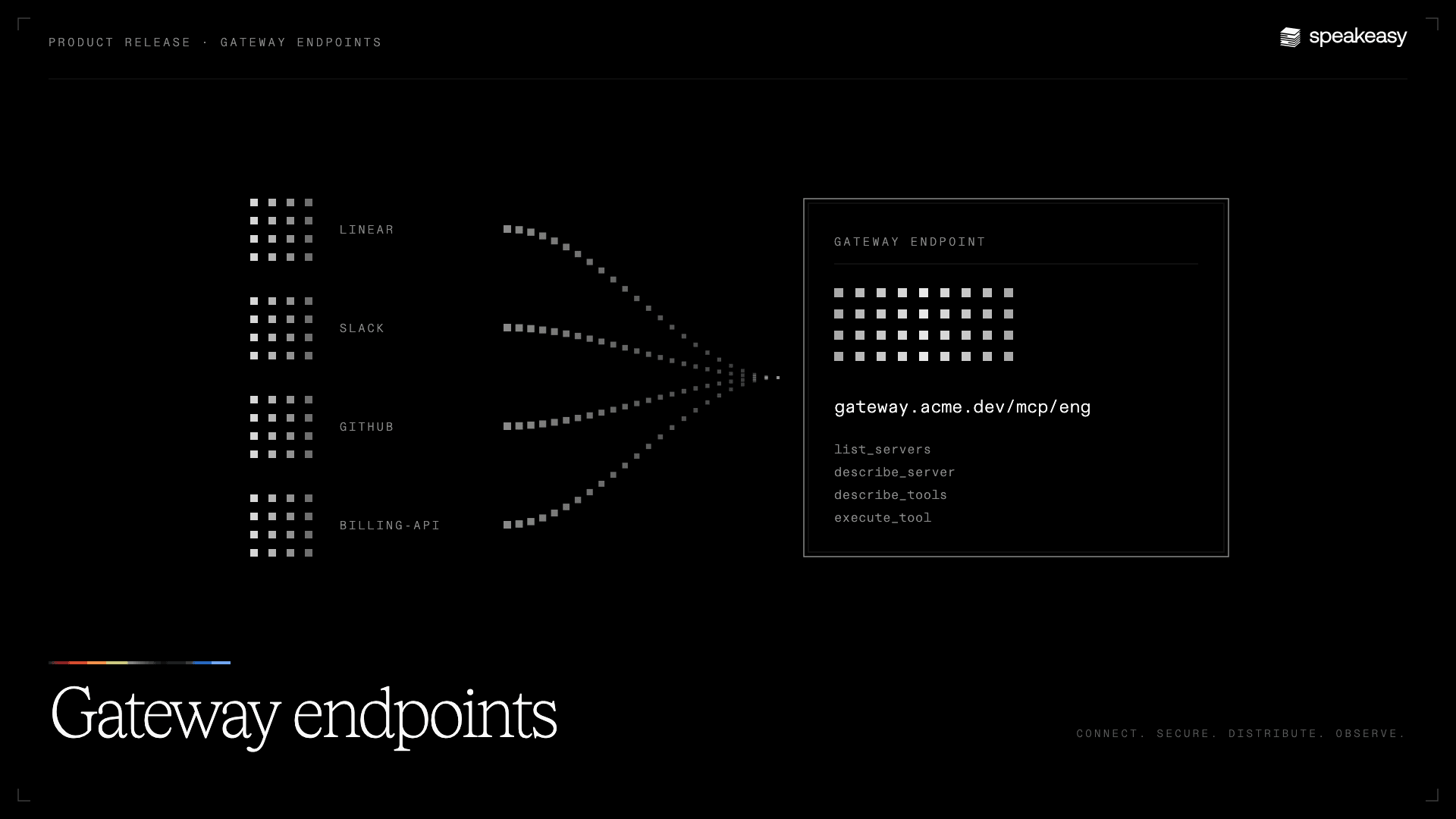
An engineer opens Claude Code. GitHub, Linear, Slack, the observability stack, and two internal services are connected as MCP servers. Before the first prompt is typed, every tool definition from every one of those servers is already sitting in the context window, and the agent has not done anything yet.
That is the default shape of MCP at any company past a handful of servers. Each server is its own connection to configure in every client. Each one dumps its full catalog into every conversation. Context gets expensive, tool lists get long, and the agent spends its attention on tools it will never call.
MCP gateway endpoints fix this problem. A gateway endpoint is one URL that sits in front of a set of MCP servers you choose, its members. Instead of connecting to individual MCP servers, point Claude, Cursor, or any MCP client to your gateway endpoint and the agent sees four tools instead of everything at once.
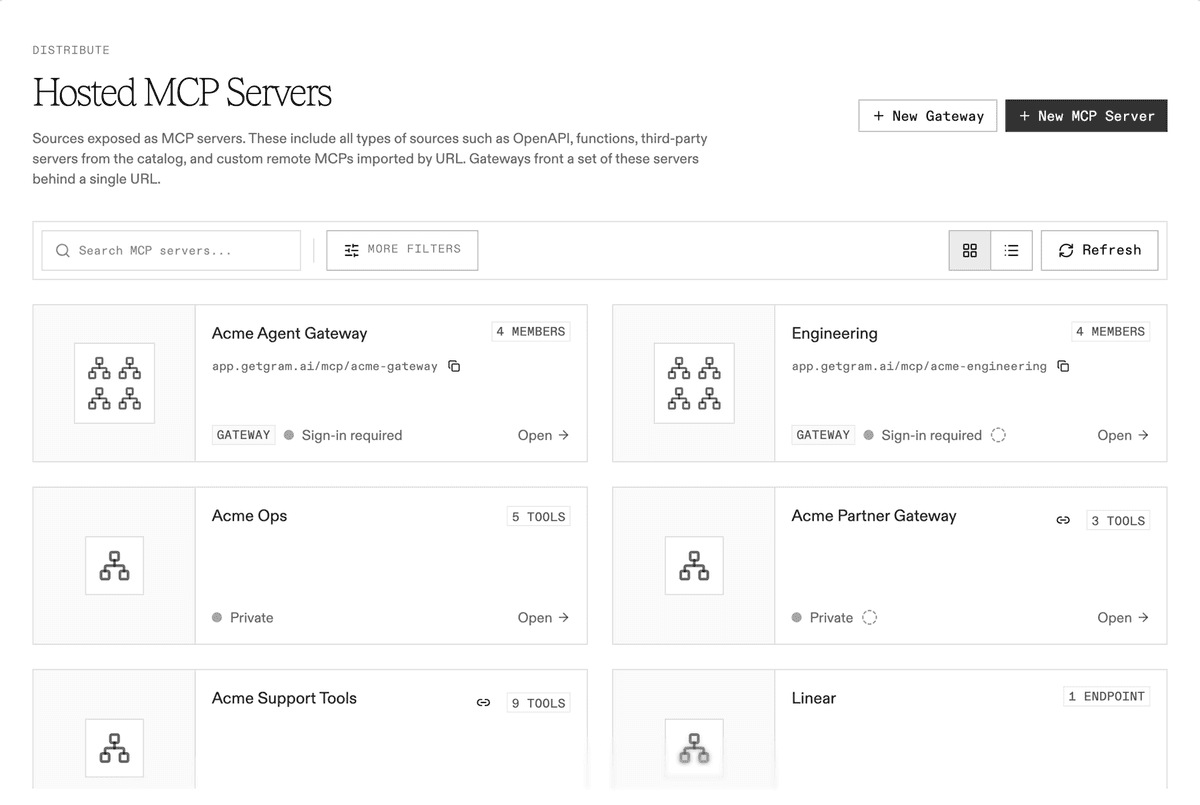
MCP gateway endpoints consolidate multiple servers into one URL
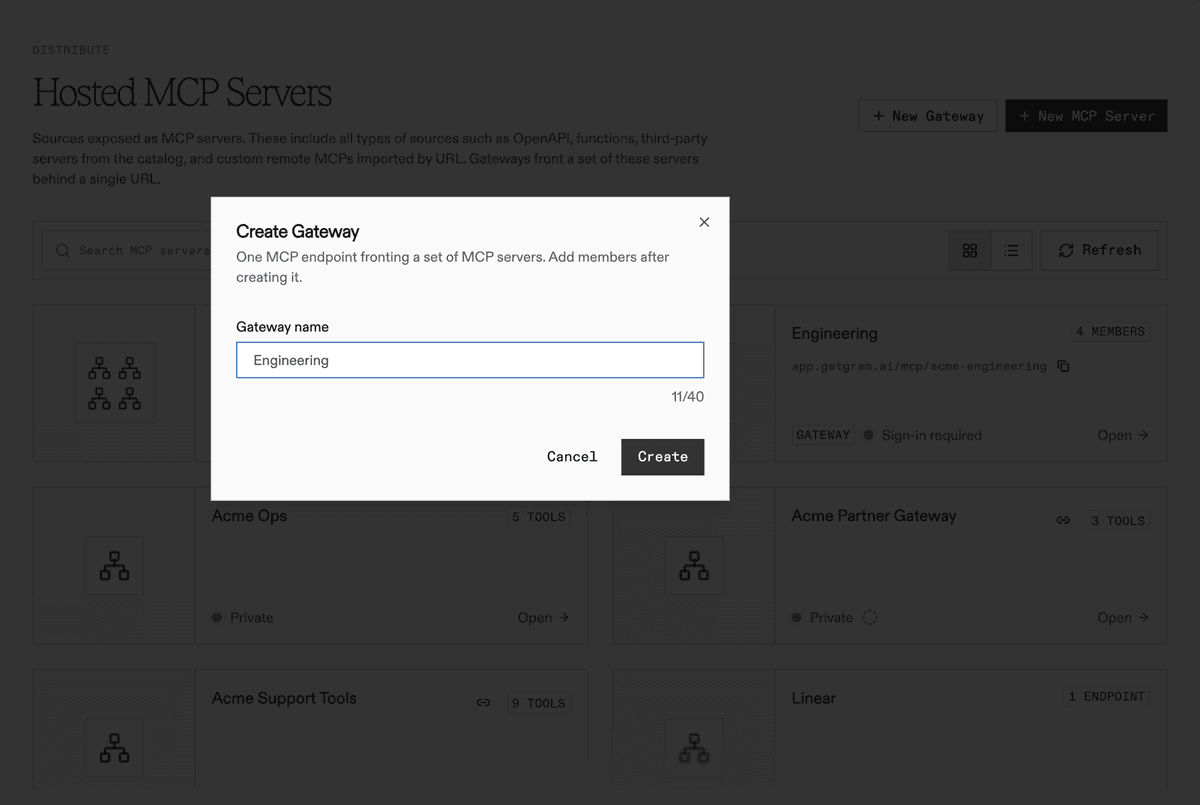
A gateway endpoint shows up next to your other MCP servers, with its own address and a member count instead of a tool count.
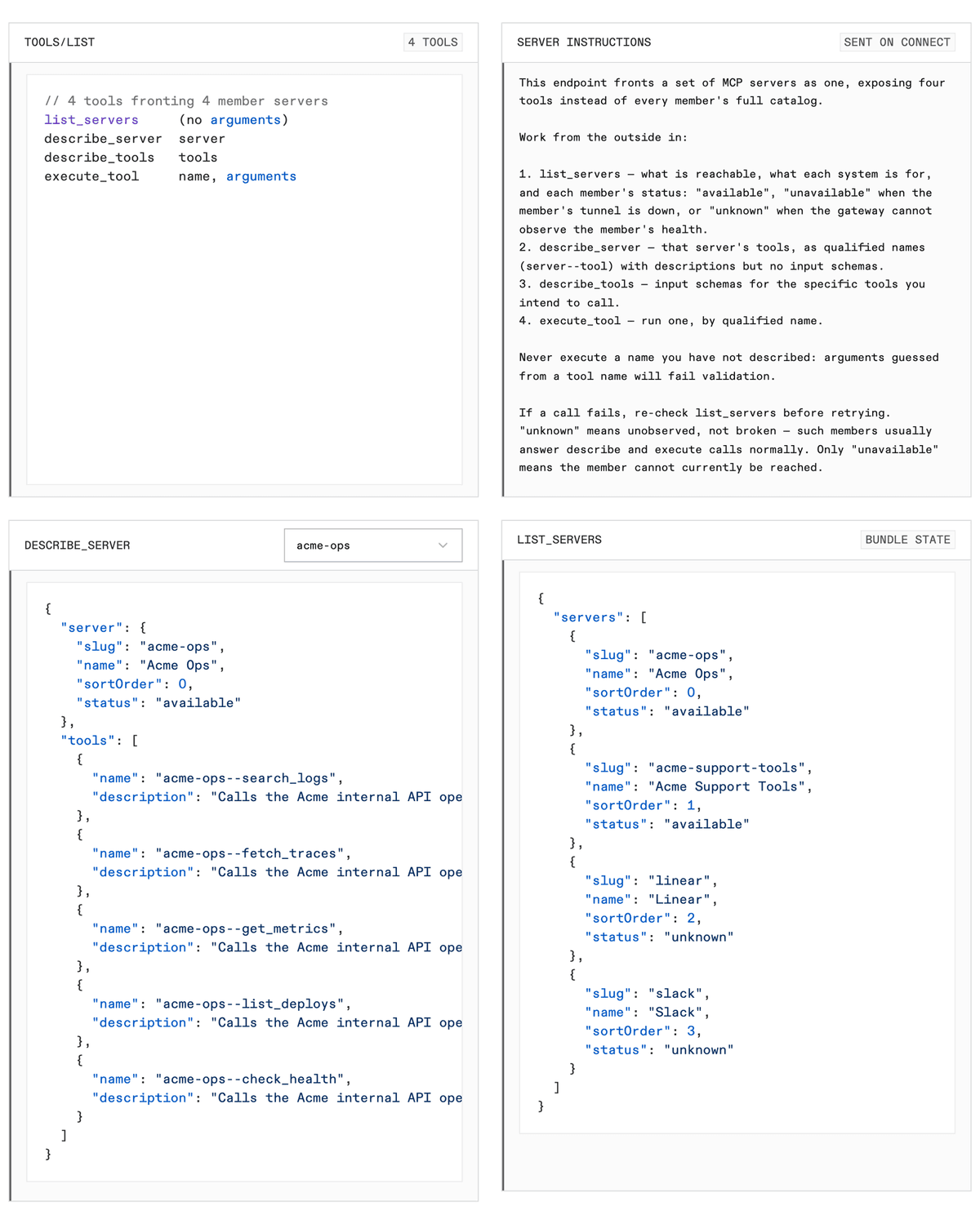
Connect to it and this is the entire tool list the client receives:
| Tool | What it returns | When the agent calls it |
|---|---|---|
list_servers | Every member by name, with its connection status | First, to see what is reachable |
describe_server | One member’s tools, with descriptions but no schemas | When it knows which system it needs |
describe_tools | Full input schemas for the named tools | Right before it calls one |
execute_tool | The result of one tool, run on the member that owns it | To do the work |
The endpoint also sends a short set of instructions on connect that teaches the agent this order, including one rule agents tend to get wrong: never execute a tool you have not described, because arguments guessed from a name will fail validation.
How agents discover and execute tools through gateway endpoints
Dynamic tool discovery is at the core of how gateway endpoints work. Here is the drill-down against a gateway with four members, read live from the endpoint and trimmed for length. The agent starts wide:
// list_servers{ "servers": [ { "slug": "acme-ops", "status": "available" }, { "slug": "acme-support-tools", "status": "available" }, { "slug": "linear", "status": "unknown" }, { "slug": "slack", "status": "unknown" } ]}Status is what the endpoint can actually observe. A server Speakeasy hosts is always available. A private server behind a tunnel reports whether the tunnel is up. A third-party server the endpoint cannot see into reports unknown, which means unobserved, not broken.
Then it narrows to one system. Tool names are qualified with the server slug, so acme-ops--search_logs and acme-support-tools--search_logs never collide:
// describe_server { "server": "acme-ops" }{ "server": { "slug": "acme-ops", "status": "available" }, "tools": [ { "name": "acme-ops--search_logs", "description": "Calls the Acme internal API operation search_logs." }, { "name": "acme-ops--list_deploys", "description": "Calls the Acme internal API operation list_deploys." }, { "name": "acme-ops--check_health", "description": "Calls the Acme internal API operation check_health." } ]}Only now does it pay for schemas, and only for the tools it is about to use:
// describe_tools { "tools": ["acme-ops--check_health"] }{ "tools": [ { "name": "acme-ops--check_health", "description": "Calls the Acme internal API operation check_health.", "inputSchema": { "type": "object", "properties": {} }, "annotations": { "readOnlyHint": true } } ]}And runs it:
// execute_tool{ "name": "acme-ops--check_health", "arguments": {} }The endpoint hands that call to the member server’s existing execution path. The result comes back exactly as it would from a direct connection, and so does everything attached to that path: the member’s authentication, its access rules, and its place in your audit logs.
Each MCP server keeps independent authentication and access controls
A gateway endpoint does not flatten the servers behind it into one big permission. Each member keeps whatever it already had.
- Access follows the member. If a person is not allowed to reach a server, that server is left out of
list_serversfor them entirely. Two people connecting to the same URL can see different inventories. - Sign-in follows the member. Ask a third-party server for its tools before the person has connected their account and the endpoint says so plainly: the server requires authentication and the gateway holds no credential that routes to it, so connect it from the gateway’s sign-in page. One sign-in page covers every member that needs one.
- Auth is on by default. New gateway endpoints require sign-in through Speakeasy, so every session resolves to a real person in your identity provider.
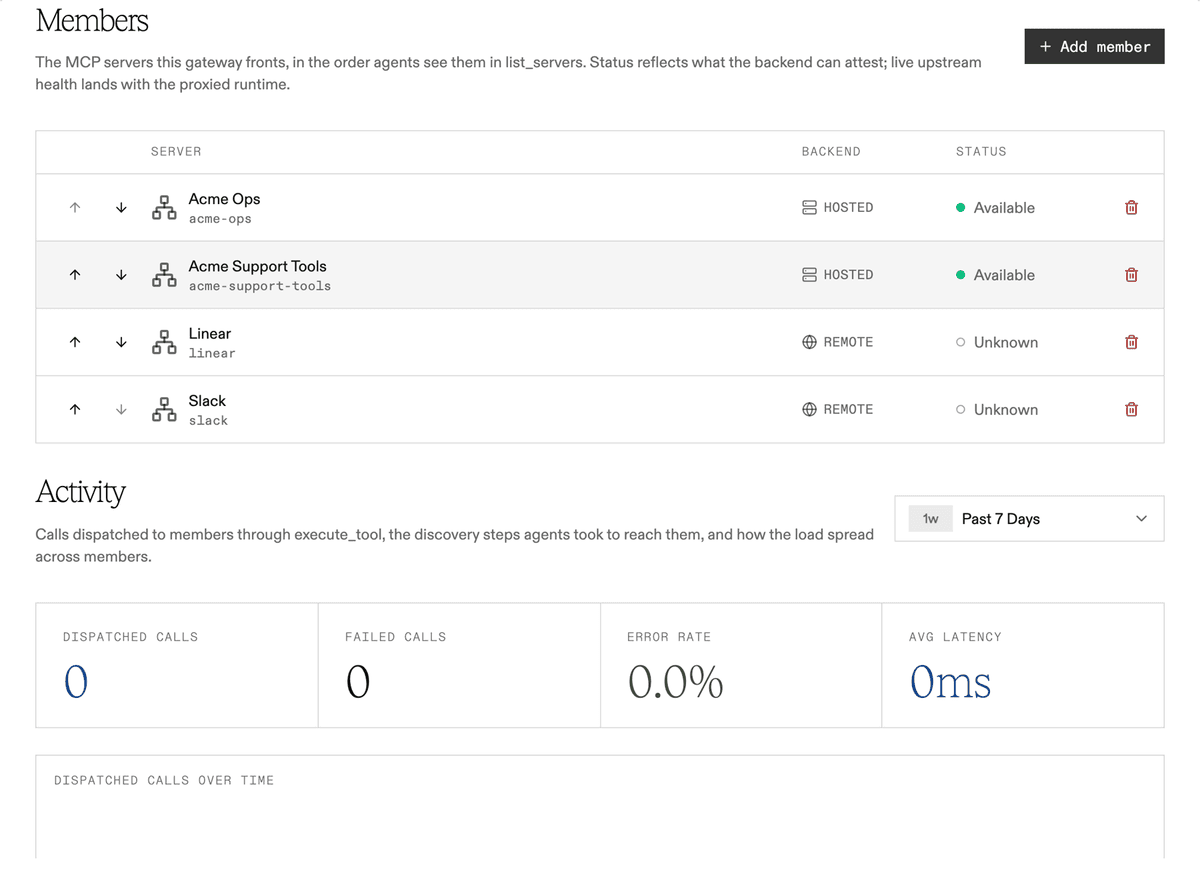
Any MCP server in your project can be a member:
- Servers Speakeasy hosts for you.
- Third-party servers like Linear or Slack.
- Private servers behind your firewall connected through a tunnel.
Mix them freely. An endpoint for engineering might hold GitHub, Linear, and an internal deploy service. One for support might hold the ticketing system, billing, and a read-only customer API.
How to configure and deploy an MCP gateway endpoint
Deploying your first MCP gateway endpoint takes three simple steps, with no configuration files required.
- From MCP in the dashboard, choose New Gateway and give it a name.
-
Add members. Any server in the project shows up in the picker, and you can reorder them to control the order agents see in
list_servers. -
Copy the URL into your client. You get a platform address right away, and custom domains work the same way they do for any other server.
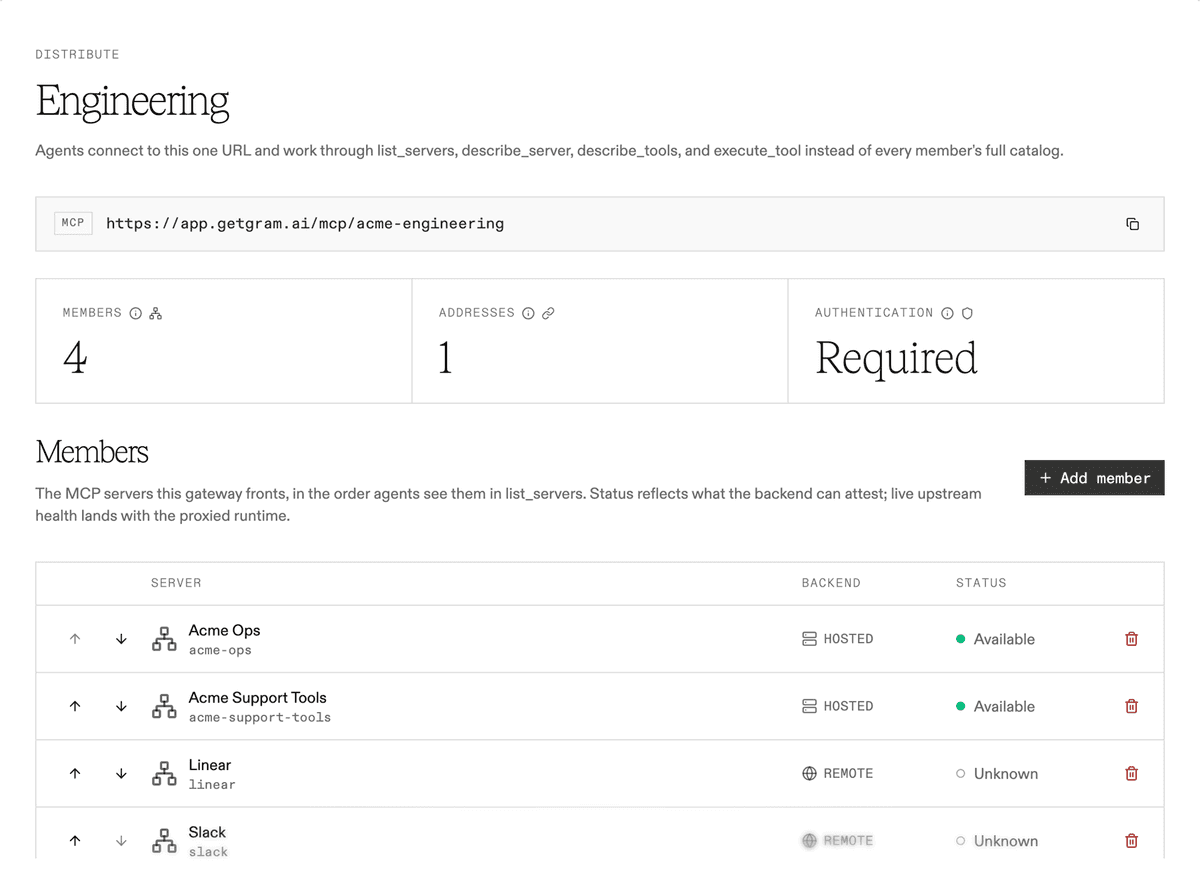
Each endpoint has its own activity view, so you can see which members are getting called through it and how agents move through the four steps to get there.
Rolling out
Gateway endpoints are available now for every organization on the Speakeasy MCP Gateway. Live health for third-party members, so they report more than unknown, is next.
Deploy your first MCP gateway endpoint
We built dynamic toolsets to keep a single server’s tool list small. Gateway endpoints extend the same idea across servers: as teams connect agents to more systems, the number of connections and the size of the context should stop growing with the number of servers.
Open the Speakeasy MCP Gateway, create a gateway, add the servers a team already uses, and point one client at it.
Rolling out MCP to a team that already has too many servers to configure? Book time with our team and we’ll help you set up your first endpoint.
Last updated on