Automatic session refresh: MCP connections that stay signed in

Nolan Sullivan
August 13, 2026 · 2 min read
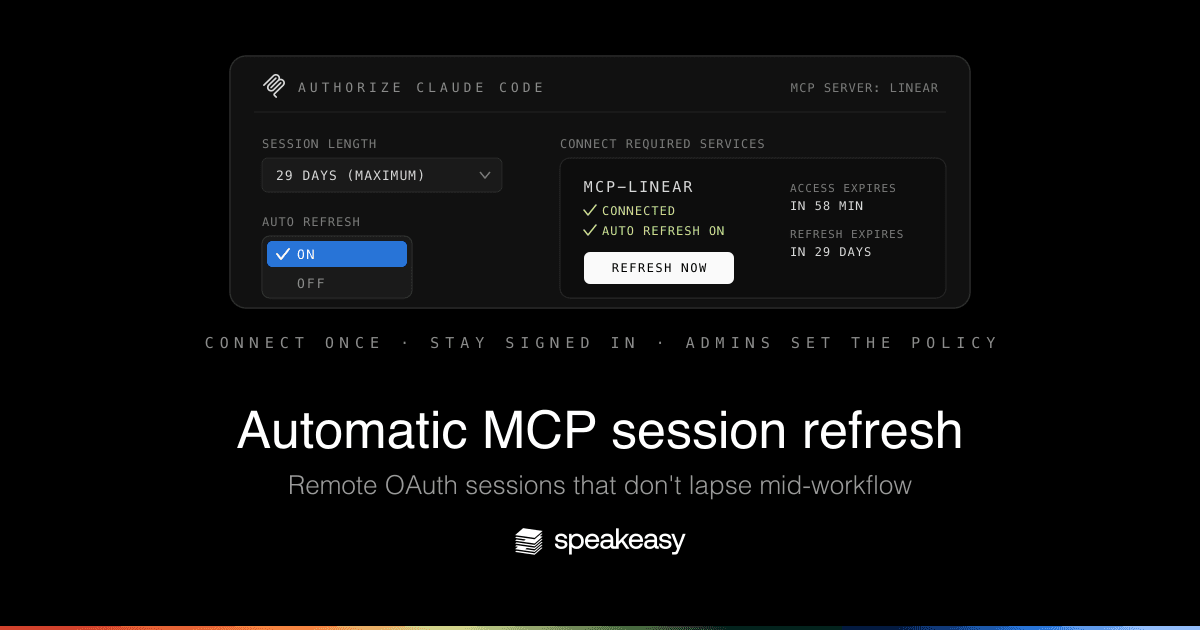
Agents break on stale auth more than they break on bad reasoning. A user connects Slack or GitHub, walks away for a week, and comes back to an agent whose next tool call fails for reasons that have nothing to do with the agent. Access tokens expire, and refresh tokens quietly lapse when a connection sits idle.
Today we're releasing automatic session refresh for remote MCP sessions that run through the AI Control Plane's MCP gateway. Connect a service once and the gateway keeps the session warm, so the connection is still alive when your agent needs it.
Keeping the session warm
Auto refresh is opt-in, and the choice sits right on the consent screen. Flip on Auto refresh when you connect a service and the gateway quietly exchanges the refresh grant in the background: access tokens renew as they expire, and refresh grants are exercised once a day so idle connections stay inside provider inactivity windows.



If you'd rather do it by hand, every connected service also has a Refresh now button, with the known access and refresh expiry shown alongside it.
We don't guess about expiry
If a provider never says when a token expires, we treat that as unknown rather than assuming it has expired. No invented deadlines, and no expiry countdown we made up. Refresh is best effort, and revocation or provider policy can still require a reconnect, but we won't drag you back through consent for no reason.
Admins set the policy
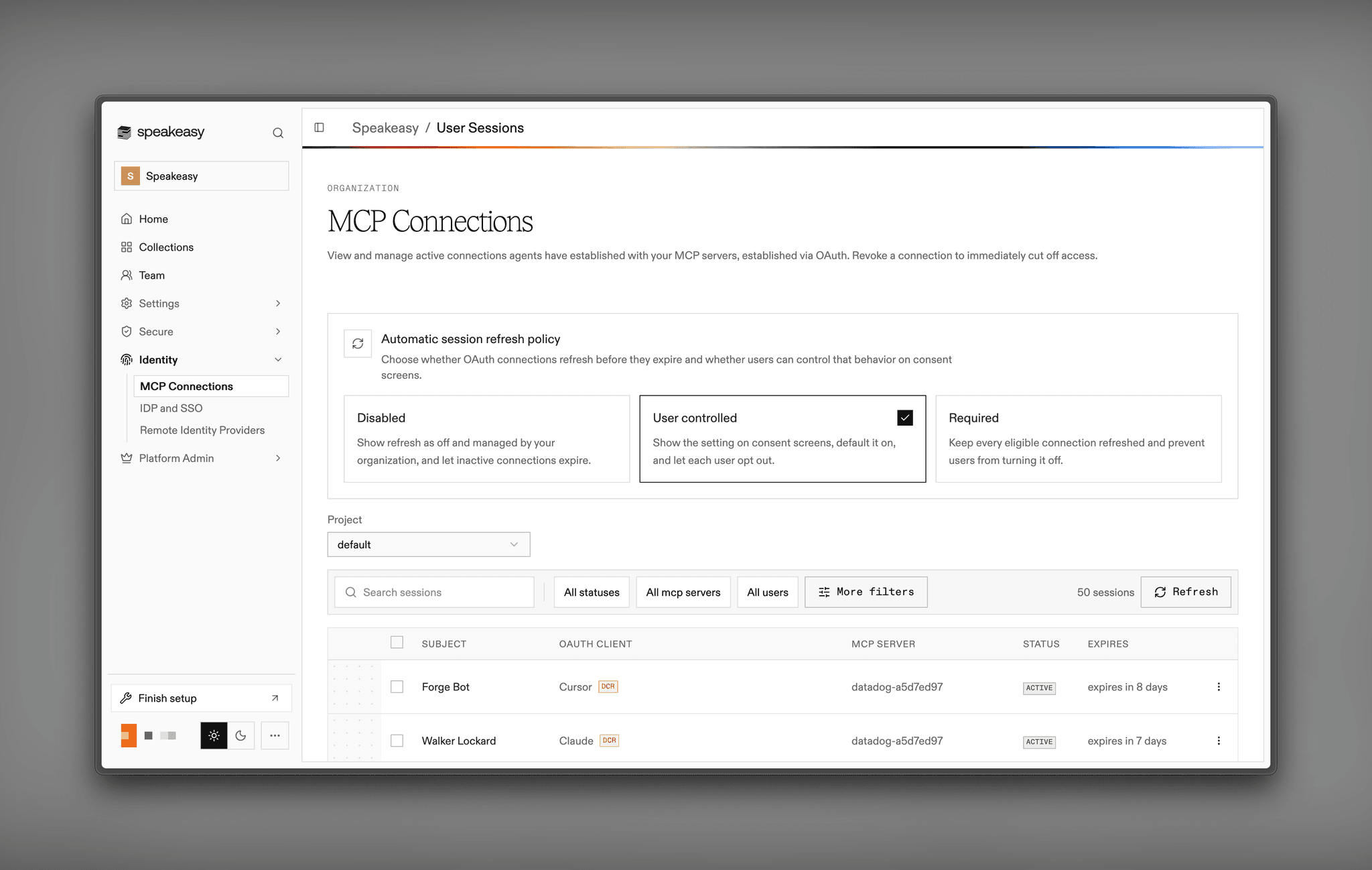
Organization admins control refresh behavior from the MCP Connections page, a direct result of customer conversations with security teams who wanted this decided org-wide rather than per user. The policy has three states: disabled, user controlled, or required. Consent screens state the active policy plainly, so users always know whether a connection will be kept alive on their behalf.
Last updated on