Remote MCP: a governed endpoint in front of any MCP server

Brian Flad
June 16, 2026 · 5 min read
Speakeasy has been the fastest way to put MCP servers in front of your team. You could generate a server from the API you already have, host it, and publish it as a plugin your whole company installs.
But not every MCP server your team depends on is one you built. SaaS vendors host remote MCP servers for their products, and other teams stand up servers you had no hand in. When people connect to those servers directly, you have no say in who connects, no record of what was called, and a different credential story for every server.
Remote MCP closes that gap. It’s a source type: paste the URL of any MCP server, and Speakeasy creates an MCP endpoint that proxies it. Your team connects to the Speakeasy endpoint instead of the upstream server, and every tools/list and tools/call passes through your control plane on the way upstream, where the governance you’ve already defined applies.
Add an upstream server by URL
Adding a remote MCP server takes a display name and a URL. Speakeasy probes the endpoint with an MCP initialize request and confirms it’s reachable and speaking the protocol correctly before it becomes an endpoint your team can use.
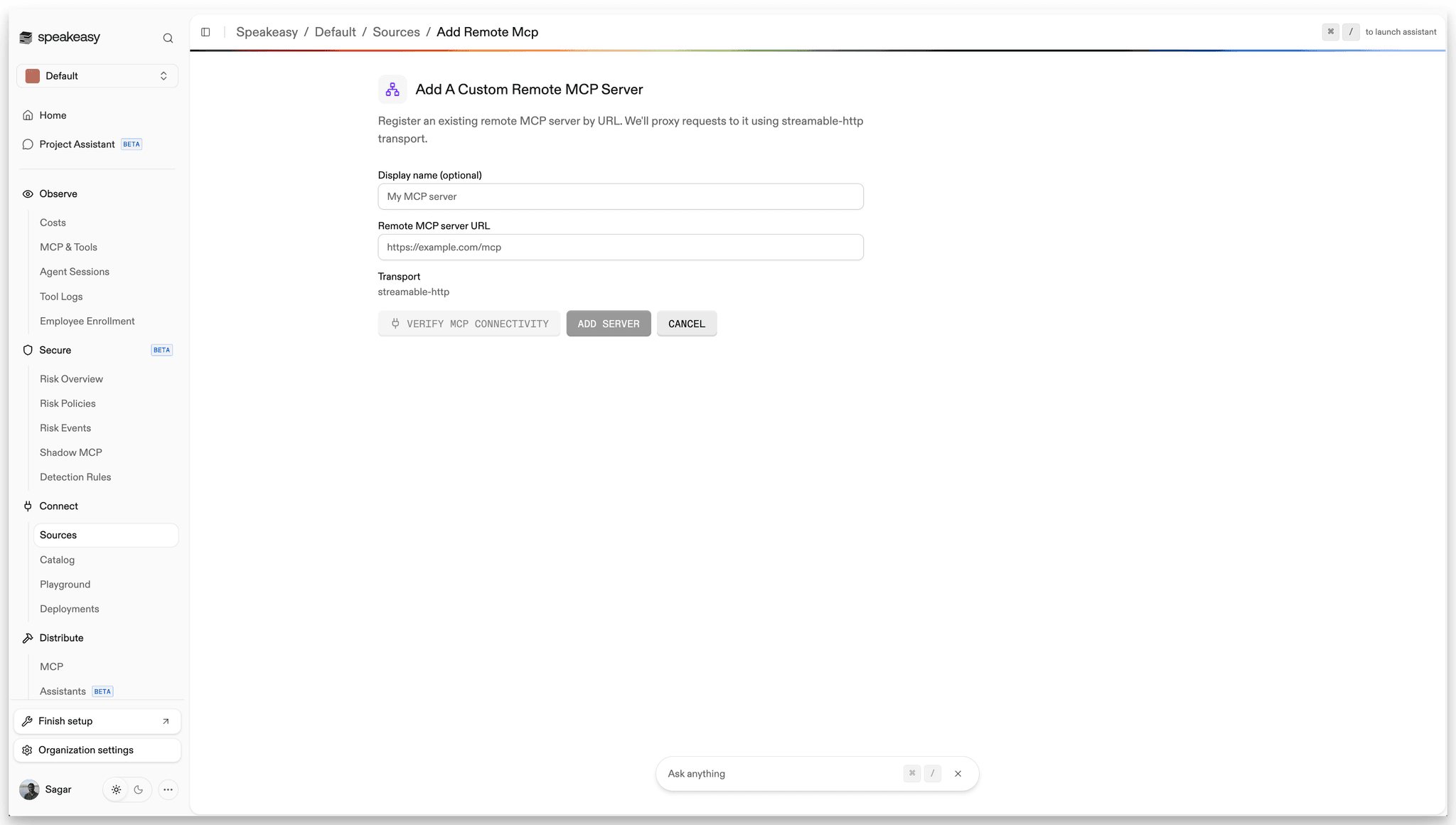
The endpoint speaks streamable HTTP, and sessions, streaming responses, and long-running calls all pass through transparently. To an MCP client, the proxied server is indistinguishable from one Speakeasy hosts itself.
Auth-protected servers verify too
A server that answers the probe with a 401 or 403 still verifies. Reachability is all that’s checked at this step, so you can add an OAuth-protected server first and configure its authentication right after.
One endpoint, one set of controls
The point of proxying, rather than just cataloging, is that governance applies on the request path:
- The network-level access controls that decide who can connect to which servers cover the proxied server too.
- Tool-level permissions filter what each user can see and call, so two people connecting to the same upstream server can get two different tool lists.
- Every tool call lands in the same audit trail and activity view as your hosted and generated servers, with traffic, patterns, and volume per source in one dashboard.
- The same monitoring that surfaces shadow MCP usage covers the servers you’ve brought in by URL.
Here’s what that looks like once the server is set up: a governed endpoint with its own URL, a curated tool list, team access, authentication, and a live view of the tool calls flowing through it.
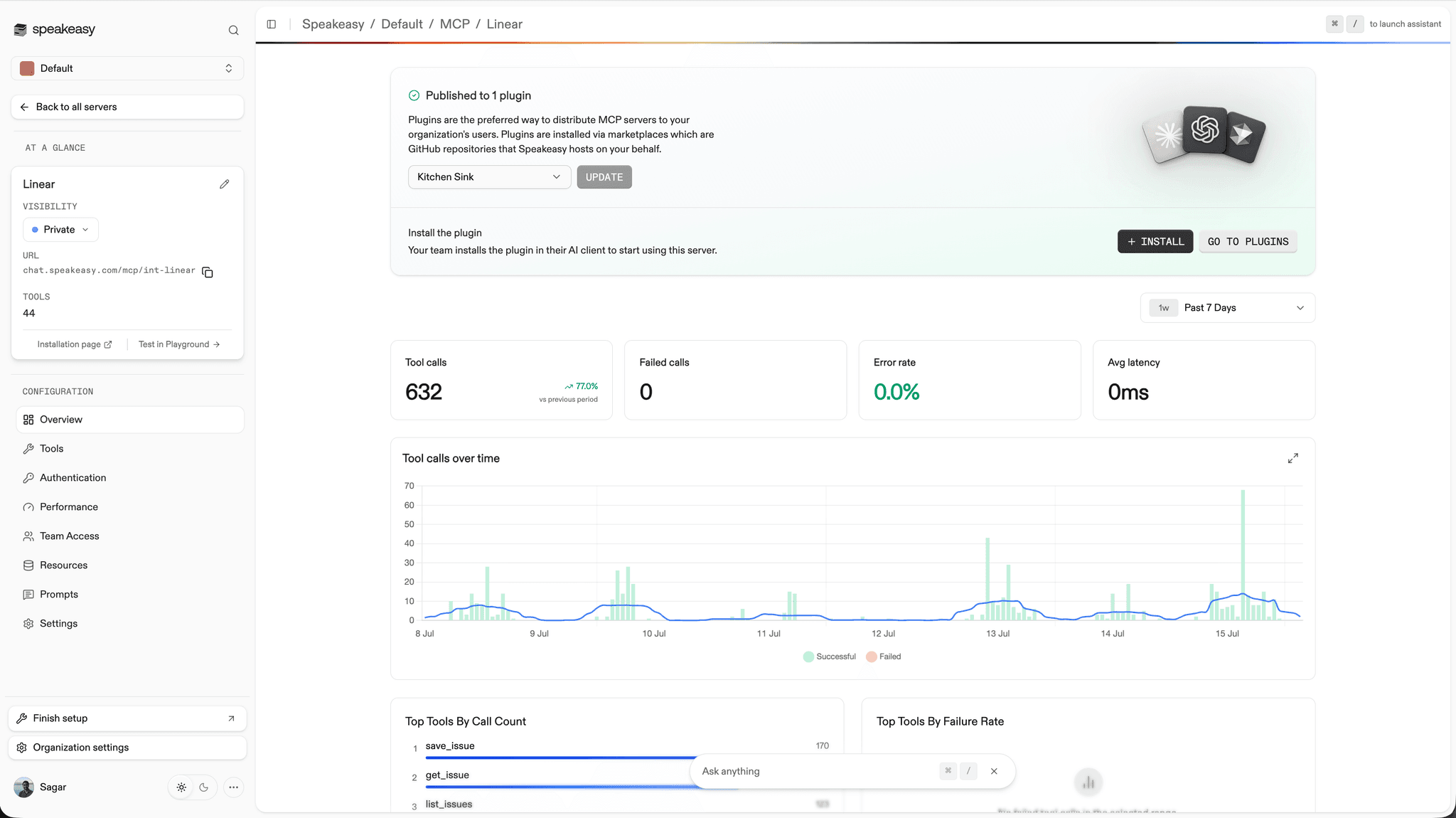
None of this required changes to the upstream server. It keeps running wherever it runs, and the endpoint in front of it enforces your rules.
Server behind a firewall?
Remote MCP covers any server Speakeasy can reach by URL. For servers inside your network with no public address, MCP tunnels give them a governed endpoint over an outbound-only connection.
Flexible identity for the upstream server
The hard part of putting an endpoint in front of someone else’s server is identity. The upstream server expects credentials, and every server expects them a little differently. Remote MCP supports several ways to provision that upstream identity, so you can match the auth model to the server instead of forcing one pattern everywhere.
One-click OAuth. If the upstream server supports OAuth with dynamic client registration, Speakeasy configures authentication automatically when you add it: it discovers the upstream authorization server, registers as a client, and wires up the flow, with no client IDs or secrets to copy around. Your users sign in with their own accounts, and every tool call runs under their own upstream identity, which means the audit trail answers “who did this” all the way through, not just “the proxy did”.
Managed credentials. For servers that take an API key or bearer token, store it once as an encrypted secret on the source. Your whole team gets access through the endpoint without anyone seeing or handling the key, and rotating it is a single edit rather than a company-wide scramble.
Header pass-through. When your users already hold their own credentials, forward a header from the caller’s request to the upstream server, and each user transacts as themselves.
Direct OAuth pass-through. For upstream identity providers you’d rather have clients register with directly, Speakeasy can step out of the token path entirely while still proxying and observing the traffic.
Whichever mode you choose, your Speakeasy credentials never travel upstream. The proxy strips the caller’s Speakeasy authorization before forwarding and sends only the identity you configured.
Get started
Remote MCP servers show up under Add Source in your Speakeasy dashboard, alongside OpenAPI and functions sources. Paste the URL, verify the connection, and the server gets its governed endpoint, audited and observable next to everything else you run. From there, distribute it to your team through a plugin like any other server.
Already running MCP servers you’d like under one roof? Book time with our team and we’ll help you bring them in.
Last updated on