SDKs
Generate SDK in a subdirectory
Similar to setting up a monorepo, you can also configure Speakeasy to generate your SDK into a subdirectory. This setup maybe useful in maintaining seperation between handwritten and generated code or for consuming the SDK in a monolithic codebase.
Step 1:
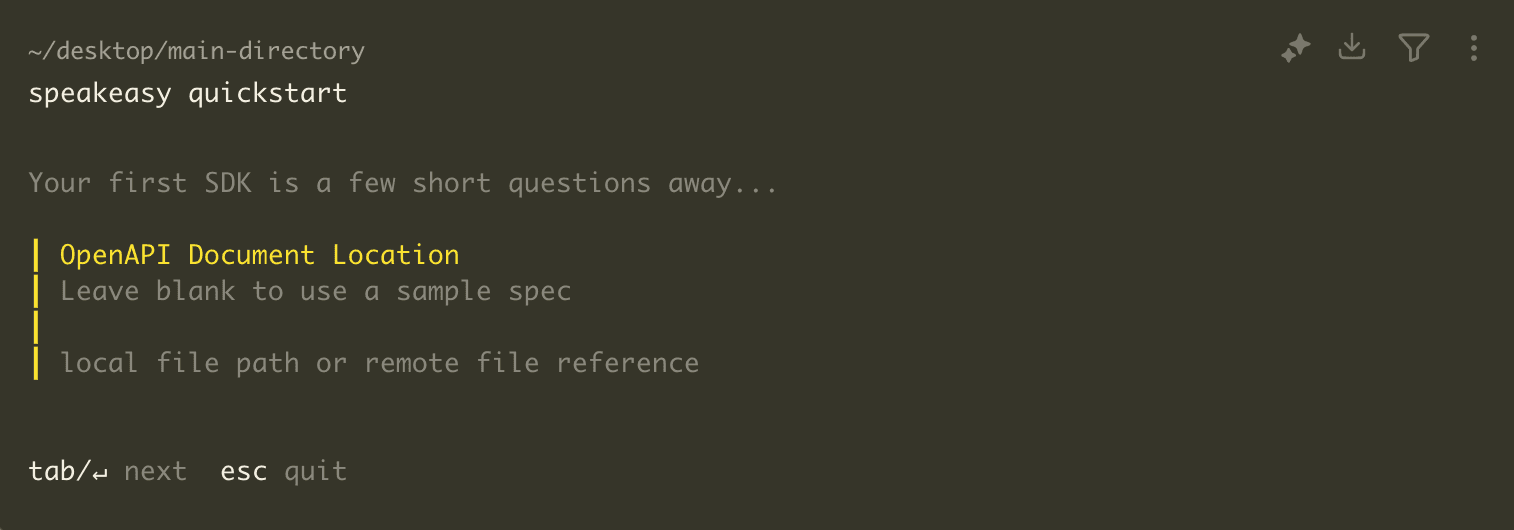
Section titled “Step 1:”In the root of your existing directory run speakeasy quickstart:
Step 2:
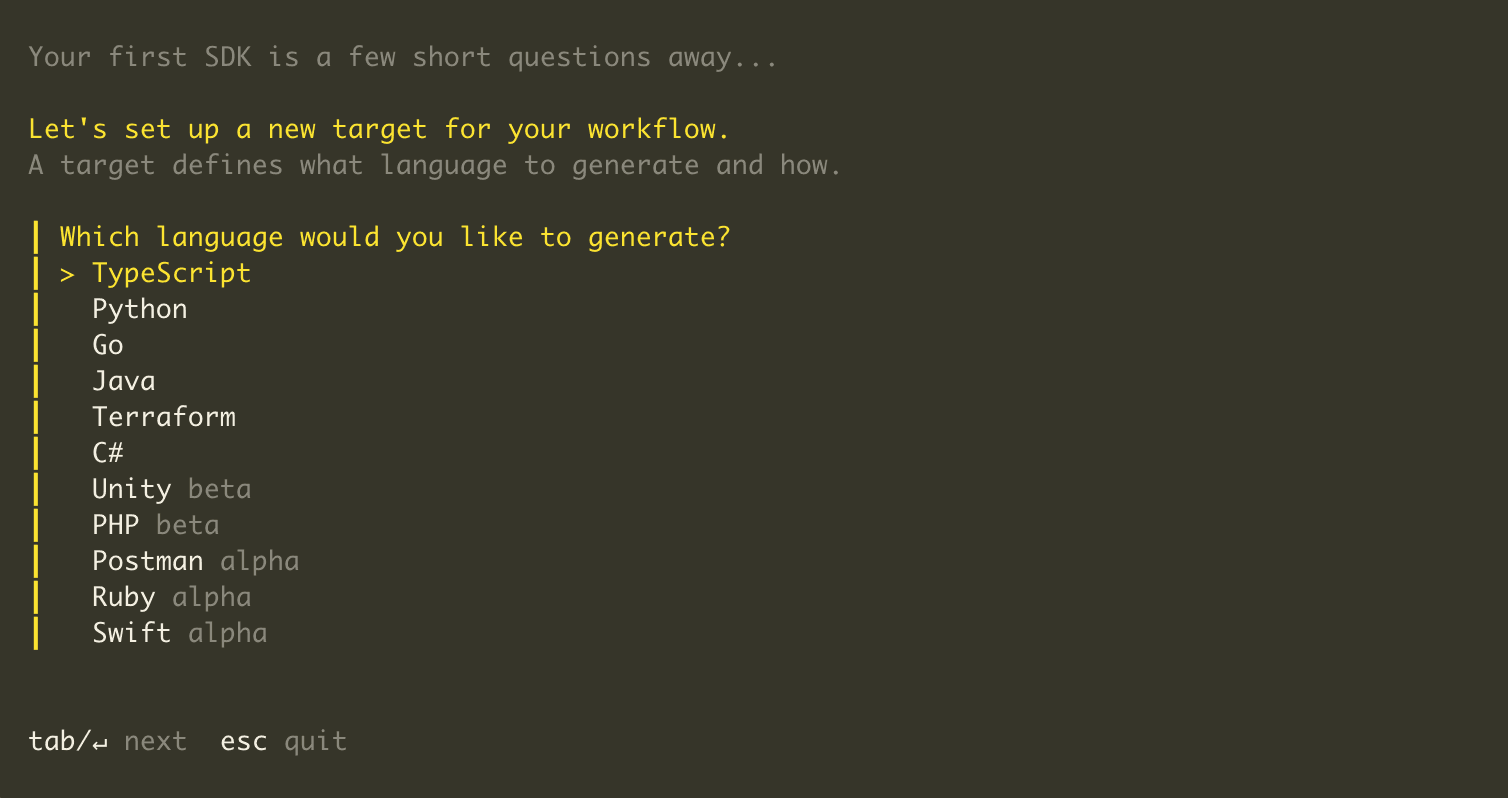
Section titled “Step 2:”Select your generation language.
Step 3:
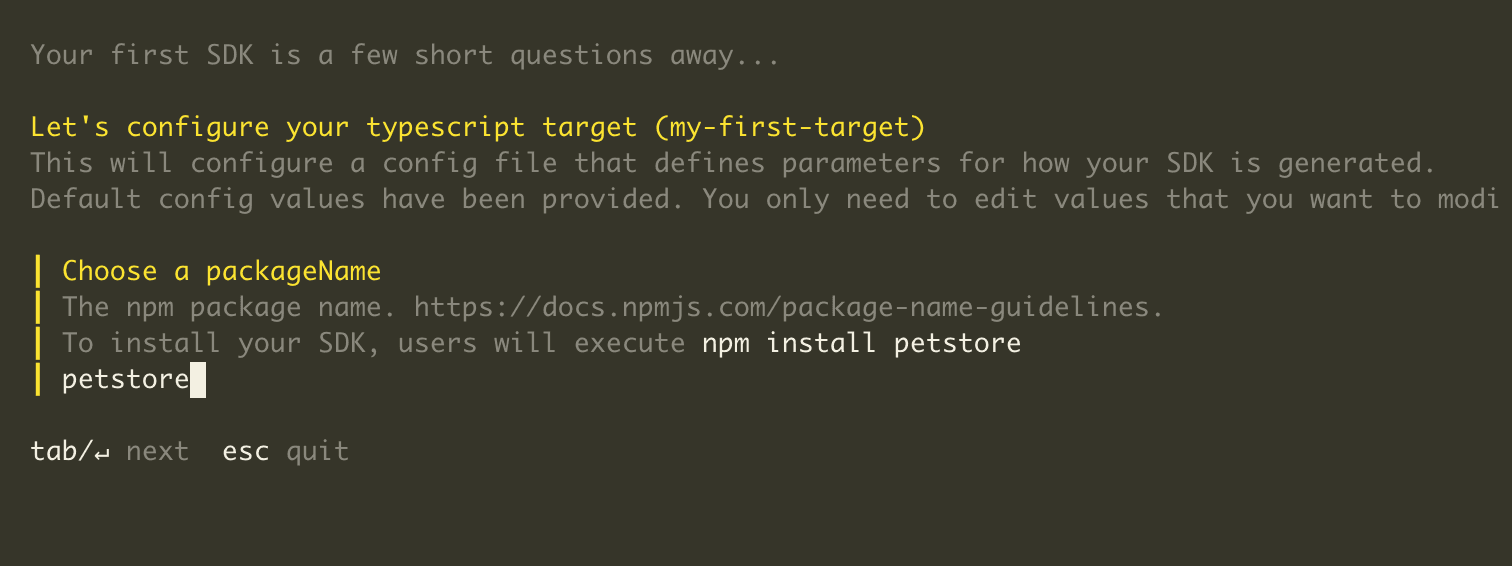
Section titled “Step 3:”Name your package.
Step 4:
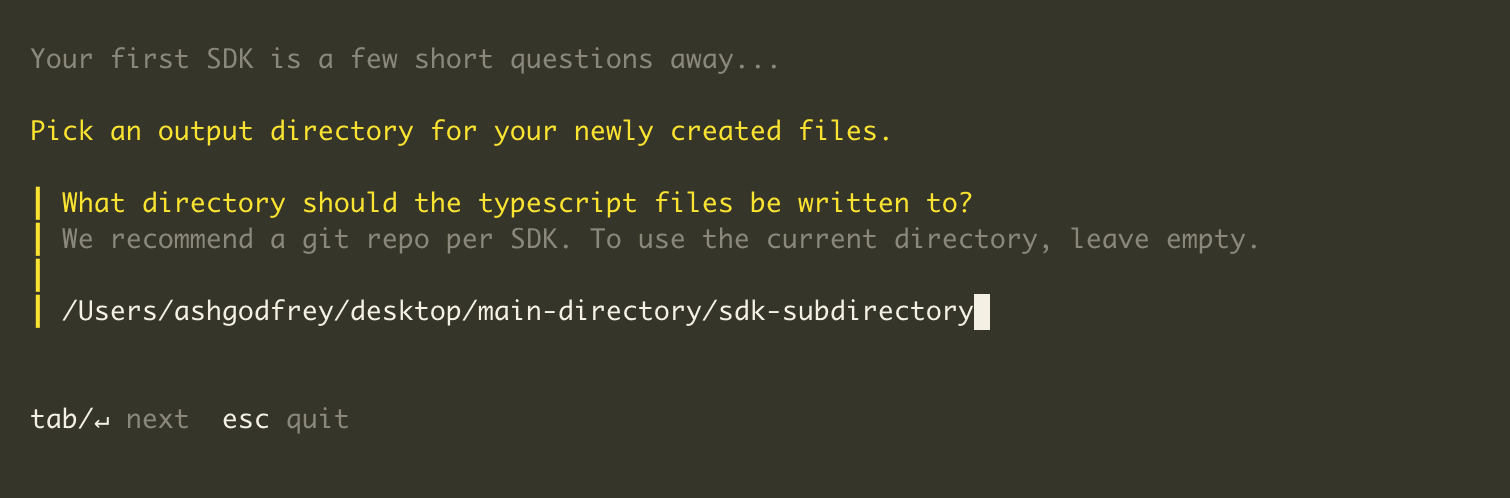
Section titled “Step 4:”If you’re setting your SDK up in a folder with existing subfolders, you will be prompted to select an output directory.
Step 5:
Section titled “Step 5:”Complete generating your SDK.
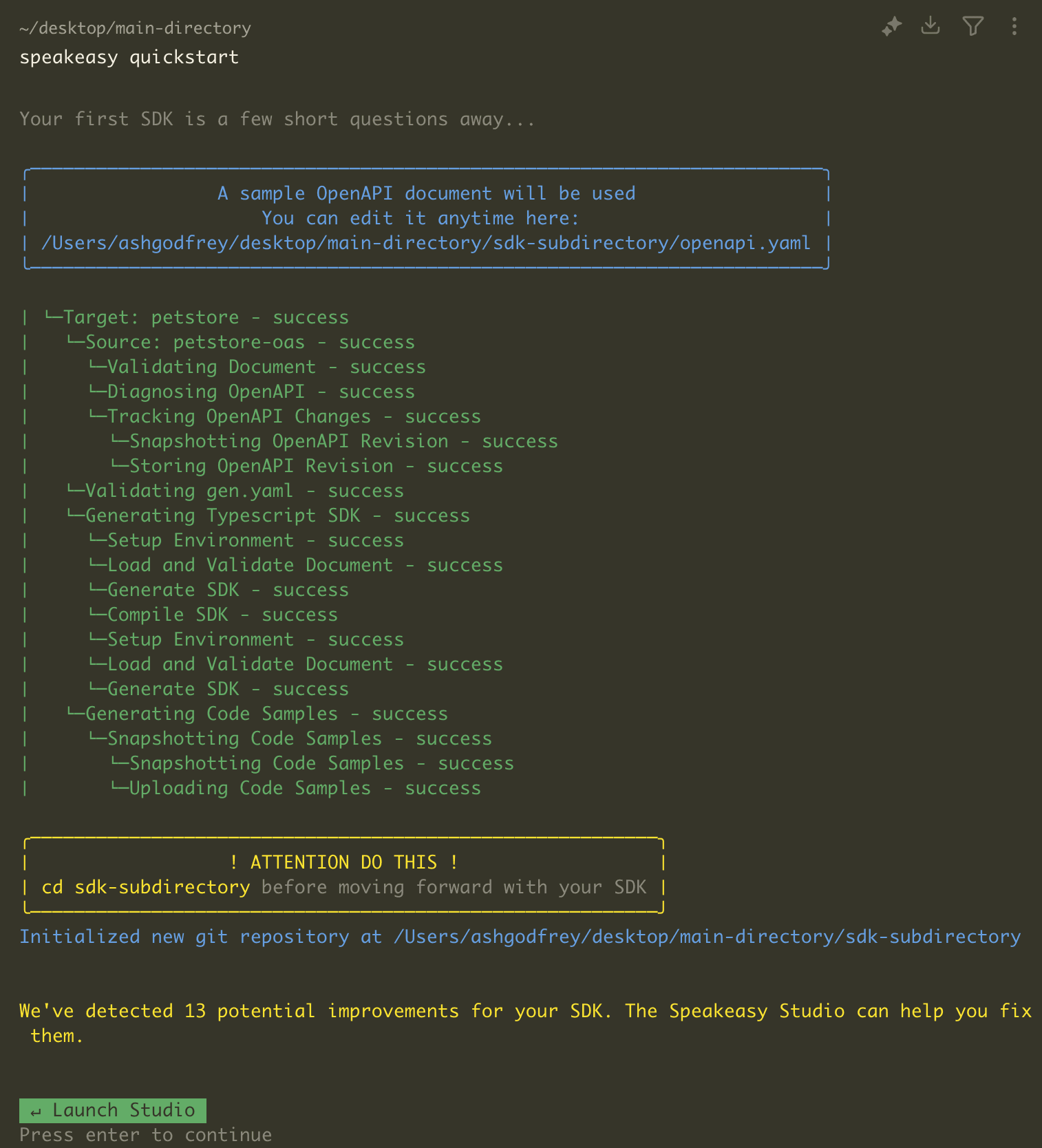
Going forward to generate your SDK navigate to your SDK folder and run speakeasy run.