MCP kill switch: cut one person's MCP clients off from your servers without deprovisioning them

Nolan Di Mare Sullivan
Published · 5 min read
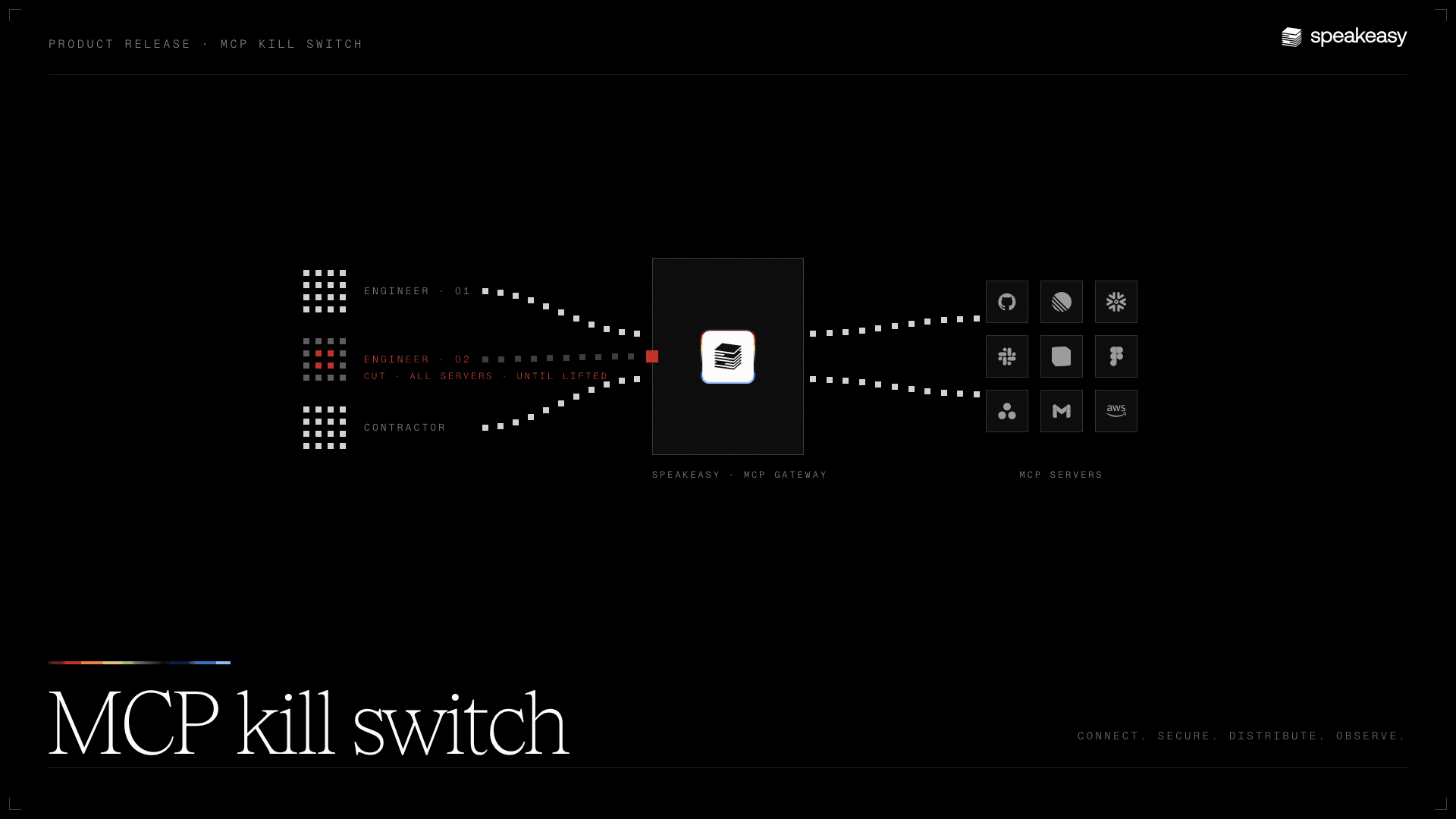
Today we're rolling out the MCP kill switch on the AI Control Plane. An org admin can cut the connection between any MCP client and the MCP servers it's using. Disconnection can be immediate or set for a scheduled time. Blocking can be for a fixed period, or until someone lifts it. Claude Code, Cursor, Cursor, Claude Desktop, and any other MCP-compatible clientclient is covered.
The MCP kill switch is rolling out to organizations on the AI Control Plane. Org admins manage it from the Access tab of a person's identity page, or through the management API. If you don't see the option yet, contact your Speakeasy team.
Cut every server for one person while you investigate
Take the flagged laptop. You don't yet know whether anything is wrong, and you don't want to make it a disciplinary event by disabling the person's account. Open their identity page, choose Access, and create a kill switch across all servers, starting now, for 24 hours. The next tool call from any MCP client they're signed in to is refused at the gateway with the message you wrote, so the agent reports that access is paused by the administrator rather than failing on a generic error. When the schedule ends, calls resume on their own.
If the investigation clears sooner, lift the switch and access is back immediately. The record keeps both events. The person stays logged in, their clients stay connected, and their agents keep running. Only the calls to your MCP servers stop.
Cut one server for one person and leave the rest alone
A contractor has access to a server you've decided needs a review before their engagement continues to use it. You don't want to cut their work on the other servers they're assigned, and you don't want to change the server's access rules for the whole team. Scope the kill switch to that server, or to a handful, and leave it open-ended until the review closes.
If you'd rather change who can use the server at all, that's a different control: the per-server Access page sets the standing rule for people and roles. A kill switch is the temporary override that sits on top of whatever the standing rule says. When you remove a server from an active switch, that server regains access immediately.
How the cut is enforced
The gateway checks for an active kill switch on every tools/call from the person before the call reaches the server. It applies whether the server is hosted by Speakeasy, is a private remote server, or sits inside your network behind an MCP tunnel. A matching call is refused with a forbidden error whose message is the public text you wrote. If the gateway can't complete the check, the call is refused rather than let through.
The person stays authenticated, keeps their server assignments, and can still list what tools exist. The MCP session between the client and the gateway is left in place. That is deliberate. Revoking a client's sessions is a separate action on the same page, and it ends the sessions, but the client can authenticate and reconnect a moment later. The kill switch is the control that holds.
What's next
The capability picker on the switch lists MCP tool calls today and shows AI access as coming soon. We'll name each capability as it's verified rather than ahead of time. The same form has a request option if there's something you need a kill switch to turn off that isn't there yet.
If you have a specific stop-this-now case that the current scope doesn't cover, we'd like to hear it. Talk to our team and we'll walk through what the control plane can do for it today.
What shipped in this release?
The MCP kill switch on the AI Control Plane. An org admin can cut one authenticated member's MCP tool calls on selected servers or all servers, starting now or at a scheduled time, until a set time or until lifted. The gateway refuses matching calls before they reach hosted, private remote, or tunneled servers, and the refusal carries the admin's public message. Each switch has a version history, is managed from the person's Access tab or the management API, and its changes are recorded in the audit log.
Does a kill switch disable the person's account?
No. The person stays authenticated, keeps their server assignments, and can still list tools. Only MCP tool calls on the servers in scope are refused, for the duration of the switch. Disabling the account in your identity provider remains the right control for a compromised identity.
Is this the same as revoking the person's MCP sessions?
No. Revoking sessions ends them, but the client can authenticate and reconnect. A kill switch leaves sessions in place and refuses matching tool calls for as long as it's active. Revoking a session never creates or lifts a kill switch.
Can I stop one agent session instead of a person?
Not with the kill switch yet. Its subject is a person. Session quarantine freezes a running session automatically when a risk policy is violated, and an org admin releases it.
Does a kill switch stop prompts to the model?
No. It covers MCP tool calls through the Speakeasy gateway. Chat and prompts, model calls through an inference gateway such as LiteLLM, and coding-agent hooks on the endpoint are governed by other controls on the AI Control Plane.