Identity and MCP governance / Govern agent actions with enterprise identity
Govern agent actions with enterprise identity
Connect an identity provider, scope which MCP servers each role can reach, restrict tool calls by disposition, and audit every allow-or-deny decision.
An agent using an MCP server is authorized at two points: when the session is established and when each tool is called. Tying both checks to a real user identity from the identity provider makes every action attributable to a person and allows for better auditing of every allow-or-deny decision.
This guide covers:
- Connecting the identity provider
- Scoping server access with roles
- Restricting which tools a role can invoke
- Adding deny rules as hard limits
- Auditing and remediating decisions
Connecting the identity provider
Section titled “Connecting the identity provider”In the dashboard, open Organization settings > Team > IDP and SSO and configure Directory Sync. Okta and Entra are supported. IDP and SSO covers the connection setup in detail.
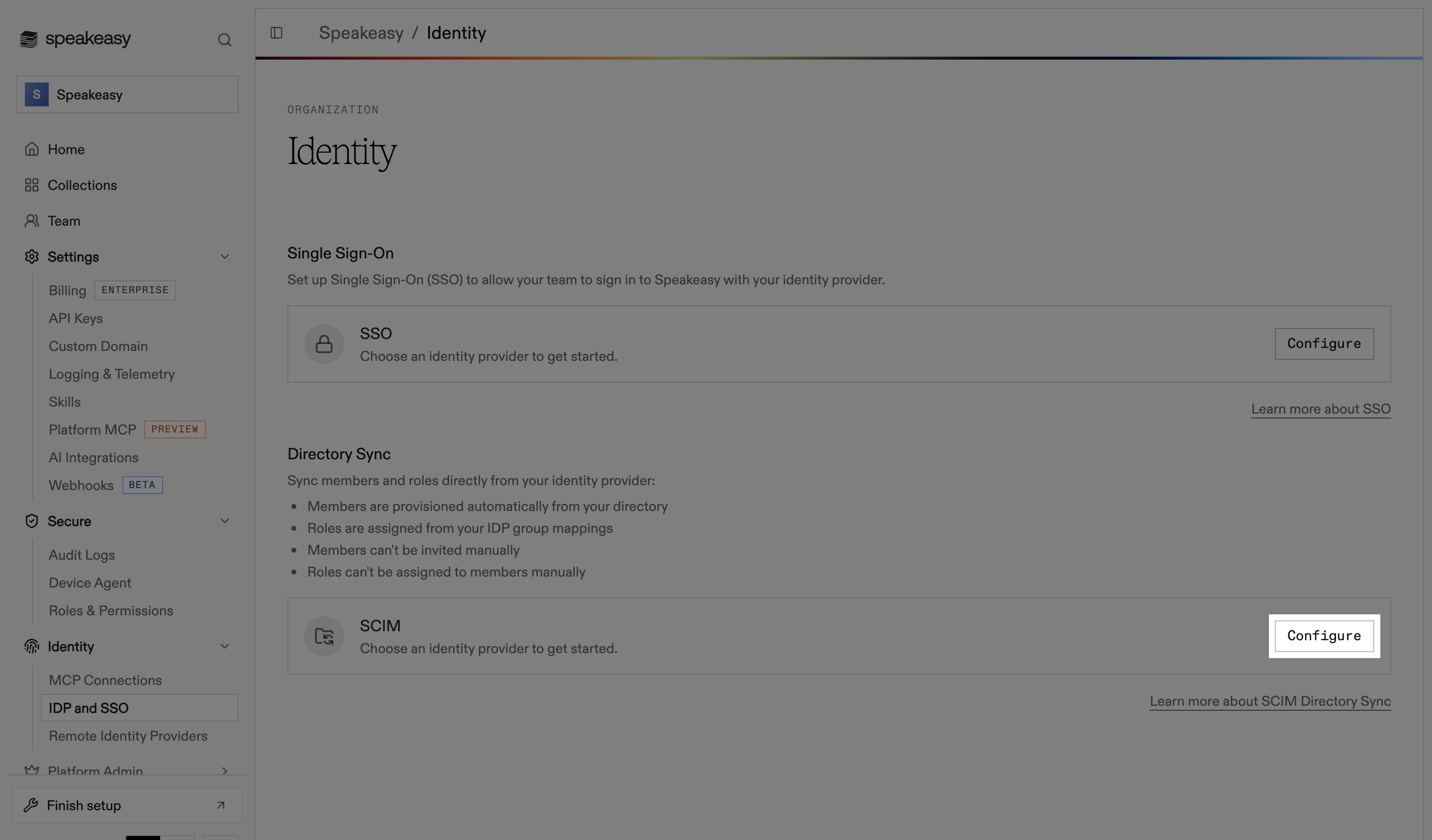
Once connected, identity metadata stays current automatically:
- Users, groups, and attributes sync from the identity provider.
- Role assignments track group membership, so access follows team changes.
- Deprovisioning a user removes their access immediately.
No agent-side setup is needed. When an agent connects without credentials, the server responds with a 401 and OAuth metadata (the standard MCP authorization handshake), and the agent’s client prompts the user to sign in through the identity provider. Every session then carries the user, their organization, and their roles.
Scoping server access with roles
Section titled “Scoping server access with roles”A session can only attach to a server when the caller holds the mcp:connect scope for it. Both the built-in Member and Admin roles contain this scope. Callers without a matching grant are denied, and the denial is recorded against their identity.
To limit which servers a role can reach:
- Open Organization settings > Team > Roles & Permissions in the dashboard.
- Create a role on the Roles tab.
- In the grant drawer, add a rule for the
mcp:connectscope and pick the servers and projects it applies to.
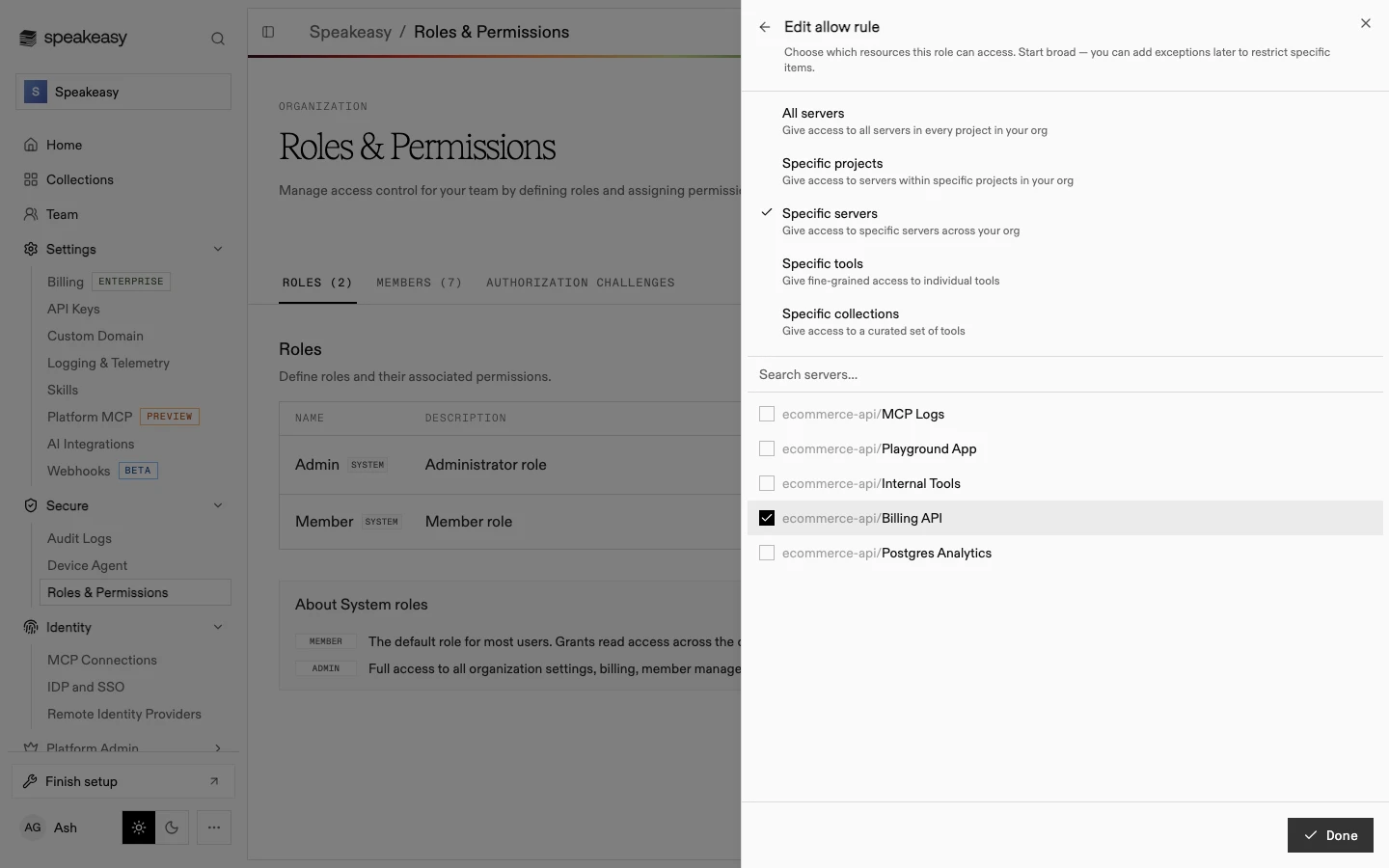
Behind the UI, each rule is stored as a grant: a scope plus selectors naming the resources it covers. This rule allows connection to a single server in a single project:
{ "scope": "mcp:connect", "selectors": [ { "resource_kind": "mcp", "resource_id": "<server-id>", "project_id": "<project-id>" } ]}A selector only constrains the keys it names: pinning project_id limits the grant to one project, and leaving it out applies the grant in every project. Wildcards are supported ("resource_id": "*" matches every server).
With Directory Sync enabled, roles come from the identity provider, so access follows directory group membership automatically. Roles and Permissions covers scopes, system roles, and assignment in detail.
Restricting which tools a role can invoke
Section titled “Restricting which tools a role can invoke”Connecting to a server does not grant access to every tool on it. Each tool call passes a second check that also considers the tool’s name and disposition.
Disposition comes from the tool’s MCP annotations: readOnlyHint evaluates as read_only, destructiveHint as destructive, and the remaining values are idempotent and open_world. Targeting a disposition governs a class of behavior instead of a list of individual tools.
To let a role connect but only call read-only tools, add a disposition to its rule in the grant drawer: choose Specific tools and select an annotation.
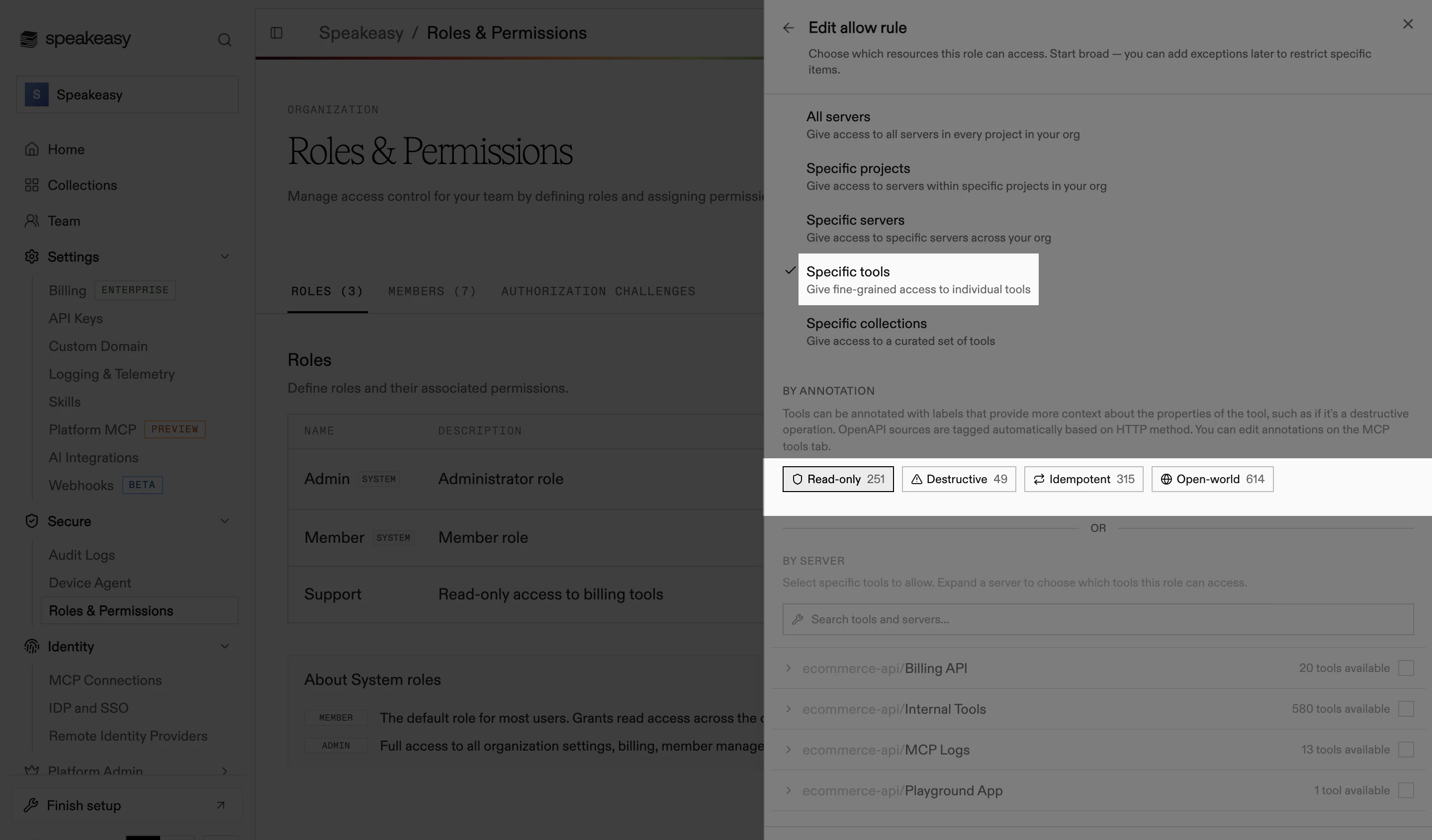
The stored grant gains a disposition key on the selector:
{ "scope": "mcp:connect", "selectors": [ { "resource_kind": "mcp", "resource_id": "<billing-server-id>", "disposition": "read_only" } ]}With this grant, get_invoice succeeds and create_refund (a destructive tool) is denied. To match specific tools by name, use a tool key.
Record metadata on remote servers first
Built servers capture annotations during deployment. Remote and tunneled servers only use annotations an administrator recorded on the server’s Inspect tab, so a third party cannot change how its tools are evaluated. Until metadata is recorded, tools on a remote server have no disposition and disposition-based rules will not distinguish them. See Recording tool metadata.
Adding deny rules as hard limits
Section titled “Adding deny rules as hard limits”Allow grants can overlap: higher scopes satisfy lower checks (mcp:write covers mcp:read, and either covers mcp:connect), and selectors only match the keys they name. To keep something blocked regardless of overlapping allows, add an exception, a deny rule, to the role:
- Open Organization settings > Team > Roles & Permissions and edit the role on the Roles tab.
- Under Permissions, expand the scope group and find the scope’s allow rule.
- Select Except… below the rule. The exception editor opens.
- Choose the servers, tools, or dispositions to exclude, then go back to save the rule.
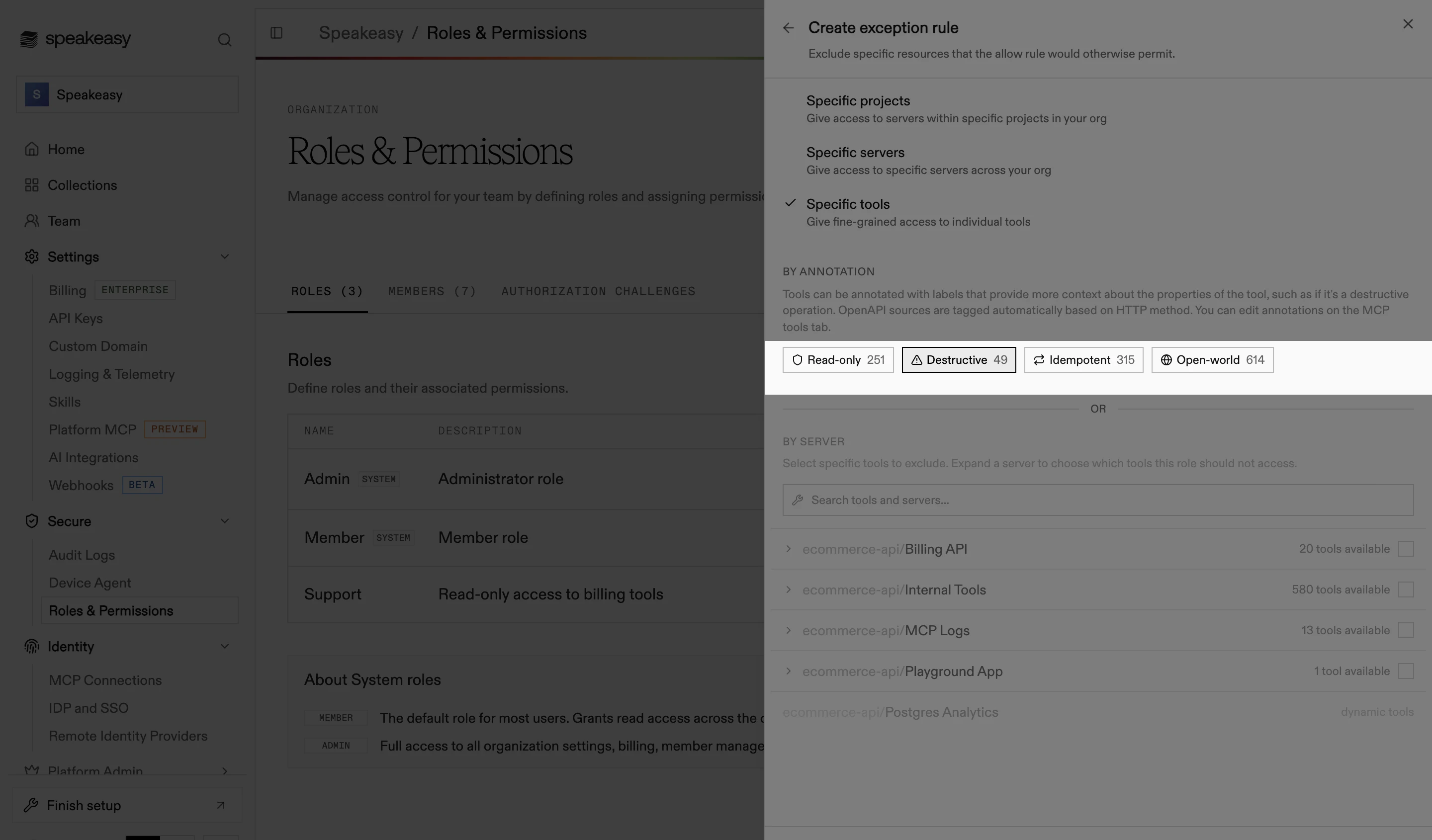
A matching deny always beats a matching allow, regardless of rule order. For example, keep the Member role’s broad mcp:connect grant and add an exception for destructive tools on the billing server: members connect and read normally, but calls to create_refund are rejected.
Auditing and remediating decisions
Section titled “Auditing and remediating decisions”Each check can be recorded as an authorization challenge. A challenge captures:
- The user, as a directory identity rather than a token ID.
- The required scope, and the server and tool it was checked against.
- The allow or deny outcome.
- The number of grants evaluated.
Challenges are listed on the Authorization Challenges tab of the Roles & Permissions page, and unresolved challenges also surface on the organization home page. Viewing them requires the org:read scope, which both built-in roles include. Resolving one by changing roles requires org:admin, held only by Admins by default.
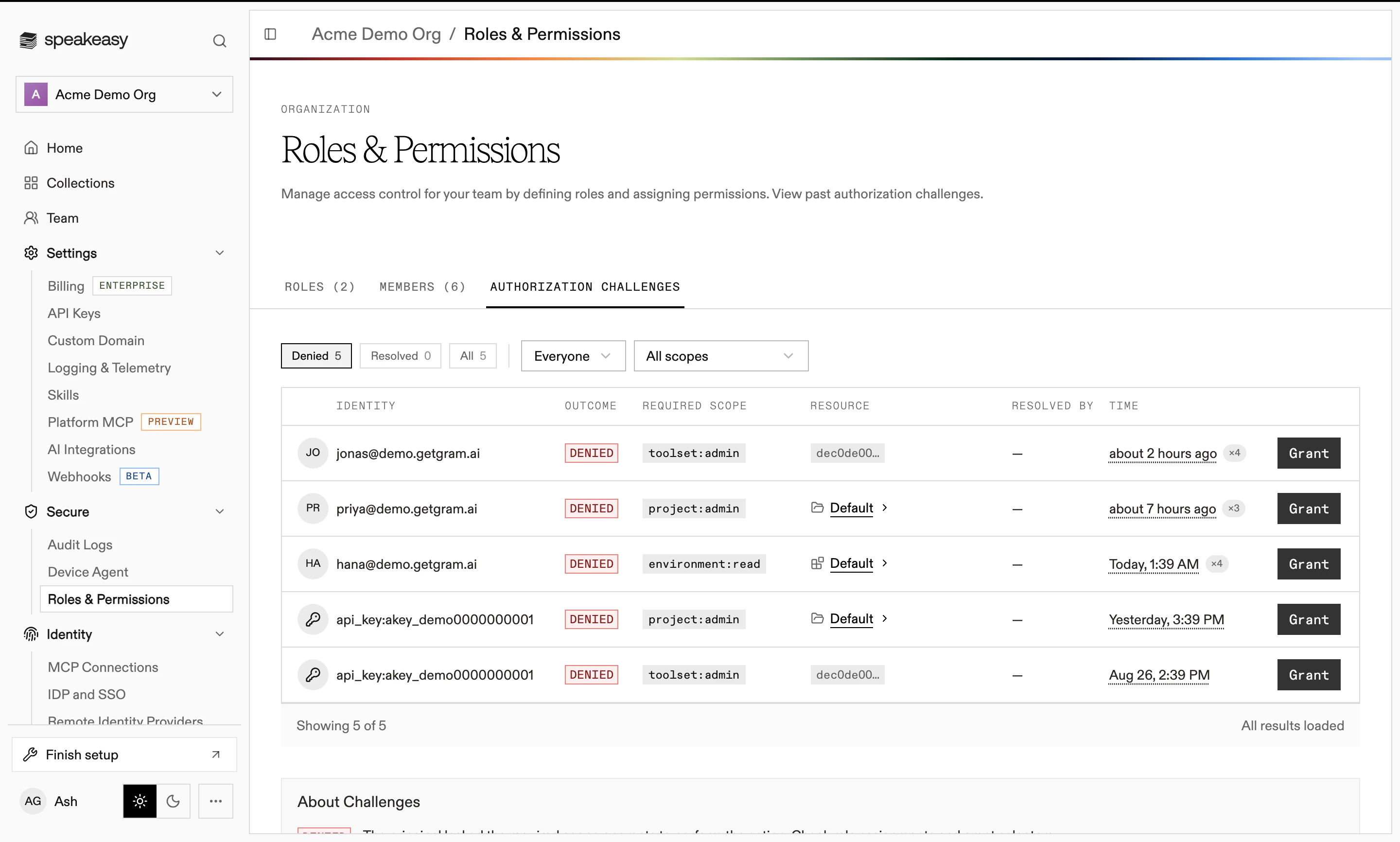
Tool call telemetry also records the caller’s directory state (attributes, groups, and roles) at the moment of the call, so every call traces back to a user, their roles, and the rule that permitted it.
Opening a denied challenge leads into the grant flow, where the missing permission can be added to one of the member’s roles.
Availability
Authorization challenge logging is enabled per organization. Contact Speakeasy to have it turned on.
For background on the authorization model, see the blog post From your IdP to a tool call: how agent authorization works.