Proxy servers or Build your own / Govern a third-party MCP server
Govern a third-party MCP server
Put a governed endpoint in front of an MCP server someone else runs, so access control, audit, and upstream credentials apply without changing the upstream.
Not every MCP server a team depends on is one that team built. Vendors host servers for their own products, and other groups stand up servers nobody centrally approved. When people connect to those servers directly, there is no say in who connects, no record of what was called, and a different credential story for every server.
Registering the server as a remote source closes that gap. The Control Plane creates an endpoint that proxies the upstream, and the team connects to that endpoint instead. Every tools/list and tools/call passes through on the way upstream, where existing access control, logging, and credential handling apply.
This guide covers registering an upstream server, confirming what governance it picks up, and choosing how the endpoint authenticates upstream. Nothing here requires a change to the upstream server.
Register the upstream server
Section titled “Register the upstream server”Open MCP Gateway > MCP, switch to the Sources tab, and choose Add a custom remote MCP server. The form takes a display name and the server URL.
Verify probes the URL with an MCP initialize request and confirms the endpoint is reachable and speaking the protocol before the server is created.
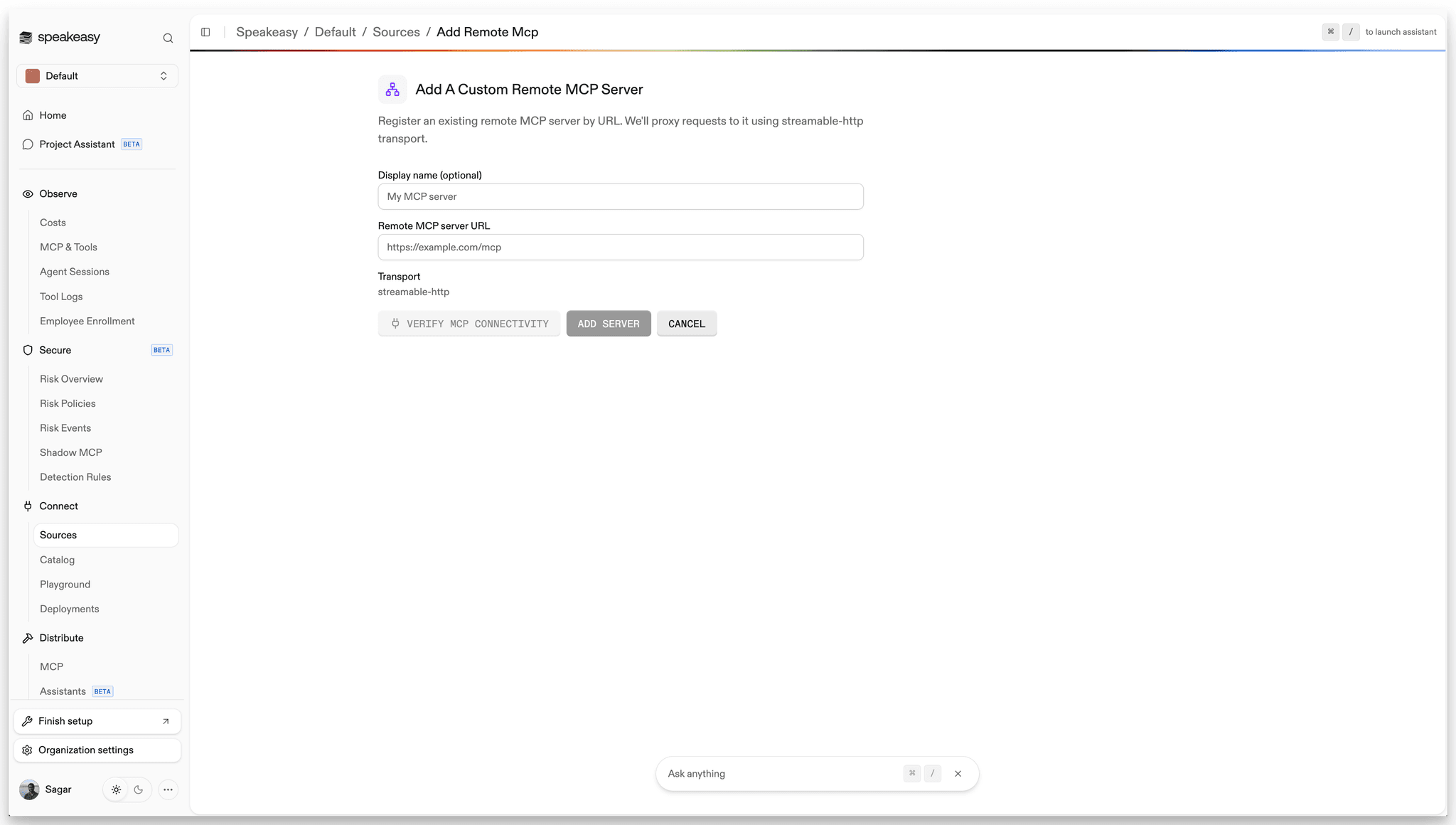
Streamable HTTP is the only supported transport. Sessions, streaming responses, and long-running calls pass through unchanged, so the proxied server is indistinguishable from one the platform hosts itself.
Auth-protected servers verify too
Verify checks reachability, not credentials. An upstream that answers with 401 or 403 still counts as verified, reported as “Reachable: received authorization required response”. Register an OAuth-protected server first and configure its authentication immediately afterward.
Registering the server also links an MCP server config, attempts automatic authentication setup, and pre-stages a default endpoint. A failure partway through rolls the record back. Remote MCP servers covers the sequence and the warnings each step can raise.
Confirm what the endpoint governs
Section titled “Confirm what the endpoint governs”Proxying rather than cataloging is what makes governance apply on the request path. Once the server is registered, these already cover it:
- Per-tool access checks run on private servers. Tool lists are filtered to the tools each caller may connect to, and tool calls are checked before being forwarded, so two people connecting to the same upstream can see two different tool lists.
- Every tool call lands in the same tool logs as built and tunneled servers, with traffic and volume per source in one place.
- Shadow MCP monitoring covers servers brought in by URL alongside everything else.
The server detail page carries the endpoint URL, the live tool list, team access, and the calls flowing through it.
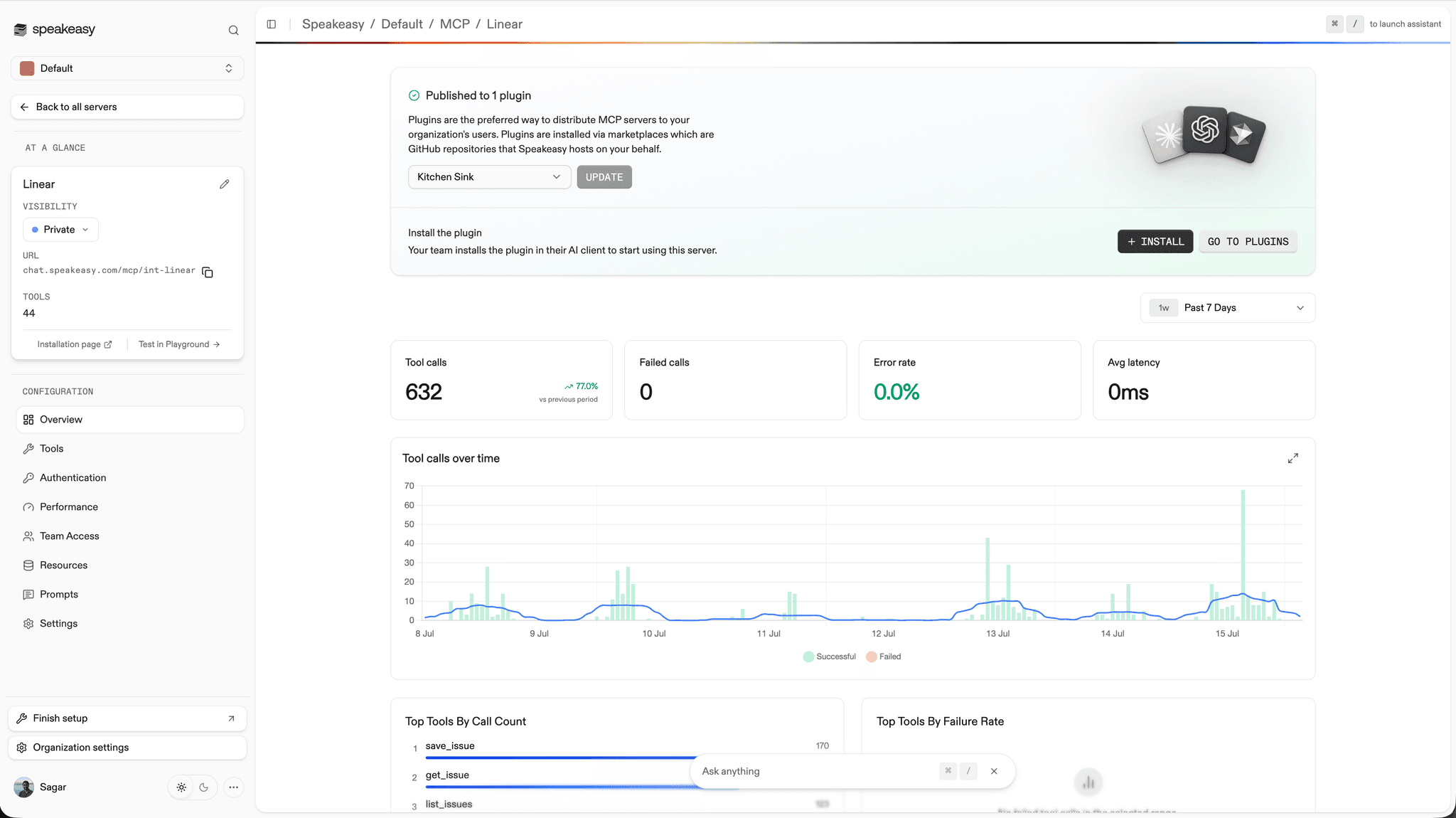
Per-tool permissions need one extra step on a remote server. Because the tool list is proxied live rather than stored, tools become permissionable by name only after they have been recorded from the server’s Inspect tab. See Recording tool metadata.
Server behind a firewall?
A remote source covers any server the Control Plane can reach by URL. For a server inside a private network with no public address, tunneled MCP servers give it a governed endpoint over an outbound-only connection.
Choose how the endpoint authenticates upstream
Section titled “Choose how the endpoint authenticates upstream”The hard part of fronting someone else’s server is identity: the upstream expects credentials, and every upstream expects them differently. Match the model to the server rather than forcing one pattern everywhere.
| Situation | Use | Per end user? |
|---|---|---|
| The upstream supports OAuth with dynamic client registration | Automatic setup at registration time | Yes |
| Each person should act as themselves against the upstream | Authorization servers, layered on user sessions | Yes |
| The upstream takes one API key or bearer token | A static upstream header, stored encrypted | No |
| Callers already carry their own credential | An upstream header forwarded from the inbound request | Yes |
When the upstream advertises OAuth protected-resource metadata and its authorization server supports dynamic client registration, the Control Plane registers a client and wires up the flow during registration, with no client ID or secret to copy by hand. People sign in with their own accounts, so the audit trail answers who made a call rather than recording every call against a shared proxy identity.
For servers that take a fixed key, store it once as a header value on the server. The value is encrypted at rest, the team reaches the upstream through the endpoint without anyone handling the key, and rotating it is a single edit.
An upstream header can instead draw its value from a named header on the caller’s own request, which suits upstreams where each person already holds a credential. A header configured this way can be marked required, in which case a request that arrives without it is rejected rather than forwarded without credentials. Secret values cannot be forwarded this way; a stored secret is always a static value.
Platform credentials never travel upstream. The proxy always drops the caller’s Authorization header and replaces it with the credential resolved for that caller, so a client’s own platform token is never forwarded. Origin, Referer, and Cookie are dropped as well.
Servers that authenticate against an authorization server outside the Control Plane are covered separately in Secure an MCP server with OAuth.
Distribute the endpoint
Section titled “Distribute the endpoint”A registered server is distributed like any other. Add it to a plugin so the team installs it the same way they install built servers, or share its install page directly. MCP servers covers visibility, custom slugs and domains, and plugin distribution.
Servers already listed in the catalog skip the URL step entirely and install as remote servers with their endpoints already known. Installing the same catalog entry again creates a second independent server, which is the pattern for one server per tenant. Multi-tenant MCP covers that setup.
Further reading
Section titled “Further reading”- Remote MCP servers is the reference for registration, the proxy’s request handling, and per-server settings.
- How tools appear on a server explains why a proxied tool list behaves differently from a stored one.
- Multi-tenant MCP covers one governed server per tenant of a multi-tenant upstream.
- Govern agent actions with enterprise identity walks the authorization path from the identity provider down to a single tool call.