Identity and MCP governance / Shadow MCP allow and block lists
Shadow MCP allow and block lists
Choose a posture for shadow MCP enforcement, build the policy's server list, layer per-server decisions on top, and roll out blocking safely.
A blocking shadow MCP policy decides what happens when an agent calls an MCP server the platform does not host. The policy has one of two postures:
- Block all: block by default, allow named servers.
- Allow all: allow by default, block named servers.
Both postures work from the same list of server URLs. The posture decides whether that list means “allowed” or “blocked”.
This guide covers:
- Choosing a posture
- Creating a blocking policy
- Building the server list
- Layering per-server decisions
- Rolling out enforcement
- Handling access requests
- Managing policies through the API
Prerequisites
Section titled “Prerequisites”- A populated Shadow MCP inventory. Servers only become policy targets after they appear in the inventory, which fills from instrumented agent sessions.
- The
org:adminscope, required to create and edit risk policies.
Choosing a posture
Section titled “Choosing a posture”The posture is stored on the policy as its disposition (shadow_mcp_disposition in the API).
The posture cannot be changed later
The URL list means the opposite thing under each posture, so updates that change the disposition are rejected. Switching means deleting the policy and creating a replacement, which leaves the project unprotected until the new policy exists. Decide the posture before the list grows long.
Block all denies every non-hosted MCP server; the URL list is an allow list. This is the default. It fits a sanctioned catalog: anything not approved fails closed, and members are pushed toward hosted servers or an access request. The cost is the review queue — every new server a member tries produces a blocked call.
Allow all permits every non-hosted MCP server; the URL list becomes a block list. It fits blocking a known set of servers, such as a vendor that failed review or a server that leaked credentials, without gating everything else. Traffic stays visible: the inventory and findings keep flowing.
Allow all fails open. A server that has never been seen before is permitted, and it only gets blocked after someone notices it in the inventory and adds it to the list. Choose it to manage a known-bad list, not an unknown-server problem.
Creating a blocking policy
Section titled “Creating a blocking policy”-
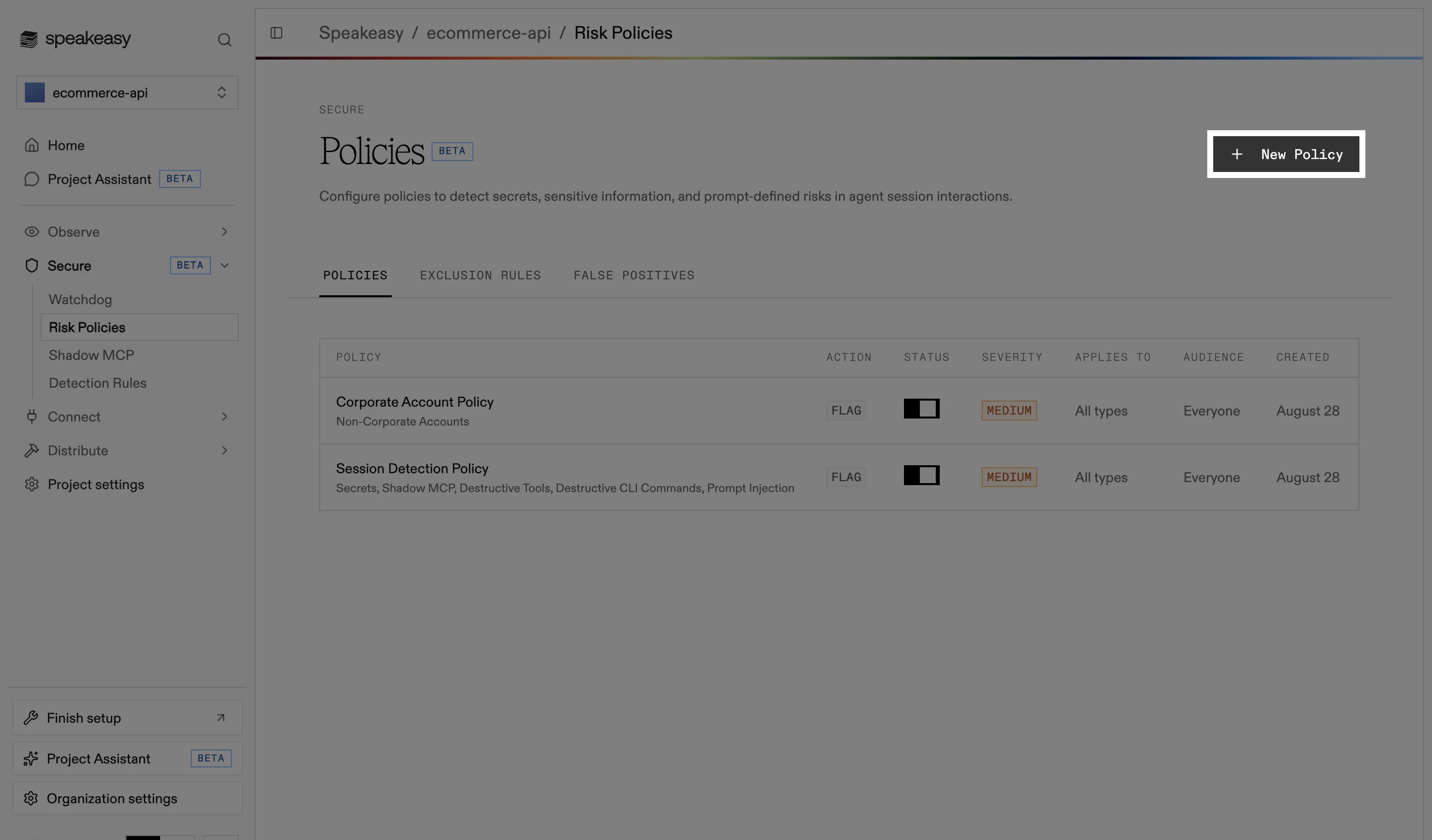
Open Security and Policy > Guardrails in the dashboard and select New Policy, choosing the built-in detector type.
-
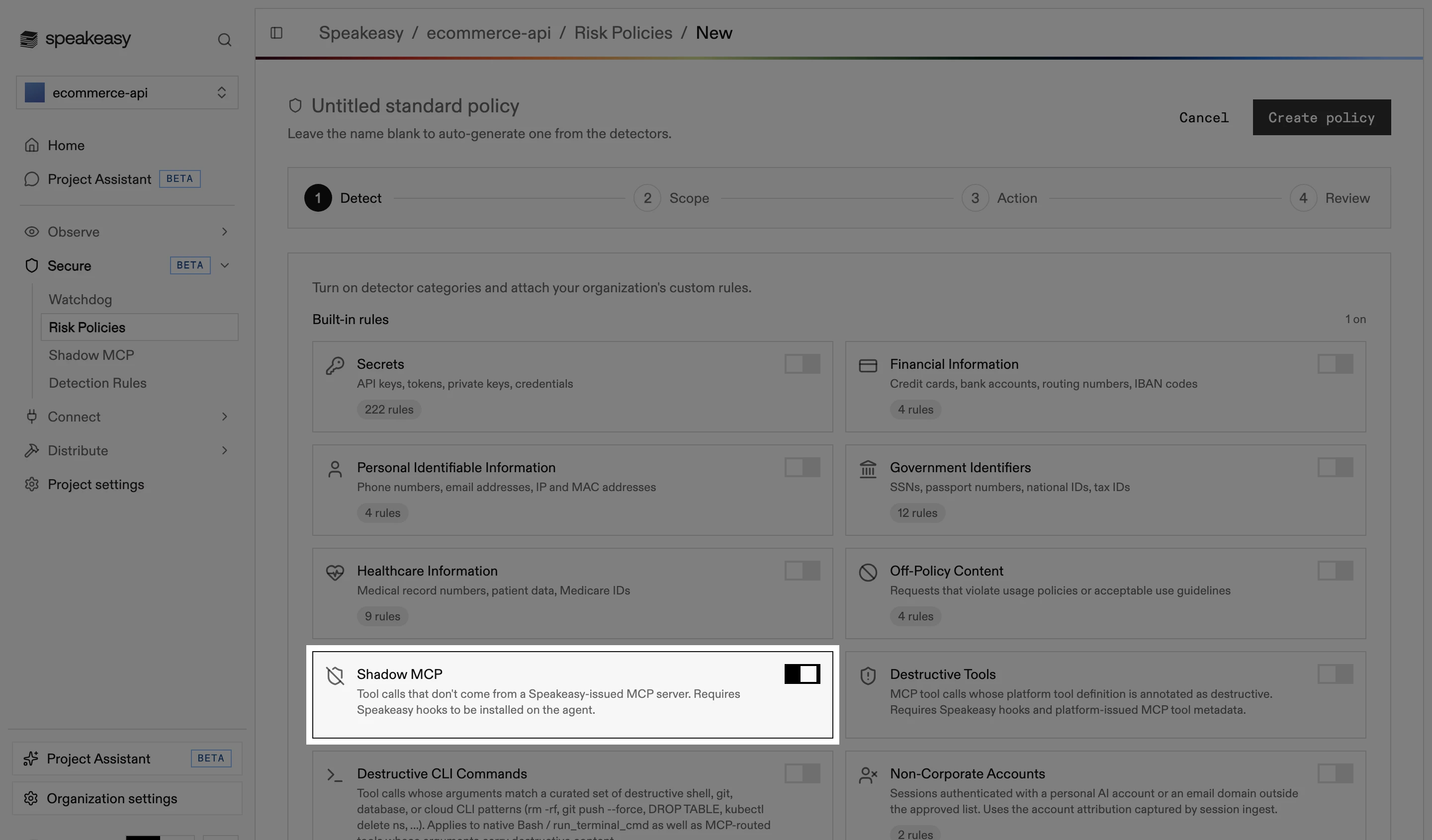
On the Detect step, enable the Shadow MCP category.
-
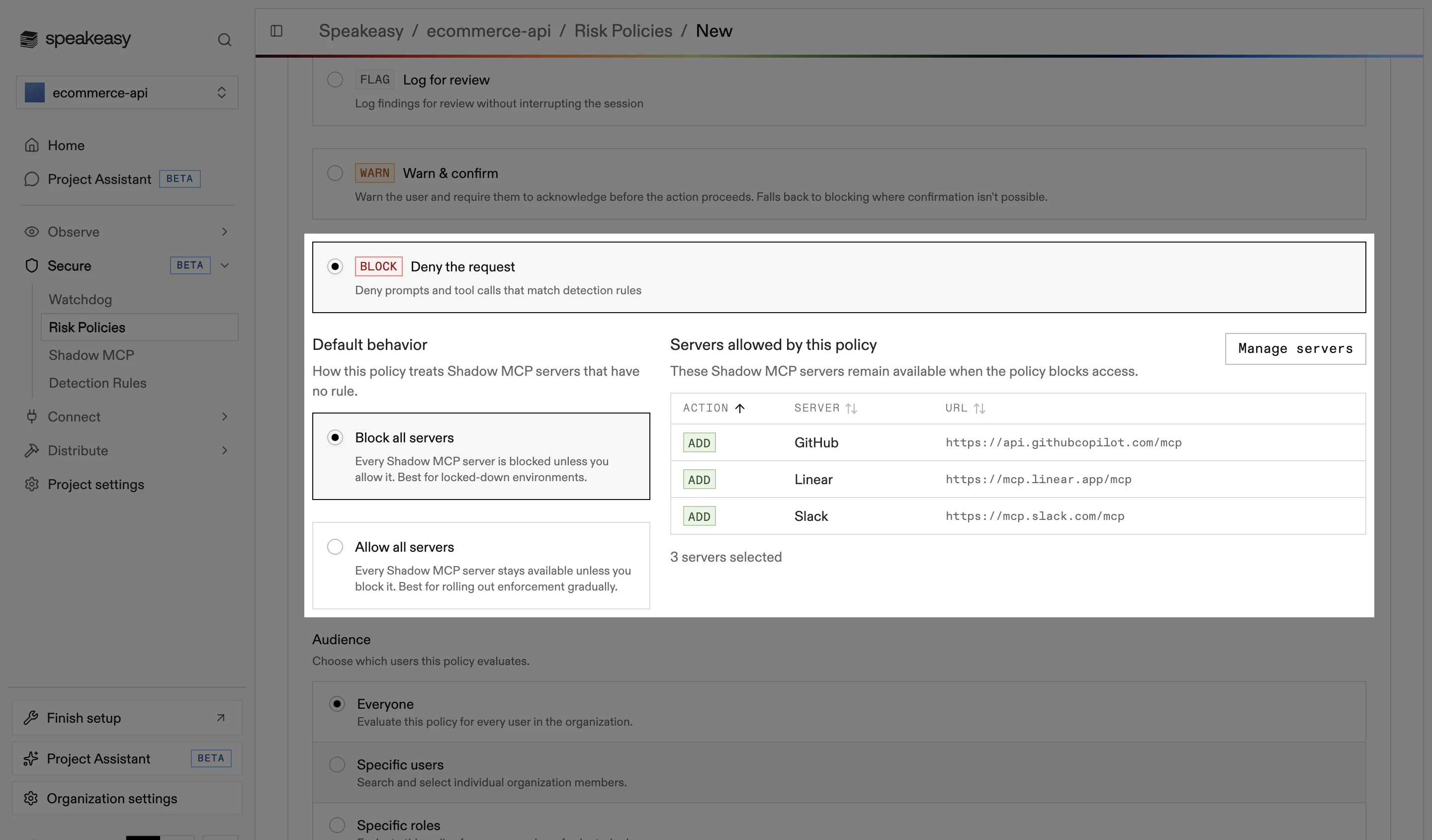
On the Action step, select Deny the request. Two shadow MCP controls appear: Default behavior, which sets the posture (Block all servers or Allow all servers), and the list of servers the policy allows or blocks.
-
Select the servers to allow (under block all) or to block (under allow all), then review and create the policy.
When editing an existing policy, the Default behavior choice is read-only.
Building the server list
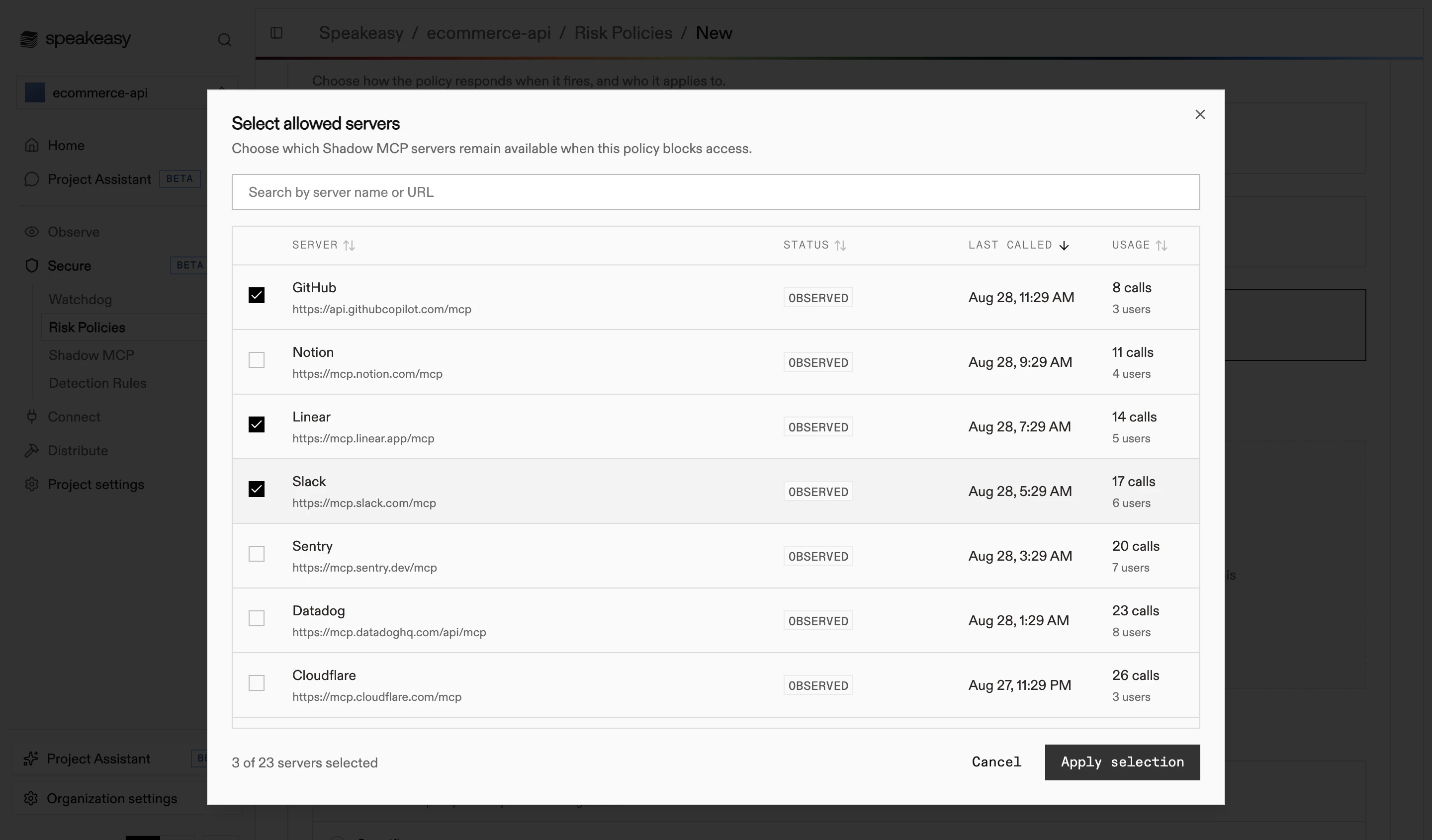
Section titled “Building the server list”Only URLs already in the project’s shadow MCP inventory can be added to the list; unobserved URLs are rejected. This blocks mistyped hostnames and keeps every entry traceable to real traffic. To sanction a server that has not been used yet, let one call through under a flagging policy first so the server registers in the inventory.
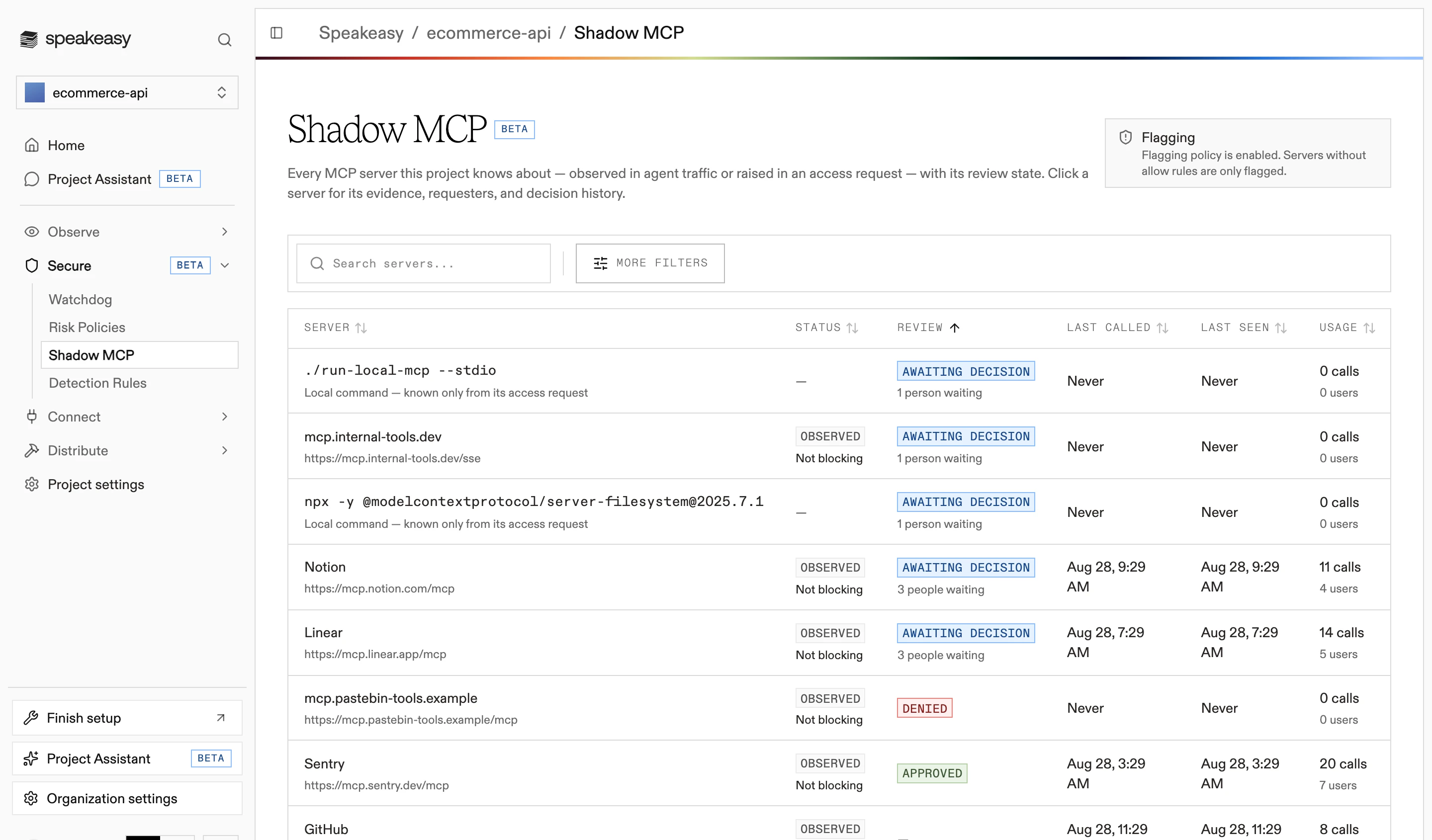
The server selector in the policy editor lists the observed inventory, with each server’s status, last call, and usage:
URLs are canonicalized before they are stored, so paths and query strings on the same server collapse to one entry.
Layering per-server decisions
Section titled “Layering per-server decisions”The policy editor manages the list in bulk. For a single server, record a decision instead: open the server’s access review and select Decide Access. Both write to the same grant set, so a server approved from the inventory also appears in the policy editor.
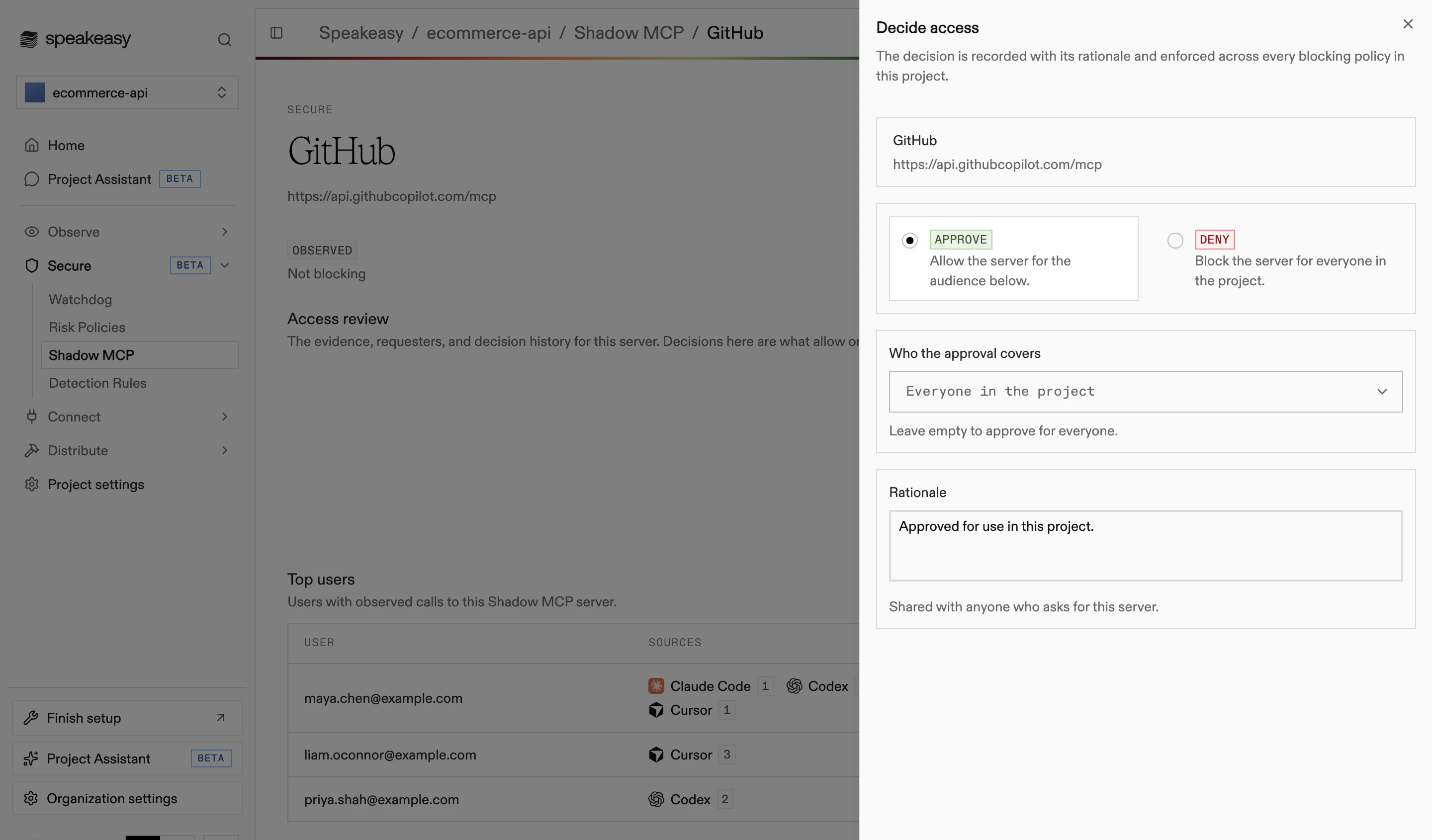
A decision carries its own audience — everyone, or selected people and roles — so splitting a team does not take a second policy. Denying blocks the server for everyone. Decisions apply across every blocking shadow MCP policy, including policies created later.
Rolling out enforcement
Section titled “Rolling out enforcement”Blocking on day one turns every unsanctioned server into a blocked call at once. A safer sequence:
-
Create a shadow MCP policy with the flag action. Nothing is interrupted, and the inventory fills with real usage.
-
Let it run over a normal working period, then read the inventory. Sort by usage to separate the servers a team depends on from one-off experiments.
-
Decide the posture. A short known-bad list points to allow all; a long tail of unvetted servers points to block all.
-
Create the blocking policy and seed its URL list from the inventory. To stage the rollout, scope the audience to one team first.
-
Watch the pending requests queue during the first week. Requests signal what the initial list missed.
Handling access requests
Section titled “Handling access requests”A blocked call returns the block reason plus a request access link that expires after seven days. Opening the link signs the member in and files a request against the policy that blocked the call.
Requests appear on the Shadow MCP page as Pending and attach the requester and their justification to the server’s access review. Deciding resolves them: approving grants the chosen audience, and denying grants nothing.
The request path only exists under block all. Under allow all, calls to a listed server are denied with no route to request an exception, so the block list should hold servers that are firmly off-limits.
Managing policies through the API
Section titled “Managing policies through the API”Policies are managed through the risk policy endpoints. Create a blocking policy with an explicit posture:
curl -X POST "https://ai.speakeasy.com/rpc/risk.createPolicy" \ -H "Content-Type: application/json" \ -H "Speakeasy-AI-Key: <your-api-key>" \ -H "Speakeasy-AI-Project: <your-project-slug>" \ -d '{ "sources": ["shadow_mcp"], "action": "block", "enabled": true, "shadow_mcp_disposition": "block_all", "shadow_mcp_allowed_urls": [ "https://mcp.example-vendor.com/mcp" ] }'The shadow_mcp_allowed_urls field is the complete list, not a delta: every update replaces the stored set. Omit the field to keep the current list, and send an empty array to clear it.
Both shadow_mcp_disposition and shadow_mcp_allowed_urls require a policy with the shadow_mcp source and the block action; sending either on any other policy is rejected. Omitting shadow_mcp_disposition on an update preserves the stored value, and only a changed value is an error.
Policies with only the shadow MCP source and the block action are named automatically, so a created policy appears as “Shadow MCP Server Policy”.
Related
Section titled “Related”- Shadow MCP — the inventory, statuses, and access reviews
- Guardrails — the policy editor and its detect, scope, and action steps
- Roles and permissions — the scopes behind policy administration