Security and Policy / Shadow MCP
Shadow MCP
The inventory of MCP servers discovered in agent traffic, with policy status, review states, and evidence-backed access decisions.
The MCPs tab of the Shadow AI page inventories every MCP server the project knows about: servers observed in agent traffic that aren’t managed by the platform, and servers raised in an access request. Each server carries an access review with gathered evidence, everyone who asked for it, and a recorded approve or deny decision enforced across the project’s blocking policies.
Open it from Security and Policy > Shadow AI in the dashboard and select the MCPs tab.
Access requirements
Section titled “Access requirements”Viewing the tab and deciding access require the org:admin scope.
This page covers:
How servers are discovered
Section titled “How servers are discovered”Every MCP-routed tool call in an instrumented agent session records which server it resolved to. The shadow MCP scanner replays that provenance for each call and classifies it:
- Calls that resolve to a platform-hosted MCP host are clean, including hosts on a custom domain registered to the organization.
- Calls that resolve to anything else are flagged as shadow MCP. That covers third-party remote server URLs and local stdio servers launched by a command on the member’s machine.
Codex’s built-in MCP resource tools (list_mcp_resources, list_mcp_resource_templates, and read_mcp_resource) name their target server in the call input rather than in the tool name. The scanner resolves that name against the MCP server inventory the session reports, so these calls face the same policy, and a target that cannot be resolved to a platform-hosted server is treated as shadow.
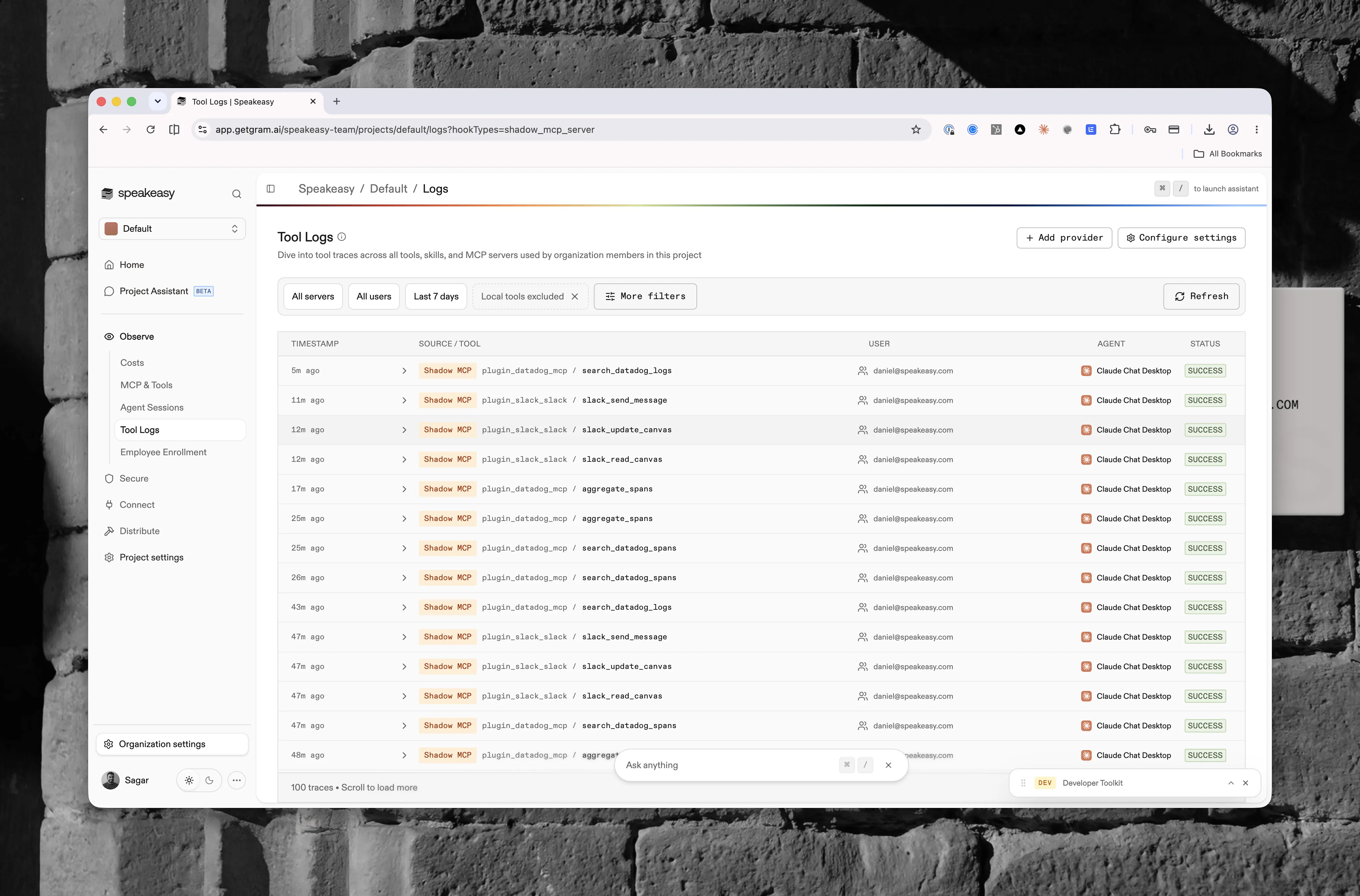
Classified calls carry a Shadow MCP source badge in Tool Logs, the per-call view behind the inventory, under Observability > Tool Logs. To see exactly which calls the inventory was built from, narrow the Type facet in the filter rail to Shadow MCP Servers.
When provenance can’t be resolved, because the hook event hasn’t landed yet or the sender never resolved a server, the scanner falls back to checking the server identifier the platform injects into hosted tool schemas. A call missing that identifier is treated as shadow.
Discovery depends on agent sessions reaching the platform. Sessions from an uninstrumented client produce no traffic to scan. See Device Agent for how sessions are instrumented.
Servers are identified by canonical URL. Two members hitting the same server at different paths or with different query strings collapse to one inventory row.
Policy status
Section titled “Policy status”The indicator above the inventory reports what the active policy set does with a server that has no approval:
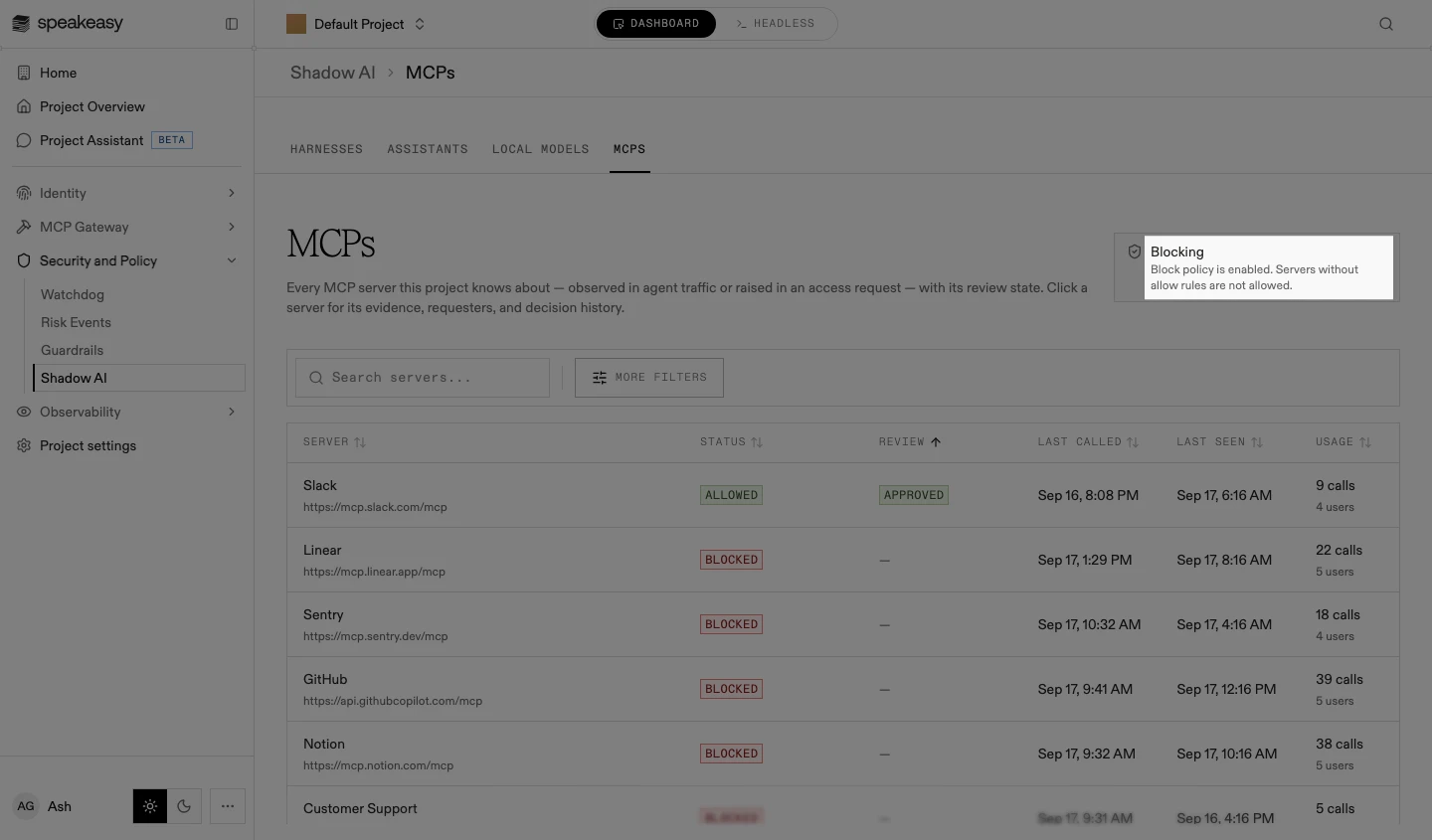
- Blocking: a blocking shadow MCP policy is enabled, and servers without allow rules are not allowed
- Flagging: only a flagging policy is enabled, so servers without approvals are recorded but calls still succeed
- No Policy: no shadow MCP policy is enabled, and every discovered server is allowed
Flagging is the safe starting posture. It builds the inventory without interrupting anyone, so the approved set is curated from real usage rather than guessed at. See Shadow MCP allow and block lists for the rollout sequence.
The status is driven by the project’s shadow MCP policies, created on the Guardrails page. Decisions recorded here take effect through those blocking policies: without one nothing is enforced, and the indicator says so. Decisions still count, though. A blocking policy created later honors those already on record.
Browsing the inventory
Section titled “Browsing the inventory”-
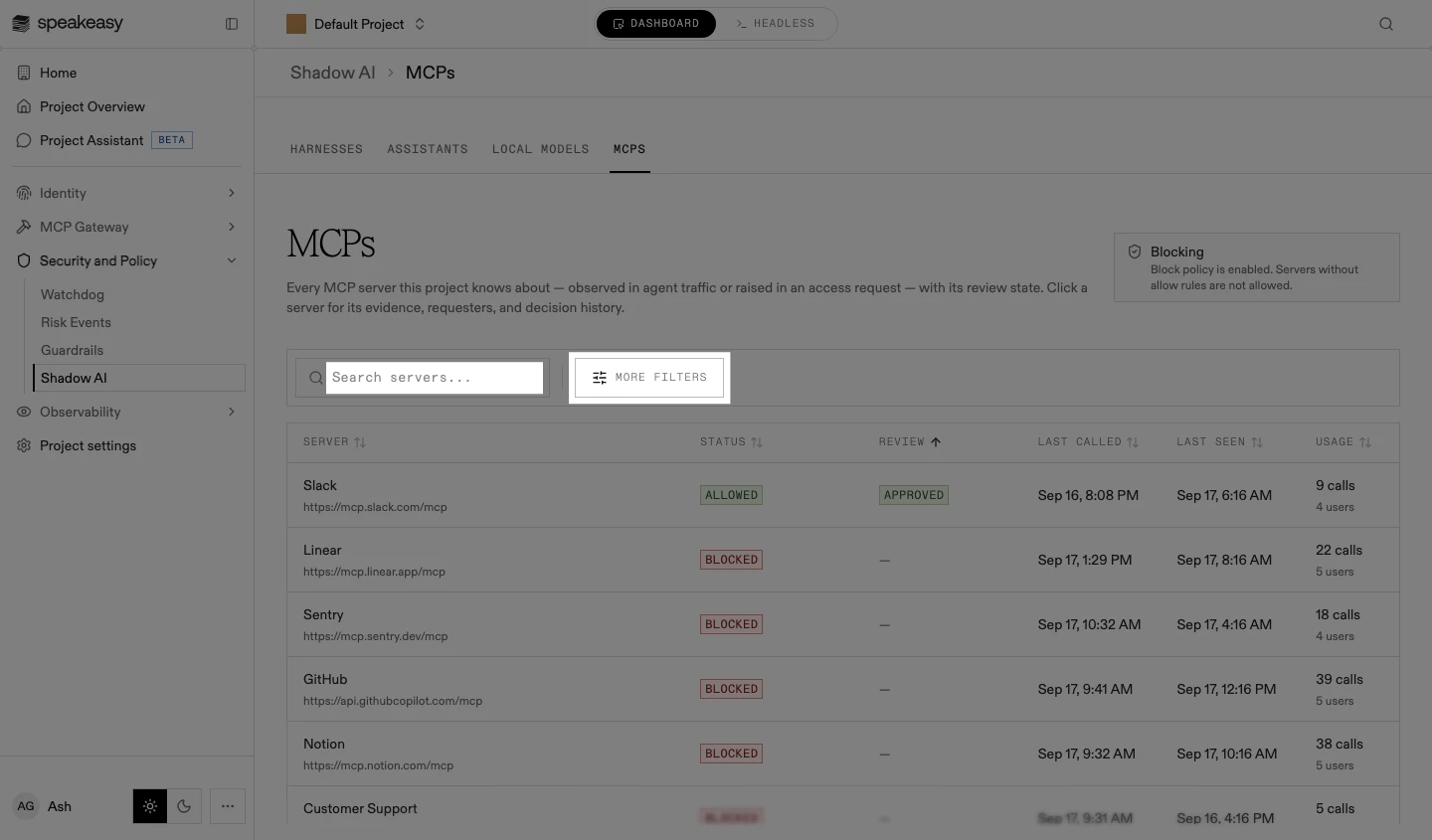
Find the server: search by name or URL, sort any column, or open More filters to filter by review state. Search and sorting cover the full inventory, not only the loaded page.
-
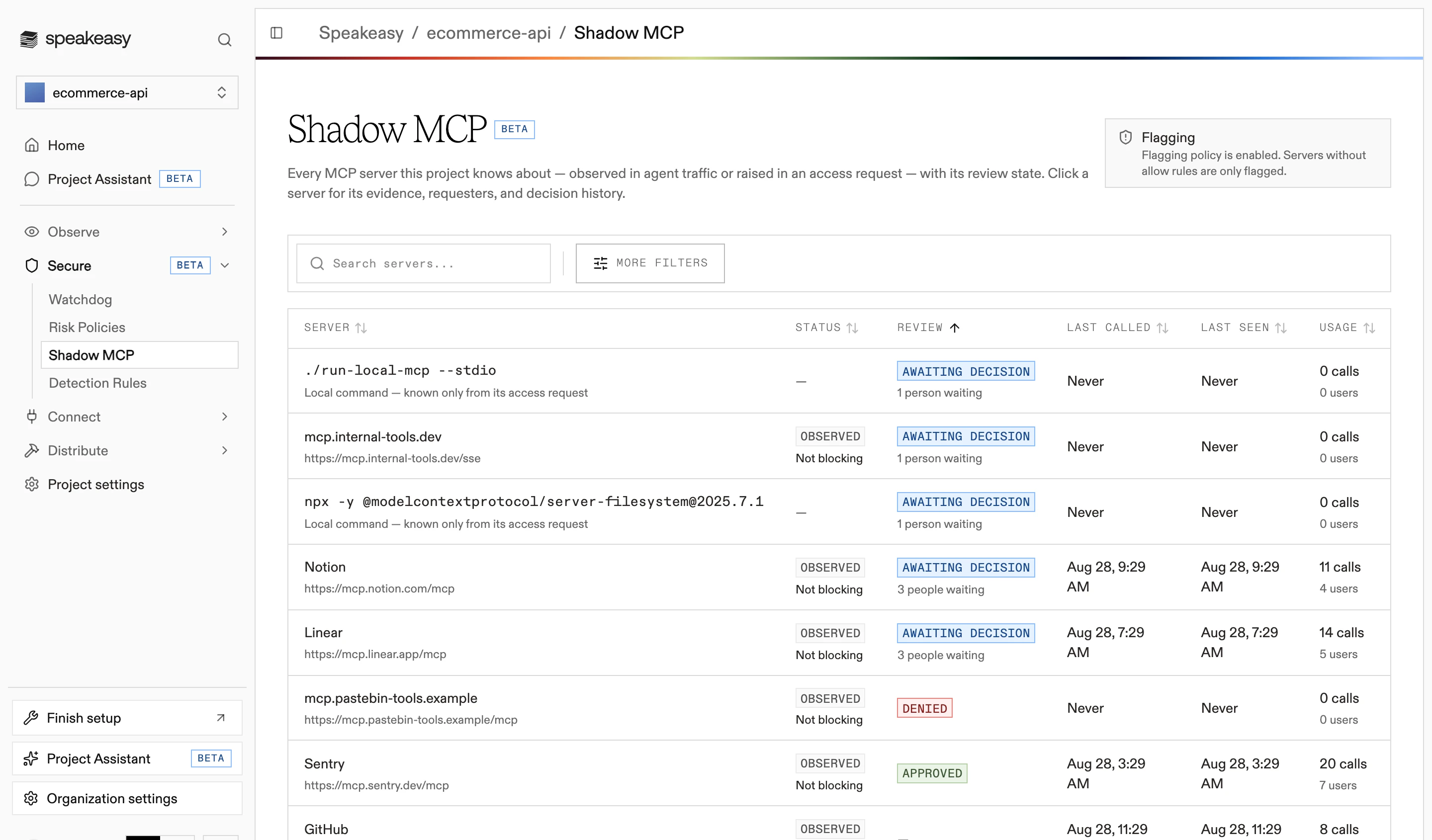
Read the row: the server’s name and URL, its status with the reason, its review state, when it was last called and last seen, and its usage as calls and users.
-
Select a server to open its access review. A server referenced by URL opens a detail page; a local command server (a stdio target, such as an
npxinvocation) opens its review in a sheet from the inventory row.
Each row carries one of six statuses, shown with the reason beneath it:
| Status | Meaning |
|---|---|
| Allowed | An approval or allow rule covers this server |
| Blocked | A blocking policy or a denial applies to everyone in the project |
| Restricted | Blocked for some users only, by a policy scoped to a targeted audience |
| Observed | Seen in traffic, with no blocking policy applying to it |
| Pending | At least one member has an unresolved access request for this server |
| Unknown | The policy status could not be loaded |
Pending takes precedence over the other statuses, so a server with an open request surfaces for review even when it is already allowed.