AI Control Plane / Getting started
Getting started
Set up the Speakeasy AI Control Plane from the organization setup board: connect identity, turn on logging, instrument agent platforms, distribute MCP servers, and configure policies.
Built in the open
The AI Control Plane is backed by an open source project maintained by the Speakeasy team.
This guide gets an organization from sign-in to a governed AI rollout: connect the identity provider, turn on logging, point Claude and the other agent platforms at the platform, distribute MCP servers to the team, and turn on security policies, then watch live traffic confirm it is all working. The work happens on the organization setup board, reached from Finish organization setup at the bottom of the organization sidebar.
Access requirements
Section titled “Access requirements”The setup board and each of its task pages require the org:admin scope. Admins can assign a card to another member, who receives an email linking to that card. Hiding and restoring cards is reserved for the Speakeasy team.
The setup board
Section titled “The setup board”After signing up or logging in, the Organization setup board guides organization admins through rollout. The Start enterprise rollout card on the organization home page (Begin rollout, or Resume rollout once started) and the Finish organization setup action at the bottom of the organization sidebar both lead there, and the board is always available at the organization’s /setup path.
Each outcome is a card. Cards move across four columns, To do, In progress, Awaiting support, and Done, by drag and drop or from the card menu. Opening a card lands on its own page at a short slug (/setup/idp, /setup/anthropic-observability, and so on), with a rail of that card’s own steps, one on screen at a time, a Get support button, and Mark done at the end. The board remembers each card’s status and owner, so the work can be split across admins and picked up later. The Wizard view in the header walks the same cards front to back for a single owner who wants to finish in one sitting.
Hidden cards
Only Set up identity provider, Set up Anthropic observability, Set up observability in other platforms, and Configure integrations show by default. Set up Anthropic admin controls, Set up LiteLLM, Distribute MCP servers, Configure policies, and Set up Platform MCP are hidden until the Speakeasy team restores them for the organization. Everything those cards do is also available from the feature pages linked in each section below.
Shared steps
Section titled “Shared steps”Three steps recur across cards. Each one is completed once and then shows as done wherever it appears.
Enable logging turns on Enable Logs, Record Tool I/O, and Agent Session Capture together, with a retention banner and a link to Organization settings > Settings > Logging & Telemetry for the remaining options. Nothing downstream can show traffic until this is on. See Logging and telemetry.
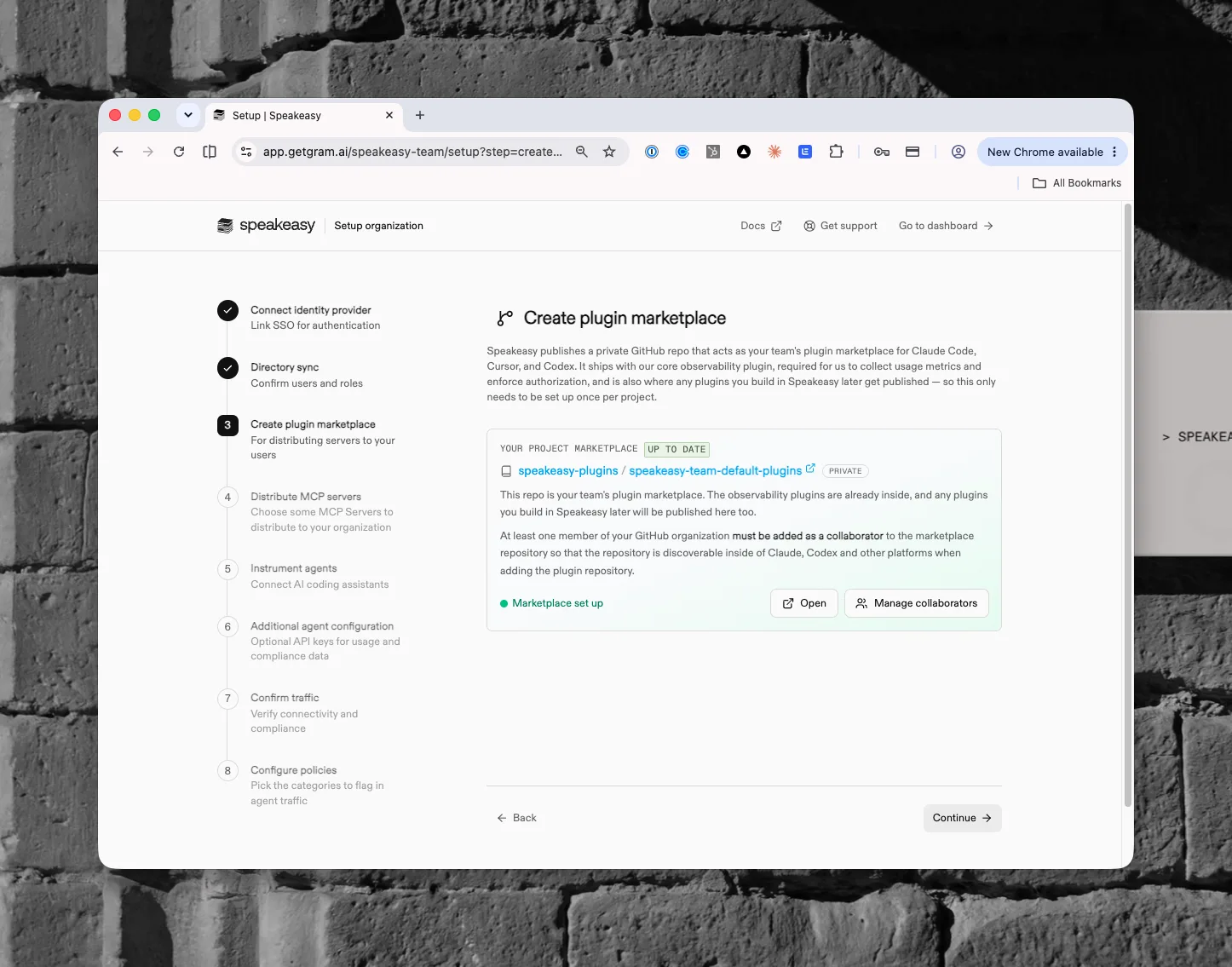
Publish plugin marketplace publishes a private GitHub repository that acts as the team’s plugin marketplace for Claude Code, Cursor, and Codex. It ships with the core observability plugin, which collects usage metrics and enforces authorization, and any plugins built later publish there too. This happens once per project. Add at least one member of the GitHub organization as a collaborator so the repository is discoverable inside agent platforms; the collaborators become admins on the repository so they can connect it to Cursor, Claude, and other marketplaces. See Plugins.
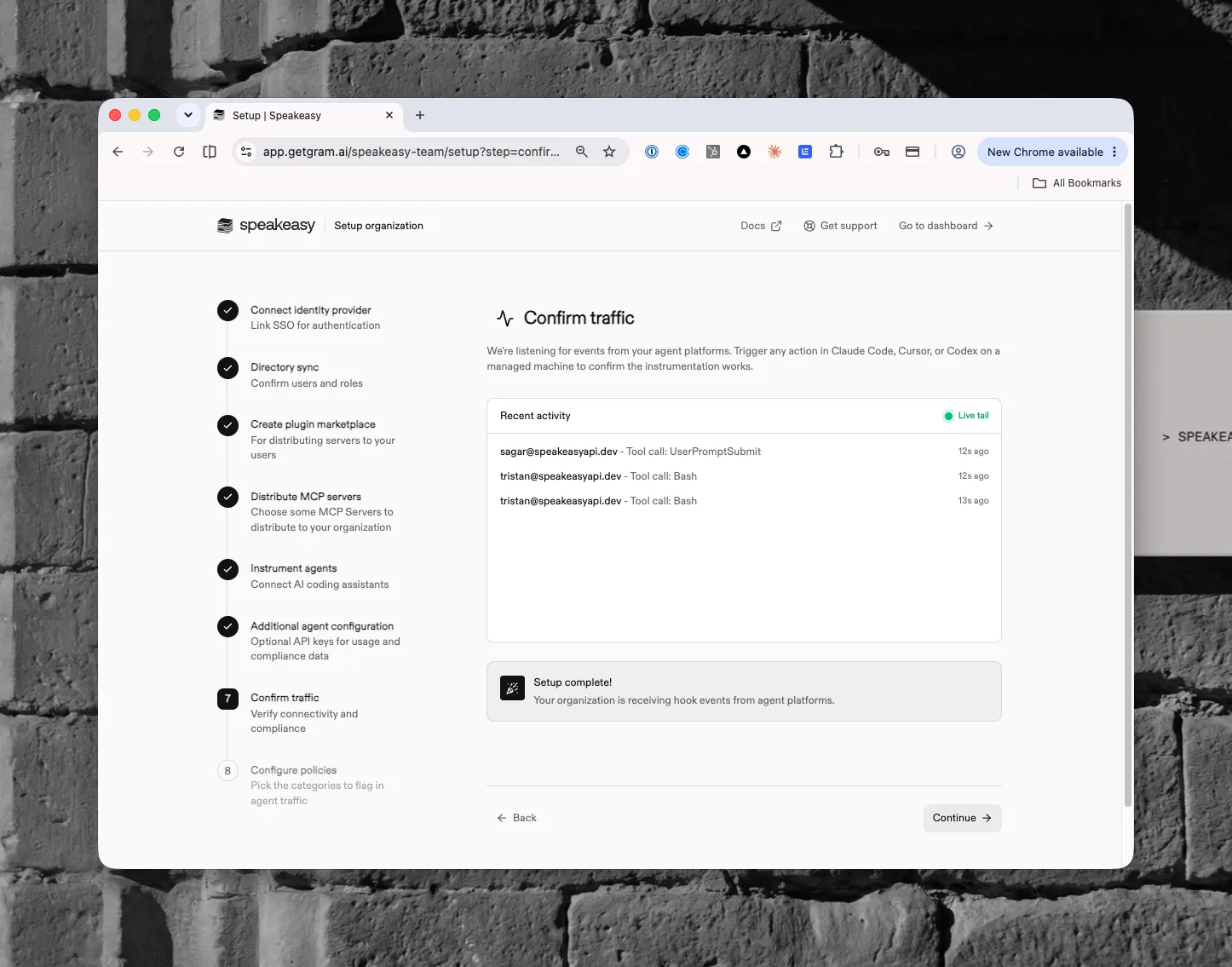
Confirm traffic listens for events from the platforms the card covers. Trigger any action in an instrumented agent and the live activity feed shows tool-call events arriving, followed by confirmation that the organization is receiving hook events.
Set up identity provider
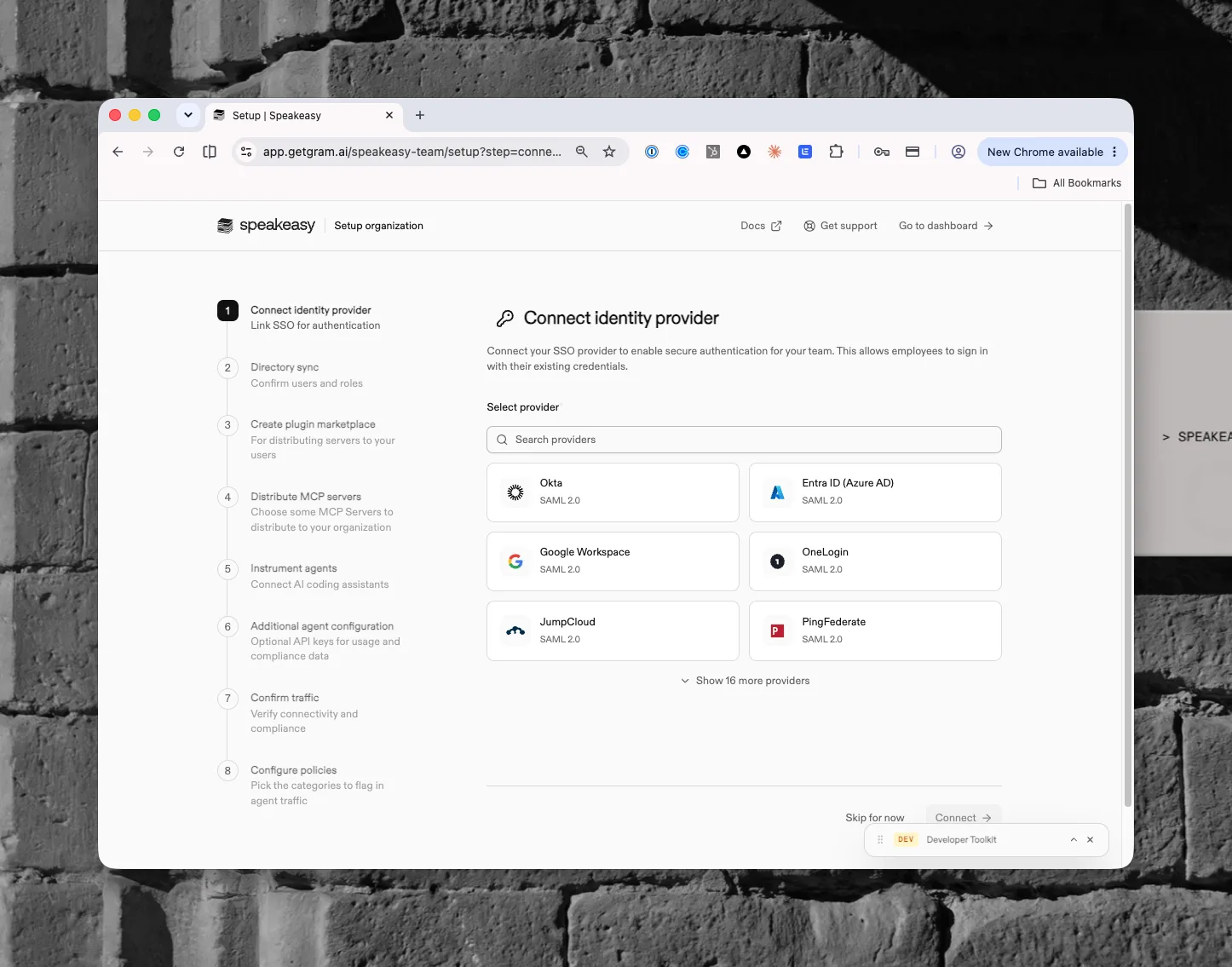
Section titled “Set up identity provider”Connect the SSO provider so the team signs in with existing credentials, then sync its directory so users, groups, and roles stay in step with the identity provider. Both can be finished later from Organization settings > Team > IDP and SSO; see IDP and SSO. Once people are signing in, the Identity section is where every agent session gets tied to a person, an agent, or an authorization server.
Single sign-on: pick the organization’s SSO provider (Okta, Entra ID, Google Workspace, OneLogin, JumpCloud, PingFederate, and more) and click Connect. The WorkOS portal opens in a new tab to configure the connection. Finish there, then return and click Verify connection.
Directory sync: connect the identity provider’s directory to sync users, groups, and roles automatically. Changes in the IdP flow through to the platform. Clicking Connect directory opens the configuration portal in a new tab. Finish there, then return and verify.
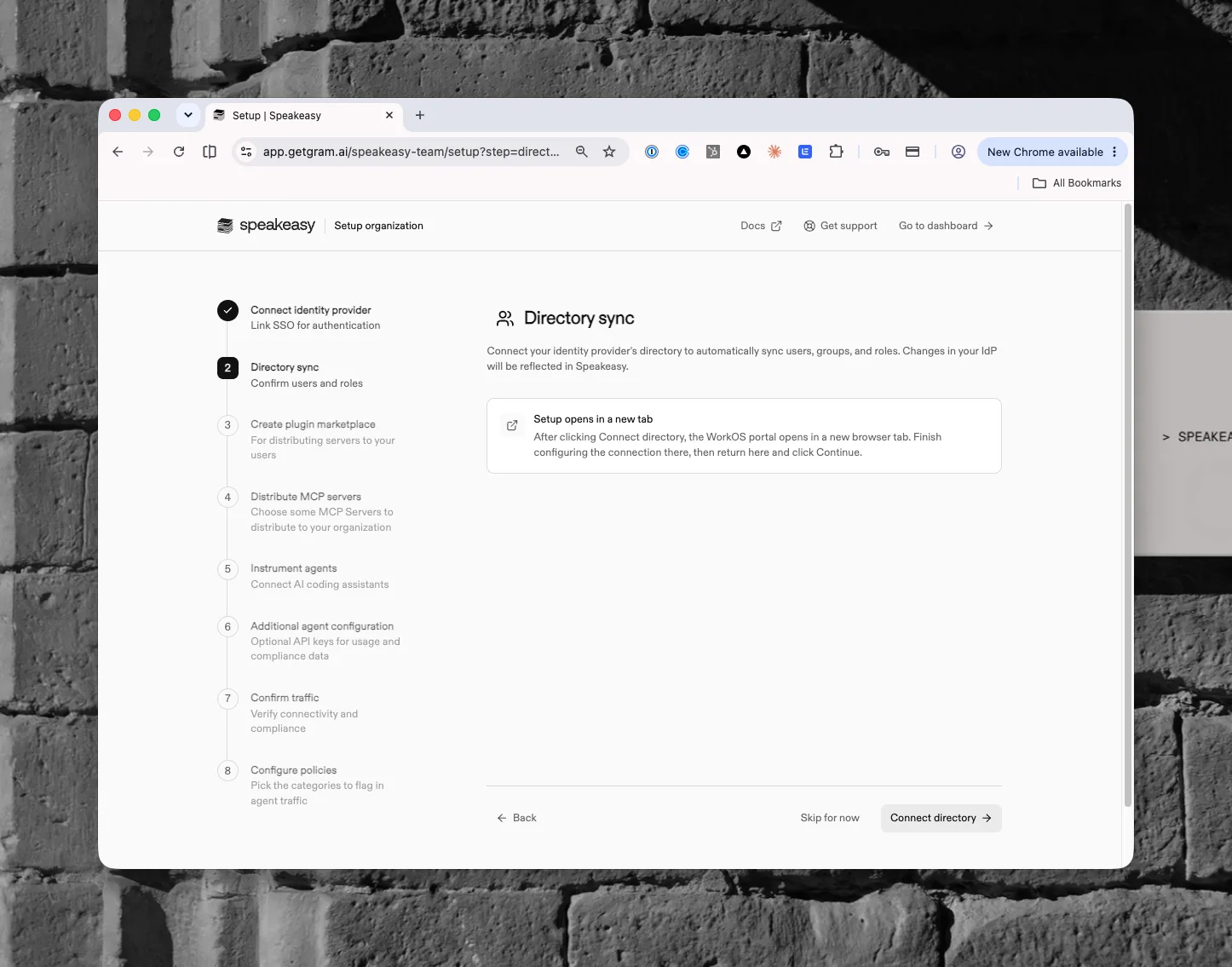
The card completes on its own once both single sign-on and directory sync are configured. An admin who skips directory sync marks the card done by hand.
Set up Anthropic observability
Section titled “Set up Anthropic observability”Anthropic inference hooks send every Claude conversation to the platform before the model answers it. Nothing is installed on anyone’s machine. After Enable logging, the Enable inference hooks step is one pass through Claude’s Admin settings > Data and privacy > Inference hooks as a Claude organization admin:
- Generate your endpoint mints the webhook URL.
- Paste it into Claude: click Edit on the inference hooks endpoint row and paste the URL.
- Switch Enforce verdicts on. Claude does not call the endpoint until this is on. Set Failure handling > Mode to Shadow mode first, so Claude records verdicts without blocking while policies are tuned.
- Save the signing secret: under Request signing, generate the secret (Claude shows it once) and save it in the step.
Confirm traffic completes once a message sent in Claude arrives as a conversation. Anthropic inference hooks covers the integration in depth.
Set up Anthropic admin controls
Section titled “Set up Anthropic admin controls”Claude Cowork and Claude Code are both configured from Claude.ai: organization plugins make the observability plugin required in Cowork, which runs in Claude.ai’s cloud sandbox out of the device agent’s reach, and managed settings push it to Claude Code. After Enable logging and Publish plugin marketplace, one Hooks API key is generated automatically and used for both. The card is hidden by default.
- Connect Claude Cowork: Cowork syncs the marketplace repository through Claude’s own GitHub App, so the plugin is marked Required from Claude’s organization settings rather than pushed from a machine.
- Connect Claude Code: managed settings on Claude.ai apply the marketplace and the observability plugin to every developer in the organization, and push the OTEL environment block so logs, metrics, and traces land in the dashboard. Managed settings are only available on Teams and Enterprise Claude plans, so the step opens with a plan check. The device agent, if deployed, also enforces the plugin on managed machines.
- Connect Cursor (optional): Cursor’s team marketplace imports the observability plugin from the same repository.
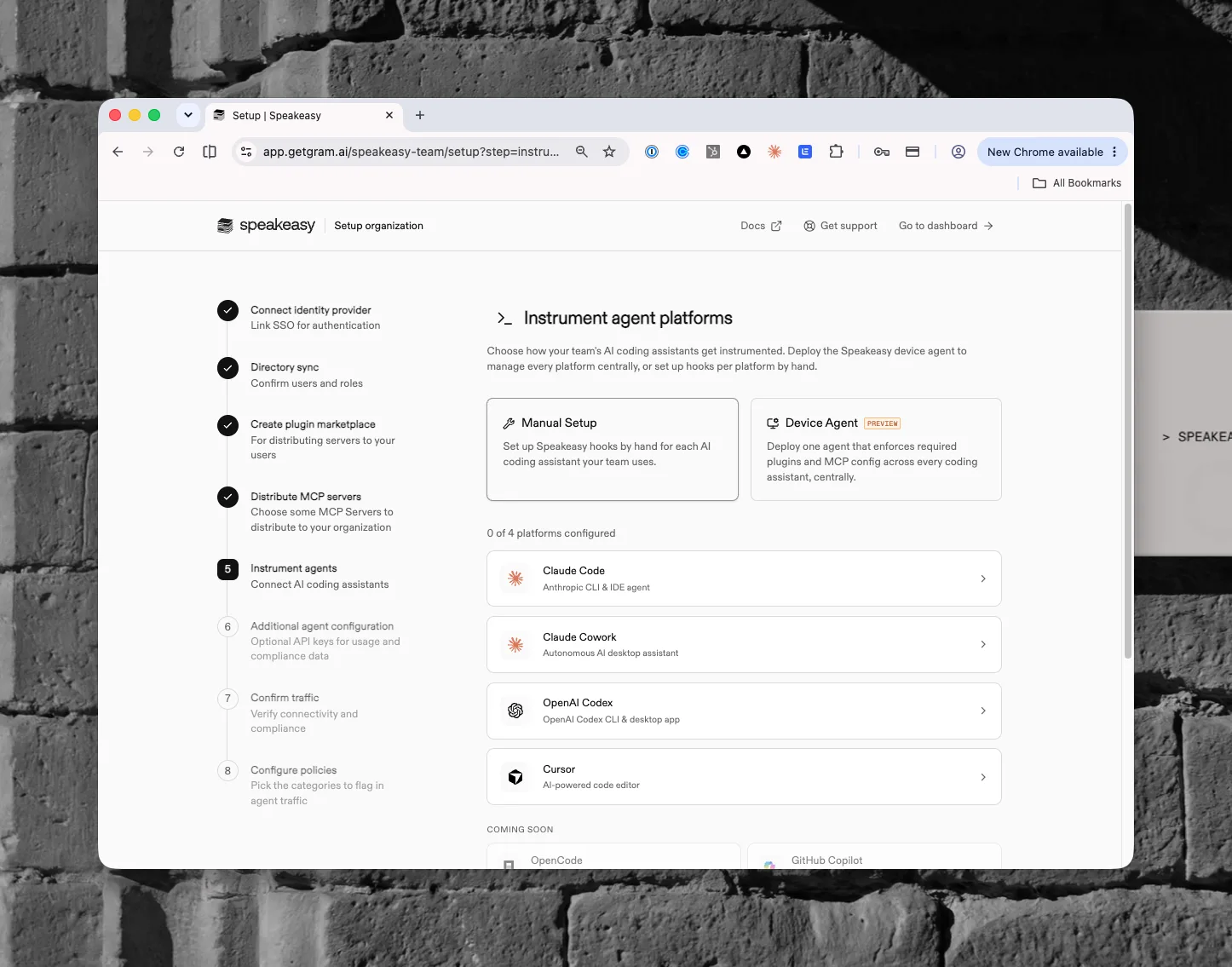
Confirm traffic completes after any tool runs in Claude Code or Cursor, or a Cowork session starts. The observability plugin’s hooks run inside a Cowork session, not in an ordinary Claude conversation: on claude.ai, start a new conversation, switch the Claude Cowork toggle on, then send a message. The same per-platform instructions are available later from MCP Gateway > Plugins; see Distributing plugins to Anthropic.
Set up observability in other platforms
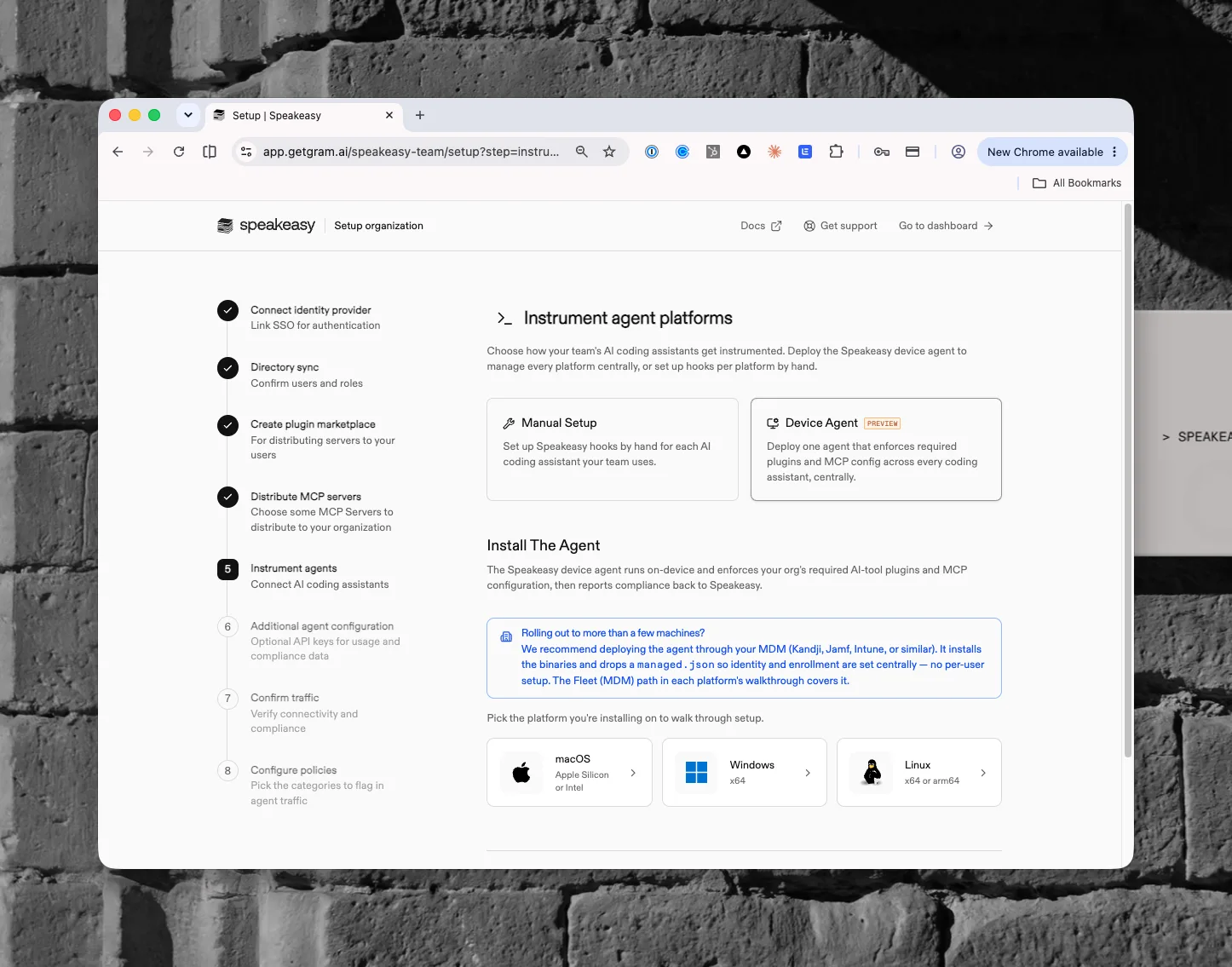
Section titled “Set up observability in other platforms”Turn logging on, publish the plugin marketplace, install the device agent, and confirm events arrive. The agent enforces the observability plugin and MCP configuration across Cursor, Codex, and the other coding assistants on each machine, and reports compliance back. Claude Code and Claude Cowork are covered by the Anthropic cards above.
- Download installer: pick macOS, Windows, or Linux and follow the install steps for a single machine.
- MDM rollout (recommended): push the installer to every managed machine through Jamf Pro, Iru (formerly Kandji), Microsoft Intune, ManageEngine Endpoint Central, or a Linux configuration tool, with identity and enrollment set centrally so nobody enrolls by hand. Each guide opens in a new tab.
Claude Code on the web is not a laptop install. The Remote sessions walkthrough covers Anthropic-hosted VMs: a shared environment with custom network access, a generated setup script, and a SessionStart hook that starts the agent in each session. See Claude Code on the web.
Neither OpenCode nor OpenClaw has a plugin marketplace, so the observability plugin is rendered into the repository as a package instead; see distributing plugins to OpenCode and distributing plugins to OpenClaw.
Confirm traffic completes after any tool runs in a coding assistant on a machine with the agent installed. Device agent covers enrollment, and MDM installations covers each MDM.
Set up LiteLLM
Section titled “Set up LiteLLM”Point a LiteLLM proxy at the platform so its traffic is scanned by risk policies and lands in observability. The card is hidden by default. Its steps, Create a LiteLLM instance, Configure the proxy, and Confirm traffic, are driven by the instance itself, so they match what Organization settings > Settings > AI Integrations shows. See LiteLLM.
Configure integrations
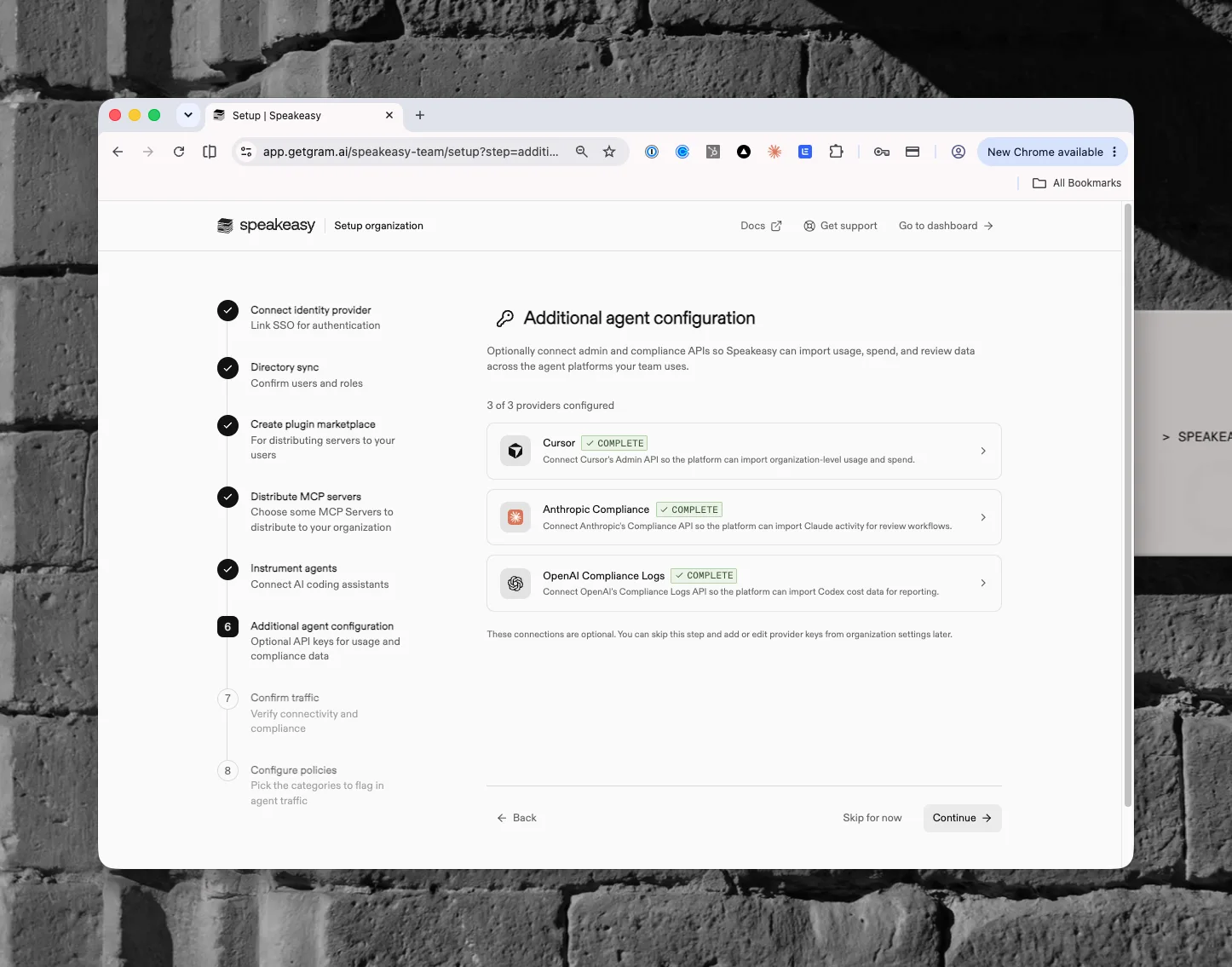
Section titled “Configure integrations”Optionally connect admin and compliance APIs so the platform can import usage, spend, and review data across agent platforms: the Cursor Admin API, the Anthropic Compliance API, and the OpenAI Compliance Logs API. This step is optional. Add or edit provider keys later from Organization settings > Settings > AI Integrations; see AI integrations.
Distribute MCP servers
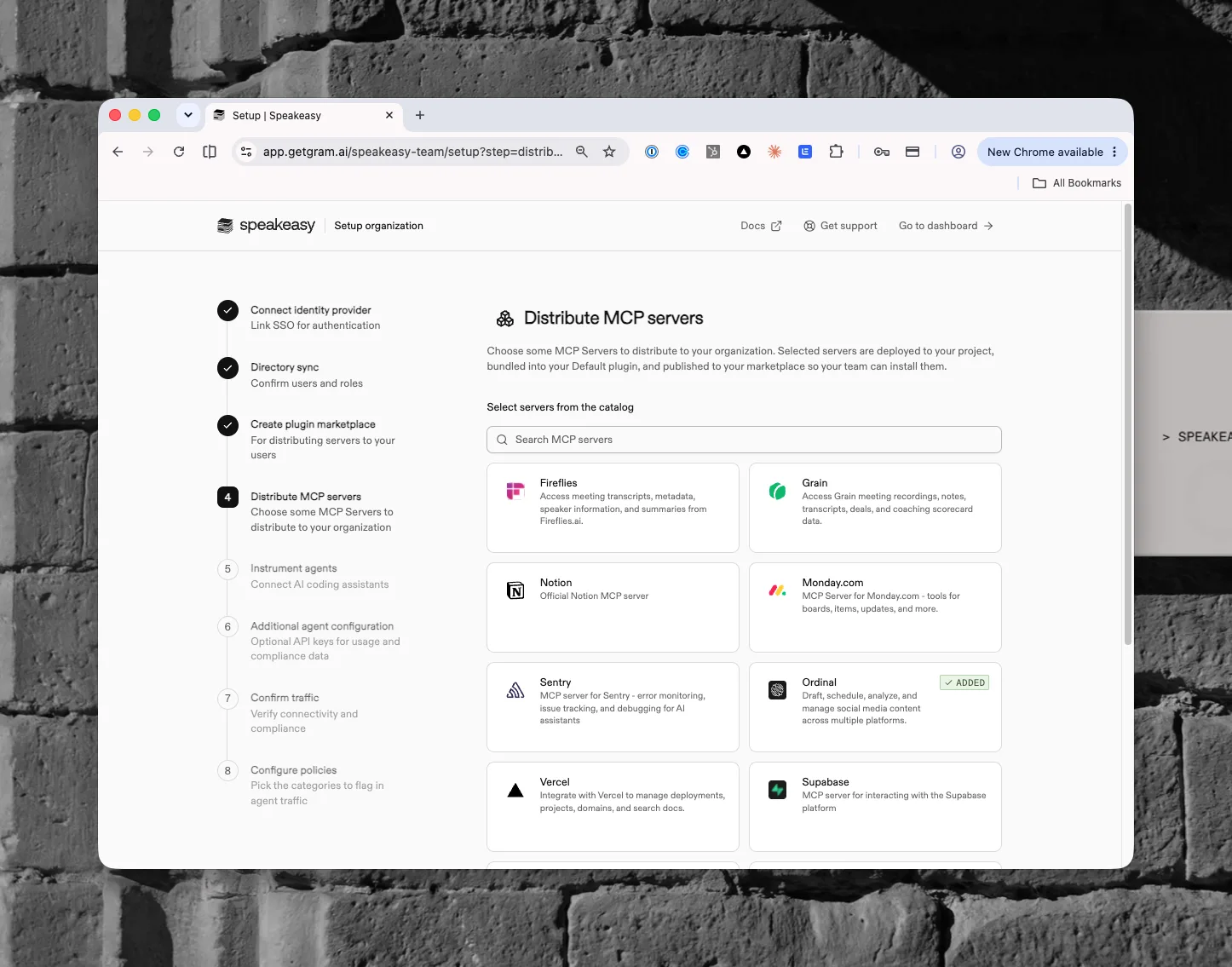
Section titled “Distribute MCP servers”Choose MCP servers from the catalog to roll out to the organization. Selected servers deploy to the project, bundle into the default plugin, and publish to the marketplace so the team can install them. The card is hidden by default; the same rollout is available any time from MCP Gateway > MCP, described in MCP Gateway and the catalog.
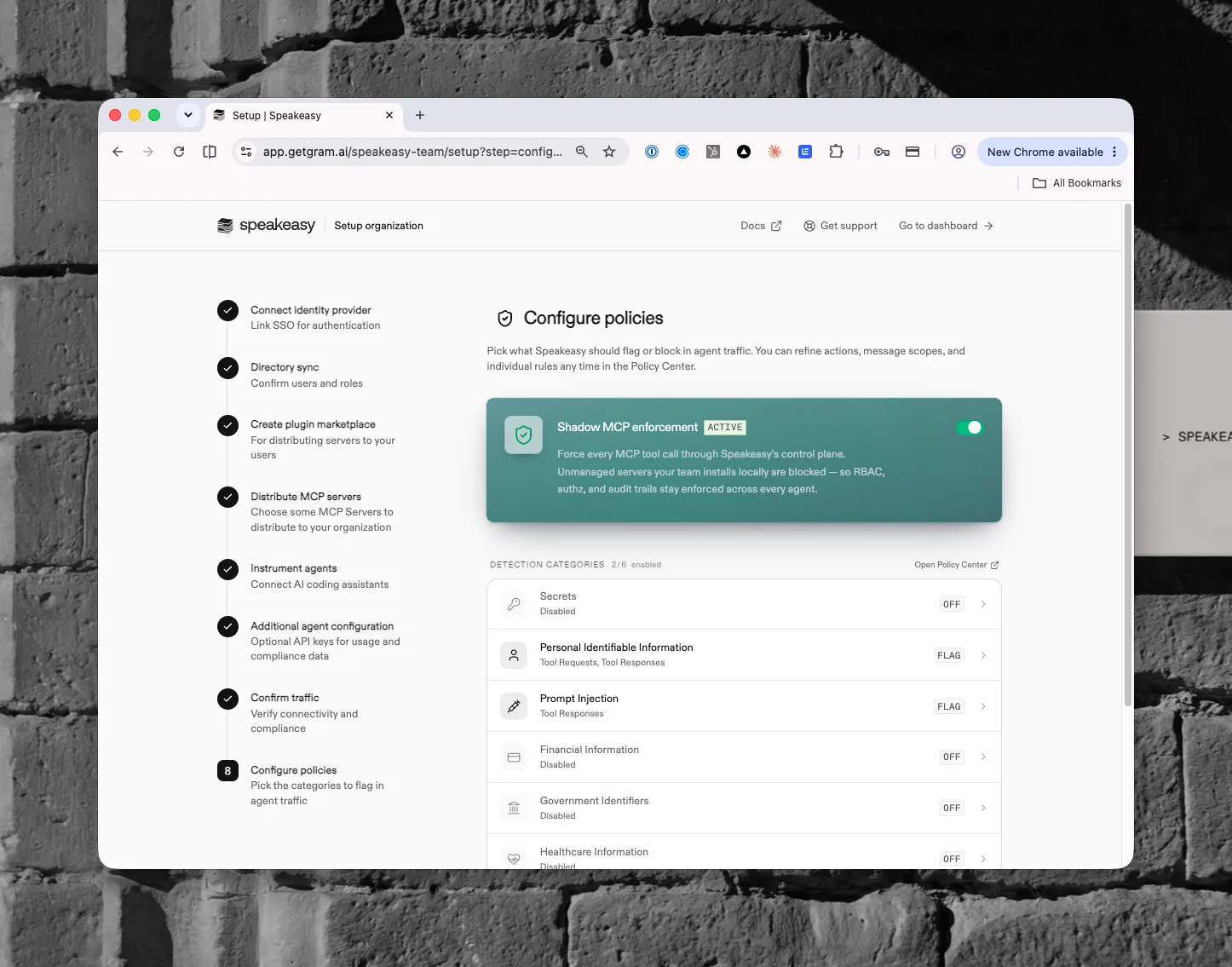
Configure policies
Section titled “Configure policies”Pick what to flag or block in agent traffic. Shadow MCP enforcement forces every MCP tool call through the control plane, so unmanaged servers are blocked and RBAC, authorization, and audit trails stay enforced. Each detection category (secrets, personal identifiable information, prompt injection, financial information, and more) can flag or block on a finding. The card is hidden by default. Refine actions, message scopes, and individual rules any time from Security and Policy > Guardrails; see Guardrails.
Set up Platform MCP
Section titled “Set up Platform MCP”Connect Platform MCP so admins can manage MCP servers and risk policies and explore logs from their own agent, and distribute its catalog. The card is hidden by default. See Platform MCP.
What comes next
Section titled “What comes next”Once setup completes, every agent session carries an identity managed under Identity, MCP servers, gateways, skills, and plugins are hosted and rolled out from MCP Gateway, policies scan sessions under Security and Policy, agent activity and spend flow into Observability, and the organization-level switches those sections depend on live in Organization settings, starting with Team.
To keep administering the platform from Claude Code, Cursor, or Codex instead of the dashboard, continue with your agent.