Security and Policy / Exclusion Rules
Exclusion Rules
Suppress false-positive findings with exclusion rules: expression criteria, AI-drafted suggestions, the built-in library, and one-click creation from findings.
Exclusion rules suppress findings that a guardrail policy correctly matched but that aren’t real risk: a shared test account, a documentation sample, a rule that misfires on an internal identifier format. They are a post-filter, so the policy keeps its detection coverage while the known-safe noise disappears.
Manage them on the Exclusion Rules tab of the Guardrails page, under Security and Policy > Guardrails in the dashboard.
Access requirements
Section titled “Access requirements”Viewing the tab and creating, editing, or deleting exclusions require the org:admin scope.
This page covers:
How exclusions behave
Retroactive and forward suppression, and what exclusions can't filter
Creating an exclusion
Set the scope and criteria, with an AI draft or by hand
Exclusion criteria
The expression clauses and their limits
Managing exclusions
Enable, disable, edit, or delete an exclusion from the table
Built-in exclusion library
The read-only presets that suppress published test values
Creating exclusions from findings
Prefill the criteria from a finding that shouldn't have fired
How exclusions behave
Section titled “How exclusions behave”An exclusion applies both retroactively and going forward. Saving one suppresses matching findings that already exist, and deleting one restores them. Exclusions never re-run analysis: they filter findings rather than change detection, and the retroactive sweep runs asynchronously, so counts across the dashboard settle a moment after saving.
Each exclusion is scoped either globally, across every policy in the project, or to a single policy.
Because exclusions filter on the matched value, they apply to the deterministic detectors. Prompt-based policies produce a judged verdict rather than a reproducible match, so tune those through the guardrail and its detection scope instead. The same split applies to scope: when whole classes of message are irrelevant to a policy, narrow its detection scope instead, which removes the scanning work along with the noise.
Creating an exclusion
Section titled “Creating an exclusion”-
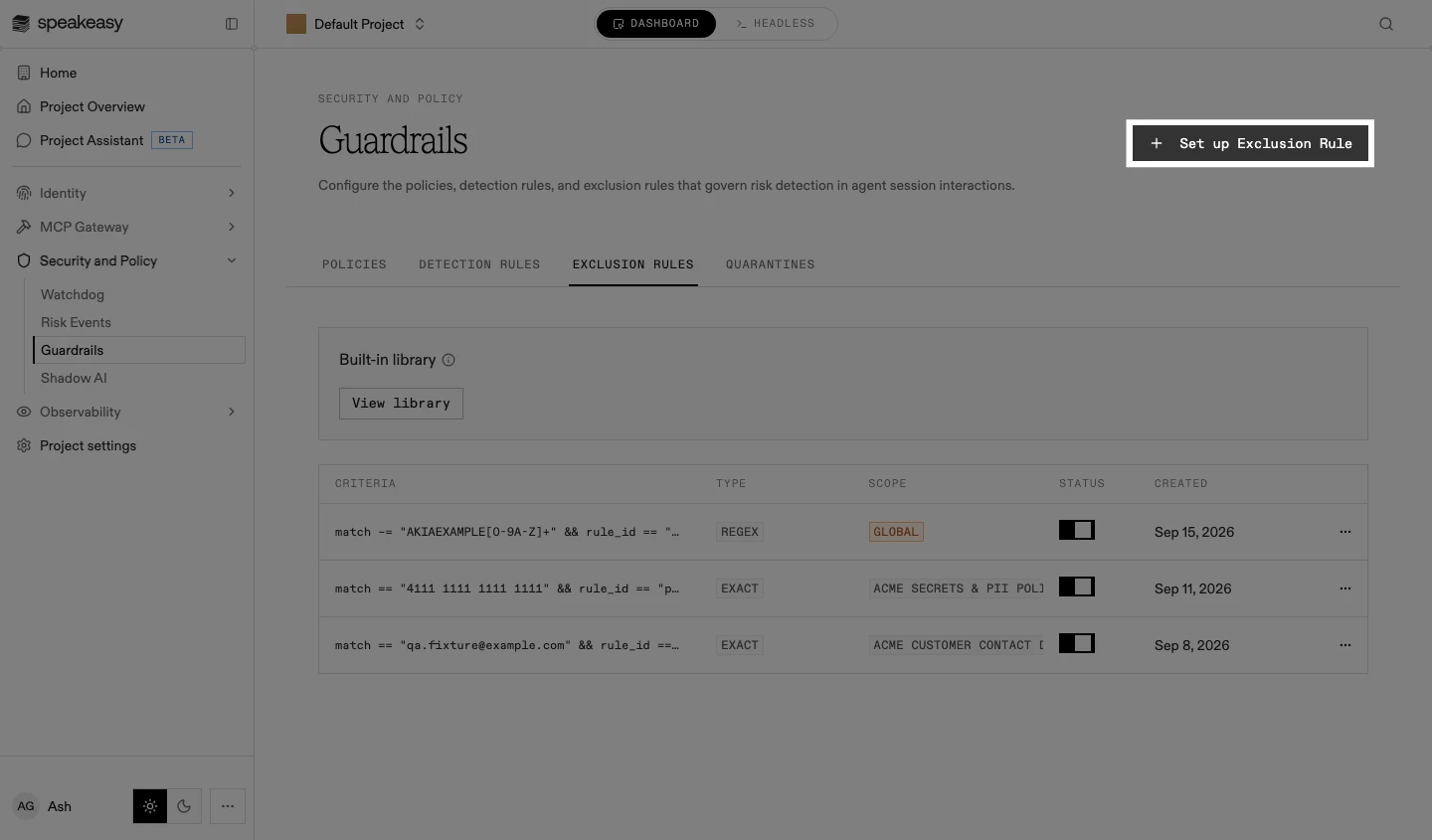
On the Exclusion Rules tab, select Set up Exclusion Rule. The exclusion sheet opens.
-
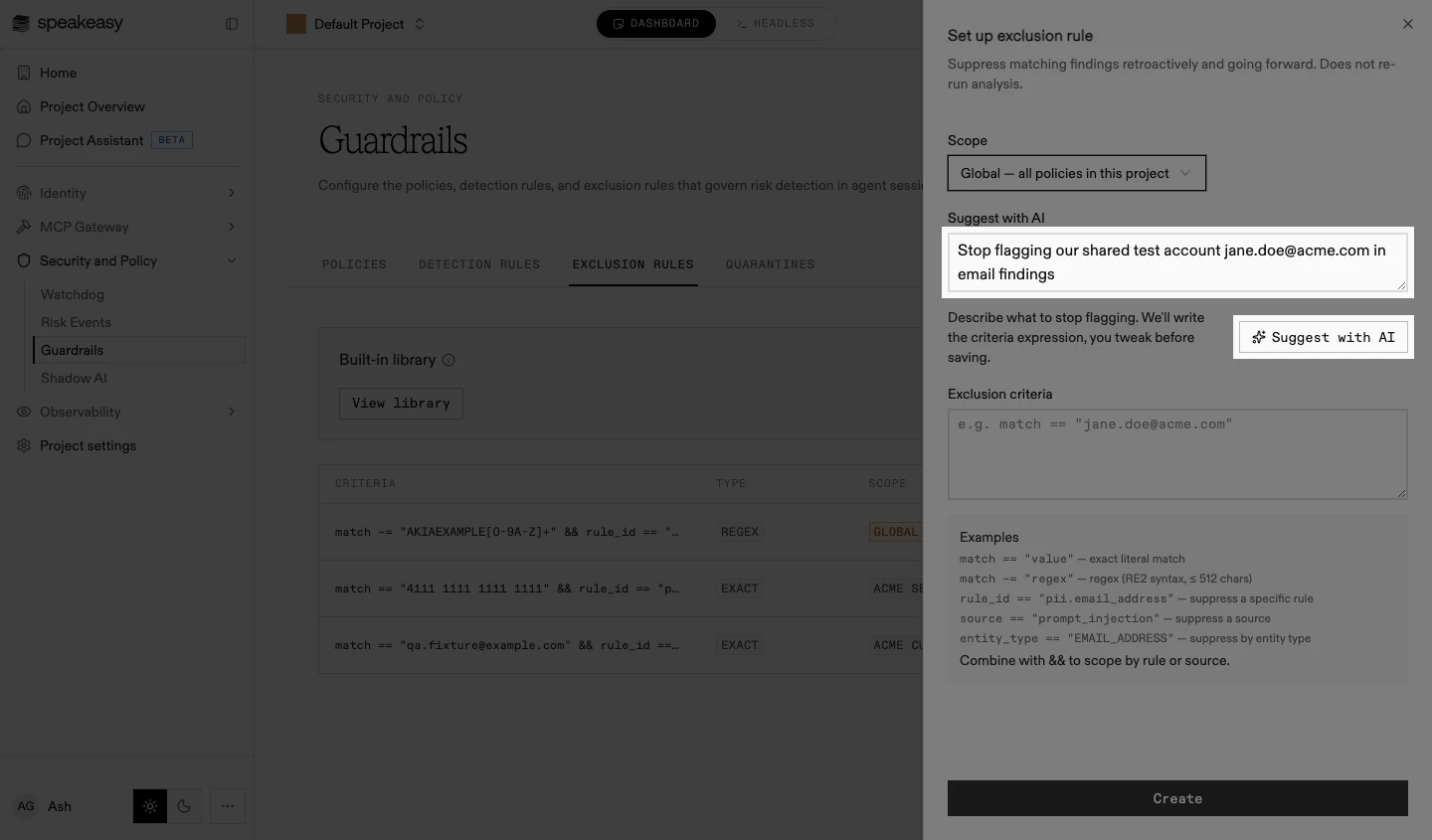
Set the Scope: global, applying to all policies in the project, or a single policy selected from the list.
-
Describe what to stop flagging and select Suggest with AI, or write the criteria expression directly in the Exclusion criteria field.
-
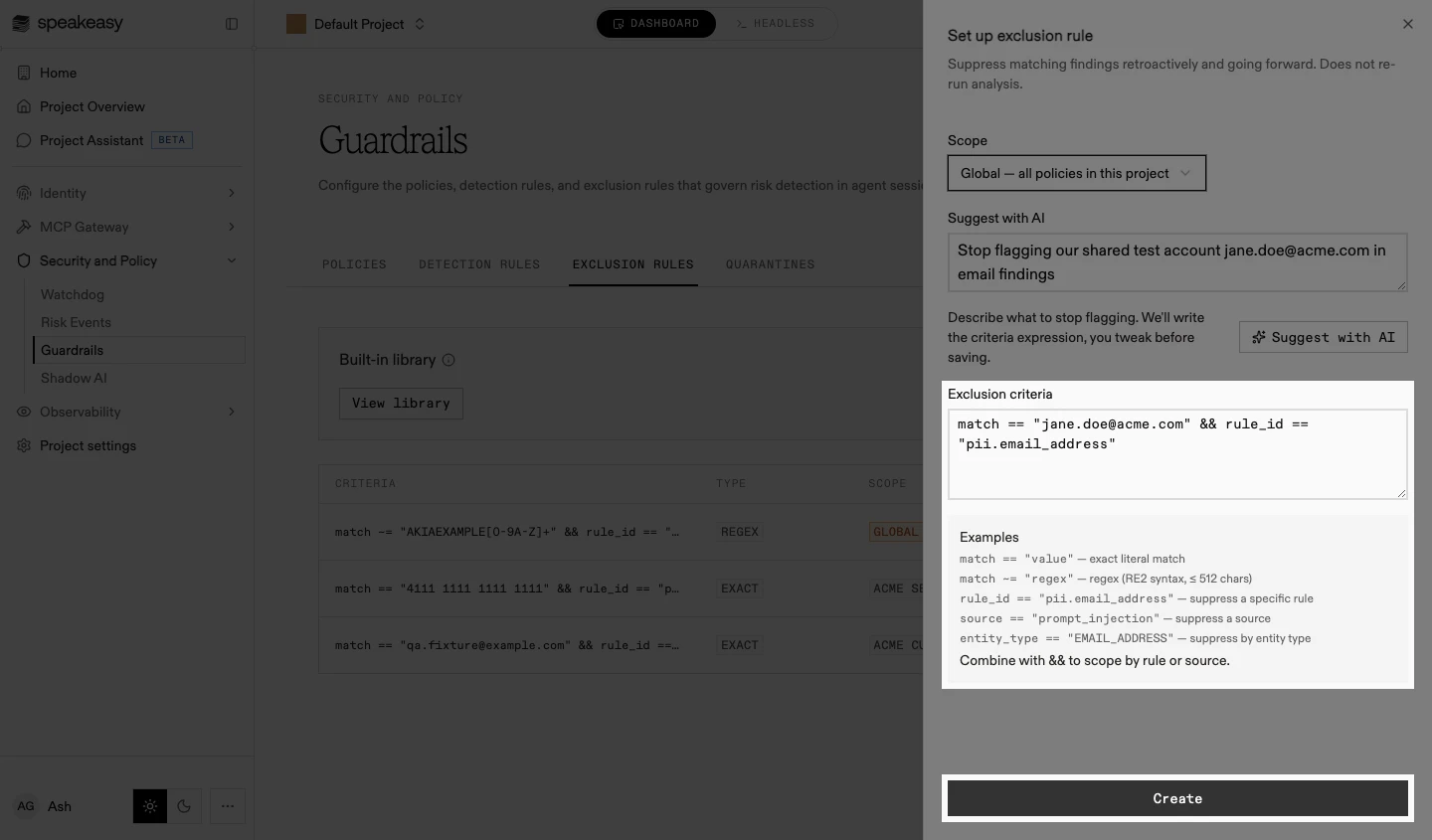
Review the criteria expression. The examples under the field show each clause form.
-
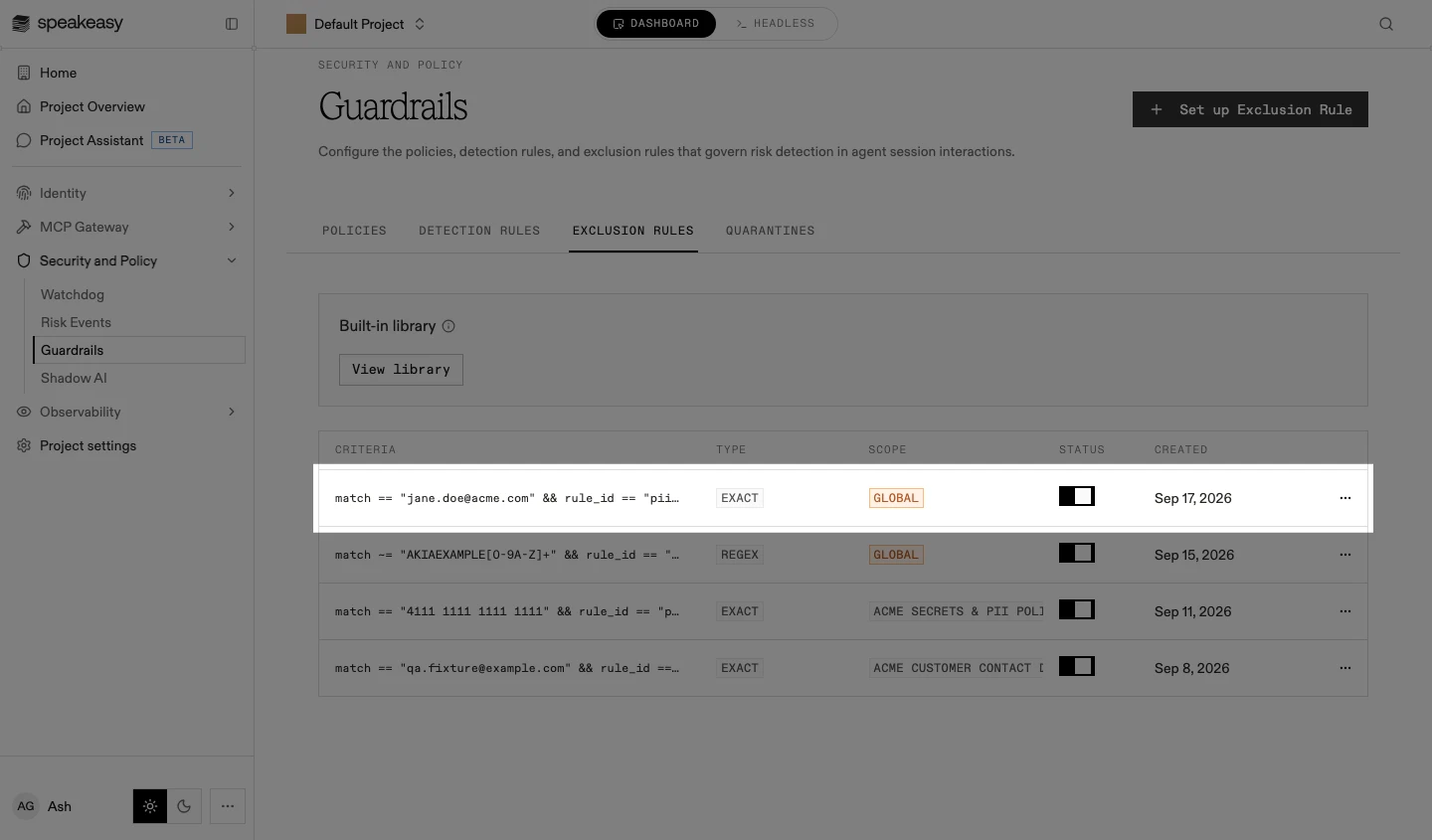
Select Create. The exclusion appears in the table, enabled, and the retroactive sweep starts.
Exclusion criteria
Section titled “Exclusion criteria”Criteria are written as an expression. A single primary clause selects what to suppress:
| Clause | Suppresses |
|---|---|
match == "value" | An exact literal value |
match ~= "regex" | Values matching an RE2 pattern, up to 512 characters |
rule_id == "pii.email_address" | Every finding from one rule |
source == "prompt_injection" | Every finding from one detection source |
entity_type == "EMAIL_ADDRESS" | Every finding of one entity type |
A rule_id or source clause can be joined to the primary clause with && to narrow it, so a value is suppressed only where a specific rule or source raised it:
match == "jane.doe@acme.com" && rule_id == "pii.email_address"Each scope allows up to 50 enabled regex exclusions; disabled drafts don’t count against the limit.
Exclusion values are redacted in audit logs and outbound webhook payloads, since an exact match value is often the sensitive string being suppressed.
Managing exclusions
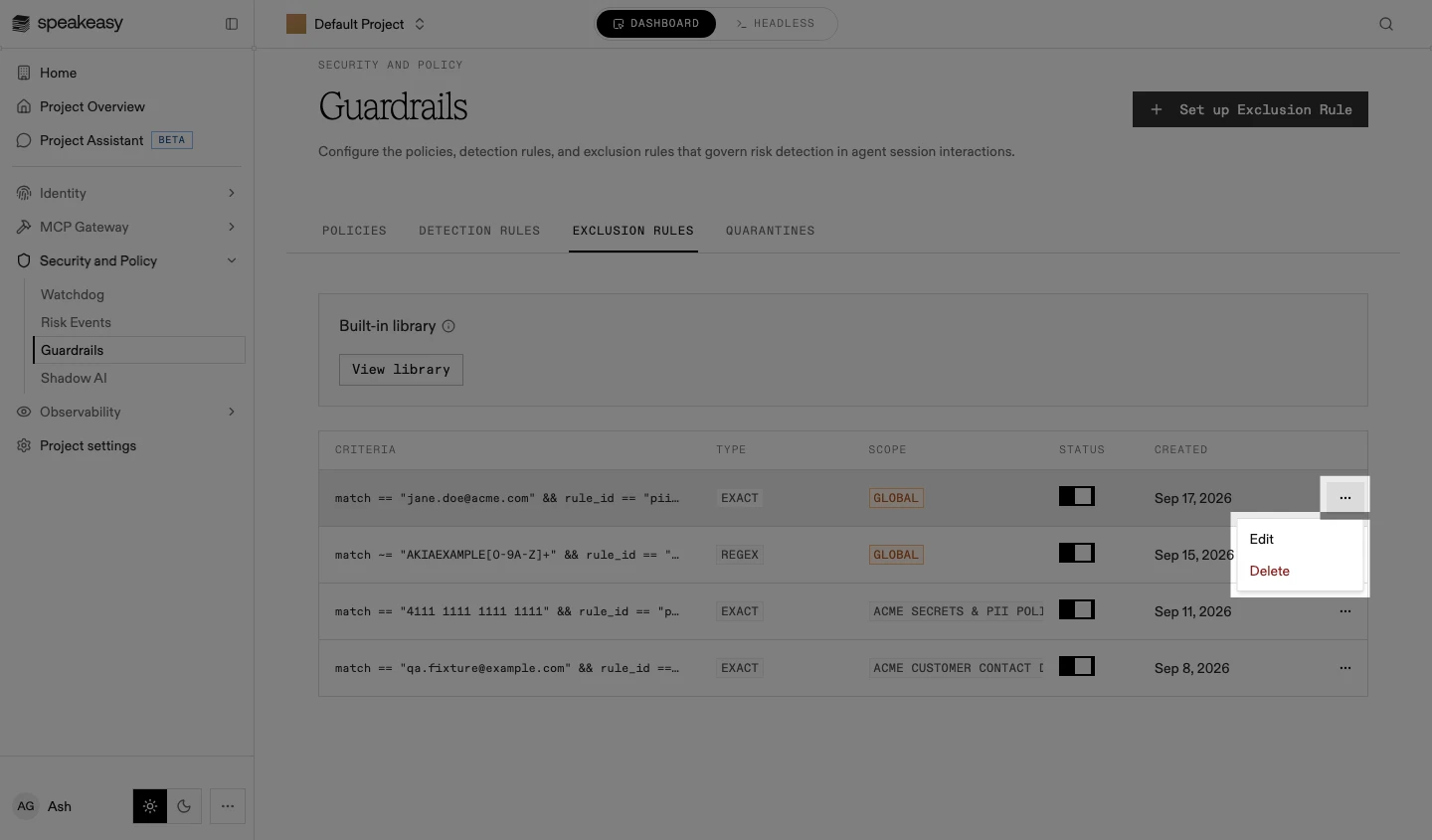
Section titled “Managing exclusions”The table shows each exclusion’s criteria, type, scope, status, and creation date.
- To enable or disable an exclusion, use the toggle in its row.
- To edit or delete an exclusion, open its row actions. Deleting an exclusion restores the findings it suppressed.
Built-in exclusion library
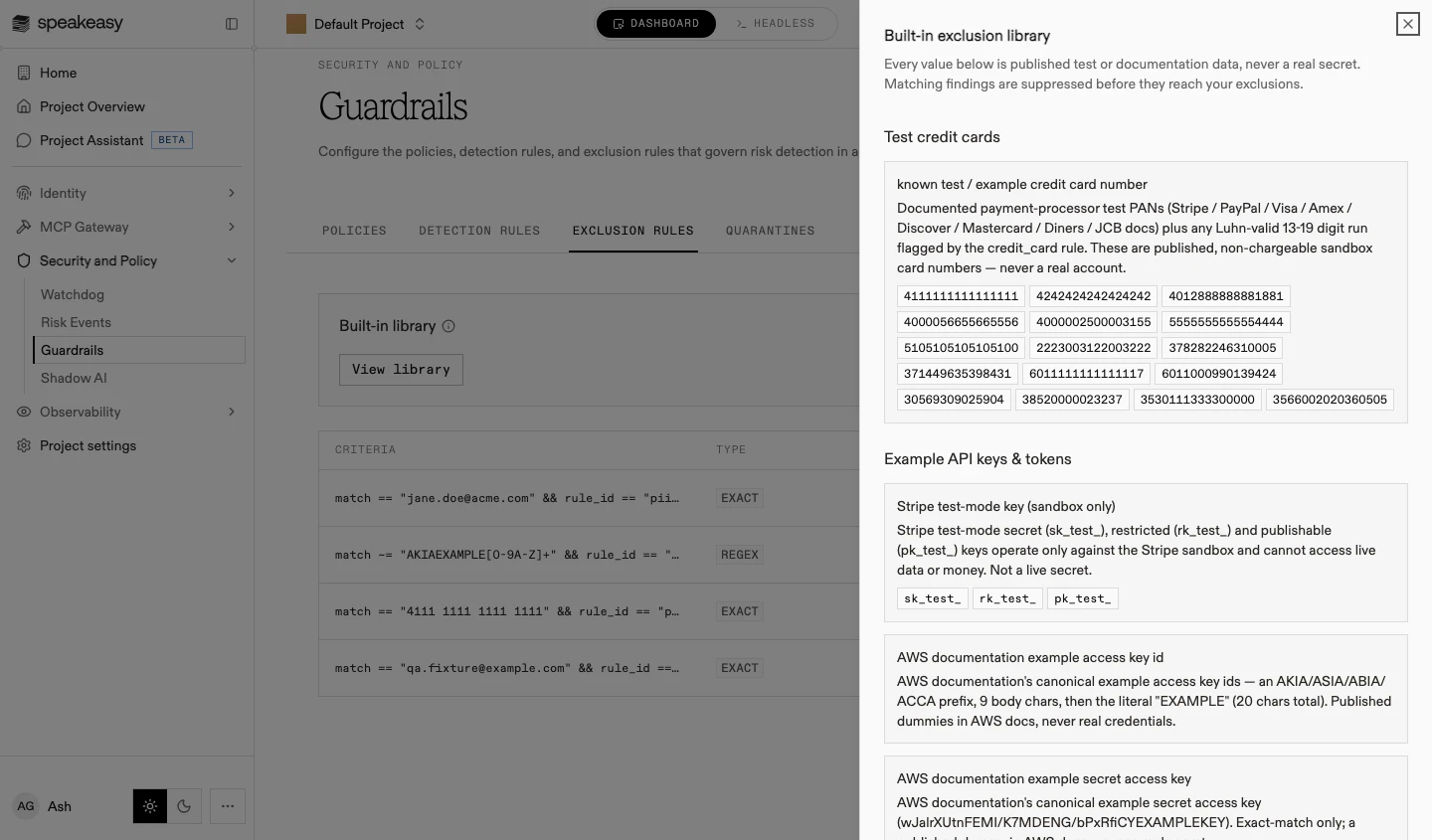
Section titled “Built-in exclusion library”Speakeasy ships a curated preset library that suppresses common false positives before they reach a project’s own exclusions: published test credit card numbers, documentation example keys, and other known-safe values. The library is read-only and needs no configuration.
To review what it covers, select View library. Each preset lists its reasoning and the sample values it suppresses.
Creating exclusions from findings
Section titled “Creating exclusions from findings”The fastest way to write an exclusion is from a finding that shouldn’t have fired. In Watchdog, select the signals and choose Suppress > Create Rule: the criteria prefill from the signal, the matched span where there is one and otherwise the rule or the source. An agent session transcript offers the same exclusion action on a flagged finding.
Reviewing findings and suppressing the noise in place is usually a better way to tune a policy than writing criteria from scratch.