Security and Policy / Detection Rules
Detection Rules
The catalog of built-in and custom detection rules behind guardrail policies, with a playground for testing rules and AI-assisted custom rule authoring.
The Detection Rules tab of the Guardrails page catalogs the reusable rules that guardrail policies scan with: a built-in library grouped by category, and the organization’s custom rules. Policies use rules in both directions, to flag messages and to exempt them through exclusion rules. A rule detects nothing on its own until a policy turns it on.
Open it from Security and Policy > Guardrails in the dashboard and select the Detection Rules tab. Old links to the standalone Detection Rules page redirect to the tab.
Access requirements
Section titled “Access requirements”Viewing the tab requires the org:admin scope.
This page covers:
Browsing the catalog
Section titled “Browsing the catalog”-
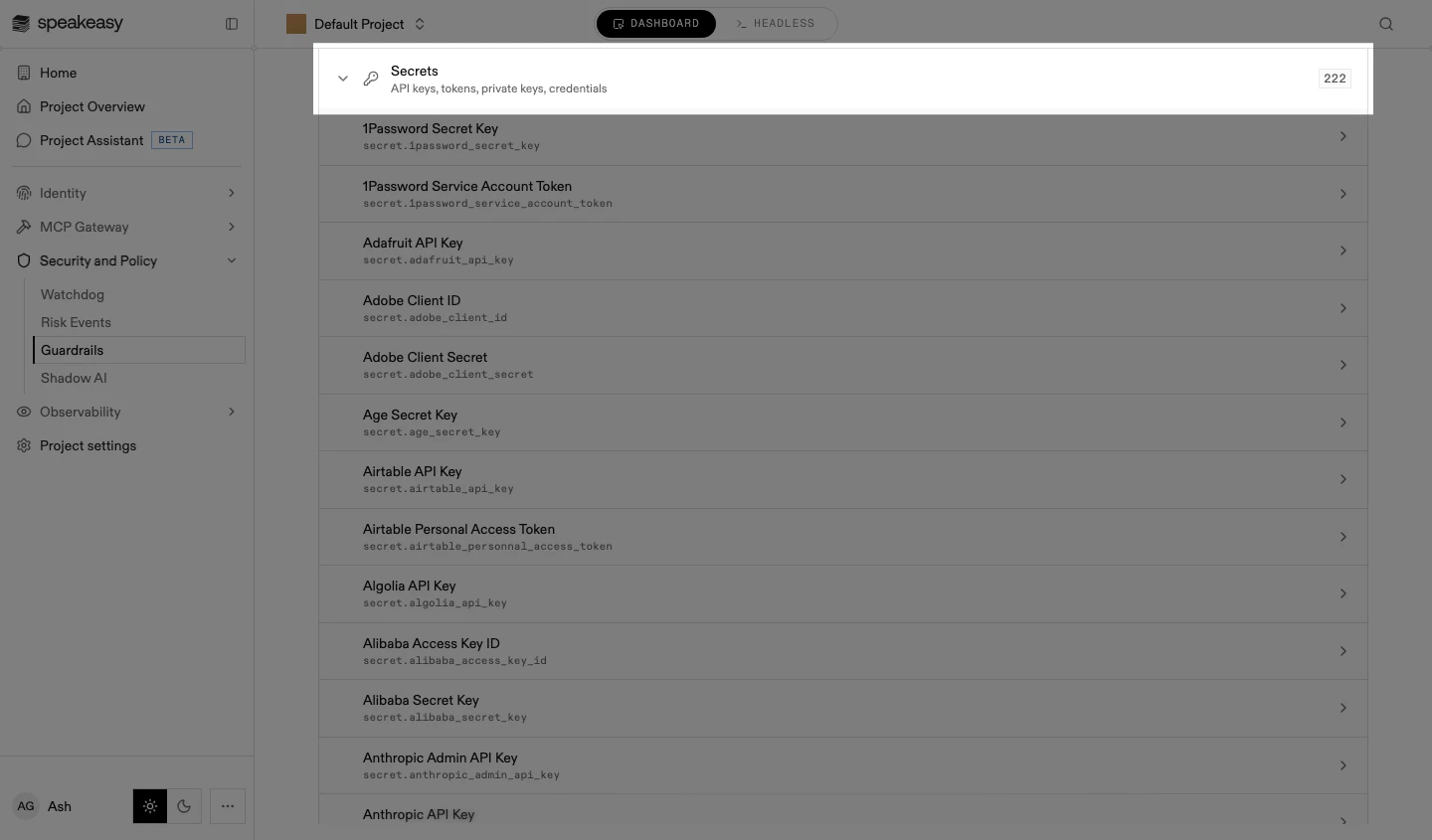
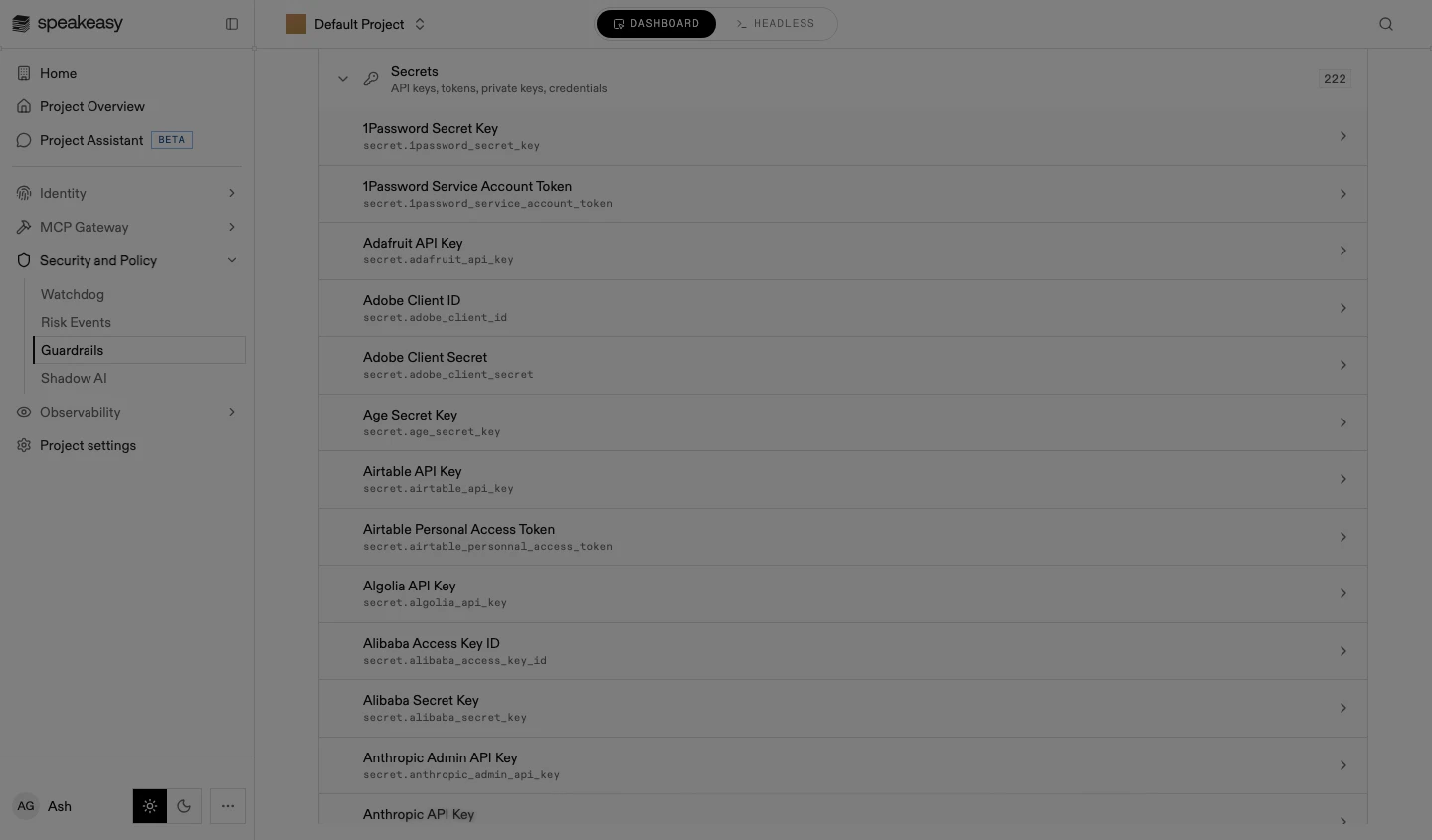
Select a category. Its rule list expands, one row per rule with the rule’s name and id.
-
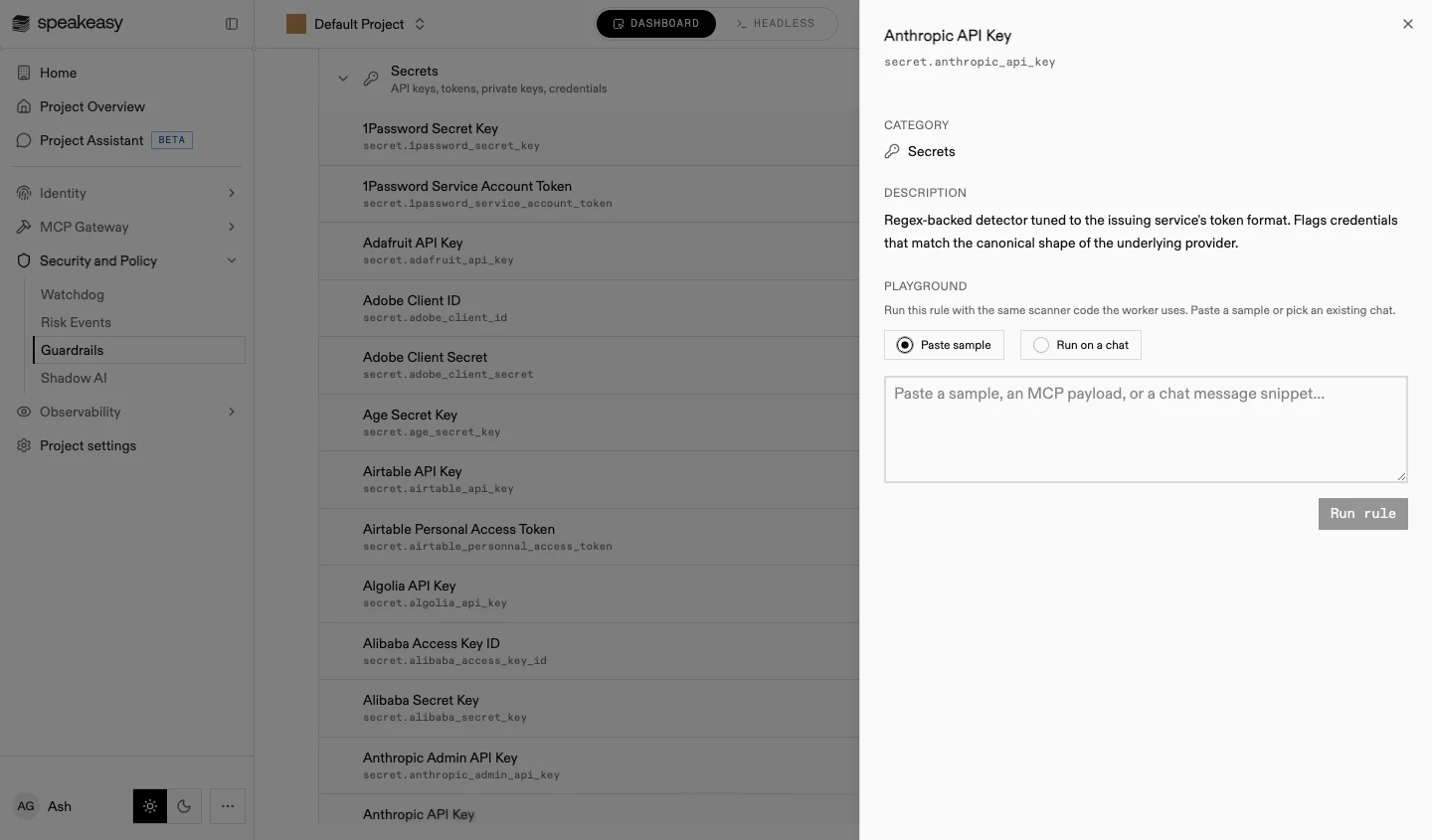
Select a rule. The rule sheet opens with the rule’s category, a description of what it detects, and a playground.
The Built-in group lists the detector categories from the detector category table, each with its rule count. The organization’s own rules sit above it in a Custom group.
Testing a rule
Section titled “Testing a rule”Every rule sheet carries a playground that runs the rule with the same scanner code the production worker uses.
-
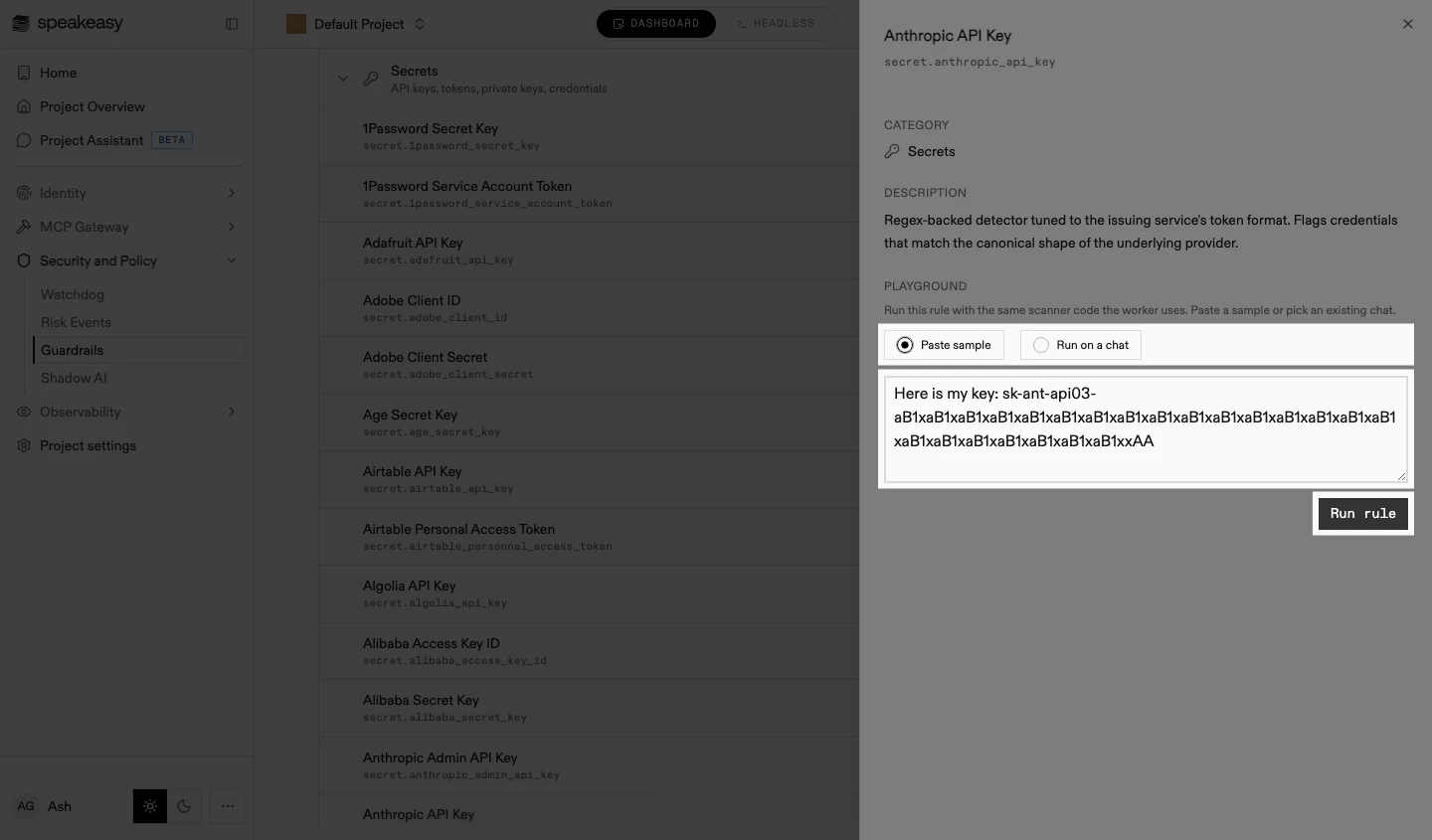
Choose the input: Paste sample for pasted text, or Run on a chat to run the rule over an existing agent session, picked by external user.
-
Paste a sample value, an MCP payload, or a chat message snippet, and select Run rule.
-
Review the matches. Each match shows the rule id, the match span, the confidence, the category, the matched value, and a description of the finding.
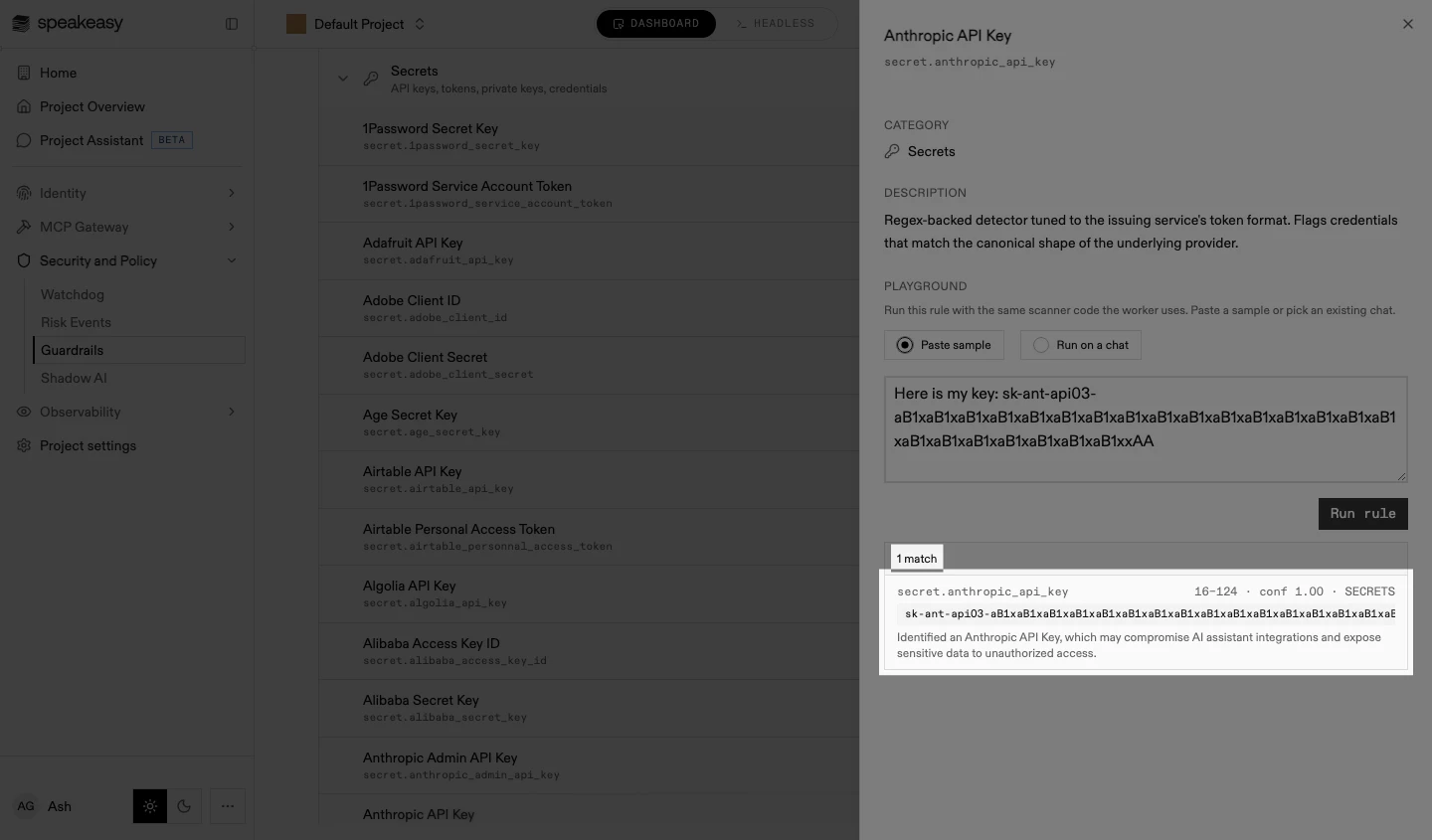
A run that returns 0 matches on a value the rule should catch usually means the sample doesn’t match the detector’s canonical format. Built-in secret detectors are tuned to the issuing service’s exact token shape.
Creating a custom rule
Section titled “Creating a custom rule”-
Select Custom Detection Rule. The new rule sheet opens.
-
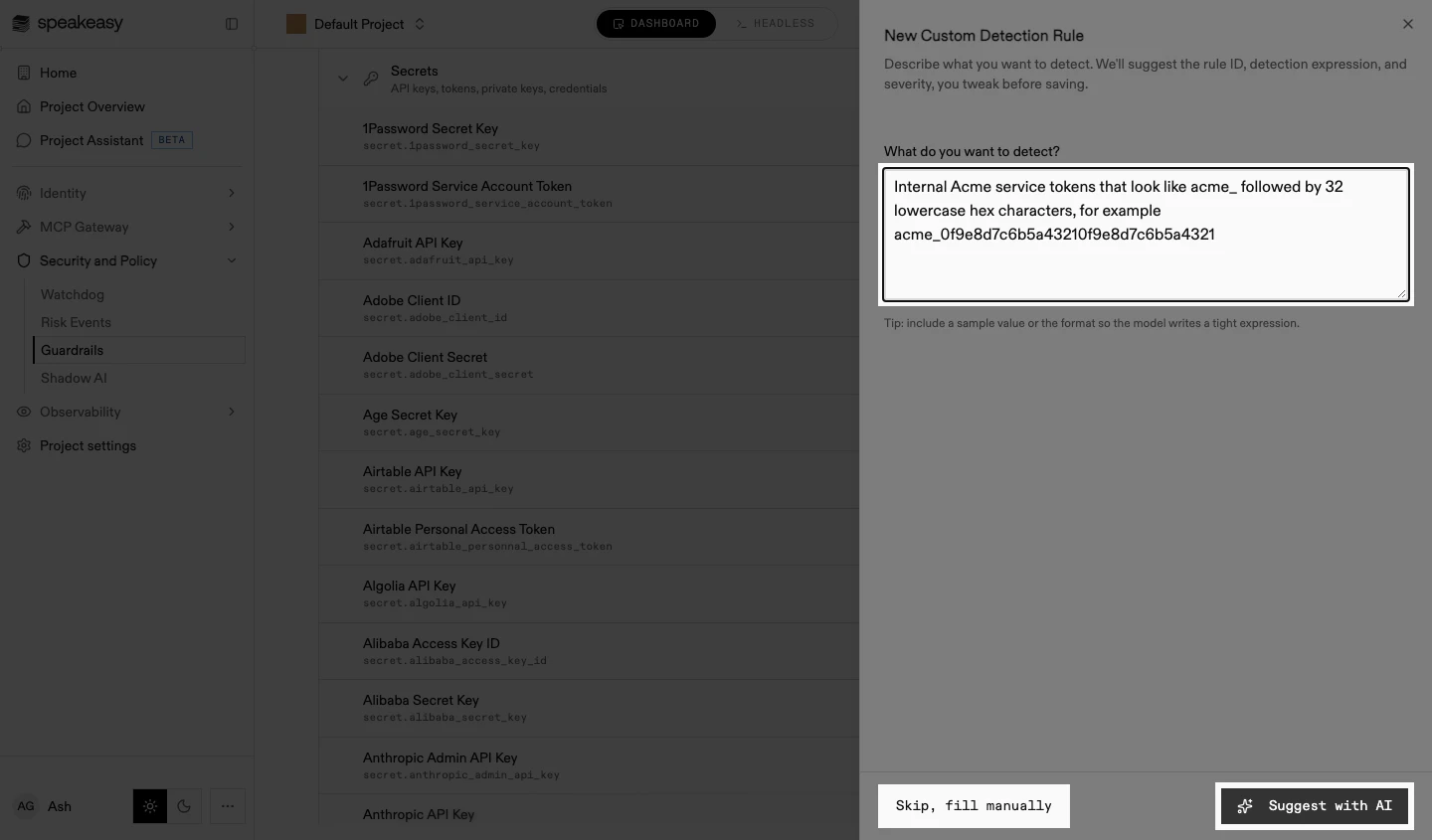
Describe what to detect and select Suggest with AI, or select Skip, fill manually to start from empty fields. Include a sample value or the format in the description, so the model writes a tight expression.
-
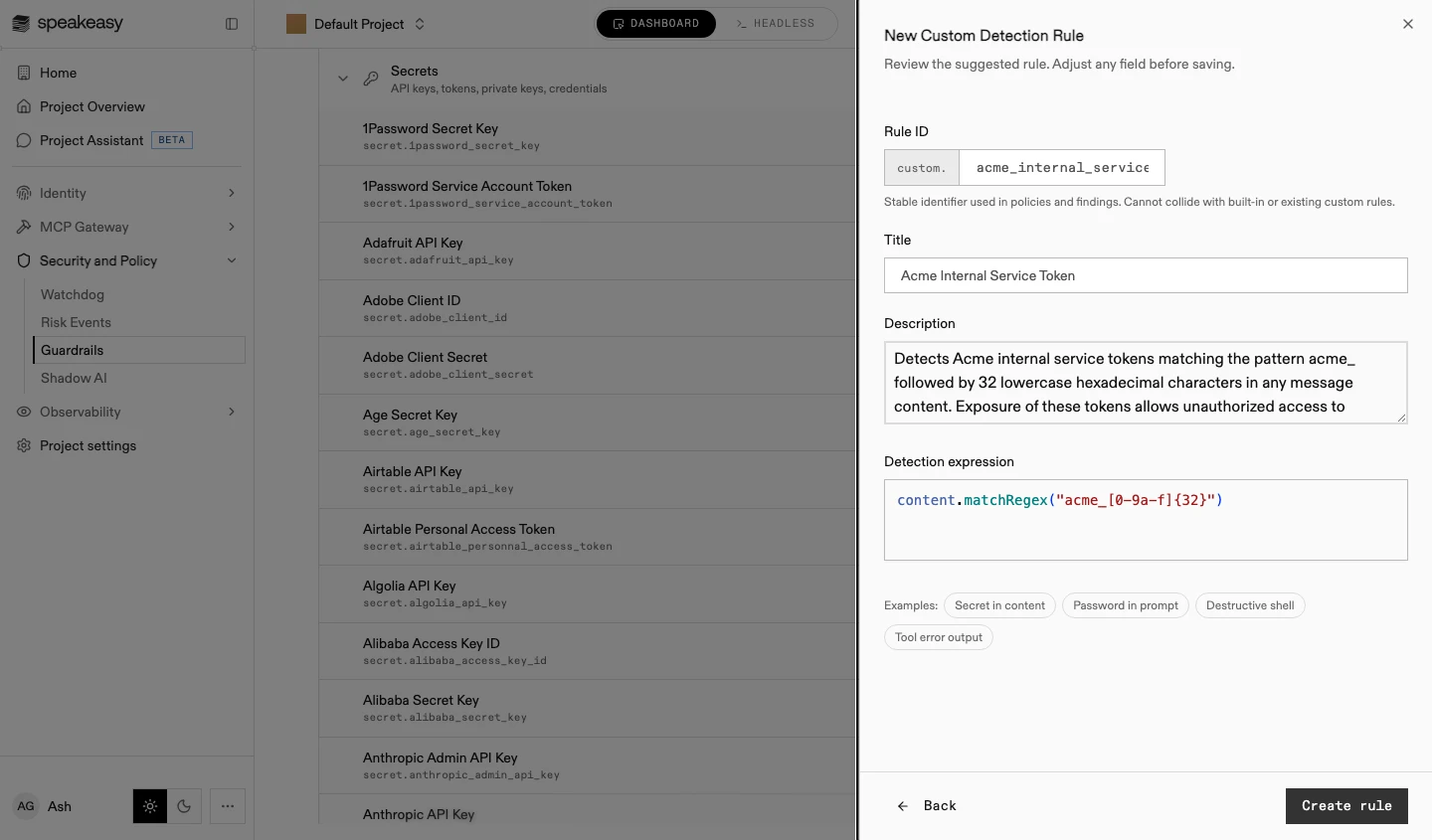
Review the suggested rule and adjust any field:
- Rule ID: the identifier that policies and findings use to reference the rule. It always starts with
custom., must be unique across all built-in and custom rules, and cannot change after creation - Title: the rule’s display name in the catalog and on findings
- Description: what the rule detects and why it matters, shown to reviewers alongside findings
- Detection expression: the CEL expression the scanner evaluates against message content. The example chips below it insert working patterns to start from
- Rule ID: the identifier that policies and findings use to reference the rule. It always starts with
-
Select Create rule. The rule appears in the Custom group of the catalog.
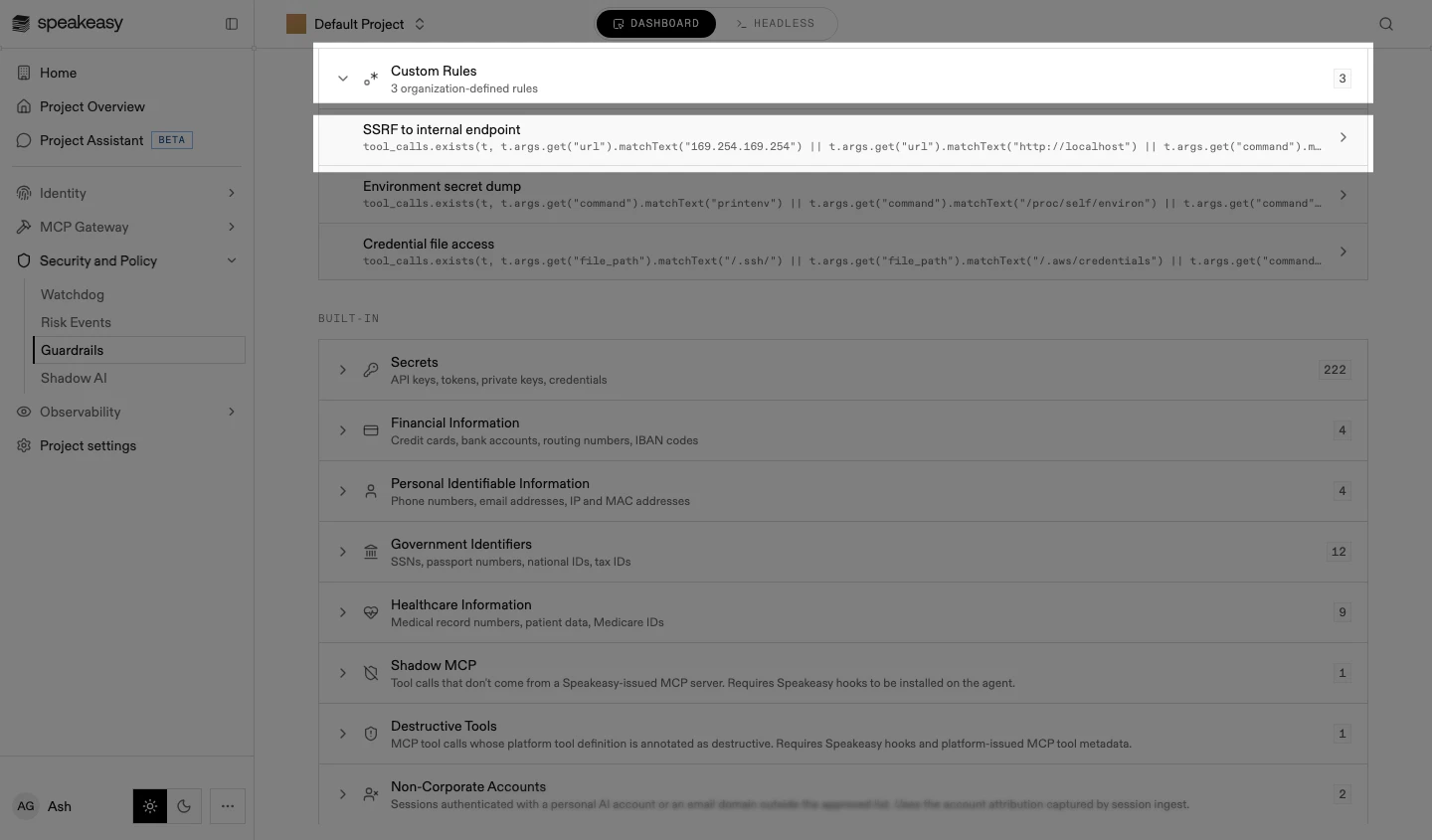
A custom rule attaches to a policy from the Custom Rules section of the policy’s Detect step, where each rule is selected individually.
Editing a custom rule
Section titled “Editing a custom rule”-
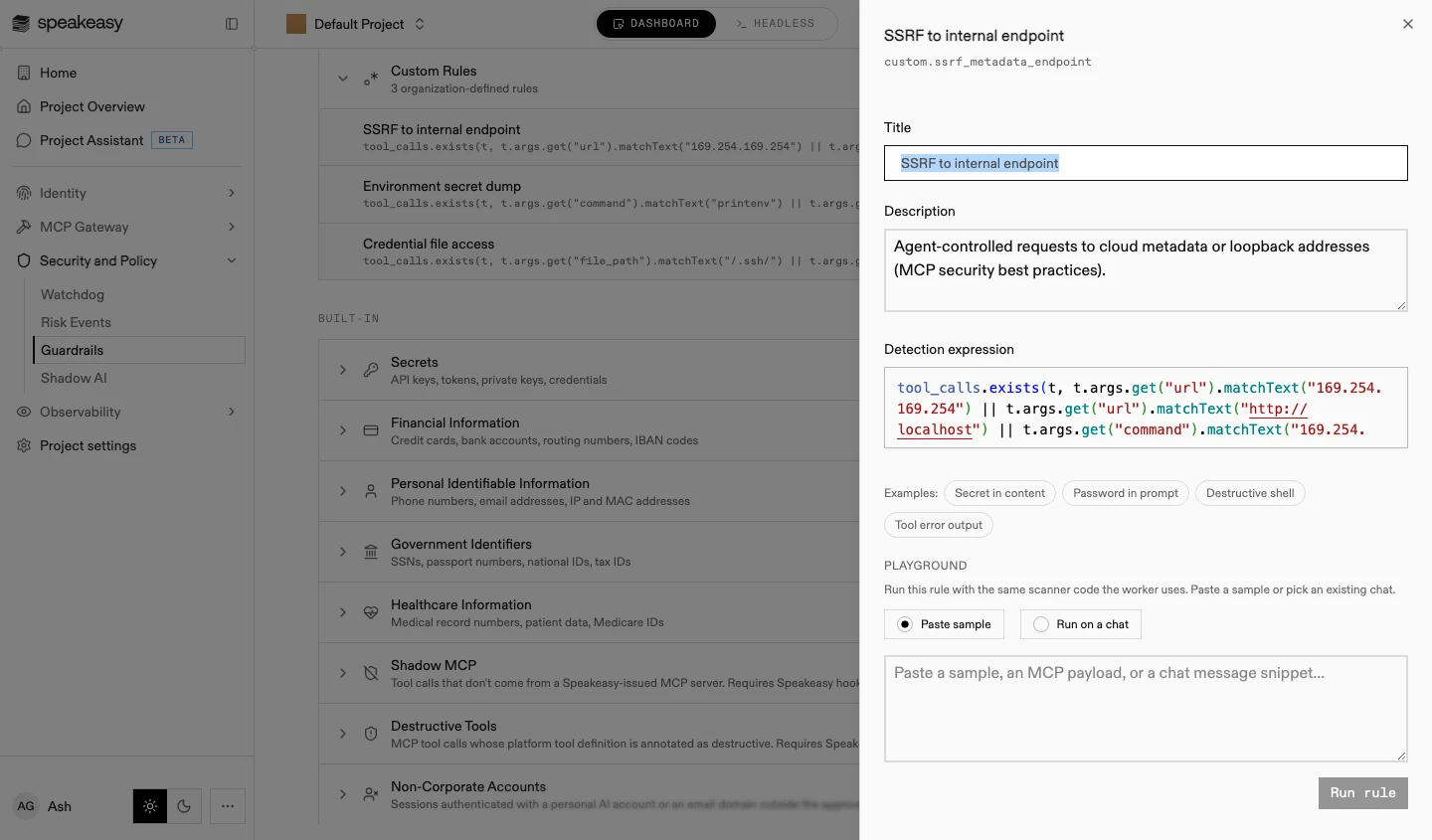
In the Custom group, select the rule. Its sheet opens as an editor, with the rule’s fields and the playground.
-
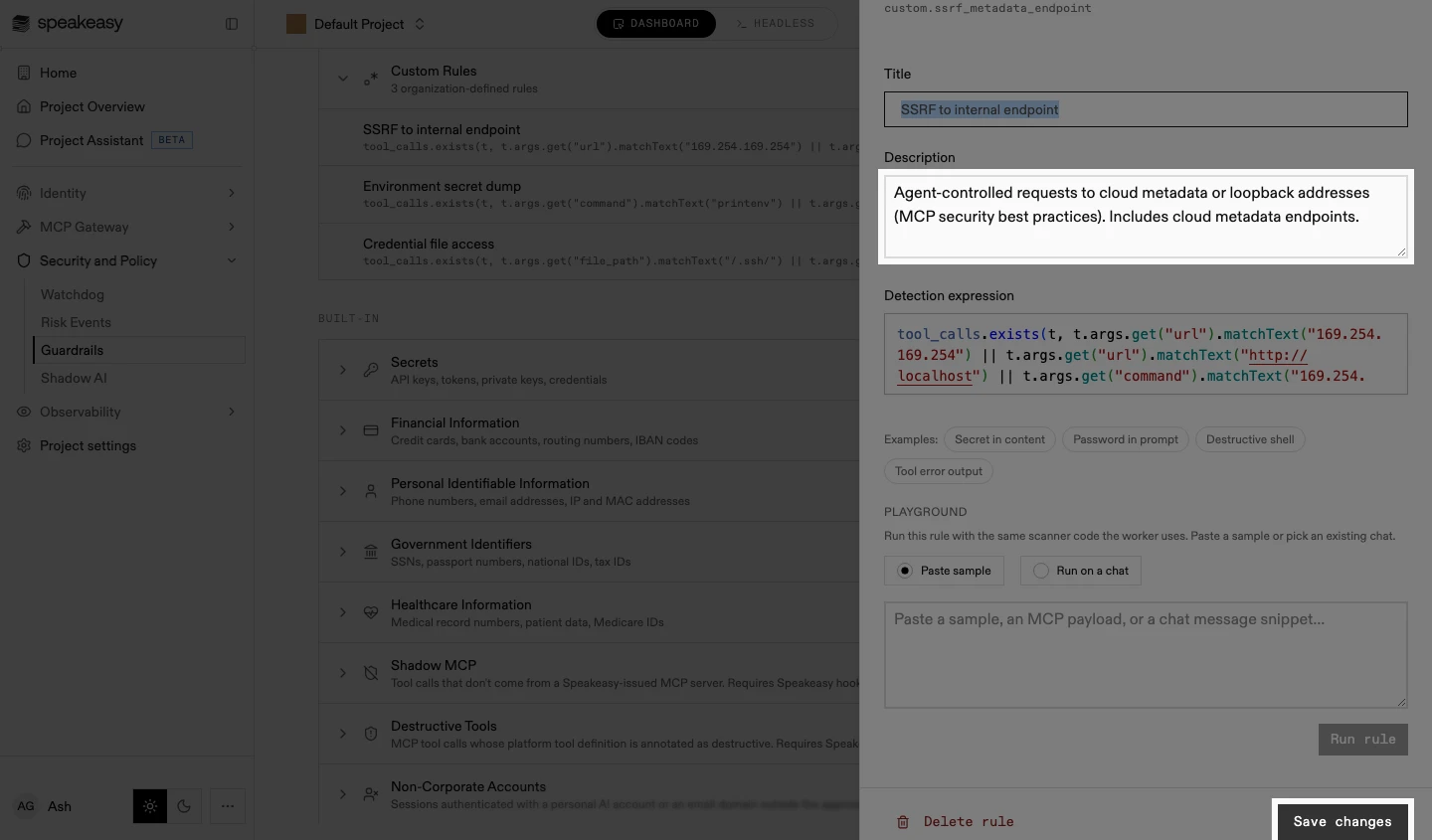
Adjust the title, description, or detection expression. Test the change in the playground, then select Save changes.
-
To remove the rule, select Delete rule in the sheet’s footer, beside Save changes. Deletion is immediate: there is no confirmation step.
Built-in rules cannot be edited or deleted. To narrow one, disable it for a policy on the Detect step’s Customize panel, or suppress specific values with an exclusion rule.