Organization settings / Audit Logs
Audit Logs
Review an organization-wide feed of who changed what, when, and from which surface, with filters, expandable diffs, and an AI assistant for querying activity.
Audit Logs record administrative activity across the organization in a single feed: who changed what, when, and from which surface. Open the page from Organization settings > Secure > Audit Logs in the dashboard.
Access requirements
Section titled “Access requirements”Viewing the audit log requires the org:read scope, which both the Admin and Member default roles include. The page is oriented toward organization administrators reviewing account activity. Roles and scopes are managed in Roles and Permissions.
What the feed shows
Section titled “What the feed shows”Events list chronologically, grouped by date. Each row displays a color-coded action badge in resource:action form (like api_key:create, mcp:delete, or chat_session:access), the actor, a human-readable description of what changed, and a timestamp. Member-invite events show the role before and after the change, and rows that modified data include a Show diff control revealing exactly what changed.
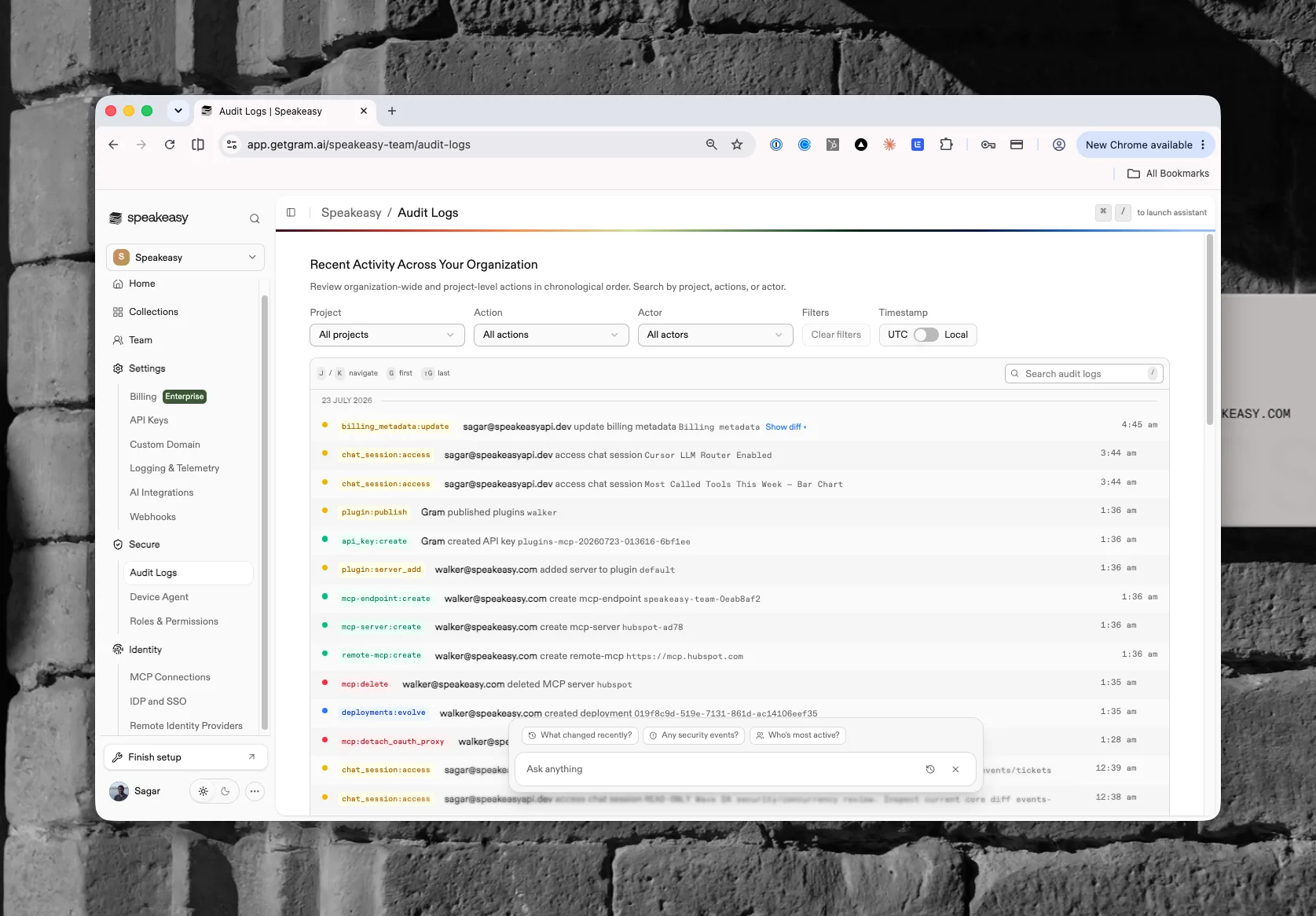
Each entry also records the surface the change came from. Changes made in the dashboard carry no extra label; changes made through an API key, the Platform MCP, or the Project assistant show a via badge naming that surface, with the OAuth client ID on hover where one applies. Actor names link to the person’s profile in the Identity section.
Recent activity from this feed also appears on the organization home page.
Filtering and navigating
Section titled “Filtering and navigating”Dropdowns at the top scope the feed by Project, Action, Actor, and Surface, with Clear filters to reset; a UTC / Local toggle switches timestamp display. A search box covers the whole log.
The feed supports keyboard navigation: J and K move between events, G jumps to the first and Shift+G to the last, / focuses search, and N and Shift+N step through search matches.
Asking questions with the assistant
Section titled “Asking questions with the assistant”An Audit Log Insights assistant answers natural-language questions over the feed. Suggested prompts include “What changed recently?”, “Any security events?”, and “Who’s most active?”, so activity can be summarized without scanning rows manually.
Used by
Section titled “Used by”- Watchdog and Exclusions
- Budgets
- MCP Sessions revocations and Agent Sessions transcript opens
- Model Provider Keys, Webhooks, and Logging Settings