Security and Policy / Shadow AI
Shadow AI
The inventory of AI tools enrolled devices report: coding harnesses, assistants, and local models, with gateway access decisions for the tools that speak MCP.
The Shadow AI page inventories the AI tooling in the organization that nobody provisioned centrally: the coding harnesses, assistants, and local models that enrolled devices report, and the MCP servers discovered in agent traffic. For the tools that speak MCP, it also records the organization’s decision on whether they may reach the organization’s MCP gateway. Open the page from Security and Policy > Shadow AI in the dashboard.
Access requirements
Section titled “Access requirements”Viewing this page and deciding access require the org:admin scope. Reporting depends on the device agent, which is enabled per organization.
This page covers:
Harnesses and assistants
The MCP-speaking tools devices report, and their inventory tabs
Deciding gateway access
Approve or block a tool at the MCP gateway, and what gates the decision
Local models
The inventory-only tab for models that never speak MCP
MCPs
The shadow MCP server inventory and its access reviews
Harnesses and assistants
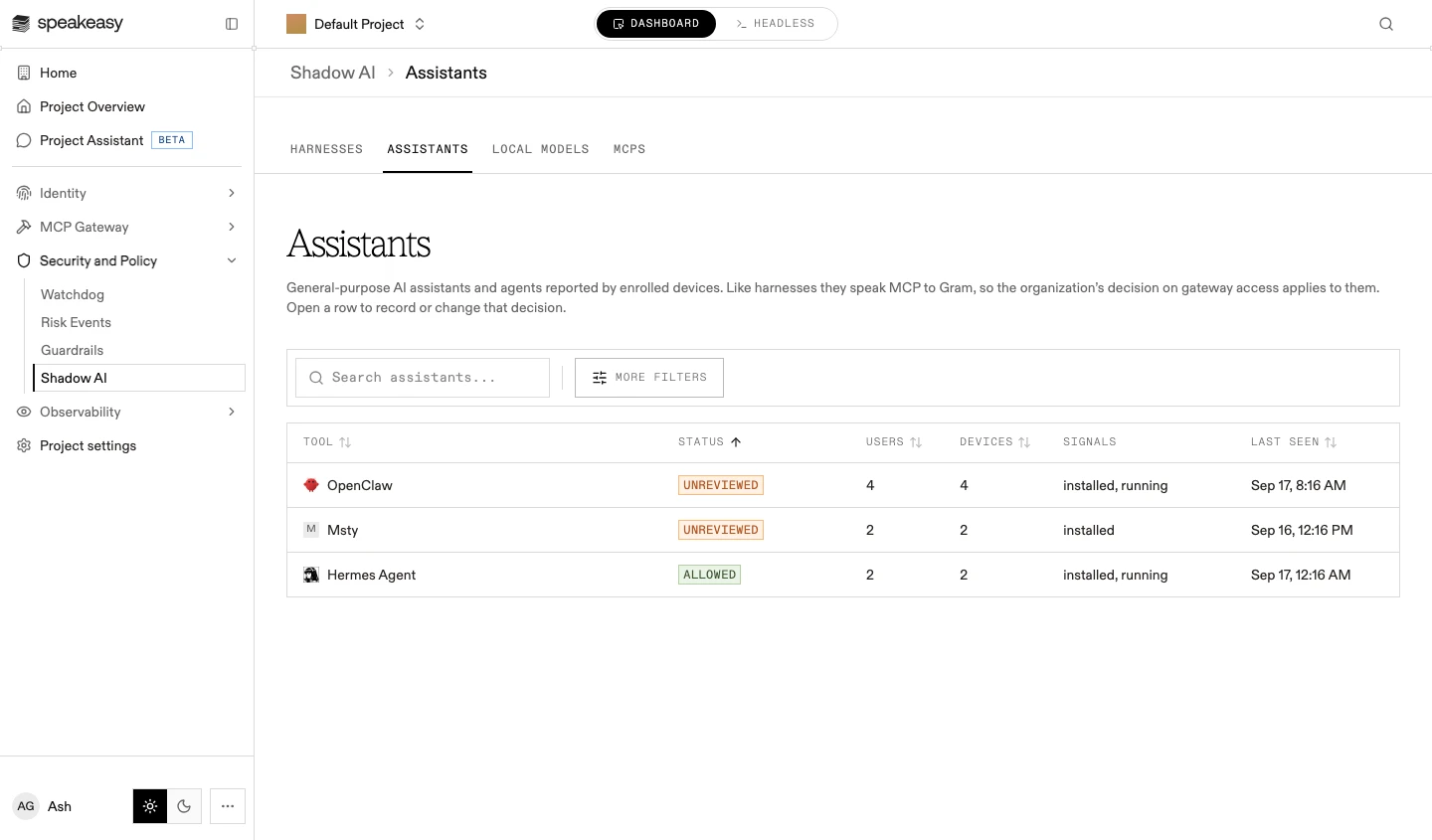
Section titled “Harnesses and assistants”The Harnesses tab lists every agentic coding tool and AI IDE that enrolled devices have reported. The Assistants tab lists general-purpose AI assistants and agents the same way. Both kinds of tool speak MCP to the platform, so the organization’s decision on gateway access applies to them.
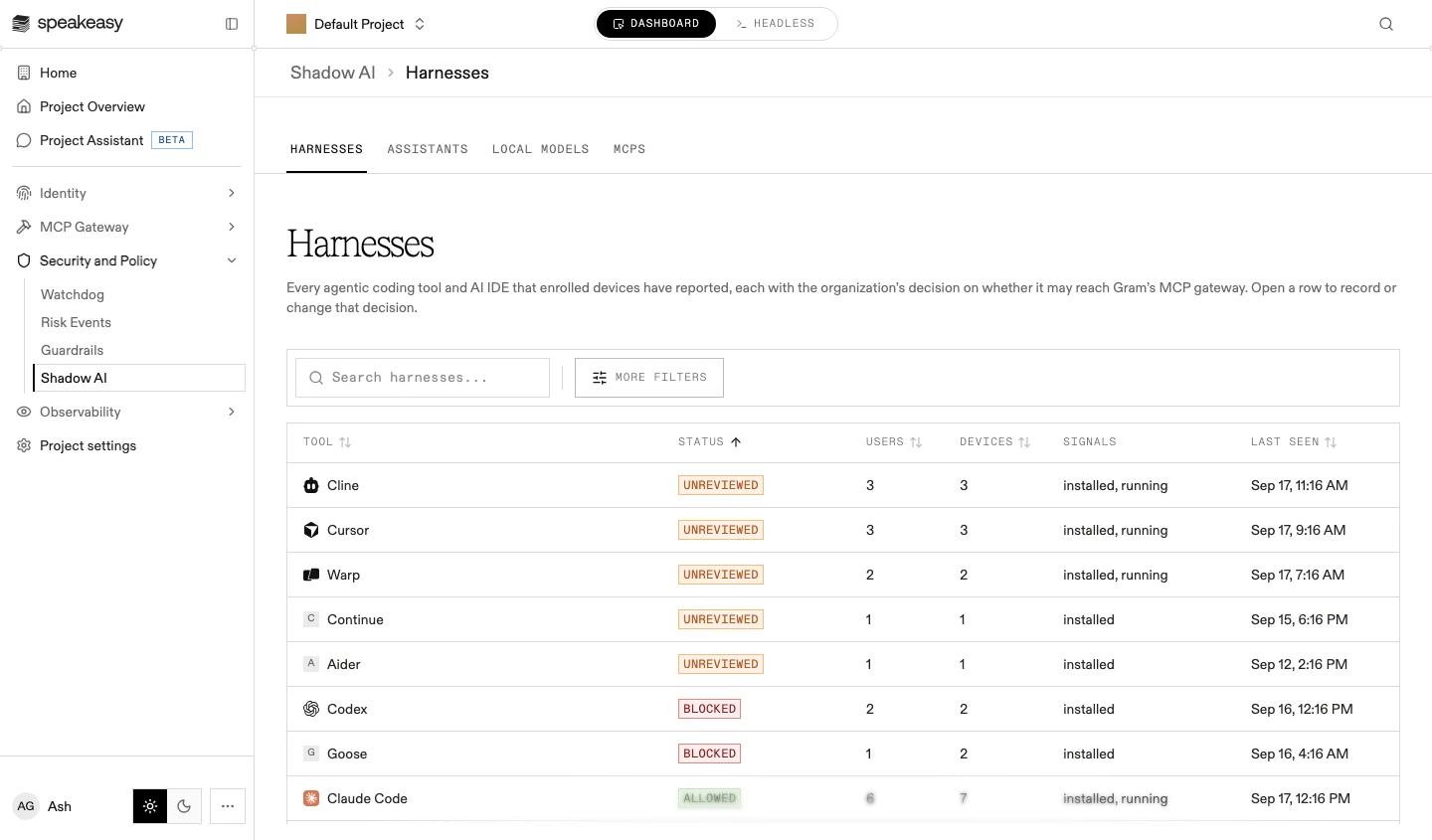
Each row shows the tool, its decision status (Unreviewed, Allowed, or Blocked), how many users and devices reported it, its signals (installed, running), and when it was last seen. Search, sorting, and More filters narrow the list.
Reporting depends on device enrollment: a tool on an unenrolled machine appears nowhere. See Device Agent for how devices are enrolled and what they scan. The people and devices behind a row are also visible per person on their identity page.
The scan target catalog that devices probe with is maintained by Speakeasy and grows over time. Two recent additions show its edges. Pi is detected as a harness, but it ships no MCP client of its own, so a decision about it is recorded and never enforced. The current ChatGPT desktop app and ChatGPT Classic are separate targets, and gateway enforcement attaches to ChatGPT: an organization that blocked ChatGPT Classic in order to refuse ChatGPT traffic needs to record that decision against ChatGPT instead.
Deciding gateway access
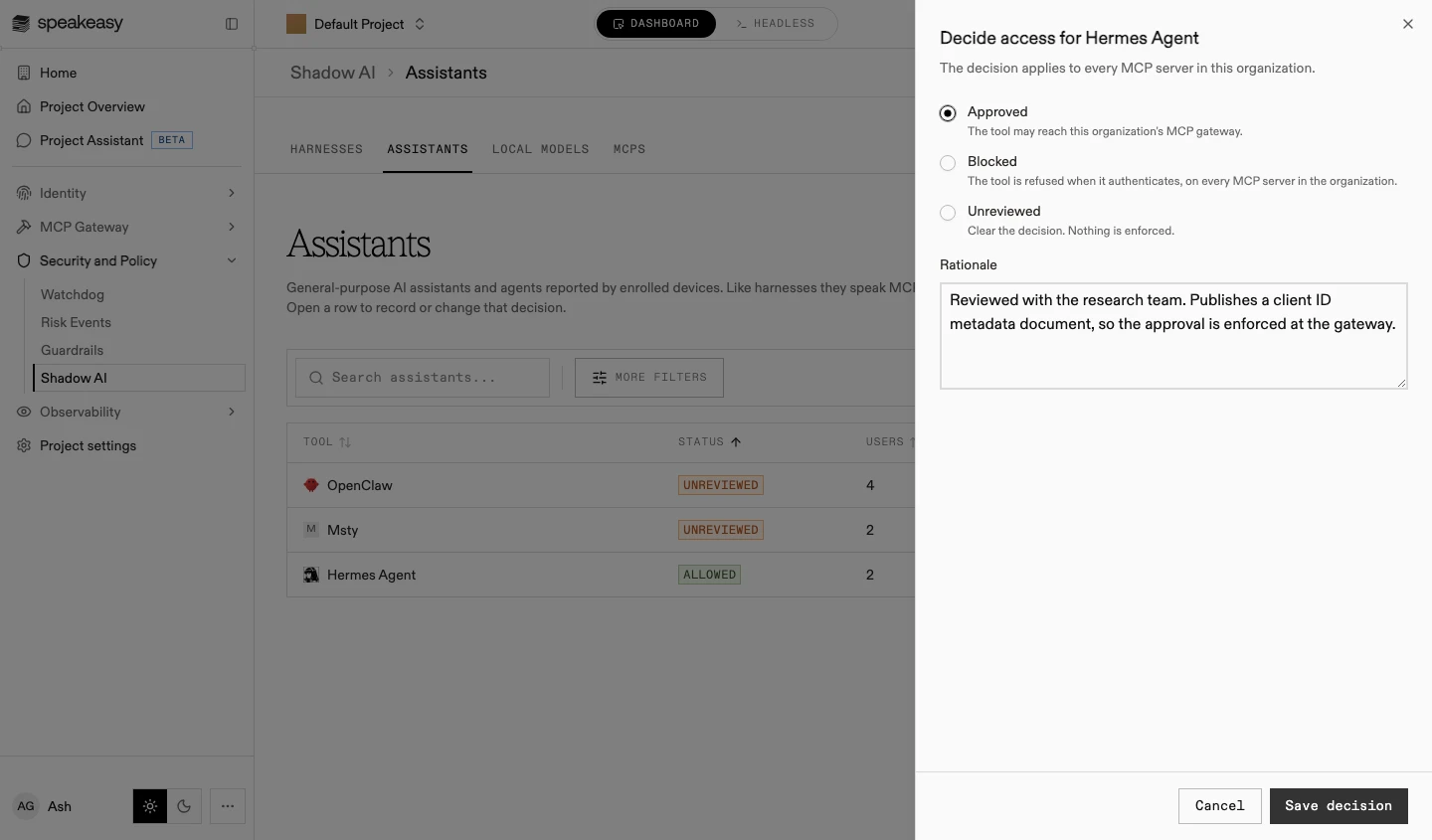
Section titled “Deciding gateway access”- Open the tool’s row. The Decide access sheet opens; the decision applies to every MCP server in the organization.
- Choose the decision:
- Approved: the tool may reach the organization’s MCP gateway
- Blocked: the tool is refused when it authenticates, on every MCP server in the organization
- Unreviewed: clear the decision; nothing is enforced
- Write the rationale and select Save decision.
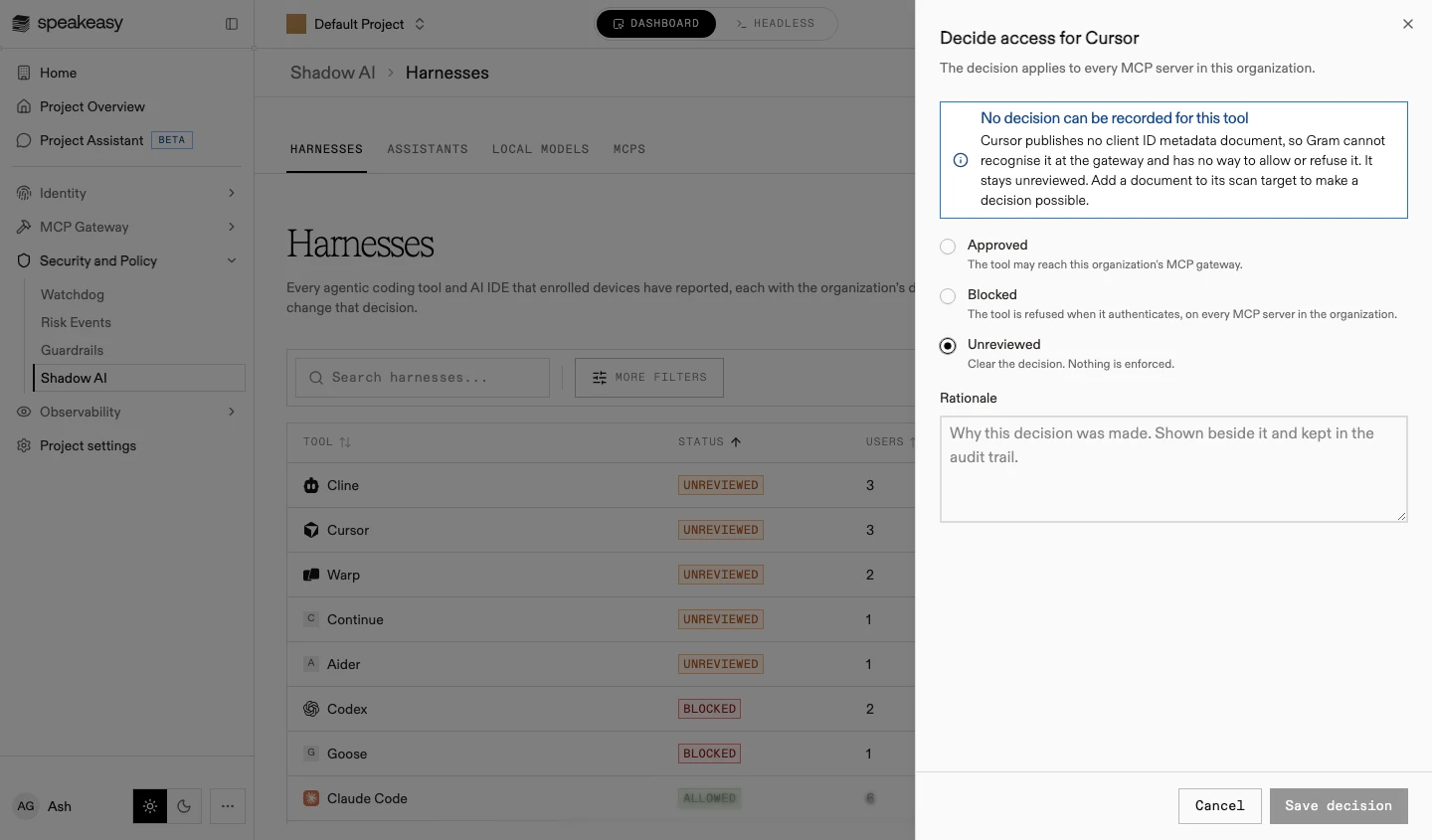
A decision can only be enforced for a tool that publishes a client ID metadata document, which is how the gateway recognizes it when it authenticates. For a tool without one, the sheet says no decision can be recorded and the tool stays unreviewed; adding a document to the tool’s scan target makes a decision possible.
Local models
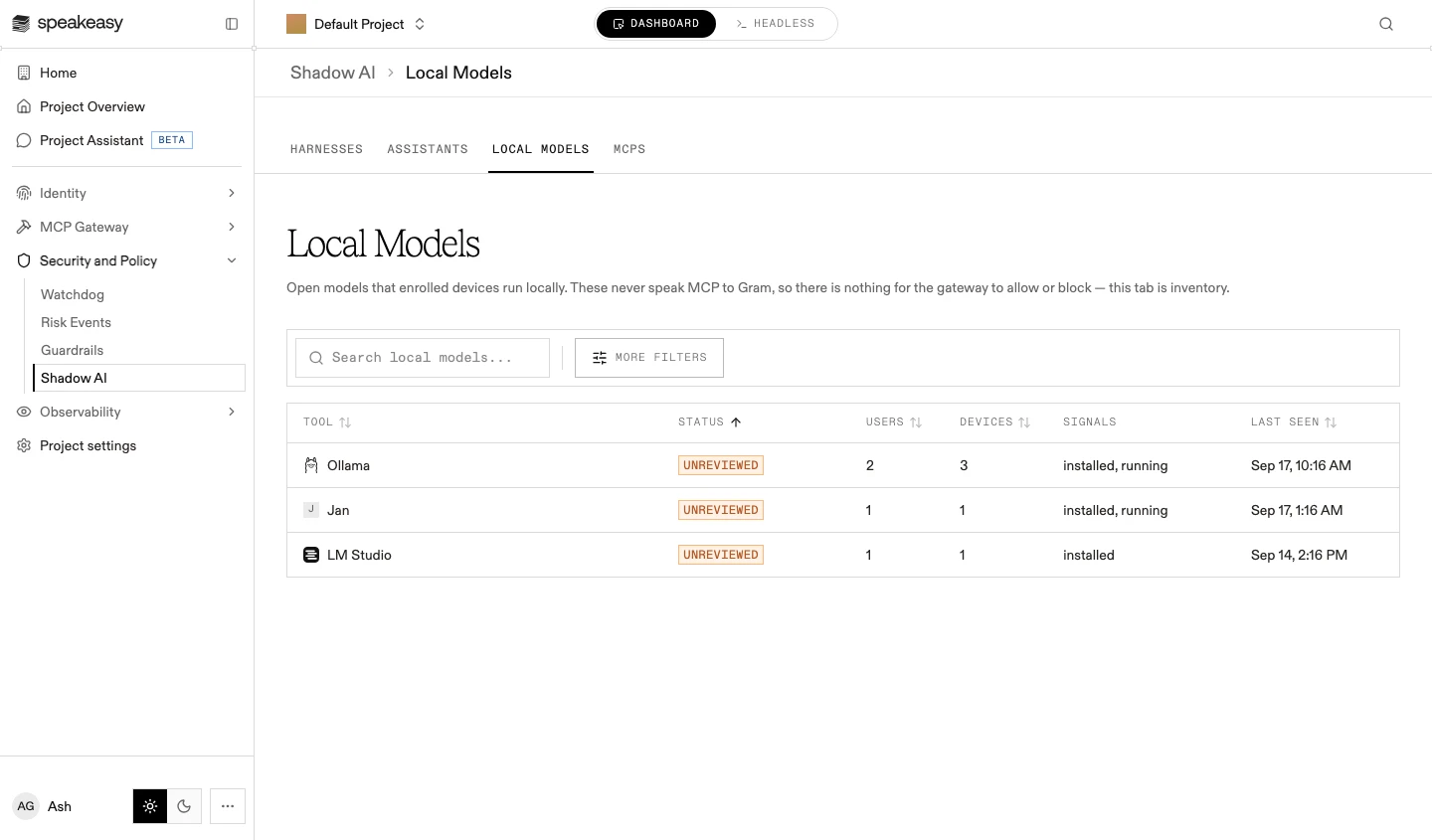
Section titled “Local models”The Local Models tab lists open models that enrolled devices run locally, such as Ollama or LM Studio. These never speak MCP to the platform, so there is nothing for the gateway to allow or block: the tab is inventory, with the same columns as the other tabs, and its rows stay Unreviewed with no decision sheet to open.
The MCPs tab inventories every MCP server the project knows about from agent traffic and access requests, each with an evidence-backed access review. It has its own pages: the MCPs inventory for discovery, policy status, and browsing, and Access Review for evidence, decisions, requests, and web research.
Tool decisions and server decisions are separate levers: a harness decision governs whether a tool may reach the gateway at all, while a server decision governs whether anyone may reach a particular shadow MCP server.