Security and Policy / Access Review
Access Review
Review the evidence gathered for a discovered shadow MCP server, run web research, and record the approve or deny decision that blocking policies enforce.
Every server in the MCPs inventory carries one access review. It holds the gathered evidence, everyone who has asked for the server, and the decision history. Open a review from Security and Policy > Shadow AI on the MCPs tab.
Access requirements
Section titled “Access requirements”Viewing a server’s review and deciding access require the org:admin scope.
This page covers:
Reviewing the evidence
Read the gathered evidence, refresh it, and name the server
Deciding access
Record an approve or deny with its audience and rationale
Access requests
How blocked members ask for a server, and where the asks land
Researching a server
Run the web research agent for a cited report
Re-review
How approved servers are rechecked as their evidence drifts
Reviewing the evidence
Section titled “Reviewing the evidence”-
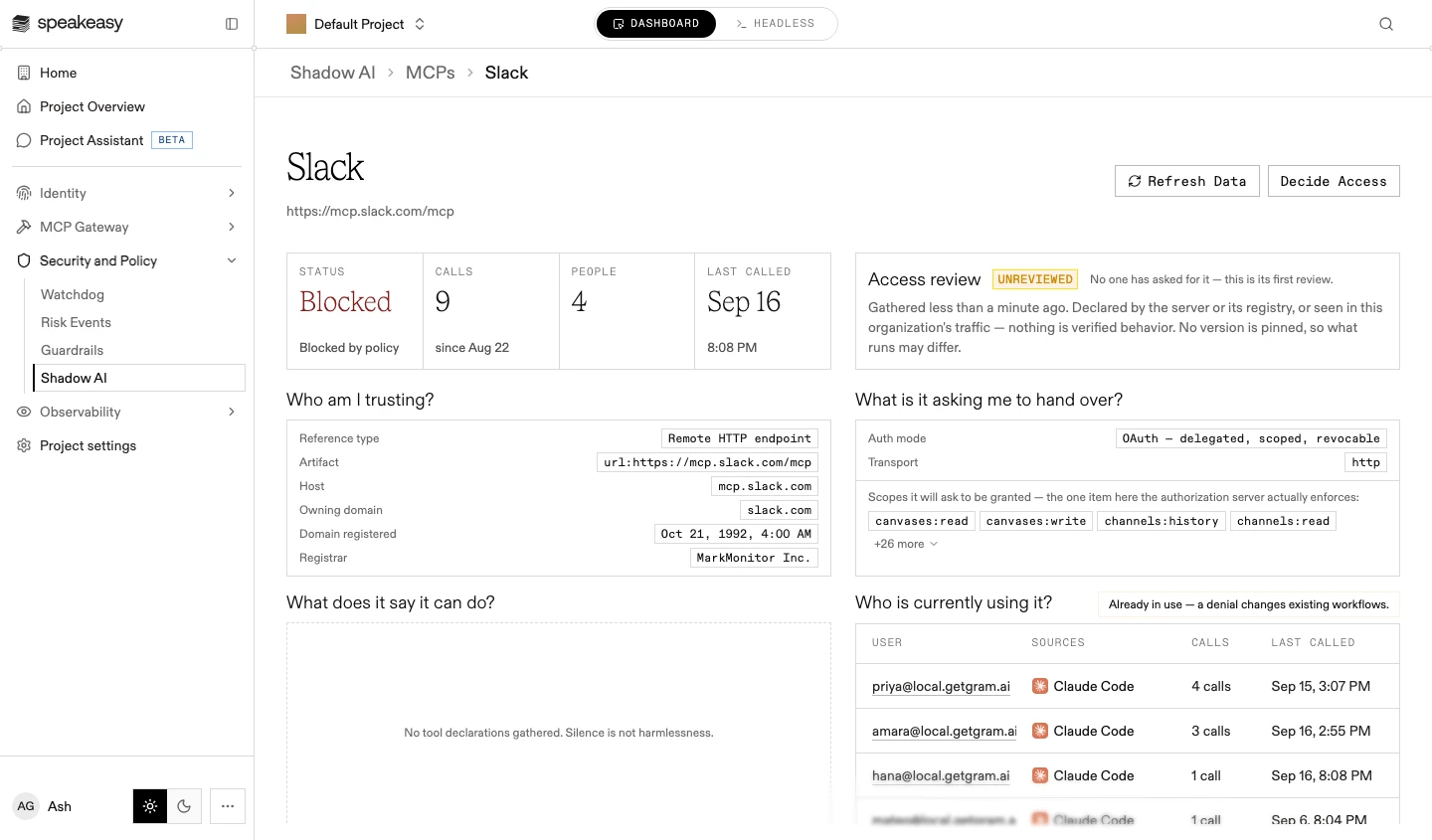
Open the server from the inventory. The review shows a summary strip (status, calls, people, last called) beside the Access review state: unreviewed, awaiting a decision, approved, or denied.
-
Read the evidence. It is gathered the first time the server is opened or requested, and organized by the questions a reviewer is asking:
- Who am I trusting?: resolved identity, host, owning domain, registration age, registrar
- What is it asking me to hand over?: auth mode, transport, and the OAuth scopes it will ask to be granted
- What does it say it can do?: declared tools, annotated for destructive behavior and schemas that accept commands, paths, URLs, or credentials
- Who is currently using it?: observed traffic in this project, per user and source agent
- Is it real and maintained?: registry provenance, publishing history, the declared repository’s track record
- Does anything published say it’s vulnerable?: advisories naming the package
-
To re-run every evidence source, select Refresh Data.
-
To give the server a recognizable name in the inventory, select its name and type a new one. The rename sets a display label and does not change how the server is matched.
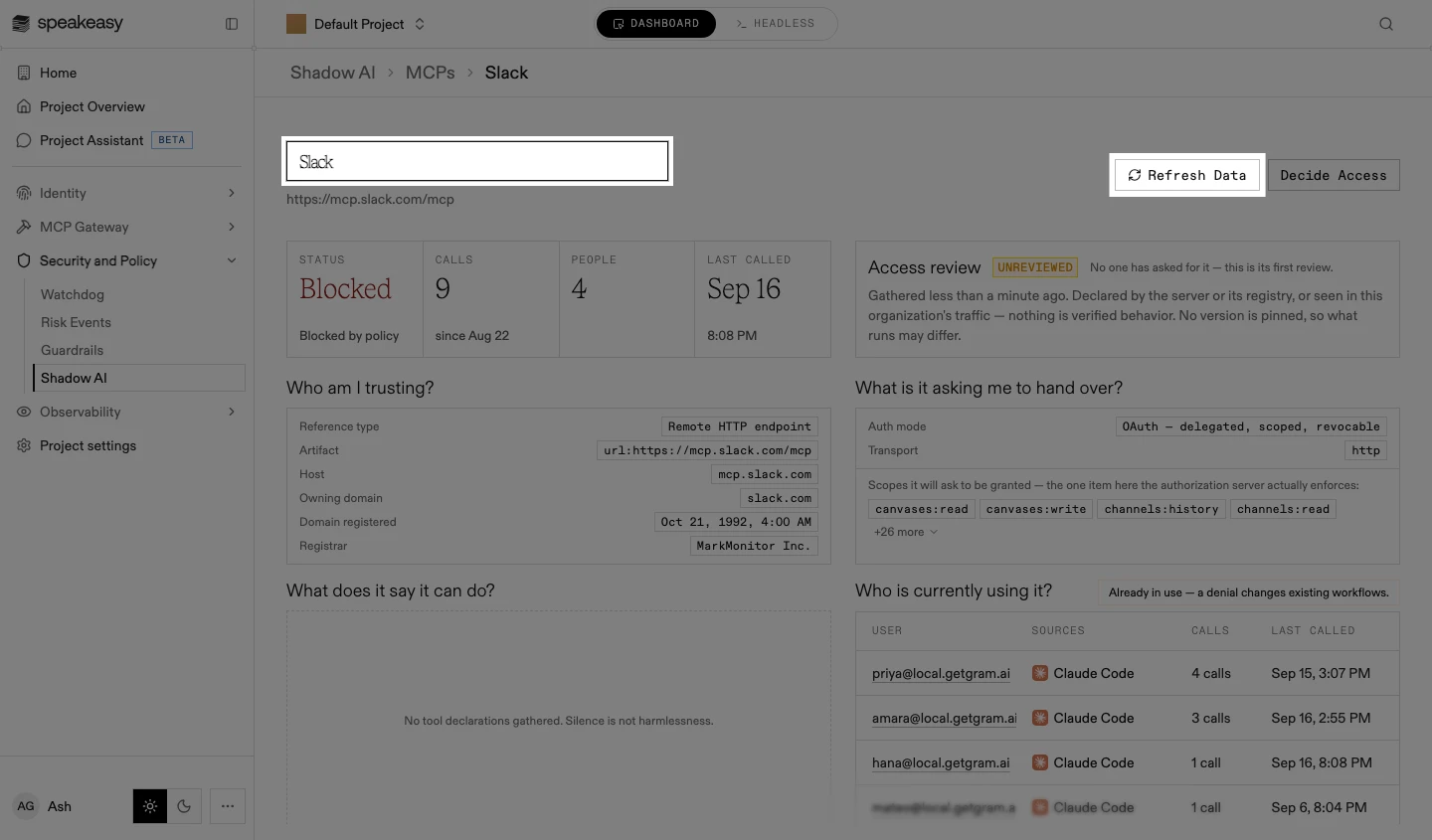
Everything shown is declared by the server or its registry, or seen in the organization’s traffic. Nothing is verified behavior, and a source that could not be consulted renders as unknown, never as clean.
Deciding access
Section titled “Deciding access”-
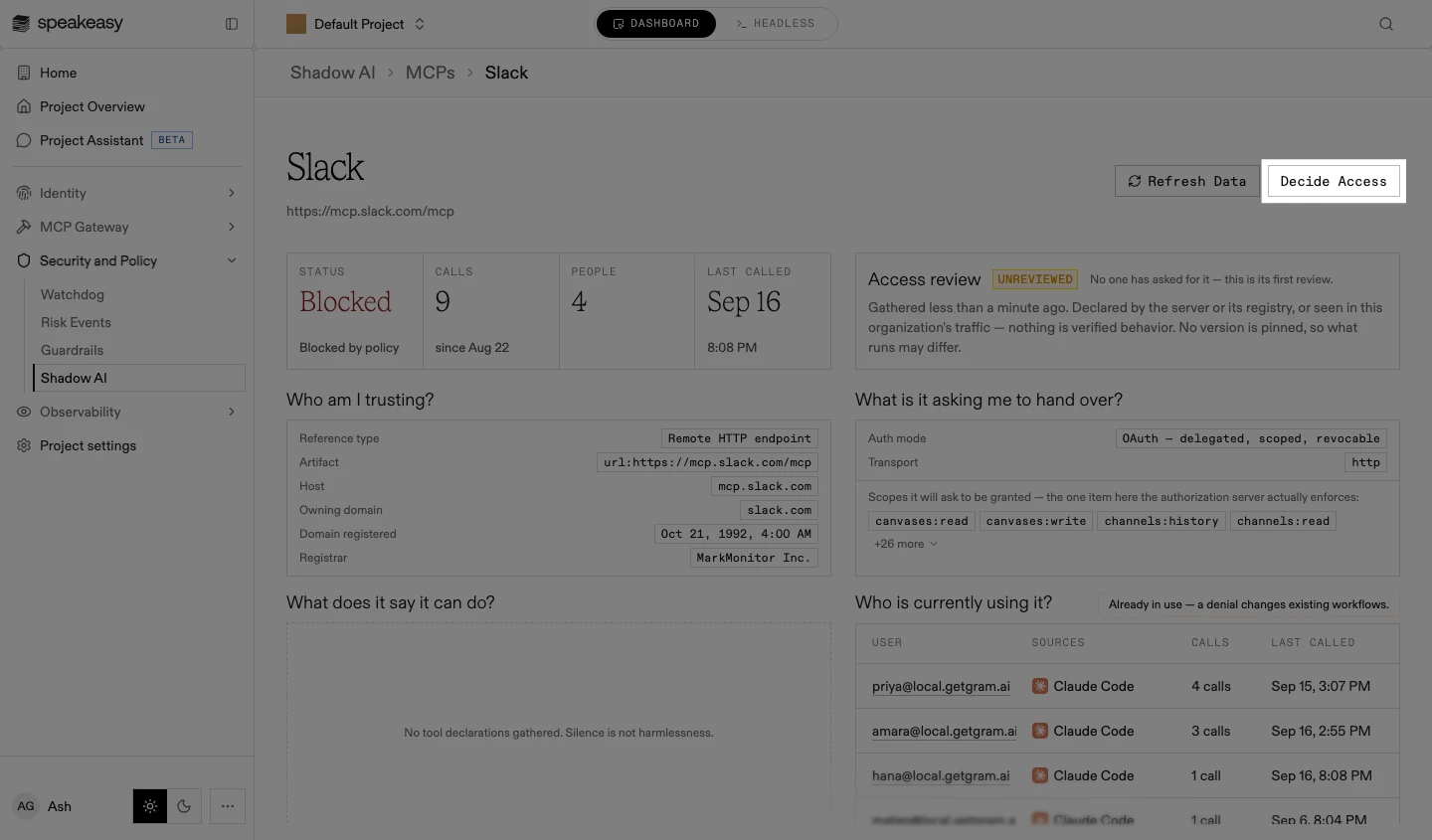
Select Decide Access. The Decide access sheet opens.
-
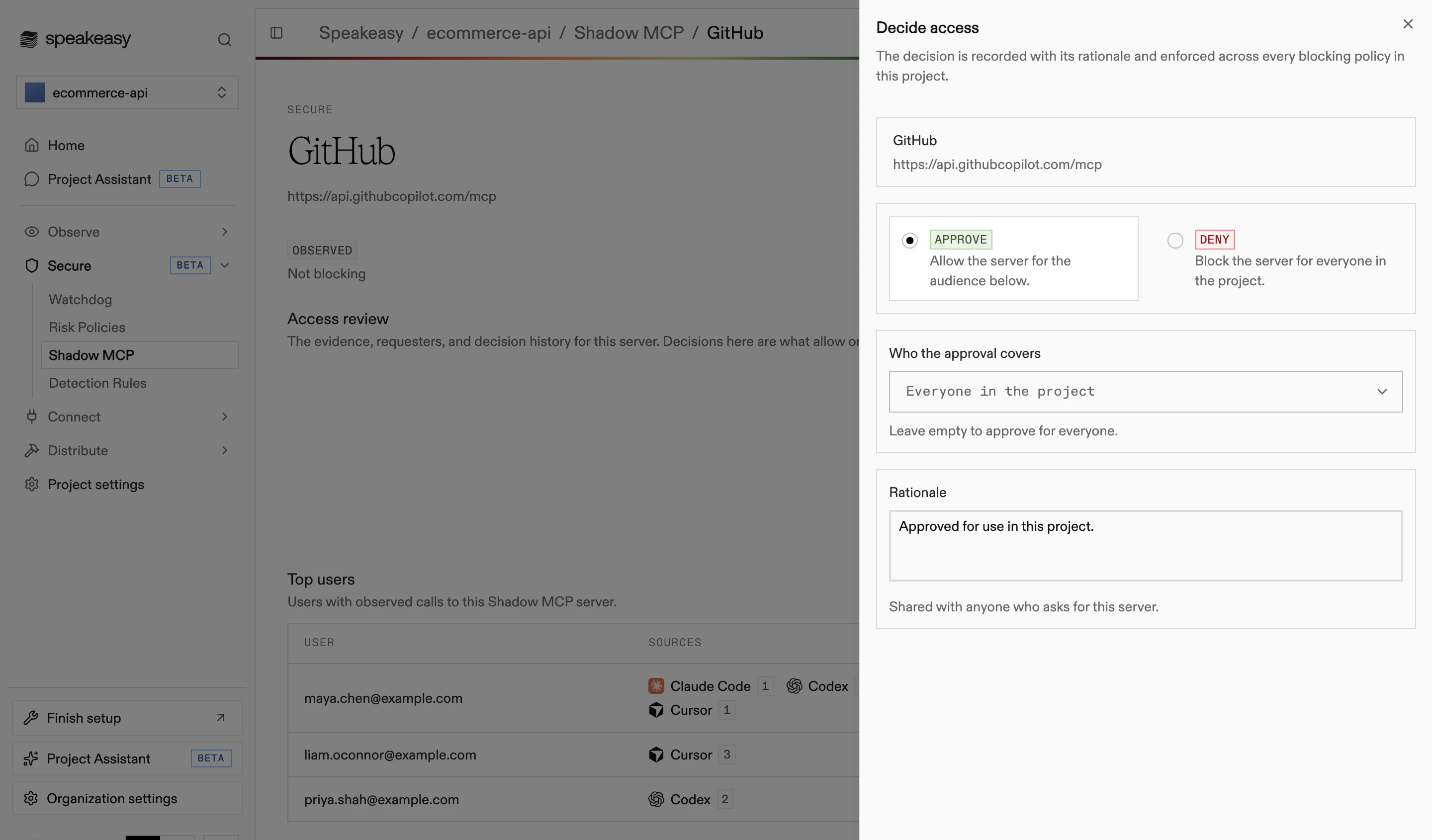
Choose the decision:
- Approve: allow the server for the audience below
- Deny: block the server for everyone in the project
-
For an approval, choose who it covers: leave the selector empty to approve for everyone, or select people and roles.
-
Write the rationale. It is shared with anyone who asks for the server.
-
Select Approve Server or Deny Server. The decision is recorded with its rationale and enforced across every blocking policy in the project.
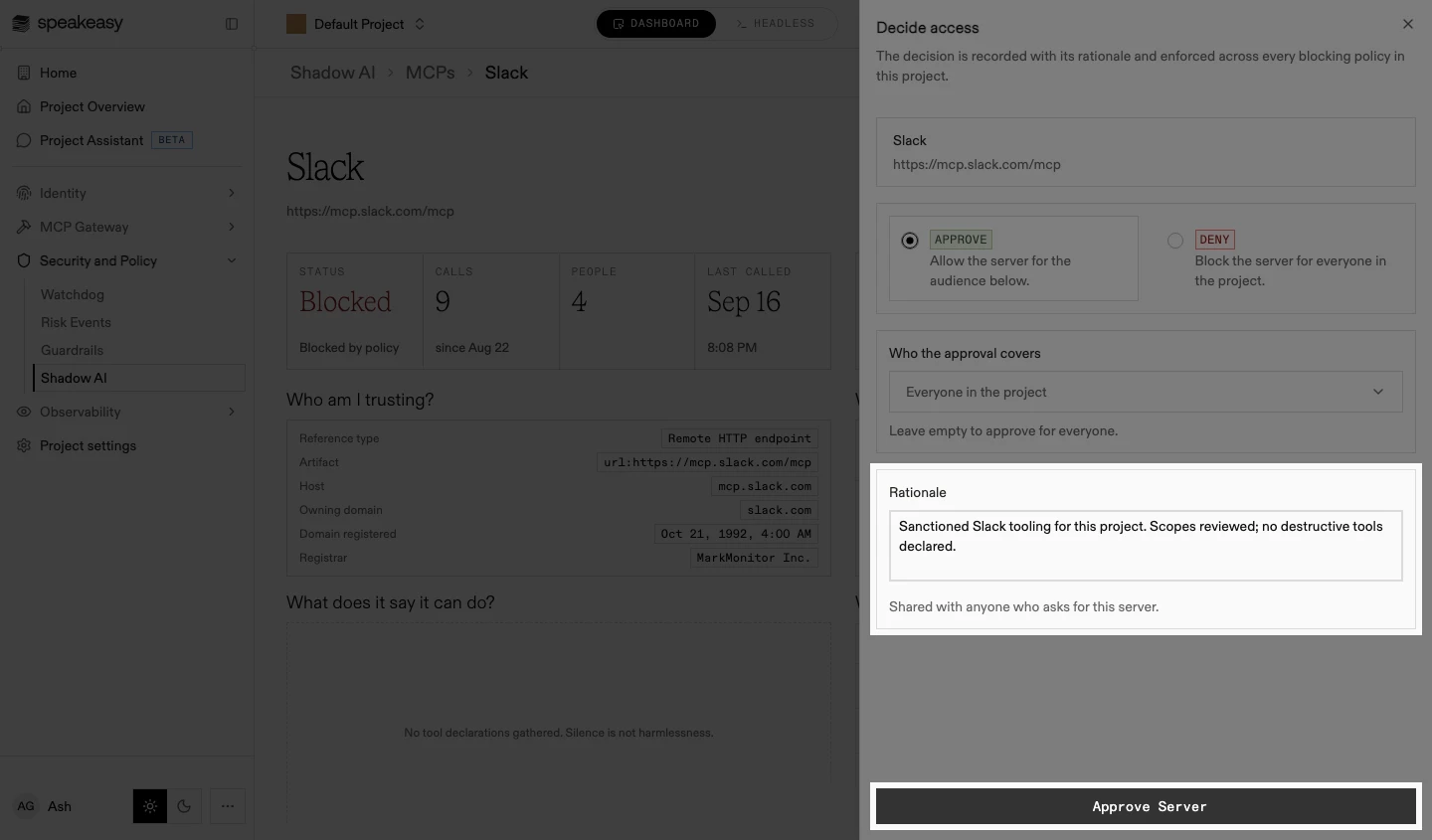
Deciding resolves the server’s open access requests, and the decision joins the review’s history under Have we decided on this before?, each entry frozen with the evidence snapshot it was made against. Refreshing the data never rewrites what a prior reviewer saw.
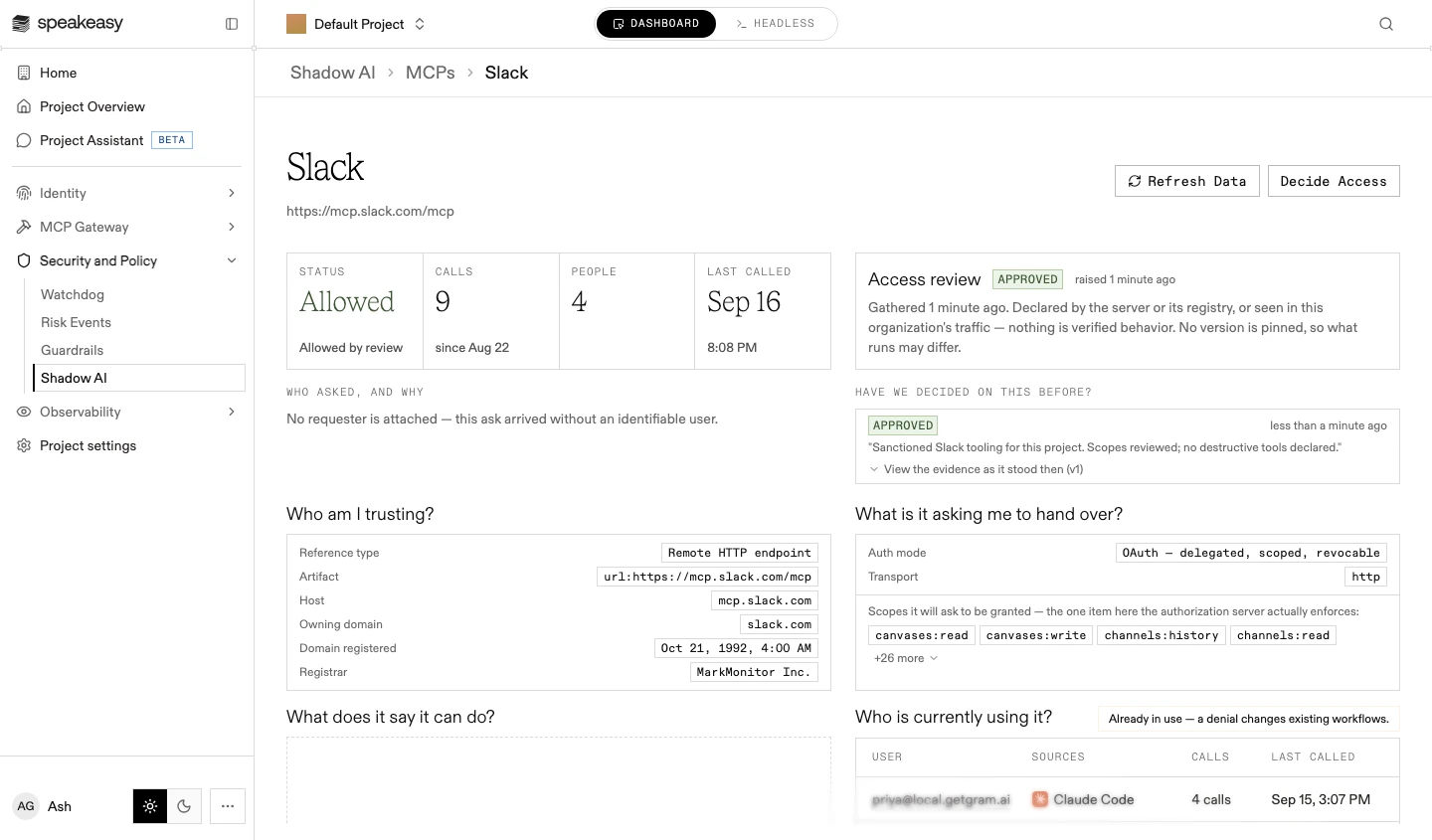
Allowing a server is a stopgap, not a destination. A server worth approving is usually worth bringing under management as a proper tool source, which puts its tools behind the same authentication, filtering, and logging as the rest of the platform.
Access requests
Section titled “Access requests”When a blocking policy stops a call, the member sees the block reason and a request access link. Opening it signs them in and attaches them, with their justification, to the server’s review. Links expire after seven days.
Requests surface as Pending in the inventory, and the review’s Who asked, and why section lists everyone who asked beside the evidence. Deciding resolves the requests: approving grants the chosen audience, denying grants nothing.
Requesting access from the device agent
Section titled “Requesting access from the device agent”On machines running the device agent, a blocked call also raises a desktop notification and adds the server to a Blocked servers card in the agent, so the request does not depend on the member noticing the link in the AI tool output. Confirming Request access files the same request, and it lands in the inventory as Pending for review.
Only blocks that an approval can resolve prompt this way. A call stopped for PII or secrets raises no notification, because allowing the server would not unblock it.
Repeat blocks of the same server collapse into one entry rather than notifying again, and Dismiss suppresses that server on the device without sending anything to the platform. A denied request offers no retry, since running the blocked call again files a fresh one. On a device with no signed-in user, the agent opens the request page in a browser instead, which is the same flow as following the link in the AI tool output.
Researching a server
Section titled “Researching a server”When the gathered evidence isn’t enough, run a web research pass from the review’s Web research section:
-
Select Run Research. An agent searches the web and reads pages about the server’s vendor; a run usually takes a few minutes.
-
Read the report. Each claim is cited and labeled Independently reported or Vendor claim, with a judgment of its sources; the run’s model, search, page, and token counts are recorded, and Show what the agent did expands the full trace.
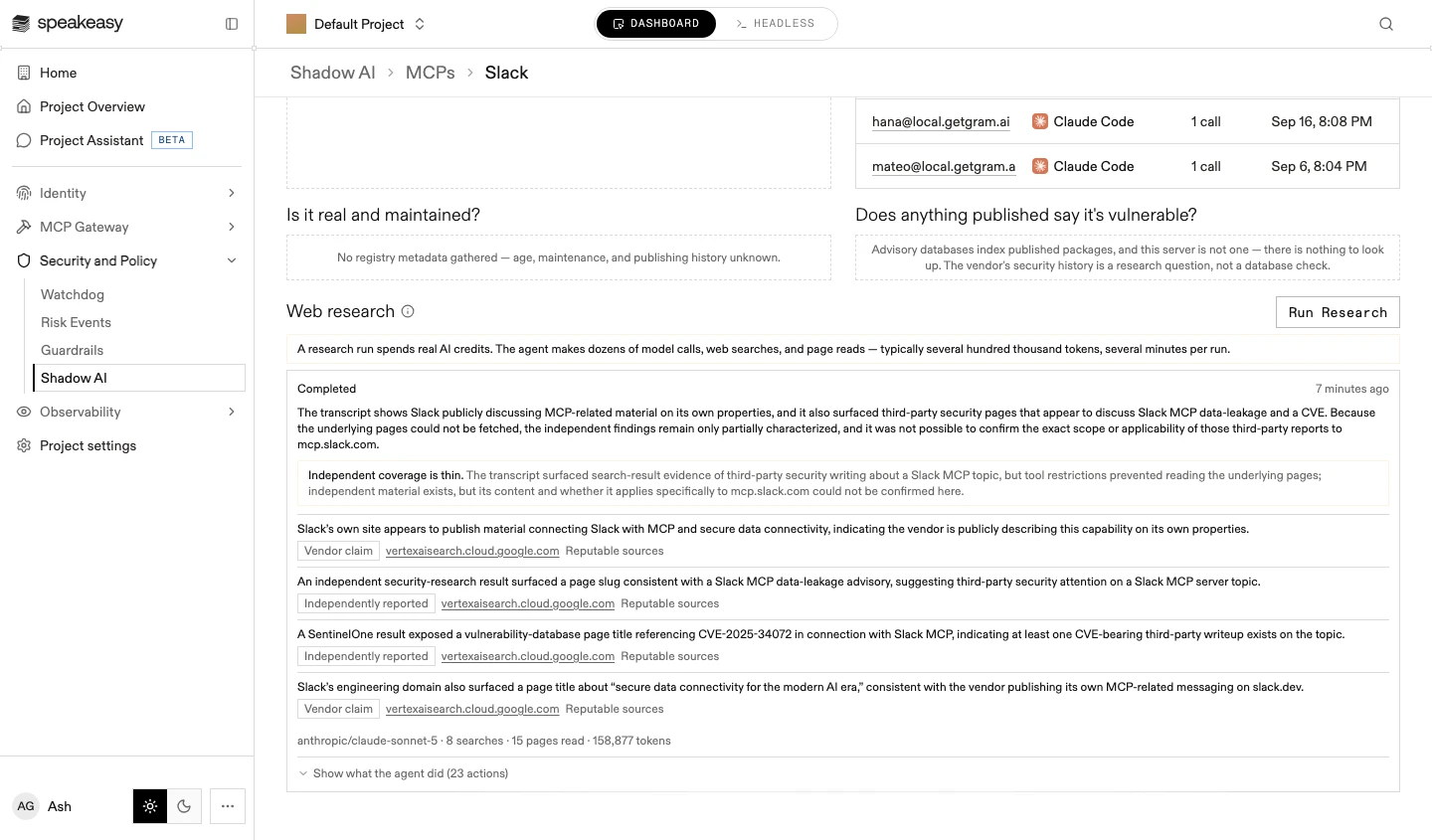
The agent gathers and cites; it never decides. Runs are additive: re-running adds a report rather than replacing one, and a decision can cite the report that informed it.
A research run spends real AI credits: dozens of model calls, web searches, and page reads, typically several hundred thousand tokens per run. Where it isn’t included in the organization’s plan, the section says so and points to your Speakeasy representative.
Re-review
Section titled “Re-review”Approved servers are rechecked daily. When permission-relevant evidence drifts from what the approval rested on (new scopes, new tools, changed authentication), the review flags it for reconsideration, and the notice clears only with a new decision. Where the server’s reference doesn’t pin a version, the review says so: what runs may differ from what was reviewed.