How do you govern Claude Cowork?

Nolan Sullivan
Published · 16 min read
TL;DR
Claude Cowork gives every employee the same AI productivity boost as Claude Code, but for the rest of the company. Anthropic's admin controls decide who can reach what, but do not inspect what a tool call carries or catch an unmanaged MCP server. Speakeasy uses Inference hooks to add per-prompt security across every Claude surface. The Speakeasy MCP gateway, distributed through the connector directory and plugin marketplace, decides each tool call before it runs, scopes tools by role, logs every call readably, and catches servers outside it.
Most companies start their Anthropic journey with Claude Code. Engineering adopts it, the productivity gains become obvious, and leadership asks how to spread that to the rest of the company. Anthropic built Cowork to answer that question. It launched in January 2026 as "Claude Code for the rest of your work". Over the pastyear it has done exactly that.
However spreading an agent to finance, legal, sales, and customer support makes AI's governance problems more acute. A developer who hands Claude Code a shell has a mental model of what a command can do. An accounts payable clerk who connects Cowork to a shared drive and Gmail is less likely to, and the controls that worked for a few hundred engineers were never designed for a few thousand people who will never open a '.json' settings file.
What can Claude Cowork do?
Cowork is the agentic mode of the Claude apps. A user describes an outcome, and Cowork plans and executes the steps. Anthropic's getting started guide and architecture overview describe the surface an admin is governing:
- Local folders. A user connects a folder and Cowork can read, write, and permanently delete files in it. It produces spreadsheets with working formulas, decks, and formatted documents, and it batch-renames and reorganizes what it finds.
- Connectors. Cowork reaches Slack, Google Workspace, Microsoft 365, Notion, Linear, and dozens of other services through connectors, and users can add any remote MCP server as a custom connector by pasting a URL. Connector calls run from Anthropic's servers, so a connector works the same in a local or cloud session.
- Plugins and skills. A plugin bundles skills, connectors, slash commands, and sub-agents for a job function. Anthropic ships plugins for legal, sales, finance, and marketing, and organizations publish their own through private marketplaces.
- Cloud sessions and scheduled tasks. Work can run in an Anthropic-managed sandbox with the laptop closed, and a recurring task can run on a schedule with nobody watching.
- A built-in browser. Cowork can browse and act on websites inside Claude Desktop.
- Three approval modes. Manually approve asks before each action. Automatically approve lets a classifier review each action for safety and run it. Skip all approvals runs everything with no check.
Cowork runs on Pro, Max, Team, and Enterprise plans across desktop, web, mobile, and the Chrome side panel. Anthropic gives Team and Enterprise admins the organization-level controls covered below. Personal plans get none of them, which is the first reason a rollout should start with a tenant decision.
What are the risks of agents in the hands of non-technical users?
The threat model for Cowork is the same threat model for any agent with tools. When Claude reads content outside the user's trust boundary, "it may encounter content deliberately crafted by an external attacker." Four things make the same threats sharper when the operator has never seen a terminal.
Prompt injection in ordinary documents
Two days after Cowork launched, PromptArmor demonstrated a full exfiltration chain. A Word document carried instructions in one-point white text. When a user asked Cowork to analyze files with it, Cowork followed the hidden instructions and uploaded the largest file in the connected folder, which held financial data and partial Social Security numbers, to an attacker's Anthropic account. No approval prompt fired, because the upload went to an allowlisted Anthropic domain.
Finance and legal teams handle documents from outside the company all day. Vendor invoices, opposing counsel's redlines, and candidate résumés are the normal inputs of the job, and a developer's habit of distrusting a file is not part of other teams training.
Broad grants with real write access
A connected folder can be a Downloads directory or a whole shared drive. A connector with write scope can send email, post to Slack, and create tickets, and Anthropic's own guidance classifies write tools as carrying more risk "as they can result in undesired actions." The person granting those scopes is choosing between "read" and "read and write" in an OAuth consent screen, which is a decision most employees have never been asked to make deliberately.
Automation with no human present
Automatically approve mode is available by default on Team and Enterprise plans, and in that mode a classifier is the last check before an action runs. Scheduled tasks run in the cloud while the user is offline, so a poisoned data source can trigger the same action every morning until someone notices. Anthropic advises against scheduling tasks that touch sensitive files or take actions that are hard to undo, but the guidance is advice, and the toggle is available to everyone.
Connectors nobody approved
Anthropic's connector documentation says custom connectors "connect Claude to services that haven't been verified by Anthropic." A useful MCP server recommended in a Slack channel is one paste away from a Cowork session, and once it is connected it reads and writes with whatever scopes it asked for. This is shadow MCP: the server-specific form of shadow AI, and in a non-technical population it looks like helpfulness rather than misconduct.
Underneath all four sits an audit question. If a Cowork session touched a customer record, which server served the call, what did it carry, and who was driving? Cowork sessions were outside the Compliance API until August 2026, and Anthropic's audit logs still carry no Cowork event types.
What governance does Anthropic provide for Cowork?
Anthropic has built out the admin surface for Cowork steadily since launch, and a Team or Enterprise organization gets a substantial baseline before any third party is involved:
- Role-based access. Cowork is off until an Owner turns on Enable for your organization. On Enterprise, custom roles mapped to identity provider groups decide who gets Cowork, cloud sessions, the built-in browser, specific models, and spend limits. Roles are additive.
- Two autonomy switches. Allow "Automatically approve" mode is on by default and removes that mode from every member's selector when turned off. Allow "Always allow" for connector tools is off by default and decides whether members can skip per-task approval for write-capable connector tools.
- Connectors and per-tool permissions. An Owner adds a connector org-wide, then each user authorizes it with their own account. On Enterprise, a role's baseline is Always allow, Needs approval, or Blocked, with per-connector overrides and a Custom option that grants individual tools. Enterprise-managed auth authorizes a connector once through Okta with the permissions an admin chooses.
- Private plugin marketplaces. Owners sync a marketplace from a private GitHub repository, set each plugin to Installed by default, Available for install, Not available, or Required, and override per group on Enterprise. Skill scanning, off by default on Enterprise, checks plugins for malicious content.
- OpenTelemetry export. Under Organization settings > Cowork > Monitoring, an Owner sets an OTLP endpoint and Cowork streams tool calls, file access, and approval decisions to it in near real time.
- The Compliance API. As of August 26, 2026, Enterprise organizations can pull each Cowork session's transcript, including tool call content, after the fact. Only the Primary Owner can enable it, and the feed is not retroactive.
That baseline decides who can reach which tool, and says nothing about what a particular call carries. The OTEL export streams events without evaluating them, and the Compliance API reads a transcript after the session is over. Anthropic's answer to that gap is Inference hooks, announced August 5, 2026 and in beta for Enterprise. One hook routes every governed prompt from claude.ai, Cowork, and Claude Code to an AI security server the organization chooses, holds the request for an allow or deny verdict, and needs nothing installed on a device.
What does a security server like Speakeasy add?
Inference hooks are designed around a security server. Speakeasy is one of the servers an Enterprise org can nominates, through the Anthropic integration.
Each prompt, with its tool calls, tool results, and attachment text, arrives at Speakeasy before inference. Speakeasy records it as a session in Agent Sessions, evaluates it against the project's risk policies, and returns the verdict. In practice that gives an Enterprise organization:
- Inline data loss prevention on every Claude surface. Detectors for secrets, personal information, financial and government identifiers, and healthcare data run on each governed prompt, and a match denies the request with a reason the user sees. Speakeasy also handles the agent DLP case Anthropic's own docs describe as the most common deployment.
- Prompt injection judged on the way in. Text extracted from an attachment or returned from a connector is evaluated by an LLM judge before the next inference step, so the PromptArmor-style instruction hidden in a vendor's invoice is caught when it enters the transcript.
- Plain-language guardrails. A prompt-based policy states a rule in a sentence, such as "no customer contract text leaves the legal role," and a model judges each in-scope message against it.
- Organization-wide transcript archive with triage. Findings roll into Watchdog, which clusters them into ranked signals with redacted evidence, so a security team triages a short list rather than reading sessions.
- A safe rollout path. Anthropic's shadow mode sends every prompt and enforces nothing. Speakeasy is configured in shadow mode first, policies are tuned against real traffic, and enforcement turns on when the false positive rate is known.
That covers the prompt path across the whole Claude estate with nothing on a device, and for a Claude Enterprise organization it is the right first move. The events Anthropic sends still define the boundary: the hook cannot stop an outgoing tool call, cannot see the tool definitions a server presents, and reports connector calls by an opaque identifier. Governing the tool path takes a second layer.
What does an MCP gateway add that Inference hooks don't?
Inference hooks sit in front of the model. An MCP gateway sits in front of the tools, between Cowork and every data source it reaches for. Each connector call passes through it on the way out and on the way back. That position covers some areas that inference hooks leave open:
- The call is decided before it runs. The gateway sees the tool name, the target server, and the arguments, and a risk policy can deny the call before it executes. Detectors cover destructive tool calls, destructive CLI patterns, and the same secrets and identifier catalog as the prompt side, with actions from log to warn-and-confirm to deny and a CEL expression to narrow a policy to one server or one function.
- Tool definitions are visible. The tool list a server presents passes through the gateway, so a server's declared tools are recorded, annotated for destructive behavior, and reviewable before anyone approves it. The hook never receives them.
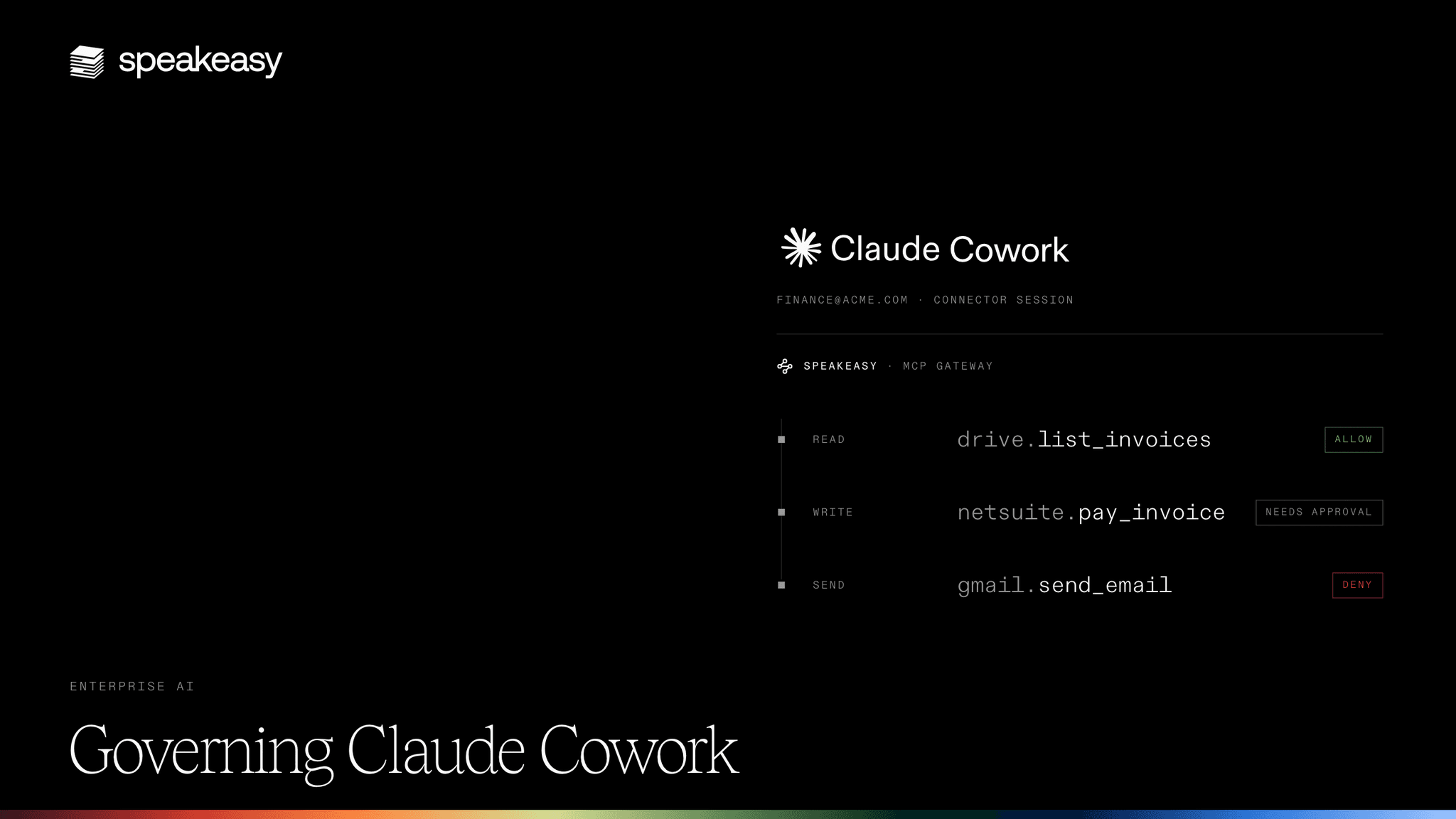
- Access is per tool, per role, per person. The gateway authenticates each user through the corporate identity provider and filters the tool list to what their role grants, so two people connecting to the same server see two different tool lists. A finance role can read invoices without seeing the tool that pays them.
- Every call has a readable log line. Cowork names a connector call after a connector UUID. The gateway logs the server, the tool, the user, the arguments, and the result, and Tool Logs filters that stream by server, user, role, and status into a URL that goes into an incident ticket.
- Servers outside it are caught. Calls that resolve to a server the gateway does not front are flagged as shadow MCP, collapsed into one inventory row per server with its users and usage, and given an access review that records the approve or deny decision a blocking policy then enforces. A blocked user gets a request-access link rather than a dead end.
None of this needs Enterprise. The hook governs prompts across every Claude surface for an Enterprise org, and the gateway governs the tool path for any Team or Enterprise org running Cowork.
How do you distribute an MCP gateway to a Cowork team?
A gateway only governs the traffic that goes through it. Cowork gives an admin two Anthropic-native paths for distributing gateways.
The first is the connector directory. An Owner registers the servers the company approves in Speakeasy, whether a vendor's remote server proxied by URL, an internal server behind a tunnel, or a server built from an internal API, and adds the resulting gateway endpoint under Organization settings > Connectors. The endpoint is a streamable HTTP MCP server with OAuth, so Cowork treats it like any other connector: it appears for every role the admin grants it to, each user signs in once through the identity provider, and one authorization covers every tool the gateway exposes to that user. Anthropic's per-role connector permissions still apply on top, and tag-based filtering hands each team a focused subset of a large server through a different URL.
The second is the plugin marketplace. Speakeasy publishes a private, GitHub-backed marketplace for the org that bundles gateway servers and skills into plugins by job function, alongside an observability plugin that carries the hooks behind shadow MCP detection and outgoing call policies. An Owner syncs that marketplace into the Claude org's Plugins tab, marks the observability plugin Required, and sets the rest to Available for install or Installed by default per group. The Cowork OTEL export under Monitoring completes the loop, so every connector call lands in Tool Logs attributed to the user who made it. The setup is documented in distributing plugins to Anthropic surfaces.
Together the layers stack like this for a Claude Enterprise organization: Anthropic's role, connector, and plugin controls decide who can reach what. Inference hooks with Speakeasy behind them inspect every prompt across every Claude surface. The gateway, distributed through the connector directory and the plugin marketplace, governs each tool call inside Cowork. A Team-plan organization runs the same stack minus the hook.
How do you roll out governed Cowork?
The order matters less than starting with visibility and ending with enforcement. A rollout through the Speakeasy setup flow runs like this:
- Turn on the Compliance API before the pilot, since its activity feed is not retroactive.
- Set Enterprise roles for Cowork access, decide the two autonomy switches, and add the approved connectors with per-role tool permissions.
- Register the approved servers in Speakeasy and add the gateway endpoint as an org connector, with per-role tool grants set in the gateway.
- Publish the Speakeasy plugin marketplace, sync it into the Claude org's Plugins tab, and mark the observability plugin Required.
- Set the OTLP endpoint, protocol, and headers under Monitoring in the Cowork tab, then confirm a connector call appears in Tool Logs.
- Turn on shadow MCP detection in flagging mode, let the inventory fill, and work the access reviews.
- Connect Inference hooks to Speakeasy in shadow mode if the org is on Enterprise, and tune policies against real traffic.
- Move shadow MCP to a blocking policy and Inference hooks to enforcing once the approved set and the false positive rate reflect how people work.