Identity and MCP governance / Set up Claude Tag with workload identity
Set up Claude Tag with workload identity
Let Claude Tag call MCP servers from Slack channels as an agent, with no stored secret. The guided setup registers the agent, picks its servers, trusts Anthropic's agent tokens, and walks through connecting Speakeasy as a Claude Tag authorization server.
Claude Tag brings Claude into Slack. In a channel, Claude Tag acts as a channel agent rather than as the person who mentioned it. With federated access, Anthropic gives each channel agent a short-lived identity token, and Claude Tag exchanges it at an authorization server for an access token to call MCP servers.
Speakeasy can be that authorization server. Each Claude Tag channel then signs in with workload identity, acts as a Speakeasy agent, and needs no stored secret.
To have Claude Tag call tools as the person who mentioned it, with their own credentials, follow Roll out Claude Tag with a gateway endpoint instead. Use this guide when channels should act as a shared agent with its own policy.
This guide covers:
- How the connection works
- Prerequisites
- Start the setup
- Choose the servers Claude can reach
- Enter the Anthropic organization
- Connect the authorization server in Claude
- Choose where Claude can use it
- Test from a channel
- Manage and revoke access
How the connection works
Section titled “How the connection works”When someone mentions Claude in a channel thread and Claude needs an MCP tool:
- Anthropic issues a token for the channel’s agent, signed by
https://identity.anthropic.com/agents. Its subject has the formwimse://identity.anthropic.com/org/ORG_ID/agent/AGENT_ID, with one agent per channel. - Claude Tag posts the token to the Speakeasy token endpoint.
- Speakeasy checks the signature and matches the subject against the access rule saved for the agent. The rule covers every Claude Tag agent in one Anthropic organization.
- Speakeasy returns an access token valid for 15 minutes. Claude Tag sends it on MCP requests and exchanges a new token when it expires.
Each channel signs in under its own subject, so its sessions are listed and revocable separately. Every channel acts as the same Speakeasy agent and can do only what that agent’s policy allows.
Prerequisites
Section titled “Prerequisites”- In the Claude organization: Claude Tag with federated access, and an Owner or an admin with full Claude Tag management permission.
- In Speakeasy:
workload:write, which the Admin role holds by default. - MCP servers on a Speakeasy host. A server on a custom domain signs clients in at its own origin, which Claude Tag can’t use, because Claude Tag requires the token endpoint to be on a different host from the servers it calls.
- A Speakeasy authorization server in shared mode for the organization or project. If the setup reports that no token endpoint is available, contact Speakeasy to enable one.
Start the setup
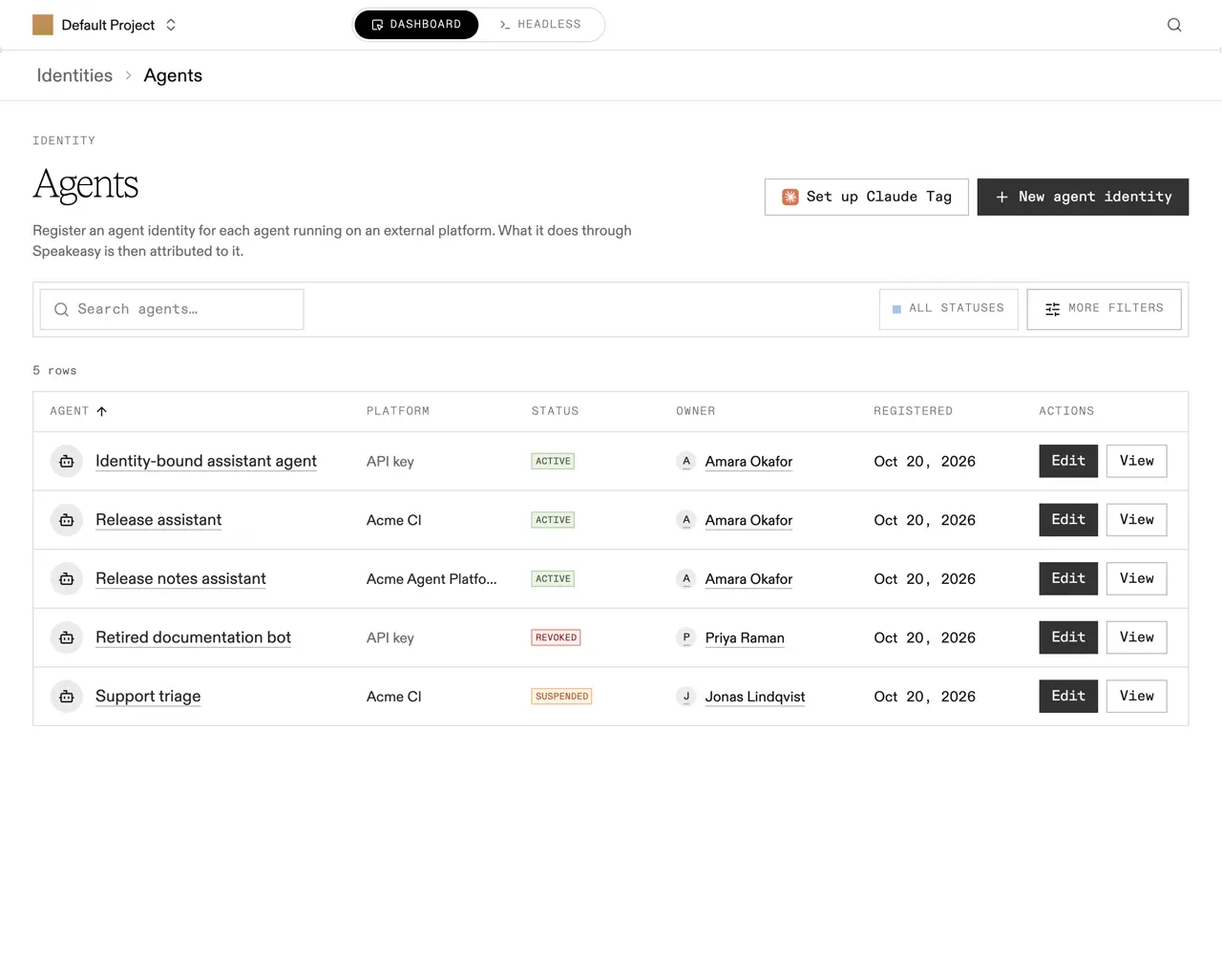
Section titled “Start the setup”Open Identity > Agents in the project sidebar and select Set up Claude Tag.
The agent wizard opens with the name, the credential type, and the platform already filled in, and lands on server selection. A summary panel beside the steps tracks every choice. To change the agent’s name, owner, or scope, go back to the first step.
Choose the servers Claude can reach
Section titled “Choose the servers Claude can reach”Select the MCP servers Claude Tag may call. The agent reaches nothing else, and never more than you can reach yourself.
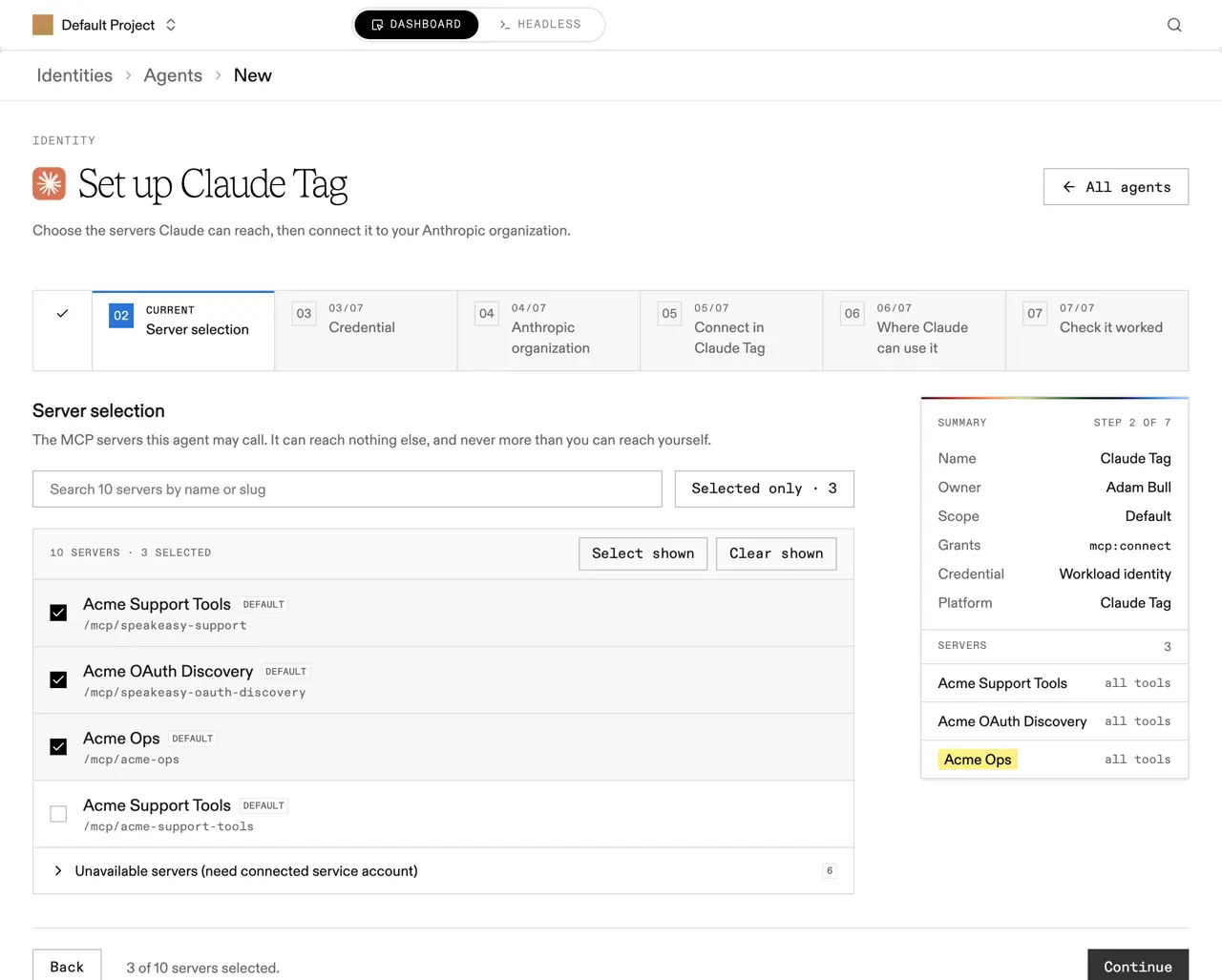
Servers that authorize each person separately can’t be chosen here, because an agent has no person behind it. They’re listed under Unavailable servers with a link to change that server’s identity setting.
Select Continue. The credential step is already set to Workload identity with Claude Tag as the platform, so select Continue again.
Enter the Anthropic organization
Section titled “Enter the Anthropic organization”Enter the Anthropic organization ID. It’s at the bottom of the Claude organization settings, labeled Organization ID. The Claude Tag console shows the same value as Tenant ID for tokens.
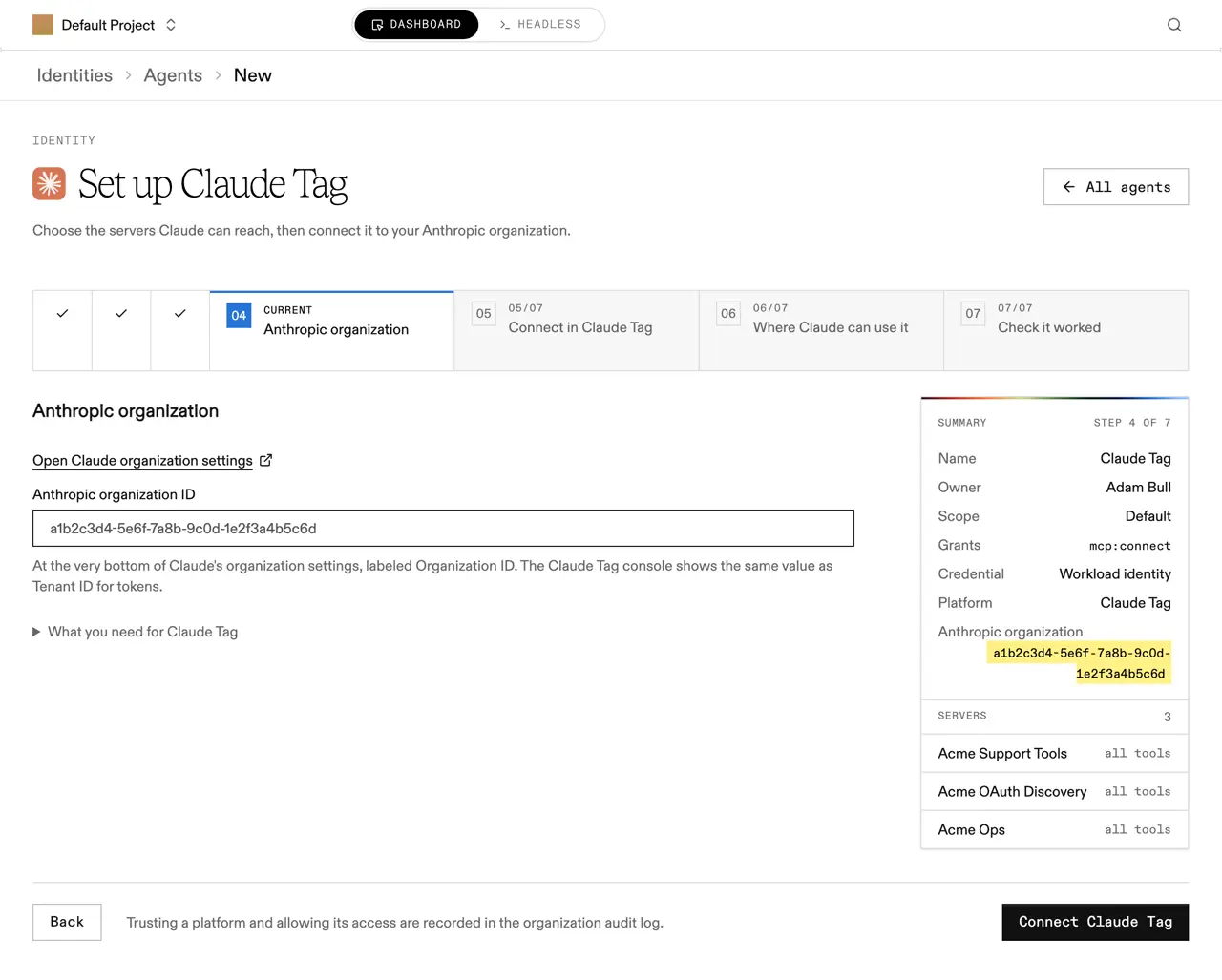
Select Connect Claude Tag. Speakeasy creates the agent, trusts Anthropic’s issuer, and saves one access rule:
wimse://identity.anthropic.com/org/ORG_ID/agent/*The rule admits every Claude Tag channel in that Anthropic organization, including channels created later. That’s safe because Anthropic mints the agent ID at the end of the subject, and no caller can choose it. Speakeasy already knows Anthropic’s issuer and signing keys, so there’s nothing else to enter.
Connect the authorization server in Claude
Section titled “Connect the authorization server in Claude”The next step walks through Claude’s own dialog and holds the values to paste into it.
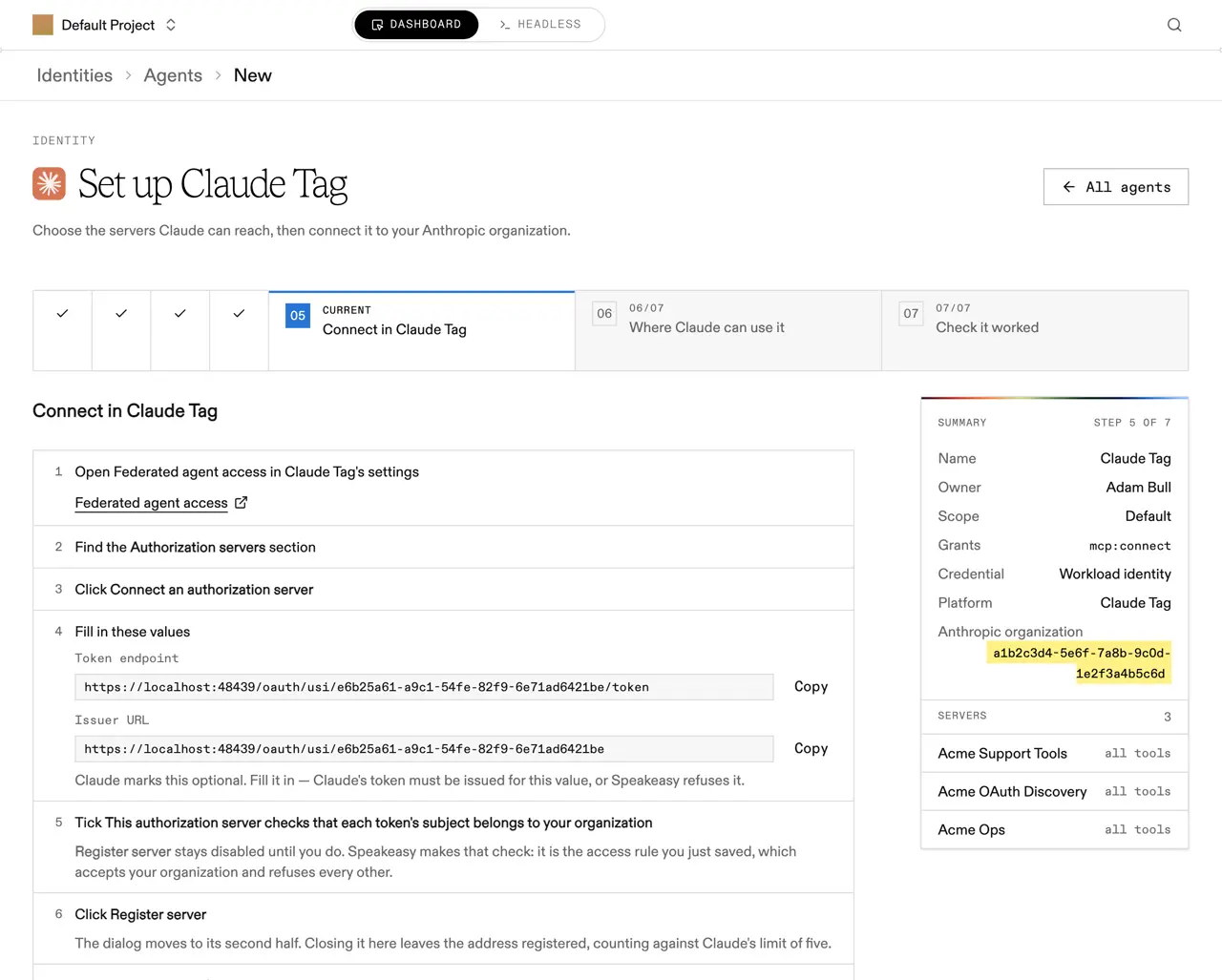
- Open Federated agent access in Claude Tag’s settings. The step links straight to it.
- Find the Authorization servers section.
- Select Connect an authorization server.
- Copy the Token endpoint and Issuer URL from the wizard. Claude marks the issuer optional, but fill it in: Claude’s token must be issued for that value, or Speakeasy refuses it.
- Tick This authorization server checks that each token’s subject belongs to your organization. Register server stays disabled until you do. The access rule just saved is that check.
- Select Register server. The dialog moves to its second half. Closing it here leaves the address registered, counting against Claude’s limit of five.
- Fill in the second half: leave Resource and Scope empty, and set Allowed API hosts to the MCP host shown in the wizard. Choose the bundle assigned to the channels Claude Tag should work in, or create one.
Choose where Claude can use it
Section titled “Choose where Claude can use it”A bundle applies nowhere until a place is turned on for it. Nothing in this step changes Speakeasy; these are Claude Tag’s own settings.
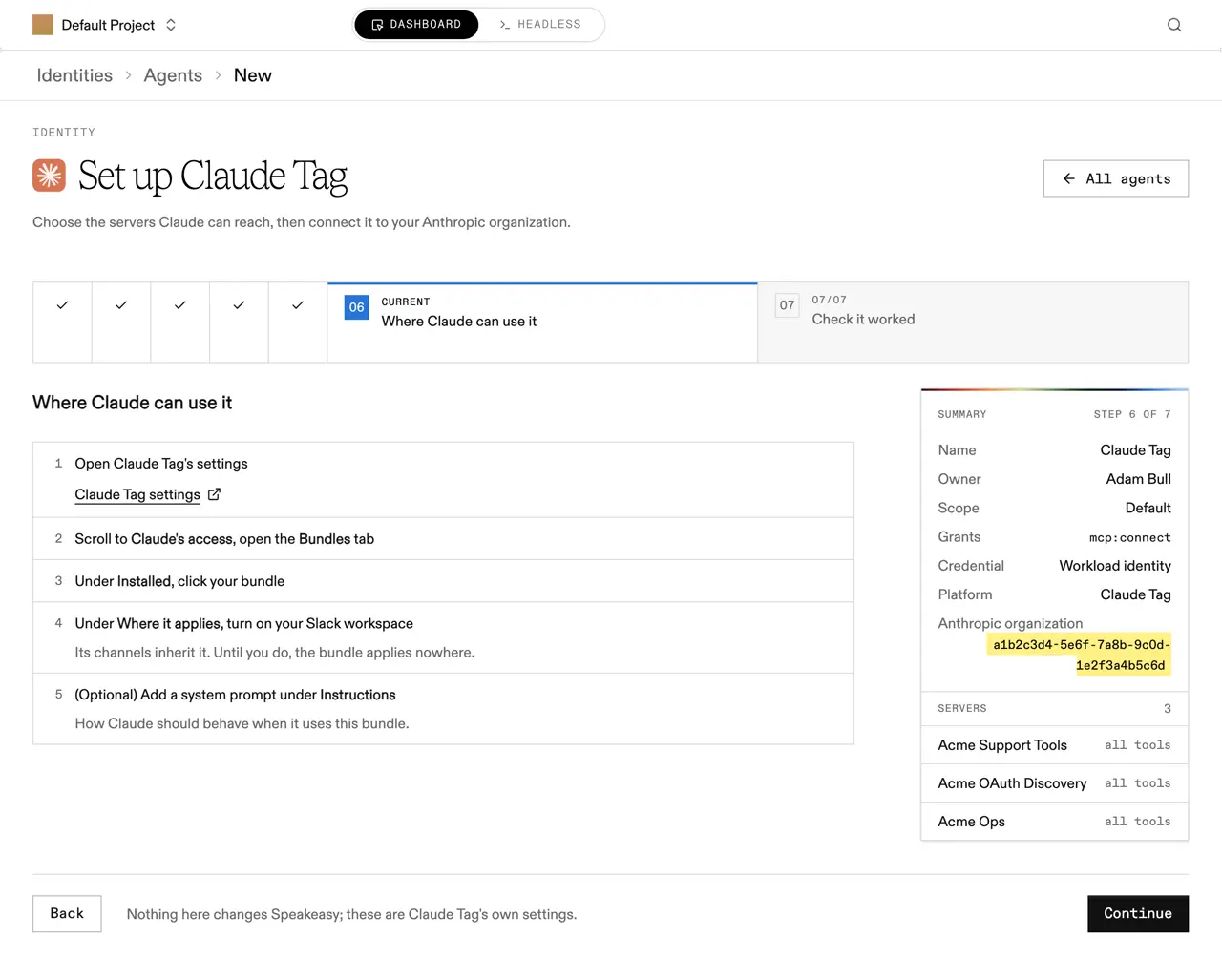
- Open Claude Tag’s settings.
- Scroll to Claude’s access and open the Bundles tab.
- Under Installed, select your bundle.
- Under Where it applies, turn on your Slack workspace. Its channels inherit it.
- Optionally add a system prompt under Instructions, describing how Claude should behave when it uses this bundle.
Test from a channel
Section titled “Test from a channel”In a Slack channel the bundle applies to, start a new thread, mention Claude, and ask it to list the MCP server’s tools.
Use a channel thread, not a direct message
Federated connections work only in channel threads. A direct message with Claude fails with request blocked: federated connections work only in agent sessions.
Each channel that signs in appears on MCP Sessions under Anthropic’s issuer and the channel’s own subject.
If the exchange fails, check:
- The Anthropic organization ID matches the Tenant ID in the Claude Tag console.
- The Issuer URL in Claude matches the Speakeasy issuer URL exactly.
- The MCP server is on a Speakeasy host and attached to the authorization server whose values were copied.
- The agent’s policy allows the server, and the agent owner still has access to it.
Speakeasy returns the same invalid_grant error for every refusal, and Claude Tag reads only the error code, so these checks are the quickest way to find the cause.
Manage and revoke access
Section titled “Manage and revoke access”The agent’s Credentials section lists the platforms that sign in as it, beside the API keys it holds.
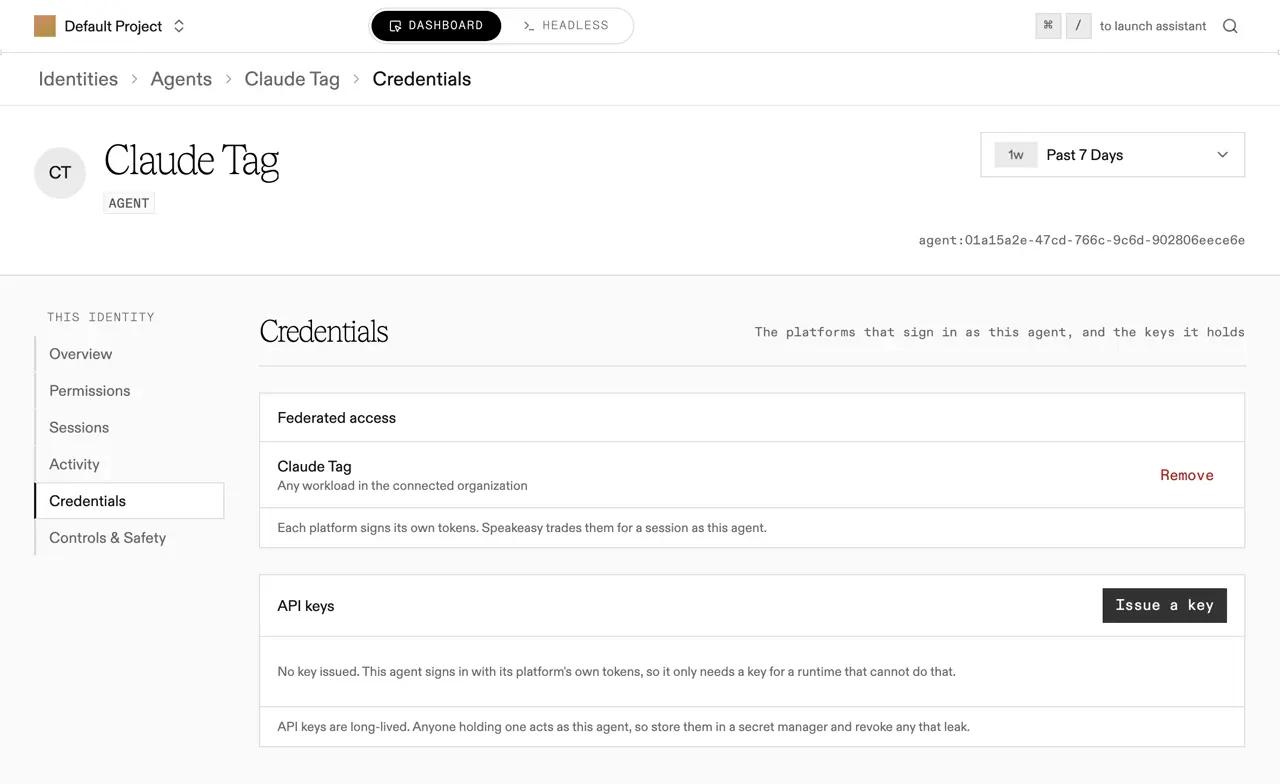
- To change the servers Claude Tag can reach, select Edit on the agent and save a new selection.
- To have one channel act as a different agent, set up a second agent and add a rule for that channel’s exact subject. An exact rule takes priority over the wildcard. Agent IDs appear in each channel’s sessions on MCP Sessions.
- To disconnect Claude Tag, select Remove on the Claude Tag row, then remove the authorization server in the Claude Tag settings. Removing it there also frees a gateway slot, since a Claude organization can register at most five.
Removing access stops new exchanges but doesn’t end sessions already issued. To cut off a channel immediately, also revoke its sessions on MCP Sessions, or revoke the agent, which applies to both API keys and federated access.
Next steps
Section titled “Next steps”- Read Workload identity for how trusted platforms, access rules, and token exchange work for other platforms.
- Read Authorizing agents to scope the agent Claude Tag acts as.