Authentication
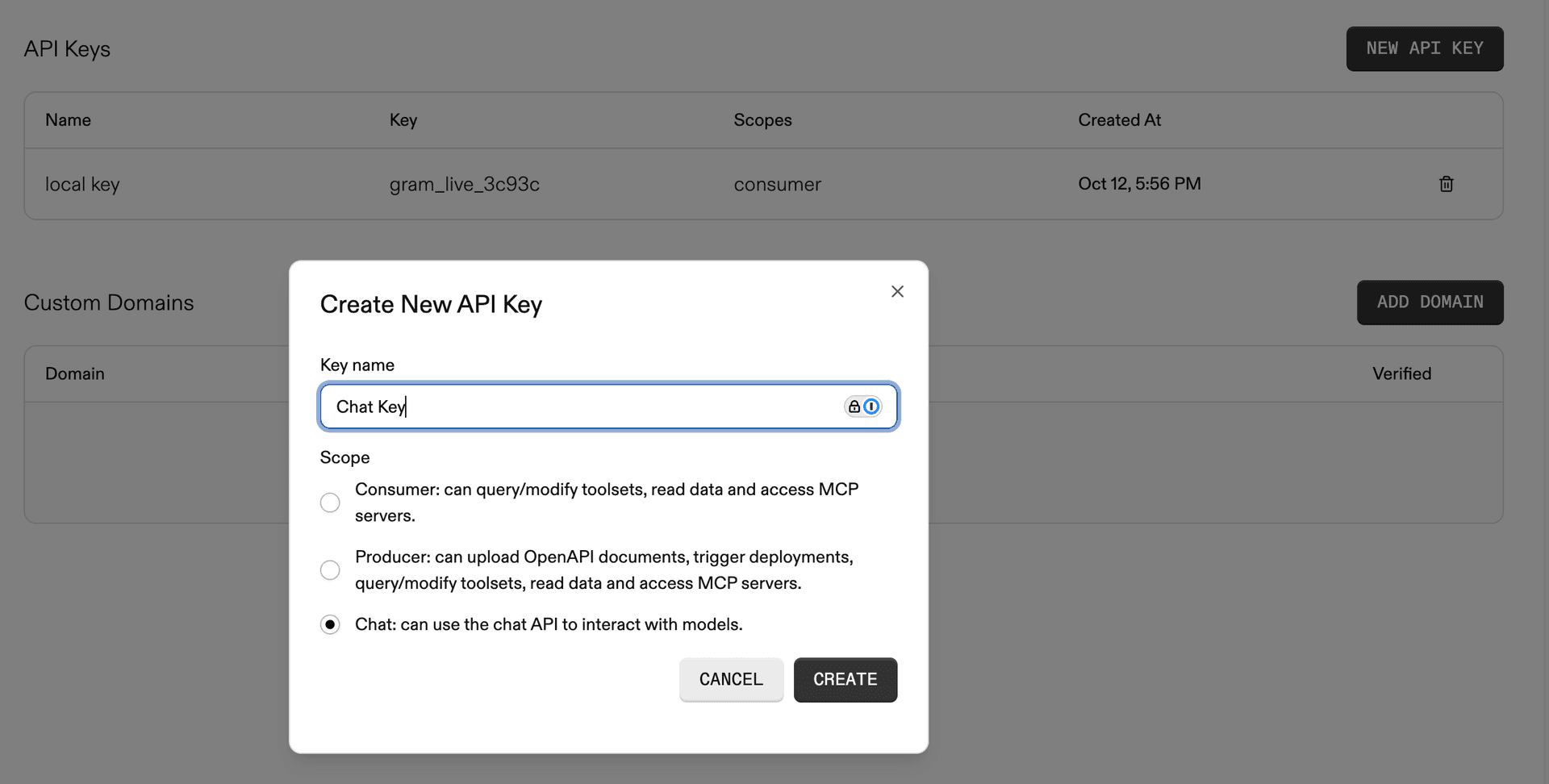
To use the Gram Agents API, create a Chat API key in the Gram dashboard and include it in requests.
Creating a Chat API key
In the Gram dashboard , navigate to Settings and create a new API key with chat permissions.
Request headers
Include the following headers with each request:
Content-Type: application/json
Gram-Key: <your-chat-api-key>
Gram-Project: <your-project-slug>
The Gram-Project header specifies which project the request is associated with. Use default if not using multiple projects.
Billing
Gram Agents API usage is billed as chat usage, similar to Playground usage. Model costs are tracked and billed based on the tokens consumed during agent execution.
Usage limits
Default account chat credit limits apply to Gram Agents API requests.
To request higher limits upgrade your account or contact gram@speakeasy.com.
Monitoring usage
Track Gram Agents API usage in the Gram dashboard under Billing.

Last updated on