SDKs
Integrate Speakeasy with Bump.sh
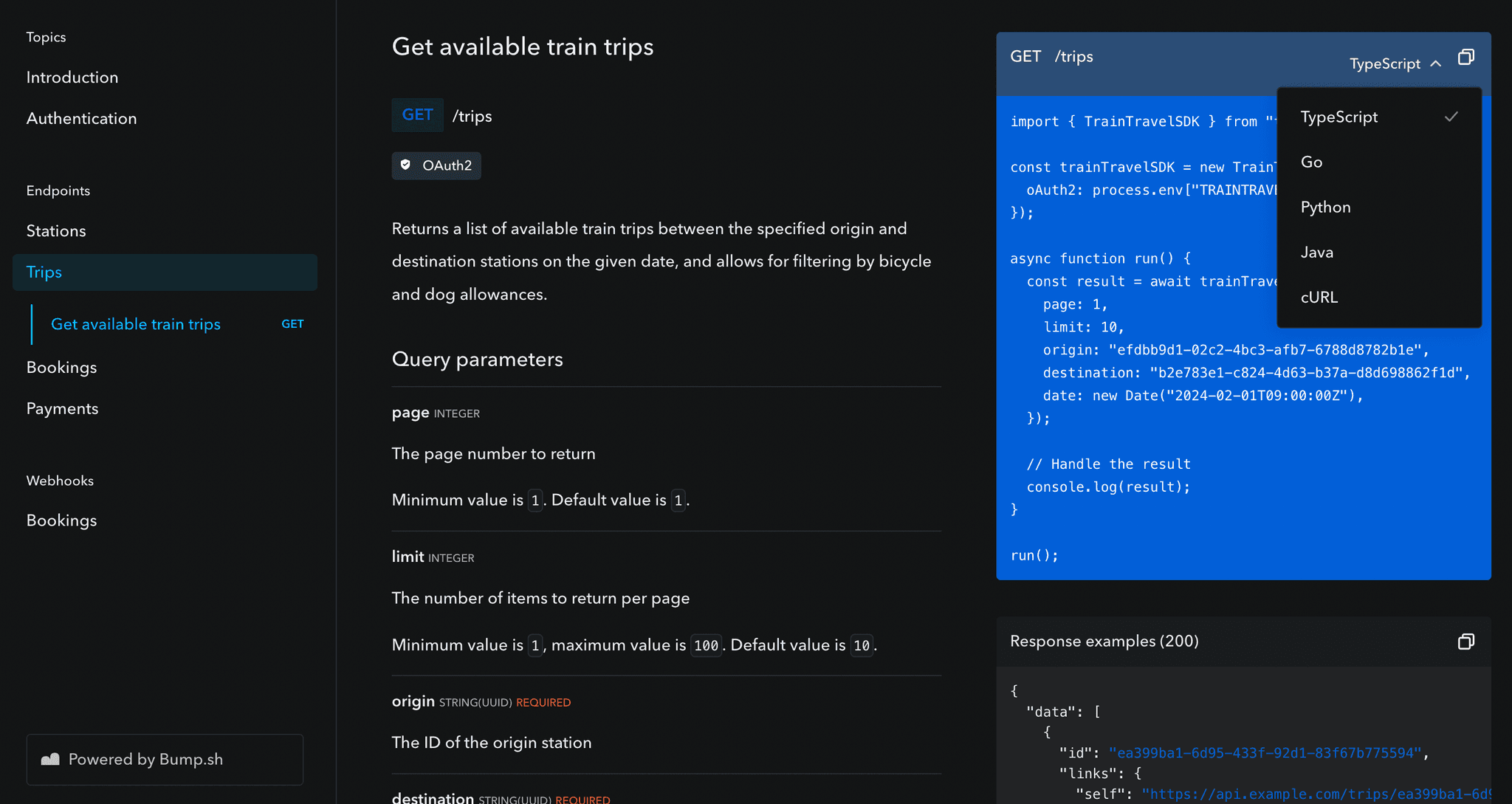
Bump.sh is a hosted solution for simple API documentation, API catalogs, and API explorers, which makes it a great tool to use in conjunction with Speakeasy’s Automated Code Samples feature. Embed SDKs right into the API documentation, making it easier for developers to get started with the API.
Prerequisites
Section titled “Prerequisites”To integrate Bump.sh with Speakeasy, you’ll need the following:
- A Bump.sh account. Sign up at https://bump.sh/users/sign_up.
- A Speakeasy-generated SDK with a configured automated code sample URL.
Setting up the integration
Section titled “Setting up the integration”Get the API’s combined spec public URL from the registry
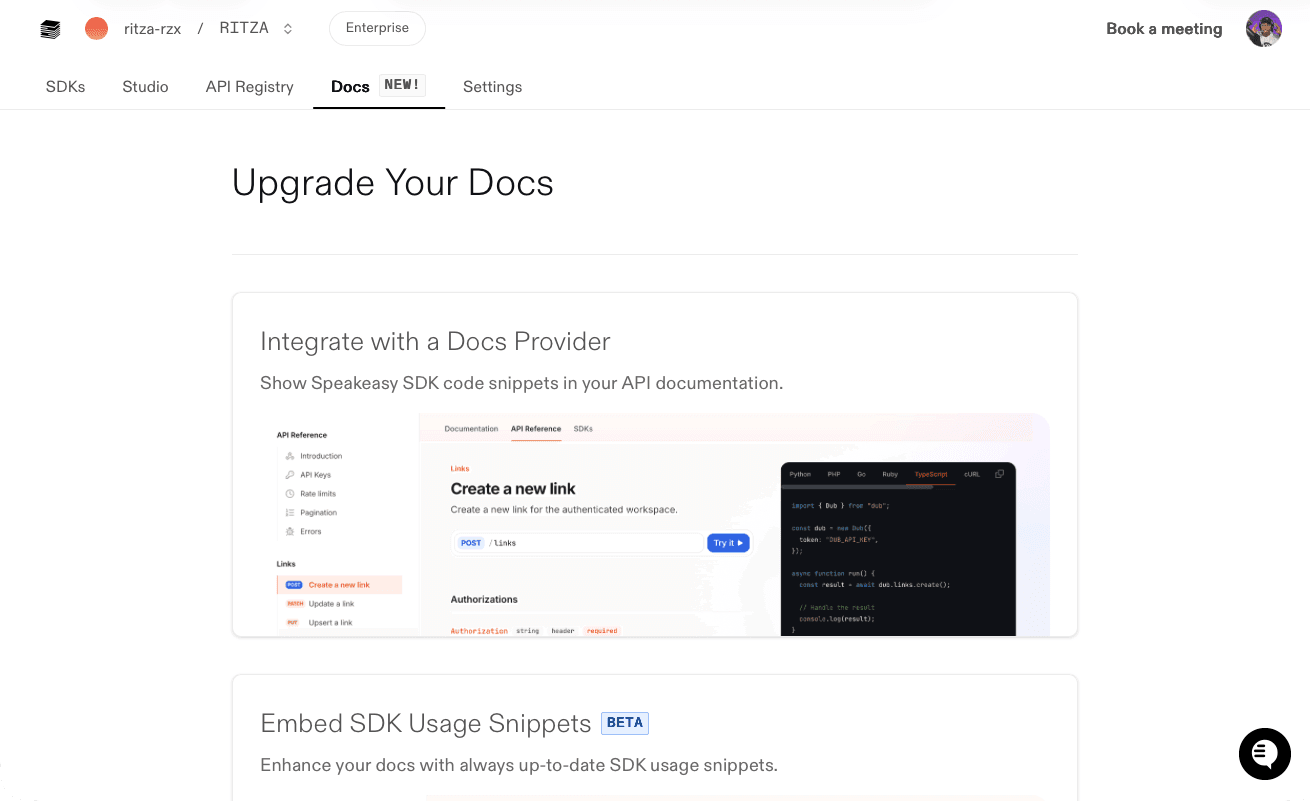
Section titled “Get the API’s combined spec public URL from the registry”Navigate to the Speakeasy Dashboard and click on the Docs tab. Select the Integrate with a Docs Provider option.
On the Integrate with a Docs Provider page, select the correct OpenAPI document using the Change OpenAPI Documents button. Then, copy the Spec URL.
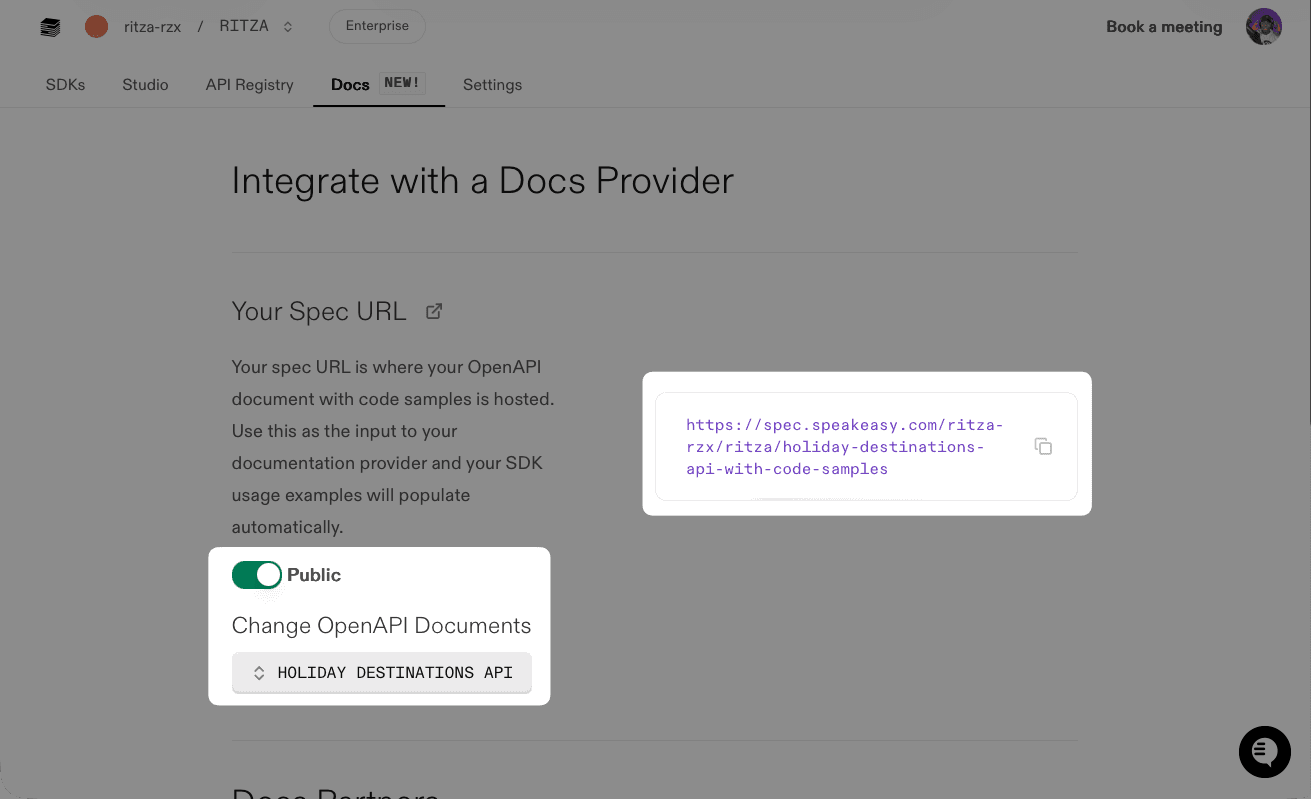
Make sure the Public toggle is enabled, so Mintlify can access the OpenAPI document.
Import the combined spec URL into Bump.sh
Section titled “Import the combined spec URL into Bump.sh”In the Bump.sh dashboard, either create New Documentation or open existing API documentation. Click Settings and open the Automatic Deployment tab.
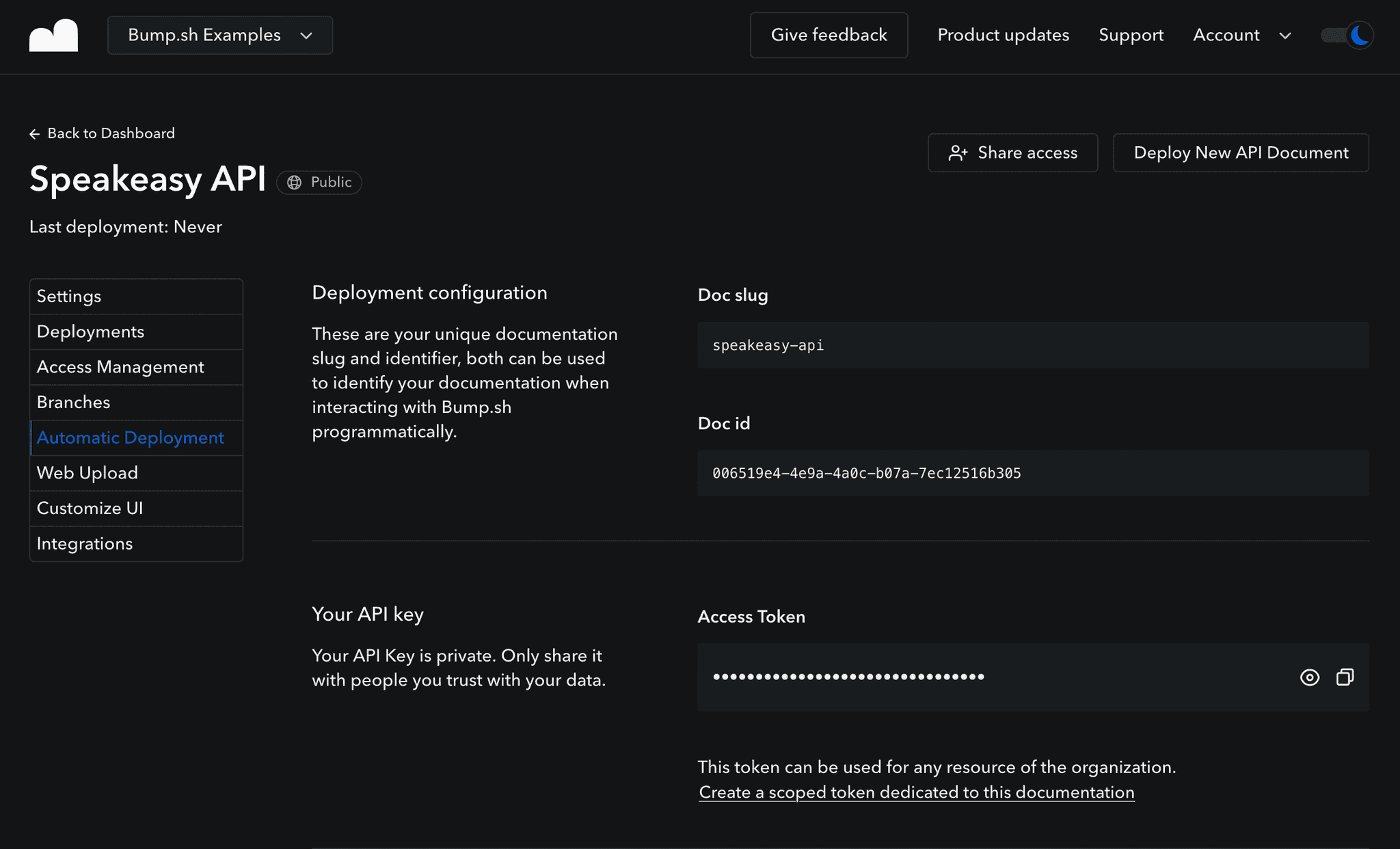
Select whether you want to deploy via GitHub Actions or CLI, and copy the appropriate example, which will include the Doc ID and the API token for you.
If you’re new to Bump.sh, start with the CLI. Open a terminal and run the following command:
npm install -g bump-cli
bump deploy https://spec.speakeasy.com/walker/walker/book-club-oas-with-code-samples  --token=<your-api-token>  --doc=<your-doc-id>
When the import is complete, the API documentation will be rendered, and Speakeasy-generated code samples will be embedded in the relevant OpenAPI operations.
Next steps
Section titled “Next steps”For more advanced configurations than this basic setup, refer to the Bump.sh and Speakeasy integration guide, which demonstrates using GitHub Actions to automate deployments.
Bump.sh is more than just an OpenAPI renderer – it also provides API catalogs, discovery tools, and interactive playgrounds. Learn more about Bump.sh in the official documentation.