SDKs
Automated code sample URLs
Get the API’s combined spec public URL from the registry
Section titled “Get the API’s combined spec public URL from the registry”Navigate to the Speakeasy Dashboard and click on the Docs tab. Select the Integrate with a Docs Provider option.
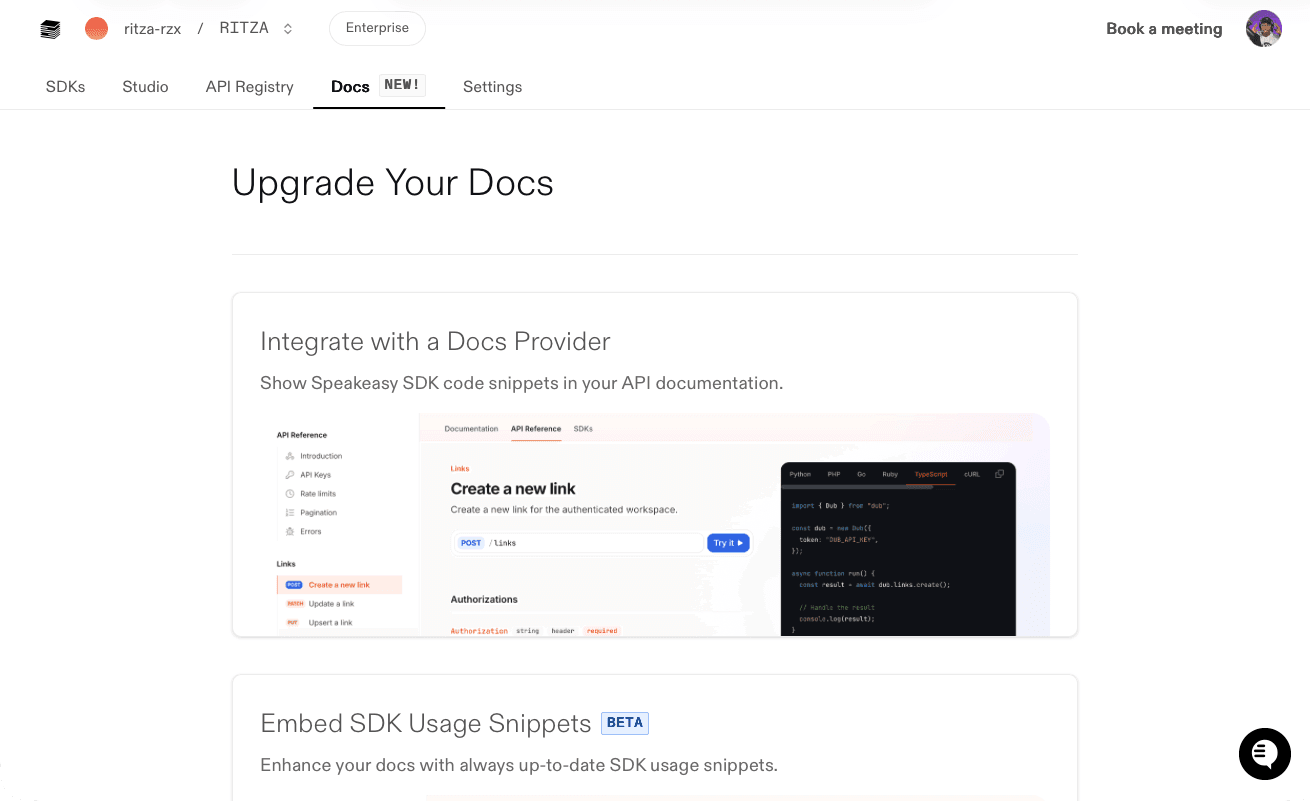
On the Integrate with a Docs Provider page, select the correct OpenAPI document using the Change OpenAPI Documents button. Then, copy the Spec URL.
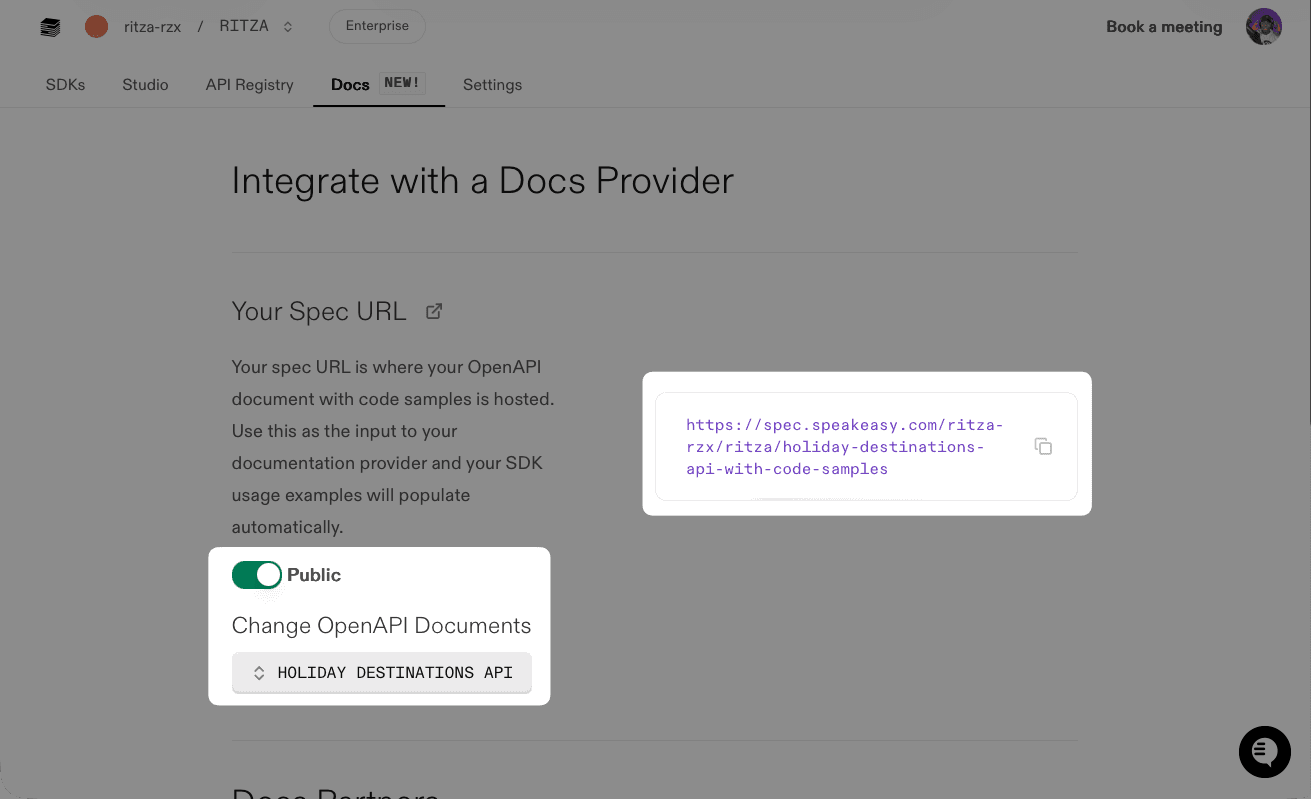
Make sure the Public toggle is enabled, so Mintlify can access the OpenAPI document.
To configure one of these combined code sample specs as a public URL for documentation providers, visit the Docs tab in the Speakeasy dashboard.
How Speakeasy automates code sample URLs
Section titled “How Speakeasy automates code sample URLs”Speakeasy automatically tracks the base OpenAPI document and code samples when an SDK is generated using GitHub Actions and changes are merged to the main branch.
Based on this, Speakeasy generates a combined spec in the background that contains all your existing OpenAPI operations along with any added x-code-samples extensions.
Requirements for using automated code sample URLs
Section titled “Requirements for using automated code sample URLs”If the SDK setup in GitHub is not yet complete, a notification like the following may appear in the Docs tab.
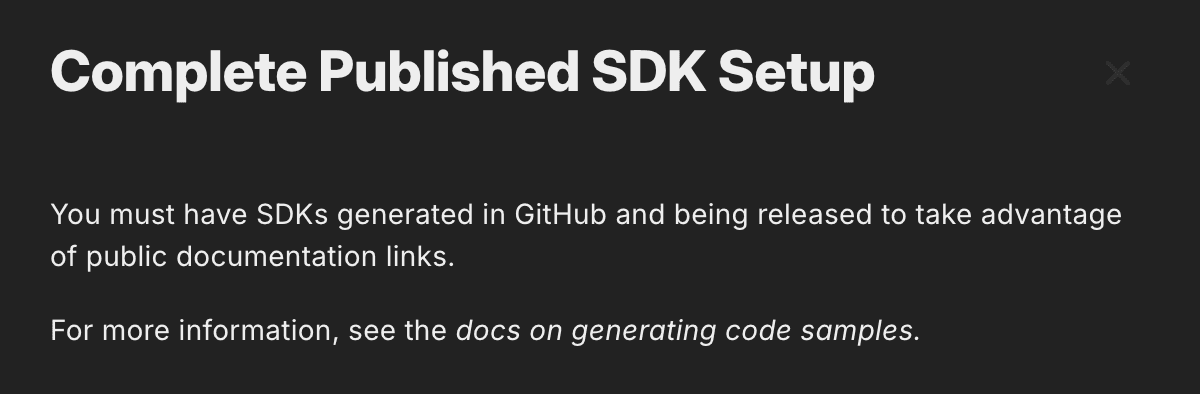
To use automated code sample URLs, the SDK must meet the following requirements:
- Each SDK’s
workflow.yamlfile must include the following:- The
source(the OpenAPI document) with a specifiedregistrylocation. - The
target(the SDK) with acodeSamplessection that includes a specifiedregistrylocation.
- The
- The SDK must be generated with GitHub Actions and merged to main.
- The SDK GitHub Action must be in
directmode, or thesdk-publishaction must be configured. While publishing to a package manager is not necessary, release tagging must be handled by this action. - The base OpenAPI document must not include
x-codeSamplesextensions, as they will not be overwritten.
When the setup is correct, the following will be available in the APIs tab of the Speakeasy dashboard:
- An entry for the base OpenAPI document (for example,
my-source). - For each SDK you include, a corresponding code samples overlay (for example,
my-source-{lang}-code-samples).
Revisions to the base OpenAPI document and code sample overlays must be tagged with main, which is why using GitHub Actions is required.
Alternatives to configuring sdk-publish.yaml:
If publishing setup is not ready, temporarily set up the following tagging action in each SDK repo.
name: Speakeasy Taggingpermissions: checks: write contents: write pull-requests: write statuses: write"on": push: branches: - main paths: [] workflow_dispatch: {}jobs: tag: uses: speakeasy-api/sdk-generation-action/.github/workflows/tag.yaml@v15 with: registry_tags: main secrets: github_access_token: ${{ secrets.GITHUB_TOKEN }} speakeasy_api_key: ${{ secrets.SPEAKEASY_API_KEY }}